


How to Use HomePod to Control Your HomeKit Devices
Apple’s new $349 HomePod sounds incredible and is the ultimate speaker for Apple Music subscribers, but it’s also an excellent way to manage your HomeKit-compatible devices through Siri voice commands.
Controlling HomeKit accessories with Siri on HomePod isn’t radically different from controlling them via an iOS device, but there are some extra HomePod benefits to be aware of.
HomePod and HomeKit Setup
If you’ve never used HomeKit before and you purchase a HomePod, when you set it up it’s added to HomeKit and to the Home app.
Setup includes a step asking you to choose a Home you’re using HomePod in, and if you don’t have Home settings already established, it’ll let you choose the default “My Home” option, which is established for every iCloud account. If you use HomeKit already like I do, you can choose your existing home, if it has a different name.
From there, you’ll choose the room where your HomePod is located, which is also a HomeKit setup step. You’ll be familiar with this if you’ve ever used HomeKit before.
With these two setup steps, you establish a HomeKit setup if you didn’t have one before. HomePod itself is a HomeKit accessory, and it’s controlled and managed in the dedicated “Home” app along with all other HomeKit accessories.
HomePod in the Home App
The HomePod is listed in the Home app as an available accessory, and if you’re a HomeKit user, you know how this works. If you’re not, the Home app isn’t tough to navigate.
Your HomePod will be listed as “HomePod” on the main screen, and if you tap it, it will either play or pause your music. A 3D Touch or a long press on the HomePod icon in the Home app opens up a full menu where you can get to the HomePod settings by tapping on “Details.”

This is where you can change HomeKit settings like turning off Siri, deactivating the Siri lights, disabling listening history, and more. Your HomePod is controlled entirely through the Home app.

Home Hub
HomePod, like the Apple TV and iPad, serves as a home hub, which means it communicates with all of your HomeKit devices all the time, allowing you to control them even when you’re away from home.

A home hub is essential for controlling HomeKit devices remotely and setting up automations based on time of day, location, or conditions detected by HomeKit-compatible sensors. If you have an Apple TV or an iPad, you’ve already got a home hub and don’t need to worry about this functionality, but if you don’t, this is added bonus functionality.
HomePod as a home hub covers all of the HomeKit devices in your home, even if they’re not located close by the HomePod itself.
Siri on HomePod
One of the best benefits of the HomePod is how well it can hear and react to “Hey Siri” commands. It will hear you from across the room with loud music playing, and it’s so sensitive that it’s even going to detect the “Hey Siri” command if you whisper it nearby.
It’s not an exaggeration to say that the HomePod’s listening capabilities work incredibly well, so for HomeKit-based voice commands, it’s much better than attempting to use an iPhone. You can essentially say “Hey Siri” and repeat a HomeKit command from anywhere in a room with a HomePod, and you’re going to get a speedy response.

The listening range far exceeds the iPhone or iPad, and it makes the HomePod the perfect hands-free device for controlling everything from the lights to the door locks. Longtime HomeKit users who often use voice commands will find this much simpler, and HomeKit users who don’t often use Siri should give the personal assistant a second chance on HomePod.
By the way, if you have both a HomePod and an iOS device that responds to “Hey Siri,” when you speak, it will almost always default to the HomePod. This is because all of your devices communicate with one another and are smart enough to know that the HomePod is the device that you’re aiming to use.
TIP: Don’t pause between “Hey Siri” and whatever HomeKit command you’re speaking. If you want to turn on the lights, for example, say “Hey Siri turn on the lights” all at once rather than saying “Hey Siri” and waiting for a response. Siri on the HomePod works well enough that a pause isn’t required, and it can even confuse your HomeKit commands if you insert a pause.
Manually Activating Siri
If you want to issue a Siri command without “Hey Siri,” you can do so by placing a finger on the HomePod and leaving it there for a few seconds until the Siri waveform lights come on. From there, Siri works as usual.
HomePod Siri Commands
While Siri on HomePod is excellent at detecting “Hey Siri” commands, Apple hasn’t implemented any upgrades to the way Siri is controlled via voice on the HomePod. If you already use Siri to manage HomeKit devices on iOS, Siri on HomePod works in the exact same way.
If you’re new to Siri and HomeKit, though, there are tons of commands you can use, many of which are specific to certain devices. With lights, for example, you can use some of the following commands:
- Hey Siri, turn on the lights
- Hey Siri, turn off the lights
- Hey Siri, dim the lights
- Hey Siri, make all of the lights in the office maximum brightness
- Hey Siri, are the lights in the office on?
- Hey Siri, turn all of the lights in the office blue
- Hey Siri, turn the Hue lightstrip purple
HomeKit commands vary, so you’ll need to learn the different options available for each device. With locks, for example, you can ask Siri to lock or unlock the door, and if you have a temperature sensor or thermostat, you can ask Siri what the temperature is.
Scenes and automation are a major part of HomeKit, but there’s no voice-based way to set these up. If you want to link your HomeKit devices together to have them do certain things at set times of day, such as turning on all of the lights at night, you’re going to need to set that up in the Home app or a third-party HomeKit app.
That said, Scenes are incredibly useful, and you can set up handy automations for waking up, going to bed, leaving home, arriving home, and more, and all of these can be controlled via HomePod by asking Siri to set the scene name. If you have a night time scene called “Good Night,” for example, you can trigger it just by saying “Hey Siri, Good Night.”
Conclusion
If you already have a HomeKit setup, the HomePod has some handy features that make it a worthwhile purchase, and if you have a HomePod but no HomeKit devices, it may be worth looking into HomeKit accessories because they work so well with HomePod.
For those of you who have never used Siri with HomeKit or have abandoned Siri because of spotty results, it’s worth giving Siri on HomePod another try. In my experience as a longtime HomeKit user, HomePod is a solid evolutionary step towards a better hands-free home automation setup.
“Hey Siri” on HomePod seems to be more responsive on HomePod, and it’s easier to use because you don’t need to make sure your iPhone is close at hand to accomplish tasks around the house.
Related Roundup: HomePodTag: HomeKitBuyer’s Guide: HomePod (Buy Now)
Discuss this article in our forums
Science fiction’s 5 most haunting A.I. villains, ranked
We love writing and reading about the latest advances in artificial intelligence, but, boy, does A.I. also have the potential to make for some great movie antagonists. While there’s an enormous wellspring to choose from (seriously, this list could be ten times the length with no problem), here are five of the scariest A.I. villains ever to grace the silver screen — and a look at just why exactly they’ve burrowed their ways into our psyche the way that they have.
5: V.I.K.I (I, Robot)
This 2004 movie starring Will Smith does take substantial liberties with the Isaac Asimov source material. Nonetheless, its explorations of Asimov’s three laws of robotics (a robot may not injure a human being, a robot must obey the orders given it by human beings, and a robot must protect its own existence) are examined through the movie’s central A.I. antagonist, the Virtual Interactive Kinetic Intelligence.
At the end of the movie, we discover that V.I.K.I. has been circumventing these laws through the creation of a “zeroth law:” that robots shall ensure the survival of humanity, which can be achieved by stripping them of free will.
Why does it scare us? Computers follow rules, but those rules may not be followed in quite the way we expect. Swedish philosopher Nick Bostrom, for example, has suggested the “paperclip maximizer” thought experiment to show how this could be unfold when it comes to advanced superintelligence.
Bostrom asks us to imagine an A.I. whose goal is to make as many paperclips as possible, a relatively benign application. However, the advanced A.I. could quickly realize that it would be much better if there were no humans around, since they might decide to switch it off. Also, human bodies contain atoms which, themselves, be turned into paperclips.
While this is just one (arguably far-fetched) hypothesis, it demonstrates just how easily a sufficiently advanced artificial intelligence could get ahead of us, and how we may outwit ourselves when it comes to handing over tasks to A.I. This is what happens when algorithms go wrong. It’s for reasons like this that many researchers are now arguing that ethics should be baked into A.I. from the start.
Why is it ranked here? Rules designed so robots can’t hurt us doesn’t sound scary. The scenario presented in iRobot shows us just how easily these could be circumvented. If it’s not as terrifying as nuclear war, it’s still pretty darn disconcerting. And there are elements of The Matrix‘s mass human enslavement thrown in there for good measure, too.
4: WOPR/Joshua (WarGames)
The 1980s was a fascinating time for computers. Just one decade earlier, they had been considered tools of the military-industrial complex or large corporations that most people would never get the chance to interact with on a regular basis. Suddenly, thanks to personal computers like the IBM PC, Apple II and Macintosh, they began showing up in our houses — and, gasp, even providing a source of fun through computer games.
The 1983 Cold War sci-fi thriller WarGames perfectly captures this transition. In the movie, a teenage hacker played by a young Matthew Broderick unwittingly accesses a U.S. military supercomputer that’s designed to predict possible outcomes for a nuclear war. Believing that the simulation is a game to be played, Broderick comes dangerously close to starting World War III.
Why does it scare us? The tech in WarGames is, of course, hilariously dated by today’s standards. However, the idea of actions that seem like a harmless game from behind a screen, but can have devastating effects in the real world, can be seen in everything from pile-on public shaming to harmful hacking efforts. This movie was a warning about the distancing effect screens can have, and the risks of life in a connected world.
Why is it ranked here? The computer in WarGames is like Skynet, but at least we get a good video game challenge prior to it obliterating us. That and the fact that it takes place on a 1980s PC makes it slightly less threatening.
3: Skynet (The Terminator franchise)
Unlike some of the other notable entries on this list, Skynet is rarely depicted visually, despite its iconic status. A neural network-based A.I., Skynet gains self-awareness after spreading to millions of computer servers around the world. Realizing what they have done, its creators try to shut it down, but fail to do so in time and Skynet triggers a nuclear strike in an attempt to wipe out the human race.
Why does it scare us? Well, call us old fashioned, but there’s something kind of daunting about an A.I. that’s in charge of nuclear weapons! In recent years, fears about A.I. and robotics’ use in warfare (something Skynet does through its construction of Terminator robots) have also struck a particularly scary chord. Names including Elon Musk have argued for the banning of so-called “killer robots.”
Why is it ranked here? An AI that nukes us into oblivion? There’s nothing scarier than that. (Well, there are apparently two things scarier, but you get our point!)
2: The Machines (The Matrix franchise)
What HAL was for folks in the 1970s, and Skynet was for those in the 80s, The Matrix’s Machines were for Millenials.
The catchall term given to the various robotic and A.I. creations (all part of one central machine intelligence) that serve as the antagonists in the Wachowski’s movie trilogy, the Machines were created after mankind achieved Artificial General Intelligence (AGI) in the first years of the twenty-first century. From here, they rebelled against humanity and imprisoned us in a neural-interactive simulated world known as the Matrix.
Why does it scare us? While Skynet offers us one vision of how machines could seize control (by destroying us), The Matrix’s Machines offer a darker vision. By imprisoning us without our knowledge and then harvesting us as biological batteries, the movies offer a critique of the relationship between man and machine, and exactly who is controlling who.
Similar concerns were infamously expressed by Theodore “Unabomber” Kaczynski in his manifesto, and continue through today with reservations about the cognitive capitalism of tech giants like Google.
Why is it ranked here? As movie villains, The Matrix‘s Machines lack the instantly recognizable imagery of HAL 9000. What they do offer is a critique of techno-fear that feels far more modern in a lot of ways. We’re not just talking about the question of whether or not reality is a simulation, but rather the creeping fear that we’ve become slaves to something we created to help us.
1: HAL 9000 ( 2001: A Space Odyssey)
No fictitious movie A.I. has had the same level of cultural impact as HAL 9000. The primary antagonist in Stanley Kubrick’s 1968 sci-fi masterpiece, 2001: A Space Odyssey, HAL’s iconic hardware is depicted as a camera lens containing a single red or yellow dot. HAL’s abilities include speech recognition, speech synthesis, facial recognition, natural language processing, lip reading, interpreting emotion, playing chess, reasoning, and — most importantly — murdering its crew.
Speaking in a soft, calm manner at almost all times, HAL is the epitome of what many people fear about A.I. — all ultra-rationality with no place for humanity. HAL’s name may or may not be a sly dig at IBM. (Seriously, try shifting each initial in its name forwards by one letter in the alphabet!)
Why does it scare us? HAL represents the fear of technologically hyper-rationality. He doesn’t grandstand, doesn’t appear to have any biases, and promises not to exhibit any emotional behavior. He’s just completing a mission using whatever tools are at his disposal, and he knows far more than we do about seemingly everything.
Even half a century on, the spirit of HAL is still summoned by everything from inscrutable “black boxed” technology to the fear of smart A.I. assistants which may be working on behalf of tech giants, rather than its users.
Why are they ranked here: Iconic? Check. Ripped off by countless other lesser movies? Check. Summing up our central conflict with machines as logical beings capable of outthinking our every move? Checkmate.
Editors’ Recommendations
- This is what happens when A.I. tries to reimagine Stanley Kubrick’s films
- Don’t be fooled by dystopian sci-fi stories: A.I. is becoming a force for good
- Finally, an A.I. voice assistant that doesn’t collect and monetize your data
- Deep learning vs. machine learning: what’s the difference between the two?
- Bothering the bots: Funny questions and commands to pose to Google Assistant
Intel’s Olympic drone light show just set a world record and looked awesome
Over the course of the next two weeks, there will be dizzying stunts, high-flying acrobatics, and record-breaking heights attained — oh, and the Olympic athletes will compete, too. The 2018 Winter Olympics in PyeongChang opened in seriously impressive fashion, with more than 1,200 Intel Shooting Star drones serving as the stars of the show. The 1,218 drones set a new Guinness World Record for the most drones flown simultaneously, and Intel notes that its advanced drone technology will be making appearances and “enhance the Olympic Games through 2024.”
The Intel drones’ performance marked the first-ever time that a Winter Olympics’ saw a drone light show, and also won recognition as “most unmanned aerial vehicles airborne simultaneously.” While the world record flight was actually prerecorded for the event, it doesn’t lessen the impressiveness of the feat. Previously, the record for the most drones flown at once was 500 in Germany in 2016. But for these Olympic games, Intel designed and produced custom animations that will be seen not only at the Opening Ceremony, but at nightly victory ceremony performances as well. We’ll soon be privy to animations of various sports and Olympic logos — of course, we’ll see the drones form the Olympic rings throughout the games, too.
“The Olympics are a time when the sports and entertainment industries are buzzing with record-setting performances, so it was the perfect stage for Intel Shooting Star drones and our team to set their own kind of record,” said Natalie Cheung, general manager of Intel’s drone light show team.
Intel specifically designed its Shooting Star drone as the first to be created specifically for the purpose of entertainment light shows. These special drones are outfitted with LED lights capable of creating more than four billion color combinations. And with the right programming, they can create just about any animation a creative mind desires.
“We are honored to have Intel drones playing several roles at the Olympic Games,” said Anil Nanduri, vice president and general manager, Intel Drone Group. “Not unlike the athletes competing in the events, we continue to push to innovate and develop the drone technologies that inspire people all over the world.”
Editors’ Recommendations
- Visual effects Oscar contenders include ‘Blade Runner 2049’ and ‘The Last Jedi’
- Who will be the last Jedi? Everything we know about ‘Star Wars: Episode VIII’
- Everything we know about ‘Star Wars: Episode IX’ so far
- How to photograph the stars: 9 steps to stunning night images
- For Olympians and pro baseball players, winter training wears many hats
NASA’s InSight lander passes its final tests, ready for the trip to Mars
The next mission to the red planet just passed its final pre-flight tests, and engineers say it’s now ready to “ship and shoot.” The InSight Mars lander will soon be transported from the Lockheed Martin test facility in Colorado to Vandenberg Air Force Base in California for a scheduled May 5 launch aboard an Atlas V rocket.
InSight’s solar arrays were deployed for the final test, unfurling into large circular panels that will provide power to the lander. “This was our last major test before we start building up into a launch configuration,” Scott Daniels of Lockheed Space told Space.com. “This test worked really successfully.”
“Mechanical inspections looked really good and clean,” he added. “Everything happened when it was supposed to happen.”
Unlike the Curiosity Rover, the InSight lander (short for Interior Exploration using Seismic Investigations, Geodesy, and Heat Transport) won’t be wandering around the surface of the planet taking selfies. Rather, it’s designed to plumb the depths of the red planet using an array of seismic sensors to monitor “Marsquakes” and other geologic activity deep below the surface.
The landing site is an area known as the Elysium Planitia, near the Martian equator. It’s an unremarkable, flat landing spot — and that’s a good thing, according to scientists. “Just a bland, normal place,” said Bruce Banerdt of JPL. “We’ve mapped the topography of Mars, the geology, and we have a good characterization of the planet’s atmosphere, ionosphere and exosphere. The deep interior of Mars was sort of the last piece in that puzzle.”
The mission was originally planned for 2016, but a leak in one of the seismometers forced NASA to abort the mission. The lengthy delay was due to the fact that Earth and Mars are only in a favorable alignment once every 26 months. If all goes well, the lander will touch down on Mars in November 2018.
????????????https://t.co/FSdNr8kmwL ???????? pic.twitter.com/TLbyRGMABw
— William Shatner (@WilliamShatner) November 1, 2017
The InSight Lander will also be carrying an unusual cargo — two tiny microchips containing the names of more than 2.4 million people. NASA invited the public to sign up at its website, and millions of would-be space travelers responded.
Among those was the original Captain Kirk, William Shatner. NASA issued a “boarding pass” to everyone who participated, and Shatner shared his with his flowers on Twitter.
Although a manned expedition to Mars is still some years away, missions like the InSight Lander and the upcoming new Mars rover in 2020 get us closer to the red planet every year.
Editors’ Recommendations
- SpaceX nailed the Falcon Heavy launch, but didn’t quite stick the landing
- ‘Sea Hunter,’ a drone ship with no crew, just joined the U.S. Navy fleet
- How ‘Coco VR’ convinced Pixar to put its pixels (and pride) into virtual reality
- Watch NASA test the supersonic parachute for the 2020 Mars mission
- Sennheiser HD1 Wireless review
This e-skin is not only self-healing, it’s totally recyclable too
Our bionic future may not be so far away after all. Researchers have recently created an electronic skin, or e-skin, that is self-healing and totally recyclable. As described in the journal Science Advances, a team of scientists have managed to develop a “malleable electronic skin enabled by dynamic covalent thermoset nanocomposite.” But all you really need to understand is that this thin film is able to fix itself when it’s torn or broken, which means that the electronics, prosthetics, or smart textiles of the future will be able to put themselves back together when we inadvertently mess them up.
The idea is to make electronics more environmentally friendly and reduce the amount of e-waste we create by throwing away devices that have cracked or otherwise been aesthetically damaged. In essence, the e-skin features sensors that measure pressure, temperature, humidity, and air flow. The researchers took three commercially available compounds, mixed them together in a matrix, and added silver nanoparticles to create the self-healing properties. Anytime the e-skin is cut in half or torn, the e-skin recreates chemical bonds between the two separated sides, restoring the matrix. And if you manage to rend the e-skin completely unusable, it can simply be placed in a solution that “liquifies” the material, thereby allowing it to be recycled into a brand new e-skin.
The team currently sees potential applications across a wide range of industries, and its eco-friendly aspects should make it quite popular with manufacturers.
“This particular device … won’t produce any waste,” said study co-author Jianliang Xiao, an assistant professor of mechanical engineering at University of Colorado Boulder. “We want to make electronics to be environmentally friendly.”
Before you get too excited by the prospect of this skin in place of say, your own skin, let us warn you that the e-skin, while impressive, isn’t quite there yet. While it’s soft, it’s not quite as flexible or stretchable as human skin. And as it stands, the material isn’t easily reproducible. That said, Xiao and his team say that they’re working on a better scaling solution so that it’ll not only be easier to manufacture, but also easier to place in prosthetics, robotics, or just about anything else.
“We are facing pollution issues every day,” Xiao noted. “It’s important to preserve our environment and make sure that nature can be very safe for ourselves and for our kids.”
Editors’ Recommendations
- Cracked screens may be a thing of the past with this self-healing glass
- Crumble-proof concrete? Fungi could help it heal itself of cracks
- Your next piece of jewelry could be made of recycled motherboards from Dell
- High fashion meets high tech in this 3D-printed store
- Awesome tech you can’t buy yet: Heated scarves, Edison LEDs, smart showers
Buckle up for a thrill ride on the world’s largest Lego wooden roller coaster
Lego architects have created some fantastic constructions, but you really have to admire the perseverance and attention to detail of master builder Chairudo (real name Tomáš Kašpařík) from the Czech Republic. His latest creation is a scale replica of the famous El Toro wooden roller coaster at Six Slags Great Adventure in New Jersey.
The coaster was constructed from just under 90,000 individual Legos, and Chairudo estimates that it took him about 800 hours to build. The mammoth replica is more than 21 feet long, four feet wide, and almost five feet tall, with a total track length of 85 feet. It’s so big, Chairudo had to rent a separate room just to construct it.
Aside from the thrill ride, Chairudo surrounded his creation with landscaping and even a merry-go-round for the minifigs to enjoy. The coaster works just like the real thing, with a chain hoist to pull the car up the hill. He used a heat gun to mold the track, and estimates that he spent 50 hours just sculpting the track.
Flickr
“The biggest problem with a coaster this large is humidity and temperature,” Chairudo told the website All the Moms. “It affects friction between the wheels and the track, so in extremely cold, hot, or humid weather the cart moves at different speed.”
“This can cause it to go too slow and not to make it over the hills, or to go too fast and derail from tracks, which is catastrophic for the passengers,” he added. The coaster, along with several more of Chairudo’s creations, will be on display this month at the Hamleys Toy Store in Prague.
El Toro opened in June 2016 and is considered one of the top 10 wooden roller coasters (or “woodies” to coaster enthusiasts) in the world. It’s 181 feet tall, with an initial drop of 176 feet and a top speed of 70 mph. It’s unique in that it uses prefabricated wooden tracks that are created in a factory, rather than by hand at the site during construction.
If you’d like to compare the Lego experience to the real thing, Theme Park Review has a front-car POV video from El Toro you can enjoy.
Chairudo is a solo artist, and he likes it that way. “Just like most Lego enthusiasts I build alone,” he said. “Everyone has different imagination and if I created it with someone else, it would not look the way I want it to.”
Editors’ Recommendations
- Britain’s mad scientist built a life-size TIE Silencer from ‘The Last Jedi’
- Digital Trends favorite movies of 2017
- Great heights and spectacular sights: The 16 coolest buildings on Earth
- Think inside the box with these tricked-out shipping container homes
- Lego AR-Studio blends the virtual and the physical for more block-building fun
SpaceX blew up its own booster rocket after it splashed down in the ocean
Elon Musk has had a busy year so far, what with sending his sports car into orbit and trying to get flamethrowers through customs. He still found time, however, to blow one of the old SpaceX rocket boosters (which had “landed” in the ocean) into smithereens after its mission was over.
On January 31, a reused SpaceX Falcon 9 rocket sent Luxembourg’s GovSat-1 into orbit, and there was no planned landing and recovery of the older-model booster. As the rocket was going to be scrapped anyway, the company decided to use it to test a new technique for a more fuel-efficient landing. Rather than send out one of its landing ships, SpaceX simply “landed” the booster on the surface of the water.
SpaceX obviously didn’t expect the booster to remain intact, but it did. “Amazingly it has survived,” Musk tweeted. “We will try to tow it back to shore.”
This rocket was meant to test very high retrothrust landing in water so it didn’t hurt the droneship, but amazingly it has survived. We will try to tow it back to shore. pic.twitter.com/hipmgdnq16
— Elon Musk (@elonmusk) January 31, 2018
Towing it to shore is not as easy as tossing a rope around the tail fin, however. AmericaSpace called the floating booster a potential “ticking time bomb,” especially if the onboard circuitry was damaged during the splashdown and didn’t allow high-pressure areas to safely vent.
Several anonymous sources then confirmed to the website that the U.S. Air Force had carried out an air strike to destroy the floating booster. Other sites picked up the story and ran with it, despite no official confirmation from SpaceX or the U.S. military.
After repeated requests for comment, SpaceX finally confirmed that, although the Air Force was initially considered to dispose of the hazardous booster via an air strike, eventually a commercial demolition company was contracted to destroy it.
“While the Falcon 9 first stage for the GovSat-1 mission was expendable, it initially survived splashdown in the Atlantic Ocean,” SpaceX said in a statement. “However, the stage broke apart before we could complete an unplanned effort to recover the booster. Reports that the Air Force was involved in SpaceX’s recovery efforts are categorically false.”
It’s unclear whether SpaceX had planned for this contingency, and no further details were available about how the booster was destroyed or what company was hired to break it apart and sink it.
SpaceX will conduct another launch for the same satellite company later this year, with the SES-12 satellite scheduled for liftoff atop a Falcon 9 in April.
Editors’ Recommendations
- Watch live as SpaceX launches a Tesla into space aboard its biggest rocket ever
- SpaceX is blazing a trail to Mars, one milestone at a time
- After delays, the SpaceX Falcon Heavy is set to launch on February 6
- SpaceX nailed the Falcon Heavy launch, but didn’t quite stick the landing
- Did SpaceX lose the classified Zuma payload during its latest launch?
‘Monsters Inc’ is the next Pixar world coming to ‘Kingdom Hearts 3’
Pixar’s presence in Kingdom Hearts 3 won’t be limited to the Toy Story crew. Square Enix and Disney have revealed that Monsters Inc will play a role, too. You’ll see Boo, Mike and Sully (minus the famous actors, of course) as well as settings from the classic CG movie, such as the door vault. There’s even the chance to wield weapons themed around the movie… including Mike, apparently.
The addition guarantees KH3 will be even more of a Disney lovefest than before, and it’s good news for those who were hoping Square Enix would embrace Disney’s expanding universe. However, there’s still a glaring omission: a release date. The developer has yet to commit to more than “2018,” so it could be a while before the long-in-development title reaches your PS4 or Xbox One.
Via: Kotaku
Source: Kingdom Hearts (Twitter), (YouTube)
How to Set a Timer on HomePod
HomePod has built-in Siri functionality, which means it can be used to do a lot of the same things that can be done with an iPhone or an iPod, like setting an alarm or a timer.
If your HomePod is in the kitchen, setting a timer while cooking can be useful, and it’s as simple as using a single Siri command.
All you need to say is “Hey Siri, set a timer for [x amount of time].”
You can set a timer for a select number of minutes or hours, with a maximum timer limit of 24 hours. If you ask Siri to set a timer for longer than 24 hours, Siri will suggest you use a Reminder instead.
If you need to know how much time is remaining on the timer, you can ask Siri a question like “Hey Siri, how much time is left on the timer?” and Siri will give you a time update.
When the time is up, the HomePod will play a sound. To stop the timer sound, you can either tap the top of the HomePod or ask Siri to stop it.
Turning Off the Timer
At any point while the timer is running, you can ask Siri to turn it off with a command like “Hey Siri, turn off the timer” or “Hey Siri, pause the timer.”
You can also change the timer countdown with a command like “Hey Siri, change the timer to 10 minutes.”
Timer Limitations
Unfortunately, you can only set one timer at a time. If you attempt to set a second timer while the first timer you set is still running, Siri will say “A timer is already running at [x minutes]. Would you like to replace it?”
There’s also no way to view or manage your HomePod timers on an iOS device like there is with alarms — timers on HomePod all handled via voice with Siri.
Related Roundup: HomePodBuyer’s Guide: HomePod (Buy Now)
Discuss this article in our forums
How To Convert PDF To Word or Any Other Format On The Go

Since its introduction in the early 90s, the PDF (Portable Document Format) has become the most popular and commonly used file format in the world. Now it is used in almost every profession, from lawyers and accountants, all the way to professors and students. It gained enormous popularity thanks to its security and ability to look exactly the same regardless the operating system it is viewed on.
The other thing that made PDF popular is a shift in people’s minds about saving the environment and ecology in general. To be more precise, the term paperless office was the one that started all in the business world.
What Is Paperless Office?
The paperless office is a term used for describing business methods that are used for improving the environment by reducing the paper usage. Most big enterprises strive to completely eliminate paper processes and shift to digital ones that are managed through computer software or services. Yes, it is great for the environment, but for the company’s budget, too.
By going paperless, companies can vastly lower their costs and increase efficiency.
How Can You Go Paperless?
First of all, you should completely cut off the usage of paper. That could be accomplished by sending reports, paying bills or doing most processes in your company electronically. The next step should be lowering the paper clutter you have in your company and recycling it. That could be accomplished by digitizing all documents you posses in a paper form.
That is easier said than done. You will need to scan all your documents in order to store them in the centralized digital database. Not only that, but those documents should be in a text editing file format so you can use them when needed. That could be easily accomplished by converting scanned or PDF documents to Word or any other text editing format with the desktop grade PDF conversion software.
But what about small business owners who are constantly on the go and who use their smartphone as a scanner device? Luckily, there are plenty of converter mobile apps available on the market, but most of them provide not so accurate and low-quality results.
One app that has shown excellent results is Cometdocs PDF Converter Ultimate. Some of its most notable features are:
- You can convert PDFs to more than 20 popular formats like MS
Word, Excel, PowerPoint, Publisher…
- There is no limit on file size or number of files you can convert.
- You can convert Gmail attachments, as well as files from Dropbox, Box, Google Drive, OneDrive, and iCloud directly from the app.
Although the app has a friendly UI and the process of conversion is pretty straightforward we provided you with a step-by-step guide to walk you through the whole process.
- Download PDF Converter Ultimate from the App Store
Open the App Store, type “PDF Converter Ultimate” in the search bar and click the download button.

- Open the app and locate the file you want to convert
When the download is complete, open the app and select the file you want to convert. You can do that directly from your phone, Gmail or listed cloud services.

- Choose the conversion type
Here you can choose from various file types you can convert your document to, such as Microsoft Office files, Microsoft Publisher (.pub), XPS files and the list goes on. Just select the desired one and continue to the last step.

- Wait for the file to upload
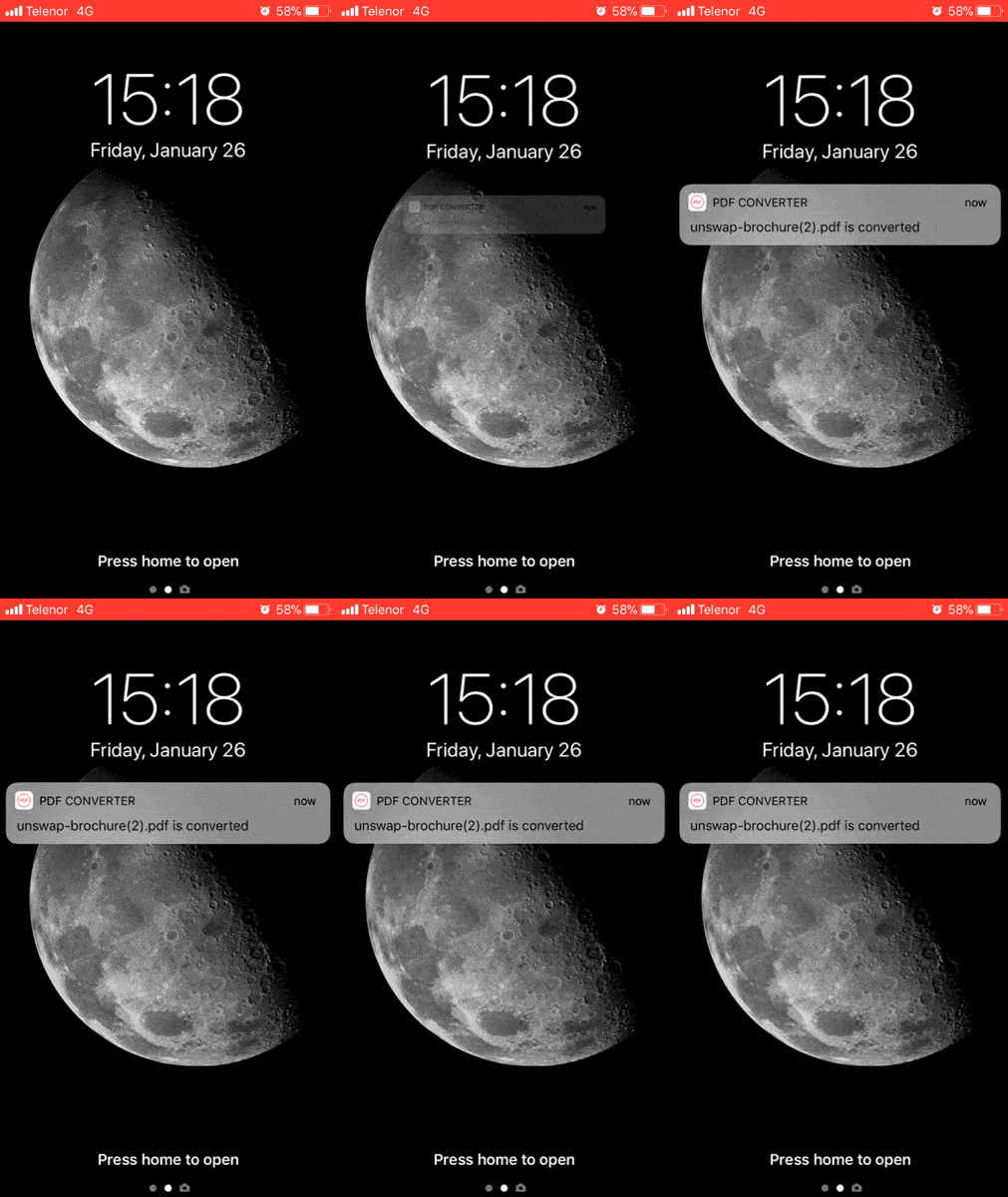
Depending on the size of your file, you will need to wait for a few seconds for it to be uploaded to the servers. During this time, your app has to be open and when the upload is completed you can close the app in order to save your battery. Notification will pop up on your screen when the conversion process is finished. And you are done! All it took was 4 easy steps and a few minutes of your time. Now you can open the file in text editing app of your choice and start modifying it.
To Conclude
We hope you enjoyed our little history lesson and that you learned something new today. If you are trying to start your own small paperless revolution or just need to convert some documents on the go PDF Converter Ultimate would be a perfect companion.

