


How to improve battery life on your smartphone or smartwatch
If you’ve lived with mobile devices for long enough, you’ve likely had that moment when you received a low-battery warning well before the end of the day. It’s more than a little worrying, especially if you’re far from home. But how do you wring the most out of your remaining battery life in those situations — or better yet, avoid those problems in the first place? You don’t always have to rely on your phone’s low-power mode. We’ve compiled a slew of tricks that can extend the longevity of your smartphone or smartwatch, and they’re not necessarily obvious — in many cases, it’s as much about discipline as it is flicking the right software switch.
Start with hardware settings
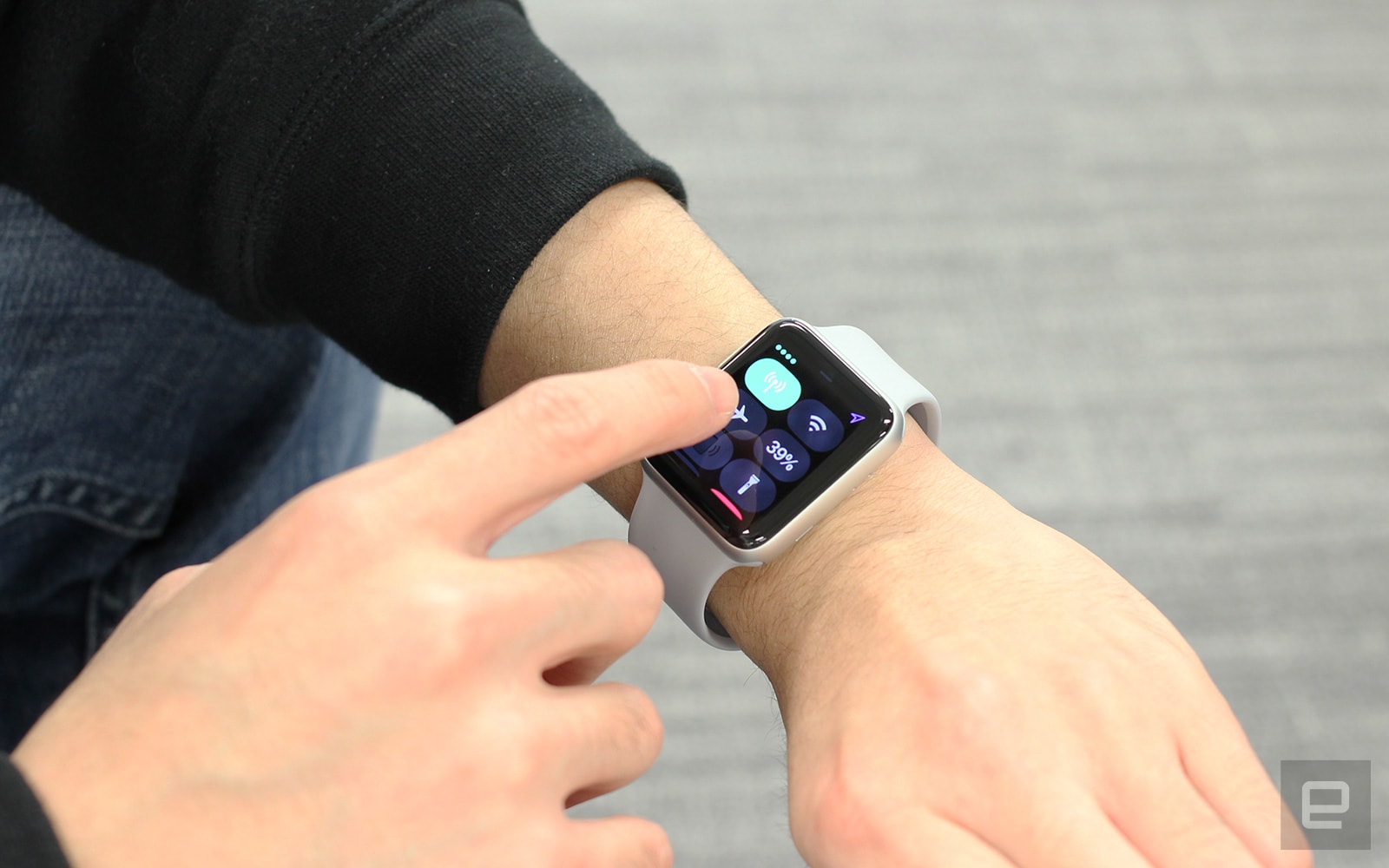
No matter which phone or watch you own, it’s best to start with the basic settings for your display, GPS, sound and wireless connections. They’re easy to change, and the improvements in battery life can sometimes be dramatic enough that you don’t need to do much else.
Your screen brightness could easily be the most important factor. It’s tempting to crank the brightness up to ensure you can see your display in all lighting conditions, but that’s bound to sap a lot of energy. Whether or not the brightness is on auto mode, you’ll want to dial the setting down to where it’s just enough for you to comfortably see what’s on-screen. And leave auto brightness turned on as a general rule: Your device is usually a good judge of when to dim the screen or ramp things up. You may also want to lower the screen-timeout interval, since you rarely need to leave an idle phone awake for minutes at a time.
Some devices will have additional display options that can lengthen your battery life, although they can vary widely. Phones like the Galaxy S8 and Galaxy Note 8 have options for lower resolutions, for example, while the Razer Phone lets you reduce the refresh rate. And if your hardware has an always-on display feature (such as on numerous Android phones, Android Wear watches and Samsung’s Gear line), turn it off unless you really want at-a-glance information.
GPS also tends to be a battery killer, and gadget makers know it — they’ve implemented many ways to scale back positioning or disable it entirely. On Android, you can typically change the location settings to limit tracking to “low accuracy” (WiFi and Bluetooth but not GPS) or “device only” (GPS alone). On iOS, you can turn off location sharing or force apps to only use location info when they’re active. And if you’re wearing a smartwatch, you can sometimes disable it in specific situations. With the Apple Watch, for instance, you can use its companion iPhone app to turn off GPS during workouts.
Wireless connections can also waste energy, although you’ll want to think carefully before switching them off (they’re essential to phones and watches, after all). Bluetooth is usually the easiest to address: If you don’t need it for accessories like smartwatches or wireless headphones, keep it off. After that, it’s trickier. You can turn off WiFi when away from home, but that will chew up cellular data and hurt location accuracy. There’s also airplane mode (which shuts off all wireless connections) if you need it, although it’s really more of a last resort than an everyday solution. Smartphones and smartwatches are designed for always-on connections, and you only want to take them offline if you don’t intend to use them for long stretches of time.
There’s only so much you can do with cellular service, however. You can turn off cellular data altogether if you’re sure you won’t need it away from WiFi, but it’s usually better to disable features that consume data in the background, such as iOS’ Wi-Fi Assist (which uses your cell data when your WiFi connection is poor) or app-specific cellular-data use. And no, dropping to slower speeds (such as from LTE to 3G) won’t usually help. What energy you save may be lost simply because downloads will take more time.
Sound and haptics don’t usually play a significant role in your battery life, so don’t worry too much about keeping your device quiet or vibration-free. Those are more matters of etiquette and personal preference than energy savers, since they’re rarely active for long enough to make a difference.
Cut background activity

If hardware-related tweaks weren’t enough, your next step is to rein in the behavior of your apps. Some programs are particularly chatty by default, and that can be a problem when you have dozens of them on your phone or watch.
Before you do anything else, you should ask whether or not you need a given app in the first place. It’s tempting to install legions of apps “just in case,” but the odds are that you’ll only use a fraction of them on a regular basis. Do you really need notifications from an app you rarely ever use? Get rid of the apps you haven’t touched in months or those that are just as easily replaced by a website. That can even include social networks like Facebook (whose app tends to be large battery drain) if you’re not in a rush to check someone’s status update. While individual apps aren’t usually battery hogs, they can add up if they’re performing background tasks.
Whichever apps you decide to run, you’ll want to limit notifications. They may only pop up on your screen for a brief moment, but receiving dozens of notifications per day can repeatedly wake up your screen and run down your battery. Whether you’re using Android, iOS or a smartwatch, you can go into your settings and either turn off all notifications for a given app or scale back the alerts you get. On Android, you can set notifications to “show silently,” and with iOS, you can individually disable lock screen appearances, banners and sounds. Pruning your notifications will keep your device quiet until you genuinely need it, and it could spare you from information overload in the process.
Some apps have their own notification settings, too, and it’s a good idea to review them to limit alerts to those you care about. You probably don’t need to know every time someone likes an Instagram photo or Twitter post — keep the notifications to essentials like mentions or direct messages. This not only saves battery but also helps you sort through the clutter to find the notifications that matter.
In addition to notifications, there are sometimes background processes beyond location tracking that can have a small impact on your device’s lifespan. Do you actually use “Hey Siri” or “OK Google” activation? If not, disable it. While it shouldn’t significantly hurt your battery life, there’s no point to leaving it on if you’re just as happy pressing a button to talk to an AI assistant. Apps that fetch data on a regular basis, such as email clients and weather utilities, also tend to have options for how frequently they retrieve new data. If you don’t need always need to see the latest message or forecast, slow the update interval down to whatever you’re willing to tolerate.
Just don’t worry about closing apps when you aren’t using them. Modern mobile operating systems like Android and iOS are usually diligent about suspending apps after they’ve gone unused for several minutes, and they shouldn’t use significant battery power unless they’re performing background tasks like music playback or uploads. You might even hurt your battery life by closing apps, since you’re forcing them to load fresh on subsequent launches instead of quickly loading them from system memory.
Limit your usage

We know, we know: It’s no fun to curb your device habits, especially if you love chatting with friends or documenting your life with photos. However, it’s always good to review your usage patterns if settings changes aren’t helping. Thankfully, this doesn’t always mean using your device less often.
It’s a good idea to reduce media streaming when you can. That constant wireless-data use tends to murder your battery no matter which app you’re running. If you can, play files offline. Services like Apple Music, Spotify Premium, Netflix and Hulu all have the option to cache media on your devices — and if you prefer permanent copies, you can always buy downloads from stores like iTunes. You can even save music on smartwatches (Apple Music on an Apple Watch, Spotify on watches like Samsung’s Gear series) if you’d rather not play music from your phone while going for a run.
You can help your battery life by limiting your uploads, for that matter. Some cloud services, such as Apple’s iCloud Photo Library and Google Photos, have options to restrict uploads to those moments when you’re on WiFi (or sometimes only when you’re plugged in). If you can afford to back up your files when you get home, why not? Likewise, it might be better to save big manual uploads like concert videos until you’re near a charger.
Yes, there are times where the best option is simply to restrain yourself. Intensive games (particularly 3D titles), continuous GPS navigation, livestreaming and video chats can be extremely taxing on your device’s power pack, and there’s not much you can do to rein them in. You don’t have to avoid these apps entirely, but it’s smart to budget your time so that they don’t eat more electricity than necessary. You might only want to play a game for 10 minutes, for example, or turn navigation off during the last leg of a trip.
If all else fails…
Should you try everything on this list and still run into trouble, you have a couple of last-ditch options. Check the health of your battery, whether it’s with an app (iOS 11.3 and later have battery health built in) or by contacting technical support. If you’ve owned a device for long enough and use it often, there’s a real possibility that the battery has worn out to the point where it holds a significantly reduced charge. A fresh battery will usually cost you money, of course, but that expense beats having to recharge every few hours.
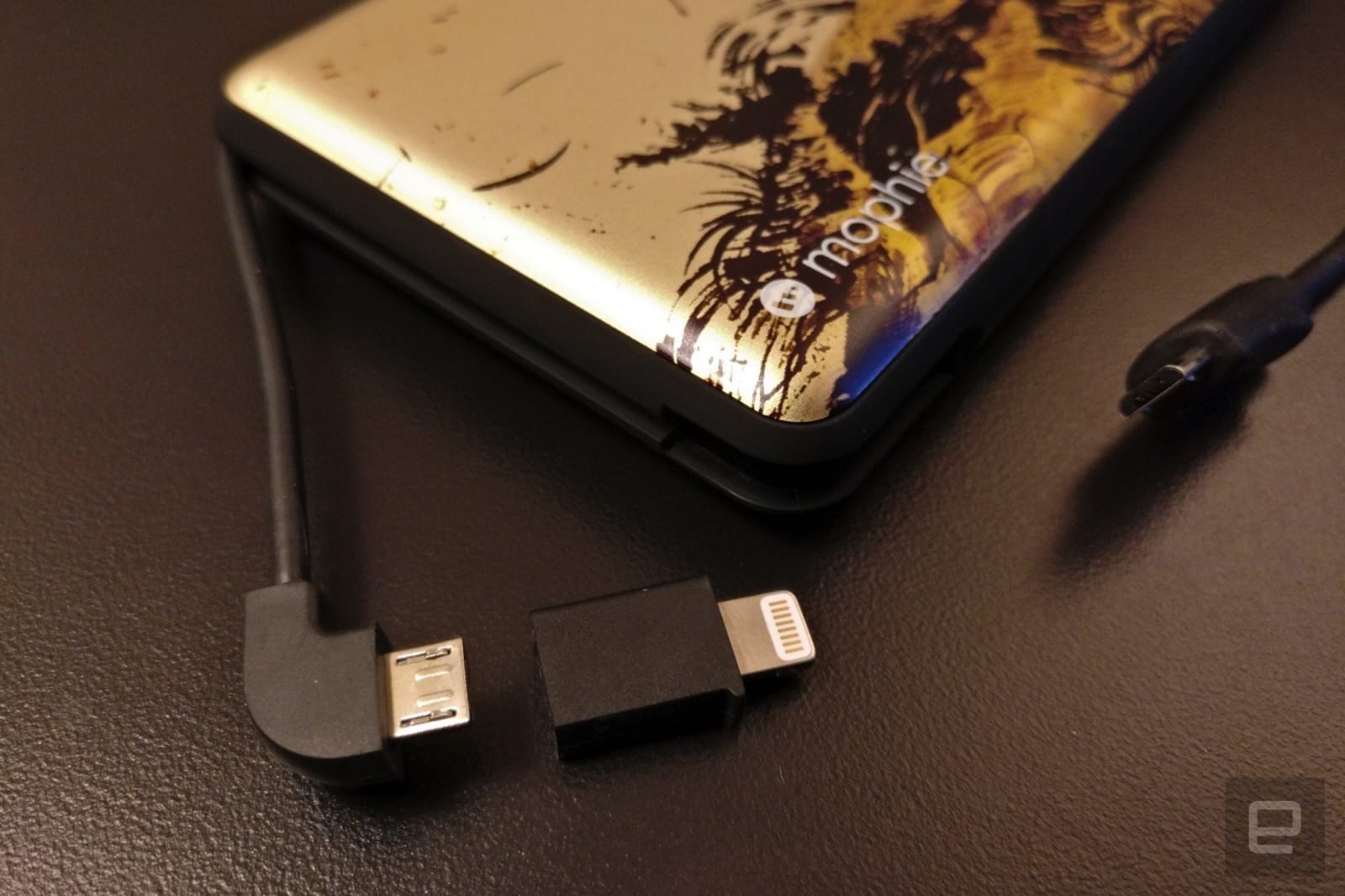
And if that doesn’t work? If you’re otherwise happy with your device or only occasionally run out of juice, consider getting an external battery pack (Anker, Belkin and Mophie are a few of the more common manufacturer options — I use and enjoy a Mophie pack myself). While they’re seldom cheap and can sometimes be bulky, they can easily prove worthwhile if they give you a few extra hours of use on a long day. Just be sure to balance the capacity you want versus the bulk you’re willing to tolerate. As much as you might want to get a gigantic battery that could power your devices through an entire weekend, that behemoth could quickly become a burden when you only need an hour or two at most.
German court says cities can ban diesel cars
Germany has already made its commitment to cleaner vehicles clear by calling for a ban on combustion engine cars starting by 2030. Now, in a landmark ruling, a top court says cities have the right to ban diesel motors in an effort to improve air quality. The decision will potentially affect 12 million cars on Germany’s roads.
Campaigners, such as Jürgen Resch of environmental group Deutsche Umwelthilfe, have called the ruling “a great day for clean air in Germany.” Experts believe high levels of nitrogen oxide (NOx), which frequently exceeds the EU threshold of 40 micrograms of NOx per cubic meter, causes between 6,000 and 13,000 deaths every year in the country,
The decision isn’t being celebrated by everyone, though, as critics believe the rules will cause uncertainty for drivers and impact Germany’s car market — the largest in Europe. However, the government says there will be no immediate changes, and that it’s considering a compensation scheme for those affected. It also stressed that the ruling was intended as guidance for individual cities. “It’s really not about the entire country and all car owners,” said Chancellor Angela Merkel.
The country has consistently led the charge on both car technology and sustainability, so if anywhere could successfully enforce policy like this it’s Germany. The longer-term impact of this ruling won’t be clear until more details on the legislation emerge, but it could set a strong precedent. With other countries already considering their existing vehicle policies, it might not be too long before they follow suit with similar decisive action.
Via: dw.com
‘Wreck-it Ralph 2’ runs the gamut of online culture
The teaser trailer for Ralph Breaks the Internet, the sequel to Wreck-It Ralph dropped today. In this second movie, Ralph (voiced by John C. Reilly) and his friend Vanellope von Schweetz (voiced by Sarah Silverman) head out into the expansive world of the internet. And, if the title of the movie is any indication, they wreak some real havoc along the way. Disney will release Ralph Breaks the Internet in theaters on November 21st.
The trailer features Ralph and Vanellope participating in different aspects of internet culture, from clickbait to eBay. It even ends on a nod to mobile gaming that is a little too real. This sequel also features the voice of Taraji P. Henson, and it reunites the original director (Rich Moore), producer (Clark Spencer) and co-writers (Phil Johnston and Pamela Ribon).
Apple Maps Transit Directions Now Available in Columbia, Charleston, and Greenville Areas of South Carolina
Apple Maps has been updated with transit data in Columbia, Charleston, and Greenville, enabling navigation and directions with public transportation in South Carolina’s three largest metropolitan areas.
By selecting the Transit tab in Apple Maps on iPhone, iPad, or Mac, users can now access bus routes from The COMET in Columbia, CARTA in Charleston, and Greenlink Transit in Greenville. These local bus routes complement existing support for Amtrak train service in South Carolina added to Apple Maps in late 2016.
When the Apple Maps transit feature launched in 2015, it was limited to Baltimore, Berlin, Boston, Chicago, London, Los Angeles, Mexico City, New York, Philadelphia, San Francisco, Sydney, Toronto, and around 300 cities in China. Since then, Apple has expanded the feature to dozens of additional cities around the world.
Google Maps has also supported navigation via public transportation for several years now, including in Columbia, Charleston, and Greenville. One advantage of Apple Maps is that it lists departure times for bus routes in each city, whereas Google Maps doesn’t have timetables available in every location.
In related news, Apple Maps lane guidance on iPhone and CarPlay recently expanded to Austria, South Africa, and Switzerland, in addition to existing support in the United States, Australia, New Zealand, Belgium, Canada, China, France, Germany, the Netherlands, Sweden, and the United Kingdom.
(Thanks, Ram!)
Tags: Apple Maps, transit
Discuss this article in our forums
Watch ASUS’ Zenfone 5Z launch in under 9 minutes!
When you’re going up against serious mobile heavyweights, carving out a little bit of MWC for yourself can be tough. Maybe that’s why ASUS held its Zenfone 5/5Z launch on the second day of the show (and that’s not counting the pre-event press days). Either way, company CEO Jerry Shen was more than happy to enjoy his time on stage and tell us all about what’s new with Zenfone. Catch up on the whole affair right here.
Catch up on the latest news from MWC 2018 right here.
Woz was scammed out of Bitcoins now worth over $70,000
Apple co-founder Steve Wozniak has demonstrated the issue of bitcoin fraud by falling victim to an old school internet scam. Speaking at The Economic Times of India’s global business summit this week, he said that someone bought seven bitcoins from him using a credit card, but canceled the card after the bitcoin was transferred, so the payment failed to process. And of course the card was stolen, so there was no way to retrieve his lost assets. He bought when the cryptocurrency was priced at $700, but the loss would be worth the equivalent of $71,400 today.
“The blockchain identifies who has bitcoins … that doesn’t mean there can’t be fraud, though,” he said, highlighting the issue that banks in both the US and UK have been focusing on in recent times. Earlier this month Lloyds Banking Group, like several others, banned its customers from buying bitcoin with credit cards, in a bid to offer some protection in a landscape that remains largely ungoverned.
Governments are becoming more mindful of the issues involved with bitcoin fraud, though. South Korea, for example, has limited cryptocurrency trading to real-name bank accounts, while UK Prime Minister Teresa May said the government is taking fraud in cryptocurrencies “very seriously”. However, many would argue that meaningful action is not being taken quickly enough — if tech legend Steve Wozniak can fall prey to this kind of fraud, anyone can.
Via: Coindesk
Apple Watch Series 3 Can Now Track Skiing and Snowboarding Activity
Apple has announced that skiers and snowboarders can use Apple Watch Series 3 to track their activities starting today.
Apple Watch apps snoww, Slopes, Squaw Alpine, Snocru, and Ski Tracks have each been updated to take advantage of custom workout APIs released in watchOS 4.2 that enable tracking of specialized metrics:
- Total vertical descent and horizontal distance
- Number of runs
- Average and maximum speeds
- Total time spent
- Calories burned
While not all of this information is available in the Activity or Workout apps at this time, some of the apps do have integrations. Ski Tracks, for example, features 17 different snow workouts that can earn credit towards Activity rings, while Snocru contributes active calorie measurements to the Activity app.
The ski and snowboard tracking is limited to Apple Watch Series 3 models, which are the only ones with a built-in altimeter to track elevation. TechCrunch’s Katie Roof shared a closer look at some of the updated apps, which are now available on the App Store and require watchOS 4.2 or later.
Related Roundups: Apple Watch, watchOS 4Buyer’s Guide: Apple Watch (Neutral)
Discuss this article in our forums
Apple Transfers Chinese Users’ iCloud Data to State-Run Servers in China
Today marks the official transfer of Apple’s Chinese iCloud services from a hosting location in the United States to servers owned and operated by state-run Chinese company Guizhou-Cloud Big Data (GCBD) (via CNN). With the move, all Chinese users’ iCloud accounts will now be hosted on GCBD’s servers, along with the iCloud encryption keys needed to unlock an iCloud account.
Apple made the transfer to comply with the latest laws enacted in China regarding regulations on cloud services, requiring foreign firms to store data within the country. At the time of the original announcement, Apple said, “While we advocated against iCloud being subject to these laws, we were ultimately unsuccessful.”
Still, Apple remains adamant about its users’ privacy:
“Apple has not created nor were we requested to create any backdoors and Apple will continue to retain control over the encryption keys to iCloud data,” the Apple spokesman said.
“As with other countries, we will respond to legal requests for data that we have in our possession for individual users, never bulk data,” he added.
The company decided to obey the new law in China, instead of outright discontinuing iCloud services in the country and causing a “bad user experience and less data security and privacy” for its Chinese customers. Now, starting today, any iCloud accounts on a device with location settings set to China will have their accounts switched to host GCBD, which is owned by the Guizhou provincial government in southern China.
Because of the move, the Chinese government will be able use its own legal system to ask Apple for its users’ iCloud data, whereas before the government had to go through the U.S. legal system. This has been the focus of controversy regarding the move, with human rights and digital security advocates questioning whether Apple will be able to maintain and protect its customers’ privacy under the new Chinese laws.
“The changes being made to iCloud are the latest indication that China’s repressive legal environment is making it difficult for Apple to uphold its commitments to user privacy and security,” Amnesty International warned in a statement Tuesday.
Speaking to CNN, Ronald Deibert, an expert on human rights and global digital security from the University of Toronto’s Citizen Lab, said that Apple customers in China will need to take “extra and possibly inconvenient precautions not to store sensitive data on Apple’s iCloud.” Apple has noted that users can terminate their iCloud account if they don’t want their data stored by GCBD, but a company spokesperson said that “more than 99.9 percent” of iCloud users in China have decided to continue using the service.
Note: Due to the political nature of the discussion regarding this topic, the discussion thread is located in our Politics, Religion, Social Issues forum. All forum members and site visitors are welcome to read and follow the thread, but posting is limited to forum members with at least 100 posts.
Tag: China
Discuss this article in our forums
Watch the world’s largest plane hit 46 mph in latest taxi tests
While Stratolaunch didn’t meet its original 2016 launch goal, the company has been putting its massive plane through one test after another over the past year. During its most recent tests, the 500,000-pound aircraft with a 385-foot wingspan has successfully reached a top taxi speed of 46 mph. It still hasn’t taken to skies, but that’s a huge improvement over the 28 mph it hit during the first taxi tests the space transportation company conducted in December.
According to Stratolaunch chief Paul Allen, his team has also verified that they can steer and stop the aircraft — another success, since the tests’ purpose is actually to certify that operators can control the largest plane in the world. The company hasn’t revealed what other tests will need to be conducted before its new target launch date in 2020 and whether reaching 46 mph on the ground means we’ll see it fly soon. But the hope is that once development is finished and it’s been thoroughly tested, Stratolaunch will serve an affordable way to ferry small satellites to Low Earth Orbit.
The plane will do so by attaching the payload and its launch vehicle companion to its belly. It will then fly into the stratosphere before letting the vehicle go, so it can make its way to space. Stratolaunch shares a similar two-fuselage combination with Virgin Orbit’s LauncherOne, which Richard Branson’s Virgin Group is also developing for satellite launches. It’s much, much bigger than LauncherOne that can only carry up to 500 pounds of payload, though, and will be able to carry as much as 500,000 pounds.
Captured new video of @Stratolaunch plane as it reached a top taxi speed of 40 knots (46 mph) with all flight surfaces in place on Sunday. The team verified control responses, building on the first taxi tests conducted in December. pic.twitter.com/OcH1ZkxZRA
— Paul Allen (@PaulGAllen) February 26, 2018
Source: Paul Allen (Twitter), Stratolaunch
Intel’s PC concept ‘hides’ a 5G antenna in a plump kickstand
MWC 2018 has been gripped with 5G fever, even more intensely than in years past. Intel has gone all out for the show this year, with display upon display of 5G demos dominating its booth. One of the new proofs of concept from the chip maker is a detachable PC streaming a 4K video over a test 5G connection using an early modem. Intel also announced a partnership with Dell, Lenovo, HP and Microsoft to bring 5G-connected PCs with XMM 8000 series modems to market in the second half of 2019.
The unnamed concept 2-in-1 is a preview of what those PCs might be capable of, in terms of connection speeds. Intel is not going to sell hardware like this directly to consumers. At the booth, the convertible streamed Wonder Woman on loop, and company reps told Engadget that the demo was hitting 4 to 5 Gbps rates.
That’s impressive if true (we had no real way of measuring), but remember that the conditions were ideal. The 28GHz spectrum that the PC was tapping for the demo is dedicated to the stream, and thus not congested. Intel also placed the base station for the network about four or five feet directly above the device, leaving little room for interference to affect the stream.
One of the biggest challenges in implementing the millimeter wave communication that’s crucial to 5G is signal interference. Line of sight, meaning the path between the transmitter and receiver, is necessary to transport data. One of the ways Intel is catering for this is by embedding its early 5G modem in the concept PC’s kickstand that flaps out of the device, which it believes should minimize obstruction of incoming signals. To be clear, on this concept device, the kickstand is much larger than we’ve seen on commercially available convertibles, and might become smaller in eventual products.

Since this isn’t a device that you’re ever going to be able to (or want to) buy, there’s no real point in telling you how the display looked or the keyboard felt. What’s interesting is, Intel’s rep told me that the device can last between 3 and 4 hours when streaming the 4K video over 5G. We don’t have any other benchmark to compare that with just yet, and actual PCs may ship with differently sized batteries, but that’s long enough to watch an entire blockbuster, and even a couple of credits scenes.
We’re just a year and a half away from these devices launching, and hopefully by then, 5G networks will have become a widespread reality. Until then, we can only wait for a world without buffer delays.
Catch up on the latest news from MWC 2018 right here.

