


These are the Chromebooks that can run Android and Linux apps

Android and Linux apps on your Chromebook is awesome.
Not every Chromebook available today was released with Android app support out of the box — these need to be updated after the fact to add Google Play support. Many will be updated, but are in a long testing process.
We all hate waiting. And we all hate updates that break things. Google and the people who made your Chromebook are trying to make sure everything is good and keep the wait time to a minimum, but still — we all hate waiting!
Things are progressing. Here’s the current state of Android on Chromebooks and Chromeboxes.
Android
Chromebooks with Android apps available in the stable channel
Make sure you have the latest version of Chrome and look in your settings if you don’t have a Play Store app. You can enable it there by checking the box.
Acer
- Acer Chromebook R11
- Acer Chromebook R13
- Acer Chromebook Spin 11
- Acer Chromebook 14 (CB3-431)
- Acer Chromebook 14 for Work
- Acer Chromebook 15 (CB3-532. CB5-571, C910)
- Acer Chromebook 11 N7 (C731, C731T)
- Acer Chromebook 11 (C771, C771T, C740)
ASUS
- ASUS Chromebook Flip C100PA
- ASUS Chromebook Flip C101PA
- ASUS Chromebook Flip C213
- ASUS Chromebook Flip C302
- ASUS Chromebook C202SA
- ASUS Chromebook C300SA / C301SA
Dell
- Dell Chromebook 11 (3180, 5190)
- Dell Chromebook 11 Convertible (3189, 5190)
- Dell Chromebook 13 (3380, 7310)
- Google Chromebook Pixel (2015)
- Google Pixelbook
HP
- HP Chromebook 11 G5
- HP Chromebook 11 G5 EE
- HP Chromebook 11 G6
- HP Chromebook x360 11 EE
- HP Chromebook 13 G1
- HP Chromebook 14 G5
Lenovo
- Lenovo Flex 11 Chromebook
- Lenovo N23 Chromebook
- Lenovo N23 Yoga Chromebook
- Lenovo IdeaPad N42 Chromebook
- Lenovo N22 Chromebook
- Lenovo N42 Chromebook
- Lenovo Thinkpad 11e Chromebook (Gen 3)
- Lenovo ThinkPad 11e Chromebook (Gen 4)
- Lenovo Thinkpad 11e Yoga Chromebook (Gen 4)
- Lenovo Thinkpad 13
Samsung
- Samsung Chromebook 3
- Samsung Chromebook Plus
- Samsung Chromebook Pro
Chromebooks with Android support in the beta channel
You’ll need to switch to the beta channel to enable Android support. Further instructions on switching channels can be found here.
- Toshiba Chromebook 2 (2015)
Chrome devices that will be supported sometime in the future
These are the devices that will officially be updated to use Google Play. There is no word on when to expect the update, only that they will be supported.
Acer
- Chromebook 11 CB3-111 / C730 / C730E / CB3-131
- Chromebook 15 (CB3-531)
- Chromebox CXI2
- Chromebase 24
Asus
- Chromebook C200
- Chromebook C201PA
- Chromebook C300
- Chromebox CN62
- Chromebit CS10
Dell
- Chromebook 11 3120
HP
- Chromebook 11 G3 / G4 / G4 EE
- Chromebook 14 G4
Lenovo
- 100S Chromebook
- N20 / N20P Chromebook
- N21 Chromebook
- ThinkCentre Chromebox
- Thinkpad 11e Chromebook Gen 2
- Thinkpad 11e Yoga Chromebook
Samsung
- Chromebook 2 11″ – XE500C12
Toshiba
- Chromebook 2
Linux
Chromebooks with Linux app support available in the developer channel
- Google Pixelbook
Samsung
- Samsung Chromebook Plus (apps complied only for x86 systems won’t work)
Updated June 2018: Cleaned up the list and added a new section for Linux app support!
We will continue to monitor the list and add any new Chromebooks that Google notes will support the feature.
Chromebooks
- The best Chromebooks
- Chromebooks in education: Everything you need to know
- Should you buy a Chromebook?
- Chromebook Buyers Guide
- Google Pixelbook review
- Join our Chromebook forums
3 Great Keyboards for your Samsung Tab S3

Working and messaging are made even easier with a compatible keyboard.
The Samsung Galaxy Tab S3 is the best tablet you can buy in 2018, but if you want to get more done on your Galaxy Tab S3, you’re going to want a Bluetooth keyboard.
The best come built into a case, which is what we’ve highlighted below!
- Samsung Keyboard Cover
- Fintie Keyboard Case with S Pen Holder
- Cooper Cases Backlit Keyboard Case
Samsung Keyboard Cover

We’ll start with Samsung’s own Bluetooth keyboard cover which is designed to snap onto the built-in POGO pin connectors on the tablet itself. Whereas other cases rely on a Bluetooth connection for connecting the keyboard, Samsung’s is a direct connection which should result in the most responsive typing.
The cover folds back to become a handy stand so you can type comfortably on your lap or on a table. When you’re not typing away, the cover provides protection for your screen.
Samsung’s keyboard cover is lightweight, adding very little bulk to your Tab S3, so your tablet remains as portable as ever and even more convenient. The keyboard is so thin that you’d hardly know there was a keyboard tucked in there with the case closed.
This case is available in multiple color options at Samsung for $130, or you can get it on Amazon for just $72.
See at Amazon
Fintie Keyboard Case with S Pen Holder

Fintie is known for making quality affordable accessories and their keyboard case for the Galaxy Tab S3 is a great value.
This folio-style case is slim and made of a leather-like finish that’s available in traditional colors or with some more stylish print styles. The Bluetooth keyboard is made with hard plastic with spring mechanisms under each key providing that tactile feedback that makes a HUGE difference for typing accuracy.
The keyboard is removable for the times when you might not want to carry it around and the case also includes a stylus holder for your S Pen or another stylus.
Get this functional keyboard case for your Tab S3 in a variety of cool styles for just $31.
See at Amazon
Cooper Cases Backlit Keyboard Case

This Cooper Case keyboard cover is a universal product that’s designed to fit any tablet around the same size as the 9.7-inch Galaxy Tab S3. the tablet is held in place with brackets that wrap around the corners and hold it securely.
But the real hero here is the Bluetooth keyboard which features backlit keys so you can work easier at night, and also includes 14 shortcut keys specifically for controlling different Android functions. You’re able to change the backlight color and you won’t need to charge the keyboard too often with 100 hours of usage on a single charge.
The case itself includes a kickstand and comes in your choice of four colors. Get this stylish case with a backlit Bluetooth keyboard for just $45.
See at Amazon
What do you use?
Are you using a great keyboard cover with your 9.7-inch Tab S3? If it’s not on our list and you think it’s tops, sound off in the comments below!
watchOS 5 Beta Adds ‘Edit’ Button to Control Center for Adjusting Icon Layout
Testers of the new watchOS 5 Beta that Apple released yesterday have discovered a new function that allows Apple Watch users to change the arrangement of icons in the Control Center menu, which is accessed by swiping up on a watch face.
As shown in this image shared by Reddit user brooksdbrewer, the option appears as an Edit button when you scroll down to the bottom of the Control Center menu. Tapping the button then allows you to drag the icons around into a new arrangement – placing the icons you most often use up to the top of the menu, for instance.
So for example, if you use Theater Mode frequently, you could locate the associated icon next to the battery percentage icon at the top, and move the Ping iPhone icon to the bottom of the menu to prevent accidental taps. Likewise, you could drop the Expel Water icon right to the bottom of the screen if you never use it.
Whether or not the Control Center’s new Edit function makes it to the final public release of watchOS 5, due in the fall, remains to be seen. However, there are plenty of other features to look forward to, including Activity Competitions so you can compete on workouts with friends, Automatic Workout Detection and new Workout types, a new Walkie-Talkie app, and more.
Related Roundups: Apple Watch, watchOS 4Tag: watchOS 5Buyer’s Guide: Apple Watch (Neutral)
Discuss this article in our forums
Game Devs Express New Fears Over Future of Mac Gaming as Apple Deprecates OpenGL and OpenCL in macOS Mojave
Yesterday at WWDC 2018, Apple revealed macOS Mojave, which is set to bring users a Dark Mode, redesigned Mac App Store, organizable Stacks, streamlined screenshots, and more when it launches wide in the fall. Alongside the new features, Apple has confirmed that it is deprecating OpenGL (Open Graphics Library) and OpenCL (Open Computing Language) in favor of Metal.
This means that apps built using OpenGL and OpenCL will still run in Mojave, but they will no longer be updated after macOS 10.14 launches. Apple encourages games and “graphics-intensive apps” built with OpenGL to adopt Metal ahead of Mojave’s launch, and apps that use OpenCL for computational tasks “should now adopt Metal and Metal Performance Shaders.”
Rise of the Tomb Raider: 20 Year Celebration is one of the latest Mac games to run on Metal
Launched four years ago, Metal is Apple’s own 3D graphic and programming interface that combines the functions of OpenGL and OpenCL under a singular API. In explaining the move of deprecating the “legacy technologies” of OpenGL and OpenCL, Apple said that “Metal avoids the overhead inherent in legacy technologies and exposes the latest graphics processing functionality” of GPUs found in devices across iOS, macOS, and tvOS.
Although Apple’s decision to deprecate the older technology in favor of its own graphics API may not be surprising, some game developers have begun criticizing Apple for the move, particularly how it affects the future of gaming on Mac. Notably, OpenGL is an open-source, cross-platform solution that made it simple for developers to build games on both Mac and PC at the same time, providing some parity to a platform that many have agreed is lacking as a gaming hub.
Since “many games and apps continue to use OpenGL,” particularly those that released prior to Metal in 2014, the shift to Metal-focused development is leaving Mac developers worried about any potential to grow as a gaming platform (via PC Gamer). Game developer Sam Loeschen tweeted that he feels “conflicted” about the decision, calling Metal a “really, really good” graphics API but admitting that “this decision alienates macOS further as a gaming platform.”
Speaking with PC Gamer, game designer Rami Ismail said that while “it’s not doomsday,” it appears that Apple is preparing for such an occasion in regards to fully terminating OpenGL/OpenCL on Mac. He explained that for now, “the worst that’s going to happen” is that parts of old apps will “break,” and pointed out that lacking a single cross-platform graphics API is a “pain” and “not very good for developer confidence” in Apple.
“With deprecation, abandonment can vary from ‘soon’ to ‘never’, so until we have information on that, we can’t really say,” he said. “All we know is Apple seems to have shown intent to rid itself of OpenGL in favor of its own graphics API, Metal. The problem with Metal is very similar to the problem with DirectX: it’s not cross-platform.
“It’s not doomsday, it’s more like Apple building a giant EMP machine and saying ‘we might or might not use this.’ The worst that’s going to happen is old stuff will break, and our engines and libraries will grow a bit to support both Direct3D and Metal. Not having a clear guideline for future actions Apple might take in this regard isn’t very good for developer confidence, I’d guess, and not having a single cross-platform graphics API is just a pain.”
More developers and programmers chimed in on the news to PC Gamer, including Alex Austin, who ultimately said that while he likes to develop on Mac to “support fans if I can,” he’s most likely “not going to spend any time on Metal because Macs are a pretty small percentage of the market and really probably not worth it even now.”
Related Roundups: iMac, macOS MojaveBuyer’s Guide: iMac (Don’t Buy)
Discuss this article in our forums
iOS 12 Beta Supports Easy Face ID Rescans With Swipe Up Gesture on iPhone X
As more users sign onto the first beta for Apple’s iOS 12, new discoveries are quickly being made, with the latest centering upon a simple but highly useful new gesture for iPhone X owners.
Currently, when you hold up the iPhone X and Face ID fails, you either have to lower it and raise it again, or press the side button to put the iPhone to sleep and wake it up through another side button press or tapping the display. Both of these methods will reactivate a Face ID scan.
Image via shakil-ali on Reddit
As discovered by Redditor shakil-ali, Apple has provided a shortcut to rescanning your face in the iOS 12 beta: now when the biometric security feature fails, you can simply swipe up from the bottom of the iPhone X to get Face ID to scan again. This should help to alleviate a small but sometimes frustrating part of unlocking the iPhone X with Face ID.
In regards to other hidden features of iOS 12, we have collected a bunch in a tidbits roundup posted yesterday. These include setting up an “alternate appearance” for Face ID, a new QR code scanner in Control Center, a revamped Battery Usage section in settings, and more.
As a whole, Apple announced iOS 12 with a focus on user privacy and digital health, and when the update launches in the fall iPhone and iPad owners will be able to keep track of everything they do on their devices with features like “Screen Time” in Settings.
Related Roundups: iPhone X, iOS 12Buyer’s Guide: iPhone X (Neutral)
Discuss this article in our forums
SpaceX says it won’t send space tourists around the moon just yet
Two space tourists who were looking forward to being blasted toward the moon by a SpaceX rocket some time this year will now have to wait until at least 2019.
SpaceX spokesperson James Gleeson confirmed to the Wall Street Journal that the trip around the moon, first announced last year, has been postponed. He didn’t offer a specific date for when it might take place.
Despite the setback, Gleeson confirmed the company, run by billionaire Elon Musk, “is still planning to fly private individuals around the moon and there is growing interest from many customers.”
SpaceX hasn’t offered any reason for the postponement, but the Journal cites “technical and production challenges” as likely causes.
Such delays are par for the course when it comes to missions of this magnitude, and it certainly isn’t the first time Musk’s space company has had to play around with launch forecasts. SpaceX’s massive Falcon Heavy rocket, for example, only got off the ground in February following a number of delays over several years.
Speaking of the Heavy, that’s the rocket that’s set to take the pair of unnamed tourists into orbit at the start of their their one-week journey around the moon, if and when it happens.
The mission, announced to great fanfare by Musk in August 2017, would be the first manned trip to the moon since the last Apollo outing in 1972. Lift-off is set to be from the very same launch pad used by the Apollo program for its lunar missions: Pad 39A at the Kennedy Space Center near Cape Canaveral, Florida.
The two high-paying astronaut wannabes approached Musk about the possibility of a moon trip prior to the company making any plans for such a trip.
“Like the Apollo astronauts before them, these individuals will travel into space carrying the hopes and dreams of all humankind, driven by the universal human spirit of exploration,” SpaceX said in a message at the time of the announcement.
If the mission gets off the ground, the two space tourists will travel to the moon in SpaceX’s Dragon V2 spacecraft, which is yet to be thoroughly tested. The spacecraft won’t land on the lunar surface, but it will get close as it circles it.
For now, though, they’ll have to sit tight as SpaceX continues with preparations for what could be a 2019 moon mission.
Other private space companies — Jeff Bezos’ Blue Origin and Richard Branson’s Virgin Galactic among them — are also prepping tourism trips toward space as part of a regular commercial service. The suborbital missions would take regular folks — well, regular folks with plenty of money in the bank — on short trips to the edge of space about 62 miles up, where they’ll be able to enjoy spectacular views and several minutes of weightlessness before returning to Earth. Both companies are hoping to launch services in the next 12 months, though as SpaceX’s experience shows, the wait could turn out to be longer.
Editors’ Recommendations
- NASA’s virtual tour of the moon in 4K will blow your mind
- NASA reveals its plans to have astronauts orbiting the moon by 2025
- Get your Sagan on with 60 awe-inspiring photos of the final frontier
- Virgin Galactic ‘neck and neck’ with Blue Origin in space tourism race
- NASA wants to make the first Starliner test flight a fully operational mission
How to pair a Fitbit Versa with a new phone
Re-pairing the Versa to a new phone is as easy as can be.

Upgrading to a new phone is always an exciting time, but the maintenance that comes with it can sometimes be a hassle — especially when you need to re-add your old accessories to it.
If you’ve got a Fitbit Versa and need to pair it with a new phone from your old one, doing so is actually pretty simple and takes far less time compared to setting it up for the very first time.
Let’s go ahead and get started!
Open the Fitbit app and tap the account icon at the very top right.
Tap Set up a Device.
Tap Versa from the list of trackers.


Scroll through the terms & policies and tap I Agree.
Tap Next on the “before we get started” page.
Put your Versa in the charging cradle and then tap Next.


Once your Versa’s Bluetooth connection is discovered, enter the four digits shown on its screen.
Connect your Versa to your Wi-Fi network.


Tap Next on the following three screens to finish the setup process.
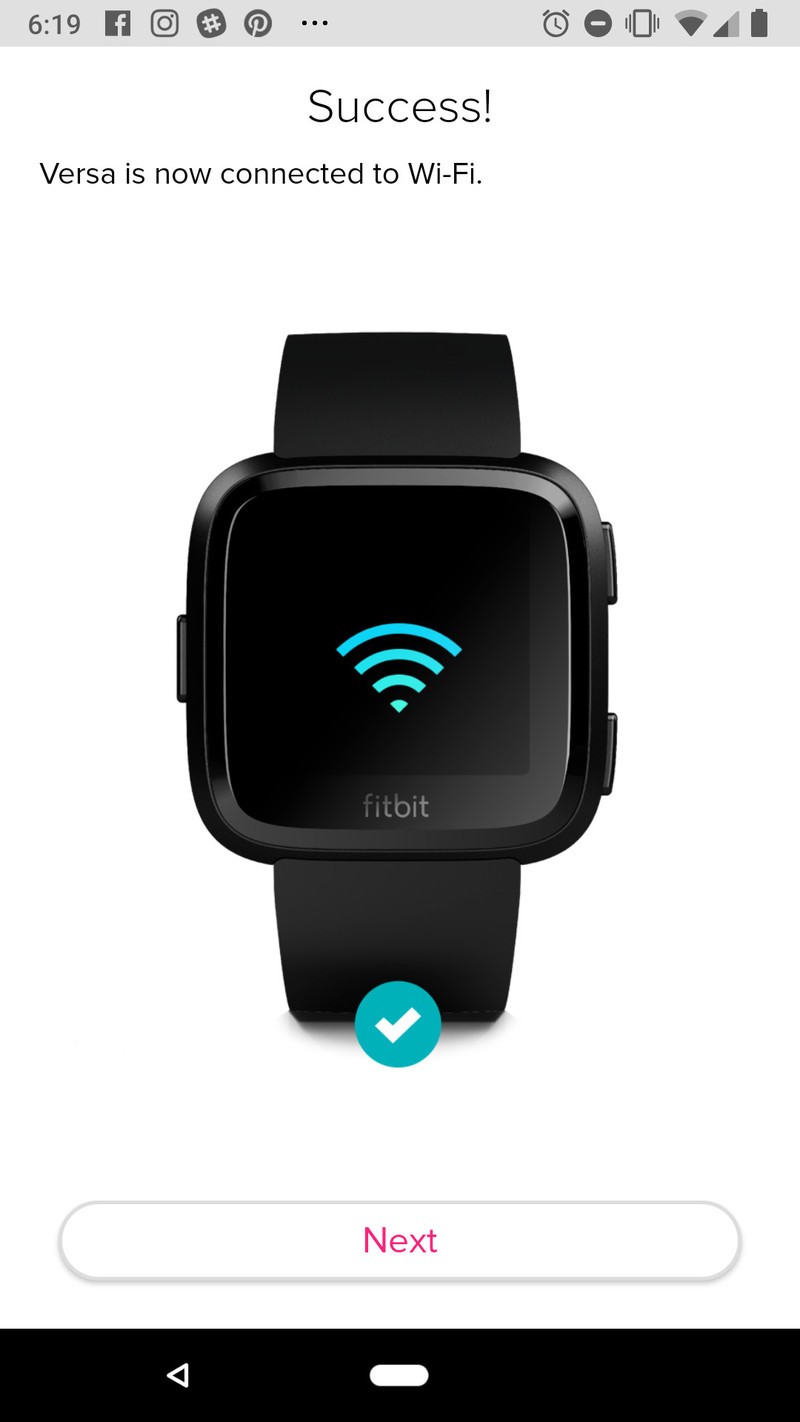


That’s all folks!
With those steps completed, you should now have your Fitbit Versa successfully re-paired to your new phone. Need additional help or have further questions? Drop a line in the comments below.
Fitbit Versa and Android: Top 10 things you need to know
Fitbit

- Fitbit Versa vs. Fitbit Ionic: Which should you buy?
- Fitbit Versa hands-on: Fitbit’s finally getting serious about smartwatches
- Fitbit Versa and fitness: Everything you need to know
- Best Fitbit fitness tracker
Fitbit Ionic
Fitbit Versa
Fitbit Charge 2 HR
Where to buy the Huawei P20 Pro in the U.S. and Canada
Here’s where to go for Huawei’s latest and greatest.
Thanks to its striking design and triple rear camera setup, the Huawei P20 Pro is easily one of the most unique Android phones to be released so far in 2018.

You can buy the phone in both the United States and Canada, but since Huawei isn’t officially selling it in the U.S., doing so there is a bit trickier than in Canada.
In any case, here’s how you can get your hands on the phones in the respective countries.
United States
Amazon (Quality Deals Shopping Center)
First on our list, Amazon seller Quality Deals Shopping Center has the P20 Pro listed on the mega-popular shopping site for $842.40. At the time of publishing this article, Quality Deals Shopping Center has a 96% positive rating in the last 12 months with 215 reviews.
That $842.40 price gets you the Midnight Blue color, but if you want to step up to the Twilight or Black options, you’ll spend $874.89 and $939.00, respectively,
There’s a 30-day return policy upon the arrival of the phone, but it’s noted that a 20% restocking fee may apply.
See at Amazon
eBay (never-msrp and sobeonline1)
Our friends at Android Police spotted a couple sellers on eBay that are currently running pre-orders for the phone, and for folks that are dead set on using it State-side, this is your best bet for picking it up.
Both sellers have very positive ratings (99.0% for never-msrp and 98.8% for sobeonline1) with never-msrp selling it for $789.99 and sobeoline1 charging $849.99. That’s not cheap by any stretch of the imagination, but it’s also not terrible considering that the phone isn’t officially being sold here in the country.
No matter which seller you choose, free shipping is offered.
You’ll find 30-day return periods for both sellers, but the way these are handled is slightly different. You’ll pay for return shipping no matter which one you choose, but sobeonline1 does note that a 15% restocking fee may apply.
See at eBay (never-msrp)
See at eBay (sobeonline1)
eBay (jtbcglobal)
Another eBay seller we recently spotted in jtbcglobal. Jtbcglobal has the P20 Pro going for $879.99, making it one of the most expensive of the bunch.
This is a factory unlocked version of the P20 Pro and comes wiht a 24-month warranty from Huawei. The phone’s in new condition, shipping is free, and you’ve got 30 days to return it for your money back or exchange it for a different item.
As for jtbcglobal’s seller rating, they’re currently sitting at 92.6% with 693 reviews.
See at eBay
Canada
Rogers & Fido
In Canada, Rogers in selling not only the P20 Pro, but the P20 and P20 Lite, too.
Looking specifically at the P20 Pro, the phone costs the following with the carrier’s various plans:
- $249 with the two-year Premium+ Tab
- $449 with the two-year Premium Tab
- $599 with the two-year Smart Tab
- $999 with the two-year Talk & Text plan or outright with no plan/tab
If you purchase the P20 or P20 Pro, Rogers has an exclusive offer that’ll let you grab a free Huawei MediaPad T3 tablet when you activate the phone on select two-year plans.
See at Rogers
If you’re buying the P20 Pro at Fido, pricing looks like this:
- $0 down on a two-year Extra Large plan
- $199 down on a two-year Large plan
- $359 down on a two-year Medium plan
- $479 down on a two-year Small plan
- $740 when buying without a plan
Similar to Rogers, Fido is also selling the P20 and P20 Lite.
See at Fido
Telus & Koodo
For Telus customers, you can grab the Huawei P20 Pro for as little as $250 down depending on the plan you choose. If you prefer buying the phone outright, it’ll cost you $980.
Telus is also selling the regular P20, but unlike Roers and Fido, you won’t find the P20 Lite here.
See at Telus
Moving over to Koodo, you’ll also find the P20 and P20 Pro with the P20 Lite being absent once more.
For Koodo’s pricing, you’re looking at the following:
- $450 with Tab Large plan + $20/month for 24 months
- $ 620 with Tab Medium plan + $15/month for 24 months
- $740 with Tab Small plan + $10/month for 24 months
- $980 without any monthly plan
See at Koodo
Bell
Last but not least, Bell’s selling the P20 Pro, too.
Buying the phone with a 2-year plan w/ at least 1GB of data and $80/month charge per user will let you grab it for just $249. Those same requirements with a $70/month charge per user kicks things up to $449, and buying the P20 Pro without any contract will set you back $1049.
See at Bell
Updated June, 2018: Added new sellers for both the U.S. and Canada that are now carrying the P20 Pro!
I’m excited for the BlackBerry KEY2 because virtual keyboards are still terrible
It doesn’t feel like this tech is getting better, but maybe I just need some time away to think about it.

I have never been a huge fan of virtual keyboards. I don’t like typing with my thumbs due largely to the lack of tactile feedback, which hasn’t really become better over time because vibration motors on Android phones still aren’t great. I jumped onto the Swype train early, fully ready to trace-type my way to freedom. This form of typing is faster, so longer sentences aren’t as tedious for me to write on my phone.
But it feels like trace-typing progress has slowed in the last year or two. Sometimes it feels like Gboard is less accurate in some updates, so I try another keyboard app for a while until it frustrates me and then I go back to Gboard. I haven’t felt like these keyboards have improved much recently, and as my list of obvious typos continues to grow I find myself wondering if I should go back to a physical keyboard.

I see folks complain about virtual keyboards a lot. My immediate circle of friends and family use Gboard’s excellent voice dictation way more often than they used to, and when I ask them why they made the change I get the same answer: voice typing is improving faster than autocorrect. It means they can more safely respond to messages in the car, or while working with both hands, and generally speaking, voice typing is one of those things that can easily become a habit when it works the way you want it to.
I’m not one of those people, mostly because I’m frequently around people I don’t want to broadcast my personal messages to, but the evolution of voice typing over trace typing is incredibly clear right now.

The last phone keyboard I really enjoyed using was the one on the BlackBerry Priv. The keyboard tucked away so I could use a virtual keyboard for quick messages, but if I wanted to type something of length, the keyboard was there for me.
It was more than just physical buttons, too. I liked having long-press shortcuts and the ability to swipe around on the keys like a trackpad in a block of text. The quality of that keyboard was almost enough to make me want the BlackBerry KeyOne when it was first announced, but I skipped it and went with a phone that offered VR and AR capabilities. As the mobile VR industry switches to standalone headsets like Oculus Go, and the BlackBerry KeyTwo (Sorry, BlackBerry, you don’t get to switch between spelling numbers and using numerals. This phone is called KeyTwo now) set to be announced soon, it may be time to make a switch.
It’s clear right now the smartphone industry is in the middle of a massive change. Phones are getting taller and thinner, with greater emphasis on no bezels and improved haptics. But we’re not there yet, and this coming year is going to be full of companies trying to figure out how to deal with “the notch” and how users are going to respond to different display mechics. In effect, people getting new phones over the next year or so are going to be treated more like voluntary lab rats than ever before and that’s not really what I want from a phone.
I know exactly what I’m getting with a phone like the BlackBerry KeyTwo, including a keyboard I’m not going to hate. It’s not the flashiest phone in the world, but it’s a comfortable experience I can rely on for a while. I kinda dig that idea.
See at BlackBerry
1Password Developers Tease Planned Support for iOS 12 Password Manager API
Apple revealed during its WWDC keynote yesterday that among other features, iOS 12 will include a new Password Manager API that will be able to hook into third-party password manager apps installed on devices and offer up their stored passwords as suggestions to the user when they’re prompted for login information.
Today, the makers of popular password manager service 1Password confirmed that it is already working on integrating its app with Apple’s new API, and even offered its Twitter followers a teaser video of 1Password AutoFill in action.
The short clip shows a screen recording of a login prompt from the Apple ID website in Safari browser. As the user taps on the password field, the keyboard pops up and the password stored in 1Password appears in the QuickType suggestion bar, ready to select.
What a wonderful present for us at WWDC this year! Thank you to all our friends at Apple for this great new API. #1PasswordAutofill pic.twitter.com/jpvRVogslS
— 1Password (@1Password) June 5, 2018
It’s unclear at this time how soon 1Password will support the API integration after iOS 12 is publicly released in the fall, but users can rest assured the developers at AgileBits are “very excited about it” and will be “playing around with it very soon”. Those looking to get a look in sooner can join the 1Password for iOS beta test program by following the steps outlined here.
In other security-related news, iOS 12 will also offer password suggestions within third-party apps, and will also keep track of passwords that have been reused, prompting users to create new ones.
In another welcome iOS 12 feature, one-time passcodes delivered via SMS text message will automatically appear as AutoFill suggestions on login screens, so users no longer have to concern themselves with reading the message, memorizing the code, and returning to the login screen to input them.
Related Roundup: iOS 12Tags: 1Password, AgileBits
Discuss this article in our forums

