


What deals/promotions do you want to see offered with the Galaxy Note 9?
Free microSD cards, fast wireless chargers, VR headsets, oh my!
In just a few short weeks, Samsung will take the wraps off of the Galaxy Note 9 on August 9, 2018. We’re expecting the phone to be expensive, but similar to past releases, Samsung will likely throw in some free goodies here and there to try and justify the high cost.

When those deals and promotions go into effect, what are you hoping to see?
Some of the AC forum members recently chimed in with their thoughts regarding this topic and this is what they had to say.
Kilroy672
07-05-2018 02:45 PM“
What kind of promotions would you like to see this time around? For me I’m tired of the SD cards, I have
two from the last 2 Notes and two wireless chargers. Maybe they can throw in a Gear watch or even a high end fitness watch. I know it depends on the carrier ad well. Its not to early to think about the this.Reply
Ryano89
07-05-2018 04:27 PM“
Seriously, how bout skip my “free gift” and make the phone $700.
Reply
Nakrohtap
07-06-2018 05:36 PM“
Seeing as they are making new faster wireless chargers to go with the faster charging speeds and the increased battery size, how about throwing in one of those?
Reply
evohicks
07-07-2018 03:40 AM“
Samsung should throw in a case.
99% of the time I always buy the rugged case or whatever Samsung branded case gives the most protection.I like the Samsung branded cases but for the price of £35+ it would be a nice freebie.
On another note, I still use my free Dex dock alot but as a desktop charger more than docking PC.
Reply
What say you? What deals/promotions do you want to be offered with the Galaxy Note 9?
Join the conversation in the forums!
Samsung Galaxy Note 9
- Samsung Galaxy Note 9 rumors: Release date, specs, price, and features!
- Is it best to buy the Galaxy S9 or wait for the Note 9?
- Do you plan on upgrading to the Note 9?
- Galaxy Note 8 review
- Join our Galaxy Note 9 forums
What is Playstation Hits, and why should you care?

Are you interested in what the PlayStation Hits program has to offer? Check it out!
In the life of any given console, there is a time when it starts to get a bit long in the tooth. The PlayStation 4 is moving into middle age and it can see its retirement out there on the horizon. That being said, the PS4 has a few more years of work before it buys a condo in Palm Springs and starts living that retirement life.
One of the things that tend to happen in the later years of a console’s lifecycle is that they start to look at ways to move some of the older games in the catalog. To that end, Sony has started PlayStation Hits. PlayStation Hits will offer some of the amazing classic games that have come to console at a deep discount. If there are any titles that you might have missed, this a great way to play them for around $20.
Here are a few of the very best titles available in the PlayStation Hits program.
- Yakuza 0
- Bloodborne
- Doom
- The Last of Us Remastered
Yakuza 0
Yakuza 0 is one of my favorite games that came out on the PS4. Explore 1980’s Japan as you dive into an amazing story that is chock full of drama and insanity. There is a ton to do in this game and the hours of gameplay you can squeeze out of this title is well worth the $20.
See at Playstation
Bloodborne
If you are one of those gamers that likes a challenge then you might want to spend the $20 to Bloodborne. An action RPG in a gothic horror setting, Bloodborne rewards you for perfect play and punishes you for missteps in the best possible way.
See at Playstation
Doom
Fans of over the top, chaotic, visceral gameplay would do well to pick up Doom on the PS4. If you missed this title, now is a great time to give it a spin. For only $20 you get the game itself and all three of the premium DLC packs.
See at PlayStation
The Last Of Us Remastered
When The Last of Us was originally released it was in danger of drowning in awards and for good reason. A stellar adventure game with an engrossing story, Last of Us Remastered is totally deserving of the $20 they are now asking.
See at PlayStation
PlayStation Hits is an awesome program that will allow gamers to pick up games that they may have missed for more than reasonable prices. I know that I will be picking up at least a few of these titles. It’s hard to go wrong with a $20 price tag.
Will you be picking up any PlayStation Hits games?
Let us know which ones are catching your eye!
PlayStation 4

- PS4 vs. PS4 Slim vs. PS4 Pro: Which should you buy?
- PlayStation VR Review
- Playing PS4 games through your phone is awesome
Amazon
These Ecovacs Robot Vacuums are heavily discounted for Prime members today only
“Alexa, clean my floors!”
Update: The Deebot N79s is now down to $169.98, though it lacks some of the standout features that the two below offer.

Amazon has a pair of great Ecovacs Deebot RoboVacs on sale as part of its Gold Box deals of the day. Both of the models are slightly different, and with just $20 separating the prices, it will come down to personal preference and what you need from the vacuum. The Deebot 901, which is down to $279.98 from an average price of around $400, has more premium features than the $259.98 Ozmo 601 does.
The Deebot 901 is more of a Roomba competition than the Ozmo 601. It integrates with Amazon’s Alexa, maps out your floor so you can view the cleanings in real-time using the app, has systematic path cleaning, protective sensors, and you can prevent it from going in certain areas if you wish. There’s also a setting to have it resume cleaning after it charges, so if your area is larger than it can clean with its 100-minute runtime, it will head back to the charging station to recharge, and then go back and pick up where it left off. A Roomba with similar features would set you back over $600.
While the Ozmo 601 may not have as many of the premium features that the 901 has, it does have a few tricks of its own. This one is a robot vacuum and mop, meaning you can add water and cleaner to the reservoir to have it mop your hard surfaces, getting them even cleaner than if it were to just vacuum. You’ll want to make sure that you don’t have carpet in the area that you’re using this, though, since it lacks some of the intelligent features that would allow you to map where it does and doesn’t go.
Given the choice between the two, I’d personally opt for the 901. I have one in my house and it gets used 7 days a week. We have three pets and a mix of hardwood floors and carpet downstairs. It’s set to vacuum before we wake up and does a great job. During the day we use it to clean up dirt, dust, and crumbs from the floor as well, and being able to set it to do a certain area instead of the whole floor is a huge help.
These deals are all exclusive to Amazon Prime members, so if you aren’t already a member, you’ll want to sign up for a free 30-day trial right now.
See at Amazon
The OnePlus 6 is now my go-to phone instead of the Pixel 2
OnePlus is starting to beat Google at its own game.

Ever since last October, the Pixel 2 has been my daily driver and go-to choice for the smartphone I want to use. It’s ridiculously fast, has the best camera on the market, and is first-in-line for software updates and security patches as they roll out.
The Pixel 2’s been a great phone and an all-around joy to use, but for the past couple weeks, I’ve found myself using the OnePlus 6 instead.
I still love my Pixel 2 and jump on it here and there to mess around with the Android P beta, but when it comes to the phone that’s now in my pocket day after day, that title’s gone to the OnePlus 6. Here’s why.
Why the OnePlus 6 works better for me

In a lot of ways, the OnePlus 6 and Pixel 2 are more similar than they are different. Both have excellent displays, performance is blazingly fast, and even though the Pixel 2 has the upper hand, the OnePlus 6 still has a great camera.
These similarities aside, though, there are some aspects of the OnePlus 6 that I find better-executed than the Pixel 2 — the first of which is the software experience. That might sound preposterous considering that Google’s Pixel phones are widely considered to have the ultimate Android experience out there, but there are a lot of things that OnePlus just does better.
After using both, I’ve come to prefer OnePlus’s software over Google’s offering on the Pixel phones.
Most notably, OxygenOS on the OnePlus 6 is much more user customization-friendly than the software Google’s crafted for the Pixel 2. With the OnePlus 6, you can set custom accent colors, create your own actions for the on-screen navigation buttons, use icon packs with the built-in launcher, and turn on a system-wide dark theme that’s light years better than Google’s poor excuse for one in Android P.
Speaking of Android P, OnePlus’s gesture system is easily ten times better than the jumbled mess Google’s created. It’s more intuitive, easier to use, and is a really solid alternative for folks like me that hate looking at Android’s navigation bar 24/7.
Something else that continues to be a game-changer more than two years since it was first released is Dash Charge. The Pixel 2’s quick charging does top its battery up rather fast, but the OnePlus 6 + Dash Charge is a combo that cannot be beaten. Even though battery performance itself isn’t the greatest I’ve ever seen on a phone with the OnePlus 6, Dash Charge really does make up for it 100%.
Add all of this together with Reading Mode that turns the screen to a grayscale to be easier on your eyes, the physical alert slider for quickly toggling notification sounds on/off, and the mind-blowingly fast Face Unlock system, and you end up with a truly unique phone that’s both fun and practical to use.
The things I miss from the Pixel 2

Even though the OnePlus 6 has proven to be a better fit for me, there are still some things about the Pixel 2 that I miss having.
Now Playing, the Pixel 2 feature that automatically detects songs that are playing in the background and shows them on your lock screen, is hard to live without after using it for so many months. It’s an admittedly small feature, but the convenience it provides is something no other phone offers and one that I wish more OEMs would adopt.
Features like unlimited Google Photos cloud backup and Now Playing still help the Pixel 2 remain unique.
Another Pixel 2 exclusive I long for on the OnePlus 6 is the squeeze gesture to open up the Google Assistant. This sounded like the most gimmicky thing Google could have come up with when I first heard about it, but sure enough, it became something I used every single day.
Lastly, even though I don’t take a ton of pictures or videos, I think it’s fantastic that Google includes unlimited cloud backups in original quality for these on Google Photos. That peace of mind you get with not having to worry about storage for the memories you capture is almost priceless, and after owning both the original Pixel and Pixel 2, it’s easily become one of my favorite features of Google’s smartphones.
OnePlus is fighting to make a better Pixel than Google can

Ever since the OnePlus One was released in 2014, OnePlus has been all for creating high-quality smartphones that are fast, look good, and have excellent software for a fraction of the competition. That’s something that continues with the OnePlus we have today, but recent decisions from the company are making it even more competitive with Google’s hardware efforts.
Among all the things Google’s Pixel phones do right, one of the main reasons so many people choose to go with them is the fact that they’re first in line for software updates. This is something that’s been true since the Nexus phones and something no other OEM will ever be able to perfectly match.
OnePlus has been making all the right decisions lately to be a true alternative to the Pixel.
However, OnePlus has been making all the right moves to copy this formula as best as it can.
On June 28, OnePlus announced its Software Maintenance Schedule. Under this, OnePlus guarantees two years of software updates for all phones following their release and three years of security patches that are sent out once every two months. That’s not quite as impressive as Google’s three years of guaranteed software updates, but it’s a huge step in the right direction nonetheless.
Along with that, the most recent OxygenOS Open Beta for the OnePlus 5 and 5T added Project Treble support — something OnePlus previously said it wasn’t going to do in late November of last year.
OnePlus has always been snappy when it comes to OS updates, but with Project Treble improving turnaround time and the new Software Maintenance Schedule squashing any worries about long-term support, Google finally has serious competition in these regards.
Add that together with a software package that’s just as smooth and clean as what Google’s offering and the argument that Pixel phones are the only choice for the best Android experience around starts to lose a lot of weight.
What do you think?
With that said, I’ll jump off my soapbox and let you have your say on the matter. Do you think OnePlus phones are becoming better alternatives to the Pixel line? Is Google still the top dog when it comes to Android phones? Does pineapple really belong on pizza?
Whatever you’ve got to say, drop a line down below and I’ll do my best to respond!
OnePlus 6 review: The matter is settled
OnePlus 6
- OnePlus 6 review
- OnePlus 6 vs. OnePlus 5T: How much changes in six months?
- OnePlus 6 vs. OnePlus 5: Should you upgrade?
- These are the official OnePlus 6 cases
- The OnePlus 6 doesn’t work on Verizon or Sprint
- Join the discussion in the forums
Google Pixel 2 and Pixel 2 XL
- Pixel 2 FAQ: Everything you need to know!
- Google Pixel 2 and 2 XL review: The new standard
- Google Pixel 2 specs
- Google Pixel 2 vs. Pixel 2 XL: What’s the difference?
- Join our Pixel 2 forums
Best Buy
Verizon
Google Store
Project Fi
Timehop security breach leaked names, email addresses of 21 million users
Some users’ phone numbers were also exposed.
Timehop, the app that lets you link your social media accounts to it and see what you posted/shared years ago, recently confirmed that it had a security breach on July 4, 2018, that exposed the names, email addresses, and phone numbers for its 21 million users.

In an official statement, Timehop says it was able to stop the attack but not before the above data was stolen. On the upside, users’ financial information, social media posts/photos, direct messages, and Timehop streaks remain secure and unaffected.
Per Timehop:
The damage was limited because of our long-standing commitment to only use the data we absolutely need to provide our service. Timehop has never stored your credit card or any financial data, location data, or IP addresses; we don’t store copies of your social media profiles, we separate user information from social media content – and we delete our copies of your “Memories” after you’ve seen them.
After Timehop detected and stopped the attack, it deauthorized the tokens it uses to communicate with your social media profiles. As such, you’ll need to re-link all of your accounts the next time you open the Timehop app.
Most of the affected users had their social media names (not full legal ones) and email addresses compromised, but phone numbers were only stolen if you logged into the Timehop app using your phone number. If you did that, Timehop recommends contacting your wireless carrier to make sure your number can’t be ported somewhere else.
According to Timehop, “there has been no evidence of, and no confirmed reports of, any unauthorized access of user data through the use of these access tokens.”
Timehop’s already completed an initial audit of the situation and is currently in the process of a more thorough one to analyze all of its security measures. Furthermore, the company says it’s communicating with local and federal law enforcement officials while working through everything.
Mapping the most important phone announcements remaining in 2018
FuboTV may be your best option for watching the World Cup finals
 FuboTV is streaming the World Cup Finals in 4K resolution on pretty much every platform. And it has a free seven-day trial.
It’s available on Chromecast, Apple TV, Amazon Fire TV and Roku — with a free trial.
Admittedly, streaming video can still be a bit of a crapshoot. Do you have the right hardware? Do you have the right service? Do you have a good enough internet connection? Will your home network hiccup? And just how good is the source video in the first place? Is it compressed to within an inch of its life? Is 4K resolution eschewed for something lesser?
 Streaming the World Cup in 4K resolution has been excellent, even when your team loses.
It is — or at least it can be — a mess.
But we’ve had a beacon of hope during the latter stages of the 2018 FIFA World Cup. (The men’s edition, anyway; the women play in two more years.) FuboTV — one of the lesser-known but extremely sports-friendly streaming services — is showing all of the remaining games in 4K resolution, and you really have no excuse to not give it a shot. Here’s why:
First: FuboTV is available on just about everything. It’s got a channel on Roku. It’s got an Apple TV app. It’s got an Amazon Fire TV app. And while there’s no Android TV app, you can stream over Chromecast (on iOS as well as Android). I’ve done it both with a Chromecast Ultra and NVIDIA Shield TV.
Second: FuboTV has a free seven-day trial. The World Cup Final is on July 15. Do that math.
I’m usually an over-the-air kinda person. But in this case, I’m streaming. Because 4K trumps 1080i any day of the week.
Get a free 7-day FuboTV trialMore: How to watch the World Cup if you cut the cord
Introducing CordCutters.com
- The hardware you need
- All about streaming services
- What channels are on which service
- FREE over-the-air TV
- How to watch sports
- Join the discussion
Get the latest deals
Just Cause 4 for PlayStation 4: Everything you need to know
You’ve never played a game like this before.

Just Cause 4 is the first game in the series made solely for current generation consoles. That gave Avalanche the perfect excuse to juice their formula up with an exciting new gameplay engine that has the potential to change the expectations of what a physics engine should be.
To understand what we mean, let your eyes scan the contents below. This is everything you need to know about Just Cause 4.
What is Just Cause 4?
Ever wanted a game where you could just blow stuff up in the wildest ways possible? Have you ever wanted to send a baddie sky high on the tip of a missile? Have you ever wanted to use a freaking tornado to destroy a militant mercenary base?
That’s what Just Cause 4 is. It’s over-the-top, raunchy, violent, and fun. And Avalanche’s winning formula is getting even better with some highly innovative additions.
What’s the story so far?

If you happen to be in it for the story, Just Cause 4 has a little bit to offer you. You play as long-time series protagonist Rico Rodriguez, a fearless man who seems to have developed a knack for tearing things up.
His latest musings take him to the fictional South American country of Solis, where a leader named Gabriella is mobilizing her Black Hand mercenary organization to take control of the country. Rodriguez wants to liberate the country from that damning fate.
This wouldn’t be the first time Rico has gone against Black Hand, but it is the first time he’s gone to their home turf. They have a bit of a home-field advantage because of it, but you can bet he’ll find a way to mitigate that.
Expect the mercenary group to field a vicious army, including foes with deployable machine guns and even invisible stealth suits. We’re sure you’ll find some highly appropriate way to take care of them.
An amazing weather engine

With Just Cause 4, Avalanche saw fit to throw out their old engine to use an upgraded version of APEX. This engine boasts highly powerful physics rendering, and it’s not just to simulate the effects of those wacky ragdoll animations we’ve come to love. It’s to power the craziest weather system we’ve ever seen in a video game.
Just Cause 4 has weather, and we’re not talking about a slight drizzle of rain. There are tornadoes, blizzards, sandstorms, lightning storms, and more. And they are all backed by a more realistic wind engine that’ll significantly change how you approach the game.
Early gameplay demos show that a tornado is nothing to sneeze at. The massive twister can rip and roar through the environment and, in real time, rip pieces from structures, suck up and toss out debris, and other things tornadoes are infamous for. It can even pull an airplane in from the sky if it’s close enough.
The beauty of this being a real-time physics-based phenomenon is that there may be some cases where you can actually control said weather. In at least one mission, you do so by destroying wind machines that are designed to keep a tornado from being able to rip through specific areas. Black Hand uses these machines to keep their base safe, and Rico can destroy them to wreak a whole new type of havoc on his enemies. It’s not quite the God hand you might have hoped for, but it’s close enough.
We’re not sure how other types of storms will look or be handled, but if as much time were put into them as they were into tornadoes, we’re in for a treat. Avalanche’s developers supposedly spent tons of time studying wind and weather patterns, so much so that they might even be able to pass a crash course in meteorology.
On the less crazy side of things, the weather system also shines in the form of diverse biomes. There are four biomes within the massive world of Solis, including jungle, planes, snow, and desert. Each of the biomes has two sub-biomes. We’re not exactly sure how that’ll be presented in the game just yet, but it sounds like there will be a great variety of conditions to behold as you make your way from one corner of the map to another.
Classic Just Cause gameplay

Despite the substantial changes to the game engine, this is still a Just Cause game at its core. That means this game is still all about finding creative, insane ways to kill your enemies, move across the map, and get into general nonsensical activities.
So, yes, that means your parachute and wingsuit are still vital pieces of your kit. Things become a lot more dynamic, however, when you have to factor heavy winds into your base jumping equations. If you’re not careful, you might even find yourself sucked in by one of those tornadoes.
The grappling hook also returns, and it’s getting a whole new suite of abilities to play around with. Mods allow you to change how certain things on your grappling hook works. The retractor ability, for instance, can be augmented by an electricity mod to make for an electrical blast when you make two objects collide.
You can also use it to attach booster rockets and balloons to, well, whatever it is you want. And that naturally includes humans. Early gameplay demos have shown the ability to send a shipping container into the sky using balloons, and then blast it across the map by activating the thrusters on the booster rockets.
Creative gamers will find no shortage of ways to bring destruction to Black Hand, though even the casuals will have the chance to make some noise thanks to an upgraded weapons system. You’ll have a ton of different weapons to use in the game, and some of them now have alternate firing modes, attached grenade launchers, and more.

Vehicles also remain a vital piece to the puzzle, and they’re more important than ever before. Your best friend will be the Stormchaser, a yellow truck that can somehow withstand the pull of that twister we talked about earlier.
But if you really wanted, you could choose to drive right into the tornado and launch your car into the air to pull off a stunt that’s truly special. Other vehicles won’t be so forgiving, so if you find yourself hopping into a jet, a hovercraft, or whatever else you want to use, make sure you aren’t taking them straight into the belly of the storm (unless, of course, you really want to).
Pre-order details
Pre-order the standard Just Cause 4 to get the Day One Edition, which includes the Neon Racer Pack. You’ll get neon versions of your Stormchaser, wingsuit, and parachute.
See at Amazon
The $89.99 Gold Edition is also available. With it, you’ll get the Neon Racer Pack, plus the expansion pass that gives you access to all three expansion packs when they become available. There’s also the Golden Gear Pack, which contains a golden shotgun that has a ricochet tracer ability, a golden parachute, and a golden wingsuit.
You can even get your hands on some of Black Hand’s weaponry, including the Stealth Micro JET that features retractable wings and stealth optic camouflage, as well as a wingsuit that improves your missile capabilities. Finally, you’ll get to play the game one day early.
See at Amazon
When can you play it?
Just Cause 4 launches December 4th, 2018 for PlayStation 4, Xbox One, and PC. Those who get the Gold Edition play it one day early, on December 3rd, 2018.
PlayStation 4

- PS4 vs. PS4 Slim vs. PS4 Pro: Which should you buy?
- PlayStation VR Review
- Playing PS4 games through your phone is awesome
Amazon
Xiaomi raises $3.05 billion USD following its IPO
The stock opened at HK $16.60.
On Monday, July 9, Xiaomi’s initial public offering went live in Hong Kong. While this is a huge move for the company as it continues to grow, Xiaomi’s first day of trading wasn’t the most successful.

The IPO opened at a price of HK $16.60 (about $2.12 USD) per share which is a fair amount below the original IPO value of HK $17. The stock finally closed at HK $16.80 but dropped as low as HK $16 earlier in the day (a decrease of 5.88%).
Xiaomi first announced it was going public on May 3 and hoped to raise $10 billion USD to get to a total valuation of $100 million. After its first day on the market, Xiaomi ended up raising $3.05 billion USD.
Speaking to CNBC, Xiaomi’s Co-Founder and President Lin Bin said:
I think short-term stock price is mostly dictated by market conditions. What we will be doing is to focus on the long-term growth of our business.
As a public company, Xiaomi previously noted that it doesn’t plan on making any more than 5% when it comes to hardware sales. Instead, the majority of the revenue comes from Xiaomi’s various software services and features that are installed on its phones.
These are all the phones Xiaomi is releasing in 2018
This is the first and best reason you should use a phone grip
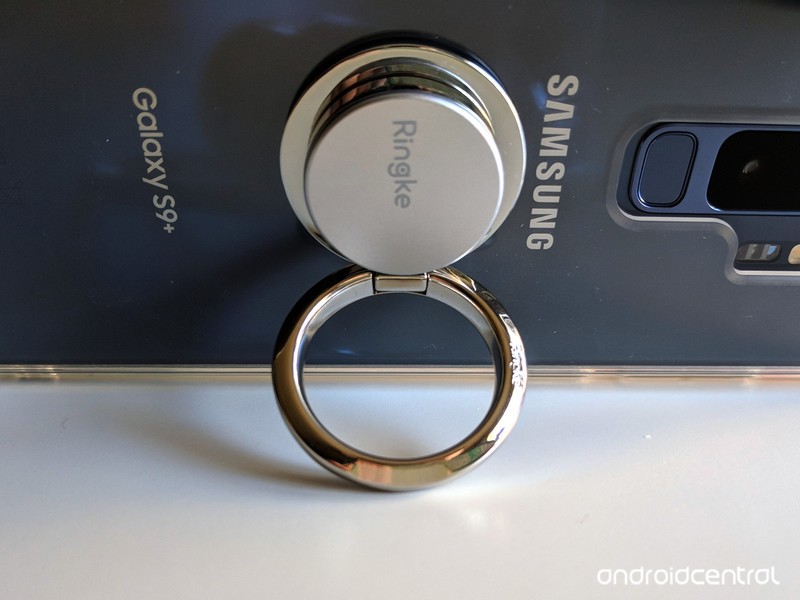
A $10 phone grip versus a lifetime of nerve pain is the easiest tech decision I ever made.
I am a 27-year-old writer and newscast director, and since the tender age of 14, I’ve spent most of my waking non-school, non-sleep hours on a computer. I use a lot of Photoshop, custom hotkeys on my station computers with ENPS and Edius, and there’s an almost constant stream of Ctrl + T/R/N/W/E/S/C/V/A/etc that I use while writing, formatting, creating, or just browsing the web in free time I don’t really have. I’m also not a huge CAPS LOCK fan, so I use Shift for capitalizing names, acronyms, and adding important #HashtagOverload to my posts online.
In short, my pinkies hate me, and they’re the first and only reason I need for using a phone grip like a PopSocket or Spigen Style Ring.
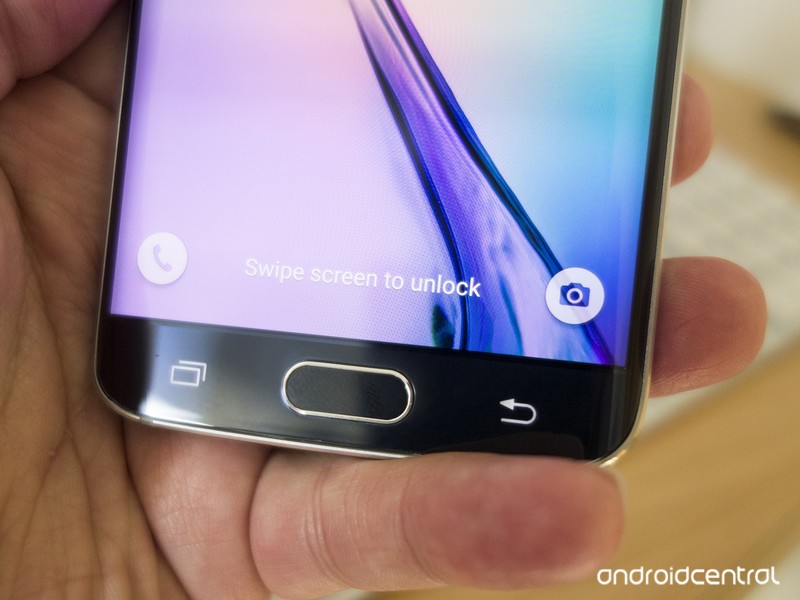 Pinky propping is a problem, and a bad habit many of us have had for years.
Since my Samsung Blackjack days, I’ve propped up my phone up in my hand with my pinky under it for stability, and I’m not alone. Even though the Samsung Galaxy S9+ I’m using these days is far larger and heavier than that Windows Mobile throwback, my pinky still gravitates to the bottom of the phone. And then painfully informs me of its displeasure.
As someone who uses computers a lot, I’d heard of carpal tunnel. BlackBerry Thumb and Nintendinitus are just two of the many, many joking names devloped for De Quervain syndrome over the years, and so long as there has been a workforce with repetitive tasks, there have been repetitive stress injuries.
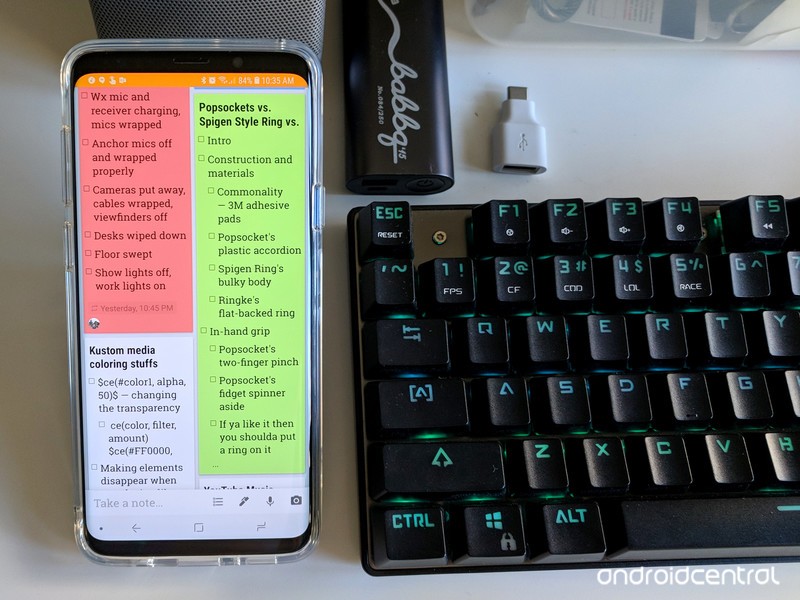
And if you develop a repetitive stress injury, there’s no real “fixing” it. You can ice the affected area and use medication to help you ignore the pain when it flares up, but there’s only one way to completely eliminate it. If you have a repetitive stress injury, the biggest and sometimes only real advice most doctors will give you is to rest and give your muscles a break from the repetitive task.
Whenever there’s a computer around, I generally use the computer over the phone, especially for typing-intensive tasks like writing, email, and social media. When I get to work, my phone largely reverts to a music player, sitting in my shoulder holster and streaming music to my Bluetooth headphones while I prepare for shows and work on special projects. It that helps a little, sometimes, but I still often end a day with my pinky stiff and the joint popping when I try to stretch it out.
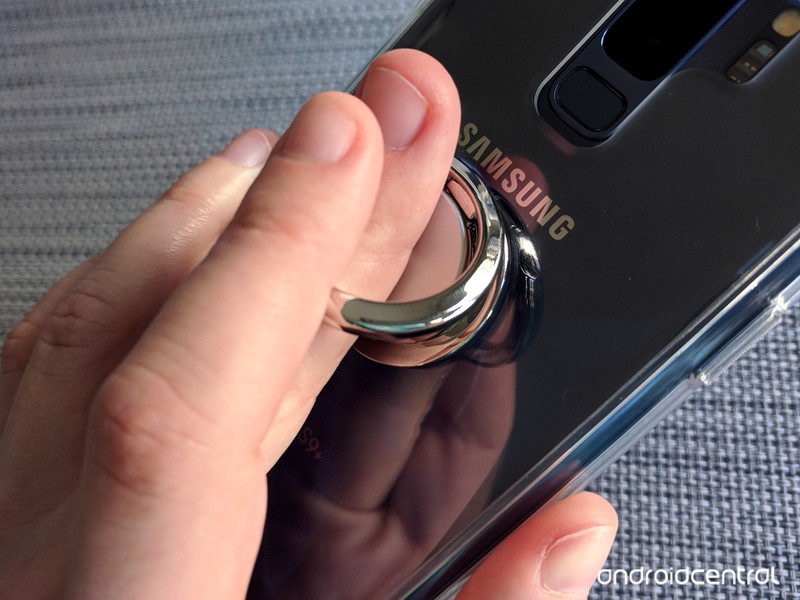
Rest helps a little. Using a phone grip helps a lot.
When I started using a smartphone grip last year, I immedatiately felt a difference. Instead of my pinky straining, and my nerves screaming, at the bottom of my phone, it sits straight and unused flat against the back of my device while my middle finger sits inside the grip’s ring and uses the pointer and ring finger to help keep the grip steady. My thumbs are also happier with the grips, as more of the phone’s screen can be reached without straining — though I’ve also tried to cut down on one-handed phone use when I can, too.
I can go days without my pinky getting intensely angry with me, and on days heavy with data entry and lots of Ctrl commands, my hands will last longer before cramping up. I’ve worn out a number of phone grips in the 15 months since then, but I’m perfectly fine with that.
 Phone grips are replaceable; my fingers are not.
Am I weak for needing a phone grip? Well, I certainly don’t think so. A phone grip that alleviates the strain on my hands is just like an ergonomic office chair or vertical mouse that helps office workers avoid carpal tunnel. A good phone grip is less expensive than an ergonomic keyboard, and certainly less expensive than physical therapy and pain management. Even Google has seen the value in phone grips during major events like Google I/O.
 Even Google uses PopSockets phone grips.
Phone grips can double as kickstands, and they offer a little more drop protection, but really, the only reason anyone needs to use one is that they can help save your hands from often permanent and painful damage.
See at Amazon
Which phone grip is right for you?
Google Assistant can now control DISH Hopper TV receivers

Voice control everything from simple commands to volume.
Google Assistant’s prowess in home control is making another solid step with a new DISH partnership. You can now simply talk to Google Assistant to control your DISH Hopper TV receiver, cutting down on the number of times you have to use (or find) the remote or deal with moving through on-screen menus.
Cutting down on the number of times you reach for the remote is always a good thing.
With a Google Assistant device on the same network as your Hopper box, you’ll be able to do the basics like “Turn on my Hopper,” “Rewind 30 seconds” or “Tune to channel 105,” but that’s kind of a given at this point. What’s really neat is being able to perform more specific actions, like “Record Game of Thrones on Hopper” or “Show me home improvement shows” — things that would normally take several steps with a remote, including typing or browsing through genres. You can also adjust the volume, or launch directly into apps on the Hopper like Netflix and YouTube.
Voice control isn’t going to make sense in all situations, but having it as an option when you want to perform a general search or set a recording is going to save you a lot of time when you’re getting settled in to watch some TV. It obviously also encourages people to keep a Google Home near their TV as well, which has its own benefits — both for you and Google alike.
Introducing CordCutters.com
- The hardware you need
- All about streaming services
- What channels are on which service
- FREE over-the-air TV
- How to watch sports
- Join the discussion
Get the latest deals

