


Leaked Android app shows message scheduling is coming to Google’s Gmail
A recent build of Google’s Gmail app for Android reveals that the service will eventually support email scheduling. The evidence appears within the app’s code, which assigns the “menu_schedule_send” command to a “Schedule send” menu entry. An excerpt from an XML file also refers to this specific string of code.
The purpose of this upcoming feature should be obvious: Native support for scheduling a time for Gmail to automatically send an email. Currently there are “unofficial” ways to schedule an email in Gmail, such as adding the Boomerang browser extension, using a Google Sheets script, installing another browser extension specifically for Google’s Chrome browser, and so on.
Although scheduling email sounds like a task abused by spammers, there are legitimate reasons for delayed messages. For instance, you may want an email sent during a period when it will most likely be read, such as during the morning business hours, or during a peak reading time in another time zone. Maybe you need email sent within a specific amount of time after it’s completed.
The work of PR firms is a good example. A company may have product information under a scheduled non-disclosure agreement release window that’s already prepared but can’t be delivered to the press until a specific time. A scheduled email means the PR firm can have the information locked and loaded for delivery and move on to the next client.
Microsoft’s Outlook client already provides message scheduling. While composing a message, simply select the More Options arrow from the Tags group located on the ribbon. Next, in the Delivery Options window, check the “Do not deliver before” option and then select a date and time. Unfortunately, this feature currently isn’t provided in the online client.
Google overhauled Gmail’s interface earlier this year, bringing it closer to the company’s other services. Although the new look provides cleaner access to your emails, Google beefed up the service’s back end including the use of artificial intelligence to generate smart responses, “nudges” that nag you to follow up or respond to messages, and more.
“As a part of the redesign, we’re also tightly integrating Gmail with other G Suite apps you use every day,” the company said in April. “Now you can quickly reference, create, or edit Calendar invites, capture ideas in Keep or manage to-dos in Tasks all from a side panel in your inbox.”
Other notable features crammed into the revamped Gmail include new native offline capabilities, a task-creation tool that integrates with G Suite, and easy access to Gmail add-ons such as Intuit QuickBooks Invoicing, Dialpad, Trello, and more.
Currently Google has not officially announced email scheduling, nor does the code provide any indication of when the service will arrive. How this version of Gmail for Android made its way into the public is unknown, but it’s presumed legitimate given that Google cryptographically signed the app. But even if the app does contain code for message scheduling, the service likely isn’t live yet, or is currently tied to just a handful of beta testers.
Editors’ Recommendations
- Words lead to actions in the latest version of Slack packing Asana, Jira support
- Best road trip planner apps
- With developer program, Google Photos is about to become a lot more versatile
- The best Android apps (July 2018)
- Here’s how to send a text message from your email account
Leaked Android app shows message scheduling is coming to Google’s Gmail
A recent build of Google’s Gmail app for Android reveals that the service will eventually support email scheduling. The evidence appears within the app’s code, which assigns the “menu_schedule_send” command to a “Schedule send” menu entry. An excerpt from an XML file also refers to this specific string of code.
The purpose of this upcoming feature should be obvious: Native support for scheduling a time for Gmail to automatically send an email. Currently there are “unofficial” ways to schedule an email in Gmail, such as adding the Boomerang browser extension, using a Google Sheets script, installing another browser extension specifically for Google’s Chrome browser, and so on.
Although scheduling email sounds like a task abused by spammers, there are legitimate reasons for delayed messages. For instance, you may want an email sent during a period when it will most likely be read, such as during the morning business hours, or during a peak reading time in another time zone. Maybe you need email sent within a specific amount of time after it’s completed.
The work of PR firms is a good example. A company may have product information under a scheduled non-disclosure agreement release window that’s already prepared but can’t be delivered to the press until a specific time. A scheduled email means the PR firm can have the information locked and loaded for delivery and move on to the next client.
Microsoft’s Outlook client already provides message scheduling. While composing a message, simply select the More Options arrow from the Tags group located on the ribbon. Next, in the Delivery Options window, check the “Do not deliver before” option and then select a date and time. Unfortunately, this feature currently isn’t provided in the online client.
Google overhauled Gmail’s interface earlier this year, bringing it closer to the company’s other services. Although the new look provides cleaner access to your emails, Google beefed up the service’s back end including the use of artificial intelligence to generate smart responses, “nudges” that nag you to follow up or respond to messages, and more.
“As a part of the redesign, we’re also tightly integrating Gmail with other G Suite apps you use every day,” the company said in April. “Now you can quickly reference, create, or edit Calendar invites, capture ideas in Keep or manage to-dos in Tasks all from a side panel in your inbox.”
Other notable features crammed into the revamped Gmail include new native offline capabilities, a task-creation tool that integrates with G Suite, and easy access to Gmail add-ons such as Intuit QuickBooks Invoicing, Dialpad, Trello, and more.
Currently Google has not officially announced email scheduling, nor does the code provide any indication of when the service will arrive. How this version of Gmail for Android made its way into the public is unknown, but it’s presumed legitimate given that Google cryptographically signed the app. But even if the app does contain code for message scheduling, the service likely isn’t live yet, or is currently tied to just a handful of beta testers.
Editors’ Recommendations
- Words lead to actions in the latest version of Slack packing Asana, Jira support
- Best road trip planner apps
- With developer program, Google Photos is about to become a lot more versatile
- The best Android apps (July 2018)
- Here’s how to send a text message from your email account
Instagram: Everything you need to know
Here’s your destination for all things Insta!

When you think of social media apps, one of the first that probably comes to mind in Instagram.
Launched back in October 2010 as an iOS exclusive, Instagram has quickly grown up to be the most popular platform for sharing photos and videos with people around the world.
Whether you need a refresher of the app or want to stay on top of the latest news surround it, here’s everything you need to know about Instagram.
The latest Instagram news
July 19, 2018 — Instagram now shows you when your friends are online
If you frequently send direct messages to other Instagram users, you’ll now that there’s never been a way to know if your friends/followers are online and actively using the app. Thankfully, this changes today!
As part of a new update, Instagram will now show you when other people are online. On your inbox page for DMs and when browsing your friends list to share a post from your main feed, you’ll begin to see a green indicator next to profile pictures of other users if they’re on the app at that time. With this, it’ll be much easier to know if you’ll get an immediate response from someone if you send them a private message.
June 28, 2018 — A lite version of Instagram is now available in Mexico
Over the years, companies like Facebook, Twitter, and Spotify have released “lite” versions of their apps that offer all of the core features/experiences while being easier to run on slower hardware, taking up less storage space, and using less data.
Following this idea, Instagram Lite was just launched in Mexico and aims to offer all of Instagram’s best features while being much more accessible for people in developing markets.
Instagram Lite weighs in at just 573KB and allows you to post and view photos on your feed, use Instagram Stories, use all of the regular photo-editing tools, and more. There’s no way to send direct messages quite yet, but that’s something that’ll be coming soon.
Also, while Instagram Lite is currently limited to users in Mexico, there are plans to expand it to other markets in the near future.
Download: Instagram Lite (free)
All the big details
The Home tab is where you’ll spend most of your time

When you’re using Instagram, most of your time will likely be spent on the Home tab. This is the page you’re taken to each time you open the app, and it acts as a central hub for everything Instagram has to offer.
At the very top, you’ll see three icons. From left to right, these are for taking a photo for Instagram Stories, opening IGTV, and going to your inbox for direct messages. Below that are circles for people you follow so you can view any of their Instagram Stories posts.
Underneath all of this is your main feed. Here, you’ll be able to endlessly browse through posts from people and hashtags you follow. On each post there are buttons for liking it, leaving a comment, privately sending it to one of your contacts, and adding it to your Saved page (more on that later).
Find new stuff on the Explore page

If you tap on the magnifying glass icon at the very bottom, you’ll be redirected to the Explore page.
On Explore, you can scroll through photos/videos from people and hashtags you might not be following but that Instagram thinks you’ll be interested in nonetheless.
You can search for a specific person or hashtag at the very top, and below that are recommended categories to filter the page by — including things like Humor, Animals, TV & Movies, and more. By default, this is set to For You.
Play around with the editing tools

Editing photos has been a big part of Instagram for years, and in 2018, that hasn’t changed one bit.
After selecting a photo you want to post, you can browse through a list of numerous filters. As you tap each one, you’ll instantly see how it’s going to affect the look of your picture. If you don’t like any of the filters you’re seeing, keep swiping to the left until you see the Manage button. Tap on this and you can add even more to your collection.
In addition to filters, tapping the Edit button at the bottom will allow you to fine-tune your photos even more with controls for the brightness, contrast, fade, highlights, etc. And, if all else fails, tapping the sunshine icon at the top-middle will enable you to control the Lux for your post and instantly ramp up the saturation and brightness for a much more vibrant-looking photo.
Take advantage of the Saved feature

If you come across a post on Instagram that you particularly like, it’s easy to save it for later without notifying anyone.
When looking at the post you want to save, tap the bookmark icon at the very right. Once you do this, head over to your profile,tap that same icon once again, and it’ll be right there for your viewing pleasure.
No one is notified when you add their photos to the Saved section, and if you want to go a step further, you can create a Collection to categorize the posts you add here.
Be sure to check out IGTV

This past June, Instagram added one of the biggest new features to its app in years — IGTV.
IGTV is Instagram’s take on long-form video, and unlike something such as YouTube, is designed around having people create and share vertical video content.
You can access IGTV through the main Instagram app or by downloading the standalone IGTV one, and upon opening it, you’re able to browse through videos from people you follow and what’s currently trending/popular.
IGTV clearly has a long ways to go before it’s on the same level as YouTube, but even this early on in its life has a lot going for it. The interface is easy to understand, it’s integrated nicely into an app that billions of people are already using, and anyone can make their own IGTV content and manage it through their phone or a web client.
Download: IGTV (free)
There’s more to see with Instagram Stories

Instagram Stories is basically Instagram’s way of taking Snapchat head-on, and while I briefly mentioned it in this guide, there’s not enough time to dive into everything it has to offer.
Thankfully, Hayato already put together a fantastic guide going through absolutely everything you could want to know about Stories. Check it out below!
Instagram Stories on Android: Everything you need to know!
Apple’s AirPods work great with Android phones, and today they are just $145
These don’t go on sale all that often.

Amazon is currently offering the popular wireless headphones from Apple for $144.99, which is about $15 off the normal going rate. We don’t see many discounts (outside of Costco’s recurring one) for these truly wireless headphones from Apple, so if you have been looking for a set, this is a deal you won’t want to miss out on.
Don’t forget, just because Apple makes the headphones doesn’t mean that they don’t work beautifully with Android devices. I’ve been using my AirPods with various Android devices since I got them, including my LG G6, BlackBerry KEYone, Essential Phone, and more. The experience is flawless, and the comfort and convenience greatly outweigh any silliness that you may think that they add to your ears visually.
The AirPods are powered by the W1 Bluetooth chip, which means they connect easily and have improved sound over Bluetooth. They’re ready to use with Apple devices out of the box. They can detect when you put them in your ears and immediately start working. You can double tap to access Siri. No wonder they’ve been in such high demand.
Don’t forget to grab some protection for the case the AirPods sit in, as well as a strap so you don’t lose one when traveling!
See at Amazon
Apple Store App Offers Free Redeem Codes for ‘Obscura 2’ Camera App
The official Apple Store app for iOS devices has recently undergone changes in design and function, but Apple still occasionally uses it to host time-limited offers to download select paid apps for free.
From today, users who scroll down the Discover tab should find an option to download camera app Obscura 2 for free via a redeem code, rather than paying $4.99 to download it from the App Store.
Obscura brings together incredible features in an easy-to-use interface that helps you take great photos, without getting in your way. It has a bunch of gorgeous filters to make your photos pop, and plenty of pro features to help push your photography skills further.
Obscura 2 allows users to shoot in a range of formats including RAW, HEIC, JPEG, Live Photo, and Portrait modes, and offers 19 filters designed for use with a wide range of scenes.
The Obscura camera features also provide flash control, grids, shutter time, and spirit level, while a dedicated library browser lets you edit, share, copy, favorite, hide, delete, and trash your pictures.
To download the app for free, tap on the featured app in the Discover section of the Apple Store app, tap Download now for free, and you will be redirected to the App Store’s Redeem code screen. Your free redeem code should already be entered – all you need to do is tap Redeem in the upper right corner to begin downloading the app.
The offer to download Obscura for free through the Apple Store iOS app expires on September 25, 2018. Note that free app offers usually vary from region to region.
Tag: Apple Store
Discuss this article in our forums
How to use WhatsApp’s group calling feature for video and voice calls
WhatsApp’s group calling feature lets you talk to four people at once.

WhatsApp’s group calling feature is now rolling out to everyone on Android and iOS. The messaging platform picked up voice and video call support back in 2016, and the feature is very popular — every day, WhatsApp users spend over 2 billion minutes on calls.
To use group calling, you’ll first need to place a one-on-one video or voice call, and then add participants to that call. Here’s how to use WhatsApp’s group calling feature for video and voice calls.
Open WhatsApp from the app drawer or home screen.
Go to the Calls tab.
Select the dialer icon at the bottom right corner.

Select the first participant and use the dialer/video icons to make a voice or video call.
From within the one-on-one call, tap the add participant button on the top right corner.
Select the second participant you’d like to add to the call and then hit the Add button.

Follow steps five and six to add more participants to the call — you can add up to four people simultaneously.
That’s all there is to it. Are you interested in trying out WhatsApp’s group calling feature? Let us know in the comments below.
Logitech Acquires Blue Microphones for $117 Million in Cash
Logitech has announced its acquisition of Blue, the California-based maker of studio-quality microphones, in a $117 million cash deal.
Blue, creator of the popular Yeti and Snowball microphone lines, will join Logitech’s portfolio of other brands, which includes Jaybird, Ultimate Ears, and ASTRO gaming.
In a blog post, Logitech CEO Bracken Darrell explained how the acquisition would allow the firm to expand into the growing broadcast market and complement its existing range of accessory products.
Logitech’s acquisition of Blue Microphones will accelerate our entry into a growing market, and offers another way for us to help bring people’s passions (from music to blogging) to life. Joining with Blue is an adjacent opportunity for us – a new way to grow – with additional synergies related to our existing gaming, PC webcam and audio categories.
In a separate blog post, Blue Microphones CEO John Maier said he was “super excited” about the partnership, which would allow his firm to continue making “the coolest microphones on the planet”.
All of us here at Blue will keep creating cool stuff for professional musicians, gamers, podcasters, YouTubers, and streamers; Logitech will help us conquer the world. It’s a great partnership full of possibilities.
Logitech has gained a favorable reputation for acquiring companies with a view to investing in established brands, so the purchase shouldn’t overly concern fans of Blue products going forward.
Tag: Logitech
Discuss this article in our forums
T-Mobile inks $3.5 billion deal with Nokia over 5G network equipment
T-Mobile starts laying the groundwork for its 5G network.
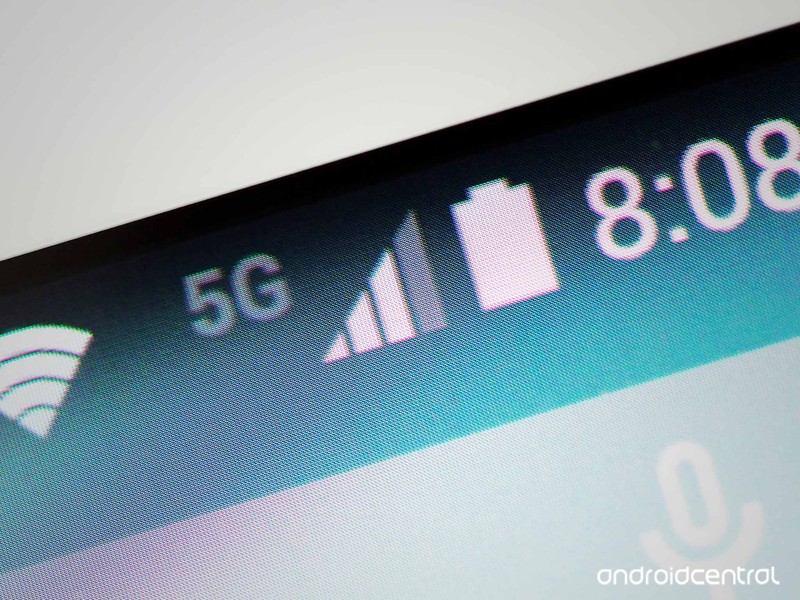
T-Mobile has announced that it is teaming up with Nokia to deploy its 5G network. The $3.5 billion deal will see Nokia provide T-Mobile with 5G equipment as well as software and services support. T-Mobile’s initial 5G push will include 30 cities, with work set to commence this year. The carrier is building its 5G network on 600MHz and 28GHz millimeter wave spectrum comliant with the 3GPP 5G New Radio standard.
From T-Mobile’s Chief Technology Officer Neville Ray:
We are all in on 5G. Every dollar we spend is a 5G dollar, and our agreement with Nokia underscores the kind of investment we’re making to bring customers a mobile, nationwide 5G network. And together with Sprint, we’ll be able to do So. Much. More.
T-Mobile will use a variety of Nokia services to build out its 5G network, including “AirScale radio platforms and cloud-native core, AirFrame hardware, CloudBand software, SON and 5G Acceleration Services.”
This is Nokia’s largest 5G agreement globally, and comes at a pivotal time for the Finnish giant as it goes up against the likes of Ericsson and Huawei in this space. 5G will drastically reduce latency while providing much more bandwidth, facilitating more mainstream VR and AR use cases.

OnePlus just surpassed Samsung’s flagship phone sales in India for the first time

Counterpoint Research shows Samsung’s drop-off was steep and poorly timed.
Here’s something we didn’t see coming: OnePlus just sold more high-end phones than Samsung in India. According to Counterpoint Research, OnePlus was the top-selling manufacturer in the flagship segment (₹30,000+, or $435+) in India for Q2 2018, hitting an all-time high of 40% market share. Adding to the surprise is that this is data for the entire quarter (April, May, June) where the OnePlus 6 was only on sale since mid-May compared to Samsung’s Galaxy S9 and S9+ launching in March.

This is the first time OnePlus has ever topped the premium segment in India, and it was aided in its gains by a precipitous drop-off of sales from Samsung and Apple in the quarter — hitting 34% and 14%, respectively. Counterpoint Research notes that fresh entries from Huawei, Vivo, Nokia and LG also mixed up the market and stole small slices. Interestingly, OnePlus hit this all-time-high mark of 40% market share thanks to OnePlus 5T sales making up 10 percentage points of the 40, all coming in the first half of Q2 before it was shelved for the OnePlus 6 launch.
The value-focused flagship model is the best way to sell phones in India.
OnePlus has been incredibly strong in India thanks to its value-focused flagship model, which places it in the “premium” tier in terms of market segmentation but gives it a massive advantage in terms of consumer pricing. The OnePlus 6 starts around ₹35,000 in India, compared to a Galaxy S9+ that starts around ₹60,000. That surely contributed to the sales numbers we see here — price is a massive factor in the Indian market, where sales skew far less expensive than Western countries, so the difference of 25% in MSRP between the OnePlus 6 and Galaxy S9+ is incredibly important. Despite the win for OnePlus, Samsung is still easily the largest smartphone brand in India with 29% of the total market — OnePlus isn’t even in the top five, as it only sells relatively expensive phones.
Regardless of the overall position, OnePlus will no doubt take this as a huge win for the growing strength of its brand even in a market it was already incredibly well established in, and look to repeat the feat in other markets globally. Though that will be a far tougher task elsewhere as Samsung holds a dominant position in so many markets where price and value are far less important.
OnePlus 6
- OnePlus 6 review
- OnePlus 6 vs. OnePlus 5T: How much changes in six months?
- OnePlus 6 vs. OnePlus 5: Should you upgrade?
- These are the official OnePlus 6 cases
- The OnePlus 6 doesn’t work on Verizon or Sprint
- Join the discussion in the forums
Logitech is buying Blue Microphones for $117 million
Logitech is venturing into the audio recording segment with its latest acquisition.

Even if you haven’t heard of Blue Microphones, there’s a high chance you saw a YouTube video or heard a podcast where one of the presenters was using the brand’s USB condenser microphones. Blue carved out a niche for itself in recent years in the audio recording space with the Yeti and Snowball, and that hasn’t gone unnoticed, as Logitech is acquiring the brand for $117 million in cash.
Blue’s existing products will be integrated into Logitech’s ever-increasing portfolio of brands, which include Ultimate Ears, Jaybird, Astro Gaming, and Logitech G. Here’s what Logitech CEO Bracken Darrell had to say about the acquisition:
Logitech’s acquisition of Blue Microphones will accelerate our entry into a growing market, and offers another way for us to help bring people’s passions (from music to blogging) to life. Joining with Blue is an adjacent opportunity for us – a new way to grow – with additional synergies related to our existing gaming, PC webcam and audio categories. It’s exciting!
For its part, Blue mentions that it will continue to innovate in this space, with exciting new products on the horizon.

