


Shazam for Mac leaves the mic on after the app is turned off
Shazam brought its music-searching chops to the Mac over two years ago, but former NSA hacker and Mac security guru Patrick Wardle revealed this week that the app has a big flaw. With the version of the app for Apple desktops, the software continued listening even after it was turned off. That’s right, the microphone on a Mac was still hot even after Shazam performed its duties and users flipped the switch. The company says it isn’t saving anything extra, processing your conversations or storing what it overhears on its servers.
According to Shazam’s vice president of global communications James Pearson, this is a feature and not a bug. If you’ll recall, the always on nature of the app was touted during its announcement, a tool that would continue to run the company’s identification methods in the background if you allowed it to do so. However, even with the software is specifically toggled “off,” the mic is still on and it’s still listening. Shazam only does this inside the Mac app, so if you’re using it elsewhere, other versions don’t work the same way.
“If the mic wasn’t left on, it would take the app longer to both initialize the mic and then start buffering audio,” Person explained to Motherboard. He went on to say that if the microphone wasn’t on, the user experience would suffer, causing users to “miss out” on whatever song they wanted to get more info on.
So, what if a hacker wanted to get their hands on the data that would allow them to listen in from your Mac? Well, Shazam claims that can’t happen. The company’s chief product officer Fabio Santini told CNET that the method the app uses to identify songs uses “fingerprints” or pieces of the audio that are then matched to other “fingerprints” in its database.
“Those points can’t be reverse-engineered to reconstruct original audio,” Santini said.
Never say never, Shazam. In response to this week’s revelation, the company plans to “address” the issue in an upcoming update, but there’s no word on when that might happen. Again, Shazam says that there’s no risk to users with the app’s current configuration. Wardle argues that a piece of malware could be engineered to pull audio from a Mac’s microphone without having to turn it on.
“We could get creative an easily design a piece of malware that steals this recoding without having to initiate a recording itself (which would likely generate an alert),” Wardle explained.
Via: CNET
Source: Motherboard, Objective-See
House of Marley Get Up Stand Up Bluetooth Speaker: Cutting edge sound in a sustainable and modern package (review)

House of Marley is a company that was founded by Bob Marley’s family. It is only fitting that the company’s value directly reflects his primary beliefs. Bob Marley was a musical icon, whose unique style put reggae on the map. As a notable Rastafarian, Bob Marley valued equality, sustainability, and charity. House of Marley’s Get Up Stand Up speaker truly reflects all of Bob Marley’s value with its sustainable design and sound quality.
Sustainability is an important factor to consider when it comes to limiting our footprint on this world. The amount of waste humans generate is only increasing, so finding ways to minimize our environmental impact is imperative. My roommates and I try to be responsible inhabitants of Earth by minimizing waste and recycling, but our trash cans still fill up quickly. That’s with only three people, can you imagine the waste created by all seven billion people in the world?
Sustainability is extremely important in the tech world. Lately, it seems as though the majority of consumers are upgrading their devices every time a new phone or tablet comes out. I know people who even upgrade their laptops every year.
Tech-related waste is especially harmful to the environment because of their components. Toxic metals and non-recyclable materials find their way into off-site locations such as Ghana. E-waste is only increasing with the amount of technology we have at our disposal and it is a problem we cannot ignore anymore.
 Build
Build
The package includes the Get Up Stand Up speaker, power cord, and remote (batteries included).
The Get Up Stand Up speaker addresses the environmental issues facing our planet by going with a sustainable design. The front of the speaker is made of FSC-certified birch wood with a walnut finish. The speaker sports two dual 4.5 inch woofers and two 1 inch tweeters.

 House of Marley went with simplicity when it comes to the controls. There are only four buttons located at the top of the speaker. The small remote control allows all the same options as the physical buttons on the speaker with the addition of dedicated buttons for skipping and rewinding music.
 The back of the speaker features a recycled plastic enclosure. There is a bass port on the side to let the large woofers move air in and out allowing for a fuller sound. Red and white stereo auxiliary inputs, and a 3.5 mm auxillary input are located on the back to play music from devices that do not have Bluetooth. The addition of a USB port allows charging of various devices even while the Get Up Stand Up speaker is turned off.
 Sound
Sound
The premium build of the Get Up Stand Up speaker is accompanied with high quality audio. This is due to the aptX technology which uses a unique compression algorithm to produce higher sound quality over Bluetooth.
I found this speaker to offer well-balanced and detailed sound. The highs were incredibly crisp due to the presence of the dual tweeters. The bass has a warm and full presence that doesn’t overpower the complete dynamic range. Most wireless speakers feature only one driver which tends to muddle up the highs and lows, but with four, this speaker manages to sound very clear.
 The location of the speaker also had a huge impact on how it sounded. I played Black Beatles with the speaker next to a wall and the bass sounded incredibly rich, deep and punchy. In open space, the Get Up Stand Up speaker has more of a balanced sound. Even at the lowest volume, the vocals were clear and wasn’t overpowered by the highs or lows.
Due to the well-balanced sound, this speaker is exceptional for most genres. The versatility of the speaker was evident being able to play reggae all the way to pop. John Coletrane’s saxophone sounds incredibly detailed on the Get Up Sound Up. I had to put on Get Up Stand Up in honor of Bob Marley, and I could feel the soul emanating from the speaker. When I closed my eyes, it really felt like he was right in front of me performing the song. It was such a great auditory experience even though reggae is not the type of music I normally listen to.
Usage
The Get Up Stand Up Home audio system is not a portable speaker. There is no battery in the device so it needs to be plugged into an outlet. However, due to its heavy frame (15.6 pounds) I couldn’t imagine why you would want to move it around frequently.
The pictures of this speaker do not do it justice. It is absolutely beautiful with its rustic and wooden design. The attention to every aesthetic detail and premium wood finish looked almost too good for my apartment. It’s like seeing a classic 1955 Chevy Bel Air next to your used 1998 Honda Accord. The best part comes from the conscientious decision of using a sustainable product that will have minimal impact on the environment. You don’t have to sacrifice quality, sound, or design for the sake of the planet.
 I primarily used the speaker in the living room and connected it via stereo audio auxiliary input into my television. I previously had a sound bar connected to the television and this speaker blew it out of the water. Those people who don’t want to invest in an expensive surround sound system can opt out for this less pricier option. It was effortless to connect my phone via Bluetooth and play Spotify from the comfort of the couch.
Conclusion
Bob Marley’s legacy is present in the vision of House of Marley. The company reflects the values of equality, sustainability, and charity derived from the music legend. Bob Marley truly cared for the planet and it is echoed in the Get Up Stand Up Bluetooth Audio System. In an industry that produces a great deal of waste, it is refreshing to see companies like House of Marley taking an initiative on the e-waste issue.
This is a premium speaker that you can be proud to own knowing that you are actively making an impact on reducing e-waste. The Get Up Stand Up speaker is made from FSC-certified birch in the front and a recyclable plastic enclosure in the back.
The use of multiple woofers and tweeters leads to a well-balanced sound that is versatile with any type of music. This is a speaker you want to display proudly with its rustic and wooden design that is a nice fit for any home.
The Get Up Stand Up speaker is only $329.99 on House of Marley or $294.00 on Amazon with free shipping. The speaker is an investment into a technology that will be with you for many years to come. If you eventually decide to upgrade to another device, you can be comforted knowing that this was designed to have a minimal impact on the environment.

91 Launcher and 91 Locker: Can these apps revamp your phone? (Review)

With the countless number of launchers and lock screen replacements in the Play Store, it can be a daunting task to find one that fits your personality. In this review, we’re taking a look at a launcher and lock screen combo that I had never heard of before – 91 Launcher and 91 Locker. Will these be the next apps to adorn your smartphone? Let’s find out.
Setup
Setup for these apps is mostly the standard stuff for all launchers and lock screen apps. After downloading them from the Play Store, you need to select 91 Launcher as your default launcher, and that is the extent of the setup for that app. 91 Locker is slightly more involved because you have to open the app and enable it along with allowing it access to things like notifications and your camera. If you only want 91 Locker to be your lock screen, you will need to disable the default lock screen on your phone, too.
Experience
 For the last several days, I have been using 91 Launcher and 91 Locker as my only launcher and lock screen on my phone. My experience with them has been mixed so let’s take a look at 91 Launcher first. Unlike other big name launchers, 91 Launcher does not try to make everything look like stock Android but instead relies on a theme system that allows you to change the entire look of your phone with one click. Pressing and holding anywhere on the home screen will bring up a menu with several personalization options. There are normal options here for adding apps and widgets to the home screen, but others such as Effects, Quick Beauty, and Personality might not be recognizable at first glance.
Effects contains all of your options for changing transitions between homescreen pages as well as folders and the app drawer. Along with normal transitions, you can also set animations for finger presses on the homescreen. While I personally was not a fan of the effects, I imagine there are some who would love to have fireworks explode on the screens everywhere they tapped. Quick Beauty is the theme selection page where you can choose between themes you have downloaded or search the fairly large database for any theme you like. I would have liked to see a theme that imitates stock Android, but for those looking to add personal flair to their phone, the themes available are great. Personalization also brings you to the themes menu, and I wonder why they would have two buttons leading to essentially the same app.
 Finally, you have a Settings button that I assumed would take you into the settings for the app, but it actually takes you into a phone settings menu but not stock one on your phone. You’ll see options for WiFi, Bluetooth, and Battery but tapping on any of them will take you to the stock page for that setting on your phone. If you are looking for the settings of the app itself, you need to tap on Preferences instead.
In the Preferences app, you have the normal swath of options such as desktop layout, wallpaper settings, and icon settings, but none of them are as full featured as I have seen from other apps. Just as an example, while you can change the icon size, you do not have the option to apply icon packs. Quick Screen Search is a page at the very left of your homescreens that seems to function as nothing more than ad space. While I assumed it would be more of a BlinkFeed style selection of news, it actually a single search bar with some website links and app recommendations. Thankfully, it can be turned off.
There are a few gesture options in the Preferences menu, and I would recommend taking a look at them because the presets are not great. Swiping up will bring you to the search option that allows you to search through your apps and contacts but at the expense of viewing more ads. The same can be said for the default app that opens when you swipe down. Dubbed “91 Know,” this pull-down shade seeks to be a news aggregation page, but with no way to select news sources and a plethora of ads among the stories, it got in the way more than it helped.
 My biggest complaint with 91 Launcher can be summed up in a single word – inconsistency. I first noticed this when the Settings button redirected to a separate settings app but clicking on a setting would open the stock option. Why not just have the Settings button redirect to the stock settings app on your phone? Also for most things, tapping the home button on your phone will take you back to the homescreen, but when you are on the Quick Screen Search page or in a folder, you have to hit the back button to return to the homescreen instead. Inside the Preferences menu, some options were labeled with capital letters while others were fully lowercase.
Finally, the app itself would have to randomly reload. I cannot count the times when I was on my homescreen and everything would go blank only to have the icons pop back up one at a time. About every-other-time I opened the app drawer, it would be blank for a second or two while the apps loaded. I didn’t think much of this at first, but when it was still happening a week later, I began to get annoyed.
 91 Locker is a much simpler app and replaces your lock screen with a more customizable option. In order for the app to work as best as possible, you need to give it access to your notifications so they can be displayed on the lock screen as well as your camera so you can take advantage of the quick launch feature. In the app itself, you can select from a ton of different lock screen themes that you can add your own pictures to. One thing I would like to see is the option to search for a theme as the only options currently are to pick from the latest or trending themes.
 Since you have to disable your stock lock screen to get the best experience, you might be worried about losing your security, but 91 Locker has you covered with some passcode options. There are two very reminiscent of iOS’s number pad and Android’s pattern lock, but the others add a bit more style. While the rest are all in the passcode style, instead of the standard grid of numbers you can choose between several shapes and even add pictures to each of the buttons for a more personalized and probably more secure lock screen.
Unfortunately, my phone has a fingerprint scanner that I could not use with 91 Locker for obvious security reasons. But if your phone does not have a fingerprint scanner on it, I think you would definitely be able to find a security option that fits your needs. These are all of the customization options you are given aside from choosing what way to slide the lock screen to unlock your phone and what apps can show notifications on the lock screen.
 As far as using the lock screen, I had mixed feelings. While the customization features were a welcome addition, I missed the ability to unlock my phone with my fingerprint. Also, the “quick launch” camera option takes considerably longer than I expected. In fact, I don’t think you’re saving much time over just unlocking your phone and opening the app that way. That being said, 91 Locker does exactly what it promises and adds a nice dose of personality to your lock screen, and those looking for that will be pleased with the options this app offers.
Conclusion
So are 91 Launcher and 91 Locker the next apps you should download. It depends on what you want. If you are looking for a launcher that is going to mimic stock Android, you should look somewhere else. But if you are looking for a launcher that adds a ton of personality to your phone and can deal with some of the inconsistencies and bugs, 91 Launcher is definitely one to try out. As for 91 Locker, it does a great job of letting you customize your lock screen, and I imagine you know if that’s something your interested in. If you are, 91 Locker is one of the best that I have tried.
The Monoprice Melody Bluetooth Speaker is a great Christmas gift option

I don’t know about you, but music is constantly on around me. Whether it’s coming from my home entertainment system, my phone’s speakers, a Bluetooth speaker, or headphones, I constantly have something going. I’m by no means an audiophile, but I do enjoy quality sound reproduction for some of the more demanding tracks that I listen to.
When Monoprice offered me the chance to check out the Melody Bluetooth Speaker, I was intrigued because I’ve been familiar with Monoprice for years. Before I wrote for AndroidGuys I was just a normal consumer and bought its HDMI cables exclusively. Since I’ve gotten into writing, I was lucky enough to team up with Monoprice to review its fun and colorful USB type-C cables. Monoprice has always impressed me with the line it walks between truly outstanding prices and products with excellent quality. I was hoping that wonderful combination would show up in the Melody Bluetooth Speaker too.
Build
The Monoprice Melody Bluetooth Speaker is made of a hard plastic body and an equally plastic front grill. I would’ve like to see a metal grill in the front for a bit more premium build, but the plastic is just fine. There’s a bit of flex when you press on it, but nothing that should cause any problems unless something is coming at it at high speeds.
 The top is a smooth surface with a rather barren hard plastic construction. You’ll find only three buttons on top- a previous track/volume down button, a next track/volume up button and a play/pause button that also accepts incoming calls. They’re flush with the surface with small cutouts inside them so you may not know exactly which button you’re touching if you’re going on feel alone. But, they do feel nice and clicky with an audible thump when pressed, so high marks there.
 The rear of the device houses an on/off switch, USB port for charging your phone, an aux jack, a headphone jack and a DC power input port. The power button is a switch on this device so you can definitely tell when your speaker has been switched off. No holding down a button waiting for a beep. The USB port allows you to charge another device off the 6500mAh battery but is capped at 5V/1A so it won’t be a quick charge by any means. The audio in jack allow you to plug your phone directing into the device bypassing the Bluetooth functionality, and the headphone jack allows you to pull audio out device into your headphones.
 Overall the build quality is pretty decent. I’ve not had any issue throwing it in my bag or throwing it in my back seat. It’s going to be a bit big for some bags like purses since it comes in at 10.2″ x 4.3″ x 3.8″, but if you have a bigger messenger bag, gym bag, or duffel bag, you should be set. While this doesn’t have the highest build quality in the world, there are way worse out there. Through extended use, mine still looks like the day I got it so I would have to say Monoprice has done well here.
Sound
What’s the point if it doesn’t sound good, right?
The Monoprice Melody Bluetooth Speaker gets loud as hell. There’s isn’t another way to state it. If you’re looking to fill an entire room, the Melody will do right by you. There are louder speakers out there like the ridiculous Braven BRV-XXL or the UE Megaboom, but they cost much, much more than the Melody.
One of the little quirks of the Melody is that a single tap on the next track/volume up button will skip to the next track and you have to hold the button down to raise the volume. This can make it hard to get the exact volume that you want and can lead to some pretty loud accidents. I’d like to see them switch the functionality of the buttons in future speakers to avoid this.
Where the Melody shines is overall clarity of audio. Some speakers can suffer from muddy audio quality where everything just sounds like it has a cloth over the speaker. That’s not the case here. Instruments can be picked out and voices are very clear. Again, this isn’t an audiophile grade speaker or pair of headphones with a massive soundstage, but for a $50 Bluetooth speaker, I am impressed at the quality of the mids and highs.
Where the Melody can suffer just a tad is in the lows. Yes, there is some bass that comes through, but not enough in my opinion. When I sit the speaker next to my keyboard while typing and play some electronic music, I can feel a bit of a thump so I know the effort is there. But, the execution leaves a little to be desired. Low booming bass is something that makes music come alive in my opinion, and really the only flaw that I can point out with the audio quality of this speaker is that sometimes music feels a little flat because of the lack of bass. I’ve certainly heard less bass in speakers, but you may want to pass on this one if you’re a basshead.
Conclusion
Popular YouTuber Unbox Therapy has a series of videos named “Does it suck?”. This is always the first question I have when unboxing a new product. Is this going to suck? The Monoprice Melody Speaker gets a big fat NO. It doesn’t suck.
Are there other speakers on the market that provide better sound? Yep, but be prepared to pay. Are there other speakers on the market that are cheaper? Yep, but be prepared to be disappointed with the audio.
Monoprice has struck a happy medium between build quality, audio quality, and price. Sure, there are a few quirks like the mixed up volume controls and the USB port only charging at slow speeds, but I don’t think any of those should disqualify it. A Bluetooth speaker’s first job is to sound good and the Melody Bluetooth Speaker delivers there.
If you’re looking to pick up a Bluetooth speaker for your kid who just went away to college, an outdoor weekend warrior, or someone looking to fill up the basketball court with some quality audio, check out the Monoprice Melody Bluetooth Speaker.
Purchase Link: Monoprice | Amazon

Buyer’s Guide: Bluetooth Speakers
AndroidGuys
Bluetooth has been a standard means of connectivity in smartphones since the first days of Android. And, because of its flexibility, other devices such as laptops and computers will often include the technology. For many of us we’re now routinely pairing a set…
Read more
Master & Dynamic MW60 Wireless Over-Ear Headphones: Audio heaven reached (review)
I recently had a discussion with a close friend of mine about the topic that music no longer is a form of entertainment that people enjoy on its own. We have access to dozens of video streaming services that fight for our attention – Netflix, Hulu, and YouTube to name a few. Or we are creating our own media through Instagram, Facebook and Snapchat.
Media is changing and music and audio has become a lost art. Or has it?
I thought about the topic on my own for a period of time and think music is lost in the background for many, because we treat it with disrespect with our generic audio products.
Imagine if the painting Starry Night was done with colored pencils instead of oil paints. It definitely wouldn’t convey the beauty that it does. That’s what we are doing to our music when we listen to it with generic earbuds that come as an afterthought with our smartphones.
There are those of us who still love our music and the accuracy of it; we call it audiophilia.
We are a rare breed but we are as passionate about our audio products as anyone else with a specific hobby. Audiophiles will sit for hours at a time enjoying music the way it was recorded.
We audiophiles are willing to spend extraordinary amounts of money on audio products mainly because it is a journey that is never ending. Our demands are higher than most – we expect everything from sound quality excellence to long lasting comfort and durable build quality.
That’s where today’s review is focused; The Master & Dynamic MW60 Wireless Over-Ear Headphones.
Main Features
- Dimensions: 200mm x 185mm x 50mm
- 45mm Neodymium Drivers
- Impedance: 32 ohms
- Weight: 345g
- Over-Ear Fit
- Omni-directional microphone
- Bluetooth 4.1 with AptX
Beauty at first sight

Ever sit in a German automobile like a BMW or Porsche? The attention to detail and use of quality materials help you understand why the cars demand a premium and that’s even before the car is turned on. That’s the feeling I get with the MW60 Wireless Over-Ear Headphones every time I look at them. The craftsmanship is rare in a set of mobile accessories as almost everything is made of plastic these days, including headphones from Bose and Beats which costs hundreds of dollars.
Premium grade heavy grade cowhide is used to cover the headband and exterior, while lambskin is used on the earcups for ultimate comfort. It’s the kind of leather that looks better over time.
 Stainless steel is used in all areas where the headphones need extra durability. Steel does add a bit of weight to these headphones, but not so much that someone would notice. The overall fit and feel of the headphones is so comfortable that they almost conform to your head like whipped cream melts over a hot fudge sundae. Aluminum is used in the antenna which is machined into the body of the earpiece that allows for a skip and lag free wireless signal.
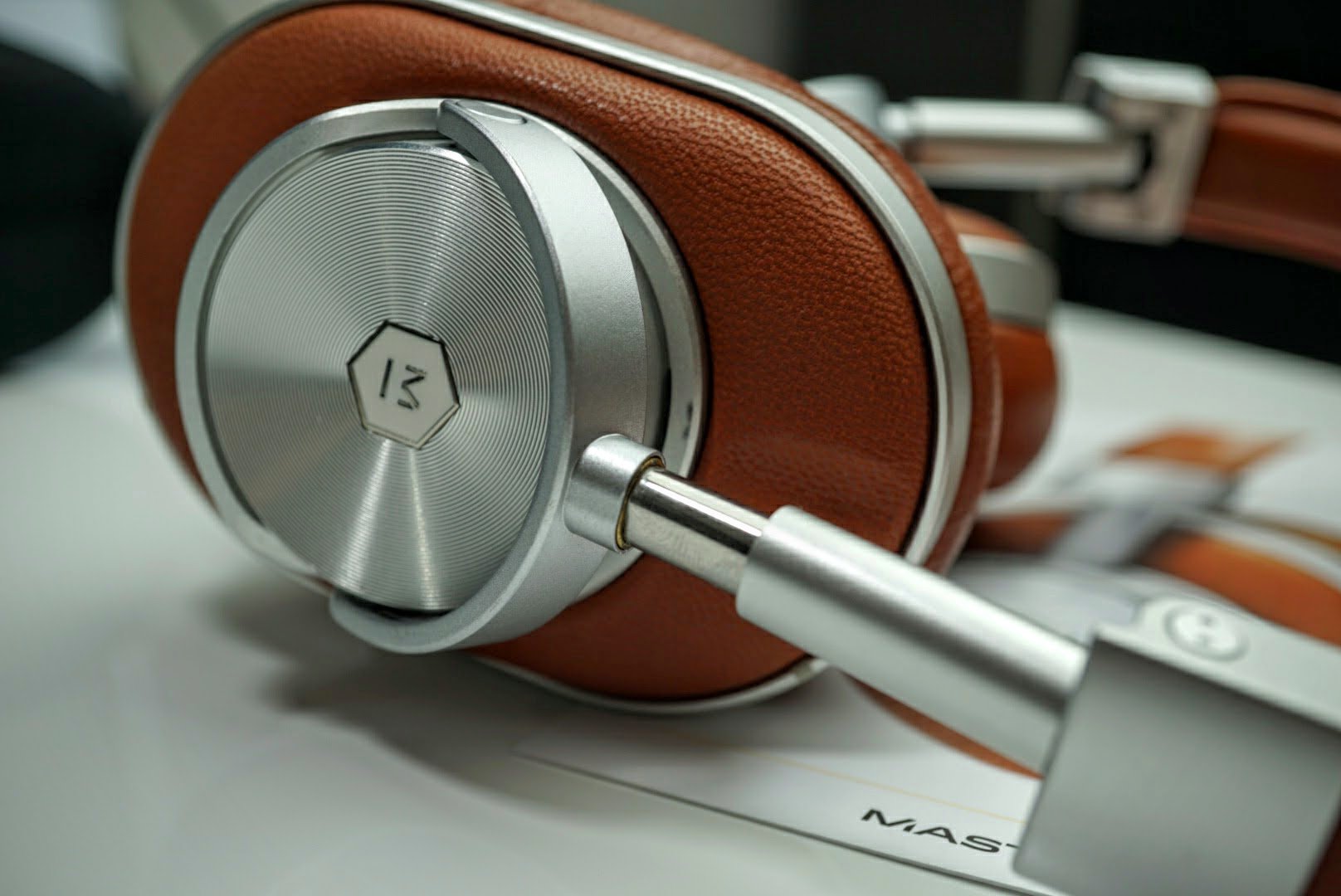
The build conveys a message that I will be using these headphones for many years to come.
Controls and smart features

Similar to what you would find on many wireless headphones are controls for volume, track, play/pause, and answering/ending phone calls. The controls are built into the sides and have good feedback so you don’t accidentally change things when you don’t want to.
What’s a particularly nice feature about the MW60 Wireless Over-Ear Headphones is the ability to plug in a 3.5mm cable into them to use them passively. It’s perfect for when you forget to recharge the battery or simply don’t want to deal with wireless connections.
The finest attention to detail was even given to the microUSB charging and 3.5mm audio cables. They’re wrapped in braided cotton that make the cables extremely flexible, while reducing microphonics. Microphonics is the noise that transfers from the cable into the headphones, and the wrapping on the M&D cables prevents that noise. It’s the little details like this that make the headphones a complete package.

Sound and Usage
Most audiophiles understand that all headphones are tuned differently. While some premium headphones are extremely analytical, the MW60s are rich and warm. This sound may not meet the typical audiophile’s profile for the perfect set of headphones, but it meets my daily desire for quality sound that I can listen to for hours per session.
I understand that extreme detail is one of the best quality in headphones that cost more than $500, but that detail gets tiring really quick. Most ears aren’t able to handle the highs for long periods of time, and that’s why I think the engineers at M&W tuned the MW60s to sound rich.
Rich is a good way to say the lows and mids are pronounced, with enough effort from the highs to round out the overall sound profile. What makes these headphones great are details in the mids, which in my opinion is where the money is at. Our ears hear the most sound frequencies in what is defined as the mid-range, 250-2000Hz. The 45mm Neodymium drivers are tuned deliver an unparalleled level of separation that I have never experienced in wireless headphones. The detail is so clear, that I would challenge almost any audiophile to pit the MW60s against any wired headphone in the same price range in a blind test. I highly doubt 99% of users could tell which headphones are wired and which are not.
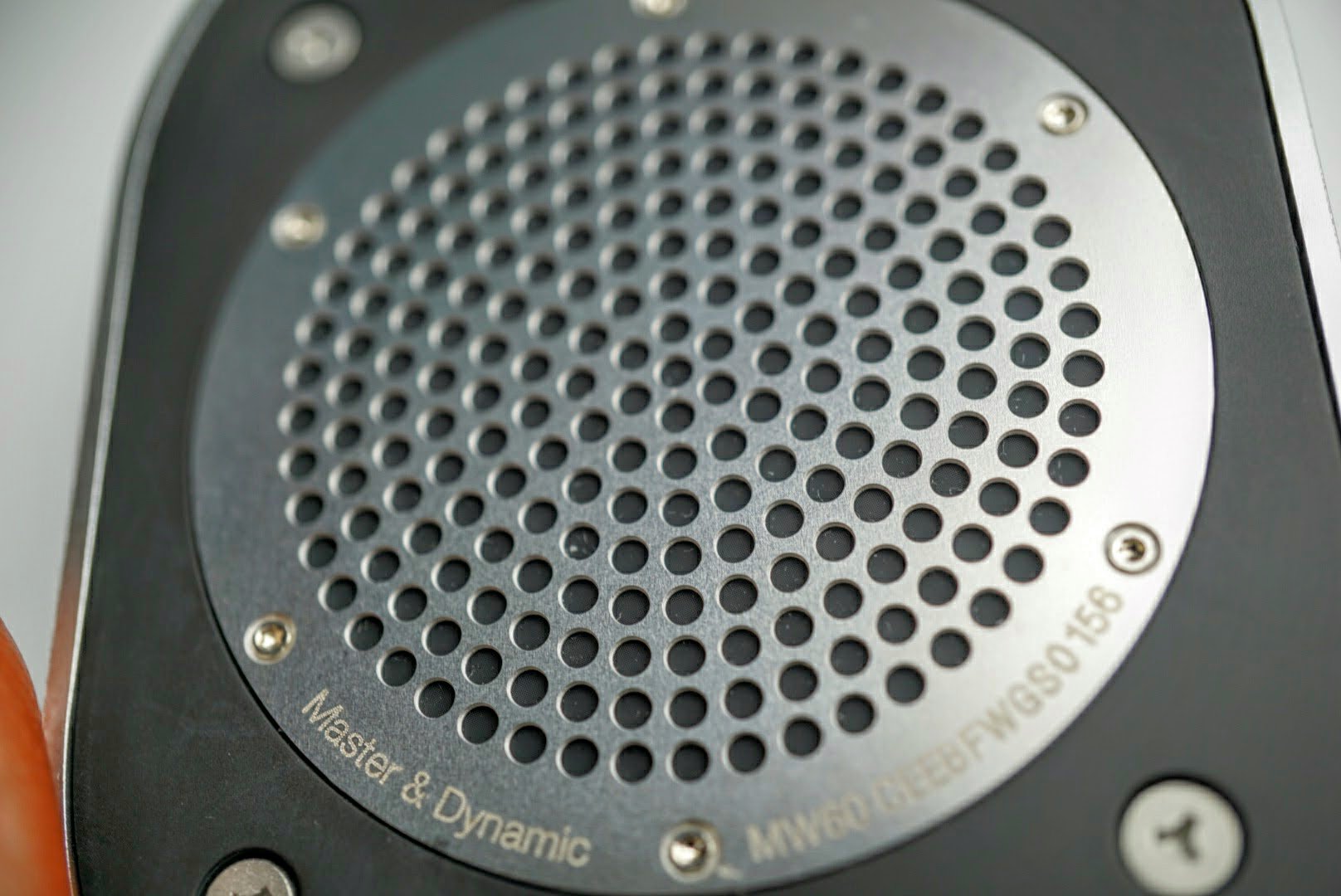
Many assume the low-range is all about low and deep bass. There’s really more to the low-end than that though. Lower end speakers and headphones pump out high levels of bass to make up for the lack in detail to make them sound more fun. They also jack up the power levels so users can crank up the volume to make up for inadequate sound. For those looking for just deep bass, just go with Beats Audio. Looking for massive bass is like buying a car that has 1000 horsepower, but can’t take a corner without flipping. There are very few songs that have an unnatural abundance of bass when they’re recorded.
For those who take the time to give music a little more attention, they know bass comes in a wide range of frequencies. Without getting technical, there’s bass that is quick and punchy, low and rumbly, and somewhere in between too.
A song I always use to test bass is Brass Monkey by the Beastie Boys. It has wide range of low-end that can sound one-note on lesser headphones, and can also overpower the rapper’s lyrics. Using TIDAL as a source of Hi-Fi audio, in combination with the Astell&Kern portable player, the MW60s separate every low-frequency detail with perfection. It does it without piercing your ears too.
In Blitzkrieg Bop by the Ramones, I can discern the snare drum and tambourines like I was sitting right in front of them. I find myself playing air drums on my own a little too often when listening to the Ramones. The sound stage is massive. It reminds me of when I played the drums back in high school.
Even though I said the highs round out the sound, they are still very detailed. They’re just a tuned down a bit to remove the piercing sound that can cause ear fatigue.
No matter what genre of music I throw at the MW60s, I find myself immersed so deep in my music that I enjoy it like it I am at the actual concert. It also brings me back to a time when I was a teen and would lay on the bed and enjoy my music. It’s therapeutic and entertaining at the same time.
Master & Dynamic managed to find the right balance of price, power, sound and build in the MW60 Wireless Over-Ear Headphones
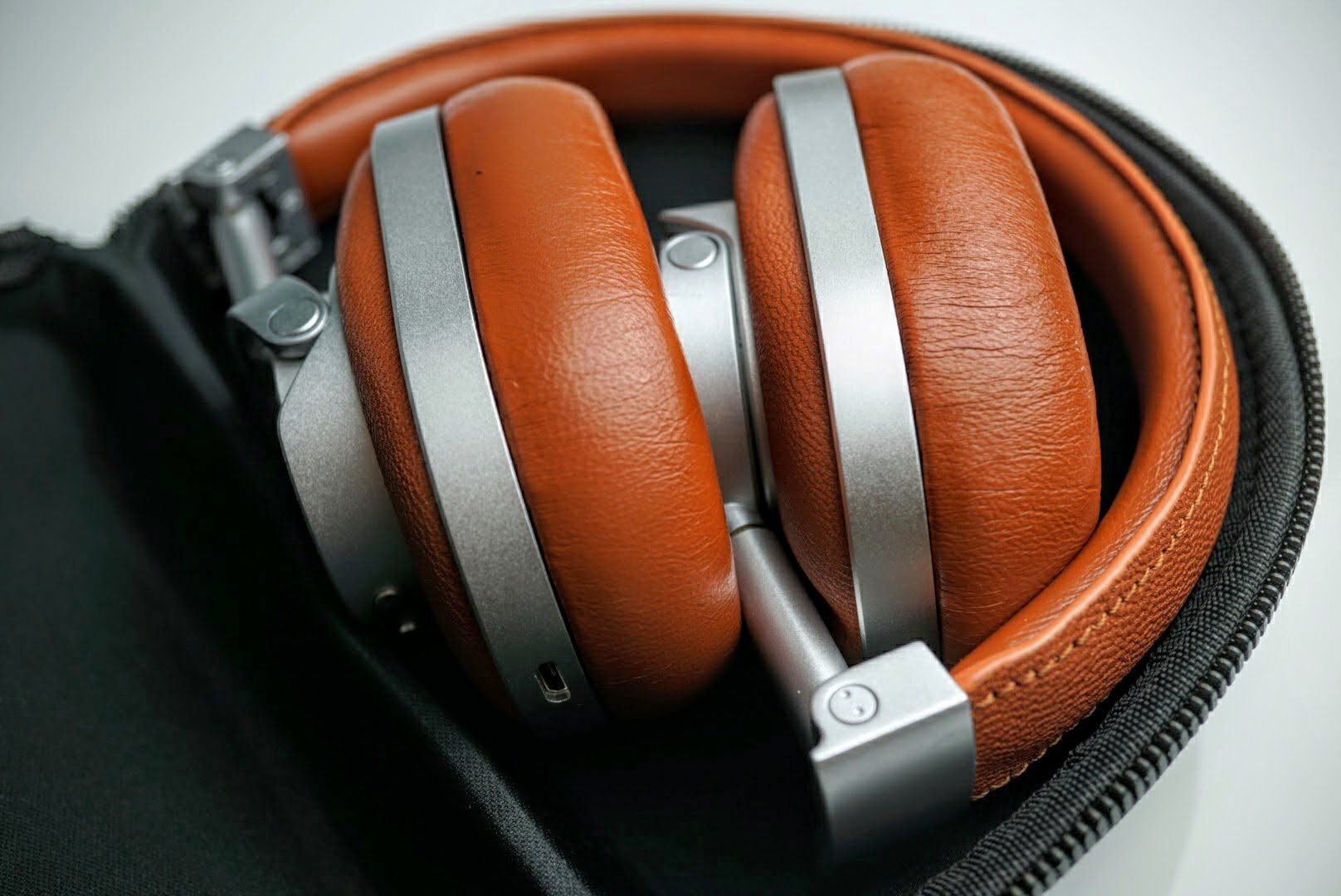
Make no mistake, the price alone will eliminate many consumers from ever trying the MW60 Wireless Over-Ear Headphones. They’re not cheap at $549, but they’re also not ridiculously priced like other high-end headphones. It’s clear that M&D is targeting a very discerning audience. For those who don’t appreciate audio, they won’t appreciate the price. Or even the physical weight for that matter. Sometimes quality needs a little weight, just like a Bentley or Rolls Royce will always be heavier than a Honda or Toyota, or how a Rolex will be heavier than a Casio watch.
In a world of disappearing audio jacks, having the options to stream high-res music over Bluetooth or use the headphones with a cable is a luxury most competitors do not offer.
The headphones will sound spectacular no matter how you decide to use the MW60 headphones.
While the price is a bit high for most, I respect Master & Dynamic for putting its money in the headphones rather than paying high advertising fees to appeal to the masses. It gives audiophiles like me an all-around experience that very few headphones can.
For those who love audio, and for those with bigger budgets, look no further. The comfort, strong Bluetooth connection, high-quality materials, high-fidelity playback and attention to detail make the Master & Dynamic MW60 Wireless Over-Ear Headphones my favorite of 2016.
If you want to learn more about the MW60 Wireless Over-Ear Headphones, check out http://www.masterdynamic.com. If you decide to grab a set, make sure you purchase direct so your warranty is honored in full if any problems were to arise.

Marshall Major II Bluetooth Headphones: Live for music (review)
Marshall has been in the sound game for a long time – longer than most brands you’re familiar with. The recognizable Marshall logo is seen everywhere from concerts to garages. It’s only fitting that the iconic company decided to make its own branded headphones. The Marshall Major II wired headphones were a hit which paved the way for its wireless brother, Marshall Major II Bluetooth headphones.
Iconic Build
The package comes with Marshall Major II headphones, USB-charging cable, and a detachable coiled 3.5 mm cord.
The Marshall Major II Bluetooth design is very similar to its wired predecessor, the Major II, with a few added features. The headphones come in a variety of colors: black, brown, and white. Marshall went with a lightweight and portable design. The earpieces are connected by a flexible hinge that allow it to fold up in a compact package for portability.
 The outside of the earpieces features Marshall’s trademark logo and textured design seen on its amplifiers. The earpieces feature a very comfortable padding that ensures a secure fit onto your ears. The left and right sides are labeled in big gold letters on the inside of the headphones to make sure you are wearing them the proper way.
The bottom right earpiece features a 3.5 mm jack, power and Bluetooth pairing button, and a micro-USB port to charge your headphones. Powering on the device is done by long-pressing the round black button, while double-tapping will execute the Bluetooth pairing. Charging is easily done by connecting the micro-USB into a USB power source.
 Underneath the left earpiece features a familiar brass knob seen on many other Marshall equipment. The knob functions like a joystick to control in-line commands. Pushing it left or right will control skipping or repeating music. Up or down will control the volume levels. This is a welcome addition seeing as how it was omitted in the wired version of the Major II. Play and pause are controlled by pressing the knob.
 Comfort
I have to confess, I am not a big fan of on-ear headphones. My ears will throb after wearing on-ear headphones for longer than 30 minutes. I found out about this right after I bought a pair of on-ear Bose headphones from my friend. Needless to say, he wouldn’t give me my money back. I need new friends.
Anyways, I was really surprised at how comfortable the padding is on the earpieces. I used them all day, walking around the lab and sitting at my desk. The secure fit ensured that no noise leaked out of the headphones, which is great because I’ve been binge listening to Nickelback. I hate headphones that leak music because I listen to embarrassing music constantly.
 Sound
Sound
The Major II headphones comes with aptX technology which uses a unique, compression algorithm to produce CD-like quality audio over Bluetooth. This is huge for Bluetooth devices which have been known for lower sound quality due to its limited bandwidth.
The bass absolutely slaps coming from the 40 mm dynamic drivers. The full-sounding lows create a warm sound experience, perfect for listeners who need that extra oomph from the bass. I love Pound Cake by Drake and listening to this song on the Major II’s did not disappoint. I found the vocals and highs to be clear giving it a detailed sound.
These headphones can get loud. I turned the volume up to 100% and did not hear any sound distortion. However, the bass can get a bit overwhelming but that could be because I prefer a balanced sound rather than a bass-focused one.
Usage
I work in a research lab so Bluetooth headphones are a staple in my life. I stopped using wired headphones because I would always get it caught on something and either knock it over or get minor whiplash. I replaced my usual Bose Bluetooth headphones with these for the past couple of weeks and I got to say it hasn’t been a difficult transition.
The battery on the Major II’s is absolutely absurd. It claims you can get around 30 hours of playtime. I stopped keeping track after 30 hours, but I think I was getting in the ballpark of around 40-45 hours. I used these headphones at 60-70% volume and they lasted a week and a half of frequent use before I had to charge it.
My favorite part of the headphones was the brass knob to control music. It’s such a simple function that’s neglected from many other headphone makers. The unique in-line controls are intuitive and have an array of functions for only one button. Answering and ending phone calls are also done through the brass knob simply by pressing it down.
Another great feature is the use of the 3.5mm jack on the left earpiece. You can plug in your audio cable if you run out of battery. or let a friend plug in their 3.5 mm cable and listen to music with you. Not a bad excuse to get your crush to sit close to you, wink wink.
 I would recommend getting a case for these headphones. The lightweight design makes these headphones less durable than others.
Conclusion
Marshall changed the sound game with its well-known guitar amplifiers. Its technology allowed music to be loud enough to be heard and enjoyed by huge crowds. You can’t go to a rock concert without seeing Marshall everywhere.
Marshall’s Major II Bluetooth headphones retain the same caliber high performance that the company has always been known for. The 40mm dynamic drivers will produce huge bass, with clear mids and highs. You can be comforted knowing that these headphones will rarely die on you with a battery life of over 30 hours. If you do forget to charge it, you can always listen via audio cable. The addition of a unique brass knob to control music will allow you to change music effortlessly or pick up a call.
Marshall’s Major II Bluetooth headphones can be found on the Marshall site for $149. However, Amazon has the headphones on sale for only $114.98 with free shipping. This is an absolute steal for overall quality of these Bluetooth headphones. The extra functionality of being wireless and having in-line music controls makes this a considerable upgrade from its wired predecessor.

Google collaborated with over 1200 museums, galleries and institutions to bring you Arts & Culture (app review)
Do you know where the term “Impressionism” is derived from?
If you answered from Claude Monet’s painting Impression, soleil levant, which was exhibited in 1874 in the first of the independent exhibitions mounted by Monet and his friends as an alternative to the Salon de Parism, then you were right. I learned that from Google Arts & Cultures.
Arts
Art was a requirement in my schooling growing up, but I never truly appreciated it. I always saw or read about it in books that never did it justice. It was only until I was in my late twenties when I started to travel the world and see art in person when I developed a deep appreciation for it. Also, now in my thirties and living a life immersed in science and technology, I have an even deeper appreciation for art. Technology is a world of creating products that improve our lives, but also might distract us a little too much.
While science pays the bills for my lifestyle, it is a process that requires little emotion. That’s why I like to expand my horizon and appreciate art.
 A Sunday on La Grande Jatte
Georges Seurat1884-1886
Art stands the test of time because it is universally accepted for its beauty and emotional response.
Google collaborated with over 1200 museums, galleries and institutions to bring art to you the history of art and culture on your smartphone, tablet and computer. It’s available for free at the official website, or as an App for Android and iOS.
There you can learn about some of the most influential artists in documented history.

You can learn about specific artists or movements and how they impacted society. You can even educate yourself about specific paintings like the featured image, Water Lilies.
 This app is great for all ages. If you’re a middle aged adult like me, you can revisit art if you missed it growing up. It’s almost impossible to see all of this artwork in person since the cost of travel is so high.
There’s no cost to view or educate yourself on any of the works. That’s something most museums can’t even offer.
If you’re looking for wallpapers of art you can download the entire gallery of art I’ve collected here.
Culture
The second half of the app/website is Culture. It’s a great way to learn about historical figures and events that helped shape the world we live in today.
Imagine what kind of world this would be if the US had lost the Revolutionary War to England. We might be eating tea and biscuits with our pinkies pointed up in the air. Could the war have been won without George Washington? Probably not.

There are hundreds of historical events documented in Google Arts & Culture and thousands of places to visit around the world too.
In a world obsessed with social media, streaming videos, and games, sometimes it’s nice to learn about where we have come from and what shaped the world we live in now.
I love technology as much as any of you. However as much as I love it, I also like to take a break from it. That means turning off Clash Royale, Netflix, and Twitter. It’s nice to put on some music and read about historical events while browsing through art that gives me a different appreciation on life.
I highly recommend checking out the official Google Arts & Culture website here, or downloading the free iOS or Android apps.
App Features
– Zoom Views – Experience every detail of the world’s greatest treasures
– Virtual Reality – Grab your Google Cardboard viewer and immerse yourself in arts and culture
– Browse by time and color – Explore artworks by filtering them by color or time period
– Virtual tours – Step inside the most famous museums in the world and visit iconic landmarks
– Personal collection – Save your favorite artworks and share your collections with friends
– Nearby – Find museums and cultural events around you
– Exhibits – Take guided tours curated by experts
– Daily digest – Learn something new every time you open the app
BlitzWolf 5-port USB Desktop Charger review

Pretty much every portable gadget we have today requires some sort of occasional recharging. Whether it’s multiple phones in the family, or a gaming controller, or tablet, we find ourselves unplugging one device to plug in another. It’s time to get smart about things; it’s time to make better use of the wall outlets.
One device that does such a thing is the BlitzWolf 5-port desktop charger. As the name implies, it takes one wall outlet and turns it into five USB ports. Certified by Qualcomm, it provides Quick Charge 3.0 capability in one of its ports. Moreover, the other four ports also allow for 5V/2.4A output so that means they’re pretty darn fast, too.

We’ve had one of these in our office for the last couple of weeks and have come to really appreciate it. Rather than getting behind the desk and filing cabinet to plug and unplug various devices, we’ve put the BlitzWolf in place. The cord is roughly four feet long so there is plenty of length to put in on the desk. Now, all we do is plug in the various cables when we need to.
- QC3.0 mode: Variable 3.6V-12V with 200mV incremental dynamic regulation
- QC2.0 mode: Stepped 5v/2.4A ,9V/2A and 12V/1.5A . Rated at 18W but can peak at up to 12V/2A~24W.
- Standard Fast 4.4A Mode: 5V/4.4A. Rated at 22W.

With five ports to play with in total, we’ve taken to leaving a handful of cables dangling back behind the printer. Whenever we need something charged, we reach back and plug it in. And, because they’re relatively fast, we don’t have to stay at the desk for long.
Our main desk is glass so the tiny rubber boots on the bottom of the charger stick very well. Tucked out of the way, it stays put whenever we plug in or remove a cable. The rubber grips also work well on most other materials, too.
The charger travels extremely well, thanks to both its small stature and Velcro cord wrap. It takes all of ten seconds to pull this one apart and wrap the cord up for tossing in a bag or suitcase.

Unlike most tech gadgets and accessories, the BlitzWolf comes with an 18-month warranty. And, lest you think it adds to the cost of the unit, we’d like to point out that it’s only $23.99.
The BlitzWolf charger not only supports Quick Charge 3.0 fast charge technology, but is backwards compatible with all previous versions (1.0, 2.0 & 3.0). Yes, it is also fully compatible with USB Type-C cables and can also provide standard charging for non-Quick Charge devices.
Where to Buy
If you’re looking to score one of these — and we think you should — grab one from Banggood today. When ordering, pick out the proper plug for your market. Indeed, there are four options to choose from. While you are there, be sure to check out some of the other fine accessories from BlitzWolf, too.
DU Speed Booster: Does what it claims, but can be intrusive (review)

 If you have a middle-aged Android device that seems to be working a little too hard nowadays, or if you fancy yourself a power user of multiple apps, you may find yourself looking into possibly installing a “speed-booster” type of app.
These app market themselves as being useful in cleaning up your RAM, trash, security, and other functions to maximize performance. These aren’t games or productivity apps, but function more as utilities, working with your operating system to keep it running smooth and light.
One very popular option in the Play Store is DU Speed Booster, from DU Apps Studio. This is a free app available for download in the Play Store. They also offer other apps including standalone anti-virus, emoji keyboard, browser (really!), and photo editor.
DU Speed Booster offers multiple “boost” functions within a very clean, easy-to-use interface.
DU Speed Booster offers the following options in increase the speed of your device:
- Phone Boost: Clears up RAM space. RAM is your fast, short-term memory; vital for running your apps and games.
- Trash Cleaner: Cleans out your cache, system trash, and assorted downloaded files.
- App Manager: Closes out apps running in the background, using up RAM and battery. Lots of common apps stay running in the background, searching for updates and notifications.
- Security: Virus checker. Pretty self-explanatory.
- Battery Saver: Combines the above to extend your battery’s life until needed charge.
- Smart Charge: Visually shows your device’s charge level and charging speed (also shows ads).
- Quiet Notifications: Silences your device’s beeps and chimes during time periods you define.
There’s a couple more additional features that are offered within DU Speed Booster that I’d like to expand upon:
The first is ‘Game Booster’; this feature maximizes your device’s capability to run your  favorite (and often resource-intensive). It does this by closing other apps that may be running in the background and such, to clear up RAM space for your game of choice. When you download the DU Speed Booster app, you actually get a second icon on your home screen for this Game Booster feature.
This is a bit interesting, because as it adds a second icon, it’s not really a second/separate app. By opening this icon you get the exact same interface and functions that are available in the Speed Booster app’s main menu screen. I am not sure I care for additional icons being forced onto you home screen (imagine Facebook automatically adding a Messenger icon upon downloading).
The second is ‘Network Booster’, which is a bit of a misnomer. This feature doesn’t  really boost anything; rather, it is a speed test app built within. Upon activating, it sends ping, download, and upload tokens out to the internet to quantify your current network speed (to see if you’re getting what you pay for).
These tests, while interesting, are truly a moment-in-time snapshot and not really a true measure of your network’s speed….so use these (not just this one) with a bit of caution.
For one, your day and/or time-of-day of testing can play a big part on your network’s performance. Example: My home network is fairly OK during the day, but once late evening comes along my speeds accelerate to at or above it’s advertised speed (check out the adjacent screenshot as an example).
Also, data is by its nature very bursty (is that a word?), meaning that data signals don’t send a continuous stream of 0’s and 1’s but, instead, will send a small pile of data for a very short period of time and then could go quiet for a bit. So, if you were to start this test while others in your home/office are enjoying a Netflix or YouTube session, you could see your speed numbers plummet (especially if QoS is implemented, giving video a priority in the network).
OK, soapbox moment over, back to the review.
 As stated earlier, the overall interface of this app is very clean and good-looking. Upon opening you are greeted with a menu screen. Here you can either pick and choose which features to utilize (see bullet point list above), or there is a very large “OVERALL BOOST” button in the top-center to press, activating all speed-boosting functions on your device.
That’s really all there is to it in terms of app usage. There is a ‘settings’ menu, but it’s pretty limited. The best part of this menu is the “Phone Menu”; pressing this analyzes your device, and in a very short period of time, it presents you with a ‘task-manager’-style screen that shows you your CPU use %, RAM usage meter, ROM meter, SD card fill, phone signal level (in dbm)….plus the Android OS version, IMEI number, and handful of other secondary metrics. I found this to be one of the most interesting/useful portions of this app.
 Which goes to the question: does the app work as advertised? I use an Alcatel Idol 4 as my daily driver, which isn’t a powerhouse phone by any standards. But, it does what I need it to do well. And, using a speed boost app, including DU Speed Booster, didn’t provide any visible performance improvement, no matter what app I was using at the time. It didn’t hurt my phone’s performance either, so in my experience it was pretty much a net-zero for me.
One big thing I must mention in this review that I didn’t care for is the amount of ads 
throughout this app. Running just about any function within this app results in a ‘results’ screen, and in addition to showing how much speed/memory is saved, there is a list of various ads running below.
The more you explore the app, the more ads you will find, as well. I understand this a free app, and this is how the developer generates their revenue, but the amount of ads was a bit of a turn-off for me.
Another negative was a recurring set of app notifications regularity popping up on my phone, warning me of how much performance I could be improving if I just used the app. I can be a bit OCD when it comes to keeping my phone and screen “clean”, but his may be even more irritating than the in-app ads. And, to make things more aggravating, I couldn’t find a way to disable these, either. Again, nothing life-altering here, but something I can definitely live without.
 Also, the need for a “speed booster” type of app on your Android device nowadays can be a bit of a questionable topic. The more current versions of Android all are built to assign and monitor RAM as efficiently as possible.
Moreover, one feature of Android requires apps running in the background (to allow for real-time info and notifications) so manually closing apps will be a very temporary endeavor. Android and/or the apps themselves will just re-start themselves to continue operations as normal anyways. So, beyond the very-short-term you’re likely not getting a whole lot of value these days.
That said, if you are having problems with speed, memory, and/or performance of your Android device (especially if it’s an older model or OS version), you aren’t risking anything by trying DU Speed Booster. It’s at least worth checking out, and the clean interface makes it easy to do just that. Just be ready for some additional icons in your notification tray from time to time. If you can live with that, then you should be able to live with this app without issue.
Microsoft will release Visual Studio for the Mac
If you needed any further proof that Microsoft is welcoming cross-platform development with open arms, you just got it. In a prematurely revealed blog post, the company has revealed that it’s working on Visual Studio for Mac — yes, one of the mainstays of the Windows world is headed Apple’s way. This isn’t really intended for Windows development (you’d need Boot Camp or a virtual machine to run your creations), but you can write Android, iOS and Mac apps (thanks to Xamarin) as well as server software through .NET Core. And importantly, Mac and Windows users can share projects. You won’t have to convert your work just to make sure that everyone in your team can use it.
You’ll get to download a preview edition of Visual Studio for Mac sometime during Microsoft’s Connect() conference, which kicks off November 16th. It’s not certain when you’ll see a finished version, but the timing of the preview likely puts the polished release sometime in 2017.
The Mac version may seem odd at first blush. Wouldn’t this discourage developers from writing on or for Windows? However, it’s more logical in the context of Microsoft’s “mobile first, cloud first” strategy. If you’re already building apps on a Mac, you might as well build them in a tool that makes porting to Windows easier — and Microsoft would rather you write for its cloud platform on a Mac than risk losing you to a rival offering. The Redmond crew no longer benefits greatly from making you buy a Windows PC to write code, and the new Visual Studio reflects that reality.
Via: The Verge
Source: Microsoft (cached)
 AIVAnet