


Kohl’s is the latest retailer to roll out its own mobile payments
If you like to shop at Kohl’s and need an alternative to Apple Pay, Android Pay or Samsung Pay, you’re in luck. The retailer announced today that its own mobile payments platform, Kohl’s Pay, is now available to all customers nationwide. The company revealed last month that its take on payments would complement its existing mobile wallet app that gave customers a way to store payment info, organize rewards and collect promotions in the same spot.
Unlike retail mobile payment platforms from Walmart and CVS, Kohl’s Pay doesn’t allow customers to add their credit and debit cards to the app for use in stores. Instead, you’ll have to sign up for one of the company’s own Kohl’s Charge cards. While that might seem like an odd choice, TechCrunch reports that the retailer has 25 million customers actively using its credit cards with 60 percent of in-store purchases being paid for with Kohl’s Charge. That’s a substantial number of people you could bring to the mobile platform even if they can’t add any payment method they want.
The payments system is available inside the store’s existing mobile apps for Android and iOS. The Kohl’s app also doesn’t support NFC or tap-to-pay like Apple Pay, Android Pay and Samsung Pay. Instead, it displays a QR code that’s scanned by the cashier at checkout. That code is used to not only handle payment, but to apply any savings a customer has stored in the app, too. When you combine the ability to pay to for items, organize discounts/promotions and track returns, exchanges and regular purchases, Kohl’s is giving its customers a handy shopping companion. And that’s on top of using the app to browse items, save gift cards to the mobile wallet and scan barcodes will looking around in stores.
Kohl’s still supports Apple Pay, including the ability to earn loyalty points when using that payment method on an iPhone or Apple Watch. It was the first retailer to do so and it was also the first store to allow customers to use its own credit cards with Apple’s payment platform.
Via: TechCrunch
Source: Kohl’s
Google baked its AI ‘Assistant’ into the new Pixel phones
The Pixel and Pixel XL may look new on the outside, but just like grandma says, it’s what’s inside that counts. Google has tweaked the underlying software that powers the Pixels, baking its AI Assistant directly into the phones and launching them with Nougat 7.1.
Assistant is Google’s conversational AI helper, similar to Microsoft’s Cortana or Apple’s Siri. Assistant’s machine learning capabilities already power Allo, Google’s mobile-only messaging app, and it also shows up in products like Google Home. In Allo, Assistant allows users to search for things like directions, restaurant suggestions and weather conditions with conversational phrases, and it even suggests responses (a la Inbox). Chatting directly with Assistant activates even more features, like the ability to receive top news stories from around the world, see your own work emails, pull up your calendar agenda and navigate other personal items.

During its Made by Google event today, CEO Sundar Pichai described how Assistant will help users operate within a “personal Google” that understands context unique to each individual. This means you can quickly pull up local sports scores, your own bike-lock combinations and other specialized features. On the Pixel phones, Assistant remembers your personal preferences, such as listening to music via YouTube rather than another player.
The Pixel phones are the first to launch with Assistant. The Nougat operating system provides automatic updates and the Pixel features a built-in, 24/7 customer support system.
Additionally, Pixel comes with Google Photos built-in and it relies on the cloud, meaning you’ll never run out of storage for photos and videos at full-quality, even 4K. Google Duo, the company’s video chat service, will be available on the Pixel out-of-the-box. The phone is also made for mobile virtual reality, which suggests it’s Daydream-ready.

The main Pixel and Pixel XL screens are going to look a little different, too. Google has redesigned its launcher, which covers all of the Pixel’s apps, add-ons and home screens. Pixel software lead Brian Rakowski took the stage and showed off the the phone’s new launcher, including circular icons with white backgrounds for Google’s own apps.
It’s nice to see there were still some surprises around the Pixel and Pixel XL, after many of their hardware and software details were outed in a handful of leaks this week.
Click here to catch all the latest news from Google’s fall event.
Samsung’s LED Flip Cover is one of the coolest cases for your Galaxy Note 7
If you’re one of the many who purchased a Samsung Galaxy Note 7, you know it’s easily the best looking Android smartphone of the year. The curved metal edges flow beautifully into curved front and rear glass making for a device that grabs attention as soon as you pull it out of your pocket. That beauty comes with a risk – no matter what version of Gorilla Glass used, it still can shatter or scratch given the right conditions. That’s generally why most owners of the Galaxy Note 7 use a case and for a phone of such beauty. So why not consider a case that accentuates the device rather than just protects it?
I recently picked up the official Samsung Galaxy Note 7 LED flip cover in Blue and think it is pretty darn cool.
Let’s check it out.
Build and Usage
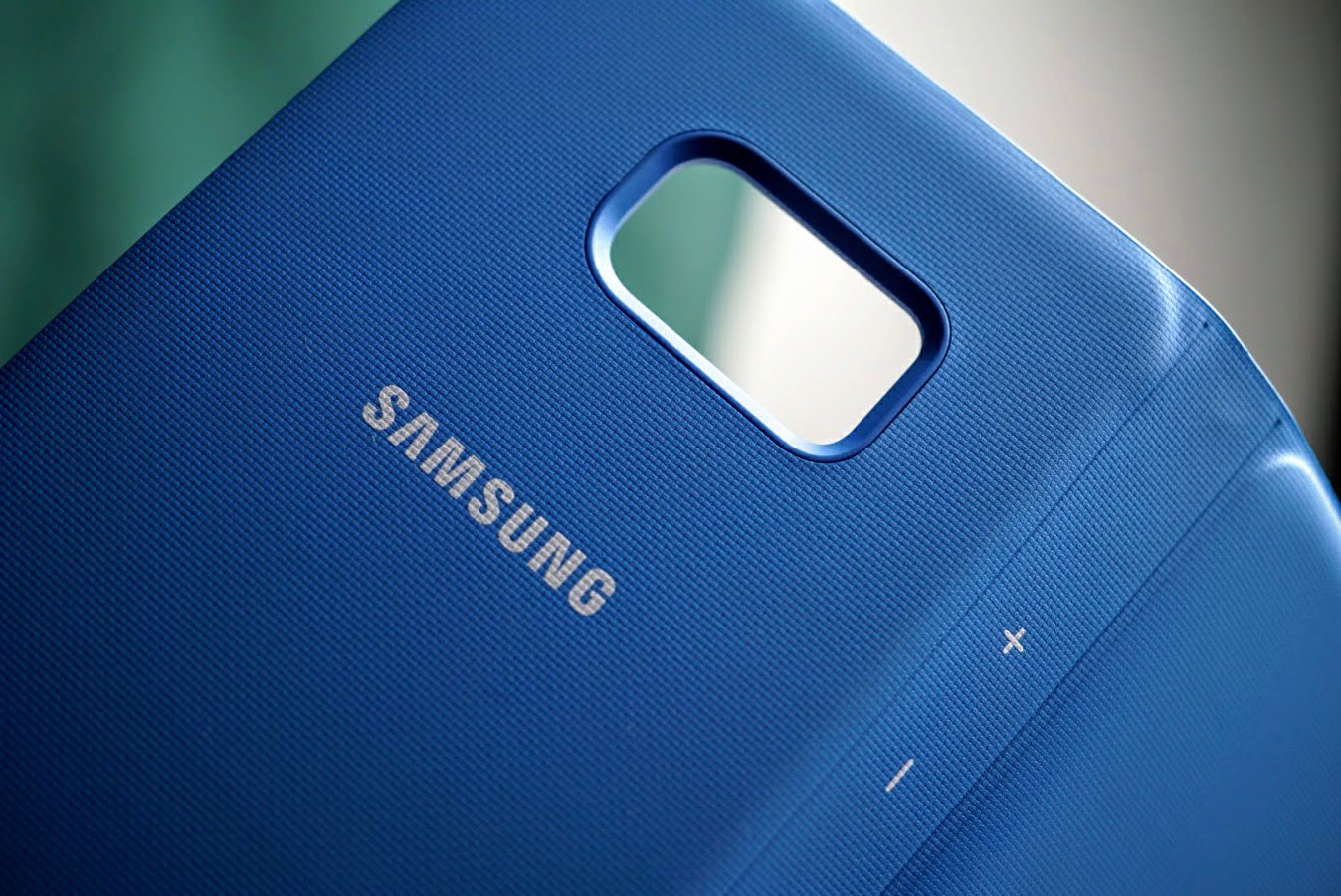
The LED flip cover is an official case from Samsung for the Galaxy Note 7. It’s a wallet style case where you clip your phone into it and a flap folds over to protect the front. It’s made of an ultra soft, yet textured plastic with an internal frame that acts as a skeleton to offer drop protection.
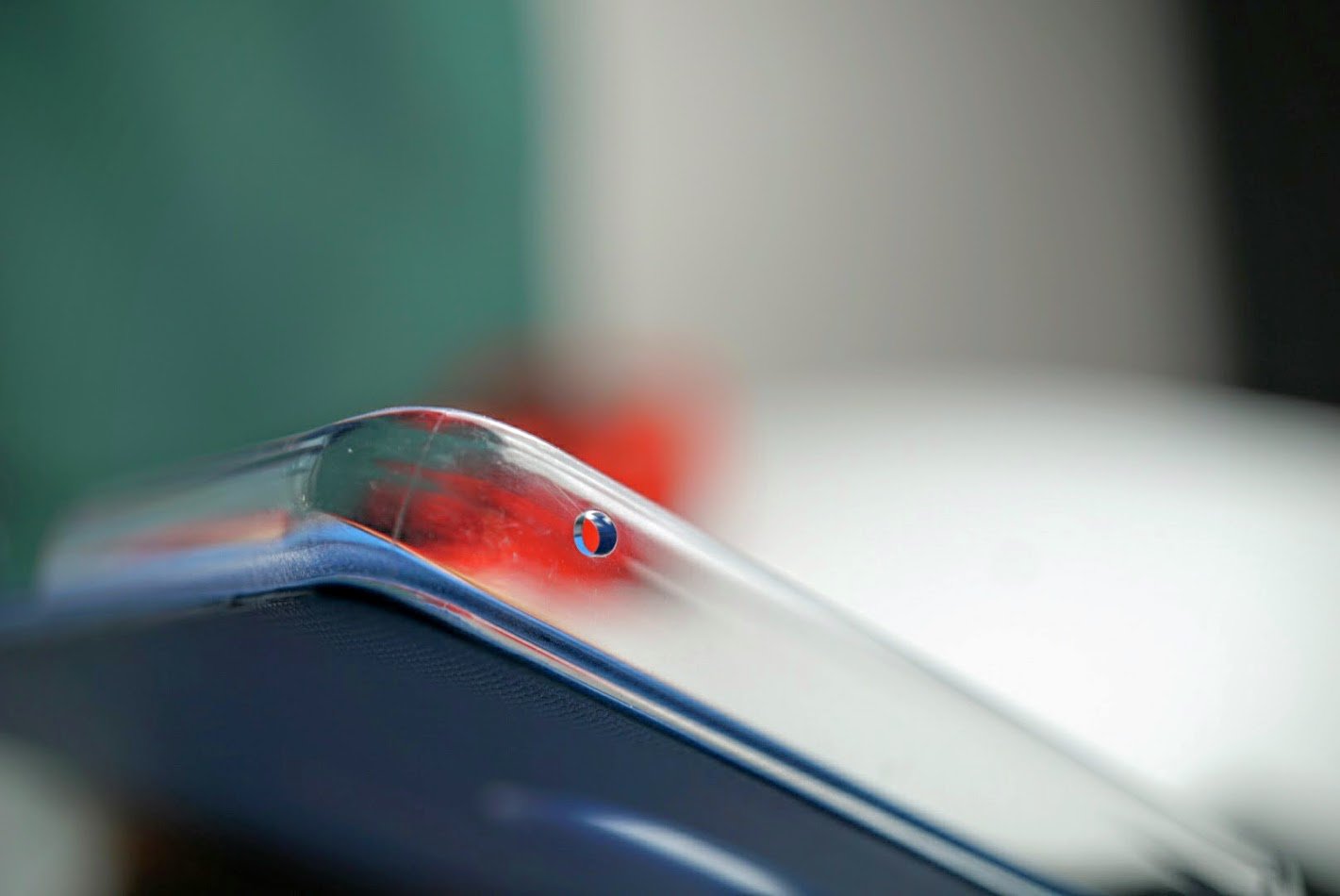
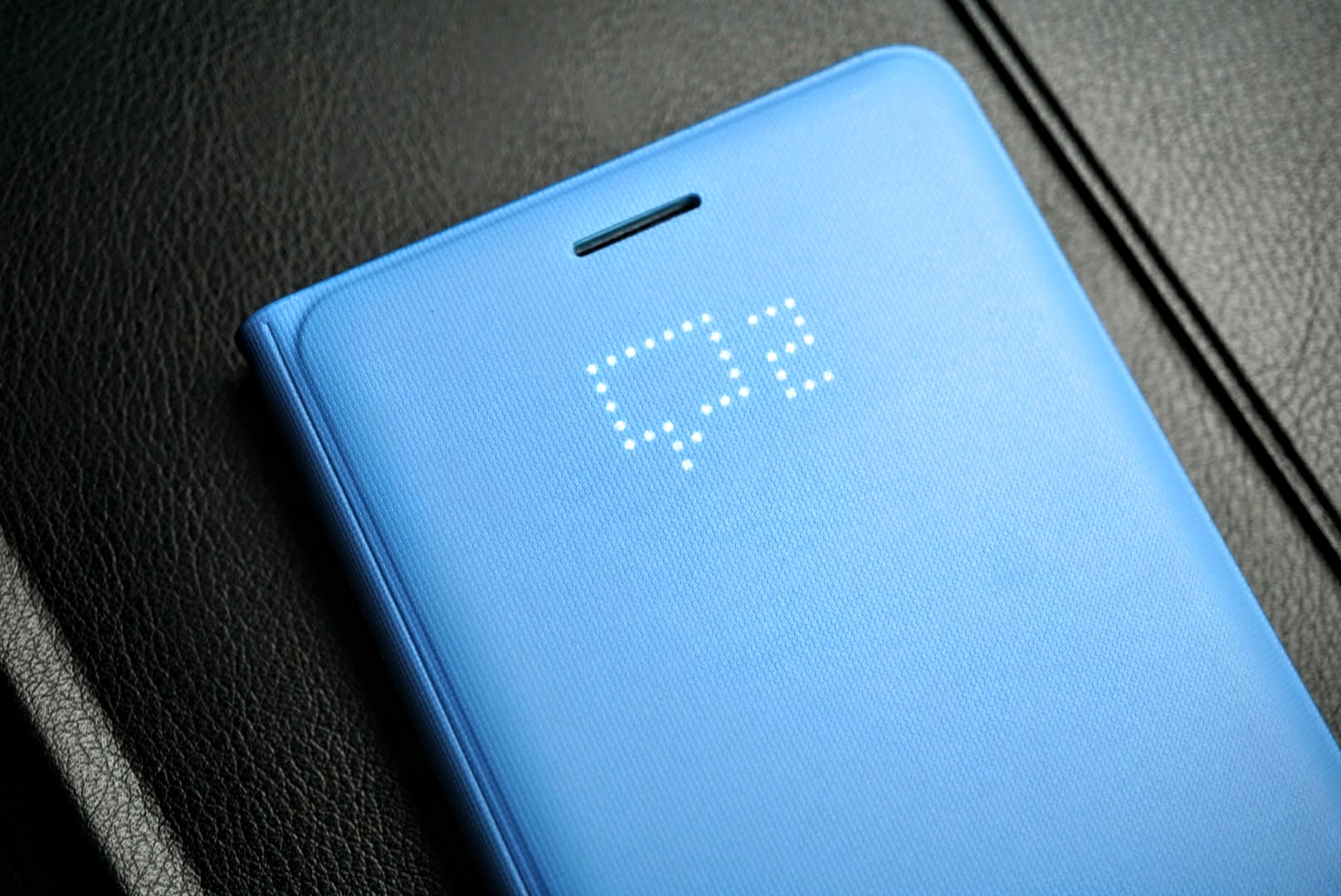
It fits over the sides of the Note 7 rather cleanly and is made from a hard clear plastic which allows the color of the phone to show through. As a wallet case it is made as good as any I’ve come across, but its unique feature is the NFC enabled LED lights that show notifications, phone calls, texts, alarms and more.
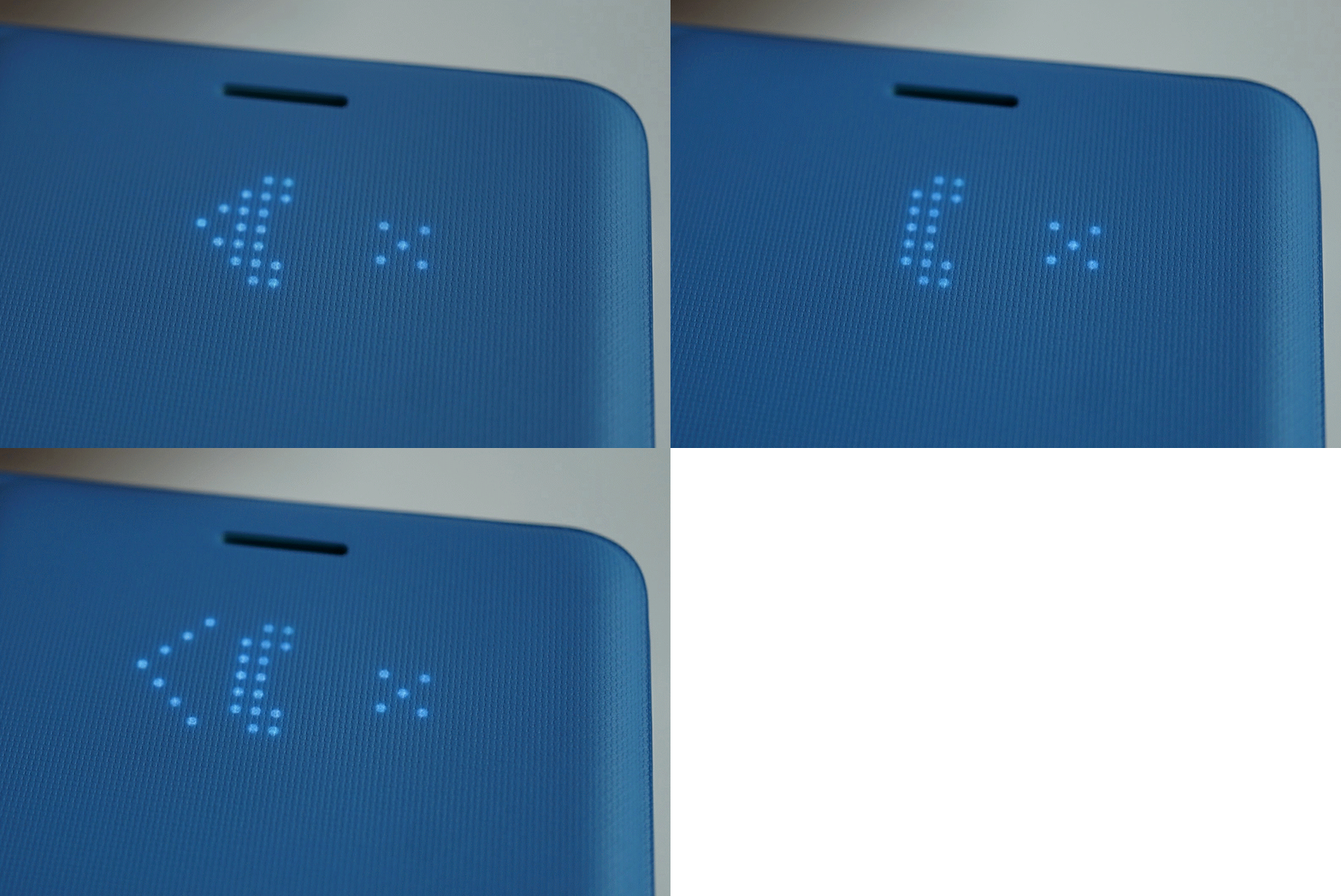
You can even customize your own icons once you download the proper support.
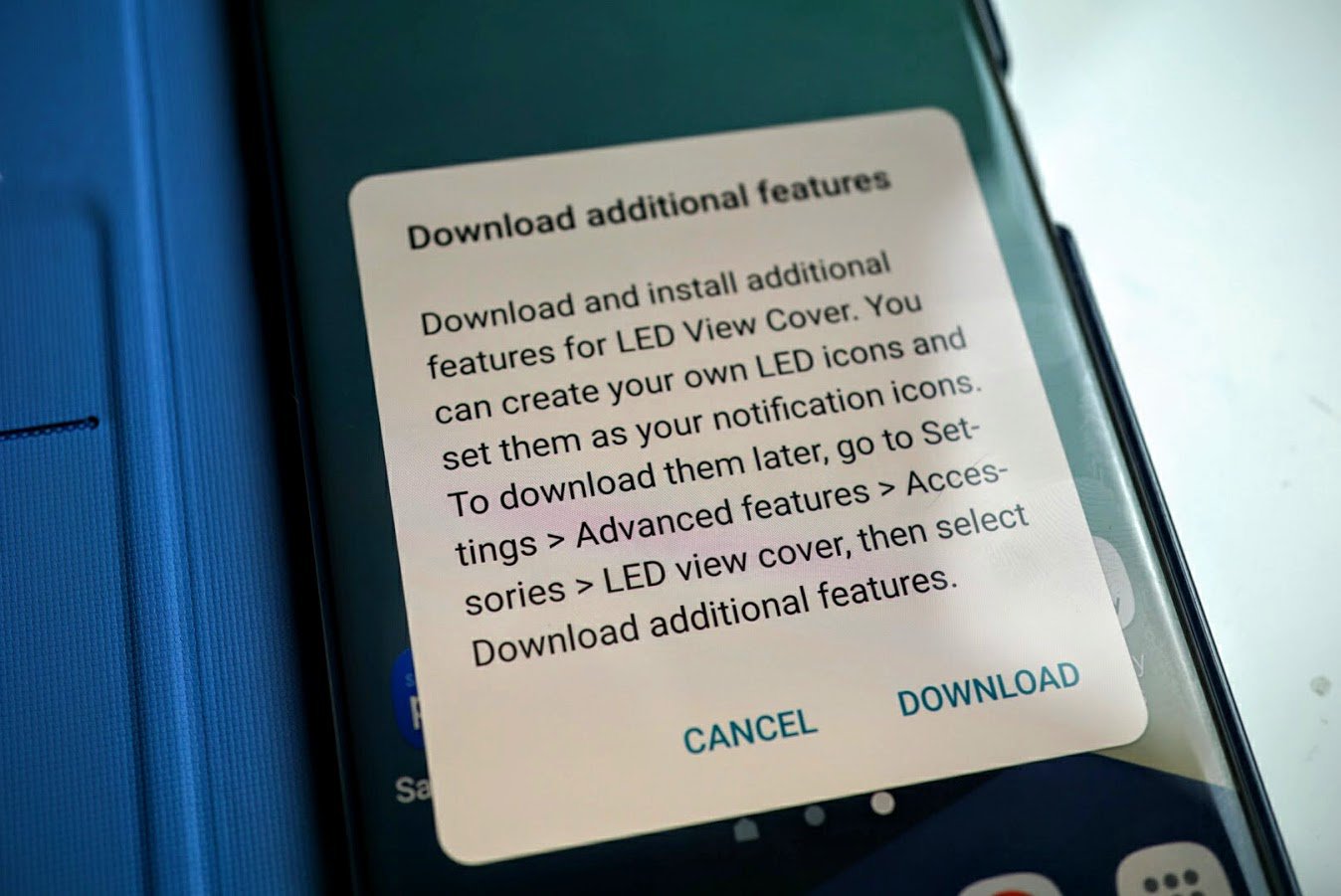
Even though Samsung provides instructions on how to download the additional features as you see in the image above, the phone automatically detects the case the first time you install it and offers you a direct download. It’s certainly a smart case and is easy enough for anyone to use.
The LED lights on the front are activated by simply opening and closing the case or pressing the power button on the Note 7. It is also activated when a notification pops up to indicate:
- Time
- Music playing
- Unread messages
- Phone calls
- Missed calls
- Alerts
- Low battery
There’s also a card slot on the interior of the case which has enough room for up to two credit cards. By not offering more slots, it keeps the case and phone thin enough to not be noticeable in your pocket.
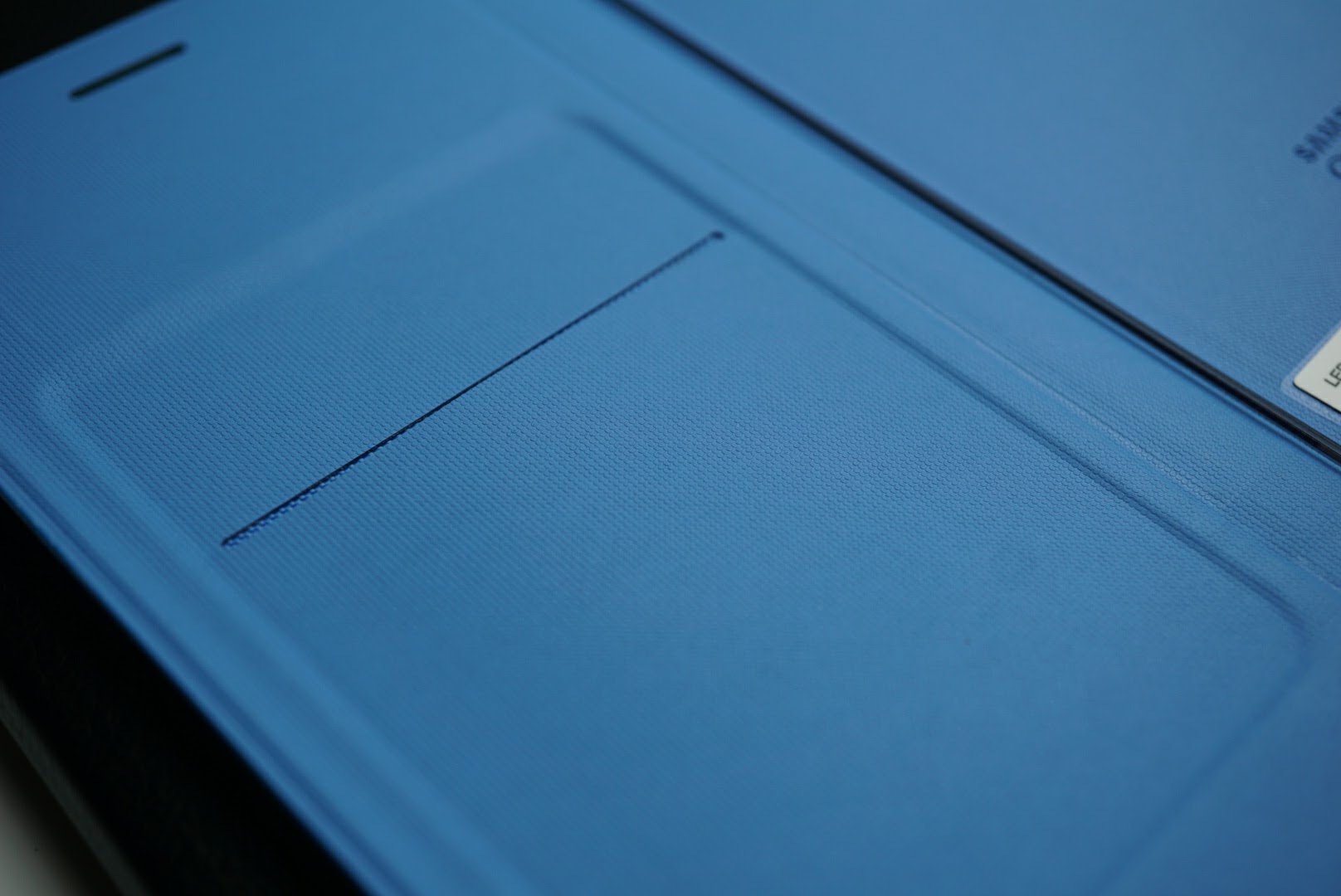
The case doesn’t come cheap with a price tag of $59.99, but you can find it for under $40 at Amazon. It comes in black, gold and blue like shown in the images. I grabbed the blue for added color to my all black Note 7 and absolutely love it.
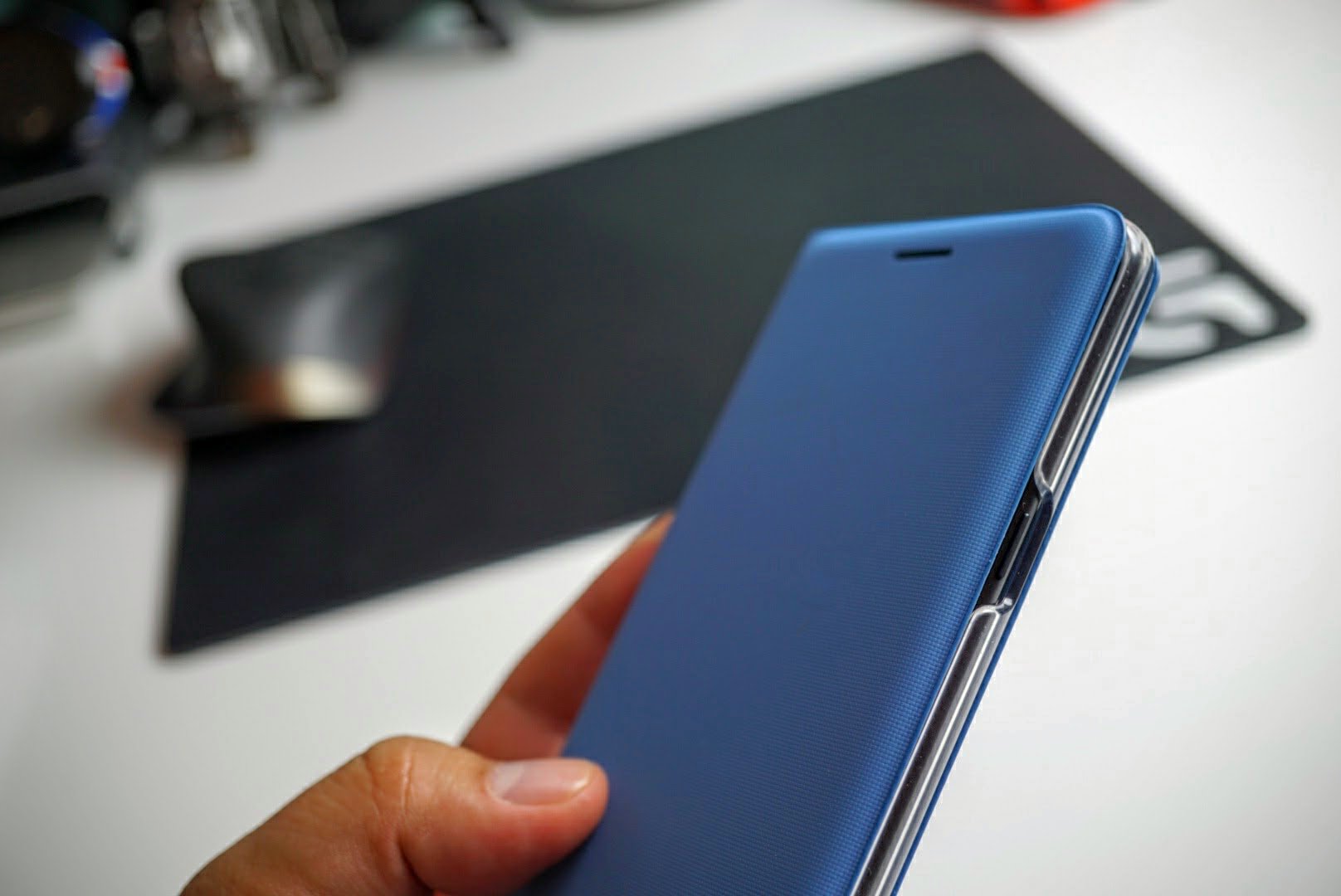
Images can’t do justice to how good this case feels. The case is so well designed that it feels like it belongs on the Note 7 like tires belong on wheels. I appreciate the excellent looks as the Note 7 is an expensive phone that deserves to be shown off, even if it is in a case.
Summary
It’s well documented that Gorilla Glass 5 is prone to scratching so a flip case like protects the back, sides and front while maintaining a slim profile.
It’s isn’t easy to recommend spending $59.99 on a case when there are high quality alternatives from companies like Caseology, BodyGuardz and Spigen. However the LED notification panel on the front is pretty freaking cool and the case is one of the best made pieces you can add to your Note 7. I grabbed mine from Amazon for $35 and think it is a bargain at that price.
If you’re on the fence about this case, Best Buy carries the LED Flip Cover in stores and price matches sites like Amazon. Pictures don’t do this case justice.
Get the Samsung Galaxy Note 7 LED Flip cover at Amazon, Best Buy or Samsung.
TinyBouncer: Jump your way into fun (App Review)

TinyBouncer is an Indie style game that involves a whole lot of bouncing and swiping. Jumping on a bouncy caterpillar, you have to gain sufficient height to reach the distance goal, while also weaving through the endless amount of diverse obstacles. The game requires concentration and a will to accomplish in order to advance.
The app is developed by NEKKI.
Setup
TinyBouncer is more or less your typical Indie game. It has minimal setup, and you can start playing right after downloading without adjusting any settings or preferences. What makes it stand out, however, is the fact that the game file is relatively large as compared to similar games, although the game, at 50MB, is still not that big.

Gameplay
 About to start the jumping
When I first opened the game, I was immediately drawn in by the catchy background music. It’s fast paced, and provides the rhythm for one to play. Usually, I would not play a game with the music on, but TinyBouncer is an exception. It really helps me concentrate with what I’m doing. It’s similar to retro music and falls in nicely with the type of game.
Another thing was the clean design, which went hand-in-hand with the attractive graphics. Again, it’s typical to see in an Indie game, but it nevertheless leaves a good impression and really builds up the game. The game utilizes a geometric design throughout the app and also ties in a bug/animal theme, a unique combination which gives the game character. The design is well executed and ties in all elements together, elements which most would not really think of adding together.
Moving on to the actual gameplay, your goal is to jump to the height g oal by jumping off a caterpillar. Each jump takes you further, but you have to touch the left or right side of the screen in order to dodge obstacles. It’s actually kind of tricky as you have to avoid them again when falling back down. It’s not something I would dub as original, but I would say it’s something well executed.
As you progress, you get to different levels and stages that increase in difficulty and get a slight theme change. Along the way, you can also pick up floating coins which you can use to buy different characters, which come with more benefits as they get more expensive. Such upgrades include increased jumping power and faster swiping speed. I did get to use some of these, and they do make a small difference that should help to get further in the game.
Adverts are, of course, present and do subtract from the game slightly. They are not intrusive or super-annoying, but are nevertheless there and do pop up in the rare occasion. It’s definitely something I could accept, however.
The game ran without a hitch on my Huawei P9 Lite.
Conclusion
TinyBouncer is a well executed Indie game that takes an unoriginal idea and turns into something unique. If it’s your type of game, chances are that you’ll spend hours on it. The graphics are great, the gameplay works just fine, and the game as a whole is a neatly polished packaged just waiting to be played.
App Link: TinyBouncer
BlueStacks App Player for Mac/PC (review)

BlueStacks App Player from BlueStacks Inc. is designed to allow you to use your Android apps on a PC or Mac. Their slogan for the application is “Play Bigger,” and that’s exactly what BlueStacks App Player offers. Not necessarily better, but often times bigger–BlueStacks is essentially a software emulation program that can run windowed or full-screen on a Windows or Mac computer.
Upon booting up BlueStacks for the first time, you’re asked to enter your Google account credentials. After a successful login, you will be presented with a homepage of sorts that lets you launch any compatible app. It’s different from what you find on a smartphone or tablet with Google’s mobile operating system, but still functional and easy to navigate.
 Typical ‘Home Page’ upon starting up BlueStacks App Player
From here you have full access to all compatible applications that you’ve purchased or previously accessed with your Google account. Applications will need to be downloaded for your new emulated device, and some compatibility issues may arise–just as if you were running a different version of Android on your smartphone or tablet.
It’s not just games either. You can download music or office-based apps, e-reader applications, or creativity programs. Microsoft Word (mobile version) installs and performs perfectly fine and even allows you to connect to your Microsoft One Drive for access to online documents. If you download Instagram or Twitter, you can even use the webcam built into your computer as the camera. Pretty neat!
 Twitter Application when used through BlueStacks
The general interface is simple to use and differs very little from what you would see on a tablet in landscape mode. Some settings show different options being that they’re in an emulated mode but are self-explanatory in nature. I found that applications behaved similarly to their native devices; however, a handful of applications that I tried either did not load at all or had minor graphical glitches.
The biggest difference I found while using BlueStacks compared to an Android device was using the mouse to click and scroll instead of the traditional swiping that would be used on your smartphone or tablet. This took some getting used to and was especially cumbersome in games that required swiping. After some time it became less of a burden, but it’s definitely not ideal.
 BlueStacks Settings menu differs from what you might see on your smartphone
Searching from the program is very useful. If the application you are searching for is not found on the “device”, BlueStacks automatically lists a clickable option to search the Google Play Store instead. This is incredibly handy.
 Searching in BlueStacks is quick and effective
So, why does BlueStacks even exist? What’s the real purpose of having Android emulated on a Mac or PC? Well, in general, I can’t think of too many reasons why you’d want to use BlueStacks App Player over Android on a dedicated device. However, this could be very handy for someone developing an Android application on a PC or Mac for testing purposes. Or maybe you left your tablet at home, and you’re traveling with your MacBook and want to get in a couple games of Clash of Clans. The possibilities are there, and BlueStacks App Player is definitely filling the void.
I would definitely recommend BlueStacks for someone that needs to access Android in a pinch or for an instance where you want to try out an application in Android before purchasing a new device. It’s far from perfect, but when it works, it works like a charm.
Download BlueStacks App Player for PC or Mac at BlueStacks’ Website.
What features would you expect to find in good magazine maker software?

If you have a service or product to promote one of the best ways to do it is produce high quality online content. This is not just about creating an easy to navigate, informative and easy on the eye website; the other online content you produce can have just as much effect. This includes online magazines that you produce. The quality and look of your content is extremely important if you want people to be attracted to it and to remain engaged.
You may be wondering why you would want to produce online magazines or brochures. The answer is simple; it’s an excellent way to convey information and advice to an audience. You may want to provide some additional information about your services. You may also want to give some depth to your product descriptions. A website is not always the best place to do this as it can end up looking too cluttered. Creating a separate online magazine helps you to present the additional content separately, in a structured and easy to read manner.
What are the important features of magazine maker software?
In order to create effective content it’s important that you use high quality software. One of the most important things to consider is ease of use. Take a look at http://flipbookmaker.es/ to see how easy it should be to just upload documents you have already created and turn them into easy to read and impressive looking online flipbooks.
You need to use software that enables you to create flipbooks without too much hassle so that you are not spending an excessive amount of valuable business time on a task that can be completed much quicker. You also need to choose magazine creation software that enables you to include links and external media in your magazines, easily and seamlessly.
This is one of the biggest benefits of using online magazines, as opposed to print, and you need to make sure you take full advantage of it. You cannot underestimate the power of being able to support your information with a well-chosen video or sound clip, or a link to more supporting data. Always make sure that the software you use enables you to create magazines that can easily be read using any device. Do not forget that more and more people are using mobile devices to access the Internet and you do not want to miss out on this significant potential audience.
The importance of great content
Of course it is not all about the software you use; it’s also about the content you produce. No amount of great software is going to help you attract readers if what you are actually saying is uninteresting or poorly constructed.
If you are going to create online magazines you need to make sure you have the right combination of excellent software and well-written and designed content. If you get this combination just right you should be successful in attracting people to your brand and in retaining their interest.
VTIN VRazr wireless sport headphones: quality under $20 (review)

Wireless headphones have certainly taken hold in the mobile accessory market. What was once highly limited to big brand names has now been infiltrated by unknown brands at ultra competitive prices. It’s been a personal quest of mine to review low-budget accessories because there are so many options that make a whole lot of sense. While brands like Bose and Beats are sure to please many, the prices are out of reach for most.
I’ve been using VTIN’s VRazr wireless sport headphones that are priced under $20 and are well worth the price.
Build and Usage

When it comes to in ear Bluetooth headphones, there are a few styles to select from. True wireless earbuds now exist in the form of the Gear IconX and Bragi Dash, but those suffer from poor battery life and high first generation pricing. There aren’t many people who are willing to spend $200 on a set of wireless earbuds that only last 1-3 hours on a single charge.
There are Bluetooth earbuds with a neck piece that contains the internal electronic components with earpieces that come from them and slide into your ears.
The Bluetooth earbuds like the VTIN VRazr in the image above provide grip onto your ears while the internals are in each ear piece, and are connected by a single wire. Each style of Bluetooth earbuds has its own benefits and downfalls. The main benefit of the over ear style wireless earbuds is comfort for those with smaller ears. Many people don’t like to wear a neck band and in ear wireless earbuds like the Gear IconX can simply be too big for most. With the three included silicone tips, this style of earbud is rather comfortable and can be worn for several hours at a time without fatigue.
JayBird made the ear fin style popular as an alternative to bulky ear grips, but again those aren’t always comfortable for everyone.

In the image above, you can see where the ear hook holds the component that houses the internal electronics. Connected to that is a traditional shaped earpiece that most are familiar with from similar wired ear pieces. Inside is where the battery, wireless components and controls reside.

The power button sits in the middle flanked by the +/- buttons that control loudness and tracks. The microphone for taking phone calls also sits in the same ear piece.
Battery life is rated at six hours, but I frequently averaged about 4-5 hours mainly because I listen to these at 80% of max volume. The VRazrs also use the aptX driver to deliver CD-like quality over Bluetooth. When you buy Bluetooth headphones you should always look for the aptX driver as data over wireless is limited. aptX helps compress the music in a way that still sounds good. It’s clear from the moment you put the VRazrs on that they do have the aptX driver as the earbuds sound balanced, warm and powerful. Older generation Bluetooth earbuds generally suffer from weak and tinny sound due to the inability to transfer music at a fast enough rate.
When it comes to any style of headphones, they have to sound good first and foremost. All other features are secondary to sound quality and the VTIN VRazrs definitely are worthy of its price.
I wouldn’t say call quality is great when using these outdoors. When I tested them out they suffered from background noise, but indoors they performed adequately. Considering the cost is just $18, it’s hard to expect every area of these earbuds to be flawless.
Summary
It’s a very good thing we have companies like VTIN who offer mobile accessories at such affordable prices. While you may not recognize VTIN like you would Beats or Bose, these cost 1/10th of the price while offering very similar performance.
Right now the VTIN VRazrs are just $12.99 at Amazon with discount code FPZKO7W6, making these an extremely good deal. With free Prime Shipping it seriously makes me wonder how VTIN can make a profit priced at just $12.99. Build quality, sound reproduction and battery life in the VTIN VRazrs are all very good and the price is just icing on the cake.
If you’d like to take advantage of this AndroidGuys’ exclusive discount, head on over to Amazon and get the VTIN VRazrs for $12.99 at Amazon with discount code FPZKO7W6.

Vtin 20W Waterproof outdoor Bluetooth speaker (review)
Periscope’s VIP program rewards popular livestreaming users
If you’re popular on Periscope, the livestreaming app will soon reward you as part of its new VIP program. The three-tier initiative is designed to incentivize creators who have invested time in using Twitter’s live video option with tools that will help them make their audiences even bigger. In other words, it gives livestreamers a reason to use the platform more and make an effort to pad that follower total. Gold, Silver and Bronze levels require follower counts of 10,000, 30,000 and 100,000, respectively. There are also benchmarks for average viewer tallies and you’ll need to be broadcasting at least twice a week.
So, what are the perks? All three levels will get badges attached to their profile so everyone will know they’re a VIP. The Bronze tier includes care packages to help you look your best, a boost in search results and a list of tips and tricks. Members of the Silver level gain prioritized support, access to “future discovery products,” private streams with Periscope for a behind-the-scenes look and a Slack channel for fellow VIPs. The top Gold tier includes all the stuff from Bronze and Silver levels with the ability to collaborate directly with the Periscope team.
If you meet the criteria, you can apply for Periscope’s VIP program right here. It’s free, but those are some hefty requirements you’ll need to fulfill in order to gain access. Though the program was announced this week, the sign-up page officially lists it as “coming soon.”
Source: Periscope (Medium)
dodocool Solar charger with a built-in 10000mAh battery pack (review)

According to NASA, the Sun generates 386 billion megawatts of energy which is released as light and heat. The most powerful nuclear power plant in the US produces a meager 3,937 megawatts, where one megawatt powers about 1,000 homes. The point is the sun is a great source of free and powerful green energy. Not even nuclear power compares to the energy we fail to harness from the sun every single day.
Harnessing the Sun’s natural energy has become more mainstream and solar panels are now lightweight and efficient enough to power mobile devices. I’ve been using the dodocool Solar charger with a built-in 10000mAh battery pack and think it’s a solid option for those who sometimes need an alternative to wall outlets.
Build and Usage

The dodocool solar charger is mostly made of a durable ballistic nylon that folds up into a binder sized package. It has two solar panels that manage to draw in 12W of power with full sunlight and outputs the power in the form of dual USB ports at 2.1A (total). This solar charger from dodocool is one of a few with an actual built-in power bank, as many others that cost the same price or more simply have the charging panels with USB out ports.

Solar panel technology does not convert all of the sun’s power into electricity, and the dodocool charger converts it at 22% efficiency. That’s generally the norm even for home solar panels. 2.1A is certainly not enough power to charge Android devices at Quick Charge speeds, but it is fast enough to charge the entire battery bank in a full day of sunlight. Similar to home panels, if there are clouds or shade, the panels will not convert the sun’s power into electricity.
The dodocool solar charger is significantly better than those without power banks mainly because you do not need to leave your portable devices in full sunlight to charge. Leaving your smartphone, especially metal ones like those from HTC or Apple can turn your devices to scolding hot temperatures. That’s not good for your hands and it is definitely not good for the internal components.
With a kickstand built into the back, the dodocool solar charger can easily be left in direct sunlight without having to monitor it. There is also a cable that can be adjusted to stand the charger at an optimal angle.
 On the corners of the charging panels are metal holes which can be used to attached to the rear side of backpacks. That’s a thoughtful design for those who love to hike or backpack in the back country where solar power is the only option.

The power bank is rated at 10000mAh which is enough power to charge most smartphone 2-3 times on a single charge. My Samsung Galaxy Note 7 took about an hour to charge from 5%-50% which three quarters of the power remaining. It’s not Quick Charge speed, but it is still fast enough to be highly functional.
You never know when you might run out of power, and having the sun as a viable option for mobile devices is one that wasn’t available to me just five years ago.
I live in San Diego where sun is plentiful, so consider your climate before purchasing a portable solar charger. If you live in northern climates that see more clouds than sun, it might not be a viable option of power for you.
Summary
What’s extremely nice about the dodocool Solar charger is the integrated 10000mAh power bank. The built-in battery allows users to store solar energy without having to leave devices directly in the sun to fry. It’s a great option for those who love the back country, or for those who want a source of back up power in case of power outages. Right now it is priced at $48.44 at Amazon with discount code 25ZW7E5F and is very affordable compared to the competition.
I leave my solar charger on my patio during the day to recharge, and then charge my smartphone and wireless headphones with it at night. It’s not a huge impact on energy consumption, but it is a good place to start. I will also be dragging it along on my annual camping trips as well to power my wireless speaker and other mobile devices.
Check out the dodocool Solar Charger with a built-in 10000mAh power bank at Amazon. Use discount code 25ZW7E5F at checkout to drop the price to $48.44 from $56.99

Dodocool fast wireless charger: Solid performer for a reasonable price (review)
Call of Duty: Heroes (review)

Not Super. But a Hero, nonetheless.
Lately game publishers have been eager to spin off their popular console and PC titles onto mobile platforms, in order to broaden their audience and cash in on the popularity of some big name games. Call of Duty: Heroes is a perfect example of this push towards market expansion and big name proliferation.
Created by newcomers Faceroll Games, Call of Duty: Heroes sets players on a path of resource gathering, troop and operations management, and leader of the heroes, as a commander of a military base. As missions are completed, the player is rewarded with fuel and money which brings more items, heroes, and resources to expand. The overall mission structure is fairly strong and the base mechanics work well, as long as you can avoid the occasional network issues.
Being a free-to-play game, you will come across the “pay-to-advance” system that is unfortunately found in many games. Each building you create or troop you train takes time, and in order to skip the wait, you can spend the in game currency, Celerium. However players also have the option to watch video advertisements in order to acquire more Celerium.
 Occasionally you’ll attack bases from a first-person mode
Overall, the base-building and supply gather system can be quite addictive. This is a tactical, real-time strategy game interspersed with short mini-game action sequences. Troops and buildings are discernible from the bland backgrounds and the sounds and music are good, but not quite what we normally expect from a Call of Duty game.
Controlling heroes is where the game gets a little more in depth and consequently a little more entertaining. All heroes are callbacks from the mainline Call of Duty games and fun to watch when they’re out strutting their stuff. Each hero has the ability to go on ‘Killstreaks’ as they progress through their own missions. This is a nice changeup to the otherwise bland mechanics found in basic troops.
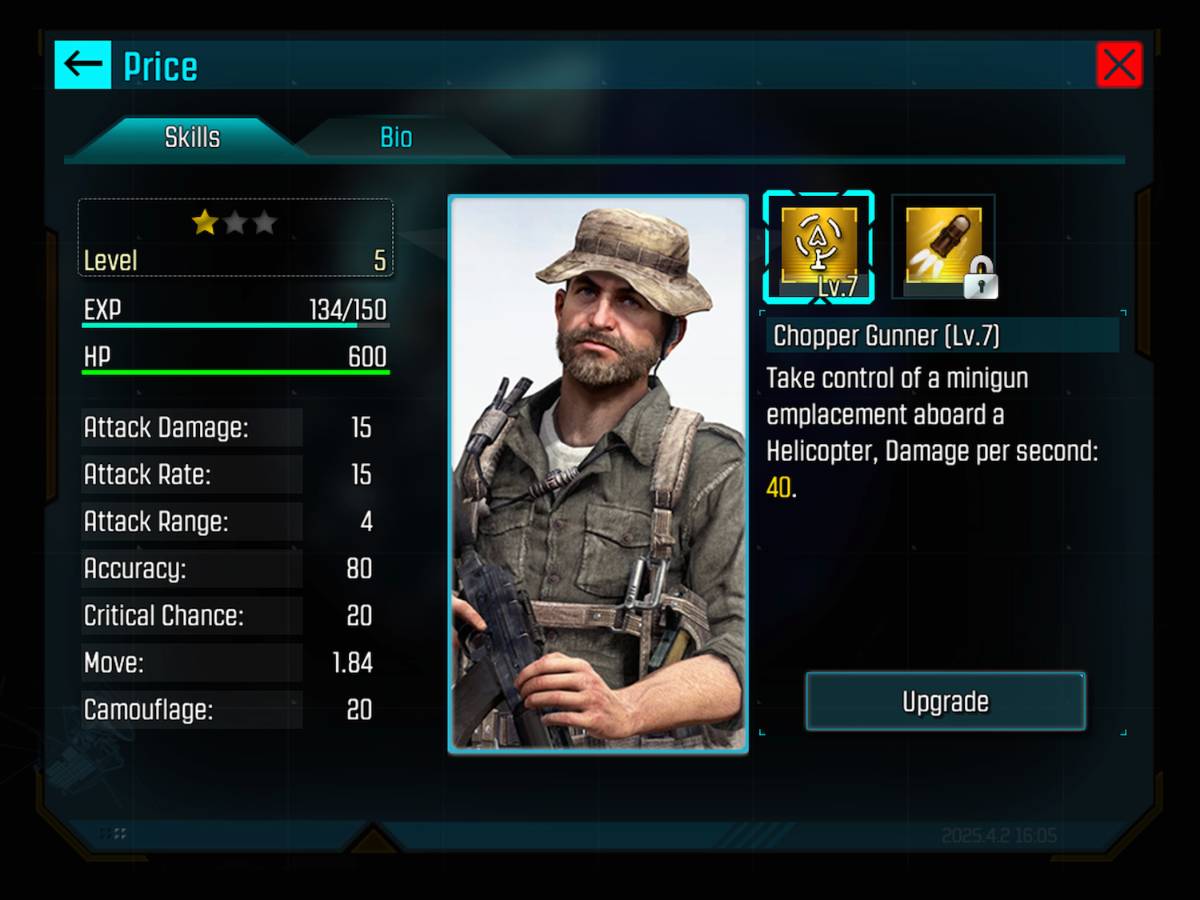 Captain Price makes a return as a “Hero”
As you complete missions you’ll open up new play styles including a PvP mode that lets you play online against others and a survival mode that pits you against waves of enemy forces. Upgrade quickly and effectively and you’ll soon find yourself on the next mission – or make a mistake in allocating resources and you may find yourself scrambling for the appropriate weapons and troops to take down your enemy.
Call of Duty: Heroes doesn’t bring anything new or amazing to the table, but its overall polish, variety and unique callbacks within the franchise, make for a solid game. Any fan of military action or strategy games -or Call of Duty fans in general – will find a solid amount of entertainment and gameplay here. Heroes is a back-pocket call to duty that’s worthy of recruitment.
Check out Call of Duty:Heroes at the Google Play Store.
 AIVAnet