


Bluboo Maya review: Unlocked, nearly stock and under $100
We live in a wonderful era of smartphones. Rarely do we have to spend much more than a few hundred dollars to find something that satisfies the needs of the masses. Sure, there’s always going to be selection in that $500-$800 space, but we don’t necessarily have to shop from that rack. And, thanks to the slowly dying long-term contract, we’re now more free than ever to consider options.
Whereas one year ago we would have been cautious about spending less than $200 for an unlocked smartphone, that’s not really the case in mid-2016. Indeed, there are plenty of options to choose from in that range, with some diving into double digits. The Blu R1 HD, for instance is only $99 through Amazon, and costs half of that if you are an Amazon Prime customer.

Suffice it to say, a phone that costs $100 or less isn’t for everyone. The specs are often 2-3 generations behind what you’ll get from the current crop. But, just like we find in computers, not everyone wants to buy a high dollar replacement or upgrade.
Unlike PCs, sometimes we drop our phone and need an inexpensive model to tie us over until we’re ready for a new flagship. Heck, a lot of people only want to spend the least amount of money possible in order to get on Facebook or play Pokemon Go. That’s where the $75-$100 phones come into play. This is where you find a phone like the Bluboo Maya.
About
Powered by Android 6.0 Marshmallow, the Bluboo Maya is a perfect example of what we might term a band-aid phone. It other words, it’s enough to help fill a void left behind when you lose your current model or dunk it in the pool. It’s also enough to help someone get their feet wet in the world of smartphones.

The Bluboo Maya is an unlocked phone, which means you’ll be able to use with with a variety of GSM carriers in the United States. Not only that, but there’s a spot for two SIM cards. But, you’ll want to look closely as it’s not a 4G LTE smartphone; data speeds could be less than desirable. If you don’t care about streaming video or doing much multimedia, you might just fine with the 3G connection.
Bluboo is a Chinese phone maker whose offerings come in with a lower price tag than that of our typical US competitors. Similar to Blu, Nuu Mobile, and LeEco, you’ll find pretty reasonable bang for the buck. Moreover, you won’t be tied to a carrier or have to jump through any strange hoops. But, that doesn’t mean there are not compromises.
Specs
- Android 6.0 Marshmallow
- 5.5-inch 720p display
- 13-megapixel rear camera
- 8-megapixel front-facing camera
- 16GB storage
- Quad-core 1.3GHz processor
- 2GB RAM
- 3000mAh removable battery
- GSM: 850MHz, 900MHz, 1800MHz, 1900MHz
- WCDMA: 850MHz, 2100MHz
Design
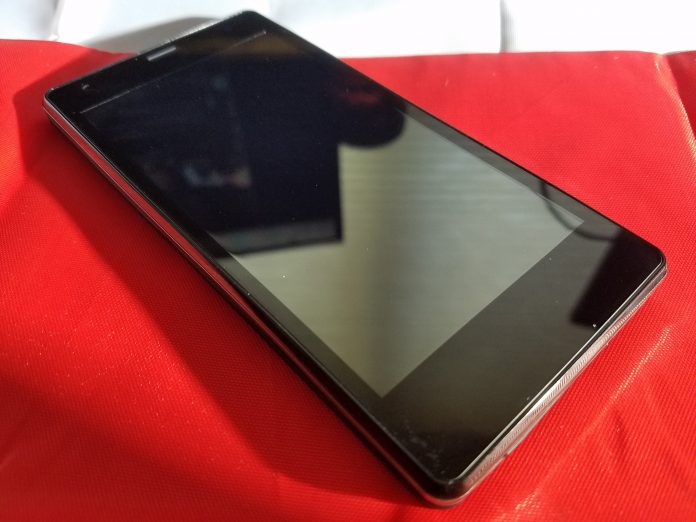
Upon taking the Bluboo Maya out of the box we recognized almost immediately that this wasn’t going to compete with our current daily driver. Not that there was anything wrong with it, but the general feel and design of it gave us a sense of “budget”.
The screen was quick to pick up fingerprints and oils, something we battled with every day. The rear features a plastic, removable battery cover which reminded us of early generation Samsung Galaxy S models. Really, the phone reminded us an awful lot of the Blu Vivo XL, a phone we reviewed earlier this year.

Nothing in the design was extraordinary, but we didn’t expect that with this price tag. The volume rocker and power buttons are found on the right side of the display while the headphone jack is up top and justified to the left. Down below is the microUSB charging port, flanked by a pair of speaker grilles.
Where to Buy:
- AliExpress $69.99
- AliExpress $69.99 – $75.99
- Amazon $89.99
Display
With a pixel resolution of 1280×720, the Maya gives users an HD experience. No, it’s not the 1080p stuff you’ll find in those which run just a little more, but it’s decent. At 5.5-inches, though, we would have liked to see a higher image quality.
Keeping price in mind, however, it’s enough to get the job done. Text renders fine and pictures aren’t bad. We tend to say this a lot, but you don’t really notice shortcomings until you’ve spent time with something else to compare it with.

After years of handling flagships and high-end phones, we’ve come to appreciate finer details. But, handing this off to someone who only uses a smartphone to make calls and read emails, they “don’t see anything wrong it at all”. When we randomly asked friends and family for a quick reaction, the replies were largely positive and found no issues with quality.
When looking at the phone from various angles we found the picture to be washed out somewhat. It was almost as if there was a very thin, nearly transparent sheer material placed over the display. Text was perfectly legible and everything was balanced, but the picture simply appeared faded as compared to straight on.
Camera
We found that the 13-megapixel camera took perfectly usable photos, especially for sharing on social media. The shutter speed was much slower than we would have liked, but the end results were decent enough. Switching to HDR really slows the picture taking process down, but, if you don’t need to worry about the time, feel free to enjoy it.

There are a number of camera modes installed in the app, each of which speaks to a different user. Like to take a bunch of selfies? You’ll probably enjoy the “peace sign” option which takes photos when you throw up deuces. Aside from your standard pics, the phone lets you snap panoramic shots as well as manual editing and tweaking for more pro images.

Perhaps a testament to its target demographic or homeland user base, there’s a lot of vanity stuff at play in the Maya. Once you’ve taken a photo you can go back in and edit all sorts of things, including makeup (eyes, lips, cheeks, etc), breast enhancement, jawline trimming, and teeth whitening.
There are considerably better cameras available on the market but when you are spending less than $100 you can’t be mad at this one. You might not necessarily use all of the weird software stuff; however, a replacement app is all it takes to feel “normal” again.
Software
The Maya runs a really stripped down version of Android, but it’s not quite “stock”. Outside of the Google Play Store, though, there’s nothing else here that’s Google. You’ll have to resort to installing Gmail, YouTube, Calendar, Chrome, Drive, and anything else you might have become accustomed to using.
On the other hand, if you’re brand new to smartphones, there are apps to get you rolling. Present out of the box are app such as FM Radio, Music, Messaging, Email, Camera, Calendar, Calculator, SIM Toolkit, and more. We’re big proponents of Google apps and recommend those as soon as possible.

The icons and general interface reminds us of the older iPhone UI in that they are colorful gradients. First time smartphone adopters might be cool with it, but those of you replacing an existing model could grow restless. We’ve said it before and we’ll continue to do it, but there’s nothing like installing your own custom launcher. As much as we try to put up with the default stuff here, we were only too happy to install Nova. A quick import of a preset layout and we’re back in business.
Performance
As a daily driver, the Bluboo Maya gets the job done. That is, if your day-to-day requirements are minimal and don’t revolve around heavy multi-tasking. The quad-core 1.3GHz CPU and 2GB RAM aren’t designed with today’s top games in mind. But, your aunt and uncle who just want to get on Facebook, take a few calls, and reply to messages… they’ll be happy.
Installing a few work applications and utilities and relying on the phone for general business duties, the Maya performed as expected. Hopping in and out of apps was sometimes a little slower than we’d like, but closing down some of the more demanding apps brought the snap back.

You’ll want to get yourself into an octa-core processor with 2GB or 3GB of RAM if you plan to push your phone or hold onto it for the long term. As an interim device or something to get your feet wet, the Bluboo Maya is perfectly acceptable.
Battery life is pretty good thanks to the removable 3000mAh unit and Android 6.0 enhancements. Were this an internal battery we might not have been so keen on it. There’s no Quick Charge option so we’re at a wall longer than normal. But, on the plus side, at least we can purchase additional batteries to have on standby.
Sound is par for the course and falls right in line with the other features. Nothing here is going to overwhelm you, but it’s not bad. We’ve never been big on playing music on phones for extended periods of time and that’s definitely the case here.

There’s not a lot of range in the speakers, but they are clear and crisp. YouTube videos, Facebook clips, and other general media work nicely on the Maya as do podcasts and audiobooks. Want to listen to a full album or playlist? You’ll want to plug in headphones or pair to a Bluetooth speaker.
Conclusion
As easy as it is to point out shortcomings or quibbles about the Bluboo Maya, we have to keep the sub-$100 price tag in mind. But, even with that factored in, you’re still in an increasingly competitive space. As the US market finally acclimates to unlocked phones we find there are new brands and models worth considering.
We like the Maya, but we don’t exactly love it. Call us elitist or snobbish, but we prefer phones with more premium materials. Fingerprint readers aren’t really a “must-have” feature, but we’ve come to appreciate them for security purposes. Would we have liked to see one here? You bet. But, we’re cool with not having one, too. It might have actually been odd to see that newer tech among the otherwise aging hardware.

If there’s one thing we didn’t enjoy, it’s the 3G connectivity. We do too much with our phones to be content with the slower data speeds. But, what about you? That’s a question you’ll have to answer yourself. Spend a lot of time connected to WiFi? This topic is likely a non-starter. Replacing a device that you’ve come to use for YouTube and Netflix? Head in another direction.
For roughly $90 it’s hard for us not to recommend you consider the Bluboo Maya. Keep the data aspect in mind, though. A younger, more savvy and demanding user could grow anxious or irritated. On the flip side, there’s no reason for some you to plunk down hundreds of dollars to replace your two-year-old phone. The rub, though, is whether that person knows enough about getting the apps and experience they like.
The preset Maya experience takes some getting used to and the seasoned vet knows where to go. Your casual, older demographic might need some hand-holding in getting things just right. If you’re planning to get an elder family member something to go with an MVNO, this one is a good option.
Where to Buy:
- AliExpress $69.99
- AliExpress $69.99 – $75.99
- Amazon $89.99
Hurom H-AA Slow Juicer review – CNET
The Good The Hurom H-AA Slow Juicer effectively extracts liquid from citrus and hard fruits and vegetables. The cold-press juicer also runs quietly compared with noisy centrifugal machines.
The Bad The Hurom H-AA Slow Juicer has trouble pulling juice from leafy greens. It’s also expensive and has a complicated design and hand-wash-only accessories.
The Bottom Line Avoid the complex and troublesome to clean Hurom H-AA Slow Juicer in favor of better performing models such as the Omega J8006.
Visit manufacturer site for details.
With a sticker price that’s higher than many premium cold-press models, the $439 (£256, $649 AU) Hurom H-AA Slow Juicer will certainly make a negative impact on your budget. Unfortunately while the large and expensive machine plays the part of a luxury juicer, its performance misses the mark, which makes it an unwise purchase compared with competing juicers such as the $300 Omega J8006.
The first thing you’ll notice about the Hurom H-AA is that it comes with numerous accessories such as strainers, even gadgets for preparing ice cream and pressing homemade tofu.

Included with the Huron H-AA juicer are lots of parts and accessories.
Chris Monroe/CNET
However, all that extra equipment results in a kitchen gadget that’s overly complex to assemble and break down. The Hurom H-AA’s many moving parts are not dishwasher-safe either and must be washed by hand which makes keeping the whole apparatus clean a big headache. The design of this appliance is extremely similar to another product, the $200 VonShef Premium Slow Masticating Juicer, which I also found a chore to use and wash.
2016 Chevrolet Tahoe review – Roadshow
The Good It’s easy to modulate the 2016 Chevrolet Tahoe’s throttle, making for smooth maneuvering and safe towing. Safety systems in the Luxury package include blind-spot monitoring, rear cross-traffic alert and forward collision warning. Even without the navigation option, Chevrolet’s MyLink head unit supports Android Auto and Apple CarPlay.
The Bad The Chevrolet Tahoe comes in a little pricier than its competition without necessarily besting the others in power or cabin space. Adaptive cruise control is only available in the top trim.
The Bottom Line The 2016 Chevrolet Tahoe remains a solid choice for family recreation and towing, making for an easy-driving and modern-looking SUV with some nice tech features, but it doesn’t leap ahead of the competition.
Driving the 2016 Chevrolet Tahoe down the California coast, I contemplated the uses I could make of this big beast. With its middle-row bucket seats, I could take five friends to its namesake Lake Tahoe. Although with only 15.3 cubic feet for cargo behind the third row, I would have to leave a couple of those friends behind. Its full 94.7 cubic feet, behind the first row, would allow an epic Ikea run.
Considering what it could tow, the Tahoe’s 8,600-pound rating would let me pull a 28-foot Airstream Land Yacht for an upscale Burning Man experience. Or on the Lake Tahoe idea again, this SUV could manage a Sea Ray 280 Sundancer, although dragging a 28-foot boat on a twisty mountain highway doesn’t sound particularly fun.
A big truck-based SUV like the Tahoe offers a lot of possibilities for recreation, while cylinder deactivation helps maintain reasonable fuel economy.

The Chevy Tahoe continues with its body-on-frame architecture, and adds a smooth, handsome exterior for the current generation.
Wayne Cunningham/Roadshow
The Chevrolet Tahoe got a significant update for the 2015 model year, pretty recent considering the longer product cycles for this type of vehicle. Eschewing the trend of independent suspensions among SUVs, the Tahoe stuck to its solid rear axle and body-on-frame architecture. Chevrolet currently cites the Ford Expedition, Nissan Armada and Toyota Sequoia as the Tahoe’s main competition.
Smooth-skinned
Chevrolet
Tahoe
sets…
See full gallery


1 – 6 of 32
Next
Prev
I got behind the wheel of a 2016 Tahoe in LT trim, with rear-wheel drive instead of the available four. And despite the last-century architecture, I was impressed with the modern look, the sheet metal showing smooth sides and a neatly squared-off rear instead of the more contoured look embraced by many other automakers. The Tahoe looks like a Bauhaus office building, all sheer sides and geometrical windows.
The Tahoe looks like a Bauhaus office building, all sheer sides and geometrical windows.
Under the hood, a 5.3-liter V-8 makes 355 horsepower and 383 pound-feet of torque, that latter figure tuned to give the Tahoe its towing power. Tipping halfway into the throttle left me wondering if the engine was taking a nap, as the Tahoe seemed in no rush to accelerate. However, putting the pedal down to pass on a two-lane highway showed that the engine could get up and go when needed.
This throttle mapping makes for a smooth driving experience in the Tahoe, giving me a lot of leeway in pedal travel for maneuvering in the city or other tight spaces. That controlled tip-in would make even more of a difference with a trailer hitched up. But the initially light power delivery can fool you into thinking the engine doesn’t have much to give.

Chevy mapped the Tahoe’s throttle program for easy modulation, which can seem like a lack of power until you really get on the gas pedal.
Wayne Cunningham/Roadshow
Cruising down the highway, I appreciated the Tahoe’s high seating position and view of the road, but in the city its sheer sides made me worry that I might not see a pedestrian, pet or bicyclist close in.
Lending to the Tahoe’s safety, the Luxury package in the model I drove brought in blind-spot monitors, a rearview camera with cross-traffic alert and forward collision alert. And making sure I didn’t miss a visual or auditory warning from these systems, I was sitting on Chevrolet’s Safety Alert Seat, which buzzed either side of the seat bottom in an alert that I could not ignore.
Lane drift prevention also worked to keep the Tahoe from rolling over lane lines in an unobtrusive manner, a feature that could save drivers who fall asleep at the wheel. Oddly missing from the package is adaptive cruise control, a feature only available at the Tahoe’s top trim.
GE JB750SJSS review – CNET
The Good The GE JB750SJSS electric range cooks fantastic roast chicken, boils large pots of water in less than 10 minutes and only costs $1,000.
The Bad None of the cook times were record-breaking, and its design is pretty basic.
The Bottom Line This range is a good pick if you’re on a budget but don’t want to sacrifice quality cooking.

Tyler Lizenby/CNET
Manufacturers have to keep large appliance features to a minimum if they want to keep the price budget-friendly. This means that a range should perform basic cooking tasks well since there are not many bells and whistles to hide behind. GE Appliances has taken this challenge and excelled with the $1,000 GE JB750SJSS, an electric range that cooks food well, is easy to use and is reasonably priced.
GE includes just enough features in this range to help you cook more efficiently, such as a convection fan in the oven and a powerful burner to quickly bring water to a boil. And the JB750SJSS cooks food well — the oven bakes food evenly, and the convection roast features makes for some of the most delicious chicken to come out of the CNET Appliances test kitchen.
There isn’t much in the way of fancy design when it comes to the GE JB750SJSS. And its cook times lag behind similar appliances. But these points barely register as inconveniences when you consider the range’s price and performance. The GE JB750SJSS, like the similar GE PB911SJSS we’ve reviewed, is a solid appliance that is worth consideration the next time you’re buying a range.
Basic ain’t bad when it comes to this GE…
See full gallery


1 – 5 of 9
Next
Prev
Basic design in exchange for a bargain
The stainless-steel GE JB750SJSS is a basic large appliance without a lot of frills. The 30-inch wide electric range has a smooth ceramic cooktop with four burners and a warming zone. The oven has 5.3 cubic feet of space, which is a bit smaller than what we’ve seen from other brands, such as the 5.9-cubic-foot oven on the Samsung NE59J7630SB or the 6.1-cubic-foot oven on the Kenmore 95073.
iDevices Socket review – CNET
The Good The iDevices Socket works pretty well as a dimmer and nightlight.
The Bad Its design is bulky and inefficient, and its price is absurd.
The Bottom Line The Socket is a gadget you want to hide, but in so doing, you lose its primary appeal — the ability to display unique light bulbs. Why anyone would shell out $80 for this product, I cannot imagine.
Visit manufacturer site for details.
Lighting is one of the easiest and most affordable entry points into smart-home gadgetry. Connected LEDs, switches and plugs typically slide in around or under 50 bucks. But now a new type of device is available — a retrofit Socket that lends smarts to any bulb screwed into it. Sure, crowdsourcing hopefuls have proposed similar products in the past, but this is different. iDevices is an established company, and the Socket integrates with Apple HomeKit and Amazon Echo.
On its surface, the Socket functions as advertised: it smartens up almost any standard bulb, adding dimming, scheduling and voice-activated controls with both Apple’s Siri and Amazon’s Alexa. It even includes an RGB color changing nightlight. But there’s a fundamental question I’ve been unable to answer: When is the Socket consistently more useful than a smart switch or bulb? The $80 price tag only adds to my befuddlement, since you can easily find more feature-rich lighting devices for considerably less cash.
Until I find a unique use case that justifies the Socket’s otherwise outrageous asking price, I can’t recommend iDevices’ newest product.
This smart Socket gives a dumb lightbulb…
See full gallery


1 – 5 of 9
Next
Prev
What it gets right
Taken as it is, the Socket actually works pretty well. The iDevices app has always been one of the better third party HomeKit apps out there, and it continues to support its devices with an intuitive interface and easy setup process. Getting the Socket up and running takes barely a minute, and operating its dimming, scheduling, and nightlight capabilities is slick the whole time.
EzeeCube review – CNET
The Good EzeeCube ably serves as a media center and easy backup option for your photos and videos. It offers expandable storage and other optional add-ons with a sleek, stackable design. It operates on the versatile Kodi platform.
The Bad The base unit and add-ons are expensive. It’s not 4K capable and is sometimes tricky to use. The remote is infrared instead of Wi-Fi, which means you can’t tuck the unit away.
The Bottom Line The innovative EzeeCube personal cloud storage device and media player offers plenty of good features, but they don’t come cheap.
There are plenty of media players and backup devices out there, but EzeeCube offers something quite different: the ability to stack up additional modules on top of the base unit. You can add more storage, a Blu-ray drive, and other new add-ons are likely to come in the future. If that sounds cool, it is.
Adding additional hard disk space is as simple as putting the new module on top of the EzeeCube base player. And if you add on the Blu-ray drive, a feature that lets you rip DVDs is also enabled automatically. However, the additional modules don’t come cheap, costing $199 (£150 or AU$260) for either a 2TB drive or the Blu-ray drive. The base unit itself will set you back a cool $499 (£380 or AU$660) for the 2TB version. A cheaper 1TB option is available for $399 (£300, AU$525).
EzeeCube stacks up to offer more features
See full gallery


1 – 5 of 8
Next
Prev
That said, you’re not just paying for a normal backup device. The EzeeCube is also a fully functional media player. It uses Kodi as its operating system (formerly known as XBMC) but skinned with a much nicer design, and features a personal cloud service that syncs with your iOS or Android device. You’re able to backup your videos and photos and access them from anywhere without having to worry about your phone’s limited amount of space or pay extra for cloud storage. On the other hand, if the hard drive of the EzeeCube crashes, you’re out of luck.
While it sounds simple on paper, I did find the EzeeCube a tad frustrating to learn how to use, compared to the ease of plug and play devices such as the Roku 4. Kodi is pretty flexible and lets you do a lot of things, but its various options can be overwhelming for a first time user looking for something simple.
The EzeeCube easily played all the video formats I threw at it without a hitch. But it can’t play 4K video — unlike the much less expensive Nvidia Shield, which also supports Kodi, Plex and external/networked hard drives for storage. EzeeCube can download add-ons for watching YouTube or live Twitch streams, for example, but the selection of apps can’t compete with that of the Roku or Nvidia Shield.
The EzeeCube is quite the swiss army knife of home media centers, and its expandable tech is very cool, but its audience is limited given its expensive retail price.
 View full gallery
Aloysius Low/CNET
Definitive Technology BP9040 review – CNET
The Good The Definitive Technology BP9040 offers immaculate design and a really neat Atmos option for users who want to upgrade later. The integrated subwoofers offer deep, thrilling bass without the need for a separate bulky cabinet. Movie soundtracks sound expansive and yet dialogue remains detailed.
The Bad Pricey, some users might find the sound balance too lean.
The Bottom Line The Definitive Technology BP9040 system, with its optional height modules, looks and sounds great, especially for movie lovers.
Ever since Dolby Atmos appeared on the home audio scene two years ago it has posed a challenge for potential buyers as well as speaker designers. For the user it was “should I buy new height speakers, drill holes in my roof, or dangle ill-fitting modules from the top of my existing speakers?” Definitive Technology has come up with the most elegant solution we’ve seen so far, but it’s not cheap.
The BP9040 tower speaker and its innovative Atmos dock enables users to keep height speakers as an option, without needing to invest in Atmos from the get-go. If you’re not all that excited by Atmos or DTS:X, just stick with the BP9040 a la carte ($1,800 per pair). If you change your mind in a year or two, pick up a set of A90 add-on height speakers ($500 per pair), plug ’em in, redo the set-up of your home theater, and you’ll be in business.
The Def Tech’s sound quality is geared toward movies, especially after adding the optional docking speakers, with the onboard subwoofers adding real punch to action movies. Music is pretty serviceable but you’ll need a warm amp to counter the bright-sounding drivers.
At $2,300 with the A90 add-on, the BP9040 speaker is breathing rarified air, and while it offers excellent home theater sound, it is up against stiff competition. In our comparison we ended up preferring the Pioneer SP-EFS73, which is less expensive ($1,400 per pair), even though you will need to add a subwoofer.
Designed for immersive audio
 View full gallery
Sarah Tew/CNET
Without the optional height speaker docked on top, the BP9040 is a 39-inch tall tower speaker encased in an acoustically-transparent mesh. The cosmetics are simply lovely, complete with aluminum accents from the top cover and the solid formed base. The speaker’s black grille hides a bipolar speaker arrangement which consists of two 4.5-inch drivers in a D’Appolito configuration around a one-inch aluminum dome tweeter in the front, and in the back another dome tweeter and single 4.5-inch driver. This unusual arrangement is designed to increase the sweet spot and make the speakers sound “big.”

View full gallery
Sarah Tew/CNET
At the top of the speaker, hidden under a slab of velvet-lined aluminum, lives a port for the optional A90 attachment, which costs $499 per pair. The A90 is a height effects speaker for Dolby Atmos and DTS:X soundtracks and is designed to sit flush with the main unit. The back of the speaker is designed to accommodate the add-on with two sets of terminals at the bottom which add up to a much cleaner look than other after-market options.

View full gallery
Sarah Tew/CNET
Continuing the trend for innovation is the bass section of the speaker — the BP9040 features a powered 8-inch subwoofer with a dedicated volume control. While the speaker includes a LFE connection the company recommends running the speakers full range (consult your receiver manual on how to direct subwoofer effects to your speakers). Paired with this are two passive radiators also eight inches across.
The BP9040 is at a mid-point in the new BP9000 collection, which also includes the BP9020, costing $1,300 per pair, the BP9060 ($2,200 per pair), and the flagship BP9080X, which runs $3,500 and includes an integrated Atmos speaker.
Freetel Priori3: what does $100 get you in a smartphone? (Review)
We’ve seen an influx of cheap, good, Asian smartphones here in the US. Gone are the days where the only phones you got to choose from were whatever Samsung, LG, Motorola, and HTC decided to put out. Now we have real choice. These choices come in the form of truly great phones like the Huawei P9 and OnePlus 3, all the way down to budget phones like the Freetel Priori3.
Freetel is targeting the “super-budget” area of $100 phones with the Priori3. The ridiculously low price of this phone does indicate that there will be compromises, though. You shouldn’t expect high-end features like a fingerprint read or water resistance, but that doesn’t mean you should immediately write the Priori3 off. Rarely do budget phones have those features anyway and if you’re buying this as a first phone for your teen or an elder family member, ask yourself if they really need those features to enjoy the experience of their first smartphone.
Let’s start out with some specs.
- Dimensions: 65 x 132 x 8.9mm
- Weight: 120g
- SoC: MediaTek MT6735M
- CPU: ARM Cortex-A53 1000 MHz Quad-core
- GPU: ARM Mali-T720 MP2, 500 MHZ Dual-core
- RAM: 1GB
- Storage: 8GB (expandable)
- Display: 4.5in TFT, 480 x 854p
- Battery: 2100 mAh (removable)
- Sim: Dual sim- Sim 1 is micro SIM, Sim 2 is standard SIM
- OS: Android 5.1
- Camera: 3264 x 2448, 8 MP
- Wifi: a, b, g, n, n 5GHz
- Bluetooth: 4.0
- Bands: 3G GSM 850, 900, 1800, 1900, LTE: 900, 1800, 2100, 800 (B19)
Software
The first pleasant surprise with the Freetel Priori3 was that it’s running a mostly unmolested version of Android 5.1 Lollipop. Sure, I’d love for it to have shipped with the most up-to-date version of Android 6.0 Marshmallow, but I doubt those interested in this phone really care that much about OS updates. Hopefully, Freetel will push an update in the future so users can take advantage of the security updates in recent versions of Android.

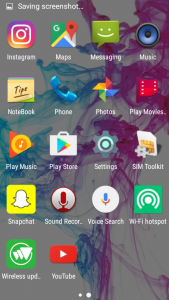
There are no fancy new icons or crapware loaded onto the phone like most manufacturers stain its phones with. There are a few common sense apps that Freetel added like FM Radio, Notebook, File Manager, SIM toolkit, WiFi Hotspot and Wireless Updates. The WiFi Hotspot app is little more than a shortcut to the WiFi Hotspot menu in the settings app, so nothing too fancy there.
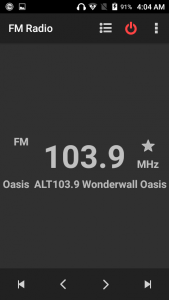
What I really love is the FM Radio app. All phones have an FM chip already, but there is no software available to leverage them. While the chip is very weak, it does the job of pulling in some strong stations. I could very easily see a kid using this to listen to their own music while playing some games on long road trips.
Freetel didn’t take the step of most OEMs and replace the standard Android apps with its own versions. If you were a big fan of the stock messaging app or gallery in 5.1 Lollipop, you’re in luck here because they’re all stock apps. OEMs regularly replace Google’s version of the apps with ugly or laggy versions so we love that Freetel skipped that.
Performance
We were very surprised at how well the Priori3 handled basic tasks. I’ve used some pretty crappy budget phones in the past that would lag simply from just swiping through the app tray (looking at you Samsung), but the OS is lag free. If you start bogging down the system with heavy CPU or GPU usage apps, it does slow down so those big games might be a no go, but for regular social media apps like Facebook or Instagram you’ll be fine once they’re loaded.
What you will notice, however, is how long apps take to load. The processor isn’t very powerful and since there isn’t an abundance of RAM apps regularly have to load fresh and that takes a bit of time.
Using the phone for my normal daily routine I noticed how many apps were knocked out of memory. If you’re able to keep more than four apps in memory at the same time, count yourself lucky. The FM radio app I mentioned earlier does play in the background so you can listen while you browse around on Imgur or Reddit, but it will regularly get knocked out of memory and require a fresh start. It’s not ideal but 1GB seems to be about the minimum phones can ship with these days to get by, and that’s exactly what the Priori3 does, it gets by.
Battery life is fine. You’ll get about 2.5 hours of screen on time and get through most of the day with light usage. You can thank the relatively power efficient processor and low-resolution screen for that. Again, it doesn’t sound like much stacked up against the flagships of the day but the Priori3 does its best to get every minute out of the 2100mAh battery. Since the battery is removable, in theory, you can pick up a secondary battery to pop if it gets low, but I was unable to find any for sale.
Hardware
Where you see major compromises with the Priori3 is in the hardware. The display is just bad. The colors are washed out, it doesn’t get bright enough to use in sunlight and the viewing angles are slim at best. The interface for your phone is the display and while we understand that you’re not going to get a 2560 x 1440 Super AOMLED current generation Samsung panel for $100, even what we have here is a disappointment. It’s been a long time since we could pick out pixels with the naked eye, but we can here.
Under the display sits three capacitive buttons that light up red when they’re touched, but stay off otherwise. They give off a cool effect, but you have to know where you’re pressing since they don’t light up any other time. If these buttons stayed lit while the display was active it would be an improvement.
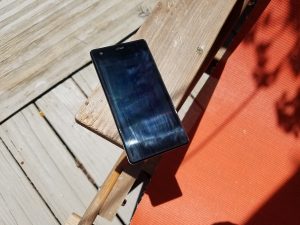 Low max brightness and hard to remove finger gunk is a difficult combo for outdoor use
The power button is on the right side of the device with the volume rocker just above it. While it’s not the ideal placement, it’s fine here and the buttons are clicky and give nice feedback when pressed. Nothing really to complain about other than their relative cheap feeling.
The body as a whole doesn’t feel great. Since the back is removable you don’t get that unibody, strong feel with the phone (Side note- the back and display pick up a TON of fingerprints and they’re really difficult to get rid of). The phone feels hollow like they didn’t use up the entirety of the body with components and when the vibration goes off, it only sees to compound the problem. If your kid drops this phone, they’re probably not going to break it due to how light it is but this won’t be a phone you keep long term due to durability sake.
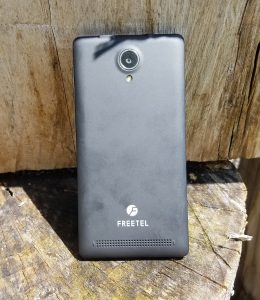
You also won’t be holding onto the Priori3 long term due to audio quality. The rear-firing speaker is very weak and distorts at higher volumes. It gives the appearance of a long speaker that stretches along the bottom of the battery cover, but when you remove the back you find a circular, half-inch sized speaker that doesn’t impress anyone. The 3.5mm headphone jack does fine to put out sound, although not the loudest. You won’t get the most out of your high-end headphones with this phone so stick with some cheapo Skullcandy earbuds.
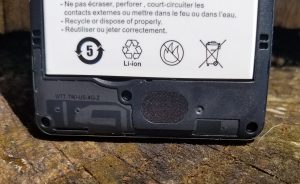
Camera
The camera application is the stock camera app that comes with Android 5.1. It has enough features to get you by, but if you’re buying this phone for your kid you may want to research another app that will give them a little more functionality. It’s a pretty spartan app that lets you change the exposure, has a few color effects and scenes and has the ability to white balance. Not much there.
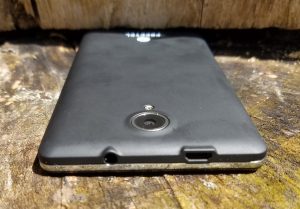
The 8MP camera is very modest by today’s standards. Pictures do some nice colors and decent exposure in good light. The story is different when you venture into very bright and dark situations. Over exposure is common where lots of light shines and the digital grain in low light photos can truly ruin any kind of scene you’re trying to pick up. Here is a gallery of some pictures we snapped with the Freetel Priori3.
1 of 8








Conclusion
So how much phone do you get for $100? Well, not too much. The Freetel Priori3 is a fine first phone for a family member, but there are certainly a lot of tradeoffs. With the rise in cheap phones, this is a decent option at the price point, but your options dramatically increase in numbers and quality when you raise your budget by another $100.
I hate some of the tradeoffs that Freetel had to make to stay at this price. There are almost no redeeming qualities about the phone aside from the battery benefits from it being such a low resolution. The camera did nothing to differentiate it from the pack and the speaker was flat out disappointing.
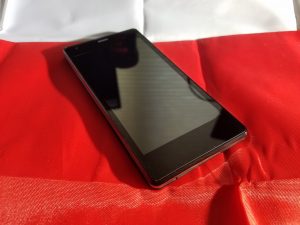
What did impress, however, is how well the software worked on such a meager CPU. The largely stock OS is lag free for most tasks and really didn’t get in the way of itself. The inclusion of the FM radio app was a great move from Freetel and we think it will be appreciated for those who are interested in the Priori3.
I’d recommend this to anyone looking for a first phone for their teen (or preteen!) or an elder family member that has been stuck to flip phones. If you’re in any way experienced with smartphones, I say pass and look to expand your budget a bit more to get something significantly better.
TCL UP130 series (Roku TV, 2016) review – CNET
The Good Roku TV delivers the simplest, most comprehensive smart-TV experience on the market. A superb user interface puts its thousands of apps and streaming video on the same plane as regular TV. These TCLs are relatively inexpensive for 4K TVs, and offer more 4K apps than most others.
The Bad 4K resolution doesn’t deliver a substantial improvement in image quality, making non-4K Roku TVs a superior value. Competing entry-level TVs from Vizio deliver better image quality for a similar price.
The Bottom Line Even though 4K resolution doesn’t improve their image quality, these TCL TVs’ Roku-powered apps and low prices heighten their appeal.
The original Roku TVs, the non-4K ones, have been among my favorite go-to budget picks for the last few years. The new 4K ones are great too, but not as good of a value as their lower-resolution counterparts.
That’s because 4K resolution by itself, as we at CNET have spent years documenting, does almost nothing to improve image quality on its own. There’s very little difference in performance between these 4K sets and the cheaper non-4K versions, despite all those extra pixels.
Then again, if you want a 65-inch Roku TV, your only option is to go 4K, and the 65-inch TCL 65US5800 is a great value. But for the 50-, 55- and 43-inch sizes, the standard 1080p Roku TVs are better deals.
The best part about these TVs is that Roku’s superb platform is baked right into the TV’s operating system, offering the simplest interface and the most apps of any smart TV on the market. Like the Roku 4 streaming box, they have access to more 4K streaming services than any non-Roku device, including Netflix, Amazon Instant, YouTube, Vudu, FandangoNow (formerly M-Go) and more. The TVs aren’t compatible with HDR, which unlike 4K actually does improve picture quality, but that’s not a surprise at this price.
These sets’ main competition, aside from other Roku TVs, comes from the 4K sizes in Vizio’s D and E series. The pricing is comparable, but from what I’ve seen the Vizios deliver better picture quality largely thanks to their local dimming backlights. Of course the main reason to get a Roku TV is for its superior streaming and app experience, and if that’s your aim, and you want 4K, these TCLs are just the ticket.
Series information: I performed a hands-on evaluation of the 50-inch 50UP130, but this review also applies to the other screen sizes in the UP130 series, as well as the two sizes in the US5800 series. All sizes have identical specs and according to the manufacturer should provide very similar picture quality. The only differences between the two series are the remote and styling; see below for details.
TCL US5800 and UP130 series 4K Roku TVs
| Size | Price | Remote |
| 55 inches | $549 | Standard |
| 65 inches | $999 | Standard |
| 43 inches | $449 | Enhanced |
| 50 inches | $549 | Enhanced |
| 55 inches | $648 | Enhanced |
 View full gallery
Sarah Tew/CNET
Simpler TV remote with optional headphone jack, voice search
I’ve always liked that Roku TVs come with Roku’s signature, ultra-simple remote. There’s just a few buttons, all easily navigable by feel, and a handful of direct-access channels that always include Netflix and a couple of other popular services. On the TCL UP130 series I reviewed, they were Amazon, HBO Now and Sling TV.
Unless you use the number keys to select channels, you’ll likely never miss the buttons Roku’s clicker omits. That’s because it has the best menu system on the market. It uses plain language and thorough explanations to make using the TV a piece of cake. I especially like that connected devices like cable boxes, game consoles and Blu-ray players are placed at the same level as apps like Netflix, and you can rename their tiles and move them around the home screen.
The main difference between these two series of 4K Roku TVs, aside from styling, is that the 5800 has a standard remote while the P130 gets the “enhanced” remote with voice search, a remote finder, and a headphone jack for private listening. Unlike the standard infrared clicker, the enhanced version uses wi-fi so you don’t have to aim it at the TV.

View full gallery
Sarah Tew/CNET
I tested all of these features and they worked as well as on other devices, like the Roku 4 streamer. Voice recognition was very good, lip sync was solid on the headphone jack, and the ping sound emitted by the remote was plenty loud from between my couch cushions. I did find myself fumbling behind the TV to activate the remote finder — a prominent, dedicated button would have been nice — but otherwise no complaints. You can also use the Roku app on your phone activate the remote finder.

View full gallery
Sarah Tew/CNET
The Roku you know and love, built into a 4K TV
A 4K Roku TV is largely the same as a regular Roku TV, and that’s a good thing. There still isn’t a whole lot of 4K TV shows and movies available, and to watch 4K streams you’ll need a relatively fast Internet connection. In many case you’ll also need to pay for the privilege; only Netflix’s highest tier, for example, offers 4K streams.
Roku’s interface does makes 4K easier to find than other systems. Its list of apps has a “4K UHD Content Available” section that only shows apps that can access 4K video. There’s also a dedicated “4K Spotlight” channel that surfaces individual TV shows and movies from many of those apps, with the notable exception of Netflix.

View full gallery
Sarah Tew/CNET
As of this writing these TVs don’t include the PlayStation Vue app found on Roku boxes. Roku says that app is coming in the next few weeks to Roku TVs. Otherwise every app found on Roku boxes and sticks is here. The selection runs circles around dedicated smart TV systems from Samsung and LG, and handily beats its next-closest competitor, Android TV (found on Sony sets). I also much prefer it to Vizio’s SmartCast system since you don’t need a phone to use it.
Roku TVs also get Roku’s best-in-class search, which allows you to search from multiple services simultaneously (and via voice from the remote, if you have a UP130 series). It presents results from 30 different services, more than any other platform. Click on a result, a movie or TV show title for example, and you’ll see pricing across all of the services Roku searches. The best part is that if you get the show “for free” as part of a subscription, it will be listed there too. One catch is that it doesn’t search HBO Now, Showtime, or Showtime Anytime (it does search HBO Go, however), so if the movie is available there, Roku’s search won’t find it.
Roku is also the best at presenting TV shows and movies across the different services. The My Feed feature allows you to tag shows, films and even actors and receive notifications for when they’re available to stream, and it shows the most popular TV shows and movies across all of the services Roku searches, updated four times a day. It’s a great way to find new things to watch, although I do wish there were a “Show only stuff I can watch for free” option.
The menus and apps loaded quickly on the TCL TV, which behaved every bit as speedily as the Roku Streaming Stick. For more on Roku in general, check out that review.
Features and connectivity
Ket TV Features
| LED LCD |
| Full array |
| 4K |
| No |
| Flat |
| Roku TV |
| Standard or “Enhanced” |
| No |
Aside from 4K resolution the list of options is short. The TV lacks the HDR compatibility, local dimming, video processing options and high refresh rates found on higher-end sets (these are all 60Hz displays).
One feature missing from previous Roku TVs, but available on this one, is expert picture settings. They aren’t found on Roku’s normal menu — which is just as simplistic and option-free as on other Roku TVs — but instead within the Roku app. There you can choose gamma presets, noise reduction and even adjust a color management system and 11-point white balance.
Logitech MX Anywhere 2 review – CNET
The Good The Logitech MX Anywhere 2 is a rechargeable wireless mouse for Macs and Windows PCs that offers smooth, precise operation, lots of customization options and decent ergonomics for a mobile mouse, and works on almost any surface. You can connect to up to three computers using Logitech’s included Unifying Receiver USB dongle or opt for Bluetooth connectivity. A speed-adaptive scroll wheel lets you autoshift from click-to-click to hyperfast scrolling. Battery life is good.
The Bad Ergonomics aren’t as good as on Logitech’s larger MX Master; the rechargeable battery isn’t user-replaceable (but should last several years).
The Bottom Line The MX Anywhere 2 is a top-notch mobile mouse.
Logitech’s MX Anywhere 2 Wireless Mobile Mouse is essentially a mini, travel-friendly version of the company’s flagship MX Master Wireless. This trimmed-down mobile version retails for $80, though it can be found for closer to $60 (£65; AU$130) online.
I tested the MX Anywhere 2 with both Mac and Windows laptops. I like it a lot, though ergonomically speaking it isn’t as comfortable to use as the MX Master. That said, it’s about as comfortable as you can expect from a smallish mobile mouse that’s designed to easily fit in the side pocket of your laptop bag. And it’s a nice weight at 3.7 ounces (105 grams).
Logitech MX Anywhere 2 Wireless Mobile Mouse
See full gallery


1 – 5 of 11
Next
Prev
As you might expect from a high-end mouse, it has plenty of bells and whistles. Thanks to Logitech Darkfield Laser technology, it works on just about any surface — everything from a glass table to the Formica-style finish of my work desk.
It has an integrated rechargeable battery that’s supposed to last up to 60 days on a single charge, which is almost double the battery life of the MX Master. You can continue using the mouse while charging with a Micro-USB cable, and just 1 minute of charging gives you 2 hours of usage. I wasn’t able to precisely test battery life, but I haven’t had to recharge it in the three weeks I’ve used it.
Like the MX Master, this mouse can connect to your Windows or Mac computer with the included Pico Unifying Receiver (a small USB dongle that will also work with Logitech keyboards) or via Bluetooth Smart technology.
If you go with Bluetooth, you can pair the mouse with up to three devices and switch between, for example, a laptop, desktop and tablet using the appropriately named Logitech Bluetooth Easy-Switch button.
 AIVAnet