


Intel’s ‘Skull Canyon’ NUC is the future of tiny desktops
What if you could have a desktop that easily slips into a messenger bag or purse? That’s what Intel has been aiming for with its NUC (Next Unit of Computing) devices. Yes, it’s a terrible name, but Intel’s goal is admirable: to deliver powerful machines that are significantly smaller than desktops of yore. Our first look at a NUC back in 2013 showed plenty of promise. And with the new Skull Canyon edition (starting at $609), Intel has come closer than ever to delivering a truly portable desktop replacement that can even play some games. Just be prepared to pay through the nose to actually use it.
Officially called the NUC NUC6i7KYK (yes, Intel is really bad at naming things), this new device isn’t a complete computer. Instead, like all of Intel’s previous tiny desktops, it’s a kit that requires some handiwork. It packs in a 2.6GHz quad-core i7-6770HQ processor with integrated WiFi, Ethernet, Intel HD Audio and Iris Pro 580 graphics. But you’ll have to open it up and add your own SSD in one of the two M.2 slots, along with your own RAM (it supports up to 32GB of laptop-sized DDR4 memory). And of course, you’ll have to supply your own OS as well. In short, don’t expect to buy this box and have it magically start working.
While previous NUCs looked like boring grey mini-PCs, Intel actually infused a bit of style into the Skull Canyon model. It’s a slim and small device, at only 1.1 inches tall, 8.3 inches long and 4.57 inches wide. It feels like a small hardcover book, weighing in at around 1.5 pounds. Its plastic case is all black, with a reflective webbing pattern and large skull imprinted on the top — a not-so-subtle hint that Intel built this thing for PC gamers. Thankfully, the company also includes a plain black replacement cover in the box. Simply put, the Skull Canyon NUC feels like an exotic piece of hardware, rather than just a humdrum PC.

Alongside the power button up front, there’s an SD card slot, headphone jack and two USB 3.0 sockets (one of which is colored yellow, as it’s a “charging port” meant to provide extra voltage for mobile devices). Around back there are ports for power, HDMI, Thunderbolt 3/USB-C, Mini DisplayPort and gigabit Ethernet, along with two more USB 3.0 connections. In addition, there’s another 3.5mm jack for audio output, which also supports minijack to optical cables (useful for connecting the NUC to an A/V receiver). This plethora of ports is another way that the Skull Canyon NUC distinguishes itself from modern laptops.
Getting started involves removing the four Philips screws on the bottom of the NUC and plugging in the RAM and M.2 SSD of your choice. Intel packed our demo model with a 512GB SSD and 16GB of memory, but I nonetheless unplugged and reinstalled those pieces of hardware to get a feel for what it’s like to work with such a tiny case. If you’ve ever installed RAM, a video card or any PCI card in a desktop, you won’t have any trouble here. But even if this is your first time dealing with naked hardware, it shouldn’t be too difficult (just remember to align the pins). With my system complete, I then installed Windows 10 from a USB stick, a process that took around 15 minutes.

Once I got into Windows, I quickly realized that none of the drivers for the NUC were automatically recognized, not even its WiFi radio. I used my Windows desktop to snag those drivers, along with Intel’s Display drivers for the NUC. Once those were installed, I had the NUC run through Windows Update several times to fully upgrade the OS and grab all of the other relevant drivers. It took about an hour to get the NUC fully up and running. All the while, I had flashbacks to the hours I spent mindlessly installing Windows during my IT days.
With everything set up, I used the NUC for my daily workflow, which involves having dozens of browser tabs open across multiple browsers, chatting on Slack, writing on Evernote, listening to music on Spotify and occasionally editing some photos. For the most part, I was surprised by how normal everything felt. Even though it’s running a laptop-grade i7 processor, which produces less heat than its beefy desktop counterparts, the NUC managed to keep up with me every step of the way. Having 16GB of speedy RAM also helps, especially when it comes to multitasking and handling large files. You can definitely hear the system’s fan working when things heat up, but that’s to be expected with such a small device.

In practice the NUC felt almost indistinguishable from my custom-built desktop, which is particularly surprising given just how small it is. This is also the first NUC with decent gaming performance: It had no problem staying at 60 frames per second in 1080p with less demanding games like Transistor and Civilization 5. Quadrilateral Cowboy, with its blocky ’80s aesthetic, ran between 35 fps and 60 fps in 1080p. Even Overwatch was playable, reaching between 60 and 70 fps at 720p with low settings. Even more surprising, it ran at around 50 fps in 1080p with low settings. That’s a testament both to Blizzard’s scaling skills and the amount of power Intel has managed to cram into its Iris Pro 580 graphics.
For some gamers, the Skull Canyon’s NUC’s performance will be just fine for LAN parties and competitions. And if you need even more power, you can connect a full-sized graphics card over Thunderbolt 3, using an enclosure similar to Alienware’s $200 Graphics Amplifier. I didn’t have one of those to test out, unfortunately, but it’s nice to know the capability is there.
| Intel Skull Canyon NUC (2.6GHz Core i7-6770HQ, Intel Iris Pro 580) | 6,130 | 5,634 | E5,105/ P3,085/ X844 | 7,797 | 2.5 GB/s / 1.5 GB/s |
| Microsoft Surface Book (2.4GHz Core i5-6300U, Intel HD 520) | 5,412 | 3,610 |
E2,758 / P1,578 / X429 |
3,623 | 1.6 GB/s / 571 MB/s |
| HP Spectre 13.3 (2.5GHz Intel Core i7-6500U, Intel HD 520) | 5,046 | 3,747 | E2,790 / P1,630 / X375 | 3,810 | 1.61 GB/s / 307 MB/s |
| Lenovo ThinkPad X1 Tablet (1.2 GHz Core M7-6Y75, Intel HD 515) | 4,951 | 3,433 | E1,866 / P1,112 | 2,462 | 545 MB/s / 298 MB/s |
| Dell XPS 13 (2.3GHz Core i5-6200U, Intel Graphics 520) | 4,954 | 3,499 | E2,610 / P1,531 | 3,335 | 1.6GB/s / 307 MB/s |
| Razer Blade Stealth (2.5GHz Intel Core i7-6500U, Intel HD 520) | 5,131 | 3,445 | E2,788 / P1,599 / X426 | 3,442 | 1.5 GB/s / 307 MB/s |
| Toshiba Radius 12 (2.5GHz Intel Core i7-6500U, Intel HD 520) | 5,458 | 3,684 | E2,865 / P1,622 | 3,605 | 552 MB/s / 489 MB/s |
| Microsoft Surface Pro 4 (2.4GHz Core i5-6300U, Intel HD 520) | 5,403 | 3,602 |
E2,697/ P1,556/ X422 |
3,614 | 1.6 GB/s / 529 MB/s |
My experience with the NUC was reflected in its benchmarks. It’s significantly faster than any laptop we’ve reviewed over the past year, especially when it comes to gaming performance. In fact, it even outdoes Microsoft’s Surface Book and its dedicated NVIDIA GPU. We don’t review many high-end gaming laptops these days, so we don’t have any beefier mobile hardware to which we can compare the NUC, unfortunately. And while I’ve been testing a slew of desktop GPUs over the past few months, comparing them to the NUC to one of those just feels unfair.
So Intel has built a mini-computer that’s both portable and capable, but who actually needs it? That’s a good question. It’s much easier to carry around than previous NUCs and other tiny desktop designs, like Gigabyte’s BRIX. Intel is pitching it as something ideal for bringing to LAN parties and other gaming events. You’ll still need to bring along a monitor, keyboard and mouse to actually use it, of course. If you’re simply looking for something smaller than a typical desktop tower to use at home, there are plenty of small options out there that would likely cost less than the Skull Canyon NUC. And even if you’re not worried about the cost, you can still cram in more powerful hardware in other mini-PC cases.
The big takeaway is that this isn’t a device meant for everyone. Most people would be fine with a laptop instead (which is hard for me to admit as a desktop fan). And while it makes for a powerful home theater PC that can actually play some games, you’d be better off with something like Alienware’s Steam Machine. And if you’re just concerned about the media side of HTPCs, earlier NUC models are cheaper alternatives (and only slightly larger).

The biggest issue with the Skull Canyon NUC? It’s too expensive for most uses. While it’s retailing for $609 now (down from around $650 originally), it would likely end up costing closer to $1,000 once you include the cost of a decent SSD, RAM and a Windows 10 license. It’s faster than Apple’s highest end Mac Mini, which goes for $999 with a 2.8GHz dual-core i5 CPU, 8GB of RAM and 1TB of storage, but I’d argue that’s also not the wisest purchase for most. If you want the best tiny desktop replacement, no matter the cost, then the new NUC is for you.
In the end, the Skull Canyon NUC is a statement of intent for PC hardware tinkerers. Behold! A small profile desktop coupled with a surprising amount of power. It might seem impractical today, but in a few years this is what desktops will look like.
No Man’s Sky Release Date, Price and Specs – CNET
When an open-universe game offers more than 18.4 quintillion planets to explore , it’s a safe bet that expectations are high. And that’s why the gaming world has been waiting with bated breath for more than two years for No Man’s Sky, which finally hits the PlayStation 4 today. (The PC version is slated to hit next week; it’s not available for Xbox One.)
The game has had plenty of prerelease drama surrounding it, with early copies hitting the street (and Reddit) before the official release date, and a giant day one patch that rewrites quite a few rules of the game — and effectively resets all those early players back to zero.
Let’s get beyond all that and jump right to the part that matters: what’s it’s like playing for the first few hours. (And, to be clear, I had less than a day with the final code.)
After the shock of having the game crash on me the first time it booted, I finally arrived on my starting planet.
No Man’s Sky doesn’t do much in terms of hand-holding.
A lot of NMS has you exploring, mining and crafting. The resources you collect serve as the currency fueling your journey, allowing you to travel farther away from your origin planet. First, you’ll leave your spawn planet, then the solar system and beyond. Before long, you’re able to access warp speed and can quickly jump from one star system to another.
Most anticipated games of 2016: July to December
See full gallery


1 – 4 of 27
Next
Prev
An unseen hand vaguely guides you along, but there’s really nothing resembling any sort of a tutorial. Because of the procedural design of the game — everything is effectively generated on the fly — the planet attributes that I saw at the start of my game will be different than what you experience.
There’s a lot to unpack in No Man’s Sky, but I’m having a good time scanning new creatures and plant life, crafting tools, upgrading my ship, and battling robots. The menu system is laid out in a familiar fashion that mostly resembles the one in Destiny. You’ll spend a good chunk of time there crafting items and moving them back and forth from your ship to your exosuit. Everything you discover and scan can be uploaded and cashed in for units, so I’m making sure to do that often.
A marketplace resides in the gameworld where you’ll need to buy and sell specific elements and items to progress.
The game runs well for the most part, but you’re guaranteed to see a ton of on-the-fly texture rendering as you make your way around new worlds or when flying over them.
The feeling of leaving a planet for the first time is extraordinary, but there’s so much left to do and uncover. I’ll have a more experienced judgment after I spend time exploring and wrapping my head around everything No Man’s Sky has to offer.
“Barely scratched the surface” doesn’t even begin to cover my initial experience with this vast game. But I hope developer Hello Games keeps the patches coming in at a steady clip: I didn’t play No Man’s Sky before the Day 1 patch (1.03) hit, but unfortunately the game has crashed out on me five times in the six hours I’ve played.
Frigidaire Gallery FGHT1846QF Custom-Flex Top Freezer Refrigerator review – CNET
The Good There’s more to this fridge than meets the eye, with helpful, high-end features hidden inside and a smudge-proof stainless-steel exterior.
The Bad Cooling performance was pretty awful, with sections in the body of the fridge that come in above FDA-approved temperatures even at the coldest setting.
The Bottom Line This refrigerator’s performance disqualifies it from consideration, which is a shame, since the features are so good.
The Frigidaire Gallery FGHT1846QF is a good-looking top-freezer fridge that sells for $1,100 (or $1,000 if you skip the stainless steel). It’s filled with features you don’t often see in top freezer models, it feels sturdy and well-built and it offers a relatively ample 18.3 cubic feet of storage space. On paper, it’s the perfect pick for someone who wants to splurge on a noticeably nicer-than-average top freezer refrigerator.
It’s a splurge I can’t recommend, though. For all it’s got going for it, the Frigidaire Gallery FGHT1846QF is a weak performer — so weak that we found average temperatures up above 40 degrees F in the body of the fridge even at the coldest setting. Even if you dial it all the way down, it’s still too warm. For me, that’s a deal breaker.
Features galore in this Frigidaire top-freezer…
See full gallery


1 – 5 of 11
Next
Prev
A top freezer with panache

This Frigidaire’s top shelf slides in and folds up to make room for large items.
Tyler Lizenby/CNET
Top freezers are the classic freezer-on-top, fridge-down-below refrigerators that most of us probably grew up with, and they’re obviously nothing fancy. Still, the FGHT1846QF might surprise you with just how many features it comes with.
For starters, there’s a the “smudge-proof” stainless-steel exterior. It’s a finely contoured version of the popular finish that’s just as shiny and metallic as you’d expect, but noticeably better at repelling fingerprints. Then there’s the interior, where you’ll find a top shelf that slides in or folds up out of the way, along with a pantry drawer that runs the width of the fridge. Both are rare features for top freezers, and ones that you’d more commonly expect to see in French door models.
On top of that, Frigidaire takes a modular approach with the “Custom-Flex” in-door shelving. Each shelf hangs on a rail, making it easy to rearrange things as you see fit. Even better, you can swap any of those shelves out for different modular accessories, which include things like a water bottle holder and a can dispenser. You’ll have to buy those modular accessories separately, but none of them cost much more than $15.
Top freezer fridges for around $1,000
| 14.2 cubic feet | 13.5 cubic feet | 15.2 cubic feet | 17.6 cubic feet | 17.6 cubic feet |
| 4.1 cubic feet | 4.0 cubic feet | 6.1 cubic feet | 6.2 cubic feet | 6.2 cubic feet |
| 18.3 cubic feet | 17.5 cubic feet | 21.3 cubic feet | 23.8 cubic feet | 23.8 cubic feet |
| Slide-in shelf, Custom-Flex door shelves, full-width pantry drawer, smudge-proof stainless steel | Autofill Pitcher | Flexi-Slide Bin | Full-width pantry drawer, automatic ice maker | Full-width pantry drawer |
| Yes | No | No | Yes | No |
| 363 kWh | 399 kWh | 443 kWh | 501 kWh | 547 kWh |
| $44 | $48 | $53 | $60 | $66 |
| $2.40 | $2.74 | $2.49 | $2.52 | $2.77 |
| 3 | 6.5 | 6.5 | 7 | 9 |
| $1,100 | $1,000 | $1,100 | $1,200 | $1,420 |
| $900 | $800 | $900 | $1,095 | $1,000 |

The fridge features a storage-minded design that does a good job accomodating groceries of different sizes.
Tyler Lizenby/CNET
Those storage-minded features came in handy when it came time to start cramming in the groceries. All of my test goods fit inside just fine, with enough room left over to fit in five of our six large stress-test items, too.
That’s a strong result for an average-sized top freezer, and further evidence that capacity is more than just a number. Design has a role to play, too, and in this fridge, the design does a great job.
ZTE ZMAX Pro Review – is a $100 smartphone worth buying?
Owning a phone doesn’t mean having to endure a costly investment. The times have changed, obviously, since phone makers are making it more affordable than ever to own a smartphone. Take for instance ZTE, who for the longest time placed its attention on making entry-level devices that were easy on the pockets, but is making a significant charge yet again by upping the ante with its latest affordable option.
Related ZTE articles:
- Getting to know the ZTE Axon 7
- ZTE Axon 7 review
- ZTE ZMAX Pro hands on | What is a $100 smartphone like?
Most people agree that sub-$200 is pretty aggressive for brand new phones, however, ZTE thinks that more can be done. Cutting that cost in half, the ZTE ZMAX Pro is undeniably tempting with its hard-to-resist price of $99.00 – and that’s all you’re going to have to pay for it. This threshold might not be anything new for the pre-paid market, but what makes it impressive is the fact that it’s slapped with a handy fingerprint sensor, something you wouldn’t expect in something price like this.
Buy the ZTE ZMax Pro now
Design
The first order of business with the design is its size, something that’s arguably going be the biggest deal breaker for people. It’s a mighty big phone that pushes it well into the phablet category, so it’s quite honestly a handful to operate. Being so wide and all, two-handed operation is going to be the preferred method with the ZMAX Pro, since one hand operation is nearly impossible unless you have larger-than-average hands.
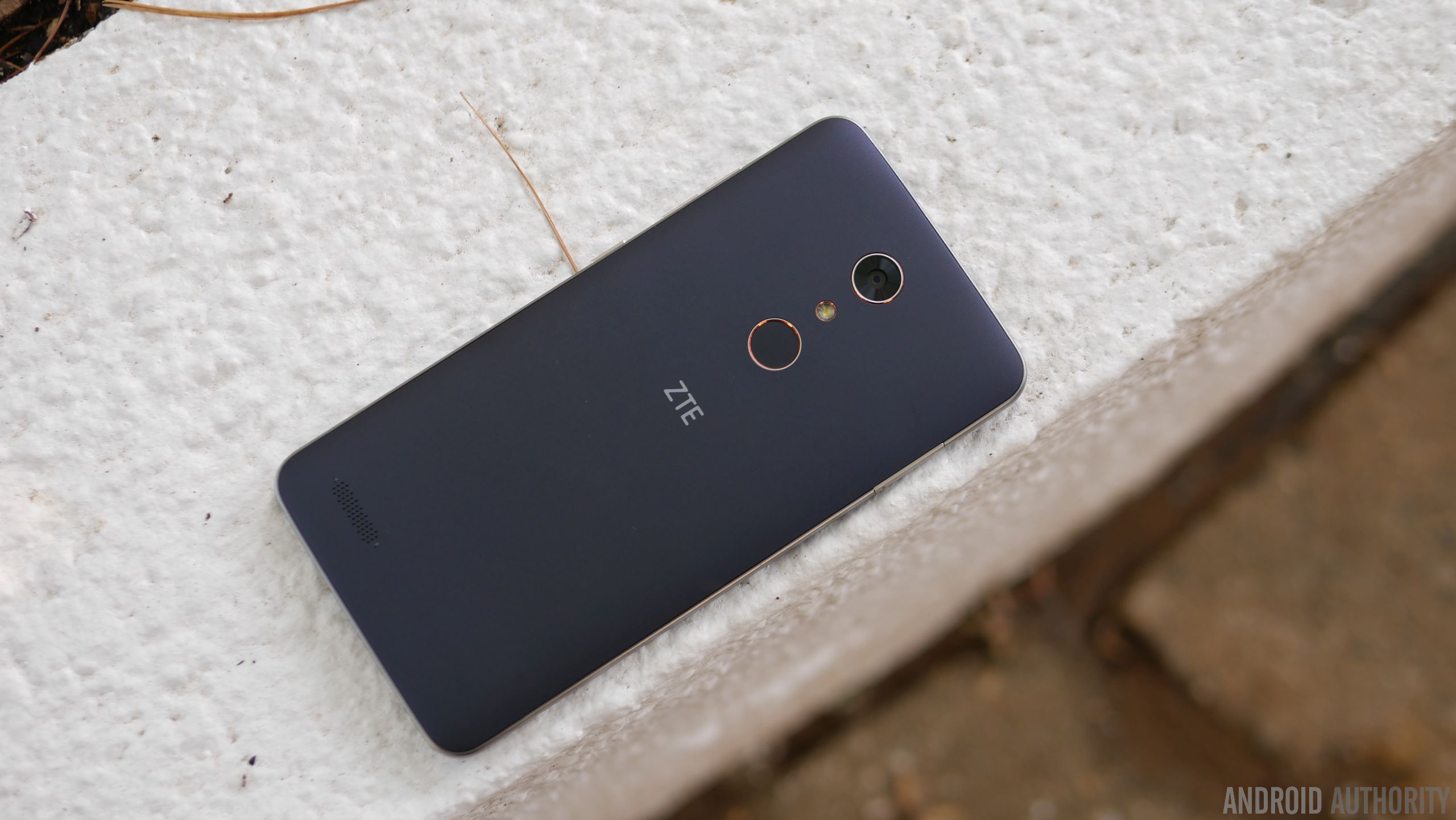
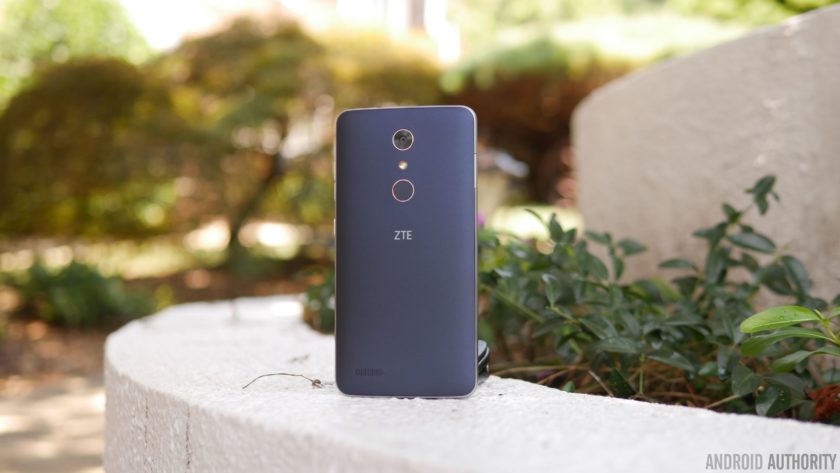
Size aside, ZTE has actually fashioned it with a pleasant design that doesn’t make it feel like a phone in its price range. The soft touch matte finish of the rear combined with the faux-metal bezel are nice touches, pushing it well beyond the context of being “cheaply” made. We really didn’t think that a phone could be this decent looking and constructed, just because phones under the $100 threshold tend to be sub-par in terms of this.

Despite its gargantuan size, they’re mindful about the placement of the power and volume keys – they’re positioned on the right edge, making them accessible to the thumb. Meanwhile, a USB Type-C port is found on the bottom, ensuring that it’s going to be compatible with whatever USB-Type C accessories that are beginning to come out now.
Display
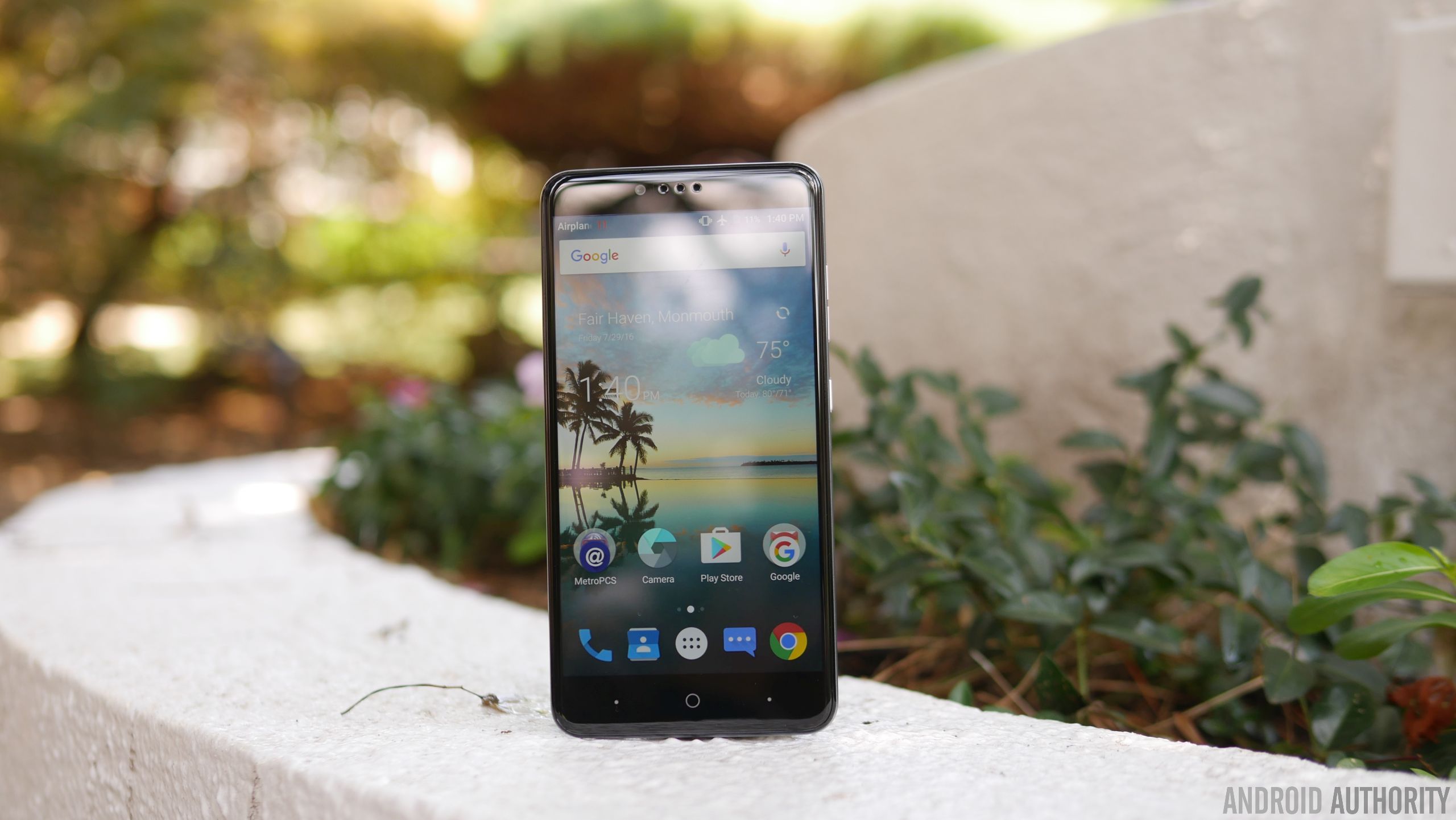
Dominating its façade is a 6-inch 1080p TFT LCD display with Gorilla Glass 3, which is again something you wouldn’t think of getting with a sub-$100 smartphone. Better yet, the fact that they’ve opted to go with 1080p resolution shows that they want to make a statement – implicitly saying that phones of this caliber deserve more. And to that, it’s nice to know that it’s sufficiently detailed enough to make out.
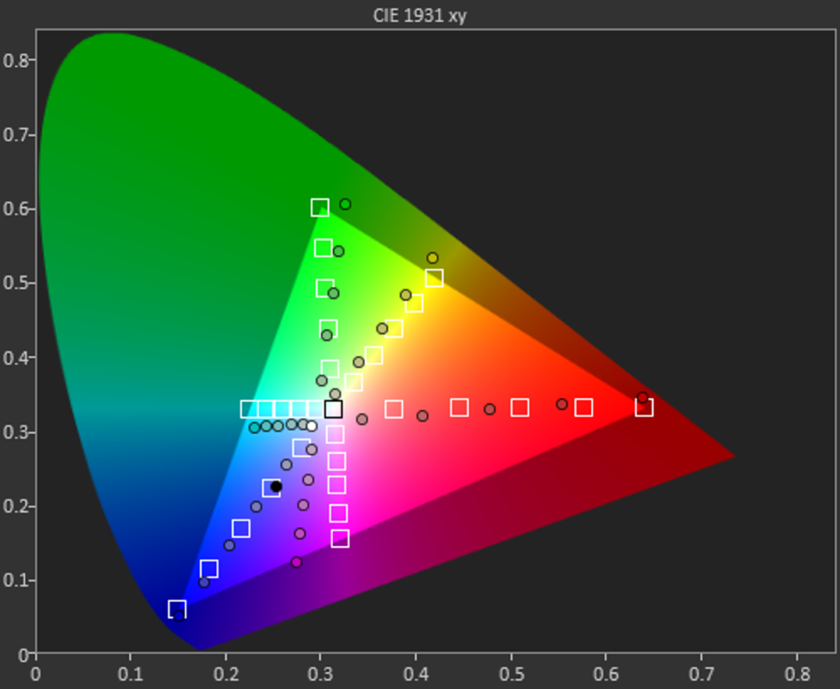
In looking at the other aspects of the display, however, it indicates that it has an extremely colder color temperature than most at roughly 8000K. It’s far from that ideal reference value of 6500K, which makes whites appear bluish in tone. Moving onto color accuracy with this TFT LCD display, it’s a miss on nearly all fronts – including the color teal, which is probably the easiest color to reproduce accurately. All of the values in the sRGB color gamut chart miss their intended target reference marks, where magenta and teal in particular are heavily influenced by blue.
Even though it reaches a peak brightness output of 460 nits, the overall tone of the display seems washed out. Sure, we dig the specs for a phone of this caliber, but our testing reveals that its characteristic aren’t quite up to the levels you’d find in some pricier things. Then again, should we be surprised by this revelation?
Performance & Hardware
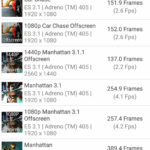
Given its price point, the Snapdragon 617 chip makes perfect sense in powering this affordable smartphone. Paired with 2GB of RAM, it suffices for the basic stuff, but it’s not suited to do more intensive operations – gaming in particular, where it exhibits too much choppiness for it to be a candidate. Okay, it’s not the gaming type, nor is it for power users who demand a lot more, but on a base level, its hardware combination is enough to get by.
For $99.00, we’re actually pretty stoked to know it’s packing 32GB of internal storage. Best of all, too, you can supplement its capacity because there’s a microSD slot on hand. It’s a feature that people probably wouldn’t expect to find in a phone with its price, but it’s a delightful that they opted to offer it.

Something that adds a lot more value to the phone is the fingerprint sensor on the back of the phone, it’s an unexpected treat quite honestly. Given that it’s a feature that’s relatively uncommon in entry-level phones, you can say that we feel a teeny bit spoiled to find it. As for the sensor itself, it’s slightly recessed, but works well in adding that extra layer of security. In addition to simply just unlocking the phone, it can also be used to quick open an app, take a photo, or answer a phone call.
Increasingly becoming a standard for ZTE’s phones, the ZMAX Pro features capacitive buttons beneath the display. Unfortunately, the two dots flanking the home button can’t be programmed for anything else besides acting as the back and recent apps functions. In the rear and towards the left corner, we can make out the speaker grill, which emits a decent volume output, but doesn’t pack a whole lot of substance with its quality.





Conducting phones calls is a breeze with this one, thanks in part to the loud volume out of its earpiece and speakerphone – it’s potent enough to use in noisy conditions. Accompanying the strong volumes, we have clear and distinctive voices as well that solidifies its performance in this area. On the other end of the line, too, our callers didn’t have any problems discerning our voice.
Battery
The single most underrated portion about the ZMAX Pro in our opinion is its battery, a modest 3500 mAh cell to be exact. Considering the phone’s gigantic size, you might think it could’ve been larger, but don’t be fooled because when it’s paired with the screen’s 1080p resolution and Snapdragon 617 processor, it delivers longevity like no other. In fact, we’re able to get through a solid 2 days of battery life – and even into the start of a third day.
Using the included USB Type-C charger, it takes approximately 125 minutes to fully recharge its battery. That mark might not be close to some of the fastest recharging phones out there, but it’s not the slowest either at doing it.
Camera
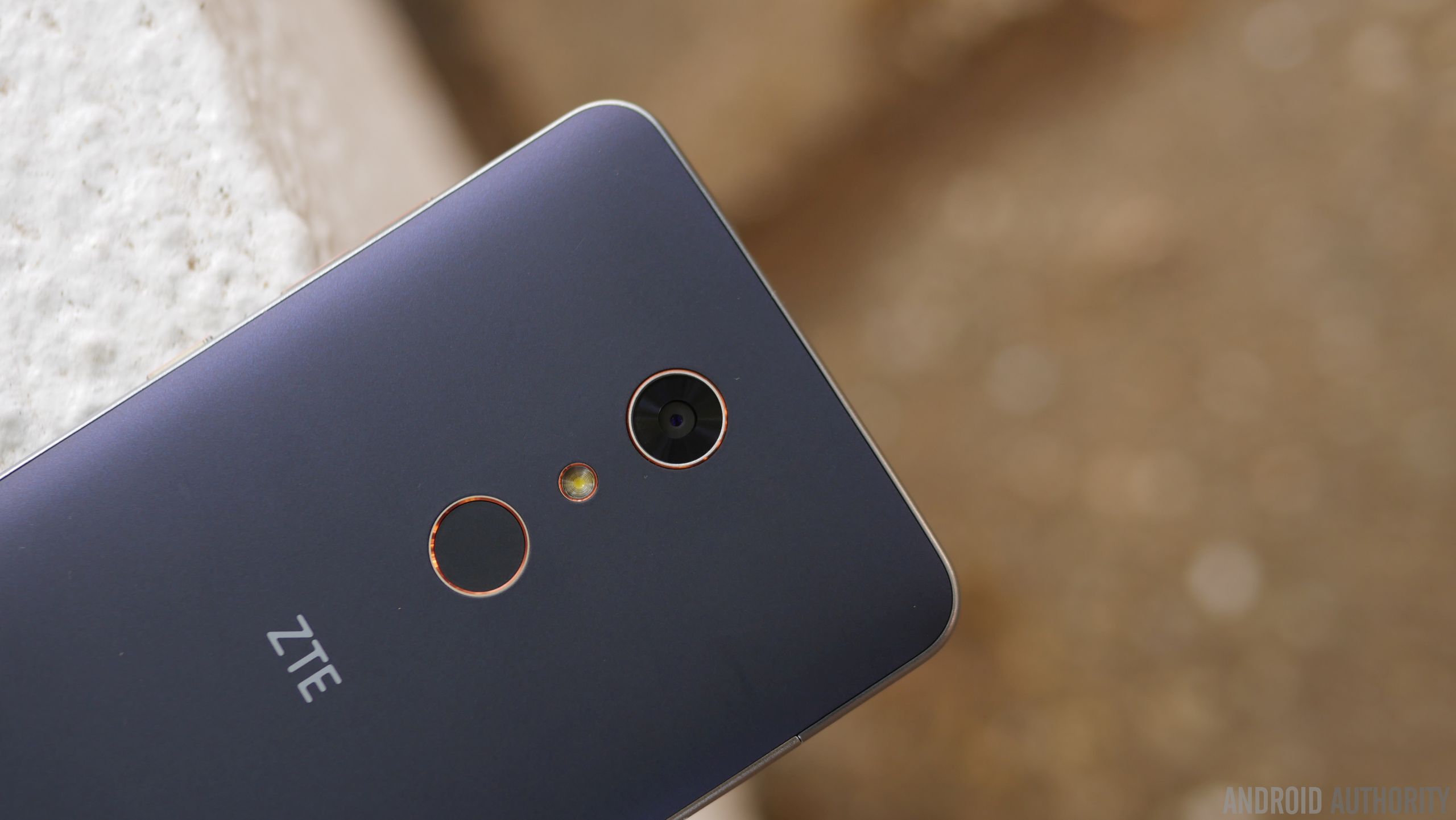
In all fairness, the area where we see the biggest disparity in terms of quality against higher-priced alternatives is the performance in its cameras. For the ZTE ZMAX Pro, it relies on a combination consisting of a 13MP rear camera and a 5MP front-facing one. There’s nothing fanciful about them, nor the accompanying hardware – they’re just as ordinary as any other low priced phone. Running the camera app, there’s a decent mixture of modes and options at our disposal, like its manual mode, which people will probably appreciate having in a phone like this.
Regrettably, the phone’s biggest weakness is exposed here with the cameras – there’s just nothing spectacular about their performances. It’s okay enough to use for outdoor shots when lighting is ample, but there’s a noticeable level of over-sharpening, which seems to try and compensate for the rear camera’s softer details capture. Under low light, however, things take a dip even more as details become more speckled in tone. And finally, the HDR mode seems to just boost the contrast with shadows, making images appear a bit overblown.
ZTE ZMax Pro Camera Samples:

Moving onto video capture, which tops out at 1080p resolution, the results don’t improve much at all, as the general performance is similar to its still shot capture. Over-sharpening again is evident here, but this time, videos tend to have an under-exposed tone to them. And don’t bother using it under low light, just because noise and its muddy results don’t make it flattering to watch.
Software

Purists will love that the ZTE ZMAX Pro is mostly running a stock experience. In particular, it’s running Android 6.0.1 Marshmallow, which has the general look and feel of stock Android. Anyone getting into Android will have an easy time getting acquainted, since it’s pretty streamlined and straightforward. Yes, there’s some bloatware from MetroPCS, but given that it’s at the mercy of the company, it’s something you’d expect.

Power users, though, will probably feel that the experience isn’t up to snuff with their demands. Multi-tasking is generally reserved to just apps switching with the recent apps menu, but you won’t find any other enhanced features that would aid in its productivity. The biggest question with the phone, much like most budget stuff, is whether or not it’ll get upgraded to the next version of Android in a timely manner.
Gallery
Final Thoughts

Owning a cheap phone no longer means you’re getting a cheap phone, that’s just not the case anymore after checking out the ZTE ZMAX Pro. The $99.00 price tag it’s stickered with is without a doubt an aggressive move on its part, especially more given its phablet-esque stature and the inclusion of a fingerprint sensor. These are two things in particular that you wouldn’t expect to find in a phone in its price range, but that’s the beauty about it – you do get them!
Pricing is quite favorable here, but there are some other factors that’ll dictate your decision to buy it. First of all, this is strictly a MetroPCS exclusive, so you’ll have to settle with that reality if you intend to reap the benefits of its incredible pricing. This is arguably a factor that’ll limit its overall reach, as being confined to one carrier means it won’t get as much face time face time from consumers. And secondly, there are still some sub-par qualities with it – such as the inaccuracies with the display and over-sharpening effect with its cameras.
Related ZTE articles:
- Getting to know the ZTE Axon 7
- ZTE Axon 7 review
- ZTE ZMAX Pro hands on | What is a $100 smartphone like?
Then again, these compromises can be overlooked due to its price point, which again is the focal point here with the ZTE ZMAX Pro. At the end of the day, it’s a worthy recommendation if you’re on a tight budget.
Buy the ZTE ZMax Pro now
Wilson X Connected Football Release Date, Price and Specs – CNET

Dan Graziano/CNET
Sporting goods giant Wilson has created the world’s first smart football. The company, which released a connected smart basketball last year, will begin selling the ball on September 8 for $200 in both official and junior sizes. That’s a lot of money to pay for a football, but this isn’t an ordinary ball.
You wouldn’t know from looking at it, or even holding it, but the Wilson X Connected Football includes a built-in sensor that can measure throw speed, distance, spin rate and spiral efficiency. The ball can even detect if your buddy catches it or drops it.
Data recorded by the ball is synced to the Wilson X Football app on Android and iOS. In addition to viewing your stats and comparing them to others, the app lets you choose from a variety of game modes to test your efficiency under pressure. Game modes include Red Zone, Game Day and an Elimination challenge. You can even play for or against your favorite NFL team.

Wilson
As was the case with the Connected Basketball, the football doesn’t have to be charged. Before the ball starts recording, it has to be held vertically for two seconds to enable the sensor. This helps preserve battery life, which will last for approximately 200,000 throws or up to 500 hours of connected usage.
The Connected Football is available now for preorder from Wilson’s website. Included in the box is a wrist sleeve for your smartphone, giving you quick and easy access to plays and stats mid-game.
I will be testing the ball over the next few weeks and plan to have a full review posted prior to the launch on September 8.
JBL Boost TV review – CNET
The Good The JBL Boost TV offers simple set-up and better sound than almost any television. The unit is compact and includes the most-used connections. The speaker sounds better than many portable Bluetooth speakers at the same price.
The Bad The Boost can sound shouty at high volume or with bright music. There’s little stereo separation. You can buy a full soundbar and subwoofer system with streaming features for the same money.
The Bottom Line The JBL Boost TV offers a simple, effective upgrade to your existing television sound with the option of Bluetooth streaming thrown in.
As TV screens have gotten thinner, their speakers have shrunken accordingly. That often makes for audio that can sound less robust than some of the old tube TVs of yore. But there is something you can do about it. While home theater in a box systems and soundbars have been offering affordable alternatives for many years, we’re now entering a realm of “mini sound-bars.” Zvox has its upcoming 17-inch wide Accuvoice TV speaker. And Sony’s SRS-ZR7 is a supercharged wireless speaker with an HDMI input for doubling as a TV speaker. Now along comes a third option: the JBL Boost TV.
This is a foot-or-so long speaker which offers Bluetooth and TV connectivity all tied up in a tidy design. While it’s not perfect — it can sound a little harsh at volume or with the wrong music — the JBL does what it says it will: It amps up your TV’s volume.
The JBL Boost TV retails for $200 or £170 in the UK, putting it under the price of most good full soundbar systems, but in line with many of the top-notch Bluetooth wireless speakers you can buy. (It doesn’t appear to be available in Australia, but the price translates to about AU$262.)
Design and Features
 View full gallery
The JBL Boost TV is a compact speaker which offers Bluetooth connectivity is addition to an optical input
Sarah Tew/CNET
The Boost TV is shaped like a football and features two large bass ports at either end. The unit is smaller than most soundbars at 14.8-inches long and 3.3-inches high.
The speaker features two 50mm “transducers” which appear to wrap around inside the top and front of the unit. This arrangement was presumably designed so you could wall-mount the speaker, though it lacks any way to actually mount it.

View full gallery
Sarah Tew/CNET
Connections include digital optical and 3.5mm analog, plus the aforementioned wireless Bluetooth, so you can play audio from nearly any smartphone, tablet or computer source. Bluetooth also allows “multi-room” connectivity via the JBL Connect feature. As a soundbar, the JBL does offer Dolby Digital decoding, though not anything greater than CD resolution. In other words, the best possible Blu-ray and hi-res music options are out.
The JBL has a Harman Display Surround feature but it’s a phasey-sounding wide mode. I don’t suggest you use it.
Logitech Marathon Mouse M705 review – CNET
The Good The M705 wireless mouse has a contoured shape that fits the natural ergonomics of your hand. Its Unifying Receiver makes it easy to pair with any computer (along with other Logitech peripherals), and the laser sensor offers precise, smooth scrolling across most surfaces.
The Bad Users with large hands may feel cramped on the surface of the mouse.
The Bottom Line The Logitech M705’s adaptive laser sensor and sculpted body will make your wrist happy for less than the cost of a few lattes.
Given the amount of time we all spend sitting at computers, it’s never too early to pay attention to your daily ergonomics — because, well, #wellness. You can stave off the impending doom of repetitive stress injury just by switching up your typical usage patterns, so take a second right now to survey your workspace.
If it’s time to upgrade your mouse to a design that follows the natural curve of your hand, the Logitech Marathon Mouse M705 will make your joints happy for less than the cost of a few lattes. It lists for $50 in the US, £45 in the UK and AU$80 in Australia, but you can find it online for $36, £36 and $AU59.
Your wrist should never be the pivot point for mouse movements so Logitech designed the M705 with a smooth contour that skews slightly left so your elbow does the work instead. The top surface is wide to accommodate a range of hand sizes but if you’re looking for something bigger, the company’s flagship MX Master Mouse is so big and comfy that it feels like a Lay-Z-Boy for your hand.
Logitech M705 Mouse (pictures)
See full gallery


1 – 5 of 10
Next
Prev
The mouse has six extra buttons in addition to the standard left and right clickers on top. You get two directional thumb buttons on the side that move you “back” and “forward” in a web browser or media player, a hidden button underneath the thumb pad on the left and three separate buttons on the scroll wheel that engage by clicking left, right and down.
The mouse works via plug-and-play as soon as you insert the USB dongle but — on Windows PCs, Macs and Chromebooks –you can also install Logitech’s SetPoint software to re-map the buttons to commonly used tasks like opening applications, navigating media or engaging shortcuts like full screen video. (The M705 will also work with Chromebooks, sans the custom software.)
One feature that stands out on the M705 is its speed-adaptive scroll wheel that lets users toggle between smooth and notched scrolling using the button on top. I generally prefer to have a notched wheel that navigates down a page click-by-click, but the ability to switch to a free-scrolling wheel is perfect for jumping back to the top of a long page with a flick of a finger.
Kenmore 13699 review – CNET
The Good The Kenmore 13699 is one of the best cleaning dishwashers we tested, and a fine dryer as well. It also outclasses its $700 price with six different cycles and a few appealing features.
The Bad The control panel feels cheap, the design is bland, and I wish it had stem holders for your wine glasses. The plastic tub is also a step down in terms of energy management from the stainless variety of higher end models.
The Bottom Line A great value for bargain hunters, this top performing Kenmore is a steal if you don’t mind the plain design.
Visit manufacturer site for details.
The Kenmore 13699 dishwasher proves one thing that’s sure to make budget shoppers smile — you don’t have to shell out big bucks to get a dishwasher that can clean well. This $700 Kenmore cleans like a champ and backs it up with all the basic cycles you’d hope for in a dishwasher and a few helpful extra features to boot.
The main reason this dishwasher costs less than competitors with similar features is the plastic tub. The stainless steel tub adorning higher end models saves energy during the cycle. This Kenmore also has a pretty bland design and a clunky control panel that feels cheap, so I can’t entirely brush away the cost cutting measures Kenmore took to trim the price of the 13699.
But especially given its cleaning power, if you’re looking for a dishwasher that’ll wash away whatever you throw at it and if you’re hoping to save some money in the process, I strongly recommend the Kenmore 13699.
Kenmore’s budget dishwasher has the heart…
See full gallery


1 – 5 of 8
Next
Prev
Dark Knight
Perhaps the plain black exterior of the Kenmore 13699 won’t be a negative for you. I like my superheroes wearing darker colors, and this dishwasher has fantastic cleaning powers. Plus, the same model is available in white or stainless steel, though the stainless costs an extra $50. Regardless of which color you pick, the look of the Kenmore 13699 doesn’t do much to stand out.
The interior has a little more going on, with red jets accenting the grey racks. The racks themselves feel a little cramped. The Kenmore 13699 only has space for 12 place settings, vs 16 in the $600 GE GDF610PMJES, so even with our test run of 10 place settings, following the manufacturer’s recommended loading pattern resulted in a little overlap of plates. But the tines themselves are positioned well enough so that the plates feel secure and we were still able to find a spot for large pans during anecdotal runs.

The red jets add a nice bit of color to the interior.
Chris Monroe/CNET
You can purchase the Kenmore 13699 at Sears or on Sears’ website. As is typical of the Kenmore brand, you can only purchase this model at Sears and it’s not available overseas. This particular model was manufactured by Whirlpool. As usual with large appliances, you can find it cheaper than the $700 price. Sears has it for $650 right now.
Making room
With only one set of fold-down tines, the Kenmore doesn’t have a lot of extras to help make the space feel flexible. Higher end dishwashers have third racks. That similarly priced GE GDF610PMJES has a silverware basket you can slot on the door or the edge of the lower rack and bottle wash jets for washing the bottom of taller glasses.
You can change the angle of that one set of movable tines on this Kenmore — the back row of the bottom rack. And you can raise and lower the upper rack a couple of inches. But that’s pretty much it.

You can raise and lower the upper rack.
Chris Monroe/CNET
The rack doesn’t get in the way of loading, as with the tedious $800 Bosch SHS63VL5UC or the $900 LG LDF7774ST. The Kenmore 13699 doesn’t win many points with usability perks, but it only lacks one thing that I really missed — wine stem holders. As a result, you can’t put wine glasses in the outer-most columns on the top rack, as the stems will lean over the rim and knock into the edge of the dishwasher when you push in the rack.
Other than those wine glasses, the Kenmore 13699 is easy to load and for the most part, it’s inoffensive to look at. It even has hidden controls on the upper rim — an increasingly popular dishwasher trend. Unfortunately, those controls look and feel like cheap plastic.

You can shift the angle of the back row of tines or fold it down entirely.
Chris Monroe/CNET
Other than the controls — the Kenmore 13699 does well to look plain instead of cheap, but the feel of the controls is a distinct step down from flashy touch panels of higher end models such as the $1,100 Frigidaire FPID2497RF.
Cycles for all occasions
Fortunately, though the control panel feels cheap, it’s intuitive to use and has all the basic cycles you’d hope for, even in a higher end dishwasher, along with a few helpful options you can add to your cycle.
GE GDF610PMJES review – CNET
The Good The $600 GE GDF610PMJES consistently delivers clean dishes, and the slate finish adds a nice touch to the overall design. For a lower-midrange price, it has a great mix of features that match some dishwashers that cost hundreds more.
The Bad The GDF610PMJES can’t get the stuck-on food in the curved spaces of spoons, so you’ll need to adjust your load pattern for better cleaning performance.
The Bottom Line The GDF610PMJES can handle anything you throw at it, as long as you get a handle on loading it. As a budget-friendly option, it’s worth the minor hassle.
Nothing about this GE GDF610PMJES is outstanding, but it’s a good dishwasher to compromise with.
At $600, this dishwasher kept up with feature packages you’d normally see on dishwashers closer to a thousand bucks. It has a respectable lineup of features, like the option to wash only the upper or lower rack, and it gives you double the space for your silverware with two baskets on the lower rack. The GE GDF610PMJES cuts costs with its plastic wash tub and push buttons on the front instead of on the upper lip, so the design is less than glamorous.
If it didn’t top our list for cleaning performance, it’s a solid cleaner, and tackled the majority of the food we threw at it. If you can look past a basic design and don’t mind rinsing your dishes before loading, you’ll get more than what you expected at a lower midrange price. I’d recommend this dishwasher as a budget option.
Deal in! GE dishwasher has great features…
See full gallery


1 – 5 of 8
Next
Prev
Design
The pocket handle and steam vent in the upper left corner of the GE GDF610PMJES reminds me of a dishwasher from the early 2000s. The two red tips for the jet sprayers are the only pop of color on an otherwise bland interior, but it’s not an ugly dishwasher by any means. The unique slate finish is an especially good get for the price and it helps this dishwasher stand out from the stainless-steel masses.
You can find the GE GDF610PMJES at AJ Madison and other large appliance dealers. Like most large appliances, you’ll find it cheaper than the $600 list price. Right now, AJ Madison has it for $443. The GDF610PMJES is not available overseas.
Features
Looking at the feature list, the price of this dishwasher looks even more appealing. GE packed so many features in the GDF610PMJES that it keeps up with other dishwashers we’ve tested that are twice the cost. It offers the standard cycles we normally expect to see — Autosense, Heavy, Normal and Light — but the amount of customization options for the price of this dishwasher was a pleasant surprise.

Choose from four standard cycles.
Chris Monroe/CNET
It features a Steam prewash to loosen the gunk on your dishes before the cycle starts. The Heated Dry is great, and left hardly any water spots on glasses or silverware. The Wash Temperature controls give the option to “boost” or “sanitize,” customizing how you can get your dishes clean. Along with the choice to delay the start of your cycle for up to 12 hours, it also gives you a countdown timer to let you know when the cycle will end. One of my favorite things about it, is the Wash Zones option that targets your choice of cleaning the upper or lower rack.
Mid-range dishwashers
- LG LDF7774ST
- Bosch SHS63VL5UC
- Electrolux EI24ID30QS
Inside, you’ll find two detachable wine stem holders on the top rack and two jet sprayers for deep containers. It also has two silverware baskets that can be placed in different corners of the lower rack or simply taken out if you need the extra space.
It’s not the quietest dishwasher, but at 51 dB, the noise level isn’t overbearing. The only thing missing is an express cycle. You won’t be able to get a quick clean with this GDF610PMJES if you need it, but considering the other features you get, losing an express cycle isn’t much of a sacrifice.
Usability
Even though it doesn’t have foldable tines, the upper and lower racks are still roomy, and together can fit 16 place settings. There’s plenty of usable space making it easy to fit standard dishes, yet big enough for most larger dishes as well.
Panasonic Lumix GX85 (GX80) review – CNET
The Good It delivers excellent photo and video for a Micro Four Thirds camera, especially at its price, plus a great feature set and fast performance.
The Bad The continuous autofocus occasionally fails to lock at all in burst mode, and the batter life is poor.
The Bottom Line LIke other Panasonic models before it, the Lumix GX85/GX80 packs a lot for its price, including great photos, 4K video and speed.
There’s a lot in the Lumix GX85 to appeal to family photographers and first-time mirrorless buyers as an alternative to a decent (as opposed to cheap) first dSLR like the Nikon D5500. It’s got a great feature set, very good photo and video quality for its class, pretty fast performance, and an attractive, relatively compact design.
With an electronic viewfinder, fast continuous shooting and 4K video, it fits right into that camera’s demographic: an enthusiast-friendly model with a feature set that should also appeal to families and travelers at a reasonable price.
The kit with Panasonic’s collapsible 12-32mm f3.5-5.6 (24-64mm equivalent) lens runs $800 and AU$1,200; in the UK, the model is the GX80, and costs £600 for the same kit. Like many Panasonic cameras, it’s not available in the US as a body-only version, but you can get it that way in the UK and Australia for £510 and AU$1,100. And in the UK, you can get it in a dual-lens configuration with the 12-32mm and 35-100mm lenses for £730.
A sharper image
Although it’s 16 megapixels rather than the new 20.3MP sensor that’s in the higher-end GX8, it’s a version of the Four Thirds-size sensor that forgoes an antialiasing filter (aka OLPF). Cameras use them to blur edges slightly, which removes some color artifacts (moire and false color) that would normally appear, but you sacrifice sharpness. The new version of the company’s Venus image-processing engine which is in the GX85 has moire-reduction built in to compensate.
Panasonic Lumix GX85 (GX80) full-resolution…
See full gallery


1 – 5 of 9
Next
Prev
As a result, JPEGs remain clean through ISO 1600, and depending upon light and subject, usable through the top of the camera’s ISO sensitivity range. It’s noticeably better than the Olympus OM-D E-M10 Mark II in this respect. If you process raw files, you can eke out some more detail at all sensitivity levels; the default Standard Photo Style applied to JPEGs pushes the saturation and contrast enough that you’ll lose some detail in highlight and shadow areas.
Its color rendering and white balance is excellent. The automatic white balance delivers some of the best results I’ve seen, even in cloudy weather, low light and multiple light sources, which are three of the trickiest conditions you’ll encounter.
The video looks great, too, though because of the sensor you’ll see moire on high-frequency patterns, which are surprisingly common on clothes. But even in high-contrast lighting (such a bright subway platform and dark track area) at midrange sensitivities, it does a good job.
Analysis samples

Because its sensor doesn’t have an antialiasing filter, it can retain detail at higher ISO sensitivities better than a Four Thirds sensor with an AA filter. JPEGs look very clean through ISO 1600.
Lori Grunin/CNET

You can see a little more loss of detail in JPEGs at ISO 3200 (there’s slight blurring in the white bristles), but it’s still pretty good. Noise and artifacts become a lot more obvious at ISO 6400.
Lori Grunin/CNET

Overall, the GX85’s colors look very good at the default settings, and it handles white balance extremely well even under cloudy conditions. It does push the contrast and saturation so you lose a little detail in highlights and shadows. It delivers almost perfectly neutral results in our lab tests, though.
Lori Grunin/CNET

You can regain some detail by processing raw at all ISO sensitivities, though the tradeoff is some grain.
Lori Grunin/CNET
Panasonic’s DFD (Depth from Defocus) autofocus technology is generally fast and accurate, and that holds true in the GX85 for individual shots; it locks focus and shoots quickly enough for most uses in bright and dim light. Its tested continuous shooting rate of 6.6 frames per second with autofocus for more than 40 shots or raw or JPEG is better than average, and even sustains a solid burst with raw+JPEG.
 AIVAnet