


Logitech Pop Home Switch Starter Pack Release Date, Price and Specs – CNET

The $100 Logitech Pop Home Switch.
Jacob Krol/CNET
Remember that multi-use smart home button we reviewed back in February called Flic? Well, Logitech is bringing something similar to the masses this month with the release of its $100 Pop Home Switch Starter Pack and $40 Pop Add-On Home Switch.
Designed to be a main point of access between you and your smart-home gizmos, Pop is supposed to be able to control connected LEDs, locks, blinds and more. A handful of related partners have already jumped on board to kick off the launch, including Lifx, Philips Hue, Lutron and Insteon.
Related Links:
- A DIY switch to automate ‘Netflix and chill’
- Coolest new tech: A $34 Flic smart button
- CNET’s smart home reviews

Drag
Close

Our five favorite uses for the Flic smart button
We find out just how flexible Shortcut Labs’ new device really is
by David Priest
Each switch is designed to handle up to three triggers using a single press, a double press and a long press. That means you should be able to turn on your lights, close your window shades, and turn on your TV all with simple button presses.
Logitech says the configuration process is simple, too. Use the Pop app for Android and iPhone to search your local Wi-Fi network for smart-home devices. From there, you should be able to assign specific triggers to specific products — either individually or as part of a combined recipe.
You can add a Logitech Harmony remote into the mix as well for a variety of TV- and music-based triggers.
Logitech’s $100 Pop Home Switch Starter Pack and $40 Pop Add-On Home Switch are expected to hit retail this month. We plan to test them out, so check back in short order.
Takeya Cold Brew Coffee Maker review – CNET
The Good The Takeya Cold Brew Coffee Maker is affordable, easy to use and a snap to clean, and uses fewer beans to create tasty iced coffee. It’s also small enough to conveniently fit inside refrigerator doors.
The Bad Though it uses less coffee grounds per batch, the Takeya Cold Brew Coffee Maker brews a weaker drink than other home cold-brew gadgets.
The Bottom Line While the Takeya Cold Brew Coffee Maker won’t satisfy drinkers of strong coffee, its low price and solid brewing chops will make budget shoppers happy.
The $25 Takeya Cold Brew Coffee Maker is both easy to use and affordable. Priced at half as much as competing products such as the $50 Oxo Cold Brew, and $15 less than similar devices from Toddy and Filtron, Takeya’s cold-brew gadget is extremely budget-friendly. Despite its low cost, the Takeya Cold Brew has the chops to make quality coffee with little mess or hassle.
Takeya Cold Brew Coffee Maker is simple and…
See full gallery


1 – 5 of 10
Next
Prev
Essentially a plastic pitcher, the Takeya Cold Brew consists of just four parts: the pitcher, a handle and spout section that screws down around its lip, a mesh filter and an airtight lid.

The Takeya Cold Brew consists of a pitcher, mesh filter, lid and handle.
Tyler Lizenby/CNET
To kickstart the brewing process first pour 32 ounces (1 quart, 0.95 L) of water inside the pitcher. Next add 14 to 16 tablespoons (8 ounces, 227 grams) of coarsely ground coffee to the filter (what Takeya calls the “infuser”) and attach it to the lid. Finally screw the lid (and linked filter) securely into place, give the whole apparatus a couple good shakes, then slip it into the refrigerator. After 12 to 24 hours, roughly overnight, remove the brewer from the fridge, pour and serve.
Kenmore 29133 review – CNET
The Good Kenmore’s $1,100 29133 washing machine has the best top-load stain removal score to-date and a large 5.3-cubic-foot capacity.
The Bad The touch panel display is too sensitive and the display is missing basic features like an “extra hot” water temperature setting.
The Bottom Line Test out the Kenmore 29133’s display panel before you buy this otherwise recommendable top-load washer.
Visit manufacturer site for details.
Kenmore’s $1,100 29133 is a 5.3-cubic-foot cleaning powerhouse, able to obliterate stains other top-load washers we’ve tested can only dream about. Its metallic gray finish, curved glossy black display panel and transparent lid are easy on the eyes, too.
But there are some drawbacks.
For starters, the 29133 is a little light in the features department. It has plenty of cleaning cycles, sure, but not as many as the competition. And this washer doesn’t have the “extra-hot” temperature setting that comes standard with so many of today’s models. Its seamless button-free display panel is also extremely sensitive to the touch. So while it looks very modern, it isn’t as satisfying as the tactile feel of traditional buttons.
Even so, I’d highly recommend the Kenmore 29133 for its ability to remove a lot of stains and look good doing it.
Classy lines give this Kenmore washer an…
See full gallery


1 – 5 of 6
Next
Prev
Modern flair
I can comfortably say that Kenmore’s $1,100 29133 washer — modeled after the Whirlpool WTW8500DC — is a beautiful appliance. Available in a metallic finish, its curved glossy black display panel is a major design upgrade over traditional top-loaders.
You’ll find everything you need on the display, too, from the various cleaning cycles on the dial to integrated touch-panel-style buttons for adjusting temperature, spin speed and soil level. The one issue I have here is that Kenmore sacrificed some ease of use for pure aesthetics. The display “buttons” work a lot like a smartphone interface; tap the option you want and you’re on your way.
But the 29133’s touch interface is extremely sensitive, barely hovering your finger over the setting you want could do the trick. While that’s technically a win in terms of responsiveness, I don’t want to have to be so deliberate and delicate when I’m making a simple selection of warm versus hot water. It takes some getting used to, but ultimately isn’t a deal-breaker.
For a high-end washer, the 29133 is also missing the dozen-plus cleaning cycles you find on many premium top-loaders. It also doesn’t have an “extra-hot” option for water temperature — something that comes standard on many top-of-the-line washing machines. Still, I’m okay with this washer’s 11 cycles and water temperature settings, especially because it’s a great performer (but more on that later).
For now, here’s a closer look at the Kenmore 29133 versus three other top-load washers we’ve reviewed:
The Rapidfire K70 is a gaming keyboard that typists will love
Mechanical keyboards are favored by gamers and programmers for how precise and springy the buttons feel under their fingers. The latter is important not just for improving a player’s reaction time in a heated match, but a shorter key depression is also way kinder to a typist’s hands. So it seems that Corsair’s new Rapidfire K70 RGB would be the ultimate step up thanks to its new “Cherry MX Speed” keys, which only need to be pushed down 1.2mm: the shortest actuation point on the market. I’ve been using it as my work keyboard for the past two months and it’s been a sweet experience, though not without a few bumps.
Unlike other gaming keyboards that might pack in extra features like macro keys or a display screen, there aren’t too many bells and whistles on the Rapidfire K70. In fact, there’s not a whole lot to distinguish it from the standard K70, which was the top pick in our gaming keyboard roundup last year. It has a pretty basic key selection of 107 keys, though there are a few media buttons on the upper right along with a roll bar for adjusting the volume. The K95, also from Corsair, has a selection of 18 macro keys on the left side, but it’s not a Rapidfire model, so you’ll miss out on the benefits of MX Speed buttons.
I appreciated the simplicity of the layout, which made it ideal for mixed-use scenarios, in which you might want to use the same keyboard for gaming and work. Its compact size means its reach is far friendlier to my smaller hands, and the rubberized palm rest feels nice to the touch. I’ve had issues with rests before, as some plastics have a tendency to irritate my skin. I haven’t had that problem with the K70, even after hammering away on a few 1,200-word stories. I’m even typing this review on it, and loving it.

There are other nice touches here. The space bar is textured, and the K70 also came with some extra key caps if you prefer your WASD setup to feel a bit rough as well. It’s extremely easy to remove the caps, too: Corsair thoughtfully packed in a tool to pull them out, though you can also just give the buttons a good yank with your bare hands and the tops will come right off. This makes the whole rig extremely easy to clean, as the keys are housed in an aluminum deck with no nooks and crannies to trap crumbs and dust. This is ideal as I’m a bit of slob; it’s not uncommon for me to eat breakfast or lunch while I work. Indeed, I just noticed something stuck on the side of one of the number keys. It looks like jam? Probably best not to think about it. The important thing is that I was able to pull the key cap off, wipe it down and pop it back onto its switch with no evidence that anything was ever wrong.

The aluminum board also means the Rapidfire feels solid and is heavier than your average keyboard. In fact, It feels like something you’d keep around the office as a melee weapon in case you get caught at work during the zombie apocalypse. It’s that sturdy.
The USB cords alone make it a bit unwieldy; their braided design means they don’t tangle, but they also don’t tuck away easily, so they’re always this looming presence on your desk. It’s especially annoying as one is a USB passthrough, which I don’t need, so it just sits around like a paralyzed snake, making it harder to keep my cables in order.
In use, the Rapidfire K70 is mostly a pleasure. The buttons are smooth and responsive; a little smaller than I’m used to, but it hasn’t been a problem. I love the sound of the keys, too. Mechanical keyboards have a well-earned reputation for being noisier than the membrane and scissor-switch peripherals that populate most offices, and the K70 is definitely louder than my standard decks. But the lighter touch needed to activate the Cherry MX keys means that it’s possible to be whisper-quiet with enough practice.

What’s become more apparent in my time with the Rapidfire K70 is how sloppy a typist I can be. The larger buttons on my usual Comfort Curve Keyboard mean that I don’t need to have a good aim to hit the right one, and I often have to slam my finger to get the membrane keys to register. I don’t need to be delicate or precise: It’s a blunt instrument for typing.
One persistent problem I had with the K70 was that my palm sometimes brushed against the Alt key as I typed. It isn’t an issue on a membrane keyboard or even other mechanical layouts because it’s not enough to register as a deliberate key press. But thanks to the extremely short actuation point on the Rapidfire K70, I was activating hotkeys left and right. No, I don’t need the edit menu right now, thank you very much. Stop that.

In contrast, a mechanical keyboard is more of a scalpel, and the Cherry MX Speed switches on the Rapidfire K70 make it even more so. They’re a bit thin, so I have to be careful about hitting the center of the key cap. I barely have to touch them to register a press; it feels like I could breathe funny on the keyboard and end up typing gibberish. That won’t actually happen, though. I hit the K70 with a can of compressed air and the keys jiggled but didn’t depress enough to register as strokes.

My ham-handed typing aside, it feels and looks great — I’d be remiss in not mentioning the backlit RGB keys, which are bright and bold and pretty distracting. Of course, Corsair provides its own utility engine, so you can tweak the lighting as well as programming macros. It’s pretty robust but also a bit opaque, so if you want anything more complicated than simple keystroke shortcuts you need to put in a serious sit-down with the software to figure out how it works. But it’s easy enough to mess with the default lighting schemes and find one that looks good without being too annoying. And if the lighting does ever become a problem, there’s a button on the keyboard to just turn it off.
But I don’t really want to. The candy-colored lighting makes me happy in a way my conscious brain can’t explain. That visual treat combined with the crisp, light typing makes the Rapidfire K70 RGB a sensory delight that actually gets me excited about typing on it. It makes me want to work. When was the last time you could say that about a keyboard?
Moto G4 Review: No longer a game-changer (Video)
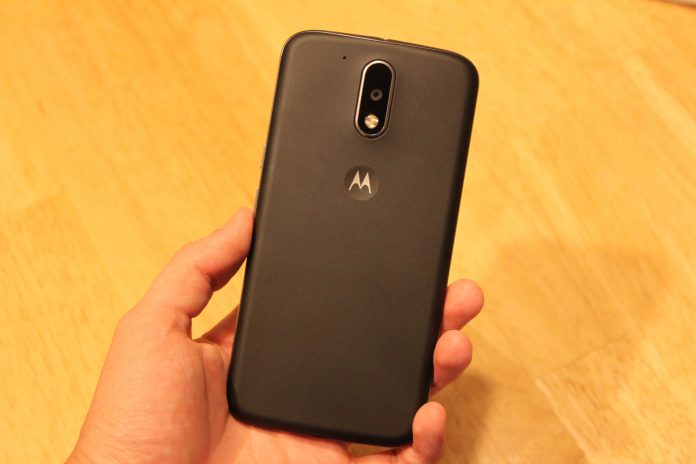
Before Lenovo bought Motorola from Google in 2014, the company created a few very interesting lines of phones under the Moto brand that sought to change the way we buy phones. One of these is the Moto G line, that was introduced a few years ago and offered an very reliable and speedy phone for less than $200 unlocked. The Moto G eventually became Motorola’s highest selling phone of all time.
Fast-forward to today, Lenovo hopes to carry on the legacy of the Moto G, and offer a quality, affordable successor in a world where most other smartphone companies are offering their new phones for lower prices. The Moto G4 is here, and literally bigger than ever.
Build
The Moto G4’s build quality hasn’t improved from the previous years iterations, but it feels solid for a $200 plastic phone. At 155 grams, it has the perfect amount of heft for me. I really like the plastic back of the phone which has a slightly textured feel to it and feels almost like rubber, although the oil from your hands will visibly show up on it after just a little usage. Wash your hands at all times.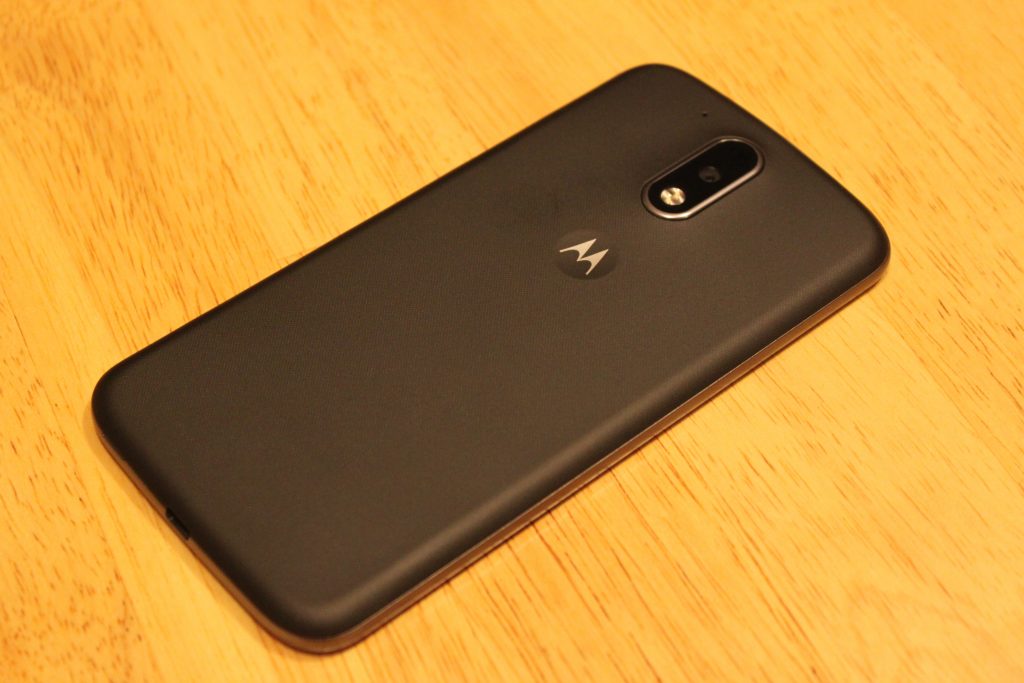
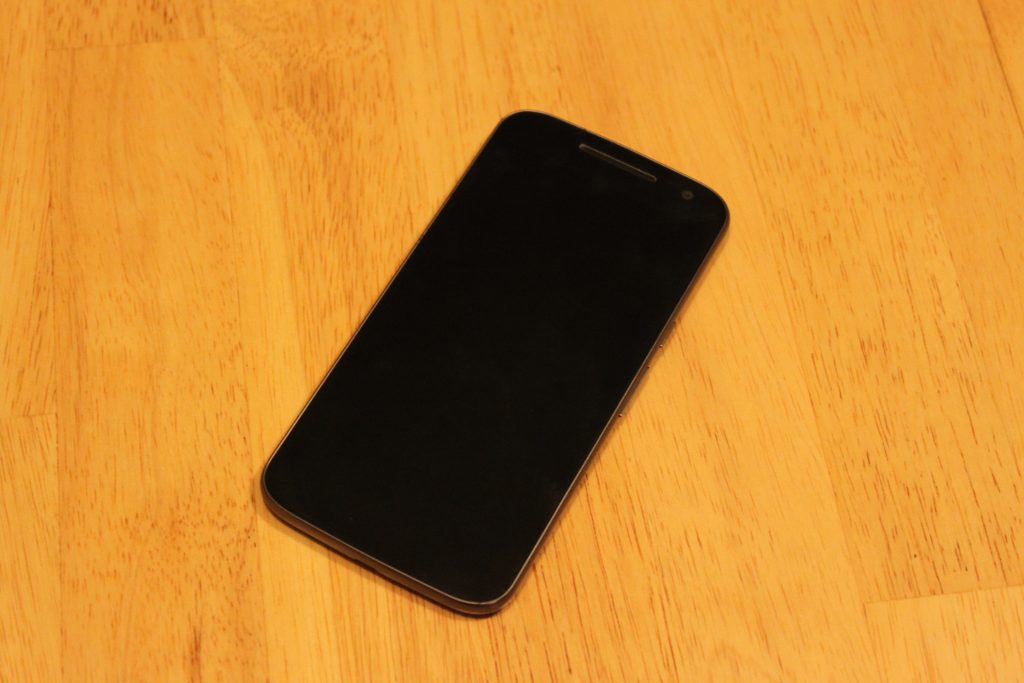
The front of the device brings the classic minimalistic style I’ve loved since the Nexus S came out a long time ago. In fact, the design of this phone reminds me so much of a bigger Galaxy Nexus – front and back. There’s nothing on the front except the secondary camera and a single front-facing speaker right above the screen. No Lenovo logo, no Moto logo. That’s a +1 right there. While I’m bummed they didn’t include dual speakers like last year’s Moto G, I can’t complain for the price. Plus, the single speaker does get very loud, and almost competes with speaker quality on flagship phones using single speakers on the bottom.
As for the power and volume buttons, someone at Lenovo should’ve spoke up about these. They feel cheap, and barely provide any feedback when pressing them. It takes more effort to press the volume buttons than any other phone I’ve used. The power button at least has a horizontal line texture on it to distinguish it from the volume.
Screen
Easily the highlight of this phone. I’ve seen quite a few cheap LCD displays on phones before, even on more expensive phones, but the 1080p LCD display on the Moto G4 rocks.
I was disappointed with Lenovo’s decision to put a 5.5 display on the Moto G, but after using it for a week, it doesn’t feel like a big phone at all. 71% of the front of this device is covered with screen, so it doesn’t feel bulky to me.
Aside from the size, the quality of this screen seriously impresses me for what it’s worth. If any of you still own the OnePlus One or OnePlus 2, the display quality is right with those. I will say, the viewing angles are not great, as the brightness decreases and colors go yellow as soon as the device is slightly shifted away from your eyes. However this isn’t a problem for me, as my phone is directly facing me 98% of the time I use it.
Comparing the screen to other LCD displays like the Nexus 5X and Nexus 5, I immediately prefer the display on the Moto G4. The colors look very washed out on the LCD Nexus devices compared to the Moto G4, which is able to produce colors almost as vivid as an AMOLED display.
The 1080p resolution is perfect for this device. I started using this phone right after using the OnePlus 3, and believe it or not, I prefer this screen. These phones both have 5.5 inch 1080p displays, but the pentile AMOLED screen on the OnePlus 3 holds it back in comparison in terms of image sharpness. Images are sharper, more accurate, and the whites on the G4 look much better. I still much prefer the deep blacks on the OnePlus 3’s AMOLED screen though.
Performance
In 2016, it’s hard to find a phone running Android 6.0 that doesn’t perform well. The Moto G4 runs on a Snapdragon 617 processor which was unveiled by Qualcomm in September of 2015. I was expecting a sluggish experience, and to this day I’m waiting for the inevitable crashes or hair-pulling slowdowns to happen. But so far, this phone runs well! If I were to compare the everyday speed of the Moto G4 to something else, I would say it’s neck and neck with the Nexus 5 from 2013 – which still runs like a champ on Marshmallow with its Snapdragon 800 chip.
After using the phone for a couple hours on AT&T LTE while browsing on Chrome, the phone didn’t get as warm as other phones have, and quick-charging it with the Motorola Turbo-Charger doesn’t make the phone as hot as previous Motorola phones, specifically the hot-plate that is the Droid Turbo.
If you’re into mobile gaming, you might want to look the other way. The Adreno 405 GPU here does not handle most games very well, and loading times are pretty terrible. I primarily play Fallout Shelter, and while I had zero hiccups and quick loading times playing it on a phone with a Snapdragon 820 chip, the loading time to get into my game on average took a staggering 72 seconds on the Moto G4. This was if the game didn’t freeze or crash mid-load, which happened 20% of the time. I experienced similar results with other 3D games.
Camera
Don’t expect miracles here, people. But also don’t expect a bad camera. The Moto G4’s 13-megapixel with f/2.0 aperture provides pictures more than deserved for a $200 phone. Pictures in daylight look a little more dim than they should be.


Low-light pictures lose a lot of detail, but having HDR mode on really helps balance out the bright parts of the photos and the darks. Notice the overexposure of the Subway sign and interior in normal capture mode.

HDR off

HDR on

Daylight HDR on

Daylight HDR off
The camera app takes a couple seconds to open, which is annoying when trying to grab a quick shot. The app comes with some useful features such as professional mode that allows for manual tweaks, slow motion mode (although the 540p resolution for this is kind of a joke) and auto-HDR.
Software
I was a little nervous Lenovo would take Motorola’s near-stock Android skin and mess it up, but things have barely changed since previous Moto phones.
This is basically stock Android with the addition of a few useful features. First, we have Moto Gestures, which includes four ways of interacting with the phone. When it’s off, you can make a chopping motion with the phone to turn on the flashlight. Keeping the phone face down immediately mutes the phone and keeps it silent. When someone calls, picking the phone off the table cuts the noise of the ringer. Finally, whether the phone is on or off, twisting it will launch the camera.
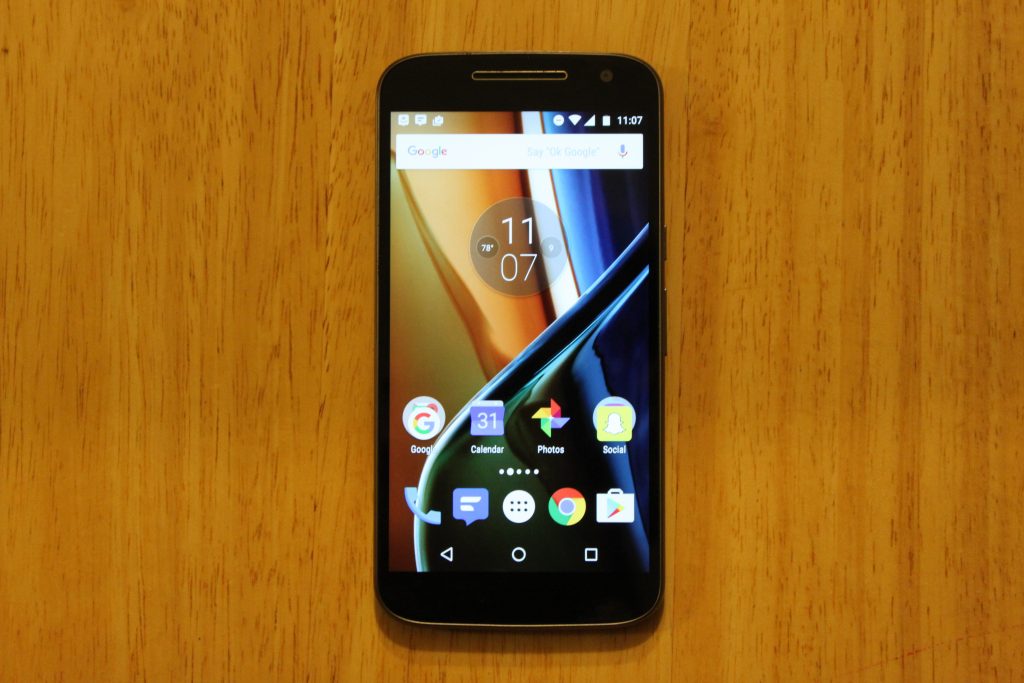
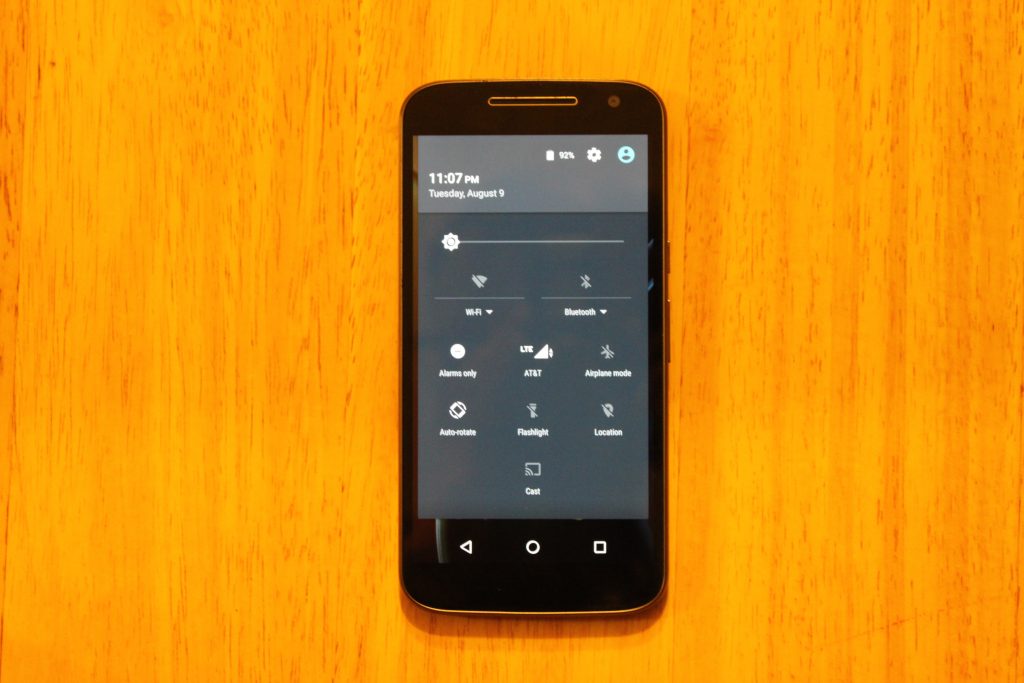
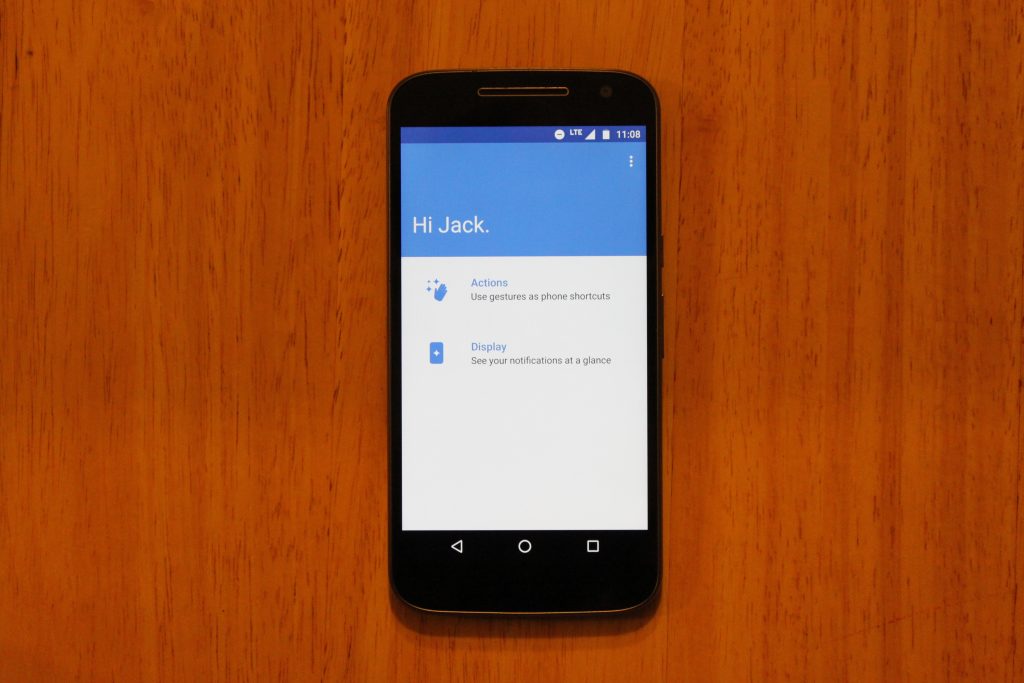
On top of this, Moto Display is back, showing your notifications when the phone is sleeping, however it;s nowhere near as useful as it is on the Moto Z, or previous Moto X phones that have sensor on the front for hand waving gestures, or the AMOLED screens that actually save battery when using the Moto Display. On this phones LCD display, you can totally tell the entire screen is on, and it just doesn’t look great.
Battery
A 3000mAh battery is becoming common for a high-end phone, so the decision to put one in the $200 Moto G4 was a great move from Lenovo. This phone lasts until the very end of the day for me with 10-15% left. To be exact, I unplug the device at 6:45 AM, stream Play Music for 30 minutes to work, browse reddit and Chrome for about an hour a day, text my imaginary friends using Textra, send between 20-30 snaps with Snapchat, and use a lot of GroupMe until I’m tuckered out at 10:30 PM. That’s 16 hours of “moderate” usage.
I haven’t felt concerned with running out of battery in a day yet, but if I do, this phone comes with a Turbo-Charger that supports Qualcomm Quickcharge. I remember when I had to pay extra for a Turbo-Charger when I bought a Moto X 2014… so I’m very pleased with this.
Conclusion
I’m satisfied with the Moto G4. I’m not blown away by it, and I’m not disappointed with it. Lenovo didn’t take risks with this device, and they didn’t push any boundaries. The build quality lives on from previous Moto G generations, and the display quality is something I never expected to see on a $200 smartphone. But is a bigger, better display worth the removal of dual front-facing speakers and a waterproof exterior? If I were to give an answer, I would say the screen is more important to me than speakers I rarely use, or having the ability to pour champagne on my smartphone.
At $199 for the 16GB model, the Moto G4 is less impressive than it was in its earlier generations, and faces serious competition from smartphones in similar price ranges, such as the all-metal, fingerprint scanner included Honor 5X. For $199, I would recommend the Honor 5X over this phone, but you won’t be disappointed with a purchase of the Moto G4, especially with the experience of customizing it through the innovative Moto Maker website.
You can purchase the Moto G4 here
Kyocera DuraForce Pro Release Date, Price and Specs – CNET

The handset also has a fingerprint reader, Android Marshmallow and a 5-inch display.
Kyocera
The newly announced DuraForce Pro is unique to Kyocera in one big way: It has three cameras. In addition to the front-facing shooter, the back has a 13- and 5-megapixel camera. And while the former features a standard lens, the 5-megapixel rear camera is an “action camera,” which has a wider 135-degree lens and can record 1,920×1,080-pixel video.
Given that the device also features a durable construction that is dust, shock and waterproof, the camera is especially handy for recording water-friendly activities like swimming, surfing, and boating. Just make sure it’s submerged for less than 30 minutes in up to 6.5 feet (2m) of water. (For other splash-proof phones, check out our roundup of water resistant handsets).
Beyond its cameras and durability, the DuraForce Pro has a power button that doubles as a fingerprint reader for extra user security and Android Pay. Its 5-inch display has a 1,920×1,080-pixel resolution and its left edge houses a programmable push-to-talk button.
The Android Marshmallow handset is powered by a 1.5GHz eight-core Snapdragon processor and a non-removable 3,240mAh battery that features QuickCharge 2.0 technology from Qualcomm. Other features include dual front-facing speakers, 32GB of internal storage (with the option to expand up to 200GB with a microSD card) and 2GB of RAM.
The DuraForce Pro is slated for sometime this fall. Though carrier information and pricing have not been released, Kyocera says it’ll cost considerably less than Samsung’s leading durable handset, the Galaxy S7 Active, which costs $795 on US carrier AT&T (that converts to about £610 and AU$1040).
Rough and tumble: 8 phones for the adventurous
See full gallery


1 – 4 of 9
Next
Prev
Seagate Backup Plus Ultra Slim Portable External Hard Drive review – CNET
The Good The Seagate Backup Plus Ultra Slim is compact, fast and includes helpful backup software.
The Bad There’s no USB-C port, so no future-proofing for you.
The Bottom Line The Backup Plus Ultra Slim is a handy portable drive for those needing to carry additional data or perform backups on the go.
Seagate’s Backup Plus Ultra Slim is a slimmer, faster version of the Backup Plus Slim portable hard drive we first reviewed in 2014 and is ultimately a better buy than its older brother. The Ultra Slim is the Chris Hemsworth to the Slim’s Luke Hemsworth. Who is Luke Hemsworth, you ask? Exactly.
The included Seagate Dashboard software not only lets you back up drive data, but your mobile devices and social media (Facebook, Flickr and YouTube) info as well. I had no issues with the software, but truth be told, I only used the Windows version. There’s a separate version for Mac that I didn’t test. You also get 200GB of online storage (free for two years) with Microsoft Onedrive. If you use Windows 10, though, I’d recommend using the built-in File History utility for local backups, among other things you won’t need to install any extra software on the computer.
CNET USB 3.0 portable drive performance
Seagate Backup Plus Ultra Slim
149.6
169.21
Seagate Backup Plus Slim
118.8
125.35
Buffalo MiniStation Extreme
110.3
118.82
WD My Passport Ultra
110.2
117.34
WD My Password Slim
107.7
107.89
SiliconPower Armor A60
104.3
114.48
WD Elements
95.7
102.15
Legend:
Write
Read
Note:
Longer bars mean better performance
While the micro-USB 3.0 port is fast for transfers, I was disappointed that there’s no USB-C port. So despite being available in gold (and silver) it won’t work with a Macbook — the Macbook has only a single USB-C port and currently comes in gold, silver and a few other colors.
The drive’s handy portability makes it perfect for all laptops not named Macbook (I’m talking solely about the single-port USB-C version here). The drive works out of the box with most computers, thanks to the included USB 3.0 cable. However, if you plan to use it with a non-Macbook Mac laptop or desktop, you’ll need to reformat it first.
GoPro Omni Release Date, Price and Specs – CNET
GoPro’s 360-degree Omni camera rig looks like it could be just another 360 cage for use with GoPro cameras and maybe doesn’t seem as elegant a solution as an all-in-one camera such as Nokia’s Ozo. But, you know, looks can be deceiving.
At the Omni’s core is proprietary hardware so all six of its cameras talk to each other and behave as one. Each camera connects to the Omni via the Hero port on the camera’s back, with one of the six acting as a master control camera. Power up the master camera and all of the others start up and setting changes happen simultaneously across all the cameras, too.
More importantly, though, all of the cameras record at the same moment with the Omni, keeping each video stream synchronized. For those who’ve edited 360 video before, this means you don’t need to rely on a clap once you’ve started all the cameras recording to match up video for stitching. Also, if for some reason one of the six isn’t ready, the Omni lights up to let you know, and the recording won’t start until the issue is fixed.
GoPro’s Omni VR rig has a surprise inside…
See full gallery


1 – 4 of 12
Next
Prev
All video (or photos) are stored to the microSD card in each camera; there is no mass external storage solution available for the rig. You can power the Omni off of an external battery for up to three hours, though, or you can just run it off the camera batteries.
The Omni sync rig alone sells for $1,500 (£1,300, AU$2,300), so if you have six GoPro Hero4 cameras you can update their firmware and take advantage of the synching. However, for the Omni to really pay off, you’ll want to use it with Kolor’s Autopano Video Pro and Autopano Giga software (about $775, £600 or AU$1,015). This includes the Omni Importer software, which uses the Omni rig’s sync data to give you a near real-time preview and calibrated stitching that’s good enough for immediate use.
If you don’t have the cameras and are willing and able to hand over $5,000 (£4,200, AU$7,500) for a complete out-of-the-box solution, GoPro has an Omni all-inclusive package that gets you:
- Kolor stitching software license
- GoPro Omni sync rig
- Six GoPro Hero4 Black cameras
- Six GoPro Hero4 batteries
- Six GoPro Mini USB cables
- Six GoPro lens covers
- Six 32GB microSD cards
- Six microSD USB card readers
- GoPro Smart Remote
- 7-Port USB hub
- Switronix Hypercore-98S battery
- Switronix GP-S V-mount battery
- Plate/clamp
- Switronix GP-LS battery charger
- PowerTap-to-DC 2.5 x 5.5mm cable
- Waterproof shipping case
- Plastic tweezers
- Microfiber bag
- 2.5mm hex key

GoPro Omni all-inclusive package.
Lori Grunin/CNET
That’s no small amount, but not outrageous for professional use, and considerably less than other solutions. In our demo with GoPro, both the rig and software looked easy enough to learn and use that I could see this being the go-to solution for things like travel or real estate. Situations where you need better results than consumer options, but don’t want the headaches of putting a 360-degree setup together on your own.
And that’s just producing the video or photos, too. GoPro also has a free VR player with Oculus support including Adobe Premiere to Oculus direct previewing. There are Premiere plug-ins available for adjusting the horizon, adding 2D elements to spherical content and creating 2D movies out of 360-degree video, so you can basically use your 360 clips as a virtual camera to pan and tilt through a scene.
GoPro made the whole process of capturing, editing, viewing and sharing 360-degree content look pretty seamless with the Omni rig and Kolor software in our demo with the company, as any good demo should. We won’t know for sure of any true operating issues until we test one ourselves.
Omni starts shipping on August 17.
Frigidaire FGDS3065PF review – CNET
The Good This $2,399 Frigidaire is an easy-to-use dual-fuel range that performed well in our cook tests. It’s also the cheapest dual-fuel and slide-in range we’ve ever tested.
The Bad There aren’t many additional features that you’d expect on an oven that costs more than $2,000, such as a fifth burner or cooking accessories. It’s also pretty slow when it comes to broiling.
The Bottom Line The Frigidaire FGDS3065PF might not excite, but it’s a solid pick if you want a slide-in range with a gas cooktop and an electric oven.
Other dual-fuel ranges
- Dacor ER30DSCH
- KitchenAid KDRS407
- KitchenAid KFDD500ESS
When a range costs more than $2,000, you expect a manufacturer to include a few bonus features that can help you try to justify the price: a double oven cavity, a baking drawer, heck, at least a griddle. Frigidaire pummels those expectations of extras in its $2,399 FGDS3065PF, a range that is slim on extra features. The manufacturer opts for a “less is more” approach with this range. There’s only four gas burners on the cooktop, the oven cavity is relatively small and there aren’t any cooking tools included with the appliance.
However, this Frigidaire is the cheapest dual-fuel range (a gas cooktop paired with an electric oven) and cheapest slide-in range (all controls on the front of the unit) we’ve ever tested, which helps justify the lack of extras. And the Frigidaire FGDS3065PF also makes up for its lack of add-ons with a decent cooking performance. The range boils water quickly, roasts a tasty chicken and bakes multiple racks of biscuits evenly. However, none of the resulting food or cook times made this range great enough to be memorable.
The Frigidaire FGDS3065PF is a good option if you want a dual fuel, slide-in range but want to spend less than $2,500. Just don’t expect a wealth of extras.
Frigidaire holds back on the features with…
See full gallery


1 – 5 of 9
Next
Prev
Appearance
You might feel a bit of déjà vu when you see the Frigidaire FGDS3065PF. This 30-inch wide slide-in range looks very similar to comparable products, especially the Electrolux EW30IS80RS induction range (not surprising since the brands share a parent company). The Frigidaire is wrapped in stainless steel with black trim. On the cooktop, continuous cast iron grates cover the four gas burners. Most ranges in this price range throw in a fifth oblong, middle burner that is designed for you to use with the griddle. This Frigidaire, however, forgoes a fifth burner, which leaves some dead space in the middle of the cooktop. I would’ve liked to see Frigidaire make the most of this space by rearranging the burners in a set-up that would let you use bigger pots and pans without crowding the cooktops. Instead, you have a traditional four-burner set-up with a blank space in the middle that feels like a wasted opportunity.

Tyler Lizenby/CNET

A special rack hooks to the oven door so it extends when you open the door.
Chris Monroe/CNET
This Frigidaire comes with a 4.6 cubic-foot electric oven, which is small when you compare it other slide-in, comparably priced models, such as the KitchenAid KSGB900ES (with 6.5 cubic feet of space) or the Samsung NX58H9500WS (5.8 cubic feet). Fortunately, the oven holds large baking sheets without feeling crammed. The oven also comes with a special rack that you hook to the oven door. When you open the door, the rack will extend outward for easier access to your food. It’s a thoughtful feature, but limiting in that you can only use the rack on the first two rack positions.
Performance
The Frigidaire FGDS3065PF performed well in our cook tests. It didn’t break any records for speed, but it didn’t lag too far behind other ranges.
2017 BMW 3 Series review – Roadshow
Aug 2016
The Good With its plug-in hybrid drivetrain, the 2017 BMW 330e achieves far better fuel economy than a standard 3-series. The navigation system communicates with the drive system to improve efficiency. Balanced weight makes for good handling.
The Bad The 330e only goes 14 miles under electric power, less than other plug-in hybrids, and the air conditioning does not feel very effective.
The Bottom Line The 2017 BMW 330e gives a taste of electric driving, with its associated efficiency, in a competent sport sedan, but its multiple combinations of drive modes will really appeal to number nerds.
Range at 14 miles. That’s what the 2017 BMW 330e’s display says after I leave it on the charger overnight. Combine that zero emission driving with the 330e’s gasoline-electric hybrid drivetrain, and you’ve got an EPA-rated 72 miles per gallon equivalent.
The 330e is a very economical BMW.
Then I switch the Driving Dynamics Control to Sport, and also pop the shifter into its Sport position, and suddenly the 330e feels like a BMW. The throttle becomes a sensitive instrument from which to dole out power and the car hangs its tail out in the turns.
It’s no M3, but the 330e holds up its sport sedan heritage.
While cruising down coastal Highway 1, approaching a hill, I feel the 330e’s eight-speed automatic transmission downshift, making a smooth transition on the grade. The navigation system told the transmission about the upcoming hill, so it could prepare with a lower gear.
This communication between navigation and transmission shows the 330e’s smarts.

The 330e only gets 14 miles of electric range, but that can take a chunk out of fuel use for the daily commute.
Wayne Cunningham/Roadshow
Consider the 330e a Jekyll-and-Hyde car, with a little Einstein thrown in. It looks like a typical BMW 3-series, a compact rear-wheel-drive sedan in a premium segment. But amid classic BMW design cues such as the kidney grille and Hofmeister kink, it sports a standard electric vehicle charging port on the left-front fender and e-Drive badges on the C-pillars.
An 87-horsepower electric motor complements a turbocharged two-liter engine, which by itself makes 180 horsepower and 215 pound-feet of torque. The total output from both sources comes to 248 horsepower and 310 pound-feet of torque. A 7.6 kilowatt-hour lithium-ion battery pack stores electricity from the grid and regenerative braking, giving the 330e its modest amount of pure electric range.
BMW
330e
hides
electric
smarts
under…
See full gallery


1 – 6 of 31
Next
Prev
Like other plug-in hybrids I’ve driven, the 330e operates as a fully electric car while its battery level holds up. The electric motor may be low on horsepower, but its 184 pound-feet of torque makes it quick enough for cruising along with traffic. When I floor it, however, the engine kicks in to maximize acceleration. And if I were to get above 75 mph the engine would also fire up to assist the electric drive.
With the 330e’s Driving Dynamics Control, that rocker switch you see in all BMW models these days, set to Eco Pro, I enjoy the quiet of the ride and the easy drivability. However, the climate control struggles against external temperatures of 80 degrees, and the occasional pothole or bump in the road jars the suspension uncomfortably, probably exacerbated by the low-profile run-flat tires.
BMW’s tendency to complicate its driving modes shows up in the 330e with the addition of an eDrive button to the Driving Dynamics Control modes.
BMW’s tendency to complicate its driving modes shows up in the 330e with the addition of an eDrive button to the Driving Dynamics Control modes. eDrive lets me toggle through three modes, which range from saving electric range for later use to maximizing electric drive. I mostly just leave it in automatic, where it decides when best to use the motor and engine.
The most remarkable thing about the 330e is how the navigation system and transmission communicate. I previously saw this technology on the Rolls-Royce Wraith, where it increases ride comfort, but the 330e uses terrain information more extensively to get the most out of its plug-in hybrid drive system.
 AIVAnet