


Alcatel Shine Lite Release Date, Price and Specs – CNET
Face it, selfies are pretty much the main reason many of us use our phone cameras these days. But a good selfie requires a few things: a front camera that can capture your mug with enough resolution, a flash for those times when the lighting isn’t great and maybe a few apps for editing your work.
Alcatel’s new Shine Lite, which the company introduced this week at IFA here in Berlin, has all of those things plus one more feature that’s all the rage these days, a fingerprint sensor. It all comes in a neat design with a metal trim and back and front sides covered in glass.
The main camera is 13 megapixels. Next to it is a flash and below is the round sensor for touching your finger and unlocking the phone. The 5-megapixel front shooter also has a flash and sits just above the 5-inch display. After you’ve taken all those selfies, they’re stored in a dedicated Selfie Album and you can create videos with your vanity shots with an app called Face Show. Another app, called Split Catcher, promises you to capture a scene with both cameras and create a collage. I wasn’t able to try it during our demo.
Alcatel’s slick, glassy Shine Lite phone
See full gallery


1 – 4 of 6
Next
Prev
Like most other Alcatel phones, there’s nothing about the Shine Lite that’s particularly remarkable save for price. An unlocked model should be below 199 euros, converting to about $225, £170 or AU$295. Still, that puts it on par with the Motorola Moto G4 Plus ($249 or £199, which converts to about AU$330), which also has a fingerprint sensor. As we’ve long considered the Moto G family to be a prime example of how to build a budget phone, Alcatel will have to work hard to compete. We’ll know for sure how the Shine Lite fares if we secure one for a full review. The Shine Lite will be released in Europe, the Americas and Asia this month.
Specs and key features
- 13-megapixel main camera with dual-tone flash
- 5-megapixel front camera with flash
- 5-inch HD (720p) display
- Fingerprint sensor
- Comes in black, gold and white
- Metal frame with glass front and back sides
For more of IFA 2016, see CNET’s complete coverage.
Huawei MediaPad M3 review
Huawei is best known for making smartphones at a variety of different price points from entry to high-end, but over the last few years the company has also worked to build itself a name in the tablet space with its MediaPad range. The MediaPad M2 may have been an arguably forgettable device but the company is hoping its new MediaPad M3 has a very different fate.
The Huawei MediaPad M3 offers a somewhat familiar design, updated specs, and, at least on-paper, seems to offer impressive performance and audio. But the big question is whether or not Huawei’s latest tablet truly delivers.
You may also like…
Honor 8 Review
1 day ago
Honor 8 vs Honor 7: First Impressions
4 days ago
Huawei P9 Plus review
7 days ago
ZTE Axon 7 vs Honor 8
1 week ago
10 interesting facts about Huawei
2 weeks ago
Huawei unveils honor Note 8 and honor 5 in China
August 1, 2016
With fewer Android tablets being released each year, can Huawei stake a claim for the best Android tablet with the MediaPad M3? Let’s find out in this, our Huawei MediaPad M3 review.
Design
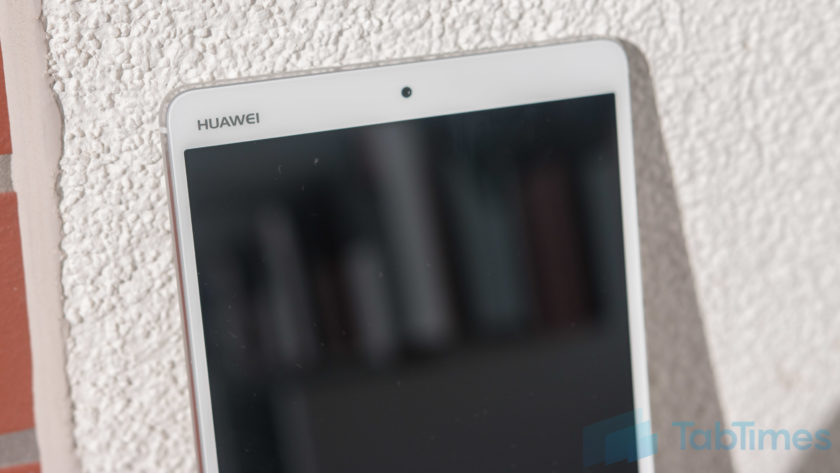
At first glance, the Huawei MediaPad M3 could be mistaken for a product from another manufacturer as, Huawei logo in the top left corner aside, the design is rather generic with no core identifying features. Huawei traditionally have added a few design elements to make their devices stand out – the MediaPad M2 offered a luxurious body after all – but the MediaPad M3 drops this to focus on the core experience.
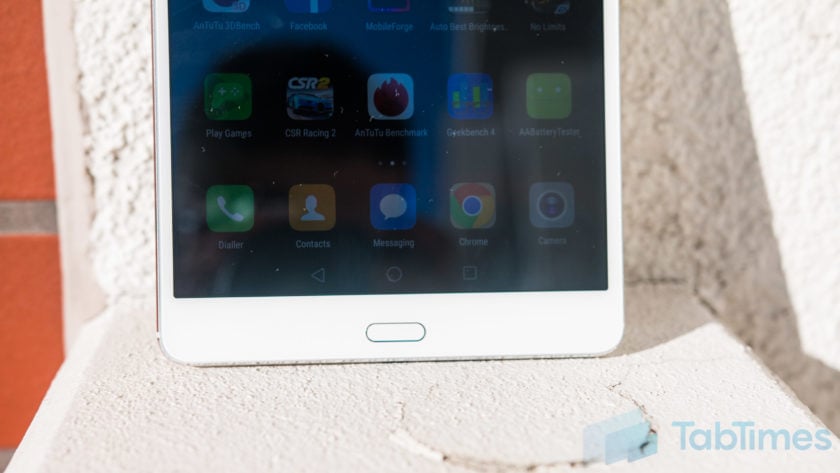
The front is of course dominated by the large 8.4-inch WQHD+ display with a fingerprint sensor below and a front facing camera up top. Alongside the display are the bezels and it’s clear that the MediaPad M3 isn’t meant to win any design awards as the bezels are large and somewhat clunky.
The fingerprint sensor itself proves to be somewhat confusing as it doesn’t act like a home button, rather it supports a multitude of gestures. A single tap takes you back a step while touch and holding takes you to your homescreen, sliding left or right opens recent tasks and sliding up opens Huawei’s HiVoice assistant. To navigate the OS, Huawei has adopted on-screen keys which can be customised but confuse the overall experience, not unlike the Moto Z Force’s fingerprint sensor.
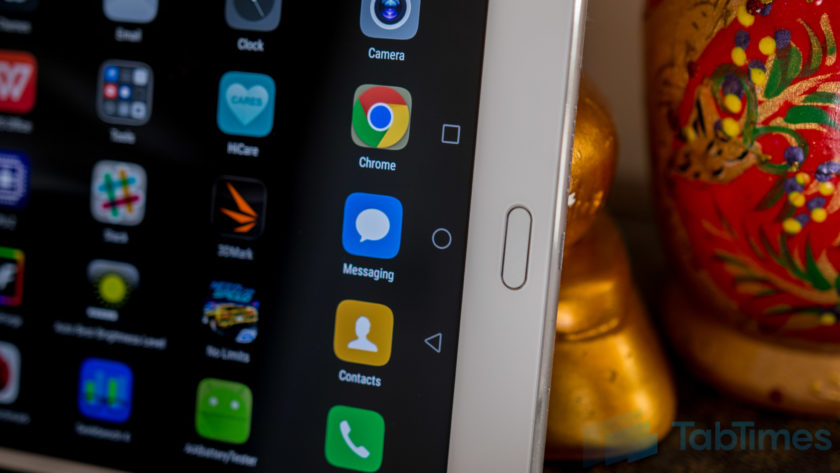
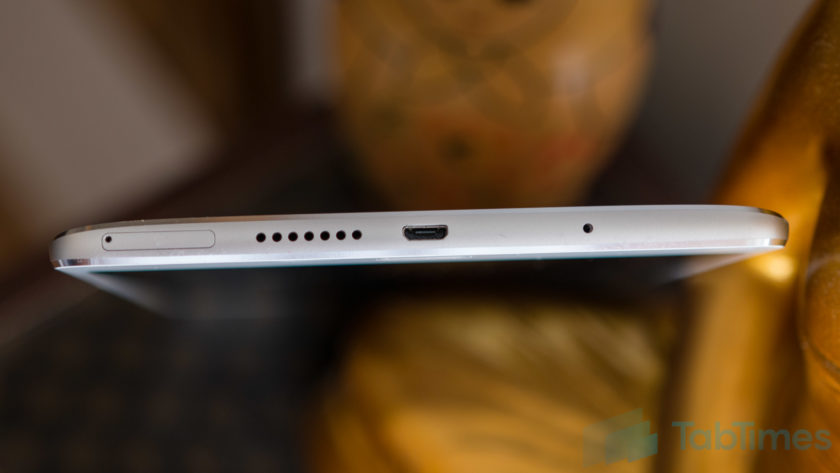
On the bottom, the MediaPad M3 sports a microUSB port – with Quick Charging built in – alongside one of the speakers and a SIM card slot. Yes, the MediaPad M3 lets you use a SIM card and comes equipped with Huawei’s phone application but, without an earpiece, you’ll need to use the speakerphone or a Bluetooth headset.
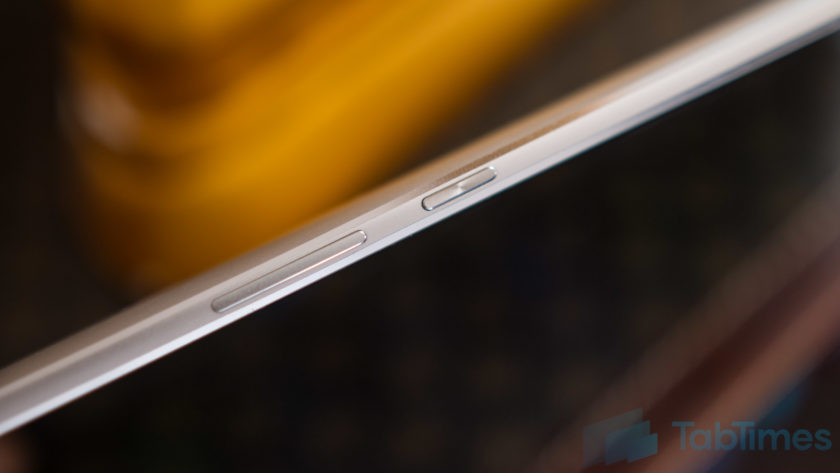
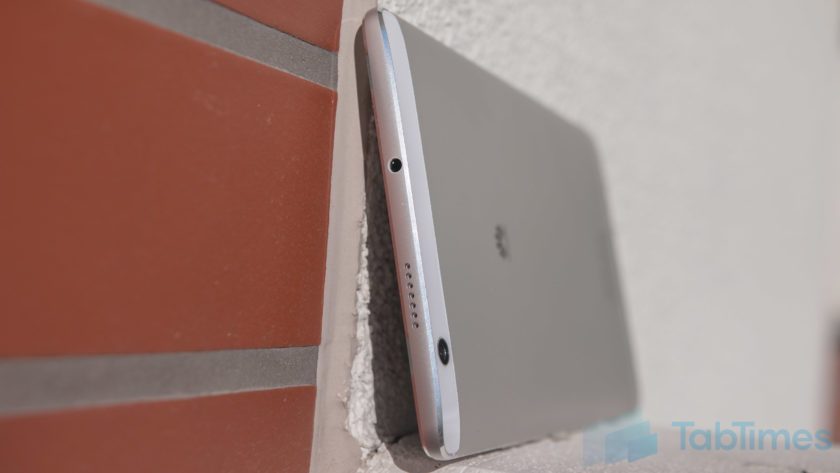
Up top, the Huawei MediaPad M3 sports the secondary speaker alongside a headphone jack. Audio through headphones is acceptable but the MediaPad M3’s audio really comes into its own when the speakers kick in (more on this below). On the left, Huawei has opted to keep the experience bare while on the right, there’s the power and volume keys which are metal, not quite recessed and provide fantastic tactile feedback.
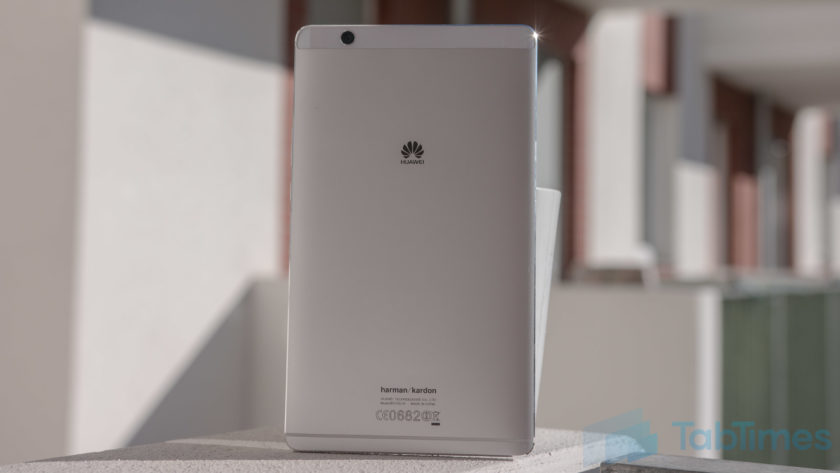
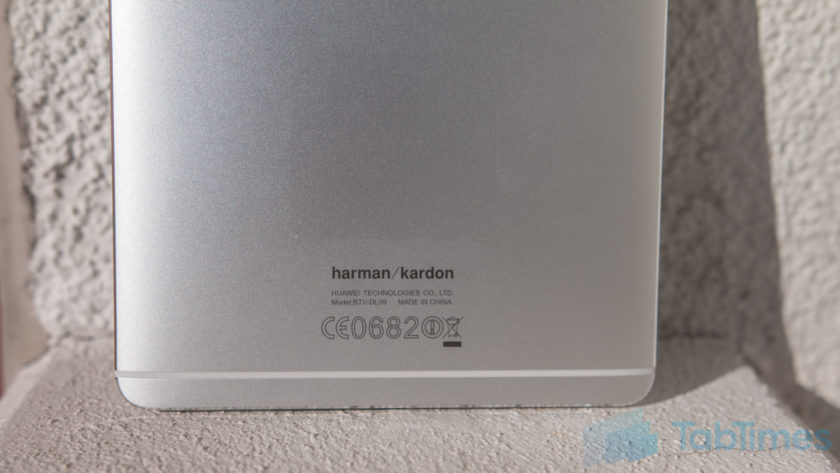
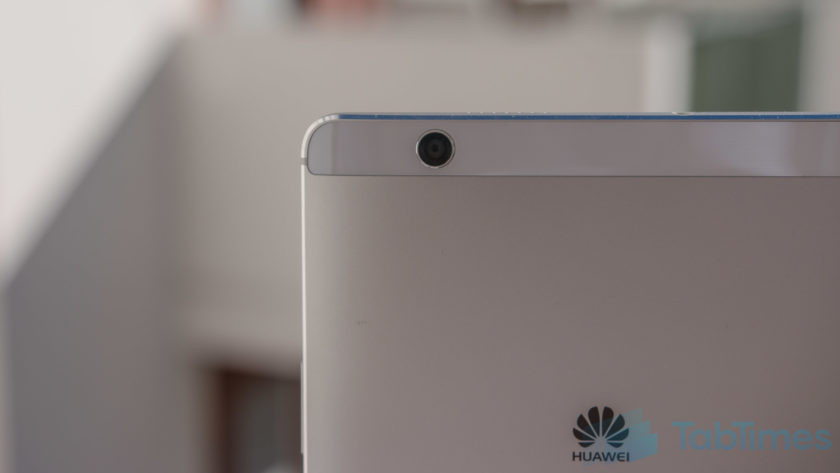
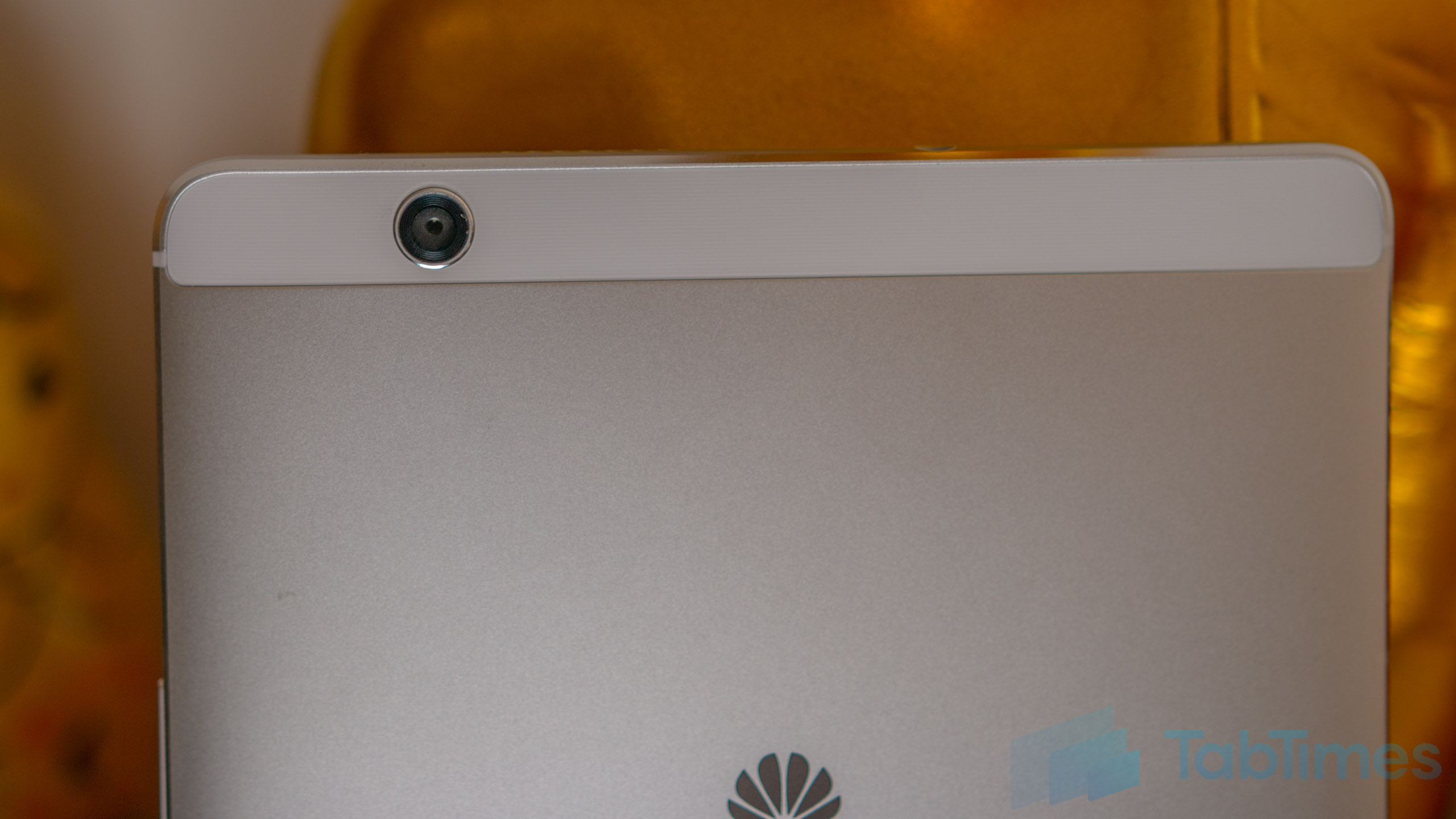
On the back, the MediaPad M3 sports a camera along with a brushed metal finish emblazoned with the Huawei logo (and at the bottom, the Harman Kardon logo). There’s also a single antenna line beneath the Harman Kardon logo, while the camera is placed within a small plastic trim at the top.
Measuring 215.5mm tall, 124.2mm wide and 7.3mm thin, the Huawei MediaPad M3 is surprisingly comfortable in the hand, no doubt thanks to its chamfered edges which improve the ergonomics of the tablet and make it surprisingly comfortable to hold. At a weight of 310 grams, it’s relatively light considering its form factor and, for those who feel inclined to do so, I can confirm that the MediaPad M3 fit comfortably in the back pocket of my jeans, making it easy to carry as well.
Display & Sound
Most people who buy a tablet are interested in the media experience and this is where the Huawei MediaPad M3 starts to shine. The display is an 8.4-inch IPS panel with a 2560×1600 resolution, which offers a pixel density of 359 pixels per inch.
Running the display through a display profiler reveals the MediaPad M3 has an average color temperature of 8666 Kelvin (versus a target of 6500 Kelvin), which means a white screen appears to have a bluish hue. However, Huawei does give you the option to tweak the display colors in the settings and setting the display to normal colors, as opposed to the vivid default setting, also improves the color accuracy, with a secondary test resulting in an average color temperature of 7563.
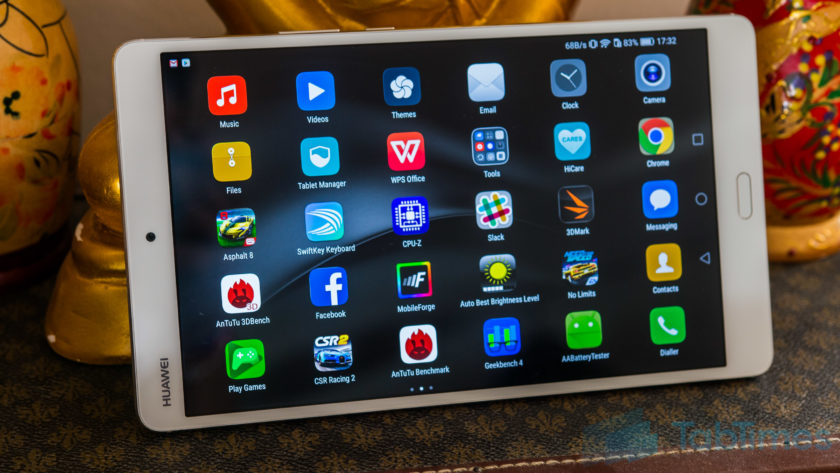
Either way, the display itself is vibrant, colors are punchy and blacks are quite deep, although maybe not quite as rich as you’d find with AMOLED displays. At its lowest brightness, the MediaPad M3 display is just 4-nits so it won’t blind you when you use it in bed, while a blue light filter is also onboard, which will reduce the effect of harmful blue light just before bed.
The display is certainly on par, if not better, than other tablets in this category but, while using it has been a joy, it’s worth noting that the viewing angles are average, although this won’t affect you unless you plan to share the screen with other people. The audio experience is where the MediaPad M3 truly stands out, however as the dual 1-watt speaker system co-engineered with Harman Kardon offers rich, immersive audio. If a great audio experience is crucial to you, the Huawei MediaPad M3 definitely doesn’t disappoint.
Huawei also says the tablet is able to intelligently recognise whether it is being used in portrait or landscape mode and adjust the audio profile experience and, based on our experience, this certainly seems to be the case. Built in support for 192KHz 24-bit files, thanks to a dedicated ESP, means even the most hardened audiophile should be satisfied by the Huawei MediaPad M3 and from my not-so-expert experience, the audio definitely doesn’t disappoint.
Performance & Hardware
Under the hood, the MediaPad M3 comes powered by Huawei’s own Kirin 950 processor coupled with 4GB RAM and either 32GB or 64GB storage, which can be expanded by up to 128GB using a microSD card. Like smartphones running the Kirin 950, there are no signs of lag and performance is a breeze.
For everyday tasks, the MediaPad M3 is capable of keeping up with most devices on the market and as we’ve found, the Kirin 950 is certainly no slouch, with performance on par with the latest processors from both Qualcomm and Samsung. Given that we’re testing pre-production hardware and software, we expected a few glitches but there have been none and – the inability to install AnTuTu and GeekBench aside, which was fixed in the latest update – you’ll find no performance concerns here.
How does the Huawei MediaPad M3 stack up to the competition in the benchmark stakes? Putting it through AnTuTu reveals a score of 90393, while running GeekBench reveals a single core score of 1751 and a multi-core score of 4755. Meanwhile, the 3DMark score of 759 reveals a couple of typical issues we’ve come across with Huawei processors in smartphones, and this is in regards to gaming.
One of the things I use a tablet for more than anything is gaming, as the large screen real estate makes it the perfect gaming device. With the MediaPad M3, Huawei’s chipset comes equipped with a Mali-T880 GPU, which is certainly more than capable of playing most games but does lag compared to the Adreno GPU used in the Snapdragon series of processors.
Running both Asphalt 8 and Need for Speed No Limits as tests, reveals that while the MediaPad M3 is more than capable of playing these games, there are a few dropped frames and gameplay is limited to 30 frames per second or less, especially for the latter title.
Looking past the GPU, the overall gaming experience is actually pretty solid, in large part thanks to the snappy performance of the Kirin chip inside. In fact, we noticed that it is around a second faster at launching Need for Speed than the Snapdragon 820-powered Galaxy Note 7, which is certainly no slouch either.
Processor aside, the MediaPad M3 hardware isn’t quite as extensive as we’ve come to expect from Huawei smartphones, but that’s unsurprising considering this is a tablet. There’s no NFC but the presence of a SIM card slot means the MediaPad M3 is LTE enabled with a theoretical max download speed of 150Mbps on the go. Overall, the Huawei MediaPad M3 delivers everything you could expect from tablet hardware and the addition of a SIM card that lets you make calls is a nice bonus.
Battery Life
One of the benefits of a large screen device is a large battery to go with it and the Huawei MediaPad M3 doesn’t disappoint, with a 5100mAh unit that’s rated as offering more than 2 days’ worth of battery life. In actual usage, it’s more than capable of doing so but with heavy usage such as gaming, it does drain considerably faster than you might not expect.
With light usage such as browsing, using apps such as Slack, Skype or more, the battery lasts around 2-3 days with approximately 8 to 9 hours of screen on time. However, with gaming, this can drop to just over a day with around 4 hours of screen on time and while this isn’t overly surprising, we’d still liked it to have lasted a little longer.
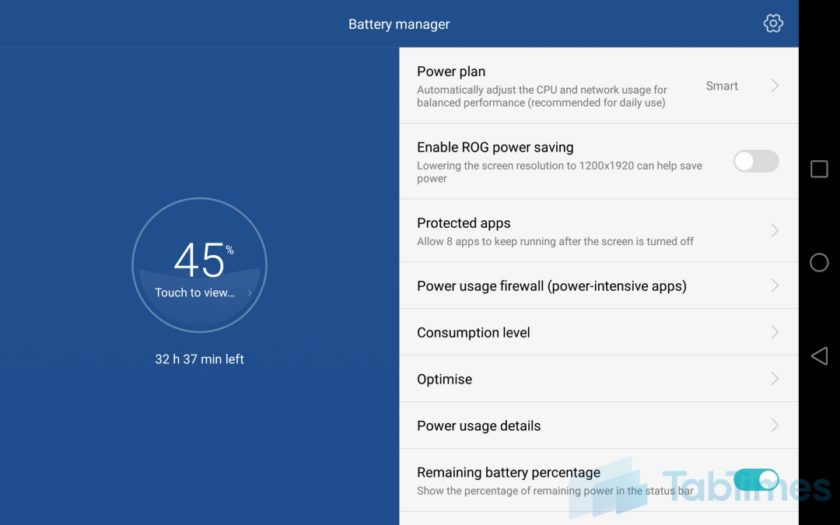
At its max brightness, the Huawei MediaPad M3 display measures 400 nits while at its lowest, it is just 4 nits and we’ve found that reducing the display brightness and/or the screen resolution (to 1080p) in the settings can improve the battery life even further. Dropping to 1080p resolution helped us achieve another 45-90 minutes of screen on time depending on the tasks involved and it’s certainly worth considering if you’re on a long flight where you won’t necessarily want or need the higher resolution or brightness.
Putting the Huawei MediaPad M3 through our quick custom battery benchmark tool with the display set to full resolution, reveals an expected screen on time of 9 hours with a combination of web browsing, video playback and gaming. While this is only indicative of screen on time, as it’s a quick test that runs for 90 minutes and extrapolates the final result, it’s accurate enough to suggest that you can expect between 8 and 10 hours of screen on time, depending upon your actual usage.
Both of these figures show you should have no issues with the battery life on the Huawei MediaPad M3, which should be good enough to get you through most journeys where you might want to watch a movie and/or game a little. Of course, there are other tablets with better battery life but considering the overall package on offer, the battery life on the MediaPad M3 is more than satisfactory.
Camera
Before we get into the Huawei MediaPad M3’s camera, let’s just put this out there; tablets were not designed with picture-taking in mind. That being said, there are a few use cases for using cameras on tablets, so are the MediaPad’s cameras any good?
On both the front and the back, the MediaPad M3 has an 8MP sensor with very little else to offer. There’s no stabilisation, no flash and no fancy gimmicks, but the camera app does have a lot of the software features you can find on other Huawei phones. The pictures produced leave a lot to the imagination and like most tablet cameras, you’ll probably be left wanting something more. There’s a fair amount of noise in the images and, whether it’s the front camera or the rear, you can expect images to be lacking in detail and clarity.

For video calls and/or quick snaps, either camera is more than acceptable but if you want anything more, we’d highly recommend you use a smartphone camera, especially if you want to share these memories with other people.
Software
The Huawei MediaPad M3 runs on Android 6.0 Marshmallow with Huawei’s EMUI 4.1 running on top and the software experience is very similar to that found on other recent Huawei devices such as the Honor 8 and Huawei P9. EMUI has certainly improved in the past couple of years but with EMUI 4.1, there’s still nothing to differentiate the tablet experience from a phone. In fact, with the ability to make phone calls, the MediaPad M3 does somewhat feel like an oversized handset.
While EMUI doesn’t offer an app drawer, it’s not so much of an issue with the MediaPad M3 although you may find having tons of apps across various home screens makes it difficult to find the app you’re looking for. At times like this, Huawei’s various gestures throughout the interface come to the forte and swiping down from any home screen opens up the universal search menu, which lets you search through your contacts, files, apps and more.
As we mentioned earlier, the fingerprint sensor beneath the display supports gestures, and while the swiping to accept recent apps or tapping to go back a step work fine, the others aren’t quite as smooth. Tapping and holding to go back to the home screen only works occasionally, while the swiping up to access HiVoice actually launches Google Now on Tap. Given that this is a pre-production unit, we’ll give Huawei the benefit of the doubt especially as the company’s fingerprint and gestures implementation is usually flawless.
Overall, EMUI is certainly an interesting interface and while it’s not everyone’s favourite interface, it’s certainly more than usable. Huawei has made some major improvements to EMUI in the past 12 months and it is really starting to show. It’s also nice to see that the Huawei MediaPad M3 comes with a relatively clean software experience that’s free of any significant bloatware and this is a welcome change, one that is hopefully an indication of where Huawei devices are going in the future.
Gallery
Conclusion
When it comes to tablets, the factors that determine whether it’s a success are different to say, a flagship smartphone. While the latter focuses on the overall experience being excellent, a tablet is arguably focused on fewer key areas such as the design, display, audio, performance and battery life.
Considering these factors, the Huawei MediaPad M3 definitely delivers, but we can’t help but think that it’s indicative of the tablet industry as a whole that we’re not overly excited by an Android tablet. On paper and in person, the Huawei MediaPad M3 definitely delivers on what Huawei set out to do: create an affordable tablet with few compromises.
If you’re in the market for an Android tablet, there’s not a lot of choices and with the MediaPad M3, Huawei has certainly shown it’s a force to be reckoned with as far as Android tablets go. Should you buy the Huawei MediaPad M3? If you’re looking for a no-compromise tablet that delivers on the key areas its meant to, you can look no further, as the MediaPad M3 is one of the best Android tablets currently on the market.
You may also like:
- Huawei P9 Plus review
- 10 interesting facts about Huawei
- Huawei unveils honor Note 8 and honor 5 in China
- Honor 8 Review
- Honor 8 vs Honor 7: First Impressions
You may also like…
Honor 8 Review
1 day ago
Honor 8 vs Honor 7: First Impressions
4 days ago
Huawei P9 Plus review
7 days ago
ZTE Axon 7 vs Honor 8
1 week ago
10 interesting facts about Huawei
2 weeks ago
Huawei unveils honor Note 8 and honor 5 in China
August 1, 2016
What do you think of the Huawei MediaPad M3 and do you plan to buy one? Do you use an Android tablet or any tablet for that matter? What do Android tablets need to offer to be able to truly compete against the Apple iPad? Let us know your views in the comments below!!
Bosch 360 Degree Indoor Camera Release Date, Price and Specs – CNET
Capable of seeing everything and nothing, the Bosch 360 indoor camera can turn and look in any direction. The lens also recedes into its shell with a tap, should you need some privacy.
Introduced today at the IFA trade show here in Berlin, the camera’s part of a trio of new Bosch smart home products announced as the appliance manufacturer pushes further into connected convenience.
 Chris Monroe/CNET
The indoor connected cam includes motion sensors, an intercom for two-way audio and infrared night vision so you can watch over your house at any hour. When it senses something, it records HD footage to local storage, and you can use your phone to watch clips, or live footage.
Gadgets galore from Bosch at IFA 2016
See full gallery


1 – 4 of 16
Next
Prev
Security cameras: What you need to know
- Security camera buying guide
- Best security cameras of 2016
- These connected cameras take DIY security to the next level
- 7 features to look out for in a home security camera
- Where to place home security cameras
If you don’t want it spying on you when you’re home, you can tap the top or tell it to recede via the app, and the top of the cam will duck into the body. The demo of this tickled me — the camera reminded me of a shy turtle when it pulled its head down.
The camera will roll out starting at the end of this year in Europe. A Bosch representative promised it’ll come to the US at some point down the road after that. The recommended price is 250 euros, which converts to roughly $280, AU$370 or £210. That’s a little pricey, as it’s more than our current favorite smart home cams — the Nest Cam and Piper — so it’ll need to be more than cute to keep up with the competition.
- For all things Berlin and IFA, head here
Bosch AutoCook Release Date, Price and Specs – CNET
Bosch went analog and digital when it came to accessories to use with its first multicooker. The German appliance manufacturer created an app and published a cookbook designed for you to use with its AutoCook multicooker, which were on display Wednesday at the IFA trade show in Berlin.
The multicooker doesn’t wirelessly connect to the app, but many of the app’s 100 recipes are designed specifically for use with the countertop appliance. The app also provides video clips to show each step of a recipe, a nice feature we’ve seen on apps for products such as the Joule sous vide immersion circulator and the Drop connected kitchen scale.
Gadgets galore from Bosch at IFA 2016
See full gallery


1 – 4 of 16
Next
Prev
The AutoCook stands out from other multicookers with more than 50 cooking programs with very specialized functions, such as sous vide, yogurt making and gentle frying; many multicookers just have basics like pressure cooking and slow cooking covered. Adding wireless connection to the app that could control the multicooker’s function would be useful, especially if you have to perform several cooking functions in the AutoCook for one recipe.
More Bosch News
- Bosch’s kitchen machine combines a scale and a stand mixer
- Bosch shoulders into the smart home with three new products and IFTTT
- Don’t look now: Bosch’s security cam can recede into its shell like a turtle
There are two different types of AutoCook: a basic model that costs €269 (about $300, £228 in the UK and AU$399) and an induction-powered version that costs €469 (roughly $523, £398 and AU$696).
- Check out CNET’s full coverage of IFA 2016 here
Samsung Gear S3 Release Date, Price and Specs – CNET
Samsung’s got a new Gear smartwatch, and it’s pretty…pretty big.
Does it look like a big, bold luxury sports watch you’d see in a jewelry store on vacation? That’s the idea. Samsung Gear S3 is the follow-up to the really good Gear S2 released last year, but it’s a more maximized, more stylized type of watch. It’s also something that not everyone is going to want to wear, which even Samsung seems to admit.
Samsung Gear S3 Frontier and Classic: Super-size…
See full gallery


1 – 4 of 50
Next
Prev
Building on the Gear S2’s clever rotating bezel-based design, which uses the bezel spin to change watch faces and choose apps, the Gear S3 has a solid steel case and standard 22mm watch straps. Now, it looks practically like an everyday watch. A beautiful everyday watch, I should add. The design and feel of the entire watch feels top-notch, and outdoes any Android Wear watch I’ve ever seen. Its traditional design, created by Swiss watch designer Yvan Arpa, looks ultra-sharp. The watch faces I got to see look great, and a larger color-gamut always-on screen mean they look good all the time.
The Gear S3 still runs its own Tizen-based OS, but will work with Android phones. There’s still no word on iOS compatibility.

Bigger than my eyes.
Sarah Tew/CNET
But the size, it is a little big. Even for my wrist. It’s now a 46mm watch, not a 42mm one. That may not sound like a big difference, but it is. It’s mostly due to the case and bezel. The original Gear S2 was one of the more compact round smartwatches around, and now it’s one of the biggest. It’s considerably larger than the 42mm Apple Watch, and lot larger than the 38mm one.
Why so big? Battery. A 380mAh battery now lasts up to 4 days, according to Samsung, or a 30% uptick. All models have GPS now, too, for tracking runs away from a phone.
In fact, the Gear S3 is packed with new features. Here’s what’s new:
- 380 mAh battery (extra day of battery)
- Onboard GPS
- Speaker/microphone for making calls
- Samsung Pay (NFC and MST)
- Slightly bigger 1.3-inch Super AMOLED 360×360 display, w/ more colors in always-on watch mode
- Gorila Glass 3 SR+ glass, added scratch resistance
- 22mm standard watch strap compatibility
- 1.0 GHz dual-core Exynos 7270 processor
- 4GB storage (same as S2)
- Stainless steel casing
- Barometer and altimeter, plus optical heart rate
- IP68 water resistance, “military-grade” water, dust, heat/cold resistance
- Optional LTE version for higher-speed data and improved call quality
- Spotify app allows streaming via Wi-Fi/LTE
- Two models: Classic, and Frontier (Frontier has optional LTE version)
- Weighs about 62g

Rugged. (This is the Frontier.)
Sarah Tew/CNET
There are two models: the Classic is meant to suggest wedding/executive style, while Frontier is aimed at more rugged/sport lifestyle. From a distance, they look pretty similar. More similar, at least, than the Classic and regular S2 looked last year. The build quality looks fantastic. But the price, and release date, are still unknown.
Samsung Pay is onboard this watch, and so is MST payment technology, which works via a magnetic ping at credit card terminals that even lack tap-to-pay functions. All the S3 models now have speakerphones, too — last year’s S2 ditched the feature except on the 3G-connected version.

The Gear S3 Classic.
Josh Miller/CNET
If you want a standalone watch, there’s an LTE-equipped version of the S3 Frontier. The faster data network could mean better quality and data-loading, and it also means Spotify can stream over LTE from the watch (it can stream via Wi-Fi on the non-LTE models, too). Spotify can’t save playlists to the S3 yet, but after talking with Samsung it seems like the company’s looking into it. It seems like the LTE version of the S3 is not that much larger, unlike the significantly thicker Samsung Gear S2 3G.
If you’re curious at all about how Samsung considers its wearables, know that the S3, S2 and even the Gear Fit 2, which is sort of like a smartwatch, are all on sale together. Pick your style, pick your size. The S3 isn’t so much a successor to the S2 as an addition to the lineup, a feature boost. The Gear S3 will have the same automatic activity tracking features of the Fit 2, adding to an already solid feature set.

Samsung Pay: should work at nearly any credit card terminal.
Josh Miller/CNET
The S2 will get updates to its software, too, and it runs the same apps as the S3: according to Samsung, there will be 10,000 by the time the S3 launches later this year. New notable apps include one for Nest thermostats, an ADT personal security app with SOS, an updated Uber app with Uberpool, and a BMW app (it’s unclear what the BMW one does).
Well, maybe the Gear S3 is a sequel, but it’s a modest one. And to me, it’s all about the battery, the size, the speakerphone, and the style.
And whether you could pull it off on your wrist, or would even want to. The women at CNET who got to see the S3 models — found it ridiculously huge. I could see myself wearing one. But this time around, Samsung’s impressive watch may be targeting a more specific audience.
Lenovo Yoga Tab 3 Plus Release Date, Price and Specs – CNET

Lenovo’s Yoga 3 Plus for 2016 comes in at a much lower price than last year’s model. There’s a good reason why.
Josh Miller/CNET
Lenovo’s 10.1-inch Yoga Tab 3 Plus is all about entertainment. Just like its predecessor, this year’s model is designed to enhance the TV and video-viewing experience. But unlike the Yoga Tab 3 Pro, announced at last year’s IFA, the Tab 3 Plus doesn’t have the projector that Lenovo promised would be great for watching movies and TV at home.
That’s not necessarily good. The unique projector feature made the Tab 3 Pro one of the best tablets for watching video, especially with friends. But at a starting price of $500 and AU$699 (UK pricing converted to £335), that took it out of the budget running. This projector-less model starts at $300, which converts to £230 and AU$400.
Lenovo’s Yoga Tab 3 Plus stands, tilts and…
See full gallery


1 – 4 of 12
Next
Prev
But at least Lenovo keeps the built-in kickstand, which was incredibly useful for standing up the tablet. You can even let it hang from a hook in your kitchen or bedroom.
Here’s what else you’ll find:
- 10.1-inch 2K display (2,560×1,600 pixels)
- 4 front-facing JBL speakers
- 13-megapixel camera, 5-megapixel front-facing
- 1.8GHz octa-core Qualcomm Snapdragon 652 processor
- 9,300mAh battery with a rated 18 hours of life
- 32GB storage, 3GB RAM
- Splash-proof body (IP52)
- 4 configurations: Hang, tilt, stand, no stand
- Colors: Black, grey
The tablet goes on sale October 2016.
Hasselblad True Zoom Moto Mod review – CNET
The Good The Moto Mods add-on architecture is an intelligent way to add a camera and the Hasselblad True Zoom is attractive, well designed and adds a convenient 10x zoom.
The Bad The camera software can be annoying and it’s hard to control framing when zoomed all the way in, especially for moving subjects. The video quality isn’t great, either.
The Bottom Line If you take a lot of photos and have a Motorola Moto Z phone, the Hasselblad is a great add-on to have, as long as you’re looking for a big zoom instead of better-than-phone photo quality.
Visit manufacturer site for details.
The attempts to design a practical solution to upgrade a phone camera’s options — whether it’s better photo quality or a zoom lens or both — have been unsuccessfully ongoing since 2013 when Samsung tried to integrate a zoom lens on its Galaxy S4 (“the camera-shaped Zoom is incredibly awkward and uncomfortable to use as a phone.”) and Sony first rolled out its QX series of cumbersome lens-shaped zoom cameras that connect via Wi-Fi.
The more recent DxO One camera, which plugs into the Lightning connector of an iPhone or iPad, is probably the most successful option to date; it adds better photo quality with its 1-inch sensor, but no zoom, and is limited to iDevices. Now there’s the Hasselblad True Zoom, an attachable camera with a big 10x zoom lens but a small 12-megapixel 1/2.3-inch sensor, which can work only with the Motorola Moto Z phones. That’s because it takes advantage of the Moto Z’s elegant Moto Mods add-on architecture.
For the most part, the True Zoom succeeds at delivering optical zoom into the hands of phone photographers and is a great first effort. And I can’t stress enough how convenient a zoom lens is. But I can’t help thinking that a larger sensor with half the zoom might have been a more attractive option.
Hasselblad True Zoom photo samples
See full gallery


1 – 5 of 13
Next
Prev
Though some might consider $250 (that’s the Verizon price) a lot for what’s essentially a basic compact camera that snaps to the back of your phone, I think the price is pretty reasonable — especially compared to the $500 (£400) DxO model. I don’t have other pricing yet for the True Zoom, but that $250 converts to about £191 and AU$335. Through motorola.com it will cost $300 (that’s about £228 and AU$400). It will be available starting September 15.
How it works
It’s dead easy to add and remove: Moto Mods attach to the phone via magnets, and in this case the phone’s stock camera app switches to a version designed for use with the camera mod. Snap it on and you’re ready to go.
There’s a physical power button to turn the camera on and off and a zoom switch to navigate the 25-250mm-equivalent range. It’s a little too sensitive and stepped for my taste, making it hard to frame shots exactly. And pressing the shutter without shaking the camera is harder than using the on-screen shutter button. Still, the True Zoom delivers a very nice camera-like experience.
 View full gallery
The True Zoom only adds about 5 ounces/144g and 0.6 inch/15 mm (when closed) to the silhouette of the phone.
Sarah Tew/CNET
Extensions to the camera app add the ability to shoot raw+JPEG, as well as offering scene modes and and black-and-white shooting in Auto. It automatically downgrades the options for video and photos; for example, you can’t shoot 4K video with the mod attached on the Moto Z Play Droid I tested it with, and that phone’s internal camera is 16 megapixels. Though you can use third-party camera apps with the True Zoom, you can’t shoot raw with them.
There’s not a lot here that’s Hasselblad. It’s got the company’s 75th anniversary commemorative orange shutter button with half-press focusing, a grip with the same nice physical feel as the one used by current Hasselblad cameras, and the big H. It will also ship with access to Hasselblad’s raw software, Phocus, to edit the True Zoom images on a computer. Unfortunately, Phocus mobile is only available on the desktop and iOS, not Android. You can edit the standard DNG files with any editor, though. The phone does come with two years of free full-resolution storage in Google Photos.
One of the frustrating aspects of using the True Zoom is the camera app. It always reverts to the stock app default settings, even if you switch away from it for just a second — something you do constantly on a phone. That means, for instance, it forgets you’re in Professional (manual) mode or that you shoot raw. According to the company, that’s a feature, not a bug; a feature that’s bound to make you miss some shots unless you shoot only on the defaults. It’s also too easy to accidentally hit the home, menu and back buttons while using the physical shutter button. Crazy-making.
What about the pictures?
The True Zoom has similar sensor specs to models like the Nexus 6P. But unlike most fixed-focal-length lens phone cameras, the True Zoom’s photo quality will vary a lot over the zoom range. As with most zoom lenses, its maximum aperture narrows — from f3.5 to f6.5, in the True Zoom’s case — as you zoom toward 250mm. That means you really can’t zoom in when the light drops below twilight levels without photos getting really mushy.
Lenovo Yoga 910 Release Date, Price and Specs – CNET
We’ve already seen what might be the ultimate version of Lenovo’s Yoga hybrid, in the recent ThinkPad X1 Yoga model, with its stunning OLED display. But Lenovo now has a new Yoga model, a consumer version this time — one that one-ups that ThinkPad OLED version in a few very important ways.
The new Yoga 910 keeps the slim and unique-looking watchband hinge from the past couple of generations of consumer Yoga hybrids. This has the ability to fold its 360-degree hinge into a kiosk or stand mode, and all the way back into a big-screen Windows 10 tablet.
 Sarah Tew/CNET
But the 910 also manages to fit more screen into less space, upsizing the display to a 13.9-inch panel (essentially making this a 14-inch laptop), even though it’s just 14.3mm thick and looks and feels no bigger than last year’s 13-inch Yoga. That’s because, like only a handful of other very high-end laptops, the screen here goes nearly to the very edge of the lid, almost completely eliminating the bezel — that thick plastic or metal frame around most laptop and tablet screens.
High-end TVs have done an admirable job of eliminating screen bezels over the past few years, but only a couple of laptops have followed suit — such as the Dell XPS 13. That’s a shame, as it’s a fantastic design upgrade. You can also optionally take that display up to full 4K resolution, but we’ve often found that 4K laptops screens cost you more in battery life than you get back in visual fidelity.
 Sarah Tew/CNET
Worldwide pricing and availability has yet to be announced, but the Yoga 910 is going start at $1,299 in the US when it’s available later in September. That converts to around £990 or AU$1,730.
Lenovo has another Windows hybrid coming soon as well. We have not had a chance to go hands-on with the new Miix 510 yet, but it’s part of the company’s detachable hybrid line, with a standalone Windows 10 tablet that attaches to a backlit keyboard dock. It’s closer in style to the Microsoft Surface than Lenovo’s 360-degree hinge Yoga hybrids.

The Lenovo Miix 510
Lenovo
This latest Miix uses a watchband-style hinge inspired by the one found on the Yoga 900 series, uses Intel’s sixth-generation Core i-series processors (up to a Core i7), offers optional LTE, and has a 12.2-inch 1,920×1,200 display. We don’t have international price and date information yet, but in the US, it’s coming in October starting at $599.
- See all of CNET’s coverage of the IFA tech show here
Motorola Moto Z Play Release Date, Price and Specs – CNET
Motorola’s Moto Z is a premium phone that made its mark with magnetic snap-on accessories that make a lot of sense. The new Moto Z Play uses those same Moto Mods, but costs less. It wants to be your modular midrange friend. It’s arriving September 8 in the US as a Verizon phone for $408 (or, $17/month), or GSM unlocked in October for $450 (versus the Moto Z, which will cost $700). Internationally, it arrives in September for “about 499 Euros.”)
As a midrange phone, its specs vary from those of the Z and Z Force. For one, it brings back the headphone jack! The Z made waves for ditching the 3.5mm headphone jack in favor of just having USB-C, plus an included adapter dongle. Well, miracles happen: USB-C and a headphone jack exist on the Moto Z Play, side by side, together and happy. Maybe there’s hope for your old pair of headphones in this cruel post-headphone-jack world, after all.

Moto Z Play works with all the MotoMods.
Sarah Tew/CNET
The Z Play is also a bit thicker and heavier than the big-battery Z Force, packing a slightly larger battery. Motorola says this is the “longest-lasting phone battery” on a Moto phone. Fast-charging powers the phone up to about 9 hours of use in 15 minutes of charging. We haven’t run full battery tests on the Z Play we have here at the office.

The headphone jack…has returned. See, it was gone on the Z and Z Force.
Sarah Tew/CNET
You probably won’t notice the other differences right off the bat, but there are a handful of spec alterations. It looks a bit like the Z Force — which is a US-exclusive phone for Verizon — with a less durable screen and some stepped-down specs. Or, well, it’s a different phone. The 5.5-inch AMOLED display is 1080p, instead of the 2,560×1,440-pixel resolution of the other Zs. The Qualcomm processor’s a little different. There’s a bit less RAM. The camera, at least, seems nice: 16 megapixels, but it lacks optical image stabilization.
Moto Z, Z Force and Z Play compared
| Moto Z | Moto Z Force | Moto Z Play |
| 153mm x 75mm x 5.19mm | 155.9mm x 75.8mm x 6.99 mm | 156.4 mm x 76.4 mm x 6.99 mm |
| 136g | 163g | 165g |
| Qualcomm Snapdragon 820 | Qualcomm Snapdragon 820 | Qualcomm Snapdragon 625 |
| 5.5-inch 2,560 x 1,440 AMOLED | 5.5-inch 2,560 x 1,440 AMOLED | 5.5-inch 1080p AMOLED |
| 4GB | 4GB | 3GB |
| 13MP, f/1.8, OIS, | 21MP, f/1.8, OIS | 16MP, f/2.0 |
| 2,600 mAh | 3,500 mAh | 3,510 mAh |
| no | no | yes |
| 32/64GB, microSD | 32/64GB, microSD | 32/64GB, microSD |
Most importantly, this is a more midrange phone that still has that funky 16-pin MotoMod connector. It works with all the magnetically swappable Z Moto Mod accessories unveiled this summer with the Z, like a personal projector or the a Hasselblad TrueZoom camera lens.
The Moto Z Play will cost about $400 in the US as a Verizon-only phone, but will be available globally like the Moto Z. (Converted, that’s about £305 or AU$530.) Motorola says the phone will be available unlocked by the end of the year. Stay tuned for a full review soon.
Bosch Eyes Outdoor Camera Release Date, Price and Specs – CNET
Close
Bosch breaks into smart home security with three new gadgets
Drag
If you’re looking for a better way to monitor the front porch of your home than peering through the peephole, then the €350 Bosch Eyes Outdoor, unveiled at IFA 2016 in Berlin, just might be the ticket. Designed to function as a light, motion sensor alarm, and intercom all in one handy contraption, the Eyes Outdoor will also have its camera peeled for any activity that happens outside your door.
If the Eyes Outside sounds familiar, it should since it mirrors practically all of the capabilities of the $199 Kuna Light Fixture. The same is true of the Netatmo Presence, announced this January.
As for when and where you’ll be able to purchase an Eyes Outside camera, Bosch expects the product to arrive by the end of 2016, initially in Germany, Austria and the UK. Company reps did say a US launch of the product is in the works but declined to disclose specific timing or a price. (For reference, the announced cost in Euros converts to about $390, £300 or AU$520.)
 AIVAnet