


Nvidia GeForce RTX 2080 vs. RTX 2080 Ti
Boasting up to six times the performance of the older GTX 1080 series graphics card, Nvidia’s latest GeForce RTX 2080 and RTX 2080 Ti are GPU beasts. Even though you may not need — or experience — such massive performance gains on current titles, enthusiasts eyeing the new RTX cards are actually buying into Nvidia’s vision for the future of gaming, which is centered around the new ray tracing capabilities of the RTX chips’ Turing architecture.
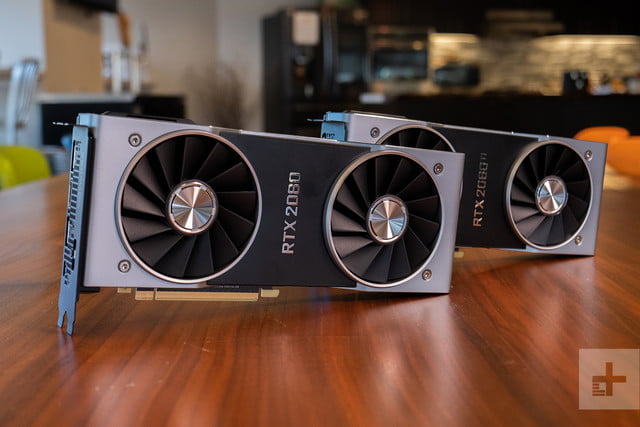
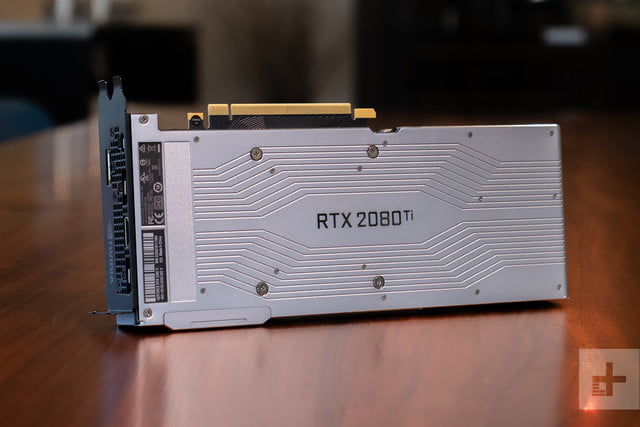
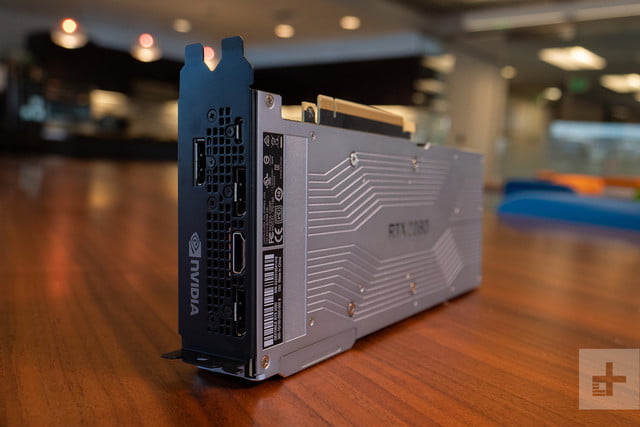
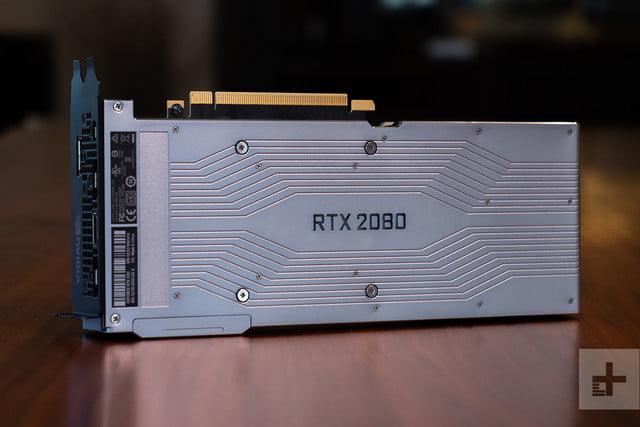
But even at the high end of Nvidia’s new gaming GPU line, there is a sizable difference in what the standard RTX 2080 Founders Edition is capable of compared to the RTX 2080 Ti Founders Edition. Some will likely want to gravitate towards the Ti’s improved specifications, but that comes with a hefty $400 price premium. We’ll break down just how the two top-shelf RTX GPUs stack up.
Performance
Because it’s more densely packed, the RTX 2080 Ti Founders Edition performs slightly better in our early benchmarks compared to its non-Ti variant. That’s to be expected, given that the Ti packs in more CUDA, Tensor, and RT Cores.
When benchmarked using 3DMark, the RTX 2080 Ti performed consistently better across the three tests. This means that the Ti variant had a performance improvement over the base model ranging from 13 percent for the Fire Strike test to up to 31 percent for the Sky Diver test.
When we looked at our gaming results using Deus Ex: Mankind Divided, performance between the two high-end RTX chips were on par at lower resolutions, but the difference was significant at 4K resolution. On Ultra, both chips posted the same results at 1080p, and the Ti variant started to edge ahead under 1440p. Under 4K resolution, the RTX 2080 Ti outperformed the standard model by 29 percent, suggesting that the added Cuda cores and memory on the Ti variant make a more meaningful contribution to graphics performance at higher resolutions and during more GPU-intensive tasks.
Interestingly, though, performance between the RTX 2080 Ti and the RTX 2080 was roughly on par using our Civilization VI test. With the 4K Ultra settings enabled, the Ti variant scored 74, compared to 76 on the non-Ti chip. Performance was similar using the 4K Medium, 1440p Ultra, and 1440p Medium settings, with both chips posting results within range of each other.
Both the RTX 2080 Ti and RTX 2080 will be able to handle first-person shooters at 4K resolution and 60 frames-per-second. And as we’ve seen demonstrated by the Deus Ex: Mankind Divided results, games with Deep Learning Super Sampling (DLSS) built-in should see even bigger performance gains with the Ti version of the RTX 2080.
DLSS delivers better image quality improvements, smoother frames, and better anti-aliasing, thanks to the use of the the built-in Tensor cores and artificial intelligence. The Ti version of the the card has 576 Tensor Cores, versus just 384 on the non-Ti variant, giving it a bigger performance advantage in situations where the GPU would be taxed. In this case, some of these dedicated cores kick in to offload some of the strain on the GPU.
Features
RTX 2080 Ti
RTX 2080
CUDA cores:
4,352
2,944
Base speed:
1,350MHz
1,515MHz
Boost speed:
1,545MHz
1,710MHz
Boost speed (FE model):
1,635MHz
1,800MHz
Memory (GDDR6):
11GB
8GB
Memory speed:
14Gbps
14Gbps
Memory interface:
352-bit
256-bit
At the top of Nvidia’s graphics pyramid, both the RTX 2080 Founders Edition and RTX 2080 Ti Founders Edition support ray tracing, AI-enhanced image rendering, and the single-cable VRLink protocol to connect virtual reality headsets to PCs using a single USB-C cable.
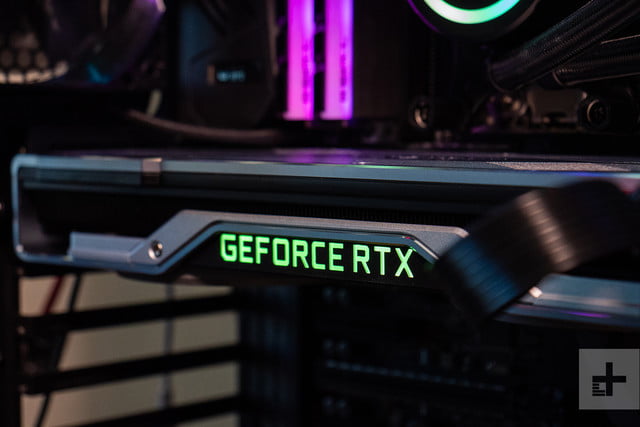
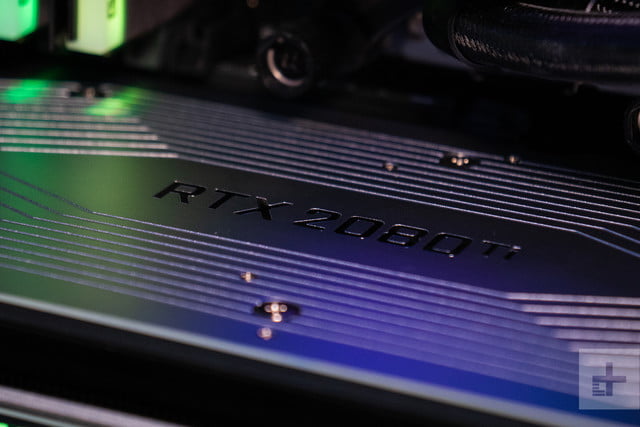
The main difference between these two cards is in the number of dedicated Cuda, Tensor, and RT Cores. The Ti’s more densely packed cores gives it a performance advantage under some tests. The Ti version comes with six graphics processing clusters, each with its own raster engine and six texture processing clusters. Each texture processing cluster comes with two streaming multiprocessor (SM), with each SM containing a single RT processing core, 64 CUDA Cores, eight Tensor Cores, and four texture units. Essentially, as you go down the line in the RTX series, you’ll find fewer RT and Tensor Cores. The RTX 2080, for example, packs just 46 RT cores and 368 Tensor Cores, compared to 72 RT cores and 576 Tensor Cores on the Ti edition.
With more RAM — 11GB versus 8GB — and the ability to handle more operations per second, the Ti card should also perform better than the base RTX 2080 when it comes to ray tracing. Nvidia claims that the RTX 2080 is capable of 60 trillion RTX OPS and 8 GigRays per second, while the more capable Ti edition can handle 78 trillion RTX OPS and 10 GigaRays per second.
Given that there are no game available right now with ray tracing, we’re not able to get benchmark results for these cards. Once ray tracing hits, we can likely expect better performance in how light is rendered in real-time a scene with the RTX 2080 Ti due to its stronger hardware specs.
Which to buy?
The Founders Edition of the RTX 2080 and RTX 2080 Ti are the top two Nvidia’s new line cards, but they’re also the two most expensive. The RTX 2080 Founders Edition retails for $800, while the Ti edition will cost $1,200. If you’re looking to connect two cards together, Nvidia’s Founders Edition cards use the NVLink connector, so you’ll need to add a $80 bridge for a multi-GPU setup.
Unless you’re pushing the performance boundaries with high resolution gaming, most gamers will likely experience little perceivable performance improvements with the Ti card at this time. Given the steep price premium of $400 between the two cards, you may be better served by spending the difference in cost in upgrading your SSD or system RAM, or even going springing for a previous-gen GTX 1080 or 10 80 Ti. That is, at least until more ray tracing games launch to justify this investment. Ray tracing and AI-enabled rendering may be the future, but that future isn’t quite here yet.
Editors’ Recommendations
- Nvidia GeForce RTX 2080 vs. GTX 1080
- We tested Nvidia’s RTX 2080 and 2080 Ti. Are they a worthy upgrade?
- Nvidia GeForce RTX 2000 series: Everything you need to know
- Nvidia RTX 2080 reviews may not drop until September 19
- No games will support ray tracing when Nvidia RTX graphics cards launch
Nvidia GeForce RTX 2080 vs. GTX 1080
With the hype surrounding ray tracing, artificial intelligence, and Nvidia’s claims of up to six times the performance improvement, the RTX 2080 is an enticing GPU. If you have an older GPU, the decision may be easier, but gamers who already have last generation’s GTX 1080 flagship will have to weigh any potential gains against the cost.
Even if you’re not looking at playing games with ray tracing, there’s still plenty of upside with the new RTX 2080 cards once developers add more support for the card. With the RTX chips, current titles will see modest performance gains, but if you’re upgrading your entire setup, complete with a 4K gaming monitor, you’ll also be able to benefit from smart features like upscaling and improved image quality. All that comes at a cost, and we’ll help you decide whether these gains are worth the $250 premium for the RTX 2080.
Performance
Nvidia claims that the RTX 2080 can deliver up to 50 percent performance improvement when compared to older GTX 1080 cards, but our results were mixed. Although the RTX 2080 easily beats the GTX 1080 in our benchmarks, it didn’t quite top the GTX 1080 Ti. The RTX 2080 fared better than the non-Ti GTX 1080 in our 3DMark Sky Diver and Time Spy tests, but results for the Fire Strike tests were within range. When compared to the GTX 1080 Ti, the results delivered by the RTX 2080 was within range. The higher Time Spy results achieved by the RTX card is significant, given that this particular benchmark evaluates DirectX 12 gaming.
When we compared the three cards using gaming tests, such as Civilization VI or Deus Ex: Mankind Divided, we found similar results, with the RTX 2080 besting the GTX 1080, but performance was either slightly worse or on par with the GTX 1080 Ti. For example, in Deus Ex, the RTX 2080 scored 70, 66, and 38 FPS using the game’s Ultra settings on 1080p, 1440p, and 4K resolutions. Meanwhile, the Ti variant of the GTX 1080 generated better scores of 98 and 70 FPS on lower resolutions, and it matches the RTX 2080’s score of 38 FPS on 4K.
The non-Ti variant performed slightly worse with scores of 26 and 58 FPS on the lower resolutions, but the GTX 1080 does better than the RTX 2080 with a score of 71 FPS at 4K, suggesting that the performance of the RTX 2080 in Deus Ex falls somewhere between the GTX 1080 and GTX 1080 Ti. Results were also similar with our Civilization VI and Battlefield 1 tests.
Until we see more games developers take advantage of the RTX chip’s new capabilities, we can likely expect the RTX 2080 to perform somewhere between the base GTX 1080 and the higher end GTX 1080 Ti. Once games take advantage of features like ray tracing, deep learning super sampling (DLSS), and other AI-enabled improvements, then can we expect the RTX 2080 to show even better performance results. At launch, there won’t be any new games that take advantage of ray tracing, but 25 titles will come with DLSS. When DLSS is enabled, gamers should see smoother graphics.
Features
RTX 2080
GTX 1080
Architecture
Turing
Pascal
CUDA cores
2,944
2,560
Base speed
1,515MHz
1,607MHz
Boost speed
1,800MHz
1,733MHx
Boost speed (FE model)
1,635MHz
1,800MHz
Memory
8GB GDDR6
8GB GDDR5X
Memory speed
14Gbps
10Gbps
Bandwidth
448G
320Gbps
With only modest real-world performance gains on current titles compared to the older GTX 1080 cards, early adopters of Nvidia’s GeForce RTX 2080 are essentially investing in Nvidia’s vision for the future of graphics. This vision is delivered by the new Turing architecture, which fuses next-generation shaders with real-time ray tracing and all-new AI capabilities. This should translate to greater details, more realistic scenes, and smoother rendering with the RTX chip.
For gamers who already own a high-end GTX 10-series card, ray tracing will be the biggest draw to Nvidia’s new cards. Ray tracing is a feature that Nvidia has been working on for ten years, and it allows game developers to render scenes with photorealism in real-time by showing how light is absorbed, refracted, or reflected off of objects. This cinematic effect is popular on computer-generated imagery in movies, and now it’s being done dynamically throughout a game thanks to the built-in RT Cores.
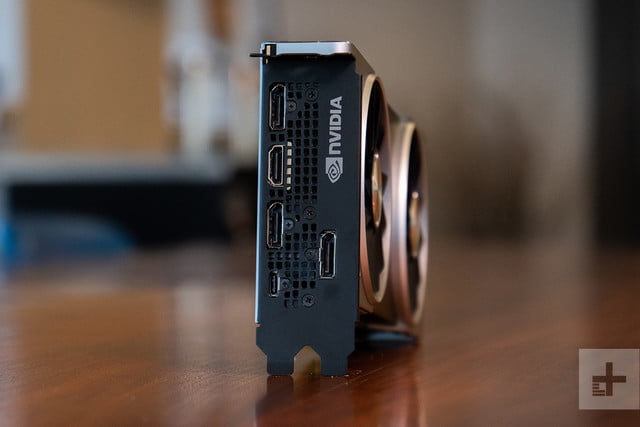
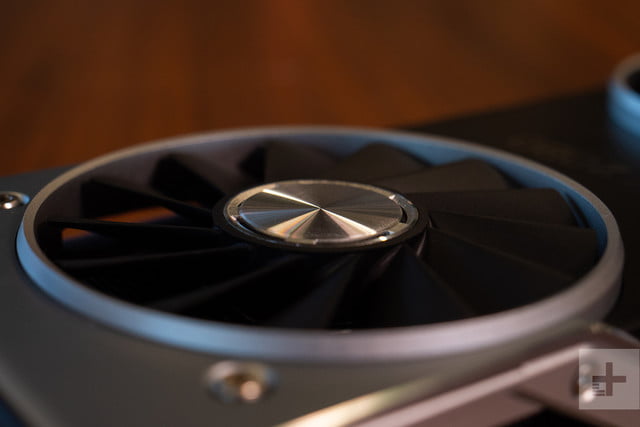
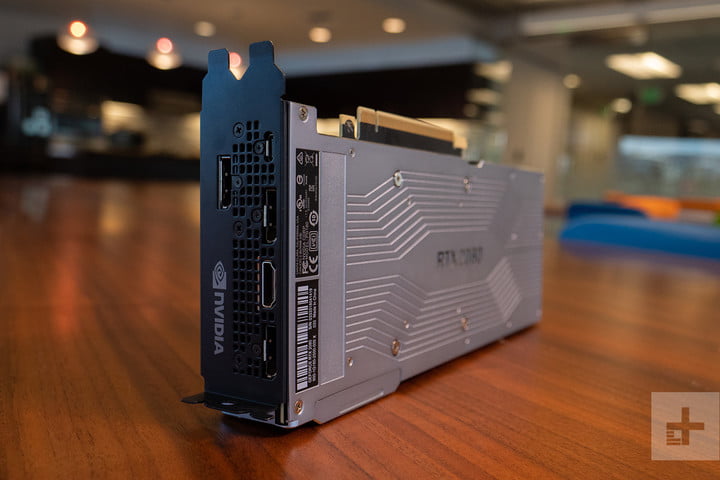
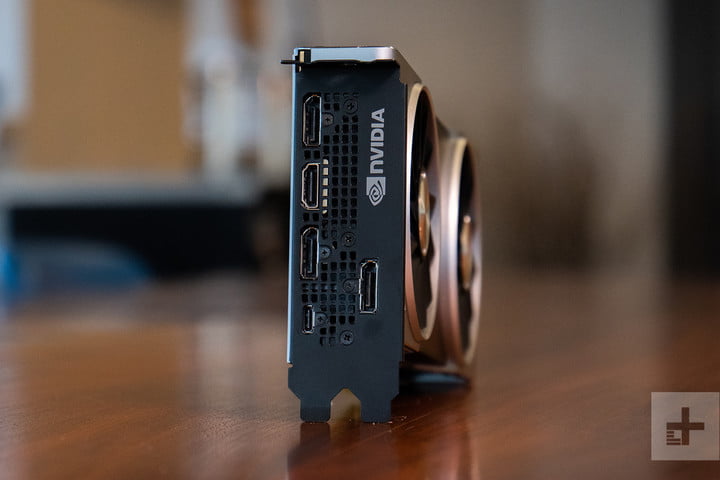
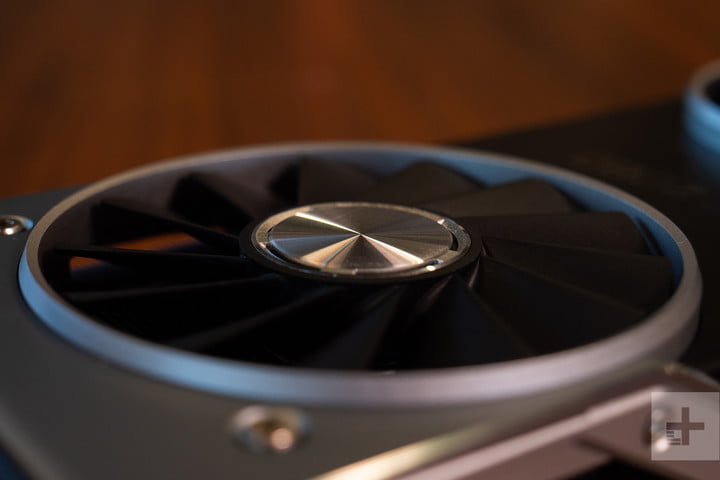
Because Nvidia packaged a dense number of cores on the RTX series — the RTX 2080 ships with 46 RT cores and 368 Tensor Cores — the die is also considerably larger than the GTX series, measuring 754mm compared to 471mm. With this much power, Nvidia had to add a second fan to the RTX cards to keep things running cool.
The RTX 2080 supports dual-8K 60 FPS HDR displays. While the resolution won’t be mainstream for some time to come, native HDR support is beneficial for gamers to spot more details in shadows. If you’re buying a VR headset for the first time, the RTX supports a single-cable VRLink connection, allowing video, data, and power to flow through a USB-C cable.
The GTX 1080 is far more practical
Nvidia’s RTX 2080 — along with the RTX 2080 Ti — represents Nvidia’s gaming flagship GPU at the moment, and the card’s pricing reflects its status in the lineup. The GeForce 2080 Founders Edition is currently priced at $800, with pricing for the RTX 2080 Ti Founders Edition stretching to $1,200. That’s a lot, even for the top-of-the-line models. By comparison, the 1080 Ti debuted at just $700 at launch.
The GTX 1080 Founders Edition currently retails for $550, representing a $250 savings compared to its RTX counterpart. If you can wait, prices for the RTX series are bound to drop further once the RTX series ships.
If you don’t need the modest performance gains of the RTX 2080 or the future-ready ray tracing capabilities, then the GTX 1080 will be the way to go. At least at launch, ray tracing games won’t immediately be available, so you won’t be able to experience the full value of the RTX cards right away — Nvidia lists eleven titles that will be coming at some point in the future. However, even if you choose to play currently available titles, features like the built-in Tensor Core, AI-enabled scene rendering, and DLSS may still be useful, especially if the RTX 2080 can upscale your 1080p title into a 4K game, provided you have the budget to make the RTX jump.
Editors’ Recommendations
- Nvidia GeForce RTX 2080 vs. RTX 2080 Ti
- Nvidia’s GeForce RTX 2060 might launch next year without ray tracing
- We tested Nvidia’s RTX 2080 and 2080 Ti. Are they a worthy upgrade?
- Nvidia’s GeForce RTX 20 Series starts at $500 and features real-time ray tracing
- Nvidia’s Turing chip reinvents computer graphics (but not for gaming)
We tested Nvidia’s RTX 2080 and 2080 Ti. Are they a worthy upgrade?
Previous
Next
1 of 11
Riley Young/Digital Trends
Riley Young/Digital Trends
Riley Young/Digital Trends
Riley Young/Digital Trends
Riley Young/Digital Trends
Riley Young/Digital Trends
Riley Young/Digital Trends
Riley Young/Digital Trends
Riley Young/Digital Trends
Riley Young/Digital Trends
Riley Young/Digital Trends
A new line of graphics cards only comes every couple of years. Cards as ambitious as Nvidia’s RTX 2080 and 2080 Ti? They’re a rare bird indeed.
After an entire year of anticipation, we finally have these two new, powerful GPUs loaded into our systems. But the first thing we wanted to test wasn’t the fancy, ray tracing abilities or AI-powered anti-aliasing. No, no. Here’s the question we sought to answer: Do they actually deliver a substantial improvement on performance worth their high price tag? The answer may surprise you. And disappoint you.
On your marks
For all of our initial testing, we wanted to use the same system we test every other graphics card on — and that’s our monster 12-core Threadripper 1920X system, which includes 32GB of RAM and an Asus 4K gaming monitor. We popped in the GeForce RTX 2080 and 2080 Ti, both Founders Edition straight from Nvidia, and got right to benchmarking.
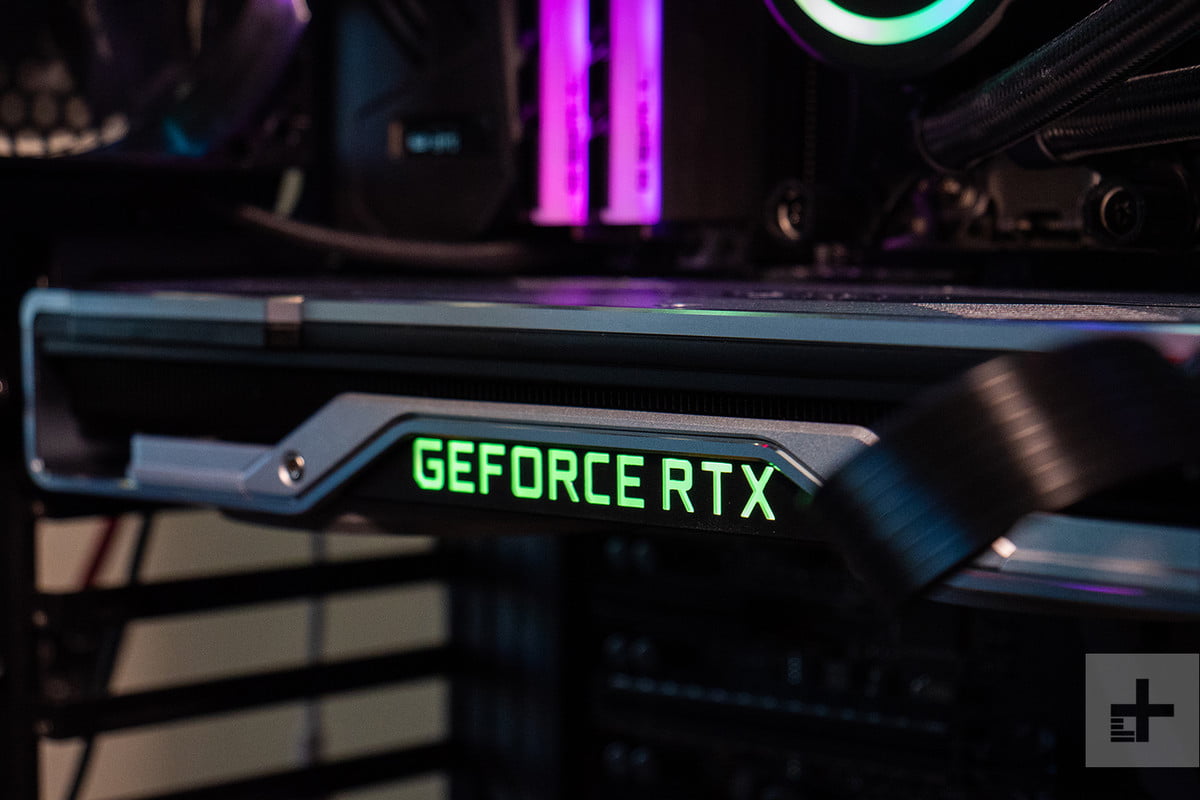
We started our tests with 3DMark, again, to really get an apples-to-apples sense for how these graphics cards compare with others. The immediate results? Well, we can say with certainty these new cards are faster than the previous generation, and the RTX 2080 Ti is definitely the most powerful graphics card ever made. With a score of 20,210, that’s the highest score for a single GPU we’ve ever recorded.
But as the numbers poured in, we started to see what would be confirmed through game tests later: This just isn’t the performance spike Nvidia boasted of.
If we take a look at the performance jump from the GTX 980 to the GTX 1080, it’s an impressive 33 percent increase in Fire Strike. Going from the 1080 to the 2080 we see only an 11 percent increase, which places it behind the 1080 Ti in terms of ranking. With the significant increase in CUDA cores, faster GDDR6 memory, redesigned cooling solution, increased price, and Nvidia’s hype machine at full tilt, we expected a bit more of a jump in performance over its predecessor.
 Riley Young/Digital Trends
Fortunately, the 2080 Ti fares a bit better. With a 23 percent increase over the GTX 1080 Ti in 3DMark, that’s closer to what we’d expect in a standard generational jump. Unfortunately, you’ll have to pay up for that increase. The 2080 Ti carries a $400 premium at $1,200 over the 2080’s $800 price tag, and that’s $500 more at launch than the 1080 Ti cost when it was introduced.
In-game testing
Our standard suite of test games includes Civilization VI, Battlefield 1, Deus Ex: Mankind Divided — and Fortnite, for kicks. 4K is still the holy grail when it comes to gaming, but we started out our testing in 1440p to see how the 2080 and 2080 Ti could handle lower resolutions. (We hope it goes without saying, but if you’re playing games in 1080p or lower, no need to drop this much cash on a graphics card. A GTX 1060 or 1070 should do you just fine.)
The framerates we got lined up well with the precedent set by the 3DMark scores. In terms of game performance, the RTX 2080 comes in above the GTX 1080 — and just behind the 1080 Ti. In 1440p, games like Battlefield 1 look beautiful and play smoothly on the RTX 2080, and it will even take full advantage of your high-end 144Hz panel. Same story for Fortnite, where we averaged 142 frames per second. That’s around a 20-25 percent increase over framerates delivered by the GTX 1080, but a bit behind what the GTX 1080 Ti can pump out. It’s not the massive leap forward we’d hoped for, but it’s on par for a new generation of GPUs.
When jumping up to 4K, we are happy to report the RTX 2080 can handle almost every game this resolution with settings maxed. Civilization VI, Battlefield 1, and Fortnite easily cleared the 60 FPS hurdle, and that’ll be indicative of most modern games you currently play. Deus Ex: Mankind Divided presented a bit of a stumbling block in 4K, but it’s an outlier in terms of how it’s optimized.
Again, those are positive numbers. They just don’t quite match the hype of Nvidia’s CEO and marketing team — and thanks to the price of the card, certainly don’t bring 4K gaming access to the masses.
The RTX 2080 Ti, on the other hand, has some raw power that we haven’t seen before. We’re seeing a similar 20-30 percent framerate increase in games like Deus Ex and Battlefield 1. It’s a bit more exciting when you’re stepping into uncharted territory.
Regardless of the resolution, the 2080 Ti has a ton of power at its disposal. Games like Battlefield 1 and Fortnite feel nearly wasted, tapping out over 150 FPS. When you see some of those beautiful environments in Battlefield 1 rendered in brilliant, smooth 4K, it’s hard to be disappointed.
If you’ve been waiting around for a graphics card to properly match that huge, 4K monitor sitting on your desk, the 2080 Ti is as close as you can get. It still sank under 60 FPS during Deus Ex with an average framerate of 49 FPS, but this chip makes nearly every game we tried look like a walk in the park. The same could be said of the 1080 Ti, which was already a very powerful chip, but the 2080 Ti takes it one step further.
But should you buy one?
There are still larger questions about how these cards will perform with RTX enabled. It’s hard to imagine you won’t see a somewhat significant dip, given the amount of extra processing that has to happen.
In the meantime, the RTX 2080 and 2080 Ti are a bit hard to make a conclusive call on. A lot of the potential that lays dormant in these GPUs can’t be fully taken advantage of yet. Nvidia isn’t the first tech company to ask its fans to buy into a dream before its time, but for a dramatic price increase over what its new GPUs have debuted at in the past, it’s asking a lot.
A lot of the potential that lays dormant in these GPUs can’t be fully taken advantage of yet.
The RTX 2080 Ti, in particular, had some noteworthy performance gains that make it a really solid upgrade. But the RTX 2080 is a bit harder to recommend, especially when the 1080 Ti currently sells for at least a hundred bucks cheaper and offers better framerates.
In terms of ray tracing and new AI capabilities, these might be the most advanced graphics cards ever made. They might be the foundation for an entirely new era of game visuals. We’ve seen the demos, and there’s no debating it’s impressive. Who knows? Maybe every game in 2025 will be RTX-enabled, and you’ll be happy you sprung for the 2080 rather than the 1080 Ti — seven years later.
To sum it up: Do buy one of these graphics cards (and spring for the 2080 Ti!) if you want the absolute best performance that can be had today and have bought into Nvidia’s vision of the future. Otherwise, your gaming rig and the games you own now will be better served by an upgrade to last year’s models. In fact, one of the best things about the introduction of this next generation might just be that last gen’s cards are more affordable than ever.
Editors’ Recommendations
- Nvidia GeForce RTX 2080 vs. GTX 1080
- Nvidia GeForce RTX 2080 vs. RTX 2080 Ti
- Nvidia vs. AMD
- GTX 1080 graphics card prices plunge following Nvidia’s RTX announcement
- Nvidia RTX 2080 reviews may not drop until September 19
Not just for photographers anymore, Loupdeck+ now supports Adobe Premiere Pro
HIllary Grigonis/Digital Trends
Loupedeck, the hands-on photo editing “keyboard” is no longer just for photos. On Wednesday, September 19, Loupedeck announced Adobe Premiere Pro CC compatibility with the controls and dials of the Loupedeck+.
About the size of a standard keyboard, the Loupedeck+ replaces keys with dedicated dials, wheels, and buttons for editing images, and now videos. Loupedeck was originally designed specifically for Adobe Lightroom, with dedicated physical controls for a majority of the slider controls inside the popular photo editing software. Those same controls can now be used inside Premiere Pro with an update to the Loupedeck+ software.
The color controls at the top of the Loupedeck+ for adjusting the HSL (hue, saturation, and luminance) panel in Lightroom become color-grading tools for Premiere Pro. The already-labeled color tools don’t need to be adjusted to adapt to the video editor, but other tools can be custom configured to better fit the workflow for video, Loupedeck says. The custom control scheme can also be saved and exported to another computer.
The update to the software that customizes those controls also allows video editors to toggle between different Look Up Tables (LUTs) to save time editing, Loupedeck says. The controls on the console can also be set to navigate through the timeline, trim content, and adjust clips. Like in Lightroom, buttons on the Loupedeck can also be assigned to keyboard shortcuts.
While the original Loupedeck was designed for Lightroom, the Loupdeck+ made a few enhancements to the controls and also expanded compatibility with Skylum Luminar, and soon, Capture One. Premiere Pro is the first video compatibility for the Loupdeck.
“Our mission is to keep on improving the editing workflow, so it’s only fitting our next step is in the video editing space,” Mikko Kesti, founder and CEO of Loupedeck, said in a press release. “Just like we developed the Loupedeck+ exclusively from community feedback, we felt it was imperative to listen to what our users had to say and make the device’s functionality even more well-rounded, providing all the same editing functions that photographers have at their fingertips to videographers. Users can now count on Loupedeck+’s intuitive design and user-friendly approach to enhance their video editing quality and increase their output. Our ongoing partnership with Adobe made introducing these new capabilities with its Premiere Pro CC suite an easy decision.”
The company says Premiere Pro is just the start of the video capabilities — additional software compatibility in the video space is expected to be announced later this year. While the software has changed, the hardware has not — the Loupedeck+ is already available, retailing for about $230.
Editors’ Recommendations
- Photoshop makes objects disappear with revamped Content-Aware Fill
- Is full Photoshop coming to iPad?
- Photo FOMO: Adobe’s slick Hollywood editing suite, IGTV’s test for teasers
- 8 GoPro tips and tricks to take your footage to the next level
- Newly redesigned Moment Pro app has manual controls — and Pixel Visual Core
PowerDirector, PhotoDirector aim to balance advanced tools with easy editing
 Cyberlink
Cyberlink’s photo- and video-editing software packages are getting a boost to help create high-end results minus the steep learning curve. Cyberlink has launched updates to the suite of Director-series multimedia editing software, including PhotoDirector 10, PowerDirector 17, ColorDirector 7, and AudioDirector 9.
The update, the company says, aims to give users more advanced tools while maintaining the simple user interface. The update also brings a subscription option — though users will still have the one-and-done payment option — to gain access to all four programs under Director Suite 365.
“Director Suite has always strived to provide all the creative tools professional creators need to realize their visions,” said CyberLink CEO Jau Huang. “We’re living in a time of rapid change, where people are continually pushing creative boundaries. To realize this, they need technology that is ahead of the curve, providing them with all the tools they need to fulfill their creative potential.”
PhotoDirector 10
Previous
Next
1 of 4

Cyberlink

Cyberlink

Cyberlink

Cyberlink
The company’s photo-editing program gains a few features typically associated with professional-level software. Tethered shooting, which sends images from the camera directly into the software, is included in the update. The tool is commonly used for instantly previewing shots in studio.
PhotoDirector 10 also sees updates to layers, another feature commonly found in advanced editing software. While layers were available in previous versions, the update brings the ability to group layers, create clipping masks to apply the layer only to one part of the image, and the option to add a blank layer. The software also uses Express Layer Templates to jump-start layer-based edits.
PhotoDirector’s Content-Aware tool can now clone objects in addition to moving and removing objects in photos. The update also includes one-click Keystone Correction, which fixes perspective errors, and soft proofing, a monitor mode that’s closer to what the image will look like when printed.
PowerDirector 17
Previous
Next
1 of 3

Cyberlink

Cyberlink

Cyberlink
The updates that cross into pro-level editing continue in the video-editing platform, PowerDirector. Users can now use three color samples when editing out the green Chroma-Key background. Nested videos allow for editing projects with multiple videos, while precut helps slice up longer videos into clips with more precision.
A new multicam tool helps editors sync footage of the same scene shot from different angles. The tool works by analyzing the video’s audio to sync the clips. The synced multicam videos can then be used inside collage templates.
Updates to the program also include advanced motion tracking, new title effects, and additional styles for the program’s artificial intelligence-style transfers.
The color-grading and audio tools often used with PowerDirector also gain new features. ColorDirector 7, the company says, has improved global adjustments made to an entire clip, as well as better regional adjustments to selected footage. Presets now also have keyframe support, which gives editors the ability to control the intensity of an effect.
AudioDirector 9 acquires the ability to batch-process multiple files at once. A new spatial audio panner helps create soundtracks for immersive video, while the mixer room feature is designed to save time when testing multiple audio effects.
The software suite is available beginning September 19, with perpetual licenses between $100 and $130 for each program, or $140 for both PowerDirector 17 and PhotoDirector 10. The new subscription option for Director Suite 365 includes all four programs, as well as additional plug-ins, effects, and 100 GB of cloud storage for $30 a month, $70 for three months, or $130 per year. A subscription for only PowerDirector, including 50GB of cloud storage, is $20 a month, $40 for three months, or $70 for a year.
Editors’ Recommendations
- Color grading pushes Pinnacle Studio 22 toward more pro video editing features
- PaintShop Pro 2019 is more well-rounded with 360 compatibility, speed boost
- Photoshop makes objects disappear with revamped Content-Aware Fill
- Adobe Spark Page makes web design easy — here’s how to use it
- The best free recording software
Apple iPhone XS vs. Samsung Galaxy S9: 2018’s biggest flagships clash
Julian Chokkattu/Digital Trends
The Apple iPhone XS has been revealed, and it’s a gorgeous example of what makes a great 2018 phone, with powerful hardware and a beautiful look. But it takes more than power and beauty to beat Apple’s biggest rivals, and they don’t get much bigger than Samsung.
Now that the iPhone XS is here, it’s time for each company’s chosen champion to duke it out in a futuristic flagship fracas. Is the Apple iPhone XS better than the Samsung Galaxy S9? Which should you buy? We took a look to find out.
Specs
iPhone XS
Samsung Galaxy S9
Size
143.6 x 70.9 x 7.7 mm (5.65 x 2.79 x 0.30 inches)
147.6 x 68.7 x 8.4 mm (5.81 x 2.70 x 0.33 inches)
Weight
177 grams (6.24 ounces)
163 grams (5.75 ounces)
Screen size
5.8-inch Super Retina AMOLED display
5.8-inch Super AMOLED display
Screen resolution
2,436 × 1,125 pixels (458 ppi)
2,960 x 1,440 pixels (570 pixels per inch)
Operating system
iOS 12
Android 8.0 Oreo
Storage space
64GB, 256GB, 512GB
64GB, 128GB, 256GB
MicroSD card slot
No
Yes, up to 512GB
Tap-to-pay services
Apple Pay
Google Pay, Samsung Pay
Processor
A12 Bionic
Qualcomm Snapdragon 845
RAM
TBA
4GB
Camera
Dual 12MP rear, 7MP FaceTime HD front
12MP (with OIS) rear, variable aperture, 8MP front
Video
2,160p at 60 fps, 1,080p at 240 fps
2,160p at 60 frames per second, 1,080p at 240 fps, 720p at 960 fps
Bluetooth version
Bluetooth 5.0
Bluetooth 5.0
Ports
Lightning
3.5mm headphone jack, USB-C
Fingerprint sensor
No
Yes
Water resistance
IP68
IP68
Battery
TBC
Fast charging (fast charger not included in the box)
Qi wireless charging
3,000mAh
QuickCharge 2.0
Qi wireless charging
App marketplace
Apple App Store
Google Play Store
Network support
AT&T, Verizon, T-Mobile, Sprint
T-Mobile, AT&T, Verizon, Sprint
Colors
Gold, Silver, Space Gray
Midnight Black, Coral Blue, Lilac Purple
Price
$1,000
$720
Buy from
Apple
Samsung, Amazon
Review score
Hands-on review
4 out of 5 stars
Performance, battery life, and charging
Julian Chokkattu/Digital Trends
The Galaxy S9 is powered by the Snapdragon 845 processor — the same chip we’ve seen in many 2018 flagships, including the Galaxy Note 9, OnePlus 6, and the LG G7 ThinQ. It’s a very powerful chip, and we’ve yet to see it provide anything less than super-smooth performance and excellent gaming performance. However, the new A12 Bionic processor in the iPhone XS might manage to top even the mighty Snapdragon 845. Apple showed off some spectacular footage from the upcoming Elder Scrolls: Blades video game running on the iPhone XS, and it’s likely the iPhone XS will usher in a new level of power for mobile processors.
It’s not so conclusive where battery life is concerned. Apple hasn’t revealed how large the iPhone XS’s battery is, but we do know it’s slightly larger than the 2,716mAh battery in the iPhone X. We should expect around a day from the new iPhone — which is about the same as the Galaxy S9. In terms of charging there’s wireless charging on both phones, and fast charging too. Apple continues to fail to include a fast charger in the box though, which seems odd when most phones — the Galaxy S9 included — ship with a fast charger.
Despite the lack of a fast charger in the box, the iPhone XS’s performance looks set to blow us away — and it wins this round.
Winner: iPhone XS
Design and durability
-
1.
iPhone XS -
2.
Galaxy S9
The Samsung Galaxy S9 has a bezel-less style that sees the display blend seamlessly into the glass and metal body. Flip it over and you’ll find a single camera lens and a fingerprint scanner on the back. It’s a beautiful phone, and one of our favorite designs. It’s smooth and sleek, and thoroughly modern.
Similarly, the iPhone XS is a beautiful combination of glass and metal, with an all-encompassing bezel-less design. Apple has improved on the iPhone X by adding a gold finish to the XS, giving the phone a distinctive gleam. You’ll find two camera lenses on the back of the iPhone, but there’s no fingerprint scanner, and there’s no headphone jack either. The iPhone XS also has that notch — but most Apple fans are probably used to that by now.
Thanks to an upgrade from Apple, both phones have IP68-water resistance and should be able to withstand a drop in the pool or bath. You’re probably going to a want a case for both though — the glass is fragile, and both glass bodies attract fingerprints. Apple is boasting that the glass on the iPhone XS is its most durable ever, but we’ll have to see how that stands up in practice.
Both of these phones are exceptionally gorgeous in different ways, and it’s very hard to pick between the two. The iPhone XS may be the better looking, but that is balanced out by the headphone jack and fingerprint scanner on the Galaxy S9. This is a tie.
Winner: Tie
Display
Julian Chokkattu/Digital Trends
Apple’s OLED rollout is complete, and you will only find LCD display technology in one iPhone this year. The Super AMOLED display in the iPhone XS is a work of art, with support for HDR10, Dolby Vision, and Apple’s True Tone feature. We haven’t had much chance to play with it yet, but the little we saw blew us away.
But is it better than the Galaxy S9’s Super AMOLED display? Samsung is arguably the king of OLED, after breaking DisplayMate records with the Galaxy S9 and Note 9. Both the S9 and iPhone XS come with a 5.8-inch display, but the Galaxy S9’s is sharper, thanks to a higher resolution.
While both have stunning displays, we’re betting on the Galaxy S9’s sharper display and Samsung’s experience.
Winner: Samsung Galaxy S9
Camera
Julian Chokkattu/Digital Trends
Samsung continues to impress with the single 12-megapixel lens on the Galaxy S9. The variable aperture means that the phone is able to intelligently change between aperture as required, and it’s capable of taking incredible photos. However, that lack of a second lens is likely holding the S9 back, and we thought the dual-camera system on the iPhone X was superior back when we pitted those two phones head-to-head.
Apple hasn’t stood still since then, and the iPhone XS continues to improve on smartphone photography. The XS rocks two 12-megapixel lenses — one with telephoto capabilities — and a host of new features powered by the A12 processor. There’s a Smart HDR mode that combines the best bits from multiple photos to create a single image and a setting that allows you to set the depth of the background blur in Portrait Mode shots, as well as a host of improvements to existing tools.
The S9 has an edge thanks to super-slow-motion video, with the ability to capture video at 960 frames-per-second, but it’s not an everyday feature, and we think most people will appreciate stronger images over slow motion. The selfie cameras are similar, with the S9 rocking an 8-megapixel lens, while the iPhone XS has a 7-megapixel TrueDepth lens.
This category is tough to judge since both have exceptionally strong features and camera suites, but the dual-lens iPhone XS takes it.
Winner: iPhone XS
Software and updates
You will find Android 8.0 Oreo on the Galaxy S9, with Samsung’s custom Samsung Experience UI laid over the top. Most people with previous Android experience shouldn’t have any issue using this custom UI. However, this heavy modification means that major Android updates can take a while to come to Samsung’s phones. While the S9 will be receiving an update to Android 9.0 Pie, don’t expect it to arrive quickly.
This isn’t a problem on the iPhone XS’s iOS 12. Since Apple controls both iPhone hardware and the iOS operating system, it can push out updates as it pleases. In addition, Apple tends to support its phones for longer than any other manufacturer — so it’s likely the iPhone XS will still be getting major iOS upgrades after the Galaxy S9 has been written off.
Comparing iOS and Android is extremely difficult, and it often comes down to personal preference. However, the iPhone XS wins here thanks to Apple’s strong update record.
Winner: iPhone XS
Special features
Julian Chokkattu/Digital Trends
You’ll find a bunch of special features on both of these handsets. You’ll find Apple’s latest features on the iPhone XS, including the latest Siri updates, augmented reality-powered Animojis, and Apple’s impressive FaceID face unlock. The Galaxy S9 can be used with Samsung’s DeX pad for desktop capabilities, has Animoji-like AR Emoji, and the voice assistant Bixby. There’s also Iris Recognition unlocking on the Galaxy S9.
It’s hard to anoint a winner here since both have some strong features that different people will enjoy. This is a tie.
Winner: Tie
Price
The Samsung Galaxy S9 is available now, with prices starting from $720 for the 64GB model. As it’s a Samsung flagship it’ll work with most U.S. carriers. The iPhone XS starts at an eye-watering $1,000 for the 64GB model. Like the S9, it’ll be available on most U.S. carriers.
Overall winner: iPhone XS
As ever with the Samsung-Apple dynamic, this fight was close, and it could have gone either way in more than a few categories. However, the powerful new A12 Bionic processor, improved camera, and Apple’s update policy really swung it for the iPhone XS.
However, your decision shouldn’t be a foregone conclusion. If you prefer Android phones, then it goes without saying that you should buy the Galaxy S9. Even if it loses out in certain categories, the S9 is no slouch, and has the power of the Snapdragon 845, an exceptional camera, and some great software. Plus, the Galaxy phone is close to $300 cheaper.
But for anyone who isn’t put off by the $1,000 price tag, and is simply interested in getting the best phone — pick the iPhone XS.
Editors’ Recommendations
- Apple iPhone XS: News, release, specs, and more
- Apple iPhone XS vs. iPhone X: What difference does a year make?
- Apple iPhone XR: Everything you need to know
- Apple iPhone XS, XS Max, and XR: All the hands-on photos you could ever need
- Apple iPhone XR vs. iPhone 8 vs. iPhone 7 vs. iPhone 6s: Which is best for you?
Be an online phantom and web surf safely with Ghostery’s mobile browser
Personal data is currency and if you’re not paying for a service, you yourself are probably the product. Personal data scandals involving services like Facebook and the implementation of the European Union’s GDPR online privacy regulations have meant that more people than ever worry about keeping their private lives private in a world that constantly wants us to show more. But how can you make sure you’re browsing safely at all times?
There are ways to improve your privacy on Android devices, and Apple claims it can gather data without infringing on user privacy — but another great way to stay secure and anonymous on the internet is to use a specialized privacy browser. Ghostery is one such browser, and it’s launching a whole new version of its Ghostery Mobile Browser with new tools and features that could make it the top choice for the privacy concious on Android and iOS.
Browse and search like a ghost
Ghostery’s logo is a ghost, so it’s fitting that it allows users to act like phantoms that leave no trace. Ghostery’s Ghost Search feature is one of the browser’s most unique features, and it provide users with immediate search results, without needing to complete a search.
Ghost Search works by suggesting up to three websites as users type their query, tossing up search results it thinks will be the most useful. See the correct result? You can click on the card to go straight to the website, neatly bypassing the need for a separate search engine. It worked well for us, giving us relevant results most of the time, and reducing the need to click through to DuckDuckGo, Ghostery’s default search engine. Don’t worry that you’re simply trading one master for another — Ghostery’s owner Cliqz is dedicated to user privacy, and doesn’t store personally identifiable info, and uses its own independent web indexing.
Need to be even more phantom-like? Enable Ghostery’s private browsing mode, Ghost Mode, and sites you visit won’t show up on your browser history, further enhancing your privacy. If you’ve ever used Incognito Mode on Chrome, or Private Browsing on Firefox then you’ll be familiar with the idea.
Enhanced web protection from tracking, ads, and more
Ghostery isn’t just about ghost-based branding — the browser comes with all the privacy mod-cons you’d expect from a security-focused browser in 2018. The first time you boot up the browser, it will ask you to choose an ad-blocking philosophy, whether to block all ads & trackers, the most troublesome ads & trackers, or allow everything. Users can see which websites are tracking their data and where it’s being sent.
Android users also get the ability to block trackers individually or in bulk, as well as having access to the A.I.-powered Enhanced Anti-Tracking software that overwrites potential personal data points. Anti-phishing software is built in, and Ghostery claims its software detects up to four times more than Google’s, and reacts quicker to new sites. It also prevents sites from running cryto-mining add-ons in the background.
We’ve seen a lot of these features in browsers before, and we’re starting to see ad-blocking tools added into browsers as a matter of course. Ghostery doesn’t really add much that’s new, but instead brings everything together and refines these features into a browser that should be rock-solid for protection against ads, tracking tools, and more sinister attempts to hijack your browser. Best of all, Ghostery gives you control over your blocking, and allows users to enable and disable protection as you see fit, giving all the necessary tools to the user.
Since Ghostery is built on Mozilla Firefox’s mobile browser, users also have access to Firefox’s large database of add-ons to further tweak and enhance their experience. That said, Ghostery’s packed to the brim with features already, and adding more add-ons to the mix runs the risk of slowing the browser down. We noticed that Ghostery wasn’t always the fastest feeling browser around, and more add-ons could slow it down further.
Other features
Ghostery also comes with a suite of features that allow users to save their mobile data. Users can choose to only load images over Wi-Fi to reduce data usage, and can also enable a feature that stops auto-play videos from playing — especially useful if you’re on a strict limit for your mobile data. Another extremely useful feature for iOS users only is the ability to download YouTube videos for later. Simply access the video you want to download, then tap the download button to save your video in either 720p or 360p. Videos download extremely fast, and this is a feature that we’re sure many will enjoy.
Another useful feature is the Smart Tab feature. When users open a new tab, they’re presented with a variety of news items from trusted sources, as well as links for commonly visited websites. There’s a built-in password manager, too, with support for fingerprint scanners and FaceID on iOS.
If you’re interested in checking out Ghostery’s new features, then you can find it on the Google Play Store and Apple’s App Store. Ghostery isn’t just about mobile safety either, and you can lock down your browser with Ghostery’s browser extension, available on most popular browsers, including Chrome, Firefox, and Safari.
Editors’ Recommendations
- How to clear cookies
- How to set up your Lenovo Smart Display
- How to find the IP address of your router
- How to buy speakers: A beginner’s guide to home audio
- How to connect your phone to an Xbox One
Skype Preview’s SMS Connect for Android: A promise of things to come
If SMS is your go-to way to message, you’ll want to follow the progress of Skype’s SMS Connect.
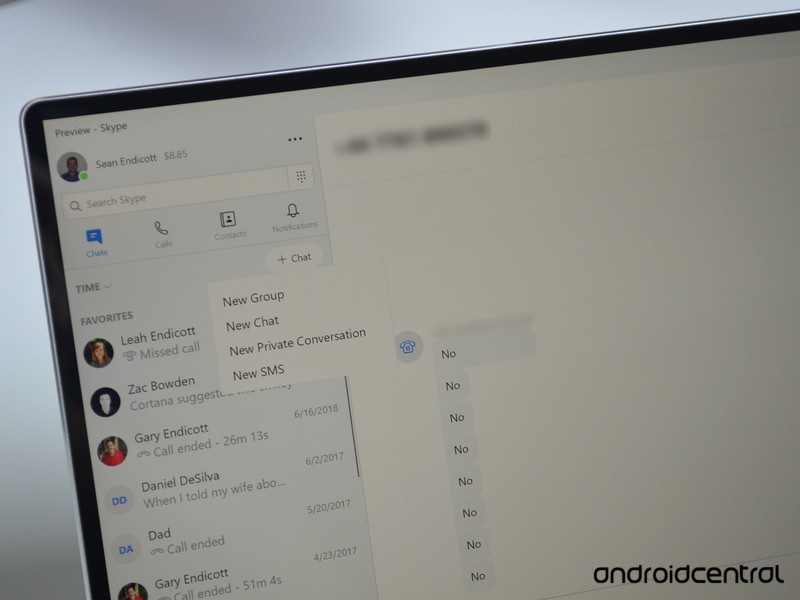
Online messaging services are growing in popularity, but for many people, SMS is still the go-to way to message. Skype has had a number of attempts to allow users to send SMS messages from a variety of devices, but the most recent iteration may be the most promising.
Skype Preview’s SMS Connect works with Windows 10 desktops and PCs when a user has Skype set up on their Android phone. It’s still in preview so it’s not perfect, but there’s enough available already to talk about what Microsoft needs to do with it to make it mainstream.
To get the app you’ll need to be running Skype Preview on both your Android phone and your Windows PC or Mac. It’s worth pointing out that this works on older versions of Windows.
A promising future
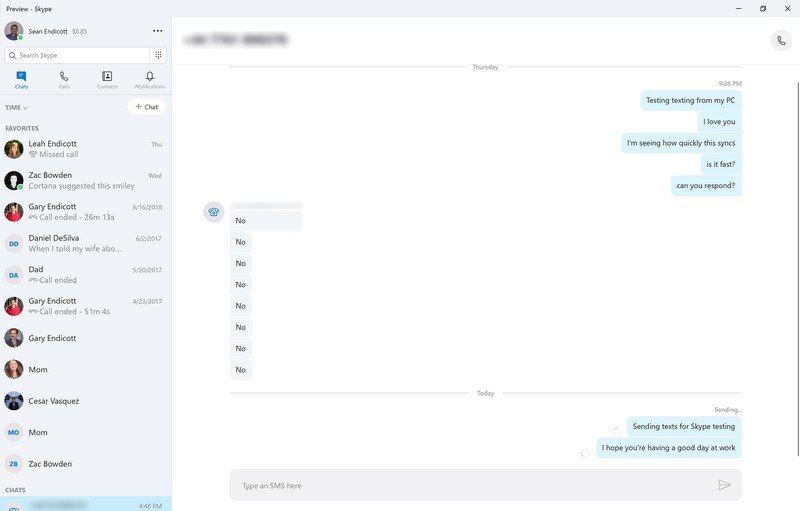
As mentioned earlier, this isn’t Skype’s first foray into SMS messaging. You’ve been able to message from Skype accounts for a long time and Windows 10 Mobile had a couple versions of sending SMS messages from your PC. But this version is aimed at Android phone users, aligning it with Microsoft’s vision of mobile computing regardless of the platform. The fact that it works on Windows 10, older versions of Windows, and Mac computers is very promising because it seems unlikely that Microsoft would work on support for three major platforms and then pull the plug, though you never know.
To set it up you just open Skype’s settings on your PC or Mac and pair your phone. It worked quickly for me and I sent messages right away. There were some issues with sending messages but I’ll credit those to it being the first release of a preview feature.
I’ve been harsh on Skype in the past but I’m happy with SMS Connect. Skype is still used by millions of people on a regular basis and if Microsoft can get SMS Connect to be an iMessage competitor then that’ll be a huge win for them.
Some gaps to fill
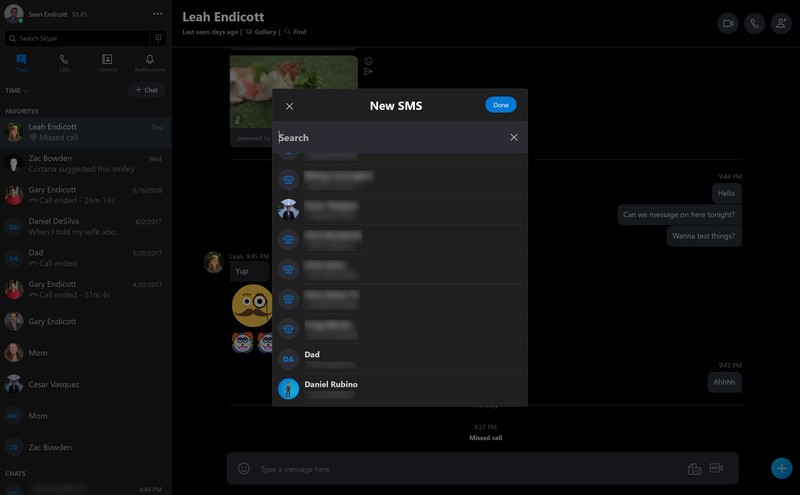
While I’m generally happy with SMS Connect, there are some gaps to fill before it can compete with other messaging apps. This is understandable since it’s in preview, but Microsoft has to iron these out before release — not halfway fix them and then change their mind as they have in the past with SMS related feature.
First, messages show up as completely independent threads from messages with the same person. Microsoft at least needs an option to combine these threads to stop users from having to jump between multiple conversations with the same person.
Second, despite the fact that I created a message by clicking a preexisting contact, the person’s name didn’t appear on the message. This is a bit of an odd bug but I imagine it will be fixed.
Lastly, Microsoft needs to see if there’s a way to roll this out to iOS, at least onto iPads. This might be impossible with its limitations, but maybe there’s a chance Microsoft can get around it by working through the cloud. SMS Connect can be a great asset to users with Android phones, however, if messages sync with their PC, Mac, phone, and not their tablet, some will turn their nose at it. Then again, for people who aren’t on iOS, that won’t matter in the slightest.
Overall thoughts on Skype Preview’s SMS Connect

Skype Preview’s SMS Connect is yet another step in Microsoft’s long journey to bring SMS messaging to every device it can. Previous attempts have failed or been abandoned, but Microsoft seems determined to make this work. This is evidenced by the widespread support of SMS Connect on Mac, multiple versions of Windows, and Android phones but is also clear because of Microsoft’s efforts to release their Your Phone app.
SMS Connect isn’t perfect yet, and it would be unfair to expect it to be. It works well enough to show promise for what could be an easy to use cross-platform SMS messenger that works with an app many people already have.
Download: Skype Preview (free)
Is it worth trading in the Galaxy Note 8 for the Note 9?
For some users, the trade might make sense.
We’ve said it before and we’ll say it again — if you’re shopping around for a large Android phone, it’s hard to do better than the Galaxy Note 9. The Note 9 is chock full of exciting features, but then again, so is last year’s Note 8.

There are a number of trade-in promos that offer a pretty good chunk of money for trading in your Note 8 for the Note 9, and while these offers can be exciting, is it worth handing in a powerful phone that’s just a little over a year old?
Here’s what the AC forum users have to say.
j_hansen
09-13-2018 02:51 PM“
Note 2,3,4,8 user here and I’m not bothered with the 9 just yet, spent money on the Galaxy Watch instead and will await the price drops we’ll see on the Note 9 just before latest iPong hits the shelves… Black Friday… Cyber Monday… X-mas…. Note 9 plus freebies are going to good soon enough that I’m not buying now 🙂
Reply
Gary02468
09-13-2018 04:43 PM“
I upgraded, clearing just under $400 by selling my Note8, and got the free Duo charger, Dex station, and AKG bluetooth headphones along with the Note9. So in effect, I got all that for $600, and I’m happy with the upgrade at that price. The Note9 is noticeably better.
Reply
jeetu4444
09-13-2018 04:57 PM“
Definitely an upgrade from a note 8..I shifted from Note 8 to S9+ and now to Note 9…I would upgraded anyway for bigger battery and stereo speakers…but the bluetooth S pen is really handy…even better fps placement is good
Reply
Iva_LadyDiCaprio98
09-13-2018 07:15 PM“
I upgraded from a Note8 even though I initially said I wasn’t going to lol but all in all I am happy I did. The Note9 is truly the best phone I’ve had by far – larger memory in comparison to the Note8, larger RAM, slightly bigger screen, and in the color I’ve always wanted – blue! You won’t be disappointed I don’t regret moving up to the 9
Reply
What do you think? Is it worth trading in the Galaxy Note 8 for the Note 9?
Join the conversation in the forums!
Samsung Galaxy Note 9
- Samsung Galaxy Note 9 review
- Galaxy Note 9 vs. Note 8
- Where to buy the Galaxy Note 9
- Galaxy Note 9 specifications
- Is the Note 8 still a good buy?
- Join our Galaxy Note 9 forums
AT&T
Verizon
T-Mobile
Samsung
Amazon
How to fix problems from the 6.0 update for the PS4
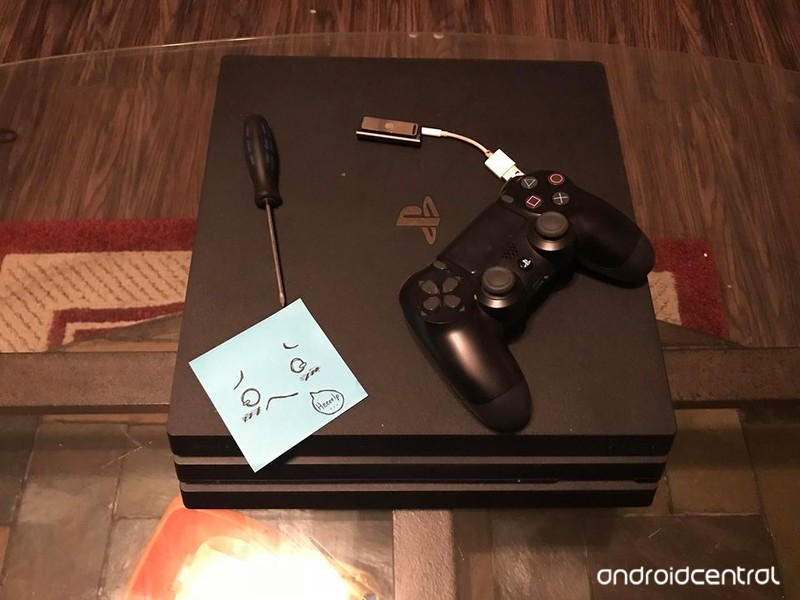
While the 6.0 update was supposed to help with back-end abilities, there have been quite a few reports of things going haywire ever since people updated their consoles. Well, Android Central is a collection of tech professionals and we’ve found some solutions for you, so check out below to see how you can fix yours!
Products used in this guide
- Amazon: 3.0 USB Flash Drive ($20)
- Amazon: PlayStation Camera ($59)
- Amazon: PlayStation Pro ($503)
Dealing with error codes (SU-42118-6), (CE-36329-3) and, (CE-30002-5)
Go to your Notifications from the main menu.
Delete the Update Notification and restart your PS4. After restarting, if there was no change, move to the next step.

Plug your PS4 directly into an ethernet cable.
Go to Settings from the Main Menu.
Select System Software Update from the menu options and update via internet. After restarting, if there was no change, move to the next step.

Manually download the Update File to a USB drive from here
Make sure the file is saved by creating a folder named “PS4”. Inside that folder, create another folder named “UPDATE”.
Save the PS4UPDATE.PUP file in the “UPDATE” folder.

Connect the USB to your PS4.
Select Settings.
Select System Software Update.
Follow the on-screen instructions.
These three error codes will appear when you attempt to load a game that connects you to the internet. Not only will you receive this error code, but it may even refuse to launch the game entirely. Following any one of these steps may help you get your PS4 to behave again. If not, try contacting support to see what they can do for you.
Manually updating PlayStation VR software
Go to Settings from the Main Menu.
Select Devices from menu options.
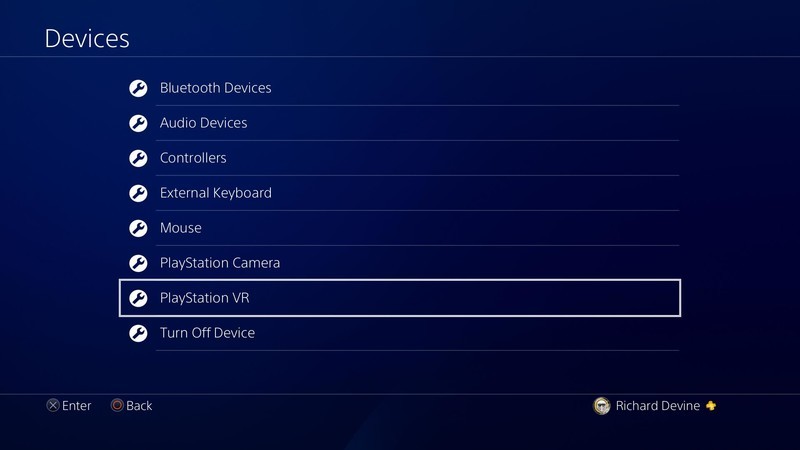
Select PlayStation VR from menu options.

Select PlayStation VR Device Software from menu options.
Not many people know that most of your PSVR software won’t update on its own. After your PlayStation finishes downloading the 6.0 update, follow the instructions below to also ensure your headset equipment isn’t mucking up either. If your PSVR games and apps are still giving you troubles, check in with customer support to see what they can do for you.
Errors using 3rd party software to download saves to transfer them via USB
Wait for the patch to come out from the 3rd party’s official page.
Download the patch.
Each time PlayStation comes out with a software update, all 3rd party software used for saving and transferring game files always stop working. All the 3rd party software engineers that regularly maintain their product will always come out with a patch after an update so that you can continue to use it. If a patch is not released, it may be time to look for a new one.
No longer being able to use PSVR without the PlayStation Camera
Buy a PlayStation Camera.
Everyone who was by-passing the need for a PlayStation Camera, for whatever reason, might be a little upset to hear this news. Before, you could go around a back way to avoid having to set up the camera when using your PSVR for Cinematic mode and other features. With the new 6.0 update, there is no longer a way to do this. (as of right now) Until one is discovered, you’ll need to borrow a PlayStation Camera to hold you over if you don’t want to buy one.
Errors when restoring a PS4 that is in 6.0 Beta
Install the 6.0 update to both of your PS4 consoles via the instructions above.
Go through the usual process of restoring or transferring your PS4 data.
When it comes to restoring to transferring data from one PS4 to another, both of your PlayStations need to have the same update on them. If you were previously using the 6.0 Beta, you will need to upgrade both of your consoles to the official 6.0 update since the Beta version is no longer available.
Game errors after updating to 6.0
Hover over the game in question from the Main Menu of the PlayStation.
Press the Options button on your Dualshock controller.
Select Check for Update.
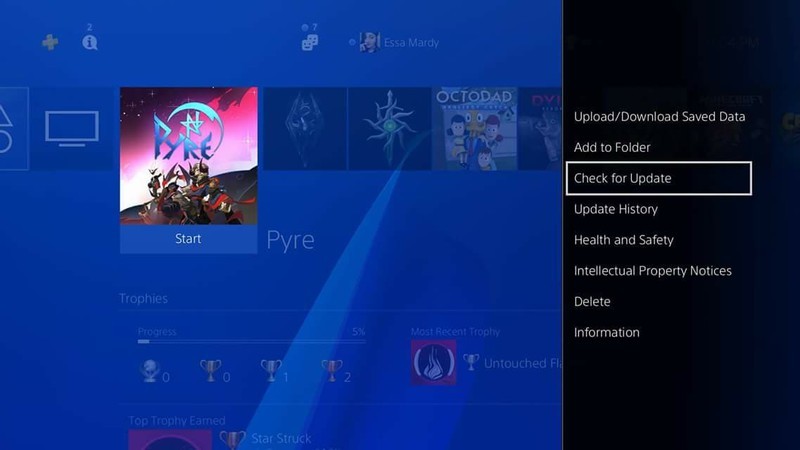
To avoid this issue in the future, it may be best to set up Automatic updates. To do this, continue on to the next step.
Go to Settings from the Main Menu.
Select System from the menu options.

Select Automatic Downloads and Updates.
Select Application Update Files.
How to contact support
Call PlayStation support between the hours of Monday – Friday, 6AM – 10PM, PST and Saturday & Sunday 7AM – 8PM PST at 1-800-345-7669
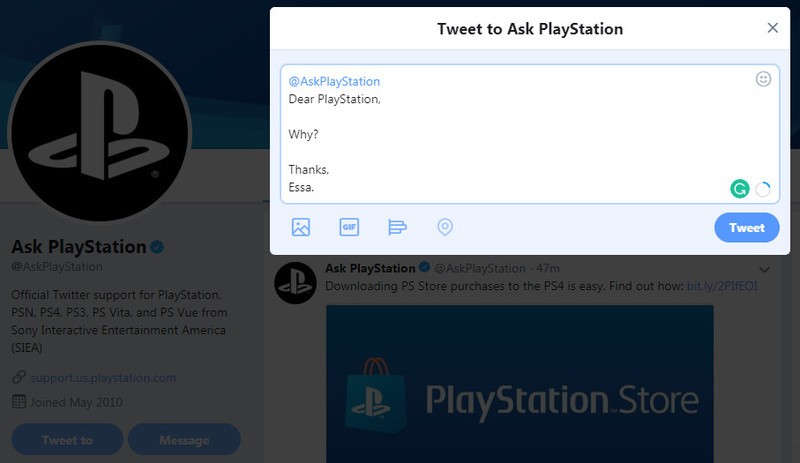
Send a Tweet to @AskPlayStation.
Check the Support Forums to see if your question has already been answered.
Check the warrenty of your device.
Put in a ticket for support to check.
Our top equipment picks
Of all the consoles you could have, the PlayStation 4 Pro is still reigning over all the options for a multitude of reasons.
Upgrade to the best system
PlayStation 4 Pro
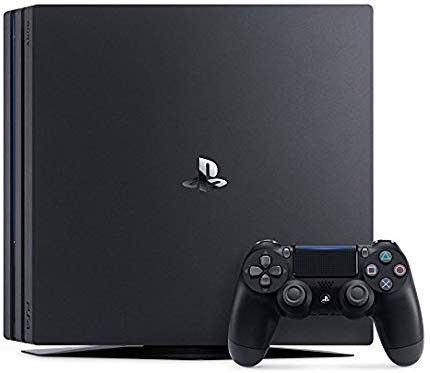
$503 at Amazon
Currently the best PS4 console out there
The Pro features compatibility with 3.1 Gen1 USB ports for faster data transfers, 4K TV and the ability to use “Boost Mode” for your HD games, and 4.0 Bluetooth for better recognition to your devices.
With all the specs that are upgraded with the PlayStation Pro, it’s hard to not want to upgrade. Not only will your PSVR experiences be significantly enhanced, but all of your usual games will run (and look) that much better with all the mode options. Performance aside, the PlayStation Pro is sure to have space and specs required to run all of the updates (including those in the future) with ease. On top of this, it has a 1 TB hard drive to store all those games and save files you hold dear.
 AIVAnet