


Virtual reality breaks free as the HTC Wireless Adapter hits store shelves
Gamers can finally break free from the tethers of virtual reality (VR) as HTC’s Vive wireless adapter officially hits store shelves today, September 25. With models available for both the HTC Vive and Vive Pro, hardcore gamers and developers alike can enjoy stepping into VR without needing to worry about tripping over wires or becoming entangled in cables. The Vive wireless adapter marks the first significant step into the future of graphically intense wireless VR for consumers, starting at $300.
Offering flexibility to its users, the Vive Wireless Adapter removes the need to have data, power, and video cables running from the headset to a Windows PC. The T-bone shaped adapter sits atop either an HTC Vive or Vive Pro, wirelessly transmitting data between the headset and a supported Windows computer with Vive’s PCIe WiGig card installed — the card itself is included in the box with the wireless adapter.
Weighing in at only 129 grams, we don’t expect the accessory to be causing any neck strain. The Vive wireless adapter’s battery is a small pack that the user attaches to their waist and can provide up to 2.5 hours of charge at a time. Don’t worry though, if you need to jump back into the game quickly the pack does support Qualcomm’s Quick Charge 3.0 technology for refueling in practically no time at all.
HTC is currently offering two version of the Vive wireless adapter, one designed for the HTC Vive and the other for the Vive Pro. Each headset uses a different interface to communicate with a PC and requires its own solution. While the Vive uses three separate HDMI, USB, and DC connectors, the Vive Pro opts to use a singular cable to get the job done. HTC Vive users can pick up their addition for $300, while HTC Pro users will need to shell out an addition $60 for their version.
Those looking to pick up the headset will be gifted a two-month Viveport subscription for no cost. Just ensure that your PC meets the minimum requirements with an Intel Core i5-4590/AMD FX 8350 CPU, Nvidia GeForce GTX 1060/AMD Radeon RX 480 GPU, 4 GB RAM, and an available PCIe slot.
Editors’ Recommendations
- HTC’s new wireless adapter for the Vive arrives in September for $300
- HTC Vive review
- HTC breaks down VR barriers by bringing Oculus Rift titles to Viveport
- HTC ditches digital buttons for its midrange U12 Life
- HTC U12 Plus review
Just like an eagle, this autonomous glider can fly on thermal currents
An eagle soaring may look majestic but in technical terms, there is some impressive physics happening “under the hood” when they do. Specifically, eagles and other soaring birds take advantage of the upward currents of warm air, known as thermals, to help them more easily sail through the sky. What scientists don’t know, however, is how these birds discover and navigate said thermals. It turns out that artificial intelligence can help — and it could offer an assist to drones as an added bonus.
“This is a big challenge, as it is very difficult to conduct controlled experiments with soaring birds,” Jerome Wong-Ng and Gautam Reddy, two researchers from the University of California, San Diego, wrote in an email to Digital Trends. “Our approach was to instead teach a learning agent to soar in a realistic environment and see if this tells us something about how birds soar.”
This teaching was carried out using a type of machine learning called reinforcement learning. This type of A.I. creates A.I. agents which learn behavior based on the results of trial and error experiments. In this case, the researchers kitted out a glider with a flight controller able to implement the reinforcement learning-based instructions. Soaring to heights of almost 2,300 feet, the glider was able to figure out how to navigate atmospheric thermals autonomously.
“On a technical level, reinforcement learning hasn’t been applied to train agents to learn in the field,” the researchers continued. “In the field, the number of training samples we have is really low, and we have to come up with ways of using all available training data. There were also technical advancements regarding how to measure the local wind environment near the glider using onboard devices.”
In terms of practical applications, the researchers think their new navigational strategy could be employed to develop unmanned aerial vehicles (UAVs) able to fly for long periods of time without needing to recharge. In addition, it might be useful for creating an autopilot-style “recommendation system” for novice glider pilots.
“In this work, we focused on how to find and navigate a single thermal,” Wong-Ng and Reddy said. “But migrating birds glide from one thermal to another, and how to do this efficiently is a line of work we plan to explore in the future. Another line of research is to track soaring birds and figure out if their navigational strategy is similar to the one we’ve found in our study.”
Along with the University of California, San Diego, other educational institutions involved in this research included the Salk Institute for Biological Studies and the Abdus Salam International Center for Theoretical Physics in Trieste, Italy.
A paper describing the research was recently published in the journal Nature.
Editors’ Recommendations
- A.I. players master ‘Quake III Arena,’ manage to outperform humans
- By studying patient data, A.I. can limit toxicity in cancer treatment
- How 3,000 streetlights turned San Diego into America’s smartest city
- IBM’s Holodeck-style classroom tech makes language-learning apps look primitive
- Machine learning? Neural networks? Here’s your guide to the many flavors of A.I.
How to navigate iOS 12 with the iPhone XS, iPhone XS Max, and iPhone XR
This year, it’s out with the old and in with the new for Apple’s latest iPhones. Following the iPhone X, the company made a permanent switch to the same design for all its iPhones — an edge-to-edge display, notch at the top, and the removal of the Home button. While the updated design is a refreshing change, it might take some time to adjust to the new gestures and functions. To make the transition easier, we’ve put together a guide on how to navigate iOS 12 with the iPhone XS, iPhone XS Max, and iPhone XR.
How to unlock the screen
Rather than using your fingerprint to unlock the device, now all you have to do is look at the screen. On the iPhone XS, XS Max, and XR, Touch ID has been replaced with Face ID thanks to Apple’s TrueDepth technology.
You can set up your Face ID profile by going into your settings. It will then ask you to complete a series of movements, like rotating your head in a circular motion to capture all the angles of your face. Once it’s set up, you’ll be able to unlock your iPhone XS or XR by simply looking at the screen. With iOS 12, you can now add two different Face ID profiles to unlock your phone — for those who want to add another appearance.
How to switch between apps
Rather than double tapping on the home button to pull up all your open apps, you now have to use gestures. Prior to iOS 12, accessing the App Switcher required swiping up from the bottom edge of the device. Then, to close the apps you had to hold down on a specific app until the red minus appeared on the top left corner. Now, all you have to do is swipe up from the bottom of the screen to access all your open apps and switch between them. You can close apps by swiping up on each one.
How to activate Siri and open Apple Pay
To enable Siri, tap and hold the power button until you see the voice assistant appear on your display. Whenever you’re at the store and ready to pay for your items, you can conveniently pull up Apple Pay by double-tapping the power button.
How to take a screenshot
Taking a screenshot with the iPhone XS, XS Max, and XR is easy — even with the absence of the Home button. Simply hold the power and volume up buttons at the same time. But make sure to only quickly tap the buttons — holding them down will pull up a window with options to power off your iPhone or use the Emergency SOS features. After taking the screenshot, you’re then able to mark up or edit the image before sending it.
How to open the Control Center and Notification Center
Getting used to the gestures on your new iPhone might be a little tricky, especially for those switching from any model that’s older than the iPhone X. For starters, accessing the Control Center requires swiping down from the top right corner on both the lock screen and home screen — rather than swiping up from the bottom as you normally would. The same goes for the Notification Center, but in this case you’ll have to swipe down from underneath the notch in the center or from the top left corner.
How to turn off the iPhone
Turning off the iPhone can be done by holding down the power button and the volume up or down button simultaneously. Don’t let go until you see the option to turn off the phone. You’re also provided with quick access to your Medical ID and Emergency SOS here.
How to use reachability
To use reachability on an older model of the iPhone, you’d normally tap the Home button twice, and this would allow you to pull the apps down from the top to the middle of the display — making it easy to tap on them.
With the iPhone XR’s 6.1-inch display and the 6.5-inch display on the XS Max, it might be even harder for those with smaller hands to reach certain apps. To use the reachability feature, you’ll have to make sure it’s turned on first. Go to Settings > General > Accessibility > Reachability and toggle the feature on. To access apps, swipe down on the horizontal bar at the bottom of the screen. To bring everything back into its place, swipe up about an inch above the bar or tap anywhere on the display.
Editors’ Recommendations
- How to buy the iPhone XS, iPhone XS Max, and iPhone XR in the U.K.
- Apple iPhone XS vs. iPhone XS Max vs. iPhone XR
- Master your iPhone XS and iPhone XS Max with our favorite tips and tricks
- iPhone XS review
- iPhone XS Max review
Apple Watch Series 4 Models Have Nearly 20% Less Battery Capacity Despite Same ‘Up to 18 Hours’ Battery Life
Earlier this week, iFixit completed a teardown of an Apple Watch Series 4 that said the 44mm model has roughly four percent more battery capacity, but that was compared to a 38mm-sized Apple Watch Series 3 model.
An eagle-eyed MacRumors reader has since pointed us towards Apple’s Product Information Sheet, which contains battery capacities measured in watt-hours for several products, including Apple Watch Series 4 models. Apple appears to disclose this information for legal and safety reasons.
Based on Apple’s document, Apple Watch Series 4 models actually have less battery capacity than the equivalent Series 3 models:
- Apple Watch Series 3 (42mm): 1.34 watt-hours
- Apple Watch Series 4 (44mm): 1.12 watt-hours
- Apple Watch Series 3 (38mm): 1.07 watt-hours
- Apple Watch Series 4 (40mm): 0.86 watt-hours
More specifically, the new 44mm Series 4 models have approximately 16.5 percent less battery capacity than the previous large-size 42mm Series 3 models. Likewise, 40mm Series 4 models have approximately 19.7 percent less battery capacity than the previous small-size 38mm Series 3 models.
Despite having smaller batteries, Apple says Series 4 models get the same all-day battery life of up to 18 hours that Series 3 models are rated for. We reached out to Apple in hopes of an explanation, but we have yet to receive a response.
What we do know is that Apple Watch Series 4 models use a new display technology named LTPO that improves power efficiency. The new Apple S4 system-in-a-package also has more efficient cores, so they presumably consume less power as well. Other components could be more efficient too.
In general, however, battery life is simply hard to predict. Different customers have different use cases. One user could be an athlete who is constantly working out with the Apple Watch, while another could be a more casual wearer who taps on a few notifications once in a while and not much else.
All in all, we wanted to clear up some confusion surrounding the Apple Watch Series 4 batteries. They pack less juice, not more, but seemingly without compromising battery life. Over time, we’ll see if that’s truly the case.
Related Roundups: Apple Watch, watchOS 5Buyer’s Guide: Apple Watch (Buy Now)
Discuss this article in our forums
Apple Seeds First Beta of macOS Mojave 10.14.1 to Developers
Apple today seeded the first beta of an upcoming macOS Mojave 10.14.1 update to developers, just one day after releasing the macOS Mojave update.
macOS Mojave introduces a new method of installing software updates, so after the initial beta has been installed using the appropriate profile from the Developer Center, additional betas can be downloaded through opening up System Preferences and choosing the “Software Update” option.
It’s not yet clear what improvements the first update to macOS Mojave will bring, but it likely includes performance improvements and bug fixes for issues that weren’t addressed in the first release of macOS Mojave. It also likely re-introduces support for Group FaceTime, a feature that was removed during the beta testing period. Group FaceTime, which lets you chat with up to 32 people at once, is also present in the iOS 12.1 beta.
macOS Mojave is a major update that brings features like a systemwide Dark Mode, stacks for organizing messy desktops, new Finder capabilities, new tools for taking screenshots, a Continuity Camera option for easily transferring photo scans and documents from iPhone to Mac, and more.
Should we find new notable features in the first beta of macOS 10.14.1, we’ll update this post.
Related Roundup: macOS Mojave
Discuss this article in our forums
iPhone XS Max Component Costs Estimated at $443
The iPhone XS Max with 256GB of storage costs an estimated $443 to make, according to estimates shared by TechInsights in a teardown of the new device. At $443, the iPhone XS Max components are nearly $50 more expensive than the estimated $395.44 component cost of the 64GB iPhone X.
TechInsight’s component cost breakdown suggests the iPhone XS Max display is the most expensive component in the device at $80.50, while the A12 chip and modems are the second most expensive, at $72.
iPhone XS and iPhone XS Max internals, via iFixit
Storage, priced at $64 is the third most expensive component, while other expensive parts include the cameras at $44 and the housing and mechanical components at $55.
The iPhone XS Max housing, display, battery, and memory are all more expensive than similar components in the iPhone X, largely due to the size increase in the new 6.5-inch device. The housing, for example, is larger and heavier, while the display is also larger.
According to TechInsights, Apple cut down on display cost in the iPhone XS Max by removing some 3D Touch components that were previously included in the iPhone X, but that does not appear to have affected 3D Touch functionality in the new iPhone XS Max.
In a statement provided to Reuters, Al Cowsky, who oversees the cost analysis at TechInsights, said Apple took out components worth up to $10, cutting the cost of the iPhone XS Max display to $80.
 TechInsights’ component cost estimates, click to enlarge
Apple is charging $100 more for the iPhone XS Max than it did for the iPhone X, with the device priced starting at $1,099, while the iPhone X, like the new iPhone XS, started at $999.
Component cost estimates from companies like TechInsights only took at the pricing of raw components and do not take into account other iPhone manufacturing expenses like research and development, software creation, advertising, and distribution.
TechInsights itself warns that its cost estimates are compiled using the information available at the time of the initial teardown, with “some assumptions” made where concrete data is not yet available. The company plans to continue to refine its estimate over time.
Last year, when the iPhone X was first released, TechInsights estimated the component cost at $357.50, a number that has now gone up to an estimated $395.44, so there can be quite a bit of variance in these early guesses.
While interesting, device cost estimates are not an accurate measurement of Apple’s overall profit margin for the iPhone XS Max, nor do they offer a clear picture of the overall cost of creating a new smartphone.
Back in 2015, Apple CEO Tim Cook said that cost breakdowns for devices are not reflective of actual costs. “I’ve never seen one that is anywhere close to being accurate,” he said.
Buyer’s Guide: iPhone XS (Buy Now)
Discuss this article in our forums
Xiaomi Pocophone F1 review: A $1000 phone with a $300 price tag?

Generally speaking, if a phone launches a Snapdragon 845 (currently the best mobile processor on the market) 6GB RAM (the gold standard of mobile memory) and most of the must-have amenities of modern smartphones, you’d expect to drop about $700 on it – like the Samsung Galaxy S9, or LG G7, perhaps. If you’re phone-savvy, you might even save a couple hundred bucks on a Xiaomi Mi Mix 2S or a OnePlus 6.
But $300? For those specs? All but unheard of.
We’d like to thank our friends at GearVita for supplying the device for this review. We’ve placed a link at the end of the review if you’d like to purchase the Xiaomi Pocophone F1 from GearVita.
At least, so we thought. The Pocophone F1 (from the aforementioned Chinese tech giant Xiaomi) crams flagship-caliber hardware into bargain bin pricing, while simultaneously cutting very few corners in the process. Released in August and starting at just $300 for the base model, the F1 features a very impressive spec-sheet worthy of a phone twice its price.
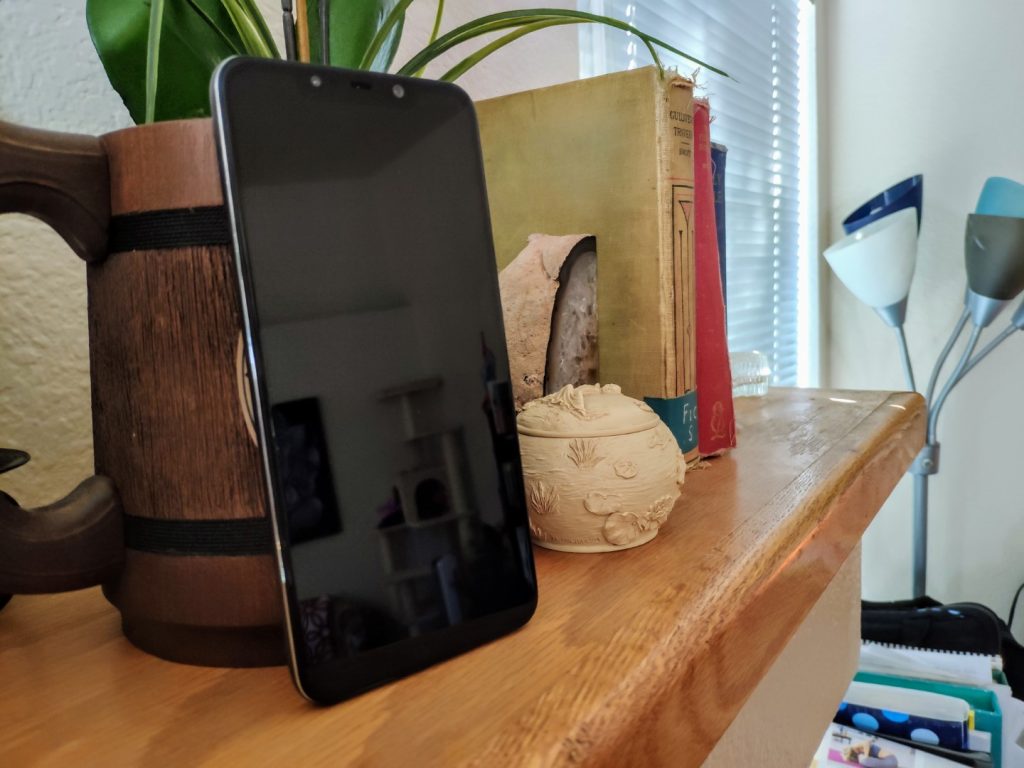
Pocophone F1 Specs At-A-Glance
- Display: 6.18″, 1080p IPS LCD (82.2% screen-to-body ratio)
- Platform: Qualcomm Snapdragon 845 CPU, Adreno 630 GPU
- Memory: 6+64/128GB or 8+256GB RAM/ROM (expandable)
- Rear camera: 12+5MP, f/1.9, 1/2.55″, 1.4µm
- Front-facing camera: 20 MP, f/2.0, 0.9µ
- Connectivity: Bluetooth 5, WiFi 802.11ac
- Audio: 3.5mm jack, “Stereo” Speakers (see below)
- Battery: 4,000mAh battery
- Build materials: Plastic Body, Gorilla Glass display
- Measurements: 6.12 x 2.96 x 0.35 in, 6.35 oz
Display
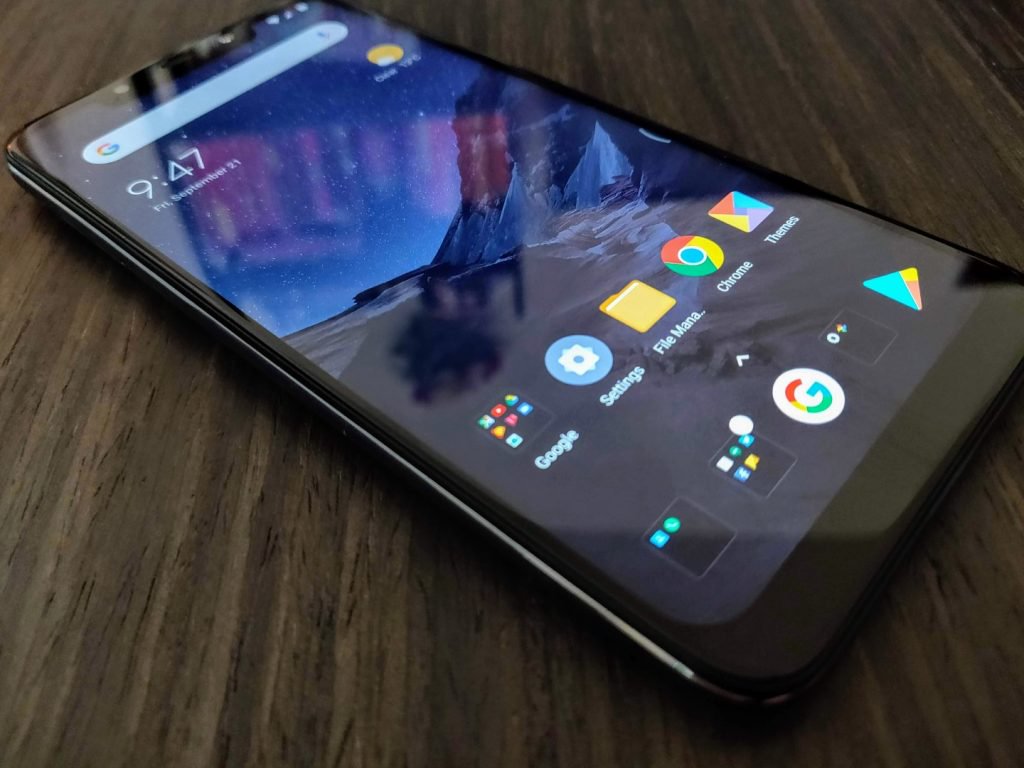
The Pocophone F1 has a surprisingly solid display, under the circumstances. It features a 6.2″ 1080p screen, which is going to perfectly adequate for the majority of consumers. Indoors, the display is pretty bright. But outdoors, in the direct California summer sunshine, it’s just a hair dim.
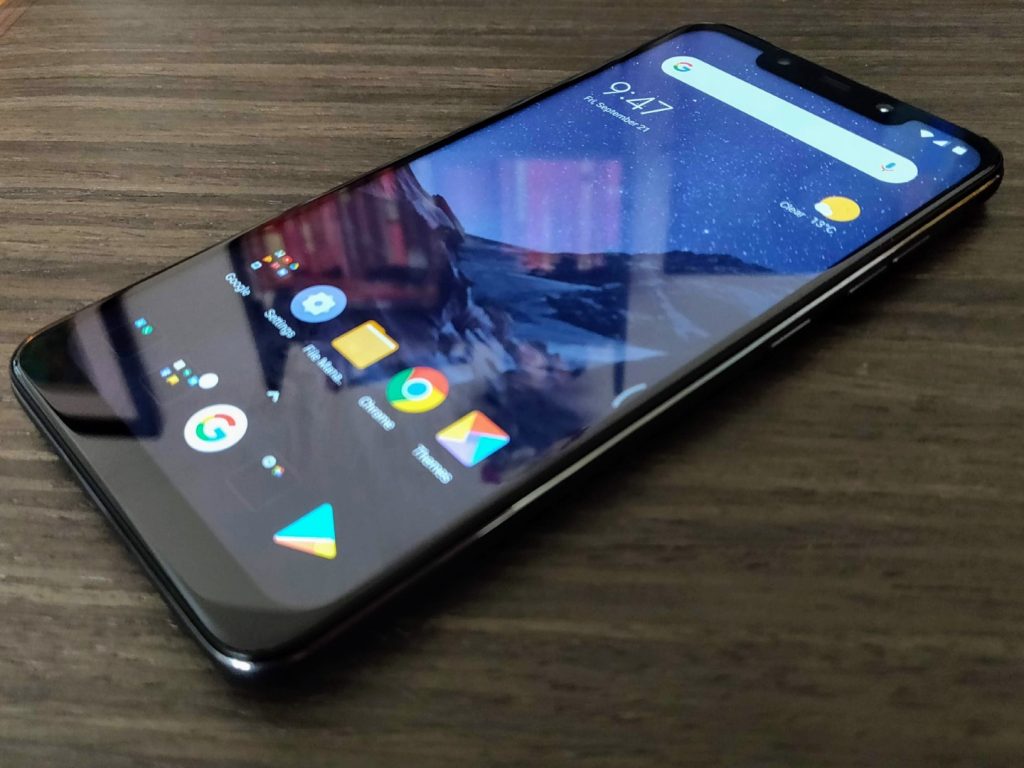 If you compare it to other flagships on the market – most notably the AMOLED King itself, Samsung – it falls a bit short. But (and I cannot and will not emphasize this enough) you’d be hard-pressed to find a phone with a better display at this price point – or even double that – than this phone.
According to the good folks over at Android Central, POCO considered using an AMOLED display but decided on an IPS LCD instead. This concession helped keep the cost of the phone – and therefore the resulting price – down.
Hardware
When it comes to hardware, the Pocophone F1 features specifications normally reserved for a phone double or triple its price. At its core is the beastly Qualcomm Snapdragon 845 System on a Chip (SoC) complete with Adreno 630 graphics.
The rest of the F1’s specs are equally impressive – it packs 6 or 8 gigs of LPDDR4X RAM and 64, 128 or 256GB of UFS2.1 Flash Storage – more high-end gifts from Xiaomi. It features Bluetooth 5.0 and 802.11ac WiFi courtesy of its Snapdragon 845, as well as a rear-mounted fingerprint sensor and front-mounted InfraRed (IR) scanner.
The latter of these modules is sourced directly from Xiaomi’s Mi 8, along with the 20MP selfie camera (more on that later).
All of these fancy part numbers and buzzwords are great and all, but how does it run? In a single word; Great.
With a ridiculous 285k aggregate AnTuTu score, it lands squarely between the OnePlus 6 (286k) and the Samsung Galaxy Note 9 (283k). That’s pretty great company to be in.
Granted, that metric only measures raw processing power and doesn’t take into account things like firmware and the performance of accessory modules. But my daily use over the past week and a half or so back up those numbers; this thing really cooks.
With far and above the best mobile processor on the market and better than average room and storage, it begs the question; how did Poco manage to pull it off?
How, Indeed
The answer lies in Poco’s parent company – Chinese tech super-giant Xiaomi. Poco’s Head of Product, Jai Mani, tells Android Central that Xiaomi is one of Qualcomm’s biggest purchasers of 800-series Snapdragon processors. As such, by ordering in large quantities and negotiating hard, Xiaomi is able to get a much lower price-per-unit than other OEMs. That, combined POCO’s adoption of Xiaomi’s policy to never making more than 5% profit on hardware sales, helps make that $300 unicorn-grade pricing a reality rather than a pipe dream.
This is a theme that’ll likely recur throughout this review – many of POCO’s hardware components are sourced directly from Xiaomi or, even more deviously, cannibalized directly from other Xiaomi phones.
Build
One area a $300 flagship-killing phone would struggle, one might correctly guess, is in its build quality. The Pocophone F1 features a polycarbonate body – a purely cost-saving measure that’s significantly cheaper than making the body from glass, ceramic or aluminum.
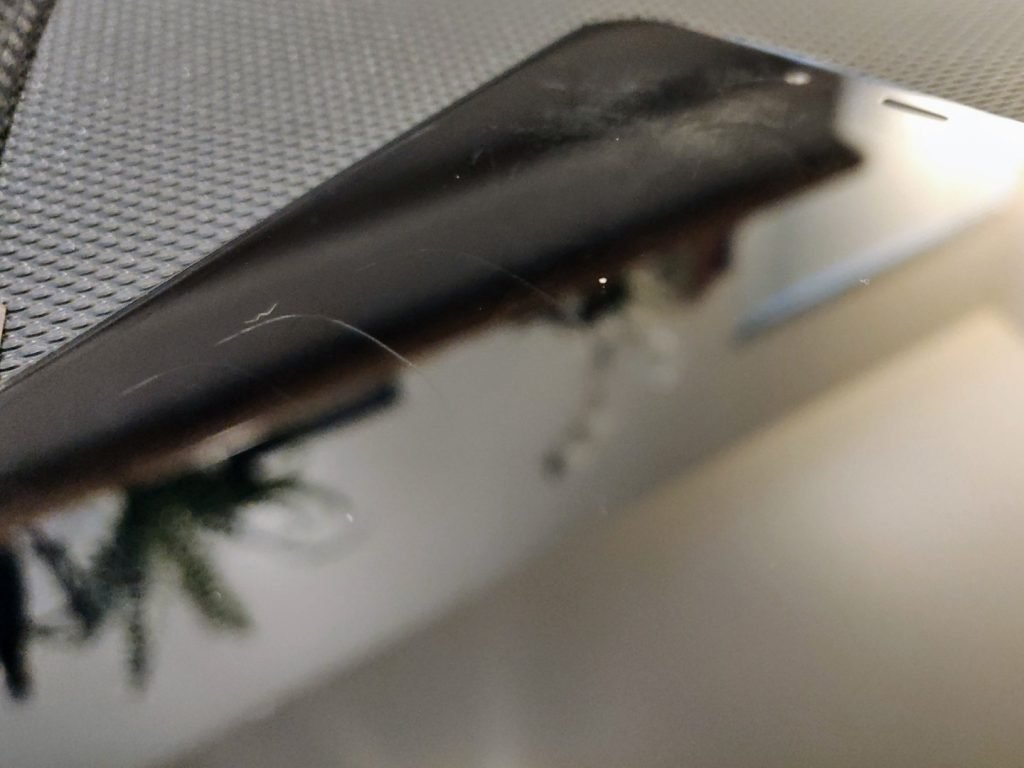
POCO also opted to use Gorilla Glass 3 rather than a more modern standard for its display, which is nearly three generations old at this point.
In the short time I’ve used the Pocophone F1, it’s picked up more scratches than any of my phones in the past few years. Whether that’s simply bad luck or the fact that POCO used an outdated material, I don’t know – but it’s definitely one of two disappointing spots in my time with the F1 – an otherwise stellar device.
I won’t sugar coat it for you, the “Stereo” speakers on the Pocophone F1 are not great. In anything other than a quiet room you’ll struggle to hear it even on max volume – and I use “Stereo” in quotes because while the phone has two speaker grates on the bottom, there’s only one speaker in there.
Covering up the right one makes sound all but muffled, while covering up the left one doesn’t impact sound in the least. It’s a fake speaker grate, and marketing the phone as having Stereo speakers is rather disingenuous of Xiaomi.
Connectivity
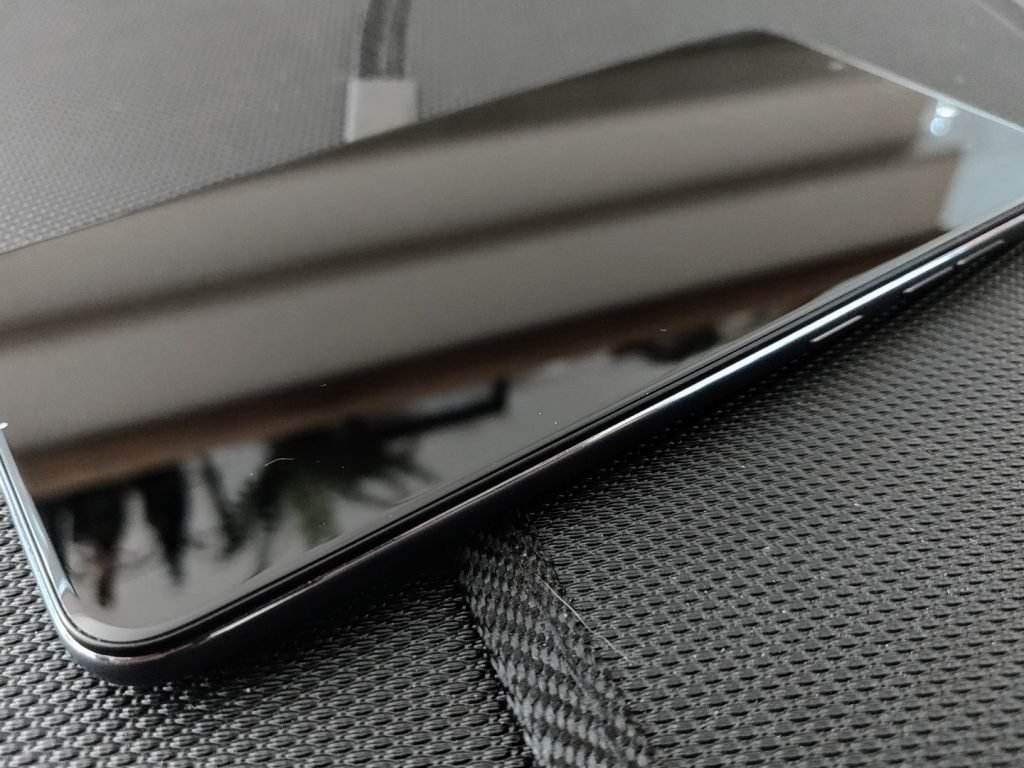
The other of these disappointments, unfortunately, the F1’s connectivity standards and performance. The skinny of it is that neither the Indian nor International versions of the phone support the LTE bands that US carriers use to power their LTE networks.
It supports most GSM bands for 3G networks here in the states – including the oft-labled HSPA+ “4G” ones – but none of the true LTE bands. In practice, this means that US-based consumers won’t be able to make use of the fastest speeds available to T-Mobile or AT&T customers.
It’s a huge bummer.
And unfortunately, LTE bands aren’t the only problem with the F1’s connectivity. Despite its Bluetooth 5.0 chip, it does not appear to support the Enhanced Media aspects of the Bluetooth 4+ series.
It struggles to both pair and stay connected to my ’15 Honda Fit, as well as my Jabra Elite 65t earphones, the latter of which does not display its battery life as it does with other devices.
These problems can – and may – be fixed with firmware and software updates, but at the moment it leaves a lot to be desired. I’ll be sure to update you if that changes.



Camera
As with its build, one might guess that in order to achieve that wildly-competitive price point, POCO would sacrifice camera performance. But – unlike Build – one would be wrong, in this case. The Pocophone F1’s rear camera is adopted from the Xiaomi Mi Mix 2S – which is to say, it’s quite good.
The front camera is the same 20MP sensor you’d find on the Xiaomi Mi 8, which – combined with the aforementioned IR sensor from the same phone – makes up that now infamous notched display.
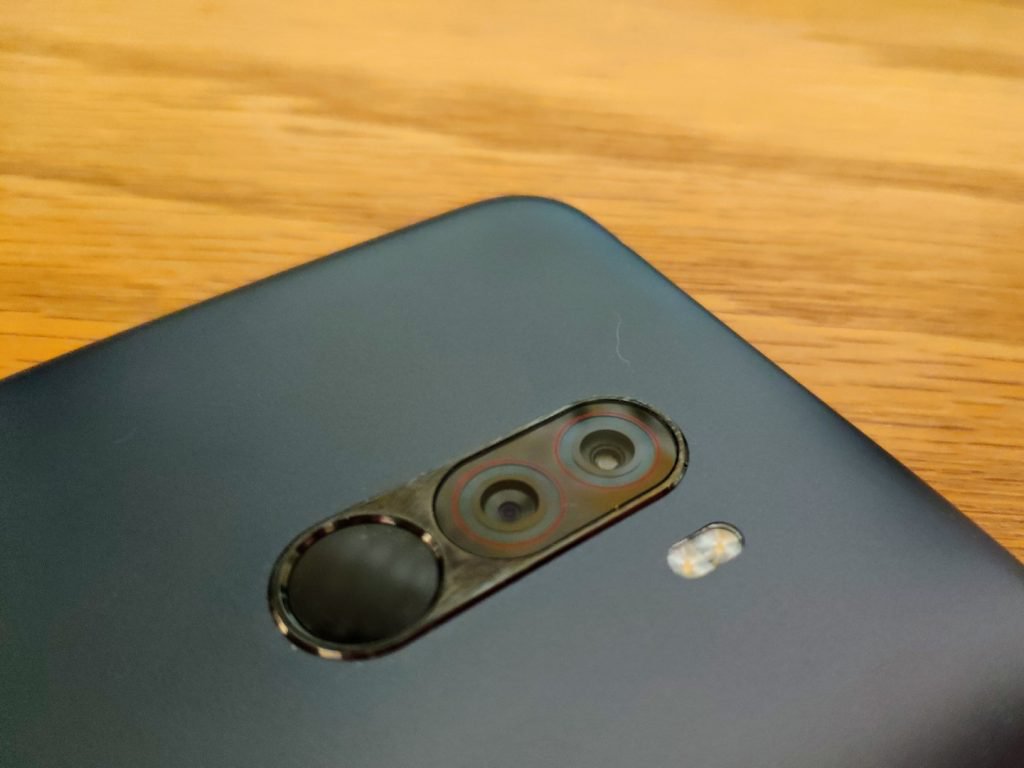
As you’d expect from a sensor adopted from the Mi Mix 2S, the Pocophone F1 shoots excellent still shots, in all shooting conditions. Video doesn’t perform quite that well, but is still very much above average – especially for the price.
As is typical of a Xiaomi-made phone, the Pocophone F1 has a plethora of shooting modes and options, many of which will never be touched by the average consumer.
Pocophone F1 Sample Shots Album
Value
Do I really need to push this point home further? It’s a $300 phone. With $1000 guts.
It’s an absolutely amazing value, the likes of which we haven’t seen since Google’s Nexus line of phones. It’s got a couple warts, sure. But, as a whole – and perhaps representing the first effort in a new line of value phones – the Pocophone F1 is stellar.
Verdict
As it stands right this second, the F1 is worth a buy if you live anywhere not named the U.S. of A. Its lack of support for LTE bands really puts a damper on its usability in the States; but if you live in a supported country, it’s honestly an unbeatable value.
Buy it.
Again, we’d like to thank our friends at GearVita for supplying this device for review. If you’d like to pick up a Pocophone F1, head over to GearVita and pick yours up today.
Make no mistake, though – if this experiment by Xiaomi is a success, and POCO decides to release an F2, or add a F1 North American Edition to its lineup, the Pocophone F-series could explode onto the phone scene in a way we haven’t yet seen from a Chinese OEM.
If your data is found on the dark web, Firefox Monitor will let you know
If you’ve been ‘pwned,’ Firefox will let you know. After beta testing the new Firefox Monitor service this summer, Firefox is finally rolling out its credential monitoring tool to all users. Firefox Monitor, which is based on security researcher Troy Hunt’s Have I Been Pwned (HIP) database, will notify you if it spots your email address on the dark web. By alerting users when their credentials are found on the dark web, Firefox hopes that the Monitor service will motivate vigilant consumers to change their passwords to avoid an even larger data breach.
It should be noted that the service is free to all users, and Firefox Monitor, despite the name, isn’t restricted to users of the Firefox browser. Users can type monitor.firefox.com into any browser of choice to enroll in the service. Once you’re on the Firefox Monitor webpage, you can enter your email address. Firefox Monitor will check your email against the database of Have I Been Pwned to see if it’s found on the dark web.
“We’ll let you know if your email address and/or personal info was involved in a publicly known past data breach,” Firefox said in a blog post. “Once you know where your email address was compromised you should change your password and any other place where you’ve used that password.”
As part of Have I Been Pwned, Hunt has collected nearly 520 million email addresses to date from real-world breaches. And even though the Firefox Monitor service doesn’t offer more anything more than Hunt’s service, Firefox hopes that it could leverage its more recognizable name to bring more awareness to the topic.
Even if your email address isn’t found on databases compiled from existing or past breaches, Firefox Monitor will continue to scan your email for future breaches. If you’re a victim in the future, the service will let you know when it learns about it. By being informed of a hack, users can take proactive measures to ensure that their login credentials are safe.
As a general precaution, users can take steps like using unique and complex passwords for each individual site they visit, changing their passwords regularly, and using a password manager to manage all their passwords. Additional security steps include enabling two-factor or multi-factor authentication or using a security key.
“Firefox Monitor is just one of many things we’re rolling out this fall to help people stay safe while online,” the company said. “Recently, we announced our road map to anti-tracking and in the next couple of months, we’ll release more features to arm and protect people’s rights online.”
Editors’ Recommendations
- The best web browsers
- Firefox Quantum review
- Firefox mobilizes a three-pronged attack against ad-based tracking
- Firefox Reality wants to bring the ‘whimsical web’ to VR
- Asus ROG Swift PG279Q review
Chrome OS update could make switching to tablet mode far easier

A new option for dynamically switching between two different user interfaces for Chrome OS has been spotted in the Chromium Gerrit. The rumored update for the browser-based operating system would reconfigure the layout of tabs and other interface objects when in tablet mode to make them easier to tap, switching back to a more streamlined interface when once again docked.
A 2-in-1 that is both a good tablet and a good laptop with minor reconfiguring is no mean feat. Microsoft’s Surface devices have been some of our favorite convertibles in recent years, but an update to Chrome OS could make a new generation of Chromebooks even more competitive. A revamped user interface for Chrome OS appears to introduce the Material Design style to Chromebooks, but also make the interface more intuitive for its usage mode. If you’re using it with a keyboard and touchpad, it will have finer icons and buttons, but if you’re tapping away on the touchscreen, it will make selecting what you want that much easier.
Although the particular commit in the Chromium Gerrit hasn’t been merged yet, XDA-Developers was still able to play with the changes. It discovered that the refreshed Chrome OS has a new “Dynamic Refresh” option which lets you switch between the standard Material Design overhaul and a new, touchscreen-friendly version.
Previous
Next
1 of 2

The refreshed Chrome layout on a Pixelbook XDA Developers

The refreshed Chrome layout on a Pixelbook in touchscreen mode. XDA Developers
The standard refresh makes the tab bar and other UI elements much more compact than current iterations of Chrome OS, giving more space to the main browser window. Although the touchscreen-centric refresh looks similar, it’s more padded, with greater room for error when it comes to using chunky fingertips for selecting small buttons and icons.
Each of these modes must be manually switched on with some specific commands as is, but when this new version of Chrome OS rolls out, it’s expected that the Dynamic Refresh will take place automatically depending on the state of the Chromebook that’s running it. If it’s in a docked state with a keyboard attached, it will likely offer up the ultra-streamlined Chrome OS UI. But when that keyboard is detached and we enter tablet mode, it can thicken up the UI to make it more applicable for touchscreen inputs.
All of this lands a little extra credence to the longstanding rumor that the second-generation Pixelbook will come with a configuration that allows for a detachable keyboard.
Editors’ Recommendations
- Google Pixelbook review
- Google’s Fuchsia OS: Everything you need to know
- Useful iOS 12 tips and tricks
- The most common iOS 11 problems, and how to fix them
- Android vs. iOS: Which smartphone platform is the best?
Teaching machines to see illusions may help computer vision get smarter
Do you remember the kind of optical illusions you probably first saw as a kid, which use some combination of color, light, and patterns to create images that prove deceptive or misleading to our brains? It turns out that such illusions — where perception doesn’t match up with reality — may, in fact, be a feature of the brain, rather than a bug. And teaching a machine to recognize the same kind of illusions may result in smarter image recognition.
This is what computer vision experts from Brown University have been busy working on. They are teaching computers to see context-dependent optical illusions, and thereby to hopefully create smarter, more brain-like artificial vision algorithms that will prove more robust in the real world.
“Computer vision has become ubiquitous, from self-driving cars parsing a stop sign to medical software looking for tumors in an ultrasound,” David Mely, one of the Cognitive Science researchers who worked on the project, now working at artificial intelligence company Vicarious, told Digital Trends. “However, those systems have weaknesses stemming from the fact that they are modeled after an outdated blueprint of how our brains work. Integrating newly understood mechanisms from neuroscience like those featured in our work may help making those computer vision systems safer. Much of the brain remains poorly understood, and further research at the confluence of brains and machines may help unlock further fundamental advances in computer vision.”
In their work, the team used a computational model to explore and replicate the ways that neurons interact with one another when viewing an illusion. They created a model of feedback connections of neurons, which mirrors that of humans, that responds differently depending on the context. The hope is that this will help with tasks like color differentiation — for example, helping a robot designed to pick red berries to identify those berries even when the scene is bathed in red light, as might happen at sunset.
“A lot of intricate brain circuitry exists to support such forms of contextual integration, and our study proposes a theory of how this circuitry works across receptive field types, and how its presence is revealed in phenomena called optical illusions,” Mely continued. “Studies like ours, that use computer models to explain how the brain sees, are necessary to enhance existing computer vision systems: many of them, like most deep neural networks, still lack the most basic forms of contextual integration.”
While the project is still in its relative infancy, the team has already translated the neural circuit into a modern machine learning module. When it was tested on a task related to contour detection and contour tracing, the circuit vastly outperformed modern computer vision technology.
Editors’ Recommendations
- Machine learning? Neural networks? Here’s your guide to the many flavors of A.I.
- Feast your eyes on the world’s most detailed image of a fruit fly brain
- What is an artificial neural network? Here’s everything you need to know
- This is an artificial brain. This is an artificial brain on meth
- Artificial intelligence discovers dozens of mysterious cosmic signals
 AIVAnet