


Hacked Chrome extension disguised as legitimate version steals logins
Cloud storage service Mega.nz revealed that it was hacked on Tuesday, September 4, and users who had installed the service’s Chrome browser extension may have had their passwords to other internet services compromised. The malicious version of the browser extension was uploaded to the Chrome web store by hackers in an effort to gain access to user’s logins for sites such as Amazon, Google, GitHub, and Microsoft. The passwords were sent to a Ukraine-based server.
“On 4 September 2018 at 14:30 UTC, an unknown attacker uploaded a trojaned version of MEGA’s Chrome extension, version 3.39.4, to the Google Chrome webstore,” Mega.nz said in a blog post. “You are only affected if you had the MEGA Chrome extension installed at the time of the incident, auto update enabled and you accepted the additional permission, or if you freshly installed version 3.39.4.” Users accessing the service by typing in the URL into the browser are not affected.
In order to gain access to your passwords, Mega.nz explained that the malicious extension asks for elevated permissions, such as the ability to read and change data on all websites you visited, something that the legitimate version of the extension does not require or ask for. If you’re downloading a browser extension, computer program, or app from the internet — even from what is believed to be a trusted source, as this case proves — you should always review what permissions you’re granting. Additionally, users should also try to limit what they install to stay safe.
Users who downloaded the hacked version of the Chrome extension are advised to change their passwords for any affected sites that they use, including amazon.com, live.com, github.com, google.com (for web store login), myetherwallet.com, mymonero.com, and idex.market. Additionally, if you had submitted any information through web forms as plain text, hackers may have been able to capture that information as well.
It’s not immediately clear how hackers were able to hijack Mega.nz’s account to upload the malicious version of the browser extension to the Chrome web store or how many users were affected, though Mega.nz boasts having 100 million registered users. After the breach was discovered, Mega.nz uploaded a clean version of the extension, version 3.39.5, to the Chrome web store. If you had downloaded the trojanized version of the extension, the browser extension should auto-update to the clean version. Google has also removed the malicious version of the extension.
The best bet to stay safe when it comes to browser extension is to not download any extension you won’t need. Like malicious apps, there have been reports in the past of malicious extensions. However, as the incident with Mega.nz demonstrates, even legitimate extension can be hacked, leaving your passwords exposed.
Editors’ Recommendations
- The best web browsers
- The demand for hacking tools and malware is greater than the current supply
- Google Chrome now consumes more memory due to a new Spectre fix
- Use your face or finger to log into accounts using Microsoft Edge
- How to take a screenshot on a Chromebook
Optoma NuForce BE Live5 headphone review: Wireless headphones with clarity and average battery life

NuForce is the audio-focused sub-brand from Optoma specializing in high-quality audio products. Previously known for its award-winning BE6i Bluetooth headphones, NuForce has prepared a follow up in the form of the BE Live5 headphones. Similar to the BE6i the BE Live5 are Bluetooth headphones this time using smaller 8mm drivers and packed into a smaller body. We were provided with these headphones for review courtesy of Optoma for an honest and unbiased review.
Packaging

I don’t often cover the packaging of a product unless there is something exceptional about it or there is a problem. Unfortunately, in the case of the BE Live5 it is the latter. While the packaging looks as good as you could expect, one of the buds was wedged in too tightly.
I fought with it for a while pulling on the cable until I was afraid it could get damaged. Then I resorted to using a pen to try to pry it out to no avail. Finally, I broke out my knife and had to cut it free, and in the process partially from haste and partially from frustration also scratched up the finish on the buds.

I’m certain this won’t be the typical experience for most customers and it was an anomaly, but it is important to point out every aspect good and bad.
Design
When it comes to earbuds there isn’t much you can do to stand out. In order to fit the drivers, battery, and other electronics they all generally take on the same shape. Some standouts with the NuForce BE Live5 though are the aluminum build, flat cable, magnetic backs, ipx5 sweat protection, hard case, and included Comply foam tips.
Out of all of these features, the magnets are my favorite. It’s not something new or unique to the BE Live5 buds, but it is quite convenient none the less. The option to wear them around your neck as a necklace using the magnetic clasp makes it easier to carry around and I really appreciate that.

The in-line controls can be found on the right side of the tangle free cord along with the micro USB charging port. Unfortunately, it is micro USB and not USB-C, but that’s hardly unusual and similar among other Bluetooth headphones. The controls are easy to distinguish with touch alone and are snappy and responsive.


While the buttons work well NuForce uses a pairing shortcut that requires holding down the power button. In order to pair you will have to continue holding down the power button after turning the headphones on. Otherwise, there is no other way to enter pairing mode and you’ll end up turning them off.
It is always annoying when this shortcut is used on Bluetooth headphones. A better alternative would have been a shortcut requiring you to hold down both the volume up and down buttons for pairing.
Fit and Comfort
The Optoma NuForce BE Live5 headphones include three pairs of ear tips and two Comply foam tips along with three sizes of ear wings. For someone like myself with smaller ear canals, it can be challenging to find headphones with ear tips in the proper size. Some brands such as Klipsch provide a smaller option which fit perfectly.

While most tend to include ones too large and the buds are constantly falling out. That was the case with the BE Live5 buds. Fortunately, when you combine it with the included ear wings it provides a much more secure fit. With this combination, I no longer had any issues with them falling out.
I was also impressed the included ear wings were so flexible soft, making them more comfortable than others I’ve tried in the past. The more rigid ear wings can often lead to early ear fatigue and don’t stand up to long listening sessions.
Between the smallest ear tips and medium-sized ear wings, the fit was extremely comfortable, making it easy to listen to music for hours without any discomfort.
On a side note replacing the ear tips was extremely frustrating. This was by far the most difficult pair of headphones I’ve ever had to deal with when it came to inserting the ear tips. If you’re lucky, you won’t have to exchange them swap them out repeatedly to find a comfortable secure fit.
Sound Quality
The BE Live5 make use of the aptX and AAC codecs for Bluetooth streaming. These two codecs provide near CD like quality if both your headphones and phone support it.
The sound signature of the BE Live5 is light and crisp with wonderful detail and excellent separation. Thanks to this I was able to pick up on some subtle nuances in songs that can get lost on other pairs of headphones. Bass lovers should look elsewhere, however.
For all of the clarity, the BE Live5 provides the bass takes a backstage here. That doesn’t mean there is no bass, only that the bright highs and crispness takes center stage here. The BE Live5 headphones would be better suited for music lovers who prefer a more balanced and clear sound.
Battery
Battery life on the BE Live5 headphones was pretty average. They are rated for 8 hours of usage and that is pretty close to what I experienced. There are headphones that offer more, generally ones with charging cases or collar designed headphones though.
One major annoyance with the BE Live5 headphones is once you reach 20% battery it constantly announces your battery is low in a loud overpowering voice. The repetition was completely unnecessary and the volume of the voice was actually painful to my ears.
Bluetooth Range
Similar to most Bluetooth devices I’ve reviewed the BE Live5 performs well within 30ft. without any interruptions or drop outs. If you’re indoors with walls between you and your device you can expect to lose signal occasionally once outside of 30ft. When outdoors the distance is a little better only deteriorating around 40ft. or more.
Conclusion
Overall, the NuForce BE Live5 are a decent value if you aren’t a bass head and prefer a more balanced sound. The comfort fit will keep you immersed in your music for hours enjoying every bright detail. That is until it begins yelling repeatedly in your ear the battery is low. However, if you’re someone who prefers more bass in their music than I’d look elsewhere.
U.S. Army wants to use laser power to keep drones airborne indefinitely
Drones can be used for a wide variety of purposes, but one problem that hinders almost all of them is limited battery life. Consumer-focused drones have a flight time of around 10 to 20 minutes, while even the most serious, record-breaking unmanned aerial vehicles (UAVs) can stay airborne for only hours, or maybe a few days at the most. The U.S. Army has a plan to change all that, however — by using lasers to power multicopters indefinitely through a sophisticated wireless-charging technique.
Unlike the kind of Qi wireless-charging standard employed in today’s smartphones, this wouldn’t require physical contact between a charging pad and the device. Instead, it will use laser light directed from the ground to the drone’s onboard photovoltaic cell. This laser light would then be converted into electricity to help keep the drone’s batteries fully juiced. This could reportedly be achieved from a distance of more than 1,600 feet.
The researchers involved with the project are hoping to show off a working ground-to-ground system early next year. This will be followed by a functioning ground-to-air demonstration in 2020.
Before this can be achieved, though, a few problems still need to be sorted out. The biggest challenge, according to a report by New Scientist, involves thermal management, i.e., making sure that the process doesn’t wind up damaging the drone via excess heat. The researchers hope to solve this issue by developing accurate beam control, along with allowing the excess heat the opportunity to properly dissipate.
The U.S. Army isn’t the only group researching drones that can fly for vastly extended periods of time. In the U.K., the defense company BAE Systems is working on the development of a high-altitude, long-endurance drone that’s capable of achieving flight time of up to one year. To do this, it will use a combination of long-life battery technology and ultra-lightweight solar cells. The team is aiming to test full size-prototypes in the second half of 2019.
While it seems likely that these tools will be used for military applications first, hopefully it won’t be long before similar technology is available for the drones that you and I can purchase.
Editors’ Recommendations
- 7 amazing anti-drone technologies designed to swat UAVs out of the sky
- The best drones under $500
- 9 bizarre drones, from web slingers to lake hoppers
- Like a vice principal in the sky, this A.I. spots fights before they happen
- Prisons are fighting back against contraband-dropping drones. Here’s how
Watch live: Twitter and Facebook executives testify before Congress
Facebook COO Sherly Sandberg and Twitter CEO Jack Dorsey appeared before Congress on Wednesday, September 5, offering testimony on the state of social media. Two congressional hearings were set for the purpose. Alphabet CEO Larry Page and Google CEO Sundar Pichai were also invited but declined to attend, opting instead to send written testimony t0 address issues like Russian meddling in U.S. elections and bias.
The Senate Intelligence Committee hosted the morning session, focusing on efforts being made to keep elections safe. “But we’ve also learned about how vulnerable social media is to corruption and misuse. The very worst examples of this are absolutely chilling and a threat to our democracy,” Senator Richard Burr (R-NC) said.
Facebook and Twitter owned up to their missteps. “We were too slow to spot this and too slow to act,” Sandberg said. “This interference was completely unacceptable. It violated the values of our company and of the country we love.”
Lawmakers praised the efforts that technology companies have made to take down fake accounts and combat hacking, but they remain skeptical that the companies will be able to fight the good fight alone.
“I’m afraid that there is a lot of work still to do,” Senator Mark Warner (D-VA) said. “And I’m skeptical that, ultimately, you’ll be able to truly address this challenge on your own. Congress is going to have to take action here.”
In a second session before the House Energy and Commerce Committee this afternoon, the technology companies will address bias within social media. President Trump had fired accusations against Google recently for suppressing the voices of conservatives, a charge that Google denied.
More recently, Twitter found itself in hot water after The Wall Street Journal reported that Dorsey had overruled his staff in reversing the bans on Alex Jones and Richard Spencer. Jones is an alt-right conspiracy theorist and Spencer is a white supremacist. Twitter denied the report, but the move spurred users to demand more monitoring on social media for hate speech, violence, threats, and harassment.
“Twitter does not use political ideology to make any decisions, whether related to ranking content on our service or how we enforce our rules,” Dorsey said in a prepared statement. “We believe strongly in being impartial, and we strive to enforce our rules impartially.”
Social media companies are also under pressure to help users navigate their privacy rights. Earlier this year, Facebook CEO Mark Zuckerberg testified about the company’s privacy practices when it was revealed that Cambridge Analytica had improperly accessed the data of more than 87 million Facebook users. Facebook announced a series of changes in an effort to rebuild trust after the controversy.
“The era of the Wild West in social media is coming to an end,” Warner said. “Where we go from here is an open question.”
Editors’ Recommendations
- Google responds to Trump’s tweet-rage: We didn’t rig search against you!
- Facebook and Twitter introduce new tools regarding ad transparency
- Facebook, Twitter boot accounts tied to Iran, Russia for coordinated deception
- Despite promising to stop sharing your data, Facebook continues to do so
- Two U.S. senators think your TV is spying on you, ask the FTC to investigate
Lenovo IdeaPad 530s vs. Acer Aspire E 15
Mark Coppock/Digital Trends
There was a time when budget notebooks were mostly indistinguishable. That is, they were usually equally bad. That’s no longer the case — today, you can spend well under $1,000 and get a notebook with excellent performance, a solid build, and good battery life. We’re not talking bargain-basement pricing here, but it’s no longer true that you need to break the bank to get a serviceable notebook.
Lenovo’s IdeaPad 530s is one of the company’s latest budget-oriented notebooks, aimed at providing value to those with less cash to spend. We’re pitting it against the Acer Aspire E 15, one of our favorite budget notebooks, to see which attempt at low-cost perfection comes closest.
Design
Mark Coppock/Digital Trends
The IdeaPad 530s brings a solid, all-aluminum build to the budget category, with no flex in the keyboard deck or bottom of the chassis and only the slightest give in the lid. The aesthetic is laid back and conservative, centered around a Mineral Gray color scheme with only some chrome trim around the edges of the chassis and the touchpad to spruce things up a bit. All of this quality feel is jammed into a thin and light chassis, coming in at 0.66 inches thin and 3.72 pounds — quite nice for a notebook with a large 15.6-inch display.
The Acer Aspire E 15 takes a completely different tack. It’s quite thick at 1.19 inches and heavy at 5.27, and thus doesn’t even pretend to fall into the thin and light category. It’s also a mostly plastic build, with an aluminum keyboard deck adding some extra rigidity. Overall, it doesn’t enjoy quite the same structural soundness as the IdeaPad. That doesn’t mean it’s flimsy, though, and all that extra space allows for a rarity in notebooks today: A DVD-RW drive.
Both notebooks offer comfortable keyboards and touchpads that are as pleasant to use as those on much more expensive machines. And both have a wealth of connectivity options, including both USB-A and USB-C ports, HDMI ports, and more. Neither has Thunderbolt 3 support, unfortunately.
Overall, the IdeaPad gets the nod for a more modern design with small bezels against the Aspire’s massive versions, and it’s thinner, lighter, and more solidly built. But the Aspire does benefit from a chassis that offers easy access to the RAM and storage options, and so it can grow with the user.
Performance
Mark Coppock/Digital Trends
Both notebooks utilize the outstanding Intel Core i5-8250U, an 8th-generation quad-core processor that’s both fast and efficient. Not surprisingly, they achieved similar scores in our suite of CPU benchmarks, and they’re both more than fast enough for even intensive productivity tasks.
Step beyond the CPU, though, and these two notebooks diverge. When it comes to graphics, the Aspire E 15 takes the lead by equipping a discrete GPU, the Nvidia GeForce MX150 that provides for decent entry-level gaming. The IdeaPad 530s relies on the much-slower Intel UHD 620 integrated graphics. Storage is the other area of differentiation, with the IdeaPad using a fast PCIe solid-state drive (SSD) compared to the slower SATA SSD that Acer used in the Aspire E 15.
You’re more likely to notice the much faster graphics on the Acer than you are the IdeaPad’s faster storage. That makes the Aspire E 15 the performance leader, suitable even for some entry-level gaming to offer a distraction.
Regarding display quality, both of these 15.6-inch notebooks have relatively narrow color gamuts and mediocre accuracy. The IdeaPad’s display is brighter, but the Aspire E 15 has better contrast. You’d be hard-pressed to tell the difference between them except when you’re in a bright environment, where the Lenovo wins out.
Portability
Mark Coppock/Digital Trends
The IdeaPad is clearly the easier notebook to carry around, being about half as thick and weighing about two pounds less. It’s much easier to toss into a backpack and carry around.
But the Aspire offers a larger 62 watt-hour battery compared to the IdeaPad’s wimpy 45 watt-hour version. That results in a significant difference in battery life, with the Aspire lasting for 12 hours in our video looping test and the IdeaPad failing to make it to eight hours. It was the same story when browsing the web, where the Acer lasted for over nine hours were the Lenovo barely made it past six hours.
Simply put, if you’re going to be putting in a full day’s work, you’ll have to add some bulk to your backpack by including the IdeaPad’s power brick. You can leave that behind with the Aspire E 15, making it the more convenient notebook for true road warriors.
The Aspire E 15 is a better bang for your buck
The IdeaPad 530s starts out at $735 for our review configuration of a Core i5, 8GB of RAM, and a 256GB SSD. At the high end, you’ll spend $950 for a Core i7-8550U.
The Aspire E 15 is a cool $600 for the same configuration, which also comes with a discrete GPU and a much larger battery. Acer charges $150 more for the Core i7 version.
The IdeaPad is prettier, more svelte, and slightly more robust. But the Aspire E 15 offers better overall performance and lasts significantly longer on a single charge. It’s also less expensive, holding onto its place as our favorite 15.6-inch budget notebook.
Editors’ Recommendations
- Lenovo IdeaPad 530S review
- Acer Aspire E 15 review
- The best laptops for college in 2018
- Acer Spin 5 vs. Lenovo Yoga 730
- The best laptops for video editing in 2018
How to delete messages in Facebook Messenger
Further reading
How to maintain your privacy on Facebook
Best text messaging apps
How to use Facebook
Let’s face it, we’ve all sent things online that we wish we could just erase from our minds and online history, whether it be embarrassing photos or not-so-nice gossip we told in our younger years. Thankfully, there is a way to delete them forever, should you decide you no longer wish to look at them. Deleting Facebook messages on your desktop or mobile device takes mere seconds, however, keep in mind that deleting the aforementioned messages does not delete them from your friend’s inbox.
Assuming you want to continue, read on for all the details.
Deleting messages on your desktop
Step 1: Log into Facebook like you normally would.
Step 2: Click the chat bubble in the upper-right corner, followed by See All in Messenger. The latter option is located in the bottom left.
Step 3: To delete an entire message thread, hover over the conversation and click the cog icon in the bottom-right corner. Afterward, hit Delete.
Step 4: You will then be presented with three options: Cancel, Delete, or Archive. Click Delete to continue.
Step 5: To delete a part of your conversation, click into the conversation and hover over the message you would like to delete. Then, click the three horizontal dots and hit Delete.
Deleting messages on your mobile device
Step 1: If you haven’t already, download the Messenger app for either iOS or Android, and log in as you normally would.
Step 2: If you want to delete an entire conversation, hold down the thread and select Delete Conversation from the resulting menu.
Step 3: If you just want to delete a single message, go into the conversation, hold down the message you want to delete, and select Delete at the bottom.
If you aren’t ready to part with those embarrassing messages or conversations quite yet, you can always archive them, which will hide them from your inbox until the next time you chat with the person in question. Here’s how.
How to archive messages in iOS
Step 1: Open Messenger.
Step 2: Navigate to the Home tab on the left.
Step 3: Scroll through the conversation list and find the one you want to delete.
Step 4: Lightly tap and hold the conversation. Note: Do not use Force Touch.
Step 5: Select More on the resulting screen.
Step 6: Tap Archive.
How to archive messages in Android
Step 1: Open Messenger.
Step 2: Tap the Home icon to see a list of your conversations.
Step 3: Press and hold the conversation you want to archive.
Step 4: Tap Archive.
Editors’ Recommendations
- Having regrets? Snapchat adds a tool to delete messages
- How to delete your Uber account
- How to install fonts in Windows 10
- How to delete and reinstall games on your PS4
- How to save text messages in Android and iOS
How to delete messages in Facebook Messenger
Further reading
How to maintain your privacy on Facebook
Best text messaging apps
How to use Facebook
Let’s face it, we’ve all sent things online that we wish we could just erase from our minds and online history, whether it be embarrassing photos or not-so-nice gossip we told in our younger years. Thankfully, there is a way to delete them forever, should you decide you no longer wish to look at them. Deleting Facebook messages on your desktop or mobile device takes mere seconds, however, keep in mind that deleting the aforementioned messages does not delete them from your friend’s inbox.
Assuming you want to continue, read on for all the details.
Deleting messages on your desktop
Step 1: Log into Facebook like you normally would.
Step 2: Click the chat bubble in the upper-right corner, followed by See All in Messenger. The latter option is located in the bottom left.
Step 3: To delete an entire message thread, hover over the conversation and click the cog icon in the bottom-right corner. Afterward, hit Delete.
Step 4: You will then be presented with three options: Cancel, Delete, or Archive. Click Delete to continue.
Step 5: To delete a part of your conversation, click into the conversation and hover over the message you would like to delete. Then, click the three horizontal dots and hit Delete.
Deleting messages on your mobile device
Step 1: If you haven’t already, download the Messenger app for either iOS or Android, and log in as you normally would.
Step 2: If you want to delete an entire conversation, hold down the thread and select Delete Conversation from the resulting menu.
Step 3: If you just want to delete a single message, go into the conversation, hold down the message you want to delete, and select Delete at the bottom.
If you aren’t ready to part with those embarrassing messages or conversations quite yet, you can always archive them, which will hide them from your inbox until the next time you chat with the person in question. Here’s how.
How to archive messages in iOS
Step 1: Open Messenger.
Step 2: Navigate to the Home tab on the left.
Step 3: Scroll through the conversation list and find the one you want to delete.
Step 4: Lightly tap and hold the conversation. Note: Do not use Force Touch.
Step 5: Select More on the resulting screen.
Step 6: Tap Archive.
How to archive messages in Android
Step 1: Open Messenger.
Step 2: Tap the Home icon to see a list of your conversations.
Step 3: Press and hold the conversation you want to archive.
Step 4: Tap Archive.
Editors’ Recommendations
- Having regrets? Snapchat adds a tool to delete messages
- How to delete your Uber account
- How to install fonts in Windows 10
- How to delete and reinstall games on your PS4
- How to save text messages in Android and iOS
Cat got your wallet? CryptoKitties virtual feline fetches $170K in crypto cash
CryptoKitties, an Ethereum blockchain-based game that allows users to breed, trade, and sell digital cats, may have scored the most expensive in-app purchase to date with the sale of a CryptoKitty named Dragon for approximately $170,000, or the equivalent of 600 ETH in cryptocurrency.
“I bit Rebecca Black when I was younger, but those days are gone,” her description reads. “Believe it or not, spying on the neighbors is seriously exhilarating. You should try it some time. Let’s connect on ICQ.” She is described as having chestnut eyes and a cotton-candy-colored coat.
As a game, CryptoKitties was one of the earliest attempts to leverage blockchain technology for leisure. Like real cats, each virtual cat carries a unique DNA, and their traits, called cattributes, can be passed down to offspring. Each virtual cat is unique and cannot be replicated or transferred without the owner’s permission, according to Axiom Zen, the studio behind the game.
Generally, earlier generations of the virtual cats are deemed more valuable, making Dragon a rarity in the game — she’s a ninth-generation CryptoKitty. Newer virtual cats have an average selling price of around $60, according to CNET, and a median price of $9.
The previous sales record for the game was held by CryptoKitty Founder Cat #18, which sold for 253 ETH in December, or approximately $110,000 CryptoKitty #4 sold for $107,000. Both Founder Cat #18 and #4 are both Gen 0 cats, making them more valuable. Dragon is CryptoKitty #896775.
It’s unclear why Dragon fetched such a high price, but Rabona is now her new proud owner. Although Axiom Zen generally doesn’t comment on sales, the studio speculated that “maybe there was a personal connection the buyer had to the cat or the seller.” Other theories range from the whimsical (she bit Rebecca Black) to the more cynical (it was a way to launder money), according to The Next Web.
The sale of Dragon may lead to a new resurgence for the game and the app. Since its height in December, the total transactions on the app has dropped by 98.4 percent in January, and volume has remained slow since. Over the past day, Dragon’s sale has elevated the game’s trading volume to the highest level since February. Another milestone is also coming up: CryptoKitties is about to celebrate its millionth virtual cat.
Editors’ Recommendations
- Jon Favreau’s live-action Star Wars series gets one of TV’s biggest budgets
- The most expensive cars in the world
- The most valuable vinyl records on Earth
- ‘The Big Bang Theory’ is ending, but we’ll never forget these 15 guest appearances
- Samsung Galaxy S10: Here’s everything we know
These are the best smart LED light bulbs that work with Google Home
Google has done a great job building out it’s smart home ecosystem by working with a growing number of smart bulb manufacturers. With so many options, it can be overwhelming to decide which brand to invest in, but we’ve broken down the best options that work seamlessly with Google Home.
Add some funky colors to your home
Philips Hue Smart Bulb Starter Kit (3-pack w/Hub)
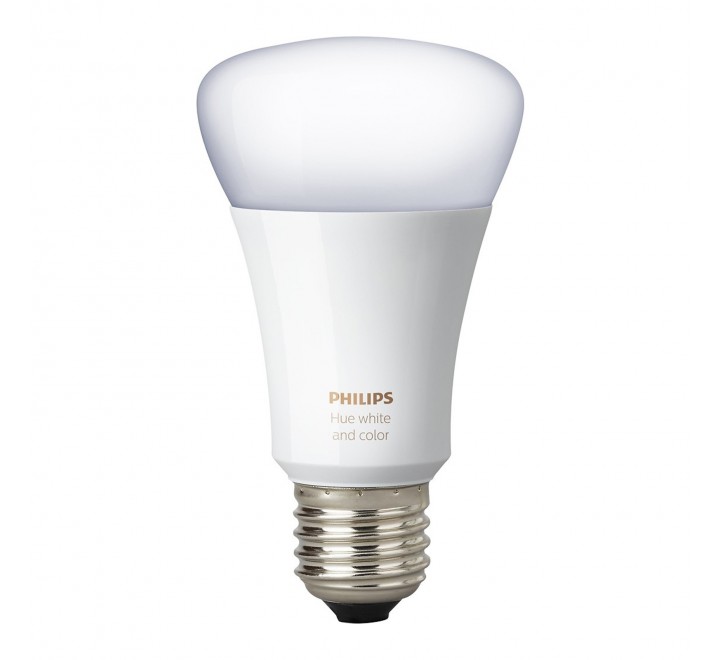
Philips is the the leading manufacturers of wireless LED smart bulbs. The Philips Hue lineup features a multitude of different lighting options for around your home, which must be configured through the Philips Hue Bridge. Your best bet is this starter kit that includes the necessary Hue Hub and three color A19 LED smart bulbs to get you started.
$160 at Amazon
No hub required
LIFX Wi-Fi Smart LED Light Bulb (4-pack)

LIFX offers its third generation of smart bulbs for both indoors and outdoors. Both offer 1100 lumens of brightness, with options to customize the look with 16 million colors and 1000 shades of warm to cool whites. No additional hardware is required to get things set up with Google Assistant as each bulb connects directly to your Wi-Fi network. Get a 4-pack of multicolor A19 bulbs for $196.
$196 at Amazon
Best smart bulbs on a budget
TP-Link Kasa LED Bulbs (3-pack)
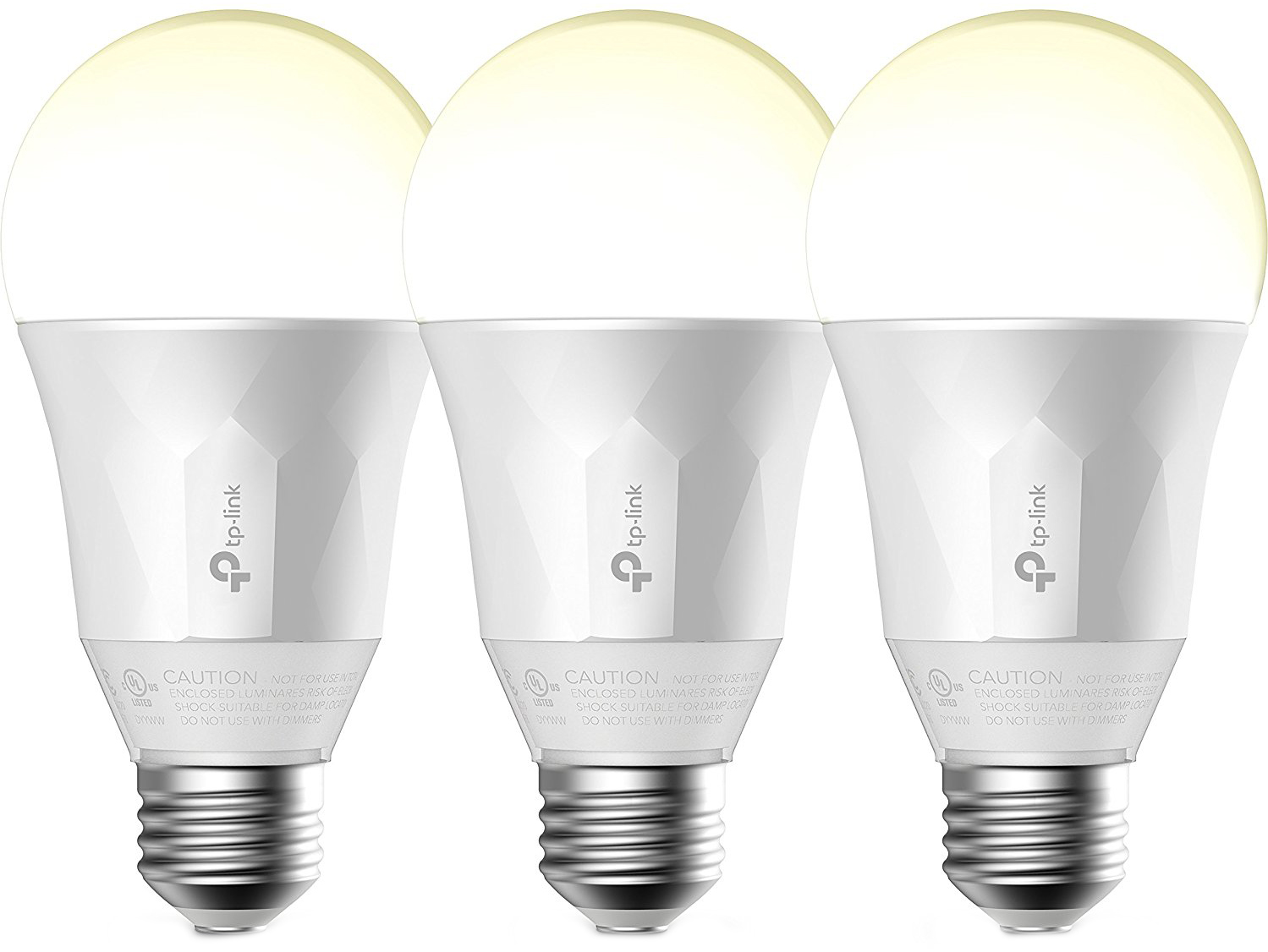
If you’re fine with standard white, dimmable smart bulbs and don’t want to spend a fortune, TP-Link offers an insane value. You can get a three-pack of smart bulbs right now for just $40 bucks. No hub is required and everything can be controlled through the Kasa app or configured through the Google Home app to be controlled using just your voice.
$44 at Amazon
Budget bulbs that require a hub
Sengled Element Classic Smart LED bulbs (2-pack w/Hub)

Sengled technically offer the best value for budget-conscious consumers looking to invest in smart bulbs — but you’re going to need to buy a hub. The two-bulb starter pack is a good deal to start, but the value really starts to roll in if you then get an 8-pack of Classic Smart LED Bulbs ($77). Together, these deals allow you to set up 10 smart bulbs throughout your home for just over $100.
$32 at Amazon
If we had to pick one…
While there are some great options available at lower price points, its hard not to pick the Philips Hue as the best smart light ecosystem to invest in. Sure, it requires a hub to connect with Google Home, but once you’ve started investing, you’re able to manage up to 50 different lights and it’s the variety of lighting options that Philips offers that lets them shine brighter than the competition. From the stylish LightStrip Plus ($72) to Flood Light bulbs for use outside, your home will look amazing with Philips Hue bulbs lighting everything up. You can group lights together to create rooms or program scenes that you can activate with your voice.
Our pick
Philips Hue Smart Bulb Starter Kit (3-pack w/Hub)
A great way to illuminate your home with fancy colors.
Philips is the the leading manufacturers of wireless LED smart bulbs. The Philips Hue lineup features a multitude of different lighting options for around your home, which must be configured through the Philips Hue Bridge. Your best bet is this starter kit that includes the necessary Hue Hub and three color A19 LED smart bulbs to get you started
$170 at Amazon
Update September 5, 2018: Revamped article with updated pricing and formatting.
Google Hardware

- Google Wifi review
- Google Home review
- Chromecast Ultra: all you need to know
- Which Chromecast should you buy?
Google Wifi: Google
Amazon
Google Home: Google
Best Buy
Chromecast Ultra: Google
Best Buy
Android Enterprise adds rugged phones to its lineup
Google’s collection of the most secure, up-to-date Android phones around.

Android’s open source nature means that just about any OEM can use the operating system to power its hardware, and while this is great for a large amount of consumer choice, it also results in the market feeling a bit flooded and overwhelming at times.
If you’re buying a phone for work/business purposes, you want to make sure you get something that’s going to stay up-to-date with the latest software, have the most recent security patches, and isn’t tied down by a heap of carrier bloatware.
To aid you in your quest for finding these phones, Google created Android Enterprise Recommended. Here’s everything you need to know about it!
The latest Android Enterprise Recommend news
September 5, 2018 — Google’s adding rugged Android phones to its Enterprise Recommended program

Today, Google announced the latest devices that are joining its Enterprise Recommended program — this time focusing on rugged devices. With this expansion, the following phones are joining the lineup:
- Zebra TC20, TC 25, TC51, TC56, TC70X, and TC75X
- Honeywell Dolphin CT40, Dolphin CT60, and Dolphin CN80
- Sonim XP8
- Point Mobile PM45
- Datalogic Memor 10
Google also notes that rugged Panasonic phones will be joining the lineup in the next few weeks and months. Furthermore, these rugged phones are guarnateed to receive 5 years of security updates instead of 3 like other Enterprise Recommended devices.
All the big details
What is Android Enterprise Recommended?
Android Enterprise Recommended was first announced on February 21, 2018, and as the name of the program suggests, it was created with enterprise buyers in mind — not the average, everyday consumer
Buying smartphones for your business/organization is a critical task to ensure that everyone can stay connected with safe, up-to-date hardware, and unless you regularly keep your finger on the pulse of all things Android, knowing which phones/OEMs are generally good about following these guidelines is no easy task.
Android Enterprise Recommended was created with the main goal of curating the best Android phones from manufacturers that are committed to keeping them secure and easy to deploy to a large workforce.
To hear an explanation about the program from the horse’s mouth, check out the short video above.
Google has a list of strict requirements each phone must follow
Not any phone can get into Android Enterprise Recommended, and that’s a good thing. Before a device can enter the program, it needs to check off a list of requirements created by Google so businesses are 100% sure that it’ll work exactly the way they need it to.
Those requirements are as follows:
- Minimum hardware specifications for Android 7.0+ devices.
- Support for bulk deployment of Android devices including zero-touch enrollment.
- Delivery of Android security updates within 90 days of release from Google, for a minimum of three years.
- Availability of unlocked devices, direct from manufacturer or reseller.
- Consistent application experience in managed profiles and on managed devices.
For more specifics on the requirements, such as the minimum specifications for 7.0+ devices, check the link below.
Android Enterprise Recommended requirements
Speaking of phones, which ones are included?

Once a phone meets all of the above criteria, it’s officially added to the list of Android Enterprise Recommended products. Google initially launched the program with just 22 devices, but it’s steadily growing all the time as new hardware is released.
As it stands right now, here are the 39 phones/tablets supported by Android Enterprise Recommended.
- BlackBerry KEYone
- BlackBerry KEY2
- BlackBerry Motion
- Datalogic Memor 10
- Google Pixel
- Google Pixel XL
- Google Pixel 2
- Google Pixel 2 XL
- Honeywell Dolphin CT40
- Honeywell Dolphin CT60
- Honeywell Dolphin CN80
- Huawei Mate 10
- Huawei Mate 10 Pro
- Huawei MediaPad M5 8.4
- Huawei MediaPad M5 10.8
- Huawei P Smart
- Huawei P10
- Huawei P10 Plus
- Huawei P10 Lite
- Huawei P20
- Huawei P20 Pro
- LG G6
- LG V30
- Moto X4
- Moto Z2 Force Edition
- Moto Z3 Play
- Moto G6
- Moto G6 Plus
- Nokia 3.1
- Nokia 5.1
- Nokia 6.1
- Nokia 7 Plus
- Nokia 8
- Nokia 8 Sirocco
- Point Mobile PM45
- Sharp Aquos SH 10-K
- Sonim XP8
- Sony Xperia XA2
- Sony Xperia XA2 Ultra
- Sony Xperia XZ Premium
- Sony Xperia XZ1
- Sony Xperia XZ1 Compact
- Sony Xperia XZ2
- Sony Xperia XZ2 Compact
- Zebra TC25
- Zebra TC51
- Zebra TC56
- Zebra TC70x
- Zebra TC75x
Android P: Everything you need to know
 AIVAnet