


Researchers hack John McAffee’s ‘unhackable’ Bitfi cryptocurrency wallet
Antivirus pioneer John McAfee’s cryptocurrency wallet has been hacked again by security researchers. McAfee announced a partnership with Bitfi in late July to promote the security of that company’s cryptocurrency wallet. However, it seems that Bitfi was prematurely confident about the security of its digital wallet, as hackers have been able to penetrate the McAfee Bitfi account numerous times. In the latest hack, researchers were able to send signed transactions with the wallet despite Bitfi’s security mechanisms.
After completing the hack, researchers are confident that they have fulfilled the requirements needed to claim the $100,000 bug bounty prize announced by McAfee. “For all you naysayers who claim that ‘nothing is unhackable’ & who don’t believe that my Bitfi wallet is truly the world’s first unhackable device, a $100,000 bounty goes to anyone who can hack it,” McAfee tweeted in July. The bug bounty required hackers to demonstrate that they’re able to modify the device, connect to Bitfi’s servers, and send data from the device.
Researchers were able to gain root access to the device two weeks ago, and they have confirmed that the device was still connected to Bitfi’s servers. To fulfill the last requirement, security researcher Andrew Tierney confirmed that he was able to send the device’s private keys and passphrase to a remote server, The Next Web reported.
“We have sent the seed and phrase from the device to another server — it just gets sent using netcat, nothing fancy.” said Tierney. “We believe all [conditions] have been met.”
The latest hack on McAfee’s Bitfi wallet comes within days after 15-year-old Saleem Rashid demonstrated that he was able to crack the wallet to play Doom on the device. In that attempt, even though Rashid was able to hack the wallet, he was not able to access the cryptocurrency that was stored in McAfee’s account. McAfee had downplayed Rashid’s hack in a tweet, noting: “A video played on your Bitfi wallet has nothing to do with the safety of your funds. This is amateur hour, not a hack!” McAffee has not offered any comment about the most recent hack conducted by Tierney.
Since announcing his partnership with Bitfi, McAffee said on August 13 that he is now CEO of Luxcore, a company that works on enterprise blockchain solutions.
If you’re a cryptocurrency investor, be sure to check out our guides to some of the best bitcoin wallets.
Editors’ Recommendations
- Hacker plays ‘Doom’ on John McAfee’s ‘unhackable’ BitFi Bitcoin wallet
- Researcher claims to bypass iPhone security limits, but may have spoken too soon
- Firefox’s new Monitor service will let you know if you’ve been hacked
- The Google Play store hosted malware meant to steal from North Korean defectors
- Could this Z-Wave vulnerability put millions of smart home devices at risk?
Google tracks your location — even when you deny it permission
Google is tracking your location — even when you tell it not to, according to an investigation by the Associated Press. The findings, which were confirmed by computer science researchers at Princeton University, prove that many Google services on both Android and iPhones store location data — regardless of whether privacy settings say otherwise.
The AP first started looking into the issue when K. Shankari, a graduate researcher from University of California, Berkley, turned off her Location History on her Android device — but still received a notification asking to rate a shopping trip to Kohl’s.
While Google does ask permission to use location information (such as requesting access for use in navigation), the issue lies within the Location History setting. Google’s support page states: “You can turn off Location History at any time. With Location History off, the places you go are no longer stored,” but the AP’s investigation found this to not be true.
The in-depth report includes a map that illustrates the commute of Gunes Acar, a Princeton privacy researcher. Even with “Location History” turned off on his Android phone, the map pinpoints exactly where he traveled and saves the data to his Google account.
Even if users “pause” Location History to keep the company from noting where they’ve been, the AP says “Google apps still automatically store time-stamped location data without asking.” AP found that pausing it doesn’t keep the company from being able to store a snapshot whenever you open Maps, or pinpoint where you are when your Android device automatically updates to give you the weather.
A quick Google search for random items on your device apparently isn’t safe from tracking either. Even though your search isn’t related to location, it still allows the device to determine your location and save it to your Google account.
In response to the findings, Google issued a statement to the AP:
“There are a number of different ways that Google may use location to improve people’s experience, including: Location History, Web and App Activity, and through device-level Location Services. We provide clear descriptions of these tools, and robust controls so people can turn them on or off, and delete their histories at any time.”
The tech giant says that users can turn off another setting called “Web and App Activity,” which is enabled on your device automatically. It’s a setting that stores information from Google apps and websites to your Google account.
Turning it off will prevent Google from saving location markers, along with information based on your search and activity. But the AP also notes that turning this setting off could alter how effective Google Assistant is, which could greatly affect those who rely on it often.
Editors’ Recommendations
- Here’s how to track an Android phone, tablet, or smartwatch
- New Google Maps update is rolling out with location-based recommendations
- Google Maps’ location sharing now lets you track battery status
- Fix upcoming for Google Home, Chromecast bug that can tattle on your location
- How to use Google Maps
Should you buy the Galaxy Note 9 or wait for the Google Pixel 3 XL?

The Samsung versus Google battle continues.
No matter what phone you’re looking at, there’s always a new one on the horizon poised to supplant it. The Galaxy Note 9 has just launched, and many potential buyers are torn between buying it and waiting for the new Google Pixel 3 XL. Even though the Pixel 3 XL isn’t official yet, we know both are big, powerful and filled with all of the latest specs — but we also know that they’ll have different philosophies about what’s important in the smartphone experience.
Here’s what you should keep in mind when you’re weighing the choice between buying a new Galaxy Note 9 now or waiting it out for the Google Pixel 3 XL.
Who should buy a Galaxy Note 9

If you’re a Galaxy Note fan, using a Note 5 or Note 8 today and enjoying the power of the S Pen, you’re likely going to be happiest just buying the Note 9 even before the Pixel 3 XL is announced. The Note line in particular has an extremely strong loyalty, and if you’re using a Note generation after generation it’s unlikely that you’ll be willing to give up all that it offers for something so dramatically different like a Google Pixel.
Samsung Galaxy Note 9: Everything you need to know!
Those tied to an S Pen won’t need to see any other phone — just get the Note 9.
Samsung’s software can be overbearing and cumbersome, but the Note users don’t care about the possibility of inconvenience because they understand just how much you can get done with a Note. That huge screen and all of the software features make it a fantastic tool for productivity and play. The Galaxy Note 9 is filled with features and software that you just aren’t going to get on a Pixel 3 XL (or just about any other phone) — if you want to tweak and truly customize the experience, you’ll still like the Note more than the Pixel.
And of course, it’s the only phone in the world that has the S Pen. The latest edition of the stylus adds wireless functionality to make it useful for more than just drawing and writing, adding on to what’s already a super-powerful input device. Whether you’re using it as a precise pointer for normal phone actions, using it write notes and sign documents, or using the great pressure sensitivity to draw, doodle and paint, the S Pen is great — and it’ll be tough to give it up if you’re already using a Note today.
Reasons to wait for the Google Pixel 3 XL

If you’re using a Google Pixel XL or Pixel 2 XL, you know the appeal of this Google-optimized Android experience. No extra cruft, duplicate apps or crappy services to deal with. No carrier bloat, delayed software updates or maintenance to be done. Just purchase the phone, put a SIM in, and start enjoying it. There’s a lot to be said for waiting to use your phone to the fullest for every possible situation, but the reality is we don’t all need a desktop-like experience in our pocket — and if you don’t, the Pixel 3 XL is going to offer a less frustrating and frankly more empowering feeling.
Google Pixel 3: News, Rumors, Release Date, Specs, and more!
Pixel owners know what it’s all about: simplicity, fluidity and power.
I’ve discussed how Note fans will want to just go straight to the new version, but there are lots of people out there who are looking at these two phones coming from some other device that isn’t a Note, or even another Samsung phone. From a more neutral perspective with less allegiance to one brand or another, the Pixel 3 XL will have extra appeal.
We have few details about what standout features Google will launch on the Pixel 3 XL, but we have an early look at Android P that shows Google is focusing on simplicity, fluidity and just a few features that make you say “wow” without being overwhelming. We know Google is making some of the best smartphone cameras in the business, and its hardware prowess was on display in the Pixel 2 XL. Let’s just hope it has picked a far better display than last year, because Samsung’s Note 9 is expected to once again be the best in the business.
If the Note 9 doesn’t immediately speak to you, the Pixel 3 XL may push all the right buttons.
The Pixel 3 XL is rumored to have a 6.2-inch display, which means it will only be marginally smaller than the Note 9 — so screen real estate alone won’t be a main factor in your decision. It remains to be seen just how much the Note 9’s bigger battery will mean for battery life, but following the trend of the Pixel 2 XL shows that both phones should be on par in that department. If you don’t see the value in having an S Pen, perhaps the Note in itself doesn’t seem all that appealing — and even if you like the Samsung software in that case you can get a Galaxy S9+.
The Pixel 3 XL will likely be a bit tougher to buy considering the Note’s international launch on just about every carrier and any retailer you walk into. But if the Note 9 doesn’t immediately align with everything you want in a phone, you should wait and see what Google does with the Pixel 3 XL — you may just be surprised by all that it offers.
Are you going to buy, or wait?
With the Note 9 already available and the Pixel 3 XL still a longer ways off, what are your thoughts on the two phones? Let us know which phone you’re using now, and whether you’re considering these phones or something else!
Update August 2018: Now that the Note 9 is available, we’ve updated this article to reflect its finalized specs and features compared to the latest rumors about the Pixel 3 XL.
Samsung Galaxy Note 9
- Samsung Galaxy Note 9 hands-on preview
- Galaxy Note 9 vs. Note 8
- Where to buy the Galaxy Note 9
- Galaxy Note 9 specifications
- Is the Note 8 still a good buy?
- Join our Galaxy Note 9 forums
AT&T
Verizon
T-Mobile
Samsung
Sony headphones, flash drives, and more are discounted today
Whether you’re looking for new tech gear or household items, we’ve got you covered.
We found plenty of great deals today that include big discounts on Sony’s noise-cancelling headphones, SanDisk flash drives, a Brother desktop scanner, and more! Most of these prices will be gone when the day ends, so don’t miss your chance to save big!
View the rest of the deals
If you want to know about the deals as soon as they are happening, you’ll want to follow Thrifter on Twitter, and sign up for the newsletter, because missing out on a great deal stinks!
Fortnite’s Android beta is now available for non-Samsung phones
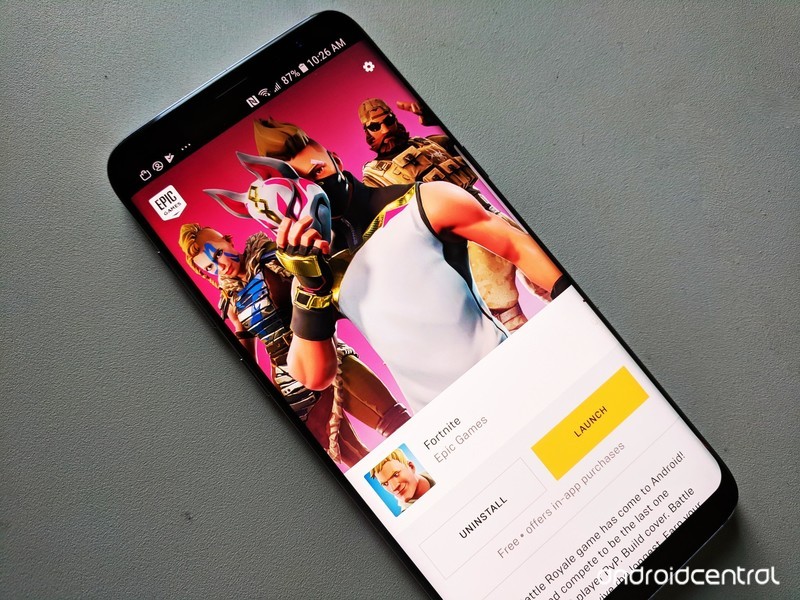
The hottest game of 2018 has finally arrived on Android.
Fortnite has been blowing up lately. Millions of people have become obsessed with the game, both as players and just watching popular Twitch streamers play the game.
Interested to learn more about what the heck Fortnite is all about? Just keep reading.
What’s new with Fortnite?
August 13, 2018 — Epic opens the Fortnite Android Beta to a ton of non-Samsung phones/tablets
Fortnite’s short-lived exclusivity on Samsung devices has come to an end. After a few days of being limited to select Galaxy-branded gadgets, Epic’s now expanded its Fortnite Android Beta to a heap of other phones and tablets.
Hey Android owners! We’re excited to open up the #FortniteAndroid Beta to more devices starting… TODAY! Check your email as the first wave of invites have started to go out. Not signed up yet? Head to our website for more info: https://t.co/AvolyySFZ1 pic.twitter.com/DuW5yzpcqd
— Fortnite (@FortniteGame) August 13, 2018
You can find the full list below in the Where can I download the game? section, but some notable additions include the Google Pixel 2/2 XL, OnePlus 6, Razer Phone, and the LG G7.
If you haven’t already received an invite to join the beta, head to Epic’s website, enter your email to sign up, and wait for the invitation to come through.
August 10, 2018 — Google now warns players that Fortnite isn’t available on the Play Store

Epic’s decision to not release Fortnite on the Play Store is a controversial one for a lot of reasons — mainly because it gives crooks a field day with tricking people into downloading fake versions that serve to do nothing but cause trouble.
In an effort to combat this, searching for “Fortnite” on the Play Store now returns a message that reads, “Fortnite Battle Royale by Epic Games, Inc is not available on Google Play.”
It’s a small heads-up to let people know the legit version of Fortnite isn’t anywhere to be found, and hopefully, it’ll be enough to stop people from downloading bad actors.
Users will also see the warning pop up when searching for “Fortnite Battle Royale”, “Fortnite Mobile”, etc.
All the big details
What is Fortnite?
Fortnite is what would happen if you combined two of the most addictive games out there — Minecraft and PUBG.
Fortnite offers a free 100-player Player Vs Player (PvP) Battle Royale game mode. Just like PUBG, you’re dropped onto the large island map and must arm yourself and outlive your competition. But in Fortnite, you always start out armed with a pickaxe which can be used as a melee weapon or to harvest raw supplies for building walls, ramps, and shelters.
It certainly adds extra layers of strategy to the format, creating essentially a perfect storm of addictive gaming action that’s as fun to watch as it is to play. Oh, speaking of storms all the action takes place in the eye of a deadly electrical storm meaning you can’t just hunker down and hide out the whole game. You got to keep moving.
How do you play the game?
Just like PUBG, your goal is to be the last man standing — with up to 100 players involved in each match, that’s no small task.
Each game starts with the players jumping out of the flying “Battle Bus” and parachuting down onto a giant island. Once landed, you must loot nearby buildings for items, guns, and ammo to defend yourself and attack other players.
You also need to keep an eye on the map, as every few minutes the storm closes in on the play area. If you’re caught in the storm, you slowly die so you do not want to forget to regularly check where you are on the map. Eventually, the play constricts to a tiny area for the final showdown between the remaining players — there can only be one winner!
Unlike PUBG, you’re able to carry more than two guns. Instead, you’re limited to the number of weapons and items you can carry at one time. Also, guns are color-coded to denote their rarity — from grey (common) to orange (legendary) — and the rarer the gun, the deadlier it is.
Then there’s the crafting element. Every player starts out with a pickaxe which can be used as a melee weapon or used to break down trees and buildings to harvest the raw resources. You can then use these raw resources to build your own structures, whether it be a defensive wall to provide cover from an advancing enemy, a set of stairs to reach the second floor of a building or your own watchtower to snipe players from across the map. The resources you mine will determine the strength. Steel is stronger than brick, which is stronger than wood.
The latest update to the game for the Season 5 Battle Pass has introduced a slew of new map areas and gameplay features including the All-Terrain Kart (ATK) which let you and your squad move around the map faster than ever before. You can read more about the latest tweaks in the full release notes.
Where can I download the game?
Since Epic Games has decided to release Fortnite for Android outside the confines of the Google Play Store, you’ll need to download the Fortnite Installer APK to get the game on your phone.
Epic struck a deal with Samsung to make Fortnite available for select Samsung devices right now, so if you head to the Galaxy App Store on your Galaxy S9/S9+, Note 8, Galaxy S8/S8+, Galaxy S7/S7 Edge, Tab S3, or Tab S4 and search “Fortnite”, you can download the 4MB installer to get the game on your handset right now.
If you own a non-Samsung phone, you can head to Epic’s website and enter your email to sign up for an invite to the beta. The first round of invitations went out to users on August 13, and according to Epic’s site, Fortnite for Android is compatible with the following:
- Google Pixel 2 / 2 XL
- Google Pixel / Pixel XL
- LG G7
- LG V35
- LG V30 / V30+
- LG G6
- LG V20
- LG G5
- Essential Phone
- OnePlus 6
- OnePlus 5 / 5T
- Razer Phone
- Huawei Mate 10 / Mate 10 Pro
- Huawei Mate RS
- Huawei P20 / P20 Pro
- Huawei Nova 3
- Honor 10
- Honor Play
- Honor V10
- Asus ROG Phone
- Asus Zenfone 4 Pro
- Asus Zenfone 5Z
- Asus ZenFone V
- Xiaomi Blackshark
- Xiaomi Mi 5 / 5S / 5S Plus
- Xiaomi Mi 6 / 6 Plus
- Xioami Mi 8 / 8 Explorer / 8SE
- Xiaomi Mi Mix
- Xiaomi Mi Mix 2
- Xiaomi Mi Mix 2S
- Xiaomi Mi Note 2
- ZTE Axon 7 / 7S
- ZTE Axon M
- ZTE Nubia Z17 / Z17S
- ZTE Nubia Z11
How to download the Fortnite Beta on your phone
Is it free to play?
Fortnite for mobile includes the PvP Battle Royale game that’s free to play across all platforms. The console versions have a paid game mode called Save The World that’s Player vs Environment (PvE). Save The World plays more like Minecraft, where you’re harvesting more resources and stocking up on loot to survive waves of AI enemies in a sort of tower defense-style of gameplay.
The PvE mode will not be available in Fortnite Mobile due to CPU limitations and, frankly, it’s the PvP mode that everyone is crazy for so that’s quite alright with us.
Having said that, there are some reasons to spend money in Fortnite. The best way to spend money is to buy a Battle Pass which gives you daily challenges over the span of a Fortnite Season (typically lasts 10 weeks) which let you unlock a ton of cool outfits, dance emotes, and other goodies to customize your character. You can also spend V-Bucks, the in-game currency, to buy cosmetic items for your player and people sure have been buying stuff. According to this report from Sensor Tower analtyics, Fortnite Mobile players spent more than $1 million during the first 72 hours of its release on iOS. Fortunately, nothing you can buy will give you an actual advantage in the game to prevent people from paying to win. In this case, its a matter of playing to look cool
So, to answer the question, you have the option to spend money on Fortnite if you want a cool looking character, but the game is free to play and you won’t need to pay to win.
Where’s the support for Bluetooth controls?
Epic Games has confirmed that Bluetooth controller support is coming, but as of right now only touchscreen controls are available.
Is it cross-platform?
Epic Games have indicated that you will be able to play Fortnite across all platforms. Your Fortnite profile can be connected to all the platforms you play on so you can add to your stats however you connect to the game.
Don’t be worried about getting mismatched as the one mobile player in a server of PC and console players. If you’re playing solo on mobile, you will only be matched up against other mobile players. If you join a squad with friends playing on another platform, then that squad will be matched against a multi-platform population, essentially making cross-platform play opt-in.
- Learn more about Fortnite Mobile
How does it compare to the PC or console version?
If the iOS version of Fortnite is anything to go by, the Android version will enjoy feature parity with all other platforms, including PS4, PC, Xbox One, and Nintendo Switch. There will be minor differences to account for the form factor, such as (hopefully) support for Bluetooth controls, on-screen controls for those not using a controller, and certainly toned down graphics capability. But if you want to jump in for a quick game of Battle Royale, you won’t need to worry about playing a vastly different game. Fortnite on Android is still Fortnite.
Are you hyped for Fortnite?
We’ll be sure to let you know when the game launches for Android. Until then, you can create your Epic Games account and start playing on one of the other platforms to start getting a handle on the game
Android Gaming

- Best Android games
- Best free Android games
- Best games with no in-app purchases
- Best action games for Android
- Best RPGs for Android
- All the Android gaming news!
MacRumors Exclusive: Gear Up for Back-to-School With Twelve South’s Cases, Stands, and Chargers
MacRumors and Twelve South are partnering up for another discount event, this time centering on a collection of nine products that should help students, parents, and teachers gear up for the new school year. In the MacRumors exclusive sale, you’ll find 15 percent discounts on Twelve South products like the BookBook Vol. 2, Fermata headphone stand, Curve for MacBook, and more.
Note: MacRumors is an affiliate partner with Amazon. When you click a link and make a purchase, we may receive a small payment, which helps us keep the site running.
To take advantage of the discounts, browse TwelveSouth.com for any of the accessories listed below and enter the promo code MacRumorsBTS during checkout. The code is live beginning today, August 13, and will run for just under two weeks and end on Friday, August 24 at 11:59 p.m. ET.
MacRumors readers around the world can take part in the sale, although shipping costs will vary by region. Twelve South offers users in the United States free FedEx Smart Post on all orders (5-10 day shipping estimate), and free 2-day shipping on all orders over $95.
Note: While all items in the sale are the cheapest available online, there are some exceptions. For these Twelve South accessories, we have marked Amazon’s better deals (as of writing) in a section directly under our own exclusive promo price. Amazon’s prices fluctuate daily, however, so we can only ensure consistent savings through our own coupon code on TwelveSouth.com.
BookBook Vol. 2 for MacBook and MacBook Pro

Promo Price: $67.99, down from $79.99
Colors: Brown leather
Compatible Products: 13-inch and 15-inch MacBook Pro (USB-C), 12-inch MacBook
Description: Carry your MacBook around campus in BookBook’s six-sided protective case, which also hides an interior pocket for storing class papers.
BookBook for iPad

Promo Price: $67.99, down from $79.99 (9.7-inch and 10.5-inch); $84.99, down from $99.99 (12.9-inch)
Colors: Brown and Rutledge
Compatible Products: 2018 9.7-inch iPad, 9.7-inch iPad Pro, 10.5-inch iPad Pro, 12.9-inch iPad Pro 2nd Gen
Description: Designed to protect and enhance your iPad experience, BookBook for iPad includes a built-in typing or drawing angle in a sturdy case with a crush resistant spine. As a bonus, all three discounted cases in this sale include Apple Pencil storage in the spine.
Note: The 2017 iPad, iPad Air, and iPad mini BookBook cases are not compatible with the promo code.
Curve for MacBook

Promo Price: $42.49, down from $49.99
Colors: Black
Compatible Products: 12-inch MacBook, 13-inch and 15-inch MacBook Pro
Description: Twelve South’s Curve is an aluminum stand that elevates your MacBook, providing better line-of-sight for lengthy school projects (when paired with a wireless keyboard and mouse) and organizing messy desks.
ParcSlope for MacBook and iPad Pro

Promo Price: $42.49, down from $49.99
Amazon: $39.99 with on-page coupon
Colors: Black and Silver
Compatible Products: 12.9-inch iPad Pro, 12-inch MacBook, 11-inch and 13-inch MacBook Air, 13-inch and 15-inch MacBook Pro
Description: Gain a more comfortable typing angle during lectures this semester with ParcSlope, a hybrid stand that both slightly elevates compatible MacBooks while also providing an 18-degree drawing angle for the 12.9-inch iPad Pro.
HiRise Duet

Promo Price: $84.99, down from $99.99
Amazon: $80.60
Colors: Black
Compatible Products: Lightning-enabled iPhones, Apple Watch, Apple Pencil, Siri Remote
Description: Looking to clear up charging clutter in your dorm? The HiRise Duet provides double-duty charging for any Lightning-enabled iPhones and Apple accessories, while housing an included Apple Watch charging disk that charges Apple Watch in Nightstand mode.
HiRise 2

Promo Price: $33.99, down from $39.99; $50.99, down from $59.99 (Deluxe)
Amazon: $29.99 for regular; $44.99 for Deluxe
Colors: Black, Silver, and White
Compatible Products: Lightning-enabled iPhones and iPads (excluding 12.9-inch models)
Description: If you don’t have an Apple Watch, you can also get the advantages of HiRise thanks to HiRise 2, which focuses on charging and displaying iPhones and iPads, without an inductive charging puck.
Fermata

Promo Price: $59.49, down from $69.99 (promo code also covers international version)
Amazon: $56.99 in Silver only
Colors: Black and Silver
Compatible Products: Micro-USB powered wireless headphones
Description: The Fermata stand charges and displays any micro-USB powered wireless headphones — like Beats Studio3 — ensuring that your headphones are always ready to block out noise so that you can stay focused during long study sessions.
ActionSleeve

Promo Price: $25.49, down from $29.99
Colors: Black and Red
Compatible Products: Apple Watch 38mm and 42mm (all generations)
Description: Stay in shape and de-stress using Twelve South’s workout-friendly ActionSleeve for Apple Watch. The accessory places Apple Watch on your bicep so that you can keep tracking your activity even during workouts that require protective sports gear, like Kickboxing, CrossFit, and Kettlebell training.
Inspire Candle

Promo Price: $25.49, down from $29.99
Description: Twelve South’s Inspire [mac candle N°2] takes inspiration from a Steve Jobs quote, promising scents that will help to clear your mind and stimulate creativity during school projects, while also ridding your dorm of unpleasant smells.
Head over to our Deals Roundup for even more of the latest offers happening this week, and remember to use the exclusive Twelve South promo code before it expires on August 24.
Related Roundup: Apple DealsTag: Twelve South
Discuss this article in our forums
Google’s iOS and Android Apps Track and Store Location Data With Location History Disabled
Some Google apps on iOS and Android devices continue to store location history even with the setting disabled, according to a new AP report citing data collected by computer science researchers at Princeton.
Location History, a feature available in Google apps like Google Maps, is an option that allows the app to display the locations that you’ve visited in a timeline. Princeton researcher Gunnar Acar turned off the Location History option in his Google account, but his devices continued to record the locations he had visited.
Data collected from a Princeton researcher on an Android phone with Location History disabled
It appears that even with Location History paused, some Google apps are ignoring the setting and continue to store time-stamped location data, due to confusing data collection policies that allow other app features to also store location information.
For example, Google stores a snapshot of where you are when you merely open its Maps app. Automatic daily weather updates on Android phones pinpoint roughly where you are. And some searches that have nothing to do with location, like “chocolate chip cookies,” or “kids science kits,” pinpoint your precise latitude and longitude — accurate to the square foot — and save it to your Google account.
While Princeton’s research focused on Android devices, independent AP testing confirmed that iPhones are exhibiting the same behavior when used with Google apps.
In response to a query about the Location History tracking, Google said that it is clear about its location policies. As it turns out though, the way Google collects location data is confusing and misleading.
“There are a number of different ways that Google may use location to improve people’s experience, including: Location History, Web and App Activity, and through device-level Location Services,” a Google spokesperson said in a statement to the AP. “We provide clear descriptions of these tools, and robust controls so people can turn them on or off, and delete their histories at any time.”
According to Google, users need to turn off “Web and App Activity,” a setting enabled by default, to prevent all location data on iOS and Android devices from being saved to a Google account. Leaving “Web and App Activity” enabled while turning off “Location History” prevents Google from adding movements to the built-in timeline, but it does not stop Google from collecting other location information.
This location data collected by Google can be found under myactivity.google.com, but as the AP points out, this information is scattered under different headers often unrelated to location.
To be clear, Google is not illicitly collecting location data, but it is obfuscating its location data policies and collecting data through features that do not mention location information. Many people may not know these Google features are enabled at all, as it’s a default setting.
Google’s only mention that it may continue storing some location data is in a popup that appears when Location History is disabled through the Google account settings. This popup states that “some location data may be saved as part of your activity on other Google services, like Search and Maps.”
On iPhone, when Location History is disabled via settings in Google apps, it says “None of your Google apps will be able to store location data in Location History.” As the AP points out, this statement is true but misleading, because while location data isn’t stored in Location History, it’s still stored under “My Activity.”
Location information stored in “My Activity” is used for ad targeting purposes.
Both “Web and App Activity” and “Location History” need to be disabled to prevent Google from collecting any location data, which can be done through the user settings of a Google account. On iOS devices, not using Google apps and disabling location services for Google apps is also an effective method for preventing Google from collecting location data.
Tag: Google
Discuss this article in our forums
New Apple Store in Kyoto to Open on August 25
Apple’s latest retail location is set to open in Kyoto, Japan at 10:00 a.m. local time on August 25, the company announced today on its Apple Japan YouTube site and on a new page for the upcoming store.
The new Kyoto store will be Apple’s ninth retail store in Japan, and the first that’s located in Kyoto. Apple has several other stores in Tokyo, along with locations in Osaka, Aichi, Miyagi, and Fukuoka.
As Japanese site Mac Otakara points out Apple has created a new wallpaper to celebrate the launch of the Kyoto store, which is available for download here.
Apple Kyoto is located on the first floor of the Kyoto Zero Gate building, facing the famous Shinjo Street. Kyoto Zero Game is located next to the Daimaru Kyoto department store and it is a new building that was finished in 2017.
Related Roundup: Apple Stores
Discuss this article in our forums
Apple Pulls iOS 12 Beta 7 Over-the-Air Update
If you haven’t updated to the new iOS 12 beta 7 on your iOS device as of yet, you may notice that the over-the-air update option is no longer available, and that’s because Apple has pulled the download.
Apple appears to have removed the beta 7 update because of performance issues.
On the MacRumors forums, there are multiple reports of problems when tapping on an icon, which can result in a very noticeable pause before the Apple launches. As MacRumors reader OldSchoolMacGuy explains:
I’m seeing apps take 10 seconds or more to launch on my X. Restarted and still seeing the same issue.
Some users have said that the pausing issue disappeared for them after five or 10 minutes of using the iPhone, while others appear to be having continual problems.
Prior to when Apple pulled the update, several MacRumors readers had warned other users against installing the update on their iPhones. There have also been reports of other issues, such as apps freezing, Notification Center freezing, Lock screen freezing, and in-app functions refusing to load.
Apple was planning to release a public beta of iOS 12 today, but that may be delayed until these issues have been addressed in an updated release.
iOS 12 beta 7 is a significant update because it removes the Group FaceTime feature that has been present in iOS 12 since launch. Apple now says Group FaceTime will launch in an update coming later this fall.
Related Roundup: iOS 12
Discuss this article in our forums
Motorola Moto Z3 review


The Motorola Z3 is the first phone to officially offer support for Verizon’s forthcoming 5G network. Announced at an event in Chicago in early August, it’s exclusive to Verizon and is compatible with the growing roster of Motorola MotoMods. In fact, it’s a MotoMod that we get to thank for the 5G capabilities.
As the standard bearer in the Z line of Motorola phones, this is what you would expect from the handset maker at the flagship level.
While we’re more than excited for something new out of the OEM, we couldn’t help but feel a little underwhelmed and anxious with the overall package. Not the phone, but the impending 5G stuff.
In short, the Moto Z3 is not all that unlike its predecessors, the Z2 models. Specifications are nearly identical across the board. In fact, if you were to visit Verizon today, you might find it rather difficult to choose between the new model and the current offering of Moto Z2 Force Edition and Moto Z2 Play.
General Details
Powered by Android 8.1 Oreo, the Moto Z3 has a Qualcomm Snapdragon 835 processor with 4GB RAM. And, while this is the same as what came in the last iteration, it’s still enough to get the job done for most users in the middle of 2018.

Yes, we’re seeing phones with 6GB and 8GB RAM now. Yes, we’re seeing more capable and processors. On the flip side, we’re also seeing handsets that push into the $800 realm.
If you want the latest and greatest, this ain’t it. You probably know that, though, if you’re buying a new smartphone. If you’re the type who likes to keep pace with the industry, you already had your eye on another phone.
The Motorola situation is an interesting one to be sure. On one hand we have a phone that’s plenty strong enough for the masses. And, a few years ago, it seemed Motorola would have made this sort of device more readily available. This one is exclusive to Verizon, though, so it plays by a different set of rules.
Where Motorola tends to shine is in the middle of the pack. The company hasn’t sought out the high end of the market in some time and the Droid brand is long gone. It seemingly doesn’t seem to care about competing with the annual flagships. Moreover, its release schedule is scattershot and somewhat random.

Given that Motorola doesn’t really offer its main family of phones through the major carriers, it’s a case of buying direct. That often means a more educated or savvy consumer who looks beyond what their cellular provider sells. At the same time, this type of buyer tends to seek out a more robust phone.
In markets outside of the United States business is excellent for Motorola. It’s seeing tremendous sales for its E and G family of phones. And, though it does sprinkle some of these models across smaller or prepaid carriers.
Unfortunately, we do not get a phone that takes on the likes of Samsung, LG, or Google in the area of “flagship” models. Further, we don’t even get a phone like this that’s offered across the top four wireless providers. You can’t get a Moto Z, or a variant, from the big name carriers. Verizon has that locked down.
Why do we say all of this, or add it to our review of the phone? To illustrate a point. That point being this is not the situation we wanted Motorola to be in for the second half of 2018.
Design
We like the feel of the Z phones and the Moto Z3 is no exception. The phones don’t change all that much from year to year, and we’re okay with that. The handset feels slim and durable, and there’s something refreshing about the harder lines and angles. Curves are great and all, but we are cool with the design choices which call to mind more of a platter or slice..

This design calls to mind the Razr of the early 2000’s and certainly looks like a descendant of the wildly popular flip phone. It’s thin, dense, and has just the right amount of angles.
If you’ve already invested in the ModoMod ecosystem, this is among your only choices for 2018. The only other option is to go with the Z3 Play and pick up the phone though Motorola. To be fair, that might be a better all around option, especially if you may hop carriers in the near future. But, if you’re down with Verizon for the foreseeable future, then consider this one for a selection from the middle of the pack.
It does take some time getting familiar with the physical layout of the Moto Z3 as the fingerprint reader is located on the side. Once you’re accustomed to it the experience is great. Your thumb or finger finds the indentation easily and it’s in a comfortable spot. It just takes time to adapt from a rear reader or front-facing one under the display. Looking ahead, this would be a good, albeit small, way for Motorola to differentiate itself from other phone makers.
The Z3 is fun to look at, especially up close. We’ve always found it enjoyable to catch the light on the camera or inspect the MotoMod conductors. The 2.5D glass has just the right amount of curve along the edge; the polished aluminum feels sturdy and strong.
At 6.01-inches there’s a lot of real estate to work with. It makes watching video and looking at pictures a pleasure and who doesn’t appreciate not having to squint at text? The 18:9 aspect ratio is new for the 2018 models and we like its presence.

Does this big screen translate to an unwieldy phone that needs to hands to operate? Happily, no. While we might not get our thumb all the way over to the other side, we can browse the web and social media quite easily with just one hand.
With a 2160 x 1080 pixel resolution the Z3 should also handle your VR without problem. We didn’t use it in our DayDream VR but suspect it looks, and responds, as well as anything else on the market.
WIth no 3.5mm headphone jack present, we instead rely on the USB-C to 3.5mm converter that comes in the box. It’s somewhat awkward, yes, but at least we’re not forced to buy it separately or treated as if Bluetooth is the only way to go.
The volume buttons are found to the right side of the display and sit just above the fingerprint reader. On the opposite side is where you locate the knurled power button. It’s very easy to find it in the dark.
Although the phone doesn’t have full waterproof and dust-proof protection, it’s resistant to water. It won’t withstand being at the bottom of your glass of water for a few minutes but we understand it can handle rain, sweat, and life’s other wet accidents.
Camera
The camera software, and its features, is fairly robust. Employing two sensors on the rear, you have a lot of tools to play around with and explore. It’s a fairly intuitive stuff that doesn’t hide behind too many taps or menus and offers just about all of the modes you might expect to find.

Why two cameras? One captures your standard images while the other, monochrome sensor is what helps add even more detail and clarity. Moreover, it’s what helps to adjust depth-of-field and focus prior to capturing a shot.
Click here for a growing library of images taken with the Moto Z3
As for results, we found the two cameras complement each other well, giving users good control over depth. If you’re looking for nice portrait shots with blurred backgrounds, crisp black and white pictures, or manual control over ISO, shutter speed, and white balance, it’s here.
Results may vary for some of the more unique features like spot color or cutout mode. Our suggestion is to play around with these for some time and feel out the boundaries before you get into a situation where you come away with undesirable shots or finished products.
We found the Z3 takes very sharp pictures with good contrast, exposure, and white balance. Considering the overall price, the majority of images we captured would be considered good or great. The HDR setting deliver excellent levels of contrast and doesn’t have any lag when capturing.
Software
Fortunately, we knew what we were getting into with the Z3. Motorola does a fantastic job of keeping things light and lively, often leaving the operating system almost untouched. The gestures and additions are sparse, but often helpful. This helps to keep updates timely, something we definitely appreciate.
The Z3 is almost exactly the same software experience that we’ve come to know and love. To be clear, there are a couple of apps loaded here as Verizon can’t seem to help itself. Generally speaking, there shouldn’t be anything here that slows the update process. At least on Motorola’s side of things, that is.
As for what you will find installed on the Z3, our review unit came with Facebook, Final Fantasy XV: A New Empire, Hum (Verizon), Message + (Verizon), SlotoMania, SmartNews, Security & Privacy (Verizon), Verizon Caller ID, and Verizon Cloud.

The standard fare of Google titles are here, of course, and there’s just a smidge of Motorola found. Everything else is pretty much the same Google experience that you might get from a Pixel phone.
You can use your digital assistant of choice with the Moto Z3. We tend to prefer Google Assistant because of its overarching presence and increasing smarts; you can add a MotoMod to access Amazon’s Alexa if you like.
Motorola does have its own tool, Moto Voice, loaded onto the phone, but it’s currently in beta. Our time with it was nothing spectacular and we feel like we might need more experience before we can understand its limitations.
It might be fun to play with on the side as you go about learning it, but you’re locking yourself into Motorola’s ecosystem. Not that Samsung doesn’t do the same with its Bixby; also, we just prefer the omnipresent and reliable stuff from Google.
Having used multiple Motorola phones over the last few years we intuitively knew what gestures would work here. A quick double twist of the wrist brings up the camera, for instance. Other options include doing a “chopping” motion with the phone to turn on the flashlight, three fingers on the display to perform a screen capture, and lifting the phone to unlock by glancing at it (Face Unlock).
The Moto app is a great place to go in and customize the user experience. It’s here where you can not only fine tune the gestures and actions, but also set up Moto Voice and how your display works in various conditions. Moreover, there’s also a few tools to help manage storage and power.
But… 5G
The 5G MotoMod isn’t here yet; that’s a different topic altogether. We love that the Moto Z3 is ready to handle Verizon’s network in the coming year(s). We also appreciate the fact it works with all of the other MotoMods.
If you’ve previously purchased a phone equipped with MotoMod support, and really care about the 5G network, this is the best, if only, option available.

Given that you probably won’t see the 5G network in your neck of the woods for some time, it’s hard to really push this phone on someone using that selling point. Were Verizon’s 5G already built out, and you found those speeds and features important, then it’s a no-brainer.
We suspect that more devices will include 5G support internally sometime in the next year. The early 2019 flagship announcements will likely offer 5G radios.
At this stage it’s hard to say what Motorola will command for the 5G MotoMod. That’s a cost in and of itself, and you need to consider that when thinking of the overall package.
Performance
The Moto Z3 performed admirably in our time with it. As of the publication of this article we had roughly ten days with the device. It’s enough to form a pretty good opinion to be sure, but it’s hardly a chance to provide an exhaustive look at it. To be sure, it’s usually a few months before we know how much we love or hate something, especially when it’s got custom touches.
The camera juts out from the back of the phone in a rather pronounced manner. Without a MotoMod or case on it the phone feels, to us, like it’s asking to have the camera scratched. It’s only been around ten days but we’ve yet to actually scratch it, though. Something in us tells us we will want to protect the back sooner rather than later.

The 3,000mAh gives us solid day or so of usage out of it; admittedly, we don’t have our full daily driver set of apps and games loaded. Moreover, we’ve developed a habit over the last decade which sees us charging our phones a couple of times throughout the day. Our philosophy has always been “charge when you can, not when you need.”
The TurboCharger tops the battery off really fast, giving us more than enough to power through the rest of a day in just 15-30 minutes. Throw it on the charger on your drive home and you’ll find the Moto Z3 will stay awake longer than you at night.
Conclusion
Fortunately, the Z3 doesn’t command a hefty price tag. There’s just enough new here to qualify as an update to an existing phone, and the cost is commensurate.
This is a great “every man” phone. Period. It will definitely fit the needs of most of the people you know. Sure, you might know a few guys who want more, but this largely handles the duties for all.
This isn’t much of a step forward from last year’s model so it’s hard to really recommend it as a direct annual upgrade. But, if you have the first generation of Moto Z, this is a decent leap.
The problem we have with this package is that it‘s offered at a specific carrier, with a selling point that’s for a specific user living in specific markets. In other words, that’s a very niche buyer. If we’re speaking to that person, then we have zero reservations about buying the Moto Z3.
It’s really easy to fall in love with this phone. The problem, though, is it’s like dating someone with baggage. In this case, it’s the Verizon influence we can’t get beyond. Consider this one without the MotoMod if you can. In other words, buy the phone but don’t buy the 5G gimmick. Not this year or next.

On its own, the phone is excellent and worthy of the price tag. Look deeper at what Motorola and Verizon are asking of you and it becomes a gamble. We don’t know how much the MotoMod will cost. We don’t know what sort of rates Verizon will charge for the 5G. And, most of all, there’s likely going to be another year or longer before it is available across the country.
In that time we suspect Motorola introduces a Z4 or something along those lines with 5G baked into the phone. We’re willing to bet that all the big phones of 2019 come equipped with it and that’s no longer a “selling point” for consumers. At that point, all of the promise and next-gen network hype is for naught.
Availability
You can pre-reigster for the Moto Z3 from Motorola today with more information to follow.When released it will carry a price tag of $480 through Verizon. Spread out over two years, the cost shakes out to $20 per month. The phone reaches general availability through on August 16.
Don’t Miss
Google Home is awesome; here’s how to make it even better!
Check it out!
 AIVAnet