


Elon Musk’s Boring Company wants to dig a tunnel to Dodger Stadium
By all accounts, driving to and from Dodger Stadium on game days is a bit of a nightmare.
That’s why Elon Musk’s Boring Company has just proposed building a high-speed transportation tunnel connecting the home of the LA Dodgers to another part of the city.
The “Dugout Loop,” as the Boring Company is calling it, would run between the stadium and a terminus several miles to the west, a short distance from a Metro Red Line station. Rides would take places inside pods placed on zero-emission “electric skates” traveling at speeds of up to 150 miles per hour, with each pod carrying up to 16 people.
As per the Boring Company’s proposal, the idea behind the Dugout Loop is to “help reduce traffic in Los Angeles by providing a clean and efficient public transportation option to Dodger Stadium.”
It promises that its transportation tunnel would “directly benefit the public by complementing existing public transportation systems and transporting baseball fans and concert-goers” directly to the stadium, with a ticket for the four-minute ride likely to cost no more than a dollar.
The Boring Company said that if it gets the go-ahead to build the tunnel, construction would take up to 14 months and would cause minimum disruption in the local area. It added that it’d foot the entire bill and therefore cost taxpayers nothing.
The Dodgers: “We’re excited”
The Dodgers’ chief financial officer, Tucker Kain, was quick to express interest in the idea, saying in a statement: “We were excited when the Boring Company came to us with this project,” adding, “We’re always looking for innovative ways to make it easier for Dodgers fans to get to a game.”
And the praise doesn’t stop there. Los Angeles Mayor Eric Garcetti, too, offered a positive assessment, tweeting that it’s “always exciting to see innovative ideas … that could help ease congestion … and make our most iconic destinations more accessible to everyone.”
While there are several potential drawbacks with the idea — for example, the Loop would initially be limited to moving only 1,400 people (a mere 2.5 percent of the stadium’s capacity) for each event, and could even result in increased traffic around the western terminus — Garcetti’s warm words suggest the City of Los Angeles is going to take a serious look at the Boring Company’s proposal.
Musk’s long-term ambition is to use his efficient, fast-boring machines to create a network of tunnels beneath Los Angeles to transport cars as well as people, so a short route like the one proposed here could be a useful test bed for the grander project.
In other boring projects, the company already has the nod from the City of Chicago to construct a tunnel between O’Hare International Airport and downtown Chicago, and has also shown off an image of a test tunnel drilled in Los Angeles, confirming that the company isn’t all novelty caps and flamethrowers.
Editors’ Recommendations
- The Boring Company doesn’t sound so boring anymore
- Earn a trove of 200 skins and victory poses in ‘Overwatch’ Summer Games
- Hyperloop pod reaches fastest speed yet in Elon Musk’s latest contest
- Amazing future transports promise to supercharge our commutes
- Amazon is opening a second, much larger checkout-less store
Xiaomi Mi A2: Everything you need to know
Xiaomi’s latest Android One device is one of its best.

With the Mi A2, Xiaomi has retained a lot of the elements that made last year’s Mi A1 one of the best budget phones of 2017, while rolling out upgrades in key areas to make it an enticing option in 2018.
It was the Mi A1 that kicked off the Android One rebirth last year, and the model has worked very well to fill the void left by the Nexus. The Mi A2 is an ambitious effort that brings robust hardware to the $300 price point, but where the phone truly shines in the cameras. Here’s what you need to know about the Xiaomi Mi A2.
Here are the specs
When talking about value, there are few brands that come close to Xiaomi, and the Mi A2 exemplifies the company’s ethos. The phone is powered by a Snapdragon 660, has class-leading 12MP + 20MP cameras at the back, and costs under $300.
Sure, it’s missing out on a few features — the headphone jack and the MicroSD slot — but as an overall package, it’s one of the best devices in this segment.
| Operating System | Android 8.1 OreoAndroid One |
| Display | 5.99-inch 18:9 FHD+(2160×1080) IPS LCD panelGorilla Glass 5 |
| SoC | Octa-core Qualcomm Snapdragon 6604×2.2GHz Kryo 260 + 4×1.8GHz Kryo 26014nm |
| GPU | Adreno 512 |
| RAM | 4GB/6GB |
| Storage | 32GB/64GB/128GB |
| Rear camera | 12MP (f/1.8, 1.25um) + 20MP (f/1.75, 2.0um)PDAF, LED flash, 4K video recording |
| Front camera | 20MP (f/1.75, 2.0um)AI portrait modeLED Selfie lightBeautify 4.0 |
| Connectivity | LTE with VoLTEWi-Fi 802.11 ac, Bluetooth 5.0GPS, GLONASS |
| Battery | 3010mAh batteryQuick Charge 3.0 (USB-C) |
| Fingerprint | Rear fingerprint sensor |
| Dimensions | 158.7 x 75.4 x 7.3mm |
| Weight | 166g |
| Colors | Black, Rose Gold, Gold, Blue |
The cameras are incredible
The cameras definitely give the Mi A2 a leg up in this category
If there’s one reason to recommend the Mi A2 over other devices in this segment, it’s the camera prowess. With class-leading 12MP + 20MP cameras at the back and a fantastic 20MP shooter up front, the Mi A2 is the phone to beat in this area.
The 20MP sensor at the back offers four-to-one pixel binning that drastically reduces noise in low-light conditions. There’s the option to switch between the standard 12MP sensor and the low-light 20MP sensor manually, and the front 20MP has an LED module that kicks in when taking selfies in low-light scenarios.
Here are our first Xiaomi Mi A2 camera samples
Android One + Xiaomi is a potent combination
The cameras definitely give the Mi A2 a leg up in this category, but what makes it stand out from other Xiaomi phones is the fact that it runs Android One. Xiaomi teaming up with Google over Android One is a significant milestone, as the Chinese manufacturer counts MIUI as a differentiator on its phones.
The Mi A2 is running Android 8.1 Oreo out of the box, and Xiaomi has committed to delivering the Android 9.0 Pie update in the coming months. There isn’t a timeline yet for the update, but it should hit all Mi A2 units before the end of the year.
Read our review for all the details
Although the Mi A2 has strong specs, that doesn’t necessarily guarantee it’ll hold up to the rigors of day-to-day usage. If you’re interested in picking up the phone or would like to know how the Mi A2 works as a daily driver, hit up the link below to read our detailed review.
Xiaomi Mi A2 review: A great sequel with a fantastic camera
Here’s how it compares to other phones
The Mi A2 is Xiaomi’s strongest showing yet in the $300 segment, but there’s no shortage of devices at this price point. The Nokia 7 Plus is a great phone in its own right, and while it costs $375, you do get NFC and a MicroSD card slot.
If you’re looking for something with a larger battery, then the Redmi Note 5 Pro is a great choice as well. For gaming, the Honor Play is the device to beat in this category, and ASUS’ ZenFone Max Pro M1 pairs a ginormous 5000mAh battery with a pure Android skin.
Here’s how the Mi A2 holds up against other phones in this category:
- Xiaomi Mi A2 vs. Nokia 7 Plus
- Xiaomi Mi A2 vs. Xiaomi Redmi Note 5 Pro
- Xiaomi Mi A2 vs. Honor Play
- Xiaomi Mi A2 vs. ASUS ZenFone Max Pro M1
Now available in Europe and India
Xiaomi is now selling the Mi A2 in select European markets and India. The phone costs €249 ($290) for the version with 4GB of RAM and 32GB of storage, with the 4GB/64GB variant retailing for €279 ($320).
See at Mi.com
In India, the Mi A2 is exclusive to Amazon India, where the device is available for ₹16,999 ($250). That’s for the model with 4GB of RAM and 64GB of storage; Xiaomi is set to launch the 4GB/128GB variant in the country in the coming months.
See at Amazon India
Android Photography

- The ultimate guide to Android photography
- All about Google Photos
- How to rescue your pics from Facebook
- When to use HDR on pictures
- The best ways to get pictures off your phone
- How to properly light your pictures
- Five must-read video tips
Engineers have made a new type of lithium battery that won’t explode
Samsung’s exploding Galaxy Note 7 smartphone may have been the most infamous example, but plenty of devices which rely on lithium-ion batteries have had their share of combustible incidents. While statistically rare, this is one of the risks of lithium-ion technology; frequently caused by problems with the permeable polyethylene separator that keeps the battery’s cathode and anode components separate.
A new piece of research coming out of the University of Michigan could help make for safer, less combustible batteries, however — and it may do so while doubling the output of current lithium-ion cells, and without taking up any more space.
“We have developed and demonstrated an effective approach to enable a new battery technology that uses a solid ceramic electrolyte instead of a liquid,” Jeff Sakamoto, an associate professor of Mechanical Engineering at the University of Michigan, told Digital Trends. “This ceramic is unique owing to its stability against lithium metal and high conductivity at room temperature. These two attributes enable the use of metallic lithium anodes, which could double the energy density compared to lithium-ion technology. Historically, lithium-ion performance has increased by a few percent per year over the last two decades. Moreover, lithium-ion performance is cresting at about 600 watt-hours per liter. This battery would enable a 100 percent improvement in energy density.”
In tests, the ceramic electrolyte has shown no visible degradation after long-term cycling, a problem which can eventually kill regular lithium-ion batteries. The technology could also lead to significantly faster charging times.
But could it really do away with the risk of exploding batteries altogether? While it may make a “dramatic” difference, Sakamoto acknowledged that more research needs to be done. “Our ceramic electrolyte is made at 1,000[-degrees] Celsius in air,” he continued. “It is not combustible. However, lithium metal is also reactive, but not flammable. We are conducting tests to quantify the safety of lithium metal-based batteries, and acknowledge that lithium metal may pose safety risks, too.”
The next phase of research involves developing a manufacturing process. It is hoped that this can be demonstrated a little under one year from now, by July 2019. “We hope to have a pre-pilot scale process in place by then,” Sakamoto said. “There are still many challenges, but we are making progress and learning a lot along the way.”
A paper describing the work was recently published in the Journal of Power Sources.
Editors’ Recommendations
- The coming hydrogen fuel cell evolution
- Does wireless charging degrade your battery faster? We asked an expert
- Can we get an apology? Two big MacBook fails that Apple should fix at WWDC
- How to care for your laptop’s battery
- No sun? No problem — this solar panel harvests energy from raindrops, too
Engineers have made a new type of lithium battery that won’t explode
Samsung’s exploding Galaxy Note 7 smartphone may have been the most infamous example, but plenty of devices which rely on lithium-ion batteries have had their share of combustible incidents. While statistically rare, this is one of the risks of lithium-ion technology; frequently caused by problems with the permeable polyethylene separator that keeps the battery’s cathode and anode components separate.
A new piece of research coming out of the University of Michigan could help make for safer, less combustible batteries, however — and it may do so while doubling the output of current lithium-ion cells, and without taking up any more space.
“We have developed and demonstrated an effective approach to enable a new battery technology that uses a solid ceramic electrolyte instead of a liquid,” Jeff Sakamoto, an associate professor of Mechanical Engineering at the University of Michigan, told Digital Trends. “This ceramic is unique owing to its stability against lithium metal and high conductivity at room temperature. These two attributes enable the use of metallic lithium anodes, which could double the energy density compared to lithium-ion technology. Historically, lithium-ion performance has increased by a few percent per year over the last two decades. Moreover, lithium-ion performance is cresting at about 600 watt-hours per liter. This battery would enable a 100 percent improvement in energy density.”
In tests, the ceramic electrolyte has shown no visible degradation after long-term cycling, a problem which can eventually kill regular lithium-ion batteries. The technology could also lead to significantly faster charging times.
But could it really do away with the risk of exploding batteries altogether? While it may make a “dramatic” difference, Sakamoto acknowledged that more research needs to be done. “Our ceramic electrolyte is made at 1,000[-degrees] Celsius in air,” he continued. “It is not combustible. However, lithium metal is also reactive, but not flammable. We are conducting tests to quantify the safety of lithium metal-based batteries, and acknowledge that lithium metal may pose safety risks, too.”
The next phase of research involves developing a manufacturing process. It is hoped that this can be demonstrated a little under one year from now, by July 2019. “We hope to have a pre-pilot scale process in place by then,” Sakamoto said. “There are still many challenges, but we are making progress and learning a lot along the way.”
A paper describing the work was recently published in the Journal of Power Sources.
Editors’ Recommendations
- The coming hydrogen fuel cell evolution
- Does wireless charging degrade your battery faster? We asked an expert
- Can we get an apology? Two big MacBook fails that Apple should fix at WWDC
- How to care for your laptop’s battery
- No sun? No problem — this solar panel harvests energy from raindrops, too
Genetically engineered bacteria paint microscopic masterpieces
Scientists have used genetically engineered bacteria to recreate a masterpiece at a microscopic scale. By engineering E. coli bacteria to respond to light, they’ve guided the bacteria like tiny drones toward patterns that depict Leonardo da Vinci’s Mona Lisa. It’s not artistic recognition they’re after. Rather, the researchers want to show that these engineered organisms may someday be used as “microbricks” and living propellors.
“From a physicist perspective, bacteria are marvelous self-propelled micro-machines,” Roberto Di Leonardo, a physics professor at the University of Rome who worked on the project, told Digital Trends. “We are studying possible ways in which these fantastic micro-robots could be controlled using physical external stimuli, such as light, in order to exploit their propulsion for transport, manipulation of microscopic systems inside miniaturized laboratories on a chip.”
When it comes to pound-for-pound swimming skills, E. coli make Michael Phelps look like an amateur. Using propellors powered by a living motor, E. coli can zoom through liquids, covering a distance 10 times their length in just a second. Though their fuel is usually oxygen, scientists recently discovered a protein that allows ocean-dwelling bacteria to be powered by light. They’ve since passed this trait on to other bacteria like E. coli through genetic engineering.
By genetically modifying E. coli and taking advantage of physical properties of the bacteria, Di Leonardo and his colleagues were able to use patterns of light to guide the bacteria toward replicating the Renaissance masterpiece.
“Swimming bacteria, much like cars in city traffic, are known to accumulate in areas where their speed decreases,” Di Leonardo explained. “So if we want to ‘paint’ a white stroke — where bacteria is the paint — we need to decrease the speed of bacteria by locally decreasing light intensity in that region so that bacteria slow down and accumulate there.”
In the study, the researchers shined a negative image of the Mona Lisa, causing the light-responsive bacteria to replicate the iconic portrait. They also conducted the engineered E. coli to morph between images of Albert Einstein and Charles Darwin.
Recreating faces of famous figures is impressive and all, but Di Leonardo hopes this study can spur some real-world innovation. For example, by using lights as guides, researchers may be able to use bacteria as building blocks and propellors for microscopic devices.
“In physics and engineering applications, these bacteria could be used as a biodegradable material for optical 3D printing of sub-millimeter microstructures,” Di Leonardo said. “On the other hand, dynamical control of bacteria could be exploited for in-vitro biomedical applications for isolating, sorting, and transporting larger cells for analysis or diagnostic purposes on the single-cell level inside miniaturized laboratories.”
A paper detailing the research was published this week in the journal eLife.
Editors’ Recommendations
- These living solar cells make energy, even in bad weather
- 8 Amazing CRISPR projects that could change life as we know it
- Tummy ache? Swallow this sensor-studded pill to get a diagnosis on your phone
- The best movies on Netflix right now (August 2018)
- 15 major milestones along the brief history of 3D printing
Here’s everything we know about the Fitbit Charge 3
Those in the market for a new wearable to work out with may want to hold on for a little bit. According to Android Authority, a source has revealed that Fitbit is planning on adding another fitness tracker to its lineup — the Fitbit Charge 3. If the rumors are true, the Charge 3 will come only a few months after the company launched its first smartwatch — the Fitbit Versa. While nothing has been confirmed, the new leak lists a few specifications and features that are expected on the new device.
Here’s everything we know about the Fitbit Charge 3, so far.
Design and display
According to the images provided by Android Authority, the Fitbit Charge 3 doesn’t look too different from its predecessors like the Fitbit Charge 2. It will reportedly include a full touchscreen display — the Charge 2 required tapping the screen to access different modes. This time around, the display is expected to behave more like the Fitbit Versa or Fitbit Ionic. With both those devices, you’re able to swipe up, down, left, and right in order to get to specific settings and apps.
While it’s unclear whether the Charge 3 will include different colorways, the images do show two different cases — gray and rose gold. As for the watch bands, it looks like the gray case has a silicone watch band. Meanwhile, the rose gold case appears to have the same lavender Horween leather band as the Fitbit Versa. Android Authority does also note that the watch bands will be interchangeable.
Features
Not many features have been revealed, but for the most part, it seems like it’ll act as your typical fitness wearable. The specs table provided in the report saysit can track all activity or inactivity — calories burned, distance traveled, heart rate, sleep quality, etc. As with the Flex 2 — which was the company’s first “swim-proof” device — the Charge 3 is water-resistant up to 50 meters, so you can wear it when you go for a swim.
In terms of the battery, the device is apparently capable of lasting for seven days — a few days longer than the Fitbit Versa and Ionic. We were already impressed with the Versa’s 145mAh battery, which allowed us to squeeze about four days worth of battery out of it. So, it’ll be interesting to see if the Charge 3 will be able to last even longer.
As for the more complex features, it appears that it will have connected GPS, which means you’ll have to bring your smartphone along to track activities like running, hiking, or biking.
One photo from the gallery displays a text message on the Gear 3 with the option to “reply,” suggesting the device could include Fitbit’s “Quick Replies,” which was recently introduced. This allows users with an Android device to send up to five custom or pre-population replies that are 60 characters or less. Unfortunately, Apple’s closed ecosystem doesn’t allow for iPhone users to do the same.
Special Edition
As with the Fitbit Versa, there’s reportedly going to be a Special Edition version of the Charge 3. The main difference is that the Special Edition version will include an NFC chip, allowing users to make wireless payments using Fitbit Pay. The Special Edition Versa comes with different case designs and watch band combinations, so it’s possible Fitbit is planning to provide the same with the Charge 3.
Price and availability
It’s still unclear when the Fitbit Charge 3 will be available, but the report claims it will cost $150 — the same as the Fitbit Charge 2. There’s no price mentioned for the Special Edition but judging by Fitbit’s past releases (and the fact that it comes with NFC), we suspect it will cost a bit more than the regular version.
Editors’ Recommendations
- Here is everything you need to know about the Fitbit Versa
- Fitbit Versa vs. Apple Watch Series 3: Which should you wear?
- How to sync a Fitbit tracker or smartwatch
- Start your fitness journey with the best Fitbit deals available now
- Fitbit has already shipped a million Versa smartwatches
Google is reportedly close to finally creating its first flagship retail space
It looks like Google could be preparing to finally enter the retail space. According to the Chicago Tribune, the company is closing in on a lease for its first official and permanent retail store, where it will presumably sell Pixel phones, Pixelbook computers, its upcoming smartwatch, and more.
It’s possible the company could also sell third-party devices running Android, Wear OS, and Chrome OS — though if it does, we expect it to put its own devices front and center.
According to the Chicago Tribune, the store will be a two-story, 14,000-square-foot retail store in the Chicago Fulton Market district. It will be located between 845 and 853 W Randolph Street. That, as CNET reports, is right near Google’s Chicago headquarters, which is presumably no coincidence.
It wouldn’t at all be surprising to see a Google retail store show up. Apple’s retail stores are iconic, and the likes of Microsoft, Samsung, Huawei, and more, all have their own retail stores to boast. Now that Google has been making a big push into first-party hardware for a few years, it makes sense that it would want to start selling those devices in retail locations.
This wouldn’t be Google’s first attempt at a retail store, though. As noted by Ars Technica, Google has canceled plans for a retail store twice in the past. The first time, that took the form of the Google Barge that showed up in the San Francisco Bay, and were aimed at becoming interactive showrooms where Google could show off its products. Then, Google leased a 5,000-square-foot retail space in New York in 2015, and after spending $6 million on renovating the store, it canned the idea and sub-leased the space. Because of its history, it’s important to take the latest news with a grain of salt.
Still, apart from its botched permanent stores, it has found some success in retail. Google has been creating pop-up stores relatively regularly since it started developing and shipping its own hardware.
Google has a long road ahead of it if it wants its retail stores to end up as popular as its competitors — but at least now Google fans may have a place to try out Google hardware with knowledgeable employees.
Editors’ Recommendations
- Google is adding DRM to Play Store apps for offline verification
- ‘Fortnite Battle Royale’ is coming to Android, but not the Google Play Store
- Why Google and T-Mobile are bringing back phone booths
- Google Lens is now available as a stand-alone app or inside Google Camera
- The best Android games currently available (August 2018)
Latest update to Fortnite appears to fix its biggest performance issues
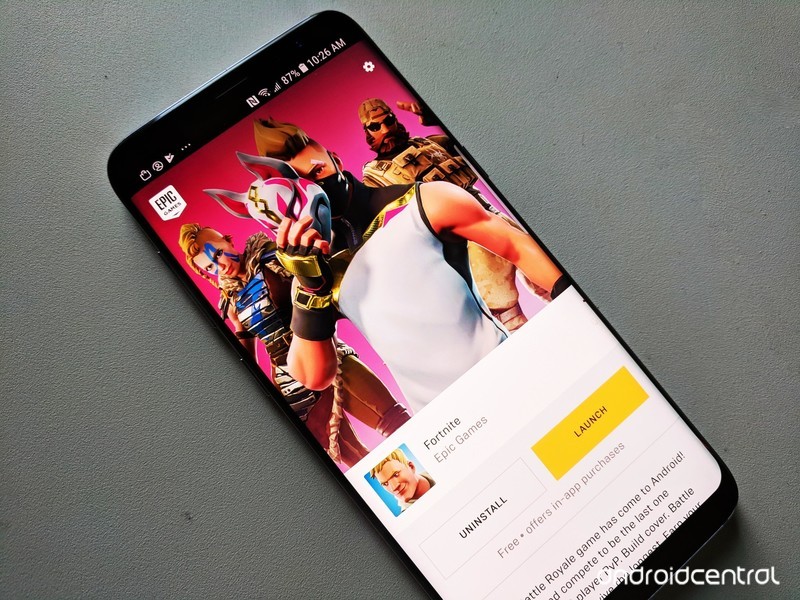
The hottest game of 2018 has finally arrived on Android.
Fortnite has been blowing up lately. Millions of people have become obsessed with the game, both as players and just watching popular Twitch streamers play the game.
Interested to learn more about what the heck Fortnite is all about? Just keep reading.
What’s new with Fortnite?
August 16, 2018 — Update v5.21 addresses Fortnite’s poor performance on most Android phones
On the same day that Fornite started rolling out for non-Samsung Galaxy devices, the Fortnite devs took to Twitter to acknowledge stability issues with the app on devices with 4GB of RAM — which describes almost all Android phones that Fortnite is currently available on.
We have seen reports that some players on 4GB Android devices are encountering an issue causing poor performance. This is due to multiple background applications running–leaving the device without enough memory for Fortnite. We are investigating and working on a fix!
— Fortnite (@FortniteGame) August 14, 2018
That fix arrived with an update to v5.21, which appears to have addressed the abysmal frame rate issues and much of the frustrating performance issues that have plagued Fortnite through its first week on Android.
Other significant additions in the v5.21 update are a couple new game modes: Soaring 50’s and Sniper Shootout. You can check them out for a limited time.
August 13, 2018 — Epic opens the Fortnite Android Beta to a ton of non-Samsung phones/tablets
Fortnite’s short-lived exclusivity on Samsung devices has come to an end. After a few days of being limited to select Galaxy-branded gadgets, Epic’s now expanded its Fortnite Android Beta to a heap of other phones and tablets.
Hey Android owners! We’re excited to open up the #FortniteAndroid Beta to more devices starting… TODAY! Check your email as the first wave of invites have started to go out. Not signed up yet? Head to our website for more info: https://t.co/AvolyySFZ1 pic.twitter.com/DuW5yzpcqd
— Fortnite (@FortniteGame) August 13, 2018
You can find the full list below in the Where can I download the game? section, but some notable additions include the Google Pixel 2/2 XL, OnePlus 6, Razer Phone, and the LG G7.
If you haven’t already received an invite to join the beta, head to Epic’s website, enter your email to sign up, and wait for the invitation to come through.
August 10, 2018 — Google now warns players that Fortnite isn’t available on the Play Store

Epic’s decision to not release Fortnite on the Play Store is a controversial one for a lot of reasons — mainly because it gives crooks a field day with tricking people into downloading fake versions that serve to do nothing but cause trouble.
In an effort to combat this, searching for “Fortnite” on the Play Store now returns a message that reads, “Fortnite Battle Royale by Epic Games, Inc is not available on Google Play.”
It’s a small heads-up to let people know the legit version of Fortnite isn’t anywhere to be found, and hopefully, it’ll be enough to stop people from downloading bad actors.
Users will also see the warning pop up when searching for “Fortnite Battle Royale”, “Fortnite Mobile”, etc.
All the big details
What is Fortnite?
Fortnite is what would happen if you combined two of the most addictive games out there — Minecraft and PUBG.
Fortnite offers a free 100-player Player Vs Player (PvP) Battle Royale game mode. Just like PUBG, you’re dropped onto the large island map and must arm yourself and outlive your competition. But in Fortnite, you always start out armed with a pickaxe which can be used as a melee weapon or to harvest raw supplies for building walls, ramps, and shelters.
It certainly adds extra layers of strategy to the format, creating essentially a perfect storm of addictive gaming action that’s as fun to watch as it is to play. Oh, speaking of storms all the action takes place in the eye of a deadly electrical storm meaning you can’t just hunker down and hide out the whole game. You got to keep moving.
How do you play the game?
Just like PUBG, your goal is to be the last man standing — with up to 100 players involved in each match, that’s no small task.
Each game starts with the players jumping out of the flying “Battle Bus” and parachuting down onto a giant island. Once landed, you must loot nearby buildings for items, guns, and ammo to defend yourself and attack other players.
You also need to keep an eye on the map, as every few minutes the storm closes in on the play area. If you’re caught in the storm, you slowly die so you do not want to forget to regularly check where you are on the map. Eventually, the play constricts to a tiny area for the final showdown between the remaining players — there can only be one winner!
Unlike PUBG, you’re able to carry more than two guns. Instead, you’re limited to the number of weapons and items you can carry at one time. Also, guns are color-coded to denote their rarity — from grey (common) to orange (legendary) — and the rarer the gun, the deadlier it is.
Then there’s the crafting element. Every player starts out with a pickaxe which can be used as a melee weapon or used to break down trees and buildings to harvest the raw resources. You can then use these raw resources to build your own structures, whether it be a defensive wall to provide cover from an advancing enemy, a set of stairs to reach the second floor of a building or your own watchtower to snipe players from across the map. The resources you mine will determine the strength. Steel is stronger than brick, which is stronger than wood.
The latest update to the game for the Season 5 Battle Pass has introduced a slew of new map areas and gameplay features including the All-Terrain Kart (ATK) which let you and your squad move around the map faster than ever before. You can read more about the latest tweaks in the full release notes.
Where can I download the game?
Since Epic Games has decided to release Fortnite for Android outside the confines of the Google Play Store, you’ll need to download the Fortnite Installer APK to get the game on your phone.
Epic struck a deal with Samsung to make Fortnite available for select Samsung devices right now, so if you head to the Galaxy App Store on your Galaxy S9/S9+, Note 8, Galaxy S8/S8+, Galaxy S7/S7 Edge, Tab S3, or Tab S4 and search “Fortnite”, you can download the 4MB installer to get the game on your handset right now.
If you own a non-Samsung phone, you can head to Epic’s website and enter your email to sign up for an invite to the beta. The first round of invitations went out to users on August 13, and according to Epic’s site, Fortnite for Android is compatible with the following:
- Google Pixel 2 / 2 XL
- Google Pixel / Pixel XL
- LG G7
- LG V35
- LG V30 / V30+
- LG G6
- LG V20
- LG G5
- Essential Phone
- OnePlus 6
- OnePlus 5 / 5T
- Razer Phone
- Huawei Mate 10 / Mate 10 Pro
- Huawei Mate RS
- Huawei P20 / P20 Pro
- Huawei Nova 3
- Honor 10
- Honor Play
- Honor V10
- Asus ROG Phone
- Asus Zenfone 4 Pro
- Asus Zenfone 5Z
- Asus ZenFone V
- Xiaomi Blackshark
- Xiaomi Mi 5 / 5S / 5S Plus
- Xiaomi Mi 6 / 6 Plus
- Xioami Mi 8 / 8 Explorer / 8SE
- Xiaomi Mi Mix
- Xiaomi Mi Mix 2
- Xiaomi Mi Mix 2S
- Xiaomi Mi Note 2
- ZTE Axon 7 / 7S
- ZTE Axon M
- ZTE Nubia Z17 / Z17S
- ZTE Nubia Z11
How to download the Fortnite Beta on your phone
Is it free to play?
Fortnite for mobile includes the PvP Battle Royale game that’s free to play across all platforms. The console versions have a paid game mode called Save The World that’s Player vs Environment (PvE). Save The World plays more like Minecraft, where you’re harvesting more resources and stocking up on loot to survive waves of AI enemies in a sort of tower defense-style of gameplay.
The PvE mode will not be available in Fortnite Mobile due to CPU limitations and, frankly, it’s the PvP mode that everyone is crazy for so that’s quite alright with us.
Having said that, there are some reasons to spend money in Fortnite. The best way to spend money is to buy a Battle Pass which gives you daily challenges over the span of a Fortnite Season (typically lasts 10 weeks) which let you unlock a ton of cool outfits, dance emotes, and other goodies to customize your character. You can also spend V-Bucks, the in-game currency, to buy cosmetic items for your player and people sure have been buying stuff. According to this report from Sensor Tower analtyics, Fortnite Mobile players spent more than $1 million during the first 72 hours of its release on iOS. Fortunately, nothing you can buy will give you an actual advantage in the game to prevent people from paying to win. In this case, its a matter of playing to look cool
So, to answer the question, you have the option to spend money on Fortnite if you want a cool looking character, but the game is free to play and you won’t need to pay to win.
Where’s the support for Bluetooth controls?
Epic Games has confirmed that Bluetooth controller support is coming, but as of right now only touchscreen controls are available.
Is it cross-platform?
Epic Games have indicated that you will be able to play Fortnite across all platforms. Your Fortnite profile can be connected to all the platforms you play on so you can add to your stats however you connect to the game.
Don’t be worried about getting mismatched as the one mobile player in a server of PC and console players. If you’re playing solo on mobile, you will only be matched up against other mobile players. If you join a squad with friends playing on another platform, then that squad will be matched against a multi-platform population, essentially making cross-platform play opt-in.
- Learn more about Fortnite Mobile
How does it compare to the PC or console version?
If the iOS version of Fortnite is anything to go by, the Android version will enjoy feature parity with all other platforms, including PS4, PC, Xbox One, and Nintendo Switch. There will be minor differences to account for the form factor, such as (hopefully) support for Bluetooth controls, on-screen controls for those not using a controller, and certainly toned down graphics capability. But if you want to jump in for a quick game of Battle Royale, you won’t need to worry about playing a vastly different game. Fortnite on Android is still Fortnite.
Are you hyped for Fortnite?
We’ll be sure to let you know when the game launches for Android. Until then, you can create your Epic Games account and start playing on one of the other platforms to start getting a handle on the game
Android Gaming

- Best Android games
- Best free Android games
- Best games with no in-app purchases
- Best action games for Android
- Best RPGs for Android
- All the Android gaming news!
LG G7 ThinQ Review – Is LG finally back?
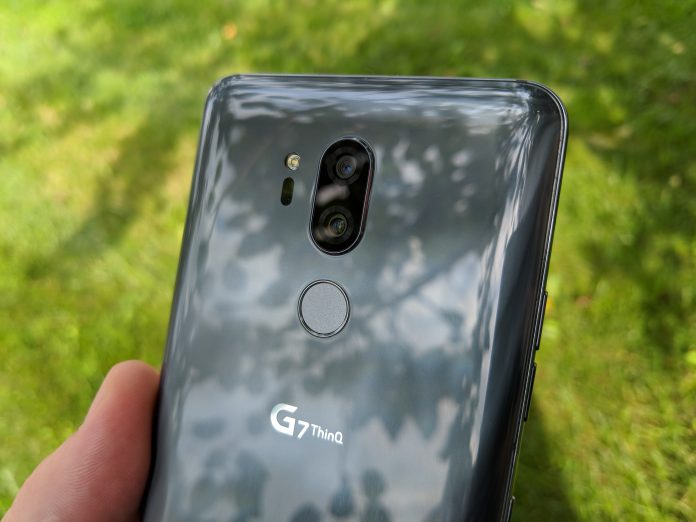

LG has been stuck in a rut for the last few years, similar to other OEM’s not named Samsung. The company has been trying out different tactics, starting with the LG G6 from last year.
In a move that shocked just about everyone, LG released its 2017 flagship, the G6, with 2016 specs, namely the Snapdragon 821 chipset. Sure, this was fine for awhile, but then as we saw the Snapdragon 835 released, the G6 fell to the wayside.
Read more: LG G6 Revisited
Moving into 2018, there were a lot of rumblings about what LG would be doing with its 2018 flagship. Instead of making its debut at MWC 2018, the LG G7 was delayed due to LG’s attempts to change the design and more.
The G7 was officially announced back in May, and actually carries the following name: “LG G7 ThinQ”. I’m not going to continue referencing this phone as the “G7 ThinQ”, so you’ll just see G7.
The device has been out since May, but we really wanted to take our time with the device since this is such an important release for LG. Of course, it’s time to reveal our thoughts on one LG’s latest and greatest.
Design
In order to get started with the design, we’ll have to take another look at the G6. LG moved to glass on the front and rear, while an aluminum frame was sandwiched between.
Previous generations of LG flagships sported plastic builds, which was beneficial in some aspects. However, the introduction of an all-glass design has been a welcome addition for a flagship handset.

The G6 also sported more of a blocky design which was good for some and bad for the others. With the G7, we see some slight improvements, with more curves and less ridges.
The glass seems to melt into the metal frame on both the front and rear of the device. The rear glass is just slightly curved, which provides a very enjoyable experience when using the handset.
Also found on the back is LG’s latest attempt at a dual-camera system. We’ll touch on this setup more later on, but it is orientated at the top, with the LED flash placed to the left and fingerprint scanner mounted below.

Found at the bottom, we have the standard USB-C charging port, flanked by a microphone and bottom-firing speaker. This may seem a bit boring, but there’s a reason behind LG sticking to a single speaker.
Keeping with the frame, the left-side sports the volume rocker and an all-new button. This is dedicated to activating Google Assistant, similar to Samsung’s Bixby button.

On the right side, LG has included a standard power button, removing the button from the fingerprint scanner. Previously, LG integrated the power button into the fingerprint scanner for easy access. It seems that now the company is falling more in line with other OEM’s.
In terms of placement, these are placed quite nicely, save for the occasional accidental press of the Assistant button. Finally, the G7 sports a 3.5mm headphone jack at the top. So there’s no need to worry about losing a dongle in your travels.
Display
All displays are great now. Sure, some are getting brighter or have deeper blacks, but the LG G7’s looks fantastic regardless of those buzzwords.
As for dimensions, we have a 6.1-inch IPS LCD display sporting a resolution of 3,120 x 1,440. With the notch and slim bezels, this equates to an aspect ratio of 19.5:9.
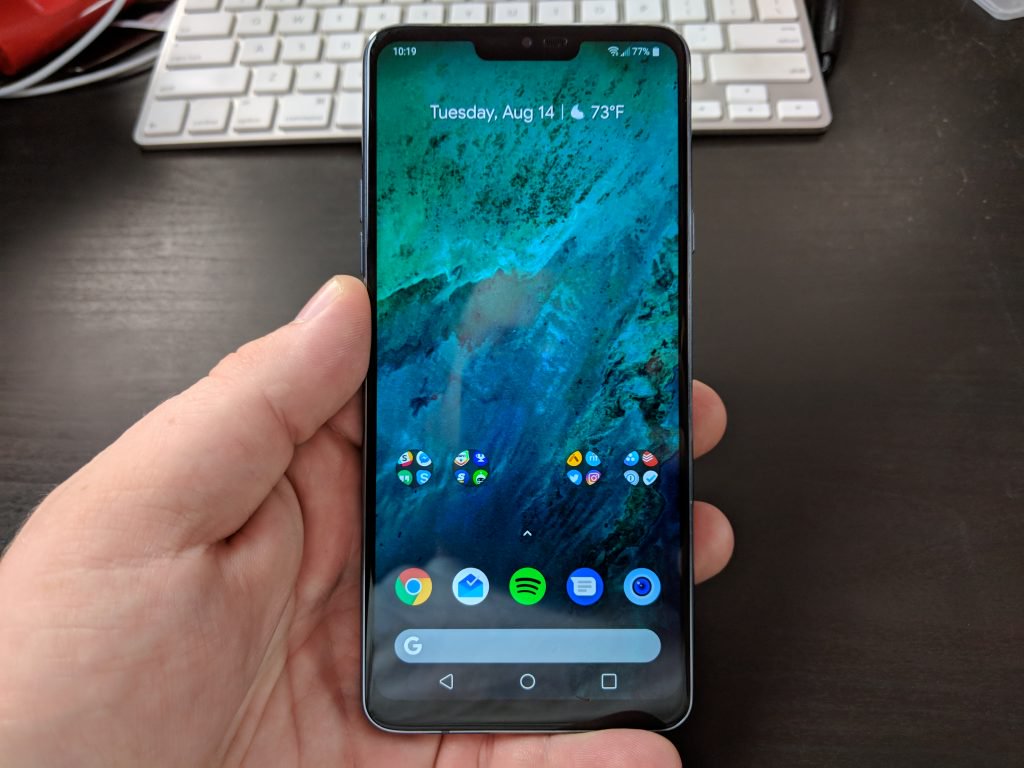
If you are someone who wants more control over what your content looks like, LG has you covered. Hidden in the Display settings, you can adjust the RGB and color temperature sliders, along with using different display modes.
Another neat feature included with the G7 comes in the brightness department. It can be annoying to use your phone in direct sunlight, only to have to squint or shade the display with your hand just to see part of the screen.
This complaint has been removed with the new Super Bright mode. This boosts your G7’s display up to 1,000 nits, making it extremely easy to see what’s going on, regardless of what you are doing.
Notch
You knew it was coming. LG is attempting to keep up with the trends, and it did just that with the LG G7. No, there aren’t six different cameras, but there is a notch on the display.
This notch is a little bit less intrusive than others found on the market, and actually blends into the screen quite nicely. However, if the #notchedlyfe is not your cup of tea, then LG has included a few software tweaks to actually “hide” this.

Instead of just calling it the notch, LG actually calls this portion of the display as the “New Second Screen”. From here, you can use a black wallpaper to hide the notch, or opt for a rainbow theme to have a more unique look.
The second screen is nothing new for LG as a similar feature was released starting with the LG V20. However, the difference is that instead of having two separate displays, the G7’s second screen is a part of the whole display.
Speaker
For years, LG has been integrating a quad DAC system into its flagship smartphones. This brings a higher-quality sound, less distortion, and a better dynamic range.
However, the G7 turns things up to 11 with its new interesting and unique bottom-firing speaker. Instead of opting to use stereo speakers, sound from the G7 will be amplified just by placing it on a flat surface.
You can truly notice the difference when you start the music playing in your hand than placing it down on a table. While this is a neat trick, it’s nothing more than that, and it doesn’t even mimic stereo sound.
It was still a nice touch and something that could be improved upon in future iterations.
Performance
Before jumping too far, let’s take a look at what is powering the G7. LG decided to use the best processor, which is currently the Snapdragon 845 from Qualcomm.
In the RAM and storage department, we have a couple of choices. The standard model comes with 4GB of RAM and 64GB of storage. However, there is a pricier model which sports 6GB of RAM and 128GB of storage.
The storage space should be no concern, as the G7 is equipped with a microSD card slot compatible with a 2TB option. Of course, you can’t exactly get a 2TB SD card just yet, but 400GB should suffice. This is located next to the SIM card within the SIM card slot.
Now that the specs are out of the way, I have to say that the G7 is extremely snappy. I’m not sure if it’s due to “Samsung Experience”, but the G7 feels even faster than my S9 Plus.
Something LG did under the hood has really helped to improve the performance. Playing mobile games, including Fortnite/PUBG is a breeze, and multitasking is everything you could want and more.
The only complaint that I have in the performance department is the battery life. Including a 3,000mAh battery is a real disappointment nowadays, and if you are a power user, be prepared to have a charger handy. The saving grace here comes thanks to the wireless charging, along with compatibility with Qualcomm’s Quick Charge 4.0.
All-in-all, the G7 will definitely swing for the fences, but you may have to take a few hits in the battery department.
Camera
I don’t know if it’s just me or what, but I fell out of love with the wide-angle camera. Including one on the G7 is unique, as others are focused on providing “portrait” images with the secondary rear camera.
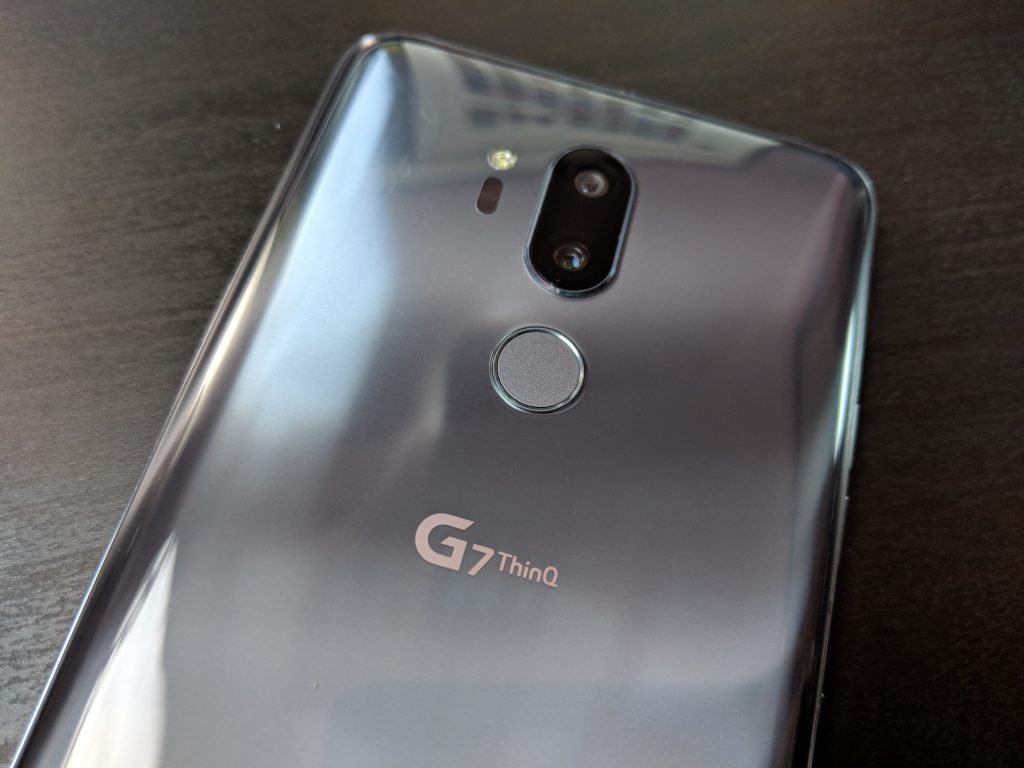
LG is doing the opposite and using a wide-angle 16MP secondary sensor. The lens has a 107-degree viewing range, which is slightly lower than that of previous generations.
Nonetheless, if you are trying to get as many people in the shot as possible, this is the camera for you. LG has really excelled over the last couple of years in the camera department, and this year is no different.
I’m not much of a selfie-taker, but the G7 doesn’t disappoint thanks to the crisp and clear photos. Plus, you won’t have to worry about extra gimmicks to make cartoons of yourself like AR Emoji or Animoji.

Overall, the LG G7 does an extremely good job at being the best camera you can put in your pocket.
Software
For years, LG has wavered between Samsung and Motorola in the software department. It’s not quite a stock Android experience, but there’s not a boatload of extra bloatware onboard.
It seems that the G7 is a fine medium between the two, while still giving enough extra customization options. You don’t have a settings panel for every minute detail, but the main ones can be found with relative ease.
The stock LG launcher is something that I continue to use, even though you can throw the ported Pixel 2 launcher onboard. LG has really improved in the software department, giving the users more control over what they use.
You may have to dive deeper into the settings to add back the app drawer, but it’s still serviceable. Loading up the camera or Google Assistant is a breeze and getting your work done should pose no problems. It still has some overlays from LG, but this software is far from as buggy as others offered.
Final Thoughts
If I am 100% completely honest, it’s difficult to recommend the LG G7 ThinQ. This is in large part to the $750 retail price tag offered through your favorite carriers.
However, the wonderful thing about LG smartphones is the deterioration in pricing. In just a few months, you can already find steep discounts on the G7, even as low as just $550 from eBay.
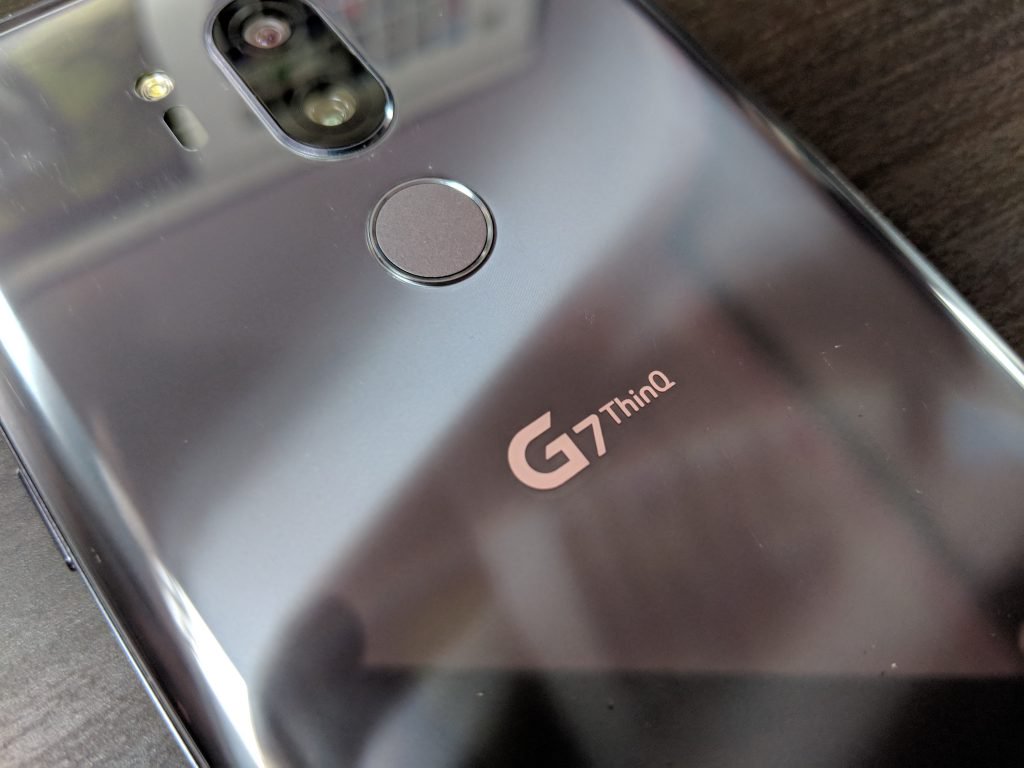
Another hang up that I have is with that wide-angle camera, as I have become accustomed to using a secondary zoom lens. But to each their own, and your experience may differ from mine.
Overall, the G7 ThinQ is still a wonderful device which will power through your work, and allow you to get some gaming done. The notch won’t bother you, especially if you use the software tweaks to hide it.
You just may run into some issues keeping charged up throughout the day.
Don’t Miss
Google Home is awesome; here’s how to make it even better!
Check it out!
How to set up your Lenovo Smart Display
It’s no secret that we love the Lenovo Smart Display (we gush about it in our review). The screened smart speaker with Google Assistant offers some serious competition for the Amazon Echo Show, with a touchscreen for viewing information, watching shows, making video calls, and much more. But before you get to do all that stuff, first you have to link your Smart Display to all the right services. Here’s what you have to do.
Step 1: Download and sign in on the Google Home App (if necessary)
The Smart Display is designed to work with the Google Home app. If you already have the Google Home app downloaded for another device, you don’t need to worry about this step. But if you don’t have it, then you need get the Google Home app and sign into it with your Google Account login before you begin. Don’t worry, you don’t need to have a Chromecast or Google Home device for this to work, the Home app will naturally pair with your Smart Display. The Home App works on tablets, phones or computers.
Step 2: Turn on the Smart Display
Bill Roberson/Digital Trends
With your Google Home ready to go, unbox your Lenovo Smart Display, plug it in, and turn it on. The opening screen will instruct you back to the Google Home app, and the device and your app will instruct you from there.
Step 3: Pair the Display and Home app
You should now see a new notification that says “1 device found” and a prompt to “Set Up.” Select the prompt to begin. You may need to wait a couple of minutes for the notification to appear.
Your Google Home app will now display a short code with the message “See the code?” while your Smart Display will go to a Setup screen and show it’s own four-digit code. Check the codes on both of your devices to make sure that they match. This helps stop Home from accidentally pairing with the wrong device or a neighbor’s Smart Display. In the bottom right of the Google Home app, you’ll see a Yes option. Select the Yes to pair the two devices and continue.
Step 4: Answer Google’s many questions
Now Google Home will ask you a number of questions about Lenovo Smart Display so you can create basic settings for the device. These steps are simple enough, but very important for configuring the Smart Display, so we’re going to go over them one at a time.
- Choose whether or not to “Automatically share device stats and crash reports with Google.” Make your choice based on privacy decisions – this will have no noticeable effect on your Smart Display performance.
- Choose what type of room the Smart Display will be in. Google Home will have you pick from options such as Bedroom, Dining room, Family room, and so on. This helps identify the Display more easily if you end up adding other devices to the Home app, so it’s important to be accurate.
- Pick out a “unique name” for your Smart Display. Name it something obvious so that it’s clear exactly what the name is referring to. This name will be used for internal Home app management.
- Connect your Wi-Fi network. Obviously your Smart Display needs to hop online, so the app will have you choose your Wi-Fi network and, if necessary, input your password.
- Read the privacy terms. Google will present you with information about how it (and Google’s partners) will treat your data, and the data from people you communicate with using the Smart Display. Give it a read, and then choose Next.
Step 5: Customize and add services
Now Google will take you through yet another list of questions and forms. These, however, are more directed at how Google Assistant performs and what tasks the Smart Display can carry out. This part is a bit more involved, so we’ll walk you through the details.
- Choose whether or not to use Voice Match. Voice Match is a service that teaches Assistant to recognize individual voices. It’s most useful if you have multiple people in the house who will be using the Smart Display, so Assistant can tell the difference between them. If it’s just you using the Display, you don’t really need to worry about it. If you choose I Agree, you will have a further option to display personal results (calendars, recommendations, contacts, etc.) when Google Assistant recognizes a particular voice. This is generally a useful feature, but you don’t have to enable it.
- Choose between a couple of voices for your Smart Display. You can play samples of each voice to help you decide which to select. Hit Next when you are done.
- Fill out your address. Your Smart Display is particularly handy for finding traffic and weather information, but first Google Assistant needs to know where you live.
- The Smart Display is a great way to casually catch up on videos or movies. However, you will need to link the right accounts first. Google will ask you to “Add your video services” with options like HBO, Starz, and so on. You will need the account logins and passwords for these services, so have them ready if you want to stream video.
- Input your phone number and verify. This will link your phone number to the Smart Display for video calls. Google will send your phone a verification code to complete the setup process, so have your phone handy if you’re on a different device.
- Pick out some art. When the Smart Display is chilling in “Ambient” mode, it can display some random pretty pictures. You can make those pictures less random by choosing types of photos/art from the Art Gallery as prompted, or choose from your own collection.
- Add credit card information. You can do this if you want to purchase via the Smart Display and voice commands.
- Link music services. You can link your Spotify, Google Play, Pandora, and other music accounts at this point. This is useful if you listen to a lot of music on these services and want your Smart Display to play them on demand.
Step 6: Start using your new Smart Display
Bill Roberson/Digital Trends
You should be finished now. When done, your Smart Display should switch to an intro scene, then a general info screen. Test out Google Assistant by saying “Hey, Google” or “Ok, Google” and asking a question or playing a movie or song, just to make sure everything is working as intended. You may also want to check out some of the other ways you can personalize Google Assistant.
Editors’ Recommendations
- A 10-step guide on Google Home setup for your new device
- Here’s how to unlock your phone automatically with Android Smart Lock
- Google Assistant: Everything you need to know
- Lenovo Smart Display review
- Apple HomePod tips and tricks to get you started
 AIVAnet