


Nvidia’s RTX 2000 GPUs look like A.I. hardware dressed up for gamers
Nvidia’s unveiling of its next-generation 2000-series graphics cards at Gamescom should have been a momentous occasion for gamers. More than two years on from the release of its fantastic Pascal line up of hardware, we finally got a look at Nvidia’s true, next-gen power. Or did we?
We can safely assume that the GeForce RTX 2000-series graphics cards will be better than their predecessors at powering games. But for all of the talk of ray tracing and tensor cores, there’s been precious little discussion of how these cards will actually perform in games people play today. What little data we’ve been given on that front seems deliberately muddied and cherry-picked.
So, are these gaming cards with AI benefits or AI cards that can game?
The new Nvidia showing its face
Nvidia was once a dedicated gaming hardware company, but these days, it puts a lot of energy and investment into other fields. In 2018, Nvidia’s GPUs are used in autonomous vehicles, AI and deep learning processing, and powering supercomputers and data centers. It seemed to be a happy accident that Nvidia’s gaming technology had real-life applications in burgeoning fields of interest.
Jensen Huang, CEO of Nvidia
No one could blame Nvidia for wanting to capitalize on these newfound revenue streams. There is obviously crossover in what makes a good AI GPU and what makes a good gaming GPU, and that’s what we’re seeing in this new graphics card architecture, dubbed Turing. It’s a robust platform for a company looking to spread into new verticals as efficiently as possible.
But here’s the problem: The fraction of Nvidia’s business that is focused on gaming is shrinking by the day, and due to its near-monopoly control of the market, rarely is forced to make aggressive moves in the space. Just consider its lackluster response to the 2017-2018 graphics card pricing crisis as an example of how the company can comfortably sit on its hands and let the profits roll in.
Why deep learning and ray tracing?
Rather than deliver practical, performance-driven updates in its new cards, Nvidia has found two gaming applications of its new newfound interest in AI. The vast majority of Nvidia’s Gamescom talk was spent discussing these new technologies, and yet their actual application to gaming is fairly limited right now.
What about performance in games people actually own?
The first is what it calls “deep learning super sampling” (DLSS), which is powered by the presence of Nvidia’s tensor cores. These are processors designed specifically to run AI. The application in gaming is effectively an AI-driven anti-aliasing solution.
As nice as all that sounds, these tensor cores weren’t designed specifically to perform that task. In fact, they were introduced in early 2017 in the Titan V graphics card. Although powerful at certain gaming tasks, that card was marketed almost exclusively for deep learning and AI development., the tensor cores playing a major role in that capability.
And then there’s the new ray tracing capabilities. Powered by another new piece of technology, the RT cores, they’re benefit to gaming is a bit more clear. Ray tracing allows for the creation of dynamic lighting, reflection, and shadow effects in environments — and Nvidia spent plenty of time showing off the difference it made in games. But still, ray tracing is not a functionality that’s exclusive to making games look prettier. Nvidia’s new RTX Quadro enterprise cards, which were announced a week before, benefit from the RT cores as well. It’s a technology that’s being sold to visual effects animators too.
EA’s Battlefield V is one of the few upcoming games expected to take advantage of Nvidia’s new ray tracing technology.
The multi-purpose functionality of these two innovations doesn’t make them negligible, but it certainly marks a sea change in the way Nvidia will develop its hardware in the future. They won’t offer much to the vast majority of gamers, due to the lack of support. There are precious few games that currently support ray tracing, and the same goes for DLSS. If these new features were add-ons to some significant performance gains as well, that’d be understandable. But we’ve dug into the numbers, and well, they don’t look all that promising.
Don’t trust the numbers
Rather than talk about these new cards in terms gamers care about, Nvidia’s CEO Jensen Huang claimed Nvidia had to invent new methods and terminology to measure the performance. We learned all about “Giga rays per second” and “RTX-OPS.” We were told that an RTX 2070 was more powerful than a Titan XP and that a 2080 Ti was six times more powerful than anything Pascal had to offer when it came to ray tracing in supporting games. But again, what about performance in games people actually own?
The additions of DLSS and ray tracing appears to have a negative impact on the power requirements of Nvidia’s new cards too.
To counter claims that these surprisingly expensive new graphics cards weren’t big performers, Nvidia followed up a few days later with some much more generalized benchmarks. However, they only made hardware enthusiasts like us more suspicious. The games which show the biggest advantage of the RTX 2080 are those using that new DLSS, AI-driven anti-aliasing technology.
Since the 1080 wasn’t designed to run DLSS, it is no surprise that it’s poor at doing so, making that relative comparison far from conclusive.
Of all of the games listed, only three show a relative performance increase of 1.5 times between generations. Most are much closer to 1.3 and the graph gives us no indication of what settings were enabled. Nothing in that graph equates to framerates either. It’s a pure relative comparison, which without a lot of qualifying information, tells us very little.
And when we did get frame rates, most are not for the same games as in the original graph, meaning we can’t cross-reference. Neither do we know what settings these games were run at beyond the 4K resolution.
Gaming at 4K at above 60 FPS is a great achievement, but these numbers aren’t vast increases over what was possible with last-generation cards. Indeed they seem relatively comparable to a 1080 Ti. Guru3D managed similar numbers in its Resident Evil 7 testing, and we weren’t far off such framerates in our Final Fantasy XV testing with that last-gen card.
But wait! It gets worse.
It’s the deliberate lack of clarity in Nvidia’s benchmarking numbers which feels so insulting to gamers.
The additions of DLSS and ray tracing appears to have also had a negative impact on the power requirements of the new cards too. Clock speeds have actually decreased this generation, but despite that dip and the use of more efficient GDDR6 memory, power requirements have gone up, which in turn has warranted an entirely new dual-fan cooling solution.
CUDA cores have gone up across the board, which should equate to an increase in performance. The number leap is relatively comparable to the jump between the 900 and 1000 series, although as a percentage, that’s less impressive this time around. While the 2080 and perhaps 2070 could potentially end up close to 1080 Ti speeds, when the 10-series cards’ prices are crashing to far less than their next-gen counterparts, it makes the 2000-series far less attractive.
And yet even if these cards are only a little more powerful than the Pascal generation, they’ll still be the most powerful graphics cards available. With limited competition at the top end from AMD, Nvidia can effectively set its own prices and arbitrarily decide how a top-end card should perform. It could even hamstring the gaming performance of its new-generation GPUs to make them equally attractive to AI developers with little fear of a drop in market share.
Do these cards really put gamers first?
It seems likely that the actual, real world, general gaming performance of the new 2000-series cards won’t be quite so monumental as we hope, nor nearly as good as Nvidia suggested. Yes, they’ll be able to do ray tracing — though it may require a big performance hit. And the new DLSS technique is pretty, but both technologies will only have any effect in games that actually support it. In everything else, this looks much more like a standard generational leap in gaming power, if not a bit less than that.
But it’s the deliberate lack of clarity in Nvidia’s benchmarking numbers which feels so insulting to gamers who have struggled through well over a year of bad GPU pricing in the hopes of a new-generation offering a meaningful upgrade. Instead, Nvidia has obfuscated how powerful the cards are in general gaming and pushed the introduction of new ‘features’ which seem equally, if not more, applicable to other industry’s interests entirely.
Though the 2000-series is an impressive line up of graphical hardware, it doesn’t seem like technology built with gamers in mind. It smells of enterprise kit with some gamer racing stripes stuck on the side.
Editors’ Recommendations
- Nvidia’s Turing chip reinvents computer graphics (but not for gaming)
- Nvidia’s GeForce RTX 20 Series starts at $500 and features real-time ray tracing
- Nvidia’s new GPUs look amazing, but that doesn’t mean you should buy one
- ‘Tomb Raider’ devs respond to RTX 2080 Ti, ray tracing performance concerns
- Everything you need to know about the Nvidia GeForce RTX 2000 series
31 plastic bottles and some algae is practically all this backpack is made from
Like any person with a functioning conscience, we care about saving the environment. If we can help save the environment while also looking totally stylish, then that’s a nice bonus. Thanks to a new Kickstarter campaign from sustainable designers Tentree, we can now comfortably do both.
Tentree has launched the Mobius, a multifunctional backpack with a sustainable twist: Not only is it made almost entirely out of “upcycled” materials, but the company will also plant 10 trees for every unit that’s sold. To date, the company has planted more than 20 million trees, and aims to increase that total to an astonishing 1 billion trees by 2030.
The fabric of each Mobius Backpack is made out of 31 plastic bottles, while the webbing, clips, and buckles also come from plastic waste. Perhaps the biggest departure from the kind of materials you might ordinarily find in a bag is the use of a special foam padding, which comes from sustainably sourced algae biomass taken from lakes and ponds.
“The plastic bottles are collected and sorted, washed and chopped into flakes, cleaned, blended, and melted into chips,” designer Joey Pringle told Digital Trends. “The chips get transformed into fibers. This backpack is giving recycled bottles a new life instead of littering the landfills.”
Pringle said the team’s goal initially was to somehow make a high-quality, durable backpack using resources that were already around and could be cleverly reused. “We saw a blank canvas and opportunity since there wasn’t anything in the marketplace [like this],” he said. “That gave us … the platform to come up with the world’s most eco-progressive backpack.”
It certainly seems like customers are responding well to it. The project broke its $27,000 Kickstarter campaign goal within an hour of launching, and at time of writing has racked up $131,605. As we do for all crowdfunded projects and products, we offer our usual warnings about the risks inherent in crowdfunding campaigns. However, if you’d like to go ahead and get involved, you can head over to the project’s Kickstarter page to pledge your cash. The Mobius Backpack starts at $76. Shipping is set to take place in March 2019.
Editors’ Recommendations
- Awesome Tech You Can’t Buy Yet: inflatable backpacks and robotic submarines
- Cotton and corn! Reebok’s newest sneaker is ‘made from things that grow’
- Zap! A new portable sterilizer called Klistem uses UV light to kill bacteria
- HandyShower is the portable bathroom for your next camping trip
- This solar panel rolls up like a scroll when it isn’t charging your gadgets
Shield your new Galaxy Note 9 with the best!

Life’s view is better when you take it to the edge.
For most of us, our phone is an extension of ourselves, and losing or damaging it can almost feel like breaking a finger.
But fear not, the protection your new Note 9 deserves is here. With your Galaxy Note 9 either already in your hands or on its way to you, it’s up to you to make sure it stays looking fresh. Whitestone provides the first true “Full-screen adhesive” tempered glass screen protector for curved bezel-less phones and they are the premier specialized brand for the high-end market of cellular devices. Thankfully, they have just released one of the most important accessories to keep your device looking just like it did when it first came out of the box.

For a long time, plastic or urethane protector have been the main option as screen protectors, but the truth is they don’t really give your phone true protection. They are vulnerable to scratches and even can reduce transparency, not to mention the greasy smudges or air bubbles that can happen when just putting them on. Then tempered glass protectors came about and allowed your screen to stay crystal clear.
But most other well-known brands try to be sneaky by falsely advertising themselves as full-cover tempered glass screen protector. Most only cover the flat side of your device and use a black cover adhesive along the side to hide lifts, or they have a poorly implemented visible Dot-Matrix which makes the device prone to touchscreen errors and can give off a rainbow/blurry effect. But that’s not the case with Dome Glass. The Whitestone Dome Glass uses several patented technologies to fill in those shortcomings and provide the Note 9 with the ultimate security like no other screen protector you’ve ever seen before.
Use Coupon code AC4NOTE9 for 30% off Note 9 Dome Glass
Use Coupon code AC4NOTE9 for 30% off Note 9 Dome Case

It is precisely because of Whitestone’s patented technologies that put them in a tier of their own. One such technique used is their patented LOCA technology which stands for ‘Liquid Optical Clear Adhesive’. LOCA is a revolutionary liquid glass adhesive that evenly disperses over the entire curved screen, forming a single, solid layer of anti-shatter glass. This is the only pure complete screen coverage out there for the Note 9, and as a bonus, the liquid can repair existing scratches and scuffs as well.
By filling in any cracks and then firmly setting, the Dome Glass creates a watertight, edge to edge protection. This can provide a new lease on life for your Note 9 if you are unfortunate enough to damage it before getting any protection in place. Now, there is no need to go out and spend the money on a whole new replacement screen due to a scratch or two, let the Whitestone Dome Glass come to the rescue.

With their LOCA technology, Whitestone also utilizes a unique curing process that harnesses the power of UV light to securely attach the glass to your phone giving you flawless protection. This is not a quick process by any means, but it is by far the best way to get the ultimate protection. Make sure you give yourself ample time to follow the step by step guide included (It’s also recommended to watch their installation video) and don’t just try to slap it on in a few minutes.
To prevent installation errors from happening, each Dome Glass two-pack includes three adhesive bottles, a UV curing light, an install frame, and all the other necessary components. Also, it is possible to use the extra glass to re-install if you do happen to make a mistake. The only thing not included in the package is the power adaptor for the UV light. But since it is micro USB compatible, you can use any USB wall adapter to power it. For help with the installation, you can follow this link to see some of the Whitestone Dome Glass reviews and installation tutorial videos.

Available in a single or as part of a two-pack (perfect for those on a family plan), the Whitestone Dome Glass is already a top seller on Amazon Worldwide and AT&T, and it is touted as one of the best-tempered glass protectors by NTT Docomo (the largest cellular provider in Japan). Moreover, every Whitestone Dome Glass product comes with a Limited Lifetime Warranty which means that if your Dome Glass is damaged or worn, you could request a replacement through Whitestone’s webpage.
These are only a few of the reasons why as a brand Whitestone is the only tempered glass screen protector recognized by SMAPP (Samsung Mobile Accessory Partnership Program). Samsung as a brand recognizes the quality of protection that the Dome Glass provides, you should too. Also, for a limited time, our very own Android Central readers can use the code AC4NOTE9 to save 30% off the Whitestone Dome Glass for the Note 9.
At $999.99 the Samsung Galaxy Note 9 is no small investment, it’s the top of the line. If you’re not going to settle for a second-rate phone, why would you settle for a second-rate screen protector? Well, the short answer: You shouldn’t! Get your own Dome Glass today!
Use Coupon code AC4NOTE9 for 30% off Note 9 Dome Glass
Use Coupon code AC4NOTE9 for 30% off Note 9 Dome Case
Exclusive: Epic’s first Fortnite installer had a wide open door for hackers
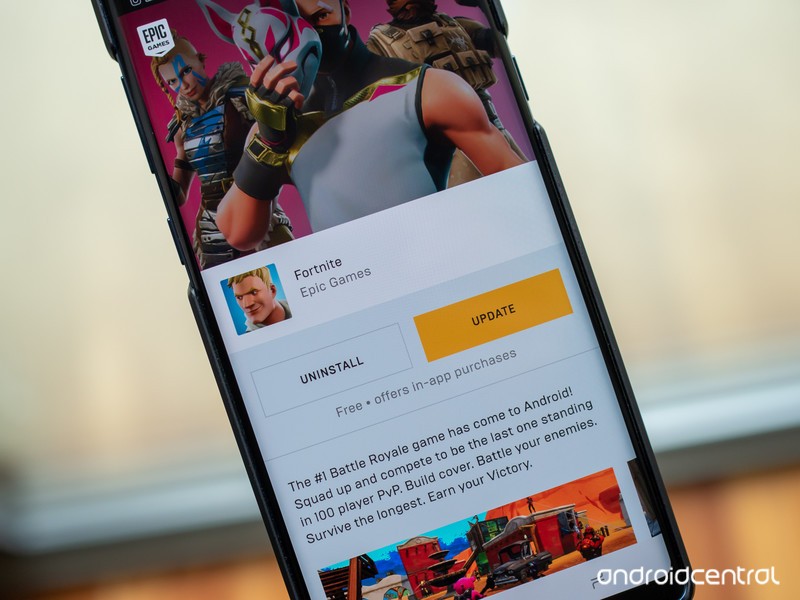
The exact problem we expected to happen, happened.
Google has just publicly disclosed that it discovered an extremely serious vulnerability in Epic’s first Fortnite installer for Android that allowed any app on your phone to download and install anything in the background, including apps with full permissions granted, without the user’s knowledge. Google’s security team first disclosed the vulnerability privately to Epic Games on August 15, and has since released the information publicly following confirmation from Epic that the vulnerability was patched.
In short, this was exactly the kind of exploit that Android Central, and others, had feared would occur with this sort of installation system. Here’s what you need to know about the vulnerability, and how to make sure you’re safe going forward.
What is the vulnerability and why is it so bad?
When you go to download “Fortnite” you don’t actually download the whole game, you download the Fortnite Installer first. The Fortnite Installer is a simple app that you download and install, which then subsequently downloads the full Fortnite game directly from Epic.
The Fortnite Installer was easily exploitable to hijack the request to download the full game.
The problem, as Google’s security team discovered, was that the Fortnite Installer was very easily exploitable to hijack the request to download Fortnite from Epic and instead download anything when you tap the button to download the game. It’s what’s known as a “man-in-the-disk” attack: an app on your phone looks for requests to download something from the internet and intercepts that request to download something else instead, unbeknownst to the original downloading app. This is possible purely because the Fortnite Installer was designed improperly — the Fortnite Installer has no idea that it just facilitated the malware download, and tapping “launch” even launches the malware.
In order to be exploited, you would need to have an app installed on your phone that was looking for such a vulnerability — but given the popularity of Fortnite and the anticipation of the release, it’s highly likely that there are unsavory apps out there that are doing just that. Many times malicious apps that are installed on phones don’t have a single exploit on them, they have a whole payload full of many known vulnerabilities to test, and this type of attack could be one of them.
With one tap, you could download a malicious app that had full permissions and access to all data on your phone.
Here’s where things get really bad. Because of the way Android’s permissions model works, you won’t have to accept installation of an app from “unknown sources” beyond the time you accepted that installation for Fortnite. Because of the way this exploit works, there is no indication during the installation process that you’re downloading anything other than Fortnite (and Fortnite Installer has no knowledge, either), while in the background an entirely different app is being installed. This all happens within the expected flow of installing the app from the Fortnite Installer — you accept the installation, because you think you’re installing the game. On Samsung phones that get the app from Galaxy Apps, in particular, things are slightly worse: there isn’t even a first prompt to allow from “unknown sources” because Galaxy Apps is a known source. Going further, that app that was just installed silently can declare and be granted every permission possible without your further consent. It doesn’t matter whether you have a phone with Android Lollipop or Android Pie, or whether you turned off “unknown sources” after installing the Fortnite Installer — as soon as you installed it, you could potentially be attacked.
Google’s Issue Tracker page for the exploit has a quick screen recording that shows just how easily a user can download and install the Fortnite Installer, in this case from the Galaxy Apps Store, and think they’re downloading Fortnite while instead downloading and installing a malicious app, with full permissions — camera, location, microphone, SMS, storage and phone — called “Fortnite.” It takes a few seconds and no user interaction.
Yeah, this is a pretty bad one.
How you can make sure you’re safe
Thankfully, Epic acted quickly to fix the exploit. According to Epic, the exploit was fixed less than 48 hours after being notified and was deployed to every Fortnite Installer that had been installed previously — users simply need to update the Installer, which is a one-tap affair. The Fortnite Installer that brought the fix is version 2.1.0, which you can check for by launching the Fortnite Installer and going to its settings. If you for whatever reason were to download an earlier version of Fortnite Installer, it will prompt you to install 2.1.0 (or later) before installing Fortnite.
If you have version 2.1.0 or later, you’re safe from this particular vulnerability.
Epic Games has not released information on this vulnerability outside of confirming that it has been fixed in version 2.1.0 of the installer, so we don’t know whether it was actively exploited in the wild. If your Fortnite Installer is up to date, but you’re still worried about whether you were affected by this vulnerability, you can uninstall Fortnite and the Fortnite Installer, then go through the installation process again to make sure that your Fortnite installation is legitimate. You can (and should) also run a scan with Google Play Protect to hopefully identify any malware if it was installed.
A Google spokesperson had the following comment on the situation:
User security is our top priority, and as part of our proactive monitoring for malware we identified a vulnerability in the Fortnite installer. We immediately notified Epic Games and they fixed the issue.
Epic Games provided the following comment from CEO Tim Sweeney:
Epic genuinely appreciated Google’s effort to perform an in-depth security audit of Fortnite immediately following our release on Android, and share the results with Epic so we could speedily issue an update to fix the flaw they discovered.
However, it was irresponsible of Google to publicly disclose the technical details of the flaw so quickly, while many installations had not yet been updated and were still vulnerable.
An Epic security engineer, at my urging, requested Google delay public disclosure for the typical 90 days to allow time for the update to be more widely installed. Google refused. You can read it all at https://issuetracker.google.com/issues/112630336
Google’s security analysis efforts are appreciated and benefit the Android platform, however a company as powerful as Google should practice more responsible disclosure timing than this, and not endanger users in the course of its counter-PR efforts against Epic’s distribution of Fortnite outside of Google Play.
What we learned from this process
I’ll repeat something that’s been said on Android Central for years now: it’s incredibly important to only install apps from companies and developers you trust. This exploit, for as bad as it is, still required that you have both the Fortnite Installer installed and another malicious app that would make the request to download more damaging malware. With the massive popularity of Fortnite there’s a great possibility that those circles overlap, but it doesn’t have to happen to you.
This is exactly the kind of vulnerability we were worried about, and it happened on Day 1.
One of our concerns from the start with the decision to install Fortnite outside of the Play Store was that the game’s popularity would overpower people’s general good sense to stick to the Play Store for their apps. This is the kind of vulnerability that would very likely be caught in the review process of going onto the Play Store, and would be fixed before any large number of people downloaded it. And with Google Play Protect on your phone, Google would be able to remotely kill and uninstall the app if it ever made it out into the wild.
For its part, Google still managed to catch this vulnerability even though the app isn’t being distributed through the Play Store. We already know Google Play Protect is able to scan apps on your phone even if they were installed directly from the web or another app store, and in this case that process was backed up by a talented security team at Google that found the vulnerability and reported it to the developer. This process typically happens in the background without much fanfare, but when we’re talking about an app like Fortnite with likely tens of millions of installations, it shows just how seriously Google takes security in Android.
Update: This article has been updated with clarified information on the exploit, as well as a comment from Epic Games CEO Tim Sweeney.
Samsung Galaxy Note 9 vs. OnePlus 6: MrMobile’s $500 dilemma
Here’s something I heard a lot from viewers when I said that Samsung’s Galaxy Note 9 was actually worth the thousand bucks it costs: “no, dude.” See, it turns out a lot of folks don’t think any smartphone is worth a four-figure price point, no matter how fully-featured it is. It’s not just viewer feedback, either; I listen to a lot of tech podcasts, and nearly every time the Galaxy Note 9 was brought up in conversation this week, another smartphone was hot on the tongue of the next host: the OnePlus 6.
You might remember the OnePlus 6 as the smartphone I lightly chastened in my review for being the most expensive of its formerly-very-affordable line. But here’s the thing: it’s also one of the best Android phones of 2018 – and at a mere $530, it’s almost 50% less expensive than Samsung’s Galaxy Note 9. That’s not just a price gap; it’s a price canyon. Given how much I enjoy using both of these smartphones, I wanted to know just how the two fared when put head-to-head.
So join me for the Galaxy Note 9 vs. the OnePlus 6! We’ll recap some of what you already know; we’ll gaze upon some camera comparisons that might surprise you; and we’ll barely touch on the Poco F1 that launched to much hoopla right in the middle of this video’s production process (more on that soon). If you’re more of a casual tech lover, or a lapsed phone geek who’s checking back in on Android after a hiatus … you might be surprised at just how much (or how little) difference an extra $500 makes when you’re shopping for the best smartphone of 2018!
Stay social, my friends
- YouTube
- The Web
- Snapchat
Apple Online Store Security Flaw Exposed PINs of T-Mobile Customers
A security flaw in Apple’s online store exposed the account PINs of more than 72 million T-Mobile customers, reports BuzzFeed News.
The vulnerability was discovered by security researchers Phobia and Nicholas “Convict” Ceraolo, who also found a similar flaw in the website for phone insurance company Asurion that exposed AT&T account PINs.
Both Apple and Asurion fixed the website flaws that left the PINs vulnerable after learning about them from BuzzFeed News. Apple opted not to provide further comment on the situation, but told BuzzFeed News that it is “very grateful to the researchers who found the flaw.”
The page on Apple’s site that let hackers brute force PINs, via BuzzFeed News
PINs, or passcodes, are numbers that are used as an additional account security measure by many carriers in the United States. Mobile device PINs are typically a last line of defense for a cellular account as both carrier websites and support staff will ask for the PIN for confirmation before making account changes.
SIM hacking, which uses social engineering to get carrier support staff to transfer a person’s phone number to a new SIM, has become increasingly prevalent due to the number of accounts (bank, email, social media, etc.) that are tied to a person’s phone number. A PIN is used as a defense mechanism against SIM hacking, which means exposed PINs can be particularly dangerous.
Accessing the T-Mobile PINs on Apple’s website involved a brute force attack where a hacker used software to input multiple different numeric combinations to guess the proper one.
As BuzzFeed News explains, after initiating a T-Mobile iPhone purchase on the Apple online store and selecting monthly payment options through T-Mobile, Apple’s site directs users to an authentication form asking for a T-Mobile number and account PIN or last four digits of a social security number (which most carriers use in place of a PIN when one has not been set).
The page allowed for infinite entry attempts into the PIN field, enabling the brute force attack that let hackers guess PINs associated with a T-Mobile phone number.
The security vulnerability appears to have been limited to T-Mobile accounts, as the same validation page for other carriers on Apple’s site uses a rate limit that locks access to the form for 60 minutes after five to 10 incorrect entries. Given that the other carrier pages had rate limiting enabled, it’s likely Apple made an error on the T-Mobile page.
According to Ceraolo, the vulnerability is likely due to an engineering mistake made when connecting T-Mobile’s account validation API to Apple’s website.
A similar vulnerability on Asurion’s website exposed an unspecified number of AT&T account PINs. An AT&T spokesperson said that it is working with Asurion to investigate the issue and will “take any additional action that may be appropriate.”
A phone number was required for both of these attacks, limiting the number of people who may have been impacted, but AT&T and T-Mobile customers who are concerned about their account safety should choose a new PIN.
Tags: T-Mobile, AT&T
Discuss this article in our forums
Asus Zenfone 5Z review: The ‘flagship killer’ killer
After releasing the well-rounded and aggressively priced Zenfone Max Pro M1 earlier this year, things have been looking up for Asus. Now the company has unveiled its flagship device in India, the Asus Zenfone 5Z.
Can this latest device keep the momentum going? Good question.
Aimed at mid-range flagships like the Honor 10 and the very popular OnePlus 6, the Zenfone 5Z comfortably undercuts the competition in price and packs in top of the line specifications.
I’ve used the Zenfone 5Z for a few weeks now, and in that time people have been asking if it’s worth getting over the OnePlus 6. Let’s dive into our Asus Zenfone 5Z review to find out.
About this Asus Zenfone 5Z review: For this review, I took the 6GB RAM variant for a spin (there’s also one with 8GB of RAM). During the testing period, the Zenfone 5Z received a few OTA updates with several camera improvements and improved the stability of the operating system as well as power management.Show More
Design
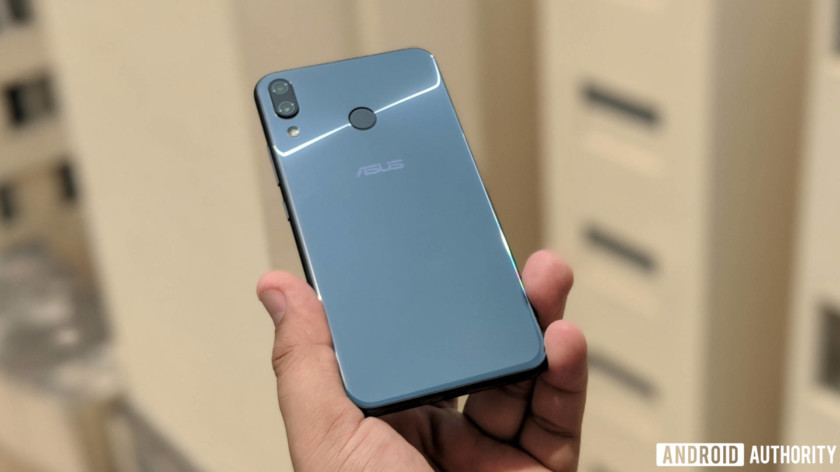
Like most premium Asus smartphones, the Zenfone 5Z looks striking. The glass back with a light pattern of concentric circles looks rad. Between the 2.5D glass on the front and the back, there’s a metal frame made of aerospace-grade aluminum.
Not only does it look good, but it feels well built too.
At only 155 grams, the Zenfone 5Z feels light, with a nice weight distribution across the length of the device. It feels great to hold, really, despite its boxy feel.
Unfortunately, the all-glass design makes the smartphone a smudge magnet. Of course that’s pretty much expected.
The phone’s got a large 19:9 display and the lipping around the glass panels is seamless. Asus managed to keep the camera protrusion at the back to a minimum.
Overall, the Asus Zenfone 5Z sports an exceptional design, with an eye-catching glass back. There’s no IP rating, though, so watch out for bad weather.
Display

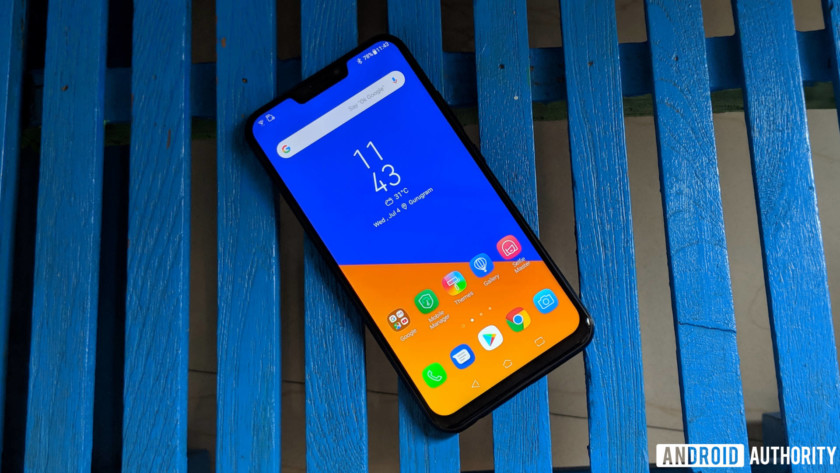
The Asus Zenfone 5Z sports a large 6.2-inch Full HD+ IPS LCD display with a 19:9 aspect ratio and Corning Gorilla Glass 3 for protection. It’s also got a notch.
The display is quite sharp, and the viewing angles are pretty good. It’s a well-calibrated LCD, and images and text look crisp — even outdoors.
The Zenfone 5Z likely has one of the best LCD panels on an Android smartphone, especially in this segment. The blacks are pretty deep and the colors really pop. You can change the wide color gamut to the standard mode or customize it to your liking, but I recommend leaving it as is. The wide color gamut mode is pretty striking as is.
Asus uses the color temperature sensor on the camera of the Zenfone 5Z to adjust the display based on the ambient light conditions, which actually works quite well.
Performance
Related
OnePlus 6 review: the spiritual successor to the Nexus
Buy OnePlus 6
Move over OnePlus 5T, the OnePlus 6 has arrived. The latest iteration of the OnePlus family brings us an all-new design on the outside, and more of what we already love on the …
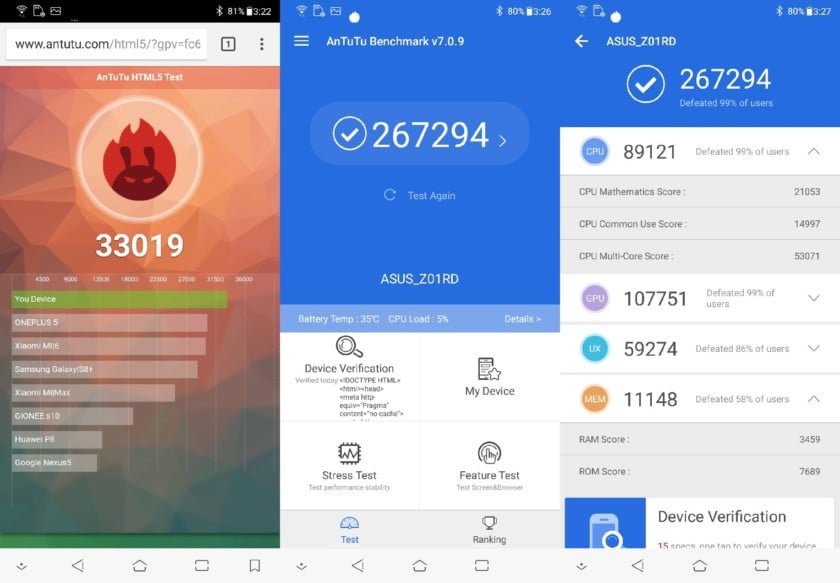
The Asus Zenfone 5Z packs in a Qualcomm Snapdragon 845 processor and comes in three memory variants, with 6GB of RAM and 64GB or 128GB of internal storage, as well as with 8GB of RAM and 256GB of storage.
The Zenfone 5Z will cruise through just about anything you throw at it. Even while playing graphic-intensive games, there’s no lag or any stuttering whatsoever.
An AI Boost option also helps if you need a sudden spurt of power by allocating more resources for a game or resource-intensive. Another AI-based feature is OptiFlex technology, which helps in opening your frequently used apps faster.
The battery is another area where Asus has done some interesting work. The phone has several battery modes — Performance, Normal, Power Saving, and Super Saving — as well as an option to customize the settings further, allowing you to choose how you would want to optimize the battery drain. There’s also a unique feature that tells you about the condition of the battery through its life cycle, no doubt a jab at Apple’s battery woes.
The Zenfone 5Z’s bundled 18W charger takes just over an hour and a half to charge the phone’s 3300mAh battery from zero to 100 percent. In everyday use, the AI charging technology does not charge the phone completely in one shot to avoid charging stress. Charging the phone overnight will get up to 80 percent quickly and then trickle charge, to hit 100 percent right around when you wake up. Asus claims avoiding quick charging all the time will improve battery health.
The battery life, with normal mode, is pretty good and even with quite an active usage, I was left with about 20 percent at the end of the day.
Hardware
The Asus Zenfone 5Z sports a hybrid SIM tray for either two nano SIMs or a SIM and a microSD card up to 2TB if you want more storage.
One of the less talked about highlights of the Zenfone 5Z is its stereo speaker setup. It can get really loud, and switching to the Outdoor Mode will reduce the bass to raise the volume even higher. Of course, this compromises clarity.
There are also two NXP amps, which offer a pretty good aural experience for headphones plugged into the 3.5mm audio jack. The smartphone supports aptX HD for a high-quality Bluetooth audio experience, too.
The dual speaker setup on the Zenfone 5Z offers rich stereo sound which, along with the phone’s audio internals, will impress most audiophiles. The Zenfone 5Z also comes with a USB Type-A to Type-C cable and a pair of Hi-Res-certified in-ear headphones (Good on you, Asus).
Camera

The Asus Zenfone 5Z sports a dual camera setup with a 12-megapixel primary camera and a secondary 8-megapixel wide-angle camera. The primary camera has an f/1.8 aperture with phase detection auto focus.




In good light conditions, the camera focuses quickly and gets the exposure just right. The photos look great, capturing good detail and stellar color accuracy. The portraits are pretty good and the edge detection is mostly perfect. In some instances, it struggled with crowded backgrounds. At night, the AI Scene feature switches to Night View mode, which decreases the shutter speed. The output is pretty detailed and sharp, and the noise is controlled too. It handles HDR well too. Here’s the link to check out the sample shots in full resolution if you want to do some pixel peeping.
The camera app also features options like AI Scene detection and AI Photo Learning. AI Scene detection kicks in when you’re framing a photo and the phone recognizes certain objects or scenes, and changes the camera settings accordingly — like upping the saturation for photos of flowers. AI Photo Learning suggests edits to a photo, learning about your preferences as you apply or reject those edits.




The front camera manages some nice-looking and sharp selfies with great color reproduction. You can make the screen flash to illuminate your face in low light conditions, and thankfully it’s not too bright to blow out your face. If vanity is your thing, the beautification mode allows you to adjust different parameters or you can set it to auto mode.
You can record videos at 4K with 60fps with EIS to keep everything stable. You can also opt for the wide-angle camera for videos, but that limits the footage at 1080p.

Software
The ZenFone 5Z comes running Android 8.0 Oreo out of the box, with and its proprietary UI layer — ZenUI — on top. Asus has a decent record of Android version updates, but the company hasn’t shared its timeline for the Android Pie update for the Zenfone 5Z.
ZenUI used to be a prime example of bloated and clunky skin design, but starting with ZenUI 4.0, which debuted with the Zenfone 4 series, that changed — Asus finally started moving towards a leaner and more fluid user experience. The current iteration — ZenUI 5.0 — is as good as others on market, though as with most custom skins, it’s a matter of individual preference.
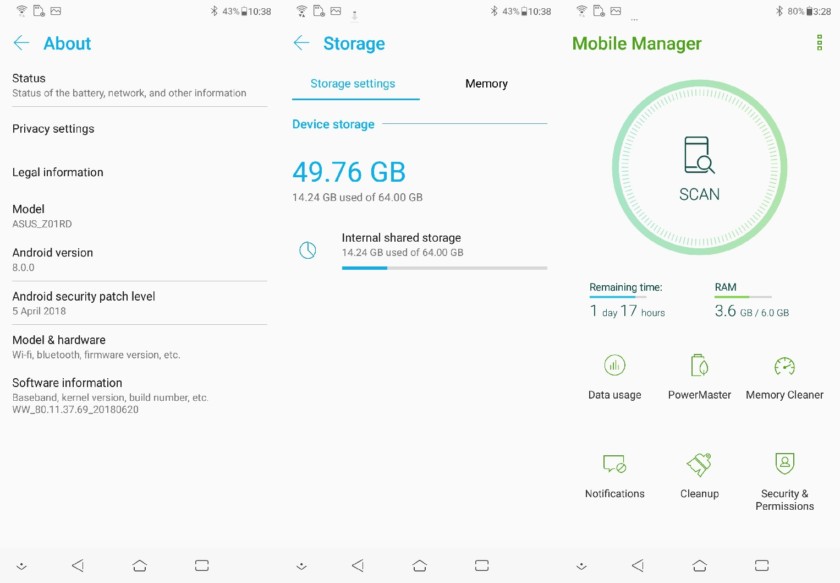
With the Zenfone 5Z, Asus is pitching a lot of AI-powered features, though calling many of them “AI” is a stretch. Even when features are nicely implemented and quite useful, the overuse of a marketing buzzword is a tad tiring.
One of the highlights is the AI Charging which we’ve talked about before. There’s also a useful AI Ringtone feature, which sets the ringtone volume based on the noise level around you using the microphone. In a quiet room, the phone rings at a lower volume at first, while it rings quite loudly in a noisy outdoor setting. The Gallery app sorts photos by person, similar to what Google Photos app does.
One of the big misses on the Zenfone 5Z is its lack of gesture navigation. Once you get used to gestures, like I have on my OnePlus 6 and Google Pixel 2 XL, it’s hard to go back to capacitive buttons for old-school navigation. ZenMotion lets you interact with the phone using gestures, like double-tapping to wake the phone, launching apps directly by drawing alphabets when the screen is off, or swiping down on the fingerprint scanner to pull the notifications shade down, but its not quite the same.
Specifications
| Display | All-screen 19:9 aspect ratio 6.2″ Full HD+ IPS display, supports DCI-P3 color space Capacitive touch panel with 10-point multitouch (supports Glove Touch) Blue-light eye care filter |
| Processor | 10 nm, 64-bit, Qualcomm Snapdragon 845 with Qualcomm Artificial Intelligence Engine (AIE) |
| GPU | Qualcomm Adreno 630 |
| RAM | 6GB/8GB |
| Storage | 64GB/128GB/256GB microSD expansion up to 2 TB |
| Cameras | Main Rear: 12MP Sony IMX363 image sensor with f/1.8 aperture
Second Rear: 120° wide-angle camera with 6p lens Front: 8 MP AF sensor, f/2.0 aperture with 84° field of view |
| Battery | 3300mAh capacity with ASUS BoostMaster & AI Charging Non-removable |
| Network | Slot 1: 3G/4G Nano SIM card Slot 2: 3G/4G Nano SIM card Both Nano SIM card slots support GSM/GPRS/ EDGE, WCDMA/HSPA+/DC-HSPA+, FDD-LTE, and TD-LTE DSDS network bands. Both Nano SIM cards can connect to VoLTE 4G calling service. But only one can connect to FDD-LTE, and TD-LTE data service at a time. |
| Connectivity | WLAN 802.11 a/b/g/n/ac Bluetooth 5.0 Wi-Fi Direct NFC with Google Pay USB Type-C GPS, A-GPS, GLONASS, BDSS |
| Authentication | Rear fingerprint sensor, 0.3-second fingerprint unlock, supports 5 fingers, 360° recognition, damp fingerprint recognition |
| Audio | Dual 5-magnet speakers with dual NXP smart amplifiers PMIC internal dual amplifier Triple internal microphones with ASUS Noise Reduction Hi-Res Audio 192kHz/24-bit standard output with HRA-certified earbuds DTS Headphone:X  support supportAudio CODEC integrated into PMIC FM radio AudioWizard+ with listening profile |
| Video | 4K UHD (3840 by 2160) video recording at 60fps for main rear camera 1080p Full HD video recording at 30 / 60fps 3-axis electronic image stabilization for front and rear camera shakefree videos Take still photos while recording video |
| Software | Android Oreo with new ASUS ZenUI 5.0 |
| Weight | 163 g |
| Colors | Midnight Blue, Meteor Silver |
Gallery

Pricing and final thoughts

The Asus Zenfone 5Z has all the elements of a flagship smartphone — there’s top-of-the-line specifications sheet, pretty good camera, interesting software additions, as well as a neat looking chassis — and all that at almost a steal.
The Asus ZenFone 5Z was clearly aimed to kill the ‘flagship killer.’
The ZenFone 5Z was clearly aimed to kill the “flagship killer,” the OnePlus 6. At 29,999 (~$430) rupees in India for the base variant, it undercuts the OnePlus 6 by a big 5,000 rupees. With the performance it pulls, the base variant is good enough for most people.
The one with 128GB of internal storage will run you 32,999 rupees(~$473) if you intend to store a lot of media. The souped-up top variant with 8GB of RAM and 256GB of storage goes for 36,999 rupees (~$530). It might be your pick if you really want to stretch your device for power, but you may also want to look at the OnePlus 6 if you’re okay with this price.
So that’s it for our Asus Zenfone 5Z review. The Asus Zenfone 5Z deserves big props as a well-rounded premium smartphone. If you’re looking for a mid-range flagship device, this is definitely one of the top options.
8 GoPro tips and tricks to take your footage to the next level
Things have changed quite a bit since GoPro shipped its first product — a wrist-mounted 35mm film camera — in 2005. Now, long after moving to digital and having gone through multiple generations of cameras, adrenaline junkies all over the world have flocked to GoPro for their video and photo needs. Perfect for strapping to one’s chest, helmet, snowboard, or otherwise, GoPro cameras have become the go-to tool for POV videos, especially in the world of extreme sports. Their sheer portability, however, makes the small action cameras popular for more casual uses, as well.
If you bought a GoPro to record the more adventurous portions of your life, whether that’s a supersonic skydive from the stratosphere or simply your morning bike commute, chances are you’re pretty satisfied with it. But what about all those nifty GoPro videos you see online that have the production value of a Planet Earth episode? While many of those might actually possess a bit of professional postproduction, there’s still a few GoPro tips and tricks we recommend employing to turn your basic videos into masterpieces. These won’t necessarily make the Academy come calling, but, hey, you need to start somewhere, right?
Mounting, filters, angles, and stabilization
Use a mount
This is perhaps the single easiest way to spice up a GoPro video, and can definitely make things more exciting. Fortunately, there are literally hundreds of different mounts available on the market, and a nearly infinite way to mount them. Whether you opt for a helmet or chest mount for filming mountain bike and snowboarding excursions, or decide to procure a tripod for stable stationary shots, a mount is always a good idea.
We also recommend testing out different places to mount the camera to determine which spots work best for producing smooth shots, correct angles (more on this below), and all of the desired action. Different mounts can provide different POVs, which can help tell the story you envisioned. For example, a camera mounted on a bike helmet can provide a view from the rider’s eyes, but a rear-facing camera mounted to the frame can capture other riders trailing you — two different views from the same moment.
Beyond GoPro’s broad array of first-party mounts, there are plenty of third-party options, as well — you have no shortage of choices.
Find a new angle
Daven Mathies/Digital Trends
Daven Mathies/Digital Trends
A GoPro offers a very wide angle of view that makes it easy to capture the action, but to create truly interesting videos, you should do more than simply set it and forget it. Try a mix of different camera positions to give viewers a comprehensive view of what’s going on, rather than just sticking to one viewpoint. For example, when recording action, it’s most common to mount a forward-facing GoPro, but sometimes looking back at yourself can produce equally entertaining footage. If you’ll be repeating an action many times throughout the day, say for surfing or snowboarding, consider repositioning the camera on each run to capture a greater variety of shots that can be edited together later.
Newer GoPro cameras offer a selection of crop modes, such as an ultrawide 170-degree angle of view, a medium 127 degrees, and a narrow 79 degrees. The Hero6 Black even has as touch-to-zoom function that mimics a traditional zoom lens. Making use of different fields of view is another way to mix up your shots.
Here’s an easy way to remember which field of view you should pick: If you’re unsure of your framing and want to know that you’re getting all the action, go for ultra-wide. The narrower fields of view are good when you have more control over your framing and want to hone in on a particular subject or area of the scene.
Use filters to improve video quality
GoPro Hero6 Black
Here, we aren’t talking about the color-altering filters in Instagram. We’re talking about actual physical filters that you can place in front of the lens to alter the light your GoPro sees. For instance, using a neutral density (ND) filter works wonders when filming in bright environments by allowing for a slower shutter speed, which keeps footage from looking too jarring like the beach landing scene in Saving Private Ryan. For filming underwater, use a red filter to help remove the blue-green colorcast inherent to the environment. There exists a host of available filters to choose from, so the sky’s the limit when it comes to giving your videos a unique look and feel.
Hold steady
Daven Mathies/Digital Trends
Daven Mathies/Digital Trends
Newer GoPro models, such as the Hero6 Black, feature digital image stabilization. As impressive as this feature is, it’s not flawless — and often has limitations to resolution, framerate, or both.
One of the best things about GoPro cameras being as ubiquitous as they are is that third-party accessories are equally common. For stationary shots, nothing beats a tripod when it comes to stability. As a GoPro is very light weight, there’s no need to get a heavy duty set of sticks for it, but do consider a tripod with a fluid pan head. This will let you make smooth pans to follow a subject or reveal a landscape.
For stabilizing shots in motion, there’s nothing better than a powered gimbal. Gimbals use motors to counteract momvement, producing incredibly smooth footage in virtually any setting, from an easy handheld shot to an epic downhill mountain bike ride. Gimbals are also found in many camera drones, like the GoPro Karma. These devices don’t exactly come cheap, however, so expect to spend at least a few hundred dollars to get something worth your while. GoPro’s own Karma Grip is probably the easiest handheld gimbal to use with the GoPro Hero5 Black or Hero6 Black cameras.
Don’t have the cash for a gimbal or a tripod? While this next tip may seem a bit odd, it does allow you to keep some hard-earned dough in your pocket. To achieve a consistently stable shot, simply press your GoPro camera against your face — yes, your face — while tracking whatever it is you intend to film. Obviously this method of stabilization works best when your surroundings don’t require the use of both of your hands, as we wouldn’t recommend trying to pull this off while, say, running. Still, if you’re looking for a cheap, effective way to record stable video, sticking a GoPro against your face is as good as it gets. This, combined with the digital stabilization feature makes for extra-smooth shots without dropping the dough on a gimbal rig.
If you’re up to the task, footage can also be stabilized in post-production using software like Apple Final Cut Pro or Adobe Premiere. This will result in a slight crop of your footage, so it helps if the video was recorded in the highest resolution available. If you’re fortunate enough to have a GoPro Hero6 Black that shoots 4K at 60 frames per second, make sure you’re in this mode if you plan to stabilize footage in post and still want to end up with sharp results.
There’s now an app to relive your Windows 95 nostalgia on a modern PC
Image credit: Felix Riseberg
If you’re feeling a little bit of nostalgia for Microsoft’s beloved Windows 95 operating system, there’s finally an app for that. What’s old is now a novelty again, and Slack developer Felix Rieseberg created an app that allows Windows 95 to run inside on more modern operating systems, including Apple’s MacOS, Microsoft’s Windows 10, and Linux.
This current development is based on a web project that supports Windows 95 and a number of operating systems inside a web browser, but Rieseberg goes a step further by packaging Windows 95 neatly into an app that’s approximately 129MB in size.
Over the years, Windows 95 has been ported to various platforms. Most recently, it has been shown running on an Xbox One, an Android Wear smartwatch, and the Apple Watch. In the past, various developers got the OS working on a number of different smartphone platforms, including Google’s Android operating system, Apple’s iPhone running iOS, and Nintendo’s 3DS XL.
“I put Windows 95 into an Electron app that now runs on MacOS, Windows, and Linux,” Rieseberg announced in a good-humored tweet. “It’s a terrible idea that works shockingly well. I’m so sorry.”
Because the app began as a joke for a few of his friends, Riesenberg didn’t enable some features, like support for mountable drives. However, after user requests, Version 1.1.0 of the app now comes with support for floppy disks!
With Windows 95 on your modern computer, you’ll be able to take advantage of some popular titles from back in the day, like WordPad, MS Paint, and even Minesweeper. The developer noted that you can even run Doom as well. When you’re running Windows 95, the app only consumes 200MB of disk space, so it runs pretty lean.
At this time, however, Internet Explorer doesn’t work within Rieseberg’s Windows 95 app. “Sadly, Internet Explorer isn’t fully functional as it simply refuses to load pages,” The Verge reported.
The source code for Rieseberg’s Windows 95 project — with floppy disk support — has been published on Github, so you can grab the files there if you want to give Microsoft’s legacy OS a spin some 23 years after the operating system debuted. If you do give this a shot, let us know what features of Windows 95 you miss or remember most.
Editors’ Recommendations
- The best Windows apps
- Windows 10 Mail will let you handwrite your email with a stylus
- iPhone apps are finally coming to your MacBook. Eventually. Sorta.
- The Pixelbook could soon run Windows 10
- Apple reiterates why touchscreens won’t be coming to Macs anytime soon
There’s a new way to 3D print graphene, the strongest material on Earth
Virginia Tech, Lawrence Livermore National Laboratory
With its incredible strength and potentially miraculous applications, there is a lot to be enthusiastic about when it comes to graphene. But it’s one thing to show off these possibilities in a lab; another entirely to turn it into something that’s usable in real-world situations. That’s something that researchers from Virginia Tech University and the Lawrence Livermore National Laboratory (LLNL) have been working to change. In the process, they have found a way of combining two of the most promising buzzwords in tech — “graphene” and “3D printing” — to open up a world of new exciting possibilities.
“We have been able to achieve 3D graphene aerogels and foams with arbitrary form factors and 3D features,” Xiaoyu “Rayne” Zheng, an assistant professor with the Department of Mechanical Engineering at Virginia Tech, told Digital Trends. “We formulated and printed light-sensitive graphene precursors that is compatible with a desktop SLA printer. This opens up freedom to realize 3D graphene with any topology co-optimized mechanical properties, hierarchical pore sizes, surface areas, [and] conductivities for a host array of applications.”
Regular graphene is a single layer of carbon atoms arranged in a honeycomb-style hexagonal lattice pattern. If graphene is packed, layer on layer, it becomes graphite: A material most commonly used as the “lead” in ordinary pencils. Now we love pencils as much as the next person, but anyone who has ever had a pencil lead snap on them may have a hard time believing this is one of the strongest materials on the planet. That’s because of the way that it is packed together, which fundamentally alters the structure of graphene.
The researchers on this project circumvented that by separating the individual sheets of graphene with air-filled pores, thereby allowing it to maintain its properties. The 3D-printable material that emerges at the end is something called graphene aerogel.
“Graphene aerogels are promising for a number of applications — including energy storage and conversion, catalysis, sorbents, and desalination,” Marcus Worsley, an LLNL researcher on the project, told us. “Recent work has shown some performance improvements for simple 3D-printed structures, but more complex, computer-generated architectures are predicted to be vastly superior. These gains should translate to devices that are more powerful, efficient, and longer lasting. This is the major thrust of our current and future work in this area.”
It may be some time before we are 3D printing with graphene in our home offices, but this still represents an enormous step in that direction.
“With regards to commercialization, we are always happy to work with potential commercial partners to bring our inventions to market,” Worsley continued. A paper describing the work was recently published in the journal Materials Horizon.
Editors’ Recommendations
- Engineers in the U.K. unveil the world’s first graphene-skinned airplane
- Materials scientists have found a way to make graphene twice as tough
- These 3D-printed houses could be one-tenth the price of regular homes
- 15 major milestones along the brief history of 3D printing
- Science says waste beer could help us live on Mars
 AIVAnet