


How to replace your Gear Fit2 Pro band
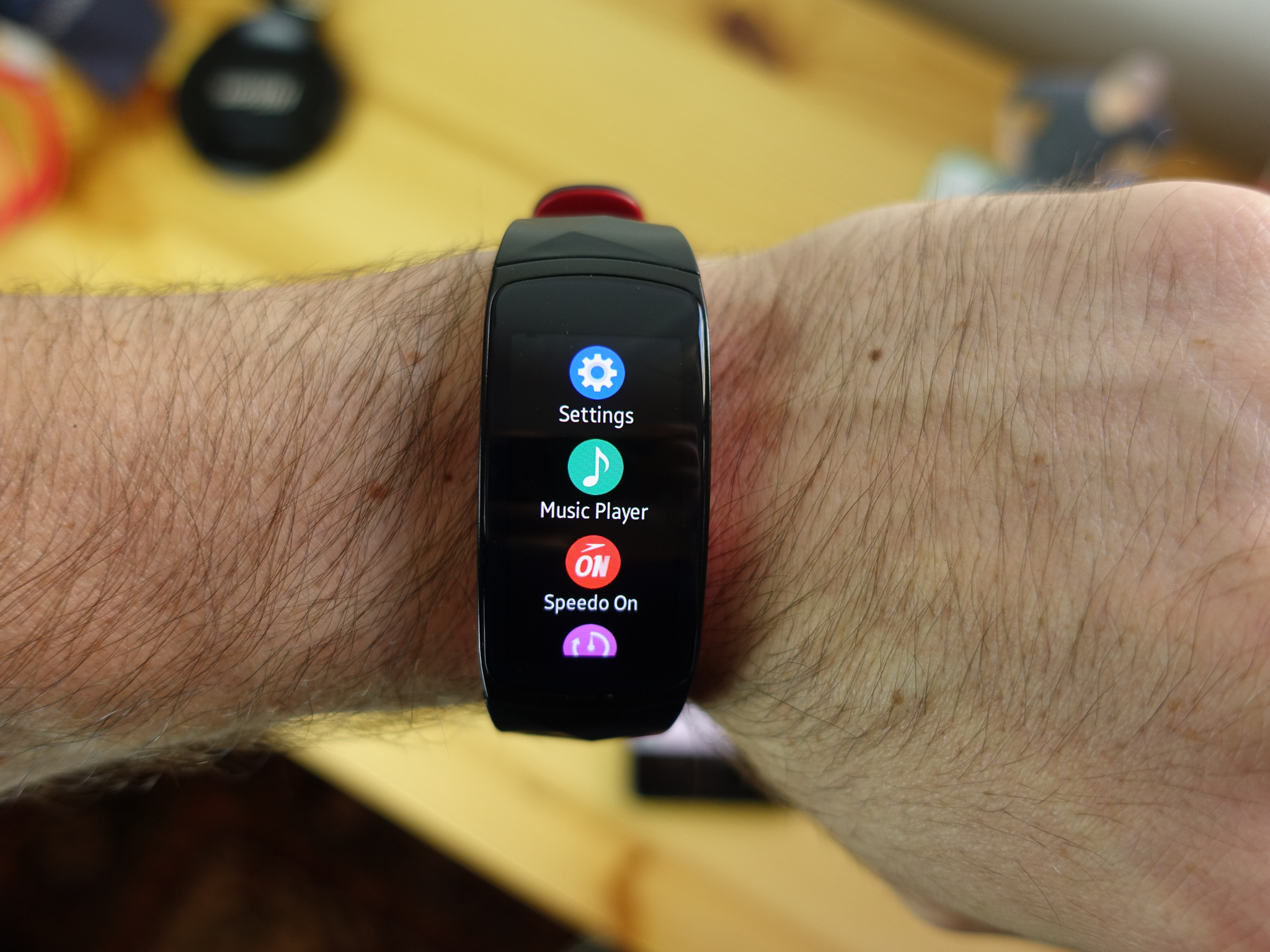
If you’re looking to switch up your look or replace a worn-out Samsung Gear Fit2 Pro band, the process is luckily very easy, since compatible bands simply snap into place. Once you get the hang of it, you might just want to keep several bands on-hands just to switch things up!
Products Used In This Guide
- Amazon: Samsung Gear Fit2 Pro ($149)
- Amazon: OenFoto silicone replacement band ($10 – $25)
How to replace your Samsung Gear Fit2 Pro band
Turn your Gear Fit2 Pro upside-down so that you’re looking at the underside that sits on your wrist.
Use a fingernail to pull the latch securing the band to the screen.
Pull down from the body of your Gear Fit2 Pro.
Repeat for the opposite side.
Slide the new bands into place until the latch clicks.
Run your finger over the bottom of your Gear Fit2 Pro to make sure everything is sitting flush.
That’s all there is to it. No need to remove pins or anything. If you find that the new band is loose, you may have to push the latch back into place that it’s locked properly.
Our top picks
OenFoto makes excellent, affordable bands for a wide variety of wearables, from regular watches to Apple Watch, Wear OS watches, and fitness trackers.
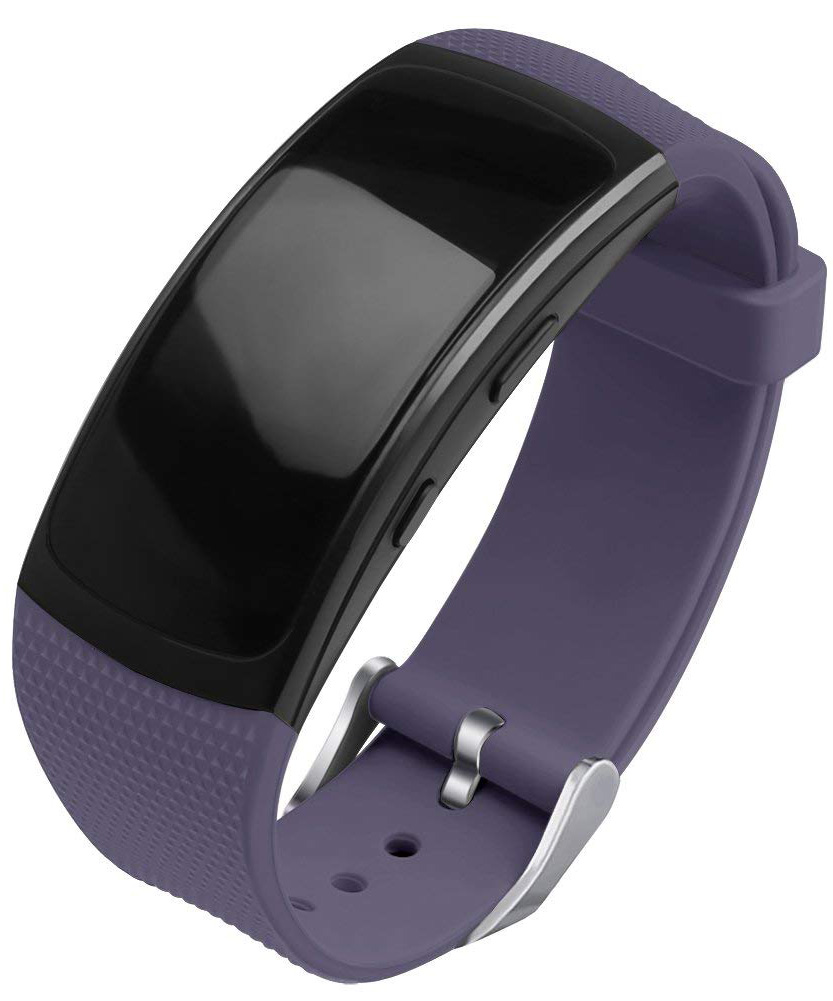
Its silicone bands are particularly popular, coming in many vibrant color options and styles. If you’re looking for an everyday band to replace the one that came with your Samsung Gear Fit2 Pro, it’s hard to do better for the price than the OenFoto silicone replacement band. It’s available in a few different colors, as well as a couple options with holes in them for breathability.
The best part is that you can pick up a 5-pack for $25.
Our Pick
OenFoto silicone replacement band
$10 at Amazon
Affordable and durable, OenFoto’s bands’ price belies their quality.
OenFoto’s bands are textured and strong, made from flexible silicone. Many Amazon reviewers even claim they’re better and more comfortable than the band that comes with the Gear Fit2 Pro.
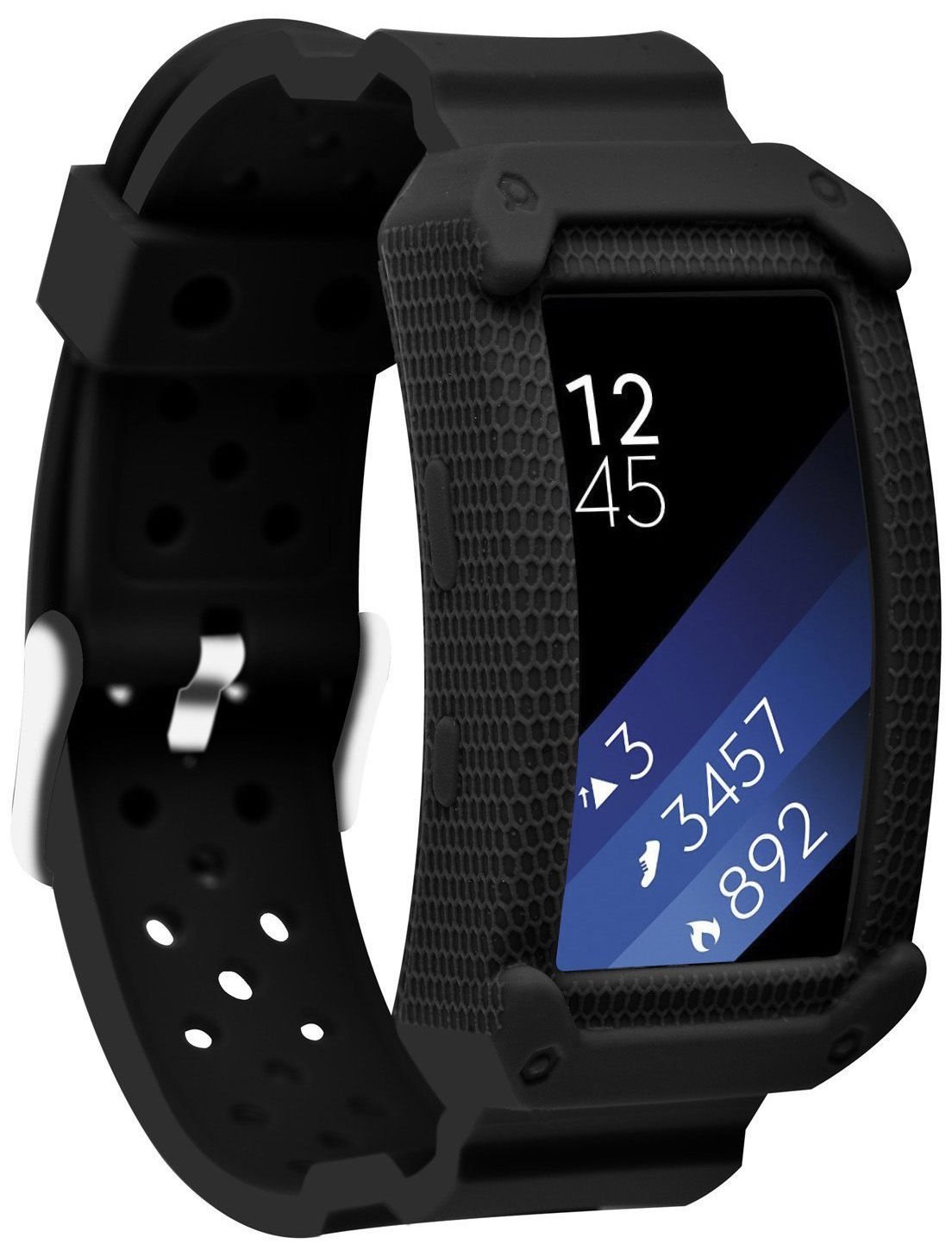
If you’re looking for something a little more rugged in order to protect your Gear Fit2 Pro from the elements, then I suggest Moretek’s strap/case combo.
The More Rugged Option
Moretek rugged protective case with strap
$10 at Amazon
This case/strap combo is made of a sturdier silicone that provides shock absorption while remaining comfortable and pretty cool-looking.
ZENS Announces Trio of New Qi-Certified Wireless Chargers
At IFA Berlin, ZENS today announced a new range of wireless chargers, each including an ultra-thin aluminum design. All of the new wireless chargers will be available beginning September 15.
First is the Single Aluminum Wireless Charger, which is a simple single-device Qi-enabled wireless charging pad, much like those launched from companies including Belkin, Mophie, Anker, RAVPower, and more. ZENS’ solution supports fast charging and has a maximum output of 10 watts, and will cost $49.99 at launch.
The next accessory is the Dual Aluminum Wireless Charger, which can charge two Qi-compatible smartphones at the same time, with a total output of 20 watts. This charger is priced at $79.99.
Lastly, the Dual+Watch Aluminum Wireless Charger also charges two smartphones simultaneously, but includes an additional perch for the Apple Watch. Similar to the Dual Aluminum Wireless Charger, the Dual+Watch accessory supports fast charging and has a total output of 20 watts. This one is also MFI-certified and is priced at $99.99.

Unlike the AirPower, for the ZENS Dual and Dual+Watch Wireless Chargers you will need to place devices in a certain position on the mat to charge. With Apple’s upcoming wireless charger, there isn’t a required “sweet spot” for iPhones or the Apple Watch, as they can be placed anywhere on the mat to be charged.
More announcements are expected to come out of IFA Berlin, which doesn’t officially kick off until this Friday, August 31, and lasts through September 5.
Tag: ZENS
Discuss this article in our forums
Skagen’s Falster 2 Wear OS watch has NFC and a heart-rate sensor
Pricing for the watch ranges from $275 – $295.
Back at CES in January, Skagen announced its first Wear OS smartwatch in the form of the Falster. The Falster was a fine watch, but shortcomings like poor battery life and missing features made it a tough recommendation. Just a few months later, Skagen’s already releasing a successor in the form of the Falster 2.

From a design point of view, the Falster 2 looks very similar to its predecessor. There’s still a metal case with a circular screen, but there are two new physical buttons on the side that can be programmed to open up whatever app you’d like. The case itself is “swimproof” this time around and you’ll find a heart-rate sensor on the bottom that integrates directly with Google Fit.
The Falster 2 also comes equipped with NFC to support Google Pay, a built-in GPS chip so you can track the whereabouts of walks/runs without having to carry your phone, and voice commands via the Google Assistant.
While all of that sounds fine and dandy, the Falster 2 is still powered by the over 2-year-old Snapdragon Wear 2100 chip. Seeing as how Qualcomm’s set to announce its next-gen wearable platform on September 10, the heart of the Falster 2 will be outdated in just a few short days.
If processing speeds don’t matter to you, you can purchase the Falster 2 from Skagen’s site starting today. The silicone and leather band variants cost $275 while the steel-mesh ones are a bit more expensive at $295.
See at Skagen
Google Wear OS
- The best Wear OS smartwatches
- Discuss Android Wear in the forums!
Here’s the full list of countries where the POCO F1 will be available
The POCO F1 is coming to 50 global markets, but the U.S. isn’t on the list.

It’s safe to say that the POCO F1 is one of the most talked-about phones in recent weeks. The Xiaomi sub-brand launched the phone in India earlier this month, and the $300 price point made it an instant hit among Indian consumers. The highlight with the POCO F1 is the hardware — featuring a Snapdragon 845 and 6GB of RAM and 64GB of storage as standard, the phone punches well above its weight in this category.
The POCO F1 will be making its way to 30 European markets over the course of the year. And while the phone is heading to the Americas, just four markets are included — Mexico, Chile, Colombia, and Uruguay. Notably, the phone won’t be sold in China, Xiaomi’s home market. It’s clear that the POCO branding is targeted at a global audience, and the tweaks to the MIUI launcher highlight the same.
Here’s the full list of global markets where the POCO F1 will go on sale:
Europe
- Austria
- Albania
- Belgium
- Bulgaria
- Croatia
- Czech Republic
- Denmark
- England
- Estonia
- Finland
- France
- Greece
- Hungary
- Italy
- Latvia
- Lithuania
- Luxembourg
- Netherlands
- Norway
- Poland
- Portugal
- Romania
- Russia
- Serbia
- Slovakia
- Slovenia
- Spain
- Sweden
- Switzerland
- Ukraine
Americas
- Chile
- Colombia
- Mexico
- Uruguay
Asia
- Bangladesh
- Hong Kong
- India
- Indonesia
- Kazakhstan
- Malaysia
- Myanmar
- Nepal
- Pakistan
- Philippines
- Singapore
- Sri Lanka
- Thailand
- Vietnam
Middle East and Africa
- Bahrain
- Egypt
- Iraq
- Israel
- Jordan
- Kenya
- Kuwait
- Lebanon
- Morocco
- Oman
- Qatar
- Saudi Arabia
- South Africa
- United Arab Emirates
The POCO F1 is available in three versions: a base model with 6GB of RAM and 64GB of storage, a variant with 6GB of RAM and 128GB of storage, and a high-end model with 8GB of RAM and 256GB of storage. There’s also an Armored Edition that has a kevlar back.
Pricing and availability will vary by region, but the phone is now on sale in India for the equivalent of $300.
POCO F1 review: Incredible performance at an unbeatable price
Dell’s new Inspiron 2-in-1 PCs, premium Inspiron 2-in-1 Chromebook debut at IFA

Dell headed to the IFA 2018 convention in Berlin with lots of new products in tow, including new 2-in-1 devices under the Inspiron 7000 and 5000 brands. The company also introduced a new Inspiron-branded 2-in-1 based on Google’s Chrome OS platform. All three families stem from eighth-generation Intel Core processors, while some include additional discrete GeForce graphics provided by Nvidia.
Inspiron 7000 2-in-1 Series
Previous
Next
1 of 3


Here, we have three new models: The 13.3-inch 7386, the 15.6-inch 7586, and the 17.3-inch 7786. They’re based on Intel’s just-launched eighth-generation “Whiskey Lake” processors that replace the mobile-bound chips released in Intel’s first eighth-generation wave in August 2017. These chips provide improved performance-per-watt over last year’s predecessors.
According to the specifications, the two larger units provide options for discrete GeForce MX150 graphics. More specifically, the 15.6-inch model provides options for both the 2GB and 4GB model, while the 17.3-inch version only offers the MX150 with 2GB of dedicated video memory. The 13.3-inch version relies solely on the Intel CPU’s integrated graphics.
Other notable features include 3,840 x 2,160 resolution options on the 7386 and 7586 models, the use of Intel’s Optane memory and DDR4 system memory clocked at 2,666MHz on the two larger laptops, and a USB-C port provided across the board. The laptop’s exterior color will depend on the screen resolution.
7386
7586
7786
Screen size:
13.3 inches (Touch)
15.6 inches
17.3 inches
Screen resolution:
1,920 x 1,080
3,840 x 2,160
1,920 x 1,080
3,840 x 2,160
1,920 x 1,080
Processor:
Core i5-8265U
Core i7-8565U
Graphics:
Integrated
Integrated
GeForce MX150 2GB
GeForce MX150 4GB
Integrated
GeForce MX150 2GB
Memory:
8GB or 16GB
DDR4 @ 2,400MHz
4GB to 32GB
DDR4 @ 2,666MHz
16GB Optane
4GB to 32GB
DDR4 @ 2,666MHz
16GB Optane
Storage:
128GB to 1TB SSD
128GB to 1TB SSD
1TB or 2TB HDD
128GB to 1TB SSD
1TB or 2TB HDD
Camera:
HD Webcam
Connectivity:
Wireless AC
Bluetooth
Ports:
1x USB-C
1x USB-A
1x Audio combo jack
1x HDMI 2.0
1x Micro SD card slot
1x USB-C
2x USB-A
1x Audio combo jack
1x HDMI 2.0
1x SD card reader
1x USB-C
2x USB-A
1x Audio combo jack
1x HDMI 2.0
1x SD card reader
Other:
Fingerprint reader
Active Pen support*
*sold separately
Battery:
38WHr
42 WHr (FHD)
56WHr (4K)
56WHr
Size (inches):
12.11 x 8.36 x 0.53
14.16 x 9.53 x 0.62
16.24 x 10.78 x 0.63
Weight:
3.19 pounds
4.39 pounds
6.39 pounds
Color options:
Platinum Silver (FHD)
Abyss Black (4K)
Platinum Silver (FHD)
Abyss Black (4K)
Platinum Silver
Availability:
October 2
October 2
October 2
Starting price:
$880
$850
$1,100
Inspiron 5000 2-in-1 Series
Previous
Next
1 of 3


Like the refreshed 7000 family, these two 2-in-1s rely on Intel’s new Whiskey Lake processors, although this duo adds the Core i3-8145U chip. Visuals are handled by the processor’s integrated graphics, while the 5482 model includes an additional discrete MX130 graphics chip with 2GB of dedicated video memory.
You’ll see a clear line drawn between these two models regarding their base specifications. The cheaper 5481 model has a 1,366 x 768 resolution, up to 16GB of system memory, and up to 1TB of storage. It’s also limited in connectivity, providing one HDMI port, two USB-A ports, one audio combo jack, and an SD card reader.
The 5482 version provides a higher 1,920 x 1,080 resolution, an option for a discrete GeForce MX130 graphics chip, up to 32GB of system memory, and up to 2TB of storage. It also throws in an additional USB-A 2.0 port and a USB-C port. Both models have an Urban Gray exterior, although the 5482 offers a Platinum Silver option.
5481
5482
Screen size:
14 inches (Touch)
14 inches (Touch)
Screen resolution:
1,366 x 768
1,920 x 1,080
Processor:
Core i3-8145U
Core i5-8265U
Core i7-8565U
Graphics:
Integrated
Integrated
GeForce MX130 2GB
Memory:
4GB to 16GB
DDR4 @ 2,666MHz
16GB Optane
4GB to 32GB
DDR4 @ 2,666MHz
16GB Optane
Storage:
128GB to 256GB SSD
or 500GB to 1TB HDD
128GB to 256GB SSD
and/or 500GB to 2TB HDD
Camera:
HD Camera
Connectivity:
Wireless AC
Bluetooth 4.0 or 5.0
Wireless AC
Bluetooth 4.1 or 5.0
Ports:
1x HDMI 1.4b
2x USB-A 3.1
1x Audio combo jack
1x SD card slot
1x HDMI 1.4b
2x USB-A 3.1
1x USB-A 2.0
1x USB-C
1x Audio combo jack
1x SD card slot
Other:
Spill Resistant Keyboard
Spill Resistant Keyboard
Fingerprint reader
Battery:
42WHr
Size (inches):
13.22 x 9.17 x 0.80
12.91 x 9.17 x 0.79
Weight:
4.22 pounds
3.87 pounds
Color options:
Urban Gray
Urban Gray
Platinum Silver
Availability:
October 2
October 2
Starting price:
$460
$600
Inspiron Chromebook 14 2-in-1
Previous
Next
1 of 4


Finally, we have Dell’s new 2-in-1 Chromebook. There’s only one configuration with this device which features Intel’s Core i3-8130U processor, 4GB of system memory, 128GB of storage, and a 14-inch screen with a 1,920 x 1,080 resolution.
“Thoughtfully crafted in aluminum, the system looks and feels more expensive than composites,” the company says. “Aluminum registers to the touch as feeling cooler than room temperature versus plastic, and provides the kind of aesthetics that other materials can’t come close to offering.”
Dell’s Chromebook ships with an EMR-based stylus that slides into the bottom. Meanwhile, the 2-in-1 form factor enables multiple modes including Laptop, Tent, Stand and Tablet. It’s compatible with Android-based Google Play apps, thus you can turn the Chromebook into a makeshift drawing pad using the included stylus in tablet mode.
- Screen size: 14 inches
- Screen resolution: 1,920 x 1,080
- Processor: Core i3-8130U
- Graphics: Integrated
- Memory: 4GB DDR4 @ 2,400MHz
- Storage: 128GB (eMMC)
- Camera: FHD webcam
- Connectivity: Wireless AC, Bluetooth
- Ports: 2x USB-C, 1x USB-A, 1x Micro SD card slot, 1x Audio combo jack
- Battery: 56WHr
- Size (inches): 12.95 x 9.06 x 0.66
- Weight: 4 pounds
- Color options: Urban Gray
- Availability: October 23
- Starting price: $600
Editors’ Recommendations
- Get the best of both worlds: Enter to win a Dell Inspiron 13 5000 2-in-1 laptop
- Dell XPS 13 2-in-1 review
- Dell’s refresh of the XPS 13 2-in-1 series dips its toes into Intel’s Amber Lake
- Asus claims ‘world’s thinnest’ title with its new Zephyrus S gaming laptop
- Dell XPS 15 2-in-1 ‘urgent’ update calms noisy fans for quieter computing
Dell’s new Inspiron 2-in-1 PCs, premium Inspiron 2-in-1 Chromebook debut at IFA

Dell headed to the IFA 2018 convention in Berlin with lots of new products in tow, including new 2-in-1 devices under the Inspiron 7000 and 5000 brands. The company also introduced a new Inspiron-branded 2-in-1 based on Google’s Chrome OS platform. All three families stem from eighth-generation Intel Core processors, while some include additional discrete GeForce graphics provided by Nvidia.
Inspiron 7000 2-in-1 Series
Previous
Next
1 of 3


Here, we have three new models: The 13.3-inch 7386, the 15.6-inch 7586, and the 17.3-inch 7786. They’re based on Intel’s just-launched eighth-generation “Whiskey Lake” processors that replace the mobile-bound chips released in Intel’s first eighth-generation wave in August 2017. These chips provide improved performance-per-watt over last year’s predecessors.
According to the specifications, the two larger units provide options for discrete GeForce MX150 graphics. More specifically, the 15.6-inch model provides options for both the 2GB and 4GB model, while the 17.3-inch version only offers the MX150 with 2GB of dedicated video memory. The 13.3-inch version relies solely on the Intel CPU’s integrated graphics.
Other notable features include 3,840 x 2,160 resolution options on the 7386 and 7586 models, the use of Intel’s Optane memory and DDR4 system memory clocked at 2,666MHz on the two larger laptops, and a USB-C port provided across the board. The laptop’s exterior color will depend on the screen resolution.
7386
7586
7786
Screen size:
13.3 inches (Touch)
15.6 inches
17.3 inches
Screen resolution:
1,920 x 1,080
3,840 x 2,160
1,920 x 1,080
3,840 x 2,160
1,920 x 1,080
Processor:
Core i5-8265U
Core i7-8565U
Graphics:
Integrated
Integrated
GeForce MX150 2GB
GeForce MX150 4GB
Integrated
GeForce MX150 2GB
Memory:
8GB or 16GB
DDR4 @ 2,400MHz
4GB to 32GB
DDR4 @ 2,666MHz
16GB Optane
4GB to 32GB
DDR4 @ 2,666MHz
16GB Optane
Storage:
128GB to 1TB SSD
128GB to 1TB SSD
1TB or 2TB HDD
128GB to 1TB SSD
1TB or 2TB HDD
Camera:
HD Webcam
Connectivity:
Wireless AC
Bluetooth
Ports:
1x USB-C
1x USB-A
1x Audio combo jack
1x HDMI 2.0
1x Micro SD card slot
1x USB-C
2x USB-A
1x Audio combo jack
1x HDMI 2.0
1x SD card reader
1x USB-C
2x USB-A
1x Audio combo jack
1x HDMI 2.0
1x SD card reader
Other:
Fingerprint reader
Active Pen support*
*sold separately
Battery:
38WHr
42 WHr (FHD)
56WHr (4K)
56WHr
Size (inches):
12.11 x 8.36 x 0.53
14.16 x 9.53 x 0.62
16.24 x 10.78 x 0.63
Weight:
3.19 pounds
4.39 pounds
6.39 pounds
Color options:
Platinum Silver (FHD)
Abyss Black (4K)
Platinum Silver (FHD)
Abyss Black (4K)
Platinum Silver
Availability:
October 2
October 2
October 2
Starting price:
$880
$850
$1,100
Inspiron 5000 2-in-1 Series
Previous
Next
1 of 3


Like the refreshed 7000 family, these two 2-in-1s rely on Intel’s new Whiskey Lake processors, although this duo adds the Core i3-8145U chip. Visuals are handled by the processor’s integrated graphics, while the 5482 model includes an additional discrete MX130 graphics chip with 2GB of dedicated video memory.
You’ll see a clear line drawn between these two models regarding their base specifications. The cheaper 5481 model has a 1,366 x 768 resolution, up to 16GB of system memory, and up to 1TB of storage. It’s also limited in connectivity, providing one HDMI port, two USB-A ports, one audio combo jack, and an SD card reader.
The 5482 version provides a higher 1,920 x 1,080 resolution, an option for a discrete GeForce MX130 graphics chip, up to 32GB of system memory, and up to 2TB of storage. It also throws in an additional USB-A 2.0 port and a USB-C port. Both models have an Urban Gray exterior, although the 5482 offers a Platinum Silver option.
5481
5482
Screen size:
14 inches (Touch)
14 inches (Touch)
Screen resolution:
1,366 x 768
1,920 x 1,080
Processor:
Core i3-8145U
Core i5-8265U
Core i7-8565U
Graphics:
Integrated
Integrated
GeForce MX130 2GB
Memory:
4GB to 16GB
DDR4 @ 2,666MHz
16GB Optane
4GB to 32GB
DDR4 @ 2,666MHz
16GB Optane
Storage:
128GB to 256GB SSD
or 500GB to 1TB HDD
128GB to 256GB SSD
and/or 500GB to 2TB HDD
Camera:
HD Camera
Connectivity:
Wireless AC
Bluetooth 4.0 or 5.0
Wireless AC
Bluetooth 4.1 or 5.0
Ports:
1x HDMI 1.4b
2x USB-A 3.1
1x Audio combo jack
1x SD card slot
1x HDMI 1.4b
2x USB-A 3.1
1x USB-A 2.0
1x USB-C
1x Audio combo jack
1x SD card slot
Other:
Spill Resistant Keyboard
Spill Resistant Keyboard
Fingerprint reader
Battery:
42WHr
Size (inches):
13.22 x 9.17 x 0.80
12.91 x 9.17 x 0.79
Weight:
4.22 pounds
3.87 pounds
Color options:
Urban Gray
Urban Gray
Platinum Silver
Availability:
October 2
October 2
Starting price:
$460
$600
Inspiron Chromebook 14 2-in-1
Previous
Next
1 of 4


Finally, we have Dell’s new 2-in-1 Chromebook. There’s only one configuration with this device which features Intel’s Core i3-8130U processor, 4GB of system memory, 128GB of storage, and a 14-inch screen with a 1,920 x 1,080 resolution.
“Thoughtfully crafted in aluminum, the system looks and feels more expensive than composites,” the company says. “Aluminum registers to the touch as feeling cooler than room temperature versus plastic, and provides the kind of aesthetics that other materials can’t come close to offering.”
Dell’s Chromebook ships with an EMR-based stylus that slides into the bottom. Meanwhile, the 2-in-1 form factor enables multiple modes including Laptop, Tent, Stand and Tablet. It’s compatible with Android-based Google Play apps, thus you can turn the Chromebook into a makeshift drawing pad using the included stylus in tablet mode.
- Screen size: 14 inches
- Screen resolution: 1,920 x 1,080
- Processor: Core i3-8130U
- Graphics: Integrated
- Memory: 4GB DDR4 @ 2,400MHz
- Storage: 128GB (eMMC)
- Camera: FHD webcam
- Connectivity: Wireless AC, Bluetooth
- Ports: 2x USB-C, 1x USB-A, 1x Micro SD card slot, 1x Audio combo jack
- Battery: 56WHr
- Size (inches): 12.95 x 9.06 x 0.66
- Weight: 4 pounds
- Color options: Urban Gray
- Availability: October 23
- Starting price: $600
Editors’ Recommendations
- Get the best of both worlds: Enter to win a Dell Inspiron 13 5000 2-in-1 laptop
- Dell XPS 13 2-in-1 review
- Dell’s refresh of the XPS 13 2-in-1 series dips its toes into Intel’s Amber Lake
- Asus claims ‘world’s thinnest’ title with its new Zephyrus S gaming laptop
- Dell XPS 15 2-in-1 ‘urgent’ update calms noisy fans for quieter computing
Dell’s XPS 13 just got less expensive thanks to Intel’s 8th-Gen Core i3 processor
Dan Baker/Digital Trends
If you love Dell’s sophisticated styling on the XPS 13 but found the laptop to be a bit too expensive for your budget, Dell just announced a cheaper XPS 13 configuration that is more wallet-friendly. To lower the laptop to a $900 starting price, Dell will utilize Intel’s Core i3 processor from the latest 8th-Generation CPU family. Along with the XPS 13 update, Dell also refreshed its XPS 13 2-in-1, and the company announced that the XPS 13 Developer Edition now supports Ubuntu 18.04 LTS, with up to five years of support.
While the new configuration lowers the cost of entry to just under $900, the 8th-Gen Core i3 model is still $100 more expensive compared to a similar Core i3 configuration that utilized Intel’s 7th-Gen processor when tit debuted.
The 8th-Gen Core i3 XPS 13 will be available immediately in the U.S. Prior to the launch of the XPS 13 with an Intel Core i3 processor, Dell’s cheapest XPS 13 with an Intel 8th-Generation processor retailed for $950 on the company’s website after discounts. That model comes with an Intel Core i5 processor, 8GB RAM, and 128GB of solid-state storage.
As part of the XPS 13 family, the XPS 13 2-in-1 convertible will also get updated to an 8th-Generation Intel processor.
“The 2-in-1 comes with Dynamic Power Mode to extract maximum performance from the processor, as well as up to 15 hours of battery life and a stunning viewing experience with UltraSharp QHD+ InfinityEdge touch display,” Dell said in a statement. Pricing for the 2-in-1 convertible starts at $1,000, and the laptop will be available for U.S. customers starting September 11.
With an 8th-Generation processor, the new XPS 13 2-in-1 will have a more affordable entry price compared to the current XPS 13 2-in-1 on Dell’s website. The cheapest XPS 13 2-in-1 currently costs $1,249 after discounts, and that model ships with an Intel 7th-Generation Core i5-7Y54 processor, 8GB RAM, and a 256GB solid-state drive.
Unlike the standard XPS 13, which can only be used in a traditional clamshell laptop mode, the 2-in-1 version’s hinge allows the screen to rotate a full 360 degrees. The screen can fold to be used in laptop, tablet, tent, or stand mode. In tablet mode, users can purchase an optional Dell Active Pen to write, draw, or annotate on the 13.3-inch display.
If you’re still on the fence on purchasing an XPS 13, be sure to read our full review of Dell’s highly rated laptop.
Editors’ Recommendations
- Intel’s latest 8th-gen mobile processors improve battery life and performance
- Dell’s refresh of the XPS 13 2-in-1 series dips its toes into Intel’s Amber Lake
- Asus ZenBook S vs. Dell XPS 13
- Dell XPS 13 2-in-1 review
- Dell XPS 13 9370 review
Dell’s new 27-inch ultrathin display is less than a quarter-inch thick

Dell has a brand-new ultrathin display that truly lives up to its label. At just 5.5mm at its thinnest point, it connects to its host system over a single USB-C cable and supports HDR 600 on its IPS panel for stunning colors and great contrast. Designed to blend in with both office and home aesthetics, it’s a low-profile, low-impact solution for modern computing with plenty of bells and whistles.
The Dell 27 USB-C Ultrathin S2719DC is a 27-inch display with a 2,560 x 1,440 resolution and a 60Hz refresh rate. While that doesn’t make it the best gaming monitor in the world, it can be a fantastic media monitor for just about everything else. With a great resolution and a brightness that peaks at 600 nits, you can really take advantage of the VESA-certified DisplayHDR 600 technology for fantastic picture quality.
Color support is impressive too, with 99 percent coverage of the sRGB spectrum and 90 percent coverage of the DCI-P3 gamut. It also supports Freesync frame-syncrhonizing technology, and has a 5ms response time (in fast mode) if you wish to do some ghost-free gaming on it.
Previous
Next
1 of 8


Its the physical stature of the monitor that Dell is hoping to impress with most though. Measuring just 13.94 x 24.05 x 1.14 inches, the new Ultrathin is low profile in the extreme, with bezels that are just 8mm thick at their widest. The silver chassis will fit in well with other home or office electronics and the stand won’t take up a lot of desk space. It is VESA compatible, so you can mount it on a universal stand or arm if you prefer.
All of it connects up to your PC with just a single USB-C connector that handles data, video, and power all in one, meaning there’s very little cable clutter. For those without that connectivity option, there is also an HDMI 2.0 port, as well as two USB 3.0 ports, and a 3.5mm audio jack.
Pricing and availability information for the new display have yet to be announced.
The Dell Ultrathin S7219DC joins the likes of the P2715Q as some of the best-looking monitors available today. If you’re in the market for a new display, check out our guide to the best monitors in the world right now.
Editors’ Recommendations
- LG 38UC99 38-inch ultrawide monitor review
- This 34-inch, curved, ultrawide 144Hz gaming monitor is only $385 on Prime Day
- Apple MacBook 12-inch review
- Microsoft Surface Book 2 13-inch review
- MacBook 12-inch vs. MacBook Pro 13
Dell’s new Chromebook is for grown-ups, and I love it
This isn’t your kid’s Chromebook. This is something entirely new.

For several good reasons, Chromebooks tend to have an educational focus. Given the typically low price tag and focus on Google Apps for Education, it made perfect sense for many companies to work with Google on products just for schools. But what happens when these kids grow up with Chromebooks and want a computer of their own as they enter High School and College? There aren’t many mid-to-high end Chromebooks out there, with the Pixelbook existing as a most extreme exception.
In much the same way Dell wants Windows fans to look to its Inspiron line when considering a reasonably priced Windows 10 computer, there will soon be a Chromebook sitting in this same line for people to consider. And after spending a couple of hours with the new Inspiron Chromebook 14, I’m already prepared to tell Chrome OS fans to give this laptop a serious look.
Grown up hardware

At first glance, this Chromebook looks like a fairly standard mid-range Dell laptop. But if you think about it, that’s actually kind of impressive. No cheap-looking plastic, no flimsy hinges, and no low-resolution displays can be found here. This is a slick, matte black laptop with a solid-feeling keyboard and a great 1920×1080 resolution display. The trackpad both looks nice and responds quickly, and there’s a stylus tucked away under the bottom edge for writing on the screen in tablet mode because the body is very similar to the rest of Dell’s 2-in-1 line.
There’s very little to distinguish this laptop from the rest of Dell’s Inspiron line, right down to the nearly impossible to see Chrome logo on the back of the display. While it’s in the same top left corner you normally see the Chrome badge, the matte on matte coloring makes it so you only notice the badge when the light hits it just right.
And, honestly, all of this is for the better. This looks and feels like a mature, durable laptop with a focus on getting things done. The USB-C ports on the left and right side can be used for power and display out, with a USB-A port on the left and a MicroSD slot on the right for everything else you might need. All of this is powered by Intel’s Core i3-8130U processor, with 4GB of RAM and up to 128GB onboard flash storage.
Dell claims the display can get up to 300 nits of brightness with a capable audio system, but we’ve not yet been able to spend enough time with this laptop to really put either through their paces.
Same solid Chrome OS experience

There’s not a ton to be said about the software because, well, it’s Chrome OS. By its very nature, if you’ve used Chrome OS one place you’ve used it everywhere. Dell’s hardware does an excellent job getting out of the way of the software when you need it to, and the included stylus can be used to navigate the UI just like you would with your fingers. There aren’t a ton of Chrome OS apps ready for stylus input for things like handwriting recognition, save for Google Keep, which is still kind of a bummer. Since Dell is nice enough to include a stylus, it would be super cool of Google to include handwriting functionality in its virtual keyboard. For artists, however, it’s a nice accessory to have when you need to get a thought out of your head.
One thing of note – Google’s firmware for USB-C video out is now perfectly smooth. During our demonstration, there was a Dell USB-C monitor on the table next to mine, and when I asked if it could be plugged in and have it just work, the rep didn’t know but was willing to try so we could both see what happened. As soon as the cable was attached, Chrome OS instantly started drawing a second screen onto this 4K monitor and the cable was simultaneously charging the Chromebook. It happened instantly, exactly how you’d expect, which was just plain cool to watch for the first time.
A Chromebook for everyone

The biggest takeaway from my brief time with this laptop is how hard Dell is working to make this Chromebook feel like part of the Inspiron lineup. It’s a clear sign to consumers that Chromebooks aren’t an “other” in the lineup, but instead an option deserving to be taken just as seriously as its Windows-based siblings on the shelf.
A mid-range Chromebook deserves a mid-range price, and Dell is delivering with a starting $599 option. This laptop will be available in North America starting October 23rd, with plans for global availability to be announced at a later date.
HP Chromebook X2 review: Great Chromebook, better Android tablet
POCO F1 review: Incredible performance at an unbeatable price
The POCO F1 is the most affordable Snapdragon 845 phone, and that isn’t likely to change ever.

Xiaomi has done a magnificent job carving out a name for itself in the smartphone segment. The manufacturer continues to be the largest handset maker in India, no mean feat considering the Indian market is one of the most competitive in the world.
A large part of Xiaomi’s success in India has to do with impressive numbers in the budget segment, where Xiaomi dominates. The Redmi and Redmi Note series make up a huge chunk of sales for the brand, and an unfortunate side effect of that budget-focused push is that Xiaomi is now perceived as a budget brand. Even a device like the Mi A2 — which retails for ₹16,999 ($250) in India — is a hard sell when a majority of Xiaomi’s phones sell for ₹10,000 ($150) or less.
That’s one of the main reasons why Xiaomi doesn’t launch its flagships in the country. The Mi Mix 2 was the exception to the rule, but the phone did little to sway customers looking to pick up a OnePlus 5T.
Xiaomi is once again making its foray into the mid-range segment, but this time it’s taking a different route. Instead of bringing the Mi 8 or the Mi Mix 2S to India, the Chinese manufacturer has created a sub-brand called POCO, which gives it the ability to start afresh in this category.
The POCO sub-brand is helmed by Xiaomi’s Lead Product Manager Jai Mani, who has been integral to Xiaomi’s growth in India over the years. Xiaomi is trying to attract a younger audience with POCO, and it’s clear from the marketing spiel that the focus will be on speed. Furthermore, the POCO brand will primarily cater to a global audience, and to that effect, the POCO F1 won’t be launching in China. The device — and subsequent phones that follow — will be unveiled in India and other global markets.
The brand isn’t trying to hide the fact that it’s a part of Xiaomi — the branding at the bottom of the phone says “POCO by Xiaomi”, and POCO will leverage Xiaomi’s existing after-sales network. Now that we have a better idea of what POCO is about, it’s time to take a look at the device itself.
POCO F1

Price: ₹20,999 ($300)
Bottom line: The POCO F1 is the ideal upgrade for those using the Redmi Note 4 or Redmi Note 5. The performance on offer is right up there with the likes of the OnePlus 6, and the F1 is in a class of its own when it comes to battery life. But where it excels most is at delivering value — for ₹20,999 ($300), there really isn’t anything that comes close to the Poco F1.
See at Flipkart
Pros:
- Unmatched value
- Rugged design
- Top-notch performance
- Outstanding battery life
Cons:
- Average camera
- No water resistance
About this review
I (Harish Jonnalagadda) am writing this review after using the POCO F1 in New Delhi and Hyderabad, India for seven days. The phone was running MIUI 9.6 (9.6.11.0) based on Android 8.1 Oreo and hasn’t received any updates over the course of the review. The unit was provided to Android Central for review by Xiaomi.

POCO F1 Hardware
While the POCO F1 is using an identical panel as the Mi 8 series, it doesn’t share any design similarities at the back as the phone comes with a polycarbonate chassis instead of a glass finish. However, the F1 shares one key attribute that made Xiaomi phones stand out over the years: value for money. The POCO F1 will be sold in three variants, and all three options — including the one with 8GB of RAM and 256GB of storage — will be available for under ₹30,000.
The model with 6GB of RAM and 64GB of storage will retail for ₹20,999 ($300), the variant with 6GB of RAM and 128GB of storage will be available for ₹23,999 ($345), and the high-end option with 8GB of RAM and 256GB of storage will go on sale in the market for ₹28,999 ($415). Then there’s an Armored Edition with a kevlar back and 8GB/256GB for ₹29,999 ($430). Xiaomi is offering LPDDR4X RAM and UFS 2.1 flash memory as standard on all three variants.
POCO is taking aggressive pricing to a whole new level.
So if you’re looking to get your hands on the Snapdragon 845 on a budget, the POCO F1 is virtually unchallenged. ASUS’ ZenFone 5Z also offers similar hardware, but even that particular device costs ₹29,999 ($430). To put things into context, the OnePlus 6 starts off at ₹34,999 ($500), making it seem expensive by comparison.
Simply put, the POCO F1 is the most affordable phone to feature the Snapdragon 845, and that isn’t likely to change anytime soon.
Coming to the design side of things, the POCO F1 deviates from the mold with a polycarbonate back. We haven’t seen many polycarbonate designs in recent years — the budget segment has moved to metal, and the mid-range category is full of glass-backed phones. The POCO F1 doesn’t look premium by any stretch of the imagination, but what it lacks in looks it makes up for in durability.
POCO says a glass back increases manufacturing costs and reduces durability, so it went with a polycarbonate chassis that’s much more rugged in day-to-day usage. POCO also mentioned that a majority of customers using glass-backed phones opted to put a case on their devices anyway, and that a polycarbonate back negates that purchase. And should you need one, Poco bundles a clear case in the box.
Personally, I’ve had zero issues with POCO’s choice of materials. Sure, the device isn’t nearly as premium as the ZenFone 5Z or the OnePlus 6, but it should hold up to daily wear and tear much better. The phone will be available in four options — black, blue, red, and kevlar. The blue and red color options look interesting enough that it makes the F1 stand out, and the Armored Edition with kevlar is in a league of its own.
The kevlar option will be exclusive to the 8GB/256GB model, and the pattern will be immediately familiar if you’ve used OnePlus’ Carbon Fiber case. POCO is using DuPont’s Kevlar aramid fiber, and the material is wonderfully grippy and doesn’t attract smudges. The kevlar edition in particular feels great to hold and use daily, and although the back looks like a removable shell, it isn’t. There’s no way to switch out back covers, and the battery is non-removable as well.
As you’d imagine for a phone in this segment, the F1’s fit and finish are top-notch, and Poco hasn’t missed out on any essential features. The F1 comes with a 3.5mm jack that’s located at the top, a hybrid SIM card tray with the secondary SIM slot doubling up as a MicroSD slot, and USB-C charging. The power and volume buttons are located on the right, and they offer decent tactile feedback.
The POCO F1 has a sizeable notch at the top of the display, and the cutout holds the earpiece and an IR module that facilitates facial recognition. The speaker is one of the best you’ll find at this price point, and the F1 gets loud — playing games and watching videos is a delight on this phone. A major reason for that has to do with the fact that the phone has Dirac HD Sound — a mainstay on Xiaomi phones in the past. The earpiece also doubles up as a secondary speaker.
The POCO F1 features a 6.18-inch FHD+ 19:9 display with a resolution of 2248 x 1080. It also has a layer of Gorilla Glass 3 for protection against tumbles. Xiaomi has been making decent IPS LCD panels in this category for some time now, and the screen on the F1 is identical to that of the Mi 8SE. Colors seem muted out of the box, but you get the option to adjust the contrast levels. Switching to the increased contrast mode made colors much more vibrant, and I had zero issues with reading the contents on the screen under harsh sunlight.
Face unlock on the POCO F1 is incredibly fast.
Another noteworthy feature on the F1 is facial recognition. The phone has a dedicated IR sensor at the front that enables face unlock, and POCO is quoting a time of just 0.1ms. The feature itself is identical to the Mi 8, and with that phone unlikely to debut in global markets, it’s great that POCO is bringing the same facial recognition tech to its phone.
POCO said it considered getting rid of the fingerprint sensor because face unlock was so reliable, and this statement holds up in real-world use. The POCO F1’s face unlock feature is one of the fastest I’ve used to date, and it could just take the fight to the OnePlus 6 — and win — in this area. One particular area where it does better is low-light scenarios — the F1 fared much better at recognizing my facial features in the dark.
| Screen | 6.18-inch FHD+ (2248×1080) IPS LCD |
| Chipset | Snapdragon 845 |
| RAM | 6GB/8GB |
| Storage | 64GB/128GB/256GB |
| Software | Android 8.1 Oreo, MIUI 9.6 |
| Rear Camera 1 | 12MP, ƒ/1.8 |
| Rear Camera 2 | 5MP |
| Front Camera | 20MP, ƒ/2.0 |
| Security | Rear fingerprint, face unlock |
| Battery | 4000mAh |
| Connectivity | Wi-Fi 802.11 ac, BT5.0 |
| Colors | Black, Red, Blue, Kevlar |
| Dimensions | 156 x 75.5 x 9mm |
| Weight | 185g |
| Price | ₹20,999 ($300) |
POCO’s main focus is on speed, so it’s no surprise that the F1 features the latest hardware available today. The phone is powered by the 10nm Snapdragon 845, and POCO is using the 2.80GHz bin. That’s the same chipset we’ve seen on the OnePlus 6 and ZenFone 5Z, and it delivers blistering performance day in, day out. MIIUI is well-optimized for the platform, and doesn’t feel bloated anymore.
The phone also has 6GB of RAM as standard, and comes with an 8GB option as well. To further differentiate the F1, POCO is incorporating liquid cooling in the device, which is designed to boost sustained peak performance times. There’s a vapor chamber next to the chipset that siphons heat and dissipates it over a wider area, preventing the phone from overheating during prolonged gaming sessions.
POCO is touting a decrease of up to five degrees Celsius because of liquid cooling, and playing PUBG on the device for over two hours didn’t produce an excessive amount of heat. I played a few rounds on the OnePlus 6 as well, and the back heated up considerably more. In that context, the F1 manages its thermals much better.
As for calls, the F1 had zero issues on Airtel and Jio’s 4G networks. POCO also worked with Qualcomm on enabling 4G+ on the device, allowing for faster throughput. Dual VoLTE is enabled out of the box as well.
Liquid cooling ensures the F1 doesn’t overheat during extended gaming sessions.
With the F1 primarily targeted to gamers, POCO slotted in a 4000mAh battery in the device. As we’ve seen on the Redmi Note 5 series, a 4000mAh battery and MIUI makes for outstanding battery life, and the F1 outmatches even the Redmi Note 5 in this category.
The Redmi Note 5 and Note 5 Pro are powered by 14nm Snapdragon chipsets, whereas the POCO F1 is running the 10nm Snapdragon 845. The node shift combined with the huge battery means you’ll easily get two days’ worth of use out of the F1. You’ll see anywhere between eight and nine hours of screen-on-time spread out over the course of two weeks, and even after heavy usage on a particularly hot day, I wasn’t able to get the battery to go below 30%.
The F1 supports Quick Charge 3.0, and Poco is bundling an 18W charger in the box. It takes just under two hours to charge the device fully, and you’ll be able to go from flat to a 50% charge in just under 30 minutes. Honestly, there isn’t a single flagship that comes close to the F1 in terms of battery life.

POCO F1 Software
On the software side of things, the POCO F1 is running MIUI 9.6 with a few extra additions. The notable one — and a feature that has been oft-requested by the Mi community — is the app drawer. The F1 comes with an app drawer that’s similar to what you’ll find on the Pixel 2, and POCO added a few customizations as well. You can access the full list of apps with a swipe up gesture, and there’s a shortcut to search apps along with a new sort feature that works surprisingly well.
The feature automatically sorts apps into various categories — Communication, Entertainment, Games, Tools, Lifestyle, and the like — and you have the ability to move the personalize the categories based on your usage. A swipe left gesture lets you go through the selected categories, and the feature comes in handy if you have a ton of apps installed. You’re essentially getting a similar functionality as folders, but the process is automatic.
That said, there’s no way to add an app to a particular category manually, and that poses its own set of problems. On my unit, games like PUBG and PinOut automatically showed up in the Games folder, but Alto’s Odyssey did not. Similarly, Slack showed up in the Finance & Business section and not the Communication category, so it’s clear that there’s still some work to be done in optimizing the sort function.
The POCO F1 runs MIUI, but you get a launcher and other extras.
There’s a secondary sort feature that lets you organize apps by color. You’ll see a list of colors at the bottom of the app drawer, and selecting one lists all the apps that prominently feature that hue. When I sorted using the green color, it pulled up the likes of Spotify, WhatsApp, Maps, Starbucks, Uber Eats, and so on. It’s definitely an interesting way to sort apps on the phone, but I didn’t get much usage out of it in the week I’ve used the phone.
Another nifty addition is the ability to install third-party icon packs directly from the launcher. There’s an option in the settings to do so, and this is also another feature that I was particularly looking for in MIUI for some time.
Aside from that, it’s the same MIUI experience as on any other Xiaomi phone. There’s enough customization on offer to satiate even the most die-hard fan, and the interface itself doesn’t feel bloated anymore. Far from it. If anything, the phone feels as fluid as the OnePlus 6 in the week I’ve used it.
On the downside, it comes with a ton of bloatware: you get everything from the usual UC Browser, Amazon, and Facebook, to Microsoft apps like Word and Excel, and plenty more. The good news is that all of these apps can be uninstalled.
Oreo for now, but Android 9.0 Pie is coming in under three months.
And because the MIUI experience is never entirely complete without some sort of issue with notifications, the POCO F1 has its share of bugs. This time around, the issue primarily revolved around Newton Mail and Slack — notifications for either app just didn’t show up, and I had to manually toggle Autostart for both to receive notifications. I had the same issue in MIUI 9 with Gmail, and to its credit Xiaomi has fixed that particular problem in a subsequent update. That’ll likely be the case here as well.
The current MIUI 9.6 stable build (9.6.11.0) is based on Android 8.1 Oreo and has the June 01, 2018 security patch. POCO has mentioned that it will roll out the Android 9.0 Pie update in under three months, with a beta build ready for enterprising users shortly.
The Pie-based build will feature MIUI 10, which has a new notification pane that offers similar functionality to that of the Pixels. The pane in the current MIUI 9.6 build also has a similar white-and-blue aesthetic, and POCO says it will refine the feature-set in the coming months.
And as is the case with all phones running Android 8.1 Oreo out of the box, the POCO F1 offers Treble, and POCO says it will honor the warranty for those users that tinker with custom ROMs. Kernel files for the F1 will be released before the end of the month, and POCO is actively encouraging the modding community to build custom ROMs for the phone.

POCO F1 Camera
It should be clear by now that POCO shares a lot of the internal hardware with the likes of the Mi Mix 2S and the Mi 8 series. That continues with the camera as well, with the device featuring a 12MP IMX363 sensor from the Mi Mix 2S and a 5MP secondary shooter. There’s EIS to stabilize videos, and a front 20MP f/2.0 camera with portrait mode and pixel binning.


POCO is leveraging Xiaomi’s AI scene detection feature, with the AI able to detect over 25 scenes and 1000 scenarios and automatically adjust the shooting mode. The feature isn’t as aggressive as that on Huawei/Honor devices, but it does make a difference in a few scenarios.
The camera itself is decent for what the phone costs. Most photos taken in daylight come out with plenty of detail and high dynamic range, but there are a few instances where the images look oversaturated. And while the phone takes decent shots in low-light conditions, it misses out on a lot of details in the background.

Should you buy it? Absolutely
With the F1, POCO isn’t going after the likes of OnePlus 6 or even the ASUS ZenFone 5Z. The price point is more in line with that of the Nokia 7 Plus, and the company is targeting current Redmi Note 5 Pro or Redmi Note 4 users looking for an upgrade.
Considering both devices have sold millions of units over the last two years, there’s no shortage of potential customers. POCO is in a win-win situation here: it’s starting off with a clean slate that’s free from any connotations around brand perception, and at the same time it is able to tap into Xiaomi’s supply chain.
The phone itself is superb, offering unmatched value for money in this category. The design won’t win any awards, but it is great to use on a day-to-day basis. Battery life is outstanding, as is the performance. MIUI feels much more polished than before, and the introduction of a launcher has eliminated a major point point for customers.
It comes down to how the camera holds up against the likes of the OnePlus 6 and other devices in this segment, but ultimately, you’re getting more than your money’s worth with the POCO F1.
As for when you’ll actually be able to get your hands on one, POCO is set to kick off sales from August 29. The phone will be available in weekly flash sales, but POCO says it will ramp up manufacturing to meet initial demand as the weeks go by.
As for other markets, POCO says it will bring the F1 to over 50 markets in the coming weeks and months.
4.5
out of 5
The POCO F1 once again demonstrates just how cognizant Xiaomi is of the Indian market. By launching a Snapdragon 845-powered device at this price point, Xiaomi is able to effectively shift the conversation away from whether the Poco F1 can hold up to the OnePlus 6 and the ZenFone 5Z.
It’s another matter entirely that it manages to do so, but the fact that it costs just ₹20,999 ($300) makes it one of the best options in the market if performance is what you’re after.
See at Flipkart
 AIVAnet