


Asus Zenfone 5Z review: The ‘flagship killer’ killer
After releasing the well-rounded and aggressively priced Zenfone Max Pro M1 earlier this year, things have been looking up for Asus. Now the company has unveiled its flagship device in India, the Asus Zenfone 5Z.
Can this latest device keep the momentum going? Good question.
Aimed at mid-range flagships like the Honor 10 and the very popular OnePlus 6, the Zenfone 5Z comfortably undercuts the competition in price and packs in top of the line specifications.
I’ve used the Zenfone 5Z for a few weeks now, and in that time people have been asking if it’s worth getting over the OnePlus 6. Let’s dive into our Asus Zenfone 5Z review to find out.
About this Asus Zenfone 5Z review: For this review, I took the 6GB RAM variant for a spin (there’s also one with 8GB of RAM). During the testing period, the Zenfone 5Z received a few OTA updates with several camera improvements and improved the stability of the operating system as well as power management.Show More
Design
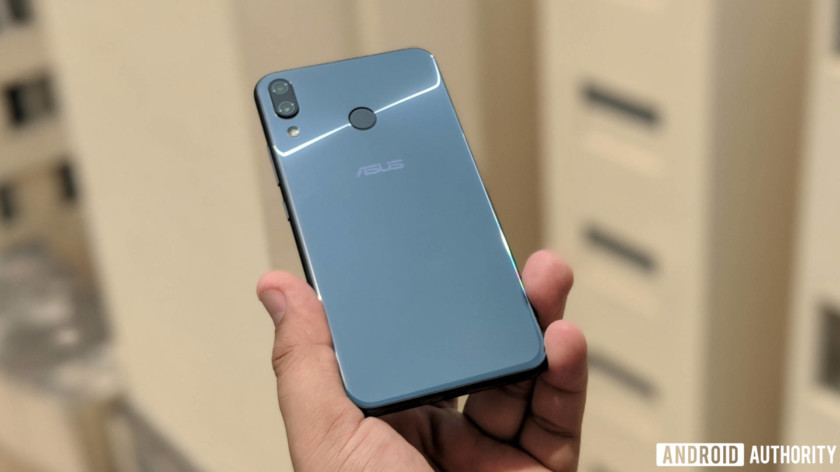
Like most premium Asus smartphones, the Zenfone 5Z looks striking. The glass back with a light pattern of concentric circles looks rad. Between the 2.5D glass on the front and the back, there’s a metal frame made of aerospace-grade aluminum.
Not only does it look good, but it feels well built too.
At only 155 grams, the Zenfone 5Z feels light, with a nice weight distribution across the length of the device. It feels great to hold, really, despite its boxy feel.
Unfortunately, the all-glass design makes the smartphone a smudge magnet. Of course that’s pretty much expected.
The phone’s got a large 19:9 display and the lipping around the glass panels is seamless. Asus managed to keep the camera protrusion at the back to a minimum.
Overall, the Asus Zenfone 5Z sports an exceptional design, with an eye-catching glass back. There’s no IP rating, though, so watch out for bad weather.
Display

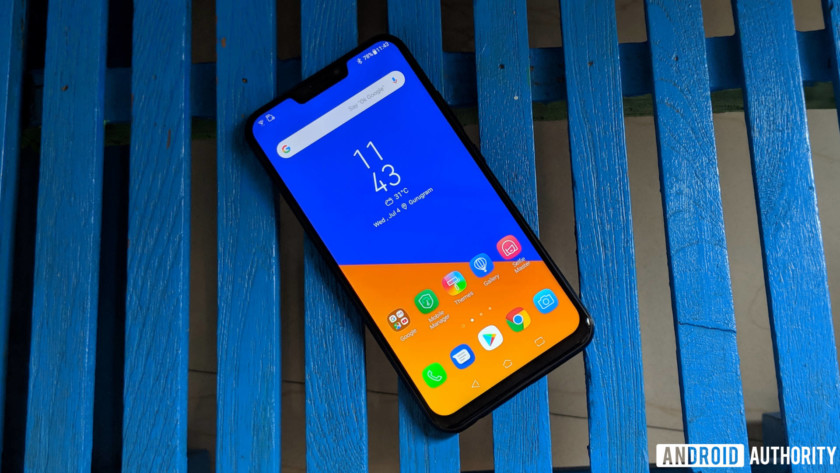
The Asus Zenfone 5Z sports a large 6.2-inch Full HD+ IPS LCD display with a 19:9 aspect ratio and Corning Gorilla Glass 3 for protection. It’s also got a notch.
The display is quite sharp, and the viewing angles are pretty good. It’s a well-calibrated LCD, and images and text look crisp — even outdoors.
The Zenfone 5Z likely has one of the best LCD panels on an Android smartphone, especially in this segment. The blacks are pretty deep and the colors really pop. You can change the wide color gamut to the standard mode or customize it to your liking, but I recommend leaving it as is. The wide color gamut mode is pretty striking as is.
Asus uses the color temperature sensor on the camera of the Zenfone 5Z to adjust the display based on the ambient light conditions, which actually works quite well.
Performance
Related
OnePlus 6 review: the spiritual successor to the Nexus
Buy OnePlus 6
Move over OnePlus 5T, the OnePlus 6 has arrived. The latest iteration of the OnePlus family brings us an all-new design on the outside, and more of what we already love on the …
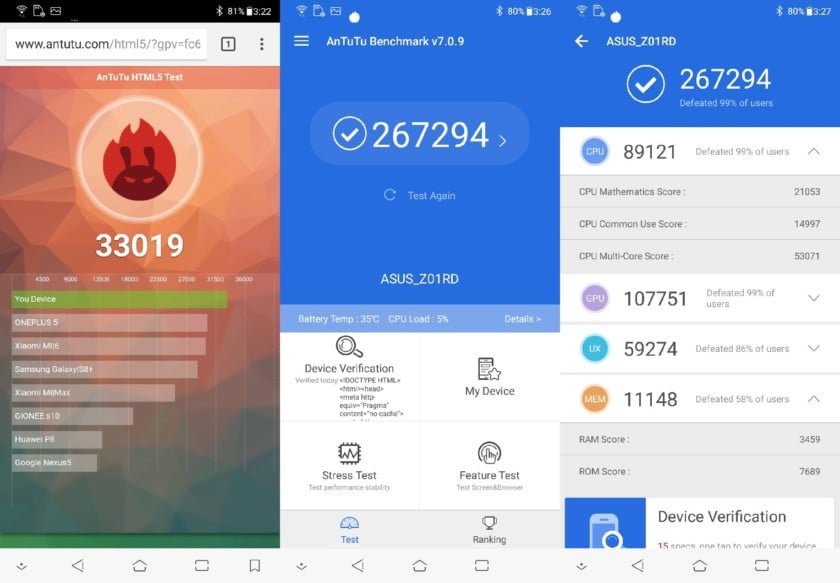
The Asus Zenfone 5Z packs in a Qualcomm Snapdragon 845 processor and comes in three memory variants, with 6GB of RAM and 64GB or 128GB of internal storage, as well as with 8GB of RAM and 256GB of storage.
The Zenfone 5Z will cruise through just about anything you throw at it. Even while playing graphic-intensive games, there’s no lag or any stuttering whatsoever.
An AI Boost option also helps if you need a sudden spurt of power by allocating more resources for a game or resource-intensive. Another AI-based feature is OptiFlex technology, which helps in opening your frequently used apps faster.
The battery is another area where Asus has done some interesting work. The phone has several battery modes — Performance, Normal, Power Saving, and Super Saving — as well as an option to customize the settings further, allowing you to choose how you would want to optimize the battery drain. There’s also a unique feature that tells you about the condition of the battery through its life cycle, no doubt a jab at Apple’s battery woes.
The Zenfone 5Z’s bundled 18W charger takes just over an hour and a half to charge the phone’s 3300mAh battery from zero to 100 percent. In everyday use, the AI charging technology does not charge the phone completely in one shot to avoid charging stress. Charging the phone overnight will get up to 80 percent quickly and then trickle charge, to hit 100 percent right around when you wake up. Asus claims avoiding quick charging all the time will improve battery health.
The battery life, with normal mode, is pretty good and even with quite an active usage, I was left with about 20 percent at the end of the day.
Hardware
The Asus Zenfone 5Z sports a hybrid SIM tray for either two nano SIMs or a SIM and a microSD card up to 2TB if you want more storage.
One of the less talked about highlights of the Zenfone 5Z is its stereo speaker setup. It can get really loud, and switching to the Outdoor Mode will reduce the bass to raise the volume even higher. Of course, this compromises clarity.
There are also two NXP amps, which offer a pretty good aural experience for headphones plugged into the 3.5mm audio jack. The smartphone supports aptX HD for a high-quality Bluetooth audio experience, too.
The dual speaker setup on the Zenfone 5Z offers rich stereo sound which, along with the phone’s audio internals, will impress most audiophiles. The Zenfone 5Z also comes with a USB Type-A to Type-C cable and a pair of Hi-Res-certified in-ear headphones (Good on you, Asus).
Camera

The Asus Zenfone 5Z sports a dual camera setup with a 12-megapixel primary camera and a secondary 8-megapixel wide-angle camera. The primary camera has an f/1.8 aperture with phase detection auto focus.




In good light conditions, the camera focuses quickly and gets the exposure just right. The photos look great, capturing good detail and stellar color accuracy. The portraits are pretty good and the edge detection is mostly perfect. In some instances, it struggled with crowded backgrounds. At night, the AI Scene feature switches to Night View mode, which decreases the shutter speed. The output is pretty detailed and sharp, and the noise is controlled too. It handles HDR well too. Here’s the link to check out the sample shots in full resolution if you want to do some pixel peeping.
The camera app also features options like AI Scene detection and AI Photo Learning. AI Scene detection kicks in when you’re framing a photo and the phone recognizes certain objects or scenes, and changes the camera settings accordingly — like upping the saturation for photos of flowers. AI Photo Learning suggests edits to a photo, learning about your preferences as you apply or reject those edits.




The front camera manages some nice-looking and sharp selfies with great color reproduction. You can make the screen flash to illuminate your face in low light conditions, and thankfully it’s not too bright to blow out your face. If vanity is your thing, the beautification mode allows you to adjust different parameters or you can set it to auto mode.
You can record videos at 4K with 60fps with EIS to keep everything stable. You can also opt for the wide-angle camera for videos, but that limits the footage at 1080p.

Software
The ZenFone 5Z comes running Android 8.0 Oreo out of the box, with and its proprietary UI layer — ZenUI — on top. Asus has a decent record of Android version updates, but the company hasn’t shared its timeline for the Android Pie update for the Zenfone 5Z.
ZenUI used to be a prime example of bloated and clunky skin design, but starting with ZenUI 4.0, which debuted with the Zenfone 4 series, that changed — Asus finally started moving towards a leaner and more fluid user experience. The current iteration — ZenUI 5.0 — is as good as others on market, though as with most custom skins, it’s a matter of individual preference.
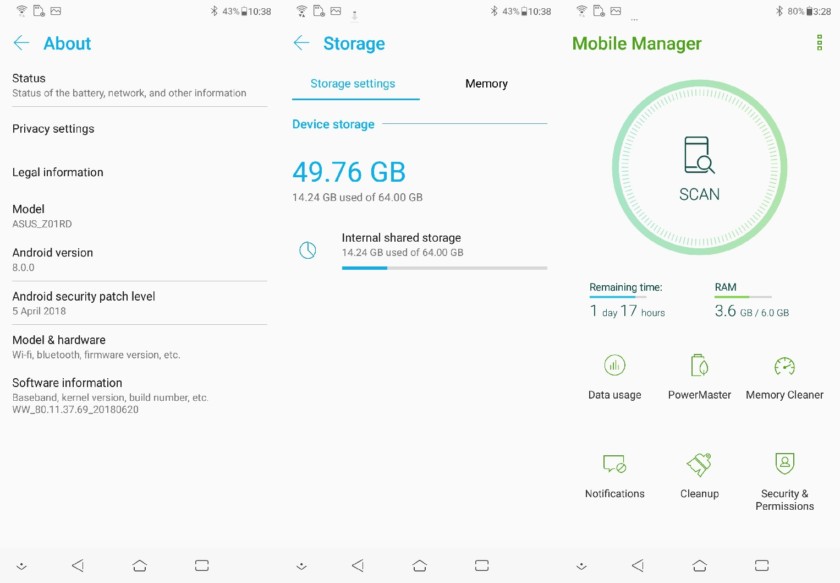
With the Zenfone 5Z, Asus is pitching a lot of AI-powered features, though calling many of them “AI” is a stretch. Even when features are nicely implemented and quite useful, the overuse of a marketing buzzword is a tad tiring.
One of the highlights is the AI Charging which we’ve talked about before. There’s also a useful AI Ringtone feature, which sets the ringtone volume based on the noise level around you using the microphone. In a quiet room, the phone rings at a lower volume at first, while it rings quite loudly in a noisy outdoor setting. The Gallery app sorts photos by person, similar to what Google Photos app does.
One of the big misses on the Zenfone 5Z is its lack of gesture navigation. Once you get used to gestures, like I have on my OnePlus 6 and Google Pixel 2 XL, it’s hard to go back to capacitive buttons for old-school navigation. ZenMotion lets you interact with the phone using gestures, like double-tapping to wake the phone, launching apps directly by drawing alphabets when the screen is off, or swiping down on the fingerprint scanner to pull the notifications shade down, but its not quite the same.
Specifications
| Display | All-screen 19:9 aspect ratio 6.2″ Full HD+ IPS display, supports DCI-P3 color space Capacitive touch panel with 10-point multitouch (supports Glove Touch) Blue-light eye care filter |
| Processor | 10 nm, 64-bit, Qualcomm Snapdragon 845 with Qualcomm Artificial Intelligence Engine (AIE) |
| GPU | Qualcomm Adreno 630 |
| RAM | 6GB/8GB |
| Storage | 64GB/128GB/256GB microSD expansion up to 2 TB |
| Cameras | Main Rear: 12MP Sony IMX363 image sensor with f/1.8 aperture
Second Rear: 120° wide-angle camera with 6p lens Front: 8 MP AF sensor, f/2.0 aperture with 84° field of view |
| Battery | 3300mAh capacity with ASUS BoostMaster & AI Charging Non-removable |
| Network | Slot 1: 3G/4G Nano SIM card Slot 2: 3G/4G Nano SIM card Both Nano SIM card slots support GSM/GPRS/ EDGE, WCDMA/HSPA+/DC-HSPA+, FDD-LTE, and TD-LTE DSDS network bands. Both Nano SIM cards can connect to VoLTE 4G calling service. But only one can connect to FDD-LTE, and TD-LTE data service at a time. |
| Connectivity | WLAN 802.11 a/b/g/n/ac Bluetooth 5.0 Wi-Fi Direct NFC with Google Pay USB Type-C GPS, A-GPS, GLONASS, BDSS |
| Authentication | Rear fingerprint sensor, 0.3-second fingerprint unlock, supports 5 fingers, 360° recognition, damp fingerprint recognition |
| Audio | Dual 5-magnet speakers with dual NXP smart amplifiers PMIC internal dual amplifier Triple internal microphones with ASUS Noise Reduction Hi-Res Audio 192kHz/24-bit standard output with HRA-certified earbuds DTS Headphone:X  support supportAudio CODEC integrated into PMIC FM radio AudioWizard+ with listening profile |
| Video | 4K UHD (3840 by 2160) video recording at 60fps for main rear camera 1080p Full HD video recording at 30 / 60fps 3-axis electronic image stabilization for front and rear camera shakefree videos Take still photos while recording video |
| Software | Android Oreo with new ASUS ZenUI 5.0 |
| Weight | 163 g |
| Colors | Midnight Blue, Meteor Silver |
Gallery

Pricing and final thoughts

The Asus Zenfone 5Z has all the elements of a flagship smartphone — there’s top-of-the-line specifications sheet, pretty good camera, interesting software additions, as well as a neat looking chassis — and all that at almost a steal.
The Asus ZenFone 5Z was clearly aimed to kill the ‘flagship killer.’
The ZenFone 5Z was clearly aimed to kill the “flagship killer,” the OnePlus 6. At 29,999 (~$430) rupees in India for the base variant, it undercuts the OnePlus 6 by a big 5,000 rupees. With the performance it pulls, the base variant is good enough for most people.
The one with 128GB of internal storage will run you 32,999 rupees(~$473) if you intend to store a lot of media. The souped-up top variant with 8GB of RAM and 256GB of storage goes for 36,999 rupees (~$530). It might be your pick if you really want to stretch your device for power, but you may also want to look at the OnePlus 6 if you’re okay with this price.
So that’s it for our Asus Zenfone 5Z review. The Asus Zenfone 5Z deserves big props as a well-rounded premium smartphone. If you’re looking for a mid-range flagship device, this is definitely one of the top options.
8 GoPro tips and tricks to take your footage to the next level
Things have changed quite a bit since GoPro shipped its first product — a wrist-mounted 35mm film camera — in 2005. Now, long after moving to digital and having gone through multiple generations of cameras, adrenaline junkies all over the world have flocked to GoPro for their video and photo needs. Perfect for strapping to one’s chest, helmet, snowboard, or otherwise, GoPro cameras have become the go-to tool for POV videos, especially in the world of extreme sports. Their sheer portability, however, makes the small action cameras popular for more casual uses, as well.
If you bought a GoPro to record the more adventurous portions of your life, whether that’s a supersonic skydive from the stratosphere or simply your morning bike commute, chances are you’re pretty satisfied with it. But what about all those nifty GoPro videos you see online that have the production value of a Planet Earth episode? While many of those might actually possess a bit of professional postproduction, there’s still a few GoPro tips and tricks we recommend employing to turn your basic videos into masterpieces. These won’t necessarily make the Academy come calling, but, hey, you need to start somewhere, right?
Mounting, filters, angles, and stabilization
Use a mount
This is perhaps the single easiest way to spice up a GoPro video, and can definitely make things more exciting. Fortunately, there are literally hundreds of different mounts available on the market, and a nearly infinite way to mount them. Whether you opt for a helmet or chest mount for filming mountain bike and snowboarding excursions, or decide to procure a tripod for stable stationary shots, a mount is always a good idea.
We also recommend testing out different places to mount the camera to determine which spots work best for producing smooth shots, correct angles (more on this below), and all of the desired action. Different mounts can provide different POVs, which can help tell the story you envisioned. For example, a camera mounted on a bike helmet can provide a view from the rider’s eyes, but a rear-facing camera mounted to the frame can capture other riders trailing you — two different views from the same moment.
Beyond GoPro’s broad array of first-party mounts, there are plenty of third-party options, as well — you have no shortage of choices.
Find a new angle
Daven Mathies/Digital Trends
Daven Mathies/Digital Trends
A GoPro offers a very wide angle of view that makes it easy to capture the action, but to create truly interesting videos, you should do more than simply set it and forget it. Try a mix of different camera positions to give viewers a comprehensive view of what’s going on, rather than just sticking to one viewpoint. For example, when recording action, it’s most common to mount a forward-facing GoPro, but sometimes looking back at yourself can produce equally entertaining footage. If you’ll be repeating an action many times throughout the day, say for surfing or snowboarding, consider repositioning the camera on each run to capture a greater variety of shots that can be edited together later.
Newer GoPro cameras offer a selection of crop modes, such as an ultrawide 170-degree angle of view, a medium 127 degrees, and a narrow 79 degrees. The Hero6 Black even has as touch-to-zoom function that mimics a traditional zoom lens. Making use of different fields of view is another way to mix up your shots.
Here’s an easy way to remember which field of view you should pick: If you’re unsure of your framing and want to know that you’re getting all the action, go for ultra-wide. The narrower fields of view are good when you have more control over your framing and want to hone in on a particular subject or area of the scene.
Use filters to improve video quality
GoPro Hero6 Black
Here, we aren’t talking about the color-altering filters in Instagram. We’re talking about actual physical filters that you can place in front of the lens to alter the light your GoPro sees. For instance, using a neutral density (ND) filter works wonders when filming in bright environments by allowing for a slower shutter speed, which keeps footage from looking too jarring like the beach landing scene in Saving Private Ryan. For filming underwater, use a red filter to help remove the blue-green colorcast inherent to the environment. There exists a host of available filters to choose from, so the sky’s the limit when it comes to giving your videos a unique look and feel.
Hold steady
Daven Mathies/Digital Trends
Daven Mathies/Digital Trends
Newer GoPro models, such as the Hero6 Black, feature digital image stabilization. As impressive as this feature is, it’s not flawless — and often has limitations to resolution, framerate, or both.
One of the best things about GoPro cameras being as ubiquitous as they are is that third-party accessories are equally common. For stationary shots, nothing beats a tripod when it comes to stability. As a GoPro is very light weight, there’s no need to get a heavy duty set of sticks for it, but do consider a tripod with a fluid pan head. This will let you make smooth pans to follow a subject or reveal a landscape.
For stabilizing shots in motion, there’s nothing better than a powered gimbal. Gimbals use motors to counteract momvement, producing incredibly smooth footage in virtually any setting, from an easy handheld shot to an epic downhill mountain bike ride. Gimbals are also found in many camera drones, like the GoPro Karma. These devices don’t exactly come cheap, however, so expect to spend at least a few hundred dollars to get something worth your while. GoPro’s own Karma Grip is probably the easiest handheld gimbal to use with the GoPro Hero5 Black or Hero6 Black cameras.
Don’t have the cash for a gimbal or a tripod? While this next tip may seem a bit odd, it does allow you to keep some hard-earned dough in your pocket. To achieve a consistently stable shot, simply press your GoPro camera against your face — yes, your face — while tracking whatever it is you intend to film. Obviously this method of stabilization works best when your surroundings don’t require the use of both of your hands, as we wouldn’t recommend trying to pull this off while, say, running. Still, if you’re looking for a cheap, effective way to record stable video, sticking a GoPro against your face is as good as it gets. This, combined with the digital stabilization feature makes for extra-smooth shots without dropping the dough on a gimbal rig.
If you’re up to the task, footage can also be stabilized in post-production using software like Apple Final Cut Pro or Adobe Premiere. This will result in a slight crop of your footage, so it helps if the video was recorded in the highest resolution available. If you’re fortunate enough to have a GoPro Hero6 Black that shoots 4K at 60 frames per second, make sure you’re in this mode if you plan to stabilize footage in post and still want to end up with sharp results.
There’s now an app to relive your Windows 95 nostalgia on a modern PC
Image credit: Felix Riseberg
If you’re feeling a little bit of nostalgia for Microsoft’s beloved Windows 95 operating system, there’s finally an app for that. What’s old is now a novelty again, and Slack developer Felix Rieseberg created an app that allows Windows 95 to run inside on more modern operating systems, including Apple’s MacOS, Microsoft’s Windows 10, and Linux.
This current development is based on a web project that supports Windows 95 and a number of operating systems inside a web browser, but Rieseberg goes a step further by packaging Windows 95 neatly into an app that’s approximately 129MB in size.
Over the years, Windows 95 has been ported to various platforms. Most recently, it has been shown running on an Xbox One, an Android Wear smartwatch, and the Apple Watch. In the past, various developers got the OS working on a number of different smartphone platforms, including Google’s Android operating system, Apple’s iPhone running iOS, and Nintendo’s 3DS XL.
“I put Windows 95 into an Electron app that now runs on MacOS, Windows, and Linux,” Rieseberg announced in a good-humored tweet. “It’s a terrible idea that works shockingly well. I’m so sorry.”
Because the app began as a joke for a few of his friends, Riesenberg didn’t enable some features, like support for mountable drives. However, after user requests, Version 1.1.0 of the app now comes with support for floppy disks!
With Windows 95 on your modern computer, you’ll be able to take advantage of some popular titles from back in the day, like WordPad, MS Paint, and even Minesweeper. The developer noted that you can even run Doom as well. When you’re running Windows 95, the app only consumes 200MB of disk space, so it runs pretty lean.
At this time, however, Internet Explorer doesn’t work within Rieseberg’s Windows 95 app. “Sadly, Internet Explorer isn’t fully functional as it simply refuses to load pages,” The Verge reported.
The source code for Rieseberg’s Windows 95 project — with floppy disk support — has been published on Github, so you can grab the files there if you want to give Microsoft’s legacy OS a spin some 23 years after the operating system debuted. If you do give this a shot, let us know what features of Windows 95 you miss or remember most.
Editors’ Recommendations
- The best Windows apps
- Windows 10 Mail will let you handwrite your email with a stylus
- iPhone apps are finally coming to your MacBook. Eventually. Sorta.
- The Pixelbook could soon run Windows 10
- Apple reiterates why touchscreens won’t be coming to Macs anytime soon
There’s a new way to 3D print graphene, the strongest material on Earth
Virginia Tech, Lawrence Livermore National Laboratory
With its incredible strength and potentially miraculous applications, there is a lot to be enthusiastic about when it comes to graphene. But it’s one thing to show off these possibilities in a lab; another entirely to turn it into something that’s usable in real-world situations. That’s something that researchers from Virginia Tech University and the Lawrence Livermore National Laboratory (LLNL) have been working to change. In the process, they have found a way of combining two of the most promising buzzwords in tech — “graphene” and “3D printing” — to open up a world of new exciting possibilities.
“We have been able to achieve 3D graphene aerogels and foams with arbitrary form factors and 3D features,” Xiaoyu “Rayne” Zheng, an assistant professor with the Department of Mechanical Engineering at Virginia Tech, told Digital Trends. “We formulated and printed light-sensitive graphene precursors that is compatible with a desktop SLA printer. This opens up freedom to realize 3D graphene with any topology co-optimized mechanical properties, hierarchical pore sizes, surface areas, [and] conductivities for a host array of applications.”
Regular graphene is a single layer of carbon atoms arranged in a honeycomb-style hexagonal lattice pattern. If graphene is packed, layer on layer, it becomes graphite: A material most commonly used as the “lead” in ordinary pencils. Now we love pencils as much as the next person, but anyone who has ever had a pencil lead snap on them may have a hard time believing this is one of the strongest materials on the planet. That’s because of the way that it is packed together, which fundamentally alters the structure of graphene.
The researchers on this project circumvented that by separating the individual sheets of graphene with air-filled pores, thereby allowing it to maintain its properties. The 3D-printable material that emerges at the end is something called graphene aerogel.
“Graphene aerogels are promising for a number of applications — including energy storage and conversion, catalysis, sorbents, and desalination,” Marcus Worsley, an LLNL researcher on the project, told us. “Recent work has shown some performance improvements for simple 3D-printed structures, but more complex, computer-generated architectures are predicted to be vastly superior. These gains should translate to devices that are more powerful, efficient, and longer lasting. This is the major thrust of our current and future work in this area.”
It may be some time before we are 3D printing with graphene in our home offices, but this still represents an enormous step in that direction.
“With regards to commercialization, we are always happy to work with potential commercial partners to bring our inventions to market,” Worsley continued. A paper describing the work was recently published in the journal Materials Horizon.
Editors’ Recommendations
- Engineers in the U.K. unveil the world’s first graphene-skinned airplane
- Materials scientists have found a way to make graphene twice as tough
- These 3D-printed houses could be one-tenth the price of regular homes
- 15 major milestones along the brief history of 3D printing
- Science says waste beer could help us live on Mars
How to hide photos on your iPhone, iPad, or iPod Touch
If you’re anything like us, you love showing off photos you’ve taken with your phone, but there are times when you’ll want to keep certain pictures away from others, because they’re personal or, well, inappropriate. It’s situations like these when the ability to hide photos on your phone becomes invaluable, especially if you have children or friends who use your device often. We’ll detail how to hide your personal images on your iPhone below and even suggest a few apps for some added security. If you’re looking for more helpful iOS tips, we’ve got a guide for that.
Kyree Leary also contributed to this article.
Hiding photos on your iPhone using built-in features
The quickest way to hide photos on your iPhone is also the easiest, as it doesn’t require any additional software. This method works with the iPad and iPod Touch as well. Keep in mind, however, that this only keeps photos from appearing in the Moments, Years, and Collections views. Hidden photos will still be visible when browsing your Albums. If you’re using iCloud Photo Library, any photos hidden on your iPhone will also be hidden on other devices, including the iPad, iPod Touch, Mac, and iCloud.com.
Step 1. Open the Photos app.
Step 2. Next, tap Select in the upper right corner of your screen and choose which photo(s) you’d like to hide. You can also do this for each photo manually when you are looking at a preview of a single photo.
Step 3. Tap the Share icon in the bottom left corner. On the bottom of the resulting menu, press the Hide button, which looks like two rectangles overlapping slightly with a line through them.
Step 4. Finally, tap Hide Photo to confirm your decision. Hidden photos will be placed in a new Album folder called Hidden.
Unhiding photos on your iPhone using built-in features
Making photos visible again is just as easy as hiding them, and can be done directly on your iPhone. Doing so also affects your iCloud Photo Library.
Step 1. Open the Photos app and go to Albums.
Step 2. Tap the Hidden folder — depending on how many albums you’ve created, you may need to scroll to find it.
Step 3. Select the photo(s) you want to make visible the same way as before.
Step 4. Tap the Share icon and select Unhide, which will have replaced the Hide button and looks very similar, but the line is now behind the two rectangles. If you unhide all of the photos in the Hidden folder, the folder will be automatically removed. Hiding photos again will make it reappear.
Dell XPS 15 vs. MacBook Pro 15
Dan Baker/Digital Trends
Apple and Dell are two of the world’s premier laptop makers, so taking the flagship device from each and pitting them against one another in a head to head is far from easy.
How do you pick between two beautiful laptops that perform well and offer a unique software environment? In this Dell XPS 15 versus Apple MacBook Pro 15 comparison, we duke them out to find a single, decisive victor.
Design
Both the Dell XPS 15 and MacBook Pro occupy the higher-end laptop space in terms of pricing, so unsurprisingly, they both have a premium look and feel. Each has thin bezels, sleek lines and an attractive paint job. The MacBook Pro arguably looks a little more sophisticated, but neither with embarrass you in a public setting.
The XPS 15 does have a slightly more durable feel and that is most notable in the sturdy hinge system that Dell has used in its design too. You’ll need two hands to pry it open, which while not the most intuitive of design choices, does lead us to believe that it would be able to withstand a little more punishment from drops than the 2018 MacBook Pro.
As with other MacBooks, Apple sticks exclusively to Thunderbolt 3 with the MacBook Pro, offering four of them on the latest model, as well as a headphone jack. The XPS 15, however, offers more legacy support, with a pair of USB-A ports, as well as a single Thunderbolt 3 connector, an HDMI output, and an SD card slot, as well as a headphone jack.
Apple did make a point of upgrading the keyboard for its 2018 MacBook Pro — perhaps to avoid future lawsuits — to one that’s more resistant to dust. While we don’t know if that will result in a vast improvement in longevity for the new design, it should be at least better than its predecessors. The Dell XPS 15 keyboard is still nicer though. It’s great to type on and feels snappy thanks to its short, 1.3mm travel distance.
Webcam wise, however, the MacBook Pro’s positioning in the top monitor bezel is much better than the XPS 15’s base-bezel mounting.
Performance
The biggest upgrade in both of these new-generation laptops is the hardware inside them. Both have been upgraded to the eighth-generation of Intel’s CPUs, but both offer different chips and different hardware configurations at different price points. The Dell XPS 15 starts at $1,000 and offers an Intel Core i5-8300 CPU, 8GB of memory, an on-board Intel UHD 630 graphics chip, and 1TB of hybrid hard drive/SSD storage. There are a number of configurations possible, with options all the way up to an Intel Core i7-8750H, 32GB of memory, a GTX 1050 Ti graphics chip, and a terabyte of PCIexpress solid-state storage. The top spec. Dell XPS 15 will set you back $2,100.
In comparison, the MacBook Pro 2018 starts at $2,400 and comes with an Intel Core i5-8259U, 16GB of memory, a Radeon Pro 555X graphics chip, and a 256GB SSD. The highest specification MacBook Pro comes with a Core i9-8950HK CPU, 32GB of memory, a Radeon Pro 560X graphics chip, and 512GB of SSD storage for $3,500. If you need more storage, you can spend up to $6,000 for as much as 4TB of space.
All of this means both laptops are very, very powerful. Which is better really depends on what you want to do. Now that Apple has fixed the throttling issue of its Core i9 CPU, the MacBook Pro should be noticeably more powerful than the XPS 15 in day to day tasks, but the GTX 1050 Ti in the XPS 15 will make it far more capable at 3D rendering and gaming.
It’s a lot more affordable too. You can buy a top of the line Dell XPS 15 for less than the entry-level, 15-inch MacBook Pro. That includes an optional 4K screen too, while the MacBook Pro is confined to a 2,560 x 1,600 display.
Portability
Dan Baker/Digital Trends
Laptops in the 15-inch form factor are never going to be as portable as their smaller counterparts, but modern day notebooks of all sizes are lean and lightweight in comparison to their predecessors. The XPS 15 measures 14.06 x 9.27 x 0.66-inches and is small as 0.45-inches at its thinnest point. It weighs in at four pounds (4.5 pounds with a larger battery).
Apple’s hardware weighs four pounds in comparison and measures 13.57 x 9.48 x 0.61-inches. The differences between the two aren’t going to be noticeable to the average user.
Battery life is also of major importance to portability. The lowest-level Dell XPS 15 comes with a 56 watt hours battery, but all other configurations have 97 watts. We found that gave it around 14-hours in our video looping test — that’s not far behind the market-leading Surface Book 2. The MacBook Pro comes with an 83.6-watt-hour battery, which Apple claims offers up to 10-hours of battery life.
We haven’t been able to run our own battery life tests on the new MacBook Pro just yet, but we would expect the XPS 15 to last longer during general computing.
XPS 15 offers far more bang for buck
Dan Baker/Digital Trends
The new MacBook Pro might be a very capable piece of kit, but it’s quite a bit more expensive than the Dell XPS 15. For less than the entry-level MacBook Pro costs, you can have a full specced XPS 15 and still have a couple of hundred dollars left over. That sort of cost disparity makes this a bit of an easier choice.
The MacBook Pro is an amazing machine and if you’re dead set on a MacOS environment, there’s no better portable hardware to enjoy it on than the new MacBook Pro. For everyone else, the XPS 15 is your best bet.
Editors’ Recommendations
- Dell XPS 15 9570 review
- Dell XPS 15 vs. Razer Blade 15
- Razer Blade 15 vs. MacBook Pro
- Dell XPS 15 9560 review
- Benchmark test shows Core i9 severely throttled in 15-inch MacBook Pro
Thule’s huge sale will save you money on strollers, backpacks, and more
Don’t settle for less than the best, especially when you can save money on it.
Amazon has hundreds of Thule products on sale right now. Think of Thule gear as designed to carry anything you need to transport safely and easily. That includes backpacks for camping, bike racks for your car, and strollers for your children.

The Thule EnRoute Backpack is down to $54.95 right now instead of $70. You can get this same price for every color of the 14L version. The other sizes are on sale as well. Dark Forest only comes in the 23L size, but it is also on sale for $78.95 from a street price around $100. The 14L backpack can hold a 13-inch laptop and 10-inch tablet in dedicated pockets. It can also keep your phone, sunglasses, and other smaller accessories safe with plenty of pockets.
If you’re a parent looking to go jogging with your kid, the Thule Glide 2.0 jogging stroller is $358.95 during this sale, which is a huge drop from its regular $450 price. That price matches one we saw back in May, but it has never dropped in price otherwise. The stroller is designed to fold easily with just one hand. It’s ergonomic with an adjustable handlebar for comfort for the parent and a multi-position canopy with side windows for your child.
You can also get the Thule Raceway Pro Trunk Mount Bike Rack for $278.95 from $350. This price matches a low we’ve only seen once this year. The bike rack is designed to fit securely to any vehicle. It has a system to prevent multiple bikes from swinging into each other, and you can lock your bikes securely to the vehicle.
A few other products on sale include:
- 531 Express surf strap – $30.95 (from $40)
- AllTrail men’s hiking backpack – $126.95 (from $160)
- RoundTrip snowboard roller bag – $198.95 (from $250)
- Cadence Two Child Carrier bicycle trailer – $238.95 (from $300)
These are just some of the products on sale, so check out everything else you can get right now.
See on Amazon
The best tempered glass screen protectors for the Pixel 2

Don’t scratch that Gorilla Glass.
The Google Pixel 2 is pretty amazing — and if you want to keep it in amazing condition, you should protect that screen with a screen protector. Tempered glass screen protectors are your best option for protecting your phone’s screen from drop damage and general wear and tear; and chances are you will see some wear over time.
Fortunately, there’s a number of great options out there for you to choose from. Let’s dive in!
- Whitestone Dome Glass Tempered Glass Screen Protector
- Power Support Tempered Glass Film
- IntelliGLASS Tempered Glass Screen Protector
- Supershieldz Tempered Glass Screen Protector [2-pack]
- ZeKing Tempered Glass Screen Protector [2-pack]
- InvisibleShield Glass+ Tempered Glass Screen Protector
- amFilm Pixel 2 XL Tempered Glass Screen Protector
Whitestone Dome Glass Tempered Glass Screen Protector
Top Pick

The Whitestone Dome Glass screen protector is your best option for protecting your Pixel 2 display. If the worst case scenario has already occurred and your screen is cracked, think of this as a second chance screen before dropping hundreds of dollars on a proper replacement. Typically sold for $60, you can get one for the Pixel 2 for just $45.
See at Amazon
The packaged UV light required to complete the curing process makes this a bit more of an involved process, but spend the time to install it right the first time and you’ll get one of the most reliable screen protectors for your Pixel 2.
The Whitestone Dome Glass screen protector has quickly become one of the more trusted options for keeping your smartphone display safe. Sure, it’s absolutely the most expensive option but it has won over a ton of fans. Check out this review and installation guide to get an idea of how this tempered glass screen protector uniquely adheres like no other screen protector you’ve seen before.
Power Support Tempered Glass Film
Official Offering

Google sells the Power Support as an official accessory alongside the Pixel 2 on the Google Store. Get yours for $40.
See at Google
This is another expensive screen protector for your Pixel 2, but for that money, you can be sure that it’s a quality product and designed precisely for your Pixel 2. It has a black border at the top and bottom to help with lining it up during installation and also has cutouts around the front-facing speakers. Curved edges ensure a good in-hand feel, and the oleophobic coating will ensure you’re not constantly wiping fingerprint and grease smudges off of your screen.
IntelliGLASS 3D Tempered Glass Screen Protector
Thinnest Option

The IntelliGLASS screen protector is incredibly thin and features the ever-important oleophobic coating to prevent oils and dirt from sticking to your screen. It’s a great option that is super thin and lightweight but tough when it counts. Regularly sold for $45, you can get one for just $20.
See at IntelliARMOR
IntelliGLASS uses a silicone-based adhesive that makes for an easy installation, and if you have any problem the IntelliARMOR customer service will work to make things right.
It’s a trusted brand in phone protection, and right now they’ve got a great deal on their IntelliGLASS 3D screen protectors. It’s available with a white or black border, or you can opt for the IntelliGLASS HD that’s fully transparent.
Supershieldz Tempered Glass Screen Protector [2-pack]
Best Value

If you like screen protectors with a border around the screen (which helps with installation), you should check out this affordable offering from Supershieldz. This two-pack of tempered glass screen protectors includes all the features you’d expect, such as hydrophobic and oleophobic coatings to keep your screen clean. Available for just $8, this is a premium option at a budget price.
See at Amazon
The kit includes alignment stickers and Supershieldz guarantees a bubble-free installation. If you run into any issues, you can contact Supershieldz customer support as it offers a no-hassle lifetime replacement warranty on its products.
ZeKing Tempered Glass Screen Protector [2-pack]
Most Coverage

ZeKing offers a really good option if you don’t like leaving the top and bottom edges of your phone exposed. Opting to provide precise cutouts around the front-facing speakers instead, this two-pack of tempered glass screen protectors will offer good protection for the entirety of the display up to the curved edge of the screen glass with an oleophobic coating for avoiding fingerprints. Available for just $6.
See at Amazon
ZeKing offers a basic kit that includes all the standard features including alcohol wipes for a clean installation. At just $6, you aren’t likely to find a better deal on a tempered glass screen protector.
InvisibleShield Glass+ Tempered Glass Screen Protector
Trusted Brand

Zagg is a trusted name in phone accessories, and especially screen protectors. The InvisibleShield Glass+ provides ample impact protection for your screen and is designed to withstand shattering itself. If it does, you can count on its limited lifetime warranty in which it’ll replace the screen protector if it gets worn or damaged for as long as you own the phone — you only pay shipping and handling costs. Get yours for just $24!
See at Amazon
This screen protector is also smudge- and scratch-resistant, too, so it will hold up nicely to daily wear and tear.
amFilm Pixel 2 XL Tempered Glass Screen Protector
Best for 2 XL

Pixel 2 XL owners should consider this tempered glass screen protector from amFilm which has been specifically designed for the larger model and claims to offer edge-to-edge protection with an improved adhesive gel. The glass has a black trim around the perimeter of the curved corner display, and notches cut out of the top and bottom to accommodate the front-facing speakers. For $12.99 you’ll get everything you’ll need to ensure a clean installation and quality protection for your new phone.
See at Amazon
This is a case-friendly screen protector that features an invisible dot matrix to simulate fingerprint contact most accurately. It also has an olophobic coating to prevent fingerprints which is always important.
Which screen protectors do you trust?
Are you going to grab something off our list? Eyeing a different brand? Let us know in the comments!
Update August 2018: Updated formatting and pricing information. These are still the best options for protecting your Pixel 2 screen.
Google Pixel 2 and Pixel 2 XL
- Pixel 2 FAQ: Everything you need to know!
- Google Pixel 2 and 2 XL review: The new standard
- Google Pixel 2 specs
- Google Pixel 2 vs. Pixel 2 XL: What’s the difference?
- Join our Pixel 2 forums
Best Buy
Verizon
Google Store
Project Fi
It’s not worth playing Fortnite for Android without a Bluetooth controller
Epic is doing something about it, but not a moment too soon.

In Epic’s undying thirst to get Fortnite up and running on any and every platform that can handle it, I’ve realized something — Fortnite just isn’t meant to be on everything. It’s an important game for many reasons, the biggest of which being it’s the first game with enough clout to help tear down the cross-platform play barriers that have kept us from the ultimate gaming utopia.
However, for all but the most desperate of Fortnite players who want to survive the storm during every waking hour of every day (an unhealthy schedule for sure), it’s simply not worth playing on mobile. We’ve already made that painfully clear in our review of the mobile release, but there’s one point that bears repeating and beating on like a dead llama: the controls flat out suck.
We need Bluetooth controller support, and we needed it a fortnight ago.
There’s just too much to Fortnite’s elaborate control scheme to properly translate it to a touchscreen. You have to run, turn, shoot, jump, reload, rearrange, mine resources, switch weapons, manage inventories — and all of that is before you even get to building structures. Imagine doing all of these things and needing to do them at a pace so fast that even those playing on keyboard and mouse have trouble coming to grips with it. That’s a moot point if you’re playing in mobile-only lobbies where everyone is on a level playing field, sure, but it helps underscore the point that I’m trying to make: Fortnite is miserable to play on a touchscreen. Period.
That’s why we so desperately need Bluetooth controller support, and we needed it a fortnight ago. (Yes, I made that joke. Sue me.) Fortnite is still tough to play with a controller as evidenced by the many control scheme changes we’ve seen on console, but it’s still eons better than poking away at the janky mobile rendition.
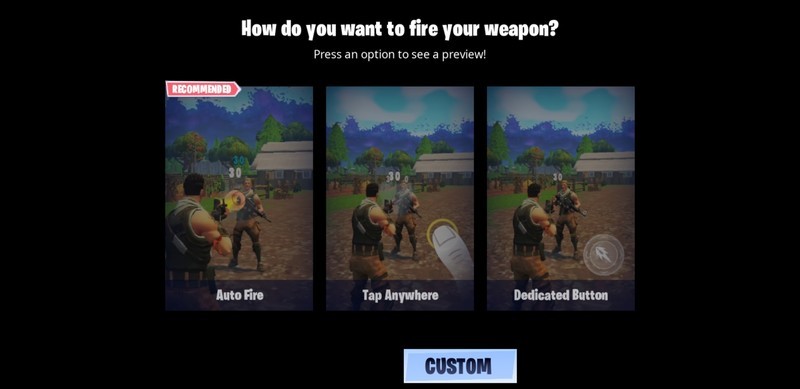
Thankfully, Epic does have plans to bring Bluetooth controller support to Fortnite for Android, and on that day it will be a much better game to recommend for those wanting to play it on the go. Fortnite is still in beta on Android so Epic does have a reasonable excuse for rushing this thing out of the barnyard, but we’re still calling them out if only to drive home the point that this absolutely needs to happen, and hopefully happens sooner rather than later. There will still be the other blights we touched on in our review — namely performance hiccups and the general issues that come with playing on a much smaller display than you’re used to — but at least it won’t totally suck like it does right now.
If you’re as turned off by Fortnite’s mobile controls as we are, resist the urge to play it when you’re jonesing, and instead spend your time figuring out which mobile controller you’re going to use once Epic delivers the goods. We’ve got a great list for you right here, and you can even start eyeing your PlayStation 4 and Xbox One controllers if you already have those handy.
Fortnite for Android: Everything you need to know
Android Gaming

- Best Android games
- Best free Android games
- Best games with no in-app purchases
- Best action games for Android
- Best RPGs for Android
- All the Android gaming news!
4K monitors, Onkyo receivers, and more are discounted today
Whether you’re looking for new tech gear or household items, we’ve got you covered.
We found plenty of great deals today that include big discounts on Samsung’s 4K monitor, Amazon’s condenser microphone, Onkyo’s 7.2-channel receiver, and more!
View the rest of the deals
If you want to know about the deals as soon as they are happening, you’ll want to follow Thrifter on Twitter, and sign up for the newsletter, because missing out on a great deal stinks!
 AIVAnet