


Canon drops 5 new printers to round out its PIXMA lineup
Canon has launched a new collection of PIXMA printers due out September 2018. These new models: TS9521C, TS9520, TS9520, TS8220, TS6220, and TR4520, range from craft-focused printers to home office all-in-ones and range in price from $100 to $250.
Up first is the three-in-one PIXMA TS9521C. this printer is designed specifically with crafters and scrapbookers in mind, a departure from Canon’s usual consumer base. It supports pages up to 12 by 12 inches (the size most commonly used for scrapbooking), includes 45 built-in patterns for adorning the paper, and features a large 4.3-inch touchscreen for navigating the menu. It comes in white and retails for $250.
Next up is the PIXMA TS9520, a more business-focused printer with Canon’s hybrid five-ink tank system. This printer is designed to work specifically with paper up to 11 by 17 inches in size — perfect for a home or small office. It also includes a built-in card reader and can both scan and copy using its built-in scanner. The TS9520 comes in black and retails for $250.
Onto the PIXMA TS8220. This three-in-one printer features a unique design and paint scheme with a sleek, mirrored finish on the bottom. Much like the TS9521C, this printer has multiple built-in patterns to print on paper up to 8.5 by 11 inches in size. It features six individual ink tanks and a precision print head that spits out a four by six print in just 17 seconds. It features the same card reader and 4.3-inch touchscreen as the TS9521C for navigating the menu. The TS8220 is available in black, white, and red for $200.
The fourth printer on the list is the PIXMA TS6220, a successor to the TS6120. This three-in-one printer opts for a five individual ink tank system that works to pump out four by six prints in just 21 seconds. It comes in both black and white and retails for $150.
Last up is the first four-in-one printer on the list, the PIXMA TR4520. A successor to the PIXMA MX492, the TR4520 can print, copy, scan, and fax documents. It features a basic four individual ink tank system, has auto-duplex printing (meaning it can print on both sides of the paper without any user intervention), and includes integrated WiFi. Like the TS6220, it can spit out a four by six print in just 21 seconds.
All five of the printer models mentioned above feature Amazon Alexa compatibility that lets you check on the status of the printer, verify the ink levels, print out coloring pages, and even add a new batch of ink to your Amazon cart. They also include easy print setup, which lets you take out your phone, scan a QR code on the bottom of the printer, and set it up out of the box without the need to install complicated software.
Editors’ Recommendations
- Home printer buying guide: How to choose a printer that best fits your needs
- Brother’s new INKvestment Tank printer is made for people who hate buying ink cartridges
- Brother launches Work Smart series of compact, connected printers for home
- Here is everything you need to know about the Fitbit Versa
- The Porsche 911 Speedster Concept continues a long-standing tradition
Programmer trains artificial intelligence to draw faces from text descriptions
Programmer Animesh Karnewar wanted to know how characters described in books would appear in reality, so he turned to artificial intelligence to see if it could properly render these fictional people. Called T2F, the research project uses a generative adversarial network (GAN) to encode text and synthesize facial images.
Simply put, a GAN consists of two neural networks that argue with each other to produce the best results. For example, the job of network No. 1 is to fool network No. 2 into believing a rendered image is a real photograph while network No. 2 sets out to prove the alleged photo is just a rendered image. This back-and-forth process fine-tunes the rendering process until network No. 2 is eventually fooled.
Karnewar started the project using a dataset called Face2Text provided by researchers at the University of Copenhagen, which contains natural language descriptions for 400 random images.
“The descriptions are cleaned to remove reluctant and irrelevant captions provided for the people in the images,” he writes. “Some of the descriptions not only describe the facial features, but also provide some implied information from the pictures.”
While the results stemming from Karnewar’s T2F project aren’t exactly photorealistic, it’s a start. The video embedded above shows a time-lapsed view of how the GAN was trained to render illustrations from text, starting with solid blocks of color and ending with rough but identifiable pixilated renderings.
“I found that the generated samples at higher resolutions (32 x 32 and 64 x 64) has more background noise compared to the samples generated at lower resolutions,” Karnewar explains. “I perceive it due to the insufficient amount of data (only 400 images).”
The technique used to train the adversarial networks is called “Progressive Growing of GANs,” which improves quality and stability over time. As the video shows, the image generator starts from an extremely low resolution. New layers are slowly introduced into the model, increasing the details as the training progresses over time.
“The Progressive Growing of GANs is a phenomenal technique for training GANs faster and in a more stable manner,” he adds. “This can be coupled with various novel contributions from other papers.”
In a provided example, the text description illustrates a woman in her late 20s with long brown hair swiped over to one side, gentle facial features and no make-up. She’s “casual” and “relaxed.” Another description illustrates a man in his 40s with an elongated face, a prominent nose, brown eyes, a receding hairline and a short mustache. Although the end results are extremely pixelated, the final renders show great progress in how A.I. can generate faces from scratch.
Karnewar says he plans to scale out the project to integrate additional datasets such as Flicker8K and Coco captions. Eventually, T2F could be used in the law enforcement field to identify victims and/or criminals based on text descriptions, among other applications. He’s open to suggestions and contributions to the project.
To access the code and contribute, head to Karnewar’s repository on Github here.
Editors’ Recommendations
- ‘Solo: A Star Wars Story’: News, trailers, and everything we know so far
- Two Feet recorded a song, put it on Soundcloud, and woke up famous
- Simon Cowell says no longer using a smartphone is a ‘very strange experience’
- Watch a NASA astronaut get stumped over how to use a GoPro
- A year later, Mads Mikkelsen still doesn’t understand ‘Death Stranding’
Best Android Phone Under $100 in 2018
- The best
- Runner-up
- Best on Verizon
- Best on Cricket Wireless
- Best on MetroPCS
- Best on Boost
 Advertisement
The best
Nokia 2

See at Amazon
Right on the dot at $99, the Nokia 2 is simply the best low-cost phone you can buy. It features a sleek and sturdy design with a metal frame, along with a 1.3GHz quad-core processor and a near-stock build of Android. It’s a bit lacking internally, with just 1GB of RAM and 8GB of storage, but the clean software keeps it running smoothly, and you can expand its storage with a microSD card.
The 5-inch 720p display is fairly impressive as well, but where you’ll really be wowed is with the 4100mAh battery, which easily manages two days of moderate usage. It also has a surprisingly decent 8MP primary camera, as well as a 5MP selfie shooter.
Bottom line: The Nokia 2 offers clean software and speedy performance for just a Benjamin.
One more thing: There’s a newer version of the device, the Nokia 2.1, but it sits just above our $100 price limit.

Advertisement
Why the Nokia 2 is best
The ideal package in any price range is a well-built phone with clean and quick software, and the Nokia 2 delivers. With a beta version of Android 8.1 Oreo already available, it’s easily the most up-to-date device below $100, making it even more attractive on the software front than the Moto E5 Play.
It’s not the flashiest or showiest smartphone, with a relatively generic design, but you don’t expect pizzaz when you’re paying a Benjamin for a full-featured smartphone. The only thing it’s missing — and this is a big one — is a fingerprint sensor, meaning you’ll have to revert back to using a PIN for security.
Runner-up
Alcatel 1X

See at Amazon
The first Android Go-powered phone on the market exceeds our expectations. The Alcatel 1X doesn’t look like much, but its tall 5.3-inch display is great, and it’s got all the specs necessary to power Google’s version of Android that’s optimized for entry-level smartphones. There’s even an 8MP camera around back, a fingerprint sensor, an LTE modem and a nice 2460mAh battery.
Bottom line: At just under $100, the Alcatel 1X is a good alternative to the Nokia 2.
One more thing: The phone is only compatible with AT&T, T-Mobile and other GSM carriers in the U.S.
Best on Verizon
Motorola Moto E5 Play

See at Best Buy
The Moto E5 Play doesn’t have the 18:9 display or huge battery of the rest of Motorola’s refreshed lineup, but it still features a quad-core processor, 2GB of RAM, and 16GB of microSD-expandable storage. The phone ships with Android 8.0 Oreo, and the 2800mAh battery is one of the few removable batteries left on the market.
Bottom line: The Moto E5 Play is a great prepaid phone for Verizon customers.
One more thing: While Verizon sells the Moto E5 Play for $95, Best Buy (linked above) sells it for even cheaper — just $64.99.
Best on Cricket Wireless (AT&T)
LG X Charge

See at Cricket Wireless
If you want to get a prepaid phone from one of the big four carriers, your choices are limited, but AT&T’s Cricket sub-brand has a great selection, including the LG X Charge for $79.99 (at least for new lines). It’s got a big 5.5-inch HD display, a quad-core processor, Android 7.0 Nougat, and a massive 4500mAh battery.
Bottom line: The LG X Charge’s huge battery will outlast any other phone in Cricket’s lineup.
One more thing: If you’re upgrading from an existing Cricket device, the X Charge will actually cost $129.99.
Best on MetroPCS (T-Mobile)
LG K20 Plus

See at MetroPCS
Sitting right at the edge of our budget, the K20 Plus is the best phone on MetroPCS’s roster for under $100. With it, you get a 1.4 GHz Snapdragon 425, 2GB of RAM, and 32GB of storage. The 5.3-inch 720p display barely draws any power from the 2700mAh cell inside, and the 13MP camera isn’t half bad either.
Bottom line: The Moto E4 offers decent specs and speedy performance at an affordable price.
One more thing: The K20 Plus is running the dated Android 7.0 Nougat.
Best on Boost Mobile (Sprint)
Moto E5 Play
See at Boost
The Moto E5 Play is just as good on Boost as it is on Verizon. It’s one of the few phones under $100 that still runs a current version of Android — specifically Android 8.0 Oreo — and while its specs aren’t anything mind-blowing, it’s plenty good enough to keep the phone running smoothly. Its software is delightfully close to stock Android, with a few added goodies from Motorola.
Bottom line: The Moto E5 Play is your best bet for clean, modern software for cheap.
One more thing: If battery life is your top priority, the ZTE Max XL with its 3990mAh battery is a better option.
Conclusion
The Nokia 2 is the best overall device, largely thanks to its clean software and high-end build quality, but customer discounts could land you a better deal depending on your carrier.
The best
Nokia 2
See at Amazon
Right on the dot at $99, the Nokia 2 is simply the best low-cost phone you can buy. It features a sleek and sturdy design with a metal frame, along with a 1.3GHz quad-core processor and a near-stock build of Android. It’s a bit lacking internally, with just 1GB of RAM and 8GB of storage, but the clean software keeps it running smoothly, and you can expand its storage with a microSD card.
The 5-inch 720p display is fairly impressive as well, but where you’ll really be wowed is with the 4100mAh battery, which easily manages two days of moderate usage. It also has a surprisingly decent 8MP primary camera, as well as a 5MP selfie shooter.
Bottom line: The Nokia 2 offers clean software and speedy performance for just a Benjamin.
One more thing: There’s a newer version of the device, the Nokia 2.1, but it sits just above our $100 price limit.
Updated August 2018: The Moto E5 Play has become our top pick on Verizon and Boost.
Aukey’s $7 dual USB port car charger sits flush with the outlet
Small but powerful.
The Aukey dual USB port car charger is down to $7.01 with code AUKEYCR2 on Amazon. That price is about $6 off that it normally sells for and one of the best deals we’ve ever seen. With a charger this small and this inexpensive you could buy one for every vehicle and never go without a place to charge up again.

It’s an ultra-compact charger made with aluminum alloy so it will sit flesh the edge of the car’s outlet and just look like another part of your dashboard. It can do two devices at the same time with the maximum possible charging speeds, and it works with all USB compatible devices. The charger has a two-year warranty as well. Users give it 4.3 stars based on nearly 5,000 reviews.
See on Amazon
Samsung Galaxy Note 9 rumors: Release date, specs, price, and features!
Here’s everything we know about the Galaxy Note 9!
Now more than ever, Samsung’s Galaxy S+ phones are becoming eerily similar to the Note series. The Note used to be Samsung’s way of touting all of the latest and greatest tech it had to offer, and while this is still the case, the same can be said for this year’s Galaxy S9+.
Samsung needs more than just the S Pen to make the Note 9 stand out from its own phones and the rest of the competition, and luckily, all signs are pointing to something exciting for this year’s release. Here’s what we know so far!
August 7, 2018 — Unlocked Note 9 price leaked along with new promo images
With just two days to go before the Note 9’s unveiling in New York this Thursday, Roland Quandt from WinFuture has given us a few more goodies prior to the phone’s official unveiling.
On Twitter, Quandt said that the 128GB Note 9 in the UK will cost 899 GBP while the 512GB model will sell for 1099 GB. Converted to USD, that works out to around $1165 and $1424, respectively. The final price that U.S. consumers see will likely be lower, but this does give us some context for what to expect.
Along with the pricing information, a few promotional images were also shared and highlight some of the Note 9’s biggest features.
One picture for the S Pen confirms that it’ll use Bluetooth, “Letting you press a button to take control of your camera, presentations, and apps without touching your phone.” There’s also mention of the Note 9’s AI camera features that’ll optimize white balance, detect when someone blinks, and more.
August 6, 2018 — Verizon to offer BOGO Note 9 deal at launch

The Note 9’s expected to be an expensive phone, and as such, most people will likely finance the thing through carriers to help extend its $800 – $900 price tag over the course of a couple years.
As spotted by Droid Life, Verizon plans on offering a buy one, get one free deal on the Note 9 when pre-orders open to help you get quite a bit more bang for your buck.
The promotion was seen in the My Verizon app, and while no details were provided for pricing or how exactly the deal will work, it’ll likely be similar to past promotions that require you to buy both phones on installment plans and then receive monthly credits to cancel out the cost of one of the phones.
We’ll have all these details and more this coming Thursday, so be sure to keep an eye out for this promo over the coming days.
What will the Galaxy Note 9 look like?

Quick answer — a lot like the Note 8.
We’ve seen one collection of renders for the Note 9 so far (pictured above), and save for the fingerprint sensor being moved below the rear camera sensor, the phone’s shaping up to be nearly identical to last year’s model.
As such, we can expect a large Infinity Display with slim bezels, an all-glass back, and a 3.5mm headphone jack. Samsung’s event teaser suggests that we’ll get at least one bright yellow color option, but I’m still crossing my fingers the Galaxy S9’s Burgundy Red gets a wide release on the Note 9 🤞.
What specs can we look forward to?
Samsung’s Galaxy Note phones are always home to some of the best specs around, and the Note 9 shouldn’t be any different.
Based on the current rumor mill and what we’ve seen from other 2018 flagships, here’s what we think we’ll see this year.
| Operating system | Android Oreo |
| Processor | Qualcomm Snapdragon 845 or Exynos 9810 |
| Screen | 6.4-inch Quad HD (2960 x 1440) Super AMOLED panel 18.5:9 aspect ratio |
| Rear camera 1 | 12MP f/1.4 and f/2.4 adjustable aperture |
| Rear camera 2 | 12MP f/2.4 Optical zoom |
| RAM | 6GB / 8GB |
| Storage | 128GB / 256GB / 512GB |
| Expandability | microSD up to 1TB |
| Battery | 4,000 mAh |
| Connectivity | USB-C 3.5mm headphone jack |
| Security | Fingerprint sensor Iris scanning Face unlock |
| NFC | Yes |
What’s going on with the S Pen?
The S Pen has always been one of the biggest draws to the Galaxy Note phones, and this year with the Note 9, we’re expecting Samsung to give the accessory one of the biggest updates we’ve seen in years.
One of the biggest changes this time around is that the Note 9 S Pen is rumored to come with Bluetooth. On one hand, this means the S Pen will need to have a battery and be charged somehow. Although we can’t confirm this, it’s likely Samsung will design a system that allows the S Pen to charge up while it’s inside the Note 9.
On a more exciting note, Bluetooth could allow for the S Pen to be useful even when it’s not in direct contact with the Note 9. Its button could act as a camera shutter, slide-show clicker, give you better alerts when it’s away from your phone, and more.
There have also been hints at some sort of gaming-specific features, but it’s unclear how exactly these will pan out.
When will the Galaxy Note 9 be released?

The Galaxy Note 9 will be announced on August 9, 2018, at an Unpacked event in New York City.
We can expect retail availability to come in a 1-2 week time frame after the announcement, if any previous launches are any indication.
How much will the Galaxy Note 9 cost?
Pricing for the Note series has steadily been going up each year, as has the majority of the smartphone industry.
The Galaxy Note 8 costs $950 unlocked, and I’d expect the Note 9 to cost either the same or slightly more. Apple proved with the iPhone X that people aren’t afraid to shell out $1000+ for a new smartphone, and I don’t consider it to be out of the question for Samsung to follow suit with the Note 9 – especially if it adopts newer technologies like an in-display fingerprint sensor.
Samsung Galaxy S9 & S9+: Everything you need to know!
Samsung Galaxy Note 9
- Samsung Galaxy Note 9 rumors: Release date, specs, price, and features!
- Is it best to buy the Galaxy S9 or wait for the Note 9?
- Do you plan on upgrading to the Note 9?
- Galaxy Note 8 review
- Join our Galaxy Note 9 forums
Updated August 3, 2018: Updated spec sheet with latest available info.
Get a lifetime subscription to premium web development courses for just $40
A career in web development is a career well-invested in today’s marketplace. Many companies are moving to an entirely online business model, and if you’re looking for job security, you’ll want to get in on the development side if you’re at all interested. Or maybe you’re already a developer, but you have been for 20 years and haven’t really kept up with current technology and trends.
Going back to school can be costly and probably isn’t the most efficient way to use your time, especially if you’re already in a full-time career. You need online courses that you can access from anywhere, at any time, on your own time. But those can be expensive as well, so where do you look?

Look at Android Central Digital Offers and look at the SitePoint Premium Courses Lifetime Subscription. You’ll gain access to over 80 ebooks, 70 courses, and 300 tutorials, covering everything from coding in CSS, HTML, JavaScript, and more to key coding frameworks and libraries, like jQuery, Node, TypeScript, and more. You get a lifetime subscription to all of this content for $39.99. These courses and ebooks together generally retail for $450, but at Android Central Digital Offers, you save 88%.
The best part of this bundle is that new content is uploaded monthly, and you’ll get unlimited downloads for all the ebooks, courses, and tutorials that come out. Learning all these new skills is imperative if you want to keep competitive in today’s business world, so you’ll also learn about Google Maps API and how to manipulate HTML5 video with JavaScript, as well as a host of other new techniques. And, of course, you’ll be educated on the essentials, like WordPress, Git, project management, and more.
If you want to stay relevant in the web development world, you need to update your skills and learn the latest techniques. Check out SitePoint Premium Courses, but don’t check them out for $450. Check out a lifetime subscription at Android Central Digital Offers for $39.99.
See at Android Central Digital Offers
Best Portable Battery Packs Under $20 in 2018

A great battery pack doesn’t have to cost a fortune.
While smartphones last longer and longer, it’s never a bad idea to have a backup in case you’re away from a wall charger for long periods of time. You can go all out and get a wildly expensive battery pack, but you don’t need to spend that extra money if you don’t need to.
Here are the best portable battery packs under $20 in 2018!
- Anker PowerCore 5000
- Lumina Ultra Compact Portable Charger
- Aibocn 16,000 mAh Power Bank
- Aibocn 20,000 mAh Power Bank
- FLOUREON Solar Charger
Anker PowerCore 5000

Anker has long been a staple name in the smartphone accessory world, and they have the perfect battery pack for those on a budget. The PowerCore 5000 — as the name implies — comes with a 5,000 mAh cell, which should be enough for at least on full recharge of your smartphone. The battery itself is recharged with a Micro-USB cable, and your phone and other accessories charge from the USB-A port. There’s battery indicator along the side, and the whole battery is compact enough to easily fit in your pocket or handbag. This battery doesn’t support any form of Qualcomm Quick Charge, but the 10W output should still charge your phone reasonably fast.
Other colors are a bit more expensive, but the black version of Anker’s PowerCore 5000 comes in right at $20.
See at Amazon
Lumina Ultra Compact Portable Charger

Another great compact option comes from Lumina. Its Ultra Compact Portable Charger offers 5,200 mAh of juice, good for at least one recharge of your phone. The battery charges with Micro-USB, and your gadgets all charge with the USB-A port. The battery is vibration proof, perfect for those that work in rough environments. You get a battery indicator light on top, and the battery is small enough to fit just about anywhere. Again, there isn’t official Quick Charge support, but the ten watts of output should charge your phone in a decent amount of time.
The Lumina Ultra Compact Portable Charger is available in black for $17.
See at Amazon
Aibocn 16,000 mAh Power Bank

If you need even more capacity, Aibocn has you covered. Its 16,000 mAh pack will let you get at least three full charges to your smartphone, with a little bit left over for your headphones or other accessories. Speaking of other accessories, there are two USB-A ports on this battery, so you can charge multiple gadgets at once. The battery itself charges with Micro-USB, and there’s a battery indicator light up top so you can estimate how much juice you have left. Because of the large capacity, this isn’t as svelte as other picks, but it’s still light enough to comfortably fit in a backpack or messenger bag.
Aibocn’s 16,000 mAh Power Bank is available in black for $14.
See at Amazon
Aibocn 20,000 mAh Power Bank

If you still need more capacity, Aibocn still has you covered. Its 20,000 mAh in only slightly bigger and slightly more expensive than the 16,000 mAh model, and it’ll be good to recharge your phone about five times. There are two USB-A ports again, so you can recharge your phone and another accessory at the same time. The battery itself charges over Micro-USB, and it’ll need about eight hours for a full recharge from the wall. You get a little flashlight on the battery pack, perfect if you lose your phone at night. There’s a battery indicator light up top — this time using different colors to signify how much capacity is remaining. This battery is the largest on our list — both in capacity and physical size — so it may not fit well in your pockets.
Aibocn’s 20,000 mAh Power Bank is available in black or white for $20.
See at Amazon
FLOUREON Solar Charger

If you’re going off the grid for a while, you’ll still want a way to charge your phone in case of emergencies. Solar charging won’t be as fast as charging from a wall, but a slow charge is better than no charge. FLOUREON’s Solar Charger offers a 10,000mAh capacity, so your phone can get at least two full charges from this. If you are near civilization, you can recharge the battery pack with a Micro-USB cable, and you get two USB-A outputs for your gadgets. The battery features an LED light, with strobe and SOS morse code patterns if you run into trouble. There’s also a metal clip with a compass included, though if I were hiking I’d still bring my own compass as a backup.
FLOUREON’s Solar Charger is in black with blue, orange or green for $18.
See at Amazon
What say you?
Which inexpensive battery pack catches your eye? Let us know down below!
How do I know if my phone is unlocked?
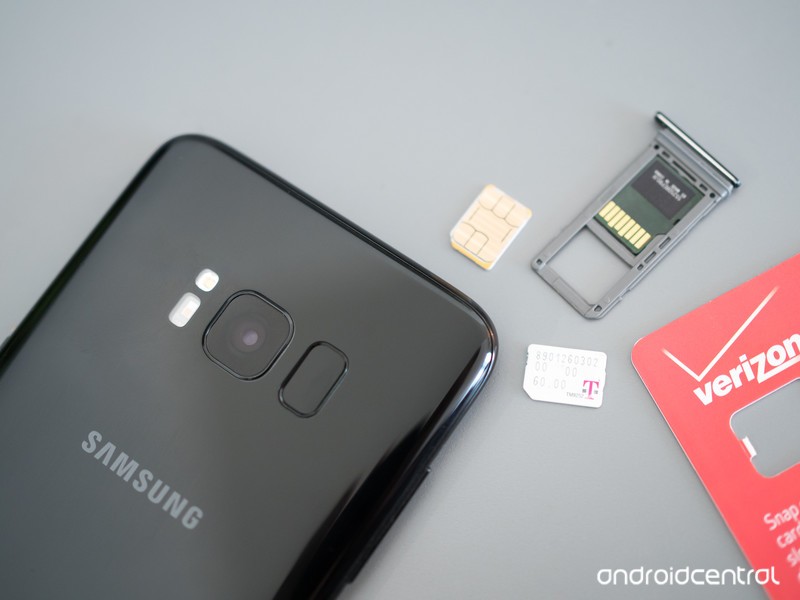
An unlocked phone is the key to getting service from an alternative carrier.
You’ve probably heard a lot of talk about using MVNO carriers as a way to find a cheaper alternative for service. It’s something that’s gaining popularity and while it isn’t exactly mainstream just yet, it’s getting there. We think that’s great because having even more choices can’t be a bad thing. But in most cases, before you can try any other service provider, you’ll need to have a SIM-unlocked phone. That means you can use a SIM card from any company and as long as the hardware is compatible with the network, it just works.
While some of us already know if our phones are unlocked or how to check, here’s what you need to know if you are looking for a little help.
More: Best Unlocked Phone

Where did you buy it, and how?
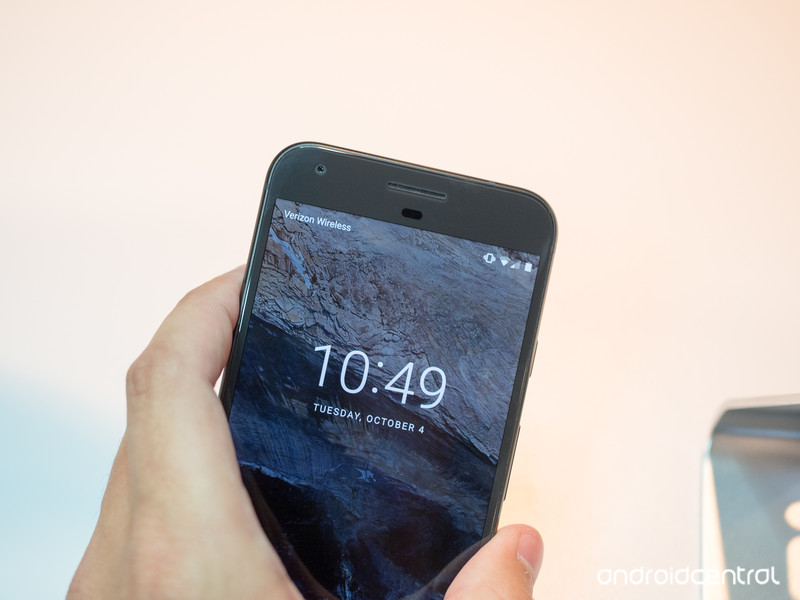
In the U.S., Verizon is the only carrier who is consistent with selling all their smartphones unlocked. What we mean here is that if you walk into a Verizon store or use their website and buy a phone made for Verizon with their name on it, it’s probably going to be SIM unlocked. Note that this doesn’t mean you should buy a Verizon branded phone to use on a different network because SIM unlocked doesn’t mean fully compatible. Just that Verizon is OK with you putting another SIM in the phone and letting the hardware try to connect to a different network.
The other three networks, as well as Best Buy or other third-party carrier resellers, are not as reliable when it comes to selling unlocked phones. Some phones are, some aren’t — but every one of them can be unlocked, because that’s the law.

If you bought your phone from Amazon or B&H or another online retailer, it told you in the listing if it was unlocked. If you don’t remember, a quick call or email to customer service will help you find a copy of the listing to double check. Of course, if you bought your phone directly from the manufacturer, if it was listed as unlocked it will be and there is no need to check. All phones sold directly from Google and Apple (if paid in full at time of purchase) are unlocked, and many phones from other manufacturers are sold directly and SIM unlocked, too.
For the rest of the phones out there, there’s really only one fool-proof way to check — try it.
Use a SIM card from a different carrier
You’ll see references to the website “imei.info” that claim you can check if your phone is unlocked online. While that might be true, the service costs money and has been incorrect five out of five times I have tried it. I’ll come right out and say it — don’t bother.
You can call your carrier or the carrier or MVNO you’re thinking of switching to. Companies keep a database of IMEI numbers that says which phones are compatible, unlocked, or blacklisted. You might not have any luck here, though, because the person answering the phone might not be able to give you that information — they either don’t have access to it or they aren’t allowed to tell you over the phone. It’s worth a try if you don’t have access to a SIM card from a different company, though.
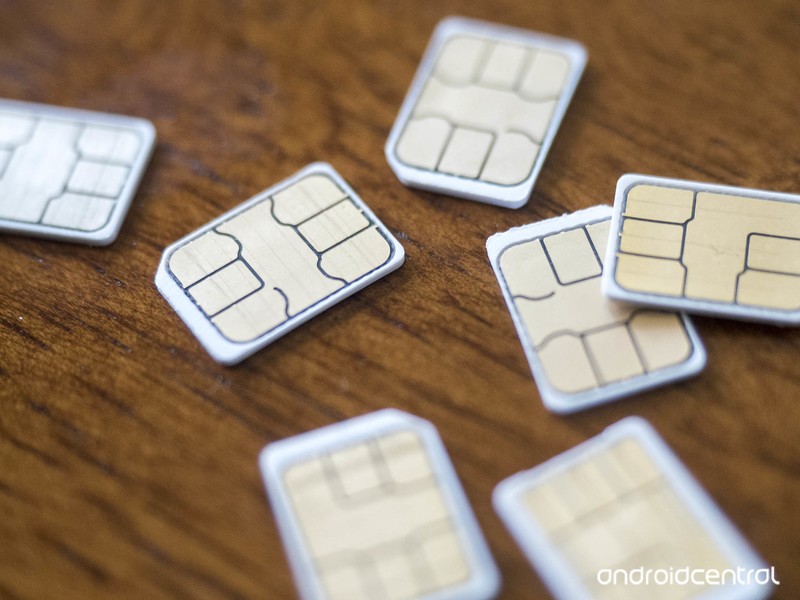
If you do have access to a SIM card from a different carrier, checking is pretty simple. And it doesn’t have to be a SIM card connected to an active account — the phone will try to initiate a connection with any SIM card in place.
- Make a phone call using the right SIM card if possible. This is to check that the phone is working properly. Call your mom and tell her hello; she’ll appreciate it.
- Shut off the phone and remove the SIM card. Look in the manual or online if you’re not sure how to do this, and if you need a SIM card removal tool, a paperclip works fine.
- Put the different SIM card in the phone and power it back on.
- If you’re greeted with a dialog box telling you to enter an unlock code, your phone is SIM locked to the carrier it was originally purchased from.
- If you don’t see this, check that it says you have service. If you do, your phone is probably unlocked. Try making another phone call. Mom won’t mind two calls on the same day.
If you can’t call using the different SIM card, you’ll probably get a recorded message with some error code. You can jot down the code and check online to see why the call can’t be completed so you know if it’s because of a SIM lock or because of incompatible hardware.
If your phone is SIM-locked, don’t fret. As mentioned, a carrier has to unlock a phone unless you owe money on it according to U.S. law. Give them a call and they will help you.
When you don’t need a SIM-unlocked phone
At the top of this article, we said in most cases you do need a SIM-unlocked phone to try another carrier. That’s true, but there is one popular use-case where it doesn’t matter: using a T-Mobile branded phone on an MVNO using T-Mobile’s network.
T-Mobile actively assists resellers, and they don’t require a reseller (that’s what an MVNO is) to require you to have an unlocked phone to connect. If your phone says T-Mobile on it or on the box, it will work on most MVNOs that use T-Mobile’s network. And there are a lot of them.
Update August 2018: Updated with the latest information so you can get your phone running on the network you need it to run on.

How to enable dark mode in the Twitter app for Android
AKA, how to use the best version of Twitter.

Even though Google still can’t seem to figure out how to implement a system-wide dark mode in Android, the Twitter apps’ been rocking one since July 2016.
As you’d expect, dark mode on Twitter takes all of the white elements of the app and transforms them into a dark navy that not only puts less strain on your eyes at night but also looks downright fantastic no matter how bright or dim it is around you.
If you need some help figuring out dark mode, here are a few tips.
How to turn on dark mode
First things first: let’s get that dark mode rocking and rolling!
Tap your profile icon at the top-left.
Tap the moon outline at the very bottom-left.


If you want to leave dark mode, simply follow the same directions above and you’ll be taken back to the regular stark white layout.
How to change your dark mode settings
Manually turning dark mode on/off is one way to go about things, but there are actually some settings you can mess with to fine-tune the feature to your exact liking.
Tap your profile icon at the top-left.
Tap Settings and privacy.
Tap Display and sound.
Tap Night mode.


Once you do this, you can choose to turn it on, off, or to automatically enable/disable according to the sunset and sunrise.
Go Tweet the day away
With dark mode now enabled, you’re ready to go tweet, like, and do whatever else with an app that’s sleeker than it was before.
Have any questions? Leave a comment down below and let us know!
Twitter: Everything you need to know
SanDisk SSDs, Eufy RoboVacs, Dell monitors, and more are all discounted today
Whether you’re looking for new tech gear or household items, we’ve got you covered.
We found plenty of great deals today that include big discounts on various SanDisk SSDs, Eufy RoboVacs, Dell Monitors and much more! Most of these prices will be gone when the day ends, so don’t miss your chance to save big!
View the rest of the deals
If you want to know about the deals as soon as they are happening, you’ll want to follow Thrifter on Twitter, and sign up for the newsletter, because missing out on a great deal stinks!

