


Laptop kickstands don’t need to be fancy, they just need to work
Mark Coppock/Digital Trends
When it comes to making a great computer, sometimes it’s the little things that matter the most. Sure, CPUs and GPUs are important, as are displays and storage devices. But a notebook, for example, can be cut off at the knees when a manufacturer tries to answer a question that no one asked. We’ve seen it time and time again, whether with the keyboard or port selection — or, as we observed most recently, the kickstand.
A 2-in-1 laptop’s kickstands really only need to do one thing well: Hold the screen at a preferred angle. They should have multiple positions to make them useful in various situations, and better yet they should move smoothly through a useful range of angles from almost upright to almost lying flat.
That’s what makes the kickstand on the Acer Switch 7 Black Edition so baffling. It gives new meaning to the term “over-engineered.”
So, where did Acer get it wrong? Well, to put it simply, the company apparently tried to solve a problem that doesn’t really exist. The Switch 7 Black Edition’s kickstand is a complex affair, with magnets that hold a spring-loaded loop of stainless steel in place and buttons on the bottom of the tablet that when depressed move the magnets out of the way. That allows the kickstand to pop open to a default 120 degree angle that can be adjusted by pushing against the springs, up to 165 degrees. Lift up slightly and the angle automatically adjusts within that range.
It sounds good in theory. In practice, the default angle is too large, meaning there’s no way to hold the tablet in a more upright position to avoid glare from overhead lighting. And the buttons only depress when pressed firmly against a hard, flat surface — if you’re sitting in a chair with the tablet in your lap, then you need to hold the tablet in two hands and fumble with the buttons manually. And the detachable keyboard needs to pass the button pushes through to the tablet, making the combination taller and bulkier than it needs to be.
The result is a kickstand that only works well if you’re using the Switch 7 on the right kind of surface and in the right lighting conditions. That’s the opposite of what you want in a 2-in-1, a form factor that’s supposed to suit multiple different use cases.
My own experience with tablet kickstands started with Microsoft’s Surface Pro 3, and it spoiled me. Microsoft engineered a kickstand that is simple in its use and elegant in its design. You simply grasped one edge and pulled it out to the desired angle, no muss, no fuss. It was smooth in operation, offered almost the perfect range of angles, and it held the tablet confidently in place. The 2017 Surface Pro‘s kickstand maintained the same design and extended its range, turning the tablet into a nearly-flat digital drawing board.
Mark Coppock/Digital Trends
In short, Microsoft got it right.
Interestingly, HP’s Spectre x2 detachable tablet also had a kickstand that opened when you depressed a button, but the company abandoned that design with the latest version. Now, just like with the Surface Pro, you simply grasp the Spectre x2’s kickstand and pull it out. It’s far simpler, probably easier and less expensive to make — and serves its purpose much better.
I suppose the real message here is this: Don’t spend engineering time solving a problem that doesn’t exist. You just might end up with something that’s far more complicated than it really needs to be.
Editors’ Recommendations
- 5 things Google’s Pixel Buds 2 need to outdo Apple’s AirPods
- Need a new ride? Here are the best used car sites on the web
- The MacBook Air doesn’t need a price cut, it needs a redesign
- How much RAM do you need?
- Everything you need to know about Google Assistant
Best Battery Backup for Oculus Go
Keep it charged up.

With the Oculus Go finally out, there are many things to keep in mind when you’re playing it on the go. One of the main concerns is how to keep the battery full when playing it since there’s not a whole lot you can do on the go.
These are the best options for battery backups you can get for your Oculus Go.
Aukey Portable Power Bank
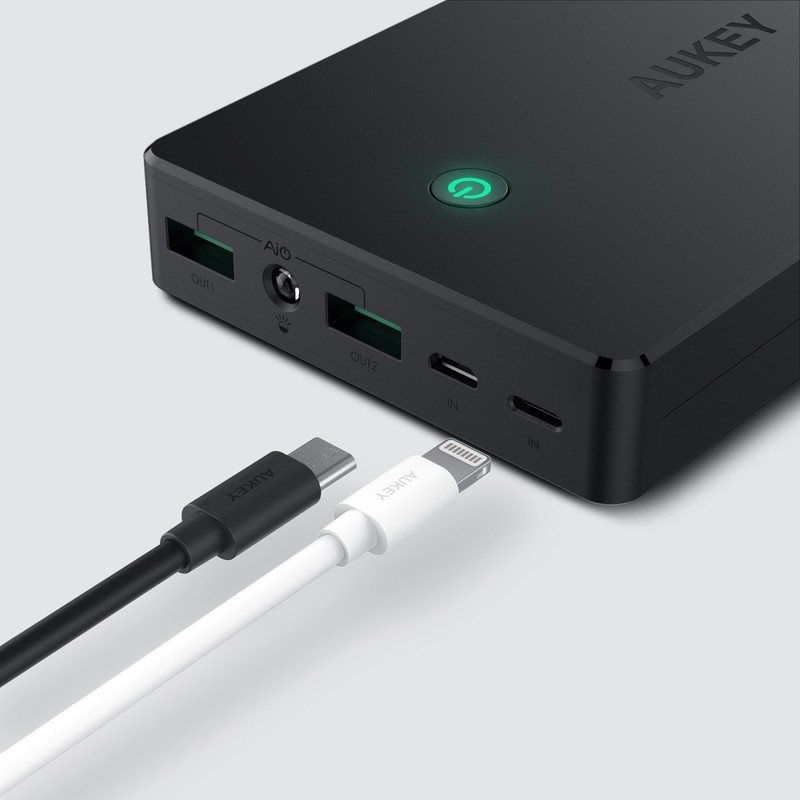
Aukey is a great brand if you’re looking for accessories for your phone, so it’s no surprise its charger is on the list. This charger has 20000 mAh with a micro USB input for you to charge it up.
For $32, it’s a great charger even if it comes at a bit of a high price.
See at Amazon
KMASHI Portable Power Bank
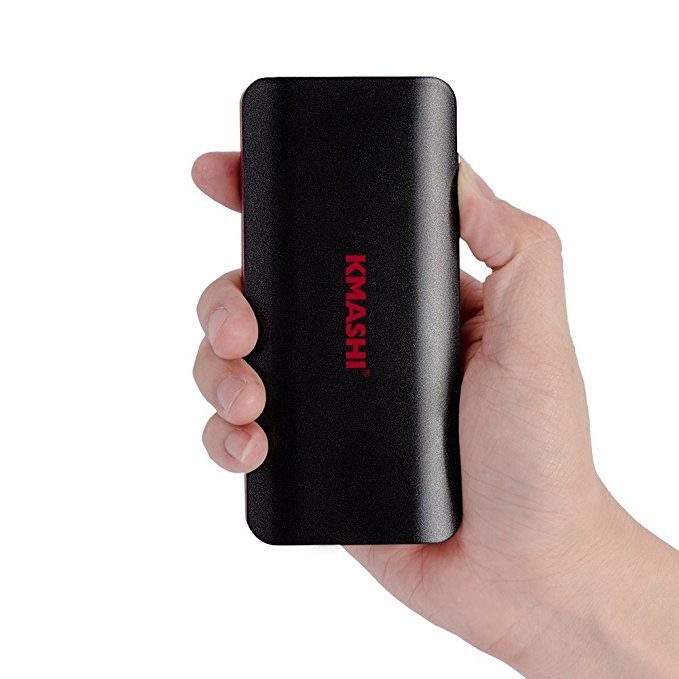
If you’re on a budget after purchasing your Oculus Go, this charger by KMashi is exactly what you’re looking for. It has 10000 mAh for you to charge up with as well as micro USB input for you to charge it up when you’re not on the go.
It’s a wonderful option for someone who just spent a couple hundred bucks on the headset since it’s only $12.
See at Amazon
RAVPower Portable Power Bank
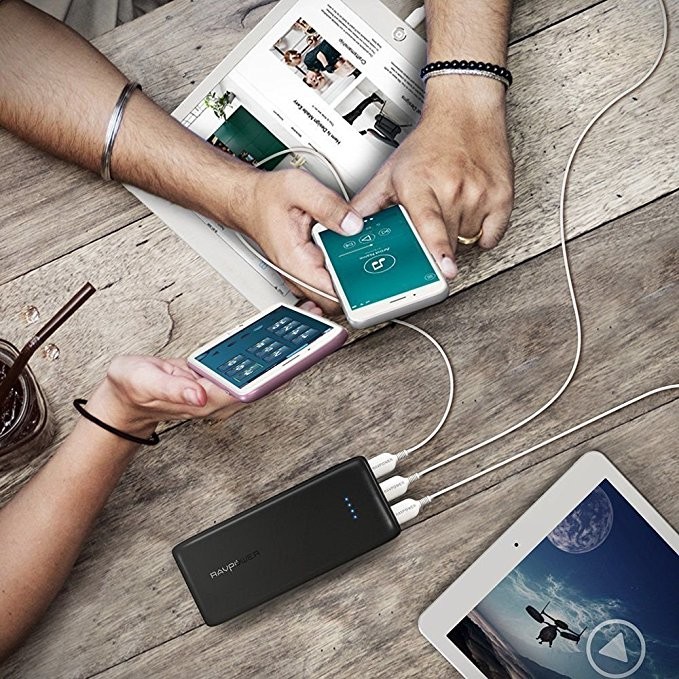
RAVPower is a great option for chargers if you don’t mind spending extra money on it. This charger offers 22000 mAh with a micro USB charger and it comes with two chargers.
It’s a great charger for when you’re going on a long trip if you don’t mind spending $42 on it.
See at Amazon
Xiaomi Compact Power Bank Pro
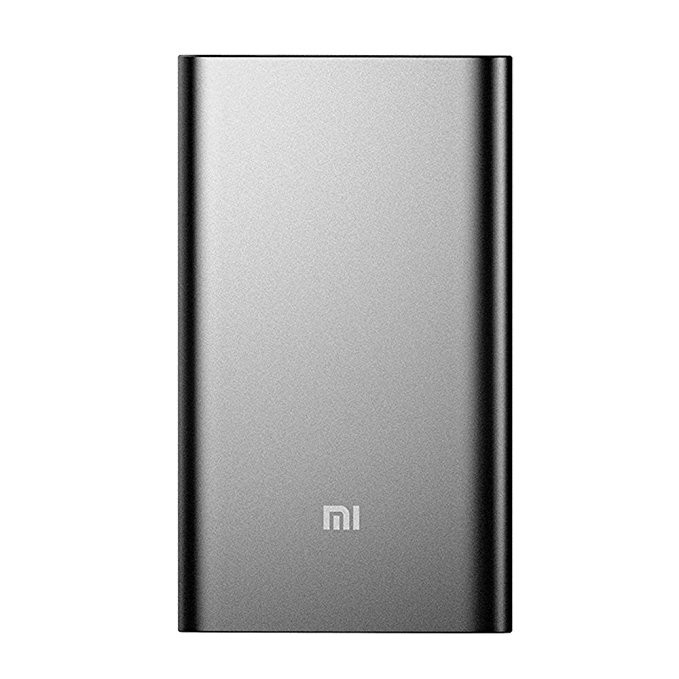
Xiaomi is a great brand for chargers, and their sleek matte design makes it even more desirable. With 10000 mAh and a micro USB cord with a USB-C adapter, this charger is great for your Oculus Go.
It’s a great charger and not a bad deal for $27.
See at Amazon
Anker PowerCore Portable Charger
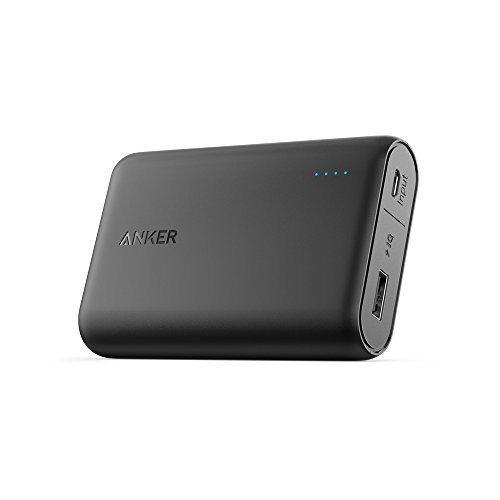
This compact Anker charger is perfect for traveling with, which you will be doing with your Oculus Go. This small charger has 10000 mAh with a micro USB cable for charging as well as using with your Oculus Go.
It’s a good charger, but with the $30 price tag, it’s a bit expensive for the amount of power you get.
See at Amazon
Photo editing on old computers is slow, but this app just made it 12x faster
Earlier this month, Luminar — formerly Macphun — announced a substantial update, nicknamed Jupiter, to its cross-platform photo-editing program Luminar. Unlike updates in the past, Luminar Jupiter didn’t focus on adding a barrage of new tools or features. Instead, the emphasis is on performance.
The idea of focusing on speed improvements stemmed from a decision made by Skylum CTO, Dima Sytnyk, after he received feedback from users who were running Luminar on older devices.
“I’ve always [used] expensive and high-performance machines, both Macs and PCs, and was always happy with performance results of our products,” Sytnyk told Digital Trends. But after receiving feedback on Luminar’s last update, he “decided to go with a […] lower-end machine with old Core i5 processor and test the software on it to really step into users’ shoes and experience everything they are experiencing in their workflow.”
After using Luminar on the older, less-powerful machine, Sytnyk knew Skylum had to approach Luminar’s next update differently. So, alongside more than two dozen developers from the Mac, Windows, and R&D teams, Sytnyk got to work on figuring out where performance gains could be made on both MacOS and Windows computers.
The first point of attack for the development team was to make sure Luminar used as much multi-core and GPU acceleration as possible for image processing. In addition to hardware acceleration, the Skylum team also introduced shared cache usage between each of its 45 filters available in Luminar.
“Previously every filter did the details extraction and calculation of an image,” Sytnyk said. “Now the process is initiated only once and all other filters use the same data, which allowed us to get a better overall performance.”
Other tweaks made include a new internal LUT system for color processing, device-specific resolution optimization, and the use of AVX and AVX2 Instruction for better performance on Intel processors.
When all was said and done, the performance increase was well beyond what Sytnyk initially thought possible. On the “old Core i5 processor,” the frame rate of Luminar dropped to just three frames per second (fps) when applying filters to a RAW image captured with a Nikon D800. Sytnyk set a goal to increase the frame rate to at least 10fps after the re-write. When the final testing was complete, Luminar Jupiter managed to reach a solid 12fps on average across the board. Overall performance for the Luminar Jupiter update improved 12x on MacOS devices and 5x on Windows devices — a discrepancy due to the extra emphasis Skylum placed on MacOS development.
“We’ve done a lot of great work in terms of speed improvements and heard a very positive feedback from users,” Sytnyk said. “[But] this is just a beginning, and we’ll keep up with improving the processes and delivering the fastest and easiest software.”
Luminar Jupiter is a free update for owners of Luminar 2018. An upgrade from Luminar 2017 can be purchased for $49 and a new license for Luminar 2018 can be had for just $69.
Editors’ Recommendations
- RAW photo editor Luminar is now up to 12 times faster with Jupiter upgrade
- Dell XPS 13 vs. MacBook Pro 13
- Microsoft Surface Pro (2017) review
- Windows 10 vs. MacOS vs. Chrome OS
- Google Pixelbook review
Nvidia graphics cards may be back in stock, but they’re disappearing quick
Founders Edition versions of Nvidia’s current-generation graphics cards were back in stock on its official store for the first time in a long time, but Nvidia’s supply quickly depleted. Considering the prices there are much closer to launch prices than most third-party models, if you’ve wanted a new desktop graphics card for some time but haven’t been able to afford it, this was a good time to invest.
But shortly after Nvidia’s re-stocked supply went live, three of the five GeForce GTX 10 Series cards sold out: The GeForce GTX 1080 Ti ($699), the GeForce GTX 1070 Ti ($449), and the GTX 1060 ($299). At the time of this writing, Nvidia still had supplies of the GeForce GTX 1080 ($549) and the vanilla GeForce GTX 1070 ($399). Nvidia’s GeForce GTX 1050 Ti and 1050 desktop graphics are only sold through third-party manufacturers.
Graphics card prices have been crazy for the past year, often reaching heights of two or even three times the launch price of the hardware. While there are a lot of factors to consider in pointing out who’s to blame, Nvidia has at least offered cards directly to consumers at a much more reasonable cost. Those cards have always been snapped up quickly, and the latest depletion of Nvidia’s stock is a prime example.
Still, are we starting to get clear of the pricing and availability issues that have plagued consumer graphics cards sales for the past year? It may also be an indication of people preferring to wait for the expected impending debut of Nvidia’s next-generation graphics cards. Whether they’re called Volta or Turing, as more details become clear, it’s likely that we’ll see some sort of official announcement in the next month or two.
Unfortunately, Geforce GTX 10 Series cards are still on sale at much higher prices through third-party sellers on platforms like Newegg and Amazon. A GTX 1080 Ti will still set you back close to $1,000 and GTX 1070s are still on sale for $500-plus, despite recent falls in pricing across the internet.
We can’t say for sure how long this latest batch of stock will last, when Nvidia will refresh its stock again, or whether the recent resurgence of some cryptocurrency values will lead to further shortages later this year. But what we do know is that graphics cards are finally available at reasonable prices again. It may not be true forever, but it is true for now.
Editors’ Recommendations
- Leak shows Inno3D cryptocurrency mining card based on the GTX 1080 Ti
- Nvidia’s next gaming cards could be the GTX 11 Series, pack GDDR6 memory
- Dell calls revamped XPS 15 the ‘smallest performance 15.6-inch laptop’
- Nvidia GeForce GTX 1180 graphics card shows up in online GPU database
- Recent data suggests that GPU supply might be stabilizing and prices falling
Windows 10 Build 17666 takes us beyond April update with Explorer ‘dark theme’
For Windows Insiders on the fast ring and those who opted to “Skip Ahead” of the recent April update for Windows 10, the latest build 17666 is now available to download and it adds a number of new features to the Windows experience. Alongside improvements to the Edge browser and a new “clipboard experience,” Microsoft has debuted a dark theme for Windows Explorer.
As clean as white websites and white windows may look, they’re no fun to browse late at night or in darkened environments. While some of the best monitors out there might include anti-blue-light technologies to make late-night viewing easier, dark themes have become increasingly common on websites and applications, and now Microsoft is bringing this concept to Windows Explorer.
With the new Windows Insider build, users will be able to switch to the dark grey theme for folders in Windows by going to Settings – Personalization – Colors. Switching it on will make all Windows folder backgrounds and the UI around them go dark, as will most native Windows applications.
That’s far from all this update offers though. There’s a new “clipboard experience,” which offers a clipboard history — where you can paste copies from the past — a pinnable clipboard that you can come back to later, and the ability to access your clipboard on any Windows PC running the same version of Windows or higher.
Access all of the neat new clipboard features by pressing Windows key + “V.”
Edge enhancements in build 17666 include an acrylic title bar as part of Microsoft’s continued adoption of its Fluent Design principles. You can jump back to recently closed tabs using the “Alt” + “Tab” command now, too, as well as mute tabs individually if they happen to be spouting irritating noise at you.
Improvements to Notepad mean that it now supports Unix/Linux line endings and Macintosh line endings, which means it can now correctly display text documents originally created on a Linux or MacOS platform. If you spot something in these new documents that you don’t understand, you can right-click the text itself and “Search with Bing” from the resulting menu.
When searching for content locally on your machine, Windows now includes much more detailed search previews, so you can see information about an app or document that you’re thinking about booting up. You can even make some of those results easily accessible in the same location, with new Start tile folder naming. Just drag different items together in the same tile and they’ll be lumped together with a customizable name.
Build 17666 also includes a number of bug fixes and performance improvements. For a full preview of what you can expect when installing it, check out Microsoft’s blog post.
Editors’ Recommendations
- A Snipping tool looks to be the star of Windows 10’s next release
- Code in latest Windows 10 preview hints at a Surface Phone
- New Windows 10 Skip Ahead build forces Mail app users to open links in Edge
- Windows 10 ‘Lean’ shows up in a preview build for Windows Insiders
- Microsoft tests new privacy settings interface in latest Windows Insider build
Nintendo’s tiltable Switch charger stand makes it easier to play while powered
Nintendo has a brand-new Switch accessory up its sleeve that will make it easier to charge the portable console while you play in tabletop mode. The stand has an adjustable leg on the back of it which makes it possible to angle your Switch however you like while charging it. Although third-party versions of such a stand have been available for a while now, this Nintendo branded solution is a compact, officially supported option.
One of the major features of the Nintendo Switch is its portability. That’s meant that gamers can play while in different rooms in their house, on public transport, or the other side of the world from the system’s faithful dock — as long as the battery lasts. However, charging up the Switch while it’s being played in tabletop mode isn’t easy. That’s where the new adjustable charge stand comes in.
Mimicking the Switch’s own ability to operate in a mode similar to 2-in-1 laptops in tent mode, the new adjustable stand has a charger built into the base which can be connected to a wall outlet to provide power. The leg at the back can be adjusted through a range of angles so that the viewing angle of the Switch’s display can be customized for the environment and player seating.
It’s not the most affordable of stands, with a launch price of $20 when it becomes available on July 13. Third-party alternatives can be found for half that price if you’re willing to forgo the adjustable nature of the stand, but even some capable of adjustment exist for a reduced price. Some of the best Switch accessories even offer expanded battery life and charging capacity for the Switch itself and the Joy-Con controllers in an all-in-one package.
That’s not all you can customize your Switch with, though. If you find yourself taking your Switch far from home, having the right carry case is a must. The best ones have everything from additional padding, to plenty of space for controllers and carry handles. Considering how diminutive the new adjustable charging stand is, you should be able to fit one in there, too.
Editors’ Recommendations
- Nintendo Switch vs. PlayStation 4: Which console should you buy?
- Cleaning up your game library? Use our tips to organize your digital clutter
- Nintendo Switch hack lets you run GameCube and Wii emulator Dolphin
- The best Nintendo Switch cases offer quality and style
- Rumbling Nintendo Switch controller tipped man off about tumor in his hand
Lenovo’s new IdeaPad laptops tickle your gaming fancy without breaking the bank
Lenovo refreshed its IdeaPad portfolio on Thursday, May 10, with three new models promising high performance and high mobility at the right price: The IdeaPad 330, the IdeaPad 330S, and the IdeaPad 530S. All three arrive in up to three different sizes packing Intel processors and discrete graphics on some models. Prices start at $249 and climb as you move up the IdeaPad laptop chain to the meatier 530S models.
IdeaPad 330
For this group, Lenovo serves up 10 models spanning across three screen sizes: Three with a 14-inch screen, five with a 15.6-inch screen, and two with a 17.3-inch screen. There are no customization options: Each model has a set hardware list, and not all of the features you may want will be offered across all three sizes, such as the discrete GeForce GTX 1050 graphics chip limited only to the 15.6- and 17.3-inch models.
Key Specs
Screen size: 14 to 17.3 inches
Resolution: Up to FHD
Processor: Core, Pentium, Celeron
Graphics: Up to GTX 1050
Memory: Up to 16GB
Storage: SSD and HDD
Camera: Up to 720p
Connectivity: Wireless AC, Bluetooth
Ports: USB-C, HDMI
Battery: Up to 8 hours
Size: Up to 0.96 inches thick
Weight: Starting at 4.6 pounds
Available: May 2018
According to Lenovo’s specifications, the three 14-inch models will rely on four different Intel processors: Two Core i7 chips (seventh and eighth generation), one Pentium, and one Celeron. They’re backed by Intel’s integrated graphics or up to a discrete Nvidia GeForce MX130 graphics chip. Completing the package is up to 8GB of system memory, and a 16GB Intel Optane stick.
For storage, the 14-inch models rely on SATA-based SSDs and hard drives, with up to 256GB on the SSD and up to 2TB on the hard drive. Models can also sport dual storage: A 128GB or 256GB SSD paired with a 1TB hard drive. The storage is complemented by an SD card reader, several USB-A ports, HDMI output, an Ethernet port, and an audio jack. Configurations also include a USB-C port, depending on the model.
Finally, the 14-inch versions include two 1.5-watt speakers featuring Dolby Audio, Bluetooth 4.1 and Wireless AC (433Mbps) connectivity, and a DVD drive. The display supports a default 1920 x 1080 or 1366 x 768 resolution, depending on the version you purchase. This laptop does not offer touch-based input.
As for the other two sizes, Lenovo expands on the hardware list by adding GeForce MX150 and GeForce GTX 1050 discrete GPUs to the menu, and an additional default 1600 x 900 resolution setting to the 17.3-inch versions. The larger units also get a better Wireless AC component (867Mbps) and PCIe-based SSD storage, which is faster than the SATA-based SSDs installed in the 14-inch models.
Meanwhile, the Pentium and Celeron processors are not available for the 17.3-inch models. They’re only offered in two colors as well – Platinum Gray and Onyx Black – whereas the 15.6-inch models sport five colors (Blizzard White, Platinum Gray, Onyx Black, Midnight Blue, Chocolate) and the 14-inch models sport three (Platinum Gray, Mint Green, Midnight Blue).
Here are the starting prices:
- 14-inch models: $349 (330-14IKB / 330-14IKBR / 330-14IGM)
- 15.6-inch models: $249 (330-15IKB / 330-15IKB-Touch / 330-15ICH / 330-15ICN / 330-15IGM)
- 17.3-inch models: $499 (330-17IKB / 330-17ICH)
IdeaPad 330S
The hardware specifications for this model weren’t hard to decipher: There are only two units in this batch. They’re mostly the same across the board save for the obvious size and weight differences, and the discrete GeForce GTX 1050 graphics chip provided in the larger 15.6-inch unit. Based on the specifications, you can get this laptop without the discrete GPU too for a lower price and thickness.
Key Specs
Screen size: 14 and 15.6 inches
Resolution: Up to FHD
Processor: Core, Pentium Silver
Graphics: Up to GTX 1050
Memory: Up to 12GB
Storage: SSD and HDD
Camera: 720p
Connectivity: Wireless AC, Bluetooth
Ports: USB-C, HDMI
Battery: Up to 7 hours
Size: Up to 0.82 inches thick
Weight: Starting at 3.6 pounds
Available: May 2018
For the screen, there are two variants: An unspecified screen type with a 1366 x 768 resolution and an IPS screen with a meatier 1920 x 1080 resolution. Both are powered by a seventh- or eighth-generation Intel Core i7 processor, or a Pentium Silver processor. System memory spans between 4GB and 12GB of DDR4 RAM, and an additional 16GB Intel Optane stick.
For storage, the IdeaPad 330S provides single and dual-storage configurations: 128GB to 256GB on a PCIe or SATA-based SSD, 1TB to 2TB on a hard drive, or a dual configuration with a 128GB PCIe SSD and a 1TB hard drive. The storage is complemented by an SD card reader, two USB-A ports, a USB-C port, HDMI output, and an audio combo jack.
Other ingredients thrown into the mix include Bluetooth 4.1 and Wireless AC connectivity (433Mbps), a 720p webcam with array microphones, dual 2-watt speakers with Dolby Audio, a backlit keyboard, and a battery promising up to seven hours on a single charge. Both will ship in Platinum Gray, Blizzard White, Midnight Blue, Rose Pink, and Iron Gray.
Here are the starting prices:
- 14-inch model: $499 (330S-14IKB)
- 15.6-inch model: $449 (330S-15IKB)
IdeaPad 530S
This duo is similar to the previous 330S pair, only Lenovo ditches the GeForce GTX 1050 discrete graphics, Intel Optane memory, and dual-storage configuration. You also only find Intel Core i7 processors here along with an additional fingerprint reader supporting Windows Hello. Both sizes rely on IPS screens although the larger 15.6-inch unit doesn’t have the 2560 x 1440 option seen with the smaller 14-inch unit.
Key Specs
Screen size: 14 and 15.6 inches
Resolution: Up to WQHD
Processor: Core i7
Graphics: Up to GT150
Memory: Up to 16GB
Storage: Up to 512GB SSD
Camera: 720p
Connectivity: Wireless AC, Bluetooth
Ports: USB-C, HDMI
Battery: Up to 6 hours
Size: Up to 0.66 inches thick
Weight: Starting at 3.28 pounds
Available: May 2018
With these two models, you have configurations spanning between 4GB and 16GB of DDR4 system memory. For storage, the laptops rely on PCIe-based SSDs ranging from 128GB to 512GB. The storage is complemented by an SD card reader, one USB-C port, two USB-A ports, HDMI output, and an audio combo jack. You have two Wireless AC configurations – 433Mbps or 867Mbps – and Bluetooth 4.1 connectivity.
Rounding out these two laptops are a pair of Harman speakers with Dolby Audio, a 720p webcam with array microphones, a backlit keyboard, and a battery promising up to eight hours on a single charge. According to Lenovo, the battery supports Rapid Charge, providing up to two hours after charging the laptop for only 15 minutes.
Finally, Lenovo’s IdeaPad 530S laptops ship in Onyx Black, Liquid Blue, Copper, and Mineral Gray colors. Here are the starting prices:
- 14-inch model: $799 (530S-14IKB)
- 15.6-inch model: $849 (530S-15IKB)
Editors’ Recommendations
- Lenovo takes wraps off Windows 10, Chromebook device lineup at MWC
- Lenovo ThinkPad X1 Carbon vs. Apple MacBook Pro 13
- Acer Nitro 5 Spin vs. Lenovo Yoga 720 15
- Asus ZenBook Flip 14 vs. Lenovo Yoga 920
- Dell rebrands Inspiron gaming laptops to G Series, serves up four new models
The European phone market declined sharply at the start of 2018
Europe has seen a significant drop in smartphone shipments during the first months of 2018, according to a report by technology analysts Canalys.
When compared to the previous quarter, the drop of 6.3 percent is the largest decline Europe has seen, and has been attributed to smaller growth areas within the phone market. Simply put, there just aren’t enough people without phones any more, and since most people don’t upgrade their phones every year, a leveling-out of smartphone sales and shipments is to be expected as the marketplace matures.
“This is a new era for smartphones in Europe,” said Ben Stanton, analyst at Canalys. “The few remaining growth markets are not enough to offset the saturated ones. We are moving from a growth era to a cyclical era.”
Western Europe was the worst hit by the decline, with shipments across that part of Europe falling by a hefty 13.9 percent to 30.1 million units. Within Western Europe, the United Kingdom saw a particularly large fall, with shipments dropping by almost a third. Contrary to the overall decline, growth continued in Eastern and Central European countries, with the Russian market being a particularly strong driver in increasing phone shipments to 15.9 million — an increase of 12.3 percent.
What did this decline mean for the major players within the market? Samsung still sits pretty atop the pile, but saw shipments drop by 15 percent. Pressure from Huawei’s and Xiaomi’s midrange and budget phones continue to threaten Samsung’s phones, but with control over just under a third of the whole market (33.1 percent) we doubt Samsung is too worried yet.
Apple’s brilliance wasn’t immune to the decline, with the company seeing a decline of 5.4 percent. However, its premium iPhone X was the best-selling phone model in the entire European market, giving Apple something of a boost in profit. Huawei is nipping at Apple’s heels though, thanks to a growth spurt of 38.6 percent that saw the Chinese company shoot to less than 3 million shipments behind the Cupertino giant.
Xiaomi too had a very strong quarter, seeing — and this isn’t a typo — an increase of over 999 percent. The report attributes this incredible number to Xiaomi’s strategy of running at a loss to get smartphone shipments up, and points out that this would not be sustainable in the long term. Still, it gets Xiaomi a place on the list, and — crucially — into hands.
Canalys
We’ve seen this trend pop up globally now, but what does it mean for the future? With less room to expand, expect to see some smaller manufacturers bow out of the race entirely while the rest scramble to make sure that they’re the best choice for upgrades. With this change, the battle for market dominance has clearly only just begun.
Editors’ Recommendations
- Apple takes top spot for wearables in 2017 as demand continues to grow
- Slow Chinese sales signal slump in global smartphone shipments
- Latest IDC report shows decrease in global tablet shipments in 2018
- Despite PC industry’s flat year-to-year growth, HP dominated first-quarter sales
- Is the Samsung Galaxy era over? Are smartphones dying?
Everything we know about the upcoming Google Pixel Watch
Simon Hill / Digital Trends
Over the past few years Google has begun to dip its toe into the consumer hardware business. While it started off a little rocky with Google Glass, the tech giant quickly redeemed itself with its line of Pixel smartphones, Pixelbooks, and Google Home products. This year, it looks like Google may be re-entering the wearables market with its first smartwatch, called Pixel Watch. Here’s everything you need to know.
Design
Besides the Pixel 3, Pixel 3 XL, and second-gen Pixel Buds, a reliable source tells me — with high confidence — that Google's fall hardware event will also introduce a Pixel-branded watch. Have a great summer!
— Evan Blass (@evleaks) May 10, 2018
It’s hard to guess exactly what the Pixel Watch will look like. There have been no leaked images or schematics of the device just yet, so anything we list is almost pure conjecture.
That said, we anticipate the Pixel Watch will have a smaller form factor than many other smartwatches currently on the market. Since it will likely use a smaller, yet to be released, processor Google will likely be able to shave off a few millimeters of the overall case width.
Specs
Since we’re still several months away from a Pixel Watch announcement, spec details on the smartwatch are sparse. We do, however, expect the Pixel Watch to ship with flagship-quality hardware.
We’re almost certain that the Pixel Watch will pack in Qualcomm’s newest wearables chipset that’s shipping later in the year. The new processor will reportedly be smaller, more efficient, and perform better than its predecessor, the Snapdragon 2100. We’d also anticipate both a Wi-Fi and LTE version of the Pixel Watch available.
Perhaps the biggest benefit of the rumored Pixel Watch is its operating system. The Pixel Watch will run a stock version of Wear OS. Since the smartwatch will be Google’s own hardware, it should receive frequent software updates and support for at least a few years.
Name
Google has yet to confirm it is even making a smartwatch, so we’ve yet to receive confirmation on the name. However, famed leaker Evan Blass as well as other tipsters have referred to the upcoming device as the Pixel Watch, and that name appears to be on brand.
Release and availability
It may be a bit of a wait until we actually see the Pixel Watch. Since Google will almost certainly wait on Qualcomm to release its newest chipset for wearables before it announces Pixel Watch, it’s likely we won’t see the watch until late in the year.
Right now, we believe the Pixel Watch will be announced alongside this year’s crop of new Pixel smartphones. Last year, Google announced the Pixel 2 and Pixel 2 XL in late October, so we’re anticipating a similar announcement date for this year.
In terms of availability,it’s likely Google will sell the Pixel Watch both on its own website as well as in major retail outlets. If Google does make an LTE version of the Pixel Watch, it may a carrier exclusive throughout the holiday season.
Editors’ Recommendations
- Everything you need to know about Google’s Wear OS for smartwatches
- Huawei P20 Pro vs Google Pixel 2 XL: Can the P20 Pro dethrone Android royalty?
- Here’s everything we know about the Google Pixel 3
- Multilingual Google Assistant to add more than 20 languages to its repertoire
- Flagship face-off: Samsung’s Galaxy S9 Plus vs. Google’s Pixel 2 XL
This plug-in uses A.I. to create closed captions inside Premiere Pro
Trint
Transcribing video audio to create closed captioning is a tedious task for video editors — and one that is a growing necessity as auto-play videos in social news feeds use captioning to capture viewer’s attention even on mute. Could artificial intelligence could make that task a bit more streamlined? Trint has a new free plug-in for Adobe Premiere Pro CC that uses A.I. to automatically transcribe videos in a matter of minutes the company says.
Using machine learning, Trint takes the audio and generates a text transcript automatically. Video editors can then listen and edit any slips the A.I. made and make any necessary adjustments. With the text auto-generated, video editors can also use Trint to search for a specific word or phrase inside the video to find a specific segment.
Trint also allows editors to highlight specific sections, for an Edit Decision List, a tool that helps create soundbites of the video. Once the transcription is finished, the text can be used within the video as an SRT or VTT subtitle format. Or, the transcription can also be exported into a text document.
“The Trint for Premiere plug-in solves some of the most annoying and labor-intensive parts of the editing process and creates a seamless workflow so producers can increase productivity and focus on doing what they do best – creating amazing content,” Trint founder Jeff Kofman said in a statement
The Premiere Pro plug-in allows editors to drag the video or audio files into a window built into the popular editing program, rather than using Trint’s existing online transcription software. Verifying the transcript is still done online, but an import will overlay the text with the project in Premiere Pro.
Kofman created Trint after working for 30 years as a news correspondent for ABC and CBS News, a position that involved thousands of hours of creating transcriptions. The company launched in 2016 with a service transcribing uploaded files using A.I. with online software. Earlier this year, the company launched an iOS app. The Premiere Pro plug-in launched on May 8.
The Trint plug-in is free to download and try from Adobe Exchange. After the free trial, the transcription is available with a monthly subscription or by paying per each hour of video transcribed, with plans starting at $15.
Editors’ Recommendations
- YouTube Live’s new geotags allow world exploration from your couch
- The best free video-editing software
- This plug-in makes Prisma-like painted videos possible on a PC
- How to use Skype
- Photo FOMO: Sad camera stats, a free studio, and a splash photography tool
 AIVAnet