


The Russia World Cup comes to ‘FIFA 18’ on May 29th
As the domestic football season starts to wrap up, all eyes are turning to the World Cup in Russia. EA, unsurprisingly, wants to celebrate the competition with a video game tie-in — this year, however, it will be released as a free update for FIFA 18. That’s in stark contrast to 2014, when EA released a dedicated game for the Xbox 360 and PlayStation 3, and a meagre Ultimate Team expansion for the PS4 and Xbox One. (Euro 2016, meanwhile, was owned by Konami and released as a free PES update.)
The 2018 FIFA World Cup Russia expansion will include all 32 teams that have qualified for the competition. That includes their players (most of which already exist as part of FIFA 18), national kits and badges. EA will also be adding 12 official stadiums from Russia, the new match ball, the World Cup trophy and some extra “cinematic scenes” that will no doubt be coupled with fresh graphics and commentary. It’s unclear if there will be any kind of offline campaign, however — the publisher has merely confirmed online friendlies and tournaments, as well as custom tournaments for nations that didn’t make it to Russia (hello, the USA…)
EA is tweaking its build-your-dream-squad Ultimate Team mode for the event too. The World Cup update will offer a “revised chemistry system” based around “dynamic player items related to the real-world tournament.” There will also be new legendary “icons” to collect — think Pele, Maradona, and other World Cup greats — to strengthen and personalize your side.
The free update will go live on May 29th for the PlayStation 4, Xbox One, PC and Nintendo Switch. A limited-time World Cup mode will also be released for the smartphone-friendly FIFA Mobile app on June 6th.
Bungie to release the full ‘Destiny’ soundtrack, three years late
Music of the Spheres, the much-lauded music from Destiny, will finally be released officially to the public “in the near future,” said developer Bungie. The soundtrack, written by acclaimed composer Marty O’Donnell, actually leaked out last year thanks to the work of passionate fans. It was taken down just yesterday by Activision/Bungie, however, as O’Donnell himself noted on Twitter.
Hmm…better find a way to download Music of the Spheres.
Looks like Activision/Bungie finally decided to take it down.
Here’s my interview with @RespawnShow while it’s still available: https://t.co/OWEx57Z5n3— Marty O’Donnell (@MartyTheElder) April 29, 2018
Music of the Spheres was written for Destiny by O’Donnell and Michael Salvatory, in collaboration with Paul McCartney, who chipped in a cringe-y song called Hope for the Future. Bungie never released it as a standalone preview for Destiny, as it planned, but did use 40 minutes of the original suite in the game’s soundtrack.
Bungie fired O’Donnell in 2014, reportedly in part because he criticized the official Destiny gameplay trailer released at E3 in 2013. O’Donnell sued over wrongful dismissal and won, receiving a profit-sharing settlement for the use of his music in Destiny.
After Bungie revealed that “we have plans to officially release Music of the Spheres in the near future” on Reddit, O’Donnell replied “Really? Were you planning on telling me at some point?” That shows there’s still some acrimony between the parties, but O’Donnell did follow up in a positive way, at least. “Good news,” he said.
Via: Eurogamer
Source: Bungie (Reddit)
Mozilla’s approach to sponsored content aims to protect privacy
For a few months now, Mozilla and Pocket have been testing a new initiative to bring users a high-quality personalized experience while also protecting their privacy. Today, Mozilla announced that their experiment has been a success, and now they are expanding it to all Firefox 60 users in the US.
In early 2017, Mozilla acquired the save-for-later reading service Pocket. Part of the allure of the service for Mozilla was a robust content recommendation system that was powered by humans. Since then, Mozilla has been experimenting with a new sponsored content model that uses Pocket to power recommendations on the New Tab page.
The idea here is that users shouldn’t have to choose between protecting their privacy and great personalization during their web browsing. What’s more, there should be a way to deliver sponsored content and still respect the preferences and privacy of the user. Mozilla accomplishes this by making recommendations locally through a user’s copy of Firefox. Neither Mozilla nor Pocket ever see a copy of the person’s browser history. Additionally, all sponsored content is clearly marked, and users have the option to disable it entirely if they so choose.
Right now, data privacy is in the headlines on a daily basis. Many believe that sacrificing privacy is necessary for a good, personalized internet experience. Mozilla’s goal is to make it clear that tradeoff isn’t necessary. It will be interesting to see how this program fares with a wider audience.
Apple Losing Ground to Android Competitors in India and China Due to Local Market Challenges
A pair of reports out this morning highlight Apple’s ongoing struggles in India and China ahead of the company’s Q2 2018 earnings results coming tomorrow, May 1. Within India, Apple has been dethroned as the country’s top selling high-end smartphone maker in the January-March period, losing out to Samsung.
Specifically looking at India’s “premium price segment” (devices priced above 30,000 rupees, or $452), Apple’s market share was at 18 percent in the first calendar quarter of 2018, compared to 45 percent in the year-ago quarter. Apple not only lost out to Samsung for the quarter (50 percent), but also to OnePlus (25 percent), according to numbers reported by Counterpoint Research (via Nikkei).
Apple has faced ongoing struggles over iPhone prices in India, with the Indian government raising the custom duty on imported mobile phones twice in under two months in an effort to get smartphone makers to build products locally. While Apple has set up an iPhone SE assembly in India, and is looking into doing the same for the iPhone 6s, the continued tax hikes have greatly hindered its expansion in the country.
Samsung, on the other hand, has been manufacturing its smartphones locally in India for almost ten years, and got a boost in Q1 thanks to interest in the Galaxy S9, S9 Plus, and A8 Plus.
“Apple is likely to continue facing trouble in India in the near to mid-term, until it has a relatively cheaper product,” said Neil Shah, research director at Counterpoint.
Apple will have to partner with a local manufacturing company to bring down the price of its devices, Shah said. “It will have to introduce devices in the 50,000 rupees to 60,000 rupees range to lure Indian customers.”
The fear of Apple’s “excessive prices” also extends to China, where researchers forecast Apple will see continued weakness during its second fiscal quarter results this week (via Business Insider). UBS analysts Steven Milunovich and Benjamin Wilson predict iPhone sales to decline to as low as 47 million in fiscal 2018, dropping from a peak of 71 million during a “stellar” year of sales for the iPhone 6s in 2015. In 2015 Apple owned a 54 percent share of the Chinese smartphone market, which is predicted to decline to 37 percent this year.
Similar to India, Apple’s problem in China is that local brands offer far cheaper alternatives for customers to purchase. Apple is also lacking distributors and promoters outside China’s “Tier 1” and “Tier 2” cities (Shanghai or Beijing), where “local brands make extensive use of promoters to influence consumer decisions,” Milunovich explained. He continued: “Oppo, Vivo, and Huawei have over 100,000 promoters each versus Apple with only 4,000.”
“We think it’s doubtful China returns to its 2015 peak as local brands have caught up and upgrade cycles are lengthening; we expect a flattish market, give or take a few points of growth depending on the overall market and product cycle,” the UBS team told clients recently. “At the peak in 2015, we believe Apple likely had 40-50% share with Tier 1 and 2 consumers; we think that figure is closer to 20-30% today.”
Analysts are now waiting for a “supercycle” of user upgrades, meaning that a vast majority of Chinese iPhone owners would finally ditch their old models for a new update because of hardware additions that convince them it’s time for the switch. As GBH Insights analyst Daniel Ives pointed out, this expected supercycle “keeps not happening” because users are holding onto their iPhones for longer periods of time, and also because recent iPhone generations lack compelling enough reasons to pay for the new version.
Now, researchers are looking toward the 2018 trio of iPhones to potentially become the catalyst for the supercycle. “Patience is wearing thin among investors on this elusive upgrade cycle with China playing a major role in the success or failure Apple will see over the coming year around this key product upgrade cycle,” Ives said.
Tags: China, India
Discuss this article in our forums
What to look for when buying a tablet as a laptop replacement
Tablets didn’t exactly take over the computing world, as Apple and Microsoft had predicted years ago. But they have been evolving to the point where they can fill in for a laptop under the right circumstances. Still, how do you ensure that the tablet you buy is good enough for you to leave conventional PCs behind? It’s not always easy — a tablet that’s powerful enough for one person might be overly complicated for another. We have some tips to help you navigate the shopping maze.
What will you use it for?
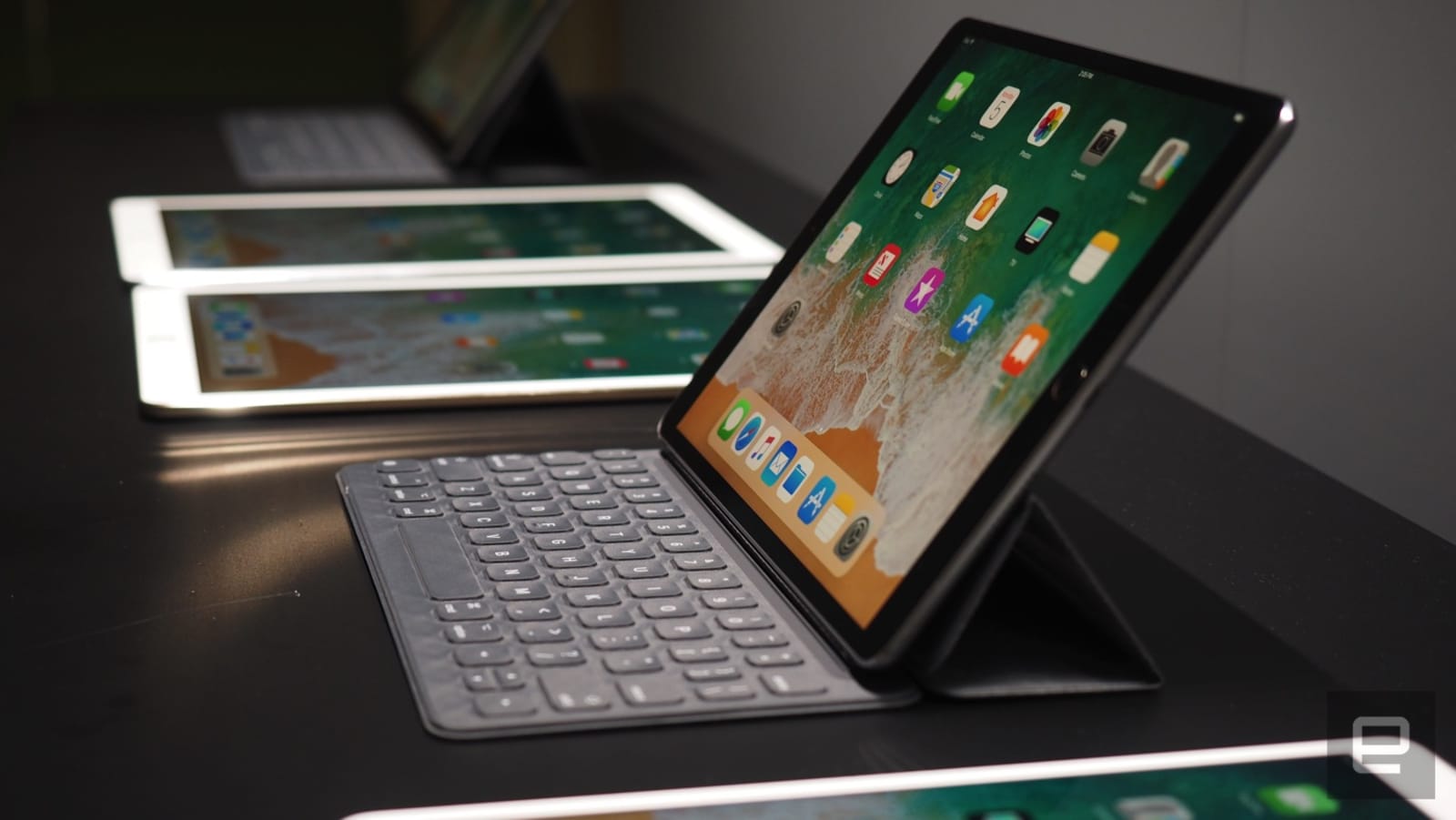
Before price, size, or virtually any other factor, there’s one overriding question when deciding on a tablet: What do you intend to do with it? That’s an important consideration with many tech purchases, but it’s absolutely essential with tablets. Spend too little and you may get a device that can’t run a must-have app; spend too much and you may see little gain, or maybe even introduce some unnecessary headaches.
The decision is easiest if you sit at one of the extremes of computer use — that is, if you’re either very demanding of your devices or very gentle. If you’re looking for a tablet that can serve as a mobile media-editing rig (such as on a movie set), or your workflow demands that you juggle several apps at once, go with a high-end Windows tablet like Microsoft’s Surface Pro or Samsung’s Galaxy Book. You’ll be frustrated with anything less than a desktop operating system and as much processing power as you can get. If you’re only browsing the web, checking Facebook or writing the occasional email, just about any mobile tablet will fit the bill, so long as it meets your other criteria.
It’s trickier when your demands fall somewhere in between. As a rule of thumb, expect to buy a higher-end tablet (typically $500 or higher without a keyboard) if you intend to regularly create anything audiovisual, even if it’s just to indulge in a hobby. You’ll want to spend a similar amount if you often run two or more apps at the same time. Tablets in the $500-plus category often have the additional memory, storage and computing hardware to smoothly handle intensive tasks.
At the same time, be careful not to overestimate the amount of power you need. There are many tasks where just about any reasonably powerful device will do — a current-generation Android tablet or iPad in the $300–$500 range is more than capable of running productivity apps like Google Docs or Microsoft Word while you catch up on Netflix. It might even be adequate for frequent side-by-side multitasking if the most demanding apps you’ll run are web browsers and chat clients. Just don’t go significantly lower than $300. As of this writing, most entry-level mobile tablets still tend to fall short on the performance, memory and storage you need for demanding tasks.
And yes, even the software could be overkill. While desktop operating systems are more powerful when it comes to multitasking and file management, they also tend to come with non-touch-interface elements, device driver headaches and other hassles that are par for the course with PCs. If you don’t have a particular need for desktop-level features or are buying a tablet precisely to avoid PC woes, it may be best to stick with Android tablets or iPads.
Keyboard support is crucial
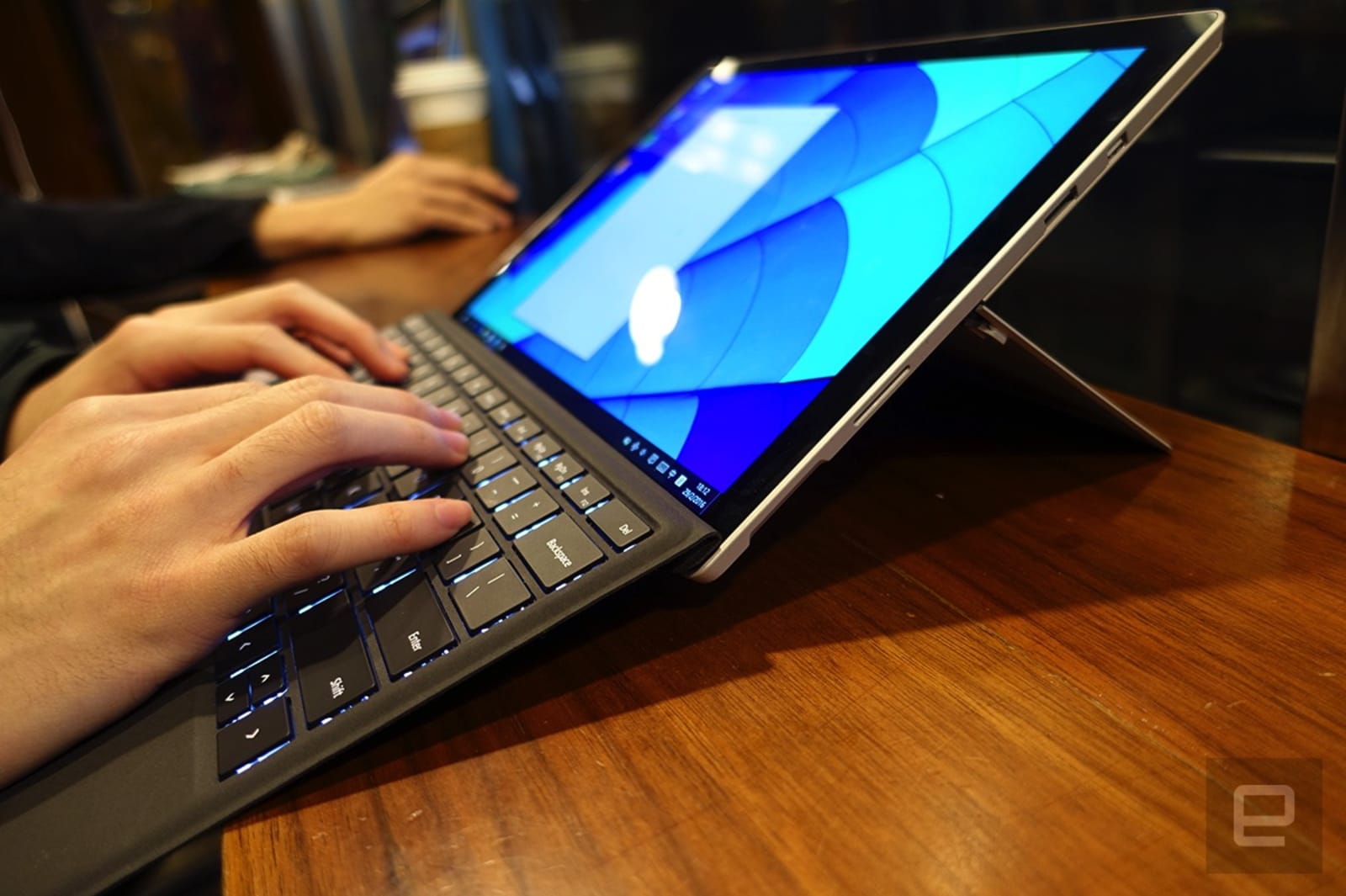
A tablet isn’t really a laptop replacement unless you have a keyboard to go with it, and that makes keyboard support a vital part of your purchasing decision. You ideally want a tablet-and-keyboard combination that’s painless to attach, unintrusive when it’s not needed and, of course, a joy to type on.
The best tablets in this category usually have a keyboard-friendly connector on one side, such as the iPad Pro and Surface Pro. Your keyboard will be ready the moment it’s connected, won’t require charging and (usually) stays firmly attached without requiring a bulky case. You do tend to be shoehorned into buying proprietary keyboards as a result, but they’re often good keyboards. The Surface Pro’s optional Type Cover keyboard is considered the gold standard, with its large, comfortable keys, a reliable trackpad and a detachable design that doubles as a screen cover. The iPad Pro’s Smart Keyboard isn’t on the same level (the fabric-like key covers can be off-putting, and there’s no trackpad), but it’s still comfy for extended typing sessions. Also important: There are alternative keyboards like Logitech’s Slim Combo ($130 for the 10.5-inch iPad).
But what if you don’t want to be limited by a connector and don’t mind having to recharge your keyboard? Your options for tablets broaden considerably after that, but it’s still a good idea to pick carefully — look at the keyboard ecosystem for a given tablet before you jump in. Ideally, you’ll find a variety of keyboards designed with your tablet in mind. Generic keyboard add-ons rarely fit well, and many of them are really desktop keyboards that just happen to pair with your tablet. You probably won’t enjoy carrying two distinct devices in your bag every time you want to get some writing done.
Apple tends to dominate in this regard: Even the regular iPad has plenty of keyboard cases, often from big-name accessory makers like Logitech. However, that’s not to say there aren’t options elsewhere. The Surface Pro has choices like Brydge’s $150 Bluetooth keyboard, while Samsung’s Galaxy Tab S3 has a few basic keyboard cases available (like Pasonomi’s $30 leather folio) as well. If you only see generic keyboards for a particular tablet, though, you may want to pass on that device — the typing experience is just that important.
Choose your display size carefully
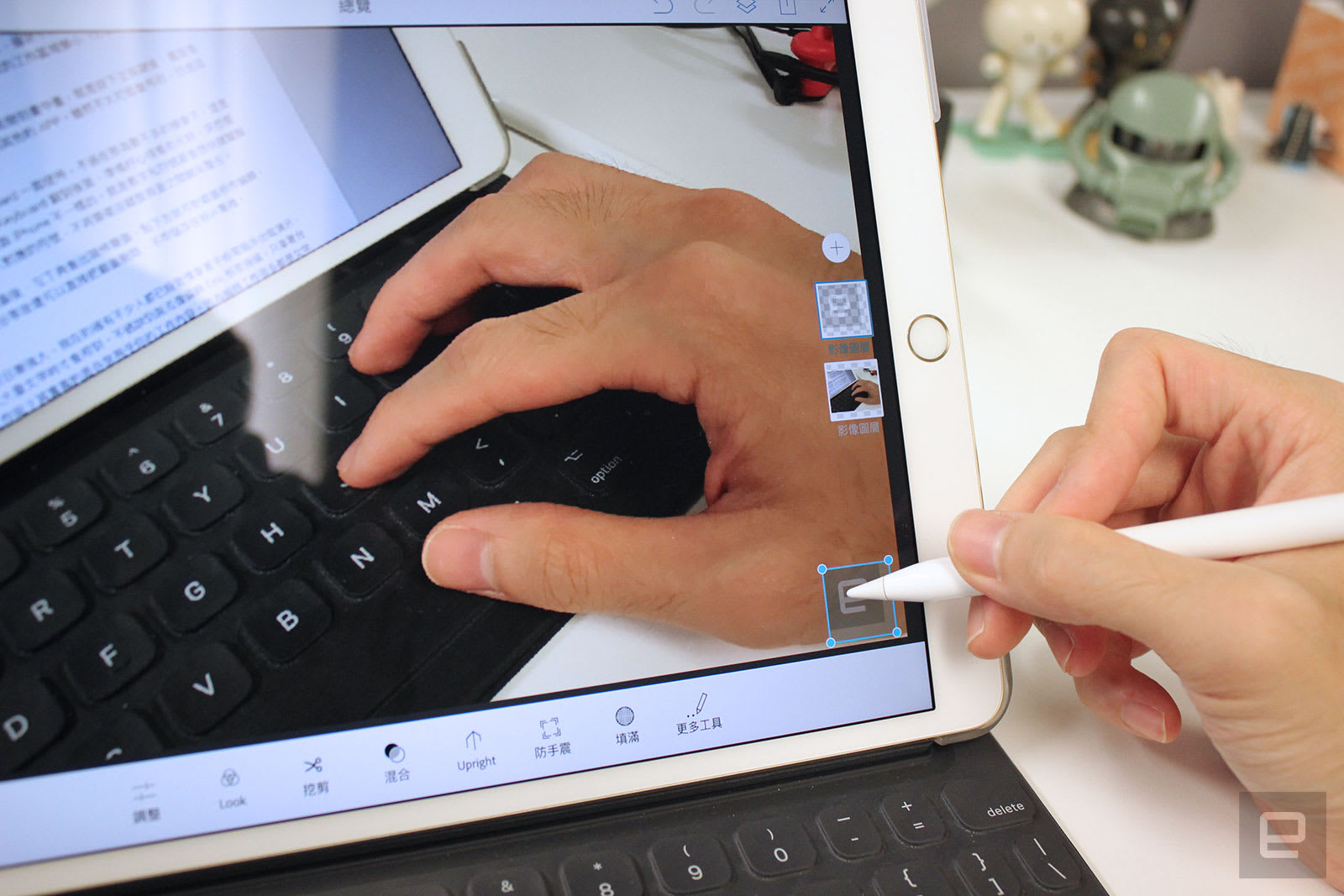
It’s tempting to go with the largest display you can get, since tablet screen sizes usually end where laptop sizes begin. The reality is more complicated. You’re typically buying a tablet for the flexibility and mobility it offers over a laptop, and that doesn’t always mean going big.
If your priority is choosing something more portable than a typical laptop, you’ll usually want to consider a tablet screen between 9 and 11 inches. They’re compact enough at that size to easily slip into a bag, and light enough that you won’t mind using them handheld. At the same time, they’re usually large enough that you won’t have to squint at the screen or cramp your fingers on a tiny keyboard.
You’ll mainly want to consider a 12-inch tablet or larger if you’re looking for a professional workhorse. Media-editing suites and other intensive apps often take advantage of every extra inch of visual real estate you can offer. And many of these tablets are simply too ungainly by themselves to be handheld for very long. The 12.9-inch iPad Pro in particular feels like you’re holding a dinner tray, while the slightly smaller Surface Pro isn’t far behind. Think of them more as laptops that happen to be useful as tablets in a pinch.
And in case it wasn’t already clear, you’ll want to avoid using any tablets smaller than 9 inches as laptop replacements. The dimensions are just too limiting for laptop-like apps, especially those that demand a keyboard. Moreover, finding a genuinely powerful tablet in this size is difficult to find. The iPad mini 4 is aging and clearly on its way out, while a tablet like the Galaxy Tab A is just not going to have the computing power to take over from a laptop.
Consider the little things: pens and expansion

While the keyboard is undoubtedly the most important add-on here, there are other accessories that you’ll want to consider. Pen input is definitely worth investigating. After all, tablets are typically much easier to hold than laptops when you’re drawing or taking notes. If you think you’ll want to put pen to screen at any point, it’s worth investing in a tablet with stylus support built in. How much you’ll need to pay will depend on just what you expect to do, though. If you intend to use it only for the occasional sketch, a basic device like the standard iPad will do the trick.
Just be prepared to pay a premium if a pen will be a regular part of your workflow. The iPad Pro’s gapless display and high refresh rate give it an edge in digital art (where you want a close connection between the pen and what happens onscreen), while the Surface Pro’s tight OneNote integration could be vital if you’re drawing diagrams for business meetings or class notes.
You’ll also want to take a close look at expansion, both in terms of available ports and the adapters you can buy. As a rule of thumb, Windows-based tablets tend to reign supreme in this space. They often have the ports and peripheral compatibility that you’d expect from a conventional computer, and that means features that would be unthinkable on mobile OS–based slates. Take the Surface Pro as an example: Its Mini DisplayPort lets you hook up external monitors, and the USB port should work with virtually any Windows-ready peripheral under the sun (including docking stations for more peripherals). If you can’t imagine parting with a second display, a mouse, wired networking or other creature comforts of PC life, Android tablets and iPads shouldn’t even be on your radar.
This isn’t to say that you’re out of luck for peripherals with mobile tablets, but you’ll likely have to budget for dongles if you buy one. Be sure to check a tablet’s support for those adapters. While you can generally assume Apple will offer Lightning-based dongles for features like card readers and video mirroring, you’ll want to double-check that your Android tablet of choice will support the adapters you want. Samsung’s Android-based devices don’t always support MHL video output, for instance, so you’d have to rely on wireless video sharing.
Think about your storage options, too. If you think your storage needs might grow, or you want to easily swap out your files, look for a tablet with a microSD card slot. Some Android and Windows tablets have these, but it’s not a given. You’re out of luck for simple removable storage if you’re buying an iPad, so you may want to buy the most storage you can afford.
And whichever tablet you choose, consider the availability of other accessories in the same way you might shop for other mobile devices. How many cases are available? Are there specialized creative add-ons like Microsoft’s Surface Dial? You’ll usually have plenty of choices if you stick to large brands like Apple or Samsung, but you’ll want to pay close attention if you either have particular demands or pick a less common brand. A tablet at this level is frequently a Swiss Army Knife — you want it to handle as many tasks as possible.
Best Buy Flash Sale: Save Up to $500 on MacBook, $100 on 2017 iPad, and $40 on Apple Watch S3
Best Buy’s refresh of deals this week includes a 24-hour flash sale on Apple products like the 12-inch MacBook, MacBook Pro, fifth-generation iPad from 2017, and Apple Watch Series 3. The biggest savings here are for select models of Apple’s 12-inch MacBook from 2017, with prices that can extend to as much as $550 off with Student Deals for the best prices we’ve ever seen on these models.
Best Buy is again selling a configuration of the MacBook Pro from 2015 in the new flash sale, marking the 15-inch model (2.2 GHz, 16GB RAM, 256GB HD) down to $1,499.99 from $1,999.99. The retailer previously discounted this model by the same amount a few weeks ago.
Note: MacRumors is an affiliate partner with Best Buy. When you click a link and make a purchase, we may receive a small payment, which helps us keep the site running.
The flash sale item discounts will expire tonight at 11:59 p.m. CT and are available online only. Check out more details below:
- MacBook – Save up to $550 / as low as $899.99 with Student Deals
- iPad – Save $100 on select models / as low as $329.99 for 128GB Wi-Fi
- Apple Watch Series 3 – Save $40 on select models / as low as $289.00 in 38mm Aluminum
- 21.5-inch iMac, 3.0GHz Intel Core i5, 8GB RAM, 1TB HD – $1,099.99, down from $1,299.99
- Beats – Save $60 or $80 on select models / as low as $89.99 for BeatsX
Best Buy also has deals extending through the week and into the weekend, a few of which we’ve rounded up below:
- MacBook Air – Save up to $250 / as low as $799.99 with Student Deals
- Certified Refurbished products – Save up to 30 percent / as low as $139.99 for AirPods, $59.99 for BeatsX, and more
- Arlo – Save up to $100 on select Arlo Security Camera Kits
- Belkin – BOOSTUP 7.5W Wireless Charging Pad for $47.99, down from $59.99
- Philips Hue – Save 10 percent on two, save 15 percent on three, or save 20 percent on four or more select Hue Smart Lights
- JBL – JBL Charge 3 Portable Bluetooth Speaker for $119.99, down from $149.99
- Sony – Save $20-$50 on select Sony Noise-Canceling Headphones
For more details on sales launching this week, head over to our full Deals Roundup.
Related Roundup: Apple DealsTag: Best Buy
Discuss this article in our forums
Ming-Chi Kuo May Lessen Focus on Apple Following Reported Departure From KGI Securities
Ming-Chi Kuo, widely considered to be one of the best analysts covering Apple, may no longer focus his research on the iPhone maker.
Kuo speaking on behalf of DigiTimes
China Times reports that Kuo resigned from Taiwanese research firm KGI Securities on Friday and, while his next move is uncertain, the publication suggests he will focus less on Apple and more on other emerging industries.
Kuo has been one of the most prolific sources of rumors about Apple’s unreleased products and services since as early as 2010, when he was a senior analyst at industry publication DigiTimes. He briefly covered Apple for Concord Securities in 2011, before moving to KGI Securities in early 2012.
Congratulations to Ming Chi-Kuo (the best analyst covering Apple) who is leaving KGI for another firm, and reportedly moving on to cover innovative non-Apple companies. https://t.co/m55yUVQSGG
— Mark Gurman (@markgurman) April 30, 2018
Kuo’s research notes typically relayed information gathered from Apple’s supply chain partners in Taiwan and other Asian countries. This information frequently allowed Kuo to accurately predict upcoming products on Apple’s roadmap, although specific details and release dates were occasionally inaccurate.
While he doesn’t have a perfect track record, our archive of Kuo’s research notes reveals several high-profile rumors that proved to be accurate. In March 2016, nearly two years prior to the iPhone X, for example, he said Apple was developing a new iPhone with a 5.8-inch OLED display, glass back, and metal frame.
Later in 2016, he shared a laundry list of predictions about the iPhone 7 and iPhone 7 Plus, including the lack of a 3.5mm headphone jack, a new glossy Jet Black color option, stereo speakers, and improved water resistance.
Kuo also accurately forecasted the 10.5-inch iPad Pro, Apple Watch Series 2 with GPS, iPhone SE, Apple Pencil, 12-inch MacBook, MacBook Pro models with a Touch Bar and Touch ID, and the MacBook Pro with Retina display. In between, he’s shared tidbits like an iPod touch refresh with new colors and white front bezels.
While speculation has mounted about whether Apple had anything to do with Kuo’s decision to step down, given the company’s culture of secrecy, a source has informed us that his departure was a move planned several months ago.
Kuo has yet to publicly comment on the report, and it’s possible he may continue to cover Apple to at least some extent in the future.
Tags: KGI Securities, Ming-Chi Kuo, chinatimes.com
Discuss this article in our forums
Hyperloop One and DP World launch a cargo-only shipping business
Virgin Hyperloop One and DP World have announced the launch of a new company that will push the technology into the cargo industry. DP World Cargospeed is a new project that will see the pair look to build Hyperloop-enabled cargo systems to transport “palletized cargo.” It’s not much of a departure from what Hyperloop One has always said it would do, but the new company will be responsible for making it work.
DP World, which already invests in Hyperloop One, is a Dubai-based port owner that controls terminals all over the world. It has holdings on major freight routes in Asia, Africa and the Middle East and would gain a lot from a fast-transit network of its own. Much like co-founder Shervin Pishebar said in 2016, Hyperloop One could connect Europe and China to create a “new Silk Road.”
There’s clearly demand for it, too, since shipping products from China to the west can take several weeks at the present time. Cutting journey times down and saving money would benefit pretty much every manufacturer and exporter in the world. DP World could, theoretically, receive products from China by sea, and then zoom them to Europe in a matter of hours.
.@richardbranson says he’s considering name change for Virgin Hyperloop, saying the company is “way ahead” of other companies focused on high speed transportation technology. pic.twitter.com/612c73NgwL
— CNBC International (@CNBCi) April 30, 2018
The announcement is pretty dry and procedural, except for one thing that chairman Richard Branson let slip to CNBC. The billionaire said that “wether we actually keep the name Hyperloop is something that we’re questioning.” It seems like Branson has an eye on distancing the company from other Hyperloop teams, and certainly using the Cargospeed name would play into that narrative.
Apple Said to Delay Production of New MacBook Air to Second Half of 2018, Making WWDC June Launch Seem Unlikely
Apple has postponed production of its rumored 2018 MacBook Air model to the second half of the year, according to supply chain sources (via DigiTimes).
A new version of Apple’s most affordable MacBook was expected to go into mass production in the second quarter, but the company has reportedly already informed supply chain partners of the deferment, without revealing its reasoning behind the decision.
The sources said that Apple has informed supply chain partners that mass production of its new notebook model for 2018 will not kick off until the second half of the year, yet without explaining the rescheduling move. Some partners speculated that the postponement might be caused by problems with some key components such as processors.
DigiTimes was first to report on Apple’s intention to release a new entry-level 13-inch MacBook, due in the second half of 2018, which would serve as a replacement for the MacBook Air. Two months later, KGI Securities analyst Ming-Chi Kuo issued a research note claiming Apple has a “more affordable MacBook Air” set to be released at some point in 2018.
Kuo didn’t offer any details on what to expect in an updated MacBook Air beyond a lower price tag, but DigiTimes believes Apple could upgrade the MacBook Air with a Retina display, which has led to speculation about whether the machine will be an updated MacBook Air or a lower-cost MacBook.
Bolstering these claims, Taiwanese site Economic Daily News believes Apple is working on a more affordable version of the MacBook Air with a price point of $799 to $899, while Bloomberg claims Apple is working on a new MacBook that costs under $1,000, but it isn’t clear whether it’s in the MacBook Air family or a new sub-$1,000 machine in the MacBook line.
The original plan for a second-quarter introduction pointed to an April–June timeframe, which indicated the new model could be announced at WWDC in June, but news of the deferred production makes that suggestion seem less likely, with an October release looking more probable.
As a result, some MacBook Air supply chain partners who have readied their material inventories to support second-quarter production now reportedly face low capacity utilization before starting to deliver shipments in the third quarter, according to DigiTimes’ sources.
The current MacBook Air models haven’t seen any substantial updates in three years. Since that time, Apple has discontinued the 11-inch model, while the only recent upgrade to the 13-inch model has been a bump to the base processor option last June, but it’s still a Broadwell chip from the 2014–15 timeframe.
Related Roundup: MacBook AirTag: digitimes.comBuyer’s Guide: MacBook Air (Caution)
Discuss this article in our forums
Bear Notes 1.5 Gains Archive Feature, Custom Tag Icons, New Export Options, and More
Popular plain text note-taking app Bear reached version 1.5 on Monday, bringing a handful of user-requested features to the platform on iOS and Mac.
First up, it’s now possible for users to give all their created tags custom icons, which can be selected from a library of 169 “TagCons”. When a tag is selected on iPhone and iPad, Bear will now display its TagCon in the Notes List header, to remind users of the tag they’re currently viewing.
A new archive notes feature is also being introduced in this version, allowing unused notes to be hidden rather than straight-up deleted. Helpfully, archived notes can be searched at any time from the Sidebar, which also gets new Untagged, ToDo, and Today sections.
Elsewhere, the Export options have been expanded to allow the exporting of all notes of a specific tag, where sub-tags automatically become subfolders. There’s also a new EPUB export option for users looking to publish in the digital format.
In addition, the developers of Bear have added a new iPhone and iPad gesture that lets users pull down to search notes and close preferences, and there’s a new theme for all devices called “Ayu”.
On the Mac side of things, the iPhone X-optimized Dieci theme is now available in macOS, and it’s now possible to float individual notes on top of all others, simply by double-clicking a note in the Notes List.
Bear is available to download on the App Store for iPad and iPhone [Direct Link], as well as on the Mac App Store [Direct Link].
Tag: Bear
Discuss this article in our forums
 AIVAnet