


Moto E5 Play vs. Moto E4: Should you upgrade?
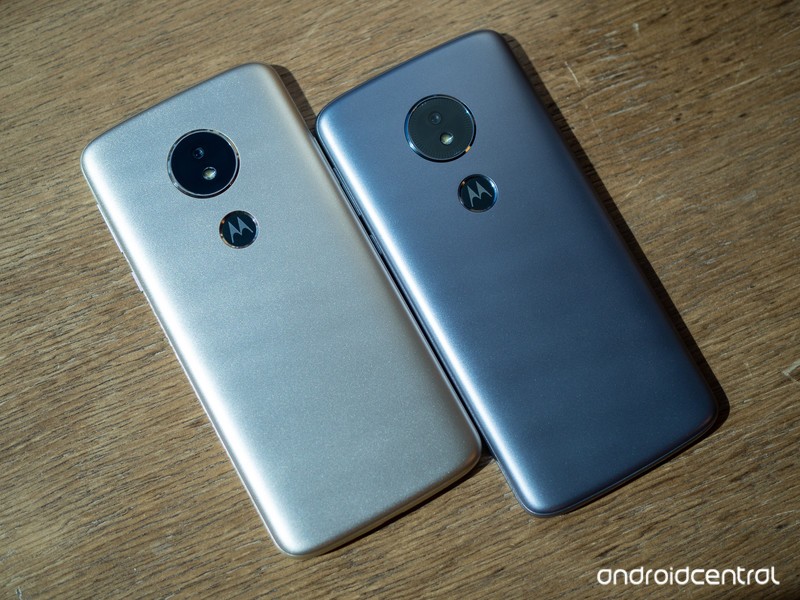
Last week, Motorola refreshed its wildly popular Moto G and Moto E series, among which is the new Moto E5 Play — an ultra-low-cost device targeted at prepaid customers who don’t want to spend much more than $100.
Everyone’s heard the old adage “you get what you pay for,” and a few years ago that might’ve been true to some extent with inexpensive phones. These days, though, you can get a lot of bang for just a little buck; last year’s Moto E4 impressed us with surprisingly nice design and performance, and the Moto E5 Play looks to continue that tradition. But if you already have the E4, is there any reason to upgrade to the newer model?
What’s new with the Moto E5 Play?
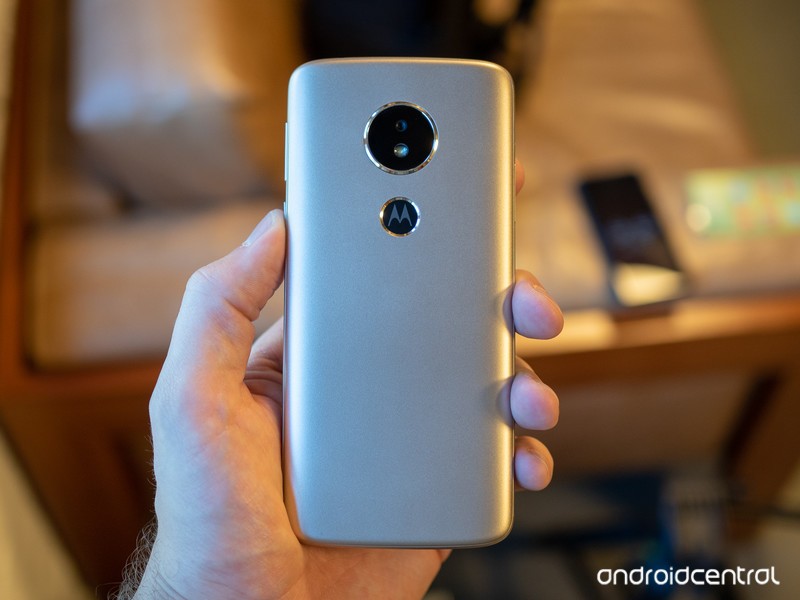
The Moto E5 Play takes on a newer look and feel that closely emulates its more expensive counterparts. While the display is still 16:9 and 720p, it’s been upsized from 5.0 to 5.2 inches, and the fingerprint sensor now rests on the back of the phone, hidden in the Motorola logo. The camera has also been upgraded, keeping the same 8MP resolution while seeing a bump in aperture from f/2.2 to f/2.0.
The Moto E5 Play is also running a newer version of Android — specifically, Android 8.0 Oreo —which could be a significant consideration for some shoppers given Motorola’s poor track record with software updates. If you’re on a Moto E4 right now, upgrading could be the only way you’ll be able to move on from Nougat.
See at Motorola
Why you might not need to upgrade
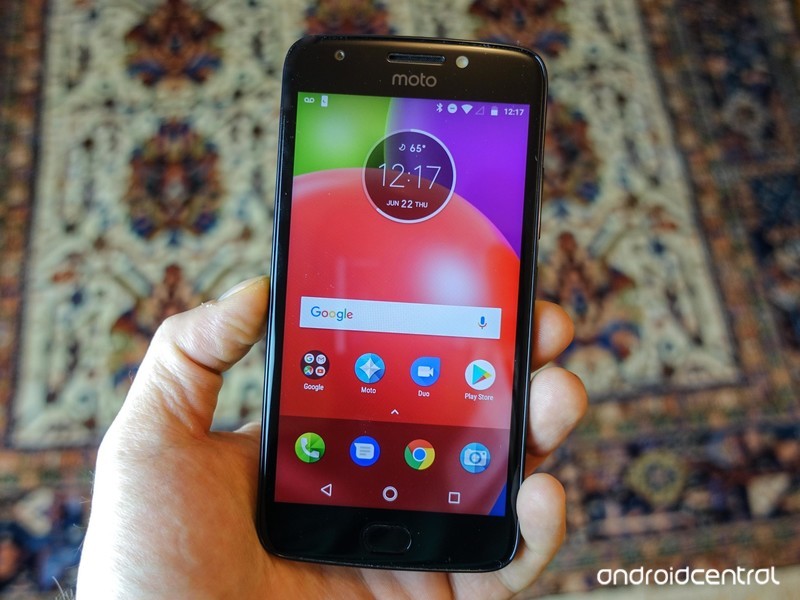
Save for the redesign and newer software, there’s honestly not a whole lot that’s changed since last year’s model. The Moto E4 sports the same Snapdragon 425 chipset, the same 2GB of RAM, and the same 16GB of internal storage, expandable via micro SD. It has the same splash-proof coating, the same 2800mAh battery, and the same Micro-USB port.
You probably don’t need to upgrade quite yet.
So with all the specs almost identical across devices, what reason is there to upgrade? In all honesty, software might be the only factor — and for most people shopping in the sub-$200 range, that’s likely not reason enough to justify the Moto E5 Play. The E4 is still an extremely capable device, all things considered.
None of this is to say that the Moto E5 Play is a bad buy. If you don’t have either phone and you’re simply in need of an upgrade from an older device, It’s probably worth it to wait for the E5 Play to launch so you can enjoy the newer Oreo software. But if you’re already rocking a Moto E4, you might be better off waiting for next year’s model before upgrading.
See at Amazon
Which is right for you?
Do you have a Moto E4 right now? Are you planning to upgrade to the Moto E5 Play? Let us know in the comments below!
Today’s best deals you won’t want to miss
Whether you’re looking for new tech gear or household items, we’ve got you covered.
Today you can get big discounts on TP-Link smart plugs, Ninja’s popular blender, snack sample box, and more! Don’t pass these up.
View the rest of the deals
If you want to know about the deals as soon as they are happening, you’ll want to follow Thrifter on Twitter, and sign up for the newsletter, because missing out on a great deal stinks!
Instagram users can download a copy of their data
We’ve known about Instagram’s plans to create a data portability tool for a while now; it was created to better comply with the UK’s upcoming Data Protection Bill and gives its users the ability to download a copy of everything they’ve put on the photo sharing service. The tool is now live on the Facebook-owned company’s site: when you enter your email address, Instagram will send you a “link to a file with your photos, comments, profile information and more.”
You’ll need to have your Instagram password handy, as the web form asks you to authenticate to get your data. Once you hit the submit button, you’ll see a message that says, “We’ve started creating a file of things you’ve shared on Instagram and will email a link to [your email address]. It may take up to 48 hours to collect this data and send it to you.” According to TechCrunch, you can also access the data download tool via the mobile app’s privacy settings. While making user data available for download might be seen as a way for those users to jump ship, it’s more likely that they’ll all feel better about having a copy of their data, just in case, and stick around.
Via: TechCrunch
Source: Instagram
iOS 11.3.1 fixes unresponsive third-party iPhone 8 displays
Apple has just released iOS 11.3.1, which promises to fix a bug affecting iPhones that shipped with iOS 11.3. The update unfortunately made the touch input on some iPhone 8 devices unresponsive when serviced with non-genuine replacement displays.
It’s unclear if the update will also resolve the issue regarding repairs done with genuine replacement Apple displays, which apparently affects the automatic brightness level when placed by third-party repair companies. According to our report, this is an issue that dates back to iOS 11.1, and could somehow be tied to the company wanting to lock downTouchID and FaceID sensors for security reasons. Or, as some aftermarket companies claim, could also be a way to damage trust in third-party repair shops.
iOS 11.3.1 will likely be available to customers soon. Apple is also running a beta version of iOS 11.4 for developers, which 9to5Mac says will likely be out in late May or early June.
Source: 9to5 Mac
Instagram Releases New ‘Data Download’ Tool for Downloading Photos, Videos, Messages and More
Instagram today released a new Data Download feature which is designed to let Instagram users download a copy of their photos, videos, stories, profile info, comments, and messages to comply with the European Union’s upcoming GDPR privacy law.
While the privacy law is only applicable in Europe, Instagram has made the new download tool, accessible here as long as you’re signed in to an Instagram account, available to all of its users.
An Instagram spokesperson told TechCrunch that while the Data Download tool is “currently accessible to everyone on the web,” access via Android and iOS is still rolling out.
Once a data download request is submitted to Instagram, it takes some time for the data to be prepared. The company asks users to input an email address, with a download link set after the data is gathered. Instagram says data requests can take up to 48 hours to be fulfilled.
This is the first time that Instagram has offered users an option to download all of their data, including their photos that have been uploaded to the social network.
Instagram parent company Facebook has had a download data option for quite some time, and people have been surprised to find what kind of data Facebook is collecting. It appears the Instagram tool will be more limited in scope, but it will include all of a user’s personal information.
Tag: Instagram
Discuss this article in our forums
 AIVAnet