


‘Fortnite’ is coming to China
The popular battle royale game Fortnite is coming to China, thanks to a partnership between its creator Epic Games and Tencent. The Chinese tech giant, which owns over 40 percent of Epic, will handle distribution and publishing. Tencent will reportedly spend $15 million on Fortnite in China on marketing to its domestic playerbase and clamping down on piracy and illegal clones, the latter of which is a problem in the country.
According to a DoNews report, some of that investment will be spent building the game’s eSports scene in China. Anyone who played the original will be able to transfer their data, skins and items to the Chinese version for a limited time. Tencent has allegedly already built a dedicated app to teach players about the game and watch live broadcasts, and those who visit the game’s Chinese site and pre-order it earn special items.
Whether or not Fortnite blows up there as much as it has in the US, Tencent will have a hold on the genre: The company created the mobile version of PlayerUnknowns Battlegrounds, which launched in China last fall and the US last month. But expanding its eSports portfolio is smart given how much the tech giant invested in other popular competitive games. Tencent announced plans to bring its popular-in-China mobile-only MOBA Arena of Valor/Honor of Kings to the US back in December, followed by a $500,000 eSports World Cup for the title. Tencent also owns a majority share of Riot Games, makers of League of Legends.
Via: Rod “Slasher” Breslau (Twitter)
Source: South China Morning Post, DoNews
GOG gets social by adding user profiles
GOG is introducing user profiles, which will bring a touch of social interaction to the DRM-free games marketplace. The platform has hesitantly modernized over the years to compete with Steam, adding films and in-development titles, and the new profiles bring more awareness of what friends and community are doing.
The biggest addition is a new feed showing what your friends are playing, when they earn achievements and make forum posts. You’re broadcasting your own activity by default, though that can be tweaked in settings. You can choose to have your profile, game library and friends list viewable by everyone, friends or just you, similar to Steam’s recent privacy changes.
But even after setting all personal broadcasting to private, some activity and profile information is still shown, RPS noted. Whether increasing social visibility ends up being a good thing for GOG, users are making themselves heard on the platform’s forum, from those welcoming the new changes to diehards resisting any change from the marketplace’s previous social agnosticism.
Via: Rock Paper Shotgun
What’s on TV: ‘Handmaid’s Tale,’ ‘3%’ and ‘Archer’
This week the NFL Draft takes place, squeezed in between NBA and NHL playoffs action. At the same time Archer is back to open another season, along with Netflix’s 3% and The Handmaid’s Tale on Hulu. we also have the season finale of Homeland, and a series capper for Ash vs. Evil Dead. Look after the break to check out each day’s highlights, including trailers and let us know what you think (or what we missed).
Blu-ray & Games & Streaming
- Maze Runner: The Death Cure (4K)
- Grease (4K)
- Hostiles (4K)
- The Virgin Suicides
- Paddington 2
- Den of Thieves
- A Few Good Men (4K)
- Cyborg
- Doctor Detroit
- Dead Secret (PS VR)
- To Leave (PS4)
- The Invisible Hours (Xbox One)
- Darkest Dungeon: Ancestral Edition (Switch, PS4)
- Runestone Keeper (Xbox One)
- Spacejacked (PS4)
- MLB Home Run VR (PS VR)
- Korgan (Xbox One)
- Subaeria (Xbox One)
- Emily Wants to Play Too (Xbox One, PS4)
- DragoDino (Xbox One)
- Death Road to Canada (PS4, Xbox One)
- Code 51: Mecha Arena (PS VR)
Monday
- The Voice, NBC, 8 PM
- American Idol, ABC, 8 PM
- Lucifer, Fox, 8 PM
- Supergirl, CW, 8 PM
- WWE Raw, USA, 8 PM
- Intent to Destroy, Starz, 9 PM
- iZombie, CW, 9 PM
- The Resident, Fox, 9 PM
- The Terror, AMC, 9 PM
- The Late Late Show Carpool Karaoke Primetime Special 2018, CBS, 10 PM
- The Crossing, ABC, 10 PM
- Good Girls, NBC, 10 PM
- American Dad, TBS, 10 PM
- Final Space, TBS, 10:30 PM
- Desus & Mero, Viceland, 11 PM
- McMafia (season finale), AMC, 11:10 PM
Tuesday
- Kevin James: Never Don’t Give up, Netflix, 3 AM
- Civilizations, PBS, 8 PM
- Shadowhunters, Freeform, 8 PM
- WWE Smackdown, USA, 8 PM
- The Voice, NBC, 8 PM
- Lethal Weapon, Fox, 8 PM
- The Flash, CW, 8 PM
- Alex, Inc., ABC, 8:30 PM
- The 100 (season premiere), CW, 9 PM
- First Civilizations (series premiere), PBS, 9 PM
- LA to Vegas, Fox, 9 PM
- Rise, NBC, 9 PM
- Deadliest Catch, Discovery, 9 PM
- New Girl, Fox, 9:30 PM
- Legion, FX, 10 PM
- Chicago Med, NBC, 10 PM
- Deception, ABC, 10 PM
- Unsolved: The Murders of Tupac and The Notorious B.I.G., USA, 10 PM
- Tosh.0, Comedy Central, 10 PM
- The Last O.G., TBS, 10:30 PM
- Adam Ruins Everything: Reanimated History (season finale), TruTV, 10:30 PM
- The Jim Jefferies Show, Comedy Central, 10:30 PM
- The Ice Cream Show (series premiere), Viceland, 10:30 PM
- Desus & Mero, Viceland, 11 PM
- The Chris Gethard Show, TruTV, 11 PM
Wednesday
- The Handmaid’s Tale (series premiere), Hulu, 3 AM
- Psychokinesis, Netflix, 3 AM
- Riverdale, CW, 8 PM
- Famous in Love, Freeform, 8 PM
- Survivor, CBS, 8 PM
- Empire, Fox, 8 PM
- The Blacklist, NBC, 8 PM
- Alex, Inc., ABC, 8:30 & 9:30 PM
- The Originals, CW, 9 PM
- The Expanse, Syfy, 9 PM
- Star, Fox, 9 PM
- Suits (season finale), USA, 9 PM
- I Am MLK Jr., Paramount, 9 PM
- Seal Team, CBS, 9 PM
- Archer: Danger Island (season premiere), FXX, 10 PM
- Brockmire (season premiere), IFC, 10 PM
- The Americans, FX, 10 PM
- Catfish, MTV, 10 PM
- Krypton, Syfy, 10 PM
- Designated Survivor, ABC, 10 PM
- The Ultimate Fighter, FS1, 10 PM
- Code Black (season premiere), CBS, 10 PM
- Full Frontal with Samantha Bee, TBS, 10:30 PM
- My House (series premiere), Viceland, 10:30 PM
- Desus & Mero, Viceland, 11 PM
Thursday
- Enissa Amani: Ehrenwort, Netflix, 3 AM
- NFL Draft Round 1, ESPN/Fox/NFL Network, 8 PM
- Superstore, NBC, 8 PM
- Grey’s Anatomy, ABC, 8 PM
- Jersey Shore Family Vacation, MTV, 8 PM
- Supernatural, CW, 8 PM
- Siren, Freeform, 8 PM
- The Big Bang Theory, CBS, 8 PM
- A.P. Bio, NBC, 8:30 PM
- Young Sheldon, CBS, 8:30 PM
- Ex on the Beach, MTV, 9 PM
- Station 19, ABC, 9 PM
- Showtime at the Apollo, Fox, 9 PM
- Arrow, CW, 9 PM
- Mom, CBS, 9 PM
- Life in Pieces, CBS, 9:30 PM
- Champions, NBC, 9:30 PM
- Quantico (season premiere), ABC, 10 PM
- Chicago Fire, NBC, 10 PM
- S.W.A.T., CBS, 10 PM
- Atlanta, FX, 10 PM
- Black Card Revoked, BET, 10 PM
- Thursday Night Darts, BBC America, 10 PM
- Desus & Mero, Viceland, 11 PM
Friday
- All or Nothing: The Dallas Cowboys (season premiere), Amazon Prime, 3 AM
- 3% (season premiere), Netflix, 3 AM
- Bobby Kennedy for President (season premiere), Netflix, 3 AM
- Little Big Awesome (S1), Amazon Prime, 3 AM
- Tiny Shoulders: Rethinking Barbie, Hulu, 3 AM
- The Rachel Divide, Netflix, 3 AM
- Candy Jar, Netflix, 3 AM
- The Week Of, Netflix, 3 AM
- The New Legends of Monkey (S1), Netflix, 3 AM
- NFL Draft Rounds 2 & 3, NFL Network & Fox & ESPN, 7 PM
- Vice, HBO, 7:30 PM
- Once Upon A Time, ABC, 8 PM
- Blindspot, NBC, 8 PM
- Macgyver, CBS, 8 PM
- Dynasty, CW, 8 PM
- Marvel’s Agents of S.H.I.E.L.D., ABC, 9 PM
- Hawaii Five-0, CBS, 9 PM
- Rellik, Cinemax, 10 PM
- David Bowie: Five Years, BBC America, 10 PM
- Blue Bloods, CBS, 10 PM
- Taskmaster (series premiere), Comedy Central, 11 & 11:30 PM
- Wyatt Cenac’s Problem Areas, HBO, 11:30 PM
Saturday
- NFL Draft Rounds 4-7, NFL Network & ABC & ESPN, 12 PM
- Ransom, CBS, 8 PM
Sunday
- The Good Fight, CBS All Access, 3 AM
- The Joel McHale Show, Netflix, 3 AM
- Bob’s Burgers, Fox, 7:30 PM
- Howard’s End (series finale), Starz, 8 PM
- American Idol ABC, 8 PM
- Killing Eve, BBC America, 8 PM
- Instinct, CBS, 8 PM
- The Circus: Inside the Greatest Political Show on Earth, Showtime, 8 PM
- The Simpsons, Fox, 8 PM
- Brooklyn Nine-nine, Fox, 8:30 PM
- Westworld, HBO, 9 PM
- Anthony Bourdain: Parts Unknown (season premiere), CNN, 9 PM
- Fear the Walking Dead, AMC, 9 PM
- Genius Junior, NBC, 9 PM
- NCIS: LA, CBS, 9 PM
- Homeland (season finale), Showtime, 9 PM
- Ash vs. Evil Dead (series finale), Starz, 9 PM
- Unforgotten, PBS, 9 PM
- The Last Man on Earth, Fox, 9:30 PM
- Into the Badlands, AMC, 10 PM
- Silicon Valley, HBO, 10 PM
- Trust, FX, 10 PM
- Billions, Showtime, 10 PM
- Naked & Afraid, Discovery, 10 PM
- Deception, ABC, 10 PM
- Timeless, NBC, 10 PM
- United Shades of America (season premiere), CNN, 10:15 PM
- Barry, HBO, 10:30 PM
- Talking Dead, AMC, 11 PM
- Last Week Tonight with John Oliver, HBO, 11:15 PM
[All times listed are in ET]
Susan Kare, Greg Joswiak to Testify in Upcoming Apple v. Samsung Damages Retrial
Apple and Samsung today submitted their witness lists for an upcoming retrial in the long running patent infringement battle between the two companies, reports CNET.
Neither Apple CEO Tim Cook nor design chief Jony Ive will be taking the stand, but several other notable figures will be providing testimony during the retrial. Apple will call Richard Howarth, a senior director on the Apple Design Team, along with Greg Joswiak, vice president of product marketing.
Howarth will discuss the design process at Apple, the design patents that were infringed upon, and other design topics, says CNET, while Joswiak will talk about Apple’s marketing approach for its devices and the competitive nature of the smartphone market.
Apple also plans to call Susan Kare, who designed many of the early icons for Apple’s Macintosh computers, to talk about icon and user interface graphics design. Other witnesses include Ravin Balakrishnan, a professor of computer science; Alan Ball, an industrial design expert; Julie Davis, a consultant with expertise in damages analysis; and Karan Singh, another computer science professor.
Samsung will call Justin Dension, its senior vice president of mobile product strategy and marketing, along with Drew Blackard, senior director of product marketing and Jinsoon Kim, a vice president at Samsung’s Corporate Design Center.
Apple and Samsung’s latest damages retrial will kick off on Monday, May 14, with the aim of determining how much Samsung has to pay Apple for infringing on three Apple design patents.
The two companies have been fighting in court since 2011, when Apple sued Samsung for copying the iPhone’s design. Apple was initially awarded $1 billion in 2012, but after several appeals and retrials, the award was reduced to $548 million.
Samsung paid Apple the $548 million in 2015, with $399 million of that total awarded to Apple for the design patent infringements. Samsung at the time argued that it was asked to pay a “disproportionate” sum for the design violation, and appealed to the Supreme Court to reduce that portion of the award.
Apple had been awarded damages based on the full value of the infringing device, while Samsung argued that it should pay damages based only on the infringing portion.
 The original devices involved in the 2011 patent infringement case
Samsung’s appeal was successful, and the Supreme Court ordered the U.S. Court of Appeals to redetermine the amount Samsung owes Apple for the design patent infringement. The U.S. Court of Appeals sent the case back to the district court, which brings us to the May trial.
During the retrial, Samsung will argue that the damages awarded to Apple should be less than the original award because the infringed Apple patents represent only a small part of the design of the entire Samsung smartphone in question. Apple, meanwhile, will argue that it deserves damages based on the full value of the device.
Discuss this article in our forums
Sandiego Inc. review – a very simplistic and not very challenging detective game

When it comes to gaming, running and gunning are fun, but sometimes you just want to put your brain to work.
So throw your trench coat on, get the magnifying glass and start playing detective games. From the latest Elementary episode or Agatha Christie novel, there’s no doubt that crime and detective stories have made a real impact on pop culture.
Something about solving mysteries is so very enticing, especially for those who like to search for clues and solve puzzles.
Which is why there’s no shortage of detective games available to play on your Android. Like this app we’re going to talk about today. Sandiego Inc. is a mystery-solving game inspired by the classic Carmen Sandiego games. The educational mystery video game series aimed to expand the players’ familiarity with world geography and culture. Sandiego Inc. aims to do the same, although it keeps things pretty basic, for the most part.
Setup
To begin your detective adventure, simply download Sandiego Inc. from the Google Play Store. Once you launch the app, you’ll be given a short tutorial on how to play the game, so you won’t have to any guessing.
Impressions
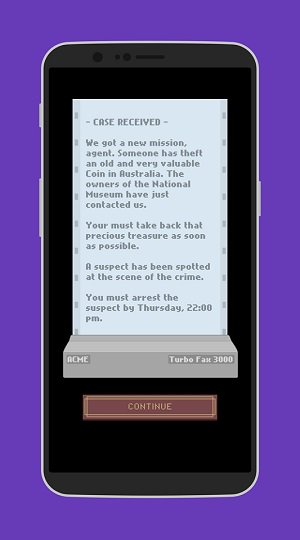
In the beginning you are presented with a case. Something of value has been stolen from somewhere in the world and you’re given a deadline to catch the suspect who has been spotted at the scene.
You start off where the crime has taken place and you’re allowed to search three different locations for clues. Each search will return information about the suspect, as well as hints as to where the robber might have traveled next.
Clues are pretty straightforward, most of the times. For example: “He was talking about legends…I think I heard the world Leprechaun maybe?”

This immediately tells you, you need to be traveling to Ireland. Other clues reveal more information about the suspect:
For example: “He told me that he wants to visit a country with a green, white and orange flag. The suspect’s eyes were the color of the sea.”
You’ll need this info to identify the correct suspect and issue a warrant for his/her arrest before they manage to get away. Players will find all the compiled suspect data by tapping on the Data button located on the lower right side.

The more clues you unravel; the better chance you have at zeroing down on your suspect. Each person has a number of characteristic listed as part of their profile including hair color, eye color, favorite writer and painter.
But you need to be careful if you want to catch the suspect in due time. Each action, searching, traveling or submitting a Warrant costs time, which brings you closer to the deadline.

But the game is pretty simple, so I never had a problem with running out of time. I did have a bit of a problem understanding some clues, as the English used is sometimes broken or poor.
However, the majority of hints are pretty straightforward, so you won’t find yourself stuck too often. Sometimes the hints are a bit vague, like for example “she has changed all her money to peso.” Fortunately, you’ll find there’s only one option in Latin America available to travel to, which takes care of the problem.

Every Sandiego Inc. location also provides some facts about the current location, which unfortunately are pretty basic, compared to the original Carmen Sandiego series.
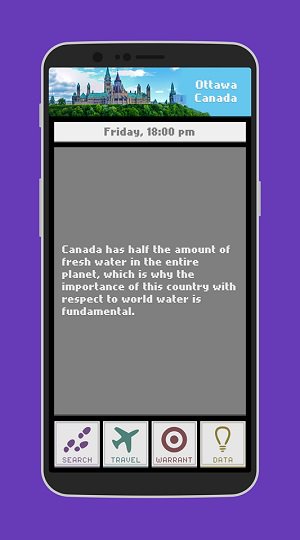
So the whole educational purpose is pretty lost here. Unless you’re a first grader, that is.
Conclusion
Sandiego Inc. preys on people’s nostalgia for the Carmen Sandiego series. Unfortunately, it’s not nearly as good as the original games. Clues are all too easy, and overall the graphics are pretty uninspiring. The occasional grammatical and spelling errors don’t help either.
All in all, Sandiego Inc. is a pretty decent game to play if you have a few moments to spare, but you probably won’t come back to it.
Samsung Galaxy S9 Plus deep dive review: Best of the best
If you’re looking at the current crop of phones, it can be tough to figure out what you should worry about and what’s totally normal. Today, we’re going to do something a little different in our ongoing quest to make sure our readers are armed with the knowledge they need to truly understand a product and where it fits in the market. Like we did in our Best of Android series, Android Authority is now putting major flagship phones through their paces — collecting a huge amount of data in the process.
Let’s take a dive in Lake Samsung for a moment, and see exactly what we’re dealing with for both the Samsung Galaxy S9 and Galaxy S9 Plus. If you’re curious about our methods, be sure to check out how we test each phone.
How good is the screen, and how do we know?
When we talk about what makes a screen look good, there’s a lot of misinformation floating around. It’s a complicated subject with no one right answer, so it can be hard to stay interested.
At the end of the day, all anyone cares about is “how good is this screen, anyway?” The answer to that question relies not just on how technically capable the screen is, but also the environment in which you use it. Consequently, certain measurements will only tell you so much — s0me are more important in certain situations. Bright light will often overpower the image on your smartphone. Ever watch TV with a lot of glare on the screen? Looks like hot garbage, right? In that situation, the best screen in the world won’t look all that great if it doesn’t have a similarly bright screen.
| Samsung Galaxy S9 | 5.8″ diag. | 570 | 285 (red, blue) 570 (green) |
AMOLED | 2960×1440 | Diamond PenTile |
| Samsung Galaxy S9 Plus | 6.2″ diag. | 529 | 264.5 (red, blue) 529 (green) |
AMOLED | 2960×1440 | Diamond PenTile |
In that light (rimshot), we need better ways of thinking about display performance than getting hung up on things like contrast ratio, black levels, and pixel density. Those are easy numbers to understand, but they don’t really give you a good idea of how good the screen looks — at least not completely. What most review sites neglect are measurements like gamma, which I’ll let my colleague Rob explain to you.
How does the screen on the Samsung Galaxy S9 and Galaxy S9 Plus look? It depends on the mode you select.
So how does the screen on the Samsung Galaxy S9 and Galaxy S9 Plus look? It depends on the mode you select. Out of the box, the software defaults to what’s called “Adaptive mode,” which uses a wide color gamut (DCI-P3) with 8-bit depth, and leans on tasteful discretions of white point inaccuracy to achieve higher brightness.
Consequently, the screen looks quite vibrant, though professional photographers may notice some minor gaps in color values if they’re really looking for it. We found the most accurate mode to be “AMOLED Cinema,” which has near-perfect white balance, great color accuracy, and decent greyscale performance on both the S9 and S9 Plus.
Effective pixel density will vary in certain situations based on the Diamond PenTile subpixel layout, but you shouldn’t be able to tell at normal viewing distances.
In layman’s terms: you’re gonna love both displays. They’re excellent as far as smartphone screens go.
The measurements: greyscale
When we plot gamma, we’re looking for a grey line that fits very closely with its target (yellow) without any wild swings away from that line. When you see a spike or trough in a gamma plot, it means the luminance value measured is either too bright or too dark for what it should be. This means you may see some banding or false coloration in the image requiring that value.
There isn’t really much in the way of gamma errors to talk about here though. That spike in the low end can be attributed to noise in the samples collected by our colorimeter, so you can ignore it. It’s not the empirical evidence of “black crush” that you may have read about online. The brighter errors are a little interesting, but again, these are so unbelievably tiny it’s unlikely to destroy your immersion in a movie. You’re watching on a phone, after all.

The S9 Plus has very good gamma in Adaptive mode, but suffers from blue color error in whites, color problems.
Colors are a little shifted in Adaptive mode, but that’s not all that surprising, since the display has a slightly more blue image than what you’d expect from your TV or computer monitor. For example, the white point should normally sit at 6500K, but on the Samsung Galaxy S9 and S9 Plus, it’s around 7280K. In the cinema mode, that number is 6501K, which is virtually perfect. Android Authority has never seen a phone that has a “warmer” display than 6500K (D65 for short).

Cinema mode on the Samsung Galaxy S9 Plus suffers from some green balance issues, but it has solid gamma performance and improved color performance.
To be honest, I don’t think many people will want to switch off Adaptive mode. The other modes will look a little strange in day-to-day use. Purists, however, will probably appreciate the color and greyscale improvements afforded by the AMOLED Cinema mode. You can skip the “Basic” mode altogether, as it really seems like it’s only there to satisfy reviewers using a very specific scoring criteria based on Rec. 709 standards.
Purists will appreciate the color and greyscale improvements afforded by the AMOLED Cinema mode.
Color performance
As far as color error goes, an error under 1 (Delta E2000) is considered invisible to most people, though professional display calibrators sometimes use a less-strict tolerance of 3. If you’re looking for what constitutes a “bad” value here, color error isn’t really a huge deal until the measure exceeds 5.
The Galaxy S9 and Galaxy S9 Plus both offer a host of display modes with different color gamut targets. None are truly “better” than the others, but I recommend sticking with the Adaptive and Cinema modes, as those are generally the most pleasing to the eye.
| Colorspace target | DCI-P3 | DCI-P3 | sRGB/Rec. 709 | AdobeRGB |
The Samsung Galaxy S9 is excellent at color reproduction, boasting a Delta E2000 of 3.61 in Adaptive mode, and 1.52 in Cinema mode. That’s fantastic. You’re not going to find a more color-accurate display on the market.


The S9 fares a bit better in this department than the S9 Plus, but both displays are exceptional in the world of smartphones. The display of the S9 Plus is merely “extremely good” instead of “excellent,” and you’re extremely unlikely to see the differences between them. With a color shift of 3.5 in Adaptive mode, and 2.1 in Cinema mode, only the most trained eyes will see errors on the worse-performing Samsung Galaxy S9 Plus. However, some colors are more accurate than others. Skin tones in Adaptive mode are near spot-on, but white shades appear a bit too blue. In Cinema mode, you may notice a bit of a green pall. It’s not really a big problem, but it’s something to note.


Performance in sunlight
Both the Samsung Galaxy S9 and Galaxy S9 Plus alter their screen performance modes in the presence of bright light. When in the presence of overpowering direct sunlight, the screens will push their max brightness to a hair under 500cd/m2, while altering the gamma to accommodate dimmer greyscale values being overpowered by ambient light. In short, the “Adaptive” mode is truly that: adaptive.

The software boosts brightness and flattens gamma a bit to boost visibility in daylight.
Because I’m not able to make a perfect re-creation of sunlight that alters the output of the display but doesn’t hit the screen at all, I’m not comfortable recording exact results here. However, I should note that in our ventures outdoors, the screen never had any issues keeping up with the ambient light.
Related Articles
We asked, you told us: Huawei P20 Pro vs Galaxy S9 Plus
The Huawei P20 Pro launch gave us a triple camera and it was not just a gimmick in the race to do something different. The P20 Pro surprised many by delivering one of the best …
Samsung Galaxy S9 vs iPhone X: Camera shootout
The Samsung Galaxy S9 has hit the streets and now everyone is trying to figure out if it lives up to all the hype. No matter which Android phone comes out, its biggest competitor is …
The audio performance is as good as it gets on a smartphone
Here too, we’re looking for errors more than we’re hunting for “good” performance. I should point out that the audio performance of the phone itself is based on tech that’s near-perfect for analog devices. By that I mean: most of the errors present in current devices are small enough to be imperceptible to humans. When we find something to talk about, it’s almost always a cause for concern. However, that’s not the case here — all the flaws I found are inaudible at worst. The Samsung Galaxy S9 Plus even landed on SoundGuys’ list of best smartphones for audio.
Let’s look at frequency response. Because the phone acts as both digital-to-analog converter (DAC) and amplifier, the ideal test result here is a nice, even emphasis of every potential frequency at the exact same power. That’s pretty much what we see here, even though there’s a little bit of tailoff at the upper and lower ends. This kind of result isn’t exactly perfect, but it is perceptually perfect. The slight deviations are far gentler than a human could possibly perceive. In order for an error to be noticeable, you’re typically looking for a deviation of plus or minus 2.5dB, so all’s good on the Samsung Galaxy S9 Plus and the S9.

The S9 and S9 Plus work exactly as intended, without affecting your music negatively in an audible manner.
If you’re worried about that line dropping off considerably at more than 40kHz, you should know humans can only really hear up to 22kHz at maximum when they’re children, so you can’t really hear the limits suffered by the Samsung Galaxy S9 Plus when you’re a late teen or adult. If you can, the fault likely lies with the file you’re listening to, or your connection. Speaking of perceptual limits, the Samsung Galaxy S9 Plus also has some modes to help out users of varying ages with audio. Many of these modes simply limit the upper reach of the output frequencies and tastefully bump bass and a few other target notes.
The Galaxy S9’s audio flaws are inaudible at worst.
You can test this out yourself. Try listening to the below sound file. It’s “only” 20kHz, but most of you shouldn’t be able to hear it. If you can’t, any frequency higher than that will be inaudible to you, so a phone outputting sound at higher frequencies just isn’t something you’ll notice. In fact, some (like the S9) also build in filters to cut these frequencies off if you enable it in the settings by entering your age.
On that note, I should go out of my way to point out that pretty much all the audio content you consume will never really exceed 44.1kHz/16-bit, or “CD quality.” While there are higher sample rates and greater bit depths (32-bit/384kHz) supported by the Samsung Galaxy S9 and S9 Plus: we don’t test for the most extreme of these because there’s no reason to. With that in mind, our test files are 96kHz/24-bit to give each phone a fair shot, but without getting too crazy in our hunt for intermodulation distortion.
Total Harmonic Distortion (THD) and noise floor are also nothing to write home about, though that’s not to say it’s perfect. At a level with peaks under -100dB, you’d have to really crank your tunes to hear any audible junk signal. As boring as this deep dive is turning out to be, it’s kinda good to know there’s really not any issues to report, right?
| Samsung Galaxy S9 | -0.11 / +0.02dB | -99.8dBA | 0.0089% | 99.3dB | 79.8dB | 0.0038% |
| Samsung Galaxy S9+ | -0.11 / +0.02dB | -100.5dBA | 0.0022% | 98.5dB | 80.4dB | 0.0039% |
| Google Pixel 2 XL | -0.03 / +0.26dB | -101.4dBA | 0.0021% | 101.4dB | 74.4dB | 0.036% |
The Samsung Galaxy S9 and S9 Plus are near-perfect when it comes to audio.
The speakers themselves are a little perplexing, but we’ve never really come across smartphone drivers that we’d actually consider “good” by any stretch. While the speakers on the Samsung Galaxy S9 Plus were able to reach 80dB at one meter, the quality is fairly disappointing compared to the front-facing options of the Pixel 2 XL and Razer Phone. We suggest using the Atmos mode with a good set of headphones.
This is an awful lot of words to prove that yes, the Samsung Galaxy S9 and S9 Plus are near-perfect when it comes to audio. I like to show my work, sue me.
How’s the battery life on the Samsung Galaxy S9 and S9 Plus?
As it’s a little hyper-powered and not much about the batteries has changed since the Galaxy S8 and S8 Plus (still 3,000 and 3,500 mAh), it’s not hard to see why the S9’s battery is a little lackluster. However, it’s still solidly in the middle of the pack of flagship devices. While there was some hubbub about Samsung leaving the stock resolution setting at FHD+, the battery life improvements offered by that setting are notable.
| Samsung Galaxy S9 (FHD) | 386 | 524 | 676 |
| Samsung Galaxy S9 (WQHD+) | 371 | 515 | 621 |
| Samsung Galaxy S9 Plus (FHD) | 440 | 596 | 693 |
| Samsung Galaxy S9 Plus (WQHD+) | 338 | 564 | 684 |
Editor’s note: the gaming test was intentionally left off, as there was a flaw found with the methodology (not just our own). This article will be updated to reflect our new findings once they come in.
Charging
Like many other flagships, the Samsung Galaxy S9 and S9 Plus offer fast wired charging through the stock charger. While you could also get the wireless charger online, most will elect to not spend any additional cash. If you use the standard charger, you can expect to juice up your phone pretty quickly, and even get a usable charge in short order.
| Samsung Galaxy S9 | 3000mAh | 18% | 37% | 78% | ~31.25 | 98 min |
| Samsung Galaxy S9 Plus | 3500mAh | 19% | 37% | 77% | ~35.7 | 96 min |
| OnePlus 5T | 3300mAh | 30% | 60% | 90% | ~35.9 | 92 min |
| Google Pixel 2 XL | 3520mAh | 16% | 31% | 64% | ~23.5 | 150 min |
| Huawei Mate 10 Pro | 4000mAh | 31% | 59% | 91% | ~44 | 91 min |
Obviously, your mileage may vary based on your outlets, but on the whole you can expect to get a full charge in under 100 minutes. Not too shabby compared to other flagships on the market, rivaled only by the OnePlus 5T, Huawei Mate 10 Pro, and Moto Z2 Force. It’s not the fastest charge in the West, but there’s nothing to complain about here.
Web browsing
By running these phones through an app with a set cycle of websites, we can compare the battery life of each phone under the same circumstances. We also set the phones to the same brightness (double-checked with our meter, of course), so peak brightness isn’t a variable. In our tests, we found the Samsung Galaxy S9 and S9 Plus were about average at browsing the web, but performed a hair worse with 4K rendering enabled. It’s not really a surprise, but it’s worth noting.

Video
By playing a handful of clips on a loop, we can get a better idea at how well the phones can binge video content when that’s all they’re doing. The big batteries of the S9 and S9 Plus allow you to chug HD content for 676 and 693 minutes, respectively. When you’re using the WQHD+ mode, those numbers drop to 621 and 684. Not a huge difference, but worthy of testing.
While not the best result we’ve seen in the last year, it places the Samsung Galaxy S9 and S9 Plus solidly ahead of the Pixel 2 and its XL counterpart. Only the LG V30 and lower-specced phones beat these handsets on our HD test.
Mixed use
Our very own Gary Sims coded a brilliant mixed-use app, combining a variety of basic smartphone use cases in a way that reflects a more realistic mix of your normal day-to-day actions. In this test, the Samsung Galaxy S9 and S9 Plus performed brilliantly, at least when in the FHD+ mode. Maybe it’s just the added load on the internals of the phone when WQHD+ is enabled, but that battery life tanks when it’s enabled. In our tests, it clipped the life of the S9 Plus from 440 minutes to 338, though the S9’s life was only clipped by 15 minutes off of a 386 minute total. After several re-runs we’re not quite sure why this is the case. Considering the results are right in line with many of the other flagships we examined in 2017’s Best of Android testing — we’re not too worried.
How good is the Qualcomm Snapdragon 845?
As expected, the first phones with the latest flagship Qualcomm chip blaze through benchmarks. As of the time of publishing, this is one of the best phones you can buy if you absolutely need the most powerful handset on the market.
| Samsung Galaxy S9 | 261982 | 4206 | 82.99 | 2426 | 7956 | 4601 |
| Samsung Galaxy S9+ | 266559 | 4289 | 77.315 | 2144 | 8116 | 4672 |
| Google Pixel 2 XL | 163403 | 3223 | 62.03 | 1888 | 6234 | 3621 |
| OnePlus 5T | 180396 | 3585 | 63.067 | 1959 | 6706 | 2919 |
As you can see, the Qualcomm Snapdragon 845 is a beast of a chip, even more impressive when compared to the other flagships on the market. It screams past the Snapdragon 835, and while it may be overpowered for what it’s supposed to do, it’s nice to know your phone can handle difficult tasks now that Fortnite and PUBG can be played on your phone, right?
As far as pitfalls go, there really isn’t much to talk about with either the S9 or the S9 Plus. However, this is the first set of devices we’ve tested with this processor outside the Qualcomm reference device. It’s entirely possible that these results aren’t representative of what we will find in other phones coming out soon.
How good is Samsung’s Camera?
Accurately placing camera performance is getting trickier and trickier with computational photography altering the landscape more and more. While we can run these units through the lab, more and more phones are adding modes to gain capabilities the hardware shouldn’t be able to have — or make photos appear much better than they are. Because of this, there’s no “perfect” result in our labs, just measurements that reveal the strengths and weaknesses of the camera.
Here we’ll discuss the gross capabilities of the camera modules, leaving the additional features for the main review.
| Samsung Galaxy S9 | 1/2.5″ | 1.4µm | ƒ/1.5 ƒ/2.4 |
~4.2 feet (ƒ/1.5) ~2.5 feet (ƒ/2.4) |
12MP | 26mm (35mm eq.) |
| Samsung Galaxy S9 Plus (wide) | 1/2.55″ | 1.4µm | ƒ/1.5 ƒ/2.4 |
~4.1 feet (ƒ/1.5) ~2.5 feet (ƒ/2.4) |
12MP | 26mm (35mm eq.) |
| Samsung Galaxy S9 Plus (telephoto) | 1/3.6″ | 1 µm | ƒ/1.5 ƒ/2.4 |
~13.25 feet (ƒ/1.5) ~8.3 feet (ƒ/2.4) |
12MP | 52mm (35mm eq.) |
Unlike the S9, the S9 Plus uses two sensors, each 12MP, though the “wide” camera uses a much bigger sensor with bigger pixels. For best results, use that lens. I say this because the telephoto lens on the S9 Plus uses a math trick to achieve a “longer” focal length at the expense of sharpness. You’ll definitely notice a video and stills quality reduction by about one third.
There’s no perfect result in our photography lab, just measurements that reveal the strengths and weaknesses of the camera.
Use the widest aperture
Unless you’re taking photos at high noon, I suggest using the f/1.5 aperture setting almost always. The advantages offered by a wider aperture with a sensor size so small will outweigh most of the benefits of a narrower one in most situations. In dim situations, more light will hit the sensor (making less noisy shots), and you can get some blurred backgrounds naturally if you stand close enough to your subject.
Unfortunately, that can only be achieved if your subject is within four feet of the S9 and S9 Plus’s wide lens. With the narrower f/2.4 aperture, that number shrinks to just about two feet. That’s because the hyperfocal distance — the closest a subject can be in focus while the camera is focused at infinity — is unbelievably short. For the best results in portraits, you will want to use the Samsung Galaxy S9’s depth of field simulator.
| ƒ/1.5 | 20 lux | 1.7% | 400 |
| Daylight | 0.668% | 50 | |
| ƒ/2.4 | 21 lux | 1.93% | 1000 |
| Daylight | 0.672% | 50 |
If you’re apt to take photos in a bar or restaurant, you should use the f/1.5 aperture always. Not only does it collect more light than the f/2.4 setting, but it also allows your camera to use a lower sensitivity. Lower sensitivity means less noise, and less noise means more detail — given the camera’s super-aggressive noise reduction.
Sharp as a tack
When we measure stills quality, the generally accepted reading taken by image processing experts is line widths per picture height (LW/PH), calculated in several different ways by computers. We use an equation called MTF50, which is most resistant to shot noise. You don’t really need to understand every little detail here, but you should know that for a 12MP shot, a sharpness of over 2000 LW/PH is considered to be a good readout.
| ƒ/1.5 | 3382.8 | 2585 | 1600.5 | 0.6846px | 15.46% |
| ƒ/2.4 | 3567.7 | 2780.9 | 1553.7 | 0.8223px | 15.46% |
Much like the Samsung Galaxy Note 8, the sharpness of the S9’s camera unit sails past 2800LW/PH after you correct for the image processing gaming that readout a bit, so you shouldn’t notice any deficiency with that at all. In video shooting, we also recorded a sharpness of 1500 line pairs per picture height, which is right in line with the best smartphone cameras out there at the time of publishing. This is more than capable enough to handle amateur videos, vlogs, and personal clips. As always, you may want a dedicated camera for professional work, especially if depth of field is important to your scene.
However, because of the physical limitations of the sensor, the S9 and S9 Plus both lean heavily on software oversharpening. This works by finding edges in photos and selectively increasing contrast. While you probably won’t notice anything wrong, sometimes this can make shadows and gradients look a little unnatural. Otherwise, it’s a pretty benign imperfection. Though the software enhancement is at the upper end of what we’d consider reasonable (15.46 percent), any lack of detail is more likely to be from the phones’s noise reduction algorithm.
You can see this especially when you compare its shots to that of iPhone X. Lines and edges are often extremely pronounced, even if Samsung’s scene and exposure level shouldn’t normally let that happen. While nobody’s really going to care all that much, it’s good to know that you aren’t likely to lose any major details. On the other hand, minor details stand a great chance of getting destroyed by the Samsung S9 and S9 Plus’s aggressive noise reduction algorithm.
You can see what I mean in the video above. Notice how blotchy the photos taken indoors look in comparison to the Pixel 2 — that’s largely due to the noise reduction. Aggressive noise reduction algorithms have a habit of mistakenly averaging out minor details and replacing it with a nice, even blotch. It may annoy you, or it may not; it’s just a characteristic of Samsung’s image processing software. If you don’t go hunting for flaws in every shot, you won’t really notice much of a difference — especially if all you’re going to do is post a snap to Instagram or Facebook (which compress the absolute Dickens out of the files anyway).
Related: Huawei P20 Hybrid Zoom explained
Color and noise performance
Colors are right around where they should be, with more prominent errors found in the alternate modes of the camera’s filter settings. While a more neutral look is boring to most, it’s good to know both phones’ cameras are able to take relatively accurate photos, especially when you decide to alter them through the use of an app like Instagram or (my personal favorite) Lightroom CC. The S9 holds a slight edge, with a ΔC00 (saturation corrected) error of 3.19 to the S9 Plus’s 3.2. However, an error difference that small will be imperceptible and is likely just the result of sample variation.

Samsung’s Galaxy S9 and S9 Plus boast decent—if slightly oversaturated—colors.
Even in the basic shooting modes, the camera oversaturates colors a bit to give a little pop to your snaps. Honestly, this is found with nearly every camera on the market; there’s nothing to worry about when you see that 113.3 percent saturation reading. If you want to change this, you can always post-process using a camera app.
Samsung’s noise reduction algorithm removes some detail, but the software oversharpening sometimes makes it easier to see finer details.
Noise is kept in check, though both the Samsung Galaxy S9 and S9 Plus destroy a little data in the name of noise reduction in low light settings. As mentioned above, Samsung’s reduction algorithm removes some detail, but the software oversharpening sometimes makes it easier to see finer details, too.
Final thoughts
Our deep dive testing reinforces the feeling that both the Samsung Galaxy S9 and S9 Plus are great phones, sitting atop the market as of their release. Their weaknesses are generally relegated to features rather than capabilities, but there’s always room for improvement. These phones have excellent displays, processors, and audio performance, but the rest of their hardware is merely “very good.”
| Samsung Galaxy S9 | Very good | Very good | Good | Excellent | Excellent | Excellent |
| Samsung Galaxy S9 Plus | Very good | Very good | Good | Excellent | Excellent | Excellent |
By the numbers, these are great phones for a huge segment of people. They do a lot of things extremely well and almost nothing poorly. The Samsung Galaxy S9 and S9 Plus only fall short to the Google Pixel 2 XL and Huawei P20 Pro in terms of camera performance. Beyond that, it tops every category but audio and battery life, where they don’t fall short by much. Only the Huawei P20 Pro stands much of a chance at beating these phones from a pure hardware perspective, but availability and price will severely impact its success. The Google Pixel 2 is already showing its age against the better-equipped Samsung Galaxy S9 and S9 Plus in the processor department, though its camera module is better by the numbers and software.
Of course, this review will become outdated as time goes on and new phones are released. When that happens, check back and we’ll discuss it!
Samsung Pay finally works with your PayPal Wallet
Samsung Pay support for PayPal was unveiled back in July of last year with promises that it would be ready “soon,” but that clearly didn’t happen — you’ve had to use your regular payment cards in the months since. Whatever prompted the wait, it’s ready. PayPal has started enabling support through Samsung’s tap-to-pay feature, letting you draw from your Wallet’s funds instead of a credit or debit card.
The PayPal feature should work wherever Samsung Pay does, and you’ll earn reward points the same way as before. You’ll still have to link a bank account or debit card for those times you need a refill, so this isn’t quite going to avoid conventional cards. Nonetheless, it could easily come in handy if your PayPal funds are otherwise going to waste.
Source: PayPal
Atlanta spends more than $2 million to recover from ransomware attack
Last month, Atlanta’s city government was hit with a ransomware attack that caused courthouse documents and services like payment processing to become inaccessible. The ransom demand was approximately $51,000 but according to the city’s Department of Procurement, Atlanta has spent much more than that on efforts to rectify the situation. It appears that firms Secureworks and Ernst & Young were paid $650,000 and $600,000, respectively, for emergency services while Edelman was paid $50,000 for crisis communication services. Overall, the funds seemingly applied to the ransomware attack response add up to approximately $2.7 million.
Atlanta .gov ransomware attack costs pic.twitter.com/xgQEpbeZPZ
— Ryan Naraine (@ryanaraine) April 23, 2018
It’s unclear whether Atlanta paid or tried to pay the ransom, but evidence suggests city officials didn’t attempt to or were unsuccessful. The affected services are still not fully up and running and ahead of the ransom deadline, the attackers took down the communication portal that would have been used to pay the fee.
The question of whether to pay a ransom or not isn’t always an easy one to answer. Agencies like the FBI typically discourage paying these types of ransoms, with one reason being it might encourage attackers to keep doing what they’re doing. But not everyone agrees with that reasoning. “Refusing to pay a ransom is unlikely to demotivate cybercriminals from conducting further attacks, as they will always find someone else to pay,” Ilia Kolochenko, CEO of cybersecurity firm High-Tech Bridge, told SecurityWeek.
But another city’s chief information security officer told SecurityWeek that there are other reasons not to pay up. “Unless paying the ransom provided details of how they were breached, what would it really get them?” he said. “Firstly, they don’t know if they would actually get the decrypt keys. Secondly, they don’t know if they would simply get hit again. And thirdly, it would only encourage more of the same kind of action.” Relatedly, Secureworks has said that some groups hit with this same type of ransomware were asked to pay more after paying the initial amount. However, what’s pretty clear is that Atlanta should have done more to protect its systems ahead of the attack. “The real lesson,” said Kolochenko, “is for probably 10 to 20 percent of the cost of the emergency support, they could have brought in the same people to help with the same issues prior to the incident.”
Via: SecurityWeek
Source: Atlanta Department of Procurement
Despite bigger ambitions, Google is still an ad business
As we already know, Google’s parent company Alphabet makes the bulk of its money from ads. We also learned in quarters past that revenue from its non-Google projects, which it calls “Other Bets,” have been growing at a slow, steady rate. From the company’s just-released first quarter earnings report, this trend hasn’t changed. Alphabet made about $31.1 billion this period, a 26 percent from the same quarter last year. Of this, about $26.6 billion were from ads, while $150 million were from Other Bets. Its income from its “other revenues” segment, which covers things like hardware sales, Play Store earnings and YouTube Red or Google Cloud and Drive subscriptions, also increased from the same quarter last year to about $4.3 billion.
This story is developing…
Amazon Kindle App for iOS Gains New Magazine Format, Support for Returning Kindle Unlimited Books
Amazon’s Kindle app for iOS was today updated to version 6.6, introducing a handful of useful new features to those who read Amazon books on their iPhones and iPads.
The updated version of the app features a new mobile-friendly format that’s designed for magazines, and this new option comes shortly after rumors suggesting Apple is going to debut a subscription news service that would include magazines.
For background, Apple recently purchased Texture, a service that provides unlimited access to more than 200 digital magazines for $9.99 per month.
Amazon says that its new magazine-reading format is available for popular titles like Food Network, Cosmopolitan, Life & Style, Us Weekly, and 15 others to start with.
Today’s update also allows Prime Reading and Kindle Unlimited books to be returned using the Kindle for iOS app. A book can be returned by long pressing on a book cover from the bookshelf interface and choosing the “Return book” option.
Kindle Unlimited is a subscription service that costs $9.99 per month and provides unlimited access to more than a million books, audiobooks, and magazines. Prime Reading, meanwhile, is a service that offers a smaller selection of content for free to Amazon Prime subscribers.
Along with the new options for Kindle Unlimited and the magazine format, the new Kindle app update also includes a setting to allow you to enable the highlight menu so it displays whenever text is highlighted.
The Kindle app for iOS can be downloaded from the App Store for free. [Direct Link]
Tags: Amazon, Kindle
Discuss this article in our forums
 AIVAnet