


Here’s absolutely everything we know about the LG V35 ThinQ
Julian Chokkattu/Digital Trends
It’s not been long since LG released the LG V30S ThinQ, but it seems that we can already expect another update to LG’s V-range within the next month or so. The LG V35 ThinQ is coming, and though it’s currently unclear what exactly LG is planning for this phone, we’re excited to see another LG phone so soon. What can you expect from this new LG phone? Here’s everything we know about the LG V35 ThinQ.
Design
If you’re one of the many people who finds the idea of a notch on an Android phone off-putting, then it should be welcome news that the LG V35 ThinQ is omitting this feature. According to a report, unlike the G7 ThinQ, the V35 ThinQ will most likely not be offering an iPhone X-style notch at the top of the screen. Instead, you’ll be looking at a FullVision, 18:9 aspect ratio on a 6-inch OLED display, offering an 80-percent screen-to-body ratio and a 2,880 x 1,440 resolution.
It also sounds as if the general style is being made to ape last year’s edge-to-edge LG phones, which is no bad thing. Sources are particularly insistent that LG is pursuing a one-handed operation ethos, and may claim that the phone is ergonomically designed to offer lightweight, single-handed operation. That’s similar to the line it pursued with the LG G6, and it may be where LG envisions the V35 ThinQ to sit in this year’s product range. That said, a 6-inch screen is going to be difficult to use one-handed, regardless of the edge-to-edge design. These rumors could be overstating LG’s vision, but we’ll have to wait and see.
Finally, LG is expected to offer two color choices at launch — black and gray. While that may seem a little boring, a “premium glossy finish” may give the phone a little more style than the colors initially suggest.
Camera
It should be of no surprise that LG is expected to include two cameras on the back of the LG V35 ThinQ. It’s been the trend of the past few years, and we now expect our higher-end phones to have at least two camera lenses on the back (shout-out to the Huawei P20’s three lenses). The V35 ThinQ is expected to have two 16-megapixel lenses with f/1.6 apertures. They will be slightly different though — the first is reputed to have 10-bit HDR compatibility for better color capture, while the second will have a similar wide-angle lens as the LG V30 — except with a slightly reduced wide-angle of 107-degrees.
Most of the sources are agreeing on these cameras, so these specs seem pretty set in stone for the moment. It looks to be a pretty solid camera suite on paper, and we’ve been impressed with LG’s camera offerings before, so we’re reasonably confident that LG will hit all the right buttons this time around.
Artificial intelligence
The “ThinQ” in the V35’s name also signifies we can expect the artificial intelligence from the V30S ThinQ to return, and that means some additional camera smarts. The A.I. Cam, which debuted on the V30S ThinQ, is capable of recognizing objects within the camera’s scope, and altering the shot settings to give the best possible result — including “Bright Mode,” which increases the brightness of an image, but reduces the megapixel count. This sort of A.I. assistance is similar to Huawei’s latest camera tech, and we’re hoping that LG has managed to speed the process up a little — it was a little slow on the V30S ThinQ.
However, your phone will apparently also be able to hear you from farther away. If rumors are correct about the voice recognition tech inside the V35 ThinQ, then the voice assistant should be able to hear you from a distance of up to seventeen feet away.
Release date and pricing
The latest rumors point to the LG V35 ThinQ being revealed in May — or about the same time as the updated LG G7 ThinQ. It seems odd that LG would see fit to announce these two phones so close to each other — updates to the V-range usually happen at the opposite end of the year to the G-range, and with the LG V40 ThinQ also due to arrive later this year, the V35 ThinQ would seem to be in an odd place. Our money is on the V35 being an updated and slightly cheaper version of the V30, but only time will tell if we’re correct in this assumption.
V35 ThinQ (Emma) is arriving around the same time as G7 ThinQ (Neo/Judy), while V40 ThinQ (Storm) is the late summer / early fall flagship. https://t.co/dDLeTYwKEf
— Evan Blass (@evleaks) April 20, 2018
Editors’ Recommendations
- The LG G7 smartphone: News, rumors, and everything we know
- We want more colorful phones, and LG is delivering with its G6 and Q6 models
- LG phones are about to change as it adopts a gutsy new strategy
- LG V30S ThinQ hands-on review
- Here’s absolutely everything we know about the LG V40 ThinQ
Bose patent filing points to sport earbuds that can keep themselves cool
Bose has been moving forward with its products in quite a few ways recently, adding Google Assistant to its QC35 headphones, introducing its first fully wireless earbuds, and even crowdfunding earbuds specifically designed to help you sleep. Now it appears that the company is focusing on making sport earbuds that actually help keep you comfortable during your workout.
A patent application filed by Bose point to earbuds that use an elastomer — that’s basically a fancy way of saying rubber — filled with one or more “phase change materials” that can change from solid to liquid, and then back to solid. This transition would take place at a certain target temperature, allowing the materials to absorb heat by changing to liquid, then change back to solid once the heat is dispersed.
At this point, you may be wondering what this has to do with earbuds. It’s simple really: Bose earbuds that are made using these new materials could essentially change their temperature based on how hot you are getting to help keep you cool. Bose’s own words in the application state that the goal is to reduce discomfort caused by heat and pressure.
Images used in patent applications are often hard to translate into how the product would actually function in the real world. That isn’t the case here, though, as the images show something that looks very close to the silicon rubber tips used on many of Bose’s in-ears. The only difference is that these would be filled with the “phase change materials” mentioned above, which would likely be some sort of gel.
As is always the case, we need to point out that companies file patents for things they never use, or even intend to use, all the time. Bose could simply be using a design that looks close to its actual images because that was the easiest thing to do at the time. That said, if the company moves forward with this idea, it could mean that your daily run becomes more comfortable than ever before.
Since this is a patent and not an announcement, it will probably be a long time before we see headphones on the market using this technology, if we ever see them at all. In the meantime, check out our list of the best headphones for runners.
Editors’ Recommendations
- It doesn’t look like much, but this black box pulls energy out of thin air
- Apple files patent for a crumb-resistant MacBook keyboard
- Apple’s latest touchscreen keyboard patent suggests a squishy, keyless future
- A material supreme: How graphene will shape the world of tomorrow
- Google’s idea for radar-based gesture control could change the remote forever
SpaceX is planning to build its new ‘BFR’ space vehicles in Los Angeles
Los Angeles is already home to the stars, but soon, the city could be helping us reach out toward the real stars — or really, to planets. In his annual State of the City address on Monday, April 16, Los Angeles Mayor Eric Garcetti announced that Elon Musk’s SpaceX would be building its Big Falcon Rocket ships in none other than the Port of Los Angeles. The Big Falcon Rockets (or BFR for short) have an ultimate goal of exploring Mars, a goal that Musk hopes to accomplish by 2022.
“This is a vehicle that holds the promise of taking humanity deeper into the cosmos than ever before,” Garcetti said in the speech. “And this isn’t just about reaching into the heavens. It’s about creating jobs right here on Earth.” The facility bring with it as many as 700 jobs, as per SpaceX.
The facility will span a whopping 200,000 square feet, and will be known as Berth 240. Because the BFR will be, as the name suggests, really big, it will require a barge or ship to move, which means its facility must be located at a port. Given that SpaceX is a Los Angeles-headquartered company, and is already using the Port of Los Angeles for other missions, it comes as no surprise that it was one of Musk’s top choices for the new factory.
“SpaceX has called the Port of Los Angeles home to our West Coast recovery operations since 2012 and we truly appreciate the City of Los Angeles’ continued partnership,” said SpaceX president and COO Gwynne Shotwell in a statement emailed to USA Today.
And it’s not just SpaceX who is eager to get this new project off the ground. Rather, the team behind the Port of Los Angeles also views the new facility as an enormous opportunity to further develop Los Angeles as a hub of innovation. As the port’s executive director Gene Seroka told USA Today, “This agreement … would allow the Port of Los Angeles to further build on the science and technology job clusters that have been envisioned at our port and public waterfront.”
So what exactly could we expect to see come out of the new project? The BFR is a seriously large piece of machinery, and is meant to carry 100 people and 150 tons of cargo beyond Earth’s atmosphere. There’s a 190-story booster that will help to power a 16-story spaceship into orbit, and is meant to burn liquid methane. This is particularly useful, as that type of fuel is capable of being manufactured on several different planets and moons, including, as luck would have it, Mars. And despite the BFR’s intimidating size, it’s meant to be reusable and quickly refuel-able.
Should the BFR come to fruition, SpaceX could be paving the way toward a new standard in space travel, as the rocket will be much cheaper to operate and maintain, and could herald the beginning of commercial space travel.
Of course, it’ll be awhile yet before we see the BFR in all its glory, but in the meantime, you might want to keep an eye on the Port of Los Angeles. It seems that there could soon be quite a few exciting developments to see.
Editors’ Recommendations
- Everything you need to know about the SpaceX BFR project
- ‘Alien Zoo’ takes you on a virtual journey through an extraterrestrial world
- Google’s Change the Game wants to empower young women to design games
- Would you commute in Ampere’s low-slung, three-wheeled electric machine?
- Get ready, gamers — E3 2018 tickets go on sale to the public February 12
As unlimited data plans grow more popular, Wi-Fi loses its dominance
Folks across the U.S. are ditching Wi-Fi in favor of unlimited wireless. That, at least, appears to be the conclusion that OpenSignal has drawn in its latest report published this week. As major cellphone service providers continue to re-introduce unlimited data to their content-hungry customers, it looks like folks are spending more time surfing the web on their phones in Wi-Fi free zones, rather than looking for free Wi-Fi to connect to.
As per OpenSignal’s data, time on Wi-Fi has fallen for three out of the four major carriers (the big four being Verizon, AT&T, T-Mobile, and Sprint). The top two carriers, AT&T and Sprint, actually saw the greatest reduction in time spent on Wi-Fi, proving that as more folks opt for unlimited data, they care less about saving data by ducking into Starbucks at every opportunity. Instead, they’re just relying on their 4G and LTE networks.
To be fair, OpenSignal is not observing drastic reductions in Wi-Fi time — AT&T and Verizon both saw 3-point reductions, from 52 percent to 49 percent, and 54 percent to 51 percent, respectively. T-Mobile customers spent 41 percent of their time on Wi-Fi, down from 43 percent a year ago. Only Sprint stayed steady at 51 percent.
“As competition in the U.S. market grows, all four operators have launched competitive unlimited data plans, and as more and more customers migrate to these plans, users are likely becoming more confident about consuming data over cellular networks without worrying about racking up big bills,” OpenSignal noted in a blog post explaining the results.
And although more significant decreases in time spent on Wi-Fi were observed for AT&T and Verizon, T-Mobile customers actually spend the least amount of time on Wi-Fi. This isn’t all that surprising, given that the company has offered unlimited plans for more than five years, and has been particularly vocal about its cap-less plan this year.
But as more people spend more time on data rather than Wi-Fi, there are some negative consequences. In OpenSignal’s most recent State of Mobile Networks: USA report, both AT&T and Verizon saw drops in their 4G speeds. T-Mobile still leads in both 4G speed and availability metrics, and alas, Sprint has stayed in last place (though it’s making gains of its own).
Even as Wi-Fi use appears to decline, it doesn’t mean that these networks are ever going to fully disappear. After all, data-intensive activities still require Wi-Fi, and most people still would rather connect to Wi-Fi while at home on their computers than depend upon a hot spot. Still, as unlimited data plans continue to evolve, we’ll have to see how much longer Wi-Fi maintains its relevance.
Editors’ Recommendations
- T-Mobile is best mobile network in all categories but one, OpenSignal says
- U.S. stays in fifth in global 4G availability rankings, increases in 4G speed
- From Boost to Cricket, these little carriers could save you big bucks
- Which Verizon plan is best for you? We check out family, individual, and prepaid
- Sprint, T-Mobile resume merger talks for the third time
Amazon Fire TV vs. Apple TV: Which streaming player should you buy?
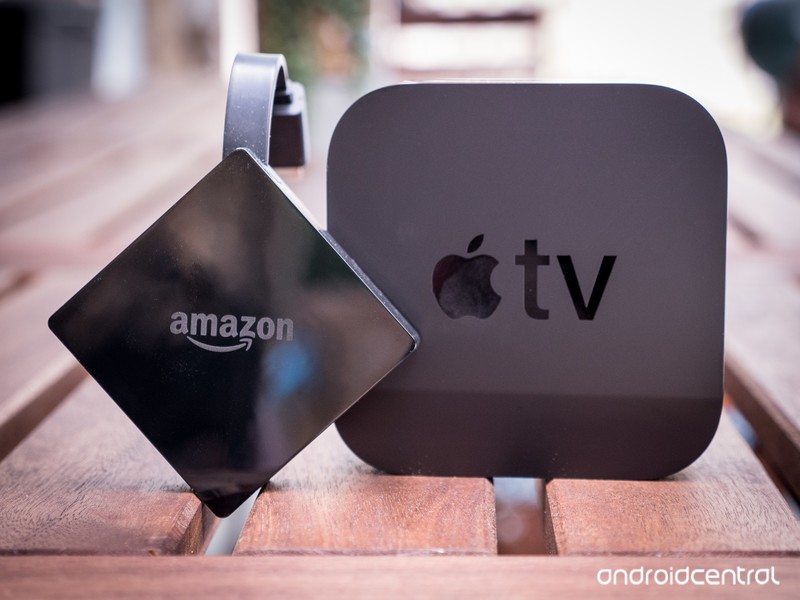
They’re the same, only different.
Apple TV and Amazon Fire TV do the same things. They run a full version of their respective company’s operating system. They run apps. They have access to their respective media libraries and can stream video and music and play games and control things via your voice.
So let us stipulate that Apple TV and Amazon Fire TV are very similar products.
They’re also wildly different in a number of ways.
Let’s take a look.
It’s the little things
Apple TV and Amazon Fire TV: The basics
There’s no way we can’t compare these things side by side, right? And immediately — actually, before you even buy one of these things — there’s one huge discrepancy.
Apple TV 4K (which is the only one you should buy) starts at $179. (There’s a $199 with extra storage, too.) Amazon Fire TV — which also can handle 4K video just fine — is, on a bad day, $69. And you often can find it for as low as $49.
That’s as much as a $130 swing for a device that streams video and music and plays games and has apps and does smart stuff.
But it’s the little things where Apple TV really starts to stand out in the specs department.
 |
 |
|
| Price | $179/$199 | $69 |
| Form factor | Set-top box | HDMI dongle |
| Operating system | tvOS | Fire OS 6 (Android) |
| Processor | A10X | Amlogic S905Z |
| Internal storage | 32GB/64GB | 8GB |
| External storage | No | No |
| RAM | 3GB | 2GB |
| Resolution | Up to 4K | Up to 4K |
| HDR10 | Yes | Yes |
| Dolby Vision | Yes | No |
| Dolby Atmos | No | Yes |
| Remote control | Yes | Yes |
| Bluetooth out | Yes | Yes |
| Ethernet | Yes | No |
| Wifi | 802.11ac | 802.11ac |
| Buy | See at Amazon | See at Amazon |
What really stands out here? First, the form factors. Apple TV is a set-top box. You’ll need some room for it somewhere. Fire TV is an HDMI dongle that dangles off the back of your TV or receiver.
Apple TV has better hardware. Fire TV has more affordable hardware.
Then there’s storage. While neither handles external hard drives, Apple TV starts with 32 gigabytes of on-board storage, with an option for double that for just $20 more. (We’d recommend springing the extra dough if you can.) Fire TV? A mere 8 gigabytes of storage. On paper, that’s a big deal. In actuality? It depends on how you used these things. If you’re not downloading movie after movie or loading up huge games and all you’re doing is streaming video or music, 8GB might well be enough.
But still — more storage is always better.
Comparing processor and RAM is sort of an Apples-an-oranges thing. Capitalization there was on purpose, though. Apple’s platform is simply more powerful. Period. And the matters in ways we’ll talk about in a second.
Video is the other big standout. Apple TV can do both HDR10 and Dolby Vision. The former looks OK. It makes colors pop. The latter really makes colors look brighter and dark spots look darker. (That’s provided that you have a compatible television, of course.) If you have to pick between the two, you want something that can use Dolby Vision. Fire TV only does HDR10.
So, yeah. These are the same devices. Only not really.
Watch all the things
Apple TV and Amazon TV: The libraries
I tend to think this one’s a wash these days. Mostly.
Yeah, iTunes was first and is huge. But Amazon’s really not all the far behind it. And given that so much of what we watch and listen to these days is available on just about any and every streaming service — save for exclusive content, of course — it’s mostly a push. Sure, you can find things Apple TV has that Amazon doesn’t. Or you could point out that to watch, say, The Marvelous Mrs. Maisel you’ll have to load up the Amazon Prime Video app on Apple TV, when it’s already built in to Fire TV.
You’ll be hard pressed to find content that you can’t watch on either of these devices.
If you use iTunes Match and want to play that music over your TV or entertainment system, then Apple TV is the way to go. If you don’t care about local music in the slightest and just want to stream things? You can do that just fine on Fire TV.
All the major streaming services are available on both platforms. OK, sort of. You can’t get iTunes content on Fire TV. But you can get Amazon content on Apple TV. Google content is out. But apps like Movies Anywhere bridge that gap a bit.
Really, this one’s going to come down to the edge case. Do you already have a bunch of content purchased on one service? Then stick with their hardware, too. It’s just easier and more enjoyable in the long run.

OK, and worse
Apple TV and Amazon Fire TV: The remotes
There’s a good chance you’re going to be spending a lot of time with the remote control in your hand. There’s good news and bad news here. The Fire TV remote is functional. It won’t win any awards for design, and it uses AAA batteries instead of having something internal and rechargeable. But it works, and it works well, and it also serves as a voice controller for Alexa.
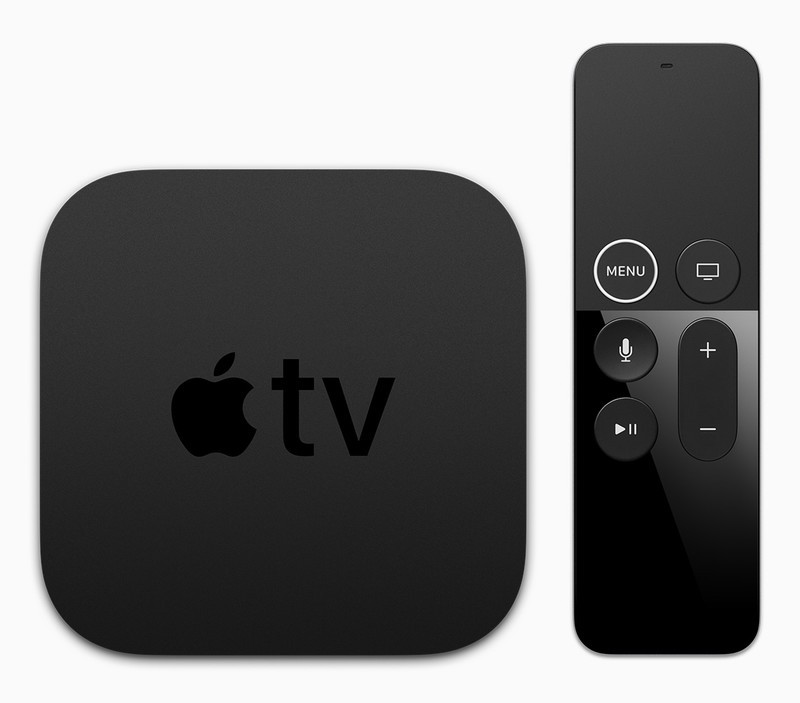
The Apple TV remote is still bad.
Apple’s “Siri Remote” — yes, they gave the damned thing a name — is a bad remote control. It lacks any economics whatsoever. It likes to pretend the Menu button is a Back button, except for when the Menu button is a Home button. Or when it’s actually a Menu button. Or when you’ll want to use the swiping not-a-directional-pad to bring down what otherwise would be considered a menu.
And the Siri Remote charges over Lightning, so it uses the same cable as your iPhone or iPad. That’s fine if you’re the sort of person who has Apple devices laying around. It’s probably not fine if you bought an Apple TV because you prefer it but don’t own a lot of other Apple stuff.
No. Don’t use the Apple TV remote. At least put a rubber sleeve on it. But better yet is to just get a better remote control.
Siri vs. Alexa
Apple TV vs. Amazon Fire TV: The smarts
Everything has to be “smart” and “connected” these days. (It doesn’t actually have to be, and maybe it shouldn’t be, but that’s another thing for another time.)
So to that end, Apple TV has Siri baked in. You can do a lot of the things — but not quite all the things — that Siri can do on your phone or tablet. And Apple TV has the added bonus of being a HomeKit hub. Without getting too far into the weeds, that’s a good thing and sometimes can save you from needing a half-dozen other little hubs connected to a half-dozen other smart devices.
Siri is integrated across devices, Alexa is ubiquitous.
On the other hand, Amazon Fire TV has Alexa. And if you’ve used Alexa at all in the past year or two, you know that it mostly just works. And everything — damned near everything works with Alexa these days. With a quick voice command, I can tell the Fire TV on my back patio to show me my doorbell camera. It’s pretty cool.
So which one’s right for you? Again, it kind of depends on which ecosystem you’re in. Or are going to be in. If you’re committed to HomeKit, Apple TV is the way to go. (And AirPlay beats the socks off of the screen sharing built into the Fire TV.) If you don’t care? Fire TV is seriously economical.
Helping out
Apple TV vs. Amazon Fire TV: Accessibility
If there’s a leader in the accessibility space, it’s Apple. That is, adding features that help the hard-of-hearing or visually impaired or some other physical thing — basically anyone who may need a little help to use a piece of tech.
And Apple TV has a wealth of accessibility options, from captions to VoiceOver (wherein it’s reading screen items) to audio balance and video contrast.
Fire TV has a few accessibility options as well. There are captions, of course, and also it’s own “VoiceView” screen reader, plus high contrast and a screen magnifier.
The bottom line
Apple TV vs. Amazon Fire TV: Which one should you get?
Generally speaking, you get what you pay for in tech. But Amazon also has the means to drastically undercut competitors.
Does that mean Amazon Fire TV is as good as Apple TV? No. It’s not. I use both devices (on different TVs) almost every day, and I think it breaks down to this: Apple TV is what I’d call an everyday sort of TV box. It’s fast. It’s more flexible. Applications run quicker on it.
But Fire TV is also plenty capable. In fact, it’ll work just fine for most folks, especially given how inexpensive it is. For me, it’s great on a secondary screen. If it was going to be the box I’d be using the most, I think it’d be worth ponying up the money for something a little more powerful.
So, yeah. Two streaming devices that mostly do the same things. One just does them better — the other does them far less expensively.
Amazon Fire TV
- What’s new on Amazon Prime Video
- Read our full review!
- Get the latest news
- Join the discussion
Buy at Amazon
AT&T cuts the prices of its best prepaid plans by $10/month
There’s also better multi-line discounts.
AT&T’s prepaid plans are a great way to get reliable service without having to mess with pesky contracts, and today they’re getting even better with lower monthly rates for people that sign up for automatic billing through AutoPay.

For $50/month, AT&T will sell you unlimited talk and text with 8GB of high-speed data. Starting today, customers that enroll in AutoPay will be able to take that price down to just $40/month. Additionally, the $65/month Unlimited plan is getting an increased AutoPay discount from $5 up to $10 – bringing the final price down to just $55/month.
Speaking of unlimited plans, the $85/month one (which can be taken down to $75/month with AutoPay) is getting upgraded to 10GB of monthly hotspot use each month from the previous 6GB allotment.
Lastly, AT&T is increasing its multi-line discounts. Paying for two active lines now sees a $10/month discount (up from $5/month) and four active lines now gets a $20/month savings (up from $15/month).
See at AT&T
Carriers

- Which unlimited plan should you buy?
- Verizon’s Unlimited plans: Everything you need to know
- Everything you need to know about the T-Mobile ONE unlimited plan
- Everything you need to know about the AT&T Unlimited plan
- Everything you need to know about Sprint’s Unlimited Freedom plan
- Join the Discussion

How to give your Android home screen a spring cleaning

Spring is here, so it’s time to get all the clutter and trash off your home screen that’s collected there all year.
Spring cleaning is upon us, and everyone wants you to take stock of your entire life and throw out half your closet and your whole pantry and ain’t nobody got time for that. Want to get some spring cleaning done that you’ll notice every day? Spring clean your home screen and your app drawer, and it’ll be easier to find apps on your phone and easier to get on with your life. Not to mention, opening your app to a clean, orderly home screen can help bring a sense of order and peace to your life.
So spring clean the thing you use most during your day: your phone!
Step 1: Clean up your home screen
Let’s start with the smallest — and honestly, the more important — step of cleaning up your phone: delete the clutter from your home screens. We have things on our home screen, and we get used to them being on the home screen, but do we really need all these app shortcuts and old widgets cluttering up our home screens?
Nope, and so it’s time to clean house — erm, home screen.


Go through every page of your home screens. Look at each app, shortcut, and widget:
- Have you opened an app shortcut in the last month? If not, long-press and remove it from your screen.
- Have you opened an app shortcut in the last three months? If not, uninstall it from your phone.
- Have you interacted with a widget in the last month? If not, long-press and remove it from your home screen. Yes, that includes the Google Search bar. In an age of Google Assistant and “OK Google”, how often do you actually use the search bar widget?
- Does a widget look clunky or ugly compared to the rest of your home screen? Remove it and go find yourself a replacement.
By cleaning up your home screen, you make room for any new apps that might need space on your home screen, and you also allow more of your precious wallpaper to shine through. Once we’ve cleaned up your home screens, it’s time to dive into the real challenge.
Step 2: Clean up your app drawer
Every app installed on your phone is in your app drawer, so by cleaning up your app drawer, you can clean up your entire phone by weeding apps that you no longer need and apps you no longer want. When it comes to cleaning up your app drawer, just remember that there are four options you can take with the apps in there:


- If you use it regularly, leave it alone.
- If you use it rarely, you can stick it in an app drawer folder. Folders keep seldom-used apps somewhere out of the way until you need it, but easy to find when you do. In many launchers that support app drawer folders, you can create a folder simply by dragging one app on top of another.
- If you don’t use an app anymore or don’t want it on your phone anymore, uninstall it and get rid of it. Don’t worry, if you need to download it again down the road, it’ll be in your Google Play history.
- If you don’t use an app but can’t uninstall it because it came on your phone, disable it so it that it can’t take any more resources and won’t clutter your app drawer, as all disabled apps are hidden from the launcher.
How to disable a pre-installed app
Many launchers allow you to jump right into an app’s info so that you can uninstall or disable it, but should your launcher have that convenient feature, here’s how to get to an app’s app info on any phone:
Open Settings.
Tap Apps.
Tap the app you want to disable.


Tap Force stop.
Tap Force stop to acknowledge and dismiss the system warning that force stopping an app can cause it to misbehave.


Tap Disable.
Tap Disable to acknowledge and dismiss the system warning that disabling an app can cause other apps that rely on it to misbehave.


Once you have cleaned out your app drawer and home screen, it’s time to take the final step and reap the rewards of your labor.
Step 3: Try something new
Go beyond decluttering your home screen and app drawer and take a step towards organizing or improving it! There are so many things to try in the vast, vast world of home screen launchers:
- Add a folder to your home screen dock, so you can fit more apps on your home screen without cluttering it up. I did this four years ago and never looked back.
- Try adding a weather or calendar widget to your home screen, see if it gives you enough information to avoid going into your weather app or calendar app.
- Try the categorized app drawer in Smart Launcher 5 and see if you find apps quicker than you do in the standard A-Z sort.
- If you want to pick your app drawer categories yourself, consider digging into the app drawer tabs in Nova Launcher Prime.
- If you want to give your app drawer and home screen a more cohesive look, try an icon pack that gives all your icons a uniform look.

So, how far will you take your spring cleaning? Did you clean up everything? Did you only remove one app from your home screen? Do you think your home screen is perfect as it is, thank you very much? Well, tell us, no wait, show us! We want before and after shots – show us how much progress you’ve made with your spring cleaning.
Google’s RCS ‘Chat’ plans are actually kind of brilliant
Improving a standard is way, way better than creating a walled garden. Every time.

Did you hear? Google is releasing yet another unified messaging app at I/O this year, and is sunsetting the Allo app announced in 2016! How crazy is that?! Does anyone at that company have any clue what they are doing?!?!1!ONE?!!
Lets all take a deep breath for a moment and catch up.
Thanks to some absolutely stellar reporting from The Verge, we know Google is finally ready to admit its messaging strategy has not gotten better over the last couple of years. To attack this problem head on, Google appointed the guy who has been steering the Good Ship Photos into its place of dominance. The plan as it stands right now is to finish something Google started back in 2013, which is kill SMS once and for all. Instead of creating a new app and politely asking people to sign up for it, Google is pumping features into the text messaging app you already have on your phone and asking all of the carriers to support a unified approach to non-SMS messaging.
It’s not exciting. It’s not flashy, and it has nothing to do with competing against Apple’s iMessage platform. And I’m pretty sure that’s why it is going to work.
Here’s the thing about SMS messaging – it’s awful. On a technical level SMS messaging is deeply flawed. It was never actually intended to be a mass consumer messaging tool, and several mobile network engineers I’ve spoken to over the years have openly mocked it for being held together with the software equivalent of paper clips and bubble gum. It’s expensive to maintain, and was never meant to be relied on in the ways it is today. The carriers have wanted a viable replacement to SMS for a long time now, but instead of building public alternatives, Google and Apple created platforms limited to Google or Apple login requirements. Apple has been a great deal more successful that Google with its messaging platform, but the underlying problems have not gone away.

The truth is, nothing about Google’s plans for this new Chat experience is even remotely new. Most U.S. carriers have supported Rich Communication Services or RCS for a while now. The carriers offering early support had unique hacky features to make it unique, in an attempt to keep you using that carrier. To fix this, the Universal Profile was created to offer every user on every carrier a baseline set of features that worked no matter what system you used. Until very recently, the only major carrier to flat out refuse RCS support or Universal Profile implementation was Verizon Wireless. As the primary carrier of Google’s Pixel phones, it was important for Google to change that. Now we know that change is coming.
Google is supporting a universal, feature-rich platform with no barrier to entry, and it’s going to improve everyone’s overall experience.
With all of the major carriers supporting RCS with Universal Profile, Google can now add features until the sun collapses and those features will be available to every Android phone. This creates a scenario in which the only major manufacturer actively leaning on SMS for messaging is Apple, which has also not supported RCS with its messaging platform. If the carriers want to eventually stop offering SMS (they do) and Apple is the only major company stopping them (it will be) Google has effectively turned the carriers into lobbying arms for getting Apple to support RCS. Whether Apple actually follows suit instead of digging in its heels to sell more iPhones is another matter entirely.
Personally, I’m excited by Chat. Google is supporting a universal, feature-rich platform with no barrier to entry, and it’s going to improve everyone’s overall experience. It also gives Google considerable leverage in feature implementation, since Android has well over two billion active users and Google wants to compete with iMessage and WhatsApp in a meaningful way.
It also makes a lot of sense for Allo to be “paused” while all of this is happening. A lot of the Allo experience is going to be folded into Chat, and there really aren’t that many people using it to begin with. The end goal here is much larger than releasing a competing product, it’s creating a platform carriers already want to support where Google has its hand on the scale for future development. That is going to be a much bigger deal in the not-so-distant future.
The Best Keyboard Replacements for Chromebook and Chromebox

The best keyboard you can buy for your Chromebook or Chromebox.
Like any other laptop, your Chromebook works great with an external keyboard. It’s incredibly easy to use an external display, mouse, and keyboard if you work or play from a desk, and Chrome does a great job mirroring to a monitor or having one as an extended display. All you need are the right parts!
Chrome OS supports any USB (wired or wireless) or Bluetooth keyboard. There are differences in the default keyboard layout across the function keys and the addition of a dedicated search key (the Windows key on a standard 104-key keyboard will act as a search key) but you won’t have any trouble typing out a web search or a term paper. We’ve looked at a lot of keyboards for your Chromebook and Chromebox, and here’s what we think are the best ones to use.
- Logitech K380 Multi-Device Bluetooth Keyboard
- Dell Multimedia Keyboard for Chrome
- Logitech MK270 Wireless Keyboard and Mouse Combo
Best overall
Logitech K380 Multi-Device Bluetooth Keyboard

The Logitech K380 is not a dedicated Chrome OS keyboard, but even with that in mind, we think this is the best overall purchase for a Chromebook or Chromebox user because it works with everything and switching between up to three devices is as easy as pressing a button.
This compact keyboard has roomy keys with great feedback for typing and it automatically adapts so that the keys support the operating system of whatever it’s paired with. All of your keyboard shortcuts work exactly as you would expect, even if what’s printed on the key itself isn’t what you would see on your Chromebook.
Pair it with up to three devices at once; Chrome OS, Windows, Mac OS, Linux, Android, iOS, Android TV, Apple TV and Steam OS are all supported. You’ll never need another keyboard for any of your devices. This keyboard is kind of expensive at $28, but worth it in the long run.
See at Amazon
Best for Chrome OS
Dell Multimedia Keyboard for Chrome

Built specifically for Chromeboxes, this keyboard has the right keycaps for your Chromebook.
The keys are roomy and all the standard Chrome shortcuts work perfectly. That’s enough reason to recommend it, but this Dell keyboard is also built well and has a fully functional numeric pad. It’s wired so there are no batteries to worry about but you instead have a wire to deal with. Having said that, it uses a full-size USB-A connection so if your Chromebook or Chromebox has a USB-C port be sure to snag an adapter. Best of all, it’s only $13!
See at Amazon
Best value
Logitech MK270 Wireless Keyboard and Mouse Combo

We mentioned that any USB or Bluetooth keyboard works fine with your Chromebook, and that means Logitech’s excellently priced (around $20 US) combo will work out of the box.
A single 2.4GHz nano receiver (this is not the Logitech Unifying Receiver found on more expensive products) gives a 10-foot connection range and there are no drivers or additional software to fool with. Plug the receiver in and power on the keyboard, then you’re good to go. Besides the great price tag, the MK270 has excellent battery life. A pair of AAA batteries provides about 6,000,000 keystrokes and the mouse battery (one AA) last up to 24 months.
This is a basic keyboard and mouse that will definitely get the job done, and it’s our best pick for people in search of value. This basic set only costs $19 so it’s also a great value.
See at Amazon
More: Best wireless mice for Chromebooks
Update, April 20: These are our top choices for external keyboards for your Chromebook.
Chromebooks
- The best Chromebooks
- Should you buy a Chromebook?
- Google Play is coming to Chromebooks
- Acer Chromebook 14 review
- Join our Chromebook forums
CBS All Access lands Muhammed Ali biography ‘8 Fights’
CBS continues to ramp up its All Access content to compete with the likes of Netflix, with six to seven new shows set to hit the streaming service, like the Will Ferrell-produced No Activity. Now Deadline reports that CBS’ service has just landed 8 Fights – The Life of Muhammad Ali for development. It will be produced by Morgan Freeman, Revelations Entertainment and CBS TV Studios.
The limited event series is based on Jonathan Eig’s recent biography Ali: a Life, according to Deadline, and will show eight distinct moments in Ali’s life, each organized on a single fight from his boxing career. The show will apparently focus on the internal struggle in Ali’s heart and mind as an influential figure of the 20th century.
CBS TV Studios sold the series to All Access in a competitive bid, landing a script-to-series commitment, which means there will be no pilot process if the script is good enough to warrant the series itself. The studio currently has 13 premium shows on cable and streaming, notes Deadline, including American Vandal, Insatiable, Cartoon President, The Twilight Zone and Star Trek: Discovery.
Source: Deadline
 AIVAnet