


Pro photo storage site SmugMug buys Flickr
Long before Minecraft exploded from a development tool to a game purchased by Microsoft for billions of dollars, there was Flickr. The photo-sharing started in 2004 based on tools built for a never-released MMO before being purchased by Yahoo (now a part of Oath, the parent company of Engadget) in 2005 for more than $20 million. Now the service and its 75 million~ accounts have been purchased by SmugMug, a smaller competitor focused on professionals. SmugMug is a similar site that started in 2002, but from the beginning it has focused on serving people willing to pay for its privacy and storage, as opposed to Flickr, where most people are using free accounts.
Over the years competition from social networks and newer photo apps like Instagram chewed away at Flickr’s active users, and its influence has stagnated. SmugMug claims that together, the two services represent “the world’s most influential photographer-centric community” where “perspective is shared, not forced.”
Speaking to USA Today, SmugMug CEO Don MacAskill didn’t reveal how much his company paid for the site, and said he doesn’t have an exact plan for integrating the two. According to an FAQ, Flickr will continue to operate separately, and MacAskill said “I don’t know what the future holds. This is a new model for me.” Taking a direct shot at Facebook, he also said “We don’t mine our customers’ photos for information to sell to the highest bidder, or to turn into targeted advertising campaigns.”
Source: SmugMug, Flickr, FAQ
Logging in with Facebook may let Javascript trackers steal personal data
ChristopherSimon/GettyImages
Using Facebook to login to certain websites may open you up to data theft attacks if those sites also employ particular Javascript trackers. Although the vast majority of sites that were found to contain the malicious trackers are relatively small operations, there are also quite a few that enjoy millions of regular visitors. Some of them are even in the top few hundred sites in the world for overall traffic.
This news first came to light as part of a report from the Princeton’s Center for Information Technology Policy website, Freedom to Tinker. It highlighted that the vulnerability allowed third parties to piggyback the Facebook login process to scrape usernames, email addresses, age ranges, genders, relative locations, and possibly even profile photos, as per Engadget.
In total the report cited seven different scripts that were collecting user data using the Facebook access system. Those scripts were found in 434 of the top one million websites as ranked by Alexa. Some sites have responded to the news by disabling and removing the offending scripts, though many others are still susceptible to this particular exploit.
“Scraping Facebook user data is in direct violation of our policies,” a Facebook spokesperson said in a statement to Engadget. “While we are investigating this issue, we have taken immediate action by suspending the ability to link unique user IDs for specific applications to individual Facebook profile pages, and are working to institute additional authentication and rate limiting for Facebook Login profile picture requests.”
The report does suggest, however, that although Facebook could take steps to prevent this exploit from being viable — such as the previously announced anonymous login feature — that this problem was more of an indication of security problems in modern web standards, than Facebook’s own fault.
Although the report authors admit that they don’t know how the scraped data is being used, this comes at a very poor time for Facebook. It is already embroiled in a scandal surrounding the harvesting of user data by companies like Cambridge Analytica, which purportedly used it for politically targeted adverts during a number of electoral campaigns over the past few years. Mark Zuckerberg even had to testify to Congress over the matter.
With the impending implementation of the GDPR, reports like this do little to curb fears of Facebook security and handling of personal data.
Editors’ Recommendations
- Facebook investigating more security vulnerabilities with third-party logins
- Localblox data breach is the latest nightmare for Facebook, LinkedIn
- Facebook was always too busy selling ads to care about your personal data
- Facebook spells out data use from mouse clicks to metadata in policy update
- What Is the GDPR? The EU’s Online Privacy Law: Explained
How to turn off notifications in Windows 10
Notifications are the heart and soul of the Action Center in Windows 10, but receiving a barrage of notifications isn’t always welcome, especially if you have multiple apps pushing out notifications every time anything happens. You can turn notifications on and off in Windows 10 Settings: Here’s a quick rundown on how disable notifications for any installed app, as well as how to control the types of notifications you see.
Before we begin, note that you’ll only be able to toggle notifications for an app once you’ve received a notification from it. If you download the official Facebook app, for example, you won’t be able to adjust the notification settings until you receive your first message, comment, etc. following installation. That said, here are the steps to control the number of notifications you receive.
Turn off notifications
Step 1: To add, disable, or enable notifications, begin by clicking the Action Center icon located on the right-hand side of the Windows taskbar.
Step 2: Then, click the All Settings button with the gear icon
Step 3: Select System in the top-left corner of the window.
Mark Coppock/Digital Trends
Step 4: In “System,” click “Notifications & Actions.” This will take you to a screen providing access to all of the settings related to notifications and the Action Center.
Mark Coppock/Digital Trends
Step 5: Look for the Notifications subhead, where you will see a number of toggles for various types of notifications. The following is a list of the settings you can toggle on this screen:
- Get notifications from apps and other senders
- Show notifications on the lock screen
- Show alarms, reminders, and incoming VoIP calls on the lock screen
- Hide notifications when duplicating my screen
- Get tips, tricks, and suggestions as you use Windows
Turn them off as you need! For full peace of mind, just make sure they are all toggled off. Again, you’ll need to install the particular app you want to view notifications for if it’s not already built into your system, and receive a notification first before an app will show up in the list.
Bonus tip: How to dismiss notifications
Notifications are a phenomenal tool for keeping up with the hustle and bustle of our digital lives. However, an excess of notifications — especially ones you’ve previously seen — can clutter the Action Center and prevent you from seeing important notifications as they arrive.
To dismiss individual notifications, click the Action Center icon located on the right-hand side of the Windows taskbar and mouse over the notification that you’d like to dismiss. Then, click the “X” button directly to the right of the notification. You can also swipe a notification to the right to dismiss it quickly with either touch or by clicking and dragging with the mouse.
Mark Coppock/Digital Trends
You can dismiss all of the notifications for a given app by clicking on the “X” button to the right of the app group listing. You can also click “Clear all” to close every notification for all apps.
Mark Coppock/Digital Trends
Mark Coppock/Digital Trends
Note: Microsoft continues to integrate Windows 10 across all devices connected to the same Microsoft account. In the spirit of being better connected, Windows 10 notifications will dismiss on other Windows devices when you dismiss them in the Action Center on your desktop.
In-depth: How to customize notifications for each app
In Windows 10, you can choose to view or hear a combination banner notifications — which consist of a pop-up in the lower-right corner of your display — and sounds. You can also configure various apps to only show notifications within the Action Center, with no other indication on arrival. As you can see in the image below, a number of notification options are available for each app that supports notifications.
Mark Coppock/Digital Trends
To access these settings, open the Notifications section of Settings, as before. Scroll down and click the name of the particular app you want to adjust the notifications for, to access a more advanced notification menu. Then, simply toggle on and off whichever preferences you choose, whether you want to receive banner notifications, sounds, or neither. Here are the settings you can configure for most app’s notifications:
- Turn notification on or off
- Turn notification banners, the boxes that show up for each notification and then disappear, on or off
- Determine whether to keep notifications private on the lock screen
- Turn notifications on or off in the Action Center
- Determine whether a sound plays for that app’s notifications
- Indicate how many notifications are visible in the Action Center before the drop-down “show more” menu appears, either one, three, five, 10, or 20 notifications
- Determine the priority of notifications, allowing an app’s notifications to show up on top of other less important app notifications
Editors’ Recommendations
- How to hide the taskbar in Windows
- The only guide you need to get started with Google’s Wear OS
- How to turn on Bluetooth in Windows
- Chrome OS notification center redesign borrows from Windows 10 Action Center
- How to split your screen in Windows 10
Cambridge Analytica’s ex-director wants to fix data privacy. Can we trust her?
Brittany Kaiser, Executive Adviser to IOVO and former Director of Program Development at Cambridge Analytica. Leon Neal/AFP/Getty Images
(in)Secure is a weekly column that dives into the rapidly escalating topic of cybersecurity.
Data is valuable. In fact, some economists say data is the most valuable commodity in the world, even surpassing oil. That fact was quoted by ex-director at Cambridge Analytica, Brittany Kaiser, who spoke on April 18, 2018, at a press conference in New York for a new initiative on data privacy. The organization she’s advising is called IOVO, the Internet of Value Omniledger, and it goes against nearly everything she worked for at Cambridge Analytica.
Despite Kaiser’s questionable reputation, the new platform she’s championing offers an eye-catching vision of a future where advertisers pay you to view ads, not the other way around. Yet important questions remain. Is Kaiser someone to be trusted? And is this really the internet we want?
Who does data belong to?
Kaiser was clear about her opinions on privacy and data today. She spent most of her opening remarks at the IOVO press conference talking about the monetary value data holds.
“Our data has been harvested, collected, modeled, and monetized — just for advertisers
to be able to target us.”
“The biggest companies in the world right now are made up of trillions of dollars of digital assets that really, in my opinion, should belong to us as individuals,” said Kaiser. “Our data has been harvested, collected, modeled, and monetized — sometimes sold on as raw data, and sometimes licensed just for advertisers to be able to target us.”
As she pointed out, data-powered ads aren’t just minor annoyances on the internet — they’ve been built into the very fabric of how it works. Ad have provided free and open access to just about every website imaginable, completely de-commodifying resources like information and communication. On top of that, tech giants like Google and Facebook have become some of the most profitable businesses in the world, all on the backbone of its massive ad platforms.
The now-controversial advisor to IOVO said she’s more interested in fixing these companies than replacing them: “I’m not a supporter of the #DeleteFacebook campaign. I think that Google, Facebook and Amazon can reform.”
Kaiser wasn’t speaking about government regulation. She’s talking about the Internet Value Omniledger, or IOVO. It puts the monetary value of an individual’s data back in their hands. In its whitepaper, the founders of the platform describe it as a “decentralized network-database” that uses blockchain concepts to give people direct control of their own personal data — and even monetize it. In more familiar terms, IOVO is a platform. Developers can create apps on top of it (or transition older apps to it).
The debut app for IOVO is Influnomy, which “allows users to discount their payments by posting the social media content desired” by a brand or place.” Kaiser compared it to AirBnB, which helped people use the property they already owned as a means of income.
The debut app for IOVO is Influnomy, which “allows users to discount their payments by posting the social media content desired” by a brand or place.”
“What if, instead of an entire department of data engineers and data scientists trying to hygiene data about customers, customers were incentivized to update those data files themselves?” said Kaiser. “What if in a permission-based structure, you could decide if you wanted to provide value to advertisers or to political groups? Or, for instance, share your medical data for cancer research? All those options should be available for an individual to make. That’s really where I think this industry should be moving.”
Kaiser and the other representatives didn’t speak much about the details of IOVO. They were far more interested in the conceptual framework. Most of the staff is based out of Poland, and until now, has been under wraps. Yet when you consider the voices and identities of who is delivering these ideas, you might become more dubious about their claims.
The web of irony and contradiction
IOVO isn’t shy about the past employment history of its high-profile advisor. According to its website, IOVO started in 2017, which lands right amid Cambridge Analytica’s most substantial controversies.
“There’s a very low amount of data literacy around people,” Kaiser said at the conference. That quote was intended to describe her new venture, but it just easily could have been used a soundbite to describe how her old employer took advantage of millions of Facebook users.
Kaiser was a player in several major political campaigns that abused Facebook’s fast-and-loose data policies — which she now criticizes. She presided as Director of Program Development at Cambridge Analytica for four years, working intimately with political clients. She was fired earlier this year from Cambridge Analytica over a “contract dispute” in March.
As MSNBC reports, Kaiser was closely involved in the Trump campaign, both speaking at CPAC alongside Kellyanne Conway, and celebrating the presidential victory with large campaign donors like Rebekah Mercer. All of that could technically be included in her role at Cambridge Analytica, but it’s hard not to see the complete contradiction in the ideas she espouses and her prior work. It’s the equivalent of an environmental activist who just happens to be employed at ExxonMobil.
It’s the equivalent of an environmental activist
who just happens to be employed at ExxonMobil.
In all the interviews she’s given over the last few months, at no point has Kaiser ever come out and apologized for what she participated in — or even admitted the contradiction in what she did. When asked about it at the press conference, she stood firm that was the right person to deliver this message.
“To be honest, for many years, I never questioned it,” Kaiser said. “That’s the way that the political system works. That’s the way that advertising works. That’s the way that every single industry that exists in the entire basis of digital communications — that’s the way it works. I do really understand the industry, and I have the ability to be a voice for change. I think a lot of other people that have been involved in this industry, are also coming out to support.”
In an earlier interview with The Guardian, Kaiser was asked why, as a Bernie Sanders supporter, she felt it wasn’t contradictory to work on behalf of the Trump campaign. “Just like when you’re trained as a lawyer,” Kaiser answered. “If you’re trained as a proper political consultant, you should be able to undertake your profession no matter who the client is.”
That justification might help her sleep better at night, but it casts a long shadow on anything she says or supports today.
Oculus wants to stretch your skin to see what it feels like to be human
In patents filings made public this week, Oculus describes a couple different technologies that could make its virtual reality even more realistic and immersive. The patents describe a couple methods for simulating touch in VR environments, one of which includes a “skin stretch instrument.”
It’s not as terrifying as it sounds. Pick up any object near you right now, notice how your hand cradles it, which parts of your hand are touching it. Those are the little details Oculus is looking to simulate. A smart phone feels different in your hand than an orange does, or a water bottle, or a coffee cup. These objects all feel different, in part because we hold them differently. Add on to that the fact that everyone holds objects in a slightly different way, and you can see how simulating your sense of touch can get pretty complex.
Oculus’ solution is a simple one: Build a haptic glove that can calibrate itself by simply monitoring how you interact with real objects. The first patent describes a technology that would live in the fingers, fingertips, and palm of a haptic glove. This is the “skin stretch instrument” really what it’s doing is measuring how your skin stretches, or compresses, when you pick up real-world objects. By measuring that, it’s able to calibrate itself to simulate those kinds of pressure.
Think of it this way: By picking up an object, the object is basically pressed against your skin in a couple different places on your hand. These haptic gloves would measure where the object presses against your skin, and how hard, and then using that information it would essentially learn how to use its internal “skin stretching” instruments to simulate physical touch.
To do that, the haptic gloves have a couple different methods at their disposal. First, it appears they will have a number of small “gears” or “rollers” in the fingers and palm of the glove, these will both record the calibration interactions described above, and provide mechanical feedback to simulate touch.
“The skin stretch sensor includes a mechanism that may comprise one or more gears and rollers that rotate when the user interacts with a real object,” the patent application reads. “The feedback surface is configured to simulate a force associated with the interaction with the surface.”
The second patent filing also concerns simulating touch once it’s recorded and calibrated by having the user interact with real-world objects. This patent filing uses expandable bladders hidden inside the haptic glove that can expand or contract, like miniature balloons, to apply pressure to your hands to simulate interaction with real objects.
Editors’ Recommendations
- Oculus could be aiming to make VR a bit more real with these haptic gloves
- Another patent describes a haptic feedback feature for the Surface Pen
- New patent reveals Microsoft’s intent to kill the mouse with its Surface Pen
- Playstation VR could improve with new motion controller patents from Sony
- Apple’s latest touchscreen keyboard patent suggests a squishy, keyless future
Hackers can bypass the Windows 10 S lockdown due to security flaw
Google’s Project Zero team discovered a problem with all versions of Windows 10 with a User Mode Core Integrity (UMCI) component, such as Device Guard on Windows 10 S, that enables anyone to bypass the platform’s app lockdown security feature. The bug is listed as “medium,” and goes public despite Microsoft’s request for an extension to the 90-day disclosure deadline.
Microsoft introduced Windows 10 S in May 2017, a variant of its operating system targeting the cheap Chromebooks dominating the education market. According to former Microsoft executive Terry Myerson, the platform is streamlined for simplicity, locking all installed software to the embedded Windows Store. It’s designed for students and teachers alike, providing quick startups, optimized performance for low-end machines, and a highly secure environment that solely relies on Microsoft’s core components.
The Windows 10 component controlling app installs is called Device Guard. Provided on Windows 10 S and for enterprise-based installs, it simply creates a virtual container preventing users from installing “untrusted” apps and programs not authorized by IT management and/or not delivered through the Microsoft Store. This feature prevents exposure to new malware, unsigned code, boot kits, and more.
But there is a flaw within Microsoft’s .NET framework, an open-source platform used to develop and run Windows-based apps and programs on Windows machines. Due to the way this flaw behaves within the Windows Lockdown Policy check, hackers can execute arbitrary code even if Device Guard is enabled. The proof-of-concept uses just two files: an INF file to install the necessary registry keys, and an SCT file that loads an untrusted .NET assembly into memory.
Typically, this installation should fail, but the flaw allowed the team to run arbitrary .NET code that presented a message box stating: “This bug is subject to a 90-day disclosure deadline. After 90 days elapse or a patch has been made broadly available, the bug report will become visible to the public.”
“It’s not an issue which can be exploited remotely, nor is it a privilege escalation,” states Project Zero researcher James Forshaw. “An attacker would have to already have code running on the machine to install the registry entries necessary to exploit this issue, although this could be through a remote code execution such as a vulnerability in Edge.”
Forshaw points out that there are already two additional flaws within the .NET framework that enables anyone to bypass Device Guard. They are still not fixed, making this new discovery less of a threat given there are now three avenues to take for bypassing Device Guard. Had Microsoft filled the other two holes, this new flaw would rank higher than its current “medium” risk level.
Project Zero first reported the issue to Microsoft on January 19, 2019. Microsoft said in February that due to “unforeseen code relationship,” the problem wouldn’t be fixed by April Patch Tuesday. After several email exchanges, Microsoft asked that the disclosure not be made until May 8. The fix, according to Microsoft, will reside within the Redstone 4 update, aka the upcoming Spring Creators Update.
Editors’ Recommendations
- Microsoft’s latest Windows 10 patch will address Spectre Variant 2 CPU flaw
- Lenovo’s fingerprint scanner software is broken, update it today
- Microsoft rebrands Windows 10 S as S mode
- Microsoft’s Windows 7 Meltdown update granted access to all data in memory
- Soon, you won’t have to be a Windows Insider to test Microsoft’s newest apps
Acer, Dell slash gaming laptop prices to make room for new Intel models
Now that Intel’s new eighth-generation processors for latops are here, it’s time for manufacturers to flush out the current stock for new, updated models. That means big discounts and flash sales to make room on store shelves for the latest and greatest. Two spotted discounts stem from Acer and Dell, which are slashing prices on their gaming laptops starting at $700. If you’re on a budget and don’t care about having the latest CPU, now is the time to buy.
First up is the Acer Nitro 5 listed for $700 on Newegg. Shown above, it packs a 15.6-inch IPS screen with a 1,920 x 1,080 resolution that is backed by Intel’s seventh-generation Core i5-7300HQ processor and Nvidia’s discrete GeForce GTX 1050 Ti graphics chip. It also includes 8GB of system memory clocked at 2,400MHz, and 4GB of additional memory dedicated to the graphics chip. The storage aspect consists of a single 256GB solid-state drive.
Key Specs
Screen: 15.6 inches
Resolution: Full HD
Processor: Core i5-7300HQ
Graphics: GTX 1050 Ti
Memory: 8GB
Storage: 256GB
Connectivity: Wireless AC, Bluetooth
Ports: USB-C, USB-A
Camera: 720p webcam
Battery: 3220mAh
Thickness: 1.05 inches
Weight: 5.51 pounds
According to the specifications, the unit supports two memory sticks up to 32GB (2x 16GB), but only ships with a single 8GB stick. The port complement includes one Gigabit Ethernet, an SD card reader, one USB-C 3.1 Gen1, two USB-A 2.0, one USB-A 3.1 Gen1, one HDMI 2.0, and one headphone/microphone combo jack. Wireless connectivity includes Wireless AC at 867Mbps (2×2) and Bluetooth 4.0.
Acer’s discounted laptop measures 15.35 x 10.47 x 1.05 inches, weighs 5.51 pounds, and ships with a 64-bit version of Windows 10 Home. This deal ends Monday, April 23.
Next, we have Dell’s Inspiron 15 7000 Gaming laptop starting at $850, a $250 reduction from the original price. It too sports a 15.6-inch IPS screen with a 1,920 x 1,080 resolution backed by Intel’s seventh-generation Core i5-7300HQ processor. But in this case, your graphics component is the meatier GeForce GTX 1060 discrete graphics chip with 6GB of dedicated GDDR5 memory. Dell’s laptop also includes two memory slots supporting up to 32GB of DDDR4 system memory clocked at 2,400MHz (2x 16GB), but only ships with a single 8GB stick.
Key Specs
Screen: 15.6 inches
Resolution: Full HD
Processor: Core i5-7300HQ
Graphics: GTX 1060
Memory: 8GB
Storage: 128GB SSD, 1TB HDD
Connectivity: Wireless AC, Bluetooth
Ports: Thunderbolt, USB-A
Camera: 720p webcam
Battery: 56WHr
Thickness: 0.98 inches
Weight: 6.28 pounds
In this case, Dell serves up two storage devices: One SSD primarily for hosting Windows 10 Home (64-bit) and demanding games (first-person shooters/RPGs), and a 5,400RPM hard drive for storage. They are backed by an SD card slot, three USB-A 3.1 Gen1 ports, one Thunderbolt 3, one HDMI 2.0, a Gigabit Ethernet port, and a headphone/microphone combo jack. The connectivity aspect consists of Wireless AC at 867Mbps (2×2) and Bluetooth 4.2.
Finally, Dell’s discounted laptop measures 15.32 x 10.82 x 0.98 inches and weighs 6.28 pounds, making it slightly thinner than Acer’s laptop, but slightly heavier. Dell doesn’t say when this deal ends, but availability is limited and 44 percent of the discounted units are already claimed at the time of this publication. Get it before it’s gone!
We strive to help our readers find the best deals on quality products and services, and choose what we cover carefully and independently. If you find a better price for a product listed here, or want to suggest one of your own, email us at dealsteam@digitaltrends.com.Digital Trends may earn commission on products purchased through our links, which supports the work we do for our readers.
Editors’ Recommendations
- Dell rebrands Inspiron gaming laptops to G Series, serves up four new models
- Dell calls revamped XPS 15 the ‘smallest performance 15.6-inch laptop’
- Acer’s stylish new all-in-one PC packs a built-in Qi wireless charging station
- Asus just rolled out the world’s slimmest gaming laptop with GTX 1070 graphics
- Acer’s faster Nitro 5 gaming notebook offers GTX 1050 Ti, Intel Optane
Flickr has been purchased by photo-sharing service SmugMug
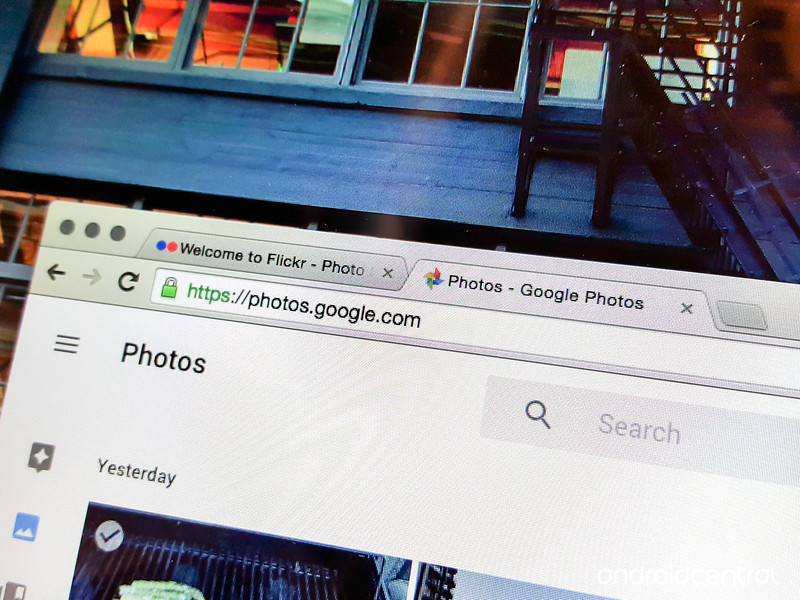
Flickr has been purchased by photo-sharing service SmugMug.
According to a new report from USA Today, Flickr has been purchased by photo-sharing service SmugMug. The company says it plans to “[breath] new life” into Flickr by pouring in the necessary resources and focus.
For what it’s worth, SmugMug CEO Don MacAskill sure seems bullish about the service:
Flickr is an amazing community, full of some of the world’s most passionate photographers. It’s a fantastic product and a beloved brand, supplying tens of billions of photos to hundreds of millions of people around the world. Flickr has survived through thick-and-thin and is core to the entire fabric of the Internet.”
It’s unclear just how much money SmugMug spent on this 14-year-old piece of the entire fabric of the internet, but it has already launched a landing page for SmugMug + Flickr.
SmugMug, which has been around longer than Flickr, says the two platforms represent “the world’s most influential photographer-centric community.” It seems the company plans to stand out from services like Google Photos, Facebook, and Twitter by focusing on its community of photographers both amateur and professional as well as its ongoing commitment to privacy.
Here’s what MacAskill told USA Today:
We don’t mine our customers’ photos for information to sell to the highest bidder, or to turn into targeted advertising campaigns.
Hello, Facebook, Google, Twitter, etc. — you’ve just been called out.
MacAskill says he’s not entirely sure about the company’s long-term plans for Flickr but SmugMug users can rest easy. The company says its products aren’t going anywhere.
NYT: AT&T, Verizon and GSMA are being investigated over eSIM
Everyone’s favorite word “collusion” has arisen once again, as the New York Times cites multiple sources reporting that the Department of Justice is investigating AT&T, Verizon and the GSM Association (GSMA). According to the sources, the DoJ is looking for evidence that these parties worked together in an attempt to limit embedded SIM (eSIM) technology. While it’s supposed to let customers switch wireless carriers without changing out hardware SIM cards, the allegation is that AT&T and Verizon, which combine to cover some 70 percent of wireless subscribers, wanted the ability to lock devices on their network even if they have an eSIM.
Harold Feld, a VP of the consumer protection group Public Knowledge, said he was briefed on a meeting last year where the two carriers pushed for device locking, with Verizon claiming it’s needed to protect against theft and fraud. Earlier this year Verizon announced changes to its device locking policy citing the same antitheft reasoning, and carrier shenanigans over device unlocking goes back years.
Last year at Computex eSIM had a major coming out party and we’d hoped that would quickly carry over to more phones. Currently, it’s mostly seen in wearables like the Apple Watch and Samsung Gear family, as well as Google’s Pixel 2 phone (but only if you’re using Project Fi) and Microsoft’s Surface laptop.
Bloomberg reports, also based on anonymous sources, that Apple is among the companies complaining about the carriers. It also cites Verizon spokesman Rich Young calling the issue “a difference of opinion with a couple of phone equipment manufacturers regarding the development of e-SIM standards.”
Update: According to an AT&T spokesperson, “We are aware of the investigation into GSMA’s process for developing eSIM standards that provide a better experience for consumers. Along with other GSMA members, we have provided information to the government in response to their requests and will continue to work proactively within GSMA, including with those who might disagree with the proposed standards, to move this issue forward.”
Source: New York Times, Bloomberg
Credit card companies unite for a checkout button to take on PayPal
Even if you don’t use PayPal to send money to friends, there’s a good chance you’ve reached for their checkout button in online stores, which is tied to all of your payment information. It’s simply easier than getting up and finding your wallet. Now, the major credit card companies — Visa, Mastercard, American Express and Discover — are joining forces for a checkout button of their very own, the Wall Street Journal and Bloomberg report. And yes, it means the end of Masterpass and Visa Checkout, services that attempted to replicate the easy PayPal experience.
The idea is pretty simple: People will make more purchases if they can checkout easily. PayPal pioneered the concept of a digital wallet, which put all of your payment options behind a single service, and Amazon followed suit with its own checkout button. Really, it was only a matter of time until traditional credit card companies followed suit. But it’s unclear when we’ll see their unified checkout button. Bloomberg says Visa and Mastercard still hasn’t discussed the offering with retailers, and they’re hoping to work with the World Wide Web Consortium, which sets standards for browsers.
In addition to being faster, the new checkout button should be more secure. It’ll use the token technology that Visa and Mastercard rely on, which creates a temporary digital ID for every purchase, instead of using your actual card number. That should cut down on fraud, as well as make it easier to keep your payment information up to date with online services (since the tokens will update when you get new cards).
Source: WSJ
 AIVAnet