


Moto G6, G6 Play, and G6 Plus specs
Two of them are coming to the U.S.

Motorola has introduced three new Moto G6 phones for 2018, the G6, G6 Play, and G6 Plus. They’re all pretty similar, and familiar, but each has its own place in the market. Here’s what you need to know.
| Operating System | Android 8.0 Oreo | Android 8.0 Oreo | Android 8.0 Oreo |
| Display | 5.7-inch IPS LCD 1440×720 18:9 aspect ratio | 5.7-inch IPS LCD 2160×1080 18:9 aspect ratio | 5.9-inch IPS LCD 2160×1080 18:9 aspect ratio |
| Processor | Snapdragon 427 1.4GHz octa-coreAdreno 308 GPU | Snapdragon 450 1.8GHz octa-coreAdreno 506 GPU | Snapdragon 630 2.2GHz octa-core KryoAdreno 508 GPU |
| Storage | 16/32GB | 32/64GB | 64/128GB |
| Expandable | microSD card up to 128GB | microSD card up to 128GB | microSD card up to 128GB |
| RAM | 2GB / 3GB | 3GB / 4GB | 4GB / 6GB |
| Rear Camera – Main | 13MP, ƒ/2.0 | 12MP, ƒ/1.8 | 12MP, ƒ/1.7 Dual Autofocus Pixel |
| Rear Camera – Secondary | N/A | 5MP RGB (for depth) | 5MP RGB (for depth) |
| Video | 1080p @ 30 fps | 1080p @ 60fps | 4K @ 30 fps |
| Front Camera | 8MP front-facing flash | 8MP | 8MP (some markets) 16MP with low-light mode (APAC) |
| Connectivity | 802.11 a/b/g/n 2.4 GHz + 5 GHz Bluetooth 4.2 | 802.11 a/b/g/n 2.4 GHz + 5 GHz Bluetooth 4.2 | 802.11 a/b/g/n/ac 2.4 GHz + 5 GHz Bluetooth 5.0 |
| Battery | 4000mAhNon-removable | 3000mAhNon-removable | 3200mAh Non-removable |
| Charging | Micro-USB10W rapid charger | USB-C15W TurboPower charger | USB-C15W TurboPower charger (included) |
| Water resistance | Water-repellant nano-coating | Water-repellant nano-coating | Water-repellant nano-coating |
| Security | Fingerprint sensor (rear) | Fingerprint sensor (front) Face unlock | Fingerprint sensor (front) Face unlock |
| NFC | No | Haha | LOL |
| Dimensions | 154.4 x 72.2 x 9 mm | 153.8 x 72.3 x 8.3 mm | 160/161 x 75.5 x 8.0mm depends on market |
| Weight | 175g | 167 g | 167-168 g depends on market |
| Audio | Front speaker | Front speaker | Front speaker |
| U.S. Availability | Yes | Yes | No |
| U.S. Price | $199 | $249 | N/A |
| Carrier support | T-Mobile, AT&T Verizon, Sprint | T-Mobile, AT&T Verizon, Sprint | GSM carriers |
| European price | TBD | TBD | €299 |
What do you think? Let us know in the comments below!
Moto G6 series hands-on preview: Hello photo
Budget beauties.
It’s been five long years since Motorola introduced the Moto G, a phone that would, after the ignominious rise and fall of the ahead-of-its-time Moto X, come to stand out less for its features than its legacy.
When Lenovo took over the Moto brand, “G” was the lone money-maker in Motorola’s shrinking portfolio, so the new owners did what any corporate parent would do in such a circumstance: it expanded.
What was a single model between 2013 and 2015 bloomed to three in 2016 with the Moto G4, G4 Plus, and G4 Play, and four the following year with the Moto G5, G5 Plus, G5s and G5s Plus, all carefully designed to cater to various slices of the global budget phone market.

To avoid the pitfalls of other companies in such a low-margin business, Motorola has embarked on a ruthlessly data-driven quest to build phones for the existing needs of its incumbent countries, rather than waiting for customers to seek them out. That’s why you’ll find upwards of a dozen individual variants of this year’s Moto G lineup, with different combinations of RAM, storage, camera resolution, NFC, fingerprint sensor, and digital TV support.
That lineup includes three Moto G devices, the G6 Play, G6, and G6 Plus, two of which are coming to the U.S. — Motorola is also announcing three new Moto E5 devices.
Moto G6 series specs: Everything you need to know!

Moto G6 Play
The cheapest and least interesting of the new products, the Moto G6 Play is a pretty straightforward sequel to last year’s Moto G5, though like all the phones in this year’s lineup, it shares design language with the Moto X4 reboot — a reflective curved back and pronounced circular camera bump — with a few notable changes.
First, every phone in Moto’s 2018 portfolio takes on the now-common 2:1 display aspect ratio found on flagships from Samsung, LG, Huawei, OnePlus and likely the upgraded Moto Z release coming this summer. The 5.7-inch LCD panel on the G6 Play is just 720p — 1440×720 pixels — but it’s nice, and keeps the phone relatively compact for the amount of usable real estate.
The G6 Play doesn’t have much new to say, but Motorola doesn’t want to mess with its best-selling product.
The second improvement is one I’ve been requesting ever since Motorola neglected to do so in the 2014 Moto X2: a fingerprint sensor embedded in the rear Moto “batwing” logo. In 2018, some of Motorola’s phones have made that long-awaited improvement, and it works as well as you’d expect. Internally, you have the same Snapdragon 427 platform from the Moto E4 series, up to 3GB of RAM and 32GB of storage (though some markets will get 2GB/16GB), and a massive 4000 mAh battery that Motorola says will achieve up to 36 hours of mixed use.


The $199 device is adorned with a single 13MP rear camera with an ƒ/ 2.0 aperture and phase-detection autofocus, an 8MP front-facing camera and flash (Motorola says most G Play users use their selfie cameras about as much as their rear counterparts), and plenty of LTE bands to work in most parts of the world. There’s also CDMA support, so expect announcements from Verizon and/or Sprint in the coming weeks, too.
The G6 Play benefits from Motorola’s light software touch, too, here running Android 8.0 Oreo with a flourish of Moto experiences like Moto Display that keep things interesting. Of course, being the most frugal passenger on the G train, the Play can be defined almost as much by what it lacks as what it has: there are no advanced camera features which, as we’ll see shortly, are a mixed blessing. There’s also no second camera, which Motorola sees as a sign of maturity in the lineup, and most frustratingly, the G6 Play is the last phone in the series to maintain a Micro-USB port.

On the other hand, Motorola readily admits that the Play variant is its best-selling phone, and that people seek it out when they are looking for battery life over features. The 4000mAh cell and no-frills software should get users to that day-and-a-half milestone Motorola enjoys teasing, and the capacity is impressive given the phone’s lithe 9mm frame.
The Moto G6 Play arrives in late May for $199 USD.

Moto G6
The mainline G6 is the budget flagship for 2018, at least in the U.S. Where in 2017, Motorola decided to go all-in on the most expensive G in the United States, that phone, the Moto G6 Plus, is going to be reserved for markets that didn’t get the Moto X4 in last year.
The sting is somewhat alleviated when you look at what you get with the G6. Sure, the Snapdragon 450 platform is, on paper, a less powerful chip than even the Snapdragon 625 found in the G5 Plus, but they’re essentially the same chip — same eight Cortex-A53 cores, same Adreno 506 GPU, same ultra-efficient 14nm process. It is clocked slightly lower, at 1.8GHz compared to 2.0Ghz on the 625, and a less advanced ISP limits video capture to 1080p at 60fps, whereas the Moto G5 Plus could do 4K@30fps, but the day-to-day differences should be limited.


In exchange (and for the same $249 starting price), you get a much nicer metal and glass body, with curved Gorilla Glass on the back, dual cameras, and a really nice 5.7-inch IPS LCD panel in that new taller aspect ratio. Holding the phone feels unlike any other Moto G to date, and it’s interesting to see just how far Motorola has pushed the design and form factor of its most precious of brands without ramping up its price.
Of course, spending money in some places required paring back features in others, and the Moto G6 doesn’t move the needle in a lot of ways I would have liked. Sure, it introduces a USB-C port to the Moto G line — OK, that’s a pretty big deal — but you’re still not getting features like wireless charging, waterproofing, or stereo speakers. The irony is that the lineup actually had two of those three at some point (the Moto G2 had stereo speakers and the Moto G3 was IPX7 water resistant) but gave them up in the name of design and cost-cutting.
Motorola would rather spend money on improving build quality and upgrading the camera than on features like wireless charging that wouldn’t be used by everyone.
This generation is, once again, therefore all about design and camera, with a few nice software features thrown in for good measure. Let’s talk about the design. Unlike the G6 Play, the mainline G6 (and the Plus for that matter) maintains its fingerprint sensor on the front because Motorola sees demand for its One Button Nav feature that replaces on-screen navigation buttons for gestures. Not only does Motorola say this year’s gestures are more reliable than ever, but the sensor gives the impression that there is less bottom bezel than is actually there.
Still, I would have preferred the sensor on the back of the phone (in the batwing logo!) and relied equally on the new face unlock method, which in my brief testing works incredibly well. (I also would have liked an NFC radio, because mobile payments. Come on, Moto.)

Elsewhere in the software, Motorola is pushing its overhauled always-listening Moto Voice platform, which now plays half-Bixby, half-Google Assistant. To translate, it means that you can ask the phone to perform one of thousands of localized commands — “Open Netflix and play Jessica Jones,” or “Turn on Bluetooth and connect to Jaybirds X3” — or, if connecting to the internet, defer to Google Assistant. This is the best of both worlds, and something I wish Samsung’s more selfish Bixby would allow for, since Google Assistant is a safe fallback in the case of failure.
Don’t call it AI, but Moto’s camera is trying to be smarter about object and landmark recognition.
Motorola is also getting into the pseudo-AI game, though it is careful not to call artificial intelligence what is merely landmark and object recognition. The updated camera app not only looks and performs better, but there are a host of new modes, like face filters and portrait mode, if you don’t want to let the “Smart Camera” do the work on its own.


I’m intrigued by Motorola’s new dual camera setup: the 5MP secondary sensor is plain RGB, unlike the monochrome variety in the more expensive Moto Z2 Force, and the lens is standard issue, unlike the wide option in the Moto X4. It’s there merely to gather depth data.
My problem isn’t with the hardware or software itself but with Moto’s legacy of underwhelming and at times plainly bad photo processing. While the core competencies of the single-camera Moto G5 were excellent for the price, I had very little nice to say about its dual-lens sequel, the Moto G5S Plus, which produced overly-processed, compromised regular photos and laughably bad portraits.

A sample photo from the Moto G6.
I was able to keep one photo I took during my demo time with the Moto G6, of Engadget’s senior editor, Chris Velazco, and you can judge its fidelity for yourself.
Given that the Moto G6 is the top-line G-series device coming to the U.S this year (so far), some may be disappointed that it’s not a direct step up from the Moto G5 Plus. Its bona fides are improved, but that you can’t draw a straight line from last year’s to this year’s model may make some uncomfortable.

The new Moto G and E series coming to the U.S. From left to right, the Moto G6, Moto G6 Play, Moto E5 Plus, and Moto E5 Play.
On the other hand, this is a lot of phone for $249, especially given that it will work, like its predecessor, on all four major U.S. carriers out of the box. And like every Motorola phone, its Android 8.0 build is clean, fast, and free of duplicative apps, with the company emphasizing its commitment to quarterly security updates and “regular” platform updates, though given that the Moto G5 Plus still runs Android 7.0, I don’t have much faith in those words.
The Moto G6 arrives in late May.

Moto G6 Plus
The G6 Plus is ostensibly the flagship of Motorola’s new budget lineup, bumping the display size to 5.9 inches from 5.7, adding an extra 200mAh of battery to the mix, and beefing up the CPU (Snapdragon 630), GPU (Adreno 308), maximum download speeds (600Mbps), Bluetooth version (5.0), and Wi-Fi support (AC). It also comes with between 4GB and 6GB of RAM, and up to 128GB of storage, which should bump up the price close to €400
Perhaps most notably, the camera is also improved; the 12MP sensor is better than the one in the mainline G6, and it features Dual Autofocus Pixels, which sound like a marketing gimmick but they actually work. Couple that with a wider, brighter ƒ/1.7 lens and you have a pretty potent dual camera system.

Of course, all of those benefits are moot for U.S. buyers, who are going to be politely pushed towards the Moto X4, which features nearly identical base hardware specs in a smaller body, and is available in both unlocked and Project Fi versions.
The Moto G6 Plus is going to cost €299 when it goes on sale in late May, which is already more than the Moto X4 in some markets. Were Motorola to have decided to bring the G6 Plus to the U.S., it would have butted up against an already-discounted X4, which can be found for under $250 on the right day. By focusing on the cheaper G6, Motorola can address a price-sensitive market without confusing potential buyers. Disappointing for me, the reviewer, but understandable.
Just know: once the Moto G6 Plus becomes available in late May, it will inevitably be importable to the U.S., but it won’t be optimized for any of its carriers, nor will it work on Sprint or Verizon.

Moto G6 series Which should you buy?
Motorola is taking its time with its most important phone series this year. Despite the mid-April announcement, the Moto G6 line won’t be available for close to a month, which gives the company enough time to build up a considerable inventory of product to ship around the world.
If you’re looking for a great budget phone, none of these phones will disappoint.
And make no mistake, the Moto G is a global brand. Most popular in India and Brazil — the launch event for the new lineup was held in Sao Paulo — there is a reason the U.S. often feels like it gets overlooked by Motorola’s budget phones. That’s because, while the unlocked models sell relatively well Stateside, it’s nothing like the deluge of demand that spills out of the heavily-populated, developing markets like the ones I mentioned.
Keep that in mind when you’re looking at the spec sheet and wondering which phone to buy. The Moto G6 Play will likely be the most popular because it’s the cheapest and simplest, and with a plastic body, may end up being the most durable. It’s also the most boring.

Between the G6 and G6 Plus, I’d spring for the latter if it’s available in your market. While base performance should be identical, there is a nice feature bump with the Snapdragon 630, including newer standards like Wi-Fi AC and Bluetooth 5.0, along with 4K video recording and twice the potential download speeds as the Snapdragon 450 in the baseline Moto G6.
Still, U.S. buyers — and anyone else for that matter — shouldn’t feel affronted at having to consider the Moto G6. It’s a well-built, attractive, functional device with a lot of positive traits. Let’s just hope that the camera is ready for its own portrait.
While you’re here, check out our Moto E5 preview
See at Motorola
Moto E5 and E5 Plus hands-on preview: Your next cheap phone

This is how Motorola plans to keep its hold on the low-end market.
I would argue that the Moto E line is the last of Motorola’s phones that stays true to the company’s original vision for modern Android smartphones. The vision shown with the original Moto X of a simple, compact phone with specs that were good enough but a complete experience that far outweighed the spec sheet. That’s all but gone now to make way for big, feature-packed and costly phones in the Moto Z line and even the Moto G line, which had extremely humble beginnings but has since eclipsed even what that 2013 Moto X represented.
Last year’s Moto E4 wasn’t flashy or exciting — but it was cheap, and in a real differentiator for a phone of that price it also wasn’t crap. Actually, it was pretty good. The Moto E4 topped out at $129, could regularly be found for about $100, and had all of the entry-level smartphone basics more than covered. This is where Moto makes a killing in developing markets selling unlocked and in North America via prepaid carriers.
Now for 2018, markets around the world will get some combination of the Moto E5, E5 Plus and E5 Play. Once again they aren’t flashy or exciting from the perspective of the Android enthusiast crowd, but they’re incredibly important for Motorola’s sales numbers and millions of people who just can’t (or won’t) pay any more for a phone but still need a quality experience. Here’s what the entry level of Motorola’s lineup looks like for 2018.
Moto E5 and E5 Plus Hands-on video
To get the quick take on the E5 and E5 Plus, you’ll want to watch our hands-on video above. You can get a better feel for the phones, see how they look together and how they fit in the hand. Once you’re done with the video, read our full impressions below!

Moto E5 and E5 Plus Hardware and specs
The most striking part of the new Moto E5 series is how “upscale” it has turned, sharing as much design and philosophy with the Moto G6 line — announced alongside it — as possible. The Moto E5 lineup (E5 Plus, E5, E5 Play) ranges right up to the new Moto G6 lineup (G6 Plus, G6, G6 Play) to the point where the highest-end Moto E5 Plus is near-identical in design to the lowest-end Moto G6 Play. These really aren’t distinct lines anymore as much as they are continuations on the greater “Moto” lineup with easier-to-understand delineations along X, G and E names based on price.
Just look at the circular camera housing, the rear-mounted fingerprint sensor in the “M” logo and the curved sides — these are unmistakably Motorola phones, despite the fact that they’re dramatically cheaper than the rest of the company’s offerings.
So, what are the differences? The Moto E5 Plus works the hardest to look very similar to the Moto G6 series. It has a thick acrylic back with a deep coloring to it that mimics the Moto G6’s glass, and at a quick glance you wouldn’t have any idea which is the more expensive phone — and that’s a good thing for Moto E5 Plus buyers. The “regular” Moto E5 (as I’ve taken to calling it) has an entirely plastic back, but one that masks its price with a metallic paint that initially feels like a thin sheet of metal. You know it’s plastic, but it doesn’t immediately look or feel cheap — and that’s great. The E5 Plus is inarguably the nicer-looking phone, but they both feel good in their own ways.
The Moto E5 Plus has a spec bump across the board over the E5 and E5 Play. It has a Snapdragon 435 processor with a more powerful GPU, and that’s importantly paired up with 3GB of RAM and 32GB of storage rather than just 2GB and 16GB on the lower models. That’s important now, but it’s extra important a year from now when you’re using this phone as apps get larger and more demanding.
Moto E5, E5 Play and E5 Plus specs
These are full-day phones without question — and they even pack TurboPower chargers.
Both the E5 Plus and E5 are 18:9 aspect ratio phones, which just feels more modern, with the E5 Plus rocking a quite large 6-inch display and the E5 using a more manageable 5.7-inch panel. Both are IPS LCDs at 1440×720 resolution, which is completely fine for this price range (we’re talking well under €199 here) and look just fine. The phones are hefty, at 200 and 174 grams respectively, and that purely comes down to their massive batteries — 5000mAh on the E5 Plus, and 4000mAh on the E5. Motorola designed these phones to be full-day phones without question, and they also come with TurboPower chargers for quick top-ups when you need it.
The camera story on these phones is basic compared to the higher-end Moto G6 series. The Moto E5 Plus has a 12MP (1.25-micron pixels) sensor with an f/2.0 lens, and the E5 has a 13MP (1.12-micron pixels) sensor also with an f/2.0 lens — the only notable advantage, if any, is laser auto focus on the E5 Plus. The E5 Plus also has a higher resolution front-facing camera at 8MP, compared to 5MP, though I have to question how much you’d notice; both come with an LED flash.

Moto E5 and E5 Plus Software and features
The story of “it’s just a Motorola phone” carries over to the software and features. The full suite of gestures and “nice to have” software features are to be found on a Moto E5 Play, for just over $100, as they are on a Moto X4 for four times the price. The only things that are missing here are hardware-dependent, like the extra camera shooting modes that require a secondary camera — everything else in the software suite is comparable to the models up the line.
Motorola’s approach to software continues to be a success story.
Motorola’s approach to software continues to be a success story. Speaking with executives prior to the Moto E5 and G6 launch, they continually focused on the fact that their software additions should be there “if you want them,” and not in your way if you don’t. If you want to use Moto Actions and different gestures, fine — but if you never touch the settings, they’ll never bother you. If you open up the Moto E5’s app drawer you’ll see just a couple dozen apps, not a bunch duplicates or cruft.
Motorola knows the markets these phones are being sold into, so it wasn’t going to remove the headphone jack — you’ll find it right on the top of the phones. You’ll subsequently see that there’s a built-in FM radio tuner, which goes hand-in-hand with the hardwired audio output. There’s also a MicroSD card slot across the line, and Motorola has made a conscious decision to have it used as adoptable storage in particular to make sure the Moto E5 and E5 Play owners with just 16GB of internal storage don’t feel the pressure of that limited space as they use their phones months and years down the line.
As for the Micro-USB ports … yeah, I’m not happy to see them here (or on the G6 Play, especially). But there are two reasons why they’re here: the part is cheaper and keeps the overall cost down, and people who buy inexpensive phones don’t yet want to upgrade their accessories to USB-C. Maybe next generation.

Moto E5 and E5 Plus Preview
As you can see, I’m heavily focusing on the main Moto E5 and Moto E5 Plus here. That’s because the odd duck out, from my perspective, is the Moto E5 Play. Internally it’s near-identical to the standard Moto E5, but is considerably smaller with just a 5.2-inch display, has a different form factor with a 16:9 aspect ratio, has a different style of plastic body, and subsequently has a dramatically smaller 2800mAh battery. It really feels like a refreshed Moto E4, not a part of the E5 family. As we saw with the Moto Z2 Play last year, the “Play” moniker no longer means “slightly cheaper with a huge battery” as much as it just means “the lowest-end model in the lineup” — and that rings true here.
The E5 Plus is the one to get, provided you can handle the size and weight.
Here in the U.S., we’ll have access to only the larger Moto E5 Plus and smaller Moto E5 Play. Most markets will only get one or two of the three models, which Motorola says is an attempt to simplify the offerings — and indeed, when you look at these three phones it’s hard to see what market would demand the choice of all three.
Provided you have the choice, you’ll want to go for either the Moto E5 or E5 Plus, and skip the Play unless you really have to hit that ultra-low price point. The Moto E5 Plus is the one to get if you want a massive screen and know you need no-compromise all-day battery life — and to go along with it, you get higher-end specs that will suit you both today and in the future. The standard E5 will fit the bill for the widest number of people considering it’s cheaper, easier to handle because of its smaller screen, and still has a huge battery. The lower RAM and storage will hurt you in the long run, but any other differences in build quality or camera specs won’t be as noticeable as saving the extra money.
Unfortunately for every prospective Moto E5 buyer, we’re looking at “the coming months” for a launch time frame — and when the phones arrive in different markets will vary. Motorola is quoting pricing of €169 for the Moto E5 Plus and €149 for the Moto E5 — we don’t yet have a number for the Moto E5 Play, but can expect U.S. prepaid carriers to pick it up around $100. At those prices, you’re getting an amazing deal no matter which of the three you decide to pick up. Motorola’s once again done a fantastic job of making phones that are inexpensive, but not cheap.
Moto E5, E5 Play and E5 Plus specs
Everything that’s inside.
The Moto E series is more about price point and value than raw specs, but you still want to know what you’re getting inside your affordable phone. Here’s the full spec sheet for the Moto E5, Moto E5 Play and Moto E5 Plus.
| Operating system | Android 8.0 Oreo | Android 8.0 Oreo | Android 8.0 Oreo |
| Display | 5.7-inch IPS LCD, 1440×720 (18:9)Gorilla Glass 3 | 5.2-inch IPS LCD, 1280 x 720 (16:9) | 6-inch IPS LCD, 1440×720 (18:9)Gorilla Glass 3 |
| Processor | Qualcomm Snapdragon 425 quad-coreAdreno 308 GPU | Qualcomm Snapdragon 425 or 427 quad-coreAdreno 308 GPU | Qualcomm Snapdragon 435 octa-coreAdreno 505 GPU |
| Storage | 16GB | 16GB | 32GB |
| Expandable | MicroSD up to 128GB | MicroSD up to 128GB | MicroSD up to 128GB |
| RAM | 2GB | 2GB | 3GB |
| Rear camera | 13MP, 1.12-micron, f/2.0, PDAF | 8MP, 1.12-micron, f/2.0 | 12MP, 1.25-micron, f/2.0, laser AF |
| Front camera | 5MP, LED flash | 5MP, LED flash | 8MP, 1.12-micron, f/2.2, LED flash |
| Connectivity | Wi-Fi 802.11n, Bluetooth 4.2 LE, FM radioGPS, GLONASS | Wi-Fi 802.11n, Bluetooth 4.2 LE, FM radioGPS, GLONASS | Wi-Fi 802.11n, Bluetooth 4.2 LE, FM radioGPS, GLONASS |
| Audio | Single loudspeaker3.5 mm headphone jack | Single loudspeaker3.5 mm headphone jack | Single loudspeaker3.5 mm headphone jack |
| Battery | 4000mAhNon-removable | 2800mAhRemovable | 5000mAhNon-removable |
| Charging | Micro-USBTurboPower 10W | Micro-USB5W or 10W charger | Micro-USBTurboPower 15W |
| Water resistance | Water repellent coating | Water repellent coating | Water repellent coating |
| Security | Rear fingerprint sensor | Rear fingerprint sensor | Rear fingerprint sensor |
| Dimensions | 154.4 x 72.2 x 8.95 mm174 g | 151 x 74 x 8.85 mm150 g | 161.9 x 75.3 x 9.35 mm200 g |
Amazon’s now letting anyone create custom questions/responses for Alexa
Custom responses are just a few clicks away — no coding required.
If you’ve got a question, chances are Alexa has an answer. Amazon’s been hard at work improving its AI for a few years now, and its latest development results in you being handed the tools for creating custom responses specifically for your own Alexa-powered speaker.

Amazon just launched a new service called “Alexa Blueprints”, and it enables you to cook up personalized responses from Alexa based on certain questions that you ask it.
There are a variety of Blueprints to choose from on Amazon’s website, with some of the highlights including custom responses for babysitters, family jokes, a collection of your favorite inspirational quotes, etc.

In one example for the Houseguest skill, you could say “Alexa, open My Houseguest Guide” to then hear an intro from Alexa introducing some of the custom questions your guests can ask, such as “How do I turn on the TV?” or “Where’s the toilet paper?”.
After selecting which Blueprint you want to work with, you’ll be able to quickly edit the questions and responses to your exact liking. Once the content is made, you’ll give it a name, create the skill, and then link your Amazon account so you can start using it. Custom skills you make are tied specifically to account, meaning they’ll only work on Echo speakers that you own.
You can start playing around with Alexa Blueprints in the U.S. starting today.
Amazon Alexa: Everything you need to know about the heart of the Echo
Amazon Echo
- Tap, Echo or Dot: The ultimate Alexa question
- All about Alexa Skills
- Amazon Echo review
- Echo Dot review
- Echo Spot review
- Top Echo Tips & Tricks
- Amazon Echo vs. Google Home
- Get the latest Alexa news
See at Amazon
Best Portable Monitors for PlayStation 4 in 2018
Take your gaming on the road with the GeChich M155, our pick for the best portable monitor for your PlayStation 4.

- Best Overall
- Best on a budget
- Best for PS4 Pro
Short of buying a PlayStation Vita and doing some Remote Play magic, playing your PlayStation 4 on the go can be a tricky and cumbersome experience. But it doesn’t have to be.
That’s thanks to the advent of portable monitors. While it won’t be portable in a handheld sense, you can make it far more comfortable to not only pack up and travel with your PS4, but also play it anywhere you can find a power outlet.
The portable monitors we’ll be taking a look at today are all capable of delivering very competent gaming experiences for your PS4. We’ve highlighted monitors based on a number of factors, including portability, ease of use, and resolution.
Best Overall
GeChic 1503H 15.6-inch Monitor

See at Amazon
GeChic wins our pick for best PS4 monitor with their 1503H model. With a 15.6-inch IPS panel, a resolution that supports up to 1080p, and a 12.5ms response time, this display will show your PS4 games in crisp detail, and you won’t be hitting the “Game Over” screen due to delayed input. The raw stats are exciting enough to consider it for top honors, but it’s all the engineering prowess on display that puts it over the top. It’s remarkably thin and light at 11mm for girth and 798g for weight, making it a breeze to throw into a bag. The GeChic 1503H also comes with a built-in stand, has stereo speakers onboard, and is powered by USB so you only need a power outlet for your PS4 to get your game on.
Bottom line: If you need a monitor that can do it all — and do it all without a fuss — the GeChic 1503H is it. It’s pricey at just over $300, but your PS4 won’t have a better road mate.
One more thing: There’s a VESA bracket available for the 1503H, meaning you can mount the display to something like this and have it look like part of your PS4.
Why the GeChic M1503H Portable Monitor is the best
GeChic offers a keen balance that culminates in a capable portable monitor for not a whole lot of money. The M1503H offers up a crisp 1080p image on a very respectable 15.5-inch slate, all the while doing so for just over $300. There are no compromises on audio, setup is simple, and traveling with it is a non-issue thanks to its lowkey profile.
More than all of that, it’s flexible. Thanks to its standard HDMI and VGA connections, you can find way more uses for this monitor than gaming on your PS4. Use it with your Chromecast when you’re in need of less interactive entertainment, or attach it to a laptop when you need that extra display room to help you stay productive. It does it all.
Best on a budget
GAEMS M155 Portable Gaming Monitor

See at Amazon
If you need to save a few bucks, GAEMS (nope, not a typo) is what you should be looking at. This monitor lives up to its namesake with an edgy design that’ll look great sitting on top of your PS4. This 15.5-inch unit doesn’t quite offer up the 1080p resolution that we’d normally consider a bare minimum for gaming on the PS4, but for its form, function, and cost, we’ll let it slide. It’ll take an HDMI input from your PS4 no problem, and USB power means you’ll only need one AC outlet to get going. As for response time, GAEMS doesn’t advertise an exact number, but claims it’s “virtually lag-free.” For what it’s worth, the reviews don’t suggest any inaccuracies in that claim.
Bottom line: You can’t do any better than the GAEMS M155 for less than $200. You’ll lose some pleasantries for your budget, but it ultimately delivers the goods.
One more thing: GAEMS only includes one speaker in this model, so if you’re looking for stereo audio then you’ll need to use a pair of headphones or external speakers.
Best for PS4 Pro
MageDok 4K Portable Monitor
See at Amazon
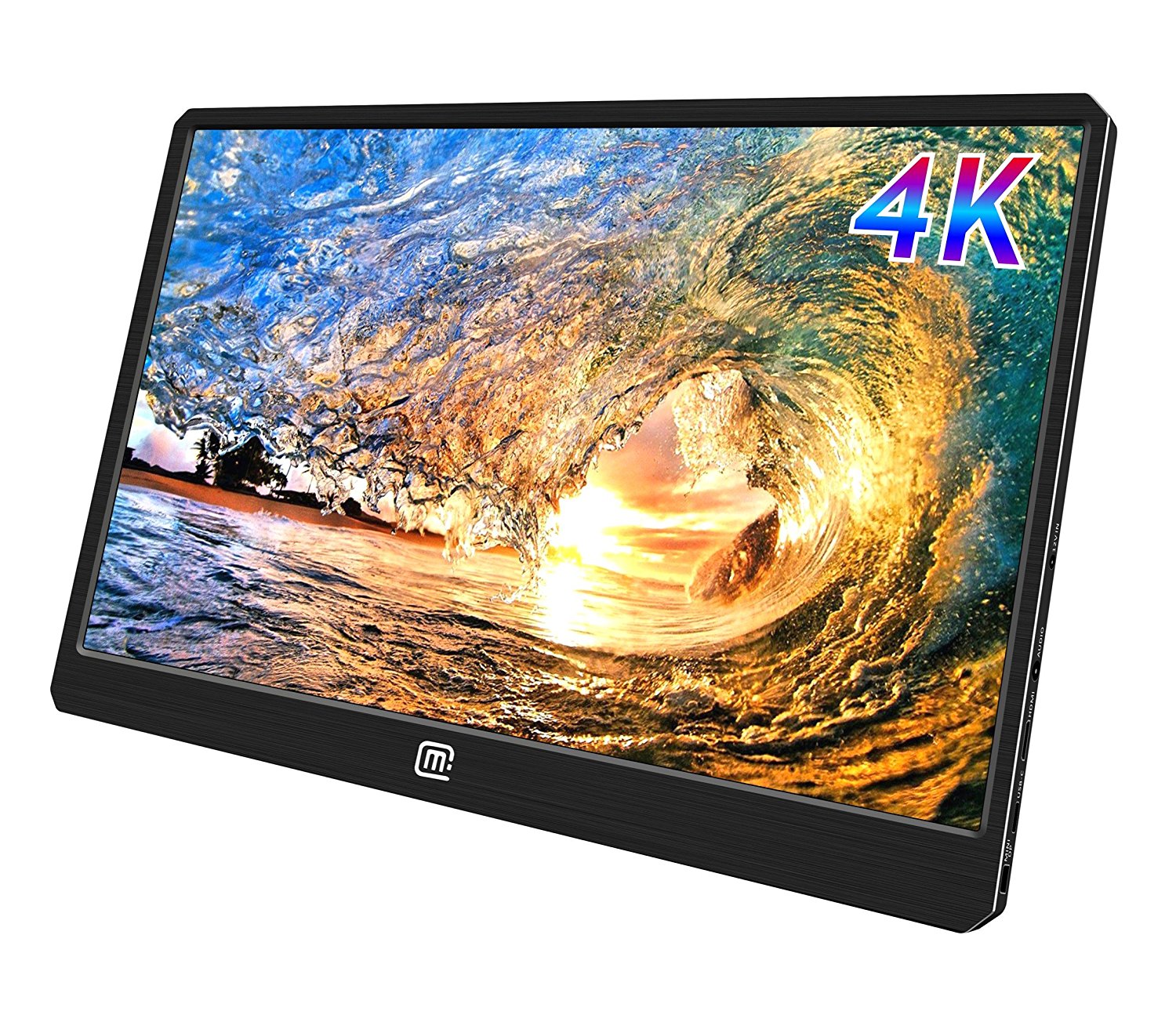
Didn’t think you could get a portable display that can handle your 4K needs? Guess again. MageDok’s 4K monitor accepts a 4K 60Hz signal over HDMI, something that’s still mostly unheard of in this form factor. Some will argue that 4K is overkill for a 15.6-inch display, but if you are convinced that 1080p is not sharp enough at this size then who are they to judge? At $399, this might be a niche option reserved for the most serious of gamers, but you’ll get every bit of your money’s worth if you decide to go this route. It has stereo speakers, USB-C and DisplayPort connectivity, VESA-standard mounting holes, and comes in at a weight of just 907g.
Bottom line: This is currently your only option if you want to make the most of your PS4 Pro’s 4K capabilities. Unless you’re sensitive to seeing individual pixels at this size, then most people should consider opting for cheaper 1080p sets.
One more thing: While it supports PS4’s 4K resolution, MageDok’s monitor doesn’t support the growing HDR standard. Keep that in mind before buying.
Conclusion
At the end of the day, any portable monitor with an HDMI port will work for your PS4, but the options we highlighted today are advantaged in all the right areas. They’re sizable and sharp in resolution because no one wants to feel like they’re playing on a viewfinder. They all use IPS panels, so you’ll get bright, accurate colors at a range of different viewing angles. Those panels are also 60Hz, so they can show all your PS4 games at 60 frames per second. Last but not least, relatively fast response times means you won’t be lagging behind the competition when playing online. The GeChic M155 offers the best balance of all these important factors, but be sure to explore the others if you feel they can serve your needs better.
Best Overall
GeChic 1503H 15.6-inch Monitor
See at Amazon
GeChic wins our pick for best PS4 monitor with their 1503H model. With a 15.6-inch IPS panel, a resolution that supports up to 1080p, and a 12.5ms response time, this display will show your PS4 games in crisp detail, and you won’t be hitting the “Game Over” screen due to delayed input. The raw stats are exciting enough to consider it for top honors, but it’s all the engineering prowess on display that puts it over the top. It’s remarkably thin and light at 11mm for girth and 798g for weight, making it a breeze to throw into a bag. The GeChic 1503H also comes with a built-in stand, has stereo speakers onboard, and is powered by USB so you only need a power outlet for your PS4 to get your game on.
Bottom line: If you need a monitor that can do it all — and do it all without a fuss — the GeChic 1503H is it. It’s pricey at just over $300, but your PS4 won’t have a better road mate.
One more thing: There’s a VESA bracket available for the 1503H, meaning you can mount the display to something like this and have it look like part of your PS4.
PlayStation 4

- PS4 vs. PS4 Slim vs. PS4 Pro: Which should you buy?
- PlayStation VR Review
- Playing PS4 games through your phone is awesome
Amazon
Motorola’s new Beta Experiences program will let you test new Moto features before they’re public
Motorola is taking app development more seriously.

When you think of Motorola’s phones, you think more about the hardware than the software — not because the latter is bad, but because it’s pretty sparse, yielding to Google’s idea of what Android should be. But there are a few differentiating features, like Moto Voice and Display, that are tucked neatly into the Moto app pre-installed on every phone.
In Sao Paolo, Brazil this week, during the launch of the Moto G6 and E5 series, Motorola’s VP of Product, Dan Dery, told the audience that the company would be launching a new Beta Experiences program to allow early adopters to test new features of existing Moto experiences, along with new ones entirely, in order to provide feedback and shape the future of the company’s software platform.
Launch timing and details were sparse — we’ve reached out to Motorola for more detail — but after years of stagnation from a software perspective, it’s nice to see Moto taking its first-party apps a little more seriously.
More: Moto G6 series hands-on preview
Wink Hub 2 vs. Wink Hub: What’s the difference?
The brain of any smart home is the hub and finding the right one can be pretty important. One of the options you may be considering is the Wink Hub, but there are two different versions to decide between. You can opt for the original Wink Hub and save a little cash, or grab the latest Wink Hub 2 for a bit more, but what makes it worth the extra cash?
With Wink continuing to maintain the original hub there are a few key things to consider when deciding between the two, so let’s break it down.

Design
The original Wink Hub has a rather uninspired design. It’s basically a square with rounded corners, and on the back there is only a power port. Wink updated the look of the Hub 2, making it a bit taller and sleeker looking. The power port has moved to one of the sides, which allows you to place it on a shelf easier, and on the back, it also has an ethernet port.
Odds are you’ll be putting the hub somewhere that it isn’t visible regularly, so the design isn’t going to be the most important selling feature here. The addition of the ethernet port to the Wink Hub 2 allows you to hardwire it to your modem instead of wirelessly connect to it. This makes for a stronger, more secure connection between the hub and your internet.
Supported devices
When it comes to supported services and devices, the two hubs are nearly identical. Both will allow you to use compatible Zigbee, Z-Wave, and Alexa accessories. Each hub has built-in Wi-Fi and Bluetooth, but the Wink Hub 2 does offer Bluetooth Low Energy, which the original does not. You can automate tasks for connected devices on both hubs through If This Then That (IFTTT).
The Wink Hub 2 has Thread support and a security chip to ensure that the software is not tampered with on the device. It also brings along scheduled tasks and Robot, which allow you to complete multiple tasks with just a single tap.
Speed
One of the key differences here is that the Wink Hub 2 has eight times the amount of RAM that the original one did, which means that it can complete tasks much faster. Some side-by-side comparisons have shown that it can complete some routines in under 3 seconds that took upwards of 15 seconds on the original hub to complete. This is a huge difference, and something you will definitely notice regularly.
No one wants to wait upwards of 15 seconds to have the hub turn on your lights or power off a smart outlet that is connected to it. With the upgraded internals, Wink was able to move some of the processing from its servers to the hub itself, allowing it to be more reliable and faster.
Which should you buy?
If you are looking to buy your first Wink Hub today, the Wink Hub 2 is the way to go. You get the newer, sleeker hardware, which has a few new features over the previous version. It also includes some technology that can be taken advantage of in the future, which puts you in a better position to use it long-term.
Already own the original Wink Hub? It’s a little harder to recommend the Wink Hub 2 as a needed upgrade over the original, though if you feel the limitations of the hub, then an upgrade is obvious. The apps are the same, the main features are very similar, and both are very competent smart home hubs that work with tons of different hardware.
See at B&H
OnePlus is assembling an Avengers-themed phone
OnePlus fans will be able to choose between the basic version of its upcoming flagship and a special model based on Avengers: Infinity War. While that’s awesome news for Marvel fans, the bad news is that the Avengers-themed OnePlus 6 might only be available in India. According to Android Central, OnePlus India has inadvertently posted a teaser for the collaboration, which you can see in the image above. The phonemaker has now confirmed the team-up, which it says is a way to celebrate Marvel Studios’ 10th anniversary and to strengthen its ties with Disney India.
Based on that statement, we could assume that the phone will only roll out in the country, though OnePlus didn’t explicitly state that. As Android Central noted, though, it wouldn’t be surprising if that’s the case, since the South Asian nation is the company’s biggest market, followed only by China. Besides, it won’t be unprecedented: OnePlus designed a special edition Star Wars-themed 5T that it only released in the country. So, if you must absolutely get your hands on the brand’s Avengers phone, you’ll probably have to find a friend like Cap who’d go out of their way to help you out.
As for when the phone will be available, the hardware-maker didn’t say. Like the Star Wars 5T, though, OnePlus could release it around the same time the movie starts showing later this month.
“Marvel is one of the most recognized and respected international entertainment brands in the world. The brand’s enduring success and unmatched popularity lies in its epic storytelling with human spirit. With its gigantic library of more than 8,000 characters including some of the most iconic Super Heroes in the world such as Iron Man, Thor, Captain America, The Incredible Hulk and more, Marvel has amassed fans across boundaries and age-groups.
Similarly, OnePlus has amassed an overwhelming and loyal fan following owing to its unwavering focus on bringing the best technology to its users. The rapidly growing brand is constantly incorporating feedback from the community to bring nothing but the best technology to its products.
OnePlus’ association with Marvel Studios is a manifestation of the enduring love and support they have garnered from its respective community over the years with a purpose to go beyond the ordinary and achieve groundbreaking innovations in mobile technology only to create the best user experiences.”
Source: Android Central
Alexa templates make it easy to craft your own skills
If you’ve ever thought to yourself “I wish Alexa can host trivia night” or “I’ll bet Alexa can get people to laugh at my lame jokes,” then you’ll love Amazon’s new offering. The e-commerce giant has launched Alexa Skill Blueprints, a collection of templates you can use to create skills without having to code anything. Amazon says you can whip up skills of your own within minutes simply by filling in the blanks.
Want Alexa to be in charge of your weekly trivia get-together? Just customize the Q&A template or the multiple choice trivia template with your own questions and responses. You can tweak the baby or pet sitter templates, so that your sitter can ask Alexa for info they might have forgotten. All they need to do is say “Alexa, open My Sitter.” The blueprints will also give you a quick way to create a list of your family’s inside jokes and even spin an adventure story with a family member as the hero. If you have an exam coming up, you can also create custom flash cards to help you study.
You currently have 20 templates to choose from on the Blueprints website, but you can use them as many times as you want. Any skill you conjure up will be available on all Alexa-enabled devices associated with your account. Amazon also says it’ll keep adding more templates to keep the collection growing. Unfortunately, you can only access the skill blueprints if you’re in the US, and Amazon didn’t say whether they’ll eventually be available outside the country.

Source: Alexa Skill Blueprints, FAQ
 AIVAnet