


Deal: Buy one Moto X4 for $249 at Project Fi and get another for free
The offer is available through May 2.
Project Fi has quickly become one of the best carrier alternatives in the U.S. compared to the likes of T-Mobile, Verizon, etc., and it’s now running a new promotion that lets you get two Moto X4s for the price of one.

The Moto X4 on Project Fi typically costs $399, but right now you can get it for just $249 (or $10.38/month for 24 months). That’s already a great deal on its own, but Project Fi’s taking things a step further by offering a $249 Fi credit when you purchase two Moto X4s in a single transaction – essentially making one of them free.
In order to get that $249 credit, you’ll need to activate both phones within 30 days of shipment on the same Project Fi group plan.
This offer is available between now and May 2 at 11:59 PM PDT, and you can take advantage of it by clicking/tapping the button below.
See at Project Fi
Google Project Fi
- What is Project Fi?
- Get the latest Project Fi news
- Google Pixel 2 review
- Moto X4 review
- Discuss Project Fi in our forums
- Sign up for Project Fi!

PSA: Sling TV is experiencing streaming issues across multiple platforms
Sling’s aware of the issue and working on it as we speak.
If you’re a Sling TV subscriber and are having trouble watching your favorite game, reality show, etc., you’re not the only one who’s experiencing these issues. At 7:33 PM ET last night (April 3), Sling TV’s support account on Twitter said that it was aware of “streaming issues” that some users were reporting and that it was working to “resolve the issues as quickly as possible.”

Sling issued another update a couple hours later saying that its teams were “still working on the previously identified issue”, and this morning at 6:58 AM ET, said the following:
Update: Our teams have been working all night to resolve this issue, and we thank you for your continued patience. Please stay tuned for additional updates.
— Sling Answers (@slinganswers) April 4, 2018
In other words, Sling TV still probably won’t work if you try to watch it right now.
As a temporary fix, Sling says you should still be able to access your shows through Google Chrome by going to watch.sling.com. We’ll keep an eye on this issue and update this post as we learn more.
Galaxy S8 review, one year later: Much cheaper, still fantastic
The Galaxy S8 is still a great phone, one year after release.
While the Galaxy S9 holds the lion’s share of our current attention, the Galaxy S8 is still chugging along. It’s been a year since the S8’s release, but it’s still worth your money today.
In fact, it may be worth your money more than the S9 is right now. The S9 has the benefit of newer hardware, better cameras, and… not much else, really. The S9 launched with Android 8.0 Oreo, but most S8 models have been updated to that as well. Most of the software features available on the S9 are now on the S8 excluding some hardware-specific additions like super slo-mo and AR Emojis.

I began using the Galaxy S8 a few weeks ago, after using the Pixel 2 XL and before that, a OnePlus 3T. While we may talk up the differences between vanilla Android and Samsung’s flavor, I haven’t had any trouble adjusting. My apps launch, my calls come in, my music plays, and the world turns.
The all-glass design with minimal bezels still looks sufficiently modern, even in a world of notches. The all-glass design makes the phone a bit hard to grip, but the smooth transition between the back glass, metal sides, and glass front makes the phone superbly comfortable to hold. I do throw on a case when I leave the house, just because I don’t trust the phone to survive a drop onto concrete.
The Qualcomm Snapdragon 835 inside the Galaxy S8 is, on paper, slower and less efficient than the Snapdragon 845 that ships in the Galaxy S9 and will be seen inside other 2018 flagships, but the S8 hasn’t left me wanting for more speed. Apps load expediently, the camera is quick to launch, and navigating the interface is nice and smooth.

Battery life is another story, though. The 3,000 mAh cell in the GS8 is enough to get me through the average day, but only just. This includes some time driving and using Android Auto, which allows me to give the phone a small top-up. My daily usage is fairly perfunctory: a few phones calls, streaming music to Bluetooth headphones, and a healthy amount of messaging through Google Voice, Allo, and Slack. This was with the display resolution set to 1080p for even more battery savings.
Be careful when buying a used Galaxy S8, especially if it was “well-loved.” The battery could already be signficantly worn.
Longevity would be my biggest concern for someone who is in the market for a used Galaxy S8. Daniel noted in his review that the battery life at launch left him with about 20% near the end of the day. But batteries degrade over time, and if you’re buying a used Galaxy S8, there’s a good chance it won’t make it completely through the day without some charging. If you’re in the market for a used S8+, its larger cell should mean you’ll likely still make it through the day.
This is the best time to buy a used Galaxy S8
The battery woes highlight Samsung’s biggest strength: the number of options it gives you. You can charge the phone with a USB-C cable, or with a Qi charging pad. You can use the same 3.5mm headphones you’ve had for years without worrying about dongles. You can also use Bluetooth headphones, or a USB DAC. The phone has 64GB of internal storage, but still offers a microSD slot for further expansion.
 Not pictured: the layer of fingerprints normally found all over this glass.
Despite having the 3.5mm jack, the S8 still has its IP68 water and dust resistance.
The plethora of options continue in the phone’s software, for better or worse. I don’t mind having and turning off the features I won’t use, but I can see how it’d get tiring. I love being able to skin the phone with my own theme, or choose the order of my navigation buttons, or augment my home screen with the edge panel. These all seem trivial, but they add up to the phone feeling more specific to me.
There are some annoyances and gaps, though. You can’t hide the status bar icons like you can on vanilla Android, meaning that I’ll always know that NFC and Bluetooth are on. And while Samsung’s theme engine does a lot, the “Notification settings” button can’t be themed or hidden, making this element stick out like an eyesore. This is especially noticeable with Oreo’s new themed media notifications.

The location of the fingerprint sensor is also an annoyance, even with a case on to help my finger find it. I’ve resorted to either having one of my nearby Bluetooth devices unlock the phone with Smart Lock, or using my lock screen PIN unless an app specifically requires my fingerprint. Unlocking is only a minor issue on the smaller S8, but it makes the fingerprint sensor nearly useless on the larger Galaxy S8+ or the Note 8. The S8 also offers facial recognition, but it’s so hit-or-miss that I turned it off completely.
Bixby is another contentious topic. I understand why Samsung wants to offer its own personal assistant — it has the money and the fanbase to keep itself from being reliant on Google — and personal assistants aren’t just born overnight. But Bixby doesn’t offer me anything that I can’t get from Google Assistant, so now there’s a button on the phone that doesn’t do anything.


While the camera may not be as good as the one on the Pixel 2 or S9, it still holds its own. The camera focuses effortlessly and takes photos quickly enough to keep up with my niece and nephews running around. Overall, photos look great. With the phone’s wide f/1.7 aperture, nighttime shots retain plenty of detail, while daytime photos utilize Samsung’s excellent HDR algorithm to capture fine detail and superb dynamic range.
The biggest draw of the Galaxy S8 right now is its price: at the time of writing, Swappa has used models going for as low as $360. Other phones in that price range include the HTC U11 Life, Moto X4, and the Honor 9 Lite. The Galaxy S8 is going to be much faster than those devices, take much better photos, and have a larger market of cases and other accessories. It’s also going to be updated to Android P — eventually.
The real value comes in comparing the S8 to the S9. They have mostly the same design, the same software, and identical amounts of internal storage. The camera on the S9 is much better, but for most situations, the S8 will still take fantastic photos. If you’re eyeing the Galaxy S9, you can get 90% of the same experience for half of the price by buying last year’s device.
You can pick up a brand new Galaxy S8 from Amazon for just under $600, and get it used from places like Swappa for even less.
See at Amazon
Samsung Galaxy S8 and S8+
- Galaxy S8 and S8+ review!
- Galaxy S8 and S8+ specs
- Everything you need to know about the Galaxy S8’s cameras
- Get to know Samsung Bixby
- Join our Galaxy S8 forums
Verizon
AT&T
T-Mobile
Sprint
Unlocked
BlackBerry is suing Snap Inc. for BBM patent infringements
Nobody is safe.
Snap Inc. – the parent company behind Snapchat – is being sued by BlackBerry over digital messaging patents it’s supposedly infringed on. These patents are owned by BlackBerry and were used to help create the company’s once-iconic BBM messaging service.
BlackBerry’s accusing Snap Inc. of infringing on six patents that were filed between 2012 and 2014, and two of them are the same ones that Facebook reportedly infringed on, too.
Just about a month ago, BlackBerry targeted Facebook, Instagram, and WhatsApp with similar claims of all three companies copying its work.
Snap Inc. has yet to comment on the matter, and if you want to read more into the fine details, the case is named as BlackBerry Ltd. v. Snap Inc., 18-cv-02693 with the United States District Court at the Central District of California in Los Angeles.
BlackBerry sues Facebook, Instagram, and WhatsApp for patent infringements
BlackBerry KEYone
- BlackBerry KEYone review
- KEYone vs. Priv: Battle of the BlackBerry keyboards
- BlackBerry KEYone specs
- The latest KEYone news
- Join the discussion in the forums
Amazon
Best Buy
BlackBerry Mobile
Best Android apps for musicians
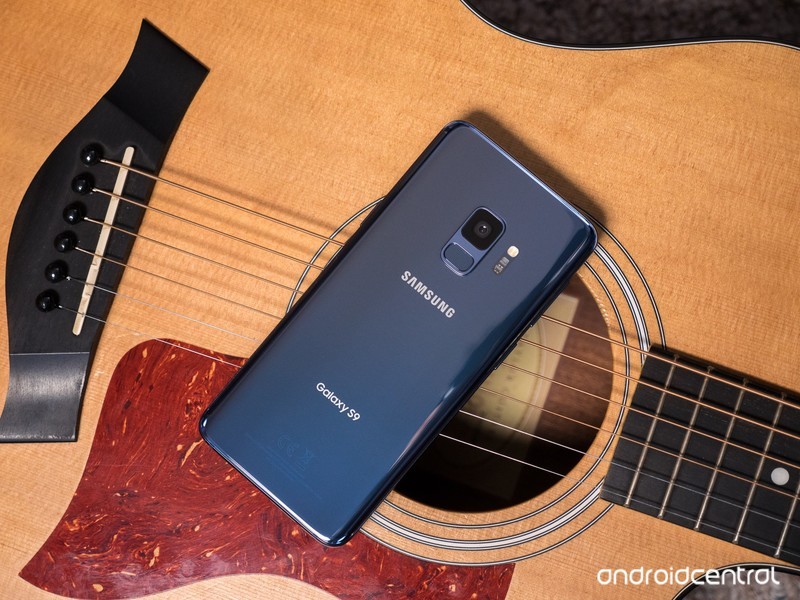
Spend less time searching for apps and more time practicing your trade.
There’s an app for everything. I can track business expenses, check social media, answer emails, and book a flight, all from my phone … why shouldn’t musicians enjoy the same conveniences for their profession? I’ve curated some of the best apps for musicians of all kinds — and don’t worry, starving artists, most of these are free.
The Metronome by Soundbrenner
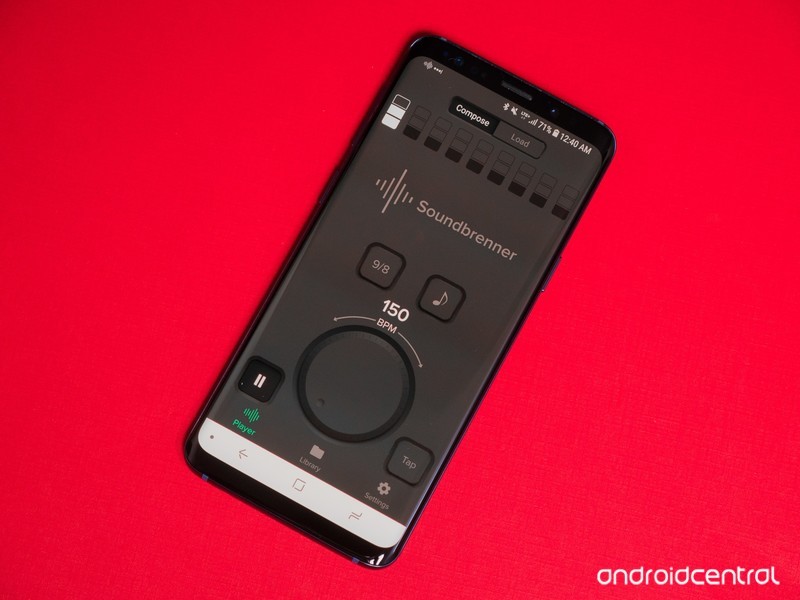
Any musician has heard it a million times before: the best way to improve at your instrument is by slowing things down and practicing to a metronome. There are countless metronomes on the Play Store, but the best one I’ve found is made by Soundbrenner. The minimalist design looks great on any phone, and you can adjust everything from BPM to the subdivision and time signature. You can synchronize multiple phones together to practice with friends.
Download The Metronome by Soundbrenner (Free)
Pitched Tuner
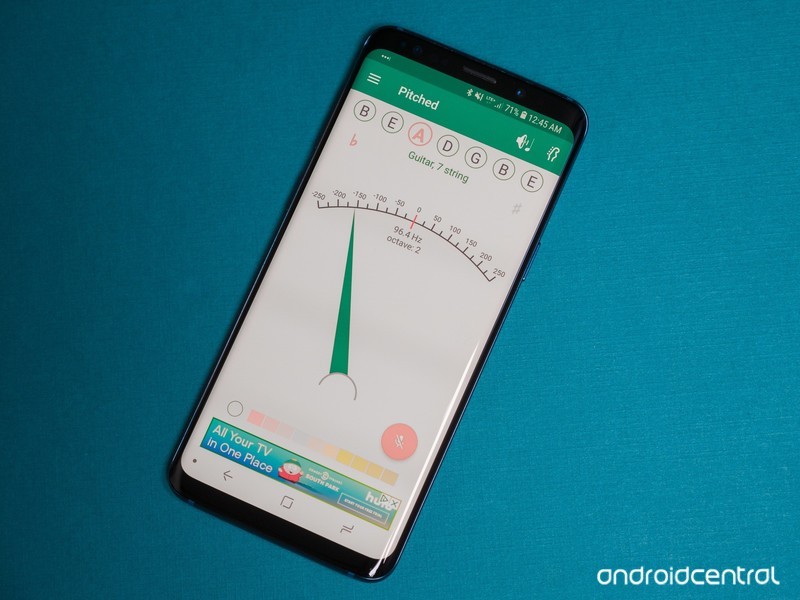
Another essential tool for any musician is a tuner. Whether you’re a guitarist, a saxophonist, or anything else, you need to stay in tune — otherwise, band practice might sound a little off. One of the best tuners we’ve come across is Pitched Tuner from Stonekick. You can choose your instrument and adjust to the tuning of your choice, or just revert to a chromatic tuner. You can even choose between light and dark themes.
Download Pitched Tuner (free)
Songsterr
Another resource every musician can appreciate is notation. Luckily for guitarists, in particular, there’s an endless stream of tabs online that detail how to play all of your favorite songs. Guitar Pro has always been one of the most popular options, but Songsterr has a more organized library and better-designed app. You can play the tabs in real time and adjust playback speed to learn at your own pace, and even view different instruments in the mix.
Download Songsterr (Free)
FL Studio Mobile
When it comes time to commit your ideas to memory, it’s usually best to sit down in your room or studio, but sometimes you just have to record right away before it escapes your mind. With so few digital audio workstations (DAWs) available on Android, you wouldn’t expect to see any big names on the Play Store.
But FL Studio is one of the most popular desktop DAWs around, and its mobile adaptation allows you to record multi-track songs just as you would from your computer. There’s everything from synths to drum machines and a mixer for setting levels, making this an extremely powerful app for musicians on the go.
Download FL Studio Mobile ($15.99)
SoundCloud
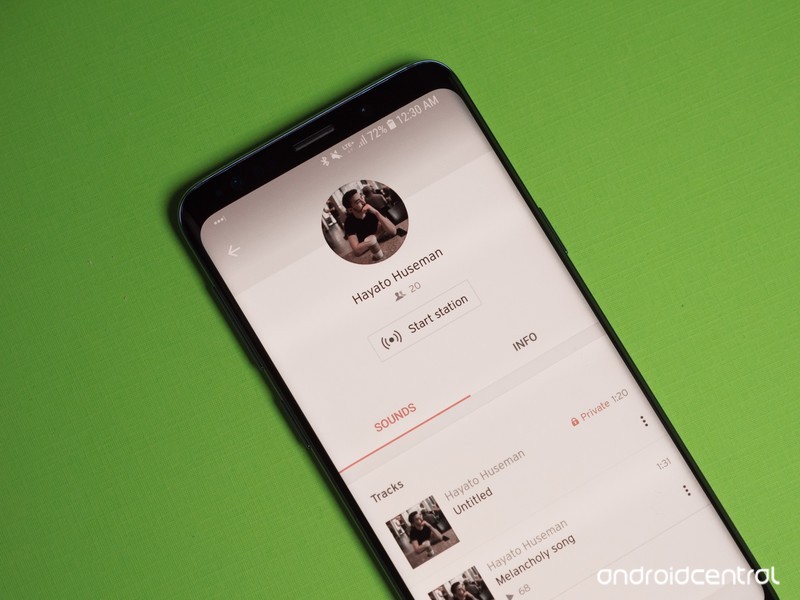
These days, it’s hard to imagine reaching a wide audience unless your music is available to stream. There are plenty of great ways to get your music onto Spotify and Apple Music through services like Tunecore and CD Baby, but a cheaper place to start is SoundCloud. Think of it as a social network for artists and their fans — you can interact with others through the comments section of each track, and SoundCloud plays nice with other social networks so your songs can play natively from within a tweet.
Download SoundCloud (free)
What are your favorites?
It’s hard to make a one-size-fits-all list for such an incredibly diverse art form, so we may have left something out that you find indispensable. If so, or if you know of a better alternative to any of the apps mentioned, let us know in the comments below!
U.S. unlocked Galaxy S8/S8+ now being updated to Android 8.0 Oreo
The update is over 1354MB and rolling out now.
Samsung’s Galaxy S8/S8+ are still excellent phones despite the release of the S9 series, and AT&T, Sprint, T-Mobile, and Verizon have been using the last couple weeks to make their versions even better by updating them to Android Oreo. Now, after lots and lots of waiting, the unlocked version here in the U.S. is finally getting similar treatment.
The Oreo update for the unlocked Galaxy S8/S8+ weighs in at 1354MB, and it comes with all the Oreo features you’d expect – including the Autofill API for easier password entry, picture-in-picture, faster/smoother performance, etc.
Version 9.0 of the Samsung Experience is included as well, and if it’s similar to the carrier updates, the February 2018 security patch should also be included.


Oreo is making its way to the unlocked Galaxy S8/S8+ now, so keep an eye out for it over the next couple days.
Thanks, Matthew!
Android Oreo
- Android Oreo review!
- Everything new in Android Oreo
- How to get Android Oreo on your Pixel or Nexus
- Oreo will make you love notifications again
- Will my phone get Android Oreo?
- Join the Discussion
Active shooter at YouTube HQ wounded three before killing herself
The shooter was Nasim Najafi Aghdam.
On April 3 at the YouTube headquarters in San Bruno, California, police responded to multiple 911 calls regarding a possible active shooter in the area.

KRON4, a San Franciso-based news network, reports that one witness heard 20 different shots at one point, and at 1:00 PM local time that day, the San Bruno Poice Department tweeted that residents should stay away from 901 Cherry Ave. due to “police activity.”
Product Manager Todd Sherman had an ongoing thread about his personal encounter, with another employee (Vadim Lavrusik) saying that they heard shots and was then barricaded inside a room with their coworkers.
Hours after this story broke, it was discovered that the shooter was Nasim Najafi Aghdam – a female who apparently had something of a grudge against YouTube due to the company censoring the videos she uploaded to the site.
Aghdam injured three people during the shooting before she was also deceased due to a self-inflicted wound.
Best Cases for the Huawei Mate SE
These are the best cases for your Huawei Mate SE!

Looking for a case for your brand new Huawei Mate SE? Look no further!
The Huawei Mate SE shares the same external design as the Honor 7X. So if you can’t find a case specifically for the Mate SE, an Honor 7X case will work just as well. While the Mate SE has only been out for a couple of months, there are already plenty of cases to choose from. Here are our favorites!
- Spigen Rugged Armor for Huawei Mate SE
- TopACE Extremely Light Ultra Slim
- BestAlice Hybrid Heavy Duty
- J&D Wallet Case
Spigen Rugged Armor for Huawei Mate SE

Spigen has been making phone cases ever since phones were a thing, and they’re usually one of the first brands to have cases for new phones. Its Rugged Armor line is tried and true, providing a bit of protection and plenty of grip without being too bulky. The Rugged Armor cases are also designed to allow for a tempered glass screen protector, something not all cases do. There’s a cut out on the back for the cameras, flash and fingerprint sensor, and on the bottom for the headphone jack and Micro-USB port. The power and volume buttons are covered, meaning you won’t have to strain your fingers to crank up your tunes.
At $12, the Spigen Rugged Armor case is the most expensive case on our list, but it’s from a reliable brand with a tried and true design.
See at Amazon
TopACE Extremely Light Ultra Slim

If you want to keep the phone super thin but add some grip or a pop of color, a slim case is always a wise choice. The TopACE Extremely Light Ultra Slim is a great choice, with three color options and precise cut-outs for the fingerprint sensor, cameras, flash, and ports. The volume rocker and power button are again covered for ease of use.
The TopACE Extremely Light Ultra Slim is available between $9 and $10 in black, blue and gold.
See at Amazon
BestAlice Hybrid Heavy Duty

On the complete opposite end of the spectrum, we have the BestAlice Hybrid Heavy Duty case. As the name implies, this case uses a separate hard plastic and soft TPU to keep your phone protected. Better yet, there is an integrated kickstand for watching your favorite YouTubers. The case also comes with a tempered glass screen protector for protecting the front glass. All in all, if you need a heavy duty case, this will be the choice for you.
The BestAlice Hybrid Heavy Duty case is available for $10 in grey, blue, gold, rose gold and silver.
See at Amazon
J&D Wallet Case

If you don’t mind the extra bulk, wallet cases are an excellent way to cut down on the number of objects in your pockets. J&D’s version of the wallet case is packed with features for a reasonable price, with a plastic window for photo IDs, two slots for credit cards, a pouch for paper currency, and even an RFID blocker to keep your card info from getting stolen by strangers. You get easy access to the phone’s power and volume buttons, as well as cut-outs for the Micro-USB and headphone ports, and the fingerprint sensor and camera. Finally, there is a removable strap for keeping the phone connected to your wrist. If you’re looking for a wallet case for your Huawei Mate SE, look no further!
The J&D Wallet Case is available for $10 in black leather.
See at Amazon
What about you?
Which style of case do you prefer? Let us know down below!
See Huawei Mate SE at Amazon
This Syma X5C quadcopter with an equipped HD camera is down to just $23
Don’t let this deal fly away! That joke works every time.
The Syma X5C 2.4G RC Quadcopter is down to $22.99 with code M9E225L5 on Amazon. It normally sells between $40 and $50, and this price is even a little better than what it was selling for over Black Friday. The code should work, but if it doesn’t make sure it says “Sold by Tenergy Corporation” before adding to your cart.

If you’ve ever wanted a drone but didn’t want to spend a fortune, the Syma X5C would make a great starting quadcopter for you. The cost is inexpensive enough you can afford to mess around with it, get used to flying, maybe crash a time or two. This drone has a six-axis gyro stabilization system and an HD camera. It can flip and perform 360-degree inversion. It can be flown indoors as well as outdoors and has up to seven minutes of flight time on one charge. More than 4,500 users give it 3.9 stars out of 5.
See on Amazon
Google’s chief of AI is now working for Apple
This is a big win for Apple.
Artificial intelligence has become Google’s bread and butter over the last few years, and one of the brains leading the company’s charge in this direction has been John Giannandrea. However, John’s now leaving Google and has accepted a new position at Apple.

According to The New York Times, Gianandrea will be leading Apple’s “machine learning and A.I. strategy” and be one of just 16 people that report to Tim Cook directly – Apple’s CEO.
Per an email that Tim Cook sent out to Apple employees on Tuesday, April 3:
Our technology must be infused with the values we all hold dear. John shares our commitment to privacy and our thoughtful approach as we make computers even smarter and more personal.
Although it was one of the first companies to market with a consumer-focused virtual assistant, Apple’s fallen by the wayside as Amazon and Google have quickly soared past it with products like Alexa and Google Assistant, respectively.
Apple can’t afford to keep lagging behind in this space, especially now that it’s asking even more of Siri with the HomePod. Gianandrea just may be what Apple needs to race back up to where it should be when it comes to AI, and that should worry Google, Amazon, and anyone else that’s betting big on artificial intelligence.
John Giannandrea has been with Google since 2010 when the search giant acquired the startup Meteweb where he was serving as CTO, so it’ll be interesting to see what sort of impact this has on the company going forward.
BlackBerry is suing Snap Inc. for BBM patent infringements
 AIVAnet