


How to Get Samsung Software Updates Faster Using Smart Switch
There is another way.
We all have plenty to complain about when it comes to software updates landing on our Samsung phones. Right now it’s the slow rollout of Oreo, but we’ll soon feel the same way about the next one. But sometimes it isn’t Samsung’s fault that you don’t yet have the latest update — issues with carriers and even the current software on your phone can prevent your phone from downloading an update even when it’s actually “available” to your model.
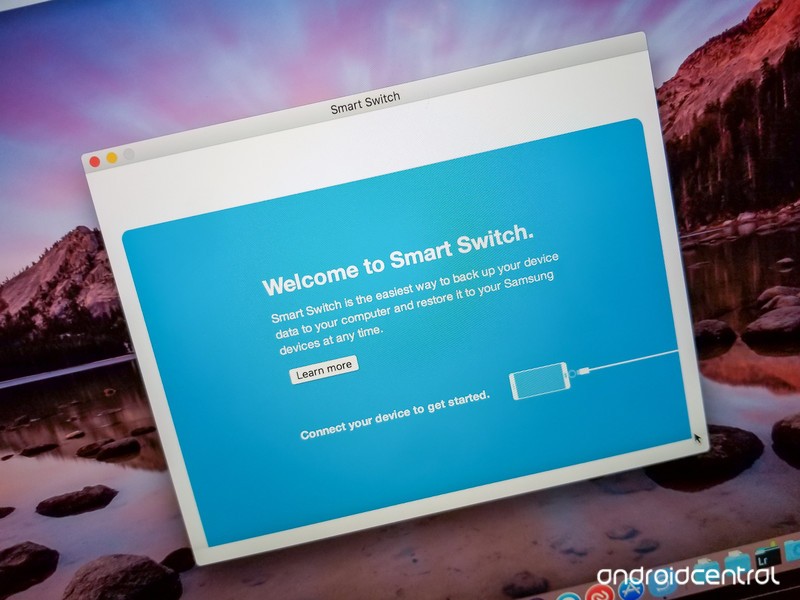
That’s where Samsung’s own desktop software, Smart Switch, comes in. Despite its core feature being backing up and restoring data when switching phones, it has the added benefit of being able to download and update the software on your Samsung phone. Here’s how it works.
How to manually update your Samsung phone using Smart Switch
Go to Samsung’s Smart Switch website and download for PC or Mac.
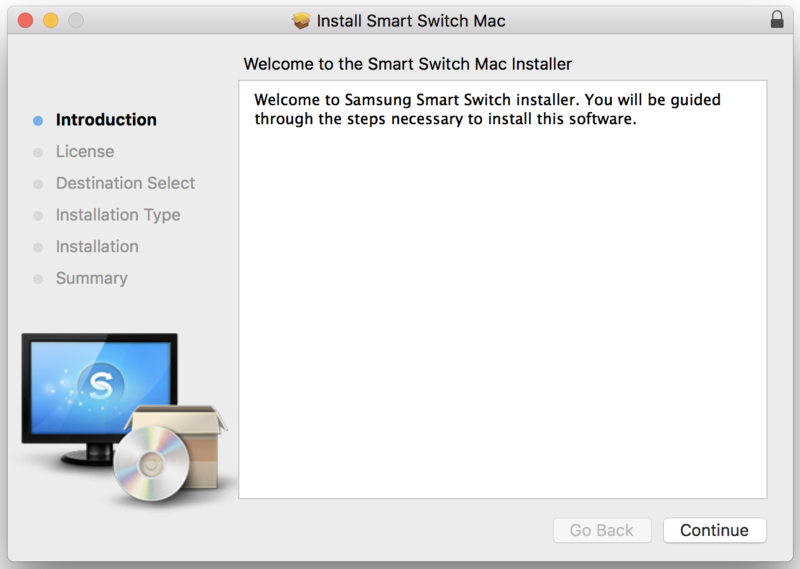
Install and open Smart Switch on your computer and connect your phone via its USB cable.
If you haven’t plugged in to your computer before, tap Allow on the pop-up on your phone to give it access.
- If Smart Switch doesn’t recognize the phone, click the menu in Smart Switch and click Reinstall device driver then restart.
After a few moments, your phone will be recognized by Smart Switch and you’ll see several options on the main screen for backing up and restoring. You do not need to back up or restore your phone to initiate an update.
A software check is performed when you plug in, and Smart Switch will list your current software details. If there is a software update available for your phone, you’ll be notified on the main screen.
If available, Click Update to install the latest software. It will download first to your computer, then sideload to your phone.
- The phone will reboot, and the process will take roughly 10 minutes.
If this will be your preferred update method going forward, click the menu (Preferences on Mac) in Smart Switch, click Software Updates and check the box for Update Pre-Download.
- When a new software version is available for your phone, Smart Switch will download it and then apply the next time you plug in.
To be clear, this isn’t going to force an update onto your phone that Samsung has yet to release. Unless Samsung and your carrier (where applicable) have signed off on and released an update for your exact phone, there’s no way to get it.
Hooking up to Smart Switch can get you an update quicker, though, in cases where your carrier is slowly rolling out an update over the air (OTA) or the update checker on your phone for whatever reason won’t download an update. If you’re impatient, it’s absolutely worth having this tool at the ready.
Samsung Galaxy S9 and S9+
- Galaxy S9 review: A great phone for the masses
- Galaxy S9 and S9+: Everything you need to know!
- Complete Galaxy S9 and S9+ specs
- Galaxy S9 vs. Google Pixel 2: Which should you buy?
- Galaxy S9 vs. Galaxy S8: Should you upgrade?
- Join our Galaxy S9 forums
Verizon
AT&T
T-Mobile
Sprint
Update March 2018: Added fresh information reflecting Smart Switch’s usefulness for a variety of Samsung models.
Best Android Launchers

Want to upgrade your Android experience? Try upgrading your launcher.
The way we arrange, organize, and interact with our apps on Android is called the launcher. Launchers usually consist of a series of home screens, where we can arrange app shortcuts and widgets and an app drawer. Every phone comes with a launcher, but when they drop the ball, there are endless third-party launchers that not only pick it up again but knock it clear out of the park.
Previous incarnations of this article have tried to claim that there is one launcher to rule them all, that there truly is a best launcher out there. I don’t really believe that’s possible, even though I have a launcher I personally value over all others. You use your phone differently than I do, and I use my phone differently than my co-workers do or my friends or my family do. Everyone has their own perfect launcher, but if you haven’t found your favorite yet, then here are a few launchers we think will satisfy users of every type.
Best light and easy launchers
Are you someone who doesn’t want to mess with a lot of bells and whistles? Do you just want to put your most-used apps front and center, maybe a widget or two, and get one with your Android experience? You want a fast launcher, a light launcher, one that doesn’t need a lot of fussing and tweaking, and these are the launchers for you.
Best light launcher: Evie Launcher

Evie Launcher is a light little launcher that just doesn’t quit and uses gestures in a few really good ways. First and foremost, like so many recent launchers, Evie has a swipe up gesture to open the app drawer. Another popular launcher gesture Evie has is the ability to double-tap the screen to put your phone to sleep, either using the phone-locking Instant Lock or Smart Lock-friendly Timer Lock, just like powerhouse launcher Nova Launcher.
Evie is easy to set up and run with, but you can customize the desktop grid and turn gestures on and off as needed. It’s a quick launcher that’s also getting quick updates, so look forward to more optimizations and tweaks to help speed up your launcher experience. You can even back up your Evie layout and settings directly to Google Drive.
Read more: Evie Launcher review
Download Evie Launcher (Free)
Runner-up: Microsoft Launcher

You’d think that if Microsoft was going to bring a launcher to Android it’d be a launcher that matches the launcher on Windows Phone… and you’d be wrong. Microsoft Launcher doesn’t look a thing like Windows Phone, and that’s great news. Not only is Microsoft Launcher a completely Android experience, but it’s a top-quality launcher to boot.
Microsoft Launcher is a browser that’s centered around a clean home screen, an orderly utility page for widgets and cards, and a speedy app drawer where you can easily find your apps. Microsoft Launcher is easy to set up and a breeze to navigate. It’s not quite as bare-bones as Evie, but it is a light launcher that’s well-worth considering, especially if you have an Outlook account for work or school that it can tie into for email and calendar appointments.
Download Microsoft Launcher (Free)
Best customization launchers
Do you want full control over your home screens? Want to set more than just an app grid and a widget or two? Want to make your home screen look and act the way you want? Then you want a customization-based launcher. Often called theming launchers because theming is one of their more obvious uses, these launchers are for far more than just making your home screen look pretty; they’re for making your home screen function more efficiently and more effectively for your life.
By giving you control over gestures, advanced UI controls, and almost every aspect of your launcher experience, these launchers let you customize the way you interact with your phone in ways that truly exemplify the Android experience. These two customization-based launchers dominate much of the third-party launcher market, and there’s a very good reason: they’re awesome.
Best customization launcher: Nova Launcher

Nova Launcher is over 6 years old, and this storied launcher has been a major player in the Android launcher market longer than most of us have used Android. The reason for this continued dominance is simple: Nova’s mix of customization, convenience, and cunning is unparalleled. Nova lets your phone look more Pixel-y than a Pixel and more TouchWiz than a Galaxy S8 and does it with ease and grace. In fact, Nova’s biggest strengths are things that are hidden in plain sight, like its pocket ace Subgrid Positioning or its excellent backup system.
When we build themes for our Android Central readers, 9 times out of 10 the launcher we use to build it and to share it with you is Nova Launcher. It’s an excellent launcher if you want to build complex themes or if you just want a smartly laid out launcher with excellent gesture controls.
Read more: Nova Launcher review: Still king of the mountain
Download Nova Launcher (Free, $4.99)
Runner-up: Action Launcher

Action Launcher is one of the most popular launchers on the market, and the watchword of both the launcher and its users is QUICK. Quicktheme, Quickdrawer, Quickpage, Quickbar, quick, quick, quick. Action Launcher is determined to be a launcher that gets what you need doing quickly so that you can get back to doing whatever you actually need to get done. To ensure that Action Launcher can be the quickest and best launcher for users who want to set everything up just so, Action Launcher has taken it upon itself to be one of the most customizable launchers on the market. From its robust gesture controls to its ubiquitous Covers and Shutters to hide folders and widgets under a seemingly plain looking app shortcut, no matter what you want to use, Action Launcher makes it easy to set up.
Action Launcher is also quick to support features from the newest versions of Android, including Adaptive Icons, Notification Previews, and App Shortcuts. There’s a reason it’s the only launcher Phil uses (miss you, Modern Dad!), and that’s that Action Launcher is damn good at what it does. While it’s not quite as intense as Nova Launcher, it’s a launcher that’s incredibly… well, quick about getting you set up and on your way.
Download Action Launcher (Free, in-app purchases)
Honorable Mention: Smart Launcher 3

Smart Launcher 3 is a comfortably customizable launcher with algorithms and intelligence at its core, sorting your app drawer into five categories and putting a search bar at the top of your launcher screens. Smart Launcher 3 has some interesting theming support, including its iconic “Flower” QuickStart layout for the apps on your home screen and its Icon Pack Studio, but its implementation of widgets and item placement on its home screens keeps stranded between theming launcher and light launcher.
Smart Launcher 3’s real magic come from the app drawer and the search bar, where optimization and search can help you find the apps and information you need quickly and easily.
Download Smart Launcher 3 (Free, $4.49 – $8.49)
What’s your favorite?
Do you have a favorite launcher? What’s on your Android phone now? Sound off in the comments below.
Updated March 2018: Best Launchers has been updated to reflect new features among its favorite launchers and Arrow Launcher’s renaming to Microsoft Launcher.
MoviePass now costs just $6.95/month to see one movie per day in theaters
After processing fees, you’re looking at $89.95 for a year of movies.
MoviePass came under some heat earlier this month when it was discovered to be tracking its users’ location more closely than originally believed, and likely in an attempt to gloss over the bad press, the company’s lowering its subscription fee for new members.

For a limited time, you can sign up for MoviePass for just $6.95/month instead of the regular $9.95. MoviePass says this is “limited time” offer, and it’s only available for new subscribers.
MoviePass bills memberships annually, meaning you’ll pay $89.95 all at once upon signing up (that includes a one-time $6.55 processing fee). A MoviePass membership lets you see one 2D movie every day for the entirety of your subscription, meaning you could theoretically pay $89.95 and see one movie in theaters every single day.
Even if you’re not at the theaters at every waking hour, this is still a pretty sweet deal considering most movie tickets cost around $10 – $15 these days.
If you’re interested in signing up for MoviePass, click/tap the button below.
See at MoviePass
Best Philips Hue Alternatives in 2018

What’s the best alternative to Philips Hue? Here are our favorites!
Philips Hue smart lights are some of the coolest on the market and they’re definitely some of the most popular, but they can be quite expensive, especially once you get into colored bulbs. If you’re looking for a less expensive alternative or just something other than what’s popular, then check out these other awesome options.
- GE Link Starter Kit
- LIFX A19 Wi-Fi Smart Bulb
- Lucero A19 Smart Bulb
- Cree A19 LED Bulb
- Sylvania Lightify by Osram
- Flux Bluetooth Smart LED bulb
- IKEA Tradfri
- Eufy Lumos tunable soft white bulb
- Z-Wave
GE Link Starter Kit

This starter kit from GE features two A19 LED bulbs and a link hub, allowing you to control all GE bulbs through the Wink mobile app. Although these bulbs only come in a soft white, they’re great for general use around your home, while still having complete control over scheduling. The GE Link starter kit is also compatible with Amazon Echo, but requires the Wink hub. Pricing starts around $50for the bundle.
See at Wink
LIFX A19 Wi-Fi Smart Bulb

The LIFX Wi-Fi bulb provides 16 million colors and 1,000 shades of white, connecting over your Wi-Fi network without the need for a hub. Simply download the LIFX app and gain control of lighting effects and custom schedules to suit your needs. Each A19 bulb only consumes 17 watts of energy and has a lumen count of 1017. LIFX bulbs even work with Nest Protect and Thermostat, flashing the lights when smoke is detected or switching the lights on and off automatically to make it appear as if someone is home while you’re away on vacation. You can order the LIFX bulb starting at $60 for one. LIFX bulbs are Amazon Certified to work with Alexa.
See at Amazon
Lucero A19 Smart Bulb

This colorful LED Bluetooth bulb from Lucero can be customized through the Lucero Smart Bulb app, where you can sync with your music and even control up to 50 bulbs in various groups (up to five). With over 16 million colors, there are plenty of options to suit your mood while managing to stay energy efficient at only 7.5 watts. These affordable smart bulbs are available for just $32 each.
See at Amazon
Cree A19 LED Bulb

The daylight (5000K) dimmable Cree LED bulb is compatible with multiple platforms, including Amazon Echo, Wink, WeMo, and more. After setting up with a compatible hub, you can schedule your Cree bulbs to turn on and off at any specific time, adjust brightness, or even customize them to work while you’re away from home as an extra security measure. Each Cree bulb is only 11.5 watts and is available for about $12 — not bad for its 22-year lifespan.
See at Amazon
Sylvania Lightify by Osram

The best feature of the Lightify bulbs by Osram is that they’re compatible with Alexa. If you have an Echo in your house, then these will work right out of the box (so long as you have a hub), so you can control your lights with just your voice!
Lightify comes in RGBW, tuneable white, and soft white, so you have your choice of light temperature to best suit your room. Just download the Lightify app, and you’re on your way. These bulbs fit into standard sockets, and you can adjust color temperature in the RGBW and tuneable white bulbs to best fit your mood or needs (soft white when it’s time to chill, daylight to help you stay awake). Pricing starts at $34 for a color bulb, but you can get a 2-pack for $65.
See at Amazon
Flux Bluetooth Smart LED bulb

Flux bulbs are color-changing bulbs that work via Bluetooth instead of Wi-Fi like the other bulbs on this list, which means you won’t be able to control them with you’re not at home. That being said, you can still schedule actions, like having the bulbs turn on when you’re away from home or to wake you up in the morning.
Flux bulbs feature over 16 million colors, which you control directly from the Flux app. You can control the mode (strobe, shifting colors, etc.), and these will even sync with music on your phone to add some extra atmosphere to your dance party.
Flux bulbs come in 7- or 10-watt iterations and are available for around $25.
See at Amazon
IKEA Tradfri

Believe it or not, IKEA has some pretty rad smart bulbs that are inexpensive (around $18/bulb) and work well. They have a brightness equal to roughly a 70-watt incandescent bulb and are dimmable using the Tradfri remote. In fact, you can control up to 10 bulbs, panels, or light doors, which are all dimmable as well. You can also switch from warmer-colored light to cooler hues depending on your mood and the time of day.
Thanks to community member snapphane for the tip!
See at IKEA
Eufy Lumos tunable soft white bulb
Eufy’s tunable Lumos bulbs are rather affordable at roughly $21 (if you don’t want tunable, you can opt for straight soft white for about $14), and the ability to adjust from warm to cool light is perfect for setting the right mood and ambiance.
You can adjust everything right in the Eufy app, and these bulbs are Amazon certified to work with Alexa, as well as compatible with Google Assistant. You can set schedules, turn the bulbs off from anywhere there’s an internet connection, and you get an 18-month warranty should anything go wrong. Best part is that there’s no hub needed!
See at Amazon
Z-Wave
Z-Wave isn’t a bulb, but a technology that allows many switches to be used to wirelessly control normal, everyday lightbulbs. With any Z-Wave switch, you can control not-smart bulbs via a great smart home hub — no need to pay through the nose for smart bulbs that last decades (though they are a pretty solid investment).
The light of your life
Which smart lights do you use? Sound off in the comments below!
Updated March 2018: Updated pricing for everything and added Eufy’s affordable smart bulbs.
Emojis for people with disabilities have been submitted to Unicode

Apple has submitted a proposal to Unicode for emoji that will “better represent individuals with disabilities.”
There may be a whole new set of emoji headed to your phones, tablets, and computers! Apple has submitted a proposal to the Unicode Consortium for emoji that would “better represent individuals with disabilities.”
In it proposal, Apple points out one in seven people has some form of disability and suggests that emoji should better reflect that:
The current selection of emoji provides a wide array of representations of people, activities, and objects meaningful to the general public, but very few speak to the life experiences of those with disabilities. … Adding emoji emblematic to users’ life experiences helps foster a diverse culture that is inclusive of disability.

Some of the proposed emoji include the sign language gesture for “deaf,” a person in a wheelchair, a prosthetic leg, and a service dog. You can check out the full list of proposed emoji — along with a description of each — over on Emojipedia. The site says if they’re approved at the Unicode meeting next month, we could see these emoji as soon as the first half of 2019. Also, even though Apple’s the one making the proposal, an adoption by Unicode would see these come to Android as well as iOS.
Thoughts?
What do you think of these new emoji? I’m pumped to see Apple pushing for more inclusion and diversity in what’s quickly becoming a fun, universal language. The more the better!
How to clean your Samsung Gear VR
Keeping your Gear VR clean isn’t a difficult process, but you have to know a few tricks to do it.

Samsung’s Gear VR can take you places, let you play games, and even watch your favorite movies from within VR. After you’ve been playing with it a bit, you’re going to want to make sure that you keep your headset clean. This is doubly true if you plan on sharing your Gear VR with friends; after all, nobody wants to put on a dirty headset.
Thankfully, cleaning your Gear VR is a breeze and shouldn’t take more than a few minutes at a time.
Cleaning the lenses

The lenses are an integral part of using VR, so ensuring that they are clean and free of debris is essential. It’s easier than you think — especially if you have furry pets in the house — to wind up with bits of dust settled in around the lenses. Not only can this cause issues when playing, but dust can also irritate your eyes and cause issues. The best method for cleaning out the lenses, and avoiding scratching them in the process, is to go ahead and use compressed air, followed by a microfiber cloth.
Holding a can of compressed air a few inches away from the lenses of your headset, spray it in short and controlled bursts. This ought to dislodge all but the most stubborn bits of dust. If there is still something stuck on or around the lenses, you can use a microfiber cloth to carefully wipe and dislodge it. Doing this will make sure that nothing accidentally gets in your eyes, and that your lenses are nice and clear when you’re ready to play.
Cleaning the facepad

The soft cotton facepad inside your headset is where most of the dirt, germs, sweat, and more are all hiding. While this is the area you should be concerned with keeping clean, there are two basic ways to do this. You can invest in a sanitary mask for when sharing your Gear VR with friends for a fresh feel each time. Of course, the facepad does actually come right out of the headset, since it’s only attached with velcro.
Depending on which model Gear VR you have, the facepads will be different sizes, but they can all be cleaned the same way. Gently remove the facepad from the velcro that attaches it to the headset. Wipe it down thoroughly with an antibacterial wipe, and then set it out to dry. Once the facepad has dried, you can then reattach it to the inside of the headset, and you’re good to go!
Cleaning the headset itself

Your Gear VR is a hard plastic shell, which means that it’s easy to wipe down. If it’s just dust in the way, then you can use a microfiber cloth to get it out of the way, but it is entirely safe to use an antibacterial wipe to clean the surface of your headset. Avoid anything on the inside of your headset, because you don’t want moisture near the lenses or ports on the interior of your Gear VR headset.
All you need to do is wipe down your headset to clean it. Just be sure that you allow your headset to properly dry before you decide to use it next.
Cleaning your controller

For the most part, your Gear VR controller isn’t going to trap dust the same way that your headset will. However, it will require some cleaning from time to time. All that it should require is being wiped off with a microfiber cleaning cloth in most cases. If something has spilt onto the controller or there is something stickier, then you’ll want to wipe it down with an antibacterial cloth. Just ensure that the controller is powered off before you do so.
How do you keep your Gear VR clean?
Let us know in the comments below!
Apple proposes 13 emojis representing those with disabilities
Apple has proposed a set of new emojis representing those with vision, hearing and motor disabilities, BuzzFeed News reports. Included are emojis of guide and service dogs, people with canes, individuals signing the word “deaf,” an ear with a hearing aid, people in wheelchairs and prosthetic limbs. “This is not meant to be a comprehensive list of all possible depictions of disabilities, but to provide an initial starting point for greater representation for diversity within the emoji universe,” Apple said in its Unicode Consortium proposal.
Apple said that it worked with the American Council of the Blind, the Cerebral Palsy Foundation and the National Association of the Deaf to develop the 13 proposed additions. “Currently, emoji provide a wide range of options, but may not represent the experiences of those with disabilities,” it said. “Diversifying the options available helps fill a significant gap and provides a more inclusive experience for all.”
Unicode has approved 157 new emojis that should hit phones sometime in August. They include red-haired individuals, female superheroes and more skin tone options. Apple’s proposal will now be reviewed by the Unicode Technical Committee.
Via: BuzzFeed News
Source: Unicode
Let’s stop pretending Facebook cares
The really great thing to come out of the Cambridge Analytica scandal is that Facebook will now start doing that thing we were previously assured at every turn they were doing all along. And all it took was everyone finding out about the harvesting and sale of everyone’s data to right-wing zealots like Steve Bannon for political power. Not Facebook finding out, because they already knew. For years. In fact, Facebook knew it so well, the company legally threatened Observer and NYT to prevent their reporting on it; to keep everyone else from finding out.
For the past seven days the internet has exploded in anger, betrayal, and disgust over the actions of Facebook and Cambridge Analytica, a data-dealing propaganda firm that wins elections for paying clients and helped put Donald Trump in the White House. Actions that, despite Facebook’s pearl-clutching in press, are starting to look more and more in concert.
To be clear, Facebook knew what Cambridge Analytica did, but only (partly) acted on it when press made it public knowledge. That was three years ago — December 2015 — when The Guardian published its first report about Cambridge Analytica using Facebook data to target US voters. Facebook didn’t suspend them until last Friday. Cambridge Analytica maintained its access for years, while one of its chief officers worked at Facebook — and while Facebook employees were embedded in the Trump campaign’s digital media operation.
Keep in mind that Trump won by well-placed Electoral College votes: 77,744 to be precise. Before Cambridge Analytica came along, Trump had “no unifying data, digital and tech strategy,” according to leaks made public today by The Guardian. With its Facebook data, they ran Facebook ads disguised as news stories, linked to fake news sites, and targeted Facebook users they deemed especially susceptible. Then Cambridge Analytica tracked those Facebook users across the internet, and re-targeted them. Russia’s trolls did the rest, providing all the confirmation and social proof needed.
So, long after Facebook knew that Cambridge Analytica had mined data from millions of unwitting users, a Facebook board member (Thiel) gave $1 million to a PAC that was paying the company that covertly harvested user data.
… from Facebook. https://t.co/osOJDj3Wx7
— Caroline O. (@RVAwonk) March 22, 2018
When the The Guardian’s 2015 article came out, Facebook pretended to care.
“And then,” former Cambridge Analytica employee Christopher Wylie told The Observer, “all they did was write a letter.”
“But literally all I had to do was tick a box and sign it and send it back, and that was it,” says Wylie. “Facebook made zero effort to get the data back.”
Over the weekend, press characterized Wylie as a whistleblower. Which I suppose is easy to do if we’re going to forget where all of this data dealing and vote-influencing has led — the indisputable rise of hate groups in the US since the 2016 election, Facebook’s churning cauldron of racist communities and deadly Nazi rallies, among others. Writer Joseph Guthrie tweeted, “If I ever meet Chris Wylie, there will be no pleasantries. This isn’t something you can apologise for and we all just move on. The price paid is too great a cost to ignore and again: assuming he’s a queer man like I am, his involvement in this thing is a catastrophic betrayal.”

Cambridge Analytica whistleblower Christopher Wylie
It wasn’t until the NYT and The Observer prepared to publish their articles last Friday that Facebook decided to suspend Cambridge Analytica and Christopher Wylie from the platform — in a weak attempt to get ahead of the story. Even then, it was after Facebook made legal threats on both NYT and The Observer in an effort to silence both publications.
So it was well-known internally at Facebook years ago that Cambridge Analytica extracted a lot of seriously sensitive user data through Facebook APIs, then used it for precision ad targeting (which Facebook could’ve vetted). It speaks volumes about Facebook — and all its efforts to distract from this issue — that it allowed a huge amount of sensitive data to get into the hands of unauthorized third parties … and took years to take any action other than pinky swears.
It almost goes without saying that this whole sickening affair is more proof we didn’t need that Facebook only cares when it is forced to. When the company decides it has a reputation problem. Which is the only problem they actually care about fixing. Other than that, it’s all about creating more data dealer WMD’s, like Facebook’s impending patent to determine social class, which we can all assume will be abused until press who can afford to stand up to Facebook write an article about it.
But when you’re Facebook, victimhood is performative.
A Facebook spokesperson released a statement Tuesday saying “the entire company is outraged we were deceived.” Obviously. They were so paralyzed by rage that they couldn’t even bring themselves to do anything about it for over two years. During which time they rolled out several “upgrades” to their privacy systems and terms, and rolled out “enhanced” features to improve the experience. They were so mad they even hired the Global Science Research officer that sold Cambridge Analytica’s users’ data.
Bogglingly, the official Facebook response on Wednesday began with the sentence, “Protecting people’s information is the most important thing we do at Facebook. What happened with Cambridge Analytica was a breach of Facebook’s trust.”

Wednesday was also the day of Mark Zuckerberg’s carefully-crafted mea culpa press tour. It was an afternoon masterclass on softball interviews. No questions about knowingly hiring Cambridge Analytica’s Joseph Chancellor. No queries about threatening to sue The Observer to prevent the information from getting out. You know, the whole reason he’s sitting there being interviewed. It was almost like everyone at CNN, WIRED, Re/Code and NYT wanted Zuckerberg to feel safe. Comfortable. Far away from accepting anything like liability. Giving him a voice with which to explain his feelings of betrayal and all about his determination to do better while effectively changing nothing.
When the only thing that actually changed is people found out about it.
I particularly loved WIRED’s feel of a chat over coffee, asking Zuckerberg what “philosophical changes” have been going through his mind lately. He got to say how, gosh, he really wishes he didn’t have to deal with making decisions about content that promotes opposition of gender and racial equality. Which he shamelessly believes is a diverse and underserved point of view. As if fairness means incorporating, if not humoring and tolerating, ruinous disinformation campaigns, the beliefs of white nationalists, neo-Nazis, and fascists working for the most disastrous president in US history.
“A lot of the most sensitive issues that we face today are conflicts between real values, right? Freedom of speech, and hate speech and offensive content. Where is the line?” he said to Re/Code. “What I would really like to do is find a way to get our policies set in a way that reflects the values of the community so I am not the one making those decisions.”
Yep. While his company is the world leader in content censorship of art, human sexuality, and black activists, Mark Zuckerberg literally never imagined he’d someday be in the position to do the right thing about hate speech. And wishes he didn’t have to.
That Facebook only pretends to care — in the ways least affecting its business model — isn’t new. Nor is that the company is having yet another (temporary) “come to Jesus” moment about honesty when its hand is forced. Apology tours are its speciality.
Look, Zuckerberg did say sorry — that they “let the community down.” It felt just as real as all of Facebook’s regular apologies over the past ten years or so. I can’t wait for the next one.
Zuckerberg also shored up his assurances to press this week by stating that Facebook would be beefing up its security team. He said, “We’re going to have 20,000 people working on security and content review in this company by the end of this year.”
Facebook can hire all the security it wants. It won’t do anything to protect us from Facebook.
Images: Jack Taylor/Getty Images (Chris Wylie / Cambridge Analytica); David Paul Morris/Bloomberg via Getty Images (Zuckerberg)
Apple CEO Tim Cook to Appear on MSNBC on April 6
Apple CEO Tim Cook will sit down for an interview with Recode’s Kara Swisher and MSNBC’s Christopher Hayes on Friday, April 6 at 5:00 p.m. Eastern Time, MSNBC announced today.
The interview will be titled “Revolution: Apple Changing the World,” with no other details about Cook’s appearance at this time.
JUST ANNOUNCED: @MSNBC & @voxmediainc’s @Recode present “REVOLUTION: APPLE CHANGING THE WORLD” ft. @Apple CEO Tim Cook onstage with @karaswisher & @chrislhayes, airing Friday, April 6th at 8:00pm ET on @MSNBC. pic.twitter.com/GjgT5evSRu
— MSNBCPR (@MSNBCPR) March 23, 2018
With no additional information available, it’s not clear what Cook’s discussion will include, but topics like privacy and data collection are likely to come up given the recent scandal with Facebook and Cambridge Analytica and concerns over the CLOUD Act.
Cook may also spend time discussing the new educational initiatives Apple plans to introduce at its March 27 event, and we could get additional commentary on the consequences of Apple’s power management features in older iPhones.
Cook is often tight-lipped about new products, but he could potentially provide some veiled hints on what Apple’s working on both this year and in the future.
We’ll have coverage of Cook’s interview with Recode and MSNBC here on MacRumors on April 6.
Tag: Tim Cook
Discuss this article in our forums
Apple’s WWDC 2018 Ticket Lottery Ends, Winners Now Receiving Confirmation Emails
The ticket lottery for Apple’s 2018 Worldwide Developers Conference ended yesterday morning at 10:00 a.m. Pacific Time, and following the end of registration, Apple has started sending out confirmation emails to winners.
Developers who were lucky enough to win a ticket can expect to see their credit cards charged for the $1,599 over the course of the next few days.
Apple has been using a lottery system to provide developers with WWDC tickets for the last several years due to high demand. There are approximately 5,000 spots open for developers, but Apple gets many more applications than that.
Developers will be able to attend iOS, watchOS, tvOS, and macOS app development sessions and more than 1,000 Apple engineers and executives will be available.
This year’s event will start on Monday, June 4 and last through Friday, June 8. On Monday, Apple will host a keynote event to introduce new iOS, tvOS, watchOS, macOS, and HomePod software, and we could be surprised with a few new hardware products as well.
Rumors thus far have suggested we might see updated iPad Pro models with slimmer bezels and a TrueDepth camera system for Face ID functionality, and a less expensive MacBook Air.
Following the keynote event, Apple will make new software updates available to developers and the rest of the week will be spent in technical sessions and hands-on labs.
Developers not selected to purchase a WWDC ticket will be able to watch the keynote session and follow along with technical sessions through the Apple Developer Website and the WWDC app for iPad, iPhone, and Apple TV.
Related Roundup: WWDC 2018
Discuss this article in our forums
 AIVAnet