


Best Buy Doorbuster Event Day 11: Save Up To $150 on 12.9-inch iPad Pro
Today is Day 11 of Best Buy’s ongoing 20 Days of Doorbusters event this December, offering customers new sales on a variety of products every day through December 20. Today is the second Apple-focused day of the event, after Day 2’s sale on MacBook Pro, and now the retailer has between $100 and $150 off the 12.9-inch iPad Pro in a variety of storage capacities and colors.
Note: MacRumors is an affiliate partner with these vendors. When you click a link and make a purchase, we may receive a small payment, which helps us keep the site running.
Compared to Amazon, Adorama, and MacMall, Best Buy’s limited-time sale on the iPad Pro is the best currently found among these retailers, while the prices are all being matched at B&H Photo. Check out the iPads on sale in the list below, and head over to Best Buy if you’re interested as the sale will end tonight at midnight.
12.9-inch iPad Pro from Mid 2017
-
64GB Wi-Fi in Space Gray, Gold, and Silver – $699.99, down from $799.99 / matched at B&H Photo
-
256GB Wi-Fi in Space Gray, Gold, and Silver – $824.99, down from $949.99 / matched at B&H Photo
-
512GB Wi-Fi in Space Gray, Gold, and Silver – $999.99, down from $1,149.99 / matched at B&H Photo
If you’re looking for iPad protection, today’s event also has up to 55 percent off select Targus cases for the 9.7-inch, 10.5-inch, and 12.9-inch iPads. You can also get the UE Boom 2 Bluetooth speaker for $76.99, down from $199.99, but that price point is only available in the “Panther” color. Other color options are between $50 and $76 off the original price point.
Check out Best Buy’s deals page for more products on sale during today’s doorbusters, which also include savings of $550 on a Samsung Curved LED TV. Next up in the event will be deals on a wireless security camera (December 12), a smart HDTV (December 15), iPhone (December 17), and MacBook (December 19). We’ll be covering Best Buy’s ongoing event over in our Deals Roundup as well, so be sure to visit the roundup for more information on this sale and many more.
Related Roundup: Apple Deals
Discuss this article in our forums
Apple Acquires Shazam and Says ‘Exciting Plans’ Are Ahead
Apple today announced it has acquired music recognition service Shazam, marking the company’s highest-profile purchase since it acquired headphone maker Beats for a confirmed $3 billion in May 2014.
Apple did not disclose financial terms this time, but when TechCrunch broke news of the acquisition plans last week, one of its sources said the deal could be worth around $400 million. Shazam was valued at $1 billion in January 2015.
Apple confirmed the acquisition in a statement provided to MacRumors and several other media outlets today:
We are thrilled that Shazam and its talented team will be joining Apple. Since the launch of the App Store, Shazam has consistently ranked as one of the most popular apps for iOS. Today, it’s used by hundreds of millions of people around the world, across multiple platforms. Apple Music and Shazam are a natural fit, sharing a passion for music discovery and delivering great music experiences to our users. We have exciting plans in store, and we look forward to combining with Shazam upon approval of today’s agreement.
Shazam is a popular service that can identify the name and lyrics of songs, music videos, TV shows, and more. Shazam has standalone iPhone, iPad, Mac, and Apple Watch apps, while the service is also built into Siri on iOS 8 and later.
Shazam is integrated with Apple Music, allowing subscribers to identify a song and then tap to play it directly in the streaming music service. Shazam also has an iMessage app for identifying and sharing songs in the Messages app.
Shazam isn’t just a big part of Apple. The service is built into Snapchat, allowing users to recognize, discover, and share music with friends. In the app, simply press and hold on the camera screen to identify a song with Shazam.
In September 2016, Shazam announced that its mobile apps had been downloaded more than 1 billion times since launching. Shazam released its original iPhone app when the App Store launched in 2008.
Shazam’s machine learning algorithms used to identify audio clips, and its augmented reality feature that enables users to discover content based on pictures captured with its app, could be valuable technologies to Apple.
Apple said it is not disclosing further details at this time, so we’ll have to wait and see exactly how it uses Shazam’s technologies and talent.
Tag: Shazam
Discuss this article in our forums
Apple Seeds First Beta of macOS High Sierra 10.13.3 to Developers
Apple today seeded the first beta of an upcoming macOS High Sierra 10.13.3 update to developers, less than one week after releasing the macOS High Sierra 10.13.2 update, the second major update to the macOS High Sierra operating system.
The macOS High Sierra 10.13.3 beta can be downloaded from the Apple Developer Center or through the Software Update mechanism in the Mac App Store with the proper profile installed.
It’s not yet clear what improvements the third update to macOS High Sierra will bring, but it’s likely to include bug fixes and performance improvements for issues that weren’t addressed in macOS High Sierra 10.31.2.
The previous macOS High Sierra 10.13.2 update focused solely on security fixes and performance improvements, with no outward-facing changes introduced.
Related Roundup: macOS High Sierra
Discuss this article in our forums
Fake version of top Bitcoin wallet appears on iOS App Store
An app pretending to be a popular cryptocurrency-storing wallet site, MyEtherWallet, has soared to the top of the iOS App Store, following a great weekend for Bitcoin as prices soared by 20 percent, exceeding a price of $17,000 per Bitcoin.
The app in question, priced at $5, makes no claims to be the popular website, despite sharing a name, and a quick browse of the creator’s past apps only reveals two panda-themed fighting games, and a handful of other apps — none related to Bitcoin or cryptocurrency.
The official MyEtherWallet Twitter account posted an update, urging users not to download the app, and revealed that the app has been reported to Apple.
This is NOT US. We have file reports and emailed and reported. Would appreciate the communities assistance in getting these scamtards out of our lives.
PS: We are #Foss4Lyfe https://t.co/SmI8cqNvxA
— MyEtherWallet.com (@myetherwallet) December 10, 2017
The importance of a wallet in regard to cryptocurrency is much the same as with real-life currency; a wallet helps to keep your funds safe until you’re ready to spend them. Given the enormous value of Bitcoin, and the recent boom, it’s worth investors’ time to ensure that the wallet service they choose is fully secured and safe, since losing their Bitcoin could cost them thousands of dollars. There’s nothing to overtly suggest that MyEtherWallet is not a legitimate wallet service, and the name could well be a coincidence — but Bitcoin-owners would be wise to avoid this particular app for now, especially given the lack of any development history with cryptocurrency.
Bitcoin has been in the news a lot of late, with its currency value continuing to rise. PC videogame retailer Steam recently stopped allowing use of the currency for sales of its games, but the popularity of Bitcoin has continued nonetheless, with investment firms planning to offer Bitcoin-based futures. While many people assume the bubble will burst eventually (and have even gone as far as to set up A.I. programs to predict when it will), investing in Bitcoins is still an option if you’re looking for volatile, short-term investment opportunities. We’ve put together a guide on how to buy your first Bitcoin, and how to get your systems set up. Or if you’re willing to invest a whole lot more, you can look into mining your own Bitcoin by setting up your very own mining rig.
Editors’ Recommendations
- Bitcoin reaches new heights, surges beyond $7,000 in value
- An estimated $30 billion in Bitcoins may be lost forever
- The value of cryptocurrencies is on the rise, but so are the risks from hackers
- Nearly $64 million in bitcoin is missing following NiceHash marketplace hack
- Major investment firms are preparing to offer Bitcoin futures
What happens when you ‘pause’ Project Fi service?

This is one of the things that makes this carrier great.
Project Fi does a few innovative things that set it apart subtly from other carrier offerings, and one of the lesser-advertised features is the ability to “pause” service on a whim without any hoops to jump through. Pausing service isn’t something offered by other carriers, and lets you simply disable your phone for as long as you want and instantly resume service with the press of a button.
This isn’t something you’ll be doing all the time on Project Fi, but it does turn out to be a neat feature. We’re going to show you how it works.
Why you’d want to pause service, and what happens

So what exactly happens to your phone when you pause Project Fi service? Just as it sounds, it puts the brakes on all aspects of your phone — no calls, texts or data will work until you resume service again. Of course your phone will still connect to Wi-Fi and work for everything but calls and texts. You’ll still be able to make emergency calls, as you would in a phone without a SIM, but you won’t be notified of texts or calls that were missed during the paused service. Anyone who tries to text your paused number will get an error saying the number isn’t active, and incoming calls just won’t arrive.
It immediately sounds like a great way to save money, but understand everything that happens first.
It sounds like a great idea to regularly pause service, particularly if your Project Fi line is a secondary device, but also keep in mind that you lose the ability to use your Project Fi number everywhere when it’s paused. That means you can’t make or receive calls via Hangouts on your computer, text on other phones via the Hangouts app, or have calls to your Fi number forwarded to other phones with active cell service — everything stops. Unfortunately the warnings about pausing your service aren’t super clear about this point, and when you go to send text messages from other device they appear to go through, but don’t.

Advertisement
If you do choose to pause service, there’s a reward involved. You’re refunded a portion of your $20 “Fi Basics” charge for every day of service that you are paused. Just like the refunds that are given for unused data, every day that you have your Fi service paused you’ll get back about $0.66 as a refund on your next bill.
As soon as you pause service you’ll immediately see a refund posted on your dashboard for the entire remainder of the billing period, but of course that isn’t finalized until the month is over. If you happen to resume service within the same billing period, the amount of time you were paused is calculated and the proper refund amount is posted. For example we paused our service for just over 24 hours, and were issued a $0.75 refund that’ll be applied to our next bill.
This feature is incredibly important if you want to keep a Project Fi account active for use with the eSIM inside your Google Pixel 2 or 2 XL when you travel internationally, but intend to still use another carrier most of the time. When you aren’t using your backup Project Fi service, you can just disable it and not pay a cent.
How to do it if you decide it’s right for you

The ability to pause service isn’t hiding from view, but it also isn’t exactly something that’s advertised as a feature of Project Fi. If you open up the Fi app or website, in the plan details area you’ll see a simple button that says “pause service.” Select it, and you’ll get a roundup and reminder of what happens if you choose to pause. Confirm your decision, and your phone’s cellular functions will stop working almost immediately.
You’re notified from the moment you pause service that it will automatically resume three months from that date, but of course you can resume service at any time by again opening up the Project Fi app or website. When you resume it’ll take a couple minutes to switch back on, and rebooting your phone at the same time is a good idea. But you’ll be back up and running in no time at all.
Advertisement
The ability to pause service is pretty great if you will have literally no need for your phone over a set period of time. For example if you’re going on a long camping trip in an area where you won’t have cellular service anyway, you could simply pause service just before you leave, and come home after a long weekend to a $3 or so refund. It’s also a great choice if Fi is a secondary line that you only want to use sometimes but don’t rely on the phone number for regular use.
Google Project Fi
- What is Project Fi?
- Get the latest Project Fi news
- Google Pixel 2 review
- Moto X4 review
- Discuss Project Fi in our forums
- Sign up for Project Fi!

What’s your favorite weather app?
These are the apps our forum users rely on for keeping up to date with Mother Nature.
We’re quickly getting well into December, and for some of us, that means colder temperatures, plenty of snowfall, and brisk winds. Having a reliable weather app on your phone is important no matter where you live, but especially for folks living in a northern part of the world around this time of year, being able to plan out your day based on how many inches of snow you’ll be battling with is essential.
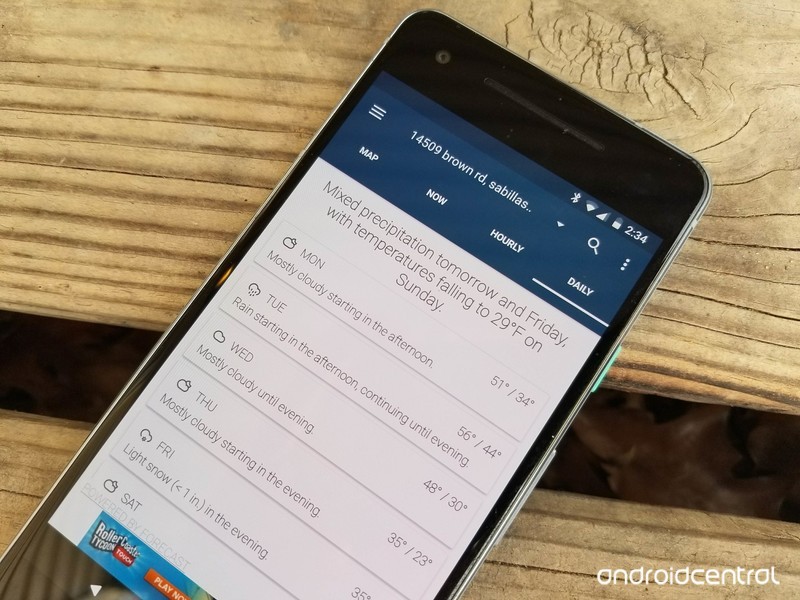
The Google Play Store is home to more than a few weather apps to choose from, and to help make your decision between all of these a bit easier, some of our forum users recently got to talking about which one is their favorite.
cbreze
12-09-2017 01:14 PM“
I have been using weather timeline for quite sometime on various devices and like it alot. The assorted amount of widget options is awesome as well as the tweaks you can make to each one.
Reply
Rukbat
12-09-2017 01:27 PM“
Have you tried Weather Underground: Forecasts? Minimal widget if you prefer, but the app, if you tap the widget, has a lot of information.
Reply
bhatech
12-09-2017 04:45 PM“
Use today weather, looks and works great.
https://play.google.com/store/apps/details?id=mobi.lockdown.weather
Reply
Morty2264
12-10-2017 09:54 PM“
I alternate between a few different weather apps; depending on how accurate I find them to be at the time.
I use The Weather Network at the moment, but I sometimes find that it’s not often accurate. What the Forecast, other than being “humorous”, is apparently accurate enough.
I’d recommend doing some research on the Google Play Store and seeing which apps have the highest amount of…
Reply
What about you – What’s your favorite weather app/widget?
Join the conversation in the forums!
These are the Android Wear watches that will be updated to Oreo
Google has announced which watches will soon be updated to Android 8.0 Oreo.
Google has already announced that Oreo is rolling out to the LG Watch Sport, and has now listed other watches that are slated to receive the update.

In a support forums thread, a Google employee listed the following watches that should have updates rolling out now:
- Fossil Q Venture
- LG Watch Sport
- Louis Vuitton Tambour
- Michael Kors Sofie
- Montblanc Summit
Additionally, most of the other watches released in the last year should see the update as well — models like the latest Fossil Qs, Casios, Michael Kors Access line, Huawei Watch 2 and the LG Watch Style. Google says that manufacturers are “pursuing” updates for dozens of models.
As with every Android update, though, the release schedule will vary between manufacturers. Notable devices that won’t receive this update include the second generation Moto 360 and 360 Sport, the LG Watch Urbane and the original Huawei Watch.
Is your watch going to be updated to Oreo? Let us know down below!
Android Wear
- Everything you need to know about Android Wear 2.0
- LG Watch Sport review
- LG Watch Style review
- These watches will get Android Wear 2.0
- Discuss Android Wear in the forums!
Get the HTC Vive, the Deluxe Audio Strap, and a $100 gift card for just $599
The worlds might be fake, but these savings aren’t!
This bundle on Amazon includes the HTC Vive, the Deluxe Audio Strap, and a $100 Amazon gift card all for $599. The HTC Vive alone is $599 at most retailers, including Best Buy and Amazon. So you’re essentially getting the audio strap, which retails for $100 by itself, and the gift card for free.

The HTC Vive is one of the most popular virtual reality systems out there, and VR Heads has a great guide if you’ve never used one before. The games you play will track the movement of your headset and the controllers you hold, giving you a full body virtual reality experience.
The Deluxe Audio Strap is designed to give you 360-degree realistic sound while still being comfortable and convenient. You’ll even be able to adjust the padding with a dial to get it just right.
See on Amazon
Andy Rubin returns to Essential following report of inappropriate behavior
Less than two weeks after his leave of absence began, Rubin has returned to Essential.
On November 28, a report from The Information came out claiming that Andy Rubin – the co-founder of Android – had engaged in an “inappropriate relationship” during his time at Google. Rubin promptly took a leave of absence from his new startup, Essential, following this claim, and less than two weeks later, he’s already made a return.

It’s now being said that Rubin announced his leave of absence on November 27, but according to one representative from Essential, the leave actually started earlier in the month.
Essential and Rubin still haven’t confirmed the reason for the leave of absence, but we’d advise not holding your breath for a further explanation anytime soon. Rubin’s spokesperson denied claims of the inappropriate relationship almost immediately after The Information’s report came out, and for the time being, that appears to be the end of this mini-controversy.
The Essential Phone is still available for purchase for its lower price of $499, and in the near future, we should see the release of a new color variant and a charging dock that’ll act as the second modular accessory for the device.
Essential Phone
- Essential Phone review
- Essential Phone specs
- The latest Essential Phone news
- Join our Essential Phone forums!
Amazon
Best Buy
Sprint
Telus
You can now buy the Google Home Max from Best Buy and Verizon
Still no word on Google Store availability.
At Google’s October 4 hardware event, one of the more surprising announcements was the Google Home Max – a beefed-up version of the regular Google Home with two 4.5-inch woofers, custom tweeters, 20 times the audio power, and a whole lot more. A listing in late November suggested that the Home Max would be released on December 11, and that appears to have been fairly accurate.

Spotted by Android Police, the Home Max is currently available for purchase at both Best Buy and Verizon Wireless for $399, but those are the only two retailers selling it at the time of publication. The Google Store still shows an option for joining a waitlist, and it’s unclear exactly when this will change.
Best Buy has the Charcoal and Chalk variants available for purchase with free shipping by Wednesday, December 13, but Verizon only has Chalk with the Charcoal one apparently already sold out.
If you want to pick up a Home Max for yourself, check the button below.
See at Best Buy
Google Home
- Google Home review
- These services work with Google Home
- Google Home vs. Amazon Echo
- Join our Google Home forums!
Google Store Best Buy Target
 AIVAnet