


How to buy a soundbar: An in-depth explainer
These days, even the cheapest televisions are rocking pristine, high definition displays. You can sort through Amazon’s bargain bin, pinching pennies like Scrooge McDuck, and still come away with a TV screen detailed enough to make out the individual hairs on a spider’s leg. But in the age of 4K Ultra HD and HDR color, there’s still one aspect where modern TVs don’t cut it: sound. It’s no surprise that wallpaper-thin screens don’t have room for top-tier speakers, but what’s the best solution? The most popular option: soundbars. They’re slim, unobtrusive, and easy to set up. But figuring out how to buy a soundbar can be difficult, given the diversity of options and the confusing numerical suffixes attached.
Digital Trends is here to help, and our soundbar buying guide will tell you what you need to know when shopping for one. So, read on and prepare yourself for a viewing experience filled with sweet, sweet sound. Don’t let your dreams be dreams, as Shia Labeouf would say!
Subwoofers
Regardless of which soundbar you choose, it’ll be a major improvement over the internal speakers of just about any modern TV. Still, there are decisions to be made, and the first one’s extra important: Should you get a soundbar with a subwoofer, or without?
Subwoofers are speaker drivers dedicated to the reproduction of low-pitched frequencies — think rumbling bass, exploding bombs, the whump-whump of a helicopter’s blades. A soundbar with a subwoofer will add punch and rumble to TV shows and movies, creating a fuller sound and more effectively projecting audio across the room. If you plan on watching lots of action movies or movies with epic music, you’ll likely want a subwoofer.
Connections
For the most part, you’ll need just one cable to connect a soundbar with your TV. Some soundbars use optical cables, which work fine, but HDMI is preferable: The HDMI interface supports more audio formats than does optical, which effectively means you’ll get higher quality sound that’s more immersive with HDMI.
Optical
HDMI
Stereo
Stereo
Dolby Digital
Dolby Digital
DTS
DTS
DTS:X
Dolby Digital Plus
Dolby Atmos
Additionally, HDMI ARC (Audio Return Channel) is a protocol that appears on most HDMI cables, allowing the television and soundbar to more easily exchange information. It also allows you to control the volume with a single remote. Some soundbars can even act as entertainment hubs for your home, where you can plug in all your gear for simple, easy control.
Channels and Dolby Atmos
When shopping for soundbars, you’ll probably come across some confusing numbers. Labels like ‘2.0,’ ‘3.1,’ or ‘5.1’ are there to let you know A) how many channels a soundbar has, and B) whether or not it has a subwoofer. The first number (before the period) refers to the number of drivers, and the number after the period tells you whether there’s a subwoofer (1) or not (0). Two channels means two drivers, left and right, while three means left, right, and center; five adds channels for rear or surround sound speakers.
Often, a soundbar will come with wireless satellite speakers and a wireless subwoofer. These don’t need to connect physically with the soundbar itself, but they’ll need a power source, so you’ll have to position them near wall outlets (or get creative).
If there’s a third number — i.e. 5.1.4 — that means the soundbar supports Dolby Atmos surround sound. The number itself refers to the number of dedicated drivers that fire upwards at the ceiling, bouncing sound down to create an enveloping effect. Some surround speakers are actually built to be mounted on the ceiling itself. Atmos is currently the most popular surround sound technology, capable of processing 128 distinct objects in a given scene.
IR sensors and placement
Assuming you want to be able to control your TV (you do), you’ll need to be careful with where you place a soundbar. Typically, soundbars are at home directly below your TV — even mounted on the wall, if that’s where the TV is. But if you’re using an entertainment center, you don’t want the soundbar sitting on it in front of your TV’s infrared (IR) sensor, which is where the remote control directs its signal.
Some soundbars come with IR repeaters; these pass the signal through the soundbar itself to the TV’s sensor. If yours has one, awesome — just make sure the soundbar isn’t obscuring the screen. Generally speaking, you want a soundbar that’s approximately the same width as your TV; soundbar proportions are mostly an aesthetic factor, though, and shouldn’t be a deal breaker.
Soundbases
If a soundbar isn’t for you, or if you’ve got more available real estate on an entertainment center below the TV, it’s worth looking into soundbases as well. A soundbase is similar to a soundbar, except noticeably thicker, with more room for big drivers and built-in amplification. If you want bass without the hassle of a standalone subwoofer, a high-quality soundbase might be a good fit.
If you do decide on a soundbase, consider its measurements to make sure the TV stand will either fit on the surface of the soundbase, or that the soundbase will slide under the TV and fit comfortably between its legs.
The video guide attached to this post features the AmazonBasics 2.1 Channel Bluetooth Sound Bar with Built-In Subwoofer.
Google may be readying its own smart headphones
Google might be planning a foil to smarter-than-usual headphones like Apple’s AirPods or the Bragi Dash line. After some sleuthing inside the Google app, the team at 9to5Google has found references to headphones that would use Google Assistant to augment the usual physical controls. Nicknamed Bisto, they would let you hear and reply to notifications using your voice — you wouldn’t have to reach for your phone to punch out a reply. Other details are scarce, but a mention of a Google Assistant button on a left earcup suggests these are over-ears (possibly wireless) instead of earbuds.
As for release details? Those are also up in the air. Given the timing, though, it wouldn’t be shocking if Google had Bisto ready for its now-customary fall hardware event, which could include new Pixel phones, a reborn Chromebook Pixel and an entry-level Home speaker. An Assistant-powered set of cans definitely makes sense. Google is betting big on AI, and that means making AI technology available wherever possible.
Via: Variety
Source: 9to5Google
Early iOS 11 Videos Appear to Depict Prototype Control Center and App Switcher Gestures
A pair of videos that appear to depict prototype iOS 11 features have been found “deep within the iOS 11 beta image” by developer Guilherme Rambo, who has recently become known for digging deep into iOS code to suss out upcoming features.
According to Rambo, the files were created in May, suggesting they depict iOS 11 iPhone functionality that was scrapped rather than functionality that has not yet been implemented, but there’s technically no way to tell.
In the first 13 second video, the Lock screen is demonstrated. The implementation of the Lock screen is similar the current iOS 11 implementation, but there are small changes.
This is interesting pic.twitter.com/X4GLiMy1c5
— Guilherme Rambo (@_inside) August 21, 2017
While a swipe downwards pulls down the Lock screen cover and a swipe left opens up the widget view, a swipe right brings up the Control Center. In the current incarnation of iOS 11, a right swipe brings up the camera and not the Control Center.
The second video shows a different implementation of the App Switcher. Instead of double tapping on the Home button, the App Switcher is accessed through a swipe upwards on the Home screen, the gesture used for Control Center. Control Center remains accessible as an app at the right side of the screen, though.
This is also interesting pic.twitter.com/JdYDhZDkev
— Guilherme Rambo (@_inside) August 21, 2017
In the current version of iOS 11, an upwards swipe on the Home screen brings up the Control center and not the App Switcher, but the video is reminiscent of the way App Switcher works on an iPad. On the iPad, an upwards swipe on the Home screen brings up the dock, while a longer swipe brings up the App Switcher with access to Control Center.
It’s possible Apple originally planned to mimic the iPad App Switcher functionality on the iPhone, but later decided against it for a more familiar set of gestures. It’s also possible, though, that the videos offer up a look at how iOS 11 will work once the iPhone 8 is released, since it has no Home button.
If there are any significant changes to the way iOS 11 is used on the upcoming iPhone 8, we’ll know soon enough. We’re expecting Apple to introduce the new iPhone in September, and if past event dates are any indication, we have just two to three weeks to wait.
Related Roundup: iOS 11
Discuss this article in our forums
DribbleUp’s smart soccer ball uses augmented reality to level up your game
Why it matters to you
DribbleUp’s new affordable smart soccer ball uses augmented reality to help make you a better player.
Soccer in the United States may not be quite as big as it is virtually everywhere else on the planet, but it is still a sport that is enjoyed by millions. It’s this audience that a new Kickstarter campaign is trying to appeal to — with a new smart soccer ball and app combo that promises to take your game to the next level. And for a whole lot less than other smart soccer balls on the market!
Having previously created the DribbleUp smart basketball — which we gave a solid recommend to — the makers of the DribbleUp smart soccer ball hope to carry that same combination of high-tech features and affordability over to a new sport. They claim that this is the first soccer ball with augmented reality to launch on Kickstarter. Using your smartphone’s camera, the DribbleUp app follows the soccer ball in real time and synthesizes thousands of data points into real-time training feedback. When you are using the app, you will be guided through a variety of drills and then given feedback and grades at the end of each one.
“We’ve reinvented the soccer ball for the digital generation,” Eric Forkosh, CEO of DribbleUp, told Digital Trends. “Our ball connects to an augmented reality app on your phone so you can train anytime and anywhere — in your home, on the field, wherever. The virtual trainer on the app guides through interactive drills with live audio feedback and gives you a drill-by-drill graded breakdown so you know what you need to improve. Even when it’s raining or too dark outside, you can always practice in your room with the virtual trainer and take your game to the next level. Most importantly, our match-ball quality soccer ball has no batteries, so you never need to charge it and costs less than a standard match ball. Why buy a dumb ball when you can get a smart ball for the same price?”
It’s a fair question to ask, and if the company’s previous products are anything to go by, you can expect a high-quality ball for your money — even without taking the tech into account. Forkosh says the product is best aimed at youth players and their coaches, although its clever adaptive system means that it can challenge everyone from young kids up to pro players.
If you want to get hold of a DribbleUp soccer ball, you can currently pre-order one on Kickstarter. Prices start at $49, which includes the ball, a smartphone stand, app, and access to the video content library. Shipping takes place in October.
DribbleUp’s smart soccer ball uses augmented reality to level up your game
Why it matters to you
DribbleUp’s new affordable smart soccer ball uses augmented reality to help make you a better player.
Soccer in the United States may not be quite as big as it is virtually everywhere else on the planet, but it is still a sport that is enjoyed by millions. It’s this audience that a new Kickstarter campaign is trying to appeal to — with a new smart soccer ball and app combo that promises to take your game to the next level. And for a whole lot less than other smart soccer balls on the market!
Having previously created the DribbleUp smart basketball — which we gave a solid recommend to — the makers of the DribbleUp smart soccer ball hope to carry that same combination of high-tech features and affordability over to a new sport. They claim that this is the first soccer ball with augmented reality to launch on Kickstarter. Using your smartphone’s camera, the DribbleUp app follows the soccer ball in real time and synthesizes thousands of data points into real-time training feedback. When you are using the app, you will be guided through a variety of drills and then given feedback and grades at the end of each one.
“We’ve reinvented the soccer ball for the digital generation,” Eric Forkosh, CEO of DribbleUp, told Digital Trends. “Our ball connects to an augmented reality app on your phone so you can train anytime and anywhere — in your home, on the field, wherever. The virtual trainer on the app guides through interactive drills with live audio feedback and gives you a drill-by-drill graded breakdown so you know what you need to improve. Even when it’s raining or too dark outside, you can always practice in your room with the virtual trainer and take your game to the next level. Most importantly, our match-ball quality soccer ball has no batteries, so you never need to charge it and costs less than a standard match ball. Why buy a dumb ball when you can get a smart ball for the same price?”
It’s a fair question to ask, and if the company’s previous products are anything to go by, you can expect a high-quality ball for your money — even without taking the tech into account. Forkosh says the product is best aimed at youth players and their coaches, although its clever adaptive system means that it can challenge everyone from young kids up to pro players.
If you want to get hold of a DribbleUp soccer ball, you can currently pre-order one on Kickstarter. Prices start at $49, which includes the ball, a smartphone stand, app, and access to the video content library. Shipping takes place in October.
Check out these stunning photos of today’s total solar eclipse
Why it matters to you
Lots of people took off from work to enjoy today’s solar eclipse. If you weren’t one of those lucky people, don’t worry — we’ve collected some of the best photos for you.
In case you’ve been living under a rock — actually, no, even stone-dwellers must have heard about Monday’s solar eclipse. At about 11:19 a.m. PT, the moon fully eclipsed the sun, an event that many Americans celebrated by, uh, taking a week off of work and driving out to the middle of nowhere to experience an rare occurrence that lasted for about half an hour.
Those within the eclipse’s ominous-sounding “path of totality” had a front-row seat (assuming they had a pair of eclipse glasses, or certain welding goggles, or some sort of home-brewed device), but the vast majority of us settled for a few minutes of weirdly dim daylight. Luckily, images are popping up everywhere, from generous Flickr users and NASA photographers alike. We’ve put together an assortment of the best solar eclipse photos, just for you. Enjoy!
If you can’t get enough eclipse coverage, NASA has a huge webpage dedicated to the topic. For the solar eclipse this morning, there’s a specific landing page you can head to. If you’re a big fan of the final frontier, we’ve got a comprehensive list of all the celestial events taking place in 2017, as well as a regularly updated list of awesome space photos.
The next total solar eclipse viewable from the United States will take place on April 8, 2024, according to NASA. That eclipse’s “path of totality” will cut a different swath, with the shadow entering North America via the western coast of Mexico and traveling northeast. The shadow will pass through Texas and eclipse both Lake Erie and Lake Ontario entirely before crossing Canada’s east coast and passing over Newfoundland.
If that’s not enough info for you, check out this awesome map (courtesy of GreatAmericanEclipse.com) depicting the path of every solar eclipse we can expect to occur during the 21st century. Those who miss an opportunity to see the 2024 eclipse will need to wait another 21 years until August 21, 2045, when the path of totality will run southeast, from northern California through central Florida. If you miss your opportunity at that eclipse, well… your chances of seeing the next one depend largely on advances in medicine.
The best iPhone camera accessories money can buy
More so now than ever, the iPhone is as much a camera as it is an actual telephone. As the camera has improved over the years, so have the third-party gadgets designed to improve your iPhoneography. To help save you the time of searching, we’ve rounded up nine of the best iPhone camera accessories and brought them together in a convenient list, with an emphasis on the latest iPhone 7 and 7 Plus.
Battery Pack — $15+
Taking photos and videos on your iPhone can be taxing on its battery. To make sure you have enough juice to capture everything you want, you’re going to want an external battery pack. To save you time, we’ve rounded up 25 of the best battery packs on the market for you to choose from. These range from small, pocket-sized options to ones large enough to restart your car battery in the event it gives up.
Moment Lenses — $35+
One of the most effective ways to improve your smartphone photography is to purchase add-on lens attachments. While there are plenty of cheaper options on the market, none are made to the build quality of Moment Lenses. Constructed of high-quality glass within a metal frame, Moment Lenses let you capture telephoto, wide-angle, and fisheye perspectives.
Zeiss ExoLens — $200
Another add-on lens option: Zeiss is known for its lenses for DSLR and mirrorless cameras. But now you can get yourself a piece of the iconic glass for your iPhone thanks to Zeiss’ new ExoLens PRO setup. Much like the Moment lenses, Zeiss’ lenses attach to the front of your iPhone’s camera using a dedicated mounting point. Zeiss currently offers wide angle, telephoto, and macro lenses for giving your iPhone photography a little optical boost.
Manfrotto Pixi Mini Tripod — $22
Manfrotto knows a thing or two about making tripods, and its mobile lineup is no exception. The Manfrotto Pixi Mini Tripod is designed in Italy like its larger siblings, and offers the same type of build quality you’d come to expect from Manfrotto. Included with the tripod is a dedicated smartphone mount that fits even the largest of iPhones (without a case, that is).
Olloclip Core Lens Set — $100
Like the Moment and Zeiss lenses, Olloclip is another solution for making the most of your iPhone’s camera(s) through additional lenses. Olloclip’s Core Lens Set is its latest offering. It includes a dedicated lens mounting clip and three interchangeable lenses: A fisheye, a super-wide angle, and a 15x macro lens. Unlike the aforementioned lenses, Olloclip’s is more affordable.
DJI Osmo Mobile — $300
If video is more your thing, you’ll be hard-pressed to find an iPhone accessory more valuable (and expensive) than the DJI Osmo Mobile. The DJI Osmo Mobile is a multi-axis gimbal nearly identical to the system used by DJI’s 4K handheld camera. It is designed to be used alongside a dedicated smartphone app, and offers a slew of clever features to ensure you never miss a moment and capture it all as smoothly as possible.
Manfrotto Lumimuse LED Light — $45
The LED lights integrated into smartphones are adequate for a handful of situations. But they’re far from perfect. If you need more light in your scene, be it a photo or video, Manfrotto’s Lumimuse is your solution. It’s a small, credit card-sized light designed to boost low-light images or add a little more creative control.
Selfy Case — $20
Selfies are fairly straightforward. However, they’re not always the easiest to capture, especially when you want to put some distance between yourself and the camera. Enter the Selfy Case, an iPhone case with a built-in Bluetooth remote for wirelessly taking a photo. No longer do you have to be tethered to your phone to take a photo. As a bonus, this also works great for starting and stopping long exposure and time-lapse photographs.
Fujifilm Instax Share SP-2 — $200
Sometimes it’s nice move your photos off the screen and onto a piece of paper. Now, you can do so in a heartbeat with Fujifilm’s Instax Share SP-2 instant printer. Using Fujifilm’s Instax film cartridges, you can now send photos directly to the printer and have them turned into Polaroid-like photos to hand out to friends and family. The best part is, it comes in both gold and silver, so you can match it to your iPhone (sorry, black and rose gold iPhone owners).
Hitcase Pro 2.0 — $130
Your iPhone might never be a GoPro, but the Hitcase Pro will get it darn near close. Hitcase Pro 2.0 is a waterproof, shockproof, and mountable case for your iPhone that effectively turns it into a rugged action cam. As you’d expect from an action cam, it features the same mounting system as the GoPro, meaning it shouldn’t be too hard to find accessories and mounting plates for every possible situation. There are even add-on lenses to extend the imaging capabilities of your iPhone. Currently, the Hitcase Pro 2.0 is available for pre-order.
Google to revamp Chromebook Pixel lineup with new convertible this year
Google will likely announce the next Chromebook Pixel at the same time as this year’s Pixel phones.
While there are plenty of great Chromebooks out there from third-party partners, Google looks to be gearing up to release another Chromebook Pixel. The first Chromebook Pixel was released in 2013, refreshed in 2015, then put on hold earlier this year. It seems the line is no longer on hold, because a new Chromebook Pixel may be just around the corner.
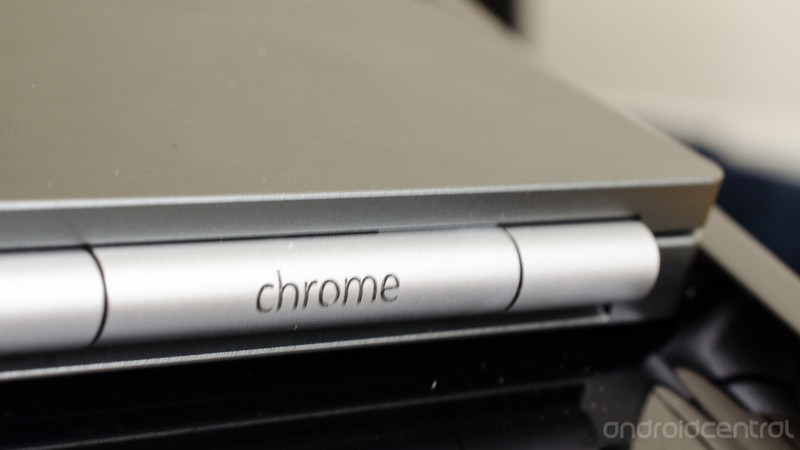
Android Police reports that Google will be announcing another first party Pixel laptop at the same time as the next Pixel phones. The device might be related to Google’s earlier Project Bison, which allegedly featured a 32GB or 128GB of internal storage, 8GB or 16GB of RAM, a 12.3-inch screen, and a Wacom stylus.
The laptop may also feature the wacky keyboard that showed up in recent patents. Those patents showed a second hinge for the keyboard area, so there would be a smooth surface when you first open the laptop. The patents didn’t suggest what the smooth area would be used for, but it could be used as somewhere for the user to grip when the device is in tablet mode.
The device may also be related (or, the same device as) the “Eve” device that ChromeUnboxed has been tracking for the better part of this year. That model is said to feature a new keyboard layout and the first fingerprint sensor on a Chromebook. Given these are pretty big changes for the Chrome market, it makes sense Google would want to showcase them on a first party device.

Android Police specifically notes the upcoming laptop will run Chrome, not Andromeda, the rumored OS that was going to be a hybrid of Android and Chrome. Given that newer Chrome devices already run Android applications, there’s not much benefit to a full combining of both operating systems. While there may be a point in the future where it does make sense for Chrome and Android to combine, for now they be the separate and wonderful operating systems we’ve come to know and love.
Android Police also noted Google would release a smaller Google Home, similar in concept to Amazon’s Echo Dot. At $130 each, outfitting your entire house in Google Home’s can get expensive quickly, so it will be great for buyers to have a less expensive option. The smaller Google Home’s would be similar to the NVIDIA Spot, a small microphone that would connect to a NVIDIA SHIELD TV and let users tap into Google Assistant. The Spot was supposed to cost $49 each, the same price as the Echo Dot. Since being announced at CES this year, we still haven’t heard anything about the Spot’s availability.
Would you be interested in another Chromebook Pixel? Let us know down below!
Chromebooks

- The best Chromebooks
- Should you buy a Chromebook?
- Google Play is coming to Chromebooks
- Acer Chromebook 14 review
- Join our Chromebook forums
Google may release its own headphones with Assistant built-in
A recent teardown of the Google app suggests the company on its own wireless headset.
While a lot of headphones have the ability to activate Google Assistant, what this really does is activated Assistant on the phone. While that’s all well and good, being able to process commands on the headphones would also be useful. According to 9to5Google, some Assistant headphones may be on their way.

9to5Google decompiled the APK file of the most recent version of the Google app. In it, they found references to the ability for the user to hear and reply to notifications, how to app will handle the Assistant button on the headphones being toggled, and the ability for the headphones to receive firmware updates.
Given that the next Pixel phones won’t include a 3.5mm headphone jack, it’s safe to assume the headphones would connect wirelessly via Bluetooth. Other than the inclusion of Assistant, there’s not much that would separate Google’s headphones from more established devices like the Bose QC-35’s or the Sony MDR-1000X.
Would you buy a pair of headphones if it included Google Assistant! Let us know down below?
Learn more about Google Assistant!
Google might launch a reborn Chromebook Pixel and smaller Home
Do you still have a Chromebook Pixel-shaped hole in your heart months after Google pulled the plug? Good news — Google might be bringing it back. A source speaking to Android Police claims that a “Pixel-branded Chromebook” will launch alongside the next Pixel phones at an event this fall. Details are scarce, including whether or not this is the fabled laptop that would run Andromeda, the long-rumored cross between Android and Chrome OS. That system was supposed to be a convertible PC with a tablet mode, a 12.3-inch display and an optional Wacom stylus, but there’s no certainty that this design is the one that launches. We certainly wouldn’t count on the originally planned $799 pricing.
This wouldn’t be the only hardware bonus in store. Reportedly, there would also be a smaller version of the Home smart speaker. Although there isn’t much to say about that, either, it stands to reason that this would be a competitor to Amazon’s Echo Dot, which ditched all but the most basic of built-in audio in the name of price.
Android Police’s sources tend to be accurate, but we’d take this scoop with a grain of salt as there’s a lot that could change. However, it would make sense for Google to launch both products. Now that Microsoft’s Surface Laptop and Windows 10 S are gunning after Chrome OS, Google might want a riposte that gives Surface buyers a reason to think twice. Likewise, Google may want to expand its smart speaker roster before Amazon conquers the space with its rapidly growing lineup. One thing’s for sure: if any of this is true, Google is going to be very, very busy toward the end of the year.
Source: Android Police

