


Which Android Tablets Should You Buy For Under $100?
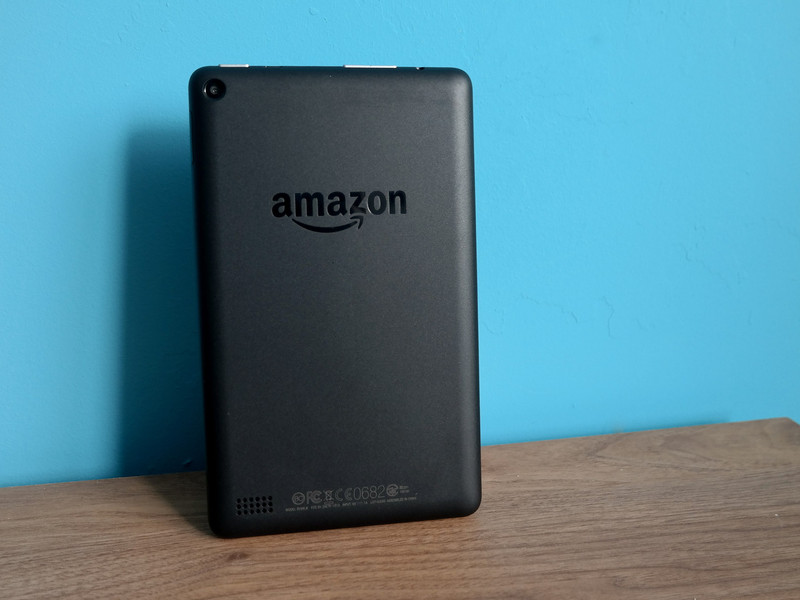
There are a number of reasons to buy a cheap tablet, but which ones are worth your money?
Tablets are incredibly useful, but if you’re buying one for under $100, you’re going to have to settle for some compromises. From durability issues to potentially out-of-date software, there’s a reason why these are considered budget products and priced to move.
But there’s still some good value to be had here, especially if you’re planning to buy a tablet as a gift for a younger child. It can also be convenient to have a nice and portable device to take on trips, while leaving your more expensive tech safely stored at home.
Here’s a breakdown of the best tablets you can get under $100!
Amazon Fire HD 8 Tablet

Amazon has been producing some of the best budget tablets for years, and its latest HD tablet is the best yet. The Fire HD 8 features an 8-inch screen with battery life of up to 12 hours of reading, surfing, the web, watching videos, and listening to music. And audio is going to sound pretty decent with stereo speakers and Dolby Atmos support. It’s also Alexa-enabled, which means you’ll be able to talk to your smart home products from wherever you are in your home.
If you’ve never bought a Fire tablet before, you should know that Amazon has its own store for accessing content like apps, movies, TV, songs, books, and more. If you’re an Amazon Prime subscriber you’ll have Amazon Video and Amazon Music at your fingertips.
Our very own Phil Nickinson (aka Modern Dad) says it’s the best tablet for kids because it’s still a pretty capable Android tablet that you won’t be distraught if dropped. There’s also the Amazon Fire 7, which is $30 cheaper and another great option for kids, but the choice is ultimately yours — compare the specs and pick the one that’s right for you.
See at Amazon
Amazon Fire 7 Kids Edition Tablet

The standard Amazon Fire tablets are already pretty great for kids, but Amazon has smartly gone a step further by offering both the Fire 7 and Fire HD 8 packaged with a kid-proof case that’s designed to take all the abuse a younger child can throw at it.
It’s got some built-in tools for parents that allow you to control what and when your kids can access on their own tablet, without sacrificing specs or feeling like a cheap toy.
If durability is at top of the list for you, you’ll want to get this tablet. It’s also backed by a 2-year worry-free warranty, meaning if anything happens Amazon will let you return and replace it for free, no questions asked. That’s music to any parents ears!
See at Amazon
Samsung Galaxy Tab E Lite
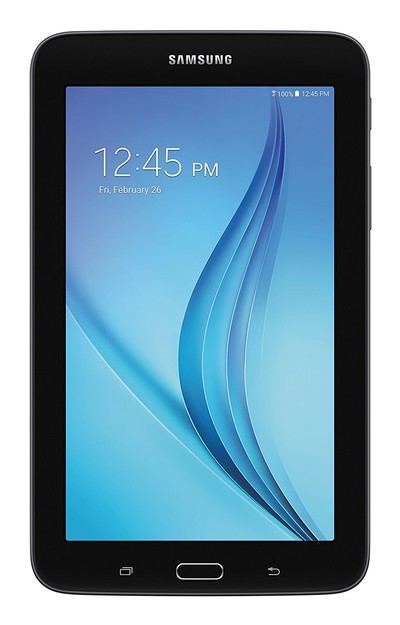
For those who love Samsung products, but don’t want to pay the typically premium Samsung price, consider the Galaxy Tab E Lite. It’s a budget tablet with specs to reflect just that, but could be just what you’re looking for if you’re after a cheap and portable tablet to throw in your bag for traveling, or watching media around the home.
Featuring a 7-inch display and 8GB of storage, this is a great tablet for watching YouTube or Netflix or playing games — but don’t expect to push the limits too much. It’s also running on Android 4.4 KitKat, so don’t expect much in terms of software updates or support from Samsung, although it does offer a one-year warranty if anything goes wrong with it.
See at Amazon
RCA Viking Pro
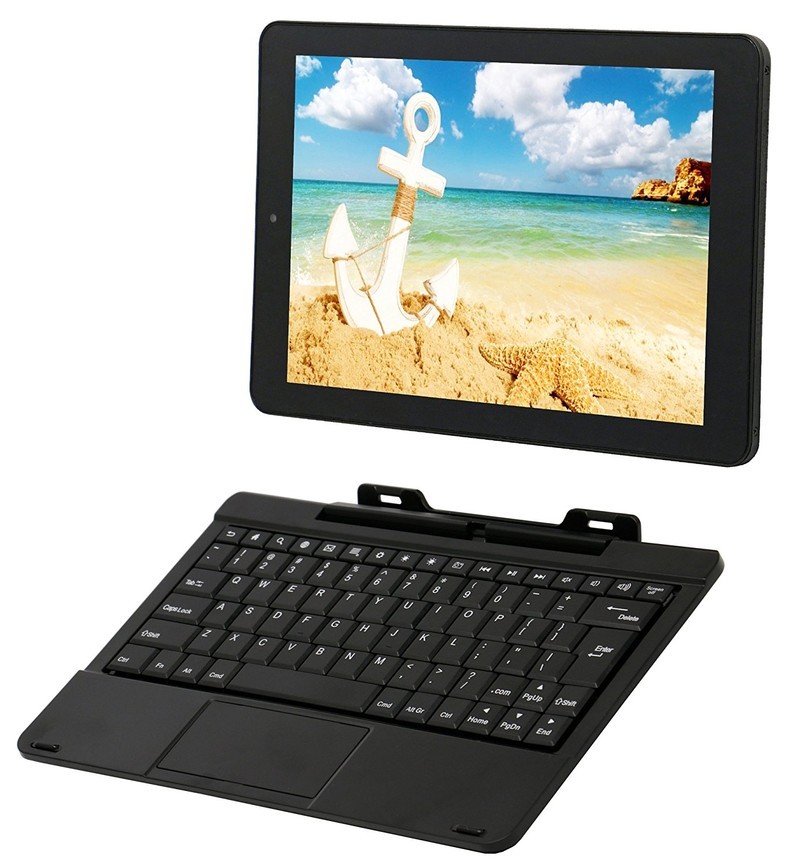
The RCA Viking Pro is likely the only 10-inch tablet with a detachable keyboard that you will find for around $100. Sure, the internal specs are mediocre at best, but it comes with 32GB of internal storage along with a microSD slot, so that’s pretty decent. It’s a great option if you’re looking for a cheap tablet with a larger screen for watching Netflix and other downloaded content — just make sure to use headphones or a Bluetooth speaker for audio.
The detachable keyboard is a nice addition, too, giving you the option to get some writing done on the go. It’s running Android 5.0 Lollipop, so you might not be able to play the latest games, but at $100 it’s a great portable option for blogging and watching videos.
There are limited quantities available on Amazon, but you can also buy this tablet from Walmart.
See at Walmart
What did we miss?
Is there a tablet that we omitted that you believe deserves a spot on this list? Let us know in the comments below!
Google Maps beta adds news features, including Android O’s picture-in-picture support
Google Maps beta adds new features tailored to Google’s next Android release.

Android 8.0 is set to release anytime soon, and Google has been hard at work getting its own applications ready to take advantage of the new system APIs. Picture-in-Picture, originally available in Android 7.0 Nougat for Android TV users, will be available for phone and tablet users after the launch of Android O.

To take advantage of this, the latest beta version of the Google Maps app is adding support for picture-in-picture. I don’t think this will be advantageous on most smartphones, but it will be a good feature for larger screened phones and LTE-connected tablets. Android Police notes that the feature is currently buggy, but that’s beta software for you.
Also along for the ride is the ability for the application to log monthly driving statistics such as average speed, total distance and time spent in traffic. My brother drives hundreds of miles a day for his job, so this will be a nice feature for users like him that need to get compensated for their mileage. There are already third party applications to do this, but adding the feature to Maps means one less application to worry about.

One last piece to prepare for Android O is support for more notification channels. The Maps application already supports this feature, but this beta adds the ability to move some navigation notifications into their own channel. One channel is for when the application is in the foreground and another channel for when navigation is running in the background. Google did not provide a timeline to expect these features to be added to the stable version of the application, but we will report back when that happens.
If you’re not already a Google Maps beta tester, you can sign up for it very easily!
Do you think you’ll use the new features? Let us know in the comments below!
Learn How To Invest in Cryptocurrency for only $15!
Cryptocurrencies are decentralized digital currencies which use encryption techniques to regulate and verify the transfer of funds, and they’re growing in popularity globally. You’ve probably heard of the most popular cryptocurrency, Bitcoin, but there are a ton of new cryptocurrencies emerging every year, presenting intriguing opportunities for the savvy investor.
Don’t know where to start? Android Central Digital Offers is here to help with the Beginner’s Guide to Cryptocurrency Investing. This course features 27 lectures and hours of content that is available to you 24/7, giving you everything you need to know to get into cryptocurrency investing. You’ll learn a system for investing in altcoins and learn how to turn the cash in your hand into a valuable digital currency that might end up making you a small fortune!

You’ll learn how to spot the best starting point for investing in a cryptocurrency, estimate the true value of the entire market, and compare your own research to the relative position of a currency within its history and against other altcoins. Bitcoin’s value has continued to climb, hitting record highs along the way. Maybe you could get in on the ground floor for the next big cryptocurrency and make a small fortune along the way!
Typically, this course would be sold for $180, but thanks to Android Central Digital Offers you can get it for the low price of only $15! You really have nothing to lose here and everything to gain!
See at Android Central Digital Offers
Soothe your Back to School blues with a fresh new wallpaper

Happy New (School) Year!
Schools are going back into session, and parents and kids can both finally take a breather, because let’s face it, you were starting to get sick of each other. It’s time to go buy 24 glue sticks or 15 notebooks or whatever insanity is on your list this year, maybe spring for a Chromebook, and get ready for a new year of homework, heartache, and academic shenanigans.
We can’t keep you from any of the drama and boredom about to unfold, but we can give you a new wallpaper to go with all those new backpacks and lunch boxes!

Apples are supposedly great gifts for teachers, and great snacks for school, and great for your health, right? Eating apples out of hand is messy, it’s a pain if the apple is too big, and it’s loud and disruptive to everyone around you. One of CinemaSins’ most well-known sins is the apple-eating sin, and so I say to you, if you really want to bring an apple to school, either do easy-to-eat apple slices or make apple chips so you get the crisp crunch of a chip with the sweet sugary cinnamon taste of a dessert.
Apples by MintLights

Teachers are amazing, and while there have been millions of amazing teachers over the years, in the classroom and on our TVs, one of the most famous has got to be Ms. Frizzle from The Magic School Bus! Her dresses were amazing, her lessons were the perfect mix of education and entertainment, and her bus could go anywhere. This wallpaper combines one educational traveler with another: Doctor Who! The Frizz makes perfect sense as a Time Lord, and her bus being a TARDIS is genius. And she gets a new class of companions every school year to show off the wonders of the universe to! Someone get PBS and the BBC on the phone!!
Second Right Past Mars by ErinPtah

We spend enough time trapped inside small classrooms, but there’s something about the pristine order of a clean, empty classroom with the afternoon sun streaming through the windows. This makes me want to organize my papers and get a head start on my research for next week’s articles.
Classroom by arsenixc

You’re stuck sitting down inside eight hours a day, stuck in a class that goes at a single pace no matter how quickly or slowly you learn, and at one point or another, you’re going to reach the same conclusion every kid has some point: school sucks. School is vital and important; it helps us learn what we need to become well-rounded, functioning members of society, and that’s not just the lessons inside the classroom. No matter how important it is, though, you can’t help how school often feels and seems: like a relic, a prison, a social torture chamber.
School sucks. Let your wallpaper say it for you.
School sucks by liese-lotta

Is it lunch time yet??
Some kids look forward to recess. Some kids look forward to P.E. Some kids look forward to art. I look forward to lunchtime. Food makes school far more bearable and enjoyable, and while brown-bagging your lunch has never been all that “cool”, with bento lunches like these, who cares? They’re adorable, they’re delicious, they’re more nutritious than the burger and fries in line, and since you brought your own lunch, you can sneak a few bites here and there throughout the day to keep your hungry down and your concentration up.
Is it lunch time now? Still no? But I’m so hungry!
Bentos
This $4 phone mount keeps your phone safe while you focus on the road
Our friends at Thrifter are back again, this time with a great deal on a universal car mount.
Right now you can pick up Choetech’s universal car mount for just $3.99 at Amazon with coupon code 8ESTIKT7, a savings of $2 from its recently-reduced price. This particular mount has never sold for this low, and at this price, it is hard to beat. It fits a variety of phones, and with the quick release button using it is a breeze.

- Super Secure: Angled bottom and two adjusting arms prevent your phone from moving up and down. Extra strong suction cup with sticky gel protect your phone from fell off from Windshield or Dashboard.
- One Hand Operation: With quick release button the phone can be easily inserted and quick released. With just a touch of a button, the arms expand out to their full width. Simply set your phone in the holder and squeeze the arms until it holds your phone in place.
- Universal Compatibility: Adjustable silicone padded holder with great expansion capabilities fits devices from 2 inch to 3.7 inch wide, such as GPS, iPhone, Samsung, LG, HTC and more.As for google pixel, the arms might be press on the volume button of the speaker. If the phone is too heavy, it will fall out easily so mobile phone under 5.5 inch would be better.
- 360°Rotation: With 360°rotation swivel ball allows you to get the perfect viewing angle without interfere the air flow direction.
- What You Get: CHOETECH dashboard/ windshield mount (Bracket, suction cup and adjuster), 18 months warranty and friendly, easy-to-reach customer service
At just $3.99, you should have one of these in every vehicle that is in your household. If you’re looking for a magnetic mount instead, Aukey has a few options for just $4 as well.
See at Amazon
More from Thrifter:
- How to buy and resell your wedding decor
- How to save money using Target’s Cartwheel coupon service
For more great deals be sure to check out our friends at Thrifter now!
Anker announces Alexa speaker with one neat trick
Similar to the Echo Dot, but less expensive.
Anker is well known for providing quality accessories at a fair price, primarily through its Amazon storefront. That relationship with Amazon grows deeper today with Anker’s announcement of the Eufy Genie smart speaker. The Eufy Genie functions similarly to Amazon’s Echo Dot, but is $15 cheaper. The Eufy Genie includes the ability to listen for Alexa commands and outputting audio to larger speakers or playing back audio through its own speakers. Anker also says it will also release an upgraded version of the Eufy Geenie that can connect to Bluetooth speakers which will cost $40.

Like all good genies, the Eufy has a bit more magic to hide. Anker says the speaker will be able to communicate with other devices in their Eufy line. This currently includes lights, vacuums, and health equipment and Anker says they will expand this to other categories coming up. Anker says the basic Eufy Genie will be released on August 16, while the upgraded version to come later.

The $10 to $15 saved may not seem like a lot up front, but those savings will quickly add up for those that want to outfit their entire house with an array of smart speakers. I’d like to see Anker make a version with Google Assistant, but Alexa is no slouch when it comes to the smart speaker game.
Thinking of picking up an Anker Eufy Genie? Let us know down below!
[custom:amazonecho]
Best sprinkler to use with the Amazon Echo
The Rachio sprinkler system works great with your phone. And it’s even better once you tie it into an Amazon Echo.
One of the cooler things I’ve had in my house the past few years is a connected sprinkler system. That’s mostly because it’s smart enough to tell when it’s rained without a moisture sensor — but even more so because it’s smart enough to know when it’s going to rain, and thus it shouldn’t bother watering.
But now that we’ve got Alexa running things, the Rachio sprinkler system (it retails for $199) is even better. And for that reason it’s a top pick for the best sprinkler to use with the Amazon Echo. Because for as cool as Rachio is, it’s still kind of a pain to have to whip out your phone and open the app and then turn the things off and one.
Way easier is to just bark orders at Alexa.
Like any thing else you want to hook into Alexa, you’ll need to first enable the Skill. You can do so online here, or through the Alexa app for Android or for iOS. After that you’ll log in with your Rachio credentials, then you’re on your way.
Here’s what all you can do with Rachio via an Echo device:
- Turn Rachio on.
- Turn Rachio off. (Duh.)
- Set a rain delay, for a single day or for a given duration.
- Cancel said rain delay. (Also duh.)
- Run an individual zone.
- Run ALL THE ZONES.
- Run a zone (or ALL THE ZONES) for a given amount of time.
- Stop a zone. (See how this works yet?)
You can see the full list of permutations here, but it’s pretty self-explanatory.
How to connect Rachio to Amazon Echo
Amazon Echo
- Amazon Echo review
- Echo Dot review
- Top Echo Tips & Tricks
- Tap, Echo or Dot: The ultimate Alexa question
- Amazon Echo vs. Google Home
- Get the latest Alexa news
See at Amazon
Andy Rubin’s Essential secures funding from Amazon, promises Phone release date
Essential gets more funding to help bring its devices to market.
Essential, Android creator Andy Rubin’s smartphone startup, announced its phone earlier this year but has yet to say when it will actually become available. In the time since, the company has announced retail partners and exclusive carriers for each region, including Sprint in the U.S. and TELUS in Canada. Now, the company announced it secured investment funding from a few investment giants, including Amazon and Tencent Holdings.

The $300 million infusion was confirmed by Essential to the Wall Street Journal. Essential also announced that Amazon and Best Buy will be launch partners. This is in addition to Sprint being the exclusive carrier for the Essential Phone, though all versions will be unlocked and usable on all U.S. networks.
Still missing is an estimated release timeframe for the device. Essential originally teased a summer launch, but the device was set back by the certification process. Since this delay, the company has not provided a timeline on when to expect the phone to be available to consumers, but promises to do so next week.
The Essential Phone has been highly anticipated because it is coming from Android’s original creator, but the setbacks have started to wear on potential customers. Hopefully, the addition of this investment funding will help Essential get its house in order and get the device out to retail shelves.
Are you still waiting on the Essential Phone? Let us know in the comments below!
NVIDIA launches recall for European wall adapters for potential shock risk
European users will need to exchange their wall adapters.
NVIDIA has launched a recall of their European wall adapters for their SHIELD line of tablets and Android TV boxes sold between July 2014 and May 2017. The company gives instructions on how to specifically identify affected wall adapters.

NVIDIA writes:
NVIDIA has announced the voluntary recall of certain plug heads for SHIELD AC wall adapters designed for use in continental Europe, which the company will replace. The affected product shipped with SHIELD World Charger Kits, and European SHIELD tablets and European SHIELD TVs between July 2014 and May 2017. NVIDIA has determined that the two-prong European plug head – or “duck head” – may break, posing a risk of electrical shock. The recall is limited to the European plug head and does not affect any other NVIDIA products.
If the inside of the wall adapter does not have a certain set of punch marks, the user will need to register for a replacement. Fortunately, the replacement form is simple to fill out: provide your name, address, email address, and the number of adapters that need to be replaced. I had my SHIELD Tablet replaced for [a separate recall in 2015]/nvidia-recalls-some-8-inch-shield-tablets-because-fire-hazard), and the replacement was in my hands within a reasonable amount of time.
Is your wall adapter affected by this recall? Let us know down below.
Learn more about the NVIDIA SHIELD TV
PS4 vs. PS4 Slim vs. PS4 Pro: Which should you buy?

Which PlayStation 4 should I buy?
Anyone looking to buy a PlayStation for family now have three options that look very similar. You’ve got the original PlayStation 4, the new slimmer PlayStation 4 with the exact same branding on the box as the original, and the new PlayStation 4 Pro. Do they all offer similar experiences? Is there a downside to buying the original over the slim? There are a lot of unanswered questions here.
It’s confusing by anyone’s standards, so your best bet is to know what you need before you head into the store.
What’s the difference?

Sony has a history of releasing a “slim” version of the PlayStation a couple of years after its initial release. In the past, those consoles have been labeled a little differently at launch to make it easier to tell the new version apart from the old one. These slimmer versions typically offer more a physical difference than a functionality difference, and this year is no different. The significant feature and performance difference comes with the PlayStation 4 Pro, and even then the difference isn’t huge unless you own a 4K television with HDR support.
| Price | $229 | $299 | $399 |
| Dimensions | 10.83in x 12.01in x 2.08in | 10.43in x 11.34in x 1.54in | 11.61in x 12.87in x 2.17in |
| CPU | AMD Jaguar 8-core (x86-64) | AMD Jaguar 8-core (x86-64) | AMD Jaguar 8-core (x86-64) |
| GPU | AMD Radeon (1.84 TFLOP) | AMD Radeon (1.84 TFLOP) | AMD Radeon (4.2 TFLOP) |
| Storage | 500GB / 1TB | 500GB / 1TB | 1TB |
| Optical out | Yes | No | Yes |
| AV out | AV/HDMI 1.4 | HDMI 1.4 | HDMI 2.0 |
| Power consumption | 250w max | 165w max | 310w max |
| 4K Streaming | No | No | Yes |
| USB | USB 3.0 (x2) | USB 3.0 (x2 ) | USB 3.0 (x3) |
| PSVR support | Yes | Yes | Yes (Enhanced) |
The biggest functional difference between the original PS4 and the new slimmer PS4 is power consumption. Sony claims the new PS4 has a max power draw of 165 watts, which sounds impressive next to the original 250w max of the first PS4 until you see most benchmarks. The original PlayStation 4 had an average power draw of 150w during its heaviest gameplay sessions, and never pushed anywhere near that 250w max. It is slightly smaller though, so there’s that.
PlayStation VR performance is something altogether different.
As you can see, Sony is using the same CPU and a GPU that’s a little more than twice the performance in the new PlayStation 4 Pro. There’s also an updated version of the HDMI standard in the PS4 Pro, but there’s no immediate difference in performance out of the box for video output. Games that struggled in the past to maintain 30fps or 60fps on a standard PlayStation 4 will be able to offer a more consistent experience with the PlayStation 4 Pro through its “boost mode” feature. This basically means games that appear a to stutter a little on a normal PS4 will look and play smoother on a PS4 Pro.
PlayStation 4 Pro also offers 4K video streaming and enhanced graphics on supported titles. Game developers will have the option to offer higher quality graphics to PlayStation 4 Pro gamers, which will be clearly labeled with PS4 Pro Enhanced on the box. Not only are most new PlayStation games being made to support this Enhanced ability, many of the more popular games from the past year are releasing updates to look better through the more capable console.
| HDR Output | ❌ | ❌ | ✔️ |
| 4K Streaming | ❌ | ❌ | ✔️ |
| Remote Play | 720p | 720p | 1080p |
| Share Play | 720p | 720p | 1080p |
PlayStation VR performance is something altogether different. PlayStation 4 Pro was built to better support PlayStation VR (You know, Project Morpheus and PlayStation Neo kinda go together and all that) but even here the differences is subtle.
Most titles that were available before the Pro was released look slightly better on the Pro, and those titles updated to support the enhanced graphics in the Pro are noticeably better looking than on the standard PS4. Because of the high focus on framerate in PlayStation VR, what you’ll see in Pro Enhanced titles is more detail, not smoother transitions like you’d see on the television.
Which should I buy?

Now that you know everything you need to know about the differences between these consoles, lets break it down!
- PlayStation 4 — This is the PS4 most likely to be available at a considerable discount, or the option you’re most likely to find used or certified refurbished. If you’re on a tight budget, this is still a great modern console.
See on Amazon
- Slim PlayStation 4 — This is the PS4 you will see the most of on shelves this year, and it’s the nicer looking of the three. This is also the most likely to be found in a bundle with free games and extra controllers if you’re looking to get more than just the console.
See on Amazon
- PlayStation 4 Pro — If you own a 4K HDR television, or you’re interested in the best possible gaming experience from your PlayStation, this is the console for you. Also, if you’re looking to go all in on PlayStation VR, you’ll want this version of the console.
See on Amazon
Update August 2017: This article has been updated with new information on PlayStation 4 updates and new bundles available for the current models.
PlayStation 4

- PS4 vs. PS4 Slim vs. PS4 Pro: Which should you buy?
- PlayStation VR Review
- Playing PS4 games through your phone is awesome
Amazon
 AIVAnet