


Microsoft’s Surface Pro is a pricey alternative to the Asus Transformer Pro T304
Microsoft kicked off the modern 2-in-1 form factor in 2012 with the original Surface, and since then it’s improved the design and performance of the line through a series of annual updates. The most recent model is the 2017 Surface Pro, which replaced the popular Surface Pro 4 to become the reigning champion of the detachable tablet market. Microsoft’s OEM partners haven’t stood still, however, so we decided to compare the Microsoft Surface Pro to the Asus Transformer Pro T304 to see how well they’re doing.
If you’ve taken a look at the two machines side-by-side, then you’ll notice a striking resemblance. Asus borrowed liberally from Microsoft’s Surface design cues, resulting in a detachable tablet that is the spitting image of the Surface Pro. But they’re not the same inside, where it counts the most. So is the Microsoft Surface Pro or the Asus Transformer Pro T304 right for you? Read on to find out.
Specs
Asus Transformer Pro T304
Microsoft Surface Pro (2017)
Size
11.77 x 8.30 x 0.34 inches
11.5 x 7.9 x 0.33 inches
Weight
1.82 pounds
1.69-1.73 pounds, depending upon processor
Display
12.5-inch LED-backlit multi-touch display
12.3-inch PixelSense multi-touch display
Resolution
2,160 x 1,440 pixels (208 ppi)
2,736 x 1,824 pixels (267 ppi)
Operating System
Windows 10
Windows 10
Storage
128GB, 256GB, or 512GB SATA SSD, 1TB PCIe SSD
128GB, 256GB, 512GB, or 1TB PCIe SSD
Processor
7th generation Intel Core i3, i5, i7
7th generation Intel Core m3, i5, i7
RAM
8GB, 16GB LPDDR3
4GB, 8GB, 16GB LPDDR3
Camera/Webcam
Front 2MP, Rear 8MP
Front 5MP, Rear 8MP
Touch
10-point multi-touch
10-point multi-touch
Connectivity
Wi-Fi, Bluetooth 4.2
Wi-Fi, Bluetooth 4.2, LTE later this year
Sensors
Three-axis gyro, accelerometer, ambient light sensor, barometer, and Touch ID fingerprint sensor
Ambient light sensor, accelerometer, gyroscope, Windows Hello face sign-in
Battery
39 watt-hour lithium polymer
45 watt-hour lithium polymer
Ports
1 x USB 3.0 Type-A, 1 X USB 3.1 Type-C Gen1, 1 x HDMI, microSD reader, headphone jack
1 x USB 3.0 Type-A, microSDXC reader, Surface Connect, headphone jack, mini-DisplayPort, Cover port
Price
$1,000 to $1,400
$800 to $2,700
Availability
Newegg, Amazon
Newegg, Jet.com, Microsoft
DT review
3 out of 5
4.5 out of 5
Nearly identical look, a markedly different feel
If imitation is the sincerest form of flattery, then Microsoft should take the Asus Transformer Pro T304 as a serious compliment. Simply put, the Asus tablet and the Surface Pro look remarkably similar — to the point that you’d be hard pressed to tell them apart from more than a few feet away. Both posses the same silver sheen, both use nearly identical flip-out kickstands, and both connect to similarly-designed detachable keyboards.
But looks can be skin deep, and that’s the case here. The Transformer Pro T304 isn’t a poorly-built machine by any means, but the Surface Pro is simply on another level. It maintains a special place at the very top of design and build quality, one that was previously only occupied by Apple’s MacBook Pro line. Its lines are clean, its edges are smooth, and when you hold it in your hand it feels like a hunk of metal fused with a slab of glass.
The Asus Transformer Pro T304 is also a solid machine in its own right. But its design isn’t as clean, being marred by more connector ports — although of course, that’s a good thing — and it doesn’t provide quite the same feeling of solidity afforded by the Surface Pro. Most telling, the Transformer Pro T304’s hinge just isn’t as smooth as the Surface Pro’s, and it doesn’t quite exude the same aura of superior engineering.
Again, we have to stress: The Transformer Pro T304 is a quality machine. The Surface Pro is just in a class all by itself when it comes to detachable tablets.
Winner: Microsoft Surface Pro
Great performance versus just good enough
Asus lists a variety of configurations for the Transformer Pro T304, from a seventh-generation Core i3 processor up to a Core i7 and various RAM and storage options. In reality, though, there are currently only two versions available for purchase. There’s the model with a Core i7-7500U, 8GB of RAM, and 256GB SATA solid-state drive (SSD), which we reviewed, and then a special version offered at wholesaler Costco that ups the RAM to 16GB and the SSD to 512GB.
The Surface Pro is available in a range of configurations as well, from a low-power seventh generation Core m3 processor up to a Core i7-7660U, up to 16GB of RAM, and up to 1TB of PCIe SSD. All of those configurations are actually available for purchase, meaning you have far more flexibility when it comes to designing the model to meet your performance needs. In addition, the Core m3 and i5 models are fanless, offering up the extra benefit of silent operation.
When comparing the performance of the two machines, the Surface Pro’s Core i7-7660U naturally comes out on top. This was particularly true in our real-world benchmark test that converts a 420GB .MP4 video to H.265 format. The Transformer Pro T304 took 1,453 seconds to perform the conversion while the Surface Pro took only 822 seconds — the fastest score we’ve seen in a laptop with a dual-core processor. That means that if you need top-level CPU performance, the Surface Pro is the better choice.
In addition, the Surface Pro uses a faster PCIe solid-state drive (SSD) compared to the Transformer Pro T304’s SATA SSD. While both are plenty fast in booting, starting apps, and accessing and saving data, the Surface Pro is better when you need to access large amounts of data from storage.
Overall, Microsoft packed higher level components into the Surface Pro and tuned them for better performance. The Transformer T304 is fine for typical productivity work, but it can’t hold a candle to the tablet performance leader.
Winner: Microsoft Surface Pro
Many input options, but one in particular stands out
Both the Transformer Pro T304 and Surface Pro offer detachable keyboards that not only look the same (at least the Charcoal colored version that Asus provided with our review unit is similar to Microsoft’s Signature Type Cover), but they also provide similar typing experiences. This makes them equally good when it comes to entering copious amounts of information — both have crisp, responsive keystrokes with similar travel, both are equally quiet, and both suffer from some bounciness when the keyboards are magnetically attached at an angle.
The Transformer Pro T304’s touchpad is slightly larger, but both use Microsoft’s Precision protocol and so are equally responsive and precise. In addition, both machines offer 10-point multi-touch displays that are flawless in registering touches and responding to taps and swipes.
Finally, the Transformer Pro T304 and Surface Pro both benefit from active pens that allow for precise input for handwriting and drawing. The Surface Pro pulls ahead here in that the newest Surface Pen offers 4,096 levels of pressure sensitivity compared to the 1,024 levels provided by the Asus version. The Surface pen also offers tilt support, which the Asus active pen does not, and Microsoft incorporated a hardware accelerator that enables a mere 21ms of latency — second only to the latest iPad Pro Pencil in terms of speed in laying down ink.
Type, touching, and swiping are therefore essentially the same on both machines. For users who primarily want to use the pen to handwrite notes on the screen and make simple sketches, both machines are again equally as good. For artistic types who need the most precise and responsive pen input, however, the Surface Pro provides a significantly enhanced experience.
We’ll also mention that both machines support Windows 10 Hello for password-less logins. The Surface Pro uses an infrared camera and facial recognition, while the Transformer Pro T304 uses a fingerprint scanner embedded in the power button. Both work equally well, and so it’s down to preference as to which method is superior.
Thanks to the more responsive and precise pen, we’re going to give the Surface Pro the win by the narrowest of margins. We’ll note, though, that both the keyboard and pen are included with the Transformer Pro T304 but are costly options with the Surface Pro.
Winner: Microsoft Surface Pro
Stuck in the past or looking to the future
There are no two ways about it: Microsoft has a thing about USB Type-C ports. It just doesn’t like them. The Surface Pro, therefore, is stuck with the exact same legacy ports as the Surface Pro 4. There’s an old-school USB Type-A connector, a MicroSD card reader, a mini-DisplayPort, a Surface Connect port, a Type Cover port, and a headphone jack. If you want USB Type-C, then you’ll need to pick up Microsoft’s planned Surface Connect to USB Type-C dongle.
Asus, on the other hand, managed to squeeze in a USB Type-C port to go along with USB Type-A, a full-size HDMI connection, a MicroSD card reader, a keyboard connector, and a headphone jack. That may not sound like much more when you’re simply counting connectors, but the addition of the forward-looking USB Type-C is a big deal for anyone who wants to look at more modern accessories.
Microsoft’s reluctance to add a USB Type-C to its Surface device remains a point of contention among its fans and keeps the machines mired in the past. Asus, on the other hand, makes sure that no matter what accessory you need to connect, the Transformer Pro T304 can accommodate your needs. Score one for the contender.
Winner: Asus Transformer Pro T304
Surface displays maintain their dominance
Microsoft’s Surface line is responsible for the growing popularity of the 3:2 aspect ratio, which makes the screen a little taller than the usual 16:9 widescreen ratio. This provides for improved productivity by showing off more of a webpage or document, while introducing a bit of letterboxing when displaying video. It’s a fair tradeoff, and the Asus Transformer Pro T304 has followed suit.
Another trend that Microsoft helps push forward is the use of increasingly high-quality and high-resolution displays. Starting with the Surface Pro 3, Microsoft has been known to put excellent displays in its Surface machines that also ensure pin-sharp text and graphics. The Surface Pro maintains that pattern, offering a 12.3-inch PixelSense display with 2,736 × 1,824-pixel resolution (267 PPI) and excellent contrast, good color support, and high brightness.
The Asus Transformer Pro T304’s display is larger at 12.5 inches, and doesn’t boast as high a resolution at 2,160 x 1,440 (206 PP). That’s still a higher resolution than most laptops and also provides sharp text and graphics. However, the contrast isn’t nearly as high and the display doesn’t get nearly as bright. Once again, it’s not that the Transformer Pro T304 isn’t a good machine, it’s just that it pales in comparison to the Surface Pro.
With better contrast, brightness, and image quality, the Surface Pro maintains Microsoft’s reputation for choosing some excellent screens. The Transformer Pro T304, on the other hand, has more in line with the average machine, meaning the leader wins another round.
Winner: Microsoft Surface Pro
Only one might last you a full day’s work
The Surface Pro is a thin tablet at 8.5-millimeters thick and it weighs a scant 1.73 pounds with the Core i7-7660U installed. That doesn’t leave too much room for a battery, although somehow Microsoft managed to squeeze in a 45 watt-hour battery that’s larger than the ones installed in standard — and thicker — laptops. The Transformer Pro T304 is just the tiniest bit thicker at 8.85 millimeters, and it weighs a touch more at 1.79 pounds. Even so, Asus went with a smaller, 39 watt-hour battery.
The result is predictable. The Surface Pro lasted significantly longer on a single charge than the Transformer Pro T304. For example, the Surface Pro managed to loop a video for more than 10 hours while the Transformer Pro T304 petered out at just under eight. In our more aggressive test that runs through some CPU-intensive webpages, the Surface Pro lasted an hour longer.
In short, while they’re both thin and light machines that are easy to toss into a backpack and carry around, only one has a chance to last for a full workday. That’s the Surface Pro, which not only leads the detachable market in battery life but also competes well with some traditional laptops. Not surprisingly, Microsoft’s machine pulls out yet another win.
Winner: Microsoft Surface Pro
Availability and price
There’s no reason to mince words here: Microsoft Surface machines tend to be expensive, and the Surface Pro is no exception. It might start out at a reasonable price of $800 for a configuration with a seventh-generation Intel Core m3 processor, 4GB of RAM, and a 128GB SSD, but it quickly ramps up from there. The most expensive Surface Pro is a whopping $2,700 for the Core i7, 16GB of RAM, 1TB SSD model. For this comparison, the relevant configuration includes a Core i7-7660U, 8GB of RAM, and a 256GB SSD, and that’s $1,600.
But wait, there’s more! The Surface Pro doesn’t include either a Signature Type Cover ($160) or a Surface Pen ($100). Adding those makes our apples-to-apples Surface Pro configuration a hefty $1,860. Ouch.
The Asus Transformer Pro T304 is significantly less expensive. As we noted earlier, there are currently only two configurations available at retail. The seventh-generation Core i7-7500U, 8GB of RAM, and a 256GB SSD is $1,000, and there’s a Transformer Pro T304 model exclusive to Costco that ups the system to 16GB of RAM and a 512GB SSD for $1,400 (currently on sale for $1,200). Not only are those prices more down to Earth, but Asus also includes the keyboard and pen.
This means that a similarly-configured Transformer Pro T304 is $860 less than a similarly-configured and equipped Surface Pro for most buyers. That’s real money. If you’re a Costco customer, then you’ll save a whopping $1,260 while it’s on sale. The point is that Asus simply kills Microsoft on price, and while the Transformer Pro T304 hasn’t won many of our head-to-head comparisons, this one is a real doozy.
Winner: Asus Transformer Pro T304
Conclusion
Asus has produced a detachable tablet in the Transformer Pro T304 that isn’t as well-built, as fast, or as long-lasting as Microsoft’s Surface Pro, and its display and pen aren’t as good. The Transformer Pro T304’s claim to fame is that it’s affordable in a way that the Surface Pro simply is not. Simply put, Microsoft is asking you to pay a lot of money if you want the absolute best.
If you have the money, then grab the Surface Pro and don’t look back. And if your budget is less stratospheric, then you can scale down your Surface Pro configuration to the m3 configuration and get the price closer to the Transformer Pro T304. You could also consider the Core i5 configuration that’s a bit more. In either case, you’ll get a machine with much better battery life. It’ll also be fanless — and therefore completely silent — to boot. Our recommendation is to spend more and get the Surface Pro, the best detachable tablet and 2-in-1 available today.
If your budget is constrained, and you really want a Windows 10 detachable tablet, then the Asus Transformer Pro T304 is a decent alternative. It will do many of the same things that the Surface Pro will do, while asking you to make some compromises. You’ll need to carry your power adapter around with you more often, and if you’re an artist who needs the absolute most precise and responsive pen input, then you’ll want to steer clear.
How to use Amazon’s Alexa app on your smartphone
Amazon’s AI-powered voice assistant, Alexa, is spreading like wildfire and we’re seeing more and more useful Alexa skills roll out everyday. It’s in robots, vacuum cleaners, and the thousands of third-party apps that tap Alexa for voice recognition. It’s also starting to make its way onto phones. You’ll only find it integrated in two flagship smartphones so far: The Huawei Mate 9 and the HTC U11, but you can install the Alexa app on any smartphone and use it to configure your Alexa-enabled devices.
We’re going to start by taking a look at how to use the Alexa app on any smartphone, then on the next page we’ll dig into the extra steps required to get Alexa working as a voice-controlled assistant on the HTC U11 or Huawei Mate 9 and explain what it can and can’t do.
How to configure Alexa on your smartphone
You can personalize the way that Alexa works on all of your supported devices (including the U11 or Mate 9) by installing Amazon’s dedicated Alexa app via the Google Play Store. There is also an Alexa app for the iPhone in the App Store, but, sadly it’s a lot more limited.
If you’ve never used an Alexa-enabled device before, it’s worth taking a few minutes to customize things to your liking. Tap the three-line menu icon in the top-left corner of the app to access the following:
- Music, Video, & Books: Sign into the services you want the Alexa app to use, but note that music services currently don’t work on the Huawei Mate 9 and HTC U11.
- Lists: Here’s where you’ll see items you’ve added (via voice command) to your Amazon shopping and to-do list from the Alexa app.
- All Skills: Here’s where you can browse, enable, and manage the thousands of third-party apps that extend Alexa’s functionality. See which ones you’ve installed by tapping the My skills button in the top-right corner of the screen.
- Smart Home: This menu lets you configure smart home devices you can control with the Alexa app, including smart bulbs, TVs, security cameras, and more. Tap Discover to find and set up new devices, and then organize them into Groups and Scenes to suit your tastes.
You can also tap the three-line menu icon, and select Settings to review your various Alexa-enabled devices, set names for them, locations, time zones, and even choose your preference for temperature and distance measurement units.
That’s all the Alexa app can do on most phones for now, but Amazon has been working on deeper integration so you can actually use voice commands on your phone, just like you would with an Echo. Sadly, it only works with the HTC U11 and the Huawei Mate 9 right now. If you have either of those phones, hit page two to find out how to get started and what you can do.
Samsung T5 Portable SSD review
During our Samsung T5 SSD review, we were struck by how capable this thing is. It’s not the smallest drive on the market, or the quickest, but it just might be the smallest, quickest drive out there. Plus, there’s a certain endearing quality to it you don’t often find in products as mundane as an external hard drive.
Our review model was the “Alluring Blue” 500GB drive, which retails for $200. The 250GB model starts at $130, with the 1TB and 2TB models coming in at $400 and $800, respectively. Let’s dig in and see if the T5 is worth its hefty price tag.
It’s the design
We’ll get into how quick the Samsung T5 was a little further down, but the reason the Samsung T5 is appealing is simple — it looks nice. The Samsung T3, its predecessor, was also a looker, with a slim and solid build that inspired confidence and set itself apart from the competition.
The Samsung T5, wrapped in matte blue aluminum, feels like a single solid piece of metal. Nothing rattles, moves, or shifts, even when you jostle it around or give it a good squeeze. According to Samsung, that robust build allows the T5 to survive drops of about six feet. Its dimensions are three-inches long, 2.3-inches wide, and .4-inches thick, making it small enough to slip into your pocket, forget it’s there, and run it through the laundry. Almost.
On the front is a single USB Type-C port, lending the drive a certain elegance. Beside the port is a single LED that’s invisible except when it’s on. It’ll flash blue when it’s connected, and red when it’s safe to disconnect.
The Samsung T5 managed to pack 500GB of storage into a tiny body by using Samsung’s signature V-NAND technology. It stacks its memory vertically instead of horizontally — meaning you can fit more storage into a smaller form factor. While the storage capacity of our review unit isn’t all that remarkable, and there are smaller 500GB drives out there, the Samsung T5 is also available in 1TB and 2TB configurations, at the exact same size. It doesn’t gain a single millimeter.
The Samsung T5 may only feature a single port, but it ships with two short cables — a USB Type-C cable, and a USB Type-C to USB Type-A cable. It’s nice to see both, since it means you can plug the drive into almost any PC.
There’s one small detail that’s important to highlight — the chamfered bezel. Around the top and bottom edge of the Samsung T5’s aluminum case, the bezel features a slight, glossy chamfer, giving the T5 a bit of shine when the light catches it. It’s a minor detail, but one that speaks to the high level of industrial design that went into this drive.
A lot of speed in a small package
The Samsung T5 manages an impressive write speed of 486 megabytes per second, and an equally impressive read speed of 513MB/s. If you’re used to looking at internal hard drive speed, those read and write speeds can seem low, but keep in mind this is an external drive. For an external SSD, the Samsung T5 is incredibly fast.
With those read and write speeds, the T5 is fast enough that you’ll be able to transfer files back and forth without any issues, and you can even watch movies or play games right from the drive.
The most important thing about these speed figures is the simple fact that Samsung managed to outdo itself, with the T5 outperforming the previous generations — the Samsung T3 and Samsung T1 — by a significant margin. Rather than just re-package an old drive in a snazzy new case, or make it smaller, Samsung managed to make the T5 just as small as its predecessors, but a whole lot quicker. That’s impressive.
Lock it down
The Samsung T5 ships with an encryption software suite, which allows you to lock the drive with AES 256-bit hardware encryption. There are bank vaults more vulnerable to intrusion than the Samsung T5 when it’s all locked up with a strong passphrase. The software works with Windows and MacOS, and once the passphrase is set, it locks and unlocks quickly.
Warranty
Samsung’s T5 just as small as its predecessors, and a whole lot quicker.
The Samsung T5 features a three-year limited warranty protecting against manufacturer defects. That might seem like a long time for a small device like this, but it’s about what we’d expect for an SSD — they typically have longer warranties due to how long it can take a manufacturer defect to show up. Still, it’s never a bad thing to have three years of protection against problems that may arise.
Conclusion
If you need a reliable external storage device that can fit in your pocket, features excellent security, and quick transfer speeds, the Samsung T5 is worth a look. It’s not cheap, starting at $130, and it’s a bit more expensive than going with an external disk drive. However, you get a lot of mileage out of that extra cash. The Samsung T5 is smaller, sleeker, and more durable than any external hard disk.
Blizzard decides to keep the old Battle.net name after all
Why it matters to you
Longstanding fans of Blizzard games will be pleased to know that the venerable Battle.net service won’t be losing any of its personality.
In March 2017, Blizzard began the process of rebranding its long-standing online gaming platform Battle.net. Fans have grown very accustomed to the service over the last couple of decades, so many were quite upset — and now the company has confirmed that it’s changing course as a result.
Yesterday, the studio behind World of Warcraft and Overwatch published a blog post laying out its revised plans for its online hub. Rather than transitioning away from the Battle.net moniker entirely, from next month it will be referred to as Blizzard Battle.net in order to bring it closer to the company’s broader branding efforts.
“Battle.net is the central nervous system for Blizzard games and the connective tissue that has brought Blizzard players together since 1996,” read the announcement. “The technology was never going away, but after giving the branding change further consideration and also hearing your feedback, we’re in agreement that the name should stay as well.”
Battle.net was originally released alongside Diablo, as a means of allowing players to chat with one another and enter multiplayer games. As games like Starcraft, Diablo II, and Warcraft III were released in subsequent years, the service became more and more sophisticated with all kinds of new features.
Given that so many of Blizzard’s most popular games offered engrossing online multiplayer, there was great benefit to the company operating its own infrastructure of this kind — especially when World of Warcraft introduced support for a revamped version of the service in 2009.
Today, Battle.net is arguably bigger than ever, serving as a portal to some of the biggest PC games of the moment like Overwatch, Heroes of the Storm, and Hearthstone. It’s set to add another major multiplayer experience in the coming months, as the PC version of Destiny 2 will utilize the platform thanks to the relationship between Blizzard and Bungie’s parent company, Activision.
Battle.net was never going to change that much aside from its name, but there will be many fans who are very pleased by Blizzard’s decision. It doesn’t always make sense for a video game studio to buckle to the demands of their audience, but in this case we see very little downside.
Select Logitech accessories are down to their lowest prices today
Our friends at Thrifter are back again, this time with a one-day sale on Logitech accessories you won’t want to miss.
Amazon is back with another great Gold Box deal, this time saving you up to 30% on some of the best Logitech gear out there. Whether you are in need of a new mouse, keyboard, webcam, or set of speakers for your computer, you won’t want to miss out on this one-day sale.

- Logitech MX Master Mouse – $49.99 (Was $64.99)
- Loigtech MX Anywhere 2 Mouse – $39.99 (Was $54.99)
- Logitech C920 Webcam – $46.84 (Was $59.99)
- Logitech K400 Wireless Keyboard with Touchpad – $17.99 (Was $26.99)
- Logitech MK550 Wireless Wave Keyboard & Mouse – $35.99 (Was $49.99)
- Logitech Z523 Speaker System w/ Subwoofer – $49.99 (Was $69.99)
For the full list of items included in this one-day sale, be sure to hit the link below.
See at Amazon
More from Thrifter:
- How to get the most out of your Amazon Prime membership
- How to save money when driving
For more great deals be sure to check out our friends at Thrifter now!
Will my phone get Android O?

It’s time for the annual guessing game to begin!
Android O is going to arrive soon, and while many are still waiting for Android N, it’s still worth looking forward.
Android O is Google’s eighth full version of Android and brings one major shift in strategy that might mean we’re not waiting for updates as long as we have been. Called Project Treble, the system files have been rearranged so that it’s easier for the company who made your phone (and the company who made the parts it’s built from) to update their software so that it works with updated versions of the Android core.
Other improvements for the interface and security are part of the update, too. New ways to display notifications while still keeping the same layout but letting the user control the amount of information given are coming, as are multi-function icons with unread indicators. These are all features companies building phones will need to implement into its version of Android O in some form or fashion, or not at all. Android is like that — Samsung or Motorola or whoever can do as they please as long as they meet a few standards for access to Google Play. It makes Android more fun, but makes the update situation a little frustrating.
The most important thing about Android O for many of us is when. As in, when will we see it on our phones? Right now the answer to the question is mostly a guessing game, though some of the guessings are fairly easy. We’ll revisit here as we get official information, but for now, this is what we think the Android O landscape is going to look like.
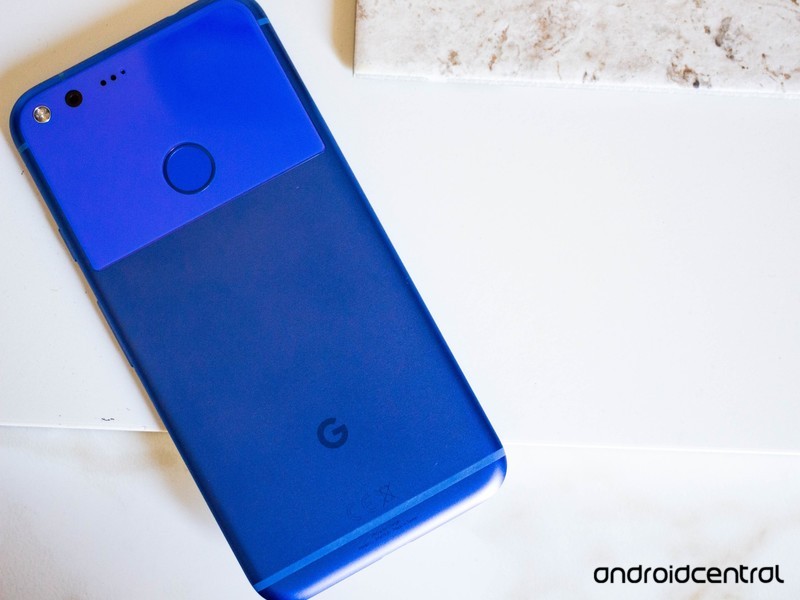
This is an easy one. Google supports its phones with full software updates for two years and security patches for three years. And it doesn’t sell a lot of models. These are the phones that will be updated to Android O.
- The Google Pixel
- The Google Pixel XL
- The Nexus 6P
- The Nexus 5X
Of course, we expect to see a new Pixel or two before the holidays, and those will ship with Android O.
Samsung

Samsung not only makes more phones than any other company, it also makes more different models than any other company. We’re going to focus on the high-end models here, and here are our best guesses until Samsung gives us the word from above.
- The Note 8 will ship with Android N but will be updated to Android O
- The Galaxy S8
- The Galaxy S8+
- The Galaxy S8 Active
- The Galaxy S7
- The Galaxy S7 edge
- The Galaxy S7 Active
No surprises here. Samsung could probably shoehorn Android O onto the Galaxy S6 and Note 5 series, but the user experience would suffer. Spending time and money to make something worse isn’t a good thing and we don’t expect it to happen. Also don’t be surprised to see some of the inexpensive models like Galaxy A and Galaxy J lines to get an update. These phones are Samsung’s bread and butter and updates can make a lot of people happy.
LG
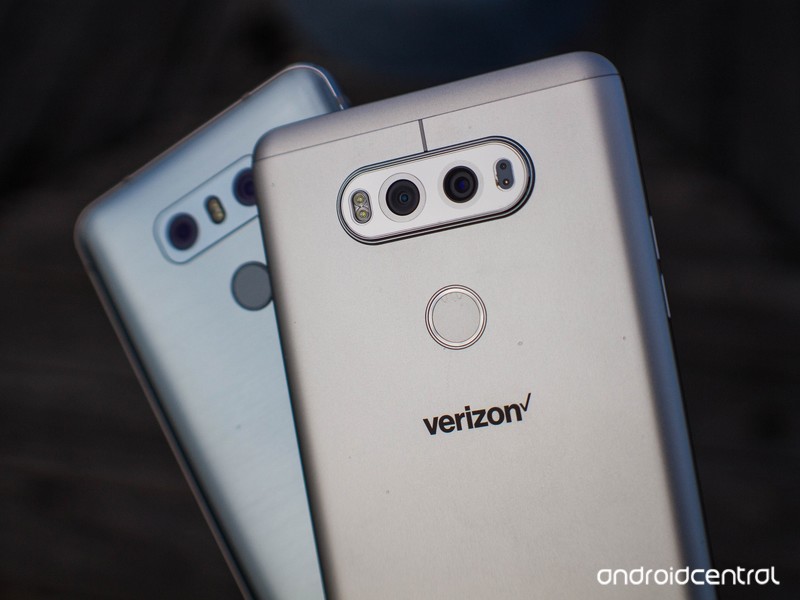
Once again, we’re going to focus on the high-end models. And once again, this is pretty easy to predict. We think these phones will see Android O.
- The LG V30 will be updated if it doesn’t ship with Android O
- The LG V20
- The LG G6
The G5 is conspicuously absent. That’s because we just don’t think LG is going to update it. It sold poorly, had a very mixed and mediocre customer reaction, and LG would probably just like to forget the whole module thing. So would we.
Motorola

When you think of Motorola, you think of the cell phone. It invented them. But you don’t think of updates, at least not timely ones. Here are our early predictions of which phones get the Android O treatment.
- The Z series
- The Z2 series
- The G4 series
- The G5 series
We include Verizon-specific and prepaid models here because Verizon no longer loves to hold updates from you. Besides, other than Google proper, Motorola phones are the easiest to update.
HTC

HTC has scaled back the number of models it makes, which is probably a good thing seeing as it’s struggling a bit when it comes to finances. That also makes it simple to predict which phones will be updated to Android O. Here’s how we see it.
- HTC 10
- HTC U11
- HTC Bolt
- HTC U Ultra
Spoiler: The Desire 530 is a dark horse that I almost put up there. If the component vendors play nice (don’t balk at updating any code or want a pile of money to do it) it could get updated. We’ll have to wait and see what HTC has to say once O is released.
Huawei
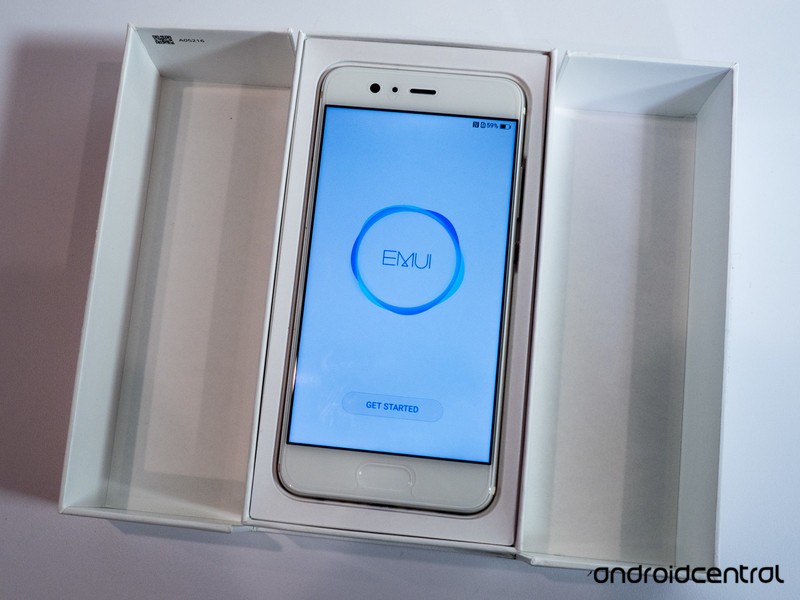
Huawei is the worlds number three smartphone maker, but the majority of its products aren’t sold in the U.S. Also, while technically a separate company we’re dropping our predictions for Honor here.
- P10 series
- P9 series
- Mate 9
- Honor 8
- Honor 6X
Sadly, the Kentucky Fried Chicken phone probably won’t get any finger-licking updates. I’m including the Mate 9 and Honor 6X on this list because I have a good vibe about them. I may have to rethink that, we’ll have to see.
Honorable mentions

There are almost 15,000 different Android phones so we can’t cover them all. But a few need talked about when it comes to future update prophecy.
- The OnePlus 3/3T, and OnePlus 5 will be updated to Android O. OnePlus no longer caters only to enthusiasts, but they know their market and will update the phones that need it.
- The Sony XZ Premium will get an update, and the next model may still be coming in 2017 and ship with Android O. At least rumors suggest it.
- The BlackBerry KeyONE will see an update, though it will take longer than many would like. BlackBerry has always been slow and methodical when it comes to big platform level updates and this isn’t going to change.
That’s it for now. Remember, this is early and this is just some educated guessing and a few hints and industry rumors. We fully expect every company to announce something once we get an official release of Android O and we’ll keep coming back to keep this page updated when it happens!
Android O
- Everything new in Android O
- Should you put Android O on your phone?
- How to get the Android O Beta on your Pixel or Nexus
- Join the Discussion
‘Rememory’ to debut for free on Google Play Movies and TV before hitting theaters
Peter Dinklage’s next film debut for free on Google Play.
In the Internet age, going to a movie theater to watch a film seems a bit archaic. When I can rent a movie at home and have it Cast to my TV within less than a minute, waiting in line with dozens of other people to be corralled into an odd-smelling room with a sticky floor is less than ideal. One upcoming film that will buck this trend is Rememory, which will debut on Google Play Movies and TV on August 24th.

More than that, the film will be free for Play Movies and TV users in the following countries: United States, Canada, United Kingdom, Ireland, Australia, New Zealand, Albania, Antigua and Barbuda, Belize, Botswana, Cambodia, Fiji, Iceland, Jamaica, Macedonia, Malta, Namibia, Nepal, Papua New Guinea, Philippines, Rwanda, Sri Lanka, Trinidad and Tobago, Uganda, Zambia and Zimbabwe. The film will be free from August 24 to September 20, when it makes its theatrical debut.
The trailer for the movie makes it look like it will be an intriguing twist on the standard murder mystery. Sam Bloom (Peter Dinklage) has to unlock and view the memories of witnesses to try and discover the assailant. After playing at the Sundance and Dallas International Film Festivals, Rememory holds an 8.6 out of 10 rating on IMDB. Even if the movie doesn’t live up to its promises, a free movie is a free movie.
Other movies to debut on streaming services before or instead of the traditional theater route include Veronica Mars, a 2014 follow-up to the nerd-favorite series, and Sony’s ill-fated The Interview, which was pulled from theaters following security concerns. Although it debuted in December, The Interview quickly became the highest selling movie on Google Play for 2014.
Are you looking forward to Rememory? Let us know down below!
Watch this Galaxy S5 fall from a plane and survive
Although Samsung has its Active line of Galaxy phones, this standard version held up just fine — after a fall from a plane.
The one time I went skydiving, I wanted to do something to document the experience, more to prove that I actually did it than to remember it. However, I also didn’t want my phone to fall out of my hands and smash into a million pieces on impact. So, I took a few photos as we were loaded into the plane, and tucked the phone away behind a zippered pocket before leaving the ground.
One Galaxy S5 user was either braver or dumber than me (via The Verge), depending on how you look at it. The user intended to record his descent, but the phone fell out of his hand while climbing to the drop point. A few seconds after recording starts, the phone is in free fall mode.
The phone falls for about ten seconds before reaching the ground, fortunately avoiding any hard objects or living creatures. The phone lays still for about seven minutes until it is discovered by two gentlemen. All this time, the camera and microphone still function perfectly fine, an incredible feat after that drop.
There’s nothing in the video that shows whether or not the phone had a case on it. The phone would have landed face down since it was recording the sky, and there isn’t any mention of external damage. Assuming the radios inside the phone weren’t too badly damaged, the device should have functioned without issue.

There’s no telling how the phone was returned to its owner, but situations like these are a good reason to have contact information on the device’s lock screen. It’s also a good advertisement for an Otterbox or similarly rugged case.
Do you bring your phone with you when you do extreme sports? Let us know down below!
The best cases for the Galaxy S5
Four Great microSD Cards for the Moto Z2 Force Edition

Get more storage space for your Moto Z2 Force with a microSD card!
The Moto Z2 Force is a formidable flagship that ships with 64GB of internal storage. While there isn’t a Moto Mod for expanding the phone’s storage (yet?), you do have the option of using a microSD card.
The Moto Z2 Force is essentially future-proof there, capable of handling up to 2TB of extra storage. Of course, cards of that size are not yet commercially available, though there is no shortage of scammers trying to sell fake microSD cards.
That’s why you’re best to stick with reputable microSD card brands sold via Amazon. We’ve rounded up the best options below.
- Samsung EVO+ microSDXC
- Sandisk Extreme Pro microSDXC
- Lexar Professional 1000x microSDXC
- Sandisk Ultra microSDXC
Samsung EVO+ microSDXC

Samsung’s EVO+ microSD cards are some of the best quality cards on the market. These things are rugged enough to withstand pretty much any conditions you throw at them, so even if your phone gets zapped by X-rays, torn apart by magnets, or takes a dip in the pool, you can be confident that at least your data will survive.
You can add 128GB to your Moto Z2 Force for only $50, perfect if you want to take your entire MP3 collection along with you and also have room to back up your photos and videos.
See at Amazon
SanDisk Extreme Pro 64GB U3 microSDXC

SanDisk is another trusted microSD card manufacturer, and its Extreme Pro offers a good balance of specs and value. If you’re mostly looking for a bit of extra space and don’t care too much about the extreme read/write speeds found with other options on this list, you will be more than satisfied here.
You’ll find options for 16GB, 32GB, and 64GB, with the latter coming in at just over $50.
See at Amazon
Lexar Professional 1000x microSDXC

If you have a need for speed — transfer speeds, that is — then look no further than the Lexar Professional 1000x. It uses UHS-II speeds for reads and writes, which means you’ll see no slowdown using the card with your phone.
There are four sizes available — the 64GB is your best value at around $50. You can go BIG with a 256GB card, but you’ll also pay $260 — basically a dollar per GB.
See at Amazon
SanDisk Ultra microSDXC

The SanDisk Ultra series is specifically designed for Android smartphones and tablets, available at very reasonable prices no matter the size.
The 64GB card is available for just $23 on Amazon, while the ginormous 256GB card is available for just $127. All cards feature a respectable 80MB/s transfer speed and are certified Class 10 for Full HD video recording and playback. They also come with an SD adapter, so you could also use them in your digital camera as needed.
See at Amazon
Which cards do you trust?
Brand loyalty is totally a thing for storage devices, so which brand do you trust most? Let us know which microSD card you use in the comments below!
Moto Z2 Force
- Moto Z2 Force reviewl
- Moto Z2 Force specs
- This is the Moto 360 Camera Mod
- The ultimate guide to Moto Mods
- Moto Z2 Force vs. Galaxy S8
- Join the discussion in the forums!
Verizon
AT&T
T-Mobile
Sprint
Best Buy
Neil Gaiman’s ‘Good Omens’ Amazon miniseries has its stars
Good Omens, Amazon’s upcoming six-part mini-series based on Neil Gaiman and Terry Pratchett’s novel of the same name, will star Michael Sheen and David Tennant, Variety reports. It’s the second collaboration between the author and streaming service after the successful first season of American Gods, a series adapted from Gaiman’s novel of the same name. For the new miniseries, however, Gaiman will also act as showrunner.
Good Omens is about the angel Aziraphale, Heaven’s representative on Earth (played by Sheen) and Crowley, Hell’s demonic Earth liaison (Tennant). Final Judgement is coming via an apocalyptic war, but neither wants to give up their cushy lives, so they both agree to keep an eye on the Antichrist, who they think is the son of an American diplomat.
Sheen is a fan of the novel. “I first read ‘Good Omens’ as a teenager and it’s been one of my favorite stories ever since,” Sheen told Variety. “To work alongside Neil, who I think is one of the greatest storytellers of all time, is incredibly exciting. And, just like the rest of the world, I’m a huge fan of David’s so I relish trying to save it with him.”
To work alongside Neil, who I think is one of the greatest storytellers of all time, is incredibly exciting. And, just like the rest of the world, I’m a huge fan of David’s so I relish trying to save it with him.
The premise is a lot of fun, and the best-selling novel should bring a large fan-base to watch it on Amazon. Both Sheen and Tennant are veterans of streaming and prestige TV, with Sheen having played Dr. William Masters in Masters of Sex on Showtime, and Tennant the villain Kilgrave on Netflix’s Jessica Jones. Sheen has mostly worked in film (Frost/Nixon, Passengers, Underworld) while Tennant is best known for playing Doctor Who for three seasons and eight specials.
Gaiman’s American Gods was renewed for a second season after strong reviews for the first, which ahieved 94 percent on Rotten Tomatoes (Amazon doesn’t give audience numbers). Gaiman co-wrote Good Omens with Terry Pratchett, who died in 2015, and the mini-series will be produced in part by his daughter, Rhianna Pratchett, via her production studio Narrativia, along with the BBC. Gaiman will reportedly serve as the sole writer and showrunner.
Source: Variety
 AIVAnet