


Essential Phone review: Our first impressions
When it comes to joining the smartphone market, the path isn’t simply defined.
It’s pretty rare nowadays to see a brand new smartphone company launch from scratch, and it’s rarer still that it chooses to launch right into the ultra-competitive high-end smartphone space. The final piece forming this triumvirate of rarity is actually shipping a product — something that Essential has actually done. Sure hundreds of millions of dollars in venture capital helps, as does the leadership of one of the founders of Android, but this is still no small feat.
And despite being its first ever product, the Essential Phone isn’t some sort of short-sighted or incomplete gimmick. It’s the real deal, with proper specs, serious hardware and desirable stock software. After a brief hiccup with its shipping timeline, Essential has a full e-commerce launch, as well as a retail partnership with Best Buy and carrier partnerships with Sprint and Telus. Yup, it’s done things properly and actually started off its life on the right track.
But with all of the launch hurdles out of the way, we now have a new phone to evaluate. In a world where the top-end Galaxy S8, LG G6 and HTC U11 (not to mention a whole field of less-expensive phones like the OnePlus 5) exist, where does the Essential Phone stand out? We cover it here in our review.
See at Amazon
About this review
We always desire to use a phone for an extended period of time before writing a review, but given the circumstances of receiving the Essential Phone, in this case we’re publishing this initial review just over two days after receiving it. Usage was on both AT&T and T-Mobile in the greater San Jose, CA and Seattle, WA areas. The phone was provided to Android Central for review by Essential.
Given the time constraint, you won’t yet find complete impressions of some aspects of the experience that take more time to evaluate. Those will come in due time, when we’ve used the phone long enough to speak specifically to them. And though the phone was using complete, stable software as we reviewed it, our Essential Phone did receive an update a few hours prior to publishing this review primarily with camera improvements and also minor interface tweaks. This review can and will be updated, as necessary, with further impressions of this software update and time using the phone in the coming days.
With all of that said, these are our first impressions of the Essential Phone after a little over 48 hours.
Condensed version
Essential Phone Hands-on video
For the abbreviated, visual take on the new Essential phone, be sure to check out our hands-on video above. Once you’re done and ready to see all of the details, read through the review below!
Just the essentials
Essential Phone Hardware and design
From the very start, Essential has focused on simplicity, minimalism and generally striking design to sell the Essential Phone. It’s right in the name: just the essential parts, and nothing more. It’s something CEO Andy Rubin espoused constantly — he has no desire for the phone to even have the company’s name on it (something he calls “Nascar branding”), let alone any other superfluous design elements that don’t add to the function of the device.
In taking a two-hour tour of the Playground Global headquarters (the incubator from which Essential was born) and talking to the engineers who had their hands on this product, I found there was another pillar to the Essential Phone’s construction: obsessive quality and materials standards. Talking to a hardware engineer standing in front of a massive titanium 3D printing machine, we talked about the tolerances and tooling required to choose materials like titanium and ceramic rather than traditional aluminum and glass.
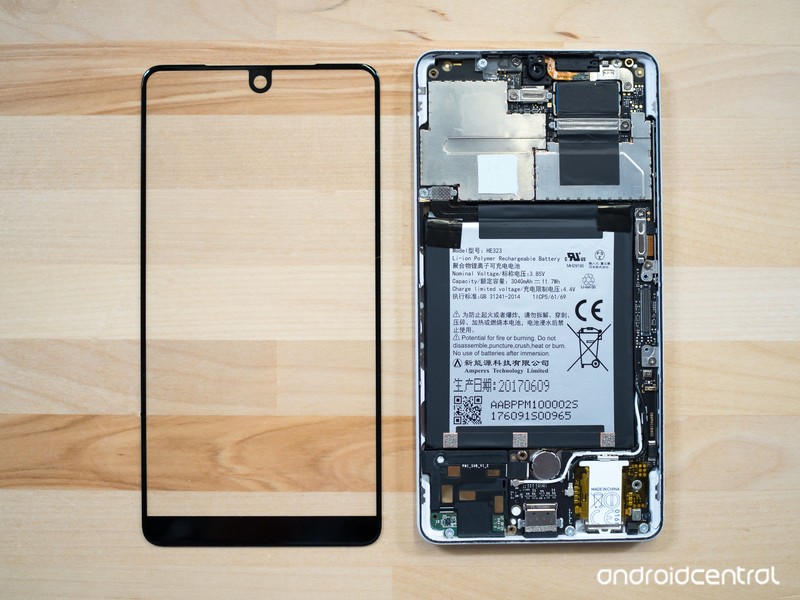
The materials are tougher to work with, requiring different processes and tooling that has to be replaced 50% more often, but the trade off is worth it in their eyes. Titanium doesn’t bend as easily as aluminum, and when it does bend on impact it simply springs back into place without permanent structural damage. Ceramic is stronger than glass, resisting scratches even better, and it just feels nicer as well. The extremely tiny bezels around the screen, which give the Essential Phone its distinctive look, require a tolerance of just 0.1 mm on the display panel edges; other manufacturers typically accept a 0.4 mm tolerance.
At 185 grams (6.53 ounces), the Essential Phone is hefty — befitting of its monolithic structure. It feels fantastic when you pick it up, and if you’re a fan of minimalism as I am you’ll love the look as well. The ceramic back flows smoothly to the highly polished titanium sides, which carries right into the Gorilla Glass 5 front. Essential is making no claims of ruggedness here, but you just get the feeling that it’s a phone capable of living — and holding up admirably — a year or two outside of a case. You certainly don’t get that from a Galaxy S8.
Being able to use more exotic materials with extra-high quality standards on the Essential Phone is one of the benefits of being small, the team says — if it had to make 40 million phones this year, these materials and processes just wouldn’t be available. A majority of the Essential product team had a past life that involved a stint with Apple, and this experience is certainly in stark contrast to that company’s product development. It’s Essential’s nimble size that’s one of the reasons it can offer this bonkers-looking display, as the competition like Samsung and LG (and Apple, as rumored) move in that direction but haven’t yet reached this tiny bezel size.
It’s all about that dat screen.
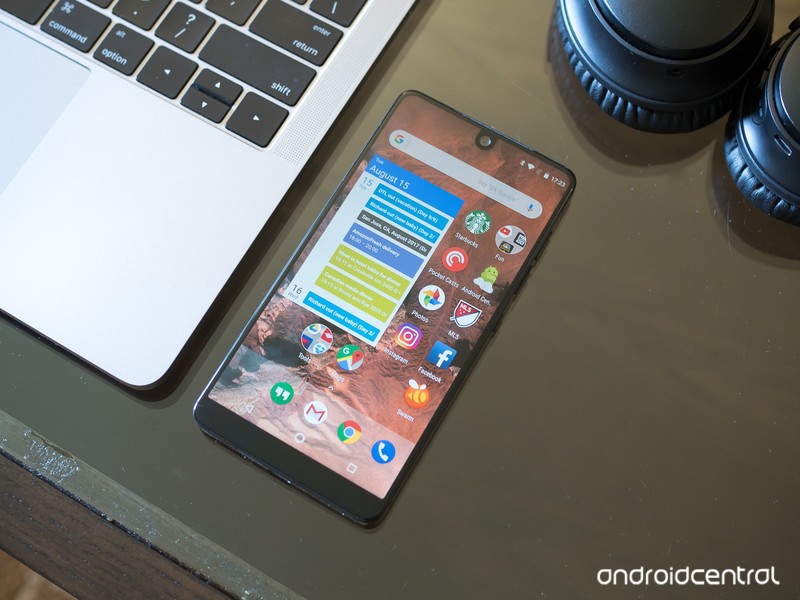
The front-on view is indeed startling for the first day or so you use the Essential Phone. Yes there is a bezel on the bottom of the phone, but you’re not looking down here — you pay attention to the ridiculously small bezels on the other three edges. Well, that’s not quite right; you actually just forget about the bezels entirely, and truly feel like you’re only holding a screen. That is, of course, until you see that front-facing camera dipping down into the status bar.
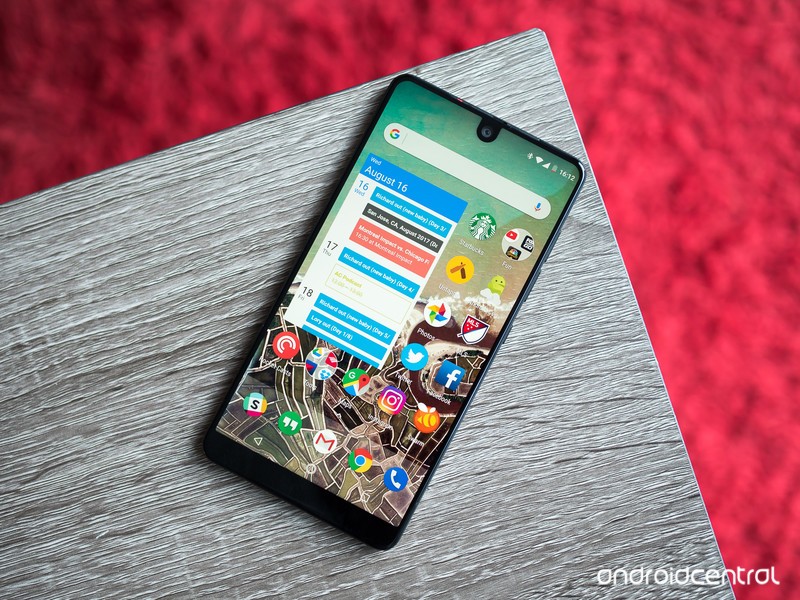
The display itself, once you get over the mind-bending nature of the bezels and curves, is a run-of-the-mill high-end LCD. At 5.7 inches diagonally and a 2560×1312 resolution (505 ppi) it’s right in line with the rest of the industry. It’s clear, crisp and has excellent viewing angles — but at roughly 500 nits max brightness it falls short of the competition in direct sunlight. Part of that is due to the inherent reflectivity of an LCD panel, but the Essential Phone also doesn’t have any sort of outdoor display mode like the Galaxy S8, LG G6, U11 or Xperia XZ Premium, which pushes those phones over 550 or even 600 nits in harsh sun situations.
Bare-bones
Essential Phone Software and performance
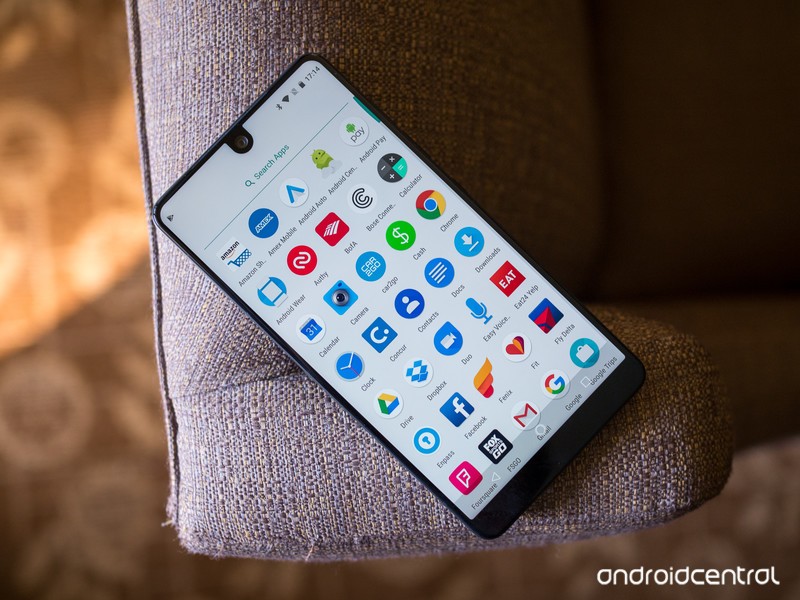
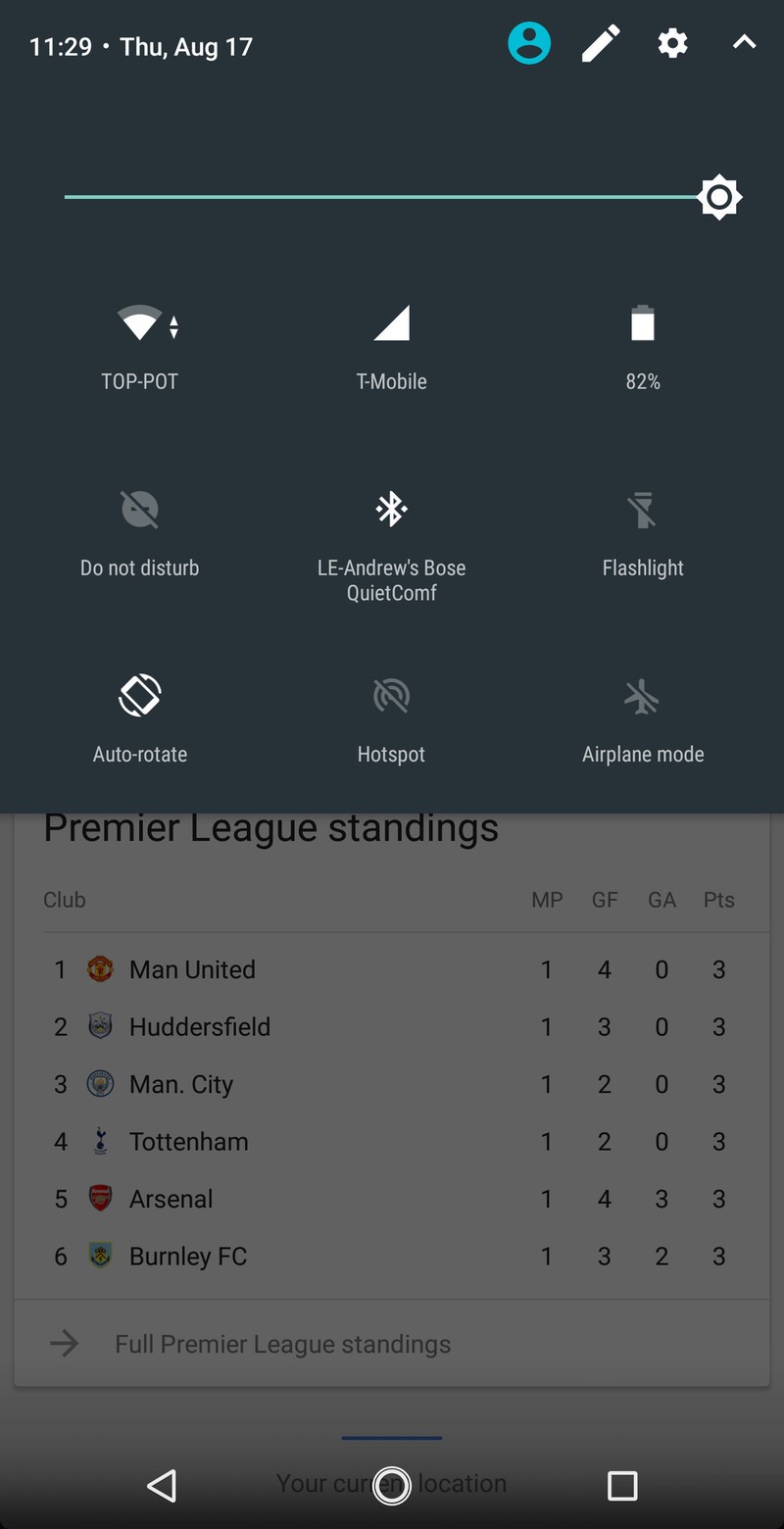
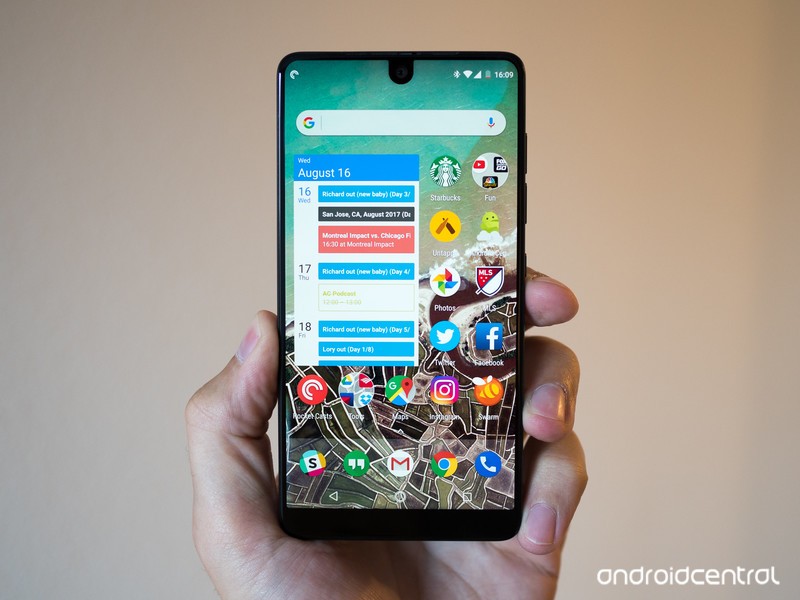
It doesn’t take long to get a handle on the Essential Phone’s software, provided you’ve used another phone with a “stock” implementation of Android Nougat like a Pixel, Nexus, Motorola or OnePlus phone. This is precisely Essential’s goal, as Rubin reiterated time and time again — it has no desire to add any extra software, services, apps or changes. And if you want something extra, you’re going to find it in the Play Store. Even in a world where you can choose from the aforementioned phones and get a very similar experience, it’s still refreshing to see a new company release a phone and go with this stock software approach from the start.
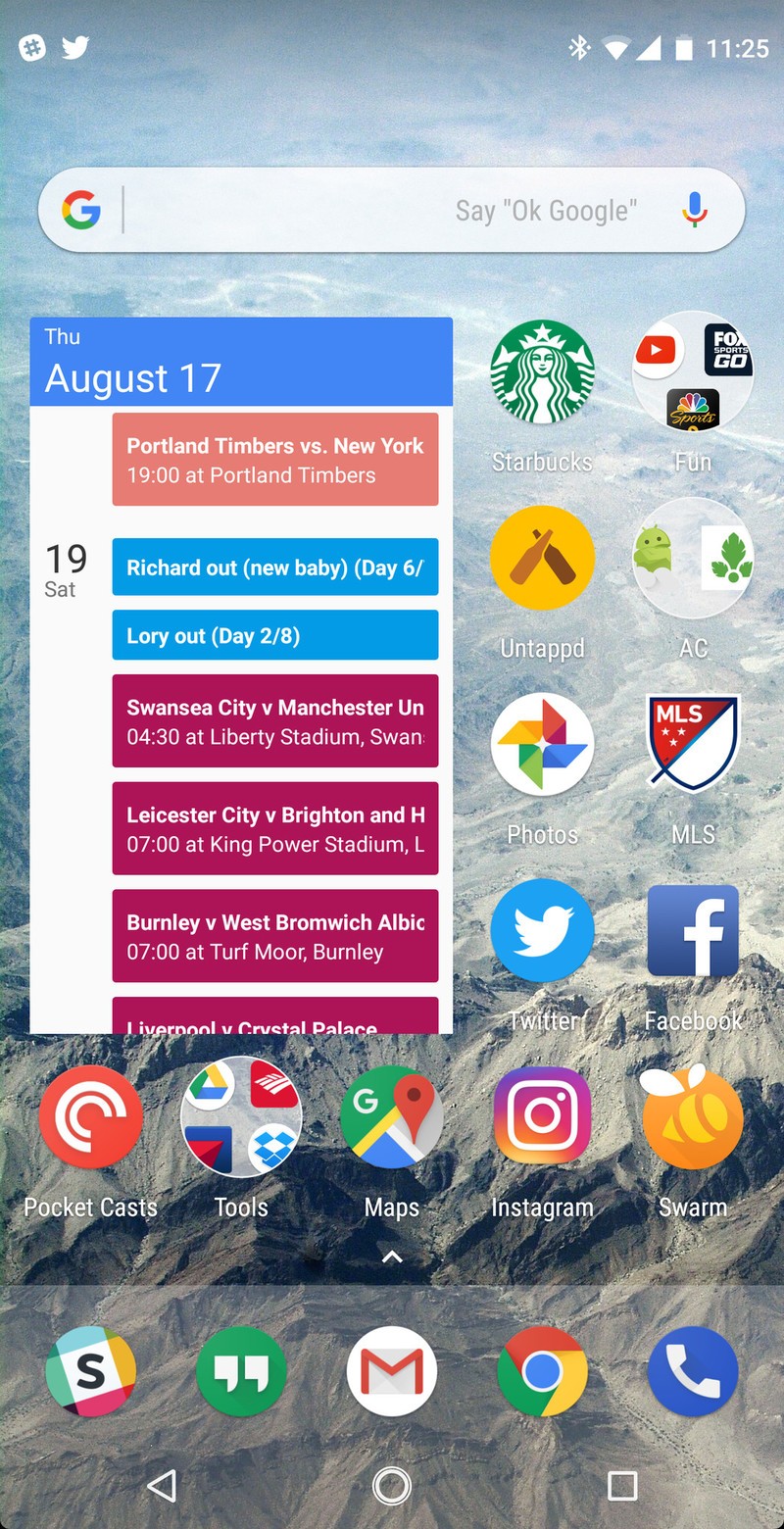
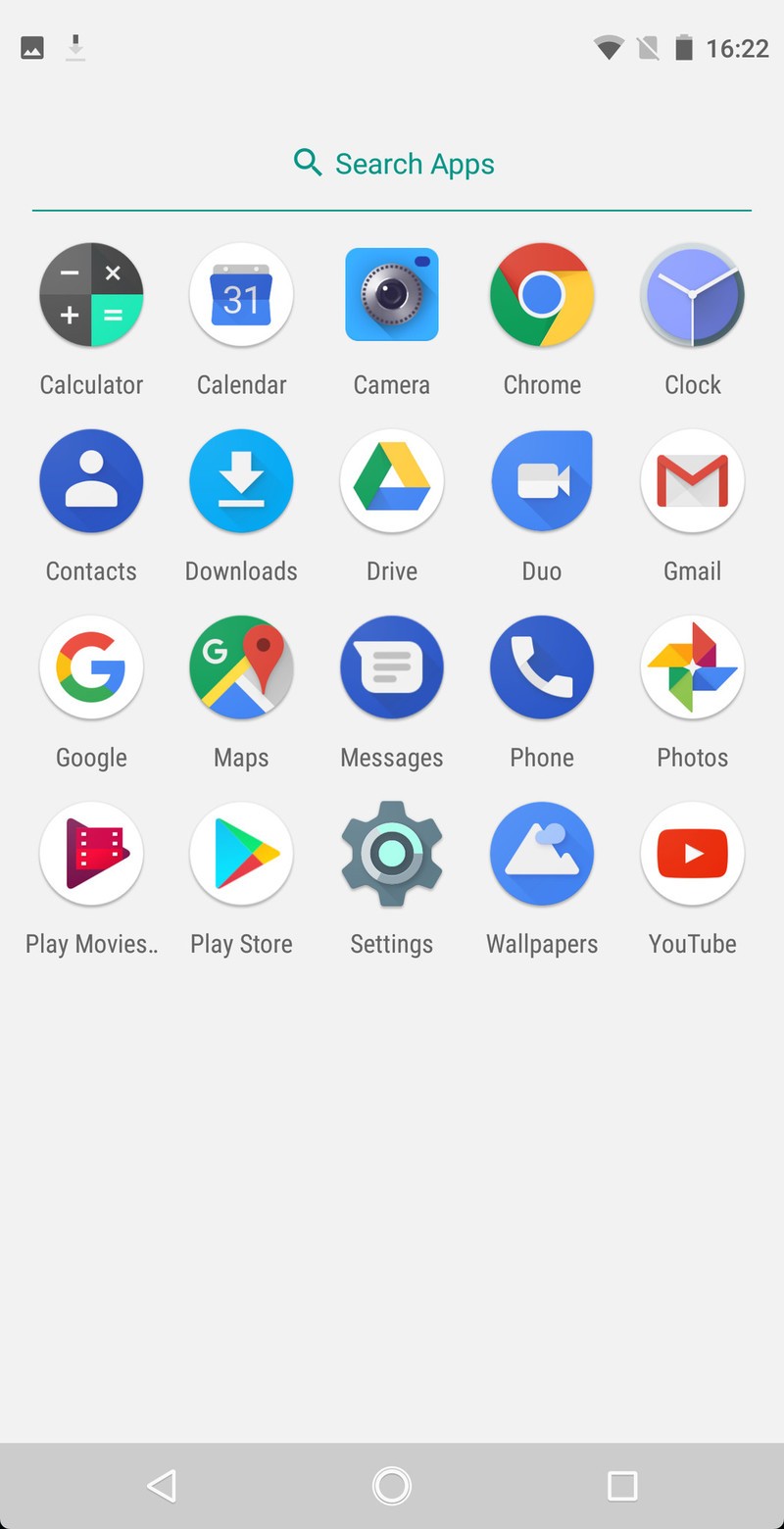
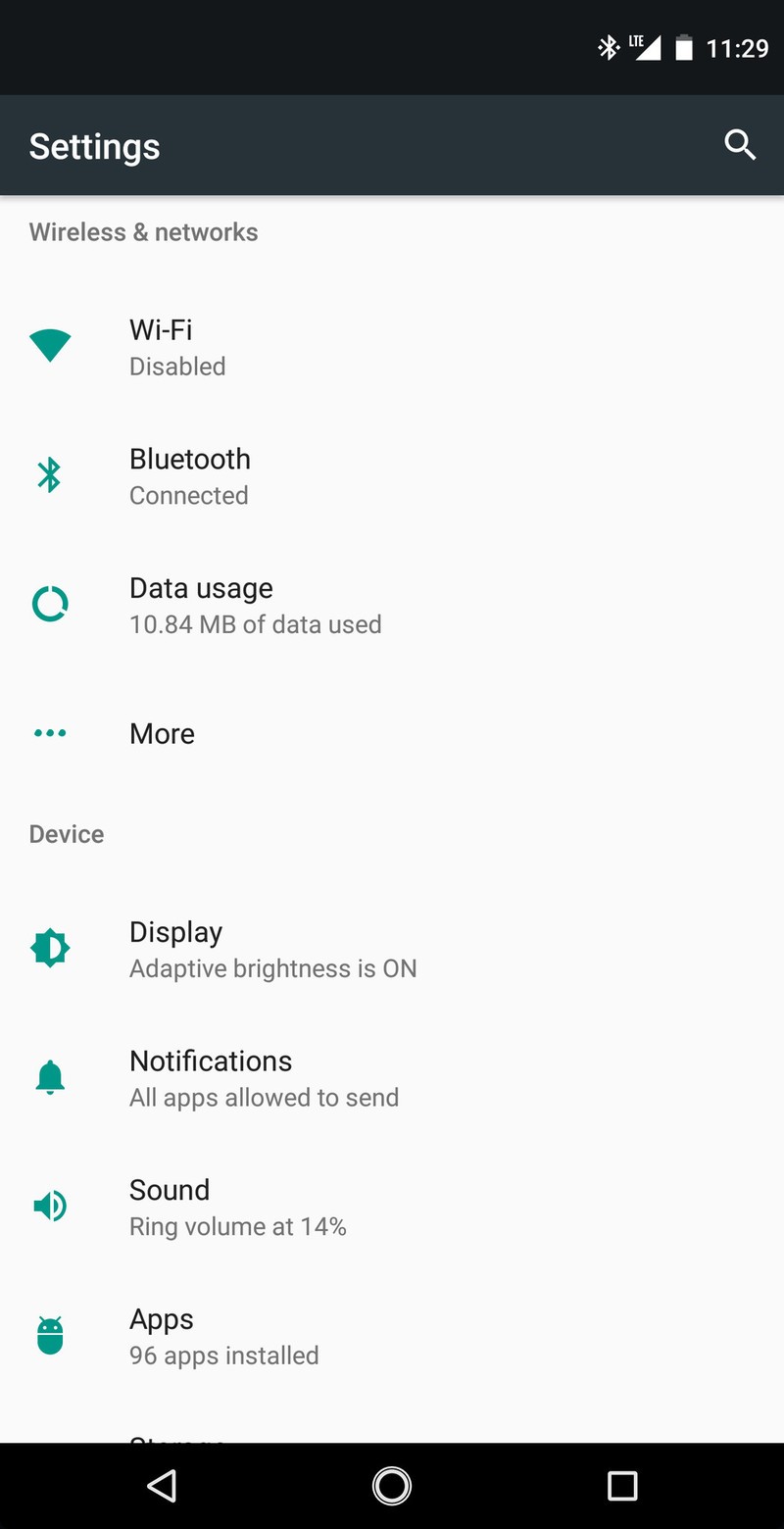

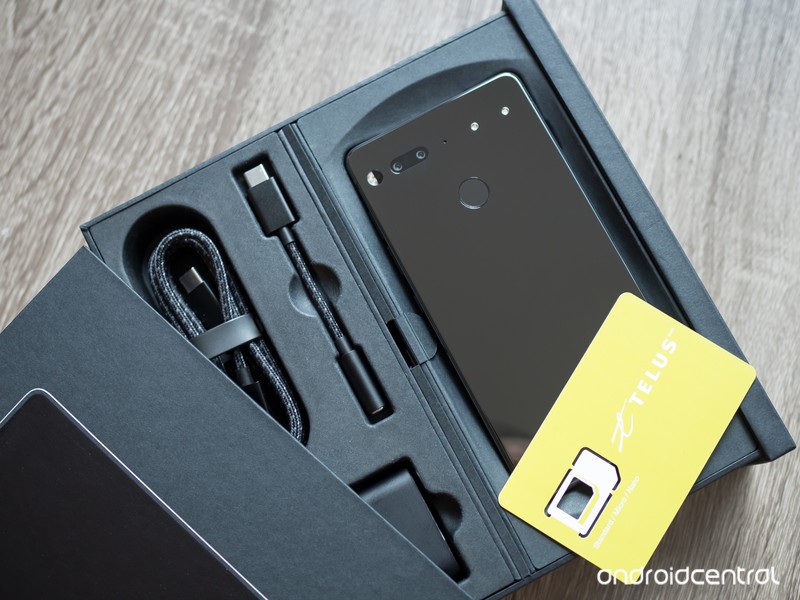
When you start up the phone, you have a basically clean slate. The app drawer is only half full, with “as few apps as possible” pre-loaded. Unless it’s an app to perform one of the phone’s basic functions or it’s an app mandated by Google to be included, it isn’t here. Even the phones sold by Sprint and Telus will be bloat-free (though they will be SIM-locked if bought on a financing plan).
The Essential Phone’s software is aggressively bare almost to a fault. Essential has made practically zero changes to stock Android, and while that means there’s no opportunity for the company to mess things up it also means it isn’t differentiated in any way. I look at the way OnePlus and Motorola (and even Google on the Pixels) do their software, with subtle and very useful additions that improve the experience without getting in the way, and think Essential is maybe missing an opportunity to offer just that little sprinkle of extra functionality that would be super useful. This truly is the closest thing you can get to “stock” Android, for better or worse.
The only real change, if you could call it that, is adding some extra height to the status bar to ensure there are no conflicts with the odd front-facing camera jutting down into the screen. The bar is much taller than other phones, which feels a little odd at first but is really no different than simply having a larger bezel up there in the first place. Because the Essential Phone also has an extra-tall display, it has to fight with some app compatibility issues just like the Galaxy S8 and LG G6. Most apps are properly designed to scale to a tall screen and fit more seamlessly into the tall proportions, but others aren’t ready for the aspect ratio and add an extra bit of dead space at the top of the app. Unlike the GS8 and G6, the Essential Phone has no “compatibility mode” of any sort to gracefully stretch or letterbox these apps — you just get dead space at the top.
The spartan software shouldn’t come as any surprise considering the size of the Essential team.
None of this should be surprising. When the Essential Phone was announced, the entire company consisted of 20 people — hardware, software, business development … everything. Even today, a few months on from launching the company, Essential’s headcount hovers around the 100 mark, and they’re responsible not just for the Phone but also the 360-degree camera attachment, upcoming Essential Home and future products. It’s no surprise that the extra engineering hours just aren’t available to make more elaborate software.
Even with the small staff, Essential is talking a strong game when it comes to releasing monthly security patches and regular platform updates. If the company is able to keep up the cadence of updates, we may be more likely to look past the few areas of the software hat could use a bit more attention and polish.
Performance and specs
In my time talking to Essential engineers and representatives, nobody seemed interested in boasting about specs or speeds. Not because the phone doesn’t have high-end specs, but they simply understand that the Essential Phone has effectively the same spec sheet as every other top-end phone in 2017 and it’s no longer a point of differentiation. Things like true world LTE radio support (25 bands) from a single model and 128GB of built-in storage are just givens in Essential’s eyes, because that’s what people want in their top-dollar phone.
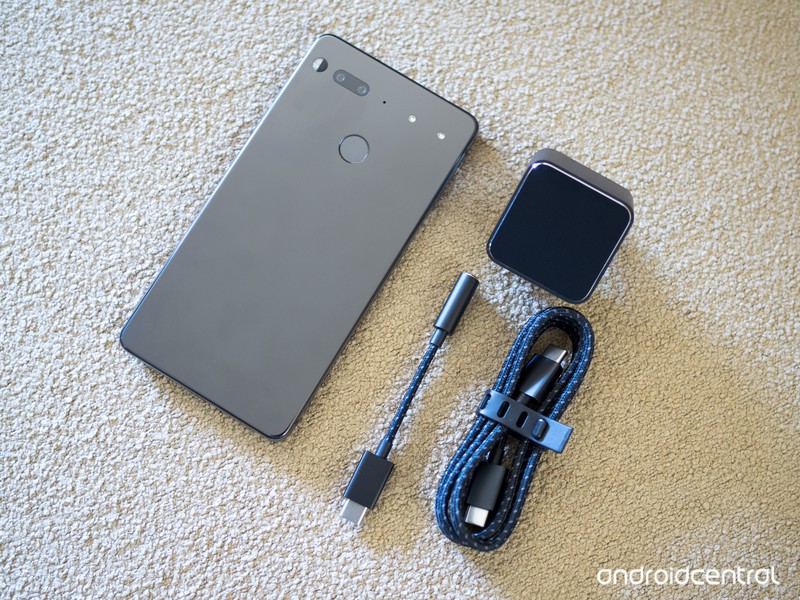
Two specs that aren’t included, however, are a waterproofing IP rating or a 3.5 mm headphone jack — features many people would consider “essential” when dropping $700 on a new phone.
More: Complete Essential Phone specs
Essential isn’t boasting about specs — it’s just matching the rest of the industry.
With a Snapdragon 835 processor, 4GB of RAM and bare-bones software, performance on the Essential Phone is expectedly great just like every other phone in this segment. I zipped through apps just fine and din’t find any regular hangups throughout — though I did have three surprising instances where the phone completely locked up for several seconds, once requiring a force reboot. As I mentioned at the start of the review this isn’t final software, though, and eventual Essential Phone owners should expect to be using newer, more stable software than I am.
I haven’t spent enough time to make a definitive call on battery life from the 3040mAh cell inside, but early indications are positive. My first full day using the phone was a travel day, while using roaming data, which together are notoriously hard on phones — and the Essential Phone made it a full 10 hours, with over 4 hours of screen-on time, while using apps heavily and playing music over Bluetooth for at least half of that time. On the next day, which was a far more typical day of medium use with lots of time on Wi-Fi, it shaped up for a 16-hour day with 25% to spare.

A good start
Essential Phone Cameras
The best example of the Essential Phone’s bare-bones software experience is in the camera, where it comes across as a “programmer’s first camera app” type of interface. You can toggle HDR (but not auto HDR), the flash, video quality, timer and front-facing camera, as well as switch between auto, black-and-white, and slo mo mode. That’s it. The “settings” page simply gives you options to toggle shutter sounds and location. There’s no viewfinder grid option, no filters, no clever zoom mechanism, no depth effects from the dual cameras … there isn’t much of anything.
The camera app doesn’t even lock the screen awake when it’s open, so after 30 seconds without interaction (by default) the screen simply turns off. It has decent performance, but it isn’t lightning quick like the rest of the software experience.
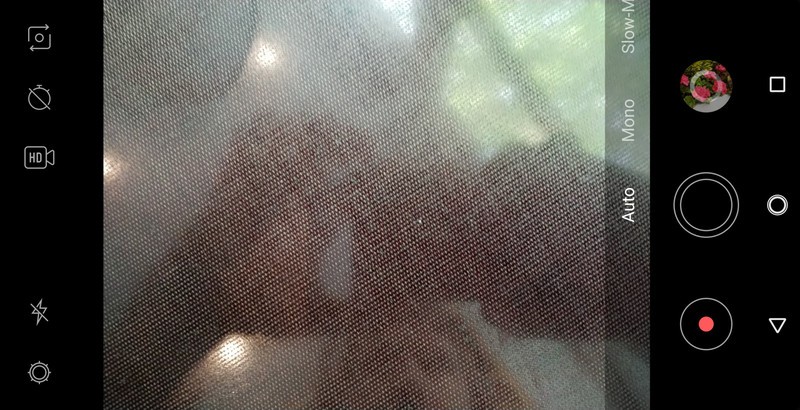
The Essential Phone is working with dual 13MP camera sensors, one color and one monochrome, with f/1.85 lenses and dual-mode (laser and phase detect) auto focus. You don’t get OIS (optical image stabilization) on either camera, nor does the pair offer any sort of dual-camera selective focus or artificial bokeh effects, as you’d find in most dual-camera phones nowadays.













Camera performance is strong, and photos are particularly sharp and detailed with just the right amount of processing in fine lines. Colors don’t necessarily pop or wow you as much as they’re just accurate to the scene. Dynamic range was good, but sometimes a tap-to-meter was needed — the software update pushed to review devices a few hours before this review was published added HDR, and hopefully that will make a noticeable improvement. (This review will be updated with any new information.)
This is great for a first-ever phone, but the camera app needs work.
In low light the Essential Phone is again capable of photos with sharp edges and good colors. But it does often struggle, as expected, attempting to use very slow shutter speeds — as low as 1/15 second — to get a clear shot. With that slow of a shutter speed and no OIS I took many soft or downright blurry photos, but when I was able to stabilize or brace against something (which is far from ideal) the camera showed strong capabilities. With some tuning and optimization to bring faster shutter speeds, that will hopefully be less necessary.
I would personally say that having a main camera with larger pixels and OIS is far more essential to a smartphone camera experience than a second sensor just for black-and-white photos, but that second sensor does offer fantastically crisp shots with a wide range of shades. I’m not sure how big the demand is for a dedicated black-and-white camera versus, say, a telephoto or wide-angle lens, but it does take unique shots.
There’s clearly room for additional tuning to the camera processing here, alongside what is hopefully continued improvements to the camera app, to boost photos to the levels of the Galaxy S8, LG G6 and HTC U11 (which are, of course, from companies with years of experience in mobile imaging). But for a first attempt, the Essential Phone takes really good photos from both of its cameras — it’s more than good enough, but not quire ready to fight the industry leaders.
Waiting for the other shoe to drop
Essential Phone First impressions
A recurring theme of my tour of Playground Global was a frank sense of realism about the whole Essential Phone launch. Essential has a clear goal: make a clean, bother-free, high-end phone that’s user-centric, and make money off of the margins selling the hardware. It isn’t interested in designing a custom software experience or building ecosystem lock-in with extra services and subscriptions that make you feel like the product rather than the customer.
The Essential Phone’s hardware is simply stunning, there’s no way around it. Titanium and ceramic are both beautiful and brawny, while its tiny bezels are just downright amazing to experience. You get all of the specs you need — minus waterproofing and a headphone jack — plus great additions like true worldwide network support and 128GB of storage. Performance and battery life are in line with its $699 price. It isn’t all industry leading, though, with a display that has good-not-great brightness and cameras that land short of the flagship competition.
The value proposition isn’t about what it has, but what Essential has chosen to omit.
It also has a bit of an aura around it that feels as though it’s waiting for the other shoe to drop to make it a complete product. Despite having ambitions of future artificial intelligence-driven software, there is absolutely nothing in Essential’s current build of Android 7.1.1 that shows any unique software prowess or even a tiny bit of thoughtful customization for a better experience. The same goes for its rear-mounted accessory pins, which have exciting potential in the future but today sit completely idle as its 360-degree camera attachment has no release date, its desktop dock hasn’t even been seen and there are no known plans for other accessories.
It’s truly refreshing to see a new company come out of the gate swinging with new ideas, and Essential has managed to execute on its vision surprisingly well. The Essential Phone is good, perhaps even great, but aside from solid hardware and clean software it doesn’t bring anything particularly special to draw in customers. Its biggest strength isn’t what it has, but what it doesn’t: there’s no bloatware, superfluous features, unnecessary hardware or even branding to get in the way of using it.
Restraint is refreshing, and something that isn’t exercised by the competition nearly enough — but it’s a tough selling point in this hyper-competitive market full of established companies selling great phones that best the Essential Phone in multiple areas.
Essential Phone
- Essential Phone review: First impressions
- Essential Phone specs
- The latest Essential Phone news
- Join our Essential Phone forums!
Amazon
Best Buy
Sprint
Telus
Essential Phone vs. Samsung Galaxy S8: The no-bezel battle

Whenever a newcomer hits the scene to challenge an incumbent, we take notice.
The Galaxy S8 has been a clear success in the market, outselling not only the entire slate of high-end phones in 2017 but also beating Samsung’s own Galaxy S7 sales records. But there’s a new challenger, the Essential Phone, coming in at a similar price with similar specs — and though it doesn’t have immediate aspirations of coming anywhere near Samsung’s sales, Essential surely believe it has a competitive product.
Here’s how the new Essential Phone compares to Samsung’s Galaxy S8.
Even though it wasn’t the first to do it, you can easily say that Samsung popularized the “tiny bezel” movement in the smartphone industry. This is the direction phone hardware is moving, and I think it’s fair to say the Essential Phone takes one more step along the path with its own amazingly tiny display bezels. Whereas Samsung plays a bit of eye trickery with its curved display to makes its bezels seem super-small, Essential actually does it — and it throws in the additional tiny bezel on the top. I tend to favor Samsung’s symmetrical top and bottom bezels, but you can’t say the Essential Phone isn’t striking when it’s in your hand.
When it comes to the screens themselves, Samsung still takes the cake here. While the Essential Phone’s LCD is no slouch, Samsung’s AMOLED is still the industry leader and beats it in crispness, brightness and visibility in direct sunlight.
Samsung goes sleek and a little flashy, while Essential keeps it strong and minimalist.
There’s a clear differentiation here when it comes to the hardware that surrounds those displays. Samsung continues to shave metal off with each successive generation, to the point now where you basically only feel glass holding a Galaxy S8. It’s not as fragile as it looks, but it isn’t particularly robust. The Essential Phone strikes a better balance between sleek looks and strength, using a full titanium frame that’s dramatically stronger and a ceramic back that’s much less prone to scratches than the GS8’s glass. You can tell the second you pick it up, as the Essential Phone weighs in at 185 grams, a full 30 grams heavier than the Galaxy S8. It’s not quite heavy enough to be a usability issue, but you sure can tell you’re holding something more substantial.
More: Samsung Galaxy S8 specsMore: Essential Phone specs
Internally, it’s par for the course with both of these flagships. Snapdragon 835, 4GB of RAM and ample internal storage — though the Essential phone does have an extra 64GB to play with instead of an SD card slot like the Galaxy S8. Batteries are near-identical at 3000mAh and 3040mAh, though the Essential Phone likely has the lead in battery life considering how much less its software is doing at any given moment.
Samsung fans have perhaps taken for granted some of the core features included in the Galaxy S8, as they definitely aren’t given in other phones even at this price. The Essential Phone doesn’t have wireless charging, waterproofing of any kind, or a headphone jack. Chances are having all three of those features isn’t a requirement for a phone purchase, but I bet at least one of them is — and these just aren’t things you can get around with the Essential Phone.
If you’re going to pick the Essential Phone, software is likely to be a big part of your decision.
Comparing the software experience is likely the biggest differentiator between these two phones. Essential is going with the simplest, cleanest version of Android possible, with the fewest number of pre-installed apps and absolutely no extra services unless they’re necessary for the core function of the phone. It’s probably a little too simple for some, but for anyone who has fought with manufacturer- or carrier-imposed software changes, it will feel like heaven. For all of the streamlining Samsung has done with its interface, it’s still loaded with features, tweaks, apps and services that you may or may not want — and you’re going to have to work a little bit to make it work for your needs.
Now let’s talk cameras. Samsung is still one of the leaders in this department, building on a few years straight of having one of the best cameras available. Its 12MP sensor has all of the right supporting specs, and processing that takes great, consistent photos in so many situations. It’s one of the standards by which we hold other cameras. This is Essential’s first shot, and while its dual 13MP cameras do well in most situations they can’t team up to do what the Galaxy S8’s single lens can. Stellar black-and-white photos aside, the Essential Phone doesn’t match the GS8 here.
Bottom line

Given the current expectations around smartphone prices, it’s tough to argue either of these phones isn’t worth the $700 (or so) price tag. Both offer fantastic screen-to-body ratios, great specs and overall good experiences befitting the “flagship” moniker we all like to throw around.
The Samsung is a safe choice for many, but the Essential Phone shouldn’t be overlooked.
Samsung’s Galaxy S8 has the clear advantage in terms of the raw number of features it offers in its software, its great camera, and its hardware extras like waterproofing, a headphone jack and wireless charging. That extra software can be burdensome, though, and its overall hardware package isn’t as physically strong as some of the competition.
The Essential Phone is a clear pick for those who want something a little different, and aren’t necessarily attracted to a big-name phone. It offers a stronger body that should better stand the test of time, the same general spec sheet as the competition, and clean software that won’t get in your way or bog down with needless additions. Its cameras aren’t up to the GS8’s speed, though, and the minimalist hardware with a few missing features can weaken its value proposition.
Essential Phone
- Essential Phone review: First impressions
- Essential Phone specs
- The latest Essential Phone news
- Join our Essential Phone forums!
Amazon
Best Buy
Sprint
Telus
Samsung Galaxy S8 and S8+
- Galaxy S8 and S8+ review!
- Galaxy S8 and S8+ specs
- Everything you need to know about the Galaxy S8’s cameras
- Get to know Samsung Bixby
- Join our Galaxy S8 forums
Verizon
AT&T
T-Mobile
Sprint
Unlocked
TELUS opens pre-orders for Essential Phone, starting at $290 on-contract
Essential’s second carrier-exclusive launch gets under way.
Coming in a day after the Essential Phone launched in the U.S., Canadian carrier TELUS has opened up its pre-orders for the new phone from Andy Rubin’s company. Unlike the Sprint “exclusivity” in the U.S., TELUS has a true exclusive deal to be the only retailer in Canada selling the phone, rather than just the only carrier partner in Sprint’s case. Essential won’t be shipping its unlocked model to Canada at launch, so your only choice up North is to buy from TELUS.
See at TELUS

At launch, TELUS only has the “black moon” color on offer, just like Sprint, and of course, the only storage option is 128GB.
Pricing is set at $290 on a two-year plan of at least $95 per month, or a hefty $490 on a two-year plan of $85 per month or more. Online orders ship for free (at that price they better), and are expected to arrive in three to four weeks — that’d put the Essential Phone on your doorstep around the week of September 10.
TELUS also says that the Essential Phone’s 4K camera attachment will retail for $270 when it ships later this year.
Essential Phone
- Essential Phone review: First impressions
- Essential Phone specs
- The latest Essential Phone news
- Join our Essential Phone forums!
Amazon
Best Buy
Sprint
Telus
This $24 50-mile TV antenna gets you local channels without a monthly fee
Our friends at Thrifter are back again, this time with a deal on an over-the-air antenna!
This AmazonBasics ultra thin HDTV Antenna is down to $23.99. This antenna dropped to $28 in early February and has sold steadily at that price ever since. This is the first drop below $28 and its lowest price ever.
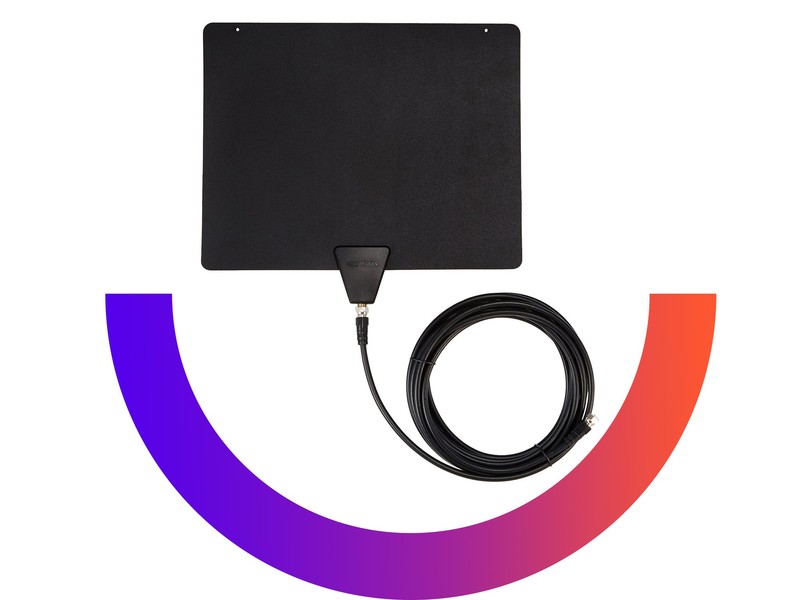
Features for this antenna include:
- 50 Mile range to access from broadcast tower; receives free HD channels including ABC, CBS, NBC, PBS, Fox, Univision and more
- Reversible with black or white sides to match your home’s decoration; antenna can be painted over to achieve a more personal touch
- Supports 1080 HD and includes 16 foot coaxial cable
- Multi-Directional and Reversible: No “pointing” needed
Like the product page notes, the success of the antenna varies a lot depending on where you live, what’s being broadcast near you, how far away you are, and other variables like that. If you want to know how to take full advantage of over-the-air antennas like this, check out our article.
See at Amazon
More from Thrifter:
- How to get the most out of your Amazon Prime membership
- How to save money when driving
For more great deals be sure to check out our friends at Thrifter now!
How to set up a VPN on Android

Setting up a VPN on your phone is easier than you think.
One of the easiest ways to protect yourself and your privacy while you are using the internet is with a VPN. Filtering traffic and tunneling through an anonymous service isn’t something most people can set up themselves, and there are plenty of companies out there who want to do it for you. We’ve looked at a few of the services and their Android apps, so if you don’t already have a VPN subscription that’s where you should start.
The best VPN services
The best VPN apps for Android
The next step is getting your VPN set up on your phone, and that’s really easy, for the most part. VPN access is built into the network settings on Android, and we’ll look at how this native integration works, but most of the time there is a better way: the company’s Android app.
If your VPN company has an Android app
We’re going to use IPVanish VPN for our example. Once you have an account set up with IPVanish, you’ll need to visit Google Play. IPVanish VPN has published its own app, and you can install it like any other.

Once installed, open the app and follow the setup instructions. At some point, you’ll be asked to provide permission for the app to see your internet activity, and you’ll need to say yes for it to work. And that’s all there is to it! You can check out the app’s settings so you know how to turn it on and off or how to switch servers. The app does all the hard work and you can just use it like any other app on your phone.
If your VPN company doesn’t have an Android app
This is a little more complicated, but still easy enough that most anyone can follow along. You’ll need to know a few settings that your VPN company will be providing. Everything is pretty standard, and the settings you would need for a computer are the same ones you will need here. Again, we’ll use IPVanish as our example.


- Open the settings on your phone.
- Under the Wireless & networks section, tap More.
- On the next screen, choose VPN.
- In the upper right corner, tap the + symbol.


On the screen that opens, you’ll need to supply a few settings. These are the settings you’ll find at your VPN companies website.
- Name: Give your VPN connection a name.
- Type: Choose the connection type. Your VPN company will tell you what to use here, and IPVanish allows us to set up a PPTP (Point-to-Point Tunneling Protocol) or an L2TP (Layer 2 Tunneling Protocol) connection. Be sure to read any documentation from your VPN company if you need help deciding which connection type to use.
- Server address: You’ll need to enter the server address provided by your VPN company here.
- DNS settings: DNS search domains and DNS servers are also provided by your VPN company if they are needed. They probably aren’t — see the documentation — but if they are required, this is where you enter them.
- Forwarding routes: Again, you probably won’t need to enter anything here. If you do, it will be in the documentation your VPN company provides.
- Username and Password: Your phone might have these entries here, or they might be in the next step. Use the login provided by your VPN company in either case.
- If your phone has a setting for Always-on VPN here, checking it keeps the VPN active at all times.
- Once done entering these settings, tap Save.


- If you didn’t have a section to fill in your user name and password earlier, a window will open asking you to connect to your new VPN entry. Use the user name and password provided by your VPN company.
- Tap Connect to save your login and start the connection.
If you go back to the VPN connections page, you’ll see the entry you just created. Tapping on it starts or stops the VPN connection.

Advertisement
Your new VPN works with all data on your phone — web browsers and other apps. If your VPN has a data cap, you’ll need to be mindful of when it’s turned on. You can tell when the VPN is active by looking for a key icon in your status bar. You can add as many VPNs as you like this way, but only one can be active at a time.
Hopefully, you’ll be able to use these instructions and be safer online with your new VPN!
Essential’s startup advantage might come back to haunt it
“Most companies would get a stage, and we’d have lights and music and everything else,” joked Andy Rubin as he addressed a group of reporters. “But that really isn’t our style.” He was casually dressed in jeans and a blue T-shirt with a coffee mug in one hand as he stood in a lobby-like room. The setup was located just a few feet from an adult-size slide and overlooked a farm of cubicles on one side and a cafeteria on the other. It wasn’t the typical setting for a major product launch.
But a product launch it was. We were gathered at Playground Global — a startup incubator that Rubin founded after he left Google — for the unveiling of what is perhaps his most important creation since Android. It is the PH-1, the first smartphone from his new company, Essential, which itself was hatched out of Playground. This is the phone (and company) that Rubin thinks is innovative enough to take on big players like Apple and Samsung. But as big a name as Rubin is — you don’t get much bigger than the founder of Android — the question remains whether the plucky startup can really take on the smartphone Goliaths (It wouldn’t be the first to try.)
Essential was created 18 months ago, and it was born out of frustration. Playground Global invests mostly in hardware companies, and over time, Rubin and his team started to notice that certain companies just didn’t seem to exist. “What are the deals that aren’t coming in through the front door?” Rubin wondered. “What are the companies that we think should exist based on our experience and our expertise, but that we’re not seeing?” And because they didn’t see a phone company, they went ahead and created one themselves.

“Fundamentally, people [on the team] were unhappy with a lot of the products they were using in their daily lives,” Rubin said. “Smartphones were just kind of incremental. It’s a saturated market.” What especially concerned Rubin was that there were only really two players in the industry: Apple and Samsung. “Everybody else kind of rolls off into the long tail.”
In a blog post published in May, Rubin wrote about a late-night conversation he had with a friend, wherein they commiserated about the current state of technology, including the lack of choice and the abundance of unnecessary features.
“I am partly responsible for all of this,” he wrote. “For all the good Android has done to help bring technology to nearly everyone, it has also helped create this weird new world where people are forced to fight with the very technology that was supposed to simplify their lives. Was this what we intended? Was this the best we could do?”
“That’s not how the auto industry works,” Rubin said at the recent media event. It’s rare that you would have the same car as everyone else, he continued. With phones, however, it seems that for most people, the choice boils down to one of two companies. “What went wrong, where we only have two choices?”

Essential, in contrast, is about choice, Rubin says. And he believes that because Essential is a small and nimble startup, it can achieve customer satisfaction in a way that the big companies can’t. “It’s a company for its customers, and we’ll never lose track of that.”
One example of this is that Rubin wants customers to feel like the devices are their own to use as they please. “They should feel a great ownership of it,” he said. “We’re not going to force anything down the consumer’s throat.” For example, he says, a company shouldn’t force a specific music service on you when you buy a phone. “I don’t need someone else’s music service shoved on my phone because it’s some business opportunity.”
Rubin also believes that Essential should have an open-source philosophy, which is why the phone runs on pure, unadulterated Android. The company is also preparing to launch Essential Home — an Echo-like device that runs on Ambient OS and is also open source. Indeed, this Home device is compatible with existing voice assistants like Siri, Google Assistant and Alexa — so long as their respective makers are willing to play nice with Essential’s hardware. That’s not to say the company won’t eventually develop its own voice assistant — there are hints that it probably will — but even then, Rubin and team want you to use the assistant you’re most comfortable with.
Another underlying tenet of Essential is that premium materials should not be unaffordable. This was made evident to us as we toured Playground’s Hardware Lab, which is where companies are invited to make prototypes of their hardware ideas. We were shown first-hand how the PH-1 was built, and why the PH-1 is made out of titanium and ceramic, some of the most luxurious and durable materials ever used in a mass-market phone.

This, Essential is proud to say, is not the kind of thing that an Apple or Samsung could possibly do. The reason is because machining titanium is often expensive and the process of crafting the perfect ceramic shell is hugely time-consuming. Essential’s trick is to find ways around it. The company found a small German shop that could make titanium shells out of injection molds instead of milling. As for ceramic, the company is able to make the phones at a much smaller scale, and so, therefore, doesn’t require as many resources. Of course, big companies like Apple could certainly try to make products at a small scale too — perhaps as a limited edition release — but sometimes a material is so difficult to work with, it often isn’t economically wise to do so.
“The challenge with ceramic is that it’s like pottery,” wrote head of industrial design Linda Jiang in a blog post published in May. “You have to fire it, and when you do, the material shrinks 25 percent.” What’s more, she told reporters that the color-matching in ceramic is not like that of paint — a red and blue won’t necessarily give you purple. With ceramics, that mix could result in an entirely different color altogether. Plus, each color has to be baked in its own oven, which is basically its own building. “We spent months and months, but we eventually homed in on a process that allowed us to get costs down to the point where it’s both feasible and flawless,” she wrote.
Scott Croyle, the chief design and product officer of Nextbit, had positive things to say about Essential (Nextbit is the startup company behind Robin, an Android phone with cloud integration). Croyle also used to work for HTC as a senior vice president of design and is therefore familiar with the intricacies of both big corporations and small upstarts, especially when it comes to making phones.

“As a new brand with smaller volumes, you can move much quicker and afford to make bolder decisions,” he says. The manufacturing processes with titanium and ceramic, for example, have been on the cusp of being ready for high volume for awhile, but larger companies can’t take the risk. Sometimes it’s because there’s only one vendor, he says, or sometimes the supplier just doesn’t have the resources for mass production. “A smaller company can be nimble and can often drive these innovations,” he says.
One particularly intriguing aspect of the Essential phone design is the accessory pins on the back, which can be used to attach all manner of different compatible accessories. It’s similar to how MotoMods work with the Moto Z, except the difference here is that instead of taking up the entire back plate, it’s just a little magnetic dock area at the top of the phone. Essential’s first phone accessory, a tiny 360-degree camera that can record 4K videos, easily snaps onto the back with hardly any effort at all. The accessory pins also provide power, so you could conceivably attach a charging dock or an extra battery to it in the future.
The addition of this dock sounds relatively simple, but the decision to do this actually influenced the entire design of the phone. At first, the engineering team wanted the phone to have a more curved hourglass shape. But, after realizing that they would have to have all the accessories accommodate that shape, they decided against it. After all, they wanted these add-ons to outlast the phone. For example, the Home device’s accessory docking pins are identical to the PH-1’s.

There are other Essential perks, too. You’re guaranteed Android OS updates for two years, with monthly security updates for three years. There will be new wireless accessories every few months, and the device comes standard with 128GB of storage. This, Rubin says, is the phone he’s always wanted.
Looking forward, Rubin wants to delve into artificial intelligence. Playground Global has mostly invested in companies that have some role in machine learning and robotics, and Rubin has said in the past that he thinks the next big platform after internet and mobile is AI. But as the Essential PH-1 is simply using stock Google, it doesn’t have a whole lot of that yet. So it won’t be surprising if Essential comes out with a kind of AI assistant akin to Siri or Alexa in the near future.
With a premium phone, a smart assistant in the works and over $300 million in funding, Essential might not sound like a traditional startup. But Rubin says it’s not so unusual. “Starting a consumer electronics company today is easier than it’s ever been,” Rubin says. “It’s getting easier and easier to make hardware.”
“At Essential, we are up against industry giants that employ tens of thousands of workers to develop and deploy smartphones around the world,” Rubin wrote in a blog post this week. “There is a significant advantage to that kind of scale, but we also know that when a company gets to a certain size, the desire to create a customer-first experience sometimes takes a back seat to other considerations, like profits and corporate agendas.”

But what Rubin is also saying is that as a startup, Essential can’t make as many products as an Apple or a Samsung could. In other words, don’t expect millions of unit sales in the first quarter. Besides, that’s not the point. In an interview with Wired Magazine, Essential’s head of product architecture, Jason Keats, said that Essential is not for everybody. “You know it’s going to be a little exclusive,” he said to the publication.
It’s an audacious move, but Rubin seems confident. Other smartphone companies have tried to do the same, of course, and he acknowledges their success — he has special respect for Chinese companies like Xiaomi — but he says that’s no reason someone else shouldn’t also give it a shot.
“I applaud what [Essential is] doing,” added Croyle from Nextbit. “Mobile has gotten boring — there’s one US-based company (Apple) and one Asian company (Samsung) that are relevant at the moment and most of the phones don’t stand out.”
Croyle said that it’s often extremely difficult to make significant advances in design. “I’m super familiar with this,” he said. “When I was at HTC, we did the first all-metal unibody. At Nextbit, we worked hard to create a phone that not only felt original but had a beautiful design.” Based on these experiences, he said he likes how Essential was pushing boundaries with the titanium and ceramic materials as well as the near borderless display.

“I’m just trying to figure out why Tesla became successful,” Rubin said. “If you look at Tesla, when it was formed, there was Ford, GM, and everyone else […] They brought a different take on what a car is; a more modernized approach. They weren’t in the seven-year design cycle that everyone else was stuck in.” This, he says, shows how established companies can stagnate without innovation.
“It’s a big, bold effort to do what we’re doing,” he said. “It’s a highly competitive market, and a thousand things could go wrong.” And Rubin is willing to take the risk.
However, all of this is still conjecture. We still don’t quite know how good the phone is, and if it’ll meet up to everyone’s lofty expectations. Plus, startups like these are a gamble. Sure, small companies have the flexibility of trying out new technologies and innovative designs, but it also means they probably don’t have enough resources to absorb potential mishaps like the Note 7 fiasco.
Other companies like OnePlus and Nextbit have tried to take on the smartphone giants before, with mixed results. OnePlus is doing fine, but it still has a pretty niche fanbase. Nextbit, on the other hand, had to be saved by Razer to meet rising costs. It’s unclear if Essential will be any different. Will it be the Tesla of mobile, as it hopes, or will it be just another phone company? It’s a little too early to tell.
Images: Chris Velazco / Engadget
LinkedIn’s app can record and share video, not that you would
Picture the scene: Your boss calls a snap meeting. You, being the diligent worker, whip out your phone and start recording. Your colleagues look on in bewilderment. “What are you playing at?” your boss asks sternly. “I’m recording our sesh for LinkedIn. It has video now. Trust me, it’s the next big thing.” How do you think that’s going to go down? Unless you work for a YouTube vlogger, probably not well.
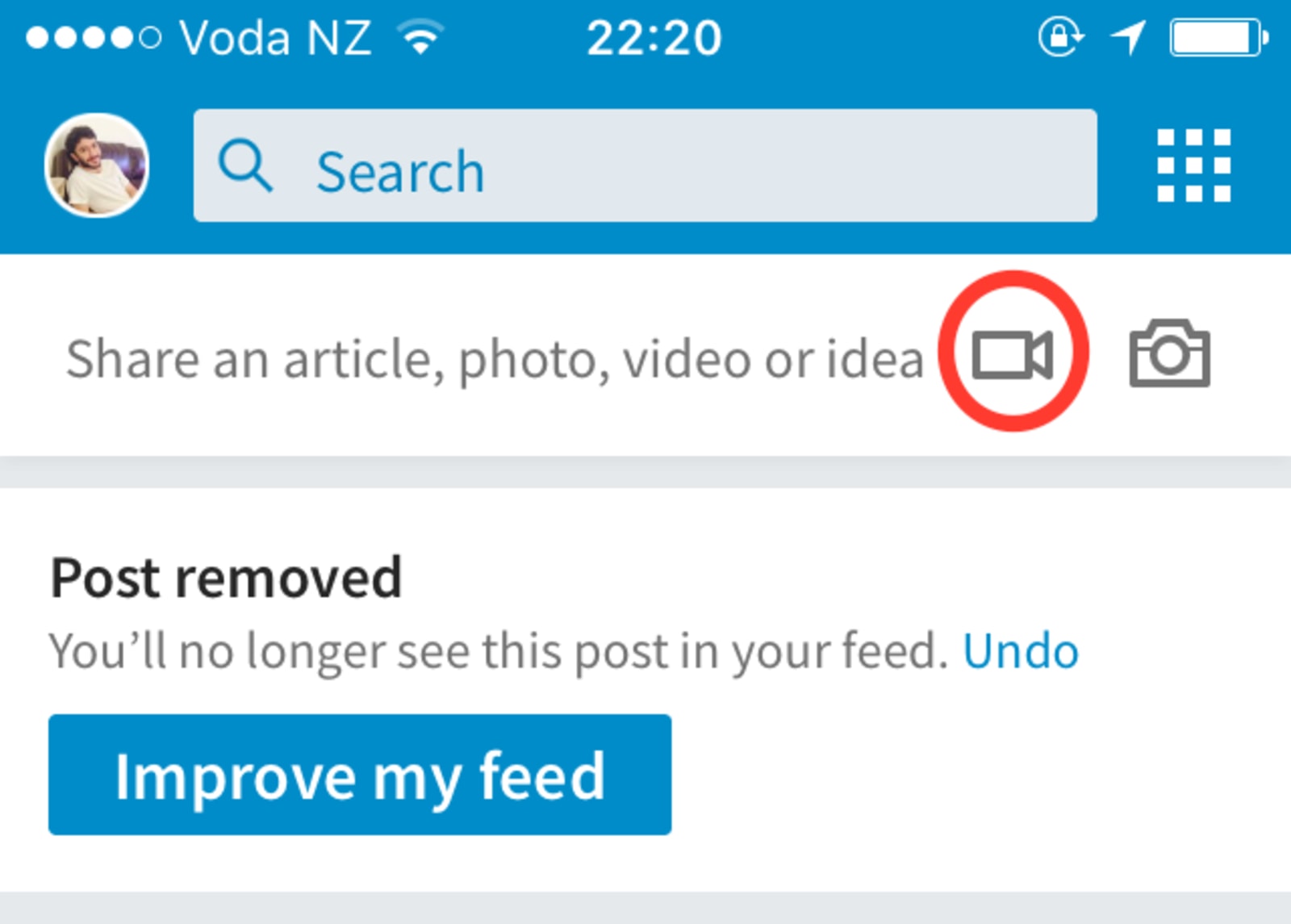
As you might have gleaned from that preamble, LinkedIn is adding a video creation tool to its app. Give it an update, and you might see it within the status box. Tap the little movie icon and you’ll be able to record and share a clip, up to 10 minutes in length (according to Inc.).
Everyone’s integrating video, so why not LinkedIn? Well, the problem is LinkedIn isn’t everyone (by that, we mean it isn’t Facebook or Twitter). You don’t go on LinkedIn to procrastinate, or to check images or clips from your friends. You go there to update your resume, accept connections, and maybe stalk your ex-colleagues (anonymously, of course). Then you log off, and forget about it, until it nudges you via email to check your notifications…again.
Okay, so there are some scenarios where this could work. LinkedIn thinks you should use video to share “hacks that will increase your productivity, front row seats at a conference, [or] an insider’s perspective on the day’s news.” Jesus, no, not those scenarios. Let’s face it, unless your a big-shot at a Fortune 500 company, no one cares about your opinions. Especially on LinkedIn, which is all about mentorship and amassing contacts (it’s called networking — only, you don’t speak to the majority of those people). Also, LinkedIn already handed video to the bigwigs, and we’ve heard little about it since, so maybe that didn’t work out either.
Instead, video may end up being used in regards to recruitment. Companies could use it to give you a first-hand glimpse inside their headquarters. That’s the kind of stuff people are actually interested in, especially when it involves a big firm. For example, if Apple used it for short tours around Apple Park. Or, if [insert tech behemoth] used it for similar purposes.
The same goes for candidates. Perhaps, people will use it creatively when seeking a job opportunity. But, that’s a tricky prospect. Ultimately, that’s the dilemma LinkedIn faces. Privacy concerns are one thing, but it’s mainly just not a playful enough medium. That’s okay, though. We don’t want it to change. Please LinkedIn, don’t go all silly on us and start introducing lenses and 3D emoji.
Source: Jonathan (Jasper) Sherman-Presser (LinkedIn)
How to watch the eclipse, regardless of where you live
You’ve been hearing a lot about the eclipse, but now that it’s finally almost here, do you know how you’re going to view it? If you live in the contiguous US, whether you’re in the area that will see a full solar eclipse or not, you have multiple options on how to watch this event.
If you’re planning on being in the path of totality, the area from Oregon to South Carolina where the moon will fully obscure the sun and you’ll experience a full solar eclipse, it’s pretty straightforward. If you’re driving to a spot along the path of totality, find one with a good, wide viewing angle in advance and get on the road as early as possible on Monday. Traffic is going to be an utter mess, so plan on a lot of extra time to reach your destination. (You should also expect a traffic jam on the way home. Bring snacks, basically.)
How early you should plan on arriving depends on what you want to see. It takes about an hour and a half between when the moon first begins to cover the sun and the actual total eclipse. My recommendation is to just arrive as early as possible to make sure you grab a good spot. If you’re trying to time it precisely (say, if you can literally see the event from your backyard), make sure you’re basing your plans on the time that totality will occur and not when the eclipse first starts. If you’re not sure when that is, make sure to look it up based on your location.
Bad weather could also interfere with your view of the eclipse. If the forecast doesn’t look promising, allow yourself enough time to drive to an alternate viewing location. If you’re going to all this trouble to watch this event, you’ll want to make sure that it doesn’t literally rain on your eclipse.

For those who aren’t in the path of totality, there are still ways to watch and enjoy the eclipse. While seeing a partial eclipse isn’t nearly the experience of a total solar eclipse, it’s still worth stepping away from whatever you’re doing to watch. The really cool thing is that everyone in the continental United States will be able to see something, even if it’s not a view of the fully obscured sun.
But before you run outside, make sure you have eclipse glasses, even if you’re only viewing a partial eclipse of the sun. We all know not to stare at the sun, but sometimes excitement can get the better of us. If you’re just seeing a partial eclipse, you might think that the sun is partially obscured and not as bright, and therefore it’s safe to look at. That is not how it works. If you stare at a partially eclipsed sun without proper eyewear (and sunglasses don’t count as proper eyewear), you will damage your eyes. The only time during an eclipse that it’s safe to take off your eclipse glasses is during those couple of minutes of totality. If you aren’t seeing a total eclipse, it’s never safe.
If you don’t have eclipse glasses, there are still places you can run out to buy them, but supplies are very low. Don’t buy eclipse glasses off the back of a truck, though. They could be counterfeit and thus provide no protection. The American Astronomical Society has a list of reputable vendors, including chain stores such as Toys R Us, that sell quality eclipse glasses. Schools, museums and other educational institutions also may have them in stock. Many of these vendors are selling out as the eclipse approaches; if you can’t find a pair of glasses or solar viewers, try making a DIY solar viewer or a solar viewing projector.

You may be more interested in a virtual stream of the total eclipse than seeing a partial one in real life. While it’s no substitute for the real thing, I can’t blame you for that. Luckily, there are countless ways to stream the eclipse to your computer or mobile device, depending on what exactly you’re looking for.
NASA will have a whole livestreaming bonanza happening from 12 noon to 4 PM ET that includes live coverage from 12 locations, even the International Space Station. You can see it on NASA TV, as well as on Facebook Live, Periscope, Twitch or Ustream, through NASA apps or on the web.
If you’re interested in VR, then CNN is probably your best best. They’re streaming the eclipse from multiple locations in 360-degree 4K video. If you have an Oculus Rift or a Samsung Gear VR, watching this feed should be a no-brainer. They’ll also have astronaut Mark Kelly as co-host of their programming, which starts at 1 PM ET. If you don’t have a compatible VR device, you can also see it on Facebook Live, CNN.com and through CNN’s mobile apps.
But wait, there’s more! Twitter and the Weather Channel are joining forces to track the solar eclipse across the country. This is more of a virtual Twitter party than straightforward viewing, but it will incorporate all kinds of footage, from drone video to tweets. You can follow along with that endeavor starting at noon ET.
Regardless of where you’ll be or how you watch it, it’s worth taking a few minutes out of your day to take part in this historic event. And if you’re lamenting the fact that you aren’t in the zone of totality, you’ll have another shot when a full solar eclipse passes over the United States again in 2024.
Images: Getty Images (Eclipse); Heinz-Peter Bader / Reuters (Crescent moon)
Apple mulls pricey early movie rentals right after theater debut
Apple and Comcast are the latest names in the seemingly never-ending struggle to bring movies home faster. Bloomberg reports that the tech behemoth and telco, independently, are in talks with movie studios to offer $50 rentals roughly 17 days after their theatrical debut. Waiting four to six weeks would save you money, as the price would drop to $30 according to Bloomberg’s sources. This the same structure we’d heard earlier this year when Warner Bros. and Fox stepped into the fray. The deals could be finalized by early next year, apparently.
Movie theaters have a vested interest in maintaining that exclusivity window and keeping it as wide as possible. Concession sales, not tickets, do the lion’s share of keeping the lights on. If a family can make their own popcorn and watch a movie a few weeks after its premiere for less than the price of four tickets, that’s going to cut into a theater’s profits pretty dramatically.
The deals with Apple and Comcast would give movie studios leverage to push forward with movie downloads. “Those pacts would give studios a way to issue an ultimatum to the theater chains: Agree to a deal, or we’ll start selling movie downloads anyway,” Bloomberg writes. Theaters could potentially boycott any movies that’d be available for download as retaliation.
Just this week AMC said it would fight tooth and nail against MoviePass, the subscription service offering a $10 monthly subscription for “unlimited” theatrical movies.
“We are actively working now to determine whether it may be feasible to opt out and not participate in this shaky and unsustainable program,” the chain said.
If this all sounds familiar, it’s because the fight for premium video-on-demand movies has been going on since at least 2011. But Apple and Comcast have a little more clout than Napster cofounder Sean Parker, so maybe this will actually happen.
Source: Bloomberg
Remember software’s dearly departed with Product Graveyard
Vine. Sunrise. Google Reader. Over the years, we’ve seen many pieces of software thrown on the virtual garbage pile. The reasons behind their demise are numerous: Sometimes a startup is acquired, only to be have its indie darling absorbed by another, larger and more strategically important service. Other times, it’s because the product isn’t financially viable. Regardless, we miss them. To celebrate their digital lives, designer Duong Nguyen has created the Product Graveyard. As the name implies, it’s a simple site filled with pithy “obituaries,” explaining each product’s lifespan, “cause of death” and the reason why it should be remembered.

So if you’re feeling nostalgic, take a look and rediscover some relics that have probably started slipping from memory. Windows Live Messenger, LimeWire, Club Penguin — there’s something that will pull on the heartstrings, no matter what age you were when you first adopted the internet. Notably, each entry has a few “featured alternatives” if you still haven’t found something to replace Yik Yak or your trusty Zune. The list is large, but far from perfect, so you can also submit an “Autopsy Report” for any notable omissions. Personally, I think there should be an entry for Sparrow. What about you? Share your best suggestions down below…
Via: Design Taxi
Source: Product Graveyard

