


Disney turns to AR to sell ‘Star Wars: The Last Jedi’ toys
Luckily for George Lucas, Fox didn’t give a hoot about toy licensing for the original Star Wars, but Disney sure as hell does. To make sure its September 1st Star Wars: The Last Jedi Force Friday II toy launch event is a success, it has added an augmented reality component called Find the Force. You’ll be able to scan new in-store physical displays that feature characters like Rey and the new “Executioner Stormtrooper,” and those characters will come to life on your screen, Pokémon-style.
To make sure you come back again, scanning the same display on a different day will show a different character. There will be up to five different displays in the larger stores, and you’ll see as many as 15 different characters: Chewbacca, Admiral Ackbar, and Supreme Leader Snoke’s Praetorian Guard among them. A new character will supposedly be revealed on the first day, September 1st. If you gather enough, you’ll get bonus “data chip” tokens that will unlock video clips, character emoji and other digital collectibles.
Lest you think this is a minor PR stunt, Find the Force will be available in 20,000 stores in 30 different countries, including Best Buy, Apple, Kohl’s and Petco(?). The aim is likely to generate some excitement at phsyical shops so that kids and fans can experience the toys, rather than just browsing them online. The displays will stay in stores until the end of the year, when Star Wars: The Last Jedi comes to theaters (December 15th, 2017).
It’s not the first time Disney has dabbled in AR, as the original Star Wars app featured a Stormtrooper, BB-8 and other characters. As for the toys, expect to see a new Force Link Band that plays dialogue from action figures when placed next to them, including a new Kylo Ren model. There’s also a new BB-8 playset that features a First Order base and some new posters.
Source: Disney
Amazon UK now lets you easily convert cash into online credit
The beauty of shopping online is that you can browse and buy without ever leaving the comfort of your sofa. Amazon accepts all major debit and credit cards online, but what if you’ve got a bundle of cash lying around you’d rather use instead? Enter “Amazon Top Up – In Store,” a mouthful of a new service that lets you convert cash into online credit.
First, you’ll need to find a local shop, petrol station or what have you with a Paypoint register. These are the ones through which you can pay bills, renew your TV licence and add funds to your pay-as-you-go mobile or prepaid card then and there. Head to Amazon’s top-up site on your phone, or track down the equivalent page on the retailer’s mobile app, and grab yourself a unique barcode.
Get the shopkeeper to scan that barcode, hand over between £5 and £250, and it’ll immediately show up in your Amazon gift card balance. It’s tantamount to using the money to buy a gift card, but with less steps and thus, less hassle — but beware any deposits are non-refundable. You may remember Amazon launched a similar service in the US earlier this year, albeit with the catchier title of “Amazon Cash.”
It may seem strange to go through this whole process when it’s infinitely more convenient to make card payments, but not everyone has a bank account and some people would still just rather not hand over financial details to a website. Amazon is in the business of selling stuff, so if there’s a demographic that can or will only use cash, you bet Amazon is gonna make sure they can spend it online.
Source: Amazon, Paypoint
Wait, ‘Final Fantasy XV Pocket Edition’ is actually fun?
A part of the Final Fantasy XV universe (it’s a thing), I wrinkled my nose at the news of Final Fantasy XV Pocket Edition for smartphones. I’ve completed the game on PS4, have played through the episode content and will be playing the multiplayer add-on once I’m back from Gamescom, but this left me cold. This was a corporate mobile cash-in that vaguely tied into the original game, one that would relentlessly nudge players to either buy in-app items or the full console version. Nothing was appealing about this, whatsoever. That was, until I played an early beta on FFXV Director Hajime Tabata’s phone. I was rude, it was in the middle of an interview but, hey, it was actually a lot of fun. Wait, what just happened?
I think what won me over was how faithful to the main game it seemed. I spent about 10 minutes working my way through initial cutscenes (including fateful timeskip exposition), roamed around the open world and beat up a few monsters on the way.

Tabata himself had input both at the initial stage, when deciding the direction of the mobbile game, as well as what art style of how it would “interpret” the detailed visuals of the console original.
Alongside voice acting, FFXV Pocket maintains a lot of its namesake’s gameplay mechanics. The skill tree, unlocked by collecting AP, returns, Ignis will still (cloyingly) come up with meals to feed his buddies, Prompto relentlessly quips throughout battle, and Gladio is still bigger than the other three put together. It’s surprising that most of the dynamics work so well.
I had to see how battles would play out, as that’s where the gameplay really lies, and what Square Enix has even now, is a suprisingly tight stripped-down version of FFXV. Well-timed parries and cooperative attacks with allies are still in place, and key to slaying hardier enemies — if you remember The World Ends With You, you know that action RPGs can be playable on touchscreens, it’s just rare, that’s all.
Even if you’re unable to parry perfectly, protagonist Noctis will spryly dodge an attack if you make a passable effort at timing it right. It’s as forgiving as a mobile game should be. Will I end up buying the entire game, chapter by chapter, to relive the entire story on my phone? I’m not sure, but I’m willing to play through the first part on my phone — let’s see if how the team attempts to deliver an entire flagship RPG.
Follow all the latest news live from Gamescom here!
Turtle Beach starts selling its wireless Xbox headset
The biggest pain when it comes to wireless Xbox One headsets is that they all require some sort of adapter or base station to connect to your console. Add to that the hefty price tag (most models can cost upwards of $150) and the appeal wears thin. That’s why the Turtle Beach Stealth 600 caught our eye earlier this year. The headset is the first to utilize Microsoft’s wireless tech to connect directly to its console (dongles and wires begone). What’s more, you can also hook it up to the upcoming Xbox One X. And, all for just $99.95. The headset drops today, in limited quantities, in the US via the Turtle Beach website. Retailers will get the model on September 4.
If true wireless capability isn’t enough to seal the deal, the Stealth 600 also offer Windows Sonic surround sound, glasses-friendly design, audio presets (including bass boost), and 15-hour battery life. Turtle Beach has been knocking out top-notch headsets for a while now, making it a solid bet. But, it will soon face some stiff competition in the form of LucidSound’s LS35X. The upcoming $180 headset also taps into Microsoft’s wireless functionality, with a few extra audio perks (including Dolby Atmos).
Turtle Beach fans also have the option to pre-order the Stealth 700 for Xbox One (which pack noise cancellation and Bluetooth for $149.95). Both headsets are available to pre-order for PS4 as well, but won’t ship till September 4 (in the case of the Stealth 600) and September 24 for the Stealth 700.
Purism will try its hand at security-focused smartphones
Purism’s laptops, which focus on security and privacy, have been doing so well that the company now intends to venture into another type of electronics. The San Francisco-based “freedom-respecting computer manufacturer” is planning to build what it calls the “world’s first encrypted, open platform smartphone.” It’s named the Librem 5, and Purism aims to give it the power to make encrypted calls that hide your phone number, send encrypted texts and emails and set up VPN for web browsing.
The phone will be compatible with 2G, 3G and 4G connections and with any GSM, UMTS or LTE network. It will also adopt the kill switches on Purism’s laptops, which you’ll be able to use to quickly switch off its camera, mic, WiFi, Bluetooth and even its baseband. The device will run the company’s PureOS platform, a derivative of Debian GNU/Linux, but it will also be able to run most GNU+Linux distributions. And since Purism wants to give you as much control over the device as possible, it will release the device’s source code, so you can edit it whenever you want.
As you can see, a lot of those features aren’t meant for most smartphone users who just need their devices to work. But that’s not entirely surprising: Purism has always catered to those who prioritize their privacy and security. This particular device, for instance, is for those worried about the personal info they give up when they connect to public WiFi or when they install apps, especially those that use location services.
It’s worth noting that Librem 5 is far from the first smartphone with security at its center: Archos released the GranitePhone that runs the fully encrypted GraniteOS in 2015. A year before that, Silent Circle, a Swiss encrypted communications firm, launched the Blackphone, which also runs a secure OS. Since most people don’t look for secure features when choosing a phone, though, privacy-focused smartphones don’t usually do well. Silent Circle had to cut a fifth of its workforce for overestimating the demand for Blackphone — it borrowed enough money to produce 250,000 devices but sold much, much fewer than that.
That said, it’s interesting to see how Librem 5 would do, considering the Librem 13 and 15 laptops have seen a 35 percent monthly growth over the past year. The company expects to spend 18 months on testing hardware specifications and the like, after which it intends to launch a crowdfunding campaign to gauge demand for the first wave of devices and to get funding for the manufacturing process. While Librem 5 is still in its very early stages, Purism already has a price for it: the company expects to sell them for $599, cheaper than the other security-focused phones we’ve seen thus far.
Source: Purism
‘Fe’ is a stunning adventure about connecting with nature
Once, Andreas Beijer snuck up on a deer. He remembers tip-toeing through the forest, always downwind to ensure it wouldn’t pick up his scent. “I managed to come really close,” he says. “I could almost touch it, before it noticed me and ran away into the forest.” Beijer is a creative director at Zoink Games, an independent studio in Sweden. His team grew up playing in the woods and wanted those experiences to shape their next game. “We were free,” Klaus Lyngeled, the company’s CEO and Creative Director said. “We could just run out in an area, play around and not have our parents look at what we were doing.”
The result is Fe, a beautiful puzzle-platformer set in a dark, Nordic forest. The hero, a small, fox-like creature, is jet-black, save for its bright eyes and fur tips. The other wildlife is similar, a mixture of ink and gleaming light, mysterious and dream-like. They contrast the forest, which is made up of sharp, geometric geography and bright, punchy colors. Stunning shades of purple, blue and orange serve as a backdrop for the murky trees and bushes. There’s a graininess too that makes the world both claustrophobic and enticing. You always want go deeper and see what lies beyond.
The atmosphere is by design. Lyngeled found the forests of his childhood scary, but serene. “And the further you went, it would get more interesting and more interesting,” he says. “You had to sort of challenge yourself to go further and further into this scary place.”
At Gamescom, I was able to see a brief hands-off demo led by Hugo Bills, a Producer and Creative Director at Zoink Games. He showed me Fe’s basic abilities, which include running, climbing and gliding. Some are available from the start, while others will be locked behind quests, or rather animals that live inside the forest. By helping or communicating with them, they’ll become an ally and teach you some of their secrets. Some birds, for instance, can open up plants which shoot you high into the air. Others might show you how to burrow into the ground, or scuttle up nearby trees.

Zoink Games wants each of these encounters to feel special. In one scene, for instance, Bills crept toward a giant eagle guarding a handful of eggs. He moved cautiously, trying a couple of primitive calls picked up from other creatures. “Once you meet an animal in a forest, it’s a really weird moment,” Lyngeled says. “Because you’re walking through this forest, and there will be nothing, nothing, before suddenly ‘Wow, there’s this creature there!’ And you’re actually entering their domain. This is where they live.”
Unable to communicate, Bills walked off in search of other adventures. But then a group of “silent ones” appeared. These tall, two-legged enemies (they’re not humans, I’m told) are mysterious, formidable opponents that Fe would struggle to take head-on. Bills climbed up a nearby cliff and threw down some glowing pods until the silent ones were startled and moved on, much to the eagle’s relief. Bills then clambered down and shared a moment with his new feathered friend, learning a new animal cry in the process.
Communication is key to understanding the forest and using its inhabitants — both plants and animals — to explore new areas. The birds, for instance, won’t just open nearby flowers. “Once you become friends with them, they’ll also sort of guide you through the levels,” Lyngeled explains. Call a bird once and it’ll fly down for a moment; call again with just the right timing and it’ll fly towards an area of interest.
There’s an underlying ecosystem too. Animals like certain plants, so you might want to try their specific “calls” to interact with the vegetation. “If a flower speaks this language, and this bird likes this flower — maybe if I learn that bird language I can also talk to this flower?” Lyngeled hints. Over time, you’ll master the forest and set off chain reactions using a mixture of calls and platforming abilities. Bears, for instance, are aggressive towards the silent ones, so you can throw its favorite food toward an enemy camp and open up a previously inaccessible path.

“And if you scream really loud, some animals will run away,” Beijer says. “So you have to sort of lure them by talking gently. By moving gently. Things like that. But once you’re friends, they’re more easygoing, so they don’t get startled as easily.”
There’s no traditional dialog in Fe. No quest-tracking system, or even a map to know where you are in the world. You’ll need to interpret everything through the game’s animal voices and build your own mental map of the forest. For Zoink Games, it’s a huge design challenge, but one they’ve come to relish. Like Journey, Abzu and Inside, their view is that the story should be open to interpretation. “We have an idea of what the story is about, but we’re not 100 percent certain that everyone is going to come out with that exact impression,” Bills says.
Much of the game is still shrouded in mystery. But the team hinted that the general structure is reminiscent of Metroid. One large, seamless world that slowly opens up as you play. There will also be huge creatures reminiscent of Shadow of the Colossus. Towards the end of the demo, Bills scaled a huge reindeer that towered over the rest of the forest. It was so large, in fact, that trees were growing on its legs and back. Upon reaching its head, the two shared a brief conversation, granting Fe the power to talk to other deer.
“We have an idea of what the story is about, but we’re not 100 percent certain that everyone is going to come out with that exact impression.”
Fe is an intriguing adventure filled with visual wonder and a unique underlying theme: How communication, and playfulness, is key to reconnecting with nature. It’s also part of EA’s “Originals” initiative, which so far has delivered Unravel and soon, the split-screen co-op adventure A Way Out. Thankfully, it won’t be long before we know how Fe has turned out; it’s scheduled for early 2018 on Xbox One, PlayStation 4, PC and the Nintendo Switch. I’m particularly excited by that last one, if only so I can sit and play while my back is resting against an old birch tree.
Follow all the latest news live from Gamescom here!
Why BMW bets on versatility over pure EVs
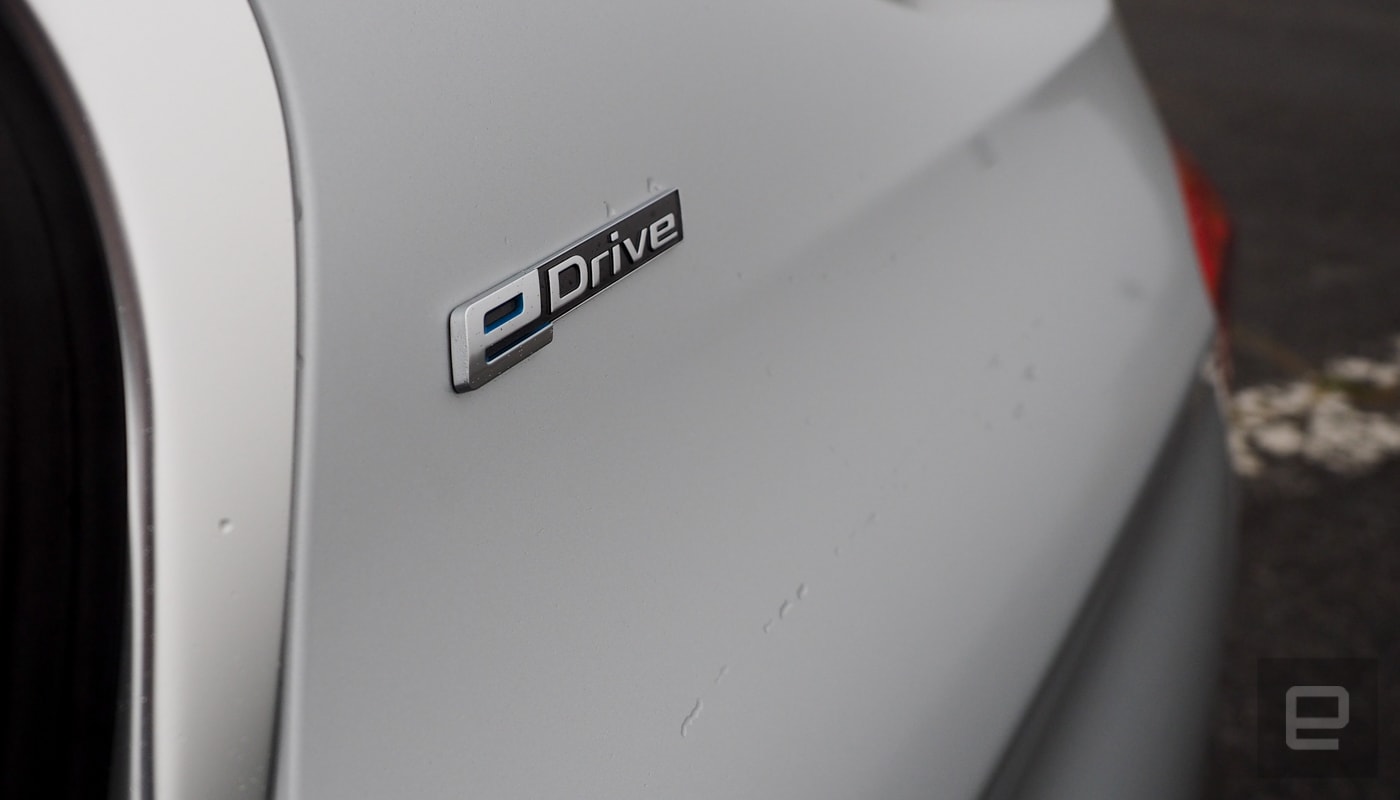
Behind the wheel of the BMW 330e you almost forget it’s a hybrid. Then you floor it on an uphill climb while in electric mode and the car automatically switches to the gas engine — with a warning you’ve outstripped the electric motor’s capabilities. The $43,700 (about $10,000 more than a regular 3 Series) version of BMW’s iPerformance brand is a near seamless integration of the automaker’s past, present and future.
After a short drive around San Francisco’s Cow Palace, I returned the combined engine/motor-rated 248 horsepower 330e back to BMW’s traveling Ultimate Driving Experience event. It’s tough to put a car through its paces after only a few miles. It handled well and accelerated as expected in each of the three driving modes (Save Battery to run the gas engine, Auto eDrive for gas and electric, and Max eDrive to run off the battery).
The most surprising thing is probably how unsurprising the car is. It’s a 3 Series that you won’t have to refuel as much and has an eDrive button. That’s exactly what BMW wants.
While the futuristic looking i3 and i8 EVs were built specifically to showcase what the automaker is capable of, it’ll be the tried and true 3, 5, 7, and 8 Series models that’ll be the first that deliver battery-powered cars to a majority of the automaker’s customers.
BMW will accomplish this by making it possible to build multiple versions of a car (pure electric, hybrid, diesel, and gas) in the same factory. The vehicles will share the same chassis that supports the different drivetrains. But regardless of how the car moves, the automaker wants to make sure it meets its customers’ expectations of sporty luxury vehicle.
Those expectations are also what’s probably keeping you from being able to buy something like a 5 Series pure EV. While batteries are fine for short burst of power, they heat up during long periods at high speed. If you’ve driven a Tesla during very hot summer day and your climate control has switched off, that’s why. The car is protecting that battery.
So there’s a performance curve for batteries that during a long drive can be detrimental to extended periods at high speed. If your cars are known as sport luxury vehicles (like BMW), that’s going to keep you from filling a regular car with batteries and just hoping your customers are forgiving.
Couple that with a charging infrastructure that’s still in its infancy (but growing), and BMW’s decision to keep its pure EV models under the futuristic “i” brand makes sense. At least for now.
BMW has announced that an electric version of its X3 crossover will be available in 2020 though. Like Jaguar, the automaker has seen the rise of SUV and crossover sales and decided that a large electric car is the safest business bet. Big cars aren’t going away, they’re just getting batteries.
Meanwhile, BMW will add full EVs with its regular lineup eventually. The hybrid iPerformance line up is a stepping stone to that. We’re just not sure exactly that will happen. What matters is that when it does happen, the automaker will make sure its customers will be able to climb any hill at full speed whenever they want.
Disney Announces AR Scavenger Hunt for ‘Force Friday II’, Some Star Wars Toys Coming to Apple Stores
Two years after the original “Force Friday” launched in celebration of new toys and gadgets for Star Wars: The Force Awakens, Disney is now gearing up for “Force Friday II,” which will see the launch of new merchandise centered on Star Wars: The Last Jedi. Force Friday II will run September 1 through September 3, with toys being sold at Apple, Wal-Mart, Best Buy, Target, and more (via Reuters).
The items that will be at Apple retail locations have not yet been specified, but for the original Force Friday one of the most popular gadgets was Sphero’s iPhone-controlled BB-8 droid, so there’s a chance fans could see a similar toy launch next week. Force Friday II officially begins at 12:01 a.m. PT on Sept. 1, with more than 20,000 retail locations in 30 countries joining in on the Star Wars merchandise celebration, ahead of the debut of Star Wars: The Last Jedi this December.
Further enhancing the toy hunt this year is a new augmented reality experience for fans shopping during Force Friday II. Anyone who downloads the official Star Wars app for iOS [Direct Link] or Android devices will be able to scan select retail standees that have a “Find the Force” logo printed on them. When scanned, fans will activate and unlock various Star Wars characters, which they can then take pictures and videos with, post on social media, and unlock that character’s data chip.
The more data chips collected, the more users will earn exclusive digital rewards, including Star Wars video clips and character emoji. Disney has shared a full list of retailers [PDF] that will have Find the Force AR logos for fans to interact with, and even some websites will have the logo for those who do their Force Friday II shopping online. Although Apple will be selling some Star Wars toys for the event, the company isn’t listed as a retailer participating in the AR scavenger hunt.
Augmented reality has become an increasingly popular trend over the past year, and is expected to see an uptick in usage on iPhone devices running iOS 11 this fall, thanks to Apple’s ARKit. The new developer platform allows developers to create iOS apps with advanced augmented reality features using the built-in camera, processors, and motion sensors found in iPhone and iPad. Ahead of the public launch of iOS 11, we’ve already seen some pretty interesting proof-of-concept demos for the technology, including AR apps for turn-by-turn directions, measuring tape, and furniture placement.
Tags: Disney, Star Wars, augmented reality
Discuss this article in our forums
Want drone delivery of your online purchases? Move to Iceland
Why it matters to you
There are plenty of companies out there keen to launch a drone delivery service, aiming to get your packages to your door in super-quick time.
From the country that’s still live-streaming a McDonald’s hamburger eight years on comes a stab at an altogether more sensible project: drone delivery.
That’s right, Iceland is now one of the few countries in the world to launch a delivery service using drones, this one aimed at online shoppers in Reykjavik.
Drone company Flytrex has partnered with AHA, one of Iceland’s biggest ecommerce companies, to make the service a reality, flying ordered items over one of the city’s wide waterways to dramatically reduce the usual delivery time.
A video posted online this week shows the drone zipping from one side of the river to a customer on the other side. The journey usually takes one of its drivers 25 minutes to complete, but because a drone can take a more direct route, the delivery takes a mere four minutes.
“If you look at our city, it’s full of bays and difficult traffic routes, so to deliver from point A to point B, even though it might only be two kilometers by air, it might mean you have to drive for seven kilometers,” said AHA CEO Maron Kristófersson.
With drones able to reach some destinations far more quickly than cars, you might think a few job losses are on the way for delivery drivers in Iceland, but AHA insists the drones will operate alongside its vehicle-based network, thereby “increasing its daily deliveries capacity.”
Flytrex and AHA are using a DJI Matrice 600 drone for the service, attaching a large box to its base to hold customers’ orders. This particular DJI drone, a hexacopter with a top speed of 40 mph (65 kph), can carry a payload of up to 13 pounds, which is a lot of pizza if that’s what you’re after.
The pair tout the service as the first-ever drone delivery system in an urban environment, though that appears to be stretching it a bit. There’s no indication that its flying machines are dropping off orders at addresses on busy streets, but the effort at least highlights how an increasing number of businesses are experimenting with the technology. And dropping items off across waterways seems like a sensible alternative to sending a van out on a longer run.
While many companies — Amazon famously among them — would like to get similar drone services up and running, most regulators are still to be convinced that it’s OK to fly the machines out of the line of sight of either pilots or those monitoring autonomous flights. Domino’s in New Zealand conducted trials of pizza delivery by drone for several weeks in November 2016, and is now awaiting permission from the government to run further trials.
Wondering how to backup an iPhone without iTunes? Try these six alternatives
Everyone drops their iPhone at some point. Accidents happen — we’re only human. But what do you do when you pick it up and it won’t turn on? No amount of frenzied tapping elicits a response. It doesn’t take a genius to tell you that a trip to the Genius Bar is probably in your future. Replacing a broken iPhone screen may prove to be the easy part. Replacing the photos, contacts, and messages you have on your phone takes a little more forethought.
We know how painful it is to start over when you lose a phone, which is why we’ve come up with some of the best resources for backing up your iPhone. You can always go the Apple route, sure, but iTunes and iCloud aren’t the only way to go. Plus, you’ll pay more for iCloud’s storage services than you might for a third-party app. iCloud currently offers 5GB of free storage, but 50GB will cost you $1 per month and 200GB is an extra $3 per month. Things only become more expensive from there — 2TB, anyone? Thankfully, there are other backup services available for your computer and smartphone that can keep your contacts, photos, and videos safe should your device give up unexpectedly.
If you’re wondering how to backup an iPhone without iTunes, we have six alternatives that will get the job done. We’ve also included iCloud in the roundup because, well, it does the job pretty well.
Recently purchase Apple’s iconic smartwatch? Here’s how to back up your Apple Watch, if you’re in need of a tutorial.
SynciOS
This is a free iTunes alternative that enables you to transfer and back up music, videos, photos, ebooks, apps, contacts, messages, and more. Connect your iPhone, iPad, or iPod to your Windows PC or Mac, and you can start managing the content immediately, though you’ll still need iTunes installed. The software also includes a few handy tools for creating ringtones, managing playlists, and converting audio and video files. Among the top reasons to use SynciOS is the fact that it offers the ability to download and convert videos from YouTube, Facebook, and a host of other sources. It’s easy to use and it’s free. If you don’t want to be pestered about registering, the Ultimate version costs $35.
Download now for:
Windows MacOS
PhoneCopy
PhoneCopy is a freemium app for iOS, Android, and a number of other platforms. It’s designed to create a backup of your data and store it in the cloud, where it’s then accessible via the developer’s website. It backs up contacts, SMS, calendar events, tasks, and notes. After the initial backup, it synchronizes your data for quicker backups going forward. It also saves a history of your previous backups, so if you accidentally delete an important contact or a chain of text messages, you can retrieve them directly through PhoneCopy.
Start by creating an account from your smartphone or online. Afterwards, simply tap the blue Synchronize button to back up your data to PhoneCopy’s server. Once it’s done, log into the site to view everything the app saved, or make changes to your data. Just make sure you tap Synchronize to save the changes. The basic, free version is limited. You’ll have to pay $25 per year to get the premium version.
Combine this app with a free photo and video backup app such as Shoebox or Google Photos, and you’ll be well covered.
Download now for:
iOS
CopyTrans 4Pack
For starters, Copytrans doesn’t use the cloud like some of the other choices in our roundup. The basic software represents a viable solution for anyone who just wants to backup their iPhone data and access it without an internet connection. You can click and drag contacts, calendars, apps, notes, and other data to a folder on your desktop. Aside from the attractive granular controls, the software does a good job organizing data via a contact book and a music library. The simple application comes at a price, albeit one likely cheaper than other software designed for locally storing your data. Opting for the 4-Pack ($30) will allow you to manage photos, calendars, apps, music, notes, contacts, and more from your desktop.
To use the software, download the suite from the developer’s site and connect your iPhone as you would normally. Afterwards, select the type of data you wish to back up within the CopyTrans Control Center and your device from the resulting drop-down menu before clicking the backup button.
Download now for:
Windows MacOS
Dr. Fone — $70 (Windows), $80 (MacOS)
Backing up to the cloud has definite advantages, but there are some trade-offs to consider in the form of monthly subscription fees and possible security breaches. Dr. Fone is another option for keeping it local, one that works directly with your iTunes backup to recover notes, messages, contacts, voice memos, and even Safari bookmarks that might have accidentally met their end when your finger grazed the Delete button. Sadly, this kind of granular recovery doesn’t come cheap. Though there is a free trial, the full version of Dr. Fone costs a whopping $70 for Windows, and $80 for Mac users. The software is able to recover more than 15 types of files, though, including photos, apps, and videos from older devices such as the iPhone 3GS and iPhone 4. Apple’s iCloud may be able to recover more lost media content from your iPhone, but unfortunately, you’ll need Dr. Fone to recover photos and videos directly from apps.
To use it, download the software on your PC or Mac from the Dr. Fone site and connect your iPhone as you would normally. Then, allow the program to guide you through the necessary steps to back up and recover your data from your device.
Download now for:
Windows MacOS
Lookout
Hate having to remember to back up your contacts? How about that moment of panic when you can’t find your phone? If this sounds familiar, Lookout may be the solution for you. This free app automatically saves your contacts in the cloud. Like PhoneCopy, your contacts are securely stored and easily accessible on the developer’s website.
Should you lose your phone or forget where you last left it, the app can also help you locate it when you log in to your account. From there, the app will ring your phone — even if it was placed on vibrate when you misplaced it — which is often the problem we have when our phone runs away from us. If your phone gets really lost, the app even features a kill switch designed to wipe all of your precious information should your phone fall into the wrong hands, along with a convenient feature that will ask whoever finds your phone to call specific friends who may be able to help. Of course, iCloud can do all of that as well, but Lookout also provides basic security measures to protect against malware and spyware. Moreover, the premium version of the software ($3 a month or $30 per year) allows you to automatically back up photos and manage up to three devices from a single account.
Download now for:
iOS
iCloud
Not convinced by the above backup tools? Apple provides the easiest way to back up your iPhone through iTunes on your home computer. Just remember to do it regularly and your content will be safe, even if your phone’s luck has run out. It’s easy to do, takes only a few minutes, and gives you peace of mind. Apple additionally offers automatic backups through its iCloud service, allowing you to back up the most important data from your iPhone in the cloud. Keep in mind it’s currently restricted to a mere 5GB of data — meaning you likely won’t be able to back up all your photos and videos — but you can always opt for one of three premium storage options if you prefer more space.
To use iTunes or iCloud, simply connect your iPhone to your machine as you would normally. Afterward, check the bubble directly beside the iCloud or This computer option to choose your preferred backup method from the list of available options in the Summary pane. Then, if desired, simply click the Back Up Now button to manually back up your device.
Check out our in-depth look at how to use iCloud for more information.
Access now via:
iCloud
Safe and secure
Boom! Now your iPhone’s data is safe from unpredictable mayhem and destruction. We can’t say the same for the phone’s hardware, which is always susceptible to slippery fingers, but if you’ve found a bulletproof case, feel free to toss your iPhone around with reckless abandon. After all, your data is backed up and safely stored.
Update: Revised for relevancy and pricing.
 AIVAnet