


23andMe study focuses on why we experience pain differently
We all experience pain differently, and what’s excruciating for you might not even be worth mentioning for another. There are studies that looked into the difference in pain tolerance between individuals and some even found associations between people’s pain tolerance and their gender and ethnicity. 23andMe wants to have an even deeper understanding of pain tolerance and to finally figure out what role genetics play in both temporary and chronic pain. That’s why it has teamed up with German-based pharmaceutical company Grünenthal to conduct one of the largest studies of its kind.
The researchers plan to recruit 20,000 people as test subjects, all of whom will undergo a “Cold Pressor Test” that requires them to submerge their hands in cold water for three minutes. That will give the team a way to gauge each person’s pain threshold. The participants also have to answer questions about drug tolerance and how sensitive they are to pain, as well as to assess how much pain they think they’ll be in for a bunch of theoretical scenarios.
In addition to figuring out the role of genetics in tolerance, Emily Drabant Conley, 23andMe’s VP of business development, said that results from the study may also “help advance the use of precision medicine in pain management.” Hopefully, being able to tailor treatments for every person could also prevent addiction to pain killers. It has become a serious problem in recent years, affecting millions of people not just in the US, but around the globe.
Source: 23andMe
Apple’s First Retail Location in Singapore Close to Opening as ‘Apple Loves Singapore’ Mural Revealed
Construction barricades have recently begun disappearing around Apple’s first retail location in Singapore, revealing a large mural and 12 smaller pieces of artwork that showcase the Apple logo, a heart, and a little red dot, referencing Apple’s love for Singapore.
Inside each of the little red dots Apple has personalized the barricades further, changing the artwork to represent illustrator Kristal Melson, photographer Aik Beng Chia, app developer Hon Cheng Muh, and more creatives.
The company has also listed quotes under each Apple Loves Singapore sign, with Muh’s reading: “It’s crazy that what I’m doing now did not exist 10 years ago. It took a lot of patience getting past the steep learning curve. But change is possible when there’s passion.”
According to The Straits Times, these 12 pieces of art represent 12 Creative Pros — or “Red Dot Heroes” — hired by Apple who will work at the store to be the “liberal arts equivalent of Apple technical geniuses.” The workers will be part of Apple’s just-announced Today at Apple retail initiative, which is expanding worldwide this month.

The Apple retail store will be located on Orchard Road, an entertainment and shopping hub of Singapore, and officially be known as Apple Orchard Road. The location has been talked about since the fall of 2015, but Apple never gave a clear timetable for the store’s opening once it missed its original late 2016 debut.

It remains unclear exactly when Apple Orchard Road will open, but progress on the store appears to be nearing completion. The retail location will be run on 100 percent renewable energy, as does all of Apple’s operations and facilities within Singapore.
(Thanks, Kenneth!)
Tags: Singapore, Apple retail
Discuss this article in our forums
Duplicate Files Fixer: An Ultimate duplicate file remover for Android
Duplicate files accumulate on your device in the form of digital junk. It identical files not only occupy valuable storage space but it also affects device speed and performance negatively. To remove these unnecessary files, you can perform manual scanning and cleaning of files or you can try duplicate file remover tools for instant and accurate results. One such tool is Duplicate Files Fixer, which offers various useful features to de-duplicate your device instantly.

Features of the App
Select Scan Type: In the beginning of the process, the app provides you multiple scan options to choose from. You can select any specific folder like audio, videos, pictures or documents alternatively you can select full scan mode. When you select full scan mode, the app scans your complete device including SD card (except Android 4.4 OS version) to find and remove all duplicate files. Press “Scan Now” button to initiate the scanning process.

Scan in the process: App uses advanced algorithms to find all similar and exact looking files on your device. It is designed to give you instant and exact results. It scans your device even the remotest corners of it to find and delete all identical files. Scanning process delivers instant results still may take some time scanning your full device in full scan mode. You can stop scanning process whenever you want by clicking “Stop Scanning” button. Next time the app will initiate a whole new scanning process.
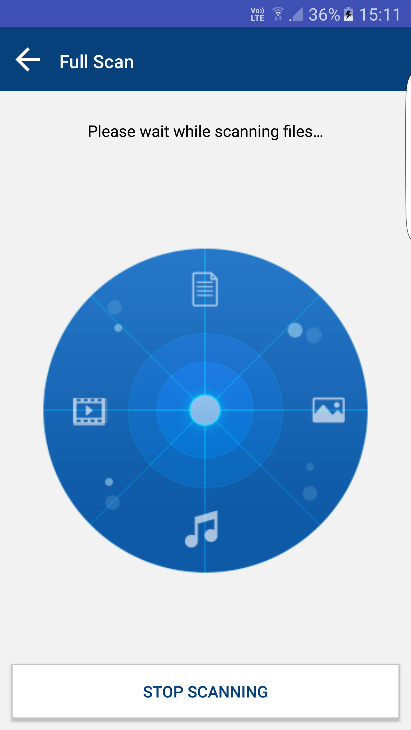
Scan results: Scan results are displayed in simple and understandable manner. It displays results in groups in auto-mark format. It retains last files of the group marked to be deleted. “Mark all except last” option allows you to mark first files of the groups. You can “Unmark All” files to manually select them further. Press “Delete Now” button to remove all identical files. Alternatively, you can choose “Backup Now” option to take backup of the files on cloud servers using “Right Backup” tool.

Unmark shortest file location: This is the useful addition of the app which helps you unmark those identical files from the group which exists at the shortest file location of your device storage. At the same time, it will remain mark and remove those identical files from the group which exists at the longest file location. It helps you quickly access the files on your device.
Settings
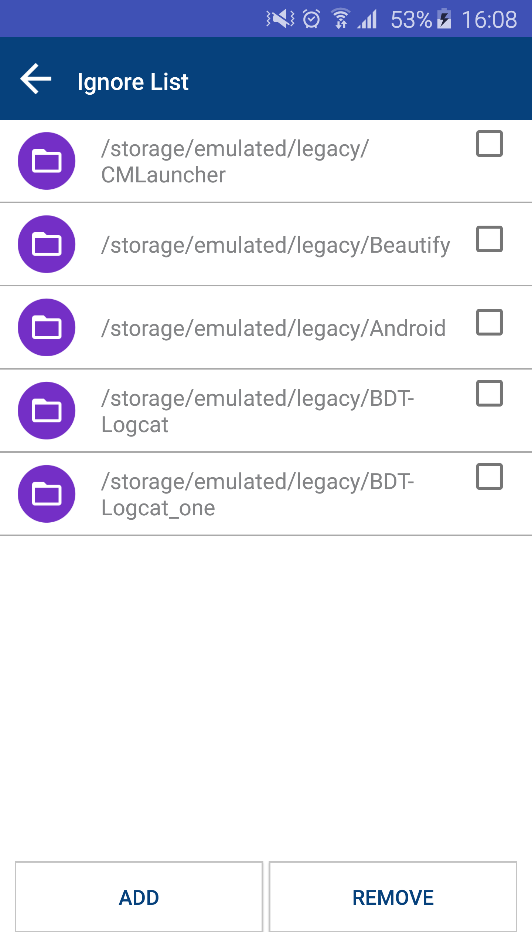
Ignore list: To exclude any file from the scanning process add that file to Ignore list. It allows you to add or remove any file to Ignore list from internal memory or SD card. Using this feature, you can retain your important files untouched. Using this feature, you can manage your scanning process as well.
Scan filters: You can find few useful scan filters here. These scan filters include same name, same size, and same content filters. Apart of it, you can include 0-byte files or hidden files & folders in documents or full scan mode. Setting these filters, you can refine your scanning process to a larger extent. It can also help you save your time and efforts. Using this feature, you can get improved and accurate results instantly. Alternatively, you can choose “Default Settings” option.
Language: App supports multiple language options. It offers all major language options. Just click on the language of your choice and app will transform all features immediately into your language. It is a useful feature which helps users around the world to perform tasks on this app in the language of their choice. It helps extend user base around the world.

Themes: Two intuitive themes are added to the app to cater different taste users. It offers Classic and Material theme to users. Both the themes are user-friendly and easy to use. Select Classic or Material theme to feel improved user experience.
Verdict: App is designed to provide you improved device performance by de-duplicating it. It helps you recover a lot of valuable storage space occupied in the form of duplicate files on your device. It scans your complete device even the remotest corners of it to provide you instant and accurate results. It allows you to view files in the scan results to help you better manage your scan results. It uses advanced algorithms to find and delete similar and exact looking files on your device. You can use this tool for improved speed and performance of your device. It offers numerous useful features to become a choice of masses.

If you’re fast with the credit card, you can pick up a Sony Xperia X Performance phone for $300
Why it matters to you
There are smartphone bargains out there if you look for them, and this deal on last year’s Sony flagship is a great one.
If you’re quick with the credit card, and have a good eye for a bargain, it’s still possible to pick up an excellent phone for a low price. Just such a deal has shown up at B&H Photo, where the Sony Xperia X Performance is on sale for just $300, down from its usual $500, plus the gorgeous graphite black version is among those in stock.
The Xperia X Performance was the top-of-the-range model announced by Sony at Mobile World Congress in 2016, which makes it over a year old, but it still has a strong set of specifications. What’s more, the $300 price tag sees it go alongside smartphones with inferior technical ability, so if all you have to spend is $300, it’s a solid buy.
It gets its name from the Snapdragon 820 processor inside — the fastest chip you could get at the time — which is accompanied by 3GB of RAM and 32GB of internal storage space. The camera, often a Sony highlight, has 23 megapixels on the rear, and 13 megapixels on the front selfie camera. Although Android Marshmallow was installed at launch, an update to Android 7.1 Nougat was made available at the end of April 2017.
Perhaps the most notable feature rarely seen on other phones at this price is water resistance, and the Xperia X Performance manages an IP68 rating, which is the highest level available for mobile devices. Sony hasn’t been a fan of large screens for sometime, and the Xperia X Performance has a fairly modest 5-inch display with a 1920 x 1080 pixel resolution, which paired with the 2,700mAh battery should result in a decent standby time.
B&H Photo is selling the Xperia X Performance in its graphite black, lime gold, rose gold, and white color schemes, all at $300. However, the deal is only live for a single day, so if you wait too long, it’ll will pass you by.
Amazon’s 7-inch Fire Tablet dropped to £35 again in the UK
If a cheap, yet not terrible Android tablet is what you seek, you can do worse than Amazon’s excellent 7-inch Fire Tablet. And if you’re in the UK now is definitely the time to buy as Amazon has dropped the price again.

Right now the 8GB model is just £34.99 while the 16GB is only £10 more at £44.99. It has a microSD card slot for expansion and a most excellent kids mode making it a good choice for the little ones.
Hit the link below and grab it while it’s hot.
See at Amazon
Facebook solution to India’s connectivity problem is 20,000 Wi-Fi hotspots
Express Wi-Fi is Facebook’s latest initiative to deliver low-cost internet access to underserved regions.
Facebook’s Free Basics initiative was shuttered in India last year after the country’s telecom regulator deemed it violated net neutrality. The social network has since shifted focus to Express Wi-Fi, another project that falls under the purview of its internet.org program.
Express Wi-Fi is a paid public Wi-Fi service that aims to deliver fast and reliable internet connectivity to underserved regions. Facebook started trialing the service in India back in 2015, working with ISPs and over local entrepreneurs to set up 700 hotspots in rural regions across four states. The company is now announcing the commercial launch of Express Wi-Fi in India, with Facebook tying up with Bharti Airtel — the country’s largest carrier — to launch an additional 20,000 Wi-Fi hotspots.

With Express Wi-Fi, Facebook is encouraging entrepreneurs to team up with ISPs to resell internet access to their communities. In addition to Airtel, Facebook has partnered with local ISPs — AirJaldi in Uttarakhand, LMES in Rajasthan, Tikona in Gujarat, and soon with Shaildhar in Meghalaya — to bring affordable internet connectivity to these regions.
The pricing will be controlled by Facebook’s partners, and customers will be able to purchase daily, weekly, or monthly data packs. Based on the latest figures from India’s telecom regulator, just 33% of India’s population — or 390 million people — are connected to the internet, so there’s a lot of scope for initiatives like Express Wi-Fi. The emergence of Jio has changed the perception of mobile data consumption in the country, and Facebook is now counting on Express Wi-Fi to bring millions of customers online for the first time.
Alongside India, Facebook is also testing Express Wi-Fi in four other countries — Kenya, Tanzania, Nigeria and Indonesia.
Nougat update finally rolls out to AT&T’s Galaxy S6, S6 edge, and S6 active
Nougat OTA update is now available for AT&T’s Galaxy S6 series.
AT&T has finally started rolling out the Nougat update to the Galaxy S6 series. The Galaxy S6, S6 edge, and the S6 active are now receiving the Nougat OTA update, which varies between 1.2GB to 1.36GB based on the device.

The update brings with it all the features introduced in Nougat, including in-line replies, a better Doze mode, improved security, as well as stability and performance fixes. It also contains the April 1, 2017 security patch. If you’re rocking AT&T’s version of the Galaxy S6, S6 edge, or the S6 active, now is the time to head into your device’s settings to manually initiate the download.
Samsung Galaxy S6
- Galaxy S6 review
- Galaxy S6 complete specs
- Galaxy S6 news | GS6 edge news
- Galaxy S6 beginner’s guide
- Galaxy S6 forums | GS6 edge forums
- Shop for accessories
Amazon
Verizon
AT&T
Sprint
T-Mobile
How to set up Samsung Pay with your Samsung Galaxy S8

Setting up Samsung Pay on your Galaxy S8 is far easier than you think.
Paying for purchases while you are out and about has gotten far easier over the years, and tapping your phone to pay with Samsung Pay is one of the most convenient methods. Setting this app up on your Galaxy S8 is pretty easy and shouldn’t take more than a few minutes of your time. We’ve got all the details for you here.
Setting up Samsung Pay on your Galaxy S8

Samsung Pay allows you to pay for purchases by simply tapping your phone against a terminal. This means you don’t need to fumble with your wallet or cash, because your phone handles the transaction for you.
To get started with Samsung pay, the first thing that you’ll need to do is download the app. When you open it up you’ll first need to agree to terms of service, and a privacy notice. Next you need to set up how you want to verify purchases — you can use a pin, iris detection, or the fingerprint scanner. From there, it’s all a matter of entering your credit or debit card information.
Depending on your bank, you may need to make a phone call after initially setting up Samsung Pay. This is to verify your bank card information and ensure that there isn’t any kind of identity theft going on. You may also be prompted with whether you want Samsung Pay to be your new default tap and pay method.
Step by step instructions
Open Samsung Pay
Agree to Terms and Conditions
Tap Next

Tap to choose a verification method
Tap Next
Tap add and enter your bank card information to add a bank card.

Tap call your bank in order to verify your card.
Will you be using Samsung Pay?
Samsung Pay is an easy way to use your phone to pay for purchases when you are running errands. With an easy set up, and just tapping your phone to a terminal to use, it can certainly be more convenient than fumbling through your wallet. Will you be setting up Samsung Pay on your Galaxy S8? Let us know in the comments below!
Samsung Galaxy S8 and S8+
- Galaxy S8 and S8+ review!
- Galaxy S8 and S8+ specs
- Everything you need to know about the Galaxy S8’s cameras
- Get to know Samsung Bixby
- Join our Galaxy S8 forums
Verizon
AT&T
T-Mobile
Sprint
Qualcomm’s mid-range Snapdragon 660 is arriving next week
Qualcomm’s mid-range chipset for 2017 is on the horizon.
Qualcomm’s Snapdragon 625 turned out to be a very capable processor, and the company is all set to introduce its mid-range chipset for 2017. According to media invites sent out to Chinese media, the Snapdragon 660 will be unveiled in the country on May 9.

Based on recent leaks, the Snapdragon 660 will be manufactured on a 14nm node like last year’s Snapdragon 625 and not the newer 10nm node that the Snapdragon 835 is based on. The chipset is rumored with four Cortex A73 cores clocked at 2.2GHz along with four 1.9GHz Cortex A53 cores. Also included is an Adreno 512 GPU, X10 LTE modem, support for UFS 2.1 flash storage, dual-channel LPDDR4X RAM modules clocked up to 1866MHz, and Quick Charge 4.0.
The SoC is expected to go into mass production sometime later this quarter, and is likely to power upcoming phones from Xiaomi, OPPO, Vivo, and Nokia. With the announcement just under a week away, we don’t have to wait long to find out what’s new with the Snapdragon 660.
Mobile payment systems have stagnated, unless you have Samsung Pay
In the US, the state of mobile payments on Android is kind of sad.

It’s been about a year since the last time I used Samsung Pay, and the service has continued to grow without me. But it hasn’t grown in a vacuum, and here in the US the way we pay for things at a register has been slowly changed as well. I decided to head out into the world around me intent on paying for everything with both Samsung Pay and Android Pay to see how things had changed.
Long story short, Samsung Pay is easily the most useful mobile payment system you can have today. Here’s how I came to this conclusion.
Paying for things in Maryland, USA

I live in a fairly unique area with wildly different lifestyles in just about every direction around me. I’m 20 miles from “the country” with older gas stations that haven’t updated in what seems like 20 years, 5 miles from “the city” where everything is new and everyone does everything with their phone, and in between there are “college towns” with every kind of vending machine you can think of. I bring this up because nothing in my area ever seems to accept credit card payments the same way right now, and it can be a little maddening.
Much of the US shifted to new payment cards with chips embedded in them. We didn’t go the full “Chip and Pin” route you see in other countries, opting instead for “Chip and Signature” so the transaction process is guaranteed to take longer in many situations. This update, and its resulting policy changes, caused a lot of retailers in this area to update their payment terminals to accept chip as a form of payment. These terminals almost always included NFC, which meant a lot of places that didn’t use to support things like Android Pay in my area finally did over the last year.
But this change also isn’t universal, which means the following payment scenarios are not only possible but actually happen in my area:
- Payment terminals with chip readers that don’t accept chip as a payment method yet, even though they’ve been installed for over six months now.
- Payment terminals with chip readers that only allow you to use the chip with certain cards, and reject the payment if you use the magnetic stripe.
- Payment terminals with big friendly signs for Android Pay that don’t actually support Android Pay yet because the feature hasn’t been enabled.
- Payment terminals with big friendly signs for Android Pay that work just fine, but your cashier has no idea how to use the feature and makes you use something else.
Put nicely, it’s a mess. And it’s not going to get simpler at any great speed, despite an almost constant series of reports surrounding magnetic stripe skimmers being installed basically everywhere. Here in the US, we have one group of people desperately clinging to the past and another group trying way too hard to push forward with what seems like no thought at all towards the path of least resistance. Yes, I am still talking about payment systems.
Android Pay vs Samsung Pay
What mobile payments really come down to for many of us is the option Google created for all Android phones with an NFC chip built in and the option Samsung made that only works on higher end Samsung phones. It’s a common theme when we look at just about anything on a new Samsung phone nowadays, but there are some technical details and features that make this a lot more than a cosmetic comparison.
Making payments

Most people think about mobile payments as the tap-and-pay method. You touch your phone to the special spot on the terminal, and the transaction happens. Both Android Pay and Samsung Pay can work this way, and the transaction is secure and usually faster than using a chip.
If your cashier has never seen this done before, it is not unheard of for you to be called a witch or asked to leave the store.
If you didn’t already know, Samsung Pay includes a way to pay for things that isn’t available on anything but Samsung pay. Through Magnetic Secure Transmission, Samsung Pay uses your phone to basically trick the payment terminal into thinking you just swiped a card. This way, even if the payment terminal doesn’t technically support mobile payments, you can still use your phone to pay for things.
Fair warning though, if your cashier has never seen this done before, it is not unheard of for you to be called a witch or asked to leave the store. I wish I was joking. Also, since the “card” being used isn’t your actual card, if a skimmer gets your information it is immediately useless to them.
More than credit and debit cards

Neither of these apps are “just” mobile payment apps anymore. These apps want to store everything you’d normally keep in your wallet, aside from your ID and that icky paper money. You can store rewards or loyalty cards from everywhere you shop, gift cards from dozens of retailers and restaurants, and there are a lot of options when using these cards.
The more you use your phone to pay for things, the more this rewards program makes available to you.
If your loyalty card has a barcode, that image will appear on your screen to be scanned by the cashier. A nice feature to Android Pay is using your location to offer up the right loyalty card or to remind you that you have a gift card to use at a location when you arrive. Samsung Pay is technically capable of something similar, but in my tests it was far less reliable than Android Pay, which gave you a quick notification and jumped you immediately to the card you needed for validation or payment.
Where Samsung Pay really shines is in its coupons and rewards. Samsung is deeply focused on keeping you using Samsung Pay right now, and does so by offering a number of coupons in the app that are tied to your location. It pulls up deals in your area, and gives you everything you need to complete the transaction on the same screen. If you use Samsung Pay Rewards, your transactions earn you points that can be spent of a variety of different promotions. The more you use your phone to pay for things, the more this rewards program makes available to you. Google will occasionally offer promotions via email or as a pop-up in the app, but nothing as verbose or compelling as the setup in Samsung Pay.
Samsung Pay is where it’s at, for now

It couldn’t be more clear that Samsung Pay is the most functional option right now. That’s not an easy pill to swallow, because the success of this service only serves to further highlight how weird and broken payment systems are in the US right now, but that’s certainly not Samsung’s fault. This service works almost everywhere, which is something that simply won’t be true of Android Pay anytime soon in the US.
But this compare also highlighted something Google needs to consider borrowing from Samsung. It’s no small thing to make or break a habit, and getting into the habit of using Android Pay for as many things as possible would be a lot easier if there was something in the app to directly remind or encourage users to shop with their phones. Whether that takes the form of a retail coupon program or a usage rewards program or something altogether different is up to Google, but the next step in mobile payments can’t be to wait for more retailers to support your hardware and hope for the best.

