


Samsung Galaxy S8 customers complain of red-tinted displays
Why it matters to you
While it’s hard to say how common this issue is, it’s something to watch out for if you’re planning on buying a Galaxy S8 anytime soon.
The AMOLED edge-to-edge curved display on Samsung’s new Galaxy S8 has been widely praised as one of the phone’s crowning features — but unfortunately, it seems some models may not be living up to expectations.
Prior to the phone’s worldwide launch, the Korea Herald reported some customers in the region were complaining about a red tint to the panel that couldn’t be corrected by changing the color balance in the settings.
This week, an update reached T-Mobile Galaxy S8 customers in the United States giving users deeper control over color balance, so they could fix the issue themselves. Unfortunately, it doesn’t appear to be doing the trick in all cases, according to commenters on Reddit.
“I wonder if I just got a bad phone,” one individual responded. “Update makes my red tint into blue tint.”
Others have had better luck.
“I modified the setting a tad bit. Shift one click cooler, and reduced the red scale by about 30%,” another said. “It’s not red anymore unless I really look, but it’s enough to not notice anything wrong. It really didn’t bother me much before.”
On some devices, users have been able to manually correct the tint with the tool provided in the update. Other handsets are still presenting issues, with some owners saying that attempting to compensate for the red shift is resulting in too much blue or green.
While it’s possible that those who are still suffering may just be improperly modifying the display’s color balance, the responsibility to fix the problem should not land squarely at customers’ feet. Samsung may have released a tool that allows people to fix the issue on their own, but color balance is a very tricky thing to get right, and the company is misguided if it expects owners to be able to flawlessly do all the work.

Yonhap
Samsung maintains potential defect is a non-issue
Samsung has steadfastly downplayed the problem every step of the way, even while it issued the update. The company responded to the initial report by saying the phenomenon was “not a quality problem,” and could “be adjusted with the phone itself.” Then, several days later, a spokesperson from the company confirmed to the Korea Herald that it would distribute the software tool in an effort to relieve users’ concerns.
“We will upgrade the software because of some dissatisfied customers although there is no problem in the phone itself,” Samsung told the publication — which makes the fix either a tacit admission of guilt or an attempt to minimize a potential public relations roadblock as the company launches its biggest product of the year.
All this update does, according to the Korea Herald, is allow for a greater range of color in the display settings, so that owners can turn down the red effect further than was previously possible. Based on an image in the article, both the standard Galaxy S8 and the larger Plus variant have been affected.
Some have speculated the cause might be the unique construction of the display. While typical LCD screens in smartphones utilize three equally sized subpixels — red, green, and blue — the Galaxy S8’s AMOLED panel features an unconventional layout where small, oval-shaped green pixels sit between much larger, diamond-shaped red and blue pixels. This results in twice as many green sub-pixels as the rest, which, according to industry personnel not identified in the Korea Herald report, initially created a green shift.
Samsung supposedly attempted to correct for this by dialing up the intensity of the red sub-pixels, and in the process, may have made them too strong.
This news comes a month after experts at DisplayMate awarded the Galaxy S8’s panel the highest grade they’ve ever given to a smartphone screen. The review noted the inclusion of a user-adjustable white point setting and commended the device for its very accurate standard color gamut.
We should also note that a teardown of the Galaxy S8 Plus from the DIY specialists over at iFixit called the handset “essentially unchanged” from the Galaxy Note 7, at least when it comes to internal design. Rather, it would appear that Samsung is attempting to avoid a repeat of last year’s spontaneously combustible debacle by way of more thorough pre-release testing of its new flagship.
All the same, it is being reported that the battery voltage, capacity, and “design tolerances” are “virtually identical” between the new phone and the ill-fated old one. Moreover, iFixit apparently tore down a Plus that had a cell from “the same manufacturer as some Note 7 batteries.”
Article originally published on 04-18-2017 by Adam Ismail. Lulu Chang contributed to this report. Updated on 05-04-2017 by Adam Ismail: Added reports from T-Mobile users who have received the software update.
Flyr makes video creation a cinch with Snapchat-inspired tools
Why it matters to you
Making good mobile videos isn’t easy, but Flyr’s AI-powered tools can help.
Stories — those bite-sized, Snapchat-inspired videos on Instagram, Facebook, and Twitter — take time to do right. Staging shots, finding awesome fonts, selecting backgrounds, and fiddling with video transitions are not swift tasks, and they’re made more difficult by phones that lack advanced editing tools. Chopping up videos on an iPhone or Android phone is an exercise in frustration.
But Flyr, a self-described “interactive video experience,” wants to change that with the help of an intuitive interface, artificial intelligence, and a cloud-powered sharing platform. Hassan Uristegui and Brett O’Brien, the startup’s co-founders, describe it as a “stories” editor that supplies everything you need to make a slick clip — including GIFs, videos, pictures, backgrounds, and more.
Flyr is smart enough to convert online articles to video stories — feed it a URL and it will pull out images, headlines, and quotes, then add highlights and stylistic elements, and export the finished product to the social channels of your choice. Alternatively, you can start from scratch with a few descriptive sentences about the video you’d like to create, and wait for Flyr to pick out keywords and supply a background image, a spiffy font, and color-coordinated overlays automatically. If the elements aren’t to your liking, you can swap them with a simple tap and swipe to the left or right.


Flyr’s customization tools don’t stop there. You can pull in videos from YouTube and other sources and edit them in real time, and Flyr taps Giphy to supply more than 75 million animated images. And advanced creators can embed interactive elements and links to webpages.
Once you’re finally satisfied with your video story, exporting it’s a cinch. Thanks to Flyr’s cloud-powered exporting technology, you can share your story to Facebook, Twitter, Instagram, and Snapchat in a single tap — there’s no need to render. Even better, you can change things like the video’s orientation and aspect ratio without the need to generate a new one.
Flyr, which launched publicly in March, has hit the ground running. It has $5 million in seed funding, and it’s looking for further investment to expand its Los Angeles-based team of five.


“We want to [democratize] the creation of video stories,” Uriostegui told TechCrunch in an interview. “Look at Facebook and Twitter — people love memes, but it goes deeper than that. The meme is very powerful. It transmits a cultural idea. I believe that this format can be like a new kind of language for people.”
Florida judge orders reality TV star to unlock phone in ‘sextortion’ case
Why it matters to you
This case raises fresh questions about data privacy and whether or not government officials should have access to your digital life.
The U.S. government may have failed in demanding Apple unlock the phones of users, but now a judge is taking a different approach — ordering the users themselves to unlock their phones. A Florida judge has ruled that two defendants in a “sextortion” case must hand over the passwords to their phones, allowing officials to search them.
In the case, reality TV stars Hencha Voigt and her ex-boyfriend Wesley Victor, were accused of threatening the release of sexually explicit images of social media star Julieanna Goddard, unless she paid a ransom of $18,000 within 24 hours.
According to Voigt and Victor, who have pleaded not guilty to the charges, demanding them to unlock the phones breaks their constitutional rights, however, Judge Charles Johnson argues that he is following the law.
“For me, this is like turning over a key to a safety deposit box,” argued the judge, according to a report from the BBC.
The defendants were arrested in July and their phones were seized after police intercepted messages sent to Goddard. Prosecutors, however, have been unable to unlock the phones to search for more evidence. As a result, they are formally asking the court to order that the defendants hand over their passwords. The defendants now have two weeks to comply with the order.
The case is somewhat reminiscent of the San Bernardino, California, shooting when the courts ordered Apple to unlock the phone of the shooters. Apple refused, arguing that it would set a dangerous precedent for future cases. The FBI then reportedly found hackers that were able to break into the phone without Apple’s help.
Both of the cases raise interesting questions surrounding data privacy and the issue has certainly sparked controversy. Newer phones, however, are encrypted in a way that even Apple and Google can’t bypass, causing the debate to shift to whether or not manufacturers should have to build so-called “backdoors” into their software, through which they could bypass a phone’s security.
Amazing new prosthetic hand has an embedded ‘eye’ that lets it see what it’s reaching for
Why it matters to you
Researchers in the U.K. have developed a bionic hand, which uses an embedded camera and artificial intelligence to work out what it’s reaching for.
Yes, a hand with an eye embedded in it does sound a whole lot like one of the freakier scenes from Guillermo del Toro’s movie Pan’s Labyrinth. But it also describes a new smart prosthesis being developed by Newcastle University in the U.K.
What researchers there have created is a bionic hand, fitted with a camera that takes a picture of anything in front of it, so as to proactively trigger movements based on what it sees.
“Here we developed a vision-based prosthetic control solution that can identify the appropriate grasp type according to a learned abstract representation of the object, rather than the explicitly-measured object dimensions,” Ghazal Ghazaei, a co-author on the project, told Digital Trends.
Please enable Javascript to watch this video
The idea is to speed up the rate at which bionic limbs can operate, by bypassing some of the usual sequences that have to be followed before they carry out a task. Many amputees find prostheses slow by comparison to their remaining healthy arm or leg. However, by triggering or readying a series of movements automatically based on what is placed in front of a hand, the hope is that this prosthetic response rate can be brought more in line with that of biological limbs.
The in-built camera is equipped with image recognition algorithms, based on a convolutional neural network. This brain-inspired technology is trained on thousands of object images. Unlike a normal image recognition system, though, this one labels objects according to the type of grasp needed to interact with them. That could be anything from a pinch grip to a “palmar wrist neutral” or “palmar wrist pronated” one (that’s the grip you make when you pick up a cup versus picking up a TV remote.)

“The most exciting thing is that these features are learned automatically without any hand engineering, and the system suggests a grasp within about 40 microseconds by taking only one snapshot of an object without any measurements,” Ghazaei continued.
The technology has already been put through its paces by a small number of amputees at local hospitals, although Ghazaei said more work is needed before it’s read for primetime.
“The project is currently in the prototyping phase and further developments to the computational parts are in the pipeline,” she said. “There is also a database of everyday objects that is being created, which will enable the device to adapt to a wide range of objects and grasp types over the course of the project’s development phase. Due to the relatively low cost associated with this design, it has the potential to be implemented soon. For now, we are focusing on the development of this exciting new opportunity.”
Who needs news anchors? Conversational chatbots may soon report current events
Why it matters to you
This research may help chatbots deliver our news in a faster, more efficient manner.
Someday soon you may get your daily news by talking to a robot. The idea doesn’t sound so far-fetched in the age of Siri and Alexa, but these chatbots are still relatively primitive. Researchers from Carnegie Mellon University, Amazon, and Quartz are challenging developers to make chatbots more sophisticated, capable of conversing convincingly like humans. The aim is that someday these chatbots will be more deeply integrated into our daily lives, discussing everything from sports to politics.
At Carnegie Mellon, computer scientist Alan Black’s goal is to make computer speech as natural and dynamic as human speech. To that end, he and his colleagues launched the Conversational Intelligence Challenge, which pits text-based chatbots against each other to find the most convincing system. To determine the winner, judges will play a kind of Turing test, assessing the quality of the conversation to guess if they’re engaging with a human or a bot.
Black is eager to see efficient chatbots compete but he is careful not to overestimate how soon they could become a reality. “I’d like to have a system that reads the news in the morning, and I’d like to be able to talk about the news without having to go read it myself,” he told New Scientist. However, he said he doesn’t think a convincing bot will compete within the challenge’s first year.
Black himself is involved in another competition, Amazon’s Alexa Prize, which seeks a speech-based chatbot to support the company’s Echo devices. Set to be announced this November, the winner of the $500,000 prize will need to develop a system that can converse with humans for 20 minutes in a coherent and engaging manner.
Meanwhile, Quartz is investigating ways to deliver the news to its readers via chatbots with its Quartz Bot Studio. Supported by a $240,000 grant from the Knight Foundation, the initiative will experiment using bots and artificial intelligence to deliver news, particularly through its app. As part of the grant, Quartz committed to sharing its findings.
Google can now use Street View photos to update business listings on Maps
Why it matters to you
Google Maps is about to get a whole lot more comprehensive, thanks to the machine learning that can read business listings on Street View.
Google has been taking serious steps to update its business listings of late. Now, however, it’s taking that to the next level. How? By using machine learning to analyze Street View photos, after which it can successfully pull business names and phone numbers.
In recent tests, Google’s algorithm was able to read French street signs with an 84 percent success rate. What that means is that those Street View cars you see driving around may not only take photos for Street View, but they may also fill in Google Maps profiles automatically.
Of course, there are a number of factors that go into whether or not the algorithm can read the signs. Things like lighting, angles, cluttered backgrounds, and more, all affect how well the cameras can see signs. Still, an 84 percent success rate is far better than any previous algorithms, according to Google.
“Our algorithm achieves 84.2 percent accuracy on the challenging French Street Name Signs (FSNS) dataset, significantly outperforming the previous state-of-the-art systems,” said Google in a blog post. “Importantly, our system is easily extensible to extract other types of information out of Street View images as well, and now helps us automatically extract business names from store fronts.”
Google does already use neural networks in Street View. For example, as you browse through Street View you may notice that faces and number plates are blurred — which is the result of machine learning. The algorithms also use artificial intelligence to extract things like street numbers, which helps improve location data related to the images. Of course, numbers aren’t the be all and end all of location — which is why new algorithms will be able to read street names, too, using the same system that can read business names.
It will be interesting to see how Maps and Street View improve thanks to new algorithms like this, and Google will continue to make improvements to its machine learning algorithms.
The many, many ways of theming your Samsung Galaxy S8
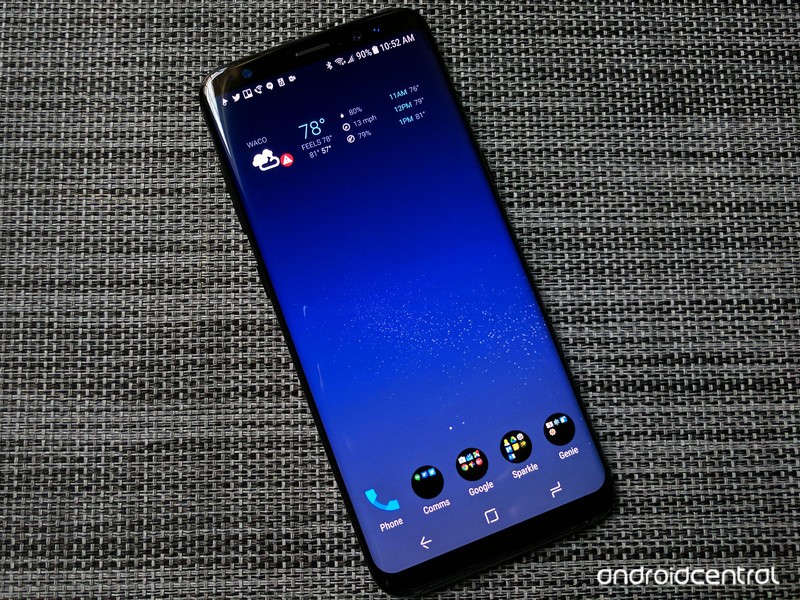
Be different, not the same.
We strive for individuality in life, and nowhere should we strive for it more than in our phones, a digital extension of ourselves and for many an embodiment of our lives. Samsung gets this, which is why for the last few years, we’ve been able to theme the system and several core apps on the phone to match our tastes with Samsung Themes. This year, that theming reaches new heights and new polish, but as always, there are pitfalls.
Here’s how to arrive at your perfect theme.
Before we begin, it’s important to note that the order of these changes is important because of how each of these elements is applied. If you were to apply a wallpaper or icon pack you liked, then apply a comprehensive theme, it would apply the icon pack and wallpaper from that theme over the ones you previously picked out.
Samsung Themes
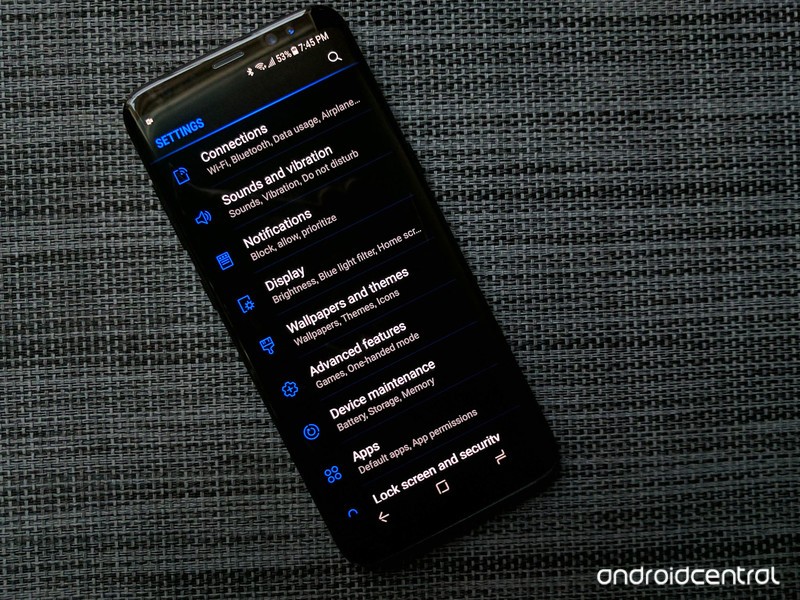
Samsung Themes offers up hundreds of comprehensive themes that apply to the entire system, changing the colors of not only your app drawer and icons but of the settings and the system popups. Even if you don’t use Samsung’s TouchWiz home launcher, Samsung Themes are something you should definitely consider as they can wipe away all the blinding white from your Samsung apps like the Dialer, Messaging, and Settings and replace it with something a little more soothing.

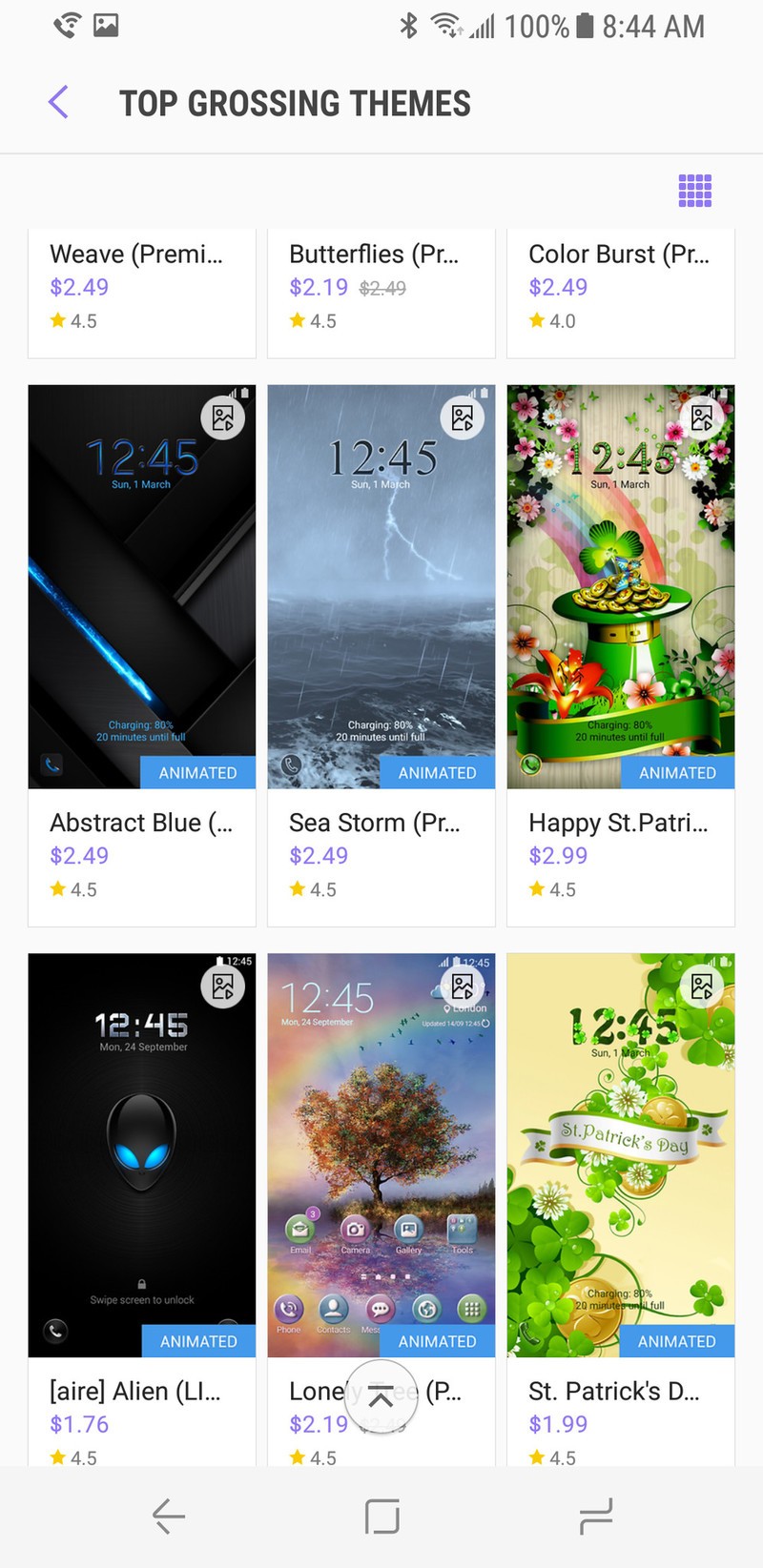
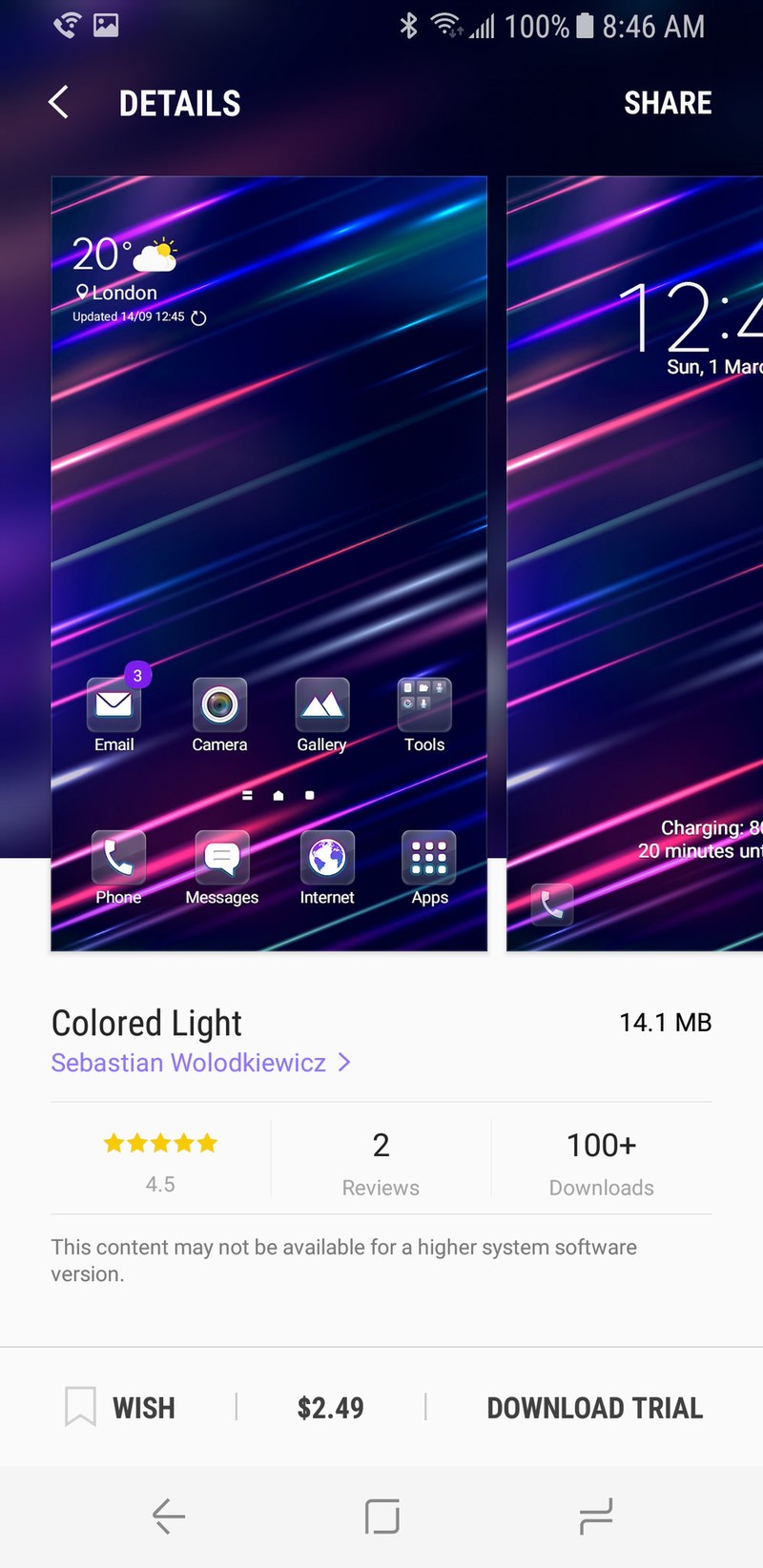
The Themes section of Samsung Themes is laid out quite similarly to any section of the Play Store, with a revolving carousel of promoted categories and theme styles, as well as shortcuts to the most popular and new themes to try. If you tap on a theme, you’ll be given example screenshots that show how the theme looks on your home screen, lock screen, and on some system apps.
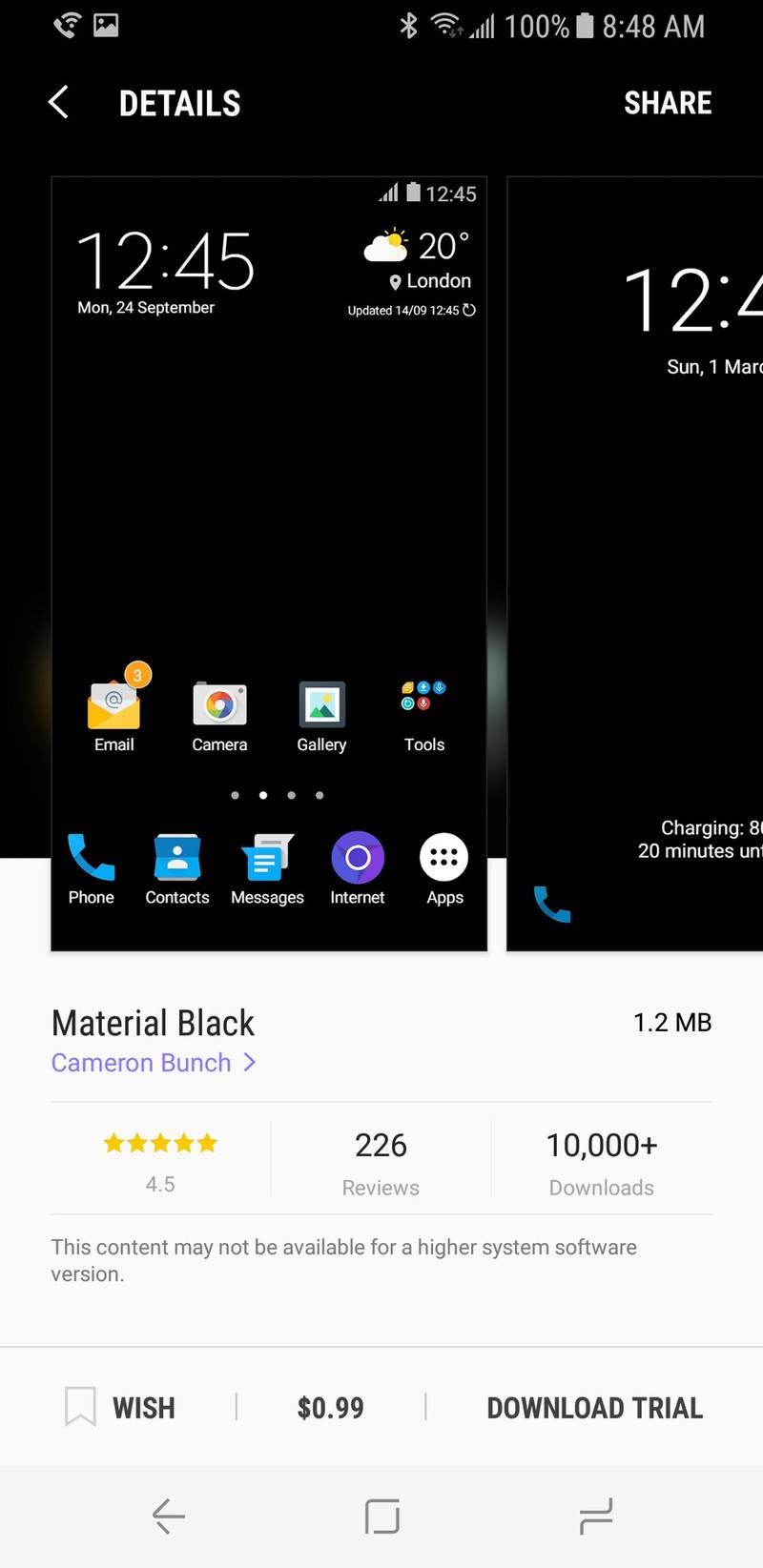
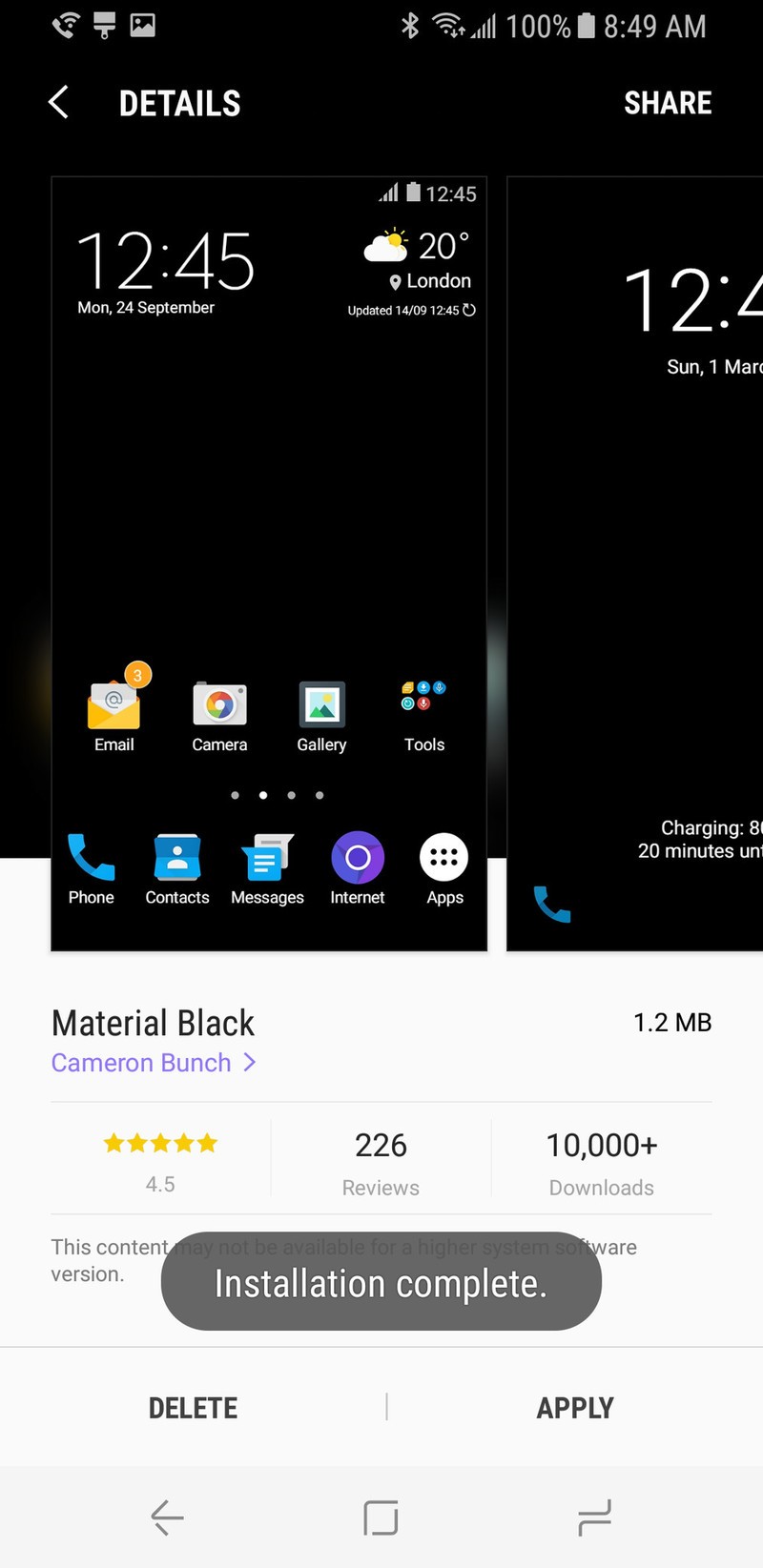
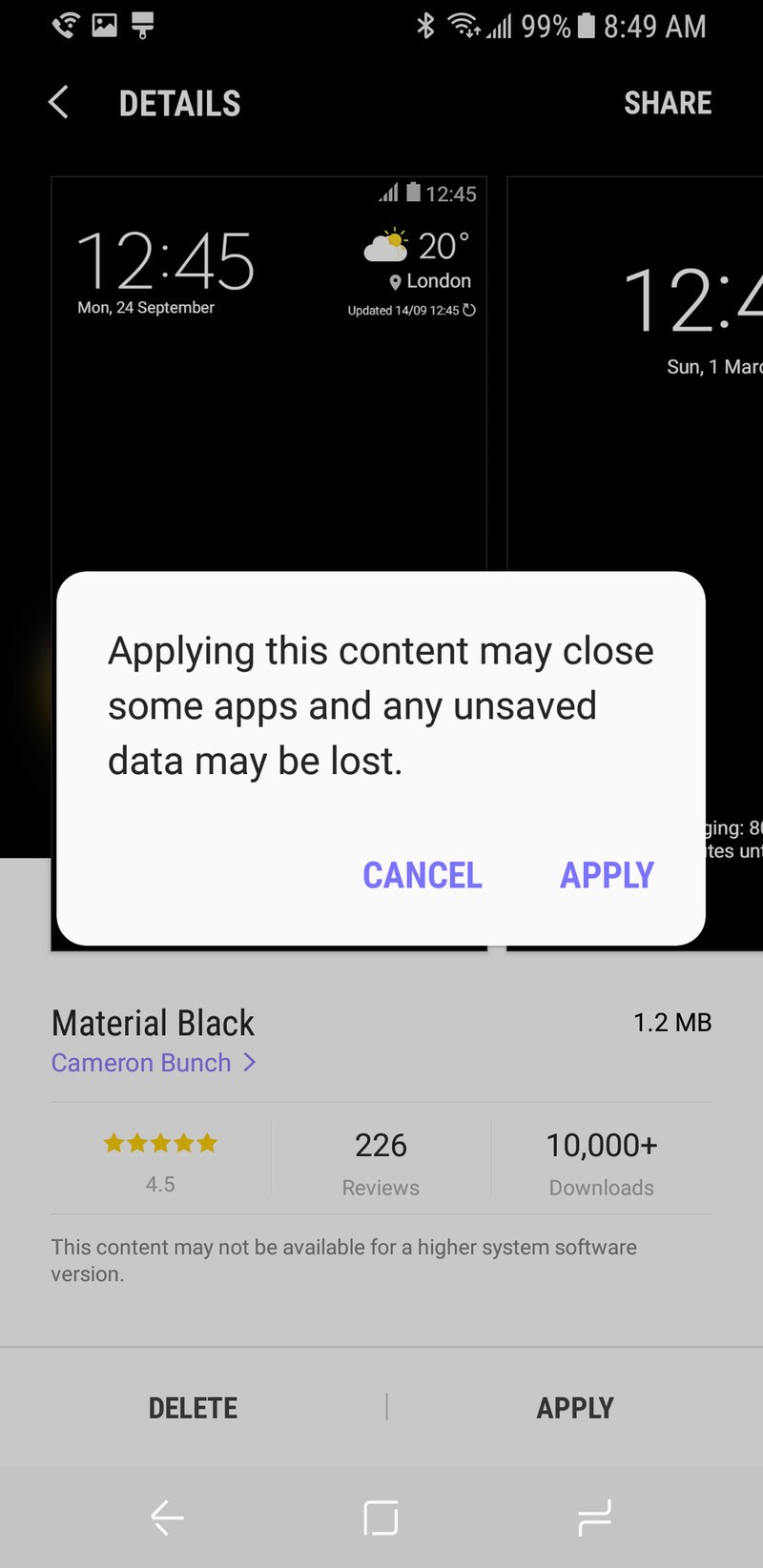
There are plenty of themes out there to try, and while there are some free themes that work quite well, many of the best themes are paid, and I’m more than happy to pay to have a good dark theme on my phone. You can even download paid themes as a trial to see how they look on your particular device before forking over your cash.
If you’re looking for a good place to start for dark themes, I recommend Material Dark by Cameron Bunch as a good free theme to start off with, and Blue Glow by Sebastian Wolodkiewicz is a paid theme that is as beautifully black as the night is long.
Infinity Wallpaper
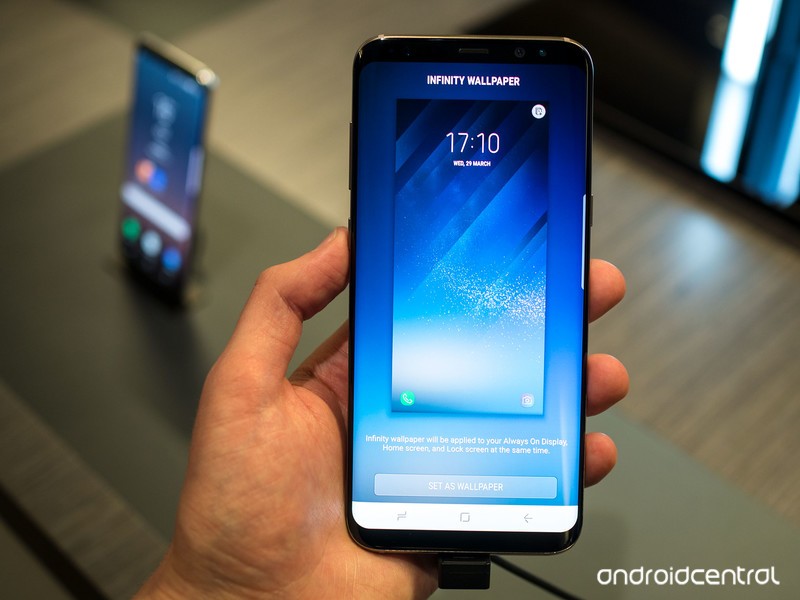
The combo-pack of animated, shifting wallpapers that morph between your Always On Display, lock screen, and home screen are pretty cool, and if you want to use them on each of those three screens, great! If not, you should apply your Infinity Wallpaper before you set something else as either the Always On Display or the home screen wallpaper, as Infinity Wallpapers apply all three at once, wiping out your old choices.
There are only a few Infinity Wallpapers that come with the Samsung Galaxy S8, but I’m hopeful that they’ll expand as the year goes on through the Samsung Themes store, until then, we have a few other choices if we find the Infinity Wallpapers lacking…
Always On Displays
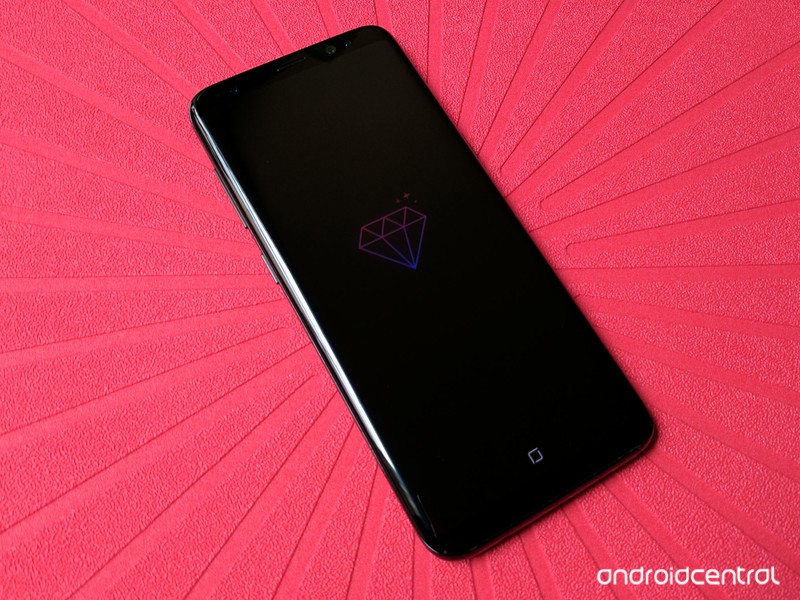
If you have your Always On Display turned off, then feel free to skip ahead, but Always On Displays don’t suck down much battery and can be beautiful, useful ways to let you see what’s going on with your phone without waking it all the way up. Each AOD has two modes: Clock, which shows the image with the time and notifications, or Image, which just shows the image on the AOD you’ve installed. I’ve personally found the Image AOD mode to be soothing without constantly reminding me how many notifications I’ve got, but if you prefer seeing the time and all the apps pestering you, it’s your choice.
Lock Screen Wallpapers
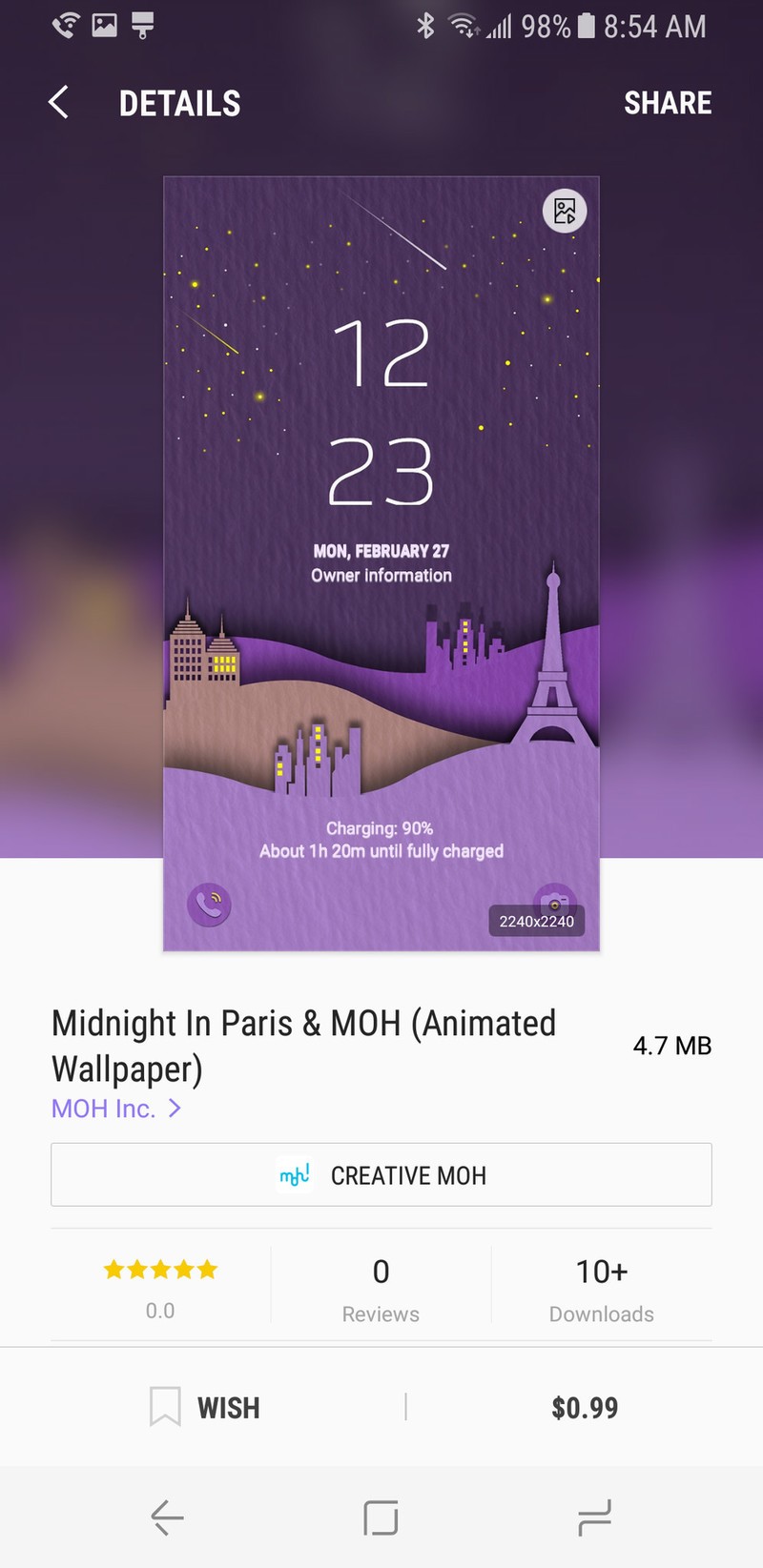
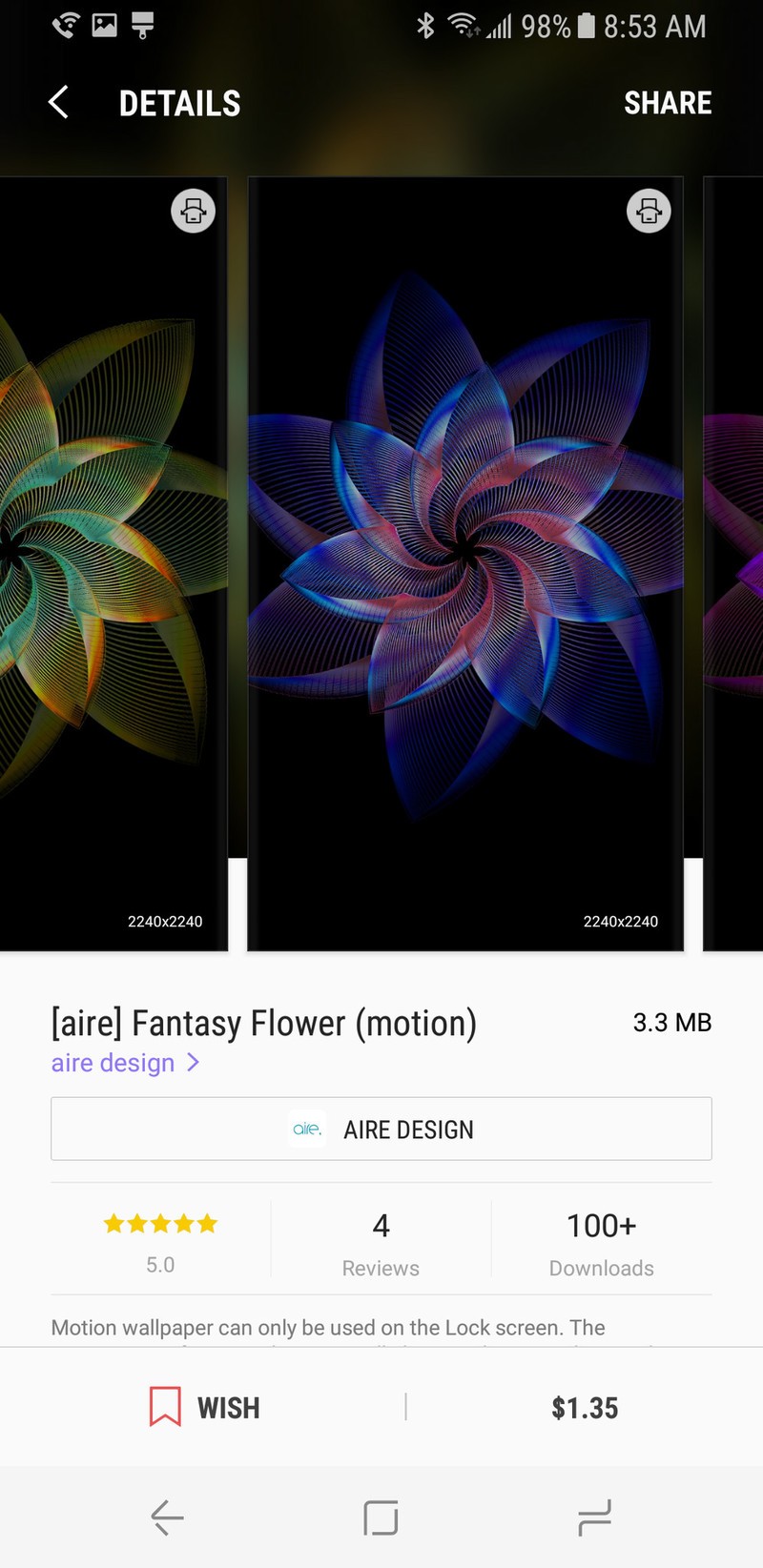
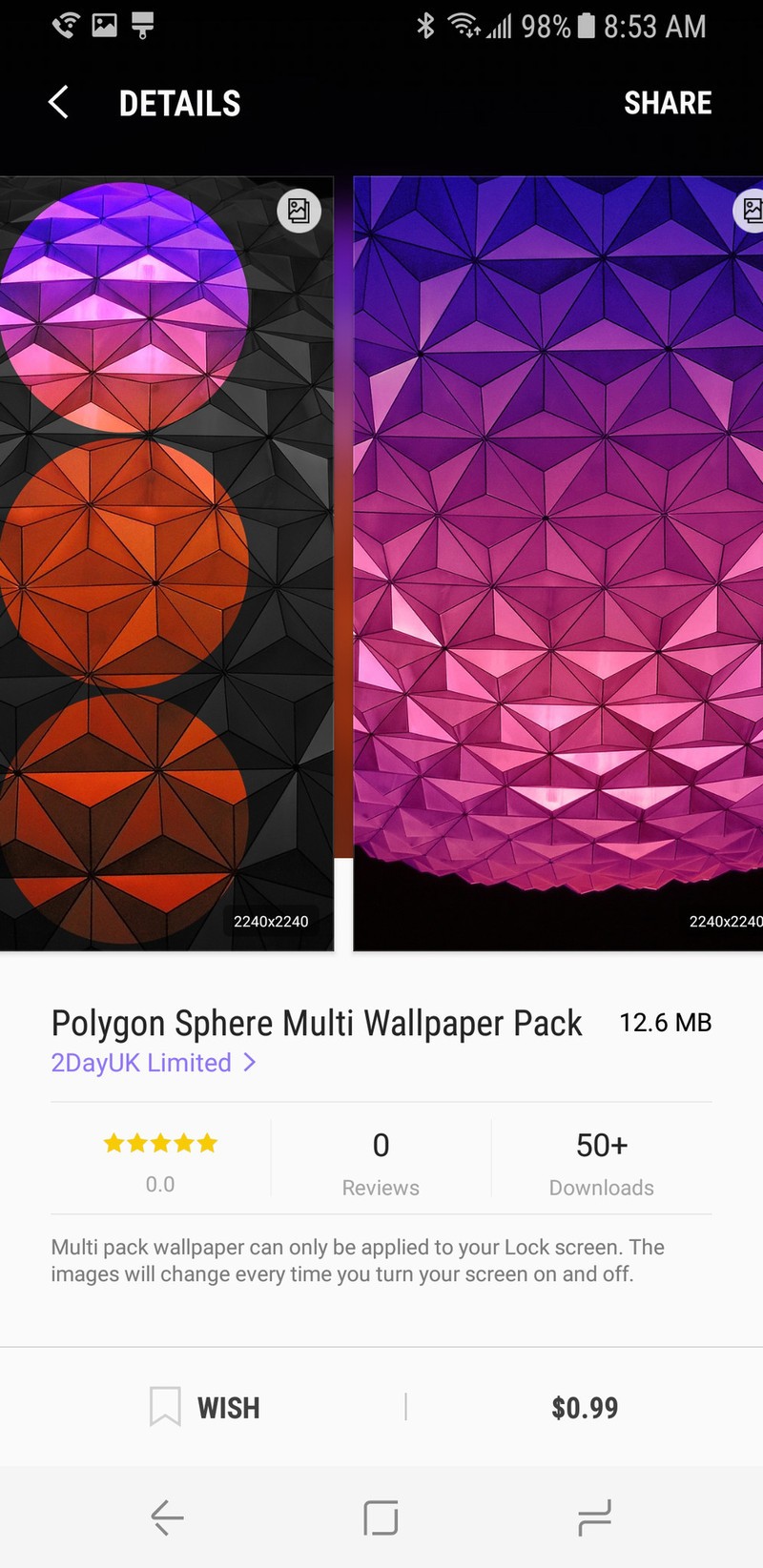
Lock Screen wallpapers are getting some attention in Samsung Themes on the Samsung Galaxy S8 with the addition of Animated Wallpapers, Motion Wallpapers, and Multi-Wallpaper packs. Animated Wallpapers animate on your lock screen (but not on your home screen). Motion wallpapers are still wallpapers that have moving elements when you’re on your lock screen. And Multi-Wallpaper packs have multiple screens that the phone will cycle through each time you come to the lock screen.
It is interesting that all of these are limited to the lock screen, as there are some unique wallpapers in here. As little as most users see their lock screen, you might not want to spend as much time here as you would on system themes or AODs, but if you’ve got the time, it’s worth exploring.
Wallpapers
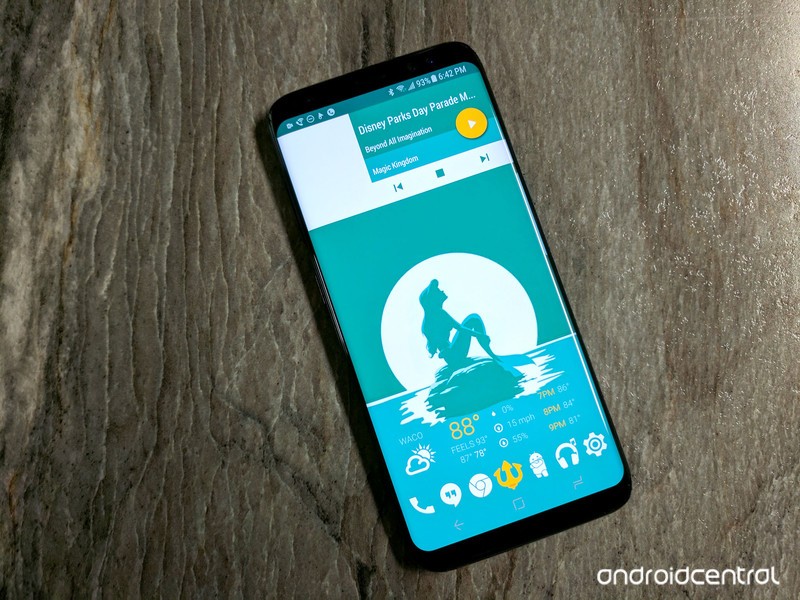
At last, we come to the wallpaper you’re going to see the most: the one on your home screen. While you’re not limited to the Samsung Themes store for wallpapers, you can certainly peruse the ones offered here, as they’re high quality and fitted for the tall design of the Galaxy S8’s screen. If you don’t like anything offered there, may I recommend the many, many wallpapers we’ve featured in our Wallpaper Weekly
Oh, but be careful when you’re setting a traditional wallpaper. You can overwrite your lock screen wallpaper if you click Lock and home screen when choosing where to apply your wallpaper.
Icon packs
Samsung, regrettably, does not allow you to use icon packs from the Google Play Store in the TouchWiz home launcher, so if you’re intent on sticking to Samsung’s launcher, then there are a few things to know about Icon packs in the Samsung Themes store.
First and foremost, they suck.
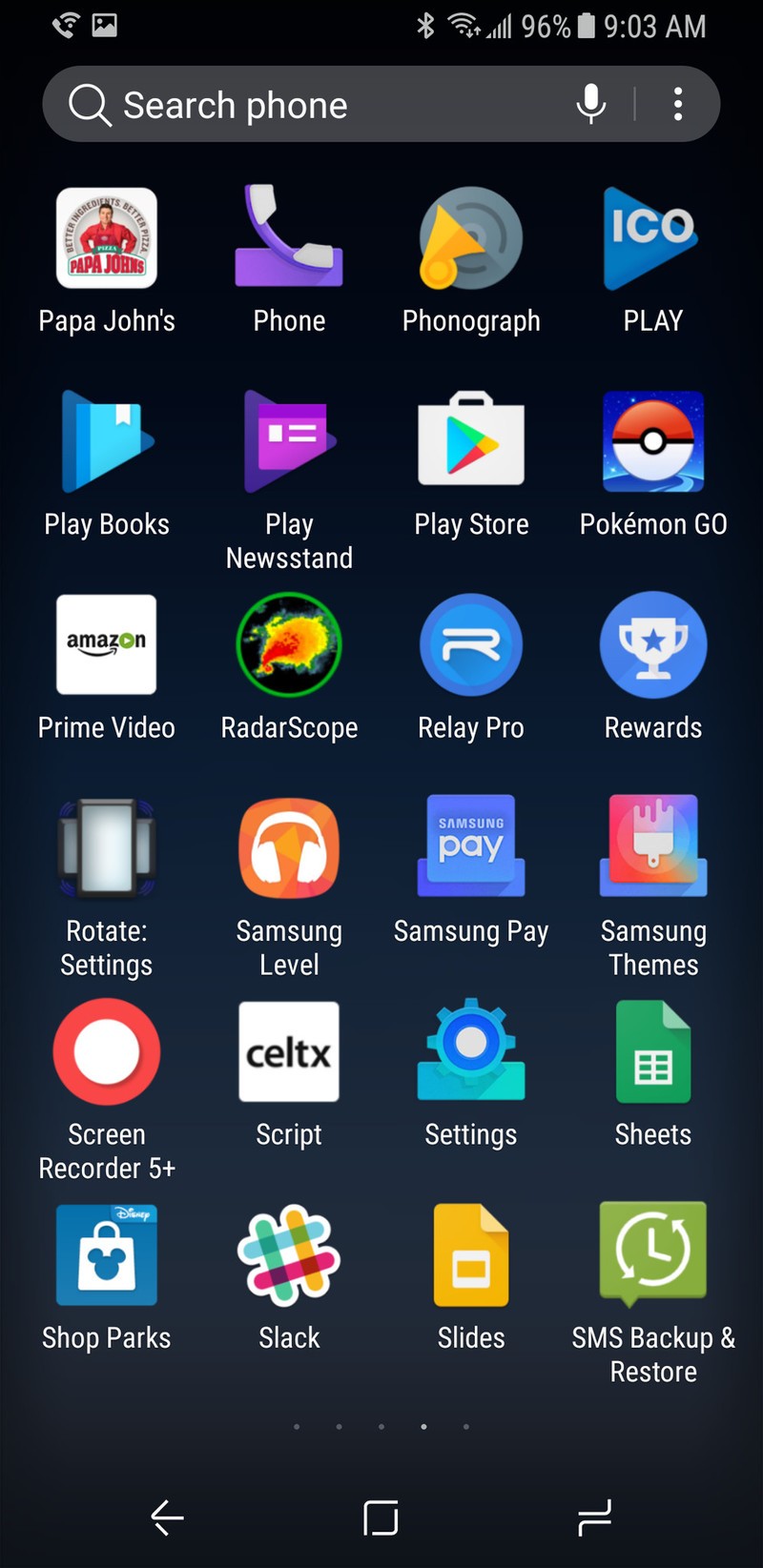
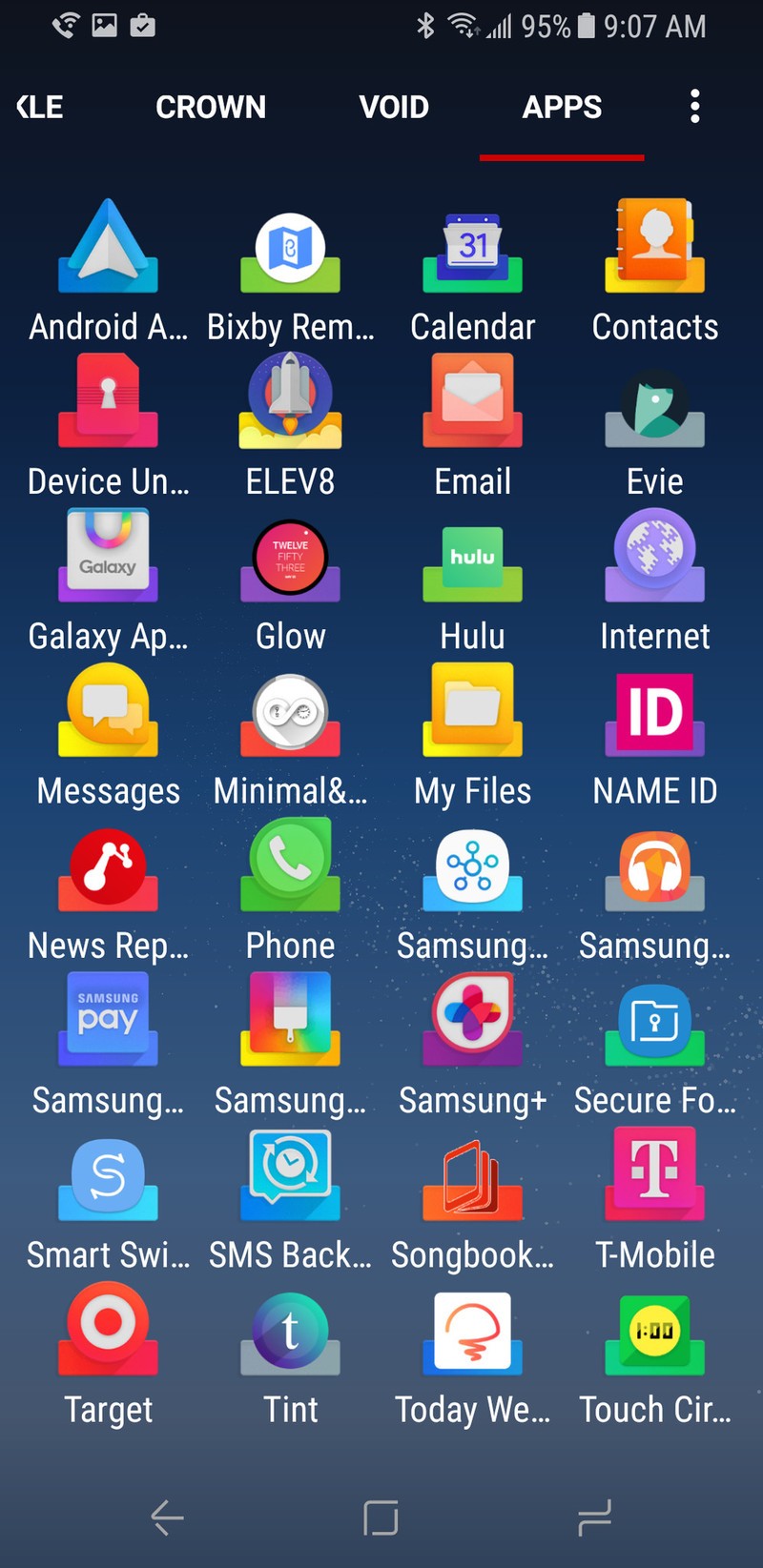 ELEV8 on TouchWiz home launcher, ELEV8 on Nova Launcher
They don’t apply evenly within the Samsung system, and the number of apps most icon packs theme by just slapping a mask on them and calling it a day is laughable. Even icon packs that are robust on other platforms, like the pack shown above, are hobbled on Samsung Themes. If you care at all about consistency on your home screen, you have two options:
1: Use the default icon pack.
2: Use a third-party launcher with Google Play icon packs.
I lean heavily towards using a third-party launcher on the Galaxy S8 for a variety of reasons. The margins on the S8 home screen purposely leave gaps at the top and bottom of the desktop that can’t be filled or delete. Folder previews with nine icons are too darn hard to see at a glance or at a distance, and folder previews with nine icons stick out like a sore thumb against a sea of regular app shortcuts. Gestures on the TouchWiz home launcher are simplified in the wrong ways, and it could stand to learn a thing or five from Evie Launcher. You can’t back up the TouchWiz home launcher, and you really, really should back up your launcher.
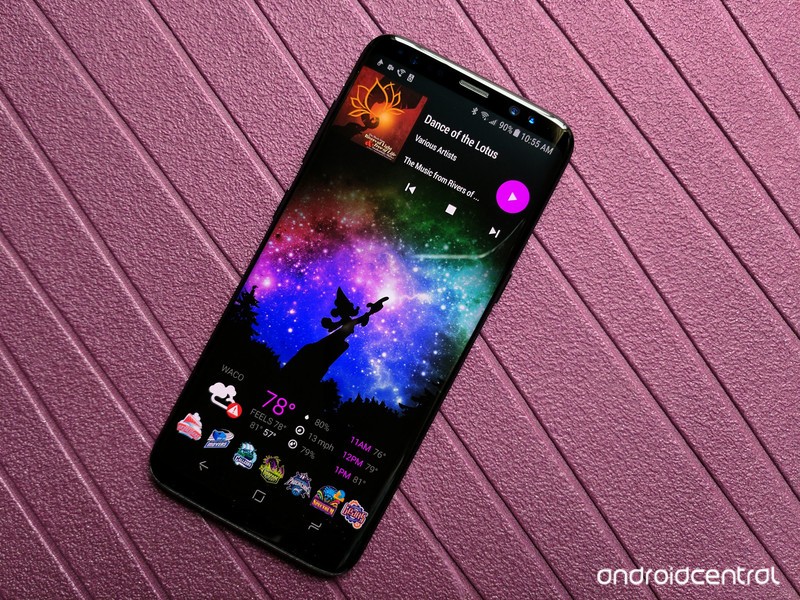
The Samsung Galaxy S8 is a phone that themes beautifully and more completely than almost anything on the market today. Even if the launcher leaves a lot to be desired, it’s still well worth the investment in Samsung Themes for Always On Display, your lock screen, and your system theme. Now, excuse me, I think I’m going to go savor this dark theme…
Samsung Galaxy S8 and S8+
- Galaxy S8 and S8+ review!
- Galaxy S8 and S8+ specs
- Everything you need to know about the Galaxy S8’s cameras
- Get to know Samsung Bixby
- Join our Galaxy S8 forums
Verizon
AT&T
T-Mobile
Sprint
This Bluetooth Breathalyzer will keep you out of trouble on Cinco de Mayo
Don’t let this be a repeat of St. Patrick’s Day. Nobody wants to see that again.
Cinco de Mayo, a cherished drinking holiday among people whose only real experience with Spanish outside of High School is saying “Cinco de Mayo” in what they swear is a flawless accent, is on a Friday this year. That means a ton of people are going to leave work on Friday with every intention of not being totally sure where they are when waking up the next afternoon.
There’s a good chance you’ll find no shortage of places around you serving up all manner of festive specials, but before you go out there’s an accessory you may find useful. Even better, it’s on sale and can be shipped overnight via Amazon Prime.

This is the BACtrac, a Bluetooth-enabled Breathalyzer that fits nicely in a pocket or on a keyring, and tracks your Blood-Alcohol Concentration as you enjoy the evening. Breathe into this every once in a while to see where you are and how much more you can handle, and when you’re done for the night the app will tell you when you’ll return to safe levels for things like driving.
It’s simple, it’s cheap, and you could even make a game out of it with your other friends. Just, you know, be safe. We like having you here.
See on Amazon
Best Free Games For Gear VR

There are plenty of great games for Gear VR available for free!
When it comes to finding great games for Gear VR, the Oculus Store delivers tons of great content across the genres. Whether you’re low on cash at the moment and looking for a fun new game, or you’re new to VR and trying to ease your toes into the water, it’s a breeze to find fun new games available for free. There’s actually an entire category dedicated to free games and apps, and we’ve gone through it to find the gems you should be checking out!
Read more at VRHeads.com
LeEco adds DirecTV Now app to its TVs, throws in 3 month subscription free
This is the first DirecTV Now app available directly on a smart TV.
LeEco has just started rolling out a software update to its 4K TVs that includes the DirecTV Now app, and it’s sweetening the deal by also offering three months of the subscription for free. The new software update brings the streaming service directly to LeEco’s range of TVs, including the X43 Pro, X55, X65 and the massive uMax85.

From LeEco:
To initiate the software update, users simply power on their LeEco TV and connect to the internet, and a software update alert will appear with the option to update. The software can also be manually updated from the TV’s home screen by navigating to the System Update app.
Once the download is complete, DIRECTV NOW will appear in the Apps section on the TV’s home screen. DIRECTV NOW customers simply sign in with their DIRECTV NOW account and enjoy TV programs and more. Customers who have not activated DIRECTV NOW can visit directvnow.com to activate the service.
Now of course the DirecTV Now app is available all sorts of places, but there’s a certain synergy about having it installed right on the TV you’re already using that can make it more desirable than an app on a box or your phone. After your free months of service end the DirecTV Now service has a few tiers starting at $35 per month — but at least you’ll be able to take a while longer to find out of its right for you when you have a LeEco TV.
If you’re not interested in DirecTV Now, you’ll still want to download the latest software to your LeEco set as it also improves system stability and merges the “Live” and “Le” apps into one place to find content. You’ll be prompted for the update shortly so long as your LeEco TV is connected to the internet.

