


Best Fitness Trackers Under $50

For those interested in checking out fitness trackers on the cheap!
It’s nearly summer which means many of us are scrambling to get more active and maybe slim down a bit before hitting the beach. And a fitness tracker can help you reach your goals, but there’s nothing worse than investing hundreds of dollars into a top-of-the-line Fitbit or fitness smartwatch only to wear it for a few weeks and then leave it to collect dust in a drawer.
Fortunately, there are plenty of affordable fitness trackers out there for your consideration. They’re offered across a range of designs and you’re sure to find one that will meet your needs without breaking your bank.
Here are the best fitness trackers you can buy for under $50!
- Xiaomi Mi Band 2
- Fitbit Zip
- Jawbone UP MOVE
- Misfit Flash
Xiaomi Mi Band 2

The Xiaomi Mi Band 2 is the latest fitness tracker from the Chinese company which is known for delivering quality products at a great price. It’s a great option for someone looking for a more traditional wrist tracker on the cheap.
This tracker is packed with features: it’s water resistant (IP67) and will track your daily exercise and sleep, give you message and call notifications on the OLED display, and also includes an ADI photoelectric heart rate sensor (though you’ll need to load up Xiaomi’s Mi Fit app to see those stats).
Basically, Xiaomi managed to offer all the awesome features you’d expect from a premium fitness tracker and pack it into the sleek and affordable Mi Band 2. With its replaceable wrist strap, you’re able to swap for colorful bands — you can get an 11-piece set of colorful bands to chose from for under $20.
See at Amazon
Fitbit Zip

Fitbit is the leading brand in the fitness tracker space, but its wrist accessories aren’t for everyone. Fortunately, there’s the Fitbit Zip that conveniently clips onto a coat, shirt or jean pocket and tracks your steps, distance traveled, and calories burned throughout your day.
It connects to your phone via the Fitbit app, allowing for wireless syncing of data so you can view your weekly progress. There’s also a popular social element built into the app which lets you connect with friends in fun challenges to keep yourself motivated.
The Fitbit Zip is available in a variety of fun color options and is water resistant. Best of all, you don’t have to worry about recharging it since it comes with a replaceable watch battery that lasts up to six months of wear. For a hassle-free Fitbit experience when you’re just looking to track steps, the Fitbit Zip is an affordable and convenient option.
See at Amazon
Jawbone UP MOVE

The Jawbone UP MOVE is another unassuming clip-on step counter that will also track your exercise and calories burned throughout the day but can also be worn on your wrist at night to calculate your hours slept and the quality of your sleep each night.
With no screen, you’ll be relying on Jawbone’s UP app on your smartphone to deliver you all the stats and information collected by the UP MOVE. The app also lets you connect with friends and family and see how you measure up on the team leaderboards.
Priced at under $15, the Jawbone UP MOVE is a great option for a someone interested in their first fitness tracker.
See at Amazon
Misfit Flash

The Misfit Flash includes all the tracking abilities you’d expect from a fitness tracker: sleep, steps, and calories. It’s also very water resistant with an IPX7 water-resistance rating — not quite enough to guarantee it for swimming, but certainly able to survive a rain storm.
If you hate the idea of charging your fitness tracker each night, you’ll be happy to know the Flash features outstanding battery life; it can last roughly six months on a single watch battery. It wirelessly syncs to your smartphone and transmits its data via the Misfit app.
Misfit Flash starts at around $18 and goes up to about $30 depending on which color you’d prefer.
See at Amazon
Should I run a VPN on my Android phone?

If you want or need to use a VPN, the pros outweigh the cons when it comes to using one on your phone, too.
With recent news of privacy-eroding deregulation and the ever-present threat of online data theft, VPNs are in the news more than ever. While the merits of which one is the best and why is a hot subject, little attention is paid to the obvious question — should I use one on my phone?
We’re here to talk about if you should and the reasons why!
More: The best VPN services of 2017
What is a VPN?

A VPN is a Virtual Private Network. That’s a technical term for what’s essentially a welcome middleman between you and the internet at large.
A VPN is a service you connect to that sends and receives data across the internet on your behalf. When you set up and enable a VPN, all of your internet traffic goes through it, both ways. Ideally, this traffic is encrypted and only the two parties who should have access to the information are able to use it.
A VPN is a gateway that sends and receives data on your behalf.
There are a lot of different ways to set up a VPN and some are used for specific reasons. VPNs make excellent ad-blockers and companies like AdGuard offer a free VPN service that filters out ads from a known list of servers. Your work may use a VPN that can encrypt data on your machine before you send it and it can only be decrypted by the server at work while leaving other traffic untouched. Or you might want a U.S. based VPN to try all the services Google hasn’t rolled out the rest of the world yet.

Advertisement
But mostly what people are talking about when we mention a VPN is a service that is designed to protect your identity on the internet by intercepting all the traffic so that it looks like it’s not coming from or going back to you or your location.
What advantages does a VPN offer?
In the broad sense, a VPN only does one thing: direct internet traffic. But directing internet traffic has a lot of advantages!
As mentioned above, you can block ads or create a private session between you and your work network or you can even have a VPN that directs traffic to a different server depending on your login: Paid users of a service can have more perks and a faster connection than non-paid. But there are two reasons most people use a VPN:
-
Access to an otherwise restricted source. There are a plenty of things like media streaming services that can’t or won’t let you use them if you’re not in the right place. We see this a lot with professional sports streams. Depending on distribution rights, you might not be able to stream a Tigers game if you live in the greater Detroit area. You can use a VPN that’s hosted somewhere with geographic access and the service will work because that’s where it thinks you are.
-
Security and privacy. A VPN is not foolproof, but using one with wholly encrypted connections from a reputable company creates what’s called a tunnel that acts as a one-stop connection between you and whatever you’re doing on the internet. This makes the data difficult to intercept by anyone or any service (except the VPN company itself) and if it were grabbed, almost impossible to decipher. While a lot of people think of this as a way to hide who you are, it can also be used to verify who you are. Both are strong reasons to use a VPN, and people like journalists and investigators can see or say things in private. And so can everyone else. Privacy is not just for the select few.
Of course, people with bad intentions can use a VPN to have the same privacy and security. Like encryption, we shouldn’t let this fact make us think that they are a bad thing overall.
The downsides of using a VPN
Like everything else, there are downsides to using a VPN. And we shouldn’t gloss over them because we want to tout the privacy factor.
Operating a VPN is difficult so make sure you choose a good company.
The biggest is the technical hurdle. Effectively operating a VPN requires an understanding of network security issues and a way to make sure it is effective against them. All the privacy and security of using a VPN goes out the window if the administrator doesn’t know exactly how things like the Same Origin Policy or CORS work and what they need to do to work around the issues they present where cookies (small files a website uses to “remember” you) are involved. This stuff is pretty complicated.
Advertisement
That’s why you have to know you are using a VPN service you trust. The company must be honest and open with their policies in relation to privacy and be fully competent and up-to-date on how computer networking is constantly evolving. Don’t try to rent an online server and run your own VPN if you don’t know what you’re doing and don’t jump on a friends home-brewed VPN unless they know what they are doing. Stick to recommend companies that have been scrutinized and audited by the pros.
A couple of other things that might not be great about using a VPN:
- The connection can be terrible. You might have great internet service and all the things you like are fast, but when you place a VPN in the mix you probably will see things get slower. Sometimes, too slow. The good news is that another VPN may not be too slow.
- You share an internet address with others. A VPN masks your internet address (I.P.) and replaces it with their own. That means if I get blocked from a service while using that address and you get it the next time, you’re blocked, too. An otherwise excellent VPN company may end up being blocked at your favorite website, or your bank, or the IRS site you file your taxes through. This can also add extra scrutiny by law enforcement when you’ve done nothing wrong: The person using that address before you may have been doing something sketchy.
So, should I or shouldn’t I?

Sure!
While not everyone wants or needs to use a VPN if you do there’s no reason not to use it with your phone. Most VPN companies have an easy to setup app you can install that gets you connected and has an easy way to turn things on and off. Some even have extras for things like bandwidth monitoring so you know how close you are to any data limits. And a properly configured VPN (we go back to those technical hurdles) should work for all data that moves in and out of your phone, whether you’re on Wi-Fi or using your data connection.
A VPN works with your web browser and every app on your phone.
You will have a little bit of extra overhead, as an app that encrypts and decrypts the data and properly routes it through the VPN is running in the background, but the impact is minimal with a properly coded VPN app or a manual setup. You won’t notice a proper VPN app when it’s running unless you look for it. Google themselves use a VPN for Project Fi users who connect to public Wi-Fi hotspots. You’ll literally not know anything extra is happening.
The downsides still remain, but as long as you’re using a recommended company who has a safe and secure VPN service, you’ll probably never run into any of them. We hate to say “probably” as much as you hate hearing it, but it’s true. Customers who would cause themselves to be blacklisted from a service or draw the attention of law enforcement usually aren’t using consumer VPN services.
Look for a company that’s recommended by other people who share similar interests, has a great app for your phone, and has a clear and concise set of policies (and read them). If you want or need a VPN, there’s no reason not to use it on your phone!
How to watch the Champions League in VR
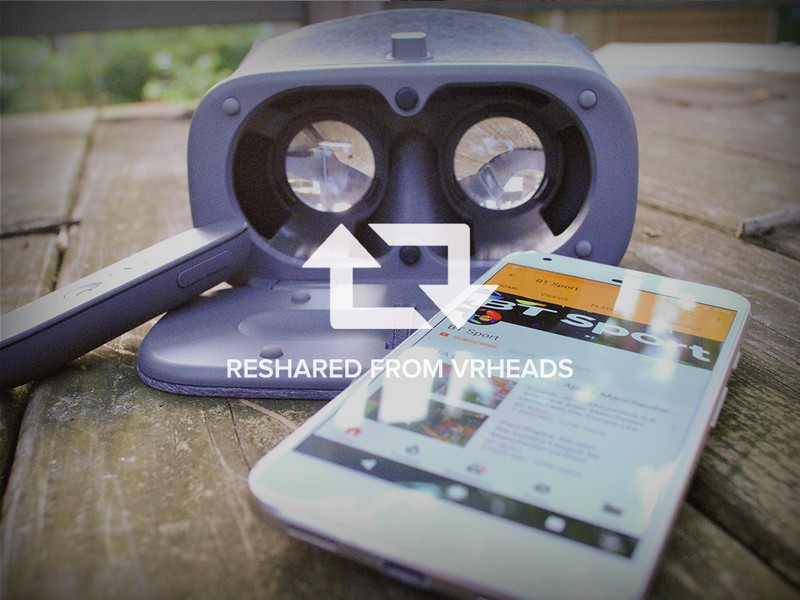
It’s time for the Champions League finals, and now you can watch in VR!
The UEFA Champions League finals are nearly here, and you know what that means. Great Football matches from teams all over Europe competing against one another. Soccer, for those americans, but Football to everyone else. The UEFA has some great games, and this year they are more accessible than ever because you can watch right from YouTube. Even better, you’ll be able to watch in VR, provided you have a VR headset capable of using Youtube. We’ve got the details for you here!
Read more at VRHeads.com!
Amazon Echo vs Amazon Tap vs Echo Dot vs Echo Look vs Echo Show: What’s the difference?
The original Amazon Echo lineup of tiered-speaker heights reminded us of Starbucks coffee sizes (grande, venti, and trenta), but now, it’s added two more Echo devices to the mix.
And they have radically different designs and purposes.
Amazon makes a cylindrical, internet-connected speaker called Echo, which doubles as a personal, cloud-based assistant, addressed as Alexa. It launched in the US in 2015, and it launched into Europe and the UK in autumn 2016. Alongside Echo, Amazon also offers two sibling speakers that debuted in March 2016 in the US, called Amazon Tap and Echo Dot, the latter of which has now been replaced with a refreshed model.
Fast forward a year, and Amazon has expanded the Echo line again. There’s the Echo Look, which includes a hands-free camera and offers up style advice, and there’s the Echo Show, which also has a camera as well as a touchscreen in order to add more functionality to your Alexa queries. The differences between these Echo devices aren’t limited to height, obviously, as each one is suited to a specific environment.
- Buy Amazon Echo (UK), Buy Amazon Echo (US)
- Buy Amazon Echo Dot (UK), Buy Amazon Echo (US)
Confused about what we mean? No worries. We’ve dissected how each Amazon device is unique and laid out all the details below.
Amazon Echo
Release date: 2015 in US, 2016 in UK.Availability: Available in the US (Amazon US order page) / Available in UK (Amazon UK order page)Price: $179 / £149Dimensions: 235 mm x 83.5 mm x 83.5 mm Weight: 1045 gramsConnectivity: Bluetooth and dual-band, dual-antenna Wi-Fi (MIMO)Power: Plugs into a wall outletAudio: 360-degree sound (2.5 inch woofer and 2.0 inch tweeter)Alexa: Yes (Always-on/always-listening/voice-activated)
Amazon Echo is a 9.25-inch-tall cylinder speaker with a 7-piece microphone array. It responds to the wake word “Alexa” and is capable of voice interaction, controlling compatible smarthome devices, music playback from smart devices over Bluetooth, making to-do lists, setting alarms, streaming podcasts, playing audiobooks, reading PDFs, providing weather forecasts, warning you of traffic conditions, answering trivia, and supplying other types of information in real-time.
Echo requires a Wi-Fi connection in order to respond to voice commands and fetch content for you, and it must remain plugged in for power. Users in the US will see Alexa have an American accent, while UK users will hear a British accent.
- Amazon Echo review: It’s all about Alexa
Amazon Tap
Release date: 31 March 2016 for USAvailability: Available in the US (Amazon US order page)Price: $129.99Dimensions: 59 mm x 66 mm x 66 mmWeight: 470 gramsConnectivity: Bluetooth and supports 802.11b, 802.11g, or 802.11n Wi-FiPower: Relies on a charging cradle (9 hours of playback)Audio: 360-degree sound (dual 1.5-inch drivers and dual passive radiators)Alexa: Yes (Not always-listening by default; Must touch mic button to access Alexa or enable hands-free option in Settings)
Amazon Tap is a 6.2-inch-tall cylinder speaker with a 7-piece microphone array. So it’s a smaller, more portable, more affordable version of Echo, and it comes with full access to Alexa. Unlike the Echo, the Amazon Tap is wireless and must use the included cradle to charge.
Amazon says it’ll stream up to 9 hours of audio on a full charge, or last up to three weeks in standby mode. The Tap isn’t an always-on by default. To wake it, you need to press the mic on the front. In February 2017, Amazon announced a new firmware update for Tap. With it, you can go to Settings in the Alexa app and enable the new Hands-free option in order to wake Alexa without having to tap the Tap
However, the new hands-free mode will drain the battery quickly, as it requires the mic to stay always-on. Otherwise, Tap can do all the same tricks as Echo (so long as you’re connected to Wi-Fi).
- Doubling up on Alexa: How to use multiple Amazon Echo and Dots
Echo Dot
Release date: September 2016Availability: Available in the US (Amazon US order page); available in the UK (Amazon UK order page)Price: $49 / £49Dimensions: 38 mm x 84 mm x 84 mmWeight: 250 gramsConnectivity: Bluetooth and dual-band, dual-antenna Wi-Fi (MIMO)Power: Plugs into a wall outletAudio: Voice-feedback only (Must be connected to external speakers)Alexa: Yes (Always-on/always-listening/voice-activated)
Echo Dot is 1.6-inch-tall cylinder with one tiny speaker. It’s basically just the top section of Amazon Echo – and half the price, but equally as smart. It supports always-on Alexa, connects to the cloud to stream music, controls your smarthome devices, and does all the same stuff as Echo. The original Echo Dot launched in the US in March 2016, but it was refreshed when Amazon announced its UK release.
The main difference between Dot and Echo is that the full-size speaker is gone. The idea is you’ll hook Dot up to your own audio setup (via out jack or Bluetooth), so you can use Alexa with your existing speakers. That tiny speaker won’t output much audio; it’s only for Alexa voice feedback (which, again, requires Wi-Fi).
The new Echo Dot will be available to buy in a six-pack and 12-pack. For those opting for multiple Echo Dots around their home though, Amazon has introduced a feature that will mean only one Echo Dot, and the closest one, will respond to your request.
- Amazon Echo Dot review: The tiny personal assistant with big personality
Amazon Echo Look
Release date: April 2016 in US (invite-only)Availability: Available in the US (Amazon US order page) Price: $199Dimensions: N/AWeight: N/AConnectivity: Dual-band, dual antenna (MIMO. 2.4 GHz and 5 GHz)Power: Power adapter (21W) with 7.9 ft. cableCamera: 5-megapixel sensorAudio: Built-in microphone array, built-in speakerAlexa: Yes (Always-on/always-listening/voice-activated)
Details are scarce at the moment, but we know Amazon’s latest Echo device is called the Echo Look.
It’s a $199 Wi-Fi camera that offers full Alexa functionality plus hands-free photo and video. Amazon is pitching it as a cloud-connected fashion consultant that allows you to snap pictures of yourself in various outfits. Alexa’s software will automatically blur the background in each image to make your outfit pop, and then it uses machine learning guided by “fashion experts” to serve up recommendations about what you should wear.
Amazon called this fashion feature “Style Check,” and you can see it in action for yourself in Amazon’s announcement video above. Echo Look also works like any other Alexa-enabled device, allowing you to access music, traffic timers, weather, and a vast library of “skills.” The device is wall-mountable, too, and includes a a 5-megapixel sensor, built-in microphone array, and built-in speaker. It also has LED lights (used for the flash).
No other specs have been announced yet. There’s also no date set for when the Echo Look will start shipping to customers. Right now, it is available in the US only via an invite-only scheme, with invites going out in “the coming weeks.”
- Amazon Echo Look is the personal assistant that replaces your mirror
Amazon Echo Show
Release date: May 2016 in US (Pre-orders now live)Availability: Available in the US (Amazon US order page) Price: $229.99Dimensions: 187mm x 187mm x 90mmWeight: 1170gConnectivity: Dual-band Wi-Fi supports 802.11 a/b/g/n (2.4 and 5 GHz) Power: Power adapter/cable (6 foot)Camera: 5-megapixel sensorAudio: 8-microphone array, dual 2-inch stereo speakersAlexa: Yes (Always-on/always-listening/voice-activated)
Amazon has yet another new Echo product: a touchscreen device with built-in Alexa. It’s called the Echo Show, and it’s now available to preorder from Amazon for $229.99. The Show can do everything the regular, voice-only Echo can do (like setting timers and play music), but it has a built-in display to offer a new level of interaction. It’s meant to show you more information about your Alexa queries.
It can display a full weather report or the steps in each recipe. It can also be used to play videos, including content from YouTube and Amazon Video. It can even serve as a digital photo frame, fetching your pictures stored on Prime Photos. And when playing songs from Amazon Music, it’ll display the lyrics. You can even connect it to your Wi-Fi-enabled security cameras in order to check your video feeds.
Just us commands like “Alexa, show me the front porch.” And finally, the device lets you place and receive calls – both video and voice. All you need is the Alexa app. To complement this, Amazon unveiled a new feature called Drop In. It lets you specify which friends and family can make a call at any time. The receiver has a 10-second timeframe to reject a Drop In call or go into audio-only mode.
We can imagine using the Drop in feature to checking in on a grandparents. The Show also has eight microphones instead of the seven found in the regular Echo. Other specs include a front-facing, 5-megapixel camera and a pair of two-inch speakers. The new Show will start shipping to customers in the US on 28 June. There’s no word yet on UK pricing or availability.
- Amazon Echo Show: Release date, price and everything you need to know
Conclusion
Amazon Echo is ideal if you just want to have a stationary speaker that doubles as an always-on personal assistant. It’ll provide you with room-filling audio that’s sufficient for casual listening but it gets sort of tinny when turned up too much. If you’re connected to Wi-Fi, you can ask it all sorts of questions and get it to control your stuff and it is available in the US and the UK.
Amazon Tap is supposed to do all of that, including provide a similar sound experience, but it ditches the cord and uses a charging cradle in order to be portable. As it’s not always plugged into power, always-on Alexa isn’t available by default. You have to push a mic button to access the service or enable a new hands-free option. Tap is useful if you’re going to the beach or are on the go, and it is only available in the US.
As for Dot, just think of it as a little, always-on Alexa hub. It’s not a speaker but works with your speakers. It’s available in six and 12 packs so you can ensure every room in your home has Alexa listening. Next, there’s Echo Look. Although it has a speaker so you can hear Alexa, we imagine it’s not really meant to be a music player. This device is all about snapping photos and serving up style advice.
And, finally, Amazon now offers Echo Show. We get the feeling Amazon is trying to pitch this device has the centerpiece to an Echo experience. It works with other Echos and offers a screen so you can view video feeds from your Wi-Fi connected cameras. It also offers audio and video call capabilities. Any like any other Echo-branded device, you can use with Alexa voice commands and skills.
So, if you’re more into music, look at the Echo, Tap, and Dot, but if you’re into fashion, the Echo Look might be more up your alley. And if you want something to tie your existing Echo speakers together or something that gives you a little more functionality with not only Alexa queries but also placing audio and video calls, then Echo Show is definitely the device to get it.
We’ll keep you posted as we learn more about the latest Echo devices.
F1 on the water: How Ben Ainslie and Land Rover BAR plan to win the America’s Cup
“It’s like Formula 1 on water,” Sir Ben Ainslie explains. Ainslie is talking about the America’s Cup, a sailing race started by the British in 1851, and remarkably never won by them since.
Pocket-lint has travelled to Bermuda, the location of the 35th America’s Cup, and base camp for the five competing teams hoping to beat the last winners and the dominant team in recent history, Oracle Team USA. The America’s Cup – named after the first winning boat rather than the county – has, ironically, been dominated by the USA throughout its history, something that Ainslie is looking to change.
The four-time Olympic Gold medal-winning sailor is used to racing solo, but in the America’s Cup, he isn’t doing this on his own. This time he has help.
Pocket-lint
That help comes in the guise a 107-man support team including 12 other sailors, an army of engineers, £90m from backers that include Sir Charles Dunstone (co-founder and former chairman of Carphone Warehouse amongst other techy accolades), and sponsors like Land Rover who bring all its technical engineering prowess to the party.
“It’s fascinating being on these boats, we’re really enjoying the technology that the boats are giving us,” Ainslie tell us. “Technology has revolutionised the sport,” continues the man who helped Oracle Team USA win in the previous race in 2013.
The boats themselves are a technological marvel, sitting at the pinnacle of boat racing. Called foiling catamarans, the craft’s twin carbon fibre hulls lift out of the water when moving to reduce drag and give you as much speed through the course as possible.
Just like in Formula 1, there are strict rules as to what teams can and can’t do, but they do have room to manoeuvre in certain areas like the sails and the design of the foils that remain in the water. Get those bits right and you win, get it wrong and you’ll be going home without making it through the qualifiers.
With such a strong focus on the design and engineering elements it is easy to see the comparison to Formula 1.
The Land Rover BAR boat has 190 sensors that collect data from 350 different data points that in turn relay over 16,000MB of data per sailing session back to base camp and the company’s HQ half way around the world away in Portsmouth.
Land Rover BAR
The information is captured, analysed returned back to the boat in real time for use by the team on a number of tablets and screens as they race. It means that at any given moment Giles Scott, the boat’s tactician, not only knows exactly where the boat is on the course, but how many seconds it will take him to get to the next buoy or the finish line.
Using machine learning algorithms, the sailors can use the data to help better understand the factors that create both optimal speed, and the “perfect” manoeuvre on the course, allowing Ainslie and his crew to gain vital seconds in the numerous races in the cup. When the races only last about 20 minutes, every second counts.
“The computer could fly the boat perfectly, but the rules won’t let us do that,” explains Nick Hutton, the team’s trimmer. The notion of flying a boat might seem strange until you see it in action.
Scott, who’s main control panel is a customised Sony Xperia tablet with dedicated software, has the same story to tell: “They could pretty much sail themselves. It’s getting very close to that, but I think that the rules will change to stop that happening.”
Land Rover BAR
Similar to running watches that provide you a ghost runner to race against, the software creates a “virtual race boat” that takes all the data available and suggests the top achievable speed or the best trim angle given the weather and water conditions at that moment. It is then the team’s job to determine whether that’s something they want or need to match.
“It [the data] is about helping me create shortcuts to a lot of time consuming data elements,” explains Scott. The value in all this technology, the gold-winning Olympic sailor tells us, is not about the data telling him things he doesn’t know, but helping him get the answer quicker.
Hutton and Scott’s comments are a recurring theme throughout the teammates we talk to. It’s clear that the technology is far more capable than the rules allow, but striking that balance between how much the boat can do, and how much the sailor should do, is important for the sport to stay not only relevant, but interesting.
Land Rover BAR
Hoping to give Ainslie the edge over the other teams is a newly designed steering wheel, which for the first time, will allow Ainslie to both steer and control the lift of the foils on the boat with ease. “The wheel is hopefully going to make my life easier,” explains Ainslie.
The wheel is designed by Land Rovers Human Factors design team specifically to Ainslie’s requirements and allows skipper and team principal Ainslie to “fly” by adjusting the boat’s hydrofoils with greater precision for the fastest possible racing. He can lift R1, Land Rover BAR’s 2.4-tonne race boat, out of the water with a flick of his fingertips.
Just as an aerofoil helps an aircraft into the sky, hydrofoils lift a boat out of the water. The Land Rover steering wheel turns the boat left and right as it would on a car, while the shift paddles control its height above the water by controlling the lift from the foils, with that height being monitored by more sensors. Land Rover’s Human Machine Interface engineers spent 18 months developing the wheel.
Land Rover BAR
The days of six crew in a boat with a couple of sails, has long passed. Today’s 50ft long boats fly through the air at speeds of up to 50 knots (approx. 57mph) and are aerodynamically tuned.
“If you took the same level of change in F1 as we’ve seen in sailing, those same F1 cars would be breaking the sound barrier,” Dirk Kramers, Head of Engineering tells Pocket-lint.
But with better technology comes a better understanding of what is possible and the team’s strong acceptance of technology is no doubt down to Land Rover BAR’s CEO, former McLaren Racing boss, Martin Whitmarsh. It’s no wonder the comparisons with Formula 1 are clear to be seen everywhere.
Land Rover BAR
From the data mining, to the strong engineering design focus, to the speed. The only thing missing from the boatshed workshops are the pristine floors you see in F1 pit lanes.
“I couldn’t have imagined a boat like this 25 years ago. Really only in the last 5 years have we’ve seen the technology coming on in leaps and bounds,” adds Ainslie. “The speeds, the forces, the technology, you feel like a pilot or an F1 driver. If you make one mistake you’ll crash out.”
Bermuda is the home to the 35th America’s Cup, with the racing starting on 26 May and you can be sure that Ainslie and the team have their eyes firmly on the prize in one of sport’s oldest competitions.
Pacemakers are far more vulnerable to hacking than we thought
Back in January, the FDA has finally acknowledged that some pacemakers and other cardiac devices are vulnerable to hacking. But how vulnerable are they, exactly? A security company called WhiteScope has discovered 8,000 bugs that hackers can exploit in pacemaker programmers — the tools used to adjust and monitor the device itself — from four different manufacturers. More importantly, the researchers said they’ve also discovered that pacemakers don’t authenticate programmers, so any working tool listed on eBay has the potential to harm patients with the implant.
Manufacturers are supposed to control programmers’ distribution, but the researchers themselves got their test devices from the auction website for as little as $500 to as much as $3,000. In addition to those issues, the team has found that doctors’ monitoring systems don’t require log-in names and passwords when pacemakers connect to them. They even found unencrypted patients’ data stored in the tools, including SSNs, names, phone numbers and medical conditions.
That said, Matthew Green, an Assistant Professor for Computer Science at Johns Hopkins, noted that doctors are adamant not to let security systems block patient care. He said that requiring passwords would merely lead to a “post-it note on the device listing the password,” so every doctors’ staff member can access the data they need. Green also called attention to some dubious parts of the study, particularly the lack of emphasis on the team’s most alarming finding that third-party programmers can remotely access pacemakers:
All of the other issues are kind of peripheral. If you can use your own hardware to send programming commands to a device… 7/n
— Matthew Green (@matthew_d_green) May 24, 2017
Despite the points Green raised, it’s still true that various security researchers have been warning manufacturers about pacemakers’ and other cardiac devices’ vulnerabilities for years. Unfortunately, it sounds like very few listened: a separate study by security firm Ponemon Institute LLC found that only 17 percent of manufacturers took steps to secure their products. While we’ve yet to hear about an incident that has led to a patient’s death, it’s still ideal to make cardiac devices more secure as cyberattacks become more common, elaborate and sophisticated.
Source: WhiteScope (1), (2, PDF)
UK property developer to trade parking spots for Uber credit
UK property developer Moda Living is building the kind of apartment blocks you might not mind renting forever — that is, after you’ve decided you probably won’t be able to buy anytime this millennia. The sites promise hotel-like amenities, including gyms, shared dining areas, meetings rooms and event spaces; even your home entertainment setup and WiFi is taken care of. But Moda Living has now teamed up with Uber to sweeten the deal for future residents even further, with the offer of £100 of ride-hailing credit every month for anyone willing to relinquish their right to a parking space in the building.
While this is the first Uber partnership of its kind in the UK, the ride-hailing service struck up a similar arrangement with a San Francisco neighborhood this time last year. That’s a slightly more complicated affair, with flat ride-sharing rates and tenants receiving $100 towards Uber trips and public transport fares.
By discouraging car ownership, Uber and Moda Living say they hope to make small steps towards reducing city congestion and pollution; plus, the developer claims that by sacrificing parking spots, it’ll have more space for amenities like cinema rooms. And for Uber, £100 of credit each month has to run out sometime, at which point you’re already hooked on being chauffeured everywhere and can’t possibly go back to buses.
Source: Moda Living
Here’s everything ASUS unveiled at Computex 2017
It won’t be long before laptops become so thin and light that you’ll barely notice the heft of one in your bag on your commute. That’s the main takeaway from ASUS’ press conference, in which the Taiwanese company showed off a raft of new laptops. Topping the table is a refreshed ZenBook Pro (UX550), measuring 18.9mm thick and weighing less than four pounds, but packing high-end Intel CPU and NVIDIA graphics.
Then there’s the ZenBook Flip S, which weighs 2.4 pounds and measures just 10.9mm, making it thinner than most other ultra-light laptops on the market. ASUS has worked hard to strip down the size of its display bezels, and the result means that the Flip S’ screen has a border of just 6.11mm thick.
It’s a similar story with the new VivoBook Pro and VivoBook laptops, as well as the company’s Zen all-in-one desktops. Each of those ranges comes with NanoEdge bezels which greatly reduce the bulky frame that encircles the screens. Plus, the company also wheeled out the Blue Cave, a neat-looking WiFi router that’s designed to act as a conversation piece.
Click here to catch up on the latest news from Computex 2017!
Apple CEO Tim Cook Tweets in Honor of Memorial Day
Apple CEO Tim Cook has shared a brief message on Twitter in honor of Memorial Day, a federal holiday in the United States for remembering those who have died in the country’s armed forces.
“We honor the heroes who gave their lives for our freedom,” he said. “They and their families have our eternal gratitude.”
We honor the heroes who gave their lives for our freedom. They and their families have our eternal gratitude #MemorialDay
— Tim Cook (@tim_cook) May 29, 2017
Apple gives many of its corporate employees in Cupertino the day off today, but a number of Apple retail stores remain open. U.S. stock markets are also closed today. Apple closed at $153.61 on Friday.
Note: Due to the political nature of the discussion regarding this topic, the discussion thread is located in our Politics, Religion, Social Issues forum. All forum members and site visitors are welcome to read and follow the thread, but posting is limited to forum members with at least 100 posts.
Tags: Tim Cook, Memorial Day
Discuss this article in our forums
First science data from Juno shows Jupiter is a complex and chaotic planet
Why it matters to you
Juno’s data shows that our Solar System still has many secrets to uncover.
Jupiter has fascinated sky-gazers for millennia but it wasn’t until we sent probes to the planet that scientists began to unravel its deepest secrets. Now, new scientific data from Juno, the most recent spacecraft to rendezvous with the gas giant, shows that Jupiter has many more secrets still.
The recent results depict Jupiter as a highly complex and chaotic world, according to NASA, featuring cyclones the size of Earth and a surprisingly powerful magnetic field. The data was gathered during a few orbits around the planet, in which the probe came within just 2,600 miles of the top cloud layer, the closest any human-made hardware had ever passed. Two related papers have been published in the journal Science (here and here) and 44 have been published in Geophysical Research Letters.
“We knew, going in, that Jupiter would throw us some curves,” Scott Bolton, Juno principal investigator, said in a statement. “But now that we are here we are finding that Jupiter can throw the heat, as well as knuckleballs and sliders. There is so much going on here that we didn’t expect that we have had to take a step back and begin to rethink of this as a whole new Jupiter.”
One of the biggest surprises comes from data collected by the JunoCam, which revealed that Jupiter’s poles are surprisingly chaotic. Scientists expected to see something akin to the neat and orderly vortex found on Saturn. Instead, they’ve discovered densely packed and massive cyclones.
“We’re puzzled as to how they could be formed, how stable the configuration is, and why Jupiter’s north pole doesn’t look like the south pole,” Bolton said. “We’re questioning whether this is a dynamic system, and are we seeing just one stage, and over the next year, we’re going to watch it disappear, or is this a stable configuration and these storms are circulating around one another?”
A couple other surprises came from Jupiter’s gravitational and magnetic fields. Some of the data on the planet’s gravitational field defies computer models about the interior of the planet, reports Ars Technica, though more orbits will likely reveal to what extent the measurements are inconsistent.
Data about Jupiter’s magnetic field, on the other hand, conclusively shows that it’s about twice as strong as expected.
“Already we see that the magnetic field looks lumpy,” said Jack Connerney, Juno deputy principal investigator and lead for Juno’s magnetic field investigation, “it is stronger in some places and weaker in others. This uneven distribution suggests that the field might be generated by dynamo action closer to the surface, above the layer of metallic hydrogen. Every flyby we execute gets us closer to determining where and how Jupiter’s dynamo works.”
Juno is expected to orbit Jupiter for another two years before being retired, at which point it will dive into the planet’s atmosphere.
 AIVAnet