


Ultrasonic tech allows users to whisper in someone’s ear from 100 meters away
Why it matters to you
It’s not quite telepathy, but this smart voice-throwing tech could help soldiers communicate without shouting or giving their position away.
Researchers at the U.K.’s University of Bristol have been working on technology to allow people to communicate telepathically with one another — although it is perhaps better described as being able to whisper to someone 100 feet away.
“We wanted to put together the technologies that could realize the vision of being able to communicate a message to another person just by thinking about it; basically, some sort of verbal telepathy,” researcher Asier Marzo told Digital Trends. “There are two parts for such a system: Recognizing the message, and transmitting it to another person.”
For recognizing the words, the team attempted to first use sensors to capture the “subvocal electrical signals,” referring to the small electrical signals people send to their muscles and vocal cords when they pronounce words in their mind. Unfortunately, they concluded that this was not feasible. Instead, they based their electromyography (EMG) system around the electrical signals generated by the muscles when people silently mouth words. This proved to give a strong enough readout that it was possible to differentiate between 10 words with more than 80 percent accuracy.
For transmitting the message, they used a phenomenon called “sound through ultrasound,” which involved modulating ultrasound to create an audible sound, but with the high directivity of ultrasound.
“The sender silently mouths a command,” Marzo explained. “Surface electrodes placed over his or her face capture the electrical signals generated by the muscles and a machine learning algorithm identifies the word. Then, a directional speaker emits the command in a very directive manner towards the target. During this process, the beam is finely electronically steered at the target guided by an eye-tracking system or a laser pointer.”
There are various applications for the work, Marzo continued. One use could be for soldiers to have the tech integrated into their helmets. Instead of shouting to communicate, the sender could silently mouth a command such as “take cover” or the location of an enemy and have this message beamed to only the intended recipient. Another may be among divers, which could be especially effective since sound travels much better through water than through air.
Going forward, the goal is to develop the technology so it can detect a broader range of words, as well as shrinking the speaker system to allow it to be surreptitiously built into clothing. (At present, the giant speaker strapped to the wearer’s forehead, and electrodes attached to their mouth, would be a bit of a giveaway that the technology is being used.)
“There are commercial directional speakers available, but they are either too pricey or have bad sound quality and limited teach,” Marzo said. “My intention for the future is to release an Instructables [document] on how to put together a directional speaker using off-the-shelf and cheap components. Also, how to customize it depending on your needs of reach and sound quality.”
Here’s how you can protect your PC from the ‘WannaCry’ ransomware attack
We’ve all seen the headlines by now: Late last week, a ransomware attack started sweeping the globe, crippling tens of thousands of computers the world over. Hospitals were forced to delay critical and life-saving surgeries, as they were locked out of their own computers by the “WCRY” — or WannaCrypt — ransomware, and government agencies were shut out of critical computer systems.
Over the weekend, the spread of the malicious code was slowed by the accidental discovery of a killswitch within the malware itself — but it’s still out there, and could be replaced by an enhanced version at any time. Luckily, there are a few steps you can take to protect yourself from it, and most other versions of ransomware.
Download the patch
As is usually the case with these sorts of attacks, Windows users are most at risk, but Microsoft has put out a patch that should secure your system. Let’s not beat around the bush. If you’re running Windows, fire up your Windows Update and download the latest security patches from Microsoft.
On the off chance your Windows Update isn’t showing any new patches, you might have already installed it if your PC automatically updated itself, or you might be running an ancient version of Windows that no longer receives mainstream updates. That includes Windows XP, Vista, and Windows 8.
If you’re running Windows XP, Vista, Windows 8, or another elder Microsoft OS, head over to the Microsoft site and download the patch for your version of Windows. Like, right now. Stop reading this and go grab it! We’ll wait.
Upgrade to Windows 10
After installing the security update, the next best thing you can do to protect yourself against future attacks is pretty simple. Upgrade to the latest version of Windows! If you’re still using Windows XP or Windows 8, you’re more at risk for this kind of attack than users on the latest version of Windows.
We know, Windows 10 isn’t perfect, and it has a bunch of issues that — understandably — make some users nervous. Integrated advertising, for one, is not such a great feature. It’s easily disabled, but it’s still there, and it’s a huge pain. But so is getting locked out of your PC because your system is out of date.
Windows 10 is Microsoft’s flagship operating system and because of that, it gets a lot of attention. Security updates roll out on a regular basis, and it’s constantly improving. When it first debuted, there were more than a few reasons why you might not want to upgrade, but as time has gone on — and as the operating system has improved — that list has gotten smaller and smaller.
With this global ransomware attack, that list has dwindled even further. By now, the risks of sticking with an outdated version of Windows far outweigh the rewards. So do yourself a favor, and upgrade to the latest version of Windows as soon as you can. You can even check out our guide on getting setup with Windows 10 here.
And, of course, install an antivirus
Antivirus protection is not impenetrable. WannaCrypt, for instance, took advantage of exploits in unpatched versions of Windows. Those systems can be infected remotely from other network-attached computers that were already compromised. An antivirus may not be able to protect effectively against and attack, particularly when it’s new.
However, antivirus programs are still a good idea. Many can detect and isolate software that appears to behave suspiciously, which will sometimes halt undetected malware. Good antivirus programs are also updated frequently, so even if the initial wave of attacks slip through, later attempts should be detected and halted.
Check out our list of free antivirus programs and download one of our top picks.
Oculus developing ‘focal surface display’ for better VR image clarity
Why it matters to you
To keep people invested, virtual reality systems need to get better at displaying depth of field and Oculus is working on a solution.
Given all of the attention that it receives, it would be easy to forget that virtual reality technology is in many ways still in its infancy. Today’s VR experiences are better than they were a few years ago, but they remain limited in just how realistic they can be in a number of important areas.
One such area is in how well the technology mimics how our eyes focus on objects at various distances. This greatly impacts the overall visual clarity of the VR experience and Oculus is working on technology that should greatly improve its VR products and provide for sharper images and a more natural viewing experience.
Essentially, the issue revolves around the fact that our eyes are very good at focusing on objects no matter how close or far away. When we focus on one object, anything that is closer and farther away drops out of focus — creating the “bokeh” effect in photography.
VR systems project images on a magnified flat screen and do well in focusing on objects at the depth we are viewing. However, when we look at objects that are not at the same distance in the image, then the system cannot focus correctly. That creates an effect where objects that are not currently in focus are incorrectly blurry.
The solution the Oculus is developing and that will be presented at the upcoming Siggraph conference is called the “focal surface display,” and it is intended to more accurately model how our eyes work. As Oculus describes it:
“Focal surface displays mimic the way our eyes naturally focus on objects of varying depths. Rather than trying to add more and more focus areas to get the same degree of depth, this new approach changes the way light enters the display using spatial light modulators (SLMs) to bend the headset’s focus around 3D objects — increasing depth and maximizing the amount of space represented simultaneously.”
The technology is not going to appear in an Oculus Rift system anytime soon, but it nevertheless represents an important and valuable field of research for future VR systems. The net result will be a significant improvement in visual clarity and systems that work better for users with eyeglass prescriptions using today’s VR technology.
Microsoft’s Windows 10 update looks fantastic, but will anyone care?
Microsoft built an innovative, forward-looking, and by all accounts excellent mobile operating system in Windows Phone. It clicked all the right buttons, was available on excellent hardware, and was heavily marketed. Eventually, Windows Phone morphed into Windows 10 Mobile, and Microsoft’s messaging and support became even stronger.
Yet it failed miserably.
Microsoft’s mobile solution simply never attracted enough users. A dearth of users meant that developers didn’t write apps for the platform — the infamous “app gap” remained a significant problem throughout the platform’s lifespan — and because there weren’t enough apps, users stayed away. It was a circular problem. Without enough users, developers don’t make apps. And if there aren’t enough apps, users won’t flock to the platform.
145 million users isn’t enough
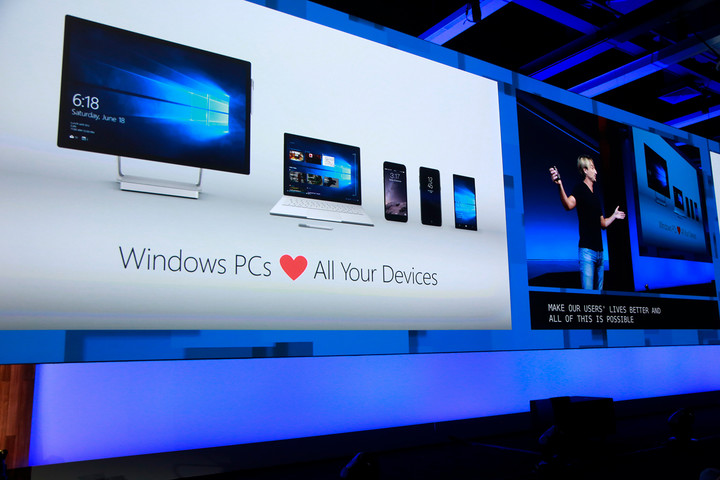
Fast forward to today, and Microsoft is facing the same kind of challenge with Windows 10. The company is building all kinds of exciting new features into the operating system with the next major Windows 10 version, Fall Creators Update. In fact, Windows 10 promises to become a user’s technology hub, pulling together apps and information across every conceivable device type and allowing for a seamless transition from one device to another.
Without enough users, developers don’t make apps. And if there aren’t enough apps, users won’t flock to the platform.
No other platform offers such wide support. The problem for Microsoft is that every one of these new features is built around technologies that so far haven’t taken the industry by storm. Even though Windows 10 continues to roll out to more devices, namely currently over 500 million Windows 10, many of the operating system’s core features remain poorly supported and utilized.
Consider that Cortana, one of the most important pieces of Microsoft’s cross-platform infrastructure, is used by 145 million people. That sounds like a big number, but in fact that means it’s used on just a fraction of compatible devices – including just a tiny percentage of the iOS and Android users that need to embrace Cortana to pull everything together.
Compared to the billions of users running iOS and Android, Windows 10 represents a small slice of the overall market, and those who use Cortana are fewer still. Will developers be willing to invest in building apps that take advantage of these great new features when relatively few people are using them? That’s Microsoft’s fundamental challenge, and it’s not at all clear that developers will jump on board.
Universal lessons from Universal Windows Platform
Consider the Universal Windows Platform (UWP), which is what developers use to make apps built specifically for Windows 10, and populate the Windows Store. Despite Microsoft’s best efforts, the number of UWP apps remains pitifully small. The Windows Store simply lacks the wide variety of apps that make iOS and Android so compelling.
While Microsoft offers the Project Centennial tool to port old-school Windows apps to the Windows Store, the company would rather developers make shiny new UWP apps that take advantage of Windows 10’s touch, pen, and design capabilities. And so far, that’s just not happening.
The current state of the Windows Store demonstrates how even having hundreds of millions of users doesn’t guarantee that a platform will be embraced by enough users to compel developers to support it. Most developers see no incentive to port their traditional Windows desktop apps to the Windows Store. The applications run just fine the way they are, and customers continue to purchase them.
The definition of insanity
That’s where the Fall Creators Update comes in.
Microsoft hopes developers will see tremendous value in new features like Timeline, which lets users go back in time and pick up tasks where they left off on whatever device, or the new Fluent Design System, which optimizes apps for the device and function. The unparalleled cross-platform support that Microsoft is building into everything in its portfolio is another carrot that the company is holding out to developers.
Windows 10 promises to become a user’s technology hub, pulling information across every device type.
However, Microsoft needs to convince users of that value as well, particularly Windows users who carry iPhones and Android devices, and it needs those users to buy the Windows Store apps that developers create. So far, that just hasn’t happened.
It’s the chicken-and-egg problem all over again.
There are ways to solve it. Apple lured in users to iOS with its superior hardware, for instance. There’s evidence that Microsoft wants to take a page from that playbook. The company is planning to make Windows 10 S — which only allows users to install apps from the Windows Store – the default on the Surface Laptop. But the strategy also has risks – like the fact it might seriously piss off customer who are comfortable with a more traditional desktop environment.
In the end, Microsoft can build it, but users need to come. If they don’t, then Windows 10 will become increasingly isolated, and Microsoft’s strategy of using the OS to remain at the center of user’s lives will fail.
Lowe’s is building an exoskeleton that gives warehouse workers superhuman strength
Engineers have been tinkering with exoskeletons to amplify our physical abilities for years. While there are certainly boundless military applications for this technology, there are also many commercial uses. Lowe’s, for example, just unveiled a prototype exoskeleton it hopes to aid employees on the job.
As part of the program, Lowe’s plans to equip its employees with a basic non-motorized exoskeleton to maximize productivity and efficiency. The project is a joint collaboration between Lowe’s research facility, the Innovation Labs, and Virginia Tech’s Assistive Robotics Laboratory.
The suit itself fits like a rock-climbing harnesses, with a series of flexible carbon-fiber trusses along the backside. These rods sit along the spine and behind the thighs. Bending as the person squats, the rods transfer the energy of basic movements more evenly. This stored kinetic energy essentially springs back as the individual stands upright. Lowe’s employees spend much of their day moving heavy items and the company hopes these exoskeletons will reduce the overall strain on muscles and joints.
“As they bend and stand, carbon fiber in the suit’s legs and back act like a taut bow ready to launch an arrow, helping them spring back up with greater ease,” Lowe’s explained in a press release.

Lowe’s has been testing the exoskeletons on four employees at store in Christiansburg, Virginia for more than a month. After these tests, the company will decide whether or not to expand this initiative to other stores. However, Lowe’s isn’t the only company looking to use exoskeletons to aid in workforce productivity.
General Motors recently partnered with NASA to create a motorized glove that makes it easier to grip and lift heavy objects. Panasonic and Hyundai are also working on their own exoskeletons designs. As for now, the Lowe’s exoskeleton prototype is rather elementary, and designed to test the baseline functionality of the suit — but future iterations will likely be more sophisticated.
“We didn’t want to over-engineer it, make it too fancy, or give it too many bells and whistles,” explained Nel. “We’re putting it in the rough and rumble world of a real store and will iterate on top of that… we’ll add a jetpack in 2018.”
The exoskeleton is still in the early stages of development at this point, but keep your fingers crossed and you might find one at your local hardware store sometime next year.
Moto G5 Plus vs. Honor 6X: The ultimate budget battle
Just because the big-name phones get all the attention, that shouldn’t preclude excellent devices like the Moto G5 Plus and Honor 6X from getting their fair shake. At under $300 each, both phones certainly have trade-offs compared to their more expensive counterparts, but each manages to bring a certain something, from fantastic performance and software to superb battery life and great camera optics, to make them worth your time.
At least that’s what Jacklyn says in her latest video, finding it hard to choose a winner.
Which phone would get your money? Leave a comment below with your favorite, and while you’re at it, go subscribe to AC’s YouTube channel if you haven’t already!
- Moto G5 Plus review
- Honor 6X review
- Android Central on YouTube
- Jacklyn’s personal YouTube channel
Asus might never make another ZenWatch Android Wear watch
Remember the Asus ZenWatch line? Well, it could be done for good.
Asus’s first ZenWatch debuted in 2014, and it was followed a year later by the ZenWatch 2, both of which are square. Then, in 2016, ASUS released the ZenWatch 3 with a round-face. But don’t expect a ZenWatch 4 in 2017. Asus is reportedly killing the ZenWatch line of Android Wear smartwatches, according to a report on Monday from Digitimes, which cited anonymous sources in Taiwan’s supply chain.
The source apparently claimed that Asus only ships an average of just 5,000 to 6,000 ZenWatch units per month – across the entire product line. If that information is correct, Asus’ ZenWatch sales are very low, and so it wouldn’t be a surprise if Asus did discontinue the product line. Remember, Lenovo-owned Motorola revealed last December that it also hasn’t seen “enough pull” in the smartwatch market.
- When is Android Wear 2.0 coming to my smartwatch?
- Android Wear 2.0: What’s new in the major software update for watches?
- Best upcoming smartwatches: Future wristwear to look forward to in 2017
At the time, the company said it wasn’t planning any new Moto smartwatches. The Android Wear business has actually been the center of much speculation over the last several months, with many reports suggesting that hardware manufacturer want to exit Google’s smartwatch platform. Before Android Wear 2.0 released, we even heard claims that there would be no new Android Wear watches for a while.
But don’t for one second think the platform is dead, as other brands, including Hilfiger and Hugo Boss, are set to release their Android Wear 2.0 watches later this year. Also, Digitimes has a so-so track record when it comes to accurately leaking mobile news, so we’ve contacted Asus for a comment and will update you when we know more.
What is YouTube TV, which channels does it offer, and how does it work?
It’s been long rumoured that Google will use YouTube to introduce a live TV service. The company has now confirmed those suspicions.
Google officially launched its entry into the streaming of live TV, with YouTube TV. It lets you access live and recorded content from major networks typically found on cable. It is available alongside YouTube’s existing content, and it works on practically every screen you can watch YouTube on, but it only costs $35 a month without a contract. Here’s everything you need to know about it.
- What is Android TV, how does it work, and which devices offer it?
- Which is the best movie streaming box for under £150?
- Android TV vs Samsung Tizen vs Firefox OS vs LG webOS
What is YouTube TV?
When people watch TV, they tune into live sports, breaking news, sitcoms, dramas, and a number of other different types of programmes. Although there is a tonne of content to choose from, there are limitations to how you can watch it. You simply can’t watch TV when you want and on any screen without a contract. And you certainly don’t always have access to fancy TV features such as DVR.
YouTube TV is attempting to change that. It is described as “live TV designed for the YouTube generation – those who want to watch what they want, when they want, how they want, without commitments.”
What channels are on YouTube TV?
Google said the initial lineup of “more than 40 networks” includes CBS, Fox, NBC, and CBS, as well as cable players USA and FX. There’s a total of 10 sports networks available, including ESPN, Fox Sports, and NBCSN. Local affiliates will also be included, so you can watch news from the same channels you’d normally get over the air. You can even add Showtime for an additional price.
- Which is the best movie streaming service in the UK?
It’s safe to say YouTube TV directly competes with existing services such as Sling TV and PlayStation Vue, both of which offer access to live TV from major networks, cable players, and sports networks. But there are some holes – like Viacom, Discovery, A&E, AMC, and Turner (with TBS and TNT). Sony’s $35 plan for PlayStation Vue offers many of these networks and more, such as CNN.
YouTube TV
You can see the channel lineup above. Note that YouTube TV added several other channels in May 2017, including AMC, BBC America, IFC, Sundance TV, and WE TV. There’s also a couple add-on packages you can buy: Showtime ($11/month) and Fox Soccer Plus ($15/ month).
What does YouTube TV feature?
Unlimited cloud DVR storage
Apart from live TV from major networks, YouTube TV includes unlimited cloud DVR storage. With that feature, you can even add a show or sports team to your favourites, and it’ll automatically save them for you. Your cloud DVR records as many shows as you want, simultaneously, without using data or space on your phone (though you can stream recordings from any device at any time).
Google said it stores each of your recordings for nine months. And, yes, you can fast forward or rewind DVR content, so you can quickly pass right over all those annoying commercials.
Available across all your screens
YouTube TV works on both Android and iOS. That means you can watch YouTube TV on your phone, tablet, or computer. You can also stream to your TV with a Google Chromecast or Chromecast built-in TV. YouTube TV will even eventually work with Google Home, too, allowing you to ask Home to play a show on your Chromecast. Google said it’ll “just work,” according to Engadget.
How does YouTube TV work?
YouTube TV
YouTube TV app
Now that YouTube TV has launched, you can access it from the new YouTube TV app for Android and iOS or from the web on your computer. Other devices (like Apple TV, Roku, the PS4, and Xbox One) don’t have access to the new YouTube TV app at launch. However, the mobile app has a “cast” button available at the top throughout, so you can throw a video to your Chromecast or a compatible TV.
The mobile app features just three main screens: live, library and home. But it also has universal search (located at the top; can be accessed from most screens), allowing you to search for content by genre, network, and categories. You can search for something like “dogs” and get a list of programmes that feature dogs. If you choose to search a series, you will see a page with all the episodes.
Live
Live shows what is currently being broadcasted by networks, with live previews of what’s on each channel. Just tap to start playing. To record something to watch later, you can tap a plus icon on the preview. When watching in portrait mode, you’ll see recommendations at the bottom, or you can flip the phone to landscape to enter full screen.
It’s worth noting that because of Verizon’s deal with the NFL, you can’t watch NFL games on your phone. You’ll be able to stream them on the desktop or a TV, but not on your mobile device.
Library
Library shows everything you’ve recorded and everything scheduled to be recorded on your DVR.
Home
Home is kind of like what you see on YouTube. It’ll show what you’ve watched recently, as well as recommendations based on what you’ve watched so far, and you’ll see things you may have stopped and might want to continue playing.
Support
Google told Engadget that you can contact customer service through the YouTube TV app any time, either via text chat or voice chat.
Is this different from YouTube Red?
This is a separate product from YouTube Red, a service Google launched in 2015 as a way to give you an ad-free YouTube experience. YouTube Red does feature some original programming, but with a YouTube TV membership, you can watch YouTube Red Original series and movies via the new YouTube TV app. But, unfortunately, you won’t get the full ad-free YouTube experience.
You can learn more about YouTube Red from Pocket-lint’s guide.
When will YouTube TV be available?
The YouTube TV app is now available.
Where is YouTube TV available?
At launch, YouTube TV is only be available to customers in the US. It is limited to “the largest US markets” but will quickly expand to cover more cities across the country, Google said.
How much does YouTube TV cost?
YouTube TV costs customers $35 a month with no contract. You can cancel at any time. Up to six users can access content when they want – and they each have access to their own recommendations and personal cloud DVR storage.
Note: It’s $35 per month, but signing up from an iPhone or iPad makes the monthly bill jump up to $39.99 (plus taxes and fees). If you sign up from Android or the web, it’s $35 (plus taxes and fees).
Want to know more?
Visit tv.youtube.com learn more about YouTube TV and when it will launch in your market.
iPhone 8 renders point to glass back and wireless charging
Rumor has it that we won’t be seeing the next flagship iPhone until much later this year, but we may have just the right thing to keep y’all entertained for the time being. Earlier this week, a reliable source in the accessory industry showed Engadget a highly detailed CAD file of the “iPhone 8’s” chassis, which allowed us to generate several renders for publishing. The most obvious takeaway here is the dual camera’s new orientation, and that both the microphone plus the flash will be part of the camera bump.
While the contour may look familiar, the back of the device will actually be covered in glass this time, which allows for the integration of wireless charging. This is hinted by what appears to be a carved out area for a wireless charging coil on the underside of the chassis, though we’re not at liberty to disclose related images.
Since this is the smaller of the two next-gen iPhones, these renders suggest that the dual camera plus wireless charging will become a standard feature. Speaking of, our source said both screen sizes will be getting bumped up: the 4.7-inch version will go up to 5 inches, and the 5.5-inch “Plus” version will be stretched to 5.8 inches. Alas, these renders don’t indicate whether the new displays will go from edge to edge as rumored, but the body measurements in the CAD file do point to a slightly taller, wider and thicker body than the iPhone 7.
As with all leaks, there’s always a possibility that these renders may turn out to be false (which we highly doubt given the nature of these files), or that Apple may give up on this design entirely. Either way, there’s still the rumored tenth anniversary iPhone to look forward to as well.
The ‘WannaCry’ ransomware is a stark reminder of a broken system
In April a hacking group called The Shadow Brokers dumped a cache of Windows’ exploits it pilfered from the NSA. The group had decided to start leaking exploits it stole from the agency after it was unable to find a buyer for the government’s hacking tools. Inside that April drop was a remote code execution vulnerability called “EternalBlue” (aka MS17-010). Fortunately, Microsoft issued a security patch that fixed EternalBlue in March. What’s not so fortunate, is that, not everyone had applied it to their machines.
On May 12, many of those unpatched machines were exploited in the largest ransomware scheme ever seen. Computers at companies small and large displayed a message that their data had been encrypted and for $300 (sent via bitcoin) the owners of the machines could have their data back. The exploit works on Windows XP up through Windows Server 2012. And even though Microsoft issued a patch for newer systems, the computing giant ended support for Windows XP and 2000 back in 2010. In other words, if you have an old computer running legacy software, you’re on your own.
The most disturbing of the ransomware attacks involved the United Kingdom’s National Health Service (NHS). Patient data, including medical histories and test results were caught up in a world-wide extortion racket. This — until recently — NSA-held exploit has and will continue to wreak havoc on systems the world over and there’s a good chance that in the future, we’ll see similar situations and we’ll once again be looking for someone to blame.

As quickly as news of the ransomware surfaced, people were looking to point the finger at someone. Some lashed out at the companies and hospitals for not applying the patch, others found fault with Microsoft. Of course, people were rightfully angry with the NSA for not disclosing the exploits in its possession and embarrassingly not being able to secure its own hacking tools.
While it’s easy for someone with a couple computers in their house or a small company with a large IT budget to apply a security patch immediately, it’s not that simple for large infrastructures — especially hospitals. As pointed out by the NHS, large, expensive medical devices like MRI machines still run Windows XP and can’t be updated or easily replaced.
It’s not just hardware that can be a roadblock to a secure system. Rolling out a software upgrade can take months for larger companies. Rolling out a new OS can take even longer. If you’ve ever updated your computer to find out that one of your critical apps no longer works, imagine that on a company-wide scale.
Some smaller companies simply can’t afford to buy the hardware needed to run the latest operating system. If your restaurant or shop is barely squeezing by financially each month, if the register or ordering system are working, why would you take the financial hit and upgrade to new hardware and untested software. It’s unlikely a family diner that uses Windows 2000 for its food ordering system has an IT department.

Microsoft, for its part, took heat for not issuing patches for legacy systems even though the company warned its users years ago that support was ending for XP and 2000. Security is tough. Companies like Microsoft and Apple are constantly trying to stay ahead of hackers. Sometimes they succeed, other times not so much. There will never be a hacker-proof operating system and the tech giants have to put resources towards what their customers are using right now instead of software that’s decades old.
The reality is the government failed. The NSA, FBI and CIA will continue to stockpile and weaponize exploits. That’s not going to end anytime soon. But the shoddy handling of these exploits and even its top-secret code-breaking systems is alarming. If you were wondering why Apple wasn’t comfortable handing the department of justice encryption keys, this is one of the reasons why.
Bossert dodges question about whether NSA tools were responsible for the spread of the ransomware.
— Eric Geller (@ericgeller) May 15, 2017
Even worse, the government refuses to take responsibility. Cybersecurity executive orders don’t mean anything if the people that allowed this to happen are not held accountable. If a cache of military weapons had gone missing and they were used to hold up banks and businesses, there would be hell to pay. Essentially, this is the digital version of that.
There will always be groups like The Shadow Brokers and the team that created the ransomware that’s crippled so many companies. But there are also hackers and researchers that are working hard to keep our systems running. In the middle are the rest of us just trying to get our work done.
The system is broken from top to bottom and there’s no indication it’ll be fixed anytime soon. We need to not only practice good security (regular system backups, not using the same password, using two-factor authentication, not clicking on email links, applying security patches) we also need to help friends and family that might not be as digitally savvy.
While you’re helping others out, remember that you’re not alone. Researcher MalwareTech found a flaw in the current variant of WannaCry that accidentally stopped it from launching on new computers by registering the website url the exploit was pinging. Once he had control of the site, WannaCry’s computer take-over and encryption process stopped.
Version 1 of WannaCrypt was stoppable but version 2.0 will likely remove the flaw. You’re only safe if you patch ASAP.
— MalwareTech (@MalwareTechBlog) May 14, 2017
But the flaw has already been fixed and a new variant of WannaCry is out there extorting cash from unsuspecting Windows users. So if you can, patch your system. But it you can’t, be careful and ask for help. Increasingly it’s on us to protect our data and while the government can talk a big cybersecurity game, it’s not doing us any favors.
 AIVAnet