


Google announces 2017 Google Play Award winners

Here are Google’s picks for the best apps in the Google Play Store.
As part of the Google I/O festivities, Google held a ceremony to announce the winners of the 2nd annual Google Play Awards.
With over 85 billion downloads from the Google Play Store, it’s always nice to see Google give some praise to the most innovative and interesting apps of the past year. Google has highlighted 12 apps this year, each chosen for its outstanding user experience or social impact.
Standout Indie: Mushroom 11
Mushroom 11 is a super interesting puzzle game in which you take control of a shapeshifting fungus as you make your way across an apocalyptic wasteland.
This game features challenging puzzles and fantastically fluid controls. Definitely worth checking out!
Download: Mushroom 11 ($4.99)
Standout Startup: HOOKED
HOOKED is a storytelling app that tells its story one text at a time. This app lives up to its name by drawing you into its library of mysterious stories, presented as a series of chat logs.
New stories are added daily, and there’s even an option to upload your own stories for others to read. It’s strangely addictive despite its occasionally cheesy storylines.
Download: HOOKED (Free)
Best Android Wear Experience: Runtastic Running & Fitness
It probably comes as little surprise that a fitness app would win the the award for Best Android Wear Experience.
Runtastic is one of the best fitness tracker apps you can use and is especially worth checking out if you’ve got a new Android Wear 2.0 watch or are planning to pick one up to revamp your summer fitness routine.
Download: Runtastic Running & Fitness (Free, or $4.99 for Pro version)
Best TV Experience: Red Bull TV
From the best in extreme sports to music festivals, Red Bull delivers endless entertainment — enough so that you may forget they also sell energy drinks!
Red Bull TV wins the award for its TV Experience, which will be worth keeping in mind the next time they have some guy free-fall from space.
Download: Red Bull TV (Free)
Best VR Experience: Virtual Virtual Reality
We imagine that this category is going to be getting very competitive over the next few years. This year’s winner is Virtual Virtual Reality, which is built around a really fun concept of strapping on different VR headsets within a VR setting — similar to the dream within a dream scenario from Inception.
This Daydream VR app is currently on sale for half off, so there’s no better time to check it out!
Download: Virtual Virtual Reality ($4.49)
Best AR Experience: WOORLD
We should be seeing more Tango-enabled phones to take advantage of Augmented Reality. When you finally get your hands on one, check out WOORLD.
It’s a great showcase for the quirky side of AR, and is intuitive enough for anyone to pick up and play.
Download: WOORLD (Free)
Best Apps for Kids: Animal Jam – Play Wild!
For those looking for more kid-friendly apps to keep the young ones occupied in the back seat, Google gives the nod to Animal Jam.
Set in a fun and cartoony 3D world, your kid will learn about animals and their real-life habitats while playing fun games. There’s also a social aspect for chatting in-game, with the developers committed to providing a safe online playground for kids.
Download: Animal Jam – Play Wild! (Free w/IAPs)
Best Multiplayer Game: Hearthstone
Hearthstone is still going strong three years on from its launch on Android. Developed by Blizzard, it’s a social card game based in the same universe as World of Warcraft.
If you’re brand new and interested in checking it out, there’s great tutorial and single player modes to help teach you the basics and learn strategies before you move on to facing online opponents. Keep in mind that if you want to get serious here, you’re going to need to buy some in-game expansion packs.
Download: Hearthstone (Free w/IAPs)
Best App: Memrise
The big prize of Best App went to Memrise, an intuitive app to assist you in learning a new language. Over 15 million people are using Memrise to learn a new language by playing games, watching videos from native speakers to offer social contexts, with more resources to help you along. It’s free to try out, so what do you have to lose?
Also, check out the developer’s “What’s New” update for its reaction to winning the award for Best App. It’s pretty swell!
Download: Memrise (Free)
Best Game: Transformers: Forged to Fight
Join Optimus Prime, Megatron, Bumblebee, Waspinator, Rhinox, Grimlock, Soundwave and many more of your favorite bots in Transformers: Forged to Fight. Personally, I’m kind of surprised to see this game pick up the top spot — It certainly wouldn’t top my list.
Then again, who doesn’t love a good ol’ fashioned robot fight?
Download: Transformers: Forged to Fight (Free w/IAPs)
Best Accessibility Experience: IFTTT
If you’ve been looking into connecting all of your smart devices around your home into a fully automated system, you’ve probably already looked into IFTTT. Using custom Applets, IFTTT lets you connect hundreds of apps and devices in seemingly endless orientations — and of course there’s support for Amazon Alexa and Google Assistant, so you can control everything with your voice.
Definitely an app you’ll want to have on your phone in the years to come.
Download: IFTTT (Free)
Best Social Impact: ShareTheMeal
ShareTheMeal is a charity developed by the UN World Food Programme that lets you feed a child with a simple tap on your phone. It only takes about $.50 a day to feed a child for a day. There are 20 times as many smartphone users as there are hungry children. You do the math.
With several ongoing famines around the world, we should all do our small part to make a difference. Apps like this are a great showcase of how technology can be used to make a positive impact.
Download: ShareTheMeal
Android Gaming

- Best Android games
- Best free Android games
- Best games with no in-app purchases
- Best action games for Android
- Best RPGs for Android
- All the Android gaming news!
HTC Vive standalone Daydream headset: What’s the story so far?
Google and HTC are making a standalone VR headset together based on the Daydream platform.
Google’s already made a prototype of the headset, while HTC is readying the consumer version that should be available by the end of the year. In an essay on Medium, Clay Bavor, Google’s VP of VR and AR, said this upcoming headset will have “everything you need for VR built in” – including no phone or cables – and that getting into VR will be as easy as picking it up. OK, we’ll bite. They’ve piqued our interest.
Here’s everything you need to know about this headset, including all the latest details and rumours.
- Google I/O 2017: All the announcements that matter
- Google Daydream: What does it do and what devices support it?
- Standalone Daydream VR is now a reality, HTC and Lenovo onboard
- Google Daydream: Google’s Android VR platform explained
What is Daydream?
Google’s Daydream simplifies access to VR content on a mobile device.
There’s three aspects: An optimal specification list that manufacturers must meet for a smartphone to be labelled Daydream-ready; a Google-made Daydream View VR headset, although multiple manufacturers could also build their own designs (as long as they meet Google’s standards); and an all-in-one hub for VR content called Daydream Home. You can learn more about Daydream from Pocket-lint’s guide.
HTC
HTC Daydream headset: What’s the story?
Partnership announcement
Daydream has so far been an experience that has run on your smartphone, but now, it’s making the jump into a standalone headset. While at the Google I/O 2017 developers conference, Google announced it is working with HTC and Lenovo on the first standalone Daydream VR devices. HTC also produces the Vive VR headset, while Lenovo has worked heavily on Google’s Tango efforts.
Inside-out tracking
Google said these upcoming standalone Daydream VR headsets will support inside-out tracking. They will track virtual space using Google “WorldSense” technology, something that’s powered by its Tango augmented reality system. Google said it’s creating a reference design with help from Qualcomm, and it’s also partnered with HTC and Lenovo to manufacture the standalone headsets.
Design
Google and HTC have only only revealed an outline of the headset alongside a Daydream-like controller. A prototype version was seen by Backchannel and described as clunky, though it apparently offers a better experience than the Gear VR or Daydream VR. A rendering system called Seurat enables it to have high performance with low power and greatly optimised 3D graphics.
This prototype and its tracking system means Google plans to take on Oculus, which has also teased early standalone headsets with self-contained tracking systems. It also reminds us of Microsoft’s Mixed Reality Headset development kits with inside-out tracking.
New #Daydream standalone headsets from partners like @htcvive won’t require a phone or PC. #io17 pic.twitter.com/7TpYPJGEdU
— Google (@Google) May 17, 2017
Portable VR experience
HTC revealed in a blog post that it is “perfectly positioned to deliver the most premium standalone headset and user experience” and that the Vive standalone VR headset will provide a “deeper and more immersive portable VR experience than ever before”. It also promised to announce more information on the headset soon, but said it will be “simple, easy-to-use and with no cables to connect”.
You should be able to just pick it up, put it on, and be fully immersed in your new reality, according to HTC.
Release date and price
There was no release date or price announced on stage, though Google said HTC’s standalone Daydream VR headset will arrive later in 2017. Backchannel said that Google has developed a prototype and that HTC will release a commercial version “in the coming months.” It should cost somewhere in the “mid-hundreds range”. The Oculus Rift and HTC Vive are in the $600 to $700 range.
HTC
Is this different from HTC Vive 2 Oasis?
Most likely. HTC introduced the HTC Vive VR headset in 2015 and started selling it last year, and by late 2016, the company was rumoured to be working on a second-generation version, codenamed Oasis. According to @LlabTooFeR, who has leaked accurately in the past, HTC was developing a refreshed version in November, though it was unclear if the new Vive would be standalone or just a slimmer, lighter version.
Anything else you should now?
- HTC is making a mobile VR headset unlike anything we’ve seen so far
Now that we’ve delved into what Google announced at Google I/O 2017, it’s important to note that HTC revealed in early 2017 that it was making a mobile VR headset. At the time, it was described as something different than Google Daydream View and similar headsets. According to CNET, which spoke to Chief Financial Officer Chia-lin Chang, HTC developed a VR product compatible with the U Ultra:
“We have a good plan in terms of combining mobility with VR,” Chang said. “Vive is very top end, and in the coming months you’ll see our plans in terms of mobility and VR, and it’s not a phone slapped onto a headset … It’d be a different thing.”
HTC already sells the HTC Vive headset, which is a lot like the Oculus Rift in that it needs to be tethered to a PC, though it also offers an add-on that turns the headset into a standalone device, but now it’s apparently developing something altogether different. The company specified that it wouldn’t work like Google’s Daydream View, which use a phone for its screen, sensors, and processing power.
CNET itself labeled the upcoming device as a “new virtual reality toy”, while Chang was a bit more vague. He did suggest, however, that it was a device that’ll sit somewhere between the full-fledge Oculus Rift headset and a mobile VR headset like Daydream View.
Is Apple testing an Apple Watch device that tracks blood sugar?
Tim Cook is reportedly testing a yet-to-be-announced Apple Watch accessory aimed at people with diabetes.
According to a report from CNBC, which cited anonymous sources, Apple’s chief executive has been wearing a prototype glucose tracker that pairs with the Apple Watch. Keep in mind a previous report from CNBC claimed the Cupertino, CA-based company recently hired a team of biomechanical engineers, with the purpose of developing a noninvasive device that can monitor blood sugar levels.
The team has already begun tests with the tracker, which connects to the Apple Watch, while Cook himself told students at the University of Glasgow in February that he had been wearing a glucose tracker so that he could better understand how different foods affect his blood sugar levels: “It’s mentally anguishing to stick yourself many times a day to check your blood sugar,” Cook said.
“There is lots of hope out there that if someone has constant knowledge of what they’re eating, they can instantly know what causes the response… and that they can adjust well before they become diabetic,” Cook explained, according to CNBC.
- Apple could update its entire MacBook line at WWDC next month
- Don’t expect an iPad Mini 5: Apple might ‘phase out’ its smallest tablet
- Apple Siri speaker and 10.5-inch iPad Pro all but confirmed for WWDC
Existing glucose trackers use sensors that pierce the skin in order to be as accurate as possible, but Apple has been rumoured to be working on a noninvasive tracker for people with diabetes for at least five years. If Cook is indeed now testing Apple’s version and talking about it openly, it’s safe to assume the project may be getting closer to actually being announced and released to the public.
Apple’s annual developers conference is set to kick off next month. We may hear more about this healthcare device then, unless Apple plans to spend more time perfecting it and conducting feasibility trials.
Facebook adds food ordering so you never have to leave
The Facebook additions are coming fast and furious these days, with possible Instagram notifications, a revamped Marketplace, and a new visual style for comments. TechCrunch reports that the latest feature, rolling out to select users today, brings online food ordering into the social network app and website. Now you can order your favorite takeout from the restaurant up the street without leaving the safe confines of the social network.
You can find the hamburger-styled light blue “Order Food” icon in the Facebook app’s menu area, or a somewhat more realistic-looking hamburger in your sidebar on the Facebook website. According to TechCrunch, the system is powered with Delivery.com and Slice, an enhancement of an earlier feature that let you order directly from a restaurant’s Facebook page. We’ve confirmed the new feature in our own web browser and mobile app.
When you tap through to the new food ordering icon on Facebook, you’ll see a list of restaurants in your area that use the service. A tap on the restaurant’s image will take you to its Facebook page, or you can just hit Start Order to get directly to the menu. There’s a spot to enter your address to ensure the place can deliver to you or tell it that you’ll pick up your order. The interface for ordering seemed fairly straightforward for the restaurants we tried it out with, too.
All in all, ordering food directly from within Facebook could make it more convenient for users that don’t want to figure out which restaurants in their local area have online ordering. Users won’t have to navigate to an eatery’s Facebook page anymore, either. Facebook gets to keep its users in its own walled garden, too, which is probably good for their business, as well. We’ve reached out to Facebook to find out when this new feature will roll out to all users and will update the article when we hear more.
Via: TechCrunch
Apple blames third-party batteries for exploding Beats headphones
Apple has refused to compensate an Australian woman who woke up on a flight to the sound of her Beats headphones exploding in her face. According to Australian site Adelaide Now, Apple says they have investigated the incident and determined that third-party batteries were to blame.
The Beats headphones in question were reportedly an older model, purchased in 2014, that required extra batteries to function. The woman, who is remaining anonymous, said she was disappointed with Apple’s decision because, “nowhere on the headphones – or their packaging – did it specify which brand of batteries should be used.” Although the woman was burned on her face and hands, she was only seeking reimbursement to replace her headphones and items of clothing she was wearing. Engadget reached out to Apple for comment and we will update this post if we hear back.
Battery explosion mid-flight prompts passenger warning. Read more: https://t.co/ggCwATEiDI pic.twitter.com/YTTP9rEzFf
— ATSB (@atsbinfo) March 14, 2017
This isn’t the first time Beats has had a battery problem. In 2015, Apple recalled the Beats Pill XL speaker because it had a tendency to overheat and risk starting a fire in some rare cases. After the Australian woman’s exploding Beats incident in February, Australian regulators issued a warning to leave battery powered devices stowed unless they’re in use — although it’s unclear whether that policy would have actually prevented the explosion in this case. Anyhow, those less explosion-prone, zinc-based batteries can’t arrive soon enough.
Via: 9to5Mac
Source: Adelaide Now
You don’t have to register personal drones with the FAA anymore
In March, the FAA noted that over 100,000 hobby drone owners had registered their machines since the year began, bringing the total in the US over 770,000. Owners have filed their non-commercial UAVs with the agency ever since the DoT passed a law in December 2015 that made registration mandatory. But a Washington, D.C. court has struck down that legislation, freeing just-for-fun drone owners from notifying the government of their purchases — for good and ill.
Model aircraft enthusiast John Taylor brought his case against the FAA back in January 2016, shortly after the regulations came in place. The DC court of appeals ruled (PDF) in his favor, effectively classifying non-commercial drones as model aircraft and subject to the FAA’s 2012 Modernization and Reform Act, which prohibited the agency from making new laws restricting flying hobbyist craft.
But the drone industry isn’t celebrating this turn: Turns out, keeping track of owners and making sure they’re trained to fly was useful for everyone.
“The FAA’s innovative approach to drone registration was very reasonable, and registration provides for accountability and education to drone pilots,” DJI’s head of policy Brendan Schulman told Recode in an email. “I expect the legal issue that impedes this program will be addressed by cooperative work between the industry and policymakers.”
The FAA could appeal, but Congress might step in to explicitly lay out the FAA’s authority in regulating non-commercial drones. That 2012 model aircraft-excepting law is set to expire at the end of the year, so the clock is ticking — especially since the FAA expects total hobbyist aircraft in the US to triple from 1.1 million to 3.55 million UAVs by 2021, the agency predicted in March.
Via: Recode
Source: John Taylor v. FAA (PDF)
App Highlight: Bvddy

The App
Developed by Buddy Tech, Inc, Bvddy is a health and fitness app from a new developer that aims to help you find people around you that love the same sports you do. It’s not been updated since December 22, 2016, but the last update saw a big redesign smoothing out the interface and introducing an entirely new home screen.
What it does
Working out alone sucks and some sports are just outright impossible alone, but Bvddy aims to find people around you that like to play the same sports and have the same interests as you. Bvddy finds people who like to play your favorite sport right in your area, taking the difficulty out of finding that partner to play with. With a tinder-like swipe and match system, you’ll be sure to find someone who shares the same interests as you in no time.


Why we like it
The idea is great and allows you to match against someone who is in a similar position. However, an app like this is only as good as the people that use it and matches can only be found if people accurately and routinely use it. I’m not a fan of the swipe selection method and think if you’re trying to find a sports partner, it shouldn’t be based on a profile pic and instead aim to take people out of their comfort zone. Otherwise, it’s a great idea that is worth a try if you’re finding yourself often looking for a tennis partner.
How to get it
Bvddy is available for free from the Google Play Store. You can download it right here.
Samsung Galaxy S7 Edge – One Year Later (review)
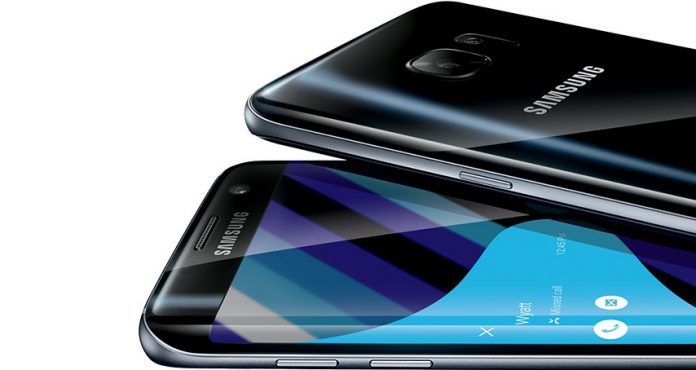
The Samsung Galaxy S7 Edge originally released on March 12, 2016. Now that users have had a full year to use and explore the device in the wild, we decided to look back on the S7 Edge and how it’s fared over the past 12+ months. Samsung is slightly notorious for having devices that find ways to slow down over the years in one way or another. Whether this is a flaw in design or just an inevitability of all electronics, it’s still disheartening considering the cost of these devices.
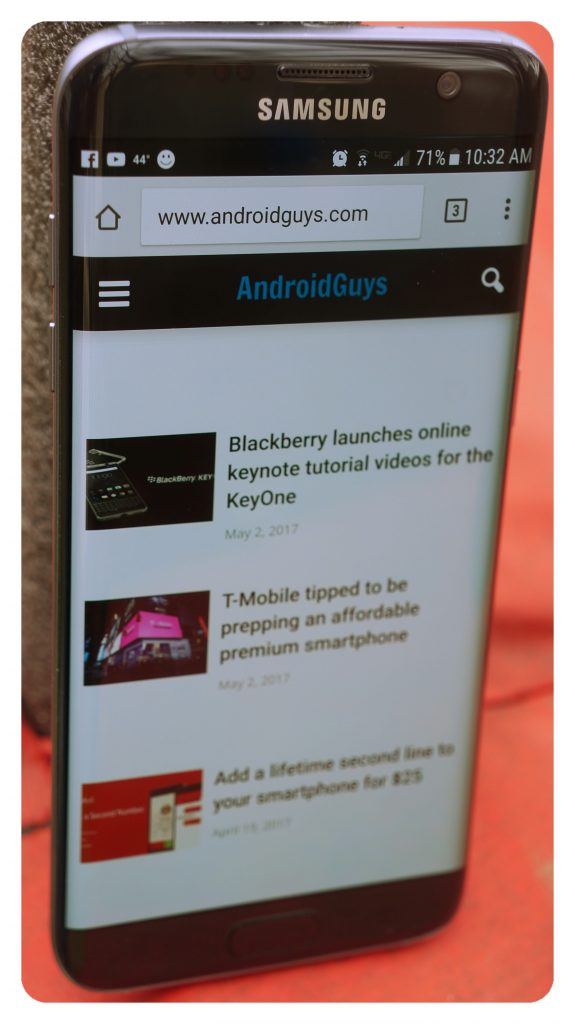 The Galaxy S7/Edge easily renders the best websites, videos, games and applications with ease
Even though the S7 Edge has been out a full year, the specs of the device still impress. Let’s refresh our memories with a lovely list of numbers and details pertaining to the S7 Edge.
Specs
- Screen: Curved 5.5″ 2560 x 1440p S-AMOLED display
- Processor: Snapdragon 820 (US and China), Exynos 8890 Octa (International)
- Storage: 32 GB/64 GB (expandable up to 200 GB through micro-SD)
- RAM: 4 GB
- Primary Camera: 12 MP, f/1.7, 26mm
- Secondary Camera: 5 MP, f/1.7, 22mm
- Battery: 3600 mAh
- Dimensions: 5.94 x 2.86 x 0.30 in
- Weight: 5.54 oz
- IP68 certified – dust proof and water resistant at 1.5m for 30 minutes
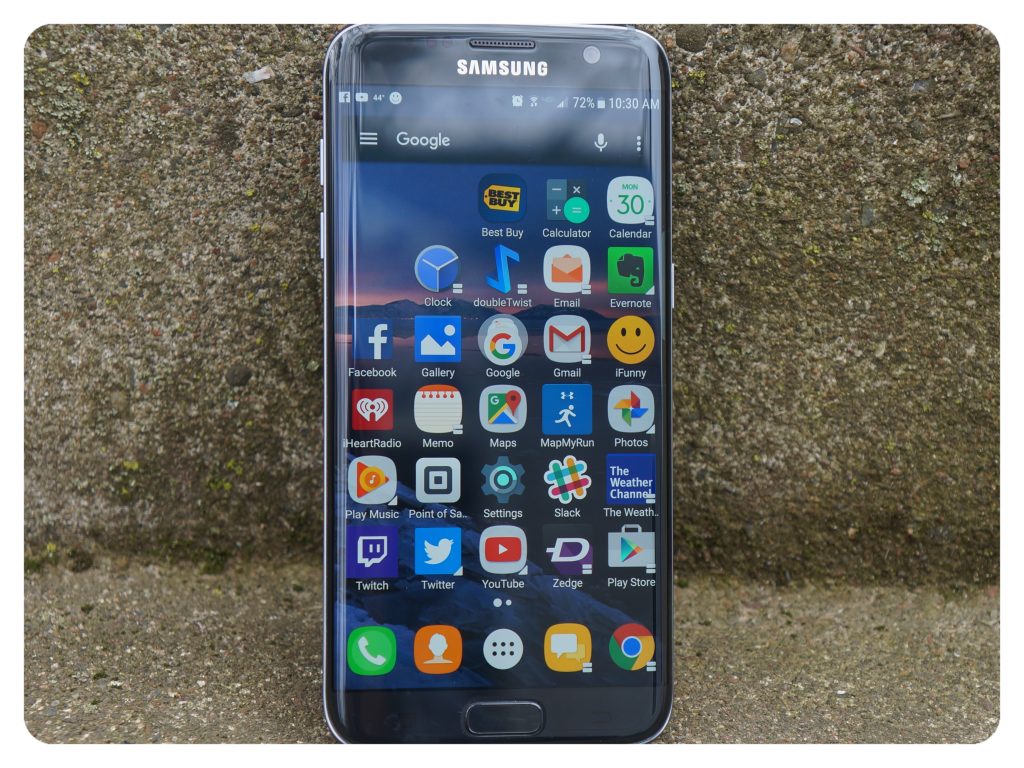 The bright AMOLED display on the S7/Edge works great outdoors
Accolades
The Samsung Galaxy S7 Edge has a huge upside. As indicated in our original review, the S7 Edge is a powerhouse that was top of the line at its original release time. Still, to this day, it’s a top overall performer that can ease through the paces with multitasking and rendering performance that is only now being out-classed by brand new devices. Samsung is known to include top of the line chips and features in their premium devices such as the S7 Edge.
Processing
I have played some of the newest and most demanding 3D games and VR experiences on my Galaxy S7 Edge and I have found that performance has remained between good to great. The Galaxy VR applications have been the most strenuous for my S7 Edge and I have actually found that my phone becomes quite warm after extensive play sessions. I was hoping that this issue could be patched over time to better utilize the power of my phone and decrease the over-heating issues I originally experienced, but so far have seen no improvement.
Camera
Samsung is always at the top of the heap when it comes to the ability to take good-looking photos. The biggest knock against the Galaxy phone cameras is the over-processing of most photos as pictures oftentimes become quite saturated and less natural looking. While some users appreciate the “Hollywood” effect of their photos, it has left pro-users somewhat disappointed in the unnatural look of photos on the S7 Edge. I would love to see more options in taking photos on future Galaxy devices. While this issue affects different users in different ways, it’s indisputable that the camera’s low-light and overall pixel density is second to none. I’ve taken thousands of photos with the Galaxy S7 Edge and have been very pleased with the look of most pictures.
Security
The S7 Edge shipped with a fairly competent fingerprint reader that works well under most conditions. Over time, I discovered that wet or dirty fingers give the sensor some issues on detecting fingerprints accordingly. This is somewhat of an issue considering that the S7 Edge is designed to be a device that is water and dust resistant but does not have the ability to read fingers when they are wet.
Fortunately, the screen is sensitive enough that you can resort to using a simple swipe or grid-based security function when fingers are wet. Samsung includes ‘Samsung Pass’ on the S7 Edge which allows for an extra layer of security that uses biometric data to help secure certain information on your phone. I didn’t use this feature extensively over the past year but was pleased to see it available.
Edge
The Edge feature of the Galaxy S7 Edge smartphone is unique, but not always beneficial. The stylistic advantages of the S7 Edge are imminently apparent and sure to draw in onlookers that are just passing by.
What I discovered in my first year is that the Edge feature offers a little in usability but a more in the overall look of the device. I rarely used the Edge panels and found that it was much easier to access things such as APPS EDGE by just navigating to the appropriate application instead. Considering I rarely create tasks, I also found that the TASKS EDGE feature was also virtually useless. The best use of the Edge feature that I used on almost a daily basis was having additional information such as the time or notifications show up on the device when the screen was off.
Battery: The battery in the Galaxy S7 Edge seems perfectly appropriate for the device. Most users expect at least a day’s use out of their respective smartphone. I found that in most general use settings the S7 Edge was capable of delivering on this expectation. The 3600 mAh battery provides enough juice to allow most users a full day’s use.
Only a few times in the past year did I overuse the device to the point where I was recharging in the late afternoon hours. One feature I found considerably useful, was the Performance Mode allowed in Android 7.0+ on the S7 Edge. This allows a user to optimize use for games, entertainment, high performance or extended battery life. The optimized setting will lower the overall resolution in general use as well as turn off the ‘always-on’ display to extend battery life well beyond what is normally expected.
 The all-glass backing looks great, but I still recommend using a case to protect it
Quirks
After using my Samsung Galaxy S7 edge over the past 12 months a few things stand out as negatives. Most of these are minor complaints, but things I believe Samsung could work towards fixing in upcoming iterations.
Software
Although Samsung’s Touchwiz software skin has become more efficient and less intrusive over time, it’s still a few steps back from a pure Android interface. Samsung is notorious for having its own version of almost everything Android-related, between Touchwiz to the offshoot Tizen to its own version of an app store. On the S7 Edge, Touchwiz does a decent job of performing like stock-Android, but the look is unique enough to leave a few of us wanting something different. Fortunately, it’s easy enough to change the look of Android with a new launcher or icon packs, even if it’s on a Samsung device.
Performance
Whether it’s a Samsung device or a phone from another manufacturer, you may experience a slowdown on almost any device over time. Samsung is one of the top sellers of Android-based mobile devices and because of this, it is often reported that Samsung devices, such as the S7 Edge, slow down incrementally over time.
While using my S7 Edge over the past 12 months, I have experienced this issue. As I filled up my device with videos, apps, music and a plethora of downloaded files and add-ons, I began to notice some slowdown that became quite annoying. Usually, the best fix for these types of issues is a complete refresh of the device. This can be quite the feat for basic users but more often than not will return you to the “out-of-the-box” performance that you started with. It’s never fun to watch your phone become slower in its age and I’d love to see Samsung include an option to tune performance over time instead of sending users to technical support for help.
It’s never fun to watch your phone become slower in its age and I’d love to see Samsung include an option to tune performance over time instead of sending users to technical support for help.
Hardware/Durability
Because the Galaxy S7 Edge is an all-glass device, it’s important for most users to have proper protection for this phone. I personally purchased a screen protector and case on day one and have used them both ever since. One thing I discovered early on, is that it’s much more difficult to use a phone with a curved glass edge if there is not a case on the device.
Without a case, I found that the edges of my hand would register as “screen-touches” and would effectively render the phone useless, or at the minimum very difficult to use. With a case on, the edges of the screen were protected and I was able to navigate as intended through menus, scrolling, and normal applications use. I believe that some smart software could eliminate this issue altogether and expect Samsung to employ some type of fix for future iterations of Galaxy devices that have the curved edge.
 The S7 Edge has a great screen and although somewhat large, still fits nicely in most hands
Conclusion
Now that it has been a full year, it’s much easier to look at the S7 Edge in its entirety. Good and bad experiences can be summed up to an overall impression quite easily. I have strangers ask me about my phone all the time, which means it’s a unique and intriguing device, at the least. I always reply by telling people that I really love the S7 Edge but do not love the cost of the device.
Fortunately, I’ve had no major issues with the S7 Edge and my overall experience has been quite positive, but with the cost of the phone, I have actually considered looking for something different for my next upgrade.
With the S7 Edge, I’ve been quite content on the capabilities, look, and overall functionality of my phone. Being a fan of the Galaxy Note series, I considered a Note7, but in hindsight am very happy that I chose the S7 Edge. The extra real estate, the superb camera, and high-resolution AMOLED screen have made me feel as if I’m in some elite club–and paying for it along the way. If technology advancements continue to drive prices down on high-end smartphones, I believe that the Galaxy S series will remain a top choice for mobile users well into the future.
Samsung really has achieved what it wanted to do with this device: a great screen, a solid camera, respectable software and support, a sleek and smart design with features that will keep customers coming back for more. I can still recommend the S7 Edge as a premium device but suspect those that are looking for a new phone will gravitate to the brand new Samsung Galaxy S8 or S8+. As for me, I’ll be keeping my eye out for the possibility of a new iteration in the Note series.
Trump’s cybersecurity order delivers nothing but more surveillance
Remember that cybersecurity Executive Order we anticipated from the Trump administration, which seemed to quietly disappear in January?
The already-delayed deadline for Trump’s EO on “the cyber” and his promise to create a Cyber Review Team passed last month. Many were wondering if it would fade off into oblivion like a tyrant’s hairline — or show up suddenly to drop cyber-bombs on someone’s vacant cyber-tarmac.
After a suspenseful delay and one leaked draft, the Trump administration’s cybersecurity EO “Strengthening the Cybersecurity of Federal Networks and Critical Infrastructure” finally saw the light of day. Between the WannaCry ransomware news, and nonstop pandemonium issuing from the Mad King’s court, it was easy to miss.
The good news, is that Trump didn’t appoint Julian Assange or Rudy Giuliani to be the nation’s Cybersecurity Commandant. No, he bestowed that honor on a man whose primary qualifications include being a real estate heir and the president’s son-in-law: Jared Kushner.
Since corrupt appointments have made the past few months a sort of Groundhog Day in hell, it’s no surprise really. I mean, it was only one month before the election that Trump finally put a cybersecurity policy on his website. And it was cribbed from a speech he rattled off saying that he intended to hand most of the work off to others.
As we’ve come to expect from this administration, the page with Trump’s cybersecurity policies is now a 404.
The original text had Trump saying that when he was sworn in, he’d order “an immediate review of all US cyber defenses and vulnerabilities, including critical infrastructure, by a Cyber Review Team of individuals from the military, law enforcement, and the private sector.”
Fast forward to April: We finally got an idea of what the hell was going on. Whispers around government press campfires said the Trump regime was “close” to revealing its cybersecurity EO and that the president’s son-in-law was working on the Order with White House tech policy aides in Kushner’s new Office of American Innovation.
Trump also recently signed an executive order creating the American Technology Council, with Kushner as director. Combined with the new EO on cyber, it means that Kushner is in charge of implementing the order. So he will be managing the hiring and awarding contracts.
But how did it turn out? Well, some people really love it. That’s probably because they haven’t thought through what it means that Kushner is running the biz-dev end of the show. Also because the whole order reads like Jared copied Obama’s homework.
Specifically, Jared and company copied the Obama White House “Presidential Policy Directive 21 of February 12, 2013” and the “Commission on Enhancing National Cybersecurity” report released in December 2016.

U.S. President Barack Obama meets with members of the Commission on Enhancing National Cybersecurity at the White House in Washington February 17, 2016.
As you can see, Obama’s 2016 report has been removed by the Trump administration. Take my word for what was in it.
Unfortunately, Trump and Kushner didn’t copy most of the parts that matter.
The new cybersecurity order has three sections. The first part (“Cybersecurity of Federal Networks”) says they’ll create reports geared toward modernizing federal IT, guided by the National Institute of Standards and Technology’s (NIST) Framework for Improving Critical Infrastructure Cybersecurity. Framework that came from from President Obama’s order in 2013.
The second section “Cybersecurity of Critical Infrastructure” tells agency leaders to figure out how they can support the cybersecurity of “section 9 entities” at risk of attack and affecting public health, safety, and national security. This is yet another part cribbed from Obama’s 2013 order.
This middle bit includes only a quick mention of botnets and IoT. And even this tiny section seems suspect in its vague wording. Like the rest of the order, there is nothing telling us how they plan to tackle the problem, and concludes by saying a report is due in a year.
The entire order is a list of reports with loopholes, and for copied homework it sure left out crucial national security hot points. It’s a shame threats like Mirai — star of the 2016 cybersecurity threat show in the 2016 order — have to be inferred in the Trump-Kushner order.
Researcher Jake Williams from Rendition Infosec saw bright, flashing hazard signs when looking at the Internet of Things section. This section puts decision making around securing IoT devices and consumers under the jurisdiction of the FCC and FTC, among others.
Williams told Engadget in a Thursday call, “I think it’s a power grab for new capabilities by law enforcement.”
Williams explained, ” If it’s true that Trump brought in industry leaders, then any one of them knows you can’t stop botnets without lots of network monitoring. Given some of the things I’ve seen, I suspect they’ll use the report to say, ‘look at the problems; let’s give law enforcement more monitoring capabilities.’”
Drawing a clear line between intentions of the EO’s decision makers on IoT and potential harm to consumers, Mr. Williams added, that “the idea that they want the FCC involved in botnet monitoring would be to justify the commercial losses, and making that a national security issue.”
Of course, reducing consumer cybersecurity protections is right in line with the new FCC’s statements. It’s also in lockstep with Trump’s outspoken enthusiasm for government surveillance. In his words, the NSA “should be given as much leeway as possible.”

Donald Trump meeting with cyber security experts in the White House, January 31, 2017.
That might also please the original team that backed the Obama report — it also had serious flaws when it came to protecting citizens from government overreach. Lest we forget, the commission behind it included corporate interests like the president and CEO of MasterCard, the corporate VP from Microsoft Research, the chief security officer of Uber (Joe Sullivan, formerly Facebook counsel) and former NSA head Gen. Keith Alexander. Some of you may remember Alexander as the guy forced to admit that the number of terrorist plots foiled by blanket surveillance were wildly overstated.
The final section, “Cybersecurity for the Nation” begins with vague wording about protecting the internet and fostering a cybersecurity workforce… but goes right into a 90-day deadline for a plan on “the Nation’s strategic options for deterring adversaries and better protecting the American people from cyber threats.” Sounds like cyberwar to me.
Next, within 45 days Trump wants the FBI, the Secretaries of Defense and Homeland Security (among others) to give him everything they have on “their international cybersecurity priorities, including those concerning investigation, attribution, cyber threat information sharing, response, capacity building, and cooperation.”
Talk about missing the point of copying someone’s work; the order is short, opportunistic, and wholly lacking specifics. No action items, direction to create initiatives, there’s a little nod telling Jared Kushner to carve out budgets (but no details), and nothing about collaboration with the public sector.
And while Obama’s 2016 report included a generous amount of attention to consumer rights, even suggesting a security “nutritional label” for products, we come up empty with Trump and Kushner’s order.
I think you can see why it’s more than annoying that some of my colleagues saw the EO and thought it was a good thing. It’s not. It’s about five hundred steps backward from where we were last year, with a layer of malfeasant opportunism on top.
And we weren’t exactly in a great place last year with our government coming to grips with our nation’s cybersecurity, either.
Super agile, ball-fetching drone could make your human friends obsolete
Why it matters to you
Drones equipped with smart planning algorithms have the potential to be even more useful.
Kids develop the skills to catch a ball that is thrown to them around the age of three or four, leading us to believe it’s not a particularly challenging skill.
However, as AI researcher Hans Moravec’s “Moravec’s paradox” states, when it comes to robotics and artificial intelligence, the human skills we think are going to be difficult for a machine to replicate often turn out to be easy, while the skills we think will be easy turn out to be difficult.
In a new piece of research, investigators from Switzerland’s ETH Zurich trained a drone equipped with a net to be able to catch a ball when it is thrown. The drone in question is something called an “omnicopter,” described by the researchers in a previous paper. It boasts eight motors oriented in different directions, giving it an enormous amount of range of movement — thereby allowing it to play fetch in a way that most drones would be unable to.
“We use an external camera system to detect both the position of the ball and the omnicopter,” researcher Dario Brescianini told Digital Trends. “As soon as the ball is thrown into the air, we calculate its flight path and plan a trajectory to catch it. The key element behind making a successful catch is the computationally efficient generation of trajectories. This enables the generation of thousands of different trajectories in real time that achieve the same high level goal of catching the ball. The algorithm then selects the best trajectory and the vehicle executes 20ms of this trajectory, before the entire process is repeated.”
However, as much fun as we could imagine a ball-catching drone would be around the office, Brescianini says the work has other, broader applications. Specifically, the vehicle and trajectory generation algorithm presented could be used in any scenario that requires flying to any desired attitude and position with a high degree of exactness and timing.
 AIVAnet