


App Highlight: Spells of Genesis

The App
Developed by Channel 4 Television Corporation, Spells of Genesis is a new app from an established developer who has brought us such titles as Hollyoaks The Game and Linkem. The game mixes classic deck building strategy mechanic with arcade puzzling gameplay wrapped around an in-game technology based on the bitcoin blockchain.
What it does
Spells of Genesis is a fantasy trading game that takes traditional aspects of strategic trading card games and combines them an arcade gameplay mechanism. Your aim is to build the strongest deck by collecting, trading, and combining orbs, and put them to the test against challenging opponents while exploring the fantasy realm of Moonga.


With over 300 different orbs to collect across over 150 levels, there is tons for players to explore and build their own army.
Why we like it
The in-game currency is a cryptocurrency based off bitcoin blockchain meaning that all purchases and trades are tagged with a digital footprint so you can truly see the path of ownership for cards. With the array of heroes, villians, monsters, and animals found in Moonga, there is so much content that you’ll find hours of fun with this.
How to get it
Spells of Genesis is available for free from the Google Play Store. You can download it right here.
Amazon Echo Dot – who is it for, should you buy it?
While the Amazon Echo Dot (2nd gen) has been on the market for quite a while now, it seems that now then ever is the right time to take a look at this gizmo here on Android Authority — especially with the Google Home and Amazon Echo wars heating up hardcore thanks to Google’s big Assistant announcements from Google I/O 2017.
What is the Amazon Echo Dot exactly? You’ve probably seen it in a commercial or maybe at the store, but why would you buy this little guy when the Echo Dot or Google Home have bigger, fuller sound? Good question. That’s exactly what we aim to address in this post. Keep in mind that while this does serve as an Amazon Echo Dot review of sorts, we aren’t going to stick to traditional formatting. Instead we want to answer the questions – what is it, who is it for, and do we recommend it.
What exactly does the Echo Dot do or not do?
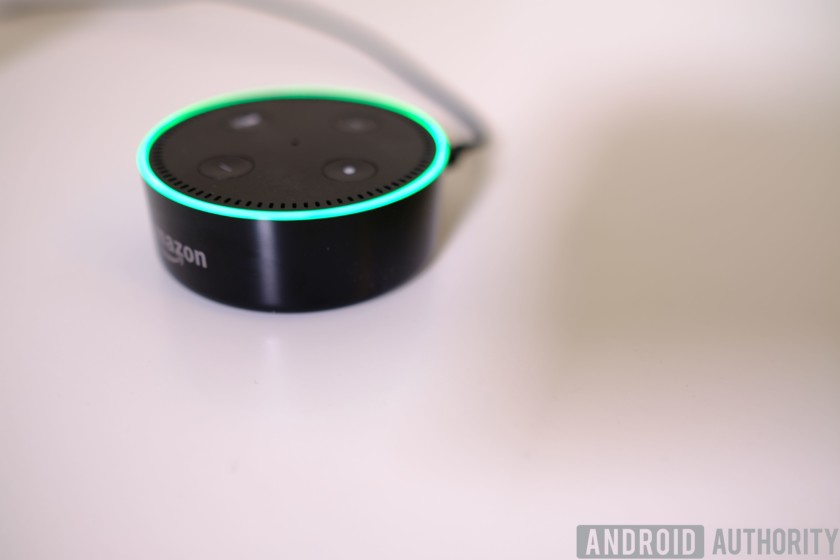
Pretty much everyone these days is familiar with the Amazon Echo, thanks to Amazon’s major marketing efforts both on the web and via TV. In short, the Echo is a smart assistant powered by Alexa that lets you order items from Amazon, play music, ask questions, set timers, look up recipes, control your smart home — and more. Oh, it’s also a pretty high quality speaker system for your tunes, to answer those questions, etc.
See also:
Amazon Echo commands – our guide to everything Alexa can do
February 20, 2017
Meanwhile, the Echo Dot does everything we mentioned the Echo does, but there isn’t that high quality speaker. Instead there is a tiny speaker that’s good enough if you are right next to it and aren’t too particular about audio quality.
Why would you want to sacrifice sound? For one, it’s small and can be placed just about anywhere in your home without distracting the overall decorum of that room. Also, it has Bluetooth and a physical audio jack so you can connect your existing speakers to it.
Design, ease of use, and so forth
As for the design? It’s small, easy to use with a few physical buttons on top.. And that’s about all there is to say about it. You can get it in black or white, though I personally favor the black version.
Not a lot to say about the software or how to use it either. You set things up with the Alexa app on your phone (Android and iOS support), then after that you hook it to Wi-Fi and from then out — you can listen to music, control stuff, and more right from the speaker.
Of course any time you need to add new functions (skills, etc) — you do have to go back into the app. All in all, it doesn’t get much easier to use than the Echo Dot.
So who should buy the Echo Dot?
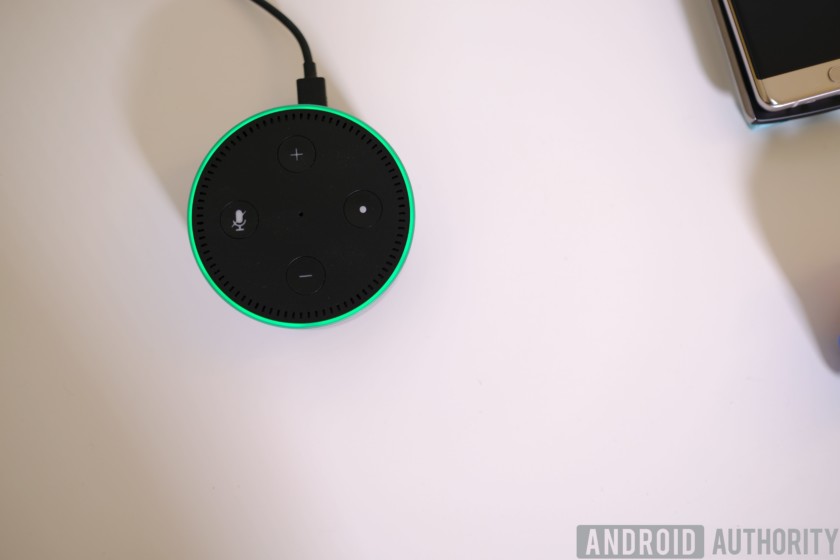
Is the Echo Dot for you? Very likely, especially if you fall into one of these situations:
Those with a quality audio setup already in their homes
If you have an expensive traditional speaker setup, a living room audiotainment system, or just a solid Bluetooth speaker — the Echo Dot can default to those speakers when plugged in. That makes this a no brainer accessory, considering the Echo Dot is only $50!
Those who are simply curious about the whole ‘smart speaker’ thing
At $50, the Echo Dot is pretty much in impulse buy territory for many of us. In fact, that’s how I got started with it. Was curious if I’d use a smart assistant more in a speaker than I do on my phone. And the price was low enough for me to give it a go.
I liked it so much I ended up buying a higher-end model for the living room, while keeping the Echo Dot in use as a bedroom speaker.
Those who already have an Echo and just want to ‘extend’ its functions to more room
If you have a smart home setup, in particular, Echo Dots make a lot of sense for bedrooms, common areas in the house that your main speaker won’t be able to hear well, and so forth. If the room isn’t going to be used for high quality music — why pay high dollar just so you can say “Alexa” and ask your lights to go on/off, etc.
Wrap up
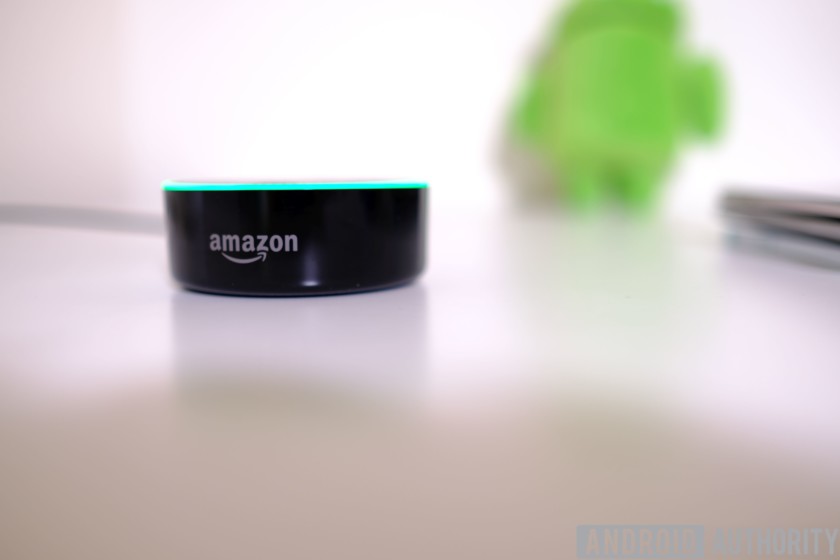
At $50, the Amazon Echo Dot is perfect for those that want to try a smart assistant without making a big investment. It’s also great for those with a quality speaker setup already. If you fit into either of those categories, YES BUY IT NOW. You won’t regret it.
That said, if you are more of a Google Assistant guy, Google Home is going to make more sense — to bad it’s slightly more than double the price. Personally, if there were a $50 Google Home ‘Dot’, I’d buy it over Amazon’s in a heartbeat. Mostly because “Okay Google” is engrained in my mind so hard that sometimes I accidentally say the wrong wake word to my Echo Dot.
I feel the lack of a ‘smaller, cheaper’ Google Home is a big weakness that Google should address. Then again, the company recently announced it is pushing Assistant technology into more and more devices — so maybe third party solutions will make their own “Dot” equivalents powered by Assistant.
What do you think of the Amazon Echo Dot? Let us know your thoughts down in the comments.
Get it on Amazon!
Facebook adds weekly MLB games to its streaming slate
Back in February, Reuters reported that Facebook wanted to stream weekly Major League Baseball games as part of its big live video push. Well, the social network got its wish. Today, Facebook announced a deal with MLB to show weekly baseball games live on Fridays starting this week. Tomorrow night, you’ll be able to watch the Rockies battle the Reds at 7:10 ET on the league’s Facebook page. A full schedule of games hasn’t been released.
The company isn’t the first to livestream games from the league though, both Twitter and Yahoo have dabbled in weekly baseball coverage before. In fact, Twitter still offers some live baseball action and it’s on Fridays, too. The next game there is tomorrow night when the Yankees take on the Rays.
The weekly live action on the diamond will be available to all Facebook users in the US. Facebook confirmed to Engadget that the MLB’s infuriating blackout policy won’t apply as these are nationally televised games. Weekly baseball streams on Twitter are subject to blackout restrictions as this editor recently found out first hand while trying to watch. However, the 20 games that will stream on Facebook this season won’t be subject to those pesky blackouts. Each week, the stream will be piped in from a network that owns one the team’s broadcast rights.
“Probably the most important single announcement [today], we’ve done an agreement with Facebook that will allow Facebook to do a national game on Friday nights without blackout,” MLB commissioner Robert D. Manfred Jr. said at the league’s owners meetings today. “Really important for us in terms of experimenting with a new partner in this area.”
Of course, baseball isn’t the only sport Facebook is showing live. Among others, the company is streaming MLS and Liga MX soccer matchups thanks to deal with Univision. And MLB isn’t just limiting itself to Facebook either. Twitter announced earlier this month that a 3-hour baseball show would be part of it’s massive live push that includes sports, news and more in addition to those Friday night games.
Via: Reuters
An unreleased version of the Google Pixel launcher shows up at Google I/O
Why it matters to you
Google’s Pixel launcher is already one of its most popular, and may become even more so thanks to major changes in an upcoming version.

The Google Pixel launcher is one of the more popular launchers for Android, largely because of how simple and clean it is, not to mention its emphasis on Google’s apps and services. Now, we have a second version of the launcher, which just showed up at Google I/O — a little earlier in the year than we expected. It’s also possible that someone at Google messed up and it’s not supposed to be on show at the event — but either way, we now have a better look at the direction Google is taking with the Pixel.
A video of the launcher was taken by 9to5Google, and if you’ve used the previous Pixel launcher, you’ll notice a few major changes. For example, the “G” tab on the left-hand side is no longer there — instead, the search bar has been moved front and center at the bottom of the main home screen.
It makes sense that Google would want to make search a little more prominent. While it was already very accessible, it did require a swipe to get to. Now, you can simply tap on the search bar and start searching. Hopefully, users will be able to move it around on the home screen, as many people prefer having apps on the bottom rather than on the top.
In the demo, it seems as though the top row of the home screen is used for the date, which is centered and easy to see. In the previous Pixel launcher, the weather was also present there — and hopefully the weather aspect will come back, as it can be pretty helpful.
It will be interesting to see if the launcher changes at all over the next few months before the Google Pixel 2 is released, or if we’re now looking at a final version of it.
A small number of self-driving cars on the road could solve some traffic woes
Why it matters to you
Even if you don’t own a self-driving car, you may still wind up benefiting from them.
If you’re of the opinion that the traffic problems associated with human drivers will only cease when the majority of vehicles on the road are autonomous, think again!
According to a recent study carried out at the University of Illinois at Urbana-Champaign, having just 5 percent of cars on the road be autonomous vehicles could eliminate stop-and-go waves of traffic — and all the accident risk and fuel inefficiency that comes with it.
“We wondered what would happen if we tried to use the emerging connected and automated vehicle technologies at low penetration rates to influence the overall traffic flow,” Daniel Work, the assistant professor who served as lead researcher on the project, told Digital Trends. “We started by picking a very helpful experimental setup, inspired by experiments conducted by the Mathematical Society of Traffic Flow — famous in the transportation engineering community because it showed experimentally that ‘phantom’ traffic jams can be created entirely by human driving behavior. Based on those tests, we began to think about the possibility of an automated vehicle that could cancel the stop-and-go wave.”
In field experiments conducted in Tucson, Arizona, a single autonomous vehicle circled a track continuously along with more than 20 human-driven cars. While humans naturally create the dreaded phenomenon of stop-and-go traffic, researchers discovered that controlling the pace of the autonomous car had a major impact on overall traffic flow. The results of their experiment not only made traffic flow better, but also reduced overall fuel consumption by up to 40 percent.
“It is important to clarify that a single AV on a real roadway would only have local benefits in the lane of travel in the 20-car neighborhood behind the vehicle,” Work said. “To be effective, one needs a small number distributed in the flow in order to prevent the waves from re-appearing after the AV has passed through the roadway section. Lane changes are another area of interest [where] we need further modeling and testing, since they act as a trigger for stop-and-go waves, but also free up gaps in the departure lane that can be used to dampen waves. We will need to address this in our future work before we are ready to claim victory over phantom traffic jams.”
Still, it’s promising to know that all of us are likely to benefit from self-driving cars — and not just the rich few who will initially be able to afford them.
As Work points out, such effects can also come from adaptive cruise control (ACC) and cooperative adaptive cruise control (CACC) systems. “We don’t necessarily need a fully self-driving car to make this work,” he noted.
New patent shows a radically different Apple Watch with a flexible display
Why it matters to you
Your future smartwatch could feature a much larger display that covers both the face and the band.
The Apple Watch is by far the most popular smartwatch out there but when it was launched, some criticized it for looking a little too much like a smartphone strapped to your wrist. Now, however, that may be changing.
Apple has filed a patent for a new version of the Apple Watch that shows a pretty radical change to the device. Perhaps the biggest change is that instead of a square look, the device looks to incorporate a more standard circular watch face. The patent was discovered by Patently Apple.
Of course, it won’t look totally like a classic watch — just the shape. The patent describes that the device will include a flexible display that covers both the watch face and the watch band. The bezels on the device also look pretty slim, which helps give the device that large flexible-display look.
The device isn’t just a big screen — it will also include a small module with a processor, along with what could be a communication module, with which it can connect to things through Bluetooth or Wi-Fi.
The move would be an interesting one from Apple and would represent a major change to the design. Still, this is just a patent — so while Apple has looked into the idea, there is no guarantee that we will ever see it and if we do that, we will see it soon. It is also important to note that the patent dates back to 2015.
The design of wearable devices is much more important than of others, largely because they are a part of the user’s fashion. Perhaps Apple could offer a number of different Apple Watch designs in an attempt to cater to different fashions.
A number of rumors about the upcoming Apple Watch Series 3 have surfaced over the past few weeks, namely that the device will start working “smart bands.” One smart band is reportedly a blood glucose monitor, which is aimed at helping those that suffer from diabetes.
Google wants to Jedi-mind trick your phone into a powerhouse with Seurat
Why it matters to you
By reducing the requirements of immersive VR, Google could be on the cusp of bringing high-quality VR experiences to your smartphone.

At the I/O developer conference on Thursday, Google unveiled a bold plan to bring desktop-grade graphics capabilities to your smartphone — using a few behind-the-scenes tricks.
The technology, called Seurat, takes high-fidelity virtual reality scenes and works some magic to effectively downscale the underlying geometry to the point where a smartphone could render the whole scene in real time.
Google was light on the exact details but through a partnership with Industrial Light and Magic’s internal “Experience Lab” or ILMxLab, we got a chance to see the technology in action and it’s pretty impressive. Taking users into an interactive VR version of a scene from Rogue One: A Star Wars Story, ILMxLab created a lavishly detailed world using high-powered desktop hardware.
Using Google’s Seurat technology, ILMxLab was able to break down the overall polygon count and downscale textures without sacrificing too much in the way of graphical fidelity. While the downscaled version did not look quite as sharp, it only took about 300 milliseconds for a smartphone to render — down from an hour on high-end desktop hardware.
The behind-the-scenes trickery Seurat employs managed to pare down and compress the original scene from one featuring over 50 million polygons to one with just 72,000 — there was a bit of quality lost in the process, which is to be expected. The real goal of this technology is to enable better VR experiences on mobile devices, which possess only a fraction of the power a VR-ready desktop has at its disposal.
As illustrated in the demo, one key component of the technology essentially eliminates background details that are not visible to users, which enables the mobile versions of VR scenes to appear lifelike and high-quality without overtaxing smartphone hardware.
This forward leap in graphical quality is a big deal for Google’s Daydream ecosystem, which it hopes will become the standard for mobile VR and AR experiences.
Google wants to Jedi-mind trick your phone into a powerhouse with Seurat
Why it matters to you
By reducing the requirements of immersive VR, Google could be on the cusp of bringing high-quality VR experiences to your smartphone.

At the I/O developer conference on Thursday, Google unveiled a bold plan to bring desktop-grade graphics capabilities to your smartphone — using a few behind-the-scenes tricks.
The technology, called Seurat, takes high-fidelity virtual reality scenes and works some magic to effectively downscale the underlying geometry to the point where a smartphone could render the whole scene in real time.
Google was light on the exact details but through a partnership with Industrial Light and Magic’s internal “Experience Lab” or ILMxLab, we got a chance to see the technology in action and it’s pretty impressive. Taking users into an interactive VR version of a scene from Rogue One: A Star Wars Story, ILMxLab created a lavishly detailed world using high-powered desktop hardware.
Using Google’s Seurat technology, ILMxLab was able to break down the overall polygon count and downscale textures without sacrificing too much in the way of graphical fidelity. While the downscaled version did not look quite as sharp, it only took about 300 milliseconds for a smartphone to render — down from an hour on high-end desktop hardware.
The behind-the-scenes trickery Seurat employs managed to pare down and compress the original scene from one featuring over 50 million polygons to one with just 72,000 — there was a bit of quality lost in the process, which is to be expected. The real goal of this technology is to enable better VR experiences on mobile devices, which possess only a fraction of the power a VR-ready desktop has at its disposal.
As illustrated in the demo, one key component of the technology essentially eliminates background details that are not visible to users, which enables the mobile versions of VR scenes to appear lifelike and high-quality without overtaxing smartphone hardware.
This forward leap in graphical quality is a big deal for Google’s Daydream ecosystem, which it hopes will become the standard for mobile VR and AR experiences.
Google’s new Chrome for virtual reality is much more than just a port
Why it matters to you
It might not surprise many people to find out Google is rolling out a version of Chrome built for VR, but the rich feature set may.

As Google continues to push more power into Daydream and augmented reality implementations, it only makes sense that the brand’s web browser would find its way into virtual reality. That’s precisely what was announced Thursday at Google I/O, although it flies under the larger banner of immersive web, and for good reason — Chrome for VR isn’t meant to be just like sitting in a dome holding up browser windows.
There’s a good reason for wanting more out of Chrome for VR, and it lies with the versions of the browser people are already familiar with. Chrome for desktop and mobile has a rich set of features that allow developers to create novel ways for users to explore their sites, and that’s how Chrome for VR will work as well. By enabling rich VR experiences in Javascript and WebGL, it’s easy to bring whole sites into the virtual world, and like the other implementations of Chrome, it easily adapts to any device.
It isn’t just virtual reality that’s a part of the Chrome puzzle. Augmented reality has played a large role in Google I/O already, and it’s no different here. Some of the same uses — fitting furniture, exploring complex subjects, finding something in a museum — work right from Chrome with AR enabled. There’s no installing an app or configuring anything, you just click the link on a supported website, and the world around you invades the smartphone.
No exact release date was offered, but it was mentioned that Chrome for virtual reality would be coming to Daydream headsets later this year. With rich feature support, and the wealth of other supporting technologies Google has rolling out, we’re optimistic about the future of augmented reality and virtual reality Chrome offerings. If nothing else, the browser can act as a support system that fleshes out the company’s set of first-party software for the Daydream headset.
Google’s new Chrome for virtual reality is much more than just a port
Why it matters to you
It might not surprise many people to find out Google is rolling out a version of Chrome built for VR, but the rich feature set may.

As Google continues to push more power into Daydream and augmented reality implementations, it only makes sense that the brand’s web browser would find its way into virtual reality. That’s precisely what was announced Thursday at Google I/O, although it flies under the larger banner of immersive web, and for good reason — Chrome for VR isn’t meant to be just like sitting in a dome holding up browser windows.
There’s a good reason for wanting more out of Chrome for VR, and it lies with the versions of the browser people are already familiar with. Chrome for desktop and mobile has a rich set of features that allow developers to create novel ways for users to explore their sites, and that’s how Chrome for VR will work as well. By enabling rich VR experiences in Javascript and WebGL, it’s easy to bring whole sites into the virtual world, and like the other implementations of Chrome, it easily adapts to any device.
It isn’t just virtual reality that’s a part of the Chrome puzzle. Augmented reality has played a large role in Google I/O already, and it’s no different here. Some of the same uses — fitting furniture, exploring complex subjects, finding something in a museum — work right from Chrome with AR enabled. There’s no installing an app or configuring anything, you just click the link on a supported website, and the world around you invades the smartphone.
No exact release date was offered, but it was mentioned that Chrome for virtual reality would be coming to Daydream headsets later this year. With rich feature support, and the wealth of other supporting technologies Google has rolling out, we’re optimistic about the future of augmented reality and virtual reality Chrome offerings. If nothing else, the browser can act as a support system that fleshes out the company’s set of first-party software for the Daydream headset.
 AIVAnet