


Acer’s crazy expensive $9,000 Predator laptop is stalking PC gamers globally
Why it matters to you
PC gamers with $9,000 to spare now have a new option for playing their favorites on a high-end mobile solution sporting a 21-inch curved WFHD display.
For those who haven’t heard about Acer’s Predator 21 X gaming laptop with a curved screen, you are about to do a double-take. After first appearing at CES 2017 in January, the company said the high-end unit would hit the market sometime in the first quarter. However, that did not happen but instead, it officially launched on Wednesday in Taiwan as the global rollout starting point. The double-take? It has a starting price of $9,000. Yep, you read that correctly.
In Acer’s defense, the laptop is loaded with meaty components that probably have no problems sustaining a high framerate at 2,560 x 1080 on and off the 6,000 mAh battery. The list not only includes a curved 21-inch G-Sync-compatible screen, but two GeForce discrete graphics chips in SLI mode and a shiny new quad-core seventh-generation Intel Core i7 processor.
Here are the monstrous goods:
Model:
Predator 21 X GX21-71-76ZF
Screen size:
21 inches
Panel type:
In-Plane Switching (IPS), LED backlit, G-Sync
Maximum resolution:
2,560 x 1,080 @ 120Hz
Aspect ratio:
21:9
Screen curvature:
2000R
Processor:
Intel Core i7-7820HK @ 2.90GHz
Graphics:
2x GeForce GTX 1080
Graphics memory:
16GB GDDR5X
System memory:
32GB DDR4 (64GB max, 4x DIMM slots, 2,400MHz)
Storage:
1TB hard drive
1TB solid state drive
Connectivity:
Wireless AC
Audio:
4x Speakers
Ports:
1x Ethernet
1x SD card reader
1x HDMI
1x DisplayPort
4x USB 3.1 Gen1 Type-A
1x USB 3.1 Gen1 Type-C
1x Headphone jack
1x Microphone jack
Battery:
8-cell 6,000mAh Li-Ion
Dimensions:
2.71 – 3.28 (H) x 22.4  x 12.4 (D) inches
Weight:
18.74 pounds
Operating system:
Windows 10 Home 64-bit
For starters, the display has a curvature of 2000R. The ‘R’ represents the radius of a complete circle, so the smaller the radius, the larger the curved form factor becomes for a screen. Curved screens are better on the eyeballs because your built-in optical orbs aren’t flat, and right now, a curvature of around 2000R seems to be the sweet spot, which this notebook gladly rubs the right way.
The screen is also based on IPS panel technology, which is known for its rich colors and wide viewing angles. The older Twisted Nematic tech is typically associated with gaming due to its response time and high brightness. However, Acer may have opted for IPS to better support the curved form factor.
More: Upgrade to ultrawide with the 34-inch Acer Predator curved monitor, now $200 off
Regardless, the huge cost of Acer’s new laptop likely resides in the large 21-inch curved display and the two $500 GTX 1080 graphics chips. Intel does not list the pricing for its i7-7820HK chip, but it shows an introductory price of $378 when the chip made its first appearance in January. The product page also shows that units will come packed with Tobii eye-tracking technology and there is G-Sync to consider as well.
When this beastly laptop will hit the North American market is unknown. However, Acer Taiwan president Dave Lin said customers will have the ability to customize the device, hence the massive “starting” price. The company will even send out engineers to help customers set up the laptop after purchase, he added.
Chiseled by light, Adidas’ Futurecraft 4D could bring custom footwear to the masses
Why it matters to you
Adidas and the innovative manufacturing company Carbon turned to Digital Light Synthesis and years of running data to produce a true breakthrough in running footwear
At a recent event in New York City, Adidas unveiled the Futurecraft 4D, a shoe it essentially chiseled by light. Created using an innovative manufacturing process known as Digital Light Synthesis (DLS), the German sportswear company teamed with Silicon Valley startup Carbon to produce what each hope to be a breakthrough in footwear. Though other sportswear companies utilize 3D printing to create running shoes — including Adidas itself — the Futurecraft 4D collaboration marks the first time anyone’s turned to DLS to make footwear.
Unlike additive 3D printing, Carbon’s proprietary CLIP technology leans on oxygen permeable optics, digital light projection, and programmable liquid resins to manufacture an object. To create the shoe, Carbon and Adidas projected light through a window in a pool of resin capable of instantly hardening via ultraviolet (UV) light. As UV images of the design project onto the resin, the material begins to take shape and solidify. Once this occurs, the team then bakes it in an oven to produce the finished, fully functional prototype.
More: Porsche lends engineering know-how to running shoes in collaboration with Adidas
With Futurecraft 4D, Adidas says it’s “officially departing from 3D printing,” according to a press release. In the past, Adidas could only prototype the midsole of a shoe using 3D printing but still required the use of traditional molding and manufacturing to get the finished product. For its recent release, it combined DLS with 17 years of athlete running data to allow the company to customize even the most minute details of the shoe to fit perfectly. DLS allowed Adidas to create 50 fully functional prototypes while creating the Futurecraft 4D.
“Building a mold takes probably something like 35 days for one iteration. So, you can only have so many iterations. Here, we can make one iteration in a day, or sometimes two, or three,” Gerd Manz, Adidas’ vice president of technology innovation told Digital Trends.
Adidas ultimately desires a future where the average consumer simply emails Adidas their personal data to build them the perfect shoe
On hand at the announcement, Digital Trends had the opportunity to try Adidas’ Futurecraft 4D during the unveiling. As soon as we put it on, the elasticity of the intricately designed outer sole design is immediately noticeable in the heel. Even without running, it’s easy to feel the material almost push you forward when the heel of your foot presses on it. While running, the woven mesh upper allows for an enjoyable breeze to circulate throughout the shoe, helping cool off whoever’s wearing it.
To show off the technology in action, Olympic track and field athlete Tori Bowie tested out the Futurecraft shoes while simultaneously crafting her own.
“These [devices] on my feet will help me create my own shoes,” Bowie told Digital Trends while pointing at the two white Adidas devices latched onto her Futurecraft’s laces. “We get feedback from them on one of the iPads so we can create my own shoe.”
Manz says Adidas ultimately desires a future where the average consumer simply emails Adidas their personal data to build them the perfect shoe. As of now, Adidas has yet to officially announce how much the Futurecraft 4D intends to retail for. However, innovative advancements in technology such as this typically come at a price.

Keith Nelson Jr./Digital Trends
“In every technology, at the beginning, you have a certain price tag,” Manz added. “For us, this will be a premium level offer. But, we are working very hard to bring it further and further down in cost and increase our volume, as well as the availability of the product.”
Adidas is planning to release around 5,000 pairs of the Futurecraft 4D commercially this fall and winter, with the hope of having roughly 100,000 pairs in the wild by the end of 2018.
Google’s new AI solution will help make Android phones smarter, more secure
Why it matters to you
You may not notice the changes outright, but Google is putting privacy first with its new AI solution– while also ensuring that your phone is as smart as it can be.
Google is always looking to improve its mobile services, and its latest efforts will see the company turn to a new method called “federated learning.”
The method is being tested now by Google, and represents a pretty big change in how machine-learning systems work on Android. Right now, user data is sent to the cloud on a case-by-case basis, while federated learning would essentially download machine-learning models to the device, modify the model locally, then send a summary of the changes to Google’s servers. The main difference here is where data is mainly stored.
More: Google air conditioner design could let you see straight through the machine
The new method is being tested on Gboard, Google’s popular keyboard. Data stored on the device will include things like the timing and context of suggestions, according to Google. After that data is stored on the device, it is processed on the phone and will begin building an update for the machine-learning model, which will later be sent to Google’s servers.
There are some issues associated with the new system. For example, Google notes that higher latency and slower connections, as well as an uneven distribution of data, can all affect how well the system works. In order to better manage these issues, Google will use what it calls “federated averaging algorithms,” which help reduce the upload time of updates, as well as how much energy the phone uses. These algorithms basically compress data into smaller packages before it’s uploaded. Uploads will only take place when a phone is idle, charging, and connected to Wi-Fi.
There are some big advantages to federated learning. For example, Google notes that the method should help improve privacy. That’s because Google won’t have access to the processed data, but rather only the small update packages sent to Google’s server. Not only that, but users will experience improvements in machine-learning models immediately, rather than having to wait for Google to launch an update.
Google’s new AI solution will help make Android phones smarter, more secure
Why it matters to you
You may not notice the changes outright, but Google is putting privacy first with its new AI solution– while also ensuring that your phone is as smart as it can be.
Google is always looking to improve its mobile services, and its latest efforts will see the company turn to a new method called “federated learning.”
The method is being tested now by Google, and represents a pretty big change in how machine-learning systems work on Android. Right now, user data is sent to the cloud on a case-by-case basis, while federated learning would essentially download machine-learning models to the device, modify the model locally, then send a summary of the changes to Google’s servers. The main difference here is where data is mainly stored.
More: Google air conditioner design could let you see straight through the machine
The new method is being tested on Gboard, Google’s popular keyboard. Data stored on the device will include things like the timing and context of suggestions, according to Google. After that data is stored on the device, it is processed on the phone and will begin building an update for the machine-learning model, which will later be sent to Google’s servers.
There are some issues associated with the new system. For example, Google notes that higher latency and slower connections, as well as an uneven distribution of data, can all affect how well the system works. In order to better manage these issues, Google will use what it calls “federated averaging algorithms,” which help reduce the upload time of updates, as well as how much energy the phone uses. These algorithms basically compress data into smaller packages before it’s uploaded. Uploads will only take place when a phone is idle, charging, and connected to Wi-Fi.
There are some big advantages to federated learning. For example, Google notes that the method should help improve privacy. That’s because Google won’t have access to the processed data, but rather only the small update packages sent to Google’s server. Not only that, but users will experience improvements in machine-learning models immediately, rather than having to wait for Google to launch an update.
Microsoft rolls out new Insider build just days ahead of Creators Update release
Why it matters to you
Microsoft’s Insider builds provide enthusiasts with a glimpse into the near future of their operating system, and with the Creators Update just around the corner, every little tweak will have a big impact on your PC.
We’re mere days away from the official release of the Windows 10 Creators Update, but that doesn’t mean Windows Insiders are left out in the cold. Today Microsoft announced yet another Insider update for users on the Fast Ring.
This update features, well, a notable lack of features. According to Microsoft, that’s on purpose. At this point, the Windows 10 development team is focused on making behind-the-scenes changes to the Creators Update, minor tweaks that make everything run a little smoother.
So what does that mean for Insiders who pick up Build 16170? Well, it means you might find some minor issues remedied, but shouldn’t expect any groundbreaking new features. Mostly, it appears Microsoft is focused on making sure OneCore is optimized for the Creators Update release later this month.
More: Looking for a new tablet? Survey shows customers prefer Microsoft Surface
That’s not to say there’s nothing in this update. There are a few minor fixes, including a tweak to Cortana’s reminder functionality, which was displaying as a share target in some apps, even if Cortana was disabled. Additionally, turning off a Night Light schedule in the settings app now turns off Night Light if it’s currently enabled.
Alongside Build 16170, Microsoft announced a long-awaited feature for the Windows Insider program as a whole: the aptly named Windows Insider Program for Business. Based on the number of IT professionals who actively use and participate in the Windows Insider program, Microsoft decided to roll out a version of the Insider program designed for its corporate Azure Active Directory customers.
More: Microsoft’s Surface Pro 5 probably won’t ditch Surface power connector
The new Business version of the Insider program provides IT professionals with the tools necessary to offer feedback to the Windows Development Team from a different perspective than typical Insider Program members.
“Windows Insider for Business participants partner with the Windows Development Team to discover and create features, infuse innovation, and plan for what’s around the bend,” Microsoft reports.
That’s about it besides a few other very minor changes and fixes, all of which are detailed in full at the Microsoft blog.
G.Skill’s new Trident Z RGB modules ramp up the speed of DDR4 memory
Why it matters to you
If you’re building a new PC using Intel’s latest chipsets, then you might want to wait for G.Skill’s latest DDR4 memory.
The next wave in PC memory, DDR5, is set to be introduced in 2018 with significantly improved performance. In the meantime, PC builders and buyers will need to settle with today’s fastest option, DDR4 RAM and, fortunately, memory makers are not standing still in terms of making that specification perform the best it can.
One example is G.Skill, which is introducing some high-capacity memory hitting some blisteringly fast clock speeds and offering up some RGB lighting for a customizable aesthetic. Specifically, the company is releasing new ultra-high capacity Trident Z RGB DDR4 memory kits utilizing 16GB modules and designed for Intel X99 and Z270 chipsets.
More: DDR5 memory specifications expected to be finalized by JEDEC association in 2018
First, Trident Z RGB modules are available in sets of eight for PCs utilizing the Z99 chipset, allowing for 64GB (8 x 8GB) and 128GB (8 x 16GB) configurations. The modules will run at DDR4-3,466MHz (CL16-18-18-38) with 8GB x 8 and at DDR4-3,333MHz (CL16-18-18-38) with 16GB x 8.

Next, performance will reach even higher levels with Intel Z270 systems, albeit with slightly lower capacity. When configured with two 16GB modules, the resulting 32GB RAM will operate at DDR4-3,866MHz (CL18-18-38).

Both sets of DDR4 modules will support G.Skill’s RGB lighting effects, with a dedicated lighting control application for complete customizability. XMP 2.0 support will also be provided for stress-free overclocking.
The following table provides a full list of the new parts and their complete specifications. The line’s frequencies will range from 2,400MHz up to 3,866MHz, in a variety of configurations providing for a wide range of capacities up to a full 128GB of very fast RAM.

G.Skill will be releasing the new Trident Z RGP memory kits in May and has not yet provided full pricing information. Each module will be covered by the company’s limited lifetime warranty to provide buyers with a sense of security to go along with the dramatic increase in performance and capacity.
Fitbit Alta HR fitness tracker review

Research Center:
Fitbit Alta HR
Not much can be said about fitness trackers that hasn’t already been written. The wrist-worn wearables record your steps, calories, and other metrics to help you to lose your love handles — or at the very least, feel less guilty about the leftover pizza you had for breakfast.
Fitbit’s the undisputed king of these trackers, shipping 5.7 million devices in the second quarter of 2016 and capturing 25 percent of the global fitness market. But even incumbents can’t afford to rest on their laurels. That’s where the Alta HR, Fitbit’s newest tracker, comes in.
Fitbit’s Alta HR improves upon last year’s Alta with sleep-tracking and heart rate-monitoring features — all in a slim, compact frame. We came away impressed by the device’s accuracy when tracking heart rate. While we wish the body was waterproof, and the display was a little easier to activate, we think the Alta HR is one of the best fitness trackers you can buy at its price point.
Compact frame, dim screen
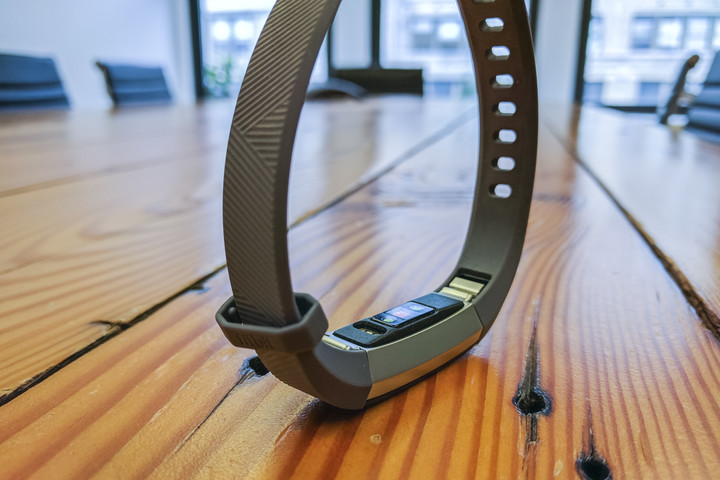
It’s near impossible to tell the Alta HR apart from its predecessor, and that’s a good thing — both are among the thinnest, sleekest fitness trackers we’ve used.
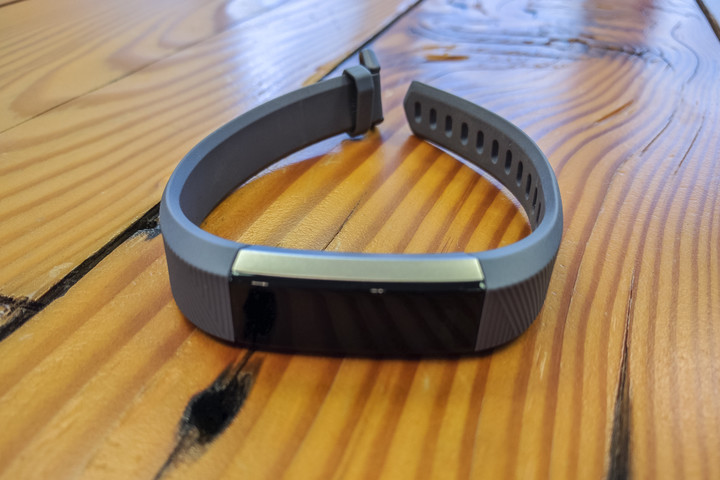
The Alta HR boasts a stylish aluminum body with tapered symmetrical edges. On top sits a curved screen with thick black borders, and underneath is a PurePulse heart-rate sensor and three-pin charging port.
It’s one of the thinnest, sleekest fitness trackers we’ve used.
Fitbit claims Alta HR is one of the smallest wearables on the market with continuous heart-rate tracking, and that seems likely — it’s tiny. The company said it shrunk the internal tech by 25 percent to make room for the optical heart-rate monitor, and the smallest model – the unit we reviewed — measures a mere 0.61 inches (16mm) wide.
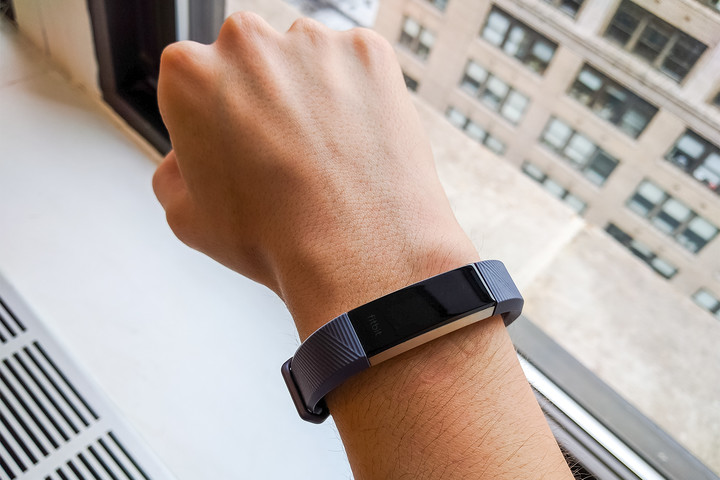
The Alta HR’s wristbands are interchangeable, with alternative options available in elastomer, leather, and metal. But unlike last year’s Alta, which used a prong closure to secure the tracker around your wrist, the HR’s band adopts an adjustable watch-like buckle that’s much easier to fasten. It’s also a lot more comfortable to wear all day — I tended to forget I was wearing it.
That being said, there’s definitely room for improvement.
The Alta HR’s monochrome OLED screen isn’t touch-sensitive — instead, tap the screen to cycle through statistics screens, call and text message notifications, and activity reminders. Unfortunately, it’s too dim to read in direct sunlight, and isn’t very responsive.
 Kyle Wiggers/Digital Trends
 Kyle Wiggers/Digital Trends
 Kyle Wiggers/Digital Trends
 Kyle Wiggers/Digital Trends
Sometimes, I had to tap the screen multiple times to get the Alta HR to wake up, and usually a few more times to cycle between stats. The problem is mitigated somewhat by the Fitbit companion app, which lets you specify which stat you see when you lift your wrist. But it’s frustrating nonetheless — especially during a run or workout when tapping the screen can be a quick way to glance at missed notifications.
The band isn’t as skin-conforming as we would have liked. Even at the tightest setting, we had a tough time ensuring the Alta HR’s heart-rate tracker stayed in contact with the wrist.
More: Fitbit upgrades its software with new social features and personalized workouts
Sadly, the Alta HR also isn’t waterproof. Unlike Fitbit’s Flex 2, it won’t track your laps or strokes. It’s a feature we would like to see trickle down into all fitness trackers, as sportier devices have the tendency to get into contact with water more often than other devices.
Accurate heart-rate tracking
A heart-rate sensor isn’t the Alta HR’s only headlining improvement — there are quite a few features it inherited from the pricier Charge 2. The Alta HR can track daily activity, monitor heart rate, steps, calories, distance, and can automatically recognize exercises. It can track movement and heart rate while you sleep, and can provide insight on the efficacy (or inefficacy) of your workout routine.
Fitbit pegs the accuracy of Alta HR’s heart-rate tracking to within 6 beats-per-minute, with a margin of error less than 6 percent. In our testing, it stayed well within that range.
SmartTrack automatically records walks, runs, cycling sessions, elliptical routines, and more.
Unlike the wildly inaccurate Pebble 2, the Alta HR was consistently spot on. A sedentary afternoon at the office had it hovering around the low 60s, and a sweaty session of virtual reality gaming got it to the 140s. It responded quickly to ramp-ups in activity, reporting a new BMP within a few seconds of high-intensity sessions.
Perhaps more impressive than the Alta HR’s heart-rate tracking is SmartTrack, the auto-recognition feature that Fitbit introduced last year. It automatically categorizes walks, runs, cycling sessions, elliptical routines, and broader activities like “sports” and “aerobics” after a session. In our testing, the Alta HR’s tracking had no trouble differentiating a treadmill session at the gym from a walk to my apartment. It even suggested an appropriate category — aerobics — for the aforementioned VR session.
It’s a key feature, mainly because it’s impossible to manually start a workout on the Alta HR — you have to wait until you’re done exercising and log workouts in Fitbit’s smartphone app. If most of your routines are stationary or on machines, that could get frustrating.
The Charge 2’s workout profiles aren’t available — you won’t get tracking settings for running, biking, Zumba, or intervals, for example. There’s no GPS and altimeter as well, which makes outdoor runs a little harder to track — you don’t get a route map at the end of each session, or a step-climbing metric. It’s also missing the Charge 2’s guided Relax sessions, the two- and five-minute visualizations that prompt you to breath and slow down your heart rate.


Fitbit justifies these omissions with improved software.
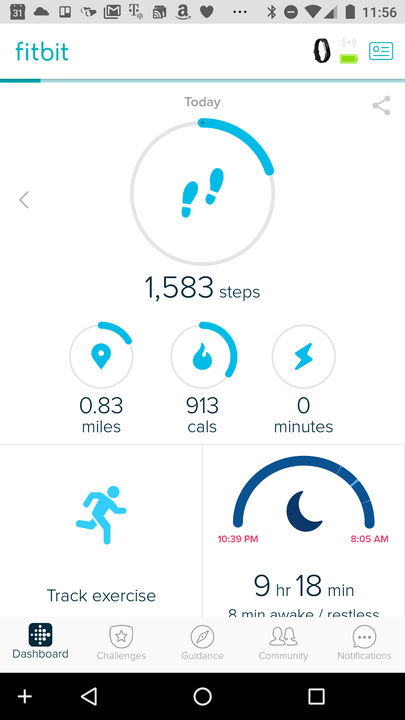
The Fitbit app, which has been updated to support the Alta HR’s tracking features, hasn’t changed all that much since that last time we reviewed it. The home screen shows basic stats like the number of steps you’ve taken, the distance you’ve walked, the calories you’ve burned, the minutes you’ve been active, and the number of days you’ve exercised in a given week. Scroll down a little and you’ll see your heart rate in BPM and your weight.
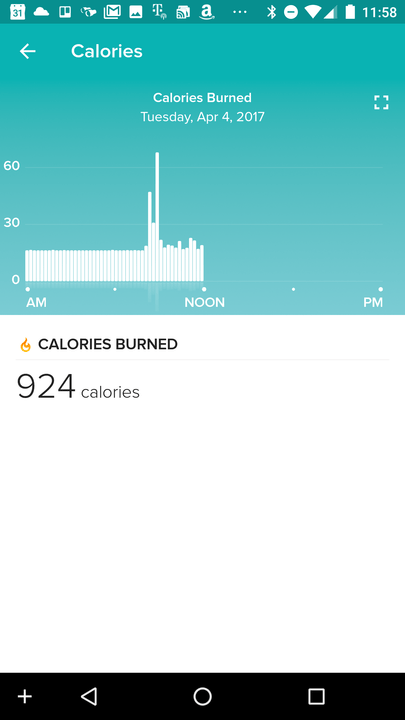
Fitbit makes liberal use of charts. Tapping on the Steps graphic pulls up a bar graph of activity, with a line indicating your daily goal. An Exercise tab breaks your activities into zones like “cardio” and “fat burn,” and shows the total number of calories you expended. And the Heart Rate section charts your BPM over time, and compares your cardio fitness to others in your age group.
More: Living with diabetes? Fitbit and Medtronic can help
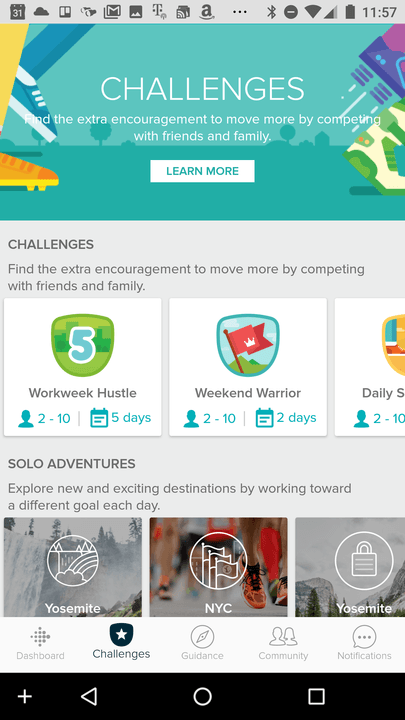
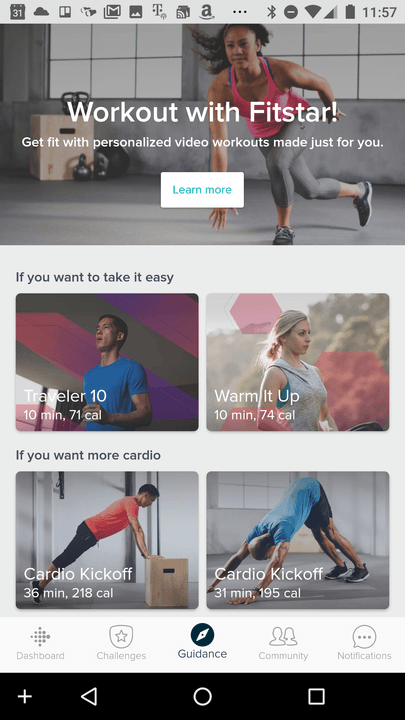
Relatively new additions include the Challenges and Guidance tabs. The Challenges tab packs location-based activities like “Weekend Warrior” (a two-day session of high-intensity workouts), and “Jogging in NYC” (a three-mile run in Manhattan). The Guidance tab, meanwhile, offers workouts from Fitbit’s Fitstar app.
Sleep insights
Sleep tracking is the other new feature. Two new sections, Sleep Insights and Sleep Stages, show how well you’re sleeping each night. A graph breaks your sleep into four stages — Awake, REM, Light, and Deep — and estimates how much time you’ve spent in each.
The screen is too dim to read in direct sunlight, and isn’t very responsive.
Fitbit said the Alta HR uses a combination of heart rate and movement data to determine how long you’ve in each sleep stage. During the different stages, your heart rate variability — the interval of time in between heart beats — changes, and so the Alta HR continuously records it throughout the night. The data’s plotted on a colorful graph that shows the previous night’s info, your 30-day average. and sleep stats from Fitbit users of the same age and gender.
Sleep tracking seemed accurate in our testing. During one particularly restless evening, the Alta HR recorded each hour of disrupted sleep — 2 a.m., 5 a.m., 6 a.m., and 7:30 a.m. It showed that I’d slept for a total of six hours, and 20 percent of that time was spent in Light sleep. The app said most people my age and gender spend a lot longer in that sleep stage than I did. Good to know, but what can I do with this information?
That’s where Sleep Insights come in. They’re in-app cards that give suggestions on how to improve your night’s sleep by drawing correlations between activities that might be negatively — or positively — impacting resting hours. If you sleep 20 minutes longer on the days you run four miles than on the days you don’t, for example, you’ll get a card about it.
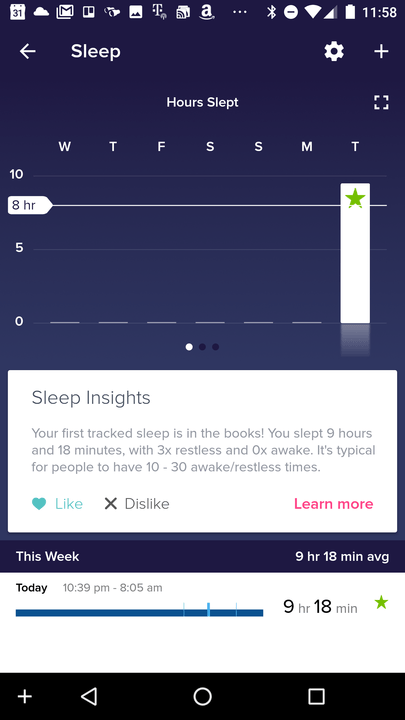


My insights tended to be vague. The Fitbit app told me that I could set a “bedtime reminder” to help me go to bed at a consistent time, and observed that I woke up earlier than usual one morning. This feature requires quite some time to collect enough data to be useful. Pending more testing, we’ll have to give it the benefit of the doubt.
Week-long battery
Fitbit estimates the Alta HR’s battery at about a week, and that’s roughly in line with what we saw. After four days with heart-rate monitoring enabled, active sleep tracking, and brisk walks in New York, the Alta HR’s battery meter settled at 35 percent — more than enough to last a full week.
Warranty information, availability, and pricing
The warranty covers product defects up to two years from the purchase date — or you can return the Alta HR within 45 days if you’re not happy with it.
The Fitbit Alta HR is available from Fitbit.com, Amazon, Walmart, Bed Bath & Beyond, and other retailers for $150. It comes in blue, fuchsia, coral, black. Two special edition colors, 22k soft pink gold and gunmetal black, start at $180.
Fitbit Alta HR accessory bands come in metal ($100), leather ($60), and elastomer ($30) styles.
Fitbit Alta HR Compared To
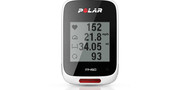
Polar M450
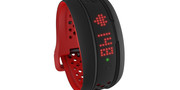
Mio Fuse
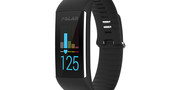
Polar A360

Fitbit Surge
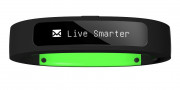
Razer Nabu
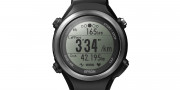
Epson Runsense SF-810
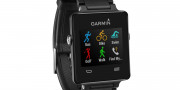
Garmin VivoActive
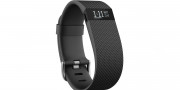
FitBit Charge HR
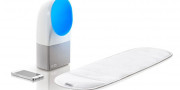
Withings Aura Smart Sleep System
Fitbit Charge
Fitbit One
Zackees Turn-Signal Gloves

Basis B1

Nike+ Fuelband

Nike+iPod Sport Kit
Our Take
The Fitbit Alta HR is an impressive fitness tracker at its price point. It may lack a few bells and whistles found on its pricier counterparts, but the Alta HR’s compactness, the accuracy of its heart-rate tracker, the smart activity recognition, and the robustness of its sleep tracking make up for its shortcomings.
Is there a better alternative?
Garmin’s Vivosmart HR+ and Samsung’s Gear Fit 2 are excellent alternatives that both throw in GPS for $30 more at $180, but they’re not as stylish or compact as the Alta HR. The $80 Misfit Ray and $100 Fitbit Flex 2 can record swim sessions, but they lack heart-rate monitors.
The DT Accessory Pack
Fitbit Alta Charger Dock
$15.99
Vancle Fitbit Alta Adjustable Replacement Bands
$6.80
Fitbit Alta Magnetic Clip Holder
$6.99
For folks looking to put $150 toward an activity tracker, it’ll come down to use case: If you’re a frequent swimmer, the Flex 2’s the obvious choice. If you can’t live without workout profiles, want relax sessions, and a GPS, go for the pricier Charge 2. If you want a lower-profile wearable that’ll track your sleep, record your activity, and won’t stick out like a sore thumb, the Alta HR’s the fitness tracker to buy.
How long will it last?
The Alta HR should last at least a few years if properly cared for. Fitbit is generally good about updating old products, sometimes going so far as to bring new features to older models. And accessories like bands and charging docks keep it fresh.
Should you buy it?
Yes. If you’re a casual athlete looking for a no-frills, stylish way to track your sleep and daily activity — and don’t care about GPS — the Alta HR is one of the cheapest and slimmest fitness trackers with a heart rate sensor, and benefits from Fitbit’s ever-improving ecosystem of accessories and software. Simply put, it’s one of the best everyday activity trackers we’ve tried.
China court orders Samsung to pay $11.6 million to Huawei in patent dispute
Why it matters to you
When companies battle it out in courts, they tend to have less time and resources to devote to new products.
Huawei and Samsung recently battled it out in Chinese courts when the former accused Samsung of using its intellectual property. Well folks, it looks like the court agrees — Samsung has been ordered to cough up $11.6 million in the patent case.
This is actually the first of a slew of lawsuits against Samsung in China –it was first filed in May 2016. This particular case seems to relate to the use of unlicensed 4G technologies, which have been used in a massive 30 million Samsung phones, at least according to XDA-Developers.
More: Huawei must honor patent judgment or face U.K. ban of its phones
It’s currently unclear if Samsung will pay up or if it will file a countersuit, as it has done in other suits — Samsung hasn’t announced its next steps yet, but it wouldn’t be surprising to see the case continue. For now, the ruling is a pretty big victory for Huawei.
Samsung has countersued Huawei in a series of other cases, spanning a total of six patents, arguing that it had attempted to resolve the dispute “amicably.” Originally, Huawei demanded Samsung pay a whopping $12.7 billion in compensation.
Patent disputes are pretty common in the smartphone world, and Huawei, Samsung, Apple, and other companies have been in and out of courts regularly over the past few years. In China, the disputes are even trickier.
“In general, it is tougher for foreign brands to operate in China given the many rules and regulations that they have to abide to that China sets for them.” said IDC analyst Xiaohan Tay in a CNET report.
Huawei isn’t only getting good news. The company was recently warned by the U.K. High Court to pay a global licensing fee for patents filed by U.S. company Unwired Planet, or face a sales ban in the U.K.
The nature-inspired Smartflower is a smart solar panel that follows the sunlight
Why it matters to you
Finding efficient ways to take advantage of renewable resources is key to a green future, and Smartflower opens up some intriguing new possibilities.
When it comes to soaking up the sun, don’t look to your over-tanned neighbor for pointers — look to your backyard autotrophs instead. We’re talking, of course, about plants, those cleverly engineered products of nature that understand better than just about anything the importance of solar power. So of course, it comes as little surprise that the latest solution for sustainable energy comes in the form of a giant sunflower … or rather, a solar panel that looks like a giant sunflower. Meet Smartflower, described as “a fully integrated, plug-and-play solar system that powers your world with clean energy.”
Not only does the Smartflower look an awful lot like overgrown flora, it behaves that way, too. You see, Smartflower does what natural flowers already know to do — follow the sun. At sunrise, this next generation solar panel unfolds itself, and sets its “petals” at a 90-degree angle in order to capture and produce energy. As the sun moves across the sky, the Smartflower adjusts itself accordingly until the sun finally sets, at which point the panel puts itself to sleep, folding back into itself. Similarly, if environmental conditions are not conducive to energy production (high winds, rain, etc.), Smartflower will protect itself and keep itself folded.
More: BioLite’s new SolarPanel and USB chargers bring portable power to campsites
The Smartflower’s ability to follow the sun’s position is thanks to its GPS-based dual axis tracking, and because it’s always situated in the most efficient position, it claims to produce 40 percent more energy than traditional solar powers. It also doesn’t hurt that the Smartflower is self-cleaning — tiny brushes go to work every time the panel unfolds itself, cleaning the petals, and thereby improving efficiency by 5 percent.
As it stands, American customers will be able to get their hands on a Smartflower in mid-April. Already, around 1,000 units have found new homes across Europe, with some powering individual homes, while others gracing public spaces like the Botanical Gardens in Madrid, and a cafe in the University of Applied Sciences Kufstein in Austria. You can learn more about the Smartflower (and how to get one yourself) here.
Weekly Rewind: Flying taxis, cheap shipping container homes, and more

A lot can happen in a week when it comes to tech. The constant onslaught of news makes it nigh impossible for mere mortals with real lives to keep track of everything. That’s why we’ve compiled a quick and dirty list of this week’s top 10 tech stories, from everything you need to know about AT&T’s unlimited plans to how you can watch the NFL on Amazon — it’s all here.
‘Thursday Night Football’ is coming to Amazon Prime next season

Amazon scored a deal with the NFL to stream 10 Thursday Night Football games during the upcoming season. The news, confirmed to Digital Trends via email, is a serious blow to Twitter, which secured the rights for the same coverage last season. This time, however, Amazon outbid not only Twitter, but also YouTube and Facebook. The retail giant paid a reported $50 million to take the prize — that’s $40 million more than Twitter’s payout last year.
Read the full story here.
Spotify vs. Apple Music: Which service is the streaming king?

When it comes to subscribers, the undisputed king of on-demand streaming music is Spotify. The Swedish-born service helped pioneer the current market and has tens of millions more paid users than the competition, not to mention millions more free users. But Apple Music, known for its high-level exclusive releases and full integration into Apple’s popular iOS system, is the hottest service on Spotify’s heels. Apple’s streaming service has shown impressive growth in its audience since its inception, so which is better?
Read the full story here.
Has Intel turned into a virtual reality film studio? We found out

Few companies have been as integral to bringing the future to computing for as long as Intel. Now the technology conglomerate is putting its chips where the films are, acting as a sort of “tech whisperer” to help filmmakers create in virtual reality. Does this mean Intel, and other companies that power VR films, are becoming de facto movie studios? assisting moviemakers in acheiving their look is nothing new to Intel. The company provided processing technology to Dreamworks Animation in 2008, for instance. If you thought 2009’s Monsters vs. Aliens looked cool, you can thank Intel.
Read the full story here.
Think inside the box with these tricked-out shipping container homes

Do you have an inordinate amount of shipping containers? Are you trying figure out what to do with all them? In the unlikely event that the answer to this question is “Yes,” you’ll be pleased to learn that they’re far more practical than you may have imagined. And if you answered in the negative, then good news! You can grab yourself a decent size shipping container for just over $1,500.
Read the full story here.
NASA’s retiring EO-1 satellite changed how we see Earth with these stunning photos

Last week, NASA retired one of its greats — the Earth Observing-1 (EO-1) satellite. Initially commissioned for the agency’s New Millennium Program, EO-1 proved to be the satellite that could. Its one-year mission nearly extended to 17 years. EO-1 was never meant to be such a star. In fact, its original purpose was to test and refine technologies for future Earth imaging. It was launched on November 21, 2000 with 13 new technologies, three of which had never been tested. Many of the most stunning images were capture by the Advanced Land Imager (ALI).
Read the full story here.
 AIVAnet