


Leaked slides give up more AMD 500 series graphics card details
Why it matters to you
The RX series could launch with pricing that’s about the same as the RX 400 series, which could make it a very affordable upgrade path for those a few generations behind.
AMD’s 500 series could be one of the worst kept secrets in hardware history, as we’ve had leak upon leak without much of an official announcement. Further adding to that mountain of evidence is a leak of several slides which appeared during a presentation AMD recently gave, detailing the benefits of the new generation and giving us an idea of its performance.
It was only a week or so ago that we saw a number of AMD’s 500 series graphics cards show up on various retailer websites, but it turns out the pre-release information leaks didn’t actually occur there. Originally posted by Japanese tech news site, Lazion, several slides have since been reproduced by Fudzilla, giving us a wealth of details about RX 580, 570, 560 and 550 graphics processors (GPU).
The first slide gives us some basic information about the 500 series, including the fact that it should deliver a more efficient experience, especially when idling. Aggressive tuning means higher clocks, we’re told, and there will be new options in partner designs — which could mean just about anything.
Moving on to card-specific slides, we learn that the Radeon RX 580 will come with 36 compute units (four less than Project Scorpio), will have 8GB of GDDR5 memory, and will have a base and boost clock of 1,257Mhz and 1,340Mhz, respectively.
Although the lack of GDDR5X memory might give Nvidia fans pause, the 580 doesn’t look like it’s designed to topple Nvidia’s Pascal generation cards. It’s in essence a rebranded version of the RX 400 series with more aggressive clocks. Its place in the graphics market seems likely to replace that of its predecessor, as in several benchmarks it’s shown outstripping both an R9 380X and Nvidia GTX 970 at 1440P resolution by substantial margins.
In the same way as the RX 480 was marketed as an affordable virtual reality capable graphics card, it seems like the 500 series, and specifically the RX 580, may be designed with 1440P gaming and prettier VR in mind.
Elsewhere in the 500 series range we have the 570, which comes with 32 compute units, 4GB of GDDR5 and a clock speed of 1,168Mhz which boosts up to 1,244Mhz. The 560 offers half as many compute units, but a slightly higher 1,175 Mhz/1,275Mhz clock speed and the same amount of memory.
The RX 550 has just eight compute units and a cited boost clock of 1,183Mhz paired with 2GB of memory. It is however said to be capable of 4K media decoding, so could be aimed at the HTPC crowd.
All cards have been optimized for DirectX 12 and Vulkan APIs, which AMD already had a bit of a lead over Nvidia with. It will be interesting to see how that plays out, considering these cards have some weaknesses in comparison to current-generation Nvidia GPUs.
Although we don’t know for sure, AMD’s 500 series cards are expected to launch as soon as April 18, so we don’t have long to wait to see how well these cards perform in the real world.
You can bob and weave with PiQ and Everlast’s innovative boxing wearable
Why it matters to you
After unveiling a partnership with Everlast at CES 2017, fitness tracking innovator PiQ announced its intelligent wearable geared toward boxers.

Artificial intelligence has been making its way into sports wearables thanks to PiQ Sport Intelligence. Now it has teamed with Everlast, the world leader in boxing gear, to bring its technology to boxing. Three months after making its debut at CES 2017, PiQ has announced the availability of the PiQ Robot, heralded as “the first wearable specifically designed for Core boxing and Fitness boxing.” If you’re in the U.S. or in Europe, you can now grab the new product for $99 on everlast.com, piq.com, and in various retail locations.
Just like other PiQ devices, the wearable (and associated app) will allow athletes to analyze and implement the optimal form in real time.
Using the PiQ Robot device, boxers can tap into the hive mind of thousands of boxers and millions of motions. The motion-capture algorithm measures and tracks each and every movement of every user, constantly updating the optimal form. Microscopic variations in boxing movements are picked up by the device, making it ideal for workouts and training.
“Athletes in other sports have been using data to train smarter for years,” says Chris Zoller, director of marketing and design for Everlast. “We’re excited to work with PiQ to bring wearable technology to the sport of boxing. The PiQ platform has the ability to provide true measurable training insight, something we feel will help boxers perform their best.”
The benefits are made even more clear when boxers connect the PiQ Robot to their smartphone. They can see the strength and speed of their punches, and determine their strength levels. These factors can then be leveraged in order to improve performance.
To secure the PiQ Robot to a boxer’s hand, Everlast has created a strap that wraps around the wrist to ensure a secure fit. Better yet, the device and the strap are designed to fit perfectly underneath a pair of boxing gloves. This way, they don’t impact performance negatively.
Article originally published in January. Updated on 4-13-2017 by Lulu Chang: Added news of PiQ and Everlast availability in the U.S. and Europe.
Üo is a sphere-wheeled device that can drive in any direction
Why it matters to you
Like unusual transportation? The Üo, a sphere-wheeled scooter that can travel in any direction, could be the next Segway.
If you’re the kind of person who likes, um, unique forms of transportation, but who finds the Segway a bit too mainstream, you may want to get your hands on a new Kickstarter project called the Üo.
“The Üo is a scooter that rides on a ball, and balances you while standing on it,” creator Olaf Winkler told Digital Trends. “It gives you 360-degree freedom for moving around. It can go sideways, backwards, and every other direction — and can [even] turn around on the spot. The feeling of riding the Üo is very special, perhaps comparable to skiing or skating. It feels amazing, like floating somewhere.”
Winkler said the idea came to him in 2010 while riding the aforementioned Segway, which for years has stood in as the epitome of alternative, slightly geeky transportation methods.
“The first tries were funny hemisphere constructs with pipes attached,” he continued. “When I switched to omni-wheels a little later, I definitely wanted to make [this a real product]. In 2015, I quit my job in automotive electronics development and dedicated myself full-time to the Üo as a solo entrepreneur.”

Steering the Üo looks like a bit of a challenge, but Winkler assures us it’s not all that tough. To control the direction, you use the joystick on top of the stick. Each Üo is powered by three motors, each capable of delivering 450W of mechanical power — while there are also battery-powered versions available. It’s apparently intuitive, although we’ll have to try it out for ourselves to know for sure.
Shipping for the scooter is set for this October, with prices starting at 1,249 euros ($1,327). No, that’s not cheap — but being an ahead-of-your-time hipster on a futuristic Segway alternative never is!
“Everybody who likes having fun outside and who appreciates exciting technology will enjoy riding the Üo,” Winkler said. “It can also be an icebreaker to draw the attention of passers-by.” With a bit of luck, they may even think you’re a time traveler from the future, come back for a vacation.
Best Cases for the Samsung Galaxy J7

What are the best cases for the Samsung Galaxy J7?
Samsung’s annual flagships steal all the attention, but their mid-range phones like the Galaxy J7 are surprisingly solid options for significantly less coin.
If you’ve got yourself a Galaxy J7, you’re probably going to want to keep it protected with a case, no? The compromise here is that the bigger accessory makers don’t typically make cases from mid-range phones like the Galaxy J7, however, that doesn’t mean there aren’t quality cases available. Better yet, all the cases we’ve featured here are under $10!
- TJS Hybrid Carbon Fiber Slim Fit Case
- LK Ultra Slim Clear Case
- LK Armor Defender Case
- Abacus24-7 Slim Bumper Wallet Case
- LK Luxury PU Leather Wallet Case
TJS Hybrid Carbon Fiber Slim Fit Case

If you’re looking for rugged protection for your Galaxy J7, this two-piece case should fit the bill. The first layer of protection is a flexible TPU sleeve that includes shock-absorbing patterns on the inside, offers grip around the sides, and provides ample protection for the camera on the front. Around the front, a raised lip ensures your phone’s screen is protected when you lay your phone face down on a surface. It also ships with a tempered glass screen protector which is a nice bonus.
The most arresting feature of this stylish and protective case is the carbon fiber pattern on the backside. Of course, this is just one of the styles available through Amazon if you’re looking for a more flashy case.
See at Amazon
LK Ultra Slim Clear Case

If you’re looking for a slim, clear case for your phone, LK has you covered. This case barely adds any bulk to your phone while keeping it protected with tough, shock-absorbing TPU. Precise cutouts ensure you always have easy access to all the buttons, controls and ports.
This case also helps with grip, both in your hands and when you’ve placed your phone on a surface. If you’re looking for something with a bit more color to it, you’ll find four other options on Amazon — Black, Hot Pink, Mint, and Purple.
See at Amazon
LK Armor Defender Case

LK’s Armor Defender case looks to deliver a tough case that feels comfortable in your hands. So what you get here is a rugged two-piece design that combines a shock resistant silicone sleeve coupled with a hard back PC bumper. The back plate features a pattern of raised bumps which will greatly help with grip.
This case includes precision cutouts for the ports, buttons, and camera on the back, so your phone’s functionality is never affected. It’s also available in a range of color options, from the standard black to two-color combos. You’re sure to find one that fits your style.
See at Amazon
Abacus24-7 Slim Bumper Wallet Case

Looking for a premium leather look for your phone without paying a premium price? Abacus24-7 offers a very stylish case option for your Galaxy J7 that doubles as a card holder on the back. it’s made with a combination of TPU and synthetic leather materials, this case offers basic protection for the back, sides and corners of your phone while also providing a raised lip around the front of your phone.
On the back, you’ll find the card pocket with can accommodate up to two cards — say a credit card and your ID. This is a slim and functional way to reduce the number of items on your personal carry while also providing protection for your phone.
See at Amazon
LK Luxury PU Leather Wallet Case

If you really like the idea of keeping your phone and your wallet in one place, you should get an LK luxury wallet case for your Galaxy J7. It allows you to carries the phone, some cash, and three credit cards in one pocket.
The synthetic leather comes in four colors, from a classic black to more vibrant color options. The magnetic closure is secure and the TPU inner shell offers shock resistance, covering the edges and corners of your phone.
LK’s wallet case also folds into a sturdy kickstand for hands-free operating. You’ll still have access to all the buttons and ports, including your camera, without removing your phone.
See at Amazon
Improved Android 7.1.1 update begins rolling out to OnePlus 3 and 3T
Who needs chocolate bunnies for Easter when we’ve got system updates?
OnePlus has begun to roll out shiny, new Android 7.1.1 updates to both the OnePlus 3 and the OnePlus 3T, bringing new improvements for expanded screenshots, picture-taking, and a fix to a Bluetooth bug. The update is rolling out incrementally, so don’t be surprised if it takes a little while to reach you, but it is rolling out.
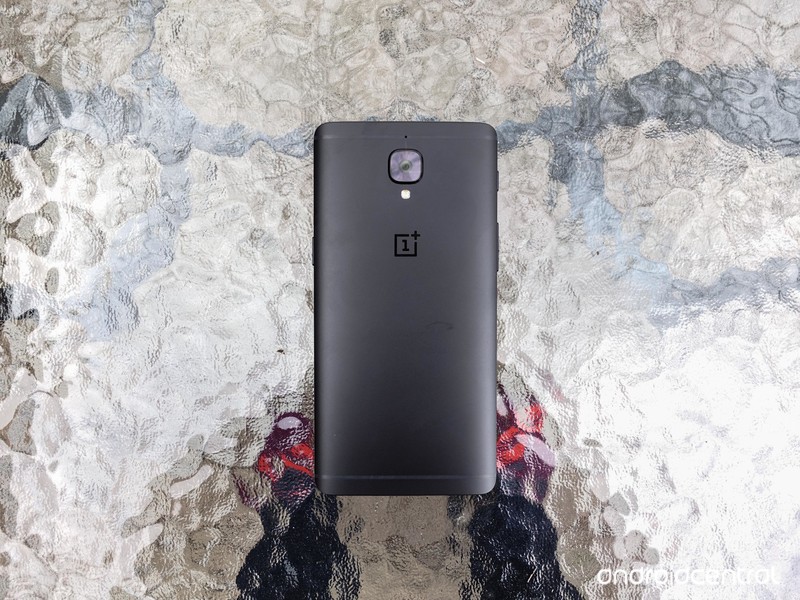
Included in the release notes for the OnePlus 3 and OnePlus 3T update were several improvements:
- Upgraded Android 7.1.1
- Added expanded screenshots
- Improved picture taking of moving objects with blur reduction
- Improved video stability when recording
- Improved WiFI connectivity
- Improved bluetooth connectivity
- Fixed Instagram swiping bug
- Fixed hardware buttons malfunction bug
- Increased system stability
- General bug fixes
- Known bug fixed: Bluetooth logging issue
The notes also featured a link, asking OnePlus 3 users to give their feedback on Oxygen OS 4.1.0, so once you’ve gotten the update, make sure you give them your thoughts on it! And if you’ve already gotten the update (lucky you), tell us how it’s behaving, too!
More: OnePlus is doing everything right these days
OnePlus 3T and OnePlus 3
- OnePlus 3T review: Rekindling a love story
- OnePlus 3T vs. OnePlus 3: What’s the difference?
- OnePlus 3T specs
- Latest OnePlus 3 news
- Discuss OnePlus 3T and 3 in the forums
OnePlus
Amazon
How to create collages, animations, and movies in Google Photos

Google Photos can do more than just store and edit your photos.
Google Photos is great app for storing, sharing, and even editing the photos that you take with your phone. It isn’t all business here though, and you can also use Google Photos’ Assistant feature to create new collages, animations, and movies. These features are fairly small, but they’re fun and easy to use.
How to create a new Collage
Collages are created by choosing between two and nine different photos. After you’ve chose the ones that you like the most, Google will put them together in a collage for you, They’re super simple to create, since all you need to do is choose the photos, and if you don’t like the way that the collage comes out, you can always choose not to save it.
Open Google Photos.
Tap the icon for Assistant in the lower left corner of your screen.
Tap the purple Collage icon near the top of your screen.

Choose the photos you want in your collage.
Tap Create in the upper right corner of your screen.

How to create a new animation
Animations are created from a bunch of different photos, but unlike a collage, you won’t be seeing them all side by side. Instead one photos will shift to the next, and so on. You can add anywhere between 2 and 50 photos to an animation, and they work really well if you have a bunch of action shots that you have taken. It will take the photos you have chosen and essentially combine them all into a single animation that will move swiftly from one photo to the next. So it essentially lets you create a GIF where you decide on the images in the frame.
Open Google Photos.
Tap the icon for Assistant in the lower left corner of your screen.
Tap the blue Animation icon near the top of the screen.

Choose the photos you would like in your animation.
Tap Create in the upper right corner of your screen.

How to create a new movie
The third option that Google gives you is to create a movie and that’s where things get a little bit more complicated. It works essentially the same way as creating a collage, or animation, except that there are far more moving parts that you can choose to mess with. First you’ll want to select up to 50 photos or videos for you to use in your new movie. Next you’ll get to name your film, and choose a filter to overlay your movie, and there are tons of options from Lo-FI to 8MM, to vintage. It automatically has music which you can change choosing from theme music or tunes you’ve saved onto your phone.
Open Google Photos.
Tap the icon for Assistant in the lower left corner of your screen.
Tap the green Movie icon on the upper right of your screen.

Choose the photos or videos you want in your movie.
Name your movie.
Choose a filter for your movie.

Are you using this features?
Google has packed roughly a ton of features into Google Photos, and that includes being able to create collages, animations, and movies. If you’re a fan of sharing your memories this a great way to do it in a unique, and less spammy sort of way. It’s also just fun, truth be told. So will you be taking advantage of these features? Let us know about it in the comments below!
Google updates AOSP bug tracker to use new in-house solution
Good news for the open source crowd.
Google’s Android developers head to the blog today to let us know it has migrated the AOSP issue tracking system to use its own Issue Tracker software.
Issue Tracker is the tool Google uses internally while building and maintaining all the various stuff it does. It’s also the public facing bug tracker for many of its other products, including the Android O Developer Preview. The new system looks and feels very much like Google Groups, and Google says this makes it easier for everyone to be on the same page when it comes to finding and killing bugs.
We are hoping to facilitate a better collaboration between our developers and our Android product teams by using a tool we use internally at Google to track bugs and feature requests during product development.

Issue Tracker also uses standard Google terms of service, so be sure to read what you are agreeing to the first time you use the service.
For most end users this has zero impact. But know that the people developing Android and fixing the inevitable bugs should now be able to better communicate. Everything works better when everyone involved knows what’s up.
Android Nougat
- Android 7.0 Nougat: Everything you need to know
- Will my phone get Android Nougat?
- Google Pixel + Pixel XL review
- All Android Nougat news
- How to manually update your Nexus or Pixel
- Join the Discussion
Komodo Dragons may hold the key to fighting infections
Komodo Dragon blood could save your life. Curious scientists — are there any other kind? — recently identified a peptide in the Dragon plasma that might serve as an antibiotic. Now, a bite from a Komodo Dragon is lethal not from venom, but from bacteria in the reptile’s saliva, and the Dragons don’t kill each other when they get into tussles the way they do hunting prey, which suggests an immunity. So the researchers, inspired by previous work done with alligators and crocodiles, made a synthetic version of a peptide (a chain of amino acids) found in Dragon’s plasma, VK25.
The hope is to use the lab-designed peptide, DRGN-1, as a topical antibiotic. “DRGN-1 exhibited promising antimicrobial and anti-biofilm properties,” the paper reads. “Moreover, the DRGN-1 peptide significantly promoted wound healing in vitro and in vivo, in both uninfected and mixed biofilm infected wounds.”
In their experiments, the scientists saw that DRGN-1-treated sores experienced “accelerated skin wound closure and healing.” What’s more, it culled the amount of bacteria in the wounds of infected mice. We’re likely to hear a lot more about DRGN-1 in the future as the recent experiments only tested a third of the pathogens known to infect wounds.
It’s something I’m personally fully in support of. I mean, aside from going to Finland and burning down a church, healing yourself with a synthetic Komodo Dragon blood derivative is about the most metal thing you can do.
Via: New York Post
Source: Nature
Adidas Futurecraft 4D shoes: The fourth dimension is hype
Adidas is getting serious about turning its 3D-printed concepts into consumer products. Last week, the sportswear giant revealed Futurecraft 4D, a sneaker designed partially with a manufacturing technology called Digital Light Synthesis, which creates 3D objects by mixing light and oxygen with programmable liquid resins. According to Carbon 3D, the Sillicon Valley firm who developed it, this process is capable of making “durable, high-performance” 3D parts, unlike other conventional 3D printing methods. In this particular case, that was used to make and shape the shoe’s midsole, while the upper is made out of Adidas’ Primeknit material.
The tech will allow Adidas to manufacture 3D-printed shoes on a large scale, with the company planning to ship 100,000 pairs by the end of 2018. That commitment falls in line with what it has been doing with its Parley sneakers, which are made from recycled ocean plastic and are now being sold in stores. Adidas did release 3D-printed runners to the public recently, but only a few hundred pairs were made available — although they retailed for $333, you’ll now find them on eBay for upwards of $3,000.
I’ve been wearing the Futurecraft 4Ds for the better part of a day and the first thing I noticed, aside from the futuristic midsole, was how much more comfortable they are than the 3D Runners I tested a few months ago. That’s likely due to the Digital Light Synthesis materials being more flexible than traditional 3D printing plastic. What Carbon and Adidas came up with feels more like hardened Play-Doh, and you never get the sense that the pieces can break off. This is obviously a good thing since the Futurecraft 4D is designed to be a performance shoe through and through.
I will say they’re definitely not as comfortable as the Adidas NMDs I wore today, which feature a midsole with Boost technology, a soft foamy material that I often say is like a pillow for your feet. Still, the Futurecraft 4Ds look crazy enough that I don’t mind sacrificing a bit of comfort for style. Unfortunately, Adidas only made 300 “friends-and-family” pairs of this particular design, so don’t expect to see many people rocking these. That said, the company does plan to bring a variant of the Futurecraft 4D to retail this fall, although that release will be limited to 5,000 pairs.
Photos by Evan Rodgers.
Google Photos will make your shaky videos watchable
Google’s Photos app has long been compensating for wobbly Live Photos taken with an iPhone. Now it can do same for any video in your device. The tech titan has begun rolling out Photos’ long-awaited video stabilizer, according to Android Police, which has already tested it out. To use it, simply click the pen icon while viewing a video within the app and tap the new feature’s button right next to “Rotate.”

Image: Android Police
A progress bar will pop up while the process is ongoing to show how long you have to wait — your videos will be processed locally, but wait times still depend on how big the file is. It took AP 16 seconds to process a 19-second 1,920 x 1,080 video clip on a Pixel. The “Stabilize” option will change colors from white to blue once you’re done, and you can switch it on or off to compare the before and after. You can apparently expect some cropping to make up for a shaky video’s edges.
Unfortunately, we still don’t see the latest Photos update on our Android phones and iPhones. You can either download the APK Android Police provided if you want to fix some videos ASAP or wait for version 2.13 to land on your device.
Source: Android Police, Google Photos
 AIVAnet