


Close to the Metal Ep. 39: The RX 570 Live Review


The rumors are true, and AMD is rolling out the RX 500 Series cards a little ahead of schedule. The RX 480 only made its debut in June of 2016, but the Radeons are moving up the flagpole, and we have an Asus Strix RX 570 in our hands, with the test results to prove it.
At just $189 for our souped-up overclocked version, $20 over the reference model’s MSRP, the RX 570 pumps out strong gaming performance at 1080p, averaging 60 frames per second with the quality up to ultra on every game in our test suite save Deus Ex: Mankind Divided, which is to be expected.
That puts it in a position to punch up out of its weight class and into the realm of Nvidia’s stellar mid-range GTX 1060. The two trade blows across both synthetic benchmarks and real-world testing, despite the GTX 1060’s lower 120 Watt power draw.
With so many cards falling so close to each other in terms of performance and price, choosing the right card for $200 grows more difficult by the day. You can check out our full Asus Strix RX 570 review to find out which GPU is best, or join us for our weekly computing podcast, Close to the Metal.
Close to the Metal is a podcast from Digital Trends that takes a deep dive into computing and PC gaming topics. Each show, we’ll focus in on one topic, and leave no stone unturned as we show off the latest in hardware and software. Whether it’s the latest GPU, supercomputers, or which 2-in-1 you should buy, we break down the complicated jargon and talk about how user experience is affected in the real world. Please subscribe, share, and send your questions to podcast@digitaltrends.com. We broadcast the show live on YouTube every Tuesday at 1pm EST/10am PST.
Researchers use ‘Grand Theft Auto V’ to perfect driverless car systems
Why it matters to you
Grand Theft Auto V is one of the best open-world games ever, but it could also play an important role in developing self-driving vehicles.
Car manufacturers are hard at work making self-driving cars a reality, but there are obvious concerns about putting an artificial intelligence at the wheel. Before this technology is implemented on a large scale, our computer-controller chauffeurs are going to need some training — and believe it or not, Grand Theft Auto V is helping with their tuition.
Last year, the Darmstadt University of Technology in Germany and Intel Labs collaborated on a method of pulling visual information from Grand Theft Auto V, according to a report from Bloomberg. The game has now been modified such that it can be used in research projects designed to perfect self-driving programs.
Grand Theft Auto V is one of several different pieces of software that companies are using to put self-driving cars through their paces. While time on real-world roads is important, virtual simulations also have their own distinct advantages.
The polygonal streets of Los Santos can be reconfigured into the exact same scenario in a matter of seconds, allowing engineers to exhaustively test a range of responses to any one particular situation. It would be prohibitively expensive and time-consuming to set up a similar testbed in the real world.
This kind of testing will hopefully help teach automated driving systems how to respond to unexpected obstacles with the same alertness and awareness as a skilled human driver. Anything can happen when you’re on the road, and it’s essential that an AI is able to respond appropriately, no matter what the eventuality.
At some point, self-driving technology will be advanced enough to stand up to trials on the same roads as every other human motorist. However, until we reach a certain level of sophistication, it will be the pedestrians roaming the streets in Grand Theft Auto V who bear the brunt of any unexpected occurrences.
Microsoft’s Edge browser really does have a full-screen mode — here’s how to access it
Why it matters to you
If you’ve been wishing Microsoft’s Edge browser had a full-screen mode, then you’ll love this shortcut that works with all Windows 10 apps.
Microsoft is working hard on making its Edge browser more competitive with Google’s Chrome, and although market share numbers don’t signal tremendous growth, Edge’s features have steadily improved. In fact, Edge features and functionality improvements were a highlight of the recently released Windows 10 Creators Update.
But not everyone is happy with Edge’s advancements. Microsoft pundit Paul Thurrott, for example, called out some of the browser’s most crucial failings recently, and these limitations are definitely glaring. One of his complaints, however, namely the lack of a full-screen view, is actually already mostly addressed, as On MSFT points out.
Thurrott’s complaint was that unlike Chrome, hitting the F11 key does nothing in Edge. However, hitting the Shift-Windows-Enter key combination does essentially the same thing — it puts Edge into the same kind of full-screen mode that shows off just the page contents without any distracting user interface elements.
Here’s Edge in normal view:

Mark Coppock/Digital Trends
Here’s Edge in full-screen view when you hit Shift-Windows-Enter:

Mark Coppock/Digital Trends
There has been some confusion over the fact that this full-screen key combo works for any Universal Windows Platform (UWP) app, or Windows 10 app as they’re commonly called. While the effect varies by app depending on how many user interface elements have been implemented, it seems to work for Edge much like hitting F11 works for Chrome. And in fact, there’s even the added bonus of a small set of buttons that pop up if you mouse into the corner to minimize or close the app or leave full-screen mode.

Mark Coppock/Digital Trends
The real problem here, as OnMSFT points out, is likely that Microsoft has simply failed to point out this functionality to users. It took a Reddit thread and Redditor Phantasm1337 to do the job of letting everyone know about the feature. As noted in the thread, the Shift-Windows-Enter combination is a system-wide shortcut, as opposed to the similar Alt-Enter combination that’s only sent to an application.

Mark Coppock/Digital Trends
Windows 10 is a complex operating system that has introduced a significant number of new concepts, from touchscreen support to Windows Ink to UWP apps and much, much more. It’s likely that we’re only scratching the surface of what’s possible with Windows 10, and can only hope that one day Microsoft catches up in telling us all about it.
Some Galaxy S8 owners in South Korea are encountering red-tinted screens
Why it matters to you
While it’s hard to say how common this issue is, it’s something to watch out for if you’re planning on buying a Galaxy S8 this week.
The AMOLED edge-to-edge curved display on Samsung’s new Galaxy S8 has been widely praised as one of the phone’s crowning features — but unfortunately, it seems some models may not be living up to expectations. According to a Korea Herald report, some customers in the region who have received their devices early are complaining about a red tint to the panel that cannot be corrected by changing the color balance in the settings.
In a response to the article, Samsung reportedly told the publication the phenomenon is “not a quality problem,” and “can be adjusted with the phone itself.” However, if issues still remain, the company is encouraging those affected to visit a service center. The image shared in the report shows both a standard Galaxy S8 and the larger Plus variant affected by the red tint.

Yonhap
Some have speculated the cause might be the unique construction of the display. While typical LCD screens in smartphones utilize three equally-sized subpixels — red, green, and blue — the Galaxy S8’s AMOLED panel features an unconventional layout where small, oval-shaped green pixels sit between much larger, diamond-shaped red and blue pixels. This results in twice as many green sub-pixels as the rest, which, according to industry personnel not identified in the article, initially created a green shift.
Samsung reportedly attempted to correct for this by dialing up the intensity of the red sub-pixels, and in the process, may have made them too strong.
This claim comes several weeks after experts at DisplayMate awarded the Galaxy S8’s panel the highest grade they’ve ever given to a smartphone screen. The review noted the inclusion of a user-adjustable white point setting, and commended the device for its very accurate standard color gamut.
It’s hard to say how prevalent or serious these issues are, as the Galaxy S8 has not officially gone on sale yet in most of the world. However, April 21 is just around the corner, and if this proves to be a common problem with the early run of Samsung’s flagship, you can be sure we’ll hear about it in the days immediately following the launch.
Mechanical engineering students at Michigan build giant working Rubik’s Cube
Why it matters to you
Fancy a bit of fun between your mechanical engineering classes? This giant Rubik’s Cube may help — and teach a valuable lesson about design and teamwork in the process.
In an impressive, fun demonstration of design and engineering in action, the University of Michigan’s G.G. Brown Building is currently home to a giant working Rubik’s Cube.
Created as a senior design project by a team of seven mechanical engineering students, the sizable puzzle is constructed mainly of aluminum, measures 4.5 feet across, and weighs a total of 2,400 pounds — steel stand included. It’s not quite world’s biggest (one built by puzzle enthusiast Tony Fisher claims that record), but it’s definitely an impressive achievement.
“In the past, giant versions of the Rubik’s Cube have been made, but they have either been electronic or very cumbersome to maneuver and solve,” Martin Harris, one of the creators, told Digital Trends. “By suspending our giant cube in a stand, users are free to walk around the cube as they solve it and interact with it from many angles with little additional effort.”
Harris said that the goal of the project was to create an interactive mechanical art piece that would introduce teamwork and collaboration to the problem-solving process, while also providing a lasting piece of artwork to Michigan’s north campus.
“Traditional Rubik’s Cubes have smooth plastic surfaces that slide across one another inside the cube, but on such a giant scale the resistance due to friction would have been magnified beyond what a human user could reasonably overcome,” he continued, describing one of the big design challenges the team faced. “To solve this problem, we designed a network of rollers and transfer bearings that work together to transform every instance of sliding contact into rolling contact, while preserving all of the necessary movability to have a solvable cube.”
The plan is for the giant Rubik’s Cube to stay indefinitely on the second floor of its current residence at the university. Since most of the team of engineers who worked on it have now graduated and moved away from Ann Arbor, Harris noted there aren’t any plans to take the project further — but only time will tell what future classes of Michigan engineers will bring to the table.
“After all, it’s their toy now,” he said.
Dry clothes in about 20 minutes? That’s the promise of the ultrasonic dryer
Why it matters to you
In five years, dryes that suck up lots of energy and take forever could be things of the past.
As dryers have become more energy efficient, dry times have gotten longer. In response, scientists at the Oak Ridge National Laboratory found a way to have the best of both worlds: an ultrasonic dryer that is five times as efficient and also dries a medium-size load in about 20 minutes. Yes, it’s true: You could wear fresh-from-the-dryer underwear every morning.
The secret is using transducers instead of heat, which conventional dryers use. The piezoelectric transducers expand and contract, vibrating to remove water from clothes. Two years ago, when we first covered the ultrasonic dryer, Ayyoub Momen, a staff scientist at Oak Ridge, had created a very small prototype. It was so tiny, it could only hold a small swatch of fabric — but it could dry it less than 20 seconds. Momen was inspired by ultrasonic humidifiers, which turn water into a cool mist using high-frequency vibrations.
Now, thanks to its partnerships with the U.S. Department of Energy and General Electric, Oak Ridge has a full-scale prototype. The DOE has spent $880,000 to help fund the project. If the final product manages to be as efficient as the prototype, the energy savings could be substantial. Right now, Americans spend about $9 billion a year drying clothes in appliances, up to four percent of the residential energy use in the U.S. “This dryer technology has the potential to save somewhere [around] 1 percent of the overall energy consumption of the United States,” Momen told Marketplace in 2015.
In addition to cost and time savings, the ultrasonic dryer would have other benefits. It generates less lint (which can cause fires) and will be gentler on clothes, as heat tends to lead to fading.
But don’t ditch your dryer just yet. It could be another five years before the ultrasonic dryer hits the market, according to the U.S. Department of Energy.
Reprogramming cells in the brain may help treat Parkinson’s disease symptoms
Why it matters to you
Parkinson’s disease affects up to one million Americans. Scientists in Sweden are working on a technique for reprogramming cells in the brain to act as a possible treatment.
A team of scientists at Sweden’s Karolinska Institute have been working on a technique for reprogramming cells in the brain as part of what might one day be a treatment for Parkinson’s disease.
The research involves modifying neurons in the brains of sufferers of Parkinson’s, a long-term degenerative disease of the central nervous system which predominantly affects motor abilities. Up to 1 million Americans live with Parkinson’s disease, a number that’s more than the combined total of people in the U.S. diagnosed with multiple sclerosis, muscular dystrophy, and Lou Gehrig’s disease.
The inability of people with Parkinson’s to properly control their movement is the result of a shortage of dopamine, a chemical which plays an important role in signalling in the brain.
For many years, scientists have attempted to develop a Parkinson’s treatment allowing for lab-grown dopamine neurons to be implanted into the brain. The new research carried out at Karolinska Institute, published in the journal Nature Biotechnology, describes a possible way to do this by changing regular brain cells called astrocytes into ones that resemble dopamine neurons.
The project has been underway for six years, but is only now beginning to deliver on its promise.
In an experiment, a virus engineered to carry four genes for reprogramming astrocytes was injected into the brains of mice. After five weeks, the mice showed significant improvement in motor movements, including areas like walking. There were no unwanted side effects observed.
While there’s still a way to go until this could be used to treat Parkinson’s in humans, there is some evidence to suggest that this might be possible. That is based on the team’s use of the same four genes to convert human astrocytes into dopamine neurons in a dish. The next question to answer is whether this will work as effectively in an older, living human brain. If so, the research may represent a breakthrough in Parkinson’s treatment.
Five important things Android does better than iOS
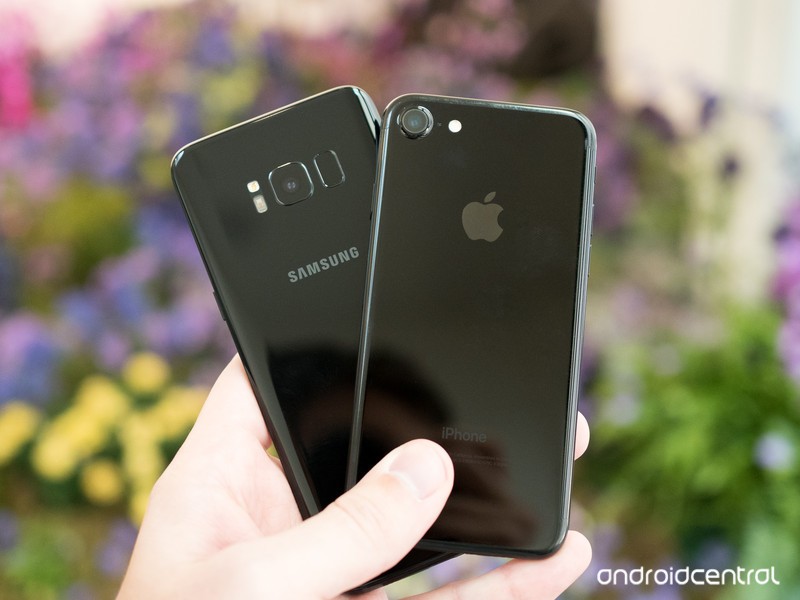
Android and iOS have plenty of differences. Here are five places we think Google is doing better than Apple.
The internet is filled with words about Android and iOS and why one is better than the other. It makes for fun writing and reading because everyone likes to hear about why the thing they prefer is better than the thing they don’t, but there are some important things each operating system does better than the other.
In a perfect world, Apple and Google would merge and the result (Gapple?) would make software with the best from both sides. Since that’s never going to happen, let’s look at five important things Android does better than iOS.
Storage options
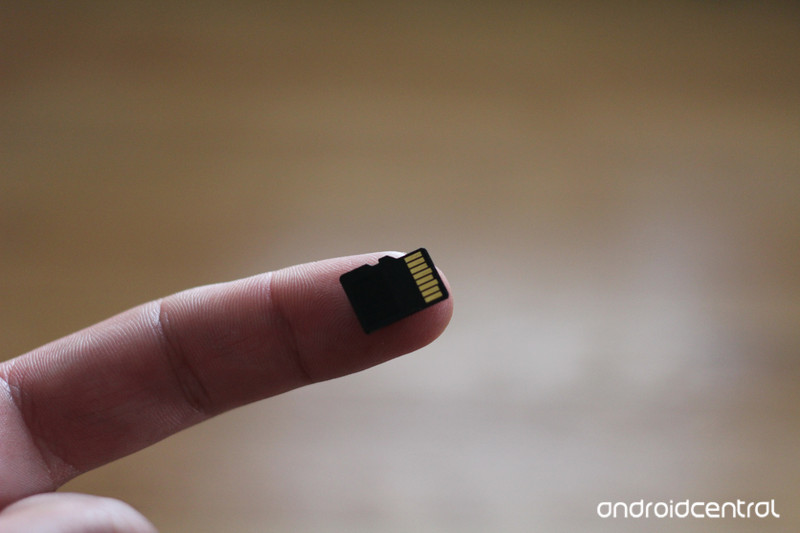
Everyone knows that some Android phones have an SD card slot. This is easy to see but is a result of the overall way Android handles external storage.
External storage is more than SD cards.
Android allows you to use external storage from an SD card inserted into the phone or a USB card reader, a USB-powered storage device like a thumb drive or hard drive and network mounted storage as part of the file system. Plug a thing in or connect to a service and the OS creates everything needed to make it available, much like your laptop does with its own location in the file system.
iOS can connect to things like cameras for photo transfer, but it’s a one-way connection and only certain devices are supported.
Dual SIM
Many Android phones allow you to put two SIM cards in at the same time. This gives you two separate phone numbers for calls and texts, as well as access to two different data networks. iOS doesn’t support this.
While not a popular feature in North America, in parts of the world a Dual-SIM phone is a must-have to cut down on roaming fees and connectivity issues. And it’s a great way to have business and personal numbers on the same device you use every day.
Firefox and other browsers can open links
With Android, you can decide which app is the default for things like opening internet links. On iOS, you can’t.
If I install Firefox or Opera or use the Samsung browser on my Android, it’s because I prefer it over Google Chrome. That means when I click a link in an email or message I want it to use the browser I like instead of the browser the people who wrote the software like. When you can make the browser you like be the default, you won’t have your personal data spread out between multiple apps.
Single sign in for all the apps you really use
Apple has a pretty good selection of internet services with iCloud. It’s really stepped up its game in this space during the last couple of years. But they aren’t the internet services most people use. Those all come from Google.
Even people who love iOS are probably using Gmail.
Google’s single account sign-in means you sign into one place and you’re good with all the services. When you sign into your Android, Gmail, Google Docs, Music, Movies and TV, and every other service are ready to use and all covered under a single privacy agreement. When you sign into your iPhone, you need to download and sign into each of these services individually, which means you also have to sign out of them individually.
On the iPhone, iCloud works the same. But when is the last time you sent an email to someone using an @icoud.com address? One place to manage all your privacy and account security settings is important and Apple does it. They need to find a way to use the Google app to do the same on iOS.
Notifications
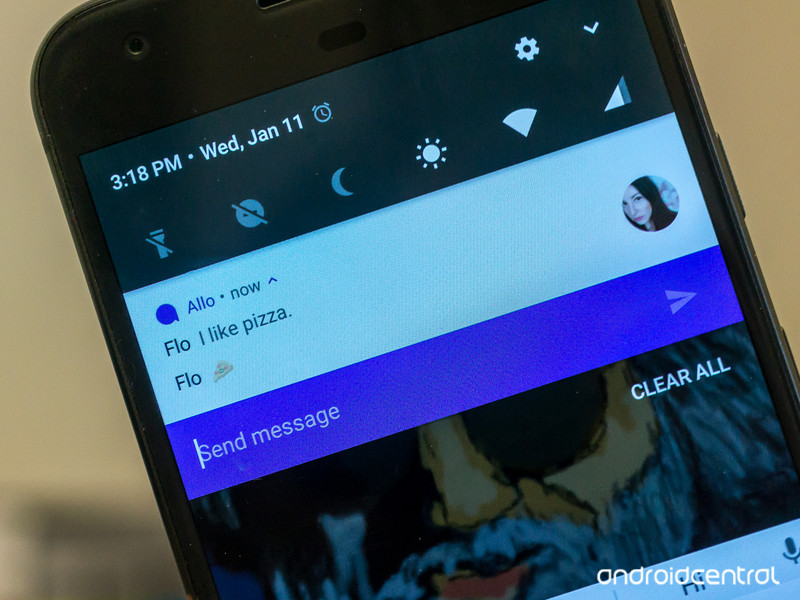
Android can handle your notifications really well. They stack nicely when you have more than one for a single app, they are informative, and you can reply from them without opening an app and marking them as read. Apple has most of these features and some of them are done really well. But only Android offers what’s called a persistent notification.
Notifications are pretty good on both platforms, but Android’s persistent notification feature is something Apple needs to adopt.
A persistent notification means any app can have some vital information in your notification shade when the developer thinks you’ll want to see it. Important things like Amber alerts or severe weather information can be a persistent notification but so can convenience things like media playback controls or connection information (including your wireless radios and things connected via USB).
Most importantly, persistent notifications allow an app to continue working as if it were on your screen when you open another app. Having a notification lets you know an application is in the background doing stuff. The alternative is having an app do its stuff without you knowing or not letting an app do its stuff unless you’re watching it on your screen.
There are plenty of subjective reasons to like one over the other when it comes to Android versus iOS, but when it comes to core services and the way things are handled, there are some things Google is doing better than Apple. These are just five of them that we would like to see Apple address as it continues to develop iOS.
A better iOS means a better Android as developers on both sides are forced to fight for our attention.
Android Nougat
- Android 7.0 Nougat: Everything you need to know
- Will my phone get Android Nougat?
- Google Pixel + Pixel XL review
- All Android Nougat news
- How to manually update your Nexus or Pixel
- Join the Discussion
Anker discounts its most popular Bluetooth headphones & speakers in time for warmer weather
Our friends at Thrifter are back again, this time with some big savings on various Anker Bluetooth accessories!

Over the past few weeks, winter finally gave way to spring and it’s now nice enough to enjoy workouts without being cooped up in the gym. This is the running season you should ditch those old earbuds and go wireless. I’m hesitant to spend crazy amounts on Bluetooth headphones to workout with since no matter what manufacturers say, profuse amounts of sweat and electronics don’t mix.
That’s where Anker’s SoundsBuds come in handy. They are lightweight, feature Bluetooth 4.1 (perfect for Apple Watch!) and aren’t outrageously priced. In fact, they are even less expensive today since coupon code ANKER233 drops the black, green and blue models down to $22.99 (Reg. $30). Thousands of Amazon reviewers rate them 3.8 out of 5 stars so you know they’ll hold up well. For those of you who have problems with earbuds popping out during workouts, you could give Anker’s SoundBuds NB10 a try while they are on sale for $29.99 (Reg. $40) using coupon code ANKER260.
If you’re looking for some wireless tunes for an upcoming picnic or BBQ, Anker’s SoundCore Bluetooth 4.0 speaker boasts 24-hours of play time and is on sale for $30.59 (Reg. 36+) when you enter coupon code ANKMAY77 during checkout. There’s also the SoundCore nano option for $18.66 (Reg. $25) with coupon code KINANK66, which is the perfect size for traveling.
See at Amazon
For more great deals be sure to check out our friends at Thrifter now!
Egg, Inc.: Boost your farm’s profits with these tips and tricks
Maximize your Egg, Inc. farm’s profits with these tips and tricks!

Egg, Inc. is a truly bizarre game set in a future world where the universe has poured all its secrets into chicken eggs. You decide to get in on this massive movement by scaling up your own egg farm’s production, researching the latest egg evolutions, and in turn making astronomical amounts of money.
It’s a super addictive clicker game with beautifully simple graphics, so many upgrades to research, and endless swarms of chickens. It’s all about exponentially scaling up your farm’s value by ramping up your egg production. Whether you’re just starting out as an egg farmer or as a seasoned Egg, Inc. veteran, we’ve got some great tips and tricks to help you maximize your farm’s profitability.
Watch the skies!

While the goal in Egg, Inc. is to maximize your egg profits, the quickest way to get an influx of cash is by catching a drone. Drones are constantly flying over your farm, even when you’re looking in menus, so you’ll want to always keep an eye on the edges of the screen for any incoming drones.
To catch drones, you need to keep an eye out for shadows, which appear first and give you clues about its direction and speed. All you have to do to catch a drone is tap it, and it will come crashing down to the ground, bringing with it millions of dollars (or sometimes Golden Eggs).
How much money you get from drones depends both on the production and profit rates of your farm and their speed. The absolute fastest drones are worth dropping everything to catch, but they’re also super hard to catch, even when you’re ready and waiting for them. They’re the only ones that turn, and you often only have a second to react when they come shooting through.
But those are the ones you really want — they often include astronomical bounties often 1000x bigger than the other drones. They will help you quickly build bigger henhouses, improve your distribution vehicles, or quickly complete common upgrades to your farm.
Tap effectively

By default, Egg, Inc. gives you a modest round button for spawning chickens — but that simply won’t do. Tap the blue circle next to the button to expand it to an oblong button across the bottom of the screen. This lets you tap with multiple fingers at one time.
Finding a comfortable tapping method is key — maybe you want to do a three-finger gallop rhythm or try and lightly tap all four of your fingers as fast as you can. I’ve found the latter to be the most effective way to produce chickens the fastest, but find whichever method is most comfortable for you.
And remember — spawning chickens is only a small part of scaling up your farm.
Don’t waste your gold eggs on time boosts

As you play Egg, Inc., you collect Golden Eggs (which are different than the Rocket Fuel eggs that only look like they’re made of gold). You have a couple options where you can spend your hard-earned Golden Eggs — on epic farm upgrades or on time boosts, which fast forward 30 seconds, one hour, or eight hours depending on how many Golden Eggs you spend.
Now, fast forwarding might seem like a great idea when you’re getting billions of dollars a second — you do the math and think 25 Golden Eggs isn’t too bad for an instant influx of cash in the trillions.
But wait! You’re better off spending all your eggs on epic farm upgrades. This is because these epic upgrades are permanent and stay with your farm after you prestige. These upgrades will really help you in the long run, way more than endless time boosts, so spend those Golden Eggs wisely!
Don’t forget to prestige

Scaling up your farm, unlocking new egg types, and endlessly swarming chickens to your henhouses is fun — but if you want to reach the upper echelon of Egg, Inc.’s leaderboards, you’ll need to prestige a couple times over to really scale things up.
When you prestige, your farm starts over from scratch, but you gain Soul Eggs, which give you a 10% boost to your income. The farther along down the egg research path you are, the more Soul Eggs you’ll be offered to prestige. A good strategy is to wait to prestige until the game offers you 50 or more Soul Eggs to do so. That equates to a clean 5000% bonus on your income when you restart, which will help you boost your farm’s value right quick after restarting.
After your first prestige, it’s advantageous to wait to prestige until you’re able to double your number of eggs. If you spend your Golden Eggs on Soul Food in the epic upgrades tab, you’ll make each Soul Egg even more powerful and make each prestige that much more lucrative.
Paying for the premium app
Are you really enjoying Egg, Inc.? You should consider supporting the developers by upgrading and cracking open your piggy bank.
The longer you’ve been playing the game, the more Golden Eggs will be in your piggy bank. There are always in-app purchases available for more Golden Eggs, but the piggy bank is definitely your best value — and only continues to scale up as you play. A huge bounty of Golden Eggs can pay for a LOT of epic upgrades, which are permanent and stick around after you prestige. One particular epic upgrade to focus on with your Golden Egg bank is Soul Food and Prestige Bonus, which increases bonus per Soul Egg and the number of Soul Eggs you get when you prestige. Quickly hitting up those epic upgrades will make each prestige painless.
What are your best strategies?
Have you been sucked into Egg, Inc.? What are your best tips for expanding your farm? Let us know in the comments!
Download: Egg, Inc. (Free)
Android Gaming

- Best Android games
- Best free Android games
- Best games with no in-app purchases
- Best action games for Android
- Best RPGs for Android
- All the Android gaming news!
 AIVAnet