


Google-branded headphones pass through the FCC, and they’re … uninspiring
Google could be expanding its accessory lineup, but these don’t fill us with confidence.
Fun stuff pops up at the FCC from time to time while it’s being certified for use in the U.S., and the latest bit of hardware is Google-branded over-the-ear headphones. The grey-and-black cans have a little Google branding flare and appear to have a touch-sensitive area for at least power. Around the sides you see a pretty standard arrangements of ports and buttons … but yes there’s a Micro-USB port there, which is odd.

The headphones are being certified for Bluetooth, of course, and there’s a 600mAh battery inside. We’re not sure if there’s active noise cancellation (edit: other photos seem to show ANC) or any additional smarts here, but there seem to be a pair of small slits on the earcups that could be microphones used for both that and phone calls.

Now it’s easy to look at what’s here and not be very excited about the shoddily made, cheap-looking headphones that use an old port and don’t seem to have anything interesting to them. But remember that the hardware submitted to the FCC doesn’t necessarily have to be final hardware. These could very easily be early engineering prototypes that simply have the right size and electronics inside to be evaluated by the FCC, but will have external hardware developed further after certification.
I sure hope that’s the case, because I agree there isn’t much to be excited about here. Even though Google has a somewhat spotty record of making overpriced accessories for its phones, it has at least released high-quality products that are made nicely and get the job done. Let’s hope these headphones, if they end up being released, at least follow the same path. There’s also a good chance that these are just cheap, low-end headphones to sit alongside the other gimmicky “Google” hardware from its merchandise store, or are just for internal use.
Google Hardware

- Google Wifi review
- Google Home review
- Everything you need to know about the Chromecast Ultra
- Chromecast vs Chromecast Ultra: Which should you buy?
Google Wifi:
Google
Amazon
Google Home:
Google
Best Buy
Chromecast Ultra:
Google
Best Buy
Galaxy S8 security: Which unlocking method should you use?

The Galaxy S8 comes with several different ways to lock your phone. But they aren’t all equal when it comes to keeping snooping eyes out of your stuff.
We think everyone should lock their phone and be sure to enable a find my phone feature that can erase it if it gets lost or stolen. This is the best way to make sure someone can’t just pick it up and rifle through all your stuff. The Galaxy S8 has a handful of different ways to do it and they are a great balance of convenience versus security. We’re here to help you pick the best method for you.
Passwords and PINs

This is always the best way to make sure only you can unlock your phone, but they are also the least convenient method and require you to type your passcode every time you need to look at the screen if your phone was locked.
If you use your phone for business or just have stuff on it that you think is worth protecting the best way you can, you’ll want to use a password. Always use a strong password and follow a few basic steps:
- Don’t use a single word no matter how obscure you think it is.
- Choose a password that’s a minimum of eight characters.
- Use numbers, special characters and both upper and lower case letters.
- If you need to write it down just in case, don’t write it on something you carry with you. Phones and backpacks get stolen, unfortunately.
You can use a password generator if you want something completely random. A strong password on an encrypted phone is a tough nut to crack even for law enforcement, so it’s also difficult for you to bypass it. Do what you need to do so you remember it.
Your birthday makes a horrible PIN so don’t use it.
If a company issued your phone to you they might have specific requirements or give you a password. Treat it the same way and don’t write it down on a slip of paper in your wallet or purse.
For most practical purposes a 6-digit PIN is almost as good as a full-on password but has the bonus of being easier to remember. Just don’t pick any number attached to you like a birthdate or numbers from another ID.
Biometrics

Samsung introduced the iris scanner with the Note 7 and improved it for the Galaxy S8. For the most part, it’s a secure way to unlock your phone.
The mix of convenience and security makes fingerprints or your iris a good choice for locking your phone.
More testing needs to be done but it seems like it’s difficult to “fake” your phone into unlocking with a photo of your eye. The iris scanner uses more than just photo matching here. In any case, the chances someone else would have a high-resolution photo of your eye to use and unlock your phone is pretty slim, so even if it can be done it probably won’t happen in the real world. Plenty of people love the ease and speed of unlocking their Galaxy S8 using their eyes so you definitely need to give it a try.
The fingerprint scanner is still there, but it’s been moved to the back. It works the same way fingerprint sensors work on most high-end phones and provided you take the time to set it up carefully it’s a convenient way to unlock the screen without having to type anything.
One thing to know about both of these methods is that in some places law enforcement can force you to unlock your phone using a fingerprint or iris. Regardless of how you feel about this issue, you need to know that it’s possible.
How to set up the fingerprint scanner on the Galaxy S8
Because they offer a nice mix of convenience and security, we think using your iris or fingerprint is one of the best ways to secure your lock screen.
Face unlock: convenience above all

You can also use your face or a pattern to unlock your phone. Just know that Google and Samsung both acknowledge that these methods are fairly easy to bypass.
Face unlock can be fooled, but only by someone who already has a high-resolution photo or your face.
Face unlock on the Galaxy S8 has been refined over the way it’s done in stock Android, but it’s still pretty easy to get around. This is because it’s simply matching certain features and areas of your face that it has stored during setup with what it sees in the camera. A high-resolution photo is good enough to fool face unlocking. One thing that doesn’t get mentioned when people talk about bypassing face unlock is that chances are someone who finds or steals your phone won’t have a high-resolution full-size photo of your head. While it’s not very secure, not having access to that photo makes that a moot point.
Pattern unlock isn’t insecure by nature. Drawing a pattern between nine random dots has plenty of combinations and isn’t going to be easy to guess without special equipment. But your fingers make it pretty easy: they leave a trail of grease.
Your skin secretes natural oils to keep it from turning into leather. We’ve all seen how a phone screen can be smudgy and icky from fingerprints, and when you are tracing the same pattern to unlock your phone all day that leaves a nice trail for someone to follow with their finger. It’s not easy to do, but you can do it on your friend’s phone if you try a couple of times. And you can bet that thieves know to look for the tell tail smudge lines when they nab an Android phone.
Smart Lock

Smart Lock is the easiest of all ways to unlock your phone because it’s automatic.
Smart Lock works for anyone when it’s within range.
Using your location or a Bluetooth device like a key fob or wearable, you can set your phone to stay unlocked under certain conditions. When you want to use it the power button takes you right to your home screen or a swipe to unlock screen.
Smart Lock is a great way to unlock for people who have a smartwatch or a Fitbit. It’s accurate and doesn’t drain the battery very much. Just remember that anyone with your watch or within Bluetooth range can unlock your phone.
Using Smart Lock on the Galaxy S8: Everything you need to know
Your choice

Locks were invented to keep honest people out of things. We can never depend on a lock screen to guard our privacy alone, but it is part of the basics and something everyone should be doing. Just remember that there is always someone working on bypassing any security feature and we don’t have to make it easy for the bad guys. Or sneaky little brothers or roomies.
How do you lock your phone? Are you digging the iris scanner or improved face unlock on the Galaxy S8? Holler in the comments and let us know!
Samsung Galaxy S8 and S8+
- Galaxy S8 and S8+ review!
- Galaxy S8 and S8+ specs
- Everything you need to know about the Galaxy S8’s cameras
- Get to know Samsung Bixby
- Join our Galaxy S8 forums
Verizon
AT&T
T-Mobile
Sprint
The five things you MUST do with your phone
You know someone who treats their phone poorly, don’t you. It’s OK. … We can fix that!
It’s that time of year when we start to get all the hot new phones. (And our kids start asking when they’re going to get one. Thanks, TV ads …) So I’m going to take a look at the best of the best. Or the least best of the best. Or maybe just some weird stuff. We’ll see. More on that in the coming days.
First, though: Five things that all folks need to do with their phones. For a lot of you reading this, they’ll be old hat. But I’m always surprised at how many folks don’t use No. 3. … And you can’t walk down the street without running into someone who has never thought to do No. 5. (Hell, there’s a chance you’re living with someone like that, too!)
Next: ICYMI, I’m giving away a Huawei P10, and you still have a few days left to enter!
Finally: Be sure to subscribe!
Modern Dad
- Subscribe on YouTube
- Snapchat
- See the gear
Amazon’s $199 Echo Look wants to watch you get dressed in your bedroom
This really doesn’t seem like a good idea.
Amazon’s Echo platform is surely considered a success at this point, but Amazon is clearly interested in pushing on to new form factors and use cases with its artificial intelligence. The latest iteration is an altogether new type of gadget: a camera-enabled device called “Echo Look” that’s specifically targeting those who aim to leave the house dressed fashionably.
The Echo Look — which Amazon calls a “Hands-Free Camera and Style Assistant” — is a rather small camera (with a microphone and speaker, of course) that sits on a base and offers you full Alexa-enabled voice actions. The main goal of the Echo Look is to help you with your style decisions, though — you stand in front of it, ask it to take a photo or video, and it’ll quickly capture and send that data to your phone. It’s a full-height camera so you can see everything in one shot, and a bit of magic helps blur out the background to focus on you specifically.

You can use the pictures for your own outfit analysis, or you can also invoke the help of Amazon’s “Style Check,” which is an algorithm-based system — backed up by fashion professionals — for helping you choose the look that’s right for you. Naturally you can send out the photos to your friends as well if you need a second opinion.
Yes, this whole video and website reads like an April Fools’ Day joke. And yes, at first glance it seems very creepy. But it’s not a joke. The Echo Look is actually going to be on sale shortly and you can sign up for an invitation to buy it at $199.
Yes, at first glance it seems very creepy.
Chances are there are enough fashion-forward people that just love to have photos of their look before they leave the house that Echo Look can pick up some sales, but it’s hard to see this one catching on at the same level as the original Echo and Echo Dot. Perhaps that’s why Amazon is sticking to an invitation system at the start to make sure they’re going out to the right people.
Some people are already unsure about the idea of having a voice-only Amazon Echo (or Google Home, etc.) anywhere in their home, so chances are a camera-enabled gadget designed to sit in your bedroom and be available as you get dressed crosses more than one line. Even if you trust Amazon to keep the hardware secure, and even if you trust the “off” button on the side that turns off the camera, there’s a good chance people will prefer to not voluntarily put a camera in their bedroom.
Amazon Echo

- Amazon Echo review
- Echo Dot review
- Top Echo Tips & Tricks
- Tap, Echo or Dot: The ultimate Alexa question
- Amazon Echo vs. Google Home
- Get the latest Alexa news
Amazon
Google Home hoping to improve the kitchen with ‘start cooking’ command
We could all use an extra kitchen helper.
Google Home already had independent cooking and recipe integrations available, but is now trying to roll things up into a single place with the launch of a “start cooking” command. You simply pick a recipe from several sources on your phone via Google Assistant, select “Send to Google Home” and it’ll be waiting there whenever you are ready to start cooking.
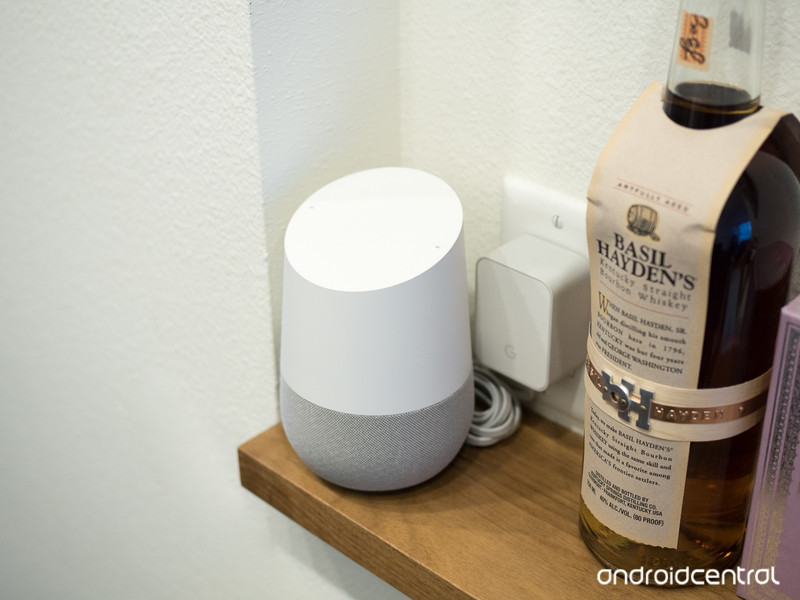
Once you’re at home and good to go, just say “OK Google, start cooking” and it’ll kick into step-by-step instructions for the meal. Additional commands like “repeat” and “what’s step two?” are available to help keep you on track. While Google Home is going through your cooking process you don’t have to stick with it, either — you can play music or ask questions of the Assistant without losing your place.
Importantly, you can keep using Home for other things while cooking.
The recipe information is pulled from Bon Appetit, The New York Times, Food Network and more, so there’s a good chance you’ll be able to find something new and interesting.
Personally, our Google Home is in the kitchen and is most often used for simple tasks while preparing meals — timers, measurements, questions — so adding the extra level of help with step-by-step instructions will be great. Google says the new feature will be rolling out this week, so be patient if you don’t see it on your Home right away.
Google Hardware

- Google Wifi review
- Google Home review
- Everything you need to know about the Chromecast Ultra
- Chromecast vs Chromecast Ultra: Which should you buy?
Google Wifi:
Google
Amazon
Google Home:
Google
Best Buy
Chromecast Ultra:
Google
Best Buy
Reddit plans to make big changes to how the site looks
Reddit’s default design is a throwback to simpler times on the internet. However, moderators on the site’s numerous subreddits put a bunch of work into making sure their communities stand out from each other by employing CSS (cascading style sheets) to change everything from banner images, fonts, icons and other aspects of the user interface. Reddit’s CEO Steve Huffman said that’s going to change, as the massive discussion board is undergoing an overhaul.
Among his reasons — CSS being difficult to learn, and it not translating to mobile where Reddit apparently gets over half its traffic — Huffman also says that the site using the coding language has impeded growth and change.
“CSS causes us to move slow,” he said. “We’d like to make changes more quickly. You’ve asked us to improve things, and one of the things that slows us down is the risk of breaking subreddit CSS (and third-party mod tools).”
In the next few months, the site will begin transitioning away from CSS. From the sounds of it, though, a lot of the CSS-powered customization features are going to be built into the site proper. Community calendars and “a lot of the functionality” from sidebars will be available via widgets. The redesigned site will run in parallel with the current version as the changes are implemented. Huffman said the ultimate goal is to replicate what’s already available, and that the dev team will make it easier to use and viewable on the go.
Speaking directly to the last point, Huffman said that header images and flair colors will render on both desktop and mobile after the changes.
As for mod tools, Huffman said that Reddit is in talks with the developers of third-party mod-tool provider Toolbox to port its functionality into the redesign.
Perhaps unexpectedly, Reddit’s users aren’t too excited about the new direction. The big worry is that the changes will strip Reddit’s mods of some of their creative control for their respective communities and that everything is going to look a bit more boring as a result. That might be taking the announcement a little too far. For all we know, there’s a chance that the changeover won’t affect much.
Or there’s the other possibility: Reddit will realize how big of an undertaking this is and abandon the refresh — something Huffman hinted at in the comments of his post. Replying to a mod who asked what incentive there was to keep working while the changes were coming, Huffman had this to say: “I would advice [sic] to continue developing until the new stuff is real. Who knows, maybe we’ll screw it up and never release it..”
So long as r/CrappyDesign (above) can keep its intentionally awful Comic Sans UI and layout, we’ll be happy.
Via: The Verge
Source: Reddit
 AIVAnet