


Adobe Announces Updates for Premiere Pro, After Effects, Character Animator and Audition
Ahead of the NAB media trade show, which kicks off on April 22, Adobe today unveiled updates to several of its Creative Cloud apps, including Premiere Pro, After Effects, Character Animator, and Audition.
Better integration between Premiere Pro, After Effects, and Audition is a key theme in today’s updates, as are more powerful Dynamic Link collaborative tools to make group projects easier.
Premiere Pro is gaining a new Essential Graphics Panel, designed to allow users to add titles and motion graphics to videos using controls similar to those found in Photoshop and Illustrator. Included in the Essential Graphics Panel is a Type tool for adding text, which offers customization options for font, size, color, and blending mode.
Shape Layers and Clip Layers for adding images, video, and graphics are included, and designs can be saved as Motion Graphic templates to be quickly added to future projects. Motion Graphic templates can also be created in After Effects and accessed and edited in Premiere Pro thanks to new integrations between the two apps.
Audition’s Essential Sound panel is now accessible in Premiere Pro, offering a powerful audio editing experience without the need to leave the Premiere Pro app. The Essential Sound panel lets users assign mix types to clips, with built-in tools for each type of content – dialogue, music, and sound effects. There are also more audio effects available within Premiere Pro, along with seamless transitions to Audition, and Premiere Pro also supports ambisonic audio export.
For 2016 MacBook Pro owners, Adobe is introducing support for the Touch Bar, providing options for touch-based video editing.
Adobe After Effects CC is also gaining the Essential Graphics panel to allow for the creation of Motion Graphics templates for Premiere Pro, and Adobe is introducing a new Camera Shake Deblur feature.
Camera Shake Deblur is designed to cut down on unwanted motion blur artifacts and according to Adobe, it’s able to salvage otherwise unusable shots when combined with the Warp Stabilizer VFX. It analyzes frames on either side of the blurry frame and merges the sharper content with the blurry content for a crisper image.
Premiere Pro’s integrated Lumetri Scopes are expanding to After Effects to make it easier for After Effects users to accurately adjust color using Vectorscopes, Histogram, Parade, and Waveform to evaluate video, and the After Effects update introduces new GPU-accelerated effects including Fractal Noise, Levels, and Fast Box Blur.

Adobe Character Animator CC is gaining Walk Cycles for animated characters, allowing users to create instant walking animations by tagging a character’s legs, arms, and body. Walk Cycles includes features like walk, run, and sneak, plus it can automatically adapt to step speeds and leg length.

Mouth shape editing for pre-recorded audio is available, there’s a new Workspaces feature for streamlining the animation process, and Character Animator now supports live streaming through Facebook and YouTube.
For Audition, along with deeper integration with Premiere Pro, Adobe is introducing multichannel audio workflows, Presonus Faderport controller support, updated effects, and a visual shortcut editor to make it easier to find and create custom keyboard shortcuts.
Adobe is also adding new features to Adobe Stock. Video editors can now submit content directly to Adobe Stock using Premiere Pro or Adobe Media Encoder, allowing them to earn royalties for their work.
All of Adobe’s Creative Cloud updates will be available starting today. Adobe’s Creative Cloud plans, which cover the complete range of Adobe CC software, start at $49.99.
Tag: Adobe
Discuss this article in our forums
Apple Updates Maps in Europe With EV Charge Stations and Bike Rental Hubs
Apple is expanding the available features in its Maps app in Europe according to a briefing that was held in London on Wednesday and shared by Bloomberg.
Apple Maps for iOS devices and Macs now includes locations of electric vehicle charging stations in the UK, thanks to a partnership with Cirrantic Moovility. More than 3,000 EV charging stations are available in the Maps app in the UK.
In the United States, electric vehicle charging stations have been listed in Maps since December of 2016, through a partnership with ChargePoint.
“We think that consistent, live information of the growing charger infrastructure increases the confidence of EV drivers and, especially with Apple Maps, attracts new user groups to sustainable mobility offerings like EV cars,” said Arne Meusel, CEO and co-founder of Cirrantic. “In the U.K. we started with supporting the major charger operators, including Podpoint, CYC, Ecotricity, NPower and NewMotion. Any interested operator is welcome to set up a connection with us.”
Apple is also introducing public bicycle rental and drop-off points in London, Paris, and New York, an addition that’s meant to bring Apple Maps in line with Google Maps, which also lists public bicycle rental locations.
Additional Maps improvements are likely on the horizon as Apple works to open a new Apple Maps development center in Hyderabad, India, which will employ more than 4,000 people. Apple is also employing a team of robotics and data collection experts who will use drones to further bolster Apple Maps.
Tag: Apple Maps
Discuss this article in our forums
Lenovo has a new 2-in-1 Chromebook packing drop protection, a 360-degree hinge
Why it matters to you
Lenovo’s new Chromebook provides rugged 2-in-1 design at an affordable price point, and will support Android apps.
Lenovo has announced an addition to its Chromebook arsenal: The Flex 11. The device measures just 0.83 inches thin and has a starting weight of three pounds. It comes packed with a 360-degree hinge enabling users to take advantage of the Flex 11’s 2-in-1 form factor. They can easily switch between four dynamic modes: Laptop, tablet, tent, and watch/theater.
The big selling point of the Flex 11 is its durability. According to the company, the Chromebook features a drop-resistant design supporting falls of up to 2.4 feet. The 2-in-1’s keyboard is also water-resistant to a certain level, able to withstand up to one cup of water dumped into the keyboard area. However, do not expect a working PC if it is tossed in a bathtub or swimming pool.
“Its ports are reinforced, its touchpad is sealed to protect against accidental spills, and its non-slip texture assures a secure grip when you are on the go,” the company says. “What is more, its water-resistant keyboard uses innovative internal channels beneath the keyboard to divert liquid away from sensitive electrical components.”
As for the actual hardware specs, here are the basic goods:
Screen size:
11.6 inches with 10-point touch input
Screen type:
IPS
Screen resolution:
1,366 x 768
Maximum brightness:
250 nits
Processor:
ARM-based quad-core processor @ 2.1GHz
Graphics:
Unknown
Memory:
4GB LPDDR3
Storage:
32GB eMMC
Battery:
Up to 10 hours
Connectivity:
Wireless AC
Built-in camera:
720p HD
Ports:
1x USB 3.1 Gen1 Type-A
1x USB 3.1 Gen2 Type-C
1x HDMI
1x SD card reader
1x Microphone/headphone jack
Dimensions:
11.65 x 8.11 x 0.83 inches
Weight (starting):
3 pounds
Starting price:
$279
Availability:
April
As the hardware list shows, Lenovo was rather vague about the Chromebook’s processor ahead of launch. We also don’t know the details regarding the graphics component either, but the use of an IPS panel means the Chromebook’s screen sports vivid colors and wide viewing angles. The 10-point touch input is a great feature too, especially when the Chromebook is folded back into a tablet form factor.
Yet while Lenovo did not cough up the processor details at the time this article went live, the company says the chip is very capable of handling mobile games such as Gameloft’s Asphalt 8. The Flex 11, while based on Google’s open-source Chrome OS platform, will officially receive support for Google Play and Android apps later this year. Flex 11 owners will still have access to the Chrome Web Store too.
We presume that the Type-C port installed on Lenovo’s new Chromebook is USB 3.1 Gen2 due to the company stating that the port in question “can charge your laptop or your peripherals, and provides video and data I/O.” This tech provides speeds of up to 10Gbps versus USB 3.1 Gen 1 (previously known as USB 3.0) only managing 5Gbps. The Gen2 version supports DisplayPort digital video output technology, which Lenovo may be eluding to on the product page.
Given that the Flex 11 is a Lenovo product, do not expect custom configurations. Instead, the company will likely produce several models with varying hardware configurations with a starting price of $279. Look for it to be available by the end of April.
Best augmented-reality apps
Augmented reality has long sounded like a wild futuristic concept, but the technology has actually been around for years. It becomes more robust and seamless with each passing decade, providing an astonishing means of superimposing computer-generated images atop a user’s view of reality, thus creating a composite view rooted in both real and virtual worlds. Although AR apps run the gamut, from interactive map overlays and virtual showrooms to massive multiplayer skirmishes, each piece of software hones in on smartphone GPS and camera functionality to create a more immersive experience.
The available selection of augmented reality apps is diverse, encompassing both premium and freemium offerings from a variety of big and no-name developers, but sometimes, choosing which apps are worth your smartphone or tablet’s precious memory is tougher than using the apps themselves. Here are our top picks for the best augmented reality apps available, whether you’re searching for iOS or Android apps.
The best AR apps
Pokémon GO (free)

It wouldn’t be a list of the best AR apps without mentioning Niantic’s Pokémon Go, a game that has quickly captured everyone’s attention and given them a reason to go out into the world, walk around, and catch Pokémon. The game uses GPS to mark your location, and move your in-game avatar, while your smartphone camera is used to show Pokémon in the real world. For the most part, it works, provided the game hasn’t crashed or frozen. There aren’t a lot of instructions when you first start, or information regarding game mechanics like the colored rings around wild Pokémon, but thanks to the nature of the internet, figuring out what to do isn’t that tough.
Players of Ingress, another creation from Niantic, will see many similarities between the developer’s two games, right down to the locations marked as PokéStops and Gyms. The implementation of the original 150 Pocket Monsters is definitely the biggest thing Pokémon Go has, well, going for it compared to its predecessor. Niantic is set to continue updating the game to improve its performance, however, and add new features like trading, so hopefully Pokémon Go will stick around for a good, long while.
Download now for:
Android iOS
Ink Hunter (free)

Ink Hunter is the app you should use when deciding on a tattoo and where to put it. The app lets you try out pre-made tattoos, as well as your own designs, and they can be oriented in whatever position you like and placed on any part of the body. Tattoos placed on the body using the camera look as close to real life as you’re going to get — without actually going under the needle that is — and that’s all thanks to the in-app editor and the way Ink Hunter renders tattoos. The app previously only supported black-and-white tattoos, but its latest update added support for color tattoos as well, meaning you can get a better understanding of what the design will look like before you make it permanent.
Currently, Ink Hunter is only available on iOS, but there are plans for Android and Windows Phone versions. So, if you’re planning to get a tattoo sometime soon, but don’t have an Apple device, maybe consider holding off on that tattoo for a bit, or borrow a friend’s iPhone or iPad.
Download now for:
Android iOS
WallaMe (free)

WallaMe lets you leave hidden messages in various locations around the world that can only be read by other people using the WallaMe app. When using the app, you can take a picture of a nearby wall, street, or sign, then use the in-app drawing and painting tools to create your own special messages. You can also attach pictures to the areas you’ve chosen, if only to prove you were actually there. The augmented reality really comes into play when you’re in a location that has a hidden message, but it can only be found by using WallaMe and your device’s camera. Messages can be made private, too, so that only friends using the app can see them, or they can be made public for everyone to discover.
WallaMe’s biggest strength also works against it, in a way. Those that aren’t aware of the app’s existence, or those that don’t regularly use it, may never see the clever messages created by others. That being said, fans of the app may want to keep it that way, in order to maintain the feel of exclusivity.
Download now for:
Android iOS
Google Translate (free)

Google Translate isn’t strictly an AR app, but it does have one AR feature that’s incredibly useful for translating text. That particular feature is part of the app’s camera mode. Simply snap a photo of the text you don’t understand, and the app will translate the text in your photo in real time. When connected to Wi-Fi, the app supports a vast number of languages — 13 of which were added in a recent update — but users can also download a number of language packs if they want to continue using the instant translation feature while offline or without a cellular connection. Next time you take a trip to a country with a language you don’t fluently speak, Google Translate could be your best friend and the very thing that will keep you from getting lost in a strange land.
Download now for:
Android iOS
Amikasa (Free)

Amikasa helps you style your room and figure out your desired layout before you ever buy a piece of furniture. Using your iPhone or iPad’s camera, you can easily walk around your bedroom, kitchen, work office, or any other room you decide to furnish, and place 3D models of various items to see how they look, or to discover their ideal placement. This includes the ability to tweak the color, because maybe that cherry red chair suits the room better than the peach. The app uses name brand items, which you can buy while using Amikasa, and if you’re ever unsure of your own style, your augmented rooms can be shared with friends and family through the app. The most recent update also added more kitchen faucets, cabinets, burners, and wallpapers, giving you even more options to design your perfect room.
Download now for:
iOS
Concussion-monitoring tech moves beyond the gridiron with new cap-mounted sensor
Why it matters to you
Any athlete can benefit from the new Cue Sport Sensor, which reduces the risk of concussion across a variety of activities.
Contact sports carry a risk of brain injury from both one-time collisions and long-term exposure to repeated impacts. To lessen the risk of serious injury, companies like Athlete Intelligence, formerly i1 Biometrics, are pouring a significant amount of time and effort into developing technology that can monitor an athlete for signs of a concussion. This company already produces a helmet-sensor and a high-tech mouth guard for high-impact sports, and now it has unveiled the Cue Sport Sensor, a sensor small enough to fit on a headband or skullcap, and versatile enough to be used in almost any athletic endeavor.
Existing concussion detection technology is focused on helmeted sports like football and hockey, which uses head impact sensors to monitor an athlete’s movements. These sensors, usually mounted on a helmet, send the collected data to a computer platform which parses this information and assess the probability of a concussion. These sensors work well for helmeted sports, but they fall short when it comes to non-helmeted sports like soccer and rugby. This shortfall is a significant issue as recent studies suggest such sports are equally as dangerous as their helmeted counterparts. To address this gap, Athlete Intelligence turned its focus on developing the Cue Sports Sensor.
The new Cue Sport Sensor draws many of its features from the helmet-mounted sensors, but it improves upon that technology. The Cue Sports Sensor is a small, lightweight plastic sensor that can be slid easily into a hat, headband, or skullcap. Because it fits on everyday clothing, the sensor can be used to monitor a wide variety of sports. Once activated, the sensor measures both head impacts and movement metrics such as speed, distance, body angle, and movement in space. The device stores this information and then transmits it wirelessly via Bluetooth or radio frequency in real time to a mobile device or tablet. The software takes this data and analyzes it both for head injury and performance, providing insight into the how the athlete is responding while on the field or the court. This analysis can be done on an individual basis or for an entire team.
i1 Biometrics recently rebranded and is now known as Athlete Intelligence, a name that reflects the company’s commitment to developing a line of sports-related technology. The company plans to begin shipping its new Cue Sport Sensor later this spring.
Does your neck hurt? Smartphone-related posture injuries are on the rise
Why it matters to you
Keep your head up. If you don’t already have text neck, awareness of the problem may help prevent it.
Smartphone user complaints about neck and back pain from Forward Head Posture (FHP), also known as text neck, are on the upswing, Reuters reports. Thankfully, there are ways to minimize your chances of injury.
Surgeons at Cedars-Sinai Medical Center in Los Angeles published a study in The Spine Journal that showed posture-related injuries from smartphone use are increasing.

theartofphoto / 123RF Stock Photo
“In an X-ray, the neck typically curves backward, and what we’re seeing is that the curve is being reversed as people look down at their phones for hours each day,” study co-author Dr. Todd Lanman told Reuters.
According to the surgeons, when you hold your head looking forward in a neutral position it weighs 10 to 12 pounds. When you’re looking down at a smartphone it can feel like 27 pounds. In addition to being a pain in the neck, your spine gets hit, too, where the effect is the same as a 60-pound weight.
“By the time patients get to me, they’re already in bad pain and have disc issues,” Lanman said. “The real concern is that we don’t know what this means down the road for kids today who use phones all day.”
Texting with smartphones causes more problems than watching videos or browsing online, according to Lanman and co-author Jason Cuellar. The angle of the neck is even worse for most people when sitting than standing.
The surgeons are particularly concerned about younger people using smartphones. “For today’s users, will an 8-year-old need surgery at age 28?” Lanman asked. “In kids who have spines that are still growing and not developed, we’re not sure what to expect or if this could change normal anatomies.”
How can you prevent or lower your chances of getting text neck yourself? Safer smartphone postures include holding your phone higher and using both hands when you’re texting.
The doctors also recommended using computer screens at natural eye level, whether sitting or standing — and that includes laptops, so you will likely need a separate keyboard and monitor to maintain the best posture. Stretching, exercises to strengthen the neck and shoulders, and regular breaks can also help and are highly recommended.
PolarPro’s latest accessories aim to frame unique shots with the Hero5, Mavic Pro
Why it matters to you
PolarPro is helping Hero5 and Mavic Pro users get creative with perspective with new accessories for video.
Adventure photography company PolarPro is aiming to bring more shooting possibilities with both the GoPro Hero5 and the DJI Mavic Pro. On April 17, PolarPro announced a Hero5 dome for capturing split footage both above and below the waterline, while the new Katana Mavic Tray allows Mavic Pro users to shoot stable footage from the ground. Both products are debuting at the NAB Expo, April 24-27.
The GoPro Hero5 is designed to go almost anywhere, but the new PolarPro FiftyFifty Hero5 Dome makes it easy to place the camera right at the waterline, keeping half of the shot underwater and half of the shot above. A floating Yukon grip works with the lens dome to keep the camera steady at the water’s surface.
The dome clips on to the front of the camera and uses optics designed for enhanced clarity at the water line, while the dome shape helps push the water away from the lens to create that split effect. The $50 accessory is designed to create the split level effect without expensive dive housings and includes the dome, floating grip, leash, and thumbscrew. The dome also carries the same 33-foot depth rating as the housing-free Hero5.
DJI’s Mavic drone includes both a camera and a gimbal — and the PolarPro Katana Mavic Tray allows both to be used from the ground by creating an easier way to grip the system to shoot handheld. The grip wraps around the sides of the drone when folded, with two handles coming out on top for a comfortable grip. A smartphone slot allows users to frame the shot using the preview from the Mavic’s app.
By giving the Mavic a comfortable grip and a preview screen, PolarPro aims to help the drone’s owners use the camera and gimbal system in no-fly areas or for adding more variety to the shots with some ground-based footage. The tray is constructed using glass-filled nylon and is expected to retail for $50.
Both the lens dome and grip tray are now available for pre-order from PolarPro.
T-Mobile to kick off Earth Day with a wind power investment and tree planting
Why it matters to you
T-Mobile’s actions and investments are designed to reduce its carbon footprint and make the Earth greener.
T-Mobile wants to celebrate Earth Day with environmental — and customer — friendliness. This week, the self-styled “Un-carrier” inked a long-term partnership with a renewable energy company that it says will reduce power consumption across its U.S. operations. And it’s doling out Earth Day benefits to customers who take advantage of its weekly T-Mobile Tuesday giveaways.
T-Mobile is teaming up with Enel Green Power North America on its 300 MW Red Dirt wind project. The investment, which T-Mobile said is the largest wind power investment by a U.S. wireless company, is expected to generate approximately 1,200 GWh of renewable energy annually — equivalent to the energy consumption needs of more than 97,000 U.S. households. T-Mobile said it will “increase efficiencies” and “power the company’s operations” across the U.S., including retail stores, call centers, and network operations.
T-Mobile is no stranger to green projects. In 2010, it launched its first solar-powered cell tower in Chalfont, Pennsylvania. Cellular base stations comprise as much as 80 percent of all energy consumption from cellular networks, T-Mobile estimated.
That’s not the only way T-Mobile is commemorating the holiday. It’s partnering with Treecycler to sponsor tree planting in over 30 restoration projects across four continents. Existing customers will be able to assist by opening the T-Mobile Tuesdays app and selecting the project of their choice from the Treecycler website.
“For Earth Day 2017, we’re thanking customers with green gifts and making it easy for everyone to do their part for the planet” John Legere, president and CEO of T-Mobile, said in a statement. “On top of that — this week’s T-Mobile Tuesday gifts make it easy for our customers to help with reforestation projects around the world — all it takes is a few taps on your smartphone.”
Finally, T-Mobile is hosting an Earth Day contest. Subscribers will have the opportunity to win Earth Day-themed prizes including solar-powered backpacks, $50 gift certificates to outdoor gear shops, and a grand prize of a COBI Plus biking system and a new bicycle.
T-Mobile’s other T-Mobile Tuesday benefits include a $25 Restaurant.com gift card, a free Vudu movie rental, $5 off eco-friendly Lyft Line ridesharing, and 50 percent off premium Paper Culture recycled paper cards.
T-Mobile joins its carrier competition in promoting sustainability. AT&T releases annual details about its carbon emissions and reduction plans. And Sprint is promoting “green handsets,” “green buildings” and “green information technology,” and has further pledged to improve its device recycling rate to 90 percent by 2020.
Five important things iOS does better than Android

Android and iOS have plenty of differences. Here are five places we think Apple is doing better than Google.
The internet is filled with words about Android and iOS and why one is better than the other. It makes for fun writing and reading because everyone likes to hear about why the thing they prefer is better than the thing they don’t. but there are some important things each operating system does better than the other.
In a perfect world, Apple and Google would merge and the result (Gapple?) would make software with the best from both sides. Since that’s never going to happen, let’s look at five important things iOS does better than Android.
First read this: Five important things Android does better than iOS
Updates
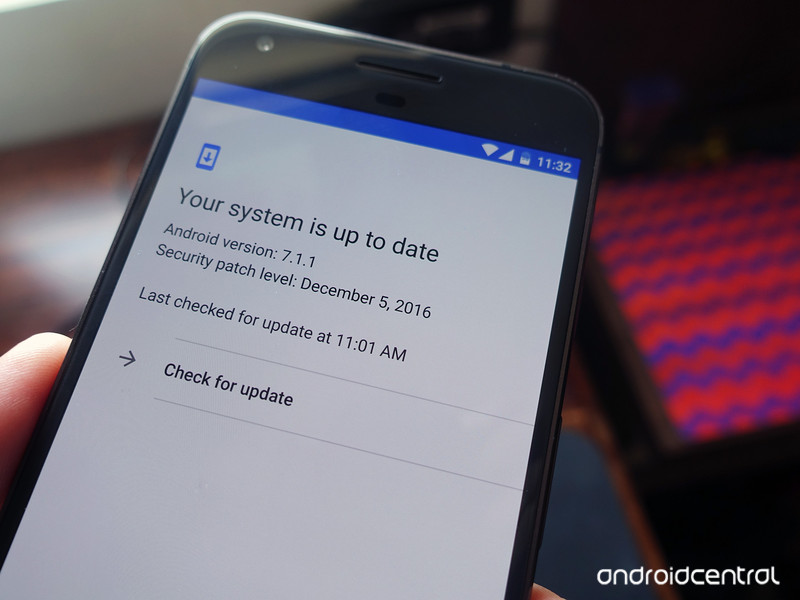
The way Android and iOS are updated is very different. Google uses Play Services to handle many of the security and application compatibility parts of Android, and iOS updates don’t include every feature for older models. But there is still no denying that updates are handled on iOS better than they are on Android.
Google is responsible because their name is tied to Android.
When Android is updated, only phones from Google that are currently supported can expect an update. Those phones are a very small portion of Android devices in the wild. It’s difficult for Google to force another company to send an update because Google doesn’t build Android: it only gives the source code to other companies who build it themselves. Once the code is updated Google can do no more.
That doesn’t change the fact that most Android phones are using old software. It’s the fault of the companies making the phones, but the blame will always fall on Google.
Junk apps
If you buy an iPhone from Verizon you won’t have to hide the VZ Navigator app. The same can’t be said for a Galaxy S8.
Step 1: Buy Android phone. Step 2: Try to delete all the carrier crap.
The small bits and pieces a phone needs to work on Verizon are built into iOS the same way they are built into Android. But the user-facing apps that you might not want use are not. Google has no say in how Samsung builds the software outside of the things required to use Google Play. That means Samsung and Verizon can make deals that leave you with junk you don’t want to use. It’s easy to never use the apps and ignore them in the app drawer, but have a look at the data they collect and send back to Verizon, which is now free to sell it to anyone it likes. We’re picking on Verizon, but the same goes for every carrier and their junky apps.
Google’s phones work on any carrier and don’t suffer from the bloatware, but that’s because Google builds Android themselves for the Pixel. This one’s another of those things Google isn’t directly doing but it still gets blamed for because it is in charge of Android. That’s part of running a show this big, G.
Support
AppleCare is legendary. When you have a problem with your iPhone you can just walk into an Apple store and have it taken care of (thus AppleCare). Because Android phones come from so many different companies, there is no equivalent on the Android side.
Not that the companies making the phones aren’t offering something. They all have their own customer care department, and even the Pixel has a way that lets you talk to a real live human if you have an issue or need some help. Samsung is expanding a retail presence in the west, but it’s not even close to the AppleCare experience.
One company is in charge of everything on an iPhone and it offers better support, period. This becomes an important factor when you’re buying a phone that costs close to $1,000.
iMessage
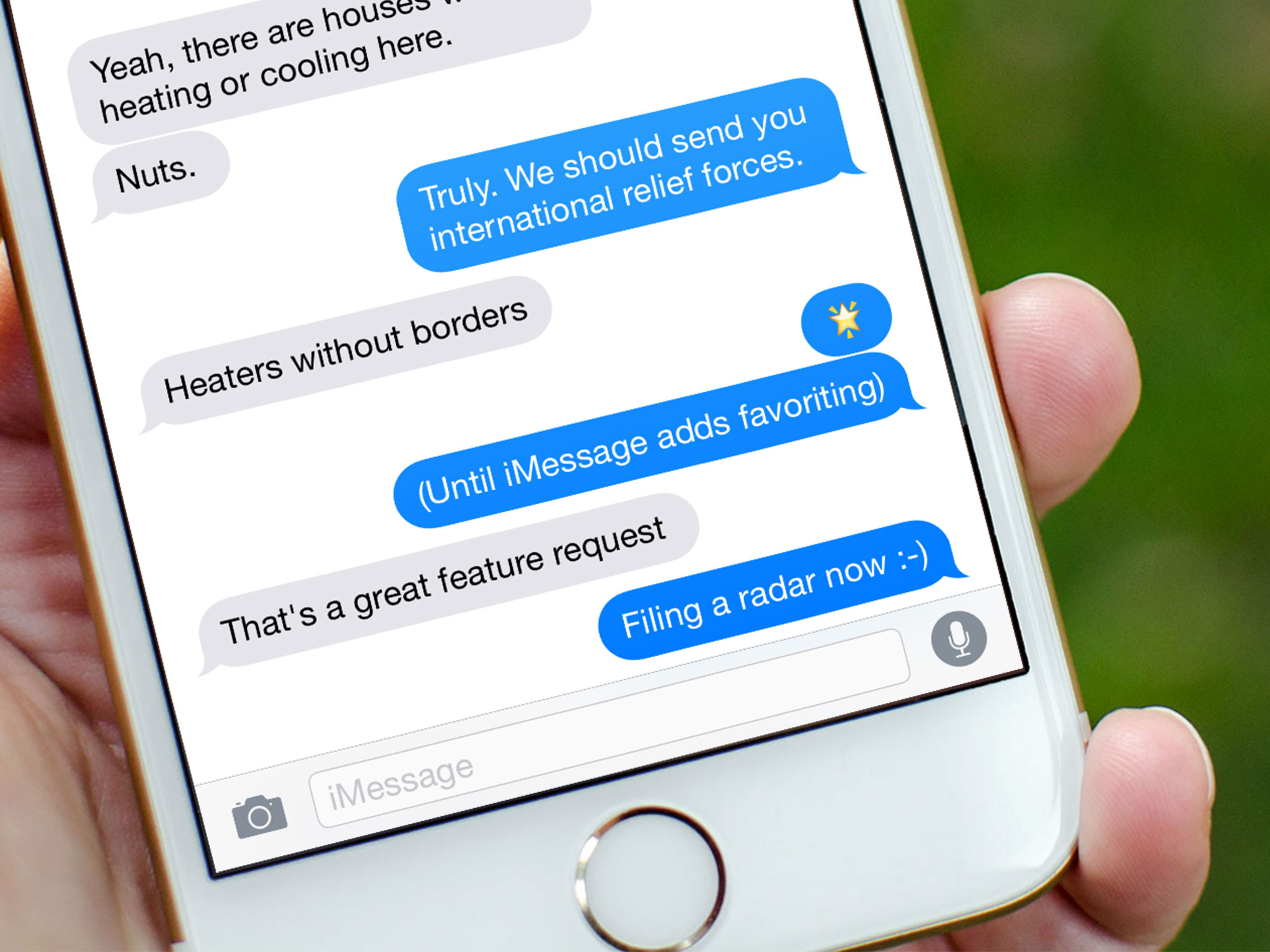
Apple’s iMessage is both the best and worst messaging app to ever be created. It’s a seamless process out of the box that lets you send texts or messages with rich content without installing anything. But it only works on Apple devices.
Green Bubble shaming can also work on the platform with 85% of the market.
Google has tried and failed at recreating this time after time. The biggest reason is that it wants a solution that works everywhere on everything, not just Android. The Hangouts app was able to do it, but the clunky interface and need to manually install it meant most people using Android weren’t hanging out and Google is pushing it away from the consumer side. Allo is a great experience between two Android phones but doesn’t include SMS so you can only talk to people who use Allo. And both apps were a tough sell to iPhone users because they have iMessage and it already works.
Google, please forget iOS for once and just make a messaging app that works great on Android and Chrome OS. Toss in a great Chrome extension for desktop users if you can and call it gold. Then force companies like Samsung to include it and put the icon on the home screen so people know it’s there. Some things are worth fighting the EU over. You already have a good start with Allo.
Security and privacy
Apple collects data from everyone who uses iOS and does a good job of keeping it anonymous and in-house. Google does the same, regardless of what you might read from other places. But Android has some serious issues when it comes to security and privacy.
Updates are part of the problem. Your Pixel is probably protected against some random data-stealing exploit the latest botnet is pushing across the internet. Your BlackBerry does, too. But any other model — including the ones that sell by the tens of millions and drive Android’s market share — might not. Google taking good care of your data doesn’t matter when hackers get your bank login because you were tricked into installing something that old software allows.
Google understands internet security and privacy but some of that knowledge seems lost when it comes to Android.
Which brings us to the second part: permissions. Android does a good job at letting you decide what an app can and can’t do, but it does a horrible job explaining what those permissions really mean. When an app can create accounts on your phone or read your identity you really deserve some explanation about why and how. A good developer will tell you why and how on their store page in Google Play. A good Google would force every developer to do the same then check to make sure they are telling the truth.
Sometimes being in charge of a thing means you have to have a firm hand. This is one of those times for Google. Strict rules for developers to follow if they use Google’s store might cause an uproar on Stack Exchange, but it’s better for users who aren’t aware of how these things work. Those users are who security and privacy controls should be targeted at.
There are plenty of subjective reasons to like one over the other when it comes to Android versus iOS. But when it comes to core services and the way things are handled, there are some things Apple is doing better than Google. These are just five of them that we would like to see Google address as they continue to develop Android.
A better iOS means a better Android as developers on both sides are forced to fight for our attention.
Android Nougat
- Android 7.0 Nougat: Everything you need to know
- Will my phone get Android Nougat?
- Google Pixel + Pixel XL review
- All Android Nougat news
- How to manually update your Nexus or Pixel
- Join the Discussion
New OnePlus promo drops the prices on its sweet backpacks
Buy a phone, get a discounted bag. Why? Because it’s springtime, silly!

OnePlus has announced a new promotion because it’s finally warm outside, at least in parts of the world where it was previously cold anyway. This springtime sale isn’t for the latest OnePlus phone, but instead for the line of backpacks and messenger bags it sells with the OnePlus branding.
Whether hiking through mountains, strolling along the coast, or cycling through the park, you need a sturdy bag in which to carry your supply of Dash Energy and other possessions vital to survival in the outside world.
So, in order to help all the other intrepid explorers out there, we’re running a special spring promotion. From now until 28 April 2017, anyone who purchases a OnePlus 3T will also be entitled to a 50% discount on a OnePlus Messenger Bag or a OnePlus Travel Backpack.
It’s a decent little incentive for anyone previously planning on waiting a bit before upgrading. The backpack and two messenger bags OnePlus currently sells are actually pretty decent bags, and like OnePlus phones surprisingly well priced for the quality.
Is dropping $50 off the $100 leather messenger bag enough to get you to grab a OnePlus 3T this week?
 AIVAnet