


Five important things Android does better than iOS
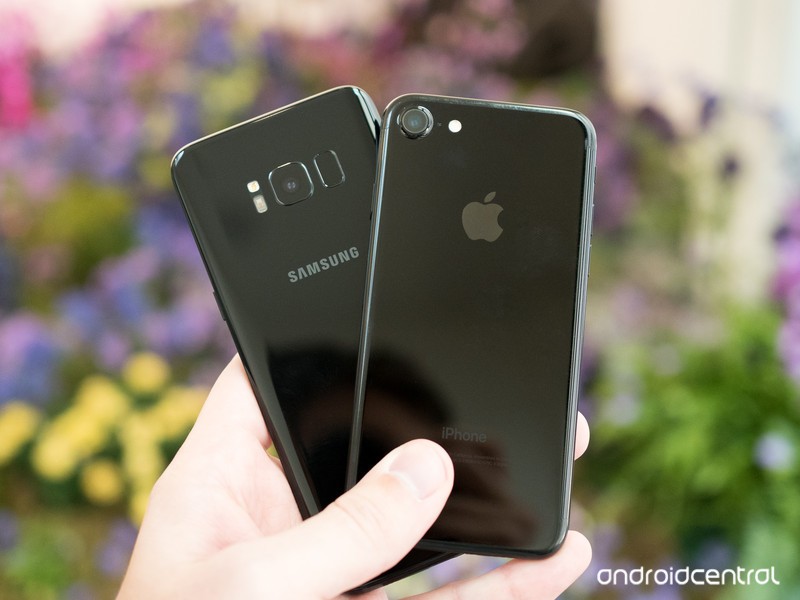
Android and iOS have plenty of differences. Here are five places we think Google is doing better than Apple.
The internet is filled with words about Android and iOS and why one is better than the other. It makes for fun writing and reading because everyone likes to hear about why the thing they prefer is better than the thing they don’t, but there are some important things each operating system does better than the other.
In a perfect world, Apple and Google would merge and the result (Gapple?) would make software with the best from both sides. Since that’s never going to happen, let’s look at five important things Android does better than iOS.
Storage options
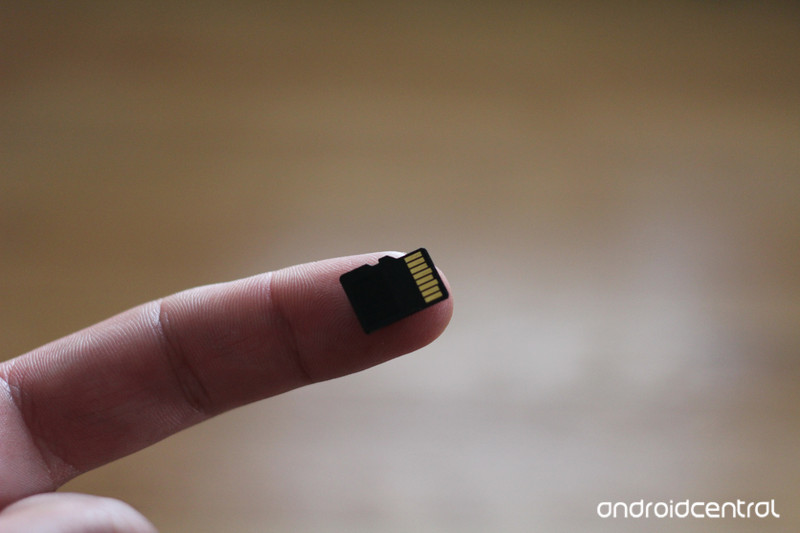
Everyone knows that some Android phones have an SD card slot. This is easy to see but is a result of the overall way Android handles external storage.
External storage is more than SD cards.
Android allows you to use external storage from an SD card inserted into the phone or a USB card reader, a USB-powered storage device like a thumb drive or hard drive and network mounted storage as part of the file system. Plug a thing in or connect to a service and the OS creates everything needed to make it available, much like your laptop does with its own location in the file system.
iOS can connect to things like cameras for photo transfer, but it’s a one-way connection and only certain devices are supported.
Dual SIM
Many Android phones allow you to put two SIM cards in at the same time. This gives you two separate phone numbers for calls and texts, as well as access to two different data networks. iOS doesn’t support this.
While not a popular feature in North America, in parts of the world a Dual-SIM phone is a must-have to cut down on roaming fees and connectivity issues. And it’s a great way to have business and personal numbers on the same device you use every day.
Firefox and other browsers can open links
With Android, you can decide which app is the default for things like opening internet links. On iOS, you can’t.
If I install Firefox or Opera or use the Samsung browser on my Android, it’s because I prefer it over Google Chrome. That means when I click a link in an email or message I want it to use the browser I like instead of the browser the people who wrote the software like. When you can make the browser you like be the default, you won’t have your personal data spread out between multiple apps.
Single sign in for all the apps you really use
Apple has a pretty good selection of internet services with iCloud. It’s really stepped up its game in this space during the last couple of years. But they aren’t the internet services most people use. Those all come from Google.
Even people who love iOS are probably using Gmail.
Google’s single account sign-in means you sign into one place and you’re good with all the services. When you sign into your Android, Gmail, Google Docs, Music, Movies and TV, and every other service are ready to use and all covered under a single privacy agreement. When you sign into your iPhone, you need to download and sign into each of these services individually, which means you also have to sign out of them individually.
On the iPhone, iCloud works the same. But when is the last time you sent an email to someone using an @icoud.com address? One place to manage all your privacy and account security settings is important and Apple does it. They need to find a way to use the Google app to do the same on iOS.
Notifications
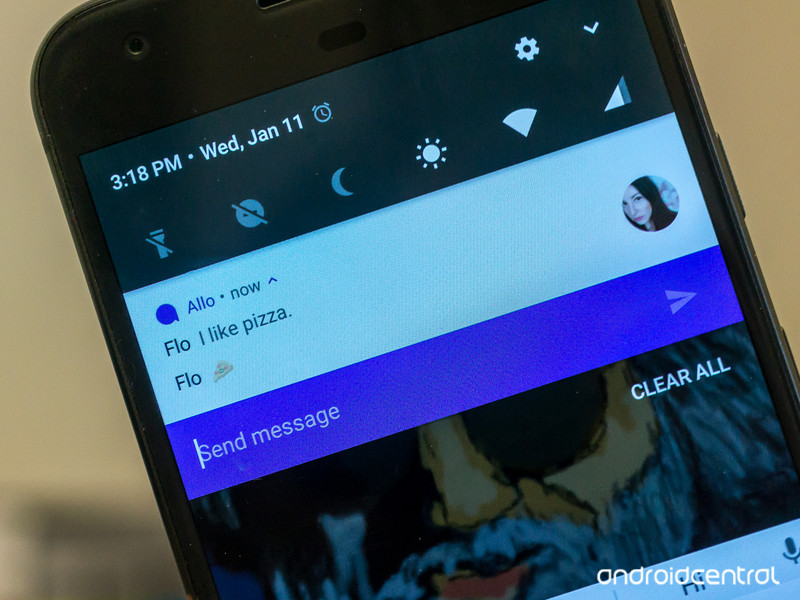
Android can handle your notifications really well. They stack nicely when you have more than one for a single app, they are informative, and you can reply from them without opening an app and marking them as read. Apple has most of these features and some of them are done really well. But only Android offers what’s called a persistent notification.
Notifications are pretty good on both platforms, but Android’s persistent notification feature is something Apple needs to adopt.
A persistent notification means any app can have some vital information in your notification shade when the developer thinks you’ll want to see it. Important things like Amber alerts or severe weather information can be a persistent notification but so can convenience things like media playback controls or connection information (including your wireless radios and things connected via USB).
Most importantly, persistent notifications allow an app to continue working as if it were on your screen when you open another app. Having a notification lets you know an application is in the background doing stuff. The alternative is having an app do its stuff without you knowing or not letting an app do its stuff unless you’re watching it on your screen.
There are plenty of subjective reasons to like one over the other when it comes to Android versus iOS, but when it comes to core services and the way things are handled, there are some things Google is doing better than Apple. These are just five of them that we would like to see Apple address as it continues to develop iOS.
A better iOS means a better Android as developers on both sides are forced to fight for our attention.
Android Nougat
- Android 7.0 Nougat: Everything you need to know
- Will my phone get Android Nougat?
- Google Pixel + Pixel XL review
- All Android Nougat news
- How to manually update your Nexus or Pixel
- Join the Discussion
Anker discounts its most popular Bluetooth headphones & speakers in time for warmer weather
Our friends at Thrifter are back again, this time with some big savings on various Anker Bluetooth accessories!

Over the past few weeks, winter finally gave way to spring and it’s now nice enough to enjoy workouts without being cooped up in the gym. This is the running season you should ditch those old earbuds and go wireless. I’m hesitant to spend crazy amounts on Bluetooth headphones to workout with since no matter what manufacturers say, profuse amounts of sweat and electronics don’t mix.
That’s where Anker’s SoundsBuds come in handy. They are lightweight, feature Bluetooth 4.1 (perfect for Apple Watch!) and aren’t outrageously priced. In fact, they are even less expensive today since coupon code ANKER233 drops the black, green and blue models down to $22.99 (Reg. $30). Thousands of Amazon reviewers rate them 3.8 out of 5 stars so you know they’ll hold up well. For those of you who have problems with earbuds popping out during workouts, you could give Anker’s SoundBuds NB10 a try while they are on sale for $29.99 (Reg. $40) using coupon code ANKER260.
If you’re looking for some wireless tunes for an upcoming picnic or BBQ, Anker’s SoundCore Bluetooth 4.0 speaker boasts 24-hours of play time and is on sale for $30.59 (Reg. 36+) when you enter coupon code ANKMAY77 during checkout. There’s also the SoundCore nano option for $18.66 (Reg. $25) with coupon code KINANK66, which is the perfect size for traveling.
See at Amazon
For more great deals be sure to check out our friends at Thrifter now!
Egg, Inc.: Boost your farm’s profits with these tips and tricks
Maximize your Egg, Inc. farm’s profits with these tips and tricks!

Egg, Inc. is a truly bizarre game set in a future world where the universe has poured all its secrets into chicken eggs. You decide to get in on this massive movement by scaling up your own egg farm’s production, researching the latest egg evolutions, and in turn making astronomical amounts of money.
It’s a super addictive clicker game with beautifully simple graphics, so many upgrades to research, and endless swarms of chickens. It’s all about exponentially scaling up your farm’s value by ramping up your egg production. Whether you’re just starting out as an egg farmer or as a seasoned Egg, Inc. veteran, we’ve got some great tips and tricks to help you maximize your farm’s profitability.
Watch the skies!

While the goal in Egg, Inc. is to maximize your egg profits, the quickest way to get an influx of cash is by catching a drone. Drones are constantly flying over your farm, even when you’re looking in menus, so you’ll want to always keep an eye on the edges of the screen for any incoming drones.
To catch drones, you need to keep an eye out for shadows, which appear first and give you clues about its direction and speed. All you have to do to catch a drone is tap it, and it will come crashing down to the ground, bringing with it millions of dollars (or sometimes Golden Eggs).
How much money you get from drones depends both on the production and profit rates of your farm and their speed. The absolute fastest drones are worth dropping everything to catch, but they’re also super hard to catch, even when you’re ready and waiting for them. They’re the only ones that turn, and you often only have a second to react when they come shooting through.
But those are the ones you really want — they often include astronomical bounties often 1000x bigger than the other drones. They will help you quickly build bigger henhouses, improve your distribution vehicles, or quickly complete common upgrades to your farm.
Tap effectively

By default, Egg, Inc. gives you a modest round button for spawning chickens — but that simply won’t do. Tap the blue circle next to the button to expand it to an oblong button across the bottom of the screen. This lets you tap with multiple fingers at one time.
Finding a comfortable tapping method is key — maybe you want to do a three-finger gallop rhythm or try and lightly tap all four of your fingers as fast as you can. I’ve found the latter to be the most effective way to produce chickens the fastest, but find whichever method is most comfortable for you.
And remember — spawning chickens is only a small part of scaling up your farm.
Don’t waste your gold eggs on time boosts

As you play Egg, Inc., you collect Golden Eggs (which are different than the Rocket Fuel eggs that only look like they’re made of gold). You have a couple options where you can spend your hard-earned Golden Eggs — on epic farm upgrades or on time boosts, which fast forward 30 seconds, one hour, or eight hours depending on how many Golden Eggs you spend.
Now, fast forwarding might seem like a great idea when you’re getting billions of dollars a second — you do the math and think 25 Golden Eggs isn’t too bad for an instant influx of cash in the trillions.
But wait! You’re better off spending all your eggs on epic farm upgrades. This is because these epic upgrades are permanent and stay with your farm after you prestige. These upgrades will really help you in the long run, way more than endless time boosts, so spend those Golden Eggs wisely!
Don’t forget to prestige

Scaling up your farm, unlocking new egg types, and endlessly swarming chickens to your henhouses is fun — but if you want to reach the upper echelon of Egg, Inc.’s leaderboards, you’ll need to prestige a couple times over to really scale things up.
When you prestige, your farm starts over from scratch, but you gain Soul Eggs, which give you a 10% boost to your income. The farther along down the egg research path you are, the more Soul Eggs you’ll be offered to prestige. A good strategy is to wait to prestige until the game offers you 50 or more Soul Eggs to do so. That equates to a clean 5000% bonus on your income when you restart, which will help you boost your farm’s value right quick after restarting.
After your first prestige, it’s advantageous to wait to prestige until you’re able to double your number of eggs. If you spend your Golden Eggs on Soul Food in the epic upgrades tab, you’ll make each Soul Egg even more powerful and make each prestige that much more lucrative.
Paying for the premium app
Are you really enjoying Egg, Inc.? You should consider supporting the developers by upgrading and cracking open your piggy bank.
The longer you’ve been playing the game, the more Golden Eggs will be in your piggy bank. There are always in-app purchases available for more Golden Eggs, but the piggy bank is definitely your best value — and only continues to scale up as you play. A huge bounty of Golden Eggs can pay for a LOT of epic upgrades, which are permanent and stick around after you prestige. One particular epic upgrade to focus on with your Golden Egg bank is Soul Food and Prestige Bonus, which increases bonus per Soul Egg and the number of Soul Eggs you get when you prestige. Quickly hitting up those epic upgrades will make each prestige painless.
What are your best strategies?
Have you been sucked into Egg, Inc.? What are your best tips for expanding your farm? Let us know in the comments!
Download: Egg, Inc. (Free)
Android Gaming

- Best Android games
- Best free Android games
- Best games with no in-app purchases
- Best action games for Android
- Best RPGs for Android
- All the Android gaming news!
The $300 PlayStation 4 Slim bulks up with a 1TB hard drive
Sure, it’s simple enough to swap out the standard 500 GB hard drive in your PlayStation 4 for a bigger one, but sometimes you just don’t want to go through the hassle. Well, thanks to the PS4 Slim being packed with a 1 TB drive as standard equipment now, that shouldn’t be an issue in the future. Amazon is already cutting prices on the 500GB models (from $300 to around $250), and the 1TB flavor rocks a $300 MSRP. A 1TB PS4 Pro is still $400, however, and depending on your situation, might be the better buy at this point.
Of course, Sony is playing catch-up here. Microsoft has offered a 1TB model of its Xbox One S since last year. The thing is, a 1TB Xbox One S’ price varies wildly depending on what game is packed in. So at least Sony has simplicity going for it in this case.
Arriving on store shelves this month: new slim PS4 system featuring a 1TB internal HDD for $299.99 MSRP! Details: https://t.co/8FZov0rqde pic.twitter.com/khdncXuSmT
— PlayStation (@PlayStation) April 18, 2017
Source: PlayStation
Facebook Spaces VR parties are available for Rift owners today
Facebook teased how it would create social experiences in virtual reality, and now it’s ready to take things one step further. It just launched a Facebook Spaces beta that lets Oculus Rift owners hang out together (up to four at once) in VR. You can create an avatar that’s as realistic or fanciful as you want, draw 3D doodles and show off your personal videos and use 360-degree video backgrounds to liven up your chats. There’s even a selfie stick to take virtual self-portraits. And if a friend can’t use VR, you can bring them into the conversation using Facebook Messenger video calls.
Developing…
Click here to catch up on the latest news from F8 2017!
Source: Oculus
iPhone SE Display Parts Constrained, Apple May Do Full Device Replacements Instead of Repairs
Display repair components for the iPhone SE are in short supply at Apple Stores right now, so customers who need their iPhone SE display fixed may receive a replacement device instead.
According to a retail source that shared the news with MacRumors, employees have been told that display parts are constrained until further notice, and it’s not known how long it will be until display components are more widely available. Stores that have no display repair components on hand will outright replace iPhone SE models in need of repair.
The reason behind the component constraint is unclear, as Apple did not provide details to employees.
Supply constraints are not likely indicative of an imminent refresh because no new iPhone SE model is expected. According to KGI Securities analyst Ming-Chi Kuo, who often shares reliable information on upcoming Apple products, Apple will not introduce a new iPhone SE during the first half of 2017.
Apple also recently bumped up the storage space in the iPhone SE, offering the iPhone SE in 32 and 128GB capacities for $399 and $499, respectively.
It isn’t yet clear if Apple is planning on introducing another 4-inch device, or if the SE was the last 4-inch phone Apple plans to produce. Kuo’s information only covered the first half of 2017, so if another 4-inch phone is in the works, it could come later in the year.
Related Roundup: iPhone SE
Discuss this article in our forums
 AIVAnet