


Best Cases for the Samsung Galaxy J7

What are the best cases for the Samsung Galaxy J7?
Samsung’s annual flagships steal all the attention, but their mid-range phones like the Galaxy J7 are surprisingly solid options for significantly less coin.
If you’ve got yourself a Galaxy J7, you’re probably going to want to keep it protected with a case, no? The compromise here is that the bigger accessory makers don’t typically make cases from mid-range phones like the Galaxy J7, however, that doesn’t mean there aren’t quality cases available. Better yet, all the cases we’ve featured here are under $10!
- TJS Hybrid Carbon Fiber Slim Fit Case
- LK Ultra Slim Clear Case
- LK Armor Defender Case
- Abacus24-7 Slim Bumper Wallet Case
- LK Luxury PU Leather Wallet Case
TJS Hybrid Carbon Fiber Slim Fit Case

If you’re looking for rugged protection for your Galaxy J7, this two-piece case should fit the bill. The first layer of protection is a flexible TPU sleeve that includes shock-absorbing patterns on the inside, offers grip around the sides, and provides ample protection for the camera on the front. Around the front, a raised lip ensures your phone’s screen is protected when you lay your phone face down on a surface. It also ships with a tempered glass screen protector which is a nice bonus.
The most arresting feature of this stylish and protective case is the carbon fiber pattern on the backside. Of course, this is just one of the styles available through Amazon if you’re looking for a more flashy case.
See at Amazon
LK Ultra Slim Clear Case

If you’re looking for a slim, clear case for your phone, LK has you covered. This case barely adds any bulk to your phone while keeping it protected with tough, shock-absorbing TPU. Precise cutouts ensure you always have easy access to all the buttons, controls and ports.
This case also helps with grip, both in your hands and when you’ve placed your phone on a surface. If you’re looking for something with a bit more color to it, you’ll find four other options on Amazon — Black, Hot Pink, Mint, and Purple.
See at Amazon
LK Armor Defender Case

LK’s Armor Defender case looks to deliver a tough case that feels comfortable in your hands. So what you get here is a rugged two-piece design that combines a shock resistant silicone sleeve coupled with a hard back PC bumper. The back plate features a pattern of raised bumps which will greatly help with grip.
This case includes precision cutouts for the ports, buttons, and camera on the back, so your phone’s functionality is never affected. It’s also available in a range of color options, from the standard black to two-color combos. You’re sure to find one that fits your style.
See at Amazon
Abacus24-7 Slim Bumper Wallet Case

Looking for a premium leather look for your phone without paying a premium price? Abacus24-7 offers a very stylish case option for your Galaxy J7 that doubles as a card holder on the back. it’s made with a combination of TPU and synthetic leather materials, this case offers basic protection for the back, sides and corners of your phone while also providing a raised lip around the front of your phone.
On the back, you’ll find the card pocket with can accommodate up to two cards — say a credit card and your ID. This is a slim and functional way to reduce the number of items on your personal carry while also providing protection for your phone.
See at Amazon
LK Luxury PU Leather Wallet Case

If you really like the idea of keeping your phone and your wallet in one place, you should get an LK luxury wallet case for your Galaxy J7. It allows you to carries the phone, some cash, and three credit cards in one pocket.
The synthetic leather comes in four colors, from a classic black to more vibrant color options. The magnetic closure is secure and the TPU inner shell offers shock resistance, covering the edges and corners of your phone.
LK’s wallet case also folds into a sturdy kickstand for hands-free operating. You’ll still have access to all the buttons and ports, including your camera, without removing your phone.
See at Amazon
Improved Android 7.1.1 update begins rolling out to OnePlus 3 and 3T
Who needs chocolate bunnies for Easter when we’ve got system updates?
OnePlus has begun to roll out shiny, new Android 7.1.1 updates to both the OnePlus 3 and the OnePlus 3T, bringing new improvements for expanded screenshots, picture-taking, and a fix to a Bluetooth bug. The update is rolling out incrementally, so don’t be surprised if it takes a little while to reach you, but it is rolling out.
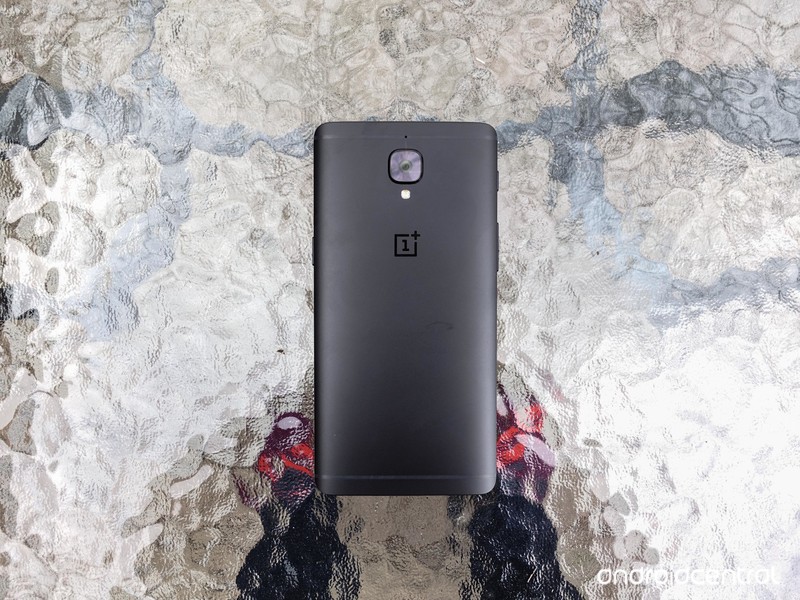
Included in the release notes for the OnePlus 3 and OnePlus 3T update were several improvements:
- Upgraded Android 7.1.1
- Added expanded screenshots
- Improved picture taking of moving objects with blur reduction
- Improved video stability when recording
- Improved WiFI connectivity
- Improved bluetooth connectivity
- Fixed Instagram swiping bug
- Fixed hardware buttons malfunction bug
- Increased system stability
- General bug fixes
- Known bug fixed: Bluetooth logging issue
The notes also featured a link, asking OnePlus 3 users to give their feedback on Oxygen OS 4.1.0, so once you’ve gotten the update, make sure you give them your thoughts on it! And if you’ve already gotten the update (lucky you), tell us how it’s behaving, too!
More: OnePlus is doing everything right these days
OnePlus 3T and OnePlus 3
- OnePlus 3T review: Rekindling a love story
- OnePlus 3T vs. OnePlus 3: What’s the difference?
- OnePlus 3T specs
- Latest OnePlus 3 news
- Discuss OnePlus 3T and 3 in the forums
OnePlus
Amazon
How to create collages, animations, and movies in Google Photos

Google Photos can do more than just store and edit your photos.
Google Photos is great app for storing, sharing, and even editing the photos that you take with your phone. It isn’t all business here though, and you can also use Google Photos’ Assistant feature to create new collages, animations, and movies. These features are fairly small, but they’re fun and easy to use.
How to create a new Collage
Collages are created by choosing between two and nine different photos. After you’ve chose the ones that you like the most, Google will put them together in a collage for you, They’re super simple to create, since all you need to do is choose the photos, and if you don’t like the way that the collage comes out, you can always choose not to save it.
Open Google Photos.
Tap the icon for Assistant in the lower left corner of your screen.
Tap the purple Collage icon near the top of your screen.

Choose the photos you want in your collage.
Tap Create in the upper right corner of your screen.

How to create a new animation
Animations are created from a bunch of different photos, but unlike a collage, you won’t be seeing them all side by side. Instead one photos will shift to the next, and so on. You can add anywhere between 2 and 50 photos to an animation, and they work really well if you have a bunch of action shots that you have taken. It will take the photos you have chosen and essentially combine them all into a single animation that will move swiftly from one photo to the next. So it essentially lets you create a GIF where you decide on the images in the frame.
Open Google Photos.
Tap the icon for Assistant in the lower left corner of your screen.
Tap the blue Animation icon near the top of the screen.

Choose the photos you would like in your animation.
Tap Create in the upper right corner of your screen.

How to create a new movie
The third option that Google gives you is to create a movie and that’s where things get a little bit more complicated. It works essentially the same way as creating a collage, or animation, except that there are far more moving parts that you can choose to mess with. First you’ll want to select up to 50 photos or videos for you to use in your new movie. Next you’ll get to name your film, and choose a filter to overlay your movie, and there are tons of options from Lo-FI to 8MM, to vintage. It automatically has music which you can change choosing from theme music or tunes you’ve saved onto your phone.
Open Google Photos.
Tap the icon for Assistant in the lower left corner of your screen.
Tap the green Movie icon on the upper right of your screen.

Choose the photos or videos you want in your movie.
Name your movie.
Choose a filter for your movie.

Are you using this features?
Google has packed roughly a ton of features into Google Photos, and that includes being able to create collages, animations, and movies. If you’re a fan of sharing your memories this a great way to do it in a unique, and less spammy sort of way. It’s also just fun, truth be told. So will you be taking advantage of these features? Let us know about it in the comments below!
Google updates AOSP bug tracker to use new in-house solution
Good news for the open source crowd.
Google’s Android developers head to the blog today to let us know it has migrated the AOSP issue tracking system to use its own Issue Tracker software.
Issue Tracker is the tool Google uses internally while building and maintaining all the various stuff it does. It’s also the public facing bug tracker for many of its other products, including the Android O Developer Preview. The new system looks and feels very much like Google Groups, and Google says this makes it easier for everyone to be on the same page when it comes to finding and killing bugs.
We are hoping to facilitate a better collaboration between our developers and our Android product teams by using a tool we use internally at Google to track bugs and feature requests during product development.

Issue Tracker also uses standard Google terms of service, so be sure to read what you are agreeing to the first time you use the service.
For most end users this has zero impact. But know that the people developing Android and fixing the inevitable bugs should now be able to better communicate. Everything works better when everyone involved knows what’s up.
Android Nougat
- Android 7.0 Nougat: Everything you need to know
- Will my phone get Android Nougat?
- Google Pixel + Pixel XL review
- All Android Nougat news
- How to manually update your Nexus or Pixel
- Join the Discussion
Komodo Dragons may hold the key to fighting infections
Komodo Dragon blood could save your life. Curious scientists — are there any other kind? — recently identified a peptide in the Dragon plasma that might serve as an antibiotic. Now, a bite from a Komodo Dragon is lethal not from venom, but from bacteria in the reptile’s saliva, and the Dragons don’t kill each other when they get into tussles the way they do hunting prey, which suggests an immunity. So the researchers, inspired by previous work done with alligators and crocodiles, made a synthetic version of a peptide (a chain of amino acids) found in Dragon’s plasma, VK25.
The hope is to use the lab-designed peptide, DRGN-1, as a topical antibiotic. “DRGN-1 exhibited promising antimicrobial and anti-biofilm properties,” the paper reads. “Moreover, the DRGN-1 peptide significantly promoted wound healing in vitro and in vivo, in both uninfected and mixed biofilm infected wounds.”
In their experiments, the scientists saw that DRGN-1-treated sores experienced “accelerated skin wound closure and healing.” What’s more, it culled the amount of bacteria in the wounds of infected mice. We’re likely to hear a lot more about DRGN-1 in the future as the recent experiments only tested a third of the pathogens known to infect wounds.
It’s something I’m personally fully in support of. I mean, aside from going to Finland and burning down a church, healing yourself with a synthetic Komodo Dragon blood derivative is about the most metal thing you can do.
Via: New York Post
Source: Nature
 AIVAnet