


Verizon Will Support Wi-Fi Calling on Other iCloud Devices on iOS 10.3
Verizon customers running the new iOS 10.3 beta have discovered that the carrier has added an option for Integrated Calling (Calls on Other Devices).
The feature enables iPhone users to make and receive Wi-Fi calls on other iCloud-connected devices, including the iPad, iPod touch, Apple Watch, and most 2012 or later Macs, even if the iPhone is turned off or not on the same Wi-Fi network. The devices must be signed into the same Apple ID used on the iPhone.
AT&T, Sprint, and T-Mobile already support Wi-Fi calling on supported iCloud-connected devices, so Verizon was the last holdout among the four major carriers in the United States. The feature is also supported by smaller U.S. carriers MetroPCS and Simple Mobile and by a few other carriers internationally.
Wi-Fi calling on other devices may not be live yet for all Verizon customers on iOS 10.3 beta, but it should be ready in time for the final version.
Related Roundup: iOS 10
Tags: Verizon, Wi-Fi calling
Discuss this article in our forums
BMW and Nissan launch 174 new dual-plug EV chargers in the US
Nissan LEAF and BMW i3 owners now have a lot more charging stations they can go to. The automakers have expanded their dual-format fast-charging network, adding 174 stations to their current crop with the help of eVgo. These 174 stations spread across 33 states offer dual 50 kW DC chargers that support both CHAdeMO and SAE Combo (CCS) connectors. They can charge not just LEAFs and i3s, but also other electric vehicles, so long as they’re equipped with quick-charge ports. Nissan says the 50kW stations only need around 30 minutes to bring EVs up to 80 percent of their full capacity.
LEAF owners can look for these new stations through Nissan’s EZ-Charge smartphone app, while i3 owners can use their car’s ConnectedDrive. But since they’re located near shopping and dining establishments, as well as frequently traveled routes, they’re bound to come across the new chargers every without the apps’ help. In order to better compete with Tesla and its Superchargers, Nissan and BMW are planning to add 50 more fast-charging stations this year.
Source: Nissan
Singapore hosts first full-scale autonomous truck platoon trial
A fleet of autonomous trucks is joining all the self-driving taxis and buses Singapore is testing on its streets. Toyota and Volkswagen subsidiary Scania will begin the first full-scale autonomous truck platooning trial in the country this month. For the next three years, the two companies will operate a fleet of trucks composed of three autonomous vehicles following a manned one to transport cargo between ports. Singapore’s authorities organized the project, because aside from its desire to become the world’s first smart city, it’s also seeking to optimize road capacity. It’s a relatively tiny city-state, after all, and the number of vehicles on its roads keep on growing along with its population.
Scania’s and Toyota’s trial is composed of two phases. For the first one, both companies will focus on designing and refining their truck platooning technology in Sweden and Japan. Scania has even teamed up with Ericsson to improve its wireless communication between trucks. Local trials and further development of the technology in Singapore make up the second and final phase. You can get a glimpse of the partners’ platooning tech in the video below if you want to see how the trucks will traverse Singapore’s roads.
Via: Automotive Logistics
Source: Scania
Amazon now has over 250 Dash Buttons for easy ordering
What I initially thought was an April Fool’s joke now counts 250 different options to its name. I’m talking about Amazon’s Dash Button and today the online retailer announced that the total number of one-touch ordering devices has hit the aforementioned tally. To get there, the company added 50 more of the re-ordering tools from brands like Seventh Generation, Colgate, Emergen-C, Kingsford, KY, Lifestyles, Rogaine and more. Just how popular are they? Amazon says some brands are receiving more than half of their orders from Dash Buttons.
If you’re new to the whole Dash Button phenomenon, the tiny gadgets link to the Amazon app on your phone where you assign a product to each one. When you press the button, the mobile software asks you to confirm the order and you’re all set. The only catch is you have to be a Prime member to employ the devices. Last week, Amazon revealed virtual Dash Buttons for online use. Both the physical and the virtual options are free, but you if you want one to stick around your house, you’ll have to pay $5 up front that you get back when you place your first Dash order.
Exclusive dating app ‘The League’ is now on Google Play
The League, which is often described as an “elitist dating app” and “Tinder for the rich,” has arrived on Google Play. If you’re wondering why you don’t hear a lot of people talk about their experience on it, it’s because the service promises exclusivity by having aspiring members go through a rigorous screening process. The team will vet your job, your degrees, your looks and other aspects of your life before you can get in — and you might even have to deal with a waitlist.
According to founder Amanda Bradford, the launch on Android is an important step to grow the app’s user base. The service might also go international sometime this spring:
“Opening up The League’s community to Android users is something we wanted to do yesterday. By design, The League’s target demographic is incredibly small – we’re only accepting 10 to 20% of users who sign up. Opening up to Android allows us to double our user base without lowering our acceptance standards, while also increasing diversity of our user base. We can also now finally expand internationally, something we plan to do this spring.”
The League’s Android app underwent beta testing for four months. Based on the data the company collected, Android users replied 76 percent more often, ghosted people 63 percent less and converted their online matches to real-life dates 24 percent more than their counterparts on iOS. Further, the words “relationship” and “soulmate” appeared 11 percent and five percent more, respectively. Whether potential users find that promising enough to go through The League’s vetting process, however, remains to be seen.
Source: Google Play
New Mac App Subscription Service ‘Setapp’ Offers 60 Mac Apps for $9.99 Per Month
Following a beta testing period of more than a month, Mac app subscription service Setapp today officially launched to the public, making a collection of Mac apps available to users for a low monthly fee.
Priced at $9.99 per month, Setapp is designed to be an alternative to the Mac App Store. Through the Setapp service, more than 60 apps across a wide range of categories are available to customers. Access to apps is unlimited and includes all updates and in-app purchase content.
Setapp offers many popular Mac titles like RapidWeaver, CleanMyMac, Ulysses, Blogo, CodeRunner, Pixa, Focused, iMazing, Marked, Screens, Pagico, iStat Menus, and more.The team behind Setapp hopes that once the concept catches on with developers, the service will be able to offer somewhere in the neighborhood of 300 apps.
“If you want to get the most out of your Mac, you need great software and if you’re like most Mac users, you’re probably always on the lookout for new stuff that helps you get more done during your day without wasting too much time or money,” said Oleksandr Kosovan, founder and CEO of MacPaw and its Setapp division. “Setapp is the ultimate ‘unstore’ option that gives you unlimited access to lots of great software without the anxiety of non-refundable, expensive purchases.”
To use Setapp, customers install the Setapp app, which creates a folder in Finder on the Mac. The folder includes a library of apps, which users can install and use as long as a Setapp subscription is active.

Using one of the Setapp apps does require a subscription, so access is revoked if a subscription is canceled. An online connection is required for updates, but all software can be used offline.

For developers, Setapp aims to provide a steady stream of revenue. The company offers 70 percent of the total revenue generated by their apps, which is based on which applications customers use during a billing cycle. Two-thirds of the remaining 30 percent is also given to developers as part of a partner fee based on the value of each subscriber brought to the platform.
Setapp can be downloaded from the Setapp website for free starting today.
Tag: Setapp
Discuss this article in our forums
Apple Supplier Japan Display Creating Flexible LCD Panels for Use in Future iPhones
iPhone supplier Japan Display has come up with a plan to battle the increasing popularity of organic light-emitting diode (OLED) panel manufacturing, without needing to delve into the costly practice of creating OLED panels itself. According to a new report by The Wall Street Journal, the supplier has figured out a way to manufacture flexible liquid crystal display (LCD) panels using technology and processes it already has at its disposal.
Set to begin mass production in 2018, Japan Display’s flexible LCD panels are said to be built with a layer of plastic instead of glass. “While not as flexible as OLED,” the company’s chief operating officer, Shuji Aruga, mentioned that the panels are bendable enough to manufacture smartphones with the same screen design as Samsung’s Galaxy Edge series.
According to people familiar with the matter, Apple has already begun looking at the flexible LCD panels for iPhone models launching in 2018 and beyond.
Japan Display officials said some smartphone makers, which they declined to name, have agreed to adopt the bendable LCD in the next few years. The company also hopes to sell the displays for other uses such as laptop computers and car dashboards.
“Mass production is planned from 2018, and we wouldn’t do that without demand from our clients,” said Mr. Aruga. Japan Display’s major clients, according to its financial statements, include Apple and Huawei Technologies Co.
Bendable displays could help revive growth in a smartphone market that is beginning to get saturated. People familiar with the matter have said Apple is looking at the displays for possible future iPhone models.
In addition to its plan to adapt LCD screens into flexible panels, Japan Display has previously acknowledged interest in OLED production, stating in late 2015 a goal to begin mass production of OLED panels by the spring of 2018. Last November, the supplier was said to be in “advanced talks” with the government-backed fund Innovation Network Corp. of Japan to receive around ¥75 billion ($662 million) in financing.
The bailout was said to be both for improving Japan Display’s LCD technology, and potentially mass-producing its own OLED panels. Still, analysts looking at the move think that Japan Display “may not have the funds to pursue both technologies,” so it’s unclear at this point which panel technology the supplier will ultimately decide to stick with in the future.
For Apple, it’s been long-rumored that at least one model of the 2017 iPhone 8 will come with an OLED screen — supplied by Samsung — which typically have sharper color contrast and brighter colors compared to LCD screens. Japan Display’s domestic rival Sharp is currently expected to provide Apple with OLED panels as well, but not until mid-2018.
Related Roundup: iPhone 7
Tag: Japan Display
Discuss this article in our forums
How to store downloaded Netflix content on a microSD card
How do I store my offline Netflix content to a microSD card?

Netflix has just been updated with the ability to download offline content onto a microSD card. It’s awesome! This comes after the app was updated to support offline content in the first place.
There are a couple of stipulations, of course: not every device supports the new feature, and you can only store the content that can actually be saved offline in the first place, which is a small percentage of Netflix’s total catalogue.
Still, if you’re running an older Android device, or one with nearly-full storage, this is a game-changer. Here’s how to do it.
Insert and format your SD card
If you don’t already have an SD card installed in your phone, go get one. You’ll need one that can fit a bunch of movies and TV shows, ideally 8GB or higher.
Insert the microSD card into your phone.
Ensure that the phone can read the card by going into Settings –> Storage and seeing that it is being read.
If the card is seen but not readable, you may need to format it. Tap on the message and follow the instructions. (Note: Formatting will wipe the card’s contents, so make sure you have a backup.)
Once then microSD card is formatted and ready to go, open the Netflix app.
Looking for a great microSD card? These are the ones we recommend!
How to store Netflix content to an SD card on Android
Tap on the three-line “hamburger” menu in the top left corner of the Netflix app.
Tap on App Settings.
Tap on Download Location.
Select SD Card.
Navigate to content that can be downloaded and ensure that it is being stored on SD.

The beauty of being able to store offline content on the SD card is that you can theoretically never run out of space. Netflix, by default, stores content for 30 days per device, so even if you forget to delete the content from your SD card, it will be deleted automatically after that time. No fuss, no muss.
See at Amazon
Common Moto G4 and G4 Plus problems and how to fix them
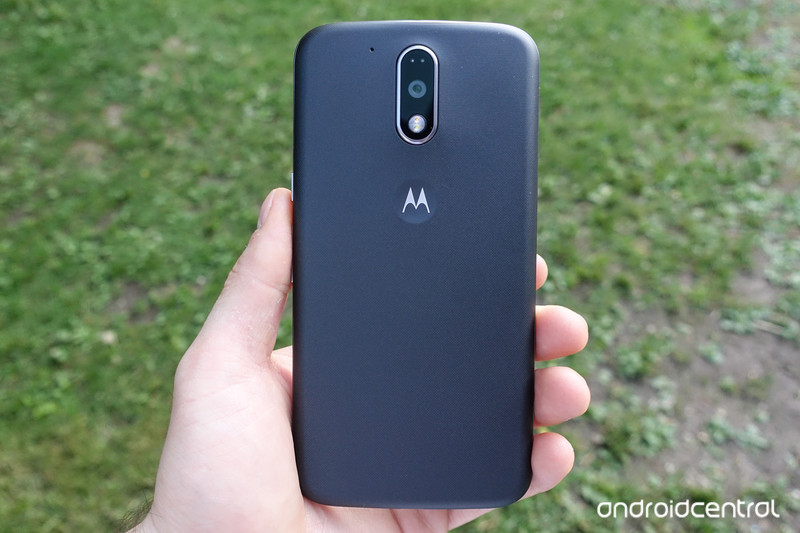
Facing issues with your Moto G4 or G4 Plus? Here are the most common problems, and how to fix them.
The Moto G series epitomizes the budget segment, and the Moto G4 and G4 Plus build on that tradition by offering great features at an affordable price. Both phones have been in the market for over six months, and have their share of problems — both hardware and software. Some have been addressed with software updates, with the recent Nougat update increasing battery life and fixing several bugs, and there are others you can fix yourself.
Yellow tint on the display
If the screen on your Moto G4 or G4 Plus has a yellowish tint, there are a few things you can do. First off, the LCD display on the phones skews towards the warmer end of the scale. The panels are sourced from different display manufacturers, and as they’re produced in batches, you may end up with a device that has a more pronounced tint than others.
If you feel that the panel on your phone has a yellow tint, you can try switching the color saturation by heading into Settings -> Display -> Color mode. By default, the Moto G4 uses the Standard color mode, but you can switch to the Vibrant mode for more saturated colors. If you still feel that the display has a yellow tint, you should consider taking the phone to your nearest service center to see if the panel is within spec.
Ghost touches while charging
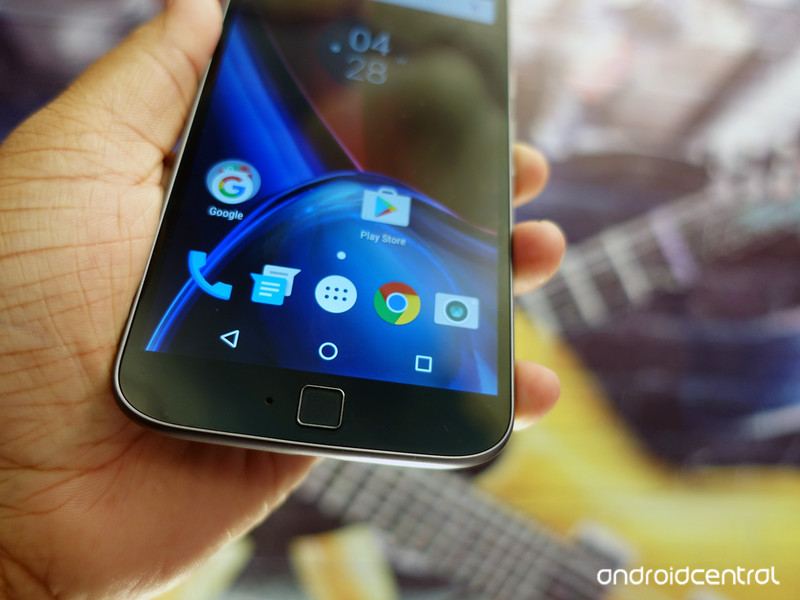
Several Moto G4 and G4 Plus units seem to suffer from ghost touches — wherein the phone will not register your touch input when answering calls, the notification shade comes down by itself, or the display switches off automatically. The issue seems to be prevalent when the phone is charging, with a few users also noticing severe input lag.
If you’re seeing ghost touches, try using a different charger and cable. Your phone may be receiving a charge that’s higher than usual, or if you’re in an area where the wall outlet isn’t grounded — common in countries like India — it will lead to a lot of static and interference. If you’re still facing the issue after using Motorola’s bundled Turbo Charger, you should take the phone to your nearest service center.
According to a post on Lenovo’s forums, the service centers will be able to fix ghost touches without having to change the hardware:
We recommend submitting your phone for repair if you are troubled by “ghost touches” when charging. The repair centers are equipped to correct this problem without changing hardware.
That said, going by the recent comments in the thread, it looks like there are users that are still facing ghost touch issues with their phones after taking them to the service centers. If that’s the case with your handset, your best bet is to get a refund or replacement.
Overheating problems
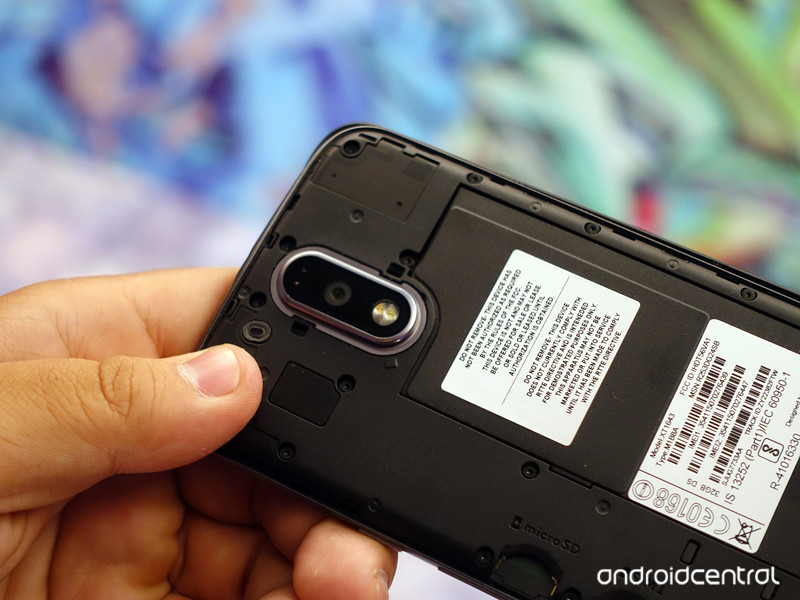
There are multiple reports online about the Moto G4 and G4 Plus overheating during gaming, and while using the camera to record videos. All phones suffer from some amount of thermal issues given that they pack an incredible amount of hardware in an enclosed space, but there are widespread reports of customers with overheating issues on the Moto G4 and G4 Plus.
If your phone is also overheating, here’s a list of possible fixes, straight from Motorola:
- When shooting video, go into Airplane Mode if possible, and/or turn off video stabilization.
- Avoid Turbo charging in hot weather; use a regular charger or your PC to charge. Turbo charging creates more heat than regular charging.
- Wait until you’re out of the heat to watch video, play games or engage in other high-power activities.
- Shield your phone from direct sunlight.
- Take a short break from high-power activities to let the phone cool.
- If your phone is in a case, try using it without the case to allow quicker cooling.
The options listed above aren’t the most practical — going into flight mode to record a video isn’t a solution — and if your phone is overheating constantly, you should consider returning it and getting a new unit. The issue seems to particularly affect Indian customers, which isn’t all that surprising. That said, I haven’t faced any issues with either the Moto G4 or G4 Plus in over six months, and neither has anyone that bought the phone on my recommendation.
Random app crashes and restarts
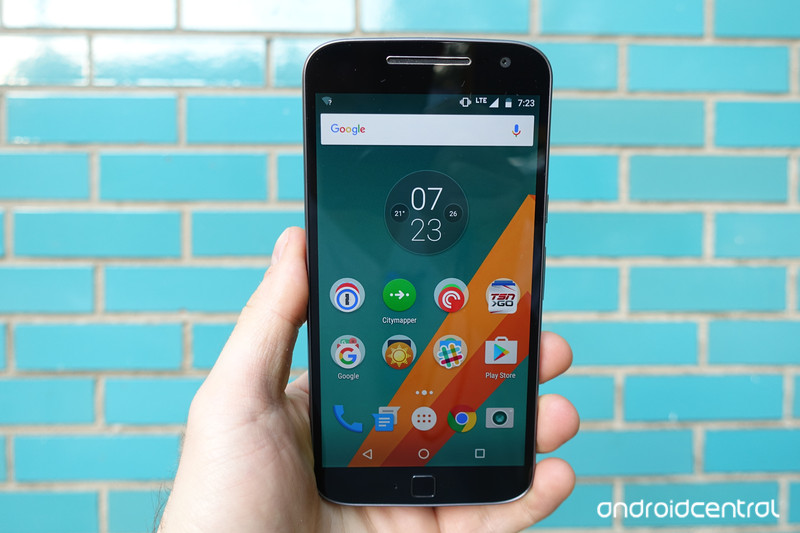
If your Moto G4 or G4 Plus is seeing random restarts or app crashes, you should boot into safe mode to rule out any errant apps. To boot into safe mode, press the power button until you see the Power off dialog box. Then press and tap the Power off button until you see Reboot to safe mode. Hit OK to boot into safe mode.
You’ll see a Safe mode persistent notification on the bottom left corner once the phone boots up. All third-party apps will be disabled in this mode, and it should help you figure out if the issue is with a particular app or the OS itself. If you don’t see any reboots, then the issue is with a third-party app.
Reboot the phone and start uninstalling apps one by one to see if that makes a difference. If you’re still seeing reboots while in safe mode, it’s time to do a factory reset. Head into Settings -> Backup & reset and turn off Automatic restore. Then hit Factory data reset -> Reset phone. The issue should get resolved with a factory reset, but if it doesn’t you know what to do.
Battery life problems
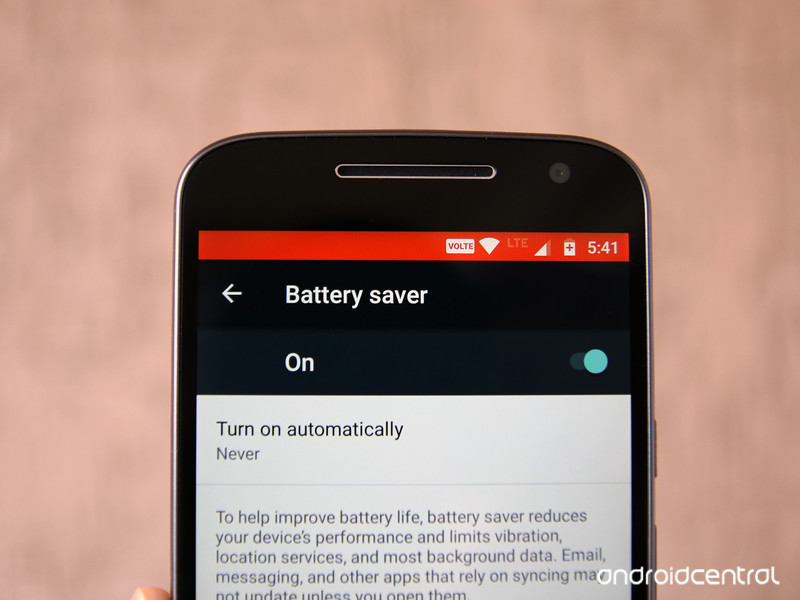
The battery life on the Moto G4 and Moto G4 Plus is great out of the box, with both phones easily lasting a day on a full charge. However, if you’re seeing a higher-than-usual battery drain, you can do the following:
-
Watch out for power-hungry apps: To see if an app is using up a lot of battery, head into Settings -> Battery to isolate the problem. Facebook and Facebook Messenger have over 1 billion installs on the Play Store, but they continue to be two of the most resource-hungry apps on Android.
-
Toggle battery saver mode: The Moto G4 and G4 Plus have a nifty battery saver mode that lets you eke out the most out of the battery. You can set it to turn on automatically at either 15% or 5%, or toggle it manually to extend battery life.
-
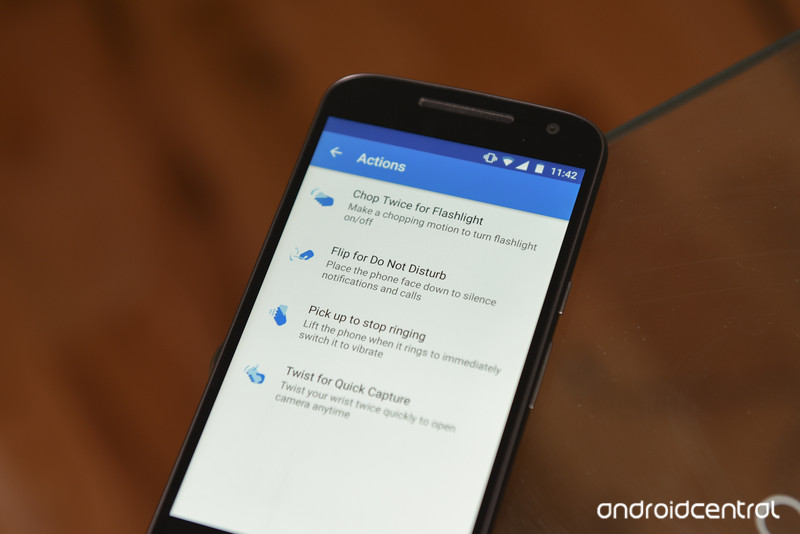
Change display settings: You can lower the screen’s brightness and set a shorter interval for screen timeout to maximize battery life. Disabling Moto Actions for previewing notifications also makes a difference.
How to fix Moto G4 and G4 Plus battery life problems
Wi-Fi and Bluetooth issues
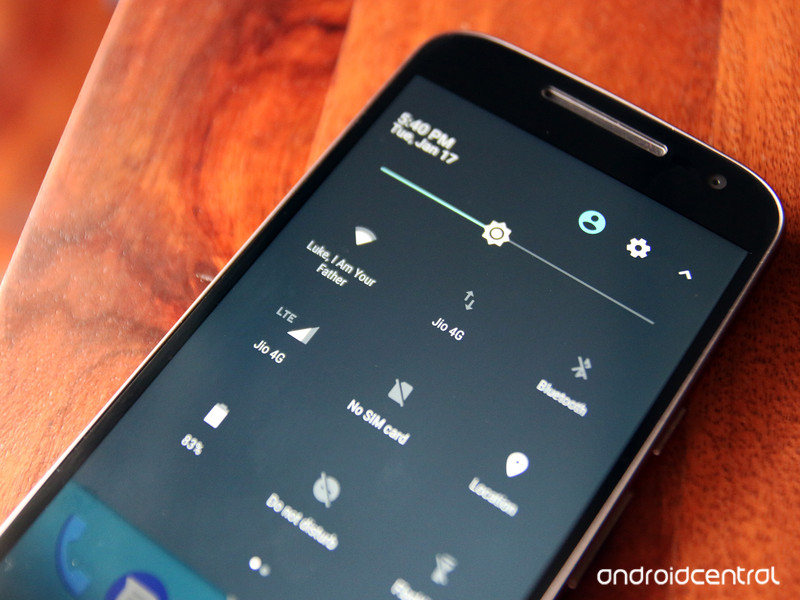
Wi-Fi and Bluetooth problems aren’t limited to a particular device, and if you’re facing issues connecting to Wi-Fi from the Moto G4 or G4 Plus, the first thing you should do is figure out if the problem is with the device or the router. Try connecting from another device, switch off Wi-Fi on the phone, and turn it on again after a few seconds.
If the phone refuses to connect to Wi-Fi, you can try setting up from scratch. Remove the paired connection by holding down on the SSID (the name of the network) in Wi-Fi settings, and selecting Forget network. Then log in to your network again, and see if that works. Same goes when connecting to Bluetooth: if you’re not able to connect to a paired device, unpair it and add again.
If that doesn’t work, reset the network settings on the phone by heading into Settings -> Backup & reset -> Network settings reset.
Other issues
Notice anything else that’s wrong with the Moto G4 or G4 Plus? Let us know in the comments below.
Meizu Pro 6 Plus preview: The true flagship alternative from China
You often hear the age-old rhetoric that China is taking over the world, and nowhere is that more clear than in the smartphone market. Companies like Huawei, Oppo and Vivo are now in the top five global smartphone vendors.
One company you may not be aware of is Meizu. Like Xiaomi – another popular Chinese smartphone maker – it’s known for producing great quality hardware at relatively affordable prices.
The Meizu Pro 6 Plus is the company’s biggest and best phone, and still costs considerably less than an iPhone 7 Plus, Pixel XL or Galaxy S7 Edge. But, is it a great phone? We’ve gone hands on with it to see just how good this flagship challenger is.
Meizu Pro 6 Plus preview: Design
- 155.6 x 77.3 x 7.3mm
- 158g in weight
- All metal chassis with curved edges
Like so many other Chinese Android phones, the design is immediately familiar. But then again, when it comes to premium phones, the current choices for staying on trend are limited. You can either use an all-metal back and be forced to have antenna bands running along it (like the iPhone), or go with glass (like a Samsung Galaxy).
Pocket-lint
On the whole, Meizu has built a phone that’s both attractive to look at, and pleasant to hold in the hand. In many ways, it reminds us of the similarly designed and sized Oppo F1 plus.
The metal back panel is anodised – our review unit in gold, but other colours are available – and has antenna bands at the top and bottom. They’re not your typical completely straight bands though, they curved to match the curves of the phone’s edges.
The camera sits near the top, placed centrally above an unusual LED flash ring that’s made up of multiple dual-tone LED lights which surrounds the laser focus sensor.
On the front, there’s a single pill-shaped home button which also acts as the fingerprint scanner. Unusually, there are no capacitive buttons joining the home button, and there are no typical home, back or multitasking virtual buttons on the screen either.
Pocket-lint
As far as other ports, switches and buttons go, they’re in the places you’d expect to find them. The bottom edge features the Type-C port, the loudspeaker grille and the 3.5mm jack. The top edge has nothing except the noise cancelling microphone, while the power button and volume rocker live on the right side of the phone, and the dual SIM tray lives on the left edge.
Meizu Pro 6 Plus preview: All the pixels
- 5.7-inch Quad HD display
- Super AMOLED 1000:1 contrast ratio
- 3D touch-like technology
As smartphone screens go, the 5.7-inch display on the Meizu Pro 6 Plus is definitely at the larger end of the scale. And it’s looking at it we get our first hint that Meizu really is going after flagship territory with this beast.
It’s a Quad HD 2560 x 1440 resolution panel built using Super AMOLED technology similar to Samsung’s best phones. As well as being big, bright and colourful, the screen boasts a 1000:1 contrast ratio, meaning those blacks look really inky and dark and combine well with the bright saturated colours.
Pocket-lint
As a bonus, Meizu built in a pressure sensitive layer into the screen to enable 3D Touch-like features, giving you the option to press hard on app icons to bring up bespoke quick actions. In a lot of ways, this is similar to the latest iPhones; giving you the ability to send a quick text from the messages icon, or create a new contact from the dialler icon, among others.
Meizu Pro 6 Plus preview: Exynos inside
- Exynos 8890 processor
- 4GB RAM
- USB 3.1 support
- 3,400 mAh battery with Quick Charge 3.0
Depending on whether you buy the 64GB or 128GB version you’ll get different internal specifications. For instance, while both come with 4GB RAM, the lower storage model’s Exynos 8890 processor is clocked at a slightly lower speed to the more capacious 128GB version. Likewise, the higher storage model has a slightly more powerful graphics processing unit (GPU) too.
Regardless of which one you end up going with, Samsung’s Exynos 8890 processor inside is one of the most powerful and fastest chips available on the market. In fact, this is the same chip that powers the Samsung Galaxy S7 and S7 Edge. In short: It’s no slouch.
Providing the audio chops is a DAC capable of producing 32-bit/192kHz audio which is designed to produce great sounding music without consuming a lot of power.
Backing all of this processing power is a 3,400mAh battery, which should certainly be enough juice to get you through a full day without issue. Meizu also claims that its battery is long lasting, and can survive up to twice as long as regular batteries, and has a lifetime of over 900 cycles.
Pocket-lint
Once it depletes, the Quick Charge 3.0 enabled power adapter can fill it up again speedily. Its USB cable has been designed specifically to deal with high wattage power transfer up to 60W (MacBook charger territory). The phone has short circuit protection to ensure the phone doesn’t overheat or short circuit, as an additional security measure.
As well as all that, it’s worth mentioning that the phone supports USB 3.1 via a Type-C port giving you data transfer speeds up to 5Gbps. Matching that speediness, the fingerprint sensor on the front is claimed to be one of the fastest out there, and our initial testing does nothing to dispel those claims. The phone unlocks within the blink of an eye.
Meizu Pro 6 Plus preview: Flyme to the moon
- Flyme 5.2 software
- Runs on Android 6.0 Marshmallow
- No Google Play services out of box
As is the case for most Chinese smartphone manufacturers, Meizu’s big flagship phone runs a heavily skinned custom version of Android called Flyme. It’s version 5.2 currently, which uses Android 6.0 Marshmallow as its foundation, but you wouldn’t know it from looking at it.
Some basic core elements of Android just aren’t there initially. For instance, there are no onscreen virtual home, back or multitasking buttons despite the fact that there aren’t any capacitive ones. Instead, to go back you have to swipe from right to left on the home button, and to launch the multitasking screen you have to swipe upwards from the bottom of the display.
Pocket-lint
It also doesn’t ship with Google staple apps and services, so there’s no Play Store, Google Maps or anything else. However, there is a way to manually install them by downloading the Google Installer APK. You can do this from the preinstalled “app store”, or by using other unofficial sources, like APKMirror. Once we got that installed, we were able to download and install all of our favourite and most-used apps.
As you’d expect, there’s also no app drawer, which means all of your apps live on the home screen. That means either arranging everything into folders, or just downloading a third party launcher for a more traditional Android look and feel.
Meizu Pro 6 Plus preview: Camera happy
- 12MP Sony sensor
- 10 LED flash ring
- 4-axis OIS
The Pro 6 Plus’ flagship claims are bolstered even further by its camera specifications. Images are captured by a 12-megapixel Sony sensor with large 1.25μm pixels to produce great shots in low light conditions. Combine that with the 4-axis optical image stabilisation, f/2.0 aperture and 6 element lens, and you should see great results, and you should be able to snap them quickly thanks to the laser-guided autofocus.
Pocket-lint
Meizu also built in what it calls the “latest generation high-performance ISP image processor”, and paired the camera with a unique dual tone flash ring made up of 10 individual LEDs. In other words, you should be able to shoot smooth, noise and blur-free shots with great colour regardless of the lighting conditions.
First Impressions
Our initial impressions of the Meizu Pro 6 Plus are good. We’re impressed virtually all the hardware, it has everything it needs to challenge the best phones on the market, and at a price which is significantly lower.
The biggest concern, and greatest stumbling block to any potential customers, is the lack of standard Android services. Not having a Play Store by default will put of regular buyers. And while it’s not overly difficult to install the APKs required to get those essential services, the fact they’re not available from official sources makes it difficult to recommend. That and the fact you can’t buy the phone from an established UK retailer. You can however import them through sites like Gearbest for £550.
 AIVAnet