


The next ‘Overwatch’ holiday event celebrates Chinese New Year
It doesn’t look like Overwatch’s holiday celebrations are over just because Christmas is in the rearview mirror. Next up? Chinese New Year. The game’s Twitter account sent the news out along with a quick video, proclaiming that the event, Year of the Rooster, will begin January 24th — a few days before the actual holiday this year. Given that previous installments have included special gametypes and character skins, it stands to reason we can expect the same here too — especially given Mei’s garb in the 11 second clip.
🎊 Good luck and great fortune await! 🎊 pic.twitter.com/Az6XkHScV5
— Overwatch (@PlayOverwatch) January 19, 2017
Source: Overwatch (Twitter)
Onkyo TX-NR757 review – CNET
The Good The TX-NR757 offers a wealth of features, including copious streaming and connectivity options. The user interface and remote are easier to use than before. Sound quality is decent for the price.
The Bad Plastic front panel and knobs look good but feel cheap.
The Bottom Line The Onkyo TX-NR757 has plenty going for it, with abundant features, clean styling and very decent sound quality.
What do you think of when you hear the word Onkyo? Is it smart speakers? Is it vintage (or vintage-inspired) turntables? Or is it home theater receivers? You wouldn’t be alone in thinking of the latter — the company has been churning out big black AV center hubs since “Top Gun” was a thing.
We were fans of the 2015 Onkyo TX-NR646: It looked like it meant business and it was at ease with music as it was with movies. But things can always be “better,” particularly when it comes to feature count. And the 757 ups the streaming features by a factor of… quite a lot. Coming soon is Chromecast built-in (aka Google Cast, promised by spring 2017) as well as the company’s own FireConnect, plus your standard Bluetooth and Spotify Connect. You also get Dolby Atmos and DTS:X compatibility.
At a street price of $600, the Onkyo 757 competes directly against the Denon AVR-S920W, our highest-rated receiver with Dolby Atmos. Between the two, we liked the Denon better thanks to slightly superior sound, but it lacks Cast, making the Onkyo a better fit for users of that streaming system. The NR757 isn’t the flashiest model out there, and the cheaper TX-NR656 may be a better deal, but it’s still worth a look — especially for Onkyo fans looking to update their equipment.
Design
 View full gallery Sarah Tew/CNET
Onkyo has simplified the look of the TX-SR757 over previous years. Where models such as the TX-SR646 had two rows of buttons — one for functions and another for source selection — this years’ receivers only have one. The look is certainly cleaner and further “amplifies” the machismo factor. The function buttons are still there though, having been integrated into the LED display itself.
On the right you’ll find a plastic-feeling volume knob and on the left are two new control knobs. The left-hand dial is for fine tone control and the other is to change the listening mode. If you’re an audiophile or use the calibration routine, however, you probably won’t use these.
The user interface has had a cut and color since we last looked at one of these units. It now boasts a full-color graphic interface that may not rival the Sony STR-DN1070’s for eye candy, but at least doesn’t look like it should be displaying machine code.

View full gallery Sarah Tew/CNET
We’d like to think that Onkyo heard our concerns over the complexity of last year’s remotes. This year’s version has a slimmed-down set of controls and, best of all, a large volume rocker. This is the most used button by far on any receiver remote and having to search for it, as you did on the previous model, didn’t make any sense.

View full gallery Sarah Tew/CNET
Features
The Onkyo TX-NR757 offers nine amplified channels and this includes a dedicated Zone 2. While you can use two sets of surrounds with the remaining channels, the receiver’s support for Dolby Atmos and DTS:X means that you may want to try using the second pair for height effects instead. Using Dolby’s nomenclature this would make the receiver a 5.2.2 model (with the last two digits indicating height).
Connectivity includes eight 4K-compliant HDMI ports in addition to Bluetooth, Wi-Fi (Spotify, AirPlay and so on) and a dedicated phono input. The Onkyo has a powered Zone 2 in addition to a dedicated Zone 2 DAC for streaming and optical sources, enabling them to be sent directly to your second listening zone.
As with other Onkyo receivers we’ve seen, be aware you won’t be able to use the receiver with a power amp, as it doesn’t offer preouts.
The main differences between this and the TX-NR656 are a small boost in power to 110W (two channel) versus 100W, THX certification and system integrator features such as an RS-232 port and IR repeater. Do you need these things? If you even have to ask, then… no.
Apple MacBook Pro with Touch Bar (15-inch, 2016) review – CNET
The Good The larger version of Apple’s MacBook Pro has a big, bold display, a thinner, lighter body, an AMD graphics chip by default and a massive trackpad. The inventive Touch Bar second-screen display saves clicks here and there, and now works with apps like Photoshop and Spotify.
The Bad Even the base 15-inch model is painfully expensive. The Touch Bar is a fun add-on, but not a necessity, and the move to USB-C ports means potentially carrying a bag full of dongles.
The Bottom Line With a slim bezel around its 15-inch screen and a thinner, lighter body, the top-end MacBook Pro packs a real visual punch. But if you miss the traditional HDMI and USB ports, consider the older 2015 model that Apple still sells.
The trend line points toward ever-smaller computers, with premium systems diving below 10mm thick, and screens dipping down to 12.5 inches from the more common 13-inch or larger versions. But sometimes you want a big, bold, laptop with a large screen to match, especially for photo and video editing, design work — or even just spending hours each day staring at endless text in a word processor.
Apple no longer makes a 17-inch laptop (although we get reader emails a few times per year lamenting the loss of the 17-inch MacBook), so the new, updated version of the 15-inch MacBook Pro is as big as you’re going to get without jumping to an iMac all-in-one desktop computer. And while we’ve already spent a lot of time writing about and testing both new versions of the 13-inch MacBook Pro, we haven’t dived as deeply into the larger 15-inch model before now.
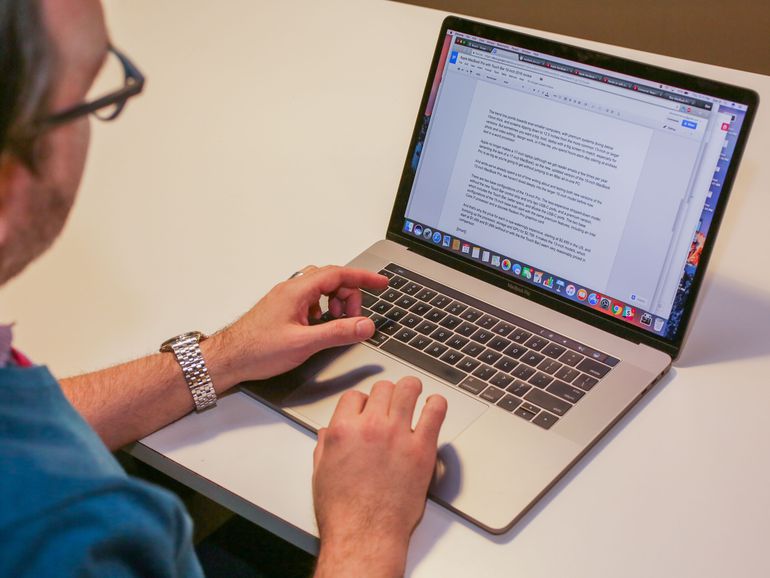 View full gallery Sarah Tew/CNET
Even though these are all part of the same family, the 15-incher offers important differences from the 13-inch models, starting with the configuration options. There are two base configurations of the 13-inch Pro — the less expensive stripped-down model, with only two USB-C ports and lacking both the new Touch Bar control strip and the Touch ID fingerprint sensor, and a premium version, which includes the Touch Bar and Touch ID, better specs and twice as many USB-C ports. The two base configurations of the 15-inch model, however, both include Touch Bar and Touch ID and both start with roughly the same premium features, including four USB-C/Thunderbolt ports, an Intel Core i7 processor and a discrete Radeon Pro graphics card.
And that’s why the price for each is eye-wateringly expensive, starting at $2,499 (£2,349 or AU$3,599) in the US, and bumping up the processor, storage and GPU for $2,799 (£2,699 or AU$4,249), which is the configuration tested here. It makes the 13-inch models, which start at $1,499 and $1,799 (£1,449 and £1,749 or AU$2,199 and AU$2,699) seem very reasonably priced in comparison.

View full gallery
The 13-inch and 15-inch models, side by side.
Sarah Tew/CNET
Of course, there’s also another 15-inch option that’s a little less expensive. For the time being, Apple is still selling the 2015 15-inch MacBook Pro, which misses out on some of the newer features, but still has traditional USB, HDMI and other ports.
Apple MacBook Pro (15-inch, 2016)
| $2,799 |
| 15-inch, 2,880×1,800-pixel display |
| 2.7GHz Intel Core i7-6820HQ |
| 16GB DDR3 SDRAM 2,133MHz |
| 2,048MB Radeon Pro 455 / 1,536MB Intel HD Graphics 530 |
| 512GB SSD |
| 802.11ac wireless, Bluetooth 4.2 |
| MacOS Sierra 10.12.1 |
Mostly new, inside and out
Much has been written, blogged or Tweeted about Apple’s newest MacBook Pro
laptops, first unveiled in late October 2016. Despite it being a near-total refresh of this decade-old line, a good deal of the focus was on complaints about the (still) high price and the switch away from traditional USB and HDMI ports to USB-C/Thunderbolt ports. The inclusion of a slim touch strip for commands, called the Touch Bar, was also polarizing — it’s moderately useful in many circumstances, amazingly so in a handful. At launch, it didn’t have the software support to be a must-have productivity tool, but that’s slowly changing. You can read much more about the Touch Bar experience here.
Beyond that, there are a lot of other updates and upgrades that got lost in the noise about USB-C ports and the Touch Bar. The MacBook Pros, including this 15-inch model, have newer Intel processors, the aluminum unibody chassis is both thinner and lighter, the keyboard has been shifted to a flatter design, akin to the 12-inch MacBook, and the trackpad (Apple’s touchpad) has doubled in surface area. On this 15-inch MacBook, it’s larger than even an iPhone 7 Plus screen.

View full gallery
The massive MacBook Pro trackpad
Sarah Tew/CNET
That last point is especially important, as this is one area where no PC maker can touch Apple (no pun intended). The multifinger gestures that make MacBook hardware and the MacOS operating system such a killer combo is enhanced by the new, larger finger surface. It’s as if just when PC makers were starting to catch up on touchpads, with better surfaces and reliable multitouch gestures, these oversize MacBook trackpads move the goalposts further away.
This is also a Force Touch pad, a design now in every MacBook except the MacBook Air, which replaces a traditional hinge with a flat glass panel with two levels of haptic feedback. You can read more about Force Touch here.
Magic touch
The Touch Bar here is the same as in the 13-inch MacBook Pro we reviewed previously. And by the same, I mean exactly the same. Both the 2,170×60 OLED Touch Bar display and the keyboard have been dropped in right from the 13-inch version. The main physical difference is that the larger 15-inch body has extra room on either side of the keyboard for speaker grilles, while the 13-inch keyboard goes nearly to the edge of the body.
A much more in-depth exploration of the Touch Bar is available in our review of the 13-inch MacBook Pro, and the functionality, benefits and limitations are the same on this model. You can read that review for an extended test drive of the Touch Bar, but it’s worth noting a few highlights and lowlights here.

View full gallery Sarah Tew/CNET
Initially, Touch Bar support was limited to Apple apps built into MacOS, and a handful of third-party apps, although that list is finally growing. In most cases, the unique-to-each-app set of buttons you get is presented logically, but some onscreen buttons have layers within them, and navigating deeper in and then moving back out isn’t always intuitive (as in the case of Photos, Apple’s photo organizing and tweaking app). In other cases, such as with Safari and Messages, the Touch Bar buttons are a perfect distillation of the most important functions in an app and the uses are easy to pick up immediately.
One of the best Touch Bar features is the built-in fingerprint reader, which uses a new custom T1 security chip to implement Apple’s Touch ID system, as seen on iPhones and iPads. Setup is similar to on an iPhone, with repeated fingertaps on the sensor recording fingerprint data. Unlike iPhones or iPads, Macs support multiple user profiles, so everyone using the machine can set up fingerprint access to separate profiles, or you can set up different profiles and access each one with a different finger.

View full gallery
Safari tabs on the Touch Bar
Sarah Tew/CNET
Switching between tabs in Safari is an especially cool Touch Bar trick. Each tab you have open in a Safari window is represented by a tiny thumbnail image. They’re too small to really see much detail, but tapping on each one switches the browser to that tab, and it’s probably still my favorite overall new Touch Bar feature. I’d love to see it in Chrome as well, as I’m often running more than one browser.
Super Mario Run is coming to Android in March!
That was shorter than expected, honestly.

Nintendo has been teasing the release of Super Mario Run on Android since it put the app up in the Play Store for “pre-registration” back in December, but now we know that the game will fully release in March. Depending on when in the month it finally hits Android devices the total time as an iOS exclusive will only be about three months, which is honestly a bit shorter than many would have expected considering the gravity of such a huge title.

Announcing that the game will release on Android well over a month in advance is quite interesting, but we’ll take any sort of time frame for what is sure to be just as big a game on Android as it has been over on the Apple side of the mobile world. We don’t know what the in-app purchases will look like, but you can guess it’d line up very similarly to the iOS version — a “free” version to start with only a few levels enabled, followed by a roughly $10 purchase to unlock the full game and extra small purchases for some glamour upgrades.
Does knowing that it’s coming make it any easier for you to wait for the proper launch? It’s still tough to deal with for me — I want some Mario on my phone, and I want it right now. March can’t come soon enough.
Tidal now has an editing tool for tempo and song length
Tidal debuted its Masters feature which offers near studio-quality sound earlier this month. Now the streaming service is offering users a way to edit tracks. While playing a song in the Tidal app, you can change the length and speed with the new Track Edit feature from the options menu. To make any tempo adjustments, you will need to select a segment of a song before you can do so. The tool also allows you to make changes to how the song fades in/out.
Any songs that you edit can be saved to new or existing playlists so you can easily find them later. Unfortunately, that’s really the only details at this point as Tidal hasn’t revealed any more information about the feature. We reached out to the company for clarification on availability and more details, but we have yet to hear back.
Source: The Verge, Pitchfork
Non-browning GMO apple slices go on sale next month
Mushrooms won’t be the only non-browning produce on store shelves for long. Thanks to genetic modification, we’ll soon see Golden Delicious apples that don’t oxidize for three weeks after being cut, bruised or bitten into. They’ll be sold in packages of slices and will go on sale in the Midwest in February and March. According to Arctic, the company responsible for the fruit, this feat was achieved by “silencing” polyphenol oxidase (PPO) expression.
Arctic further explains that while PPO serves as protectors against pests or pathogens in tomatoes, that fruit/vegetable produces an awful lot of them as a defense mechanism. Apples, on the other hand, don’t really have a need for it. “Apples produce very low levels of PPO, and only in very young fruit,” the company writes. “Its presence is probably left over from apples of ages ago, playing no role in today’s apples.”
The company admits that despite almost a decade of research proving these apples and their trees grow in orchards just like non-modified examples, there’s still quite a bit to learn. Specifically, Arctic mentions that PPO contain antioxidants beneficial to heart health and thus not enough is known about how much your recommended intake should be.
Organic Authority writes that some 500 40-pound boxes of apple slices will be on shelves at 10 stores in the Midwest, but rather than being labeled specifically as GMO produce, they’ll have a QR code (remember those?) that, when scanned, will identify them as such.
Further on that note, the company isn’t revealing which stores will sell the fruit and says the choice to label it is up to stores themselves. “We don’t want to skew our test marketing results by choosing stores that may be more friendly to genetic engineering,” president Neal Carter said.
“We’re very optimistic with respect to this product because people love it at trade shows. It’s a great product and the eating quality is excellent.” If the test run goes well enough, Arctic hopes to expand its current orchards, currently in British Columbia and Washington state, up to 2,800 acres by 2021.
Via: Organic Authority
Source: Capital Press
LG sends out invites to 26 February event, likely for LG G6
The G6 is almost upon us.
LG has sent invites to the media for an event to be held in Barcelona, Spain on 26 February, the day before the Mobile World Congress trade show kicks off in the city. LG’s invitation depicts fireworks at nighttime over a lake, along with the caption: “See More, Play More”. LG is likely getting us hyped for its next flagship and its screen size.
LG told ZDNet the invite has a 18:9 ratio, the screen ratio of the upcoming LG G6. The phone’s screen apparently has a 564 PPI, while the phone itself has features that leverage such a long display. In a tweet on Wednesday night, LG further teased the big screen, as well as features like a smaller body, portability, and water proofing.
Based on several leaks, which Pocket-lint has rounded up here, we already know LG’s next flagship will ditch the modular approach of the LG G5 and should be waterproof and with skinnier bezels. We’ll know more once MWC comes around in February.
Pocket-lint will be there reporting all the latest news.
These leaked Samsung Galaxy S8 front panels hint at phones’ design
Want to know what Samsung’s next flagships might look like?
Feast your eyes on the photo above. It’s yet another look at the upcoming Galaxy S8 and Galaxy S8 Plus. Well, their front panels anyway. As you can see from the leaked photo, both models appear to feature curved displays, which seems to confirm previous rumours about Samsung ditching the flat screen approach. It also matches up to previously leaked hands-on photos of the Galaxy S8.
DforDesign (via SamMobile) posted the image, which also appears to show thinner bezels on the phone as well as no physical home button, which makes us wonder if Samsung tossed the fingerprint sensor or simply embedded in the back like several other Android phones do. Keep in mind the Galaxy S8 is expected to have a 5.7-inch display, while the Galaxy S8 Plus will come in at 6.2 inches.
Check out Pocket-lint’s round up for what else the pair might feature. Samsung is reportedly going to announce the Galaxy S8 during or near Mobile World Congress in February, so we may know more soon.
Oracle faces Labor Department lawsuit over job discrimination
Google isn’t the only Silicon Valley staple facing a lawsuit over the fairness of its hiring practices. The US Department of Labor has sued Oracle for allegedly conducting discriminatory employment practices. The enterprise tech giant is accused of paying white male workers more than minorities and women in similar positions, and of favoring Asian people for “technical roles.” The lawsuit isn’t coming out of the blue, though — it’s really the culmination of a battle that started when an investigation began in 2014.
The Labor Department says that Oracle has refused to obey requests for employment data, such as discrimination complaints, hiring data and prior-year compensation levels. Compliance officials say they spent “almost a year” trying to solve discrimination issues before the lawsuit came about.
It won’t shock you at all to hear that Oracle disputes the claims. In a statement to USA Today, the company insists that the lawsuit is “politically motivated, based on false allegations, and wholly without merit.” True or not, the stakes are high. Oracle is a government contractor, and that means it risks losing all its government contracts if it’s found to be violating anti-discrimination rules. It may not have much choice but to turn over data and change its ways if it wants to avoid both losing a major customer and hurting its reputation.
Via: USA Today
Source: Department of Labor
Korean military used video game clips to sell real fighter jets
South Korea proudly showed off footage of its top-of-the-line Kai KF-X fighter jet in 2015; the culmination of over 14 years of work. Unfortunately, a year and a bit later, Korea Times discovered that footage used to show off the fighter’s impressive performance actually came from old video games. Whoops.
Adding insult to injury, the paper reports that producing the plagiarized clip cost around $40,000 in taxpayer money. South Korea’s military was quick to acknowledge that the footage (taken from Battlefield 3 and Ace Combat: Assault Horizon) wasn’t authorized and has agreed to cease using the clips.
In a bid to avoid national embarrassment, everyone involved is predictably blaming one other. While the military pointed the finger at the company that made the video, amazingly the video producers were quick to hedge their bets, claiming that both the Agency for Defence Development and Korea Aerospace Industries, stating that both companies had a final say.
The unauthorized use of footage from the games could lead to legal action, meaning the jet might end up costing South Korea even more cash. Neither Battlefield publisher EA or Ace Combat publisher Namco Bandai has issued a comment.
Remember kids, war isn’t a game… unless you look really, really closely at promotional videos.
Source: Korea Times
 AIVAnet